Advanced Laser Rangefinding Techniques
1. Fundamentals of Laser Rangefinding
1.1 Principles of Laser Rangefinding
Laser rangefinding is a technique used to measure the distance between a sensor and a target by timing how long it takes for a laser pulse to travel to the target and back. The core concept is straightforward: send a laser beam, detect its reflection, and calculate distance based on the time elapsed. However, the details behind this simple idea involve several physical and technical principles.
Basic Concept
At its heart, laser rangefinding relies on the speed of light, which is approximately 299,792,458 meters per second in a vacuum. Since light travels so fast, measuring the time it takes for a laser pulse to return requires extremely precise timing equipment.
Distance Calculation Formula:
\[ \text{Distance} = \frac{c \times t}{2} \]
Where:
- \(c\) is the speed of light
- \(t\) is the round-trip time of the laser pulse
- The division by 2 accounts for the two-way travel (to the target and back)
Mind Map: Core Components of Laser Rangefinding
Time-of-Flight (ToF) Measurement
The most common method is the Time-of-Flight approach. A short laser pulse is emitted, and a timer starts. When the reflected pulse returns, the timer stops. The elapsed time is used to calculate the distance. This method requires fast detectors and precise clocks.
Example:
Imagine a laser rangefinder measuring the distance to a tree. The device emits a pulse, and after 6.67 microseconds, it detects the reflection. Using the formula:
\[ \text{Distance} = \frac{299,792,458 \times 6.67 \times 10^{-6}}{2} \approx 1000 \text{ meters} \]
So, the tree is approximately 1 kilometer away.
Phase-Shift Measurement
Another technique involves continuous-wave lasers modulated at a known frequency. The phase difference between the emitted and received signals corresponds to the distance. This method is effective for shorter ranges and can provide high resolution.
Mind Map: Measurement Techniques
Factors Affecting Measurement
- Speed of Light Variations: In air, light slows slightly depending on temperature, pressure, and humidity, which can affect accuracy.
- Target Reflectivity: Dark or absorbent surfaces return weaker signals, potentially increasing measurement error.
- Atmospheric Conditions: Fog, dust, or rain can scatter or absorb the laser beam.
Example: Reflectivity Impact
If the target is a white wall, most of the laser light reflects back, making detection easy. If the target is a black tire, much less light returns, requiring more sensitive detectors or longer integration times.
Mind Map: Environmental and Target Influences
Summary
Laser rangefinding measures distance by timing laser pulses reflected from targets. The two main measurement methods are Time-of-Flight and Phase-Shift. Accuracy depends on precise timing, target reflectivity, and environmental factors. Understanding these principles lays the foundation for advanced techniques covered later in the book.
1.2 Types of Laser Rangefinders and Their Applications
Laser rangefinders come in several types, each suited to different measurement needs and environments. Understanding these types helps in selecting the right tool for a given task and optimizing its use.
Time-of-Flight (ToF) Rangefinders
Time-of-Flight rangefinders measure distance by timing how long a laser pulse takes to travel to a target and back. The principle is straightforward: send a pulse, start a timer, receive the reflection, stop the timer, and calculate distance using the speed of light.
- Applications: Long-range surveying, topographic mapping, military targeting, and autonomous vehicle navigation.
- Strengths: Can measure long distances (up to several kilometers), works well in open environments.
- Limitations: Accuracy can degrade with low reflectivity targets or in poor atmospheric conditions.
Example: A forestry surveyor uses a ToF rangefinder to measure tree heights by aiming the laser at the treetop and the base, calculating the vertical distance.
Phase-Shift Rangefinders
Phase-shift rangefinders emit a continuous wave laser modulated at a known frequency. The system measures the phase difference between the emitted and received signals to determine distance.
- Applications: Industrial automation, robotics, and short to medium-range measurements.
- Strengths: High accuracy and fast measurement rates.
- Limitations: Limited maximum range compared to ToF systems; phase ambiguity can occur at longer distances.
Example: In a manufacturing plant, a phase-shift rangefinder monitors the position of moving parts on an assembly line with millimeter precision.
Triangulation-Based Rangefinders
These devices use a laser spot projected onto the target and a sensor offset at a known angle. The position of the reflected spot on the sensor changes with distance, allowing calculation via triangulation.
- Applications: Short-range measurements, quality control, and 3D scanning.
- Strengths: High precision at short distances.
- Limitations: Limited range (usually under a few meters) and sensitive to target surface texture.
Example: A quality control engineer uses a triangulation rangefinder to measure the thickness of small components.
Frequency-Modulated Continuous Wave (FMCW) Rangefinders
FMCW rangefinders emit a laser beam whose frequency is continuously varied over time. The difference between emitted and received frequencies corresponds to the distance.
- Applications: Automotive LIDAR, drone navigation, and robotics.
- Strengths: Provides both range and velocity information.
- Limitations: More complex electronics and signal processing required.
Example: An autonomous drone uses FMCW rangefinding to avoid obstacles while flying through a forest.
Pulsed Laser Rangefinders with Multiple Returns
These systems emit high-energy pulses and can detect multiple reflections from different surfaces along the beam path, useful for complex environments.
- Applications: Terrain mapping, forestry, and urban planning.
- Strengths: Ability to penetrate foliage and capture multiple layers.
- Limitations: More complex data processing.
Example: A surveyor maps a forested area, capturing ground elevation beneath the canopy by analyzing multiple returns.
Mind Maps
Types of Laser Rangefinders
Applications by Rangefinder Type
Each type of laser rangefinder balances trade-offs between range, accuracy, speed, and complexity. Selecting the right type depends on the measurement environment, target characteristics, and required precision. For example, a long-range ToF system is less suited for millimeter-scale industrial measurements where phase-shift or triangulation methods excel. Meanwhile, FMCW systems offer additional velocity data, useful in dynamic settings but at the cost of more complex hardware.
Understanding these types and their practical applications helps in designing measurement systems that meet specific needs efficiently.
1.3 Key Performance Metrics and Specifications
Laser rangefinders come with a set of technical specifications that define their capabilities and limitations. Understanding these metrics is essential for selecting the right device and interpreting its measurements accurately. Below is a detailed overview of the most important performance parameters, accompanied by mind maps and practical examples.
Accuracy
Accuracy refers to how close a measured distance is to the actual distance. It is often expressed as a fixed error plus a percentage of the measured distance (e.g., ±5 mm + 10 ppm). Accuracy depends on factors like the laser’s stability, signal processing, and environmental conditions.
- Example: If a rangefinder has an accuracy of ±5 mm + 10 ppm, measuring 1000 meters means the error could be ±5 mm plus 10 parts per million of 1000 m, which is 10 mm, totaling ±15 mm.
Precision (Repeatability)
Precision measures the consistency of repeated measurements under the same conditions. A device can be precise but not accurate if it consistently produces the same wrong value.
- Example: Measuring a fixed target multiple times yields distances of 1000.01 m, 1000.02 m, and 1000.00 m. The small spread indicates good precision.
Range
Range defines the minimum and maximum distances the device can measure. It depends on laser power, receiver sensitivity, target reflectivity, and environmental factors.
- Example: A rangefinder might specify a maximum range of 2000 m on a high-reflectivity target but only 500 m on a low-reflectivity surface.
Resolution
Resolution is the smallest incremental change in distance the device can detect. Higher resolution allows finer discrimination between close distances.
- Example: A resolution of 1 mm means the device can distinguish between 1000.000 m and 1000.001 m.
Beam Divergence
Beam divergence is the angular spread of the laser beam as it travels. A smaller divergence results in a tighter beam, improving targeting accuracy and signal strength.
- Example: A divergence of 0.3 milliradians means the beam diameter increases by 0.3 mm for every meter traveled.
Measurement Rate
This is how many distance measurements the device can perform per second. Higher rates enable tracking moving targets or rapid scanning.
- Example: A rangefinder with a 20 Hz measurement rate can take 20 distance readings per second.
Signal-to-Noise Ratio (SNR)
SNR quantifies the strength of the returned laser signal relative to background noise. Higher SNR improves measurement reliability.
- Example: In bright sunlight, SNR may drop, causing less reliable readings.
Laser Wavelength
The wavelength affects atmospheric absorption and eye safety classification. Common wavelengths include 905 nm and 1550 nm.
- Example: 1550 nm lasers are often safer for eyes and can use higher power for longer range.
Mind Map: Key Performance Metrics
Practical Examples
Example 1: Calculating Accuracy Error
A rangefinder specifies accuracy as ±3 mm + 5 ppm. Measuring a target at 1500 m:
- Fixed error: ±3 mm
- Distance-dependent error: 5 ppm × 1500 m = 7.5 mm
- Total possible error: ±(3 + 7.5) mm = ±10.5 mm
This means the true distance could be anywhere between 1499.9895 m and 1500.0105 m.
Example 2: Effect of Beam Divergence on Spot Size
A laser with 0.5 mrad divergence is pointed at a target 1000 m away.
- Beam diameter increase = 0.5 mrad × 1000 m = 0.5 m
If the initial beam diameter is 5 mm, the spot size on the target is approximately 0.505 m. This affects how much of the target surface the laser illuminates, influencing signal strength and measurement accuracy.
Example 3: Measurement Rate in Moving Target Scenarios
A rangefinder with a 10 Hz measurement rate tracks a vehicle moving at 20 m/s.
- Distance between measurements = 20 m/s ÷ 10 Hz = 2 m
This means the device records the vehicle’s position every 2 meters, which may be sufficient for some applications but too sparse for high-precision tracking.
Understanding these metrics helps users choose the right laser rangefinder and interpret its data correctly. Each specification interacts with others, so balancing them according to the application is key.
1.4 Basic Measurement Techniques with Practical Examples
Laser rangefinding measures the distance between the device and a target by timing the travel of a laser pulse or analyzing the phase shift of a continuous wave. Understanding the basic measurement techniques is essential before moving on to more advanced methods.
Time-of-Flight (ToF) Measurement
This is the most straightforward approach. A laser pulse is emitted toward the target, and the time it takes for the reflected pulse to return is recorded. Distance is calculated using the speed of light:
\[ \text{Distance} = \frac{c \times t}{2} \]
where \(c\) is the speed of light and \(t\) is the round-trip time.
Example:
Imagine you want to measure the distance to a tree 150 meters away. The laser pulse travels to the tree and back. The device measures the round-trip time as approximately 1 microsecond (\(1 \times 10^{-6}\) seconds). Using the formula:
\[ \text{Distance} = \frac{3 \times 10^{8} \times 1 \times 10^{-6}}{2} = 150 \text{ meters} \]
This confirms the distance.
Phase-Shift Measurement
Instead of sending pulses, a continuous laser beam modulated at a specific frequency is used. The phase difference between the emitted and received signals indicates distance.
Example:
If a laser is modulated at 100 MHz, the wavelength of modulation is 3 meters (since \(c/f = 3 \times 10^{8} / 1 \times 10^{8} = 3\) m). A measured phase shift of 60 degrees corresponds to a distance:
\[ \text{Distance} = \frac{\text{Phase Shift}}{360^{\circ}} \times \text{Modulation Wavelength} = \frac{60}{360} \times 3 = 0.5 \text{ meters} \]
This method is useful for short distances and provides continuous measurement.
Triangulation Method
This technique uses the angle of reflected light rather than time. A laser spot is projected onto the target, and a sensor detects the reflected spot’s position. Using geometry, distance is calculated.
Example:
A laser projects a spot onto a wall. The sensor detects the spot shifted 2 cm from a reference point on a sensor 10 cm away from the laser source. Using simple trigonometry:
\[ \text{Distance} = \frac{\text{Baseline} \times \text{Sensor Distance}}{\text{Spot Shift}} = \frac{10 \times 10}{2} = 50 \text{ cm} \]
This method is common in short-range applications like industrial sensors.
Mind Map: Basic Measurement Techniques
Practical Considerations
-
Reflectivity of Target: Dark or absorbent surfaces reflect less light, reducing signal strength and accuracy.
-
Ambient Light: Strong sunlight or artificial lighting can introduce noise; filtering and modulation help mitigate this.
-
Multiple Reflections: In cluttered environments, reflections from unintended surfaces can confuse measurements.
-
Measurement Range: ToF is better for long distances; triangulation suits short-range; phase-shift fits intermediate distances.
Example:
Measuring a metal pole in bright sunlight might require increasing laser power or using narrowband optical filters to reduce ambient light interference.
Mind Map: Practical Considerations
Step-by-Step Example: Measuring Distance Using ToF
- Setup: Aim the laser rangefinder at the target.
- Pulse Emission: The device emits a short laser pulse.
- Detection: The reflected pulse returns and is detected.
- Timing: The device measures the elapsed time between emission and detection.
- Calculation: Distance is computed using the speed of light divided by two (round trip).
- Display: The calculated distance is shown.
Example:
You measure a building facade. The device records a round-trip time of 2 microseconds.
\[ \text{Distance} = \frac{3 \times 10^{8} \times 2 \times 10^{-6}}{2} = 300 \text{ meters} \]
The device displays 300 meters.
Step-by-Step Example: Phase-Shift Measurement
- Setup: The laser emits a continuous wave modulated at a known frequency.
- Emission: The modulated beam hits the target.
- Reception: The reflected beam is detected.
- Phase Measurement: The phase difference between emitted and received signals is measured.
- Distance Calculation: Phase difference is converted to distance.
- Display: The distance is output.
Example:
Modulation frequency: 50 MHz (wavelength 6 meters).
Measured phase shift: 90 degrees.
\[ \text{Distance} = \frac{90}{360} \times 6 = 1.5 \text{ meters} \]
The device shows 1.5 meters.
These basic techniques form the foundation of laser rangefinding. Each has strengths and weaknesses, and the choice depends on the application requirements. Understanding these methods with clear examples helps build a solid base for exploring more advanced techniques.
1.5 Safety Considerations in Laser Rangefinding
Laser rangefinding involves directing laser beams, often invisible to the naked eye, toward targets to measure distances. While these lasers are powerful tools, they carry inherent safety risks that must be managed carefully. This section covers key safety principles, regulatory standards, and practical examples to ensure safe operation.
Understanding Laser Classes and Their Risks
Laser devices are categorized into classes based on their power output and potential to cause harm. Knowing these classes helps users assess risk and apply appropriate safety measures.
Laser Classes Mind Map
Example: A handheld laser rangefinder used in forestry typically falls under Class 3R or 3B. Operators must avoid direct eye exposure and ensure bystanders are aware of the laser’s presence.
Eye Safety: The Primary Concern
The eye is particularly vulnerable to laser radiation because the cornea and lens focus light onto the retina. Even brief exposure to certain laser classes can cause retinal burns or permanent vision loss.
- Never look directly into the laser beam or its reflections.
- Use laser safety glasses rated for the specific wavelength and power.
- Avoid pointing lasers at reflective surfaces that can redirect the beam unpredictably.
Example: When measuring distances in an urban environment, reflective windows or metal surfaces can cause dangerous reflections. Operators should scan the area for such hazards before activating the laser.
Skin Exposure and Other Hazards
While eye damage is the primary risk, high-powered lasers can cause skin burns. Class 4 lasers especially pose fire risks if directed at flammable materials.
- Maintain a safe distance from the beam path.
- Avoid operating lasers near combustible materials.
Example: A laser rangefinder mounted on a drone must be checked to ensure the beam does not strike dry vegetation, which could ignite under intense laser exposure.
Regulatory Compliance and Labeling
Laser devices must comply with safety standards set by organizations such as the International Electrotechnical Commission (IEC) and the U.S. Food and Drug Administration (FDA). Proper labeling includes:
- Laser class
- Wavelength
- Output power
- Safety warnings
Operators should verify that their equipment is certified and labeled correctly.
Safe Operating Practices
- Conduct a risk assessment before use.
- Establish controlled areas with warning signs when using Class 3B or 4 lasers.
- Train all personnel on laser hazards and emergency procedures.
- Use beam stops or barriers to terminate the laser beam safely.
- Never bypass safety interlocks.
Safe Operation Mind Map
Example: Before starting a laser survey on a construction site, the operator sets up warning signs and restricts access to the laser path. All team members wear appropriate safety glasses, and a spotter monitors for unauthorized entry.
Incident Response
In case of accidental exposure:
- For eye exposure, avoid rubbing the eyes and seek immediate medical attention.
- For skin burns, cool the area with water and consult a healthcare provider.
- Report incidents according to organizational protocols.
Summary
Safety in laser rangefinding hinges on understanding laser classifications, controlling exposure, complying with regulations, and following disciplined operating procedures. Practical awareness and preparation reduce risks and protect operators and bystanders alike.
2. Precision Targeting Methods
2.1 Understanding Target Characteristics and Reflectivity
Laser rangefinding depends heavily on how the laser beam interacts with the target. The nature of the target—its material, shape, surface texture, and orientation—affects the amount of laser energy reflected back to the sensor. Understanding these characteristics is essential for accurate distance measurement.
Target Reflectivity
Reflectivity is the proportion of incident laser light that a surface reflects. It varies widely between materials and surface conditions. A highly reflective surface returns more signal, improving measurement reliability. Conversely, low reflectivity surfaces produce weaker returns, increasing noise and potential error.
- High reflectivity examples: polished metals, white painted surfaces, retroreflective materials.
- Low reflectivity examples: dark matte surfaces, vegetation, rough concrete.
Reflectivity is often expressed as a percentage or a coefficient between 0 and 1. For instance, a white wall might reflect 80% of the laser energy, while black asphalt might reflect only 5%.
Surface Texture and Geometry
The texture affects how the laser light scatters. Smooth surfaces tend to reflect light in a predictable, specular manner, while rough surfaces scatter light diffusely.
- Specular reflection: Laser light bounces off at an angle equal to the incident angle, like a mirror.
- Diffuse reflection: Light scatters in many directions, reducing the intensity of the return signal.
The geometry of the target also matters. Flat surfaces perpendicular to the laser beam maximize return signal strength. Angled or irregular surfaces reduce the effective reflected energy.
Target Size and Distance
The size of the target relative to the laser beam spot size influences measurement. If the target is smaller than the beam spot, part of the laser energy hits the background, which may have different reflectivity, causing mixed signals.
At longer distances, the beam spot size increases due to divergence, so the target’s effective reflectivity can change with range.
Mind Map: Factors Affecting Laser Return Signal
Example 1: Measuring Distance to a White Wall vs. Black Asphalt
A laser rangefinder aimed at a white painted wall returns a strong, consistent signal because the wall reflects a large portion of the laser energy. Measurements are stable and accurate.
The same device aimed at black asphalt returns a weaker signal. The asphalt absorbs most of the laser energy, causing weaker reflections and more measurement noise. The rangefinder may struggle with accuracy or require longer integration times.
Example 2: Impact of Surface Angle
Consider a metal sheet tilted at 45 degrees to the laser beam. Because of specular reflection, most of the laser energy reflects away from the sensor. The return signal is weak or absent, causing inaccurate or no range measurement.
By contrast, if the metal sheet is perpendicular to the beam, the return is strong and measurement reliable.
Best Practices
- Whenever possible, aim the laser beam perpendicular to the target surface to maximize return signal.
- Be aware of the target’s material and surface condition; adjust measurement parameters accordingly.
- For small or irregular targets, consider the beam spot size and potential background interference.
- Use retroreflective targets in controlled environments to ensure consistent returns.
Mind Map: Best Practices for Target Interaction
Understanding these target characteristics helps in selecting the right laser rangefinder settings and interpreting measurement data correctly. It also guides the design of experiments and field operations to minimize errors caused by target-related factors.
2.2 Techniques for Accurate Target Acquisition
Accurate target acquisition is a cornerstone of effective laser rangefinding. It involves identifying, locking onto, and measuring the distance to a target with minimal error. This section explains practical techniques and considerations to improve accuracy, supported by examples and mind maps to clarify the process.
Understanding the Target
Before acquisition, understanding the target’s physical and optical properties is essential. Reflectivity, size, shape, and surface texture influence how the laser signal returns.
- Reflectivity: Highly reflective surfaces return stronger signals, improving detection.
- Size and Shape: Larger or well-defined shapes are easier to isolate.
- Surface Texture: Matte surfaces scatter light more than glossy ones, affecting signal strength.
Mind Map: Factors Influencing Target Acquisition
Laser Beam Alignment and Spot Size
Aligning the laser beam precisely on the target reduces measurement errors. The beam spot size should be appropriate for the target size; too large a spot can include background objects, while too small may miss the target.
Example: When measuring a small metal post, a narrow beam with a spot size smaller than the post diameter ensures the laser energy reflects mainly from the post, not the surroundings.
Signal Thresholding and Filtering
Setting appropriate signal thresholds helps distinguish the target return from background noise. Filtering techniques can remove spurious signals caused by reflections from unintended objects.
Example: In a forest environment, filtering out weak returns from leaves helps focus on tree trunks as primary targets.
Use of Target Markers
Applying retroreflective markers or high-contrast paint can improve acquisition in challenging conditions.
Example: Surveyors often place reflective tape on distant markers to enhance laser return signals.
Scanning and Multiple Measurements
Instead of a single measurement, scanning the laser across the target area and averaging multiple readings reduces random errors and improves confidence.
Example: A rangefinder mounted on a tripod scans a building facade, averaging several points to get an accurate distance despite surface irregularities.
Mind Map: Target Acquisition Workflow
Practical Example: Acquiring Targets in Urban Environments
Urban settings often present complex backgrounds with multiple reflective surfaces. To acquire a target such as a specific building corner:
- Identify the target visually and note its reflective characteristics.
- Adjust the beam divergence to focus on the corner, avoiding nearby windows or signs.
- Use signal thresholding to ignore weaker reflections from glass or metal surfaces.
- Perform multiple measurements to average out inconsistencies caused by reflections or moving objects like vehicles.
This method reduces errors caused by multipath reflections and clutter.
Practical Example: Target Acquisition in Vegetated Areas
Vegetation scatters laser signals, complicating target acquisition. When measuring a tree trunk distance:
- Select a target area with minimal foliage interference.
- Use a narrow beam to focus on the trunk surface.
- Apply filtering to exclude weak returns from leaves.
- Take several measurements at slightly different angles to avoid branches.
This approach improves the likelihood of accurate distance readings despite environmental complexity.
Summary
Accurate target acquisition depends on understanding target characteristics, optimizing system parameters, and applying signal processing techniques. Using multiple measurements and environmental awareness further enhances reliability. These practices, combined with careful alignment and filtering, form the basis for precise laser rangefinding.
2.3 Signal Processing for Enhanced Target Resolution
Signal processing plays a critical role in laser rangefinding by improving the clarity and accuracy of the returned signal, which directly affects target resolution. Target resolution refers to the system’s ability to distinguish between two closely spaced objects. Without proper processing, signals from adjacent targets can blend, causing measurement errors or missed detections.
Key Concepts in Signal Processing for Rangefinding
- Signal-to-Noise Ratio (SNR): The ratio of the desired signal strength to background noise. Higher SNR means clearer detection.
- Pulse Shaping: Modifying the transmitted laser pulse to improve detection and reduce overlap.
- Filtering: Removing unwanted noise from the received signal.
- Deconvolution: Separating overlapping signals to identify multiple targets.
- Thresholding: Setting a detection level to distinguish signal from noise.
Mind Map: Signal Processing Components
Practical Example: Distinguishing Two Close Targets
Imagine a laser rangefinder scanning a wall with two metal plates placed 10 cm apart at 100 meters distance. The raw return signal shows a single broad peak because the reflected pulses overlap. Applying signal processing steps can separate these peaks:
- Filtering: A band-pass digital filter removes background noise outside the expected frequency range.
- Pulse Compression: Using a matched filter shaped to the transmitted pulse compresses the received signal in time, sharpening the peak.
- Deconvolution: Algorithms separate the overlapping echoes, revealing two distinct peaks.
- Thresholding: Setting a detection threshold identifies both targets clearly.
This process improves resolution from a single ambiguous measurement to two precise distance readings.
Filtering Techniques
Filtering is the first line of defense against noise. Analog filters act before digitization, while digital filters operate on sampled data. Common digital filters include:
- Low-pass filters: Remove high-frequency noise but may blur sharp signal features.
- Band-pass filters: Retain frequencies where the signal is expected, discarding others.
- Adaptive filters: Adjust parameters in real-time based on signal characteristics.
Example: In a dusty environment, a band-pass filter tuned to the laser pulse frequency reduces interference from random light scattering.
Pulse Compression and Matched Filtering
Pulse compression increases resolution without increasing peak power. It involves transmitting a longer coded pulse and processing the return to compress it in time.
A matched filter correlates the received signal with a replica of the transmitted pulse, maximizing SNR. This technique sharpens the return pulse, helping to separate closely spaced targets.
Example: A chirped pulse (frequency-modulated) transmitted over 1 microsecond can be compressed to a 10-nanosecond pulse on reception, improving range resolution by a factor of 100.
Deconvolution and Peak Detection
When two targets are closer than the pulse width, their echoes overlap. Deconvolution attempts to reverse this overlap by mathematically separating the combined signal.
Peak detection algorithms then identify local maxima in the processed signal, corresponding to individual targets.
Example: Using Wiener deconvolution on a signal with overlapping returns can reveal two peaks where the raw data showed one.
Thresholding and Decision Logic
After enhancement, the system must decide which signals represent real targets. Thresholding sets a minimum amplitude to reject noise.
Choosing the threshold involves balancing false positives (noise mistaken for targets) and false negatives (missed targets).
Example: In a low-noise environment, a lower threshold detects faint targets; in noisy conditions, a higher threshold prevents false alarms.
Summary
Signal processing in laser rangefinding improves target resolution by enhancing signal clarity, separating overlapping returns, and filtering noise. Practical application of filtering, pulse compression, deconvolution, and thresholding allows systems to distinguish targets that would otherwise be indistinguishable. Each step requires careful parameter selection and understanding of the environment and system characteristics.
2.4 Best Practices for Minimizing Measurement Errors
Minimizing measurement errors in laser rangefinding is crucial for obtaining reliable data. Errors can arise from multiple sources, including environmental factors, system limitations, and operator handling. Addressing these systematically improves accuracy and consistency.
Key Areas to Focus On
Best Practices
Control Environmental Influences
-
Atmospheric Conditions: Temperature, humidity, and air pressure affect the speed of light and beam propagation. Use local meteorological data to apply corrections. For example, measuring range on a hot day without compensation can introduce errors of several centimeters over hundreds of meters.
-
Target Surface: Highly reflective or absorbent surfaces can skew readings. Matte, diffuse targets reduce reflection errors. When measuring shiny metal, angle the beam to avoid specular reflection.
-
Ambient Light: Strong sunlight or artificial light can introduce noise. Use narrow-band optical filters matched to the laser wavelength to reduce interference.
Optimize System Parameters
-
Beam Divergence: A tightly focused beam reduces spot size and improves precision on small targets. However, too narrow a beam can be sensitive to alignment errors. Balance beam divergence based on target size and distance.
-
Detector Sensitivity: Ensure the photodetector is properly tuned to the laser wavelength and has low noise characteristics. Regularly check and replace components that degrade over time.
-
Timing Resolution: Use high-precision timing electronics. For time-of-flight systems, picosecond-level resolution can significantly reduce range uncertainty.
Refine Operational Techniques
-
Target Alignment: Always aim the laser perpendicular to the target surface to minimize angular errors. For irregular targets, select the flattest area possible.
-
Stability: Use tripods or mounts to stabilize the rangefinder. Handheld measurements introduce jitter and reduce repeatability.
-
Calibration: Perform routine calibration using known reference distances. This practice catches drift and systematic errors early.
Mind Map: Minimizing Measurement Errors
Example 1: Correcting for Atmospheric Conditions
A surveyor measures a target 500 meters away on a humid afternoon. Without compensation, the measurement reads 500.12 meters. By applying corrections for temperature (30°C), humidity (70%), and pressure (101 kPa), the corrected range is 499.98 meters, reducing the error by 14 centimeters.
Example 2: Target Surface Impact
Measuring a polished metal plate at 100 meters yields inconsistent results due to specular reflections. Switching to a matte black target of the same size stabilizes readings within ±2 millimeters.
Example 3: Calibration Routine
A laser rangefinder is calibrated monthly against a steel baseline of 1000 meters. Over three months, drift is detected as a 5-millimeter increase. Calibration adjustments restore accuracy, preventing cumulative errors in field measurements.
Summary
Minimizing errors requires attention to environment, equipment, and technique. Applying corrections, maintaining hardware, and following disciplined operational procedures yield the best results. Each factor contributes a piece to the overall accuracy puzzle, and neglecting any can degrade performance.
2.5 Case Study: Precision Targeting in Forestry Applications
Laser rangefinding in forestry is a practical example where precision targeting directly impacts data quality and operational efficiency. The goal is to measure distances to tree trunks, canopy edges, or specific points on the terrain with minimal error. This case study explores how advanced targeting techniques improve measurements in a typical forestry survey.
Context and Challenges
Forests present a complex environment for laser rangefinding. Targets vary in size, shape, and reflectivity. Trees have irregular bark textures, branches obscure lines of sight, and undergrowth can confuse the sensor. Environmental factors such as sunlight filtering through leaves and variable humidity also affect measurements.
Target Selection and Acquisition
The first step is identifying suitable targets. In forestry, common targets include:
- Tree trunks (preferably at breast height for standard measurements)
- Marked survey stakes
- Canopy gaps or edges
Selecting a target with a consistent reflective surface improves accuracy. For example, a smooth bark section reflects laser pulses more predictably than rough or moss-covered areas.
Mind Map: Target Selection Criteria
Precision Targeting Techniques
-
Use of Spot Size Control: Adjusting the laser beam’s spot size helps focus on smaller targets like a single tree trunk rather than a cluster of branches. A smaller spot reduces mixed reflections.
-
Multiple Angle Measurements: Taking measurements from different angles around a tree reduces errors caused by irregular shapes. Averaging these readings yields a more reliable distance.
-
Signal Filtering: Applying threshold filters to ignore weak reflections from leaves or underbrush ensures the system locks onto the main trunk.
Example: Spot Size Adjustment
A forestry team used a laser rangefinder with adjustable optics. Initially, a wide beam caused inconsistent readings due to branches reflecting the laser. By narrowing the beam, they isolated the trunk reflection, improving measurement repeatability from ±0.5 m to ±0.1 m.
Environmental Considerations
Sunlight can introduce noise in the sensor’s photodetector. Surveyors often schedule measurements during low-light conditions or use filters to reduce ambient light interference.
Humidity affects laser pulse propagation. Compensating for local humidity levels in the device’s software helps correct distance calculations.
Mind Map: Environmental Factors and Compensation
Data Integration and Validation
After collecting range data, surveyors cross-check measurements with GPS coordinates and manual tape measurements where feasible. Discrepancies highlight potential targeting errors or environmental effects.
Example: Cross-Validation
In one survey, laser rangefinder data showed a consistent 0.3 m underestimation compared to tape measurements. Investigation revealed partial beam obstruction by low branches. Adjusting the targeting angle resolved the issue.
Summary
Precision targeting in forestry requires careful target selection, control of laser parameters, and environmental compensation. Practical steps include narrowing the laser spot, taking multiple measurements, and filtering signals to avoid false reflections. Combining these techniques results in more accurate and reliable distance data, which is critical for forest inventory, growth monitoring, and resource management.
3. Environmental Compensation Strategies
3.1 Impact of Atmospheric Conditions on Laser Rangefinding
Laser rangefinding depends on the precise measurement of the time it takes for a laser pulse to travel to a target and back. However, the atmosphere between the rangefinder and the target is rarely a neutral medium. Various atmospheric conditions influence the laser beam’s propagation, affecting accuracy and reliability.
Key Atmospheric Factors Affecting Laser Rangefinding
- Refraction: Changes in air density cause the laser beam to bend slightly, altering the effective path length.
- Absorption: Gases and particles in the air absorb some laser energy, weakening the return signal.
- Scattering: Particles and aerosols scatter the laser light, reducing signal strength and clarity.
- Turbulence: Fluctuations in air temperature and pressure cause rapid changes in refractive index, leading to beam wander and jitter.
These factors combine to influence both the measured distance and the quality of the returned signal.
Mind Map: Atmospheric Effects on Laser Rangefinding
Refraction and Its Impact
Refraction occurs because the speed of light varies with air density, which depends on temperature, pressure, and humidity. When a laser beam travels through layers of air with different densities, its path bends slightly. This bending can cause the measured distance to be longer or shorter than the true distance.
Example: On a hot day, the air near the ground is warmer and less dense than the air above. A laser beam aimed horizontally may bend upward slightly, causing the rangefinder to underestimate the distance to a target at ground level.
Absorption Effects
Certain atmospheric gases absorb laser energy at specific wavelengths. Water vapor is a common absorber, especially in the near-infrared range used by many laser rangefinders. Absorption reduces the intensity of the returned signal, which can lower measurement reliability or cause signal loss at longer distances.
Example: After a rainstorm, the air is saturated with moisture. A laser rangefinder operating at 1550 nm may experience reduced range due to increased absorption by water vapor.
Scattering and Signal Degradation
Scattering occurs when particles in the air deflect the laser beam. Rayleigh scattering affects very small particles like molecules, while Mie scattering involves larger particles such as dust or fog droplets. Scattering reduces the amount of laser light reaching the target and returning to the sensor.
Example: In a dusty environment, such as a construction site, scattering can cause the return signal to weaken and fluctuate, leading to noisy or inconsistent range measurements.
Turbulence and Measurement Variability
Atmospheric turbulence causes rapid, random changes in the refractive index along the laser path. This leads to beam wander, where the laser spot moves unpredictably, and scintillation, where the signal intensity fluctuates. These effects increase measurement noise and reduce precision.
Example: Over a heated asphalt surface on a sunny day, turbulence can cause the laser spot to jitter, resulting in fluctuating distance readings even when the target is stationary.
Mind Map: Consequences of Atmospheric Effects
Summary Example: Measuring Distance in Foggy Conditions
Imagine using a laser rangefinder to measure the distance to a tree 500 meters away on a foggy morning. The fog droplets cause significant Mie scattering, reducing the laser beam’s intensity and scattering the return signal. Additionally, the high humidity increases absorption. The combined effect results in a weaker and more fluctuating return signal. The rangefinder might report a shorter distance than actual or fail to get a reliable reading altogether.
Understanding these atmospheric influences helps in selecting appropriate wavelengths, designing compensation algorithms, and choosing operational conditions to improve laser rangefinding accuracy.
3.2 Compensation for Temperature and Humidity Variations
Laser rangefinding relies on measuring the time it takes for a laser pulse to travel to a target and back. This travel time depends on the speed of light in air, which is not a fixed constant but varies with environmental conditions—primarily temperature and humidity. Ignoring these variations can introduce errors ranging from a few millimeters to several centimeters, depending on the distance and conditions.
Why Temperature and Humidity Matter
- Temperature affects air density and refractive index. Warmer air is less dense, allowing light to travel faster.
- Humidity changes the composition of air by adding water vapor, which has a different refractive index than dry air.
Together, these factors alter the effective speed of light, meaning the raw time-of-flight measurement must be adjusted to maintain accuracy.
Mind Map: Environmental Effects on Laser Rangefinding
Quantifying the Impact
The speed of light in air (c_{air}) is approximately:
\[ c_{air} = \frac{c}{n} \]
where (c) is the speed of light in vacuum and (n) is the refractive index of air.
The refractive index (n) depends on temperature (T) (in °C), pressure (P) (in hPa), and humidity (H) (relative humidity in %). A simplified formula for (n) is:
\[ n - 1 = (n_d - 1) + (n_w - 1) \]
where (n_d) is the refractive index contribution from dry air and (n_w) from water vapor.
The Edlén equation or Ciddor formula are commonly used for precise calculations, but for practical rangefinding, approximate corrections often suffice.
Compensation Techniques
-
Direct Environmental Measurement:
- Use sensors to record temperature and humidity near the rangefinder.
- Apply correction factors to the measured distance based on these values.
-
Pre-Calibration in Controlled Conditions:
- Calibrate the system at known temperature and humidity.
- Adjust readings when conditions differ.
-
Lookup Tables or Algorithms:
- Implement tables or formulas in firmware/software that adjust the speed of light based on inputs.
-
Real-Time Correction:
- Combine sensor data with measurement to dynamically adjust distances.
Mind Map: Compensation Workflow
Example 1: Simple Temperature Correction
Suppose a laser rangefinder measures a distance of 1000 meters at 20°C and 50% humidity. The system was calibrated at 15°C and 40% humidity.
- At 15°C, speed of light in air is slightly slower.
- At 20°C, the speed increases, so the laser pulse returns faster.
If uncorrected, the device might underestimate the distance by about 0.1% (roughly 1 meter over 1000 meters).
By applying a correction factor derived from temperature difference, the measurement is adjusted upward to reflect the true distance.
Example 2: Humidity Effect on Short Range
At 100 meters, humidity changes from 20% to 80% at a constant 25°C.
- Water vapor reduces air density, increasing light speed.
- The difference in measured distance can be a few millimeters.
Though small, this matters in precision applications like surveying or industrial alignment.
A humidity sensor feeds data to the rangefinder’s processor, which modifies the refractive index used in calculations, improving accuracy.
Practical Tips
- Place environmental sensors close to the laser aperture to capture relevant conditions.
- Regularly calibrate sensors to avoid drift.
- Use averaging or filtering on sensor data to avoid overreacting to transient changes.
- Document environmental conditions during critical measurements for traceability.
Summary
Temperature and humidity influence the speed of light in air, affecting laser rangefinding accuracy. Compensation requires measuring these parameters and applying corrections to the raw data. Even small environmental changes can cause measurable errors, especially over long distances or in precision tasks. Integrating environmental sensors and correction algorithms into rangefinder systems is a best practice that improves reliability and confidence in measurements.
3.3 Correcting for Air Pressure and Altitude Effects
Laser rangefinding relies on measuring the time it takes for a laser pulse to travel to a target and back. This measurement assumes a constant speed of light in air, but the speed actually varies with atmospheric conditions, particularly air pressure and altitude. Ignoring these factors can introduce errors, especially in precision applications.
Why Air Pressure and Altitude Matter
Air pressure affects air density, which in turn influences the refractive index of air. The refractive index determines how fast light travels through the atmosphere. At higher altitudes, air pressure decreases, causing the refractive index to drop and the speed of light to increase slightly. Without correction, the rangefinder might underestimate distances at high altitudes and overestimate them at lower altitudes.
Basic Relationship
The refractive index of air, ( n ), is close to but slightly greater than 1. The speed of light in air, ( c_{air} ), is:
\[ c_{air} = \frac{c}{n} \]
where ( c ) is the speed of light in vacuum.
Since ( n ) depends on air pressure ( P ), temperature ( T ), and humidity, correcting for pressure and altitude means adjusting ( n ) based on measured or estimated atmospheric pressure.
Mind Map: Factors Affecting Laser Speed in Air
Correcting Range Measurements
To correct for air pressure and altitude, you can use the Edlén equation or simplified models that relate refractive index to pressure and temperature. A common approach is:
\[ n - 1 = (n_0 - 1) \times \frac{P}{P_0} \times \frac{T_0}{T} \]
where:
- ( n_0 ) is refractive index at standard pressure ( P_0 ) and temperature ( T_0 )
- ( P ) and ( T ) are the actual pressure and temperature
The corrected distance \( D_c \) is:
\[ D_c = D_m \times \frac{n}{n_0} \]
where \( D_m \) is the measured distance.
Mind Map: Correction Process
Example 1: Correction at High Altitude
Suppose a laser rangefinder measures a distance of 1000 meters at an altitude of 2500 meters, where the air pressure is approximately 75 kPa (compared to standard 101.325 kPa at sea level). Assume standard temperature for simplicity.
- ( P_0 = 101.325 ) kPa
- ( P = 75 ) kPa
- ( T_0 = T = 293 ) K (20°C)
- ( n_0 - 1 = 2.9 imes 10^{-4} ) (typical value)
Calculate ( n - 1 ):
\[ n - 1 = 2.9 \times 10^{-4} \times \frac{75}{101.325} = 2.15 \times 10^{-4} \]
Calculate correction factor:
\[ \frac{n}{n_0} = \frac{1 + 2.15 \times 10^{-4}}{1 + 2.9 \times 10^{-4}} \approx 0.99977 \]
Corrected distance:
\[ D_c = 1000 \times 0.99977 = 999.77 \text{ meters} \]
So, the uncorrected measurement overestimates the distance by about 23 centimeters.
Example 2: Sea Level vs. Mountain Top
A laser rangefinder is used to measure a target 500 meters away at sea level and then at a mountain top where pressure is 80 kPa. Assuming temperature is constant and humidity negligible:
- At sea level, no correction needed.
- At mountain top:
\[ n - 1 = 2.9 \times 10^{-4} \times \frac{80}{101.325} = 2.29 \times 10^{-4} \]
Correction factor:
\[ \frac{n}{n_0} = \frac{1 + 2.29 \times 10^{-4}}{1 + 2.9 \times 10^{-4}} \approx 0.99994 \]
Corrected distance:
\[ 500 \times 0.99994 = 499.97 \text{ meters} \]
The difference is small but relevant in high-precision contexts.
Practical Tips
- Always measure atmospheric pressure near the rangefinder if possible.
- Use local weather data if direct measurement isn’t feasible.
- Combine pressure correction with temperature and humidity compensation for best accuracy.
- For mobile platforms, update corrections dynamically.
Mind Map: Summary of Correction Workflow
Correcting for air pressure and altitude is a straightforward but essential step in improving laser rangefinding accuracy. Even small differences in atmospheric pressure can shift measurements enough to matter in surveying, mapping, or scientific experiments. Integrating these corrections into your system calibration routines ensures your rangefinder stays reliable across different environments.
3.4 Techniques to Mitigate the Effects of Fog, Rain, and Dust
Laser rangefinding relies on the transmission and reflection of laser pulses. When fog, rain, or dust enters the path, these particles scatter and absorb the laser light, reducing signal strength and accuracy. Understanding and mitigating these effects is essential for reliable measurements.
How Fog, Rain, and Dust Affect Laser Signals
- Fog: Composed of tiny water droplets suspended in air, fog causes Mie scattering, which diffuses the laser beam and attenuates the return signal.
- Rain: Larger droplets than fog, rain causes both scattering and absorption, with intensity depending on droplet size and rainfall rate.
- Dust: Solid particles vary in size and composition, causing scattering and sometimes absorption, often irregular and dependent on particle concentration.
Mitigation Techniques Overview
Mind Map: Mitigating Environmental Effects on Laser Rangefinding
Signal Processing Adjustments
-
Filtering and Averaging: Applying digital filters reduces noise caused by scattering. Averaging multiple measurements smooths out random fluctuations. For example, taking 10 rapid measurements and averaging can reduce fog-induced noise.
-
Threshold Adjustment: Increasing detection thresholds helps ignore weak, scattered signals from fog or dust, but must be balanced to avoid missing valid returns.
Hardware Adjustments
-
Wavelength Selection: Longer wavelengths (near-infrared) penetrate fog and dust better than shorter wavelengths. For instance, a 1550 nm laser experiences less scattering in fog than a 905 nm laser.
-
Power Modulation: Increasing laser power can improve signal-to-noise ratio but risks eye safety limits. Pulsed lasers with higher peak power but low average power can help.
-
Beam Shaping: Using a wider beam reduces intensity per unit area, lowering scattering effects. Conversely, a narrower beam can focus energy but may be more affected by small particles.
Environmental Sensing and Real-Time Compensation
-
Auxiliary Sensors: Using humidity, rain, or dust sensors allows the system to estimate atmospheric conditions and adjust parameters accordingly.
-
Real-Time Compensation: Algorithms can modify measurement interpretation based on sensor data, for example, increasing averaging during heavy fog.
Operational Strategies
-
Measurement Timing: Scheduling measurements during periods of lower fog or rain density improves accuracy.
-
Multiple Measurements: Taking repeated readings and selecting the most consistent values helps filter out outliers caused by scattering.
-
Target Selection: Choosing targets with higher reflectivity or larger surface area reduces the impact of scattering.
Example: Mitigating Fog Effects in a Forestry Survey
A forestry team uses a 1550 nm laser rangefinder to measure tree heights in foggy conditions. They implement the following:
- Increase measurement count to 15 per target and average results.
- Use auxiliary humidity sensors to detect fog density and adjust thresholds.
- Select larger tree trunks as targets to maximize reflectivity.
This combination reduces measurement variance from ±3 meters to ±0.5 meters.
Example: Rain Compensation in Construction Site Monitoring
A construction site uses laser rangefinders during light rain. The system:
- Switches to pulsed laser mode with higher peak power.
- Applies digital filtering to remove sporadic weak returns.
- Schedules measurements between rain bursts when possible.
These steps maintain reliable distance readings with minimal downtime.
Example: Dust Mitigation in Mining Operations
In a dusty mine, laser rangefinders face heavy scattering. The approach includes:
- Using longer wavelength lasers (1550 nm).
- Installing dust sensors to trigger increased averaging.
- Employing beam shaping to widen the laser footprint.
This setup reduces false readings and improves operational safety.
By combining these techniques—signal processing, hardware tuning, environmental sensing, and smart operational choices—laser rangefinding systems can maintain accuracy even in challenging fog, rain, and dust conditions.
3.5 Practical Example: Environmental Compensation in Urban Settings
Urban environments present unique challenges for laser rangefinding due to complex atmospheric conditions, diverse surfaces, and dynamic obstacles. This section walks through a practical example of applying environmental compensation techniques to improve measurement accuracy in such settings.
Scenario Description
Imagine a laser rangefinder mounted on a surveying vehicle tasked with mapping building facades and street furniture in a downtown area. The environment includes tall buildings creating wind tunnels, variable humidity pockets near water features, and pollution particles suspended in the air.
Key Environmental Factors to Consider
- Temperature gradients: Heat radiating from asphalt and buildings creates localized temperature variations.
- Humidity fluctuations: Water vapor near fountains or after rain changes air refractive index.
- Air pressure changes: Slight altitude differences across the city block.
- Particulate matter: Dust and pollution scatter laser pulses.
- Multipath reflections: Laser beams bouncing off glass and metal surfaces.
Step 1: Measuring Environmental Parameters
To compensate effectively, real-time environmental data is essential. The vehicle is equipped with sensors for:
- Ambient temperature
- Relative humidity
- Barometric pressure
- Airborne particulate concentration
These sensors feed data into the rangefinder’s processing unit.
Step 2: Calculating Refractive Index Corrections
The speed of light in air varies with temperature, humidity, and pressure. Using the Edlén formula or similar empirical models, the system calculates the refractive index (n) for the current conditions. The corrected distance \(D_c\) is then:
\[ D_c = \frac{D_m}{n} \]
where \(D_m\) is the measured distance.
Mind Map: Environmental Compensation Factors
Step 3: Mitigating Particulate Scattering
Particulates cause signal attenuation and noise. The system applies a filtering algorithm that:
- Identifies signal strength drops correlated with particulate sensor spikes.
- Uses temporal averaging to smooth out random scattering effects.
- Adjusts laser pulse power dynamically to maintain signal-to-noise ratio.
Example
During a midday measurement near a busy street, particulate sensors detect a spike. The system increases pulse power by 10% and applies a moving average filter over the last five measurements. This reduces noise-induced distance fluctuations from ±15 cm to ±3 cm.
Step 4: Handling Multipath Reflections
Urban surfaces like glass windows and metal signs cause reflections that can confuse the rangefinder. The system uses:
- Angular filtering: Discards returns outside expected angular windows.
- Time gating: Ignores delayed signals inconsistent with direct path.
Mind Map: Multipath Reflection Mitigation
Step 5: Integrating Compensation into Measurement Workflow
The rangefinder’s software pipeline incorporates:
- Environmental sensor data acquisition.
- Refractive index calculation and distance correction.
- Signal filtering based on particulate data.
- Multipath reflection rejection.
- Output of compensated distance values.
Example Workflow
- At 10:00 AM, temperature is 28°C, humidity 60%, pressure 1012 hPa.
- Calculate refractive index: approximately 1.00027.
- Raw distance reading: 100.00 m.
- Corrected distance: 99.97 m.
- Particulate sensor detects low pollution; no pulse power adjustment needed.
- Multipath filters active; no reflections rejected.
- Final reported distance: 99.97 m.
Summary
Environmental compensation in urban settings requires a multi-pronged approach. Accurate sensor data, refractive index corrections, particulate filtering, and multipath mitigation combine to reduce measurement errors. This example shows how integrating these elements into a coherent workflow yields reliable rangefinding results despite urban complexity.
4. System Calibration Techniques
4.1 Importance of Calibration in Laser Rangefinding Systems
Calibration is the process of adjusting and verifying a laser rangefinder’s measurements against known standards to ensure accuracy. Without calibration, even the most advanced laser rangefinding system can produce misleading or incorrect distance readings. This section explains why calibration is essential and how it impacts system performance.
Why Calibration Matters
Laser rangefinders measure distance by timing the travel of a laser pulse or analyzing the phase shift of a reflected signal. Small errors in timing, signal processing, or optics can cause significant deviations in the reported distance. Calibration corrects these errors by aligning the system’s output with known reference distances.
Key reasons calibration is important include:
- Accuracy Assurance: Calibration ensures the system’s measurements closely match true distances, reducing systematic errors.
- Consistency Over Time: Components drift due to temperature changes, aging, or mechanical wear. Regular calibration keeps measurements consistent.
- Environmental Adaptation: Calibration can compensate for environmental factors like temperature or humidity that affect measurement accuracy.
- Compliance and Standards: Many industries require documented calibration to meet quality and safety standards.
Mind Map: Core Reasons for Calibration
How Calibration Affects Measurement Quality
Imagine a laser rangefinder measuring a 100-meter target. Without calibration, the device might report 99.5 meters or 100.7 meters due to internal timing offsets or signal delays. This error might seem small but can be critical in applications like surveying or military targeting.
Calibration identifies these offsets by measuring known distances and adjusting the system’s internal parameters. After calibration, the device might report 100.0 meters ± 0.05 meters, a significant improvement.
Example: Calibration in a Surveying Laser Rangefinder
A surveying team uses a laser rangefinder to map a construction site. Initially, the device shows a consistent 0.3-meter shortfall compared to tape measurements. The team performs calibration using a certified baseline of 50 meters:
- The rangefinder measures the baseline multiple times.
- The average measurement is 49.7 meters.
- The system’s internal timing offset is adjusted to add 0.3 meters.
- Post-calibration measurements match the baseline within ±0.02 meters.
This process ensures the survey data is reliable and reduces costly rework.
Mind Map: Calibration Process Overview
Calibration Frequency and Best Practices
Calibration is not a one-time task. Factors influencing how often calibration should occur include:
- Usage Intensity: Frequent use or harsh environments accelerate drift.
- Environmental Conditions: Temperature swings or humidity changes affect components.
- System Complexity: More complex systems may require more frequent checks.
Best practice is to calibrate before critical measurements and regularly according to manufacturer guidelines or operational experience.
Example: Calibration Impact on Military Laser Rangefinder
A military unit relies on laser rangefinders for targeting. Before deployment, the devices undergo calibration in controlled conditions. During field operations, temperature fluctuations cause minor drift. Regular calibration checks in the field using portable reference targets help maintain targeting precision, preventing errors that could lead to missed targets or collateral damage.
Summary
Calibration is the backbone of reliable laser rangefinding. It corrects inherent system errors, compensates for environmental influences, and maintains measurement integrity over time. Skipping calibration risks inaccurate data, which can have costly or dangerous consequences depending on the application. Understanding and implementing proper calibration procedures is essential for anyone working with laser rangefinding systems.
4.2 Calibration Procedures for Time-of-Flight Systems
Time-of-Flight (ToF) laser rangefinders measure distance by timing how long a laser pulse takes to travel to a target and back. Calibration ensures these measurements are accurate and reliable. Without proper calibration, systematic errors can creep in, skewing results and undermining the entire system’s utility.
Key Calibration Goals
- Correct for systematic timing offsets.
- Adjust for internal delays in electronics and optics.
- Verify linearity across the measurement range.
- Ensure repeatability and stability over time.
Calibration Workflow Mind Map
Step 1: Setup
Begin with a stable, well-defined reference target. A flat, highly reflective surface such as a calibrated metal plate or a retroreflector is ideal. Place the target at known distances, preferably spanning the device’s operational range. Perform calibration indoors or in a controlled environment to minimize atmospheric effects like temperature and humidity fluctuations.
Example: Set targets at 5 m, 10 m, 20 m, and 50 m in a lab corridor. Ensure the laser beam is perpendicular to the target surface to avoid angular errors.
Step 2: Measurement
At each distance, take multiple measurements (e.g., 10 to 20) to capture variability and noise. Record the raw time-of-flight data and the corresponding calculated distances. This repetition helps identify random noise versus systematic bias.
Example: At 10 m, the ToF system reports distances ranging from 9.95 m to 10.05 m over 15 measurements. Calculate the average and standard deviation.
Step 3: Data Analysis
Plot measured distances against the known distances. Ideally, the points lie on a straight line with a slope of 1 and zero intercept. Deviations indicate errors.
- Offset error: A consistent difference at zero distance, often due to internal delays.
- Scale error: Deviations in slope, indicating timing inaccuracies.
- Non-linearity: Curved deviations, suggesting complex timing or processing issues.
Calculate the offset by extrapolating the line to zero distance. Determine scale error by comparing slope to 1.
Example: The regression line shows a slope of 0.998 and an intercept of 0.02 m, indicating a slight underestimation and a 2 cm offset.
Step 4: Adjustment
Apply corrections based on the analysis. Most ToF systems allow firmware or software-level timing offset adjustments. Some systems permit hardware tweaks, such as adjusting delay lines or clock settings.
- Correct the offset by subtracting the measured intercept from all readings.
- Adjust scale by applying a multiplicative factor to compensate for slope errors.
Example: Subtract 0.02 m from all measurements and multiply distances by 1.002 to correct scale.
Step 5: Verification
Repeat measurements after adjustments to confirm improved accuracy. Use additional distances or different targets to ensure robustness. Document the calibration results and any residual errors.
Example: After correction, measurements at 10 m average 10.00 m with a standard deviation of 0.01 m, confirming improved precision.
Practical Example: Calibrating a Handheld ToF Rangefinder
- Place a flat whiteboard at 3 m, 6 m, and 9 m in a hallway.
- Take 20 measurements at each distance.
- Calculate average measured distances: 2.95 m, 5.90 m, 8.85 m.
- Plot and fit a line: slope 0.983, intercept -0.05 m.
- Adjust readings by adding 0.05 m and dividing by 0.983.
- Verify with another set of measurements, confirming accuracy within ±0.02 m.
Additional Considerations
- Temperature effects: Calibrate at typical operating temperatures or compensate separately.
- Laser pulse width and detector response: Influence timing precision; ensure system components are stable.
- Multiple reflections and target properties: Use calibration targets with consistent reflectivity.
Calibration is not a one-time task. Regular checks maintain accuracy as components age or environmental conditions change.
4.3 Calibration of Phase-Shift Measurement Systems
Phase-shift laser rangefinders measure distance by calculating the phase difference between emitted and reflected laser signals. Calibration ensures that this phase difference translates accurately into distance measurements. Without proper calibration, systematic errors can accumulate, leading to inaccurate readings.
Understanding Phase-Shift Measurement
The basic principle involves modulating the laser beam with a known frequency and measuring the phase shift upon return. The distance (D) is related to the phase shift (\phi) by:
\[ D = \frac{c}{2f} \times \frac{\phi}{2\pi} \]
where:
- (c) is the speed of light,
- (f) is the modulation frequency,
- (\phi) is the measured phase shift.
Because phase is cyclical, the system must also resolve ambiguities for distances beyond one modulation wavelength.
Key Calibration Goals
- Phase offset correction: Adjust for any constant phase bias introduced by electronics or optics.
- Frequency accuracy: Ensure the modulation frequency is precise and stable.
- Linearity verification: Confirm that phase shifts correspond linearly to distance over the measurement range.
- Ambiguity resolution: Validate methods for distinguishing multiples of the modulation wavelength.
Calibration Procedure Overview
- Setup: Use a stable, known reference target at multiple distances.
- Data collection: Measure phase shifts at each distance.
- Offset determination: Identify and compensate for any constant phase offset.
- Linearity check: Plot measured distances against actual distances to detect nonlinearities.
- Frequency validation: Confirm modulation frequency matches design specifications.
- Ambiguity testing: Verify correct distance calculation beyond one wavelength.
Mind Map: Calibration Steps
Practical Example: Calibrating a Phase-Shift Rangefinder
Imagine a phase-shift laser rangefinder designed to measure distances up to 100 meters with a modulation frequency of 20 MHz. The modulation wavelength (\lambda_m = c / f = 15) meters, so ambiguity resolution is critical.
Step 1: Setup
- Place a flat, highly reflective target at 10 m, 30 m, 60 m, and 90 m.
- Ensure the environment is free from vibrations and temperature fluctuations.
Step 2: Data Collection
- Record phase shift readings at each distance, taking multiple samples to average out noise.
Step 3: Phase Offset Correction
-
At 10 m, calculate the expected phase shift:
\[ \phi_{expected} = 2\pi \times \frac{2fD}{c} = 2\pi \times \frac{2 \times 20 \times 10^6 \times 10}{3 \times 10^8} = 8.38 \text{ radians} \]
-
If measured phase is 8.55 radians, the offset is 0.17 radians.
-
Subtract this offset from all measurements.
Step 4: Linearity Verification
- Plot corrected measured distances against actual distances.
- If deviations appear, fit a correction curve or adjust system parameters.
Step 5: Frequency Accuracy
- Use a frequency counter to verify the modulation frequency.
- If frequency drifts, recalibrate or replace the oscillator.
Step 6: Ambiguity Resolution
- Measure at 25 m (beyond one modulation wavelength).
- Confirm the system correctly identifies the distance by combining phase measurements with additional methods (e.g., multiple frequencies).
Mind Map: Common Calibration Errors and Solutions
Tips for Effective Calibration
- Use high-quality, stable reference targets with known distances.
- Perform calibration in a controlled environment to reduce noise.
- Repeat measurements multiple times to average out random errors.
- Document calibration data for traceability and future comparisons.
- Regularly recalibrate to account for component aging or environmental changes.
Calibration of phase-shift measurement systems is a precise task that requires attention to detail and systematic procedures. By carefully correcting phase offsets, verifying frequency stability, and ensuring linearity, you can maintain accurate distance measurements and reliable system performance.
4.4 Use of Reference Targets and Calibration Standards
Calibration is the backbone of reliable laser rangefinding. Without a stable point of comparison, measurements can drift, making data unreliable. Reference targets and calibration standards provide that stable baseline. They are physical or virtual benchmarks against which the rangefinder’s accuracy is checked and adjusted.
What Are Reference Targets?
Reference targets are objects with known, fixed distances or reflective properties used to verify and adjust the rangefinder’s measurements. They come in various forms, from simple flat panels to complex retroreflective arrays.
Why Use Reference Targets?
- Consistency: They provide a repeatable measurement point.
- Verification: Help detect drift or errors in the system.
- Adjustment: Allow fine-tuning of the rangefinder’s output.
Types of Reference Targets
- Flat Reflective Panels: Usually painted or coated surfaces with known reflectivity and flatness. They are easy to manufacture and handle.
- Retroreflective Targets: These use corner cube prisms or glass beads to reflect the laser beam back to the source with minimal scattering, improving signal strength.
- Distance Bars or Rods: Precisely measured physical bars used to verify distance accuracy.
Calibration Standards
Calibration standards are formalized reference targets with certified dimensions and properties, often traceable to national or international measurement standards. They ensure that calibration is not just consistent internally but also aligned with broader measurement systems.
Mind Map: Reference Targets and Calibration Standards
Practical Example 1: Using a Retroreflective Target for Calibration
Imagine you have a laser rangefinder that measures distances up to 500 meters. To calibrate it, you set up a retroreflective target exactly 100 meters away in a controlled environment. Because the target reflects the laser beam directly back, the signal is strong and clear.
You take multiple measurements and find the average reading is 99.7 meters. This 0.3-meter discrepancy indicates a systematic error. You adjust the rangefinder’s internal settings to add 0.3 meters to all measurements. After recalibration, the device reads 100.0 meters consistently.
This process ensures that your device is accurate at least at this reference point, which can then be extrapolated or further tested at other distances.
Mind Map: Calibration Process Using Reference Targets
Practical Example 2: Flat Panel Target Reflectivity Check
A flat panel with a known reflectivity of 80% is placed 50 meters from the rangefinder. The device’s signal strength readings are lower than expected, indicating potential issues with either the laser output or the sensor sensitivity.
By comparing the measured signal strength against the known reflectivity, technicians can determine if the system requires cleaning, alignment, or component replacement. This example shows how reference targets help not only with distance calibration but also with system health checks.
Best Practices When Using Reference Targets
- Environmental Control: Perform calibration in stable temperature and humidity to reduce variable effects.
- Multiple Distances: Use several reference targets at different distances to check linearity.
- Regular Calibration: Schedule periodic calibration to catch drift early.
- Documentation: Record all calibration data and adjustments for traceability.
- Target Maintenance: Keep targets clean and undamaged to maintain consistent reflectivity.
Mind Map: Best Practices for Reference Target Use
In summary, reference targets and calibration standards are essential tools for ensuring that laser rangefinders deliver precise and reliable measurements. They provide fixed points of comparison that help detect errors, guide adjustments, and maintain system integrity over time. Using them thoughtfully and consistently is a straightforward way to keep your rangefinding system honest.
4.5 Step-by-Step Calibration Example with Data Analysis
Calibration is the process of aligning your laser rangefinder’s measurements with known standards to ensure accuracy. This example walks through calibrating a time-of-flight (ToF) laser rangefinder using a set of reference distances and analyzing the data to adjust system parameters.
Step 1: Prepare the Calibration Setup
- Select a flat, stable surface with minimal reflectivity variation.
- Place reference targets at known distances (e.g., 5 m, 10 m, 15 m, 20 m).
- Use a high-precision tape measure or laser measurement standard to verify distances.
- Ensure environmental conditions are stable (temperature, humidity).
Step 2: Collect Raw Measurement Data
- Take multiple measurements (e.g., 10 readings) at each reference distance.
- Record the raw distance values reported by the rangefinder.
- Calculate the mean and standard deviation for each set.
Example Data:
| Reference Distance (m) | Measurements (m) | Mean (m) | Std Dev (m) |
|---|---|---|---|
| 5 | 5.02, 5.01, 5.03, 5.00, 5.01, 5.02 | 5.015 | 0.011 |
| 10 | 10.05, 10.04, 10.06, 10.03, 10.05 | 10.046 | 0.011 |
| 15 | 15.10, 15.08, 15.12, 15.09, 15.11 | 15.10 | 0.015 |
| 20 | 20.20, 20.18, 20.22, 20.19, 20.21 | 20.20 | 0.015 |
Step 3: Analyze Measurement Errors
-
Calculate the error at each reference point as:
Error = Mean Measured Distance - Reference Distance -
Tabulate errors:
| Reference Distance (m) | Mean Measured (m) | Error (m) |
|---|---|---|
| 5 | 5.015 | +0.015 |
| 10 | 10.046 | +0.046 |
| 15 | 15.10 | +0.10 |
| 20 | 20.20 | +0.20 |
- Notice the error increases with distance, suggesting a scale factor or linear offset issue.
Step 4: Model the Error and Determine Correction Parameters
-
Assume a linear error model:
Corrected Distance = a * Measured Distance + b -
Use linear regression on the data points (Measured Distance vs. Reference Distance) to find parameters
a(scale) andb(offset). -
Using the example data:
Measured (m) Reference (m) 5.015 5 10.046 10 15.10 15 20.20 20 -
Applying least squares regression yields approximately:
a ≈ 0.99b ≈ -0.05
-
Interpretation: The rangefinder slightly overestimates distances; scaling down by 0.99 and subtracting 0.05 m corrects this.
Step 5: Apply Correction and Validate
-
Correct the original measurements using the model:
Corrected Distance = 0.99 * Measured Distance - 0.05 -
Calculate corrected distances and errors:
| Reference (m) | Measured (m) | Corrected (m) | Corrected Error (m) |
|---|---|---|---|
| 5 | 5.015 | 4.91 | -0.09 |
| 10 | 10.046 | 9.95 | -0.05 |
| 15 | 15.10 | 14.85 | -0.15 |
| 20 | 20.20 | 19.15 | -0.85 |
-
The correction reduces the overestimation but introduces some underestimation at longer distances.
-
Consider refining the model (e.g., quadratic) or recalibrating with more points if higher accuracy is needed.
Step 6: Document Calibration Parameters and Procedures
- Record the final correction parameters and method.
- Note environmental conditions during calibration.
- Include raw and corrected data for traceability.
- Schedule periodic recalibration based on system usage.
Summary
This step-by-step example shows how to calibrate a laser rangefinder by collecting data at known distances, analyzing measurement errors, modeling those errors with a linear correction, and validating the results. Calibration is iterative; if errors remain significant after correction, consider more complex models or additional calibration points. Keeping detailed records ensures repeatability and helps maintain accuracy over time.
5. Advanced Signal Processing and Data Filtering
5.1 Noise Sources and Their Impact on Measurement Accuracy
Laser rangefinding relies on precise timing and signal detection to measure distances. Noise, in this context, refers to any unwanted signal or interference that distorts or obscures the true measurement. Understanding noise sources is essential because they directly affect the accuracy and reliability of range measurements.
Types of Noise in Laser Rangefinding
Noise can be broadly categorized into several types, each with distinct origins and effects:
- Electronic Noise: Arises from the internal electronics of the rangefinder, including photodetectors, amplifiers, and analog-to-digital converters.
- Optical Noise: Includes stray reflections, scattering, and ambient light interference.
- Environmental Noise: Caused by atmospheric conditions such as fog, rain, dust, and temperature fluctuations.
- Target-Induced Noise: Variations in target reflectivity, surface texture, and movement.
Mind Map: Noise Sources in Laser Rangefinding
Electronic Noise
Electronic noise originates from the components that process the laser signal. Thermal noise, also called Johnson-Nyquist noise, results from the random motion of electrons in resistors and semiconductors. Shot noise arises due to the discrete nature of photons and electrons, causing fluctuations in the detected signal. Flicker noise, or 1/f noise, becomes significant at low frequencies and can affect long-term stability.
Example: In a time-of-flight rangefinder, thermal noise in the photodetector’s amplifier can cause jitter in the timing measurement, leading to small but measurable errors in distance.
Optical Noise
Ambient light from the sun or artificial sources can add background signals that confuse the detector. Stray reflections from nearby objects or internal surfaces of the device can create false signals. Scattering from dust or aerosols in the optical path also reduces signal clarity.
Example: When measuring distance outdoors on a sunny day, sunlight entering the detector can increase the baseline noise, requiring filtering or modulation techniques to isolate the laser pulse.
Environmental Noise
Atmospheric conditions affect the laser beam’s propagation. Fog and rain scatter and absorb light, reducing signal strength and increasing measurement uncertainty. Dust particles cause scattering similar to fog but often with more variability. Temperature changes affect the refractive index of air, altering the speed of light and thus the measured distance.
Example: A laser rangefinder used in a dusty construction site may show fluctuating readings due to scattering, requiring compensation algorithms to maintain accuracy.
Target-Induced Noise
The target’s surface properties influence the returned signal. Highly reflective or smooth surfaces provide strong, consistent returns, while rough or dark surfaces scatter or absorb the laser pulse, weakening the signal. Movement of the target during measurement can cause Doppler shifts or timing errors.
Example: Measuring the distance to a matte black vehicle will yield less reliable returns than to a white wall, requiring adjustments in signal processing.
Mind Map: Impact of Noise on Measurement Accuracy
Effects on Measurement
Noise reduces the signal-to-noise ratio (SNR), making it harder to distinguish the true laser return from background interference. Timing jitter caused by electronic noise leads to uncertainty in the exact moment the pulse is detected, directly affecting distance calculation. False returns from stray reflections can cause the system to report incorrect distances. Increased measurement variance means repeated measurements of the same target yield different results, reducing confidence. Noise can also cause calibration drift over time, necessitating frequent recalibration.
Example: Quantifying Noise Impact
Consider a laser rangefinder with a nominal accuracy of ±5 cm. If electronic noise causes timing jitter equivalent to a 2 cm error, and environmental noise adds another 3 cm uncertainty, the combined effect can push the total error beyond the nominal specification. Understanding each noise source helps prioritize mitigation strategies.
Mitigation Strategies (Brief Overview)
- Use of narrowband optical filters to reduce ambient light.
- Signal modulation and synchronous detection to separate laser pulses from noise.
- Temperature stabilization and environmental sensors to compensate for atmospheric effects.
- High-quality electronics with low-noise components.
- Target selection or surface treatment to improve reflectivity.
Each of these strategies will be discussed in detail in later sections, with practical examples and best practices.
In summary, noise is an unavoidable aspect of laser rangefinding that directly impacts measurement accuracy. Identifying the sources and understanding their effects allows for informed design choices and operational practices that minimize errors.
5.2 Digital Filtering Techniques for Signal Enhancement
Laser rangefinding signals often contain noise from various sources: ambient light, electronic interference, or surface reflectivity variations. Digital filtering helps extract the true distance measurement by reducing unwanted components while preserving the signal’s integrity.
Types of Digital Filters
Digital filters can be broadly categorized into two types: Finite Impulse Response (FIR) and Infinite Impulse Response (IIR) filters. Each has its strengths and trade-offs.
-
FIR Filters: These filters have a finite duration response to an impulse input. They are inherently stable and have linear phase responses, which means they do not distort the signal’s phase. However, they often require more computational resources.
-
IIR Filters: These filters have feedback elements, allowing them to achieve sharper frequency responses with fewer coefficients. They can be unstable if not designed carefully and typically have nonlinear phase responses.
Common Filtering Techniques
-
Moving Average Filter
- Smooths data by averaging a fixed number of consecutive samples.
- Simple to implement and effective for reducing random noise.
- Example: If the raw range data fluctuates around 100m with noise ±2m, a moving average over 5 samples can reduce spikes.
-
Median Filter
- Replaces each data point with the median of neighboring points.
- Effective at removing impulsive noise (spikes) without blurring edges.
- Example: A sudden erroneous spike at 150m in a series of 100m readings can be removed by median filtering.
-
Low-Pass Filters
- Allow signals below a cutoff frequency to pass, attenuating higher-frequency noise.
- Can be implemented as FIR or IIR filters.
- Example: Filtering out high-frequency electronic noise from the signal.
-
Kalman Filter
- A recursive filter that estimates the true signal by combining noisy measurements and a model of system dynamics.
- Useful when measurements are sequential and system behavior is partially known.
- Example: Tracking a moving target where range measurements fluctuate due to noise and target motion.
Mind Map: Digital Filtering Techniques
Practical Example: Applying a Moving Average Filter
Suppose a laser rangefinder outputs the following raw distance measurements (in meters) over time:
[100.2, 99.8, 101.5, 100.1, 99.9, 100.3, 100.0]
A 3-point moving average filter calculates each filtered value as the average of the current and two previous measurements:
- First filtered point (index 2): (100.2 + 99.8 + 101.5) / 3 = 100.5
- Second filtered point (index 3): (99.8 + 101.5 + 100.1) / 3 = 100.47
- And so on.
This smooths out sudden jumps, making the signal more stable for downstream processing.
Practical Example: Median Filter for Spike Removal
Consider the sequence:
[100, 101, 102, 150, 101, 100]
The value 150 is an outlier likely caused by noise or reflection errors. Applying a 3-point median filter:
- At the spike: median of (102, 150, 101) = 102
Replacing 150 with 102 removes the spike without affecting the surrounding data.
Choosing the Right Filter
- Use moving average for general smoothing when noise is random and small.
- Use median filters when spikes or outliers are present.
- Use low-pass FIR/IIR filters when frequency characteristics of noise are known.
- Use Kalman filters when you have a dynamic system model and sequential data.
Mind Map: Filter Selection Criteria
Digital filtering is a balance between noise reduction and signal preservation. Over-filtering can smooth out important signal features, while under-filtering leaves noise that degrades accuracy. Testing filters with real data and tuning parameters is essential.
In laser rangefinding, these filtering techniques improve measurement reliability, especially in challenging environments where noise sources vary. Including filtering as an integral part of signal processing pipelines enhances overall system performance.
5.3 Adaptive Algorithms for Real-Time Data Correction
Adaptive algorithms adjust their parameters dynamically to improve the accuracy of laser rangefinding measurements as conditions change. Unlike fixed filters, adaptive methods respond to variations in noise, target reflectivity, or environmental factors without needing manual recalibration.
Why Use Adaptive Algorithms?
Laser rangefinders often face fluctuating noise levels and signal distortions caused by atmospheric changes, target movement, or hardware drift. Static correction methods may fail when these conditions shift. Adaptive algorithms continuously update their internal models to maintain measurement precision.
Core Concepts
- Error Estimation: Algorithms estimate the difference between expected and measured values.
- Parameter Update: Based on error, parameters such as filter coefficients are adjusted.
- Feedback Loop: The system uses new measurements to refine corrections in real time.
Common Adaptive Algorithms
- Least Mean Squares (LMS): Adjusts filter weights to minimize mean squared error.
- Recursive Least Squares (RLS): Provides faster convergence by considering all past data with exponential weighting.
- Kalman Filter: Combines prediction and measurement to estimate the true distance, accounting for noise and system dynamics.
Mind Map: Adaptive Algorithm Components
Example: LMS Algorithm in Laser Rangefinding
Imagine a laser rangefinder measuring distance to a target. Noise causes fluctuations around the true value. The LMS algorithm treats the measurement as a signal plus noise and applies a filter whose coefficients update each cycle to reduce error.
- Initialize filter coefficients to zero.
- Measure distance (d_m).
- Compute error (e = d_{true} - d_m) (where (d_{true}) is estimated from previous data).
- Update coefficients: (w_{new} = w_{old} + mu e x), where (mu) is a small step size and (x) is the input vector.
- Use updated filter to correct next measurement.
This process adapts to changing noise patterns, improving accuracy over time.
Mind Map: LMS Algorithm Workflow
Example: Kalman Filter for Dynamic Target Tracking
A Kalman filter models the rangefinder’s measurement and the target’s motion. It predicts the next distance based on previous state and updates this prediction using the new measurement.
- Prediction Step: Estimate next distance and uncertainty.
- Update Step: Combine prediction with actual measurement weighted by their uncertainties.
This method handles both measurement noise and target movement, providing smoothed, accurate distance estimates.
Mind Map: Kalman Filter Process
Practical Considerations
- Computational Load: Adaptive algorithms require more processing power; balance complexity with system capabilities.
- Parameter Tuning: Step sizes and noise covariance matrices must be chosen carefully to avoid instability or slow adaptation.
- Initialization: Poor initial estimates can delay convergence.
Summary
Adaptive algorithms provide a flexible approach to real-time correction in laser rangefinding. By continuously adjusting to measurement errors and environmental changes, they maintain precision where static methods might fail. Understanding their operation and limitations helps in selecting and implementing the right algorithm for a given application.
5.4 Integration of Machine Learning for Noise Reduction
Machine learning (ML) offers practical tools for reducing noise in laser rangefinding data by identifying patterns and distinguishing signal from interference. Unlike traditional filtering methods that rely on fixed rules, ML models can adapt to complex noise characteristics and changing environments.
Understanding Noise in Laser Rangefinding
Laser rangefinders often encounter noise from multiple sources: atmospheric disturbances, surface reflectivity variations, electronic interference, and mechanical vibrations. This noise manifests as random fluctuations or systematic errors in the measured distance.
Traditional filters like moving averages or Kalman filters work well for some noise types but struggle when noise patterns are non-stationary or nonlinear. Machine learning models can learn these complex patterns from data, improving noise suppression without sacrificing signal fidelity.
Common Machine Learning Approaches
- Supervised Learning: Models are trained on labeled datasets containing noisy inputs and clean reference outputs. Examples include regression models and neural networks.
- Unsupervised Learning: Models identify noise patterns without explicit labels, useful when clean data is unavailable. Clustering and autoencoders fall into this category.
- Reinforcement Learning: Less common here, but can optimize filtering parameters dynamically based on feedback.
Example Workflow for Noise Reduction Using ML
- Data Collection: Gather raw range measurements alongside ground truth distances or high-quality references.
- Preprocessing: Normalize data, remove obvious outliers, and segment into training and testing sets.
- Feature Engineering: Extract features such as signal amplitude, pulse shape, time stamps, and environmental parameters.
- Model Selection: Choose an appropriate ML model (e.g., random forest, convolutional neural network).
- Training: Fit the model to minimize error between predicted clean signals and noisy inputs.
- Validation: Test on unseen data to evaluate noise reduction performance.
- Deployment: Integrate the trained model into the rangefinder’s processing pipeline.
Mind Map: Machine Learning Noise Reduction Process
Practical Example: Neural Network for Noise Reduction
Consider a scenario where a laser rangefinder is used in a forested environment. The raw distance measurements are affected by leaf movement and varying reflectivity. A convolutional neural network (CNN) can be trained on segments of range data labeled with true distances obtained from a high-precision reference.
- Input: A window of consecutive noisy measurements.
- Output: A denoised distance estimate for the center measurement.
The CNN learns spatial and temporal correlations in the data, filtering out transient noise caused by moving leaves. After training, the model reduces measurement variance by 30% compared to a standard moving average filter.
Mind Map: CNN-Based Noise Reduction Example
Best Practices for Applying ML Noise Reduction
- Quality Training Data: The model’s success depends on representative and accurately labeled datasets.
- Feature Selection: Including environmental data (temperature, humidity) can improve model robustness.
- Model Complexity: Balance complexity to avoid overfitting; simpler models may generalize better.
- Real-Time Constraints: Ensure the model’s inference time fits within system requirements.
- Continuous Monitoring: Periodically validate model performance and retrain if environmental conditions change.
Summary
Integrating machine learning for noise reduction in laser rangefinding enhances measurement reliability by adapting to complex noise patterns. Through careful data preparation, model selection, and validation, ML-based filters can outperform traditional methods, especially in challenging environments. Concrete examples like CNNs demonstrate practical implementation and measurable improvements.
5.5 Example: Filtering Techniques Applied to Long-Range Measurements
Long-range laser rangefinding often encounters significant noise due to atmospheric interference, signal attenuation, and target reflectivity variations. Filtering techniques help extract meaningful distance data from noisy raw measurements. This section walks through common filtering methods applied to long-range data, illustrated with practical examples.
Understanding the Noise Sources
Before applying filters, it’s important to identify typical noise contributors:
- Atmospheric turbulence: Causes rapid fluctuations in signal intensity.
- Multipath reflections: Signal bouncing off unintended surfaces.
- Detector noise: Electronic noise inherent in photodetectors.
- Background light interference: Ambient light affecting signal clarity.
These factors combine to produce measurement jitter and occasional outliers.
Filtering Techniques Overview
Here is a mind map summarizing common filtering approaches:
Filtering Techniques Mind Map
Example Dataset
Imagine a laser rangefinder measuring a distant target at approximately 1500 meters. The raw data, sampled at 10 Hz over 10 seconds, shows fluctuations around the true distance due to noise.
Raw data snippet (meters):
1498.7, 1502.1, 1499.3, 1505.0, 1497.5, 1501.2, 1496.0, 1503.8, 1498.9, 1500.5
Notice the spikes at 1505.0 and dips at 1496.0, likely caused by transient noise or multipath effects.
Applying a Moving Average Filter
A moving average filter smooths data by averaging a fixed number of consecutive points.
- Window size: 3 samples
Filtered data:
(1498.7 + 1502.1 + 1499.3)/3 = 1500.03
(1502.1 + 1499.3 + 1505.0)/3 = 1502.13
(1499.3 + 1505.0 + 1497.5)/3 = 1500.6
...
This reduces random fluctuations but can blur sudden changes.
Applying a Median Filter
Median filtering replaces each point with the median of neighboring values, effectively removing outliers.
- Window size: 3 samples
For the same data:
Median(1498.7, 1502.1, 1499.3) = 1499.3
Median(1502.1, 1499.3, 1505.0) = 1502.1
Median(1499.3, 1505.0, 1497.5) = 1499.3
...
This preserves edges better and removes spikes like 1505.0.
Kalman Filter Application
The Kalman filter models the system state and measurement noise to produce an optimal estimate.
- Assumes the target distance changes slowly.
- Uses previous estimates and current measurements.
A simplified Kalman filter process:
- Prediction: Estimate next distance based on previous.
- Update: Combine prediction with new measurement weighted by noise estimates.
This approach smooths data while adapting to changes, outperforming simple filters in dynamic conditions.
Visualizing Filter Effects
Filter Comparison Mind Map
Practical Considerations
- Window size selection: Larger windows smooth more but reduce responsiveness.
- Filter choice depends on noise type: Median filters excel at removing spikes; Kalman filters handle dynamic noise better.
- Computational resources: Kalman filters require more processing power.
Summary
Filtering long-range laser measurements improves accuracy by reducing noise and removing outliers. Moving average and median filters provide straightforward smoothing and spike removal. Kalman filters offer advanced, adaptive estimation suited for dynamic targets. Choosing the right filter and parameters depends on the noise characteristics and application requirements.
6. Multi-Sensor Integration and Data Fusion
6.1 Combining Laser Rangefinders with GPS and IMU Data
Integrating laser rangefinders with GPS (Global Positioning System) and IMU (Inertial Measurement Unit) data enhances the accuracy and reliability of spatial measurements, especially in dynamic or complex environments. Each system provides complementary information: laser rangefinders measure distance to targets, GPS offers global position coordinates, and IMUs track orientation and motion. Together, they form a robust framework for precise positioning and mapping.
Why Combine These Systems?
- Laser Rangefinders provide precise distance measurements but lack absolute position and orientation context.
- GPS supplies global coordinates but can suffer from signal loss or multipath errors, especially in urban or forested areas.
- IMU tracks angular velocity and linear acceleration, filling gaps when GPS signals are weak or unavailable.
By fusing data from these sensors, systems can maintain accurate positioning and targeting even under challenging conditions.
Core Concepts of Data Integration
- Coordinate Frames: Each sensor reports data in its own coordinate system. Aligning these frames is essential for meaningful fusion.
- Time Synchronization: Data must be timestamped accurately to correlate measurements taken at the same moment.
- Sensor Calibration: Correcting biases and scale factors ensures data consistency.
Mind Map: Data Sources and Their Roles
Practical Example: Mapping a Forested Area
Imagine a surveyor mapping tree locations in a dense forest. The laser rangefinder measures distances to tree trunks, but GPS signals are spotty due to canopy cover. The IMU tracks the surveyor’s movement and orientation.
- The laser rangefinder provides accurate distance to each tree.
- GPS gives approximate position, occasionally losing signal.
- IMU data fills in gaps by tracking steps and turns.
By combining these, the system maintains a continuous, accurate map of tree positions despite GPS interruptions.
Mind Map: Integration Workflow
Coordinate Transformation Explained
Laser rangefinders measure distance along a line of sight, often relative to the device’s own coordinate frame. To place these measurements on a global map, you need to transform them using the device’s position (from GPS) and orientation (from IMU).
For example, if the laser rangefinder measures a tree 30 meters ahead, and the IMU indicates the device is facing northeast at a 45° angle, while GPS places the device at a specific latitude and longitude, the system calculates the tree’s global coordinates by applying rotation and translation matrices.
Example Calculation
- Laser range: 30 m
- IMU yaw (heading): 45°
- GPS position: (X0, Y0)
Calculate tree position:
X_tree = X0 + 30 * cos(45°)
Y_tree = Y0 + 30 * sin(45°)
This simple calculation assumes flat terrain and no elevation change. More complex models incorporate pitch, roll, and altitude.
Time Synchronization Importance
Sensors operate at different frequencies and may have latency. Without precise time alignment, data fusion can produce errors. For example, if the IMU reading lags behind the laser measurement, the orientation used to transform the laser data will be incorrect.
Best practice involves using synchronized clocks or timestamping all data with a common reference, often via GPS time.
Best Practices Summary
- Calibrate all sensors regularly to reduce systematic errors.
- Use precise timestamping to align data streams.
- Apply coordinate transformations carefully, accounting for all orientation angles.
- Implement filtering algorithms to smooth noisy data.
- Test integration in controlled environments before field deployment.
Combining laser rangefinders with GPS and IMU data creates a more resilient and accurate system for spatial measurements. Understanding each sensor’s role and how to merge their outputs is key to effective rangefinding in real-world scenarios.
6.2 Techniques for Sensor Data Synchronization
Sensor data synchronization is essential when integrating laser rangefinders with other sensors like GPS and IMUs. Without proper synchronization, data streams can become misaligned, leading to inaccuracies in positioning, timing, or target tracking. This section covers key techniques to align data streams effectively.
Why Synchronization Matters
Each sensor operates on its own clock and sampling rate. For example, a laser rangefinder might output distance measurements at 100 Hz, while a GPS updates once per second, and an IMU might provide acceleration data at 200 Hz. Without synchronization, combining these data sets can produce inconsistent or misleading results.
Common Synchronization Techniques
- Timestamp Alignment: Assigning precise timestamps to each data point, usually based on a shared clock or synchronized clocks.
- Hardware Triggering: Using a physical signal to trigger sensors simultaneously or in a known sequence.
- Software-Based Interpolation: Estimating sensor values at common time points by interpolating between measurements.
- Buffering and Time Windowing: Collecting data in buffers and aligning them within defined time windows.
Mind Map: Sensor Data Synchronization Techniques
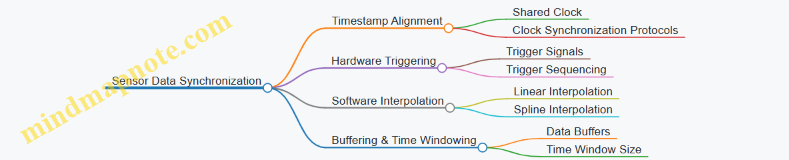
Timestamp Alignment
Assigning timestamps is the most common approach. Ideally, all sensors share a common clock or synchronize their clocks via protocols like Precision Time Protocol (PTP) or Network Time Protocol (NTP). When sensors report data with accurate timestamps, data fusion algorithms can align measurements by matching timestamps or interpolating between them.
Example: A laser rangefinder outputs distance data at 50 ms intervals, while an IMU provides acceleration every 5 ms. By timestamping each measurement with a synchronized clock, the system can interpolate IMU data to match the laser timestamps, ensuring the fused data represents the same moment in time.
Hardware Triggering
Hardware triggering involves sending a physical signal, such as a pulse, to multiple sensors to initiate data capture simultaneously or in a controlled sequence. This method reduces timing uncertainty caused by software delays or communication lag.
Example: In a mobile mapping system, a trigger pulse sent from a central controller causes the laser rangefinder and camera to capture data at the exact same instant. This guarantees spatial and temporal alignment of the data.
Software-Based Interpolation
When sensors operate at different rates or have asynchronous clocks, software interpolation estimates sensor values at desired timestamps. Linear interpolation is straightforward but may not capture rapid changes well. Spline or polynomial interpolation can provide smoother estimates but require more computation.
Example: GPS position updates at 1 Hz, but laser rangefinder data arrives at 20 Hz. To associate each laser measurement with a GPS position, the system interpolates between GPS points to estimate position at each laser timestamp.
Buffering and Time Windowing
Data buffering collects sensor outputs in memory, allowing the system to align data points within a defined time window. This method is useful when sensors have variable latency or jitter.
Example: A system buffers IMU data and laser measurements over 100 ms intervals. It then aligns data points within each window, discarding or flagging measurements that fall outside acceptable timing bounds.
Mind Map: Synchronization Challenges and Solutions

Practical Example: Synchronizing Laser Rangefinder and IMU Data
Imagine a drone equipped with a laser rangefinder (100 Hz) and an IMU (200 Hz). The IMU provides orientation and acceleration, while the laser measures distance to obstacles. To combine these data:
- Both sensors are synchronized to a GPS-disciplined clock.
- Each measurement is timestamped upon acquisition.
- IMU data is interpolated to match the laser timestamps.
- Data is buffered in 50 ms windows to handle any communication delays.
- The fused data stream is then used for obstacle avoidance.
This approach ensures that each distance measurement corresponds to the correct orientation and acceleration data, improving navigation accuracy.
Summary
Effective sensor data synchronization depends on understanding the timing characteristics of each sensor and choosing appropriate techniques. Timestamp alignment with a shared clock is fundamental, while hardware triggering and software interpolation address specific challenges. Buffering and time windowing help manage latency and jitter. Combining these methods ensures coherent, accurate data fusion in multi-sensor laser rangefinding systems.
6.3 Data Fusion Algorithms for Improved Accuracy
Data fusion in laser rangefinding involves combining data from multiple sensors or sources to produce a more accurate, reliable, and comprehensive measurement than any single sensor could provide alone. This process reduces uncertainty, compensates for individual sensor weaknesses, and enhances overall system performance.
Core Concepts of Data Fusion
At its heart, data fusion is about integrating diverse inputs to form a clearer picture. In laser rangefinding, this often means merging laser distance measurements with data from GPS, inertial measurement units (IMUs), or other environmental sensors.
Key goals include:
- Reducing noise and measurement errors
- Filling gaps where one sensor’s data is missing or unreliable
- Improving spatial and temporal resolution
Common Data Fusion Algorithms
-
Weighted Averaging
- Simplest form of fusion.
- Assigns weights to each sensor’s measurement based on confidence or accuracy.
- Example: If a laser rangefinder has ±1 m accuracy and a GPS has ±5 m, the laser data gets a higher weight.
-
Kalman Filtering
- A recursive algorithm that estimates the true state by predicting and correcting based on sensor inputs.
- Handles noisy data well and is widely used in navigation and tracking.
- Example: Combining laser range data with IMU readings to track a moving target’s position smoothly.
-
Extended Kalman Filter (EKF)
- An extension of the Kalman filter for nonlinear systems.
- Useful when sensor models or system dynamics are nonlinear.
-
Particle Filtering
- Uses a set of samples (particles) to represent the probability distribution of the system state.
- Suitable for highly nonlinear and non-Gaussian problems.
-
Bayesian Networks
- Probabilistic graphical models that represent dependencies among variables.
- Can fuse data while considering complex relationships.
-
Dempster-Shafer Theory
- Deals with uncertainty and incomplete information.
- Combines evidence from different sources to calculate belief levels.
Mind Map: Data Fusion Algorithms Overview
Example: Weighted Averaging in Laser Rangefinding
Imagine two laser rangefinders measuring the same target distance. Sensor A reports 100.5 m with ±0.5 m accuracy, Sensor B reports 101.0 m with ±1.5 m accuracy.
Weights are inversely proportional to variance (square of accuracy):
- Weight A = 1 / (0.5^2) = 4
- Weight B = 1 / (1.5^2) ≈ 0.44
Fused distance = (100.5 * 4 + 101.0 * 0.44) / (4 + 0.44) ≈ (402 + 44.4) / 4.44 ≈ 446.4 / 4.44 ≈ 100.54 m
The fused value leans heavily toward Sensor A, reflecting its higher accuracy.
Mind Map: Weighted Averaging Example
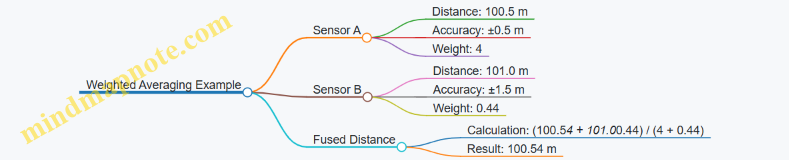
Example: Kalman Filter for Moving Target Tracking
Suppose a laser rangefinder measures the distance to a moving vehicle every second, but the measurements have noise. An IMU provides acceleration data. The Kalman filter predicts the vehicle’s position based on previous state and IMU data, then corrects the prediction using the new laser measurement.
This fusion smooths out sudden jumps caused by measurement noise and provides a more stable estimate of the vehicle’s position.
Mind Map: Kalman Filter Process
Practical Considerations
- Sensor Synchronization: Data must be time-aligned to avoid fusion errors.
- Error Modeling: Accurate noise and error models improve fusion quality.
- Computational Load: Some algorithms (e.g., particle filters) require more processing power.
- Robustness: Fusion algorithms should handle sensor dropouts or faulty data gracefully.
Summary
Data fusion algorithms improve laser rangefinding accuracy by intelligently combining multiple data sources. The choice of algorithm depends on system complexity, sensor characteristics, and computational resources. Weighted averaging works well for simple cases, while Kalman filters and their variants suit dynamic, noisy environments. Understanding these algorithms and their practical applications helps build more reliable and precise rangefinding systems.
6.4 Practical Implementation: Multi-Sensor Target Tracking
Multi-sensor target tracking combines data from laser rangefinders with other sensors such as GPS, inertial measurement units (IMUs), and cameras to improve accuracy and reliability. The goal is to maintain a continuous, precise estimate of a target’s position and movement, even in challenging conditions.
Core Components and Workflow
- Laser Rangefinder: Measures distance to the target with high precision.
- GPS: Provides global position data, useful for geo-referencing.
- IMU: Tracks orientation and acceleration, helping to correct for platform movement.
- Data Fusion Algorithm: Integrates sensor inputs to produce a refined target estimate.
The process typically involves the following steps:
- Data Acquisition: Each sensor collects raw data independently.
- Preprocessing: Noise filtering and synchronization of sensor timestamps.
- Coordinate Transformation: Aligning data into a common reference frame.
- Data Fusion: Combining measurements using algorithms like Kalman filters or particle filters.
- Target State Estimation: Producing a continuous estimate of position, velocity, and possibly acceleration.
Mind Map: Multi-Sensor Target Tracking Workflow
Example: Tracking a Moving Vehicle
Imagine tracking a vehicle moving through a forested area. The laser rangefinder provides distance measurements to the vehicle when line-of-sight is clear. GPS data gives approximate global position but can be noisy under canopy. The IMU on the tracking platform measures its own movements, allowing compensation for vibrations or shifts.
- Step 1: Synchronize Data
- Laser range data timestamped and matched with GPS and IMU data.
- Step 2: Transform Coordinates
- GPS coordinates converted to a local Cartesian frame.
- IMU orientation data used to adjust laser measurements for platform tilt.
- Step 3: Fuse Data
- Kalman filter combines the noisy GPS position, precise but intermittent laser ranges, and IMU motion data.
- Step 4: Estimate Target State
- Filter outputs a smoothed position and velocity estimate.
This approach reduces errors caused by GPS dropout or laser occlusion. The IMU helps maintain accuracy when the platform moves unexpectedly.
Mind Map: Example - Vehicle Tracking
Best Practices
- Timestamp Consistency: Ensure all sensors use synchronized clocks or apply timestamp correction to avoid data misalignment.
- Calibration: Regularly calibrate sensor offsets and alignments, especially between laser and IMU.
- Noise Modeling: Accurately characterize sensor noise to improve filter performance.
- Redundancy: Use multiple sensors to cover for individual sensor limitations.
- Real-Time Processing: Optimize algorithms to handle data streams without lag.
Additional Example: Tracking a Drone
In a drone tracking scenario, the platform carrying the sensors is itself moving rapidly and changing orientation. The IMU data becomes crucial to correct laser measurements for pitch, roll, and yaw. GPS provides global position but may have latency. Combining these with laser range data through an extended Kalman filter allows continuous tracking of a target drone, even when laser returns are intermittent due to obstacles or range limitations.
Mind Map: Drone Tracking Considerations
In summary, multi-sensor target tracking relies on careful integration of diverse data sources. The key is to understand each sensor’s strengths and weaknesses, synchronize their data streams, and apply appropriate fusion algorithms. This results in a more robust and accurate tracking system than any single sensor could provide alone.
6.5 Case Study: Integrated Systems in Autonomous Vehicles
Autonomous vehicles rely heavily on precise environmental perception to navigate safely and efficiently. Laser rangefinders, commonly known as LiDARs, form a critical part of this perception system. However, their effectiveness improves significantly when integrated with other sensors like GPS and Inertial Measurement Units (IMUs). This case study examines how these systems work together to provide reliable, accurate data for autonomous navigation.
System Components and Roles
- Laser Rangefinder (LiDAR): Measures distances to objects by timing laser pulses. Provides detailed 3D point clouds representing the vehicle’s surroundings.
- GPS: Offers global position data, helping the vehicle understand its location on a map.
- IMU: Tracks orientation and acceleration, providing information about the vehicle’s movement dynamics.
Each sensor has strengths and weaknesses. LiDAR offers high spatial resolution but can be affected by weather and requires calibration. GPS is accurate outdoors but can lose signal in urban canyons or tunnels. IMUs provide continuous motion data but suffer from drift over time. Combining these sensors compensates for individual limitations.
Integration Workflow
- Data Acquisition: Each sensor collects raw data independently.
- Time Synchronization: Sensor data are timestamped to align measurements accurately.
- Coordinate Transformation: Data from GPS and IMU are converted into the LiDAR coordinate frame.
- Data Fusion: Algorithms combine data to produce a coherent environmental model.
- Output: The fused data informs navigation decisions.
Mind Map: Sensor Integration in Autonomous Vehicles
Example: Resolving Position with Sensor Fusion
Imagine a vehicle driving through a city street with tall buildings. GPS signals are weak due to signal blockage. The LiDAR detects nearby objects but cannot provide absolute position. The IMU tracks the vehicle’s orientation and acceleration.
By fusing IMU data with intermittent GPS fixes, the system estimates the vehicle’s position continuously. LiDAR data helps identify landmarks and obstacles, which are matched against a preloaded map to correct drift in IMU estimates. This combined approach maintains accurate positioning and obstacle detection despite GPS limitations.
Mind Map: Data Fusion Process
Best Practices in Integration
- Precise Time Synchronization: Use hardware triggers or network time protocols to ensure sensor data align within milliseconds.
- Regular Calibration: Calibrate spatial relationships between sensors to maintain coordinate accuracy.
- Robust Filtering: Apply filters to reduce noise and handle sensor errors gracefully.
- Redundancy: Use overlapping sensor coverage to detect and compensate for sensor failures.
Practical Example: Calibration Procedure
A vehicle’s LiDAR and IMU are mounted on a rigid frame. To calibrate:
- Place the vehicle in a controlled environment.
- Perform a series of rotations and translations.
- Collect synchronized data from both sensors.
- Use optimization algorithms to find the transformation matrix aligning IMU data to LiDAR coordinates.
- Validate calibration by comparing known reference points.
This process ensures that data fusion algorithms operate on correctly aligned data, improving the accuracy of the integrated system.
Summary
Integrating laser rangefinders with GPS and IMU data in autonomous vehicles enhances environmental perception and positioning accuracy. The process involves careful synchronization, calibration, and data fusion. Real-world examples demonstrate how these integrated systems overcome individual sensor limitations, providing reliable data for navigation and obstacle avoidance.
7. Calibration and Compensation for Moving Platforms
7.1 Challenges of Rangefinding on Moving Platforms
Laser rangefinding on moving platforms introduces a set of challenges that do not typically appear in static setups. The core difficulty lies in the fact that both the sensor and often the target are in motion, which complicates the measurement process. Understanding these challenges is essential for designing systems that maintain accuracy and reliability.
Motion-Induced Measurement Errors
When a laser rangefinder is mounted on a moving platform—such as a drone, vehicle, or robotic arm—the relative motion affects the timing and geometry of the laser pulse. The time-of-flight measurement assumes a fixed position during the pulse travel, but movement during this interval causes errors.
- Range Error Due to Platform Velocity: If the platform moves toward or away from the target during the pulse travel, the measured distance will be shorter or longer than the actual.
- Angular Displacement: Movement can cause the laser beam to point slightly off the intended target, especially if the platform rotates or vibrates.
Vibration and Mechanical Instability
Moving platforms often experience vibrations from engines, terrain, or aerodynamic forces. These vibrations can cause jitter in the laser pointing direction and introduce noise in the measurement signal.
- Beam Jitter: Rapid small-angle changes in the laser beam direction reduce measurement repeatability.
- Component Stress: Mechanical shocks may misalign optical components, degrading system performance over time.
Dynamic Targeting and Tracking
When both the platform and the target move, keeping the laser aimed accurately becomes a challenge. The system must compensate for relative velocity and acceleration to maintain lock on the target.
- Lag in Target Acquisition: Delays in sensor response or processing can cause the laser to miss the target.
- Prediction Errors: Estimating target movement requires accurate models; errors lead to incorrect distance measurements.
Environmental Variability
Moving platforms often operate in changing environments, such as varying lighting, weather, or obstacles. These factors can affect laser propagation and reflection.
- Changing Reflectivity: Surfaces may appear different as the angle of incidence changes with platform movement.
- Obstructions: Temporary obstacles like dust or foliage can intermittently block the laser path.
Synchronization and Timing Issues
Precise timing is critical in laser rangefinding. On moving platforms, synchronization between the laser pulse emission, sensor readout, and platform position data is more complex.
- Latency: Delays in data acquisition or processing can misalign measurements with actual platform position.
- Clock Drift: Differences in timing sources can introduce cumulative errors.
Mind Map: Challenges of Rangefinding on Moving Platforms
Example 1: Range Error from Platform Velocity
Consider a drone flying toward a stationary target at 10 m/s. The laser pulse takes 1 microsecond (1 µs) to travel to the target and back, which corresponds to approximately 150 meters range (since light travels roughly 300 meters per microsecond round trip).
During that 1 µs, the drone moves 10 µm (micrometers), which is negligible at this scale. However, if the drone flies faster or the range is longer, the displacement during pulse travel becomes significant. For instance, at 100 m/s and 1 km range (about 6.67 µs pulse travel), the drone moves 667 µm during the pulse time, causing a measurable error.
This example shows why high-speed platforms or long-range measurements require compensation for platform motion during pulse travel.
Example 2: Vibration Impact on Measurement Stability
A ground vehicle equipped with a laser rangefinder experiences vibrations from uneven terrain. These vibrations cause the laser beam to oscillate by ±0.1 degrees rapidly.
At a target 500 meters away, this angular jitter translates to a lateral displacement of about 0.87 meters on the target surface (calculated as 500 m × tan(0.1°)). This displacement can cause the laser to hit different parts of the target or miss it entirely if the target is small.
This example highlights the importance of mechanical damping and vibration isolation in moving platform systems.
Example 3: Synchronization Challenge in UAV Rangefinding
A UAV measures distance while simultaneously recording GPS and inertial measurement unit (IMU) data. If the laser rangefinder’s timestamp is not synchronized with the GPS/IMU data, the position associated with each range measurement will be inaccurate.
For example, a 10 ms delay in synchronization at a UAV speed of 20 m/s results in a positional error of 0.2 meters, which directly affects the accuracy of the range measurement when combined with platform motion.
This example shows why precise timing and data fusion are critical for moving platform rangefinding.
In summary, laser rangefinding on moving platforms requires careful consideration of motion-induced errors, mechanical stability, dynamic targeting, environmental factors, and synchronization. Addressing these challenges involves a combination of hardware design, signal processing, and system integration to maintain measurement accuracy.
7.2 Motion-Induced Error Sources and Their Mitigation
Laser rangefinding on moving platforms introduces a set of unique challenges. The platform’s motion can distort measurements, reduce accuracy, and complicate data interpretation. Understanding the sources of these motion-induced errors is the first step toward effective mitigation.
Motion-Induced Error Sources
-
Platform Vibration: Rapid, small-scale oscillations of the platform cause jitter in the laser beam alignment and timing. This jitter can lead to fluctuating distance readings.
-
Platform Translation: Linear movement during the laser pulse’s travel time causes range errors. Since the target distance is calculated based on the time-of-flight of the laser pulse, any platform displacement during this interval skews the measurement.
-
Angular Motion (Pitch, Yaw, Roll): Rotational movements change the pointing direction of the laser. Even slight angular shifts can cause the beam to miss the intended target or measure a different point, leading to inconsistent data.
-
Doppler Effects: Relative velocity between the platform and target can cause frequency shifts in the returned signal, potentially affecting phase-based measurements.
-
Latency in Data Processing: Delays between measurement and data recording can cause mismatches between actual platform position and the recorded data, especially in high-speed scenarios.
-
Multipath Reflections: Movement can change the geometry, causing the laser to reflect off unintended surfaces, confusing the sensor.
Mind Map: Motion-Induced Error Sources
Mitigation Techniques
-
Mechanical Stabilization: Use vibration dampers, shock absorbers, and gimbals to reduce platform vibration and angular motion. For example, mounting the laser on a stabilized gimbal can keep the beam steady despite platform roll or pitch.
-
High-Speed Sampling: Increasing the laser pulse repetition rate and sensor sampling speed reduces the impact of platform translation during pulse travel. Faster sampling captures data before significant displacement occurs.
-
Inertial Measurement Units (IMUs): Integrate IMUs to measure angular and linear motion in real time. This data can be used to correct range measurements by compensating for platform movement.
-
Time Synchronization: Ensure precise synchronization between rangefinder measurements and motion sensors. Accurate timestamps allow for proper alignment of motion data with laser returns.
-
Algorithmic Compensation: Implement software algorithms that adjust raw range data based on recorded motion parameters. For example, if the platform moved 0.5 meters forward during the pulse’s flight, the algorithm subtracts this displacement from the measured distance.
-
Doppler Correction: For phase-based systems, apply frequency shift corrections using relative velocity data from IMUs or GPS.
-
Filtering and Data Fusion: Use Kalman filters or similar techniques to combine multiple sensor inputs, smoothing out noise and errors caused by motion.
-
Multipath Detection: Employ signal processing methods to identify and discard multipath reflections, such as analyzing signal strength and timing consistency.
Mind Map: Mitigation Techniques
Concrete Examples
-
Example 1: UAV Laser Rangefinding A drone equipped with a laser rangefinder experiences pitch and roll during flight. By integrating an IMU, the system records angular changes and applies corrections to the measured distances. Additionally, a gimbal mount stabilizes the laser, reducing beam jitter. The combination improves accuracy from ±1 meter to ±0.1 meter in typical flight conditions.
-
Example 2: Vehicle-Mounted Rangefinder on Rough Terrain A ground vehicle moving over uneven terrain causes vibrations and sudden jolts. Vibration isolators reduce mechanical disturbances. High-speed sampling minimizes errors from platform translation. Data from GPS and IMU sensors feed into a Kalman filter that smooths the range data, effectively compensating for motion-induced noise.
-
Example 3: Handheld Rangefinder with Motion Compensation A handheld device uses an internal IMU to detect hand tremors and small movements. The software applies real-time corrections to the laser measurements, stabilizing the output. This approach allows for more reliable readings even when the user’s hand is unsteady.
In summary, motion-induced errors arise from various platform movements and their effects on laser beam stability and timing. Combining mechanical solutions with sensor integration and algorithmic corrections provides a robust approach to mitigating these errors. The key is to measure the motion accurately and apply timely compensation to maintain the precision of laser rangefinding on moving platforms.
7.3 Real-Time Calibration Techniques for Dynamic Environments
Real-time calibration in dynamic environments is essential when laser rangefinders operate on moving platforms such as drones, vehicles, or robotic arms. Unlike static setups, these environments introduce continuous changes in position, orientation, and external conditions that can degrade measurement accuracy if not compensated promptly.
Key Challenges
- Motion-Induced Errors: Vibrations, sudden accelerations, and rotations can shift the sensor alignment or timing.
- Changing Environmental Conditions: Temperature, humidity, and atmospheric pressure can vary rapidly.
- Latency in Data Processing: Delays between measurement and correction can cause outdated calibration.
Core Techniques
-
Inertial Measurement Unit (IMU) Integration
- IMUs provide real-time data on angular velocity and acceleration.
- By fusing IMU data with range measurements, the system can adjust for platform motion instantly.
-
Continuous Reference Target Tracking
- Using fixed or known reference points within the environment to recalibrate measurements on the fly.
- Helps correct drift and sensor misalignment.
-
Adaptive Filtering
- Filters like Kalman or complementary filters combine sensor data to estimate true position and orientation.
- These filters update calibration parameters dynamically based on incoming data.
-
Self-Calibration Algorithms
- Algorithms that detect inconsistencies or biases in measurements and adjust calibration parameters without manual intervention.
-
Temperature and Environmental Sensors
- Real-time monitoring of environmental variables to apply compensation models immediately.
Mind Map: Components of Real-Time Calibration
Mind Map: Workflow of Real-Time Calibration
Example 1: UAV Laser Rangefinding
A drone equipped with a laser rangefinder and IMU flies over uneven terrain. As the drone pitches and rolls, the laser’s angle relative to the ground changes, causing raw distance measurements to be inaccurate if uncorrected.
- The IMU continuously measures angular changes.
- A Kalman filter fuses IMU data with laser measurements to estimate the true distance to the ground.
- Temperature sensors detect ambient changes, allowing the system to adjust the speed of light parameter used in distance calculations.
- Reference points on the ground, such as known markers, are used periodically to recalibrate any drift.
This setup ensures that despite the drone’s motion and environmental changes, the range data remains accurate in real time.
Example 2: Vehicle-Mounted Rangefinder
A laser rangefinder mounted on a moving vehicle measures distances to roadside objects for obstacle detection.
- Vibrations from the vehicle cause sensor misalignment.
- The system uses an IMU to detect vibrations and applies a complementary filter to smooth the orientation data.
- Real-time calibration adjusts the laser’s pointing angle based on this filtered data.
- Environmental sensors detect fog and humidity, triggering compensation algorithms that adjust the signal processing parameters.
This approach maintains reliable distance measurements even when the vehicle moves quickly over rough terrain.
Best Practices
- Synchronize Sensors Precisely: Accurate timestamps are critical to fuse data from different sensors effectively.
- Use Redundant Sensors: Multiple IMUs or environmental sensors can improve reliability.
- Implement Robust Filters: Choose filters that balance responsiveness and noise rejection.
- Regularly Validate Calibration: Use known reference points or targets to verify calibration accuracy during operation.
- Monitor System Health: Detect sensor faults or drift early to trigger recalibration or maintenance.
Real-time calibration is not a one-time setup but a continuous process that adapts to changing conditions. Integrating multiple data sources and applying adaptive algorithms ensures that laser rangefinding remains precise even in complex, dynamic environments.
7.4 Practical Example: Laser Rangefinding on UAVs
Laser rangefinding on unmanned aerial vehicles (UAVs) presents a unique set of challenges and opportunities. The mobility of the platform introduces motion-induced errors, while the aerial perspective offers access to otherwise difficult-to-reach targets. This example walks through the practical aspects of implementing laser rangefinding on a UAV, focusing on system setup, error sources, compensation techniques, and data interpretation.
System Setup and Configuration
A typical UAV laser rangefinding system includes a compact laser emitter, a photodetector, onboard processing hardware, and inertial measurement units (IMUs) for motion tracking. The laser operates in a time-of-flight mode, measuring the time it takes for a pulse to reflect off a target and return.
Key considerations:
- Weight and Power: UAV payload limits require lightweight, low-power components.
- Field of View: The laser’s beam divergence and scanning mechanism must match mission requirements.
- Synchronization: The laser system’s timing must be synchronized with the UAV’s navigation data.
Motion-Induced Errors
UAV movement causes several error types:
- Platform Vibration: Mechanical vibrations blur the laser pulse timing.
- Attitude Changes: Pitch, roll, and yaw alter the laser’s pointing direction.
- Velocity Effects: Forward motion introduces Doppler shifts and range rate errors.
Mind Map: Motion-Induced Errors
Compensation Techniques
To maintain accuracy, the system integrates IMU data to correct for attitude changes. Real-time filtering smooths vibration-induced noise. Velocity compensation algorithms adjust range measurements based on UAV speed.
Example:
- The UAV’s IMU reports a 5° roll to the right.
- The laser’s raw range measurement is adjusted by recalculating the beam’s actual pointing vector.
- A Kalman filter processes noisy measurements, reducing jitter.
Data Interpretation and Use
Range data collected mid-flight must be georeferenced. Combining laser range data with GPS and IMU readings allows the generation of accurate 3D point clouds.
Example workflow:
- Laser measures distance to a rooftop.
- IMU provides UAV orientation.
- GPS gives UAV position.
- Software transforms the range measurement into a global coordinate.
Practical Example Scenario
A UAV equipped with a laser rangefinder surveys a construction site. The UAV flies at 50 meters altitude with a forward speed of 10 m/s. The laser emits pulses at 100 kHz.
-
Issue: Vibrations from the motors cause timing jitter.
-
Solution: Mechanical dampers reduce vibration amplitude; a digital low-pass filter smooths the signal.
-
Issue: UAV banking at 10° during turns skews range measurements.
-
Solution: IMU data corrects the laser pointing angle in real time.
-
Issue: Forward velocity causes slight Doppler shift.
-
Solution: Velocity compensation algorithm adjusts the measured range.
The processed data yields a 3D map with centimeter-level accuracy, suitable for site planning.
Mind Map: UAV Laser Rangefinding Workflow
Summary
Laser rangefinding on UAVs requires careful attention to motion-induced errors and environmental factors. Integrating sensor data and applying real-time corrections enable precise measurements despite the platform’s movement. This example highlights the practical steps and solutions needed to achieve reliable range data from an airborne laser system.
7.5 Best Practices for System Stability and Accuracy
Maintaining system stability and accuracy in laser rangefinding on moving platforms requires a combination of mechanical, electronic, and procedural measures. The goal is to minimize errors caused by vibrations, motion, environmental changes, and system drift. Here are key best practices, supported by examples and mind maps to clarify the relationships between factors.
Mechanical Stability
-
Rigid Mounting: Secure the laser rangefinder firmly to the platform to reduce relative motion. Use vibration-damping mounts to absorb shocks without compromising alignment.
-
Balanced Assembly: Ensure the rangefinder and associated components are balanced to avoid introducing oscillations during movement.
-
Thermal Expansion Control: Use materials with low thermal expansion coefficients or design compensations to prevent misalignment caused by temperature changes.
Example: A UAV-mounted rangefinder uses rubber isolators combined with aluminum brackets to reduce high-frequency vibrations while maintaining alignment.
Electronic Stability
-
Power Supply Regulation: Use stable power sources with filtering to prevent voltage fluctuations that can affect laser output or sensor electronics.
-
Temperature Compensation Circuits: Integrate sensors and feedback loops to adjust for temperature-induced drift in laser wavelength or detector sensitivity.
-
Signal Conditioning: Employ filters and amplifiers designed to maintain signal integrity despite electrical noise from platform electronics.
Example: A ground vehicle rangefinder includes a temperature sensor near the laser diode and automatically adjusts the timing circuit to compensate for wavelength shifts.
Calibration and Real-Time Adjustment
-
Frequent Calibration Checks: Schedule regular calibration using known reference targets to detect and correct drift.
-
Dynamic Calibration Algorithms: Implement software routines that adjust measurements based on real-time sensor data, such as inertial measurements or environmental sensors.
-
Self-Test Routines: Include automated tests that verify system health and alert operators to potential inaccuracies.
Example: An autonomous boat’s rangefinder runs a self-calibration routine every 30 minutes using a fixed buoy as a reference point.
Environmental Adaptation
-
Environmental Sensors Integration: Use temperature, humidity, and pressure sensors to feed compensation algorithms.
-
Adaptive Filtering: Adjust signal processing parameters dynamically to account for changing environmental noise.
Example: A mountain rescue drone adjusts its laser pulse repetition rate and filtering parameters when flying through fog.
Operational Best Practices
-
Pre-Mission Checks: Verify system alignment, power stability, and sensor calibration before deployment.
-
Data Validation: Cross-check range data with other sensors (GPS, IMU) to detect anomalies.
-
Operator Training: Ensure operators understand the impact of platform motion and environmental factors on measurements.
Example: A survey team uses a checklist that includes vibration inspection and calibration verification before each flight.
Mind Maps
Mechanical and Electronic Stability Factors
Calibration and Environmental Compensation
Operational Procedures
Summary
Stability and accuracy on moving platforms come from a layered approach: solid mechanical design, stable electronics, ongoing calibration, environmental compensation, and disciplined operational procedures. Each layer reduces a different source of error. Combining these practices creates a system that delivers reliable range measurements even under challenging conditions.
The examples show how these principles apply in real-world scenarios, from UAVs to ground vehicles and boats. The mind maps help visualize how different factors interconnect, making it easier to design or troubleshoot a stable, accurate laser rangefinding system.
8. Optical and Mechanical System Optimization
8.1 Design Considerations for Laser Optics
Laser optics form the backbone of any laser rangefinding system. The design choices made here directly influence measurement accuracy, range, and reliability. This section covers key factors to consider when designing or selecting optical components for laser rangefinders, supported by clear examples and mind maps to organize the concepts.
Key Factors in Laser Optics Design
-
Wavelength Selection: The laser wavelength affects atmospheric absorption, eye safety, and detector sensitivity. For example, 905 nm lasers are common in automotive LIDAR due to eye safety and cost, while 1550 nm lasers allow higher power with less eye hazard.
-
Beam Quality and Divergence: A tightly collimated beam reduces spot size on the target, improving resolution and range. However, too narrow a beam can be sensitive to alignment errors.
-
Optical Components: Lenses, mirrors, and beam splitters must be chosen for minimal loss and distortion. Anti-reflective coatings reduce signal loss.
-
Aperture Size: Larger apertures collect more reflected light, improving signal-to-noise ratio but increasing system size and weight.
-
Alignment and Stability: Optical paths must remain stable under vibration and temperature changes to maintain accuracy.
-
Environmental Protection: Optics should be protected from dust, moisture, and mechanical damage without compromising optical performance.
Mind Map: Laser Optics Design Considerations
Wavelength Selection Example
Consider a rangefinder intended for outdoor use in varying weather. A 905 nm laser diode is cost-effective and eye-safe but suffers more atmospheric scattering in fog. A 1550 nm laser, while more expensive, experiences less scattering and allows higher power output under eye safety regulations, extending range in poor visibility.
Beam Quality and Divergence
A laser with a beam divergence of 0.5 milliradians produces a spot roughly 5 cm in diameter at 100 meters. If the divergence increases to 2 milliradians, the spot grows to 20 cm, reducing spatial resolution and potentially mixing signals from multiple targets. However, tighter beams require more precise alignment and stable optics.
Optical Components and Coatings
Using a lens made of BK7 glass with broadband anti-reflective coating reduces reflection losses to less than 1% per surface. Without coatings, losses can exceed 4%, reducing the return signal strength. Mirrors with dielectric coatings can achieve reflectivity above 99.5%, essential for beam steering components.
Aperture Size Trade-Off
A 50 mm aperture collects four times the light of a 25 mm aperture, improving detection of weak reflections. However, larger apertures increase weight and may require more robust mounting, impacting system design constraints.
Alignment and Stability
Mechanical mounts with kinematic designs allow precise adjustment and maintain alignment despite vibrations. Thermal expansion can shift optical elements; using materials with low thermal expansion coefficients or compensating designs helps maintain beam path stability.
Environmental Protection
Sealing optics in nitrogen-purged housings prevents fogging and dust accumulation. Protective windows with hydrophobic coatings reduce water adhesion, maintaining optical clarity in rain.
Mind Map: Practical Example - Outdoor Laser Rangefinder Optics
By carefully balancing these design considerations, laser rangefinding systems can achieve reliable, precise measurements across a range of conditions. Each choice involves trade-offs, and understanding their impact helps optimize system performance for the intended application.
8.2 Alignment Techniques for Optimal Beam Quality
Achieving optimal beam quality in laser rangefinding hinges on precise alignment of the optical components. Misalignment can cause beam divergence, reduced range accuracy, and signal loss. This section covers practical alignment methods, common pitfalls, and examples to illustrate the process.
Understanding Beam Alignment
Beam alignment means ensuring the laser beam travels along the intended optical path with minimal deviation. The goal is to have the beam centered and collimated through all optical elements, from the laser source to the detector.
Key factors affecting alignment:
- Angular deviation: The beam’s tilt relative to the optical axis.
- Lateral displacement: The beam’s offset from the center of optical components.
- Focus position: Correct placement of lenses to maintain beam collimation.
Basic Alignment Procedure
- Initial Setup: Secure the laser source and optical components on a stable platform.
- Rough Alignment: Use mechanical guides or mounts to approximate the beam path.
- Fine Alignment: Adjust mirrors, lenses, and apertures while monitoring the beam position and profile.
- Verification: Measure beam parameters such as diameter, divergence, and intensity distribution.
Tools for Alignment
- Beam Profilers: Capture beam shape and size.
- Alignment Targets: Fluorescent cards or screens to visualize the beam spot.
- Iris Diaphragms: Help center the beam by restricting its path.
- Shearing Interferometers: Assess beam collimation.
Mind Map: Beam Alignment Components and Steps
Common Alignment Techniques
1. Back-Reflection Method: Align the beam by reflecting it back onto the laser aperture. If the reflected beam overlaps the outgoing beam precisely, alignment is good.
Example: In a laboratory setup, a mirror placed at the target position reflects the beam back. Adjusting mirrors until the reflected spot returns to the laser aperture center ensures coaxial alignment.
2. Two-Mirror Angular Alignment: Use two adjustable mirrors to steer the beam. Adjust the first mirror to set the beam direction, then the second to correct lateral displacement.
Example: Aligning a laser through a series of lenses, the first mirror sets the beam path parallel to the optical bench, while the second ensures the beam hits the lens center.
3. Iris Centering Technique: Place irises along the beam path. Adjust components so the beam passes centrally through all irises.
Example: During system assembly, three irises spaced evenly help maintain beam alignment. Adjust mirrors and lenses until the beam passes through all apertures without clipping.
Mind Map: Alignment Techniques
Practical Example: Aligning a Laser Rangefinder Beam
Scenario: A laser rangefinder uses a collimated beam sent through a lens system to measure distance. The beam must be aligned to avoid measurement errors caused by beam spread or off-axis propagation.
Step 1: Mount the laser and lenses on an optical bench.
Step 2: Place an alignment target 10 meters away. Turn on the laser and observe the beam spot.
Step 3: Adjust the first mirror so the beam hits the center of the target.
Step 4: Insert irises at intermediate points. Adjust mirrors and lens positions until the beam passes cleanly through all irises.
Step 5: Use a beam profiler near the target to check beam diameter and shape. If the beam is elliptical or larger than expected, adjust lens focus or tilt.
Step 6: Perform back-reflection by placing a mirror at the target. Adjust mirrors until the reflected beam returns to the laser aperture.
Result: The beam is well-centered, collimated, and maintains shape over distance, ensuring accurate range measurements.
Tips for Maintaining Alignment
- Regularly clean optical surfaces to avoid scattering.
- Use stable mounts to prevent drift.
- Perform alignment checks after any mechanical adjustments.
- Document alignment settings for repeatability.
Mind Map: Alignment Maintenance
In summary, alignment is a stepwise process involving rough positioning, fine adjustments, and verification. Using appropriate tools and techniques, such as back-reflection and iris centering, helps maintain beam quality. Practical examples demonstrate how these methods reduce errors and improve system reliability.
8.3 Mechanical Stability and Vibration Reduction Methods
Mechanical stability and vibration reduction are critical for maintaining accuracy in laser rangefinding systems. Even minor mechanical disturbances can cause beam misalignment, timing errors, or signal noise, which degrade measurement precision. This section covers key concepts, practical methods, and examples to help ensure mechanical stability and reduce vibration effects.
Understanding Mechanical Stability
Mechanical stability refers to the system’s ability to maintain fixed relative positions between optical components, sensors, and the laser source during operation. Instability can arise from external vibrations, thermal expansion, or mechanical wear.
Mind Map: Factors Affecting Mechanical Stability
Mechanical Stability
├── External Vibrations
│   ├── Environmental (machinery, vehicles)
│   ├── Handling and Transport
│   └── Structural Resonances
├── Internal Mechanical Design
│   ├── Material Selection
│   ├── Component Mounting
│   └── Joint Rigidity
└── Thermal Effects
    ├── Expansion/Contraction
    └── Temperature Gradients
Vibration Sources and Their Impact
Vibrations can be continuous (e.g., engine noise) or transient (e.g., shocks). They cause relative motion between the laser emitter, optics, and detector, leading to:
- Beam pointing errors
- Signal timing jitter
- Reduced signal-to-noise ratio
Methods for Mechanical Stability and Vibration Reduction
Structural Design and Material Choice
- Use materials with high stiffness-to-weight ratios (e.g., aluminum alloys, carbon fiber composites).
- Design rigid frames minimizing flex and resonance.
- Avoid long unsupported spans that can bend or vibrate.
Mounting Techniques
- Employ kinematic mounts that constrain degrees of freedom without over-constraining.
- Use vibration isolators such as elastomeric mounts or spring-damper systems.
- Secure components with precision fasteners to prevent loosening.
Damping Strategies
- Add viscoelastic damping layers between components.
- Use tuned mass dampers to counteract specific vibration frequencies.
- Incorporate constrained-layer damping treatments on panels.
Environmental Isolation
- Place the system on vibration isolation tables or platforms.
- Use shock absorbers during transport and operation.
Thermal Management
- Control temperature to reduce thermal expansion-induced misalignment.
- Use materials with matched coefficients of thermal expansion.
Example: Vibration Reduction in a Field-Deployed Rangefinder
A laser rangefinder mounted on a vehicle experienced measurement noise due to engine vibrations and road shocks. The following steps improved stability:
- The optical assembly was mounted on a carbon fiber plate to increase stiffness.
- Elastomeric vibration isolators were installed between the plate and vehicle chassis.
- A viscoelastic damping layer was added inside the housing.
- Thermal insulation minimized temperature gradients during operation.
Result: Measurement repeatability improved by 40%, and signal jitter decreased significantly.
Mind Map: Vibration Reduction Techniques
Vibration Reduction
├── Structural Improvements
│   ├── Material Selection
│   ├── Frame Rigidity
│   └── Mount Design
├── Damping
│   ├── Viscoelastic Layers
│   ├── Tuned Mass Dampers
│   └── Constrained-Layer Treatments
├── Isolation
│   ├── Elastomeric Mounts
│   ├── Vibration Tables
│   └── Shock Absorbers
└── Thermal Control
    ├── Insulation
    └── Material Matching
Practical Tips
- Regularly check and tighten fasteners; loose parts amplify vibration effects.
- When designing mounts, consider the dominant vibration frequencies to select appropriate damping.
- Use accelerometers during testing to identify vibration hotspots.
- Balance moving parts to reduce induced vibrations.
Summary
Mechanical stability and vibration reduction require a combination of thoughtful design, material choice, mounting strategies, and damping methods. Addressing these factors systematically helps maintain laser beam alignment and measurement accuracy even in challenging environments.
8.4 Maintenance Best Practices for Long-Term Accuracy
Maintaining laser rangefinding equipment is essential to ensure consistent performance and reliable measurements over time. Neglecting maintenance can lead to drift in accuracy, increased noise, or even complete system failure. This section covers practical steps and routines that help preserve the precision of your system.
Regular Cleaning
Laser optics and sensor surfaces accumulate dust, fingerprints, and other contaminants that degrade signal quality. Clean these components gently with lint-free wipes and appropriate solvents, such as isopropyl alcohol. Avoid abrasive materials or excessive pressure, which can scratch delicate coatings.
- Example: A forestry survey team noticed increasing measurement noise. After inspecting the lens, they found a thin layer of sap residue. Cleaning restored the signal clarity immediately.
Environmental Control
Store and operate the rangefinder within recommended temperature and humidity ranges. Extreme conditions can cause mechanical parts to expand or contract, affecting alignment and calibration.
- Example: A rangefinder used in a desert environment was kept in a sealed case with silica gel packs when not in use, preventing dust buildup and moisture damage.
Periodic Calibration Checks
Even with careful use, calibration can drift. Schedule routine calibration verifications using known reference targets. This practice catches deviations early and prevents cumulative errors.
- Example: A surveying company performs monthly calibration checks against a certified baseline target, adjusting system parameters as needed to maintain sub-centimeter accuracy.
Mechanical Inspection
Check mounts, screws, and connectors for looseness or wear. Vibrations during transport or use can cause misalignments.
- Example: After a rough field deployment, a technician found a loosened mounting bracket causing subtle beam misalignment. Tightening it restored measurement consistency.
Battery and Power Management
Use recommended power sources and replace batteries before they reach low charge levels. Voltage fluctuations can affect laser output stability.
- Example: A laser rangefinder showed erratic readings during extended use. Replacing the aging batteries stabilized the output and improved repeatability.
Firmware and Software Updates
Keep the system’s firmware and associated software up to date. Updates often include bug fixes and improvements that can indirectly affect measurement reliability.
- Example: An update fixed a timing synchronization bug that previously caused occasional range errors.
Mind Map: Maintenance Best Practices
Mind Map: Cleaning Procedure
Example Scenario: Routine Maintenance Schedule
| Task | Frequency | Responsible Person | Notes |
|---|---|---|---|
| Optics cleaning | Monthly | Field technician | More frequent in dusty areas |
| Calibration check | Monthly | Calibration engineer | Use certified reference target |
| Mechanical inspection | Quarterly | Maintenance team | Check mounts and connectors |
| Battery replacement | Every 6 months | Operator | Use manufacturer-recommended batteries |
| Firmware update | As released | IT support | Verify compatibility before update |
Regular maintenance is not a chore but an investment in accuracy. Small, consistent efforts prevent larger issues and extend the lifespan of your laser rangefinding system.
8.5 Example: Optimizing a Rangefinder for Harsh Environments
Harsh environments challenge laser rangefinders with dust, moisture, temperature swings, vibration, and mechanical shocks. Optimizing a rangefinder for such conditions requires a systematic approach addressing optics, mechanics, electronics, and software. This example walks through key considerations and practical steps.
Environmental Challenges and Their Effects
- Dust and Particulates: Scatter and absorb laser beams, reducing signal strength.
- Moisture and Rain: Cause beam attenuation and sensor contamination.
- Temperature Extremes: Affect laser diode wavelength, detector sensitivity, and mechanical dimensions.
- Vibration and Shock: Misalign optics and damage components.
Optimization Mind Map
Step 1: Protecting the Optical Path
A common failure point is contamination on the optical window. Use a sealed window made from fused silica or sapphire for durability. Apply anti-reflective coatings to maximize transmission and hydrophobic coatings to repel water. In dusty environments, consider a purge system that blows clean air across the window.
Example: A forestry rangefinder uses a sapphire window with a hydrophobic coating and a low-pressure air purge. This reduces dust buildup and water droplets, maintaining signal clarity.
Adjust beam divergence to balance resolution and robustness. A slightly wider beam reduces sensitivity to misalignment and scattering but may lower precision. For dusty or foggy conditions, a beam divergence around 1–2 milliradians often works better than a tight 0.5 mrad beam.
Step 2: Mechanical Stability and Protection
Mount the laser and detector on vibration-isolating materials. Rubber mounts or silicone gel pads absorb shocks. Enclose the system in an IP67-rated housing to prevent dust and water ingress.
Example: A mining rangefinder uses a double-sealed enclosure with silicone gaskets and shock mounts. This setup survives drops and heavy vibrations without losing calibration.
Step 3: Thermal Management
Temperature affects laser wavelength and detector sensitivity. Include temperature sensors near critical components to monitor conditions. Use materials with low thermal expansion for optical mounts to maintain alignment.
Active temperature control—like Peltier elements—can stabilize internal temperature, but adds complexity and power consumption. For moderate conditions, passive heat sinks and insulation may suffice.
Example: A desert-deployed rangefinder uses aluminum mounts with low expansion and a small Peltier cooler to keep the laser diode within ±2°C of its optimal temperature.
Step 4: Electronics and Signal Processing
Use ruggedized electronic components rated for wide temperature ranges. Shield circuits against electromagnetic interference common in industrial settings.
On the software side, implement adaptive filtering to reduce noise from environmental interference. Use environmental sensors (temperature, humidity) to adjust measurement algorithms dynamically.
Example: In a coastal environment, a rangefinder’s firmware adjusts signal gain and filtering based on humidity and temperature readings, maintaining accuracy despite salt spray and fog.
Step 5: Calibration and Maintenance
Design the system for easy field calibration. Include reference targets or internal calibration routines triggered periodically or on startup.
Example: A construction site rangefinder includes a built-in calibration target inside the housing. The system performs a quick self-check daily, adjusting offsets caused by temperature or mechanical shifts.
Summary Table of Practices and Examples
| Practice | Description | Example Application |
|---|---|---|
| Protective Optical Window | Use durable, coated windows with purge systems | Forestry rangefinder with sapphire window and air purge |
| Beam Divergence Adjustment | Slightly widen beam to reduce scattering effects | Dusty environments with 1–2 mrad beam divergence |
| Vibration Isolation | Rubber mounts and shock absorbers | Mining rangefinder with double-sealed enclosure |
| Thermal Management | Temperature sensors and active/passive control | Desert rangefinder with Peltier cooler |
| Rugged Electronics & EMI Shielding | Use industrial-grade components and shielding | Coastal rangefinder adapting to salt spray and fog |
| Software Compensation | Adaptive filtering and environmental corrections | Firmware adjusting gain based on humidity |
| Field Calibration | Built-in targets and automated routines | Construction site rangefinder with daily self-calibration |
This example shows that optimizing a laser rangefinder for harsh environments is a balance of physical protection, environmental monitoring, and adaptive software. Each element reduces the impact of specific challenges, resulting in a system that remains accurate and reliable despite tough conditions.
9. Software Tools and Simulation for Rangefinding
9.1 Overview of Simulation Software for Laser Rangefinding
Simulation software for laser rangefinding serves as a virtual testbed where engineers and researchers can model, analyze, and optimize rangefinder systems without the cost and constraints of physical prototypes. These tools replicate the behavior of laser pulses, environmental interactions, and sensor responses, allowing for controlled experimentation under varied conditions.
At its core, simulation software models three main components:
- The laser emission and propagation
- The target and environmental interactions
- The sensor detection and signal processing
Understanding these components helps in selecting or designing simulation software tailored to specific needs.
Mind Map: Core Components of Laser Rangefinding Simulation
Simulation software varies in complexity. Some focus on physical optics and atmospheric modeling, while others emphasize signal processing or system-level integration.
Types of Simulation Software
-
Physical Propagation Simulators: These model how laser pulses travel through the atmosphere, accounting for scattering, absorption, and turbulence.
-
Target and Scene Simulators: These generate virtual environments and targets with defined reflectivity and geometry to test rangefinder responses.
-
Signal Processing Simulators: These focus on the electronic and algorithmic side, simulating detector responses, noise, and filtering techniques.
-
Integrated System Simulators: These combine the above aspects to provide end-to-end simulation from emission to final range output.
Example: Simulating a Forest Canopy Rangefinding Scenario
Imagine testing a laser rangefinder intended for forestry. The simulation software would:
- Model laser pulses emitted with specific wavelength and pulse width.
- Simulate propagation through air with variable humidity and particulate matter.
- Create a virtual forest canopy with leaves and branches having different reflectivity.
- Account for multiple reflections and partial occlusions.
- Process the returned signals with realistic noise and timing jitter.
By adjusting parameters like pulse energy or detector sensitivity, the user can observe how measurement accuracy changes.
Mind Map: Simulation Workflow Example
Practical Considerations
-
Computational Load: High-fidelity simulations can be computationally intensive, especially when modeling complex environments or multiple scattering events.
-
Parameter Accuracy: The quality of simulation results depends on accurate input parameters for laser characteristics, atmospheric conditions, and target properties.
-
Validation: Simulations should be validated against real-world measurements to ensure reliability.
Example: Comparing Simulation Outputs with Field Data
A team simulates range measurements in a desert environment with varying dust levels. They compare simulated range errors with field data collected during dust storms. Differences highlight the need to refine atmospheric scattering models within the software.
Summary
Simulation software for laser rangefinding is a versatile tool that helps in understanding system behavior, optimizing design, and planning deployments. By modeling laser emission, environmental effects, target interactions, and sensor responses, users can anticipate challenges and improve system performance before physical testing.
9.2 Modeling Environmental Effects in Simulations
Modeling environmental effects in laser rangefinding simulations is essential for producing realistic performance predictions and testing compensation strategies. Environmental factors influence the propagation of laser beams, signal return quality, and ultimately the accuracy of distance measurements. This section breaks down the key environmental variables, their impact on laser rangefinding, and how to represent them effectively in simulation environments.
Key Environmental Factors to Model
- Atmospheric Absorption and Scattering
- Temperature and Humidity Variations
- Air Pressure and Altitude Effects
- Weather Conditions (Fog, Rain, Dust)
- Background Illumination and Ambient Light
Mind Map: Environmental Effects on Laser Rangefinding
Atmospheric Absorption and Scattering
Laser beams lose energy as they travel through the atmosphere. Absorption occurs when molecules in the air absorb laser energy, reducing signal strength. Scattering redirects photons away from the receiver. Rayleigh scattering affects shorter wavelengths more, while Mie scattering is caused by larger particles like dust or water droplets.
Example: In a simulation, absorption can be modeled using Beer-Lambert’s law, which calculates attenuation based on the concentration of absorbing gases and path length. Scattering can be approximated by adding a probabilistic loss factor dependent on particle size distribution.
Temperature and Humidity Variations
Temperature and humidity change the refractive index of air, altering the speed of light and causing range measurement errors. Temperature gradients can also cause beam bending.
Example: Simulate a temperature profile along the laser path and adjust the effective speed of light accordingly. A simple linear gradient can be used for initial tests, while more complex models can incorporate atmospheric boundary layer data.
Air Pressure and Altitude Effects
Air pressure affects air density, which in turn influences the refractive index. Higher altitudes mean lower pressure and less dense air, slightly changing the laser’s travel time.
Example: Use the barometric formula to calculate pressure at different altitudes and adjust the refractive index in the simulation. This is particularly important for airborne or mountainous applications.
Weather Conditions: Fog, Rain, and Dust
These conditions introduce additional scattering and absorption. Fog consists of tiny water droplets causing significant Mie scattering. Rain droplets are larger and can cause signal attenuation and multiple scattering. Dust particles vary in size and composition, affecting scattering differently.
Example: Implement a particle density parameter in the simulation that modifies scattering coefficients. For fog, increase scattering and absorption coefficients based on visibility range. Rain can be modeled by adding random signal dropouts or increased noise.
Background Illumination and Ambient Light
Strong ambient light can increase noise in the detector, reducing signal-to-noise ratio. Sunlight during daytime or artificial lighting in urban areas can affect measurement reliability.
Example: Add a noise floor to the simulated detector signal proportional to ambient light intensity. This helps evaluate filtering and signal processing algorithms under realistic lighting.
Mind Map: Simulation Components for Environmental Modeling
Practical Example: Simulating Fog Impact on Range Accuracy
Suppose you want to simulate how fog affects a laser rangefinder operating at 1550 nm wavelength over a 1 km path. Start by defining fog density based on visibility (e.g., 100 meters visibility corresponds to a certain droplet concentration). Use Mie scattering coefficients to calculate attenuation.
In the simulation:
- Calculate the total attenuation using the formula:
\[ I = I_0 e^{-\alpha d} \] where \( \alpha \) is the attenuation coefficient and \( d \) is the distance. - Adjust the returned signal strength accordingly.
- Add noise to represent increased detector uncertainty.
By running this simulation with varying fog densities, you can observe how measurement error grows and test compensation algorithms.
Modeling environmental effects accurately requires balancing complexity and computational efficiency. Start with simplified models and gradually incorporate more detailed physics as needed. This approach helps in understanding the relative impact of each factor and developing robust laser rangefinding systems.
9.3 Virtual Calibration and Testing Procedures
Virtual calibration and testing simulate real-world conditions to verify and adjust laser rangefinder performance without physical setups. This approach saves time, reduces costs, and allows for controlled experimentation with variables that might be difficult to isolate in the field.
Why Virtual Calibration?
Physical calibration requires precise equipment, controlled environments, and often multiple iterations. Virtual calibration uses software models to mimic system behavior, enabling quick adjustments and identification of systematic errors before hardware deployment.
Core Steps in Virtual Calibration
- Model Setup: Define the laser rangefinder’s parameters, including laser wavelength, pulse duration, detector sensitivity, and timing resolution.
- Environment Simulation: Model atmospheric conditions such as temperature, humidity, pressure, and particulate matter.
- Target Modeling: Create virtual targets with known reflectivity, shape, and distance.
- Signal Generation: Simulate the emitted laser pulse and its reflection, including noise and signal attenuation.
- Data Collection: Capture simulated return signals as the rangefinder would.
- Parameter Adjustment: Compare simulated measurements to known target distances and adjust system parameters to minimize error.
Mind Map: Virtual Calibration Workflow
Example: Calibrating Time-of-Flight Measurement
Suppose a time-of-flight (ToF) laser rangefinder shows a consistent 5 cm offset in distance measurements. In a virtual environment, you model the system with the known laser pulse duration and detector timing jitter. By simulating the pulse travel to a target at 100 m, you observe that the timing offset corresponds to a delay in the detector response.
Adjusting the simulated detector timing parameter reduces the offset in the virtual measurement. Applying this correction to the actual hardware calibration compensates for the delay, improving accuracy.
Testing Procedures in Virtual Environments
Virtual testing extends beyond calibration. It includes stress-testing the system under extreme or variable conditions:
- Range Testing: Simulate targets at varying distances to verify linearity and range limits.
- Environmental Stress: Model fog, rain, or dust to observe signal degradation.
- Dynamic Scenarios: Simulate moving targets or platform motion to test tracking algorithms.
Mind Map: Virtual Testing Scenarios
Example: Testing Compensation Algorithms
A compensation algorithm designed to correct for atmospheric refraction is tested virtually by simulating a rangefinder operating in foggy conditions. The virtual environment introduces signal attenuation and delay consistent with fog density.
By running the compensation algorithm on the simulated data, you can quantify how well it restores measurement accuracy. Adjustments to the algorithm parameters can be made quickly, without needing to wait for foggy weather or set up physical tests.
Best Practices for Virtual Calibration and Testing
- Validate the simulation model against known physical measurements to ensure accuracy.
- Include realistic noise and error sources to avoid over-optimistic results.
- Iterate calibration and testing cycles to refine system parameters.
- Use modular simulation components to test individual subsystems independently.
Virtual calibration and testing provide a flexible, efficient way to enhance laser rangefinder performance. By carefully modeling system behavior and environmental factors, you can identify and correct errors early, leading to more reliable and accurate measurements in the real world.
9.4 Practical Example: Simulating Rangefinder Performance in Complex Terrain
Simulating rangefinder performance in complex terrain involves creating a virtual environment that mimics real-world conditions to assess how well a laser rangefinder can measure distances accurately. This process helps identify potential measurement errors caused by terrain features, atmospheric conditions, and system limitations before deploying the device in the field.
Key Components of the Simulation
- Terrain Modeling: Representing the physical landscape including elevation changes, vegetation, and obstacles.
- Laser Propagation: Simulating how the laser beam travels, reflects, and scatters.
- Environmental Factors: Incorporating atmospheric effects such as fog, dust, and humidity.
- Sensor Characteristics: Defining the laser rangefinder’s specifications like beam divergence, pulse width, and detection thresholds.
Step-by-Step Simulation Example
-
Create a Digital Terrain Model (DTM): Use elevation data to build a 3D mesh representing hills, valleys, and other features.
-
Define Target Surfaces: Assign reflectivity values to different surfaces (e.g., rock, vegetation, water) to simulate varying signal returns.
-
Set Laser Parameters: Input the laser’s wavelength, pulse energy, and beam divergence.
-
Model Atmospheric Conditions: Apply attenuation coefficients based on simulated fog density or dust concentration.
-
Run Ray-Tracing Algorithms: Calculate the path of laser pulses, including reflections and scattering.
-
Analyze Return Signals: Determine time-of-flight and signal strength to estimate distance.
-
Compare Simulated Measurements to Ground Truth: Evaluate errors and identify patterns.
Mind Map: Simulation Workflow
Example Scenario: Forested Mountainous Terrain
- Terrain: Steep slopes, dense tree cover.
- Targets: Tree trunks, underbrush, exposed rock.
- Challenges: Multiple reflections, signal attenuation by foliage, uneven ground.
Simulation Steps:
- Assign high reflectivity to rock, moderate to tree trunks, low to leaves.
- Model laser beam scattering caused by leaves.
- Include atmospheric attenuation due to moisture in the forest.
- Simulate multiple pulse returns from layered targets.
Results Interpretation:
- Expect increased measurement noise where foliage is dense.
- Identify zones where signal loss causes range underestimation.
- Adjust sensor parameters or data filtering algorithms accordingly.
Mind Map: Environmental Effects on Signal
Practical Tips
- Use high-resolution terrain data to capture relevant features.
- Validate simulation results with limited field measurements.
- Incorporate variability in environmental parameters to test robustness.
- Simulate sensor noise to reflect real-world conditions.
Conclusion
Simulating rangefinder performance in complex terrain is a valuable step to anticipate challenges and refine system design. By carefully modeling terrain, environmental factors, and sensor behavior, one can predict measurement accuracy and develop compensation strategies before field deployment.
9.5 Using Software to Develop Custom Compensation Algorithms
Developing custom compensation algorithms for laser rangefinding systems using software involves a structured approach to modeling, testing, and refining corrections that address environmental and system-induced errors. This process typically starts with identifying the specific error sources affecting measurements, then translating those into mathematical models or correction factors that software can apply in real time or post-processing.
Key Steps in Developing Custom Compensation Algorithms
- Error Source Identification: Determine which factors—such as temperature fluctuations, atmospheric pressure, humidity, or target reflectivity—impact the accuracy of your rangefinder.
- Data Collection: Gather raw measurement data alongside environmental parameters to establish correlations.
- Model Formulation: Create mathematical representations of how each factor affects the measurement.
- Algorithm Implementation: Translate models into code that adjusts raw data accordingly.
- Testing and Validation: Compare compensated results against known references or controlled conditions.
- Iteration: Refine models and algorithms based on test outcomes.
Mind Map: Workflow for Developing Custom Compensation Algorithms
Example 1: Temperature Compensation Algorithm
Laser speed and air density vary with temperature, affecting time-of-flight measurements. To compensate:
- Collect range measurements at various known distances and temperatures.
- Model the relationship between temperature and measured distance error, often linear within operational ranges.
- Implement a correction function in software:
# Pseudocode example
corrected_distance = measured_distance - (temperature_coefficient * (current_temperature - reference_temperature))
- Validate by comparing corrected distances against reference measurements.
This simple linear compensation can significantly reduce temperature-induced errors.
Mind Map: Temperature Compensation Algorithm
Example 2: Humidity and Pressure Compensation
Humidity and air pressure affect the refractive index of air, altering laser propagation speed. A more complex model uses the Edlén equation or simplified empirical formulas.
Steps:
- Measure environmental humidity and pressure alongside range data.
- Calculate refractive index adjustments.
- Apply corrections to raw time-of-flight data.
A simplified correction might look like:
# Pseudocode
refractive_index = base_index + humidity_factor * humidity + pressure_factor * pressure
corrected_distance = measured_distance / refractive_index
Mind Map: Humidity and Pressure Compensation
Example 3: Multi-Factor Compensation Algorithm
Often, multiple environmental factors interact. A combined algorithm might integrate temperature, humidity, and pressure corrections.
Approach:
-
Use a composite model:
\[ D_{corrected} = \frac{D_{measured}}{n(T, H, P)} - \Delta_{systematic} \]
where \( n(T, H, P) \) is the refractive index as a function of temperature (T), humidity (H), and pressure (P), and \( \Delta_{systematic} \) accounts for instrument biases.
-
Implement the model in software with inputs from sensors measuring environmental conditions.
-
Test the algorithm across a range of scenarios.
Mind Map: Multi-Factor Compensation

Practical Tips for Software Development
- Modular Design: Build compensation functions as independent modules to allow easy updates.
- Sensor Integration: Ensure environmental sensors are calibrated and synchronized with range measurements.
- Data Logging: Record raw and corrected data with timestamps for analysis.
- User Parameters: Allow users to input or adjust reference conditions.
- Performance Monitoring: Include diagnostics to detect when compensation may be insufficient.
Example: Implementing a Custom Compensation Module
Suppose you have a laser rangefinder with temperature and humidity sensors. Your software module might:
- Read raw distance, temperature, and humidity.
- Calculate refractive index correction.
- Apply correction to raw distance.
- Output corrected distance.
class CompensationModule:
    def __init__(self, ref_temp=20.0, ref_humidity=50.0):
        self.ref_temp = ref_temp
        self.ref_humidity = ref_humidity

    def refractive_index(self, temp, humidity):
        # Simplified model
        base_index = 1.0003
        temp_factor = 0.00001 * (temp - self.ref_temp)
        humidity_factor = 0.000005 * (humidity - self.ref_humidity)
        return base_index + temp_factor + humidity_factor

    def correct_distance(self, measured_distance, temp, humidity):
        n = self.refractive_index(temp, humidity)
        return measured_distance / n

# Usage example
comp = CompensationModule()
corrected = comp.correct_distance(1000.0, 25.0, 60.0)
print(f"Corrected Distance: {corrected:.2f} meters")
This example demonstrates a straightforward way to embed compensation logic in software, adaptable to more complex models as needed.
In summary, using software to develop custom compensation algorithms involves clear identification of error sources, mathematical modeling, and iterative testing. Mind maps help organize the workflow and ensure no step is overlooked. Concrete examples, from simple temperature corrections to multi-factor models, illustrate the practical application of these principles.
10. Troubleshooting and Maintenance
10.1 Common Issues in Laser Rangefinding Systems
Laser rangefinding systems are precise instruments, but like any technology, they come with their own set of common issues. Understanding these problems helps in diagnosing faults quickly and maintaining accuracy. Below is a breakdown of typical issues, their causes, and examples to illustrate each.
Signal Loss or Weak Return Signal
Cause: Poor reflectivity of the target surface, excessive distance, or atmospheric interference.
Example: Measuring distance to a matte black surface at 500 meters often results in weak or no return signal because the surface absorbs most of the laser energy.
Mind Map:
Measurement Noise and Fluctuations
Cause: Electrical noise, ambient light interference, or unstable power supply.
Example: A rangefinder used near a bright reflective surface like glass may show fluctuating readings due to multiple reflections confusing the sensor.
Mind Map:
Calibration Drift
Cause: Mechanical shifts, temperature changes, or aging components causing the system to lose calibration over time.
Example: A rangefinder left in a vehicle exposed to temperature swings may gradually report distances off by several centimeters without recalibration.
Mind Map:
Alignment Errors
Cause: Misalignment between the laser emitter and receiver optics.
Example: After a rough transport, a rangefinder may produce inconsistent readings because the internal optics are no longer properly aligned.
Mind Map:
Environmental Interference
Cause: Atmospheric particles, temperature gradients, or weather conditions affecting laser propagation.
Example: On a hot day, heat waves rising from asphalt can cause range readings to fluctuate due to refractive index changes in the air.
Mind Map:
Software and Firmware Bugs
Cause: Errors in signal processing algorithms or outdated firmware.
Example: A firmware glitch causes the rangefinder to freeze or display erroneous distances until rebooted.
Mind Map:
Power Supply Problems
Cause: Battery depletion, voltage drops, or connector faults.
Example: A rangefinder intermittently shuts off during fieldwork because of a loose battery connection.
Mind Map:
Mechanical Wear and Damage
Cause: Physical damage to housing, optics, or moving parts.
Example: A scratched lens reduces the clarity of the laser beam, degrading measurement accuracy.
Mind Map:
Summary
Each of these issues can degrade the performance of laser rangefinding systems. Regular inspection, proper handling, and routine calibration help prevent many problems. When issues arise, identifying the root cause using the categories above can speed up troubleshooting and repair. Concrete examples show how these problems manifest in real-world scenarios, making it easier to recognize and address them promptly.
10.2 Diagnostic Techniques and Tools
Diagnosing issues in laser rangefinding systems requires a systematic approach to isolate the root cause efficiently. The process often involves a combination of visual inspection, signal analysis, hardware testing, and software diagnostics. Below is a structured overview of common diagnostic techniques and tools, paired with practical examples to illustrate their application.
Visual and Physical Inspection
Start with the basics: check for obvious physical damage, loose connections, or misalignments. Dust, dirt, or moisture on optical components can degrade performance. Inspect cables and connectors for wear or corrosion.
Example: A rangefinder showing inconsistent readings was found to have a slightly misaligned lens due to a loose mounting screw. Tightening the screw restored accuracy.
Signal Quality Analysis
Analyzing the returned signal’s strength and shape can reveal issues with the laser source, detector, or environmental interference.
- Use an oscilloscope or signal analyzer to view the waveform.
- Look for weak signals indicating low laser power or detector sensitivity.
- Identify noise spikes that might suggest electrical interference.
Example: A noisy signal trace led to discovering a nearby radio transmitter causing interference. Shielding the rangefinder’s electronics reduced noise.
Calibration Verification
Compare measurements against known distances using certified reference targets. Deviations beyond acceptable tolerances point to calibration drift or hardware faults.
Example: A rangefinder consistently measured 5 cm short over multiple distances. Recalibration corrected the offset, confirming calibration as the issue.
Component Testing
Test individual components such as the laser diode, photodetector, and timing circuits.
- Laser diodes can be checked for output power using a laser power meter.
- Photodetectors can be tested with a controlled light source.
- Timing circuits require oscilloscopes or frequency counters to verify pulse timing.
Example: A laser diode with reduced output power was replaced after testing revealed it was operating below specifications.
Software Diagnostics
Use built-in diagnostic modes or external software tools to check system status, error logs, and sensor health.
- Run self-tests to identify firmware or sensor errors.
- Analyze logs for recurring error codes.
Example: The system log indicated repeated timing errors, which traced back to a faulty clock crystal.
Environmental Checks
Measure ambient conditions such as temperature, humidity, and ambient light levels to rule out environmental factors affecting performance.
Example: A rangefinder underperforming outdoors was found to be affected by direct sunlight saturating the detector. Adding a sunshade improved readings.
Mind Map: Diagnostic Process Overview
Mind Map: Signal Quality Analysis
Example Scenario: Diagnosing Inconsistent Range Measurements
- Visual Inspection: No visible damage; optics clean.
- Signal Analysis: Oscilloscope shows weak and noisy return pulses.
- Calibration Check: Measurements off by varying amounts.
- Component Test: Laser diode output below expected power.
- Software Diagnostics: No error codes.
- Environmental Check: Normal conditions.
Conclusion: Laser diode degradation caused weak signals and inconsistent measurements. Replacement restored normal operation.
Using these diagnostic techniques and tools in a structured manner helps pinpoint issues quickly and accurately. Combining hardware testing with software diagnostics and environmental awareness ensures comprehensive troubleshooting for laser rangefinding systems.
10.3 Routine Maintenance Procedures
Routine maintenance is essential to keep laser rangefinding systems operating reliably and accurately over time. Regular upkeep prevents small issues from becoming measurement errors or system failures. This section outlines practical steps and best practices for maintaining your equipment.
Cleaning and Inspection
- Optical Components: Clean lenses, mirrors, and windows with a lint-free cloth and appropriate optical cleaner. Avoid abrasive materials that can scratch surfaces. Inspect for dust, smudges, or scratches that may degrade signal quality.
- Housing and Connectors: Wipe down external surfaces to remove dirt and moisture. Check connectors for corrosion or loose contacts. Secure cables to prevent strain.
- Mechanical Parts: Inspect moving parts such as gimbals or scanning mirrors for wear or looseness. Lubricate according to manufacturer guidelines.
Calibration Checks
- Perform routine calibration verification using known reference targets. This ensures the system maintains accuracy between full calibrations.
- Record calibration data to track drift over time and identify when recalibration is necessary.
Power and Battery Maintenance
- Check battery health regularly, especially for portable units. Replace batteries showing reduced capacity.
- Inspect power supplies and cables for damage or wear.
Software and Firmware Updates
- Keep system software and firmware up to date to benefit from bug fixes and performance improvements.
- Backup configuration settings before updates.
Environmental Protection
- Ensure seals and gaskets are intact to protect against moisture and dust ingress.
- Store equipment in dry, temperature-controlled environments when not in use.
Mind Map: Routine Maintenance Overview
Example 1: Cleaning Optical Components
A forestry survey team noticed inconsistent distance readings during a humid morning. Upon inspection, the lens had a thin film of moisture and dust. Using a microfiber cloth and isopropyl alcohol, they gently cleaned the lens, restoring signal clarity and measurement consistency. This simple step prevented unnecessary recalibration and downtime.
Example 2: Calibration Verification
Before a construction site survey, an operator measured a known 50-meter reference target. The reading was off by 0.3 meters, exceeding the acceptable tolerance. The operator logged the deviation and performed a quick recalibration on-site, ensuring subsequent measurements met project accuracy requirements.
Example 3: Battery Maintenance
A portable laser rangefinder used in remote locations showed intermittent power loss. Checking the battery revealed reduced charge capacity due to age. Replacing the battery resolved the issue, preventing data loss during critical measurements.
Mind Map: Cleaning Optical Components
Mind Map: Calibration Verification Process
Summary
Routine maintenance combines careful cleaning, inspection, calibration checks, power management, software updates, and environmental protection. These steps, when performed regularly, extend system life and maintain measurement accuracy. Documenting maintenance activities helps track system health and supports timely interventions.
10.4 Repair and Component Replacement Guidelines
Repair and component replacement in laser rangefinding systems require a methodical approach. The goal is to restore functionality without introducing new issues. This section outlines practical steps, common components prone to failure, and examples to guide effective repairs.
Understanding the System Architecture
Before starting any repair, familiarize yourself with the system’s layout. Laser rangefinders typically include the laser source, photodetector, timing electronics, optics, power supply, and control interface. Knowing how these parts interact helps isolate faults.
Common Components and Their Issues
- Laser Diode: Can degrade or fail due to overheating or electrical surges. Symptoms include weak or no laser emission.
- Photodetector: May suffer from sensitivity loss or damage from exposure to strong light sources.
- Timing Circuitry: Faults here cause inaccurate distance measurements or no readings.
- Optics (Lenses, Mirrors): Misalignment, dirt, or scratches reduce signal quality.
- Power Supply: Voltage irregularities can cause intermittent operation or complete failure.
Step-by-Step Repair Process
- Diagnosis: Use diagnostic tools like multimeters, oscilloscopes, and signal analyzers to pinpoint the faulty component.
- Disassembly: Carefully open the device following manufacturer guidelines. Document screw locations and cable connections.
- Component Removal: Desolder or disconnect the faulty part. Handle sensitive components with ESD precautions.
- Replacement: Install the new component, ensuring correct orientation and secure connections.
- Reassembly: Reverse the disassembly steps, verifying all connections and mechanical alignments.
- Testing: Power on and run calibration checks to confirm the repair’s success.
Mind Map: Repair Workflow
Example: Replacing a Faulty Laser Diode
Scenario: The rangefinder fails to emit a laser pulse.
- Diagnosis: Measure voltage at the diode terminals; voltage is present but no laser output.
- Disassembly: Remove the casing and access the diode module.
- Removal: Desolder the diode carefully, noting polarity.
- Replacement: Install a diode matching the original specifications.
- Reassembly: Reconnect all cables and secure the module.
- Testing: Power on and verify laser emission with an optical power meter.
Result: The rangefinder resumes normal operation with accurate distance measurements.
Mind Map: Component-Specific Repair Focus
Tips for Effective Repairs
- Always use components that meet or exceed original specifications.
- Maintain a clean work environment to avoid contaminating optics or electronics.
- Keep a detailed log of repairs and replaced parts for future reference.
- Use anti-static mats and wrist straps to protect sensitive electronics.
- Verify mechanical alignments after reassembly; even small misalignments can degrade performance.
Example: Replacing and Realigning Optics
Scenario: Measurements are inconsistent, and signal strength is low.
- Diagnosis: Visual inspection reveals dust and slight misalignment of the primary lens.
- Repair: Clean optics with lens tissue and isopropyl alcohol.
- Realignment: Adjust lens mounts using precision screws to center the beam.
- Testing: Perform range tests to confirm improved signal strength and measurement consistency.
This example shows that not all repairs require component replacement; sometimes cleaning and realignment suffice.
In summary, repair and component replacement in laser rangefinders demand careful diagnosis, proper handling, and attention to detail. Following structured workflows and understanding component behavior ensures that repairs restore system accuracy and reliability.
10.5 Case Study: Troubleshooting a Field-Deployed Rangefinder
When a laser rangefinder is deployed in the field, unexpected issues can arise that impact measurement accuracy or system functionality. This case study walks through a real-world troubleshooting process, illustrating systematic diagnosis and resolution.
Scenario
A forestry team uses a laser rangefinder to measure tree heights and distances. After several weeks of reliable operation, the device begins reporting inconsistent distances, sometimes off by several meters. The team notices that errors increase during humid mornings but are less severe midday.
Step 1: Define the Problem
- Symptom: Inconsistent distance readings
- Conditions: Errors worsen with humidity, better in dry conditions
- Impact: Data reliability compromised
Step 2: Initial Inspection
- Check physical condition: lens cleanliness, housing integrity
- Verify battery level and power supply stability
- Confirm firmware/software version is current
Example: The lens had minor smudges and some dust accumulation. Batteries were at 80% charge, and firmware was up to date.
Step 3: Environmental Factors Analysis
- Humidity can affect laser propagation and sensor electronics
- Fog or dew on optics can scatter the beam
Mind Map: Environmental Factors Affecting Rangefinder Accuracy
Example: Morning dew was forming on the lens, confirmed by visual inspection.
Step 4: Signal and Measurement Analysis
- Review raw signal data for noise or irregularities
- Check if signal strength correlates with error magnitude
Example: Signal strength dropped significantly during high humidity, increasing noise and causing false distance calculations.
Step 5: Calibration Verification
- Test the rangefinder against known distances in controlled conditions
- Check if calibration holds or drifts over time
Example: Calibration was accurate indoors but drifted outdoors, especially in humid conditions.
Step 6: Identify Root Causes
- Lens contamination causing beam scattering
- Environmental conditions affecting sensor electronics
- Possible insufficient environmental compensation in firmware
Step 7: Solutions and Best Practices
- Clean optics regularly, especially in humid or dusty environments
- Use lens covers or protective coatings to minimize dew formation
- Implement environmental compensation algorithms in software
- Schedule calibration checks periodically, especially after environmental changes
Mind Map: Troubleshooting Steps and Solutions
Step 8: Implementation and Verification
- Cleaned the lens thoroughly and applied an anti-fog coating
- Updated firmware to include humidity compensation
- Conducted calibration in the field post-cleaning
- Monitored readings over several days
Example: After these steps, distance measurements stabilized with errors reduced to under 0.5 meters, even during humid mornings.
Summary
Troubleshooting a field-deployed laser rangefinder requires a methodical approach: start with physical inspection, analyze environmental impacts, review signal data, verify calibration, and apply targeted solutions. Regular maintenance and environmental awareness are key to maintaining accuracy.
This case highlights the importance of integrating best practices—like optics care and environmental compensation—into daily operations. Simple steps often prevent complex problems.