Retail Sales Inventory and Merchandising Essentials
1. Introduction to Retail Sales Inventory and Merchandising
1.1 Understanding the Role of Inventory and Merchandising in Retail Success
Inventory and merchandising are two pillars that uphold the success of any retail operation. Understanding their roles and how they interplay can empower sales staff and new retail managers to optimize store performance, enhance customer satisfaction, and ultimately drive sales growth.
What is Inventory in Retail?
Inventory refers to the goods and materials a retailer holds for the purpose of resale. It includes everything from raw materials to finished products displayed on shelves.
Example: A clothing store’s inventory includes shirts, pants, dresses, and accessories stocked in the backroom and on the sales floor.
What is Merchandising in Retail?
Merchandising is the art and science of presenting products to customers in a way that maximizes sales. It involves product placement, display design, pricing strategies, and promotional activities.
Example: Arranging summer clothes near the entrance with bright signage and promotional discounts to attract customers.
Mind Map: Core Roles of Inventory and Merchandising
Why Inventory Matters for Retail Success
-
Ensures Product Availability: Having the right products in stock when customers want them prevents lost sales.
- Example: A toy store that stocks popular holiday toys avoids disappointing customers and losing revenue.
-
Controls Costs: Efficient inventory management reduces excess stock and storage costs.
- Example: A grocery store uses inventory turnover data to avoid overstocking perishable items, reducing waste.
-
Supports Sales Forecasting: Accurate inventory data helps predict demand and plan procurement.
- Example: A shoe retailer analyzes past sales to stock trending styles ahead of the season.
Why Merchandising Matters for Retail Success
-
Enhances Customer Experience: Well-organized and attractive displays make shopping easier and more enjoyable.
- Example: Electronics displayed by category with clear signage helps customers find what they need quickly.
-
Drives Impulse Purchases: Strategic placement of products encourages additional buying.
- Example: Placing snacks and small gadgets near the checkout counter increases last-minute sales.
-
Communicates Brand Identity: Merchandising reflects the store’s personality and values.
- Example: A luxury boutique uses elegant displays and lighting to reinforce its premium brand image.
Integrated Example: How Inventory and Merchandising Work Together
Imagine a bookstore preparing for a new bestseller release:
- Inventory Role: The store ensures sufficient copies of the book are ordered and stocked before launch day to meet anticipated demand.
- Merchandising Role: The book is prominently displayed at the entrance with themed decorations and promotional signage to attract customers.
This coordination ensures customers find the product easily and are encouraged to purchase, maximizing sales.
Summary
Inventory ensures that products are available and managed efficiently behind the scenes, while merchandising focuses on how those products are presented to the customer. Both functions are essential and interdependent for retail success.
By mastering these concepts, sales staff and retail managers can create a seamless shopping experience that boosts sales, reduces costs, and builds customer loyalty.
1.2 Key Terminologies and Concepts Explained with Simple Examples
Understanding retail sales inventory and merchandising starts with grasping the fundamental terms and concepts. Below, we break down essential terminology with easy-to-understand examples and mind maps to help visualize the relationships.
Inventory Terminologies
-
SKU (Stock Keeping Unit): A unique identifier for each distinct product and service that can be purchased.
- Example: A red, size M T-shirt has a different SKU than a blue, size L T-shirt.
-
Stockout: When inventory for a particular product runs out.
- Example: A store runs out of the latest smartphone model during a sale.
-
Overstock: Excess inventory beyond what is needed to meet demand.
- Example: Ordering 200 units of a winter jacket but only selling 100 by season end.
-
Reorder Point: The inventory level at which a new order should be placed to replenish stock before it runs out.
- Example: If you sell 10 units per day and it takes 5 days to get new stock, reorder point = 10 x 5 = 50 units.
-
Safety Stock: Extra inventory kept to prevent stockouts caused by demand variability or supply delays.
- Example: Keeping an additional 20 units of a popular item as a buffer.
Merchandising Terminologies
-
Visual Merchandising: The practice of designing product displays to attract customers and boost sales.
- Example: Arranging summer clothes near the entrance with bright signage.
-
Cross-Merchandising: Placing complementary products together to encourage additional purchases.
- Example: Displaying batteries next to electronic toys.
-
Planogram: A visual diagram or layout that shows where products should be placed on shelves.
- Example: A store manager uses a planogram to arrange cereals by brand and size.
-
Sell-Through Rate: The percentage of inventory sold during a specific period.
- Example: If 80 out of 100 jackets are sold in a month, sell-through rate = 80%.
Mind Map: Core Inventory Concepts
Mind Map: Merchandising Essentials
Integrated Example: Applying Terminologies in a Retail Scenario
Imagine a retail store selling headphones:
- Each headphone model has a unique SKU.
- The store tracks inventory daily to avoid stockouts.
- When inventory falls to the reorder point of 30 units, a new order is placed.
- The store keeps safety stock of 10 units to cover unexpected demand.
- To boost sales, they use visual merchandising by creating an eye-catching headphone display near the checkout.
- They practice cross-merchandising by placing headphone cases and audio cables nearby.
- The store follows a planogram to ensure consistent product placement.
- At the end of the month, they calculate the sell-through rate to evaluate how well the headphones sold.
By mastering these key terms and concepts, sales staff and retail managers can communicate effectively and implement best practices that improve inventory control and merchandising success.
1.3 Overview of Best Practices in Inventory Management and Merchandising
Inventory management and merchandising are the backbone of any successful retail operation. Implementing best practices in these areas ensures optimal stock levels, maximizes sales, and enhances customer satisfaction. Below is an integrated overview of these best practices, supported by mind maps and practical examples.
Best Practices in Inventory Management
-
Accurate Inventory Tracking
- Use barcode or RFID systems to maintain real-time stock data.
- Example: A clothing store uses barcode scanners at checkout and during restocking to update inventory instantly, preventing stockouts.
-
Setting Reorder Points and Safety Stock
- Calculate reorder points based on average sales and lead times.
- Maintain safety stock to buffer against demand spikes.
- Example: A toy retailer sets reorder points higher before holiday seasons to avoid running out of popular items.
-
Regular Inventory Audits
- Conduct cycle counts or full physical counts regularly.
- Example: A grocery store performs weekly cycle counts on high-turnover items to catch discrepancies early.
-
Demand Forecasting
- Use historical sales data and seasonal trends to predict future demand.
- Example: An electronics retailer analyzes last year’s Black Friday sales to forecast stock needs.
-
Supplier Relationship Management
- Maintain clear communication and negotiate flexible lead times.
- Example: A bookstore works closely with publishers to get faster restocks during new releases.
-
Loss Prevention
- Implement security measures and staff training to reduce shrinkage.
- Example: A convenience store installs cameras and trains employees to spot suspicious behavior.
Best Practices in Merchandising
-
Strategic Product Placement
- Position high-margin or impulse items in high-traffic areas.
- Example: A supermarket places snacks near the checkout to encourage last-minute purchases.
-
Attractive and Clear Displays
- Use signage, lighting, and organized layouts to draw attention.
- Example: A cosmetics store uses well-lit shelves and testers to engage customers.
-
Seasonal and Thematic Merchandising
- Rotate displays to reflect holidays or events.
- Example: A home goods store creates a summer outdoor living display to boost related product sales.
-
Pricing and Promotions
- Use discounts, bundles, and loyalty programs to incentivize purchases.
- Example: A shoe store offers a “buy one, get one 50% off” promotion to move inventory.
-
Cross-Merchandising
- Place complementary products together to increase basket size.
- Example: A coffee shop displays coffee beans next to mugs and filters.
-
Customer Experience Focus
- Ensure aisles are clear and displays are easy to navigate.
- Example: A bookstore arranges genres logically and provides comfortable reading nooks.
Integrated Example: How Inventory Management and Merchandising Work Together
Imagine a retail store preparing for the summer season:
-
Inventory Management: The manager analyzes last summer’s sales data and forecasts a 20% increase in demand for outdoor furniture. They set reorder points accordingly and increase safety stock.
-
Merchandising: The store creates a vibrant summer-themed display near the entrance featuring outdoor furniture, grills, and garden accessories. Cross-merchandising is used by placing related products together.
-
Result: The store avoids stockouts due to accurate inventory planning and boosts sales through appealing merchandising.
By following these best practices, retail sales staff and new managers can ensure their stores maintain optimal stock levels, attract customers with compelling displays, and ultimately drive higher sales and customer satisfaction.
2. Fundamentals of Retail Inventory Management
2.1 Types of Inventory: Stock Keeping Units (SKUs) and Their Importance
Understanding SKUs
A Stock Keeping Unit (SKU) is a unique identifier assigned to each distinct product and service that can be purchased. It helps retailers track inventory, sales, and manage stock efficiently.
Why SKUs Matter
- Inventory Tracking: SKUs allow precise tracking of each product variant.
- Sales Analysis: Helps identify bestsellers and slow movers.
- Reordering: Facilitates setting reorder points for specific items.
- Customer Service: Enables quick lookup of product details.
Types of Inventory in Retail
Retail inventory typically falls into several categories, each with its own SKU management considerations:
- Raw Materials: Components used to make products (mostly for retailers with in-house production).
- Work-in-Progress (WIP): Items in the process of being finished.
- Finished Goods: Products ready for sale to customers.
- Maintenance, Repair, and Operations (MRO) Supplies: Items used to support operations but not sold.
For most retail operations, the focus is on finished goods.
Mind Map: Types of Inventory and SKUs
SKU Structure and Examples
SKUs are often alphanumeric codes that encode product information such as category, size, color, and style.
Example SKU Breakdown:
| SKU Code | Meaning |
|---|---|
| TS-M-RED | T-Shirt, Medium, Red Color |
| JE-32-BL | Jeans, Waist 32, Blue Color |
Example:
-
SKU:
TS-M-RED- Product: T-Shirt
- Size: Medium
- Color: Red
-
SKU:
SH-W-9-BLK- Product: Shoes
- Width: Wide
- Size: 9
- Color: Black
Mind Map: SKU Components
Practical Example: Managing SKUs in a Retail Store
Imagine a clothing store that sells T-shirts in three colors (Red, Blue, Green) and three sizes (S, M, L). Each combination has a unique SKU.
| Product | SKU Code | Stock Quantity |
|---|---|---|
| T-Shirt Red S | TS-S-RED | 20 |
| T-Shirt Red M | TS-M-RED | 15 |
| T-Shirt Red L | TS-L-RED | 10 |
| T-Shirt Blue S | TS-S-BLU | 25 |
| T-Shirt Blue M | TS-M-BLU | 18 |
| T-Shirt Blue L | TS-L-BLU | 12 |
| T-Shirt Green S | TS-S-GRN | 22 |
| T-Shirt Green M | TS-M-GRN | 20 |
| T-Shirt Green L | TS-L-GRN | 8 |
This SKU system helps the store:
- Quickly identify which sizes/colors are running low.
- Place accurate reorders.
- Analyze sales trends by color and size.
Best Practices for SKU Management
- Keep SKUs Simple and Consistent: Use a standard format that is easy to understand.
- Avoid Duplicate SKUs: Each SKU must be unique to avoid confusion.
- Use Descriptive Codes: Incorporate meaningful abbreviations for quick identification.
- Limit SKU Length: Keep codes concise to reduce errors.
- Regularly Review SKUs: Remove obsolete SKUs and update as product lines change.
Mind Map: Best Practices for SKU Management
Summary
SKUs are the backbone of retail inventory management. Understanding the types of inventory and how to assign and manage SKUs effectively enables retail managers and sales staff to maintain accurate stock levels, improve customer service, and drive sales performance.
2.2 Inventory Tracking Methods: Manual vs. Automated Systems with Practical Examples
Inventory tracking is a critical component of retail operations, ensuring that stock levels are accurate, replenishments are timely, and sales opportunities are maximized. In this section, we explore two primary inventory tracking methods: manual and automated systems. We will discuss their advantages, challenges, and provide practical examples to help you understand which method suits your retail environment best.
Manual Inventory Tracking
Manual inventory tracking involves physically counting and recording stock levels without the use of sophisticated technology. This method is often used by small retailers or those just starting out.
How Manual Tracking Works:
- Staff physically count items on shelves or in storage.
- Counts are recorded on paper logs or spreadsheets.
- Data is manually updated in inventory records.
Advantages:
- Low initial cost: No need for expensive software or hardware.
- Simple to implement: Requires minimal training.
Challenges:
- Time-consuming and labor-intensive.
- Prone to human error (miscounts, misplaced records).
- Difficult to maintain real-time accuracy.
Practical Example:
Imagine a small boutique with 500 SKUs. The store manager conducts a weekly stocktake by counting each item and recording quantities on a printed sheet. After the count, the data is entered into an Excel spreadsheet to update inventory levels. If a customer asks about product availability, staff must check the spreadsheet or physically verify stock, which can delay service.
Mind Map: Manual Inventory Tracking
Automated Inventory Tracking Systems
Automated systems use technology such as barcode scanners, RFID tags, and inventory management software to track stock levels in real time.
How Automated Tracking Works:
- Each product is tagged with a barcode or RFID.
- Staff scan items during receiving, sales, and stock movements.
- Data is automatically updated in an inventory management system.
Advantages:
- Real-time inventory visibility.
- Reduced human error.
- Faster stocktakes and reporting.
- Integration with sales and procurement systems.
Challenges:
- Higher initial investment in hardware and software.
- Requires staff training.
- Dependence on technology and system maintenance.
Practical Example:
A mid-sized electronics retailer uses barcode scanners at checkout and in the stockroom. When a product is sold, the system automatically deducts it from inventory. When new stock arrives, staff scan items to add them to inventory. The system alerts managers when stock falls below reorder points, enabling timely replenishment. This reduces stockouts and improves customer satisfaction.
Mind Map: Automated Inventory Tracking
Comparing Manual vs. Automated Inventory Tracking
| Aspect | Manual Tracking | Automated Tracking |
|---|---|---|
| Initial Cost | Low | High (hardware + software) |
| Accuracy | Moderate (human error possible) | High (automated data capture) |
| Speed | Slow (manual counts) | Fast (real-time updates) |
| Scalability | Limited (harder with large SKUs) | High (handles large inventories easily) |
| Real-Time Visibility | No | Yes |
| Staff Training | Minimal | Required |
Hybrid Approach: Best of Both Worlds
Some retailers use a hybrid approach, combining manual counts with automated systems. For example, they may use barcode scanning daily but perform manual cycle counts monthly to verify accuracy.
Example:
A clothing store uses an automated POS system with barcode scanning but conducts manual cycle counts on high-value items monthly to catch discrepancies early.
Mind Map: Hybrid Inventory Tracking
Summary
Choosing the right inventory tracking method depends on your store size, budget, and operational complexity. Manual tracking suits small stores with limited SKUs, while automated systems benefit larger retailers needing real-time accuracy and efficiency. Incorporating best practices like regular audits and staff training enhances whichever method you choose.
Actionable Tips for Retail Managers:
- Start small: If budget is limited, begin with manual tracking and gradually introduce automation.
- Train staff thoroughly on whichever system you use.
- Schedule regular inventory audits to maintain accuracy.
- Use technology to integrate sales and inventory data for better decision-making.
By understanding and implementing effective inventory tracking methods, you can minimize stock issues, improve customer satisfaction, and boost sales performance.
2.3 Setting Reorder Points and Safety Stock Levels Using Real-World Scenarios
Understanding Reorder Points (ROP) and Safety Stock
- Reorder Point (ROP): The inventory level at which a new order should be placed to replenish stock before it runs out.
- Safety Stock: Extra inventory held to prevent stockouts caused by uncertainties in demand or supply delays.
Why Setting ROP and Safety Stock Matters
Properly setting these levels ensures continuous product availability, avoids lost sales, and optimizes inventory holding costs.
Step 1: Calculate Average Daily Usage (Demand)
Example: A retail store sells 300 units of a popular coffee maker monthly.
- Monthly sales = 300 units
- Average daily usage = 300 units / 30 days = 10 units/day
Step 2: Determine Lead Time (in days)
Lead time is the time between placing an order and receiving the stock.
Example: Supplier lead time is 7 days.
Step 3: Calculate Reorder Point (ROP)
Formula:
ROP = (Average Daily Usage × Lead Time) + Safety Stock
Before calculating ROP, we need to determine Safety Stock.
Step 4: Calculate Safety Stock
Safety stock accounts for demand variability and lead time uncertainty.
Simple Method: Safety Stock = (Maximum Daily Usage × Maximum Lead Time) - (Average Daily Usage × Average Lead Time)
Example:
- Maximum daily usage = 15 units
- Maximum lead time = 10 days
Calculation:
Safety Stock = (15 × 10) - (10 × 7) = 150 - 70 = 80 units
Step 5: Calculate Final Reorder Point
ROP = (10 × 7) + 80 = 70 + 80 = 150 units
This means when inventory drops to 150 units, reorder should be triggered.
Mind Map: Setting Reorder Points and Safety Stock
Real-World Scenario: Clothing Retailer
Scenario: A clothing store sells 200 T-shirts monthly.
- Average daily usage = 200 / 30 ≈ 7 units/day
- Lead time = 5 days
- Max daily usage = 10 units
- Max lead time = 7 days
Safety Stock:
(10 × 7) - (7 × 5) = 70 - 35 = 35 units
ROP:
(7 × 5) + 35 = 35 + 35 = 70 units
Interpretation: When T-shirt inventory hits 70 units, reorder should be placed.
Example: Electronics Store Using Automated Systems
An electronics store uses software to track sales and lead times.
- Average daily sales of headphones: 20 units
- Lead time: 3 days
- Safety stock calculated by software: 25 units
ROP:
(20 × 3) + 25 = 60 + 25 = 85 units
The system automatically alerts managers when inventory reaches 85 units.
Tips for Setting Effective ROP and Safety Stock
- Regularly review sales trends and lead times.
- Adjust safety stock for seasonal fluctuations.
- Use historical data to refine calculations.
- Collaborate with suppliers to reduce lead times.
Summary
Setting reorder points and safety stock levels is critical to maintaining optimal inventory. By using simple formulas and real data, retail managers can avoid stockouts and overstock situations, ensuring smooth sales operations and satisfied customers.
2.4 Conducting Regular Inventory Audits: Step-by-Step Guide and Case Studies
Inventory audits are essential for maintaining accurate stock records, preventing shrinkage, and ensuring smooth retail operations. This section provides a detailed, step-by-step guide to conducting regular inventory audits, complemented by practical examples and mind maps to help visualize the process.
Why Conduct Regular Inventory Audits?
- Verify actual stock against recorded inventory
- Identify discrepancies due to theft, damage, or errors
- Improve inventory accuracy for better ordering and sales
- Enhance financial reporting and compliance
Step-by-Step Guide to Conducting Inventory Audits
Step 1: Plan the Audit
- Define the audit frequency (weekly, monthly, quarterly)
- Choose the audit type: full inventory count or cycle counting
- Assign responsible staff members
- Prepare audit tools: inventory lists, scanners, pens, clipboards
Step 2: Notify Relevant Teams
- Inform sales staff and warehouse teams about the audit schedule
- Schedule audits during low-traffic hours to minimize disruption
Step 3: Prepare the Inventory Area
- Organize shelves and storage areas
- Label products clearly
- Remove obsolete or damaged stock
Step 4: Conduct the Physical Count
- Count items systematically (e.g., aisle by aisle)
- Use barcode scanners or manual counting as appropriate
- Record quantities accurately on audit sheets or digital devices
Step 5: Reconcile Counts with Inventory Records
- Compare physical counts with system records
- Identify discrepancies and investigate causes
Step 6: Report Findings
- Document audit results in a clear report
- Highlight variances and potential issues
- Share report with management and relevant teams
Step 7: Take Corrective Actions
- Adjust inventory records to reflect actual stock
- Address causes of discrepancies (e.g., staff training, security improvements)
- Plan follow-up audits if necessary
Mind Map: Inventory Audit Process
Example 1: Monthly Full Inventory Audit at “Fashion Hub”
Scenario: Fashion Hub, a mid-sized apparel retailer, conducts a full inventory audit every month.
- Planning: The store manager schedules the audit for the first Monday of each month during store closing hours.
- Notification: All sales and warehouse staff are informed a week in advance.
- Preparation: Shelves are tidied, and all items are clearly labeled.
- Counting: Teams are assigned specific sections; barcode scanners are used for accuracy.
- Reconciliation: Discrepancies found mostly relate to damaged items not recorded.
- Reporting: A detailed report is shared with the management team.
- Corrective Action: Staff receive additional training on damage reporting; inventory system updated.
Example 2: Cycle Counting at “TechGear Electronics”
Scenario: TechGear Electronics uses cycle counting to audit inventory weekly.
- Planning: Each week, a different product category is audited.
- Notification: Staff are notified the day before.
- Preparation: Inventory in the selected category is organized.
- Counting: Manual counts are performed with digital entry.
- Reconciliation: Minor discrepancies are quickly resolved.
- Reporting: Weekly summary reports track trends.
- Corrective Action: Inventory adjustments made immediately; supplier delivery errors flagged.
Mind Map: Cycle Counting Workflow
Tips for Effective Inventory Audits
- Use technology like barcode scanners or RFID to improve accuracy
- Train staff regularly on audit procedures
- Maintain clear and updated inventory records
- Conduct audits during slow business hours
- Encourage accountability and transparency among staff
By following these steps and learning from real-world examples, retail managers and sales staff can ensure their inventory audits are thorough, efficient, and valuable for overall store performance.
2.5 Managing Overstock and Stockouts: Best Practices Illustrated
Managing overstock and stockouts effectively is critical for maintaining profitability, customer satisfaction, and operational efficiency in retail. Both situations can negatively impact your business if not handled properly. Below, we explore best practices with clear examples and mind maps to help you visualize and implement effective strategies.
Understanding Overstock and Stockouts
- Overstock: Excess inventory that exceeds customer demand, leading to increased holding costs, potential obsolescence, and cash flow constraints.
- Stockouts: Situations where inventory is insufficient to meet customer demand, resulting in lost sales, damaged reputation, and dissatisfied customers.
Best Practices for Managing Overstock
Accurate Demand Forecasting
- Use historical sales data and seasonality trends to predict demand.
- Example: A retailer notices winter coats sell 30% more in November-December; they adjust orders accordingly to avoid excess in spring.
Implement Just-in-Time (JIT) Inventory
- Order inventory closer to demand periods to reduce excess stock.
- Example: A shoe store orders new styles monthly based on last month’s sales rather than bulk ordering quarterly.
Regular Inventory Audits and Analysis
- Identify slow-moving items early.
- Example: Monthly review shows a particular brand of sunglasses has low turnover; initiate promotions or reduce reorder quantities.
Promotions and Discounts
- Use s, bundle deals, or flash sales to clear excess stock.
- Example: “Buy 1 Get 1 Half Off” on overstocked skincare products to boost sales.
Diversify Sales Channels
- Sell overstock through online marketplaces or outlet stores.
- Example: Excess holiday decorations are listed on the retailer’s e-commerce site at discounted prices.
Supplier Collaboration
- Negotiate return policies or exchange options with suppliers.
- Example: A retailer returns unsold seasonal items to suppliers under agreed terms.
Best Practices for Managing Stockouts
Safety Stock Levels
- Maintain buffer stock to cover unexpected demand spikes.
- Example: A grocery store keeps 10% extra stock of popular cereals to avoid stockouts during promotions.
Real-Time Inventory Tracking
- Use POS and inventory management systems to monitor stock levels continuously.
- Example: Alerts trigger automatic reorder when stock falls below threshold.
Supplier Lead Time Management
- Understand and plan for supplier delivery times.
- Example: If supplier lead time is 7 days, reorder when stock covers 10 days of sales.
Cross-Store Transfers
- Move inventory between stores to fulfill demand.
- Example: A store running out of a popular toy requests stock from a nearby location with surplus.
Clear Communication with Customers
- Inform customers about stock status and expected restock dates.
- Example: “Out of stock, expected back in 3 days” messaging on product pages.
Alternative Product Recommendations
- Suggest similar items to customers when preferred products are unavailable.
- Example: Sales staff recommend a comparable brand of coffee maker when the preferred model is out of stock.
Mind Map: Managing Overstock
Mind Map: Managing Stockouts
Integrated Example Scenario
Scenario: A retail clothing store faces both overstock and stockout issues during the holiday season.
- Overstock: Excess winter scarves remain unsold after the season.
- Stockout: Popular holiday sweaters run out quickly.
Actions Taken:
- For overstock scarves, the store launches a “Holiday Clearance Sale” with 40% off and lists items on their online outlet channel.
- For the sweaters, they use real-time inventory software to monitor sales and reorder immediately when stock drops below safety levels.
- Cross-store transfers are arranged from less busy locations to high-demand stores.
- Customers are informed via email newsletters about restock dates and offered alternative sweater styles.
Outcome:
- Overstock scarves are cleared within two weeks, reducing holding costs.
- Stockouts are minimized, maintaining customer satisfaction and maximizing holiday sales.
Summary
Managing overstock and stockouts requires a balanced approach combining accurate forecasting, technology utilization, supplier collaboration, and proactive sales strategies. By applying these best practices with real-world examples and clear communication, retail managers and sales staff can optimize inventory levels, reduce costs, and enhance customer experience.
3. Effective Sales Forecasting Techniques
3.1 Importance of Sales Forecasting in Inventory Planning
Sales forecasting is a critical component in retail inventory planning because it helps predict future customer demand, enabling retailers to optimize stock levels, reduce costs, and improve customer satisfaction. Without accurate sales forecasts, retailers risk overstocking, which ties up capital and increases storage costs, or understocking, which leads to missed sales opportunities and dissatisfied customers.
Why Sales Forecasting Matters:
- Optimizes Inventory Levels: Ensures the right amount of stock is available to meet demand without excess.
- Improves Cash Flow: Prevents capital from being locked in unsold inventory.
- Enhances Customer Satisfaction: Reduces stockouts and backorders.
- Supports Strategic Planning: Helps plan promotions, seasonal sales, and new product launches.
- Minimizes Waste: Particularly important for perishable goods.
Mind Map: Importance of Sales Forecasting in Inventory Planning
Example 1: Seasonal Clothing Retailer
A clothing retailer anticipates a surge in demand for winter jackets during November and December. By analyzing past sales data and market trends, they forecast a 30% increase in jacket sales. Using this forecast, they increase their inventory orders in October to ensure shelves are stocked before the season starts. This prevents lost sales from stockouts and avoids last-minute expensive rush orders.
Mind Map: Sales Forecasting Example - Seasonal Retailer
Example 2: Electronics Store Launching a New Product
An electronics retailer plans to launch a new smartphone model. By researching competitor launches and pre-order interest, they forecast moderate demand for the first quarter. They decide to stock a conservative quantity initially, with plans to reorder quickly if demand exceeds expectations. This approach balances risk and ensures they don’t overcommit capital.
Mind Map: Sales Forecasting Example - New Product Launch
Summary
Sales forecasting is indispensable for effective inventory planning. It empowers retail managers and sales staff to make data-driven decisions that align inventory with expected sales, reduce costs, and improve customer satisfaction. Integrating forecasting into daily operations transforms inventory management from reactive to proactive, creating a competitive advantage in the retail marketplace.
3.2 Using Historical Sales Data to Predict Future Demand: Example Walkthrough
Predicting future demand accurately is a cornerstone of effective inventory management. Historical sales data provides valuable insights into customer buying patterns, seasonal trends, and product performance. This section will guide you through a practical example of how to use historical sales data to forecast demand, supported by mind maps and easy-to-understand examples.
Step 1: Collect and Organize Historical Sales Data
Start by gathering sales data for the product or product category you want to forecast. This data should ideally cover at least 12 months to capture seasonal variations.
Example:
| Month | Units Sold |
|---|---|
| January | 120 |
| February | 100 |
| March | 130 |
| April | 150 |
| May | 170 |
| June | 160 |
| July | 180 |
| August | 200 |
| September | 190 |
| October | 210 |
| November | 230 |
| December | 250 |
Step 2: Identify Patterns and Trends
Look for trends such as:
- Seasonality: Are sales higher in certain months?
- Growth or Decline: Is there an upward or downward trend?
Mind Map: Identifying Sales Patterns
Example Analysis:
- Sales increase steadily from January (120 units) to December (250 units).
- Peak sales occur in November and December, likely due to holiday shopping.
Step 3: Choose a Forecasting Method
Several methods exist, but for simplicity, we’ll use the Moving Average and Weighted Moving Average methods.
Mind Map: Forecasting Methods
Step 4: Calculate Moving Average Forecast
Calculate the 3-month moving average to smooth out fluctuations.
Example:
| Month | Units Sold | 3-Month Moving Average Forecast |
|---|---|---|
| April | 150 | (120+100+130)/3 = 116.7 |
| May | 170 | (100+130+150)/3 = 126.7 |
| June | 160 | (130+150+170)/3 = 150 |
| July | 180 | (150+170+160)/3 = 160 |
| August | 200 | (170+160+180)/3 = 170 |
This forecast helps predict demand for the upcoming months based on recent sales.
Step 5: Apply Weighted Moving Average
Assign more weight to recent months to reflect current trends better.
Weights Example:
- Most recent month: 0.5
- Second most recent: 0.3
- Third most recent: 0.2
Calculation for July forecast:
= (June sales * 0.5) + (May sales * 0.3) + (April sales * 0.2)
= (160 * 0.5) + (170 * 0.3) + (150 * 0.2) = 80 + 51 + 30 = 161
Step 6: Adjust Forecast for Seasonality
Since sales peak in November and December, adjust forecasts upward for these months.
Mind Map: Adjusting for Seasonality
Example:
- Average sales in November and December are 20% higher than the yearly average.
- If forecast for October is 210 units, forecast for November = 210 * 1.2 = 252 units.
Step 7: Validate and Refine Forecast
Compare forecasted sales with actual sales as new data comes in. Adjust your forecasting model accordingly.
Example:
- If actual sales in July were 175 units but forecast was 160, consider increasing weights on recent months or exploring other forecasting methods.
Summary Mind Map: Using Historical Sales Data to Predict Demand
Practical Example Recap
Imagine you manage a retail store selling winter jackets. By analyzing last year’s sales data, you notice sales spike in October through December. Using a weighted moving average, you forecast demand for October at 210 units. Applying a 20% seasonality adjustment, you increase the forecast for November to 252 units. This helps you order the right inventory, avoiding stockouts during peak season and minimizing excess stock afterward.
By following these steps and using historical sales data effectively, retail managers and sales staff can make informed decisions that optimize inventory levels, improve customer satisfaction, and boost sales performance.
3.3 Incorporating Seasonal Trends and Promotions in Forecasting
Seasonal trends and promotions are critical factors that significantly influence retail sales patterns. Accurately incorporating these elements into your sales forecasting helps ensure optimal inventory levels, reduces stockouts, and maximizes sales opportunities.
Understanding Seasonal Trends
Seasonal trends refer to predictable fluctuations in sales volume tied to specific times of the year, holidays, weather changes, or cultural events. For example, winter clothing sales spike during colder months, while toys see a surge during the holiday season.
Example: A toy retailer notices that sales increase by 40% during November and December due to holiday shopping.
How to Incorporate Seasonal Trends in Forecasting
-
Analyze Historical Sales Data by Season: Break down sales data month-by-month or week-by-week over multiple years to identify recurring patterns.
-
Calculate Seasonal Indices: Determine how much sales deviate from the average during specific periods.
-
Adjust Base Forecasts: Multiply your base sales forecast by the seasonal index to reflect expected changes.
-
Consider External Factors: Account for weather anomalies, economic conditions, or local events that might affect trends.
Mind Map: Seasonal Trend Forecasting Process
Incorporating Promotions in Forecasting
Promotions such as discounts, bundle offers, or limited-time sales can cause temporary spikes in demand. Ignoring promotions in forecasting can lead to understocking or overstocking.
Example: A clothing store plans a 20% off summer sale in July, expecting a 25% increase in sales for summer apparel during that month.
Steps to Include Promotions in Forecasting
-
Review Past Promotion Performance: Analyze sales lift during previous promotions of similar nature.
-
Estimate Promotion Impact: Use historical lift percentages to estimate the expected increase.
-
Adjust Forecasts Temporarily: Increase the forecasted sales volume for the promotion period accordingly.
-
Plan Inventory and Staffing: Ensure inventory and staff levels can meet the anticipated demand.
Mind Map: Promotion Impact Forecasting
Integrated Example: Forecasting for Holiday Season with Promotions
Scenario: A retail electronics store prepares for the holiday season (November-December) with planned Black Friday and Cyber Monday promotions.
- Historical data shows a 50% sales increase in November and 70% in December compared to the average month.
- Black Friday promotions historically boost sales by 150% on that day.
- Cyber Monday promotions increase sales by 120%.
Forecasting Approach:
- Calculate base monthly forecast from average sales.
- Apply seasonal indices: multiply November forecast by 1.5, December by 1.7.
- For Black Friday and Cyber Monday, apply daily sales multipliers (e.g., 2.5x and 2.2x respectively) to daily forecasts.
- Adjust inventory orders to meet these peak demands.
Mind Map: Seasonal & Promotion Integrated Forecasting
Best Practices Summary
- Always use multi-year historical data for accuracy.
- Combine seasonal and promotional effects carefully to avoid double counting.
- Communicate forecast changes clearly with procurement and sales teams.
- Monitor actual sales during promotions and seasons to refine future forecasts.
Incorporating seasonal trends and promotions into your sales forecasting empowers retail managers and sales staff to make informed decisions, ensuring the right products are available at the right time to meet customer demand.
3.4 Leveraging Technology and Software Tools for Accurate Forecasts
Accurate sales forecasting is crucial for effective inventory management and meeting customer demand without overstocking or stockouts. Leveraging technology and software tools can significantly enhance the accuracy and efficiency of your forecasting process. In this section, we’ll explore how technology helps, the types of tools available, and practical examples of their application.
Why Use Technology for Sales Forecasting?
- Data Integration: Combines historical sales, market trends, and external factors in one platform.
- Automation: Reduces manual errors and saves time by automating data collection and analysis.
- Advanced Analytics: Uses algorithms and machine learning to detect patterns and predict demand.
- Real-Time Updates: Provides up-to-date insights to adjust forecasts quickly.
Common Types of Forecasting Software Tools
-
Spreadsheet Tools (e.g., Microsoft Excel, Google Sheets):
- Suitable for small retailers starting with basic forecasting.
- Example: Using Excel’s built-in functions like TREND or FORECAST.LINEAR to predict sales based on past data.
-
Dedicated Inventory Management Software (e.g., TradeGecko, Zoho Inventory):
- Integrates inventory and sales data.
- Example: Automatically suggests reorder points based on forecasted demand.
-
Advanced Forecasting Platforms (e.g., SAP Integrated Business Planning, Oracle Demantra):
- Use AI and machine learning for complex forecasting.
- Example: Predicting demand spikes during holiday seasons by analyzing multiple variables.
-
Point of Sale (POS) Systems with Forecasting Features (e.g., Square, Lightspeed):
- Real-time sales data feeds directly into forecasting models.
- Example: Adjusting inventory orders based on daily sales trends.
Mind Map: Technology Tools for Sales Forecasting
Example 1: Using Excel for Simple Sales Forecasting
Imagine a small retail store tracking monthly sales for the past year. By entering sales data into Excel, the manager uses the FORECAST.LINEAR function to predict next month’s sales.
- Step 1: Input months (1 to 12) and corresponding sales figures.
- Step 2: Use formula
=FORECAST.LINEAR(13, sales_range, month_range)to estimate month 13 sales.
This simple method helps plan inventory orders without investing in complex software.
Example 2: Automated Forecasting with Inventory Software
A mid-sized apparel retailer uses Zoho Inventory, which automatically analyzes past sales and seasonal trends to forecast demand.
- The system alerts the manager when stock levels approach forecasted demand.
- It suggests reorder quantities to avoid stockouts during peak seasons.
This automation reduces manual workload and improves stock availability.
Mind Map: Benefits of Using Forecasting Software
Tips for Choosing the Right Forecasting Tool
- Assess Your Business Size and Complexity: Small businesses may start with spreadsheets; larger operations benefit from integrated software.
- Look for Integration Capabilities: Ensure the tool connects with your POS, inventory, and sales platforms.
- Consider User-Friendliness: Choose software that your team can easily adopt.
- Evaluate Cost vs. Benefits: Balance features with budget constraints.
- Trial and Feedback: Use free trials and gather staff input before committing.
Final Thought
Leveraging technology for sales forecasting empowers retail managers to make informed decisions, optimize inventory levels, and ultimately drive sales growth. By selecting the right tools and integrating them into daily operations, you can transform forecasting from a challenging task into a strategic advantage.
3.5 Adjusting Forecasts Based on Market Changes: Practical Tips
Accurate sales forecasting is crucial for effective inventory management, but the market is dynamic and constantly evolving. Adjusting your forecasts based on real-time market changes ensures that your inventory levels remain optimal, preventing overstock or stockouts. This section provides practical tips and examples to help you fine-tune your sales forecasts in response to market fluctuations.
Why Adjust Forecasts?
- Market trends can shift unexpectedly due to economic changes, competitor actions, or consumer behavior.
- Promotions, new product launches, or external events (like holidays or weather) impact demand.
- Failing to adjust forecasts can lead to lost sales or excess inventory costs.
Practical Tips for Adjusting Forecasts
-
Monitor Real-Time Sales Data
- Use POS systems and inventory management software to track sales daily.
- Example: If a new competitor opens nearby and your sales drop by 15%, adjust your forecast downward accordingly.
-
Incorporate Market Intelligence
- Stay updated on industry news, competitor promotions, and economic indicators.
- Example: If a supplier delays shipments, anticipate lower stock availability and adjust sales expectations.
-
Use Flexible Forecasting Models
- Employ models that allow quick recalibration, such as moving averages or exponential smoothing.
- Example: After a sudden surge in demand for winter jackets due to an early cold snap, increase forecasted sales for the next weeks.
-
Engage Sales Staff Feedback
- Sales staff often have frontline insights about customer preferences and emerging trends.
- Example: If sales associates report increased interest in a new product category, adjust forecasts to reflect this demand.
-
Adjust for Promotional Activities
- Factor in the impact of discounts, bundles, or advertising campaigns.
- Example: A 20% off sale on shoes historically increases sales volume by 30%; adjust forecasts during promotion periods.
-
Account for Seasonality and External Events
- Modify forecasts for holidays, local events, or weather changes.
- Example: Forecast higher sales for grilling accessories during summer months or around national holidays.
Mind Map: Adjusting Sales Forecasts Based on Market Changes
Example Scenario: Adjusting Forecast for a Sudden Market Change
Context: A retail store sells outdoor gear. Historically, sales for camping tents are steady in spring.
Market Change: A popular outdoor influencer posts a viral video recommending a specific tent model sold by the store.
Action Steps:
- Monitor daily sales data and notice a 50% increase in tent sales.
- Consult sales staff who confirm increased customer inquiries.
- Adjust forecast upward by 40% for the next month.
- Increase inventory orders to meet expected demand.
Outcome: The store avoids stockouts, capitalizes on the trend, and increases revenue.
Example Scenario: Adjusting Forecast Due to Supplier Delay
Context: A clothing retailer expects a shipment of summer dresses.
Market Change: Supplier informs of a 2-week delay.
Action Steps:
- Adjust sales forecast downward for summer dresses during the delay period.
- Promote alternative products to customers.
- Communicate with sales staff to manage customer expectations.
Outcome: Reduced risk of disappointing customers, optimized inventory allocation, and maintained sales through alternatives.
Summary
Adjusting sales forecasts based on market changes is an ongoing process that requires vigilance, data analysis, and communication. By combining technology, frontline insights, and flexible models, retail managers can respond proactively to market dynamics, ensuring inventory levels align with actual demand and maximizing sales opportunities.
4. Inventory Procurement and Supplier Management
4.1 Selecting Reliable Suppliers: Criteria and Example Evaluations
Selecting reliable suppliers is a cornerstone of effective retail inventory management. The right suppliers ensure timely deliveries, consistent product quality, and favorable terms, all of which directly impact your store’s ability to meet customer demand and maintain profitability.
Key Criteria for Selecting Reliable Suppliers
Here’s a mind map summarizing the essential criteria to evaluate suppliers:
Detailed Explanation of Each Criterion with Examples
Quality Assurance
- Why it matters: Poor quality products lead to returns, dissatisfied customers, and damaged brand reputation.
- Example: A clothing retailer selects a fabric supplier who holds ISO 9001 certification and provides samples tested for durability and colorfastness. This ensures consistent product quality.
Delivery Performance
- Why it matters: Late deliveries can cause stockouts and lost sales.
- Example: A grocery store evaluates two suppliers by comparing their on-time delivery rates over the past six months. Supplier A has a 95% on-time rate, while Supplier B has 80%. Supplier A is preferred to avoid stock shortages.
Pricing and Payment Terms
- Why it matters: Competitive pricing affects profit margins; flexible terms improve cash flow.
- Example: An electronics retailer negotiates with a supplier who offers a 2% discount for payments within 10 days, improving profitability.
Communication and Responsiveness
- Why it matters: Quick resolution of issues prevents operational disruptions.
- Example: A retailer experiences a shipment error. Supplier X responds within 2 hours and arranges a replacement, while Supplier Y takes 3 days. Supplier X is more reliable.
Capacity and Scalability
- Why it matters: Suppliers must handle your current and future order volumes.
- Example: A seasonal toy retailer confirms with the supplier that they can double production during holiday peaks.
Reputation and References
- Why it matters: Past performance is a good indicator of future reliability.
- Example: A new retail manager contacts other retailers who have worked with the supplier and receives positive feedback about their professionalism.
Compliance and Ethical Practices
- Why it matters: Ensures legal compliance and aligns with brand values.
- Example: A retailer prefers suppliers who use sustainable materials and fair labor practices, appealing to eco-conscious customers.
Example Evaluation Template
| Criterion | Supplier A | Supplier B | Notes |
|---|---|---|---|
| Quality Assurance | ISO 9001 certified, consistent | No certification, variable quality | Supplier A preferred |
| Delivery Performance | 95% on-time delivery | 80% on-time delivery | Supplier A preferred |
| Pricing | $10/unit, 2% early payment disc | $9.50/unit, no discount | Supplier B cheaper but less flexible |
| Communication | Responds within hours | Responds within days | Supplier A preferred |
| Capacity | Can scale up 2x during peak | Limited capacity | Supplier A preferred |
| Reputation | Positive references | Mixed reviews | Supplier A preferred |
| Compliance | Sustainable sourcing | No info | Supplier A preferred |
Mind Map: Supplier Evaluation Process
Practical Example: Choosing a Supplier for a New Retail Store
Scenario: A new retail manager opening a home decor store needs to select a supplier for decorative cushions.
Step 1: Research
- Finds three potential suppliers online.
Step 2: Request Samples
- Supplier 1 sends high-quality cushions with vibrant colors.
- Supplier 2 sends lower quality samples.
- Supplier 3 delays sample shipment.
Step 3: Evaluate Pricing and Terms
- Supplier 1 offers $15/unit with net 30 payment.
- Supplier 2 offers $13/unit but requires upfront payment.
- Supplier 3 offers $14/unit with net 15 payment.
Step 4: Check Delivery Performance
- Supplier 1 has 98% on-time delivery.
- Supplier 2 has 75% on-time delivery.
- Supplier 3 has 90% on-time delivery.
Step 5: Make Decision
- Chooses Supplier 1 for quality, reliability, and favorable terms despite slightly higher price.
Summary
Selecting reliable suppliers involves evaluating multiple criteria including quality, delivery, pricing, communication, capacity, reputation, and compliance. Using structured evaluation tools like mind maps and comparison tables helps retail managers make informed decisions that support inventory stability and sales growth.
4.2 Negotiating Terms and Lead Times with Suppliers: Sample Conversations
Negotiating terms and lead times with suppliers is a critical skill for retail managers aiming to maintain optimal inventory levels while controlling costs and ensuring timely product availability. Effective negotiation can lead to better pricing, flexible payment terms, and reliable delivery schedules.
Key Elements to Negotiate with Suppliers
Preparing for Negotiation
- Research supplier’s market position and competitors
- Understand your own store’s sales velocity and inventory needs
- Define your priorities: price, lead time, payment terms
- Prepare alternative options (other suppliers or products)
Sample Conversation 1: Negotiating Lead Times for Seasonal Products
Retail Manager (RM): “Hi Sarah, thanks for taking the time today. With the holiday season approaching, we want to ensure we have enough stock but also avoid overstocking. Can we discuss the lead times for the winter collection?”
Supplier (S): “Of course! Our standard lead time is 6 weeks from order placement to delivery.”
RM: “Given the tight schedule, is there any possibility to reduce that to 4 weeks for key items? We’re willing to place larger orders upfront if that helps.”
S: “If you increase your order quantity by 20%, we can prioritize your shipment and reduce lead time to 4 weeks.”
RM: “That sounds reasonable. Could we also discuss payment terms to support this larger order?”
S: “Typically, we require 50% upfront, but for larger orders, we can offer 30% upfront with the balance on delivery.”
RM: “Great, let’s draft the agreement based on these terms.”
Sample Conversation 2: Negotiating Payment Terms and Return Policies
RM: “Hi John, I wanted to revisit our payment terms. Currently, we pay within 15 days, but extending to 30 days would help our cash flow. Is that possible?”
S: “We usually stick to 15 days, but since you’re a valued client, we can extend to 25 days.”
RM: “Thank you. Also, regarding returns, can we have a clause that allows returns on damaged goods within 30 days?”
S: “Yes, we can include that. We’ll require photos and documentation to process returns quickly.”
RM: “Perfect, that will help us manage inventory quality better.”
Mind Map: Negotiation Strategies
Practical Tips with Examples
- Be Clear and Specific: Instead of “Can you deliver faster?”, say “Can you reduce lead time from 6 to 4 weeks for 50 units?”
- Offer Trade-Offs: “If you can extend payment terms, we can increase order volume.”
- Document Agreements: Follow up conversations with written summaries to avoid misunderstandings.
Example: Email Follow-Up After Negotiation
Subject: Confirmation of Negotiated Terms for Winter Collection
Hi Sarah,
Thank you for the productive discussion earlier. To confirm:
- Lead time reduced to 4 weeks for orders increased by 20%.
- Payment terms adjusted to 30% upfront, 70% on delivery.
Please let me know if I missed anything. Looking forward to a successful season.
Best regards,
[Retail Manager]
Mastering negotiation with suppliers ensures your retail operation runs smoothly, balancing cost, inventory availability, and cash flow. Practice these conversations and strategies to build strong, mutually beneficial partnerships.
4.3 Just-in-Time (JIT) Inventory Procurement Explained with Retail Examples
Just-in-Time (JIT) inventory procurement is a strategy that aims to reduce inventory carrying costs by receiving goods only as they are needed in the production process or for sales, thereby minimizing stock levels. This approach requires precise demand forecasting, strong supplier relationships, and efficient logistics.
What is JIT Inventory Procurement?
- Definition: JIT is an inventory management strategy where retailers order and receive stock only when it is needed for sale or production.
- Goal: Minimize inventory holding costs, reduce waste, and improve cash flow.
Key Principles of JIT in Retail
How JIT Works in Retail: Step-by-Step
- Demand Forecasting: Retailers analyze sales trends and predict product demand.
- Order Placement: Orders are placed with suppliers only for the quantity needed.
- Supplier Coordination: Suppliers prepare and ship products quickly.
- Receiving Inventory: Products arrive just in time for sales or restocking.
- Sales and Replenishment: As products sell, new orders are placed to maintain minimal stock.
Retail Example 1: Fashion Boutique Using JIT
- Scenario: A boutique sells seasonal clothing with rapidly changing trends.
- Implementation: Instead of stocking large quantities, the boutique orders small batches from suppliers based on weekly sales data.
- Outcome: Reduced unsold inventory and s on last season’s styles.
Retail Example 2: Electronics Store Managing JIT
- Scenario: An electronics retailer sells high-demand gadgets with short product life cycles.
- Implementation: The store places orders with suppliers immediately after receiving customer pre-orders or seeing spikes in demand.
- Outcome: Inventory remains lean, reducing risk of obsolete stock.
Best Practices for Implementing JIT in Retail
- Build Strong Supplier Relationships: Reliable and responsive suppliers are critical.
- Invest in Technology: Use inventory management systems for real-time tracking.
- Maintain Clear Communication: Keep open lines with suppliers and logistics partners.
- Monitor Market Trends: Stay agile to adjust orders based on changing demand.
- Prepare Contingency Plans: Have backup suppliers or safety stock for unexpected delays.
JIT Inventory Procurement Mind Map Summary
Summary
Just-in-Time inventory procurement helps retailers maintain lean stock levels, reduce costs, and respond quickly to market demand. By leveraging accurate forecasting, strong supplier partnerships, and efficient logistics, retailers like fashion boutiques and electronics stores can minimize waste and improve profitability. However, successful JIT requires careful planning and risk management to handle potential supply chain disruptions.
4.4 Managing Supplier Relationships for Consistent Stock Availability
Maintaining strong and effective supplier relationships is critical to ensuring your retail store consistently has the stock it needs to meet customer demand. Poor supplier management can lead to stockouts, delayed deliveries, and lost sales, while strong partnerships can improve lead times, product quality, and even pricing.
Why Managing Supplier Relationships Matters
- Reliable Stock Flow: Ensures products arrive on time, preventing stockouts.
- Better Negotiation Power: Long-term relationships often lead to better prices and terms.
- Improved Communication: Quick resolution of issues like delays or quality problems.
- Flexibility: Easier to adjust orders during demand fluctuations.
Key Practices for Managing Supplier Relationships
-
Regular Communication
- Schedule routine check-ins (weekly/monthly).
- Use multiple channels: email, phone, video calls.
- Share sales forecasts and inventory needs proactively.
-
Set Clear Expectations
- Define delivery schedules, quality standards, and order quantities.
- Use contracts or agreements to formalize terms.
-
Collaborative Planning
- Involve suppliers in demand forecasting.
- Share promotional calendars to prepare for spikes.
-
Performance Monitoring
- Track on-time delivery rates.
- Monitor product quality and returns.
- Provide feedback regularly.
-
Building Trust and Mutual Benefit
- Pay invoices promptly.
- Recognize good performance.
- Explore joint growth opportunities.
Mind Map: Managing Supplier Relationships
Example Scenario: Retailer and Supplier Collaboration
Context: A mid-sized apparel retailer notices increasing demand for summer wear and wants to avoid stockouts.
- The retail manager schedules a monthly call with their main supplier.
- They share updated sales forecasts reflecting the upcoming summer season.
- The supplier adjusts production schedules accordingly.
- Both parties agree on faster lead times for key SKUs.
- The retailer monitors delivery punctuality and shares feedback.
- The supplier offers a small discount for early payments, which the retailer accepts.
Outcome: Stock availability improves, sales increase during peak season, and the supplier relationship strengthens.
Tips for New Retail Managers
- Document Everything: Keep records of agreements and communications.
- Be Proactive: Don’t wait for issues to arise before contacting suppliers.
- Leverage Technology: Use supplier portals or inventory systems to share data.
- Build Personal Connections: A friendly relationship can smooth over challenges.
Mind Map: Supplier Relationship Management Workflow
By integrating these best practices and maintaining open, collaborative relationships with suppliers, retail managers can ensure consistent stock availability, reduce operational risks, and ultimately drive better sales performance.
4.5 Handling Returns and Damaged Goods Efficiently
Efficiently managing returns and damaged goods is critical to maintaining inventory accuracy, controlling costs, and ensuring customer satisfaction in retail operations. This section explores best practices, practical steps, and real-world examples to help retail managers and sales staff handle these challenges effectively.
Why Handling Returns and Damaged Goods Matters
- Minimizes inventory discrepancies
- Reduces financial losses
- Improves customer trust and loyalty
- Enhances operational efficiency
Best Practices for Handling Returns and Damaged Goods
Establish a Clear Returns Policy
- Define acceptable reasons for returns (defects, wrong item, customer remorse)
- Set time limits for returns (e.g., 30 days from purchase)
- Communicate policy clearly at point of sale and online
Example: A clothing retailer offers a 30-day return window with tags attached and original receipt required. This clarity reduces confusion and speeds up processing.
Create a Dedicated Returns Area
- Designate a specific location in the store or warehouse for returned and damaged items
- Ensure proper labeling and segregation from salable inventory
Example: An electronics store has a “Returns & Repairs” counter where staff inspect and log returned gadgets before deciding on restocking or repair.
Inspect and Categorize Returned Items Immediately
- Check returned goods for damage, wear, or missing parts
- Categorize into:
- Resalable (like-new condition)
- Repairable (can be fixed and resold)
- Unsellable (damaged beyond repair)
Example: A shoe retailer inspects returned shoes; lightly worn pairs are cleaned and restocked, while damaged pairs are sent for repair or clearance.
Update Inventory Records Promptly
- Use inventory management software to adjust stock levels
- Track returned items separately for analysis
Example: A POS system automatically flags returned items and updates inventory counts, preventing overselling.
Process Refunds or Exchanges Efficiently
- Train staff to handle returns quickly to enhance customer experience
- Use standardized forms or digital tools for return authorization
Example: A bookstore uses tablets to process returns on the spot, issuing refunds or exchanges within minutes.
Analyze Return Data to Identify Patterns
- Track reasons for returns and damaged goods
- Use insights to improve product quality, packaging, or sales practices
Example: A toy store notices frequent returns due to packaging damage during shipping and switches to sturdier boxes.
Dispose or Liquidate Unsellable Goods Responsibly
- Consider donating, recycling, or selling damaged goods at clearance prices
- Maintain compliance with environmental and legal regulations
Example: A fashion retailer partners with a recycling company to repurpose damaged textiles, reducing waste.
Mind Map: Efficient Returns and Damaged Goods Handling
Example Scenario: Handling a Return in a Retail Clothing Store
Step 1: Customer Return Request
- Customer returns a jacket within 15 days, claiming a zipper defect.
Step 2: Inspection
- Staff inspects the jacket, confirms zipper malfunction.
Step 3: Categorization
- Item marked as repairable.
Step 4: Inventory Update
- Jacket removed from salable inventory.
Step 5: Customer Resolution
- Customer offered a replacement or refund.
Step 6: Repair Process
- Jacket sent to in-house tailor for zipper replacement.
Step 7: Restocking
- Once repaired, jacket returned to inventory as resalable.
Step 8: Data Logging
- Return reason logged for quality control review.
Tips for Sales Staff and Managers
- Always remain courteous and patient during returns to maintain customer goodwill.
- Document every return thoroughly to avoid inventory confusion.
- Use return data to coach suppliers on product quality issues.
- Regularly review and update your returns process to adapt to changing business needs.
By implementing these practices, retail operations can minimize losses from returns and damaged goods while enhancing customer satisfaction and operational efficiency.
5. Merchandising Fundamentals for Retail Success
5.1 Understanding Visual Merchandising and Its Impact on Sales
Visual merchandising is the art and science of displaying products in a retail environment to attract, engage, and motivate customers to make a purchase. It combines creativity with strategic planning to enhance the shopping experience and ultimately drive sales.
Why Visual Merchandising Matters
- First Impressions: The way products are presented creates an immediate impression that can either invite customers in or push them away.
- Customer Engagement: Well-designed displays encourage customers to interact with products, increasing the likelihood of purchase.
- Brand Storytelling: Visual merchandising communicates the brand’s identity and values without words.
- Sales Impact: Studies show that effective visual merchandising can increase sales by up to 20-30%.
Core Elements of Visual Merchandising
Example: Product Display Arrangement
Imagine a clothing store launching a summer collection. Instead of randomly placing items, the store groups swimsuits, sunglasses, and beach hats together near the entrance with bright, warm lighting and beach-themed props. This creates a cohesive story that draws customers in and encourages multiple purchases.
Visual Merchandising Techniques with Examples
-
The Rule of Three
- Group products in sets of three to create visual interest.
- Example: A cosmetics store displays three lipsticks of varying shades side by side, making it easier for customers to compare and choose.
-
Color Blocking
- Use blocks of color to catch attention and organize products.
- Example: A shoe retailer arranges sneakers by color gradient from light to dark, helping customers find their preferred shade quickly.
-
Cross-Merchandising
- Place complementary products together to increase basket size.
- Example: A kitchenware store places cutting boards next to knives and aprons, encouraging customers to buy the full set.
-
Seasonal Displays
- Change displays to reflect holidays or seasons.
- Example: A bookstore creates a cozy winter reading nook display featuring hot chocolate mugs, blankets, and bestselling novels.
Mind Map: Impact of Visual Merchandising on Sales
Real-World Example: Apple Store
Apple’s retail stores are a classic example of visual merchandising done right. Their minimalist design, clean product displays, and interactive demo stations invite customers to explore and experience products hands-on. This approach not only boosts sales but also strengthens brand loyalty.
Best Practices Summary
- Keep displays clean and uncluttered.
- Use lighting strategically to highlight key products.
- Rotate displays regularly to maintain customer interest.
- Tell a story through product grouping and props.
- Train sales staff to complement visual merchandising with excellent customer service.
By mastering visual merchandising, retail managers and sales staff can create an inviting store atmosphere that naturally guides customers toward making purchases, thereby increasing overall sales and enhancing the brand image.
5.2 Product Placement Strategies: High-Traffic Zones and Cross-Merchandising Examples
Effective product placement is a cornerstone of successful retail merchandising. It directly influences customer behavior, increases sales, and enhances the shopping experience. This section explores two key strategies: leveraging high-traffic zones and employing cross-merchandising techniques.
Understanding High-Traffic Zones
High-traffic zones are areas within a retail store that receive the most customer footfall. Placing products strategically in these zones maximizes visibility and sales potential.
Common High-Traffic Zones:
- Store Entrance: First impression area where customers enter.
- End Caps: Display areas at the end of aisles.
- Checkout Counters: Last point before purchase.
- Main Aisles: Primary pathways customers walk through.
Mind Map: High-Traffic Zones
Example:
A clothing retailer places new seasonal jackets near the store entrance to catch early attention. At the checkout, they display small accessories like scarves and gloves as impulse buys.
Cross-Merchandising Explained
Cross-merchandising involves placing complementary products together to encourage additional purchases.
Benefits:
- Increases average transaction value.
- Enhances customer convenience.
- Encourages discovery of related products.
Mind Map: Cross-Merchandising
Example:
In a grocery store, placing tortilla chips next to salsa and guacamole encourages customers to buy all three items together, increasing overall sales.
Integrating High-Traffic Zones with Cross-Merchandising
Combining these strategies amplifies their effectiveness. For instance, placing cross-merchandised products in end caps or near checkout counters can boost impulse purchases.
Mind Map: Integrated Strategy
Example:
A bookstore places a display at the entrance featuring a bestselling novel bundled with a themed bookmark and reading light. Near the checkout, they offer small notebooks paired with pens.
Practical Tips for Retail Managers and Sales Staff
- Analyze Foot Traffic: Use store layout data or observe customer movement to identify high-traffic zones.
- Rotate Displays: Keep product placement fresh to maintain customer interest.
- Use Signage: Highlight cross-merchandised products with clear, attractive signs.
- Train Staff: Ensure sales staff understand product pairings to assist customers effectively.
Summary
Strategic product placement in high-traffic zones combined with thoughtful cross-merchandising can significantly enhance sales and customer satisfaction. By understanding store dynamics and customer behavior, retail managers and sales staff can create compelling displays that drive purchases.
5.3 Creating Attractive Displays: Step-by-Step Setup with Photos
Creating attractive retail displays is a powerful way to captivate customers, highlight products, and ultimately boost sales. This section provides a step-by-step guide to designing eye-catching displays, enhanced with practical examples and mind maps to help visualize the process.
Step 1: Understand Your Target Audience
Before designing any display, know who your customers are and what appeals to them.
- Example: A store targeting young adults might use vibrant colors and trendy product arrangements.
Mind Map: Understanding Your Target Audience
Step 2: Choose a Theme or Story
A cohesive theme draws customers in and creates an emotional connection.
- Example: For summer apparel, use a beach theme with props like sand buckets and sunglasses.
Mind Map: Display Theme Selection
Step 3: Select the Right Location
Place your display in a high-traffic, visible area such as near the entrance or checkout.
- Example: A new perfume launch placed at the store entrance to attract immediate attention.
Mind Map: Display Location Factors
Step 4: Plan the Layout and Product Arrangement
Use principles like the “Rule of Three” and focal points to create balance and interest.
- Example: Group products in odd numbers (3 or 5) for visual appeal.
Mind Map: Layout and Arrangement Principles
Step 5: Incorporate Lighting and Signage
Good lighting highlights products; clear signage communicates offers or product info.
- Example: Use spotlights on premium products and signs that say “Limited Time Offer”.
Mind Map: Lighting and Signage
Step 6: Add Props and Decorative Elements
Props enhance the theme and create an immersive experience.
- Example: For a coffee display, add coffee cups, beans, and small plants.
Mind Map: Props and Decorations
Step 7: Maintain and Refresh Regularly
Keep displays tidy and update them frequently to maintain customer interest.
- Example: Rotate featured products weekly and clean dust or clutter daily.
Mind Map: Maintenance and Refresh
Example: Step-by-Step Display Setup for a New Skincare Line
- Target Audience: Women aged 25-40 interested in natural skincare.
- Theme: “Fresh & Natural” using green and white colors.
- Location: Near the beauty aisle entrance.
- Layout: Three-tiered display with the best-sellers at eye level.
- Lighting: Soft white spotlights focused on product bottles.
- Props: Small potted plants, wooden trays, and natural fiber cloth.
- Maintenance: Weekly product rotation and daily cleaning.
Visual Example (Photo Descriptions)
- Photo 1: A vibrant summer apparel display with beach props and colorful signage.
- Photo 2: A skincare product display featuring natural elements and soft lighting.
- Photo 3: End cap display with grouped products in odd numbers and clear promotional signs.
By following these steps and using the mind maps as guides, retail managers and sales staff can create compelling displays that attract customers, communicate brand stories, and drive sales effectively.
5.4 Pricing Strategies and Promotions: How to Use Them Effectively
Pricing strategies and promotions are critical tools in retail merchandising that directly influence customer purchase decisions and overall sales performance. Understanding how to apply these strategies effectively can help retail managers and sales staff maximize revenue, clear inventory, and build customer loyalty.
Key Pricing Strategies in Retail
-
Cost-Plus Pricing
- Adding a fixed percentage markup to the cost of the product.
- Example: If a product costs $50 and the markup is 40%, the retail price is $70.
-
Competitive Pricing
- Setting prices based on competitors’ pricing.
- Example: If competitors sell a similar jacket at $120, you price yours at $115 to attract customers.
-
Value-Based Pricing
- Pricing based on the perceived value to the customer rather than cost.
- Example: A limited-edition handbag priced higher due to exclusivity and brand prestige.
-
Psychological Pricing
- Using pricing tactics that influence perception, such as $9.99 instead of $10.
- Example: Pricing a product at $19.99 to make it appear significantly cheaper than $20.
-
Penetration Pricing
- Setting a low price initially to enter the market and attract customers.
- Example: Launching a new snack at $1.00 when competitors charge $1.50.
-
Premium Pricing
- Setting prices high to signal quality or luxury.
- Example: A designer watch priced at $5,000 to emphasize exclusivity.
Promotion Types and Best Practices
-
Discount Promotions
- Percentage off (e.g., 20% off)
- Buy One Get One (BOGO)
- Seasonal sales (e.g., Black Friday)
- Example: Offering 15% off winter coats during January to clear seasonal stock.
-
Bundling
- Selling multiple products together at a reduced price.
- Example: A skincare set with cleanser, toner, and moisturizer at 10% less than buying separately.
-
Loyalty Programs
- Rewards or points for repeat purchases.
- Example: Customers earn points for every $10 spent, redeemable for discounts.
-
Flash Sales
- Limited-time offers to create urgency.
- Example: 50% off shoes for 4 hours only.
-
Free Gifts with Purchase
- Adding value without discounting price.
- Example: Free tote bag with purchase over $75.
Mind Map: Pricing Strategies Overview
Mind Map: Promotion Types and Examples
How to Use Pricing Strategies and Promotions Effectively
-
Know Your Customer Base
- Understand what your customers value most (price, quality, exclusivity).
- Example: For budget-conscious shoppers, emphasize discounts and competitive pricing.
-
Align Pricing with Brand Positioning
- Luxury brands should avoid heavy discounting to maintain prestige.
- Example: Use premium pricing and exclusive promotions instead.
-
Use Promotions to Drive Specific Goals
- Clear slow-moving inventory with discounts.
- Boost foot traffic with flash sales.
- Reward loyal customers with exclusive offers.
-
Create Urgency and Scarcity
- Limited-time offers encourage quicker purchase decisions.
- Example: “Today only: 30% off all shoes!”
-
Monitor Competitor Pricing Regularly
- Adjust pricing to stay competitive without eroding margins.
-
Test and Analyze
- Run A/B tests on pricing and promotions.
- Track sales impact and customer feedback.
Real-World Example: Seasonal Promotion Strategy
Scenario: A retail clothing store wants to clear winter inventory in January.
- Pricing Strategy: Use discount promotions with psychological pricing.
- Execution: Mark down winter coats by 25%, pricing them at $74.99 instead of $100.
- Promotion: Advertise a “Winter Clearance Sale” with an additional 10% off for loyalty members.
- Result: Increased foot traffic, faster inventory turnover, and higher customer satisfaction.
Summary
Effective pricing and promotional strategies require a balance between business goals, customer expectations, and market conditions. By combining clear pricing methods with targeted promotions, retail managers and sales staff can drive sales, optimize inventory, and enhance customer loyalty.
5.5 Seasonal Merchandising: Planning and Execution with Case Studies
Seasonal merchandising is a critical strategy in retail that leverages specific times of the year—holidays, weather changes, or cultural events—to boost sales and enhance customer engagement. Proper planning and execution can transform your store’s atmosphere, attract more foot traffic, and increase conversion rates.
What is Seasonal Merchandising?
Seasonal merchandising involves adjusting your product assortment, displays, and promotions to align with seasonal trends and customer expectations. Examples include holiday-themed products during Christmas, summer apparel in warm months, or back-to-school supplies in late summer.
Why is Seasonal Merchandising Important?
- Increases Sales: Customers are more likely to purchase when products feel timely and relevant.
- Enhances Customer Experience: Creates excitement and a sense of urgency.
- Optimizes Inventory: Helps clear seasonal stock and plan for upcoming trends.
Mind Map: Seasonal Merchandising Planning
Step-by-Step Guide to Seasonal Merchandising Execution
-
Analyze Past Seasonal Performance
- Review sales data from previous seasons to identify top-performing products.
- Example: A clothing retailer noticed that pastel colors sold best during spring.
-
Select Relevant Products
- Choose items that fit the season’s theme and customer demand.
- Example: A toy store stocks more outdoor toys in summer.
-
Design Thematic Displays
- Create eye-catching displays that reflect the season.
- Example: Using autumn leaves and warm colors for a fall collection.
-
Plan Promotions and Discounts
- Offer time-limited deals to create urgency.
- Example: “Buy One Get One 50% Off” on winter coats.
-
Train Sales Staff
- Ensure staff can explain seasonal products and promotions effectively.
- Example: Role-playing customer scenarios about holiday gift suggestions.
-
Monitor and Adjust
- Track sales and customer feedback to tweak displays or stock.
- Example: Increasing stock of popular holiday decorations mid-season.
Mind Map: Seasonal Merchandising Execution Timeline
Case Study 1: Holiday Season Merchandising at “Cozy Home”
Background: Cozy Home, a home décor retailer, wanted to maximize sales during the Christmas season.
Planning: They analyzed last year’s sales and identified that holiday-themed candles and ornaments were top sellers.
Execution:
- Created a “Winter Wonderland” display near the entrance with festive lighting and music.
- Bundled candles with decorative holders at a discounted price.
- Trained staff to suggest gift bundles and wrapping services.
Result: Sales increased by 30% compared to the previous year, and customer feedback highlighted the festive atmosphere.
Case Study 2: Back-to-School Campaign at “TechGear”
Background: TechGear, an electronics retailer, aimed to boost sales of laptops and accessories before the school year.
Planning: They researched trending student needs and competitor promotions.
Execution:
- Set up a dedicated “Back-to-School” zone with laptops, backpacks, and software bundles.
- Offered student discounts and financing options.
- Launched social media contests encouraging students to share study tips.
Result: The campaign led to a 25% increase in laptop sales and higher engagement on social platforms.
Tips for Successful Seasonal Merchandising
- Start planning early to avoid last-minute rushes.
- Use customer data to tailor product selection.
- Keep displays fresh and rotate products to maintain interest.
- Collaborate with marketing for cohesive campaigns.
- Solicit feedback from sales staff who interact with customers daily.
Summary
Seasonal merchandising, when thoughtfully planned and executed, can significantly enhance retail performance. By combining data-driven product selection, creative visual displays, targeted promotions, and well-trained staff, retailers can create compelling shopping experiences that resonate with customers and drive sales.
For new retail managers and sales staff, mastering seasonal merchandising is an essential skill that blends creativity with operational excellence.
6. Inventory Control Techniques
6.1 FIFO vs. LIFO Inventory Methods: Definitions and Retail Examples
Introduction
In retail inventory management, choosing the right inventory valuation method is crucial for accurate financial reporting and effective stock control. Two of the most commonly used methods are FIFO (First-In, First-Out) and LIFO (Last-In, First-Out). Understanding these methods helps retail managers optimize inventory flow, reduce waste, and improve profitability.
What is FIFO?
FIFO (First-In, First-Out) assumes that the oldest inventory items are sold first. This means the cost of goods sold (COGS) is based on the cost of the earliest purchased or produced items.
Key Points:
- Oldest stock is sold first.
- Ending inventory consists of the most recently purchased items.
- Reflects actual physical flow of many retail goods (e.g., perishables).
Retail Example:
A grocery store receives milk shipments every week. The milk that arrived first is sold first to ensure freshness and avoid spoilage.
Mind Map: FIFO
What is LIFO?
LIFO (Last-In, First-Out) assumes that the most recently acquired inventory is sold first. The COGS is based on the cost of the latest inventory purchased.
Key Points:
- Newest stock is sold first.
- Ending inventory consists of older stock.
- Less common in retail but used in certain industries.
Retail Example:
A hardware store sells seasonal items like winter gloves. If they receive a new shipment of gloves at a higher price, LIFO assumes these newer, more expensive gloves are sold first.
Mind Map: LIFO
Comparing FIFO and LIFO
| Aspect | FIFO | LIFO |
|---|---|---|
| Cost Flow | Oldest costs assigned to COGS | Newest costs assigned to COGS |
| Inventory Valuation | Reflects recent purchase prices | Reflects older purchase prices |
| Tax Implications | Higher taxable income in inflation | Lower taxable income in inflation |
| Physical Flow | Matches most retail product flows | Often does not match physical flow |
| Risk of Obsolescence | Lower, as older stock sold first | Higher, as older stock remains longer |
Mind Map: FIFO vs LIFO Comparison
Practical Retail Examples
Example 1: Clothing Store Inventory
- The store buys 100 T-shirts at $10 each in January.
- In February, it buys 100 T-shirts at $12 each.
Using FIFO:
- When selling 150 T-shirts, the first 100 sold are valued at $10, the next 50 at $12.
- Ending inventory (50 T-shirts) valued at $12 each.
Using LIFO:
- The first 150 T-shirts sold are valued at $12 each (newest stock).
- Ending inventory (50 T-shirts) valued at $10 each.
Example 2: Electronics Store
- Buys 50 headphones at $50 each in March.
- Buys 50 headphones at $55 each in April.
Using FIFO:
- Selling 60 headphones means 50 at $50 and 10 at $55.
- Ending inventory (40 headphones) at $55.
Using LIFO:
- Selling 60 headphones means 50 at $55 and 10 at $50.
- Ending inventory (40 headphones) at $50.
When to Use FIFO or LIFO?
- FIFO is ideal for retail businesses dealing with perishable goods or products with expiration dates (e.g., food, cosmetics).
- LIFO might be used in businesses where inventory cost fluctuates significantly and tax benefits are desired, though it is less common in retail.
Summary
Choosing between FIFO and LIFO affects not only how inventory is managed but also financial reporting and tax liabilities. Retail managers should consider the nature of their products, physical inventory flow, and financial goals when selecting an inventory method.
Additional Mind Map: Decision Factors for Inventory Method
6.2 Cycle Counting: How to Implement and Benefits Illustrated
Cycle counting is a vital inventory control technique that involves regularly counting a subset of inventory items on a rotating schedule. Unlike full physical inventory counts, cycle counting allows retailers to maintain accurate inventory records without disrupting daily operations.
What is Cycle Counting?
Cycle counting is the process of counting a small portion of inventory in specific locations on a predetermined schedule. This continuous process helps identify discrepancies early, enabling timely corrections and better inventory accuracy.
Benefits of Cycle Counting
- Improved Inventory Accuracy: Frequent counts catch errors early, reducing discrepancies.
- Reduced Disruption: Counts are done in small batches, so store operations continue smoothly.
- Cost-Effective: Less labor-intensive than full inventory counts.
- Enhanced Customer Satisfaction: Accurate stock levels reduce stockouts and overstock situations.
- Data-Driven Decisions: Reliable inventory data supports better purchasing and merchandising.
How to Implement Cycle Counting: Step-by-Step
Classify Inventory Items
Use ABC classification to prioritize items:
- A Items: High-value or high-turnover products (counted more frequently).
- B Items: Moderate value or turnover.
- C Items: Low value or slow-moving (counted less frequently).
Define Counting Frequency
Establish how often each class is counted:
- A Items: Weekly or bi-weekly
- B Items: Monthly
- C Items: Quarterly or bi-annually
Develop a Counting Schedule
Create a calendar or schedule that specifies which items or locations are counted on which days.
Assign Responsibilities
Designate trained staff members to perform counts, ensuring consistency and accountability.
Conduct Counts and Record Data
Use barcode scanners or manual sheets to record counts accurately.
Investigate Discrepancies
Analyze differences between recorded and counted inventory to identify causes (e.g., theft, misplacement, data entry errors).
Adjust Inventory Records
Update inventory management systems to reflect accurate counts.
Review and Improve
Regularly assess the cycle counting process and make improvements as needed.
Mind Map: Cycle Counting Implementation
Example: Cycle Counting in a Clothing Retail Store
Scenario: A mid-sized clothing store uses cycle counting to maintain inventory accuracy across 3 departments: Men’s, Women’s, and Accessories.
-
Step 1: Classify items
- A Items: Best-selling jeans and jackets
- B Items: Seasonal shirts and dresses
- C Items: Accessories like belts and scarves
-
Step 2: Counting frequency
- Jeans and jackets counted weekly
- Shirts and dresses counted monthly
- Accessories counted quarterly
-
Step 3: Schedule
- Mondays: Men’s A items
- Tuesdays: Women’s A items
- Wednesdays: B items across departments
- Fridays: C items
-
Step 4: Staff assigned
- Two sales associates trained for counting
-
Step 5: Counting process
- Use handheld barcode scanners
- Record counts in inventory system
-
Step 6: Discrepancy found
- Jacket count off by 3 units
- Investigation revealed misplaced stock in backroom
-
Step 7: Inventory adjusted
- Records updated to reflect correct stock
-
Step 8: Process review
- Added backroom checks to prevent future misplacements
Mind Map: Benefits of Cycle Counting
Tips for Successful Cycle Counting
- Use technology like barcode scanners or RFID to speed up counts.
- Train staff thoroughly to ensure consistency.
- Keep detailed records of counts and discrepancies.
- Communicate results and improvements with the team.
- Integrate cycle counting with your inventory management software.
Summary
Cycle counting is an efficient, ongoing inventory control method that helps retail managers maintain accurate stock levels, minimize disruptions, and improve overall store performance. By implementing a structured cycle counting program, retailers can proactively address inventory issues, leading to better sales management and customer satisfaction.
6.3 Using Barcode and RFID Technology for Inventory Accuracy
Inventory accuracy is critical for retail success, and leveraging technology like barcodes and RFID (Radio Frequency Identification) can significantly improve this accuracy. These technologies streamline inventory tracking, reduce human error, and provide real-time data for better decision-making.
What is Barcode Technology?
Barcodes are machine-readable representations of data that store product information such as SKU, price, and manufacturer details. They are scanned at various points in the supply chain to track inventory movement.
Example: A retail store uses barcode scanners at the checkout and stockroom. When a product is sold, scanning the barcode automatically updates the inventory system, reducing manual entry errors.
What is RFID Technology?
RFID uses radio waves to automatically identify and track tags attached to products. Unlike barcodes, RFID does not require line-of-sight scanning and can read multiple tags simultaneously.
Example: A clothing retailer tags all garments with RFID chips. When inventory is moved or sold, RFID readers detect the tags instantly, updating stock levels without manual scanning.
Mind Map: Barcode vs. RFID Technology
Benefits of Using Barcode and RFID for Inventory Accuracy
- Reduced Human Error: Automated scanning minimizes manual data entry mistakes.
- Real-Time Inventory Updates: Immediate stock level adjustments improve replenishment decisions.
- Faster Inventory Audits: RFID can scan entire shelves quickly, while barcode scanning speeds up counting.
- Improved Loss Prevention: Tracking items reduces theft and misplaced stock.
How to Implement Barcode Technology: Step-by-Step Example
- Assign Barcodes: Ensure every product has a unique barcode label.
- Equip Staff: Provide barcode scanners at checkout and stock areas.
- Integrate Systems: Connect scanners to inventory management software.
- Train Employees: Teach staff how to scan items during sales and stock checks.
- Monitor Data: Regularly review scanned data for discrepancies.
Example: A small electronics store labels all gadgets with barcodes. During stocktaking, employees scan each item, and the system flags any missing or extra items, allowing quick reconciliation.
How to Implement RFID Technology: Step-by-Step Example
- Tag Products: Attach RFID tags to each item or case.
- Install Readers: Place RFID readers at strategic points like entrances, stockrooms, and checkout.
- Integrate Software: Link RFID readers to inventory management systems.
- Conduct Training: Educate staff on RFID processes and troubleshooting.
- Use for Audits: Perform rapid inventory counts by walking through aisles with handheld readers.
Example: A large apparel retailer uses RFID tags on all merchandise. During a stock audit, staff walk through the store with handheld RFID readers, instantly capturing inventory data without removing items from shelves.
Mind Map: Steps to Improve Inventory Accuracy with Barcode and RFID
Real-World Example: Combining Barcode and RFID
A mid-sized retail chain uses barcodes for point-of-sale transactions and RFID for backroom inventory management. Barcodes ensure quick checkout, while RFID enables fast stocktaking and loss prevention. This hybrid approach balances cost and efficiency.
Tips for Maximizing Accuracy
- Regularly update barcode and RFID databases to reflect new products.
- Perform routine maintenance on scanners and readers.
- Cross-check automated data with physical counts periodically.
- Train new employees thoroughly on scanning procedures.
By integrating barcode and RFID technologies into your retail operations, you can achieve higher inventory accuracy, reduce shrinkage, and improve overall sales performance.
6.4 Loss Prevention Strategies: Shrinkage Reduction Best Practices
Shrinkage—the loss of inventory due to theft, error, or damage—is a significant challenge in retail operations. Effective loss prevention strategies not only protect your bottom line but also improve overall store efficiency and customer trust. This section explores best practices to reduce shrinkage, supported by clear examples and mind maps to help visualize key concepts.
Understanding Shrinkage
Shrinkage can occur from several sources:
- Employee Theft
- Shoplifting
- Administrative Errors
- Supplier Fraud
- Damaged or Spoiled Goods
Example: A mid-sized apparel store noticed a 3% shrinkage rate annually, primarily due to shoplifting and occasional employee theft. By implementing targeted strategies, they reduced shrinkage to 1.2% within a year.
Mind Map: Causes of Shrinkage
Best Practices for Shrinkage Reduction
Employee Training and Awareness
Educate staff about the impact of shrinkage and encourage vigilance.
Example: A grocery chain conducts quarterly workshops highlighting shrinkage causes and rewards employees who report suspicious activities.
Implementing Strong Store Policies
Clear policies about theft, returns, and inventory handling reduce ambiguity.
Example: A bookstore enforces strict return policies and requires manager approval for all refunds, minimizing fraudulent returns.
Use of Surveillance and Technology
CCTV cameras, electronic article surveillance (EAS) tags, and alarm systems deter theft.
Example: An electronics retailer installed EAS tags on high-value items and saw a 40% drop in shoplifting incidents.
Regular and Random Inventory Audits
Frequent audits help detect discrepancies early.
Example: A fashion boutique performs random cycle counts weekly, enabling quick identification of missing items.
Secure Store Layout and Product Placement
Place high-theft items near checkout or staff-monitored areas.
Example: A cosmetics store moved expensive perfumes closer to the cashier, reducing theft by 25%.
Employee Screening and Background Checks
Hiring trustworthy employees reduces internal theft risks.
Example: A chain of convenience stores implemented thorough background checks, decreasing employee-related shrinkage.
Clear Signage and Customer Awareness
Signs warning about surveillance and anti-theft policies discourage shoplifting.
Example: A home goods store placed visible “Shoplifters Will Be Prosecuted” signs, which helped lower theft attempts.
Loss Prevention Teams
Dedicated staff focus on monitoring and investigating shrinkage.
Example: A large department store formed a loss prevention team that collaborated with local law enforcement to reduce theft.
Mind Map: Shrinkage Reduction Strategies
Integrating Loss Prevention into Daily Operations
- Daily Briefings: Discuss shrinkage trends and suspicious activities.
- POS Monitoring: Track unusual transactions or refund patterns.
- Customer Service: Engaged employees deter shoplifters by providing attentive service.
Example: A convenience store noticed a pattern of refund fraud and implemented POS alerts for suspicious returns, reducing losses significantly.
Case Study: Successful Shrinkage Reduction
Retailer: Urban Apparel Co.
Challenge: 5% annual shrinkage, mostly from employee theft and shoplifting.
Actions Taken:
- Installed CCTV and EAS tags on all merchandise.
- Conducted monthly employee training sessions.
- Implemented random inventory audits.
- Reorganized store layout to improve visibility.
Results: Shrinkage dropped to 1.5% within 9 months, improving profitability and staff morale.
Summary
Reducing shrinkage requires a multi-faceted approach combining technology, employee engagement, store policies, and operational vigilance. By understanding the root causes and applying these best practices, retail managers and sales staff can protect inventory, improve sales, and foster a secure shopping environment.
Additional Resources
- “Retail Loss Prevention: Best Practices” by the National Retail Federation
- Online course: “Inventory Shrinkage Management” on LinkedIn Learning
- Software tools: Loss prevention modules in popular POS systems like Lightspeed and Vend
Implementing these strategies thoughtfully will empower your retail team to minimize losses and maximize sales performance.
6.5 Handling Dead Stock: Identification and Clearance Tactics
Dead stock refers to inventory items that have not sold or moved for an extended period, tying up capital and storage space. Effectively managing dead stock is crucial for maintaining healthy inventory turnover and maximizing profitability.
Identifying Dead Stock
Dead stock can be identified through systematic analysis of inventory data. Key indicators include:
- Long Shelf Life: Items that have remained unsold beyond their typical sales cycle.
- Low or No Sales Velocity: Products with minimal or zero sales over a defined period.
- Obsolescence: Items outdated due to trends, seasonality, or product updates.
Mind Map: Identifying Dead Stock
Example: A clothing retailer notices that winter jackets from last season have not sold for 6 months, indicating dead stock.
Clearance Tactics for Dead Stock
Once identified, dead stock should be cleared efficiently to free up resources. Here are proven tactics:
Discount Sales and Promotions
Offering significant discounts or bundling dead stock with popular items can stimulate sales.
Example: A bookstore bundles slow-moving novels with bestsellers at a 30% discount.
Flash Sales and Limited-Time Offers
Creating urgency through time-limited sales encourages quick purchases.
Example: An electronics store runs a 48-hour flash sale on last year’s smartphone models.
Donation or Charity Partnerships
Donating unsold goods can provide tax benefits and improve brand image.
Example: A toy store donates unsold toys to local children’s charities during the holidays.
Return to Supplier or Exchange
Negotiating returns or exchanges with suppliers can recover some costs.
Example: A retailer returns unsold seasonal décor to the supplier under a return agreement.
Repurposing or Upcycling
Transforming dead stock into new products or uses can add value.
Example: A furniture store reupholsters unsold chairs with trendy fabrics for resale.
Online Marketplaces and Outlet Stores
Selling dead stock through discount outlets or online channels reaches different customer segments.
Example: A clothing brand lists last season’s apparel on an outlet website at reduced prices.
Mind Map: Clearance Tactics
Best Practices for Managing Dead Stock
- Regular Inventory Reviews: Schedule monthly or quarterly dead stock analysis.
- Set Clear Dead Stock Criteria: Define time frames and sales thresholds.
- Cross-Department Collaboration: Coordinate between sales, marketing, and procurement for clearance strategies.
- Leverage Data Analytics: Use software to flag slow-moving items automatically.
- Customer Feedback: Understand why products aren’t selling to prevent future dead stock.
Example: A retail chain uses inventory management software that alerts managers when items have been in stock for over 90 days without sales, triggering clearance planning.
Summary
Handling dead stock proactively minimizes financial losses and optimizes inventory space. By identifying dead stock through sales data and inventory age, and applying clearance tactics such as discounts, donations, and repurposing, retailers can maintain a healthy, profitable inventory.
Additional Example Scenario
Scenario: A sports equipment retailer finds that last year’s model of running shoes is not selling. They decide to:
- Launch a flash sale with 40% off for one weekend.
- Bundle the shoes with popular running socks at a reduced combined price.
- Donate unsold pairs to a local youth sports program after the sale.
This approach clears inventory, attracts customers, and enhances community goodwill.
By integrating these identification and clearance tactics into your retail operations, you empower your sales staff and managers to reduce dead stock effectively, improving overall business performance.
7. Integrating Inventory Management with Sales Operations
7.1 Aligning Inventory Levels with Sales Targets: Practical Framework
Aligning inventory levels with sales targets is crucial for retail success. It ensures that you have the right amount of stock to meet customer demand without overstocking or stockouts, which can hurt sales and profitability. This section provides a practical framework to help sales staff and new retail managers synchronize inventory with sales goals effectively.
Why Alignment Matters
- Avoid Stockouts: Missing sales opportunities when products are unavailable.
- Prevent Overstock: Reducing excess inventory that ties up capital and increases holding costs.
- Optimize Cash Flow: Balancing inventory investment with expected sales revenue.
- Improve Customer Satisfaction: Ensuring product availability boosts repeat business.
Practical Framework Overview
Step 1: Analyze Current Inventory
- Assess Stock Levels: Review quantities of each SKU.
- Evaluate SKU Performance: Identify fast-moving vs slow-moving items.
- Understand Lead Times: Know how long suppliers take to replenish stock.
Example: A clothing retailer notices that summer T-shirts sell quickly in June but linger in inventory by September. Lead time from supplier is 2 weeks.
Step 2: Set Realistic Sales Targets
- Use historical sales data to forecast expected sales.
- Factor in seasonality and market trends.
- Incorporate planned promotions or events.
Example: Based on last year’s data, the retailer expects to sell 500 T-shirts in June but only 150 in September.
Step 3: Plan Inventory Levels
- Calculate Reorder Points (ROP): Minimum stock before reordering.
- Determine Safety Stock: Extra buffer to cover demand variability.
- Decide on Order Quantities: Balancing order size with storage costs.
Example Calculation:
- Average daily sales in June: 25 T-shirts
- Lead time: 14 days
- Safety stock: 50 T-shirts
- ROP = (25 x 14) + 50 = 400 T-shirts
Step 4: Monitor and Adjust Continuously
- Track sales and inventory daily.
- Use real-time POS data for accuracy.
- Adjust orders based on sales trends and stock levels.
Example: If sales spike due to a flash sale, increase reorder quantities accordingly.
Mind Map: Detailed Inventory Planning
Example Scenario: Aligning Inventory for a New Product Launch
- Sales Target: 1,000 units in first month.
- Lead Time: 3 weeks.
- Safety Stock: 100 units.
Calculation:
- Average daily sales expected: 33 units
- ROP = (33 x 21) + 100 = 793 units
Action: Order initial stock of 1,000 units to cover launch demand plus safety stock. Monitor sales daily and reorder when stock reaches 793 units.
Tips for Successful Alignment
- Collaborate closely between sales and inventory teams.
- Use technology to integrate sales forecasts with inventory systems.
- Regularly review and update sales targets and inventory plans.
- Train staff to understand the impact of inventory on sales.
Summary
Aligning inventory levels with sales targets is a dynamic process that requires analysis, planning, and continuous monitoring. By following this practical framework, retail managers and sales staff can optimize stock levels to meet customer demand efficiently, reduce costs, and drive sales growth.
7.2 Real-Time Inventory Updates and Sales Data Synchronization
In retail operations, having real-time inventory updates synchronized with sales data is crucial for maintaining optimal stock levels, preventing stockouts, and enhancing customer satisfaction. This section explores how real-time synchronization works, its benefits, and practical examples to help sales staff and new retail managers implement it effectively.
What is Real-Time Inventory Updates and Sales Data Synchronization?
Real-time inventory updates mean that every sale, return, or stock movement is immediately recorded and reflected in the inventory system. Sales data synchronization ensures that sales transactions and inventory records are continuously aligned across all sales channels and devices.
Benefits include:
- Accurate stock visibility
- Reduced risk of overselling or stockouts
- Improved decision-making for reordering
- Enhanced customer experience
Mind Map: Components of Real-Time Inventory and Sales Synchronization
How It Works: Step-by-Step Example
Scenario: A customer purchases 3 units of a popular product at a retail store.
- The cashier scans the product barcode at the POS.
- The POS system immediately deducts 3 units from the inventory database.
- Inventory levels update across all sales channels (in-store, online).
- If stock falls below the reorder threshold, an automatic alert is sent to the purchasing manager.
- Sales data is simultaneously logged for performance tracking.
This seamless flow ensures that the store never sells more than what is available and can replenish stock proactively.
Mind Map: Real-Time Synchronization Workflow
Practical Example: Using Cloud-Based POS for Synchronization
Retailer: “Urban Style Apparel”
- Uses a cloud-based POS system linked to their central inventory.
- When a sale is made at any store location, the inventory updates instantly.
- Online store inventory reflects the updated stock, preventing overselling.
- Purchasing team receives automated low-stock alerts, enabling timely reordering.
Outcome: Reduced stockouts by 30%, improved customer satisfaction, and better sales forecasting.
Tips for Implementing Real-Time Inventory and Sales Synchronization
- Choose the Right Technology: Invest in POS and inventory management systems that support real-time updates and cloud integration.
- Train Sales Staff: Ensure cashiers and sales associates understand the importance of scanning every sale and return accurately.
- Integrate Systems: Connect POS, e-commerce platforms, and inventory databases to maintain consistent data.
- Monitor Alerts: Set up automatic notifications for low stock or discrepancies.
- Regularly Audit Data: Even with real-time updates, periodic checks help catch errors early.
Mind Map: Best Practices for Real-Time Inventory Synchronization
Summary
Real-time inventory updates synchronized with sales data empower retail operations to maintain accurate stock levels, improve customer service, and streamline purchasing decisions. By leveraging modern POS systems and integrating sales channels, retail managers can reduce errors, avoid lost sales, and optimize inventory turnover.
Implementing these practices with clear staff training and system integration will set a strong foundation for retail success.
7.3 Training Sales Staff on Inventory Awareness and Customer Service
Effective training of sales staff on inventory awareness and customer service is crucial to ensure smooth retail operations, improve customer satisfaction, and drive sales. This section will cover key training components, practical examples, and mind maps to help retail managers design impactful training sessions.
Why Train Sales Staff on Inventory Awareness?
- Improved Customer Experience: Staff can provide accurate product availability information.
- Reduced Stockouts: Early identification of low stock helps prevent lost sales.
- Efficient Store Operations: Staff can assist with inventory audits and replenishment.
Why Train on Customer Service?
- Build Customer Loyalty: Friendly, knowledgeable staff encourage repeat visits.
- Increase Sales: Effective communication can upsell and cross-sell products.
- Handle Complaints: Trained staff can resolve issues quickly, maintaining store reputation.
Mind Map: Training Sales Staff on Inventory Awareness and Customer Service
Key Training Components with Examples
Product Knowledge and Inventory Awareness
- Example: Teach staff to recognize SKUs and know where popular items are stocked. For instance, a sales associate should know that SKU #12345 corresponds to the bestselling running shoes and that they are located in aisle 5.
- Practice: Conduct a store walk-through where staff locate items and check stock levels using the POS system.
Using Inventory Systems Effectively
- Example: Demonstrate how to check stock availability on the POS system during customer inquiries.
- Practice: Simulate a customer asking for a product that is low in stock and train staff to check alternate sizes or colors and suggest similar items.
Reporting and Handling Inventory Issues
- Example: If a sales associate notices a discrepancy between physical stock and system data, they should report it immediately.
- Practice: Role-play scenarios where staff find damaged goods or misplaced items and follow store protocols.
Customer Communication and Service Excellence
- Example: Train staff to greet customers warmly, listen actively to their needs, and provide clear, confident answers about product availability.
- Practice: Role-play common customer questions, such as “Do you have this jacket in size medium?” or “When will this item be back in stock?”
Handling Complaints and Returns
- Example: Teach staff to empathize with customers and follow return policies without escalating situations unnecessarily.
- Practice: Simulate a customer returning a defective product and guide staff through the proper steps.
Upselling and Cross-selling Techniques
- Example: When a customer buys a smartphone, suggest compatible accessories like cases or chargers.
- Practice: Use real product pairings to practice suggesting complementary items.
Mind Map: Role-Playing Scenarios for Training
Practical Training Session Example
Session Title: “Mastering Inventory Awareness and Customer Service”
Duration: 2 hours
Agenda:
- Introduction (10 min) – Importance of inventory knowledge and customer service.
- Inventory System Demo (20 min) – Hands-on POS training.
- Store Walk-through (20 min) – Identifying SKUs and stock locations.
- Role-Playing Exercises (40 min) – Practice customer interactions.
- Group Discussion (15 min) – Share challenges and solutions.
- Quiz and Feedback (15 min) – Assess understanding and gather input.
Tips for Retail Managers
- Encourage ongoing learning by providing quick daily refreshers.
- Use real sales data and customer feedback to tailor training.
- Recognize and reward staff who demonstrate excellent inventory and service skills.
By integrating inventory awareness with customer service training, sales staff become empowered to deliver exceptional shopping experiences while supporting efficient store operations.
7.4 Using POS Systems to Track Inventory Movement: Example Workflow
Point of Sale (POS) systems are essential tools in modern retail operations, seamlessly integrating sales transactions with inventory management. This integration allows real-time tracking of inventory movement, reducing errors, preventing stockouts, and improving overall sales efficiency. In this section, we’ll explore a detailed workflow of how POS systems track inventory movement, supported by mind maps and practical examples.
Understanding the POS-Inventory Connection
A POS system records every sale made at the store, automatically updating the inventory database to reflect the change in stock levels. This real-time synchronization ensures that managers and sales staff always have accurate information about product availability.
Mind Map: POS System Inventory Tracking Overview
Step-by-Step Workflow Example
Let’s walk through a typical sales transaction and how it affects inventory tracking using a POS system.
-
Customer selects product: A customer chooses a product, e.g., a pair of running shoes.
-
Barcode scanning: The cashier scans the barcode using the POS scanner.
-
Product details appear: The POS system displays product info, price, and stock availability.
-
Sale confirmation: The customer pays via cash, card, or mobile payment.
-
Inventory update: Immediately after payment confirmation, the POS system deducts one unit of the running shoes from the inventory.
-
Real-time sync: The updated inventory count is reflected in the central database, accessible by store managers and other sales terminals.
-
Alerts and reports: If stock falls below the reorder threshold, the system triggers an alert for replenishment.
Mind Map: Detailed POS Inventory Workflow
Practical Example: Clothing Retail Store
Scenario: A retail store sells 100 T-shirts. The reorder point is set at 20 units.
- A customer buys 3 T-shirts.
- The cashier scans each T-shirt’s barcode.
- The POS system deducts 3 units from inventory, updating stock from 100 to 97.
- The system checks if the stock is below 20; since it’s not, no reorder alert is triggered.
- After multiple sales, when inventory reaches 19, the POS system automatically sends a reorder notification to the purchasing manager.
This automation reduces manual inventory checks and prevents stockouts.
Benefits of Using POS Systems for Inventory Tracking
- Accuracy: Reduces human error in manual stock counting.
- Real-Time Updates: Immediate reflection of sales in inventory.
- Efficiency: Saves time by automating stock deductions.
- Data Insights: Provides detailed sales and inventory reports.
- Improved Customer Experience: Avoids selling out-of-stock items.
Additional Mind Map: Integrating POS with Other Retail Functions
Tips for Maximizing POS Inventory Tracking
- Regularly update product information and barcodes.
- Train sales staff on proper scanning and transaction procedures.
- Set appropriate reorder points based on sales velocity.
- Use POS reports to analyze slow-moving and fast-moving inventory.
- Integrate POS with supplier systems for automated purchase orders.
Summary
Using POS systems to track inventory movement streamlines retail operations by linking sales directly to stock levels. This integration provides real-time visibility, reduces errors, and supports proactive inventory management. By following the workflow and best practices outlined above, retail managers and sales staff can optimize inventory control and enhance customer satisfaction.
7.5 Case Study: How Integration Improved Sales and Reduced Stockouts
In this case study, we explore how a mid-sized retail clothing chain, “StyleWave,” successfully integrated their inventory management system with their sales operations, leading to a significant increase in sales and a notable reduction in stockouts.
Background
StyleWave operates 15 stores across multiple cities. Before integration, their inventory and sales systems operated in silos. Inventory data was updated manually at the end of each day, causing delays in restocking decisions and frequent stockouts of popular items.
Challenges Faced
- Delayed Inventory Updates: Manual end-of-day updates caused lag in stock visibility.
- Stockouts on High-Demand Products: Popular items frequently went out of stock, leading to lost sales.
- Overstocking of Slow-Moving Items: Without real-time sales data, some items were over-ordered.
- Lack of Sales Staff Awareness: Sales associates were unaware of current stock levels, impacting customer service.
Integration Strategy
StyleWave implemented a cloud-based Point of Sale (POS) system integrated with their inventory management software. This allowed real-time synchronization of sales and inventory data.
Key components of the integration:
- Real-time inventory updates upon each sale.
- Automated reorder alerts based on current stock and sales velocity.
- Dashboard accessible to sales staff showing live stock levels.
- Centralized reporting for managers to analyze sales and inventory trends.
Mind Map: Integration Components and Benefits
Implementation Steps with Examples
-
Assessment and Planning:
- Evaluated existing systems and identified integration points.
- Example: Noted that sales data was only updated post-store hours, causing 12-24 hour delays.
-
Selecting the Right Technology:
- Chose a cloud-based POS with API compatibility.
- Example: Selected “RetailSync Pro” for seamless integration.
-
Data Migration and Testing:
- Migrated product and inventory data.
- Ran parallel testing to ensure accuracy.
-
Training Sales Staff:
- Conducted workshops on using the new system.
- Example: Sales associates learned to check stock availability on tablets during customer interactions.
-
Go-Live and Monitoring:
- Rolled out system store-by-store.
- Monitored KPIs closely for adjustments.
Results Achieved
| Metric | Before Integration | After Integration | Improvement |
|---|---|---|---|
| Stockout Rate | 18% | 5% | -72% |
| Sales Growth (Quarterly) | 0% (flat) | +12% | +12% |
| Overstock Incidents | Frequent | Rare | Significant |
| Customer Satisfaction | Moderate | High | Improved |
Mind Map: Impact on Sales and Stockouts
Example Scenario: Real-Time Stock Visibility in Action
A customer walks into StyleWave looking for a popular denim jacket. Previously, sales staff would check stock manually or guess availability, often disappointing customers if the item was out of stock.
With the integrated system, the associate quickly checks the tablet showing live inventory across all nearby stores. They find the jacket is available in a nearby location and offer to reserve it or arrange a quick transfer, closing the sale and improving customer satisfaction.
Lessons Learned
- Integration is Key: Synchronizing sales and inventory data reduces errors and improves decision-making.
- Empower Sales Staff: Providing real-time data tools enhances customer interactions.
- Continuous Monitoring: Regularly reviewing KPIs helps sustain improvements.
Conclusion
StyleWave’s integration of inventory management with sales operations demonstrates how technology and process alignment can drive retail success. By reducing stockouts and increasing sales, they enhanced both operational efficiency and customer satisfaction.
Retail managers and sales staff can take inspiration from this case to implement similar integrations tailored to their store size and technology capabilities.
8. Technology and Tools in Retail Inventory and Merchandising
8.1 Overview of Popular Inventory Management Software
In today’s fast-paced retail environment, effective inventory management software is crucial for maintaining optimal stock levels, reducing errors, and improving overall sales performance. This section explores some of the most popular inventory management software solutions, highlighting their key features, benefits, and practical examples of how they can be used in retail operations.
Why Use Inventory Management Software?
- Automates tracking of stock levels
- Provides real-time inventory updates
- Helps forecast demand and avoid stockouts or overstock
- Integrates with sales and POS systems
- Generates actionable reports for decision-making
Popular Inventory Management Software Solutions
TradeGecko (now QuickBooks Commerce)
- Key Features: Multi-channel inventory management, order management, supplier and purchase order tracking, integration with accounting software.
- Example: A mid-sized apparel retailer uses TradeGecko to synchronize inventory across their online store and physical outlets, ensuring accurate stock counts and timely reorder alerts.
Zoho Inventory
- Key Features: Inventory tracking, order fulfillment, shipping integration, multi-warehouse management, barcode scanning.
- Example: A small electronics retailer uses Zoho Inventory to manage inventory across two warehouses and streamline shipping with integrated courier services.
Cin7
- Key Features: Cloud-based inventory control, POS integration, EDI (Electronic Data Interchange), warehouse management, B2B eCommerce.
- Example: A specialty food retailer leverages Cin7 to automate purchase orders and manage complex supplier relationships, reducing manual errors.
Square for Retail
- Key Features: POS system with built-in inventory management, real-time stock updates, vendor management, sales analytics.
- Example: A boutique store uses Square for Retail to track inventory in real-time during busy sales events, preventing stockouts.
Fishbowl Inventory
- Key Features: Manufacturing and warehouse inventory management, order management, integration with QuickBooks and Xero.
- Example: A retailer with in-house assembly uses Fishbowl to manage raw materials and finished goods inventory seamlessly.
NetSuite ERP
- Key Features: Comprehensive ERP with advanced inventory management, demand planning, supply chain management, financials.
- Example: A large retail chain uses NetSuite to centralize inventory data across hundreds of stores, enabling data-driven purchasing decisions.
Mind Map: Key Features of Inventory Management Software
Mind Map: Benefits of Using Inventory Management Software
Practical Example: Using Zoho Inventory in a Retail Store
Scenario: A small home decor store wants to manage inventory for both their physical location and online sales.
- They use Zoho Inventory to track stock levels in real-time.
- Barcode scanning speeds up receiving and sales processes.
- Integration with shipping partners automates order fulfillment.
- Multi-warehouse feature helps manage inventory stored in a backroom and a rented storage unit.
Outcome: The store reduces stock discrepancies by 30%, improves order fulfillment speed, and gains better visibility into popular products.
Choosing the Right Software
When selecting inventory management software, consider:
- Size and complexity of your retail operation
- Integration needs with existing POS or accounting systems
- Budget constraints
- User-friendliness and training requirements
- Customer support and scalability
Summary
Inventory management software is a vital tool for retail managers and sales staff to maintain control over stock, streamline operations, and ultimately drive sales. By understanding the features and benefits of popular solutions like TradeGecko, Zoho Inventory, Cin7, Square for Retail, Fishbowl, and NetSuite, retail professionals can make informed decisions that align with their business needs.
8.2 Benefits of Cloud-Based Inventory Systems with User Examples
Cloud-based inventory systems have revolutionized the way retail businesses manage their stock and merchandising. By leveraging internet-connected platforms, retailers gain flexibility, real-time insights, and scalability that traditional on-premise systems often lack. Below, we explore the key benefits of cloud-based inventory systems, supported by practical user examples and mind maps to visualize concepts.
Key Benefits of Cloud-Based Inventory Systems
Real-Time Access and Multi-Device Support
Cloud-based systems allow sales staff and retail managers to access inventory data anytime and anywhere, using smartphones, tablets, or computers. This flexibility ensures quick decision-making and immediate response to stock issues.
Example:
- Sarah, a retail manager at a fashion boutique, uses a cloud inventory app on her tablet while on the sales floor. When a customer asks about product availability, Sarah instantly checks stock levels and suggests alternatives if the item is low or out of stock.
Scalability for Growing Businesses
Cloud platforms offer scalable solutions that grow with your business. Whether you operate a single store or multiple locations, you can adjust your subscription and features without costly hardware upgrades.
Example:
- A local electronics retailer started with a basic cloud inventory plan. As they expanded to three stores, they upgraded their subscription to include multi-location tracking and centralized reporting, all without installing new servers.
Cost Efficiency and Reduced IT Burden
By eliminating the need for on-premise servers and dedicated IT staff, cloud systems reduce upfront costs and ongoing maintenance expenses. Most providers use subscription pricing, which helps manage cash flow.
Example:
- Tom owns a small bookstore and switched from a traditional inventory software requiring expensive licenses to a cloud-based system with a monthly fee. This change saved him thousands in upfront costs and simplified software updates.
Seamless Integration with Other Retail Tools
Cloud inventory systems often integrate easily with POS systems, e-commerce platforms, and accounting software, creating a unified ecosystem that streamlines operations.
Example:
- Luna’s home decor shop uses a cloud inventory system integrated with their Shopify online store and QuickBooks accounting. When an online sale occurs, inventory updates automatically, and financial records adjust without manual input.
Automatic Updates and Enhanced Security
Cloud providers handle software updates and security patches, ensuring your system is always up-to-date and protected against vulnerabilities.
Example:
- Mark’s sporting goods store benefits from automatic feature updates that add new reporting tools without downtime. The cloud provider also manages data backups, giving Mark peace of mind.
Collaboration and Role-Based Access
Multiple users can access the system simultaneously with role-based permissions, allowing sales staff, managers, and procurement teams to work together efficiently.
Example:
- At GreenGrocer, sales associates update stock counts in real-time, while the inventory manager reviews reorder alerts. The system restricts access so only managers can modify pricing.
Data Security and Backup
Cloud providers invest heavily in security protocols and data backups, reducing the risk of data loss due to hardware failure or theft.
Example:
- After a fire damaged the physical store of FreshFashions, their cloud inventory data remained safe and accessible, enabling a faster recovery and restocking process.
Summary Mind Map
Final Thoughts
Cloud-based inventory systems empower retail sales staff and managers by providing accessible, scalable, and integrated tools that enhance inventory accuracy and merchandising effectiveness. By adopting these systems, retailers can reduce costs, improve collaboration, and respond swiftly to market demands, ultimately driving better sales outcomes.
8.3 Mobile Apps for On-the-Go Inventory Management
In today’s fast-paced retail environment, mobile apps for inventory management have become indispensable tools for sales staff and retail managers alike. These apps empower teams to track, update, and manage inventory anytime and anywhere, increasing efficiency and reducing errors.
Why Use Mobile Inventory Management Apps?
- Real-time Updates: Instantly sync inventory data across all devices and locations.
- Improved Accuracy: Minimize manual entry errors with barcode scanning and automated data capture.
- Enhanced Mobility: Manage stock on the sales floor, in the stockroom, or at remote locations without being tied to a desktop.
- Faster Decision Making: Access critical inventory insights on the go to respond quickly to stock issues.
Key Features of Effective Mobile Inventory Apps
Popular Mobile Inventory Management Apps with Examples
| App Name | Key Features | Example Use Case |
|---|---|---|
| Sortly | Barcode & QR code scanning, photo attachments, offline mode | A retail manager uses Sortly to scan incoming shipments directly on the floor, attaching photos to damaged items for quick supplier claims. |
| Inventory Now | Simple interface, quick stock updates, export data | Sales staff update stock counts during busy hours without leaving the sales floor. |
| Zoho Inventory | Multi-channel inventory sync, order management | A store integrates Zoho Inventory to sync online and offline sales, ensuring accurate stock levels across channels. |
Practical Example: Using a Mobile App to Conduct a Cycle Count
- Preparation: Open the mobile app and select the section of inventory to audit.
- Scanning: Use the app’s barcode scanner to quickly scan each item.
- Updating Counts: Enter the counted quantity directly into the app.
- Flagging Issues: Attach photos or notes for discrepancies or damaged goods.
- Syncing Data: Save and sync the updated counts to the central system instantly.
This process reduces the time taken for cycle counts and improves data accuracy compared to paper-based methods.
Mind Map: Benefits of Mobile Inventory Apps for Retail Teams
Tips for Choosing the Right Mobile Inventory App
- Compatibility: Ensure the app works on your devices (iOS, Android).
- Integration: Check if it integrates with your existing POS or ERP systems.
- Ease of Use: Choose apps with intuitive interfaces to minimize training time.
- Offline Capabilities: Important for stores with limited internet connectivity.
- Scalability: The app should grow with your business needs.
Final Thought
Mobile apps for on-the-go inventory management transform how retail teams handle stock control, making processes faster, more accurate, and more flexible. By adopting these tools, sales staff and retail managers can focus more on customer engagement and strategic decisions, driving overall retail success.
8.4 Data Analytics for Inventory Optimization: Sample Reports Explained
Data analytics has become a cornerstone in optimizing retail inventory management. By leveraging data-driven insights, retail managers can make informed decisions that reduce costs, improve stock availability, and increase sales. In this section, we’ll explore key types of inventory analytics reports, explain how to interpret them, and provide practical examples to illustrate their use.
Key Inventory Analytics Reports
Below is a mind map summarizing the main types of reports used for inventory optimization:
Inventory Turnover Report
What it is: This report calculates how many times inventory is sold and replaced over a period (usually a year).
Formula:
\[ \text{Inventory Turnover} = \frac{\text{Cost of Goods Sold (COGS)}}{\text{Average Inventory}} \]
Example:
- COGS for Product A in 2023: $50,000
- Average Inventory for Product A: $10,000
Inventory Turnover = 50,000 / 10,000 = 5
Interpretation: Product A sold and replenished 5 times during the year, indicating healthy movement. A low turnover (e.g., 1 or 2) might signal overstock or poor sales.
Best Practice: Use this report monthly to identify slow movers and consider s or promotions.
Stock Aging Report
What it is: Lists inventory items by the length of time they have been in stock.
Example Table:
| Product | Days in Stock | Quantity |
|---|---|---|
| Product B | 120 | 50 |
| Product C | 30 | 100 |
| Product D | 200 | 20 |
Interpretation: Products B and D have been in stock for a long time, potentially tying up capital and risking obsolescence.
Best Practice: Identify items older than a threshold (e.g., 90 days) and plan clearance sales or returns.
Demand Forecasting Report
What it is: Uses historical sales data, seasonality, and trends to predict future demand.
Example:
-
Historical monthly sales of Product E:
- Jan: 100 units
- Feb: 120 units
- Mar: 150 units
-
Forecast for April (considering 10% growth trend): 165 units
Best Practice: Use forecasting to set reorder points and avoid stockouts.
Sell-Through Rate Report
What it is: Percentage of inventory sold relative to the amount received over a period.
Formula:
\[ \text{Sell-Through Rate} = \frac{\text{Units Sold}}{\text{Units Received}} \times 100\% \]
Example:
- Units Received: 200
- Units Sold: 150
Sell-Through Rate = (150 / 200) * 100% = 75%
Interpretation: A 75% sell-through rate suggests good sales performance; below 50% may require promotional efforts.
Overstock and Stockout Report
What it is: Identifies products with excessive inventory or frequent stock shortages.
Example:
| Product | Overstock Qty | Stockout Days |
|---|---|---|
| Product F | 100 | 0 |
| Product G | 0 | 5 |
Interpretation: Product F may be tying up capital; Product G is losing sales due to stockouts.
Best Practice: Adjust ordering quantities and supplier schedules accordingly.
Practical Example: Using Reports to Optimize Inventory
Imagine a retail store notices declining sales on winter jackets. The Stock Aging Report shows many jackets have been in stock for over 120 days. The Inventory Turnover Report confirms a low turnover rate of 1.5 for jackets compared to the store average of 4.
Action Steps:
- Launch a clearance promotion to increase sell-through rate.
- Adjust future orders based on Demand Forecasting Report predicting lower demand next season.
- Use Overstock and Stockout Report to avoid over-ordering.
Summary Mind Map: How Reports Work Together
Final Tips for Retail Managers and Sales Staff
- Regularly review these reports to stay ahead of inventory issues.
- Use visual dashboards for quick insights.
- Collaborate with sales teams to align inventory with customer demand.
- Continuously update forecasting models with new data.
By integrating data analytics into daily retail operations, managers and staff can optimize inventory levels, reduce waste, and ultimately boost sales performance.
8.5 Emerging Technologies: AI and Machine Learning in Retail Inventory
Artificial Intelligence (AI) and Machine Learning (ML) are transforming retail inventory management by enabling smarter, faster, and more accurate decision-making processes. These technologies analyze vast amounts of data to predict demand, optimize stock levels, reduce waste, and enhance the overall customer experience.
How AI and ML Impact Retail Inventory
- Demand Forecasting: AI models analyze historical sales, seasonality, promotions, and external factors (weather, events) to predict future demand with high accuracy.
- Automated Replenishment: ML algorithms trigger automatic reorder points, ensuring optimal stock levels without manual intervention.
- Inventory Optimization: AI helps balance inventory carrying costs against stockout risks by recommending ideal stock quantities.
- Anomaly Detection: AI detects unusual inventory patterns such as theft, shrinkage, or supplier delays.
- Personalized Merchandising: AI tailors inventory assortments based on customer preferences and buying behavior.
Mind Map: AI and ML Applications in Retail Inventory
Example 1: AI-Powered Demand Forecasting
A mid-sized apparel retailer implemented an AI-driven forecasting tool that analyzed three years of sales data along with weather forecasts and local event calendars. The system predicted spikes in demand for raincoats and umbrellas during an upcoming rainy season, allowing the retailer to increase inventory ahead of time. This proactive stocking reduced stockouts by 30% and increased sales by 15% during the season.
Example 2: Automated Replenishment Using Machine Learning
An electronics store integrated ML algorithms with their inventory management system. The system learned from past sales velocity and supplier lead times, automatically placing orders when stock levels approached optimal thresholds. This automation reduced manual ordering errors and cut excess inventory by 20%, freeing up cash flow.
Mind Map: Benefits of AI and ML in Retail Inventory
Example 3: Anomaly Detection to Prevent Shrinkage
A grocery chain used AI to monitor inventory movement patterns. The system flagged unusual discrepancies between sales and stock levels in certain stores, identifying potential theft or scanning errors. Managers received alerts and investigated promptly, reducing shrinkage by 12% within six months.
Implementing AI and ML: Practical Tips
- Start with Clean Data: Ensure your sales, inventory, and supplier data are accurate and well-organized.
- Choose Scalable Solutions: Opt for AI tools that integrate seamlessly with your existing inventory management systems.
- Train Your Team: Educate staff on how AI insights can support their roles without replacing human judgment.
- Monitor and Adjust: Continuously evaluate AI recommendations and fine-tune algorithms based on real-world outcomes.
Conclusion
AI and Machine Learning are no longer futuristic concepts but practical tools that retail managers and sales staff can leverage today to optimize inventory management. By embracing these technologies, retailers can improve forecasting accuracy, automate replenishment, detect issues early, and ultimately drive higher sales and customer satisfaction.
For new retail managers and sales staff, understanding and adopting AI-powered inventory solutions can be a game-changer in managing stock efficiently and staying competitive in the fast-evolving retail landscape.
9. Measuring and Improving Inventory Performance
9.1 Key Performance Indicators (KPIs) for Inventory and Merchandising
Understanding and tracking the right KPIs is crucial for retail managers and sales staff to optimize inventory levels and merchandising effectiveness. KPIs provide measurable values that indicate how well your inventory and merchandising strategies are performing, helping you make data-driven decisions to boost sales and reduce costs.
Why KPIs Matter in Inventory and Merchandising
- Identify slow-moving or dead stock to reduce holding costs.
- Monitor stock availability to avoid lost sales from stockouts.
- Evaluate merchandising impact on customer buying behavior.
- Improve forecasting accuracy and procurement efficiency.
Core KPIs for Inventory Management and Merchandising
Detailed Explanation of Key KPIs with Examples
Inventory Turnover
- Definition: Measures how many times inventory is sold and replaced over a period.
- Formula: Inventory Turnover = Cost of Goods Sold (COGS) / Average Inventory
- Example: If your store’s COGS for the quarter is $50,000 and average inventory is $10,000, then Inventory Turnover = 50,000 / 10,000 = 5. This means you sold and replenished your inventory 5 times in that period.
- Best Practice: Aim for a higher turnover rate to reduce holding costs but avoid too high a rate that may cause stockouts.
Stockout Rate
- Definition: Percentage of time an item is out of stock when customers want to buy it.
- Formula: Stockout Rate = (Number of Stockouts / Total Demand Instances) x 100
- Example: If a popular jacket is out of stock 3 times during 30 customer requests, Stockout Rate = (3/30) x 100 = 10%.
- Best Practice: Keep stockout rates below 5% to maintain customer satisfaction.
Sell-Through Rate
- Definition: Percentage of inventory sold during a specific period compared to the amount received.
- Formula: Sell-Through Rate = (Units Sold / Units Received) x 100
- Example: You received 200 units of a new shoe style and sold 150 in a month. Sell-Through Rate = (150/200) x 100 = 75%.
- Best Practice: Use sell-through rates to identify which products to reorder or .
Gross Margin Return on Investment (GMROI)
- Definition: Measures the profit return on the money invested in inventory.
- Formula: GMROI = Gross Margin / Average Inventory Cost
- Example: If gross margin on a product line is $20,000 and average inventory cost is $10,000, GMROI = 20,000 / 10,000 = 2.0. This means you earn $2 for every $1 invested.
- Best Practice: A GMROI above 1 indicates profitable inventory investment.
Days Sales of Inventory (DSI)
- Definition: Average number of days inventory stays before being sold.
- Formula: DSI = (Average Inventory / COGS) x Number of Days
- Example: If average inventory is $15,000, COGS is $90,000 annually, then DSI = (15,000 / 90,000) x 365 ≈ 61 days.
- Best Practice: Lower DSI means faster inventory turnover, freeing up cash flow.
Mind Map: KPI Relationships and Impact
Practical Example: Applying KPIs to Improve Inventory
Imagine a retail store notices a low sell-through rate (40%) on winter coats. By analyzing inventory turnover and DSI, they find coats are sitting on shelves for 90 days, tying up capital. The store decides to run a promotion to increase sell-through, reducing DSI to 45 days and increasing turnover from 2 to 4. This also improves GMROI from 1.2 to 1.8, showing better profitability.
Tips for Sales Staff and New Retail Managers
- Regularly review KPIs to spot trends early.
- Use KPIs to communicate inventory needs with suppliers.
- Train sales staff to understand how their selling impacts KPIs like sell-through and stockout rates.
- Combine KPI insights with customer feedback for merchandising adjustments.
Tracking these KPIs consistently empowers retail teams to maintain optimal inventory levels, create compelling merchandising strategies, and ultimately drive sales growth.
9.2 How to Calculate Inventory Turnover Ratio with Examples
What is Inventory Turnover Ratio?
Inventory Turnover Ratio is a key performance indicator (KPI) that measures how many times a retailer sells and replaces its inventory over a specific period, usually a year. It helps retail managers understand the efficiency of inventory management and how quickly products are moving.
Why is Inventory Turnover Important?
- Indicates product demand and sales efficiency.
- Helps identify slow-moving or dead stock.
- Assists in optimizing inventory levels to reduce holding costs.
Formula for Inventory Turnover Ratio:
Inventory Turnover Ratio = Cost of Goods Sold (COGS) / Average Inventory
- Cost of Goods Sold (COGS): The total cost of inventory sold during the period.
- Average Inventory: (Beginning Inventory + Ending Inventory) / 2
Step-by-Step Calculation with Example:
Example 1:
- Beginning Inventory: $50,000
- Ending Inventory: $70,000
- Cost of Goods Sold (COGS): $300,000
Step 1: Calculate Average Inventory
Average Inventory = (50,000 + 70,000) / 2 = 60,000
Step 2: Calculate Inventory Turnover Ratio
Inventory Turnover Ratio = 300,000 / 60,000 = 5
Interpretation: The inventory turned over 5 times during the year, meaning the store sold and replenished its inventory 5 times.
Mind Map: Components of Inventory Turnover Ratio
Example 2: Retail Clothing Store
- Beginning Inventory: $120,000
- Ending Inventory: $80,000
- COGS: $400,000
Calculate:
Average Inventory = (120,000 + 80,000) / 2 = 100,000
Inventory Turnover Ratio = 400,000 / 100,000 = 4
Interpretation: The store cycles through its inventory 4 times a year.
Understanding the Result
- High Turnover Ratio: Indicates strong sales or insufficient inventory (risk of stockouts).
- Low Turnover Ratio: May indicate overstocking, obsolete products, or weak sales.
Mind Map: Factors Affecting Inventory Turnover
Practical Example: Improving Inventory Turnover
A bookstore has an inventory turnover ratio of 2, which is low. By introducing promotions and better merchandising, sales increase, and COGS rises to $500,000 with average inventory at $150,000.
New ratio:
Inventory Turnover Ratio = 500,000 / 150,000 = 3.33
This improvement shows more efficient inventory use and better sales.
Tips for Retail Managers:
- Regularly calculate and monitor inventory turnover.
- Compare turnover ratios across product categories.
- Use turnover data to adjust purchasing and merchandising strategies.
Summary Mind Map: Calculating and Using Inventory Turnover Ratio
By mastering the calculation and interpretation of inventory turnover ratio, retail managers and sales staff can make informed decisions that optimize inventory, reduce costs, and boost sales.
9.3 Analyzing Sell-Through Rates to Optimize Stock Levels
Sell-through rate is a critical metric in retail inventory management that helps managers understand how quickly products are selling relative to the amount of stock received. By analyzing sell-through rates, retail managers and sales staff can make informed decisions about stock replenishment, s, and merchandising strategies to optimize inventory levels and maximize sales.
What is Sell-Through Rate?
Sell-through rate is the percentage of inventory sold during a specific period compared to the amount of inventory received or available for sale.
Formula:
Sell-Through Rate (%) = (Units Sold / Units Received) × 100
Why is Sell-Through Rate Important?
- Inventory Optimization: Helps prevent overstocking or stockouts.
- Sales Performance Insight: Identifies fast and slow-moving products.
- Pricing & Promotion Decisions: Guides s or promotional efforts.
- Supplier Negotiations: Data-driven discussions on order quantities.
Mind Map: Key Components of Sell-Through Rate Analysis
Step-by-Step Example: Calculating Sell-Through Rate
Scenario: A retail store receives 200 units of a new sneaker model in January. By the end of January, 150 units have been sold.
Calculation:
Sell-Through Rate = (150 / 200) × 100 = 75%
Interpretation: A 75% sell-through rate in one month indicates strong demand. The store should consider reordering to avoid stockouts.
Mind Map: Interpreting Sell-Through Rate Ranges
Practical Example: Using Sell-Through Rate to Optimize Stock
Product A: Winter Jackets
- Units Received: 100
- Units Sold in 1 Month: 30
- Sell-Through Rate: 30%
Action:
- Since the sell-through rate is low (30%), the store can:
- Introduce a limited-time discount to boost sales.
- Reduce next order quantity to avoid overstock.
- Reassess product placement to increase visibility.
Product B: Wireless Headphones
- Units Received: 150
- Units Sold in 1 Month: 135
- Sell-Through Rate: 90%
Action:
- High sell-through rate (90%) suggests strong demand.
- Increase reorder quantity.
- Highlight product in merchandising displays.
- Consider bundling with accessories to increase average sale.
Mind Map: Actions Based on Sell-Through Rate Insights
Tips for Effective Sell-Through Rate Analysis
- Use Consistent Time Frames: Analyze sell-through over consistent periods (weekly, monthly).
- Segment by Product Categories: Different categories have different expected sell-through benchmarks.
- Combine with Other Metrics: Use alongside inventory turnover and gross margin.
- Leverage Technology: Use POS and inventory management systems to automate data collection.
- Communicate with Sales Staff: Train staff to understand sell-through and its impact on inventory decisions.
Summary
Analyzing sell-through rates empowers retail managers and sales staff to maintain optimal stock levels, reduce carrying costs, and improve customer satisfaction by ensuring popular products are available. By regularly monitoring and acting on sell-through data, retail operations can become more agile and responsive to market demand.
9.4 Using Customer Feedback to Refine Merchandising Strategies
Customer feedback is a goldmine for retail managers and sales staff aiming to optimize merchandising strategies. By actively listening to customers, retailers can tailor product displays, assortments, and promotions to better meet shopper preferences, ultimately driving sales and enhancing customer satisfaction.
Why Customer Feedback Matters in Merchandising
- Provides direct insights into customer preferences and pain points.
- Helps identify which products resonate and which do not.
- Reveals opportunities for cross-selling and upselling.
- Enables timely adjustments to displays and inventory.
Sources of Customer Feedback
- In-store interactions: Conversations with sales staff.
- Surveys and questionnaires: Both digital and paper-based.
- Online reviews and ratings: On retailer websites or third-party platforms.
- Social media comments and messages.
- Loyalty program data and feedback portals.
Mind Map: Using Customer Feedback to Improve Merchandising
Step-by-Step Example: Refining Merchandising Using Customer Feedback
Scenario: A mid-sized apparel retailer notices some items are not selling well despite being prominently displayed.
-
Collect Feedback: Sales staff ask customers about their preferences and reasons for not purchasing certain items. Online surveys are also sent to loyalty members.
-
Analyze Feedback: Customers mention that some colors and sizes are not appealing or available. Others comment that the display feels cluttered and hard to browse.
-
Implement Changes:
- Reduce inventory of unpopular colors and sizes.
- Rearrange the display to create more space and highlight best-sellers.
- Introduce signage that clearly categorizes items by style and size.
-
Monitor Results: Sales of previously underperforming items improve by 20% over the next month.
-
Iterate: Continue gathering feedback to refine further.
Mind Map: Feedback Analysis Process
Practical Tips for Leveraging Customer Feedback
- Train sales staff to ask open-ended questions about product preferences and display impressions.
- Use digital tools like tablets or kiosks for quick in-store surveys.
- Monitor online reviews weekly to spot recurring themes.
- Create a feedback loop by informing customers about changes made based on their input.
- Segment feedback by customer demographics to tailor merchandising for different groups.
Example: Social Media Feedback Leading to Merchandising Change
A specialty food retailer noticed multiple comments on Instagram about the lack of gluten-free options in their snack aisle. After reviewing this feedback, the retailer:
- Expanded the gluten-free product range.
- Created a dedicated gluten-free section with clear signage.
- Promoted the new section through social media posts.
Result: Foot traffic to the snack aisle increased by 15%, and gluten-free product sales grew by 30% within two months.
Summary
Using customer feedback to refine merchandising strategies is a continuous, dynamic process. By systematically collecting, analyzing, and acting on feedback, retail teams can create shopping experiences that resonate with customers, improve inventory efficiency, and boost sales performance.
9.5 Continuous Improvement: Implementing Feedback Loops in Retail Operations
Continuous improvement is a vital strategy in retail operations to enhance inventory management and merchandising effectiveness. Implementing feedback loops allows retail managers and sales staff to identify issues, adapt strategies, and optimize processes continuously. This section explores how to establish effective feedback loops, supported by practical examples and mind maps to visualize the process.
What is a Feedback Loop in Retail?
A feedback loop is a cyclical process where information about the outcomes of retail activities (like sales performance, inventory levels, and customer responses) is collected, analyzed, and used to make informed decisions that improve future operations.
Why Continuous Improvement Matters in Retail
- Adaptability: Retail environments are dynamic; customer preferences and market trends change rapidly.
- Efficiency: Identifying bottlenecks or inefficiencies helps reduce costs and improve stock turnover.
- Customer Satisfaction: Responding to feedback ensures product availability and appealing merchandising.
Components of an Effective Feedback Loop
Step-by-Step Guide to Implementing Feedback Loops
-
Collect Data Regularly
- Use POS systems to track sales and inventory in real-time.
- Encourage sales staff to report customer preferences or complaints.
- Conduct periodic customer surveys.
-
Analyze the Data
- Identify patterns such as frequent stockouts or slow-moving products.
- Evaluate merchandising effectiveness by comparing sales before and after display changes.
-
Develop Action Plans
- Adjust reorder quantities based on sales trends.
- Revise product placement to improve visibility.
- Schedule staff training to address identified gaps.
-
Implement Changes
- Communicate clearly with the team about new procedures.
- Update inventory management systems.
-
Monitor and Review
- Track KPIs like inventory turnover and sell-through rates.
- Gather feedback from staff and customers on implemented changes.
- Repeat the cycle for ongoing improvement.
Example: Improving Stock Availability Through Feedback Loops
Scenario: A retail store notices frequent customer complaints about popular items being out of stock.
- Data Collection: Sales data shows high demand for a particular product; staff report delays in restocking.
- Analysis: Lead times from suppliers are longer than expected, causing stockouts.
- Action Plan: Negotiate faster delivery schedules and increase safety stock levels.
- Implementation: Update reorder points in the inventory system and inform staff.
- Monitoring: Sales increase, and customer complaints decrease over the next month.
Example: Enhancing Merchandising Through Customer Feedback
Scenario: Sales of a new product line are below expectations.
- Data Collection: Customer surveys reveal that the product display is hard to find.
- Analysis: Mapping store layout shows the product is placed in a low-traffic area.
- Action Plan: Move the product to a high-traffic zone near complementary items.
- Implementation: Rearrange displays and train staff to promote the product.
- Monitoring: Sales improve, and positive customer feedback increases.
Mind Map: Continuous Improvement Cycle in Retail Operations
Tips for Successful Feedback Loops
- Encourage Open Communication: Create a culture where staff feel comfortable sharing observations.
- Leverage Technology: Use inventory and sales software to automate data collection and reporting.
- Act Promptly: The faster feedback is acted upon, the more effective the improvement.
- Document Changes: Keep records of actions taken and their outcomes to inform future decisions.
Summary
Implementing continuous improvement through feedback loops empowers retail managers and sales staff to proactively address challenges and optimize inventory and merchandising strategies. By systematically collecting data, analyzing it, and acting on insights, retail operations become more responsive, efficient, and customer-focused.
10. Challenges and Solutions in Retail Inventory and Merchandising
10.1 Common Inventory Management Challenges and How to Overcome Them
Inventory management is a critical component of retail operations, yet it comes with a range of challenges that can impact sales, customer satisfaction, and profitability. In this section, we will explore the most common inventory management challenges faced by retail managers and sales staff, along with practical solutions and examples to overcome them.
Challenge 1: Stockouts (Running Out of Stock)
Problem: Stockouts lead to lost sales, disappointed customers, and potential damage to brand reputation.
Solution: Implement accurate demand forecasting and maintain safety stock levels.
Example: A clothing retailer noticed frequent stockouts of popular summer dresses. By analyzing past sales data and seasonal trends, they adjusted reorder points and increased safety stock during peak months, reducing stockouts by 40%.
Challenge 2: Overstocking
Problem: Overstocking ties up capital, increases storage costs, and risks product obsolescence.
Solution: Use inventory turnover analysis and just-in-time (JIT) procurement.
Example: An electronics store had excess stock of last year’s smartphone models. By analyzing slow-moving items and adjusting orders accordingly, they reduced overstock by 30% and improved cash flow.
Challenge 3: Inaccurate Inventory Records
Problem: Discrepancies between physical stock and recorded inventory lead to poor decision-making.
Solution: Conduct regular cycle counts and use barcode/RFID technology.
Example: A grocery store found discrepancies during monthly audits. After implementing weekly cycle counts and barcode scanning, inventory accuracy improved from 85% to 98% within three months.
Challenge 4: Shrinkage (Theft, Damage, or Loss)
Problem: Shrinkage reduces available inventory and profits.
Solution: Implement loss prevention strategies and employee training.
Example: A retail chain experienced high shrinkage rates. By installing security cameras, improving staff awareness, and tightening receiving procedures, shrinkage dropped by 25% in six months.
Challenge 5: Managing Seasonal Demand Fluctuations
Problem: Demand spikes or drops during seasons can cause inventory imbalances.
Solution: Use historical sales data and flexible supplier agreements.
Example: A toy store prepared for the holiday season by increasing inventory of popular items two months in advance, based on prior years’ sales. They also negotiated with suppliers for faster replenishment post-holiday.
Challenge 6: Multi-Channel Inventory Management
Problem: Synchronizing inventory across physical stores, online platforms, and warehouses is complex.
Solution: Implement integrated inventory management systems.
Example: A retailer selling both in-store and online faced overselling issues. After adopting a centralized inventory system that updated stock in real-time, overselling incidents dropped by 70%.
Summary Table of Challenges and Solutions
| Challenge | Key Solution(s) | Example Outcome |
|---|---|---|
| Stockouts | Demand forecasting, safety stock | 40% reduction in stockouts |
| Overstocking | Inventory turnover analysis, JIT | 30% reduction in excess stock |
| Inaccurate Inventory Records | Cycle counts, barcode/RFID | Accuracy improved to 98% |
| Shrinkage | Security, training, audits | 25% shrinkage reduction |
| Seasonal Demand Fluctuations | Historical data, flexible suppliers | Better holiday stock preparedness |
| Multi-Channel Management | Integrated systems, real-time updates | 70% fewer overselling incidents |
By understanding these common challenges and applying the outlined best practices with real-life examples, retail managers and sales staff can significantly improve inventory accuracy, reduce costs, and enhance customer satisfaction.
10.2 Dealing with Seasonal Demand Fluctuations: Practical Tips
Seasonal demand fluctuations are a common challenge in retail operations. These fluctuations occur when customer demand for certain products rises or falls during specific times of the year, such as holidays, back-to-school seasons, or summer sales. Managing these variations effectively is crucial to maintaining optimal inventory levels, maximizing sales, and minimizing losses.
Understanding Seasonal Demand Fluctuations
Seasonal demand can affect different product categories differently. For example, winter clothing spikes in colder months, while gardening tools sell more in spring. Recognizing these patterns helps retailers prepare and respond proactively.
Practical Tips to Manage Seasonal Demand Fluctuations
Analyze Historical Sales Data
Use past sales data to identify patterns and predict demand spikes. For example, if a store sold 500 units of holiday decorations in December last year, plan inventory accordingly.
Implement Flexible Inventory Strategies
- Safety Stock Adjustment: Increase safety stock before peak seasons.
- Just-in-Time (JIT) Ordering: For less predictable items, order smaller quantities more frequently.
Collaborate Closely with Suppliers
Communicate anticipated demand changes early to ensure timely deliveries and avoid stockouts.
Use Promotions Strategically
Offer discounts or bundles to clear out seasonal inventory before demand drops.
Optimize Merchandising Displays
Highlight seasonal products prominently to attract customer attention and boost sales.
Train Sales Staff
Equip staff with knowledge about seasonal products and promotions to enhance customer engagement.
Mind Maps
Mind Map 1: Seasonal Demand Management Overview
Mind Map 2: Inventory Strategies for Seasonal Demand
Mind Map 3: Supplier Collaboration
Examples
Example 1: Holiday Season Inventory Planning
A retail store noticed that sales of toys increased by 150% in November and December. Using this data, they increased their toy inventory by 120% starting October, coordinated with suppliers for faster restocks, and created eye-catching holiday displays. They also trained staff to upsell related products like gift wrap and batteries. As a result, the store avoided stockouts and increased holiday sales by 25% compared to the previous year.
Example 2: Managing Summer Apparel Demand
A clothing retailer observed that swimwear sales peaked in June and July. To manage this, they implemented JIT ordering for swimwear, placing smaller but more frequent orders to avoid excess stock. They also ran promotions in late August to clear remaining summer inventory, reducing losses by 15%.
Example 3: Back-to-School Supplies
A stationery store anticipated a surge in demand for school supplies in August. They increased safety stock levels in July, collaborated with suppliers to ensure timely deliveries, and set up dedicated back-to-school displays. Staff received training on popular products and promotions. This preparation led to smoother operations and a 30% increase in sales during the season.
Summary
Effectively dealing with seasonal demand fluctuations requires a combination of data-driven planning, flexible inventory management, strong supplier relationships, strategic promotions, optimized merchandising, and well-trained staff. By implementing these practical tips, retail managers can better meet customer demand, reduce excess inventory, and improve overall sales performance during peak seasons.
10.3 Managing Multi-Channel Inventory: Examples from Omnichannel Retailers
Managing inventory across multiple sales channels—such as physical stores, e-commerce websites, mobile apps, and marketplaces—poses unique challenges and opportunities. Omnichannel retailing aims to provide a seamless customer experience regardless of the channel, but it requires sophisticated inventory management to avoid stockouts, overstocks, and fulfillment delays.
Key Challenges in Multi-Channel Inventory Management
- Inventory Visibility: Knowing stock levels in real-time across all channels.
- Order Fulfillment Coordination: Allocating inventory to orders from different channels efficiently.
- Demand Forecasting: Predicting demand per channel to optimize stock.
- Returns Management: Handling returns that may come through different channels.
- Data Integration: Synchronizing inventory data across platforms.
Mind Map: Multi-Channel Inventory Management Components
Best Practices with Examples from Omnichannel Retailers
-
Centralized Inventory Management System
- Example: Nordstrom uses a centralized inventory platform that integrates stock data from all stores and online warehouses. This allows them to show accurate stock availability to customers whether shopping online or in-store.
- Practice: Implement a unified inventory management system that consolidates data from all channels to provide real-time visibility.
-
Ship-from-Store Fulfillment
- Example: Walmart leverages its vast store network to fulfill online orders directly from stores near the customer, reducing delivery times and balancing inventory.
- Practice: Use stores as mini-warehouses to fulfill online orders, improving speed and reducing shipping costs.
-
Channel-Specific Inventory Allocation
- Example: Best Buy allocates certain inventory specifically for online sales and others for in-store sales based on demand patterns.
- Practice: Analyze sales data per channel and allocate inventory accordingly to prevent stockouts or excess inventory.
-
Real-Time Inventory Updates for Customers
- Example: Sephora displays real-time stock availability online, including whether an item is available for in-store pickup.
- Practice: Provide customers with accurate, up-to-date inventory information to improve satisfaction and reduce order cancellations.
-
Integrated Returns Management
- Example: Apple allows customers to return online purchases at physical stores, streamlining the returns process.
- Practice: Develop cross-channel returns policies and systems to handle returns efficiently regardless of purchase channel.
Mind Map: Omnichannel Inventory Fulfillment Strategies
Example Scenario: Managing Inventory for a Fashion Retailer
Context: A fashion retailer sells through its website, mobile app, and 20 physical stores.
- Challenge: Balancing inventory so that popular items are available online and in stores without overstocking.
- Solution:
- Implement a centralized inventory system that updates stock levels instantly.
- Use historical sales data to forecast demand per channel.
- Allocate 60% of new stock to stores and 40% to online warehouse based on sales trends.
- Enable ship-from-store for online orders to reduce delivery times.
- Offer BOPIS to increase foot traffic and reduce shipping costs.
Outcome: Improved inventory turnover, reduced stockouts, and enhanced customer satisfaction.
Tips for New Retail Managers and Sales Staff
- Always check inventory availability across channels before promising delivery or pickup dates.
- Communicate clearly with customers about stock status and fulfillment options.
- Collaborate with inventory and logistics teams to understand fulfillment capabilities.
- Use POS and inventory tools to monitor stock levels and sales trends.
Managing multi-channel inventory effectively is critical for omnichannel retail success. By adopting centralized systems, leveraging stores for fulfillment, and maintaining transparent communication, retailers can optimize inventory levels, improve customer experience, and drive sales growth.
10.4 Handling Supplier Delays and Disruptions Effectively
Supplier delays and disruptions can significantly impact retail operations, leading to stockouts, lost sales, and dissatisfied customers. Effectively managing these challenges requires proactive planning, clear communication, and strategic contingency measures. Below is a comprehensive guide with best practices, examples, and mind maps to help retail managers and sales staff navigate supplier-related issues.
Understanding Supplier Delays and Disruptions
Supplier delays occur when orders arrive later than expected, while disruptions can include quality issues, partial shipments, or complete supply chain breakdowns.
Common causes:
- Transportation issues (weather, strikes, customs delays)
- Production problems (machine breakdowns, labor shortages)
- Supplier financial instability
- Unexpected demand spikes
Best Practices to Handle Supplier Delays and Disruptions
Establish Clear Communication Channels
- Maintain regular contact with suppliers.
- Use multiple communication methods (email, phone, supplier portals).
- Request early warnings about potential delays.
Example: A retail manager schedules weekly calls with key suppliers to review order statuses and upcoming risks, enabling early detection of delays.
Develop a Supplier Risk Assessment and Segmentation
- Categorize suppliers based on criticality and risk level.
- Prioritize monitoring and contingency planning for high-risk suppliers.
Example: A store identifies its top 5 suppliers as critical and assigns dedicated staff to track their delivery performance closely.
Maintain Safety Stock and Buffer Inventory
- Keep extra inventory for high-demand or critical products.
- Use sales data to calculate appropriate buffer levels.
Example: For a popular seasonal product, the store keeps 20% more stock than usual anticipating supplier delays during peak season.
Diversify Supplier Base
- Avoid reliance on a single supplier.
- Establish relationships with secondary or backup suppliers.
Example: A retailer sources a key product from two manufacturers in different regions to mitigate regional disruptions.
Implement Real-Time Inventory and Order Tracking
- Use technology to monitor inventory levels and supplier shipments.
- Receive alerts for late or partial deliveries.
Example: Using an integrated POS and inventory system, the sales team gets notified immediately if a shipment is delayed.
Negotiate Flexible Contracts
- Include clauses for penalties or expedited shipping in case of delays.
- Agree on alternative fulfillment options.
Example: A retailer’s contract with a supplier includes a clause for overnight shipping if delivery exceeds agreed lead times.
Prepare Contingency Plans
- Identify alternative products or substitutes.
- Plan promotional adjustments if stock is limited.
Example: If a supplier delay affects a product launch, the store promotes complementary items to maintain sales momentum.
Mind Map: Handling Supplier Delays and Disruptions
Example Scenario: Managing a Supplier Delay
Situation: A retail store orders 500 units of a new gadget expected to arrive two weeks before the holiday season. The supplier notifies a 5-day delay due to manufacturing issues.
Actions Taken:
- Immediate Communication: The store manager contacts the supplier to confirm the delay and request daily updates.
- Inventory Check: The team reviews current stock and identifies 100 units in safety stock.
- Supplier Diversification: The purchasing team contacts a secondary supplier to source an additional 200 units.
- Customer Communication: Sales staff are briefed to inform customers about limited stock and expected restock dates.
- Promotional Adjustment: Marketing shifts focus to accessories related to the gadget to maintain sales.
Outcome: Despite the delay, the store meets 60% of demand during the peak period, minimizes lost sales, and maintains customer trust.
Mind Map: Example Scenario Response Flow
Summary
Handling supplier delays and disruptions effectively hinges on proactive communication, risk management, inventory strategies, and flexibility. By integrating these best practices, retail managers can reduce the impact of supply chain issues and sustain sales performance.
Quick Tips
- Always have a backup plan for critical products.
- Use technology to gain visibility into your supply chain.
- Train your sales staff to handle customer inquiries about delays confidently.
- Review supplier performance regularly and adjust your sourcing strategy accordingly.
10.5 Case Studies of Retailers Who Successfully Navigated Inventory Challenges
In this section, we explore real-world examples of retailers who faced significant inventory challenges and overcame them through strategic planning, technology adoption, and innovative merchandising. These case studies provide actionable insights for sales staff and new retail managers aiming to improve their inventory management.
Case Study 1: Zara – Mastering Fast Fashion Inventory
Challenge: Zara needed to keep up with rapidly changing fashion trends without overstocking or facing stockouts.
Solution: Zara implemented a highly responsive inventory system that integrates sales data from stores worldwide to adjust production and distribution in near real-time.
Key Practices:
- Frequent small-batch production to reduce excess inventory.
- Centralized inventory monitoring to quickly identify bestsellers.
- Agile supply chain enabling rapid replenishment.
Example: When a particular jacket style showed high demand in Paris, Zara quickly increased production and shipped additional stock to stores across Europe within days, avoiding stockouts and maximizing sales.
Mind Map: Zara’s Inventory Strategy
Case Study 2: Walmart – Leveraging Technology for Inventory Accuracy
Challenge: Walmart faced challenges managing inventory across thousands of stores, leading to occasional stockouts and overstock situations.
Solution: Walmart invested heavily in RFID technology and advanced inventory management software to track products accurately and automate replenishment.
Key Practices:
- Use of RFID tags on pallets and products for real-time tracking.
- Automated alerts for reorder points.
- Integration of POS data with inventory systems.
Example: Walmart’s RFID implementation reduced inventory inaccuracies by 16%, enabling better shelf availability and reducing lost sales.
Mind Map: Walmart’s Inventory Technology
Case Study 3: Amazon – Managing Multi-Channel Inventory Complexity
Challenge: Amazon needed to efficiently manage inventory across multiple fulfillment centers and sales channels, including third-party sellers.
Solution: Amazon developed a sophisticated inventory management system that dynamically allocates stock based on demand forecasts and shipping logistics.
Key Practices:
- Centralized inventory visibility across channels.
- Dynamic allocation algorithms to optimize stock placement.
- Use of predictive analytics for demand forecasting.
Example: During peak holiday seasons, Amazon’s system automatically redistributed inventory to fulfillment centers closer to high-demand regions, reducing delivery times and avoiding stockouts.
Mind Map: Amazon’s Multi-Channel Inventory Management
Case Study 4: Trader Joe’s – Handling Seasonal Demand Fluctuations
Challenge: Trader Joe’s needed to manage inventory for seasonal and limited-time products without causing excess waste or stockouts.
Solution: Trader Joe’s uses historical sales data combined with local store insights to forecast seasonal demand and adjust orders accordingly.
Key Practices:
- Close collaboration between store managers and supply chain teams.
- Flexible ordering systems to adjust quantities quickly.
- Focus on limited product variety to simplify inventory.
Example: For their popular pumpkin-flavored items during fall, Trader Joe’s increased orders based on prior years’ sales and local store feedback, ensuring shelves were stocked without excess leftover inventory.
Mind Map: Trader Joe’s Seasonal Inventory Approach
Summary
These case studies highlight how different retailers successfully navigated inventory challenges by:
- Embracing technology for real-time inventory tracking and forecasting.
- Maintaining agile supply chains to respond quickly to demand changes.
- Collaborating closely between sales, merchandising, and supply teams.
- Using data-driven insights to optimize stock levels and reduce waste.
By applying these principles and learning from these examples, sales staff and retail managers can better manage inventory challenges and drive sales growth.
11. Training and Development for Sales Staff and Retail Managers
11.1 Essential Inventory and Merchandising Skills for Sales Staff
Sales staff are the frontline ambassadors of any retail operation. Their skills in inventory management and merchandising directly impact sales performance, customer satisfaction, and overall store efficiency. This section outlines the essential skills every sales staff member should master, supported by practical examples and mind maps to facilitate understanding.
Key Inventory Skills for Sales Staff
- Inventory Awareness: Understanding what products are in stock, their locations, and quantities.
- Stock Replenishment: Recognizing when shelves need restocking and how to do it efficiently.
- Product Knowledge: Knowing product features, benefits, and variations to assist customers and manage inventory.
- Handling Returns and Exchanges: Processing returns accurately and updating inventory accordingly.
- Using Inventory Systems: Operating POS and inventory software for real-time stock updates.
Key Merchandising Skills for Sales Staff
- Visual Merchandising Basics: Arranging products to attract customers and maximize sales.
- Product Placement Awareness: Understanding high-traffic zones and strategic product positioning.
- Promotional Setup: Setting up displays for sales and seasonal promotions.
- Pricing and Labeling: Ensuring correct price tags and promotional signage are visible.
- Customer Engagement: Using merchandising knowledge to enhance customer experience and upsell.
Mind Map: Essential Inventory Skills for Sales Staff
Mind Map: Essential Merchandising Skills for Sales Staff
Practical Examples
Example 1: Inventory Awareness and Replenishment
Scenario: A sales associate notices the popular brand of running shoes is running low on the shelf.
Action: They check the backroom inventory system using the POS tablet, confirm available stock, and promptly restock the shelf.
Result: Customers find the product easily, preventing lost sales and improving satisfaction.
Example 2: Visual Merchandising for a Seasonal Promotion
Scenario: A store is launching a summer sale on swimwear.
Action: Sales staff arrange swimwear near the entrance with bright signage and complementary products like sunscreen and beach towels nearby.
Result: The attractive display draws customers in, increasing sales of both swimwear and related products.
Example 3: Handling Returns and Inventory Updates
Scenario: A customer returns a defective jacket.
Action: The sales associate processes the return, inspects the jacket, and updates the inventory system to mark the item as damaged.
Result: Inventory records remain accurate, and the store can decide whether to repair, discount, or discard the item.
Example 4: Using POS for Real-Time Inventory Tracking
Scenario: A customer wants a specific color of a handbag.
Action: The sales associate checks the POS system to confirm stock availability in the backroom.
Result: The customer is informed immediately, improving trust and the likelihood of purchase.
Tips for Sales Staff Development
- Regularly review product catalogs and inventory lists.
- Participate in merchandising workshops and role-playing exercises.
- Use inventory software tutorials to improve system proficiency.
- Collaborate with inventory managers to understand stock flow.
- Practice setting up displays following store guidelines.
Mastering these essential inventory and merchandising skills empowers sales staff to contribute significantly to retail success by ensuring products are available, attractively presented, and aligned with customer needs.
11.2 Designing Effective Training Programs with Role-Playing Examples
Designing effective training programs for retail sales staff and new retail managers is crucial to ensure they understand inventory and merchandising best practices and can apply them confidently on the floor. Role-playing is a powerful training technique that simulates real-life scenarios, enabling learners to practice skills, improve communication, and gain hands-on experience.
Key Components of an Effective Training Program
- Clear Objectives: Define what the training aims to achieve (e.g., improve inventory accuracy, enhance product placement skills).
- Engaging Content: Use a mix of presentations, videos, and interactive activities.
- Role-Playing Scenarios: Create realistic situations that staff may encounter.
- Feedback and Reflection: Provide constructive feedback and encourage self-assessment.
- Follow-Up: Reinforce learning with refresher sessions and on-the-job coaching.
Mind Map: Designing a Retail Training Program
Role-Playing Examples for Inventory and Merchandising Training
-
Scenario: Handling a Stock Discrepancy
- Objective: Train staff to identify and resolve inventory discrepancies.
- Setup: One participant plays the sales associate who notices a mismatch between the physical stock and the system count. Another plays the store manager.
- Process: The associate reports the issue, and together they investigate possible causes (e.g., misplaced items, scanning errors).
- Learning Outcome: Understanding the importance of accurate inventory counts and communication.
-
Scenario: Merchandising a New Product Launch
- Objective: Practice setting up an attractive product display.
- Setup: Participants role-play as merchandisers tasked with arranging a new product in a high-traffic area.
- Process: They decide product placement, signage, and complementary items.
- Learning Outcome: Applying merchandising principles to boost sales.
-
Scenario: Assisting a Customer with Product Availability Questions
- Objective: Improve customer service and inventory knowledge.
- Setup: One participant acts as a customer asking about product availability; the other is the sales associate.
- Process: The associate checks inventory system, suggests alternatives if out of stock.
- Learning Outcome: Enhancing communication skills and inventory awareness.
Mind Map: Role-Playing Scenario Development
Tips for Facilitating Role-Playing Sessions
- Set Clear Expectations: Explain the purpose and rules.
- Encourage Participation: Make sure everyone gets a turn.
- Create a Safe Environment: Promote openness and avoid criticism.
- Use Observers: Assign some participants to watch and provide feedback.
- Debrief Thoroughly: Discuss what went well and areas for improvement.
Example: Role-Playing Script for Stock Discrepancy
Sales Associate: “I noticed the system says we have 10 units of Product X, but I only found 7 on the shelf.”
Store Manager: “Thanks for bringing this up. Let’s check the backroom stock and review recent sales transactions to find out what happened.”
Sales Associate: “I also found some units misplaced in the clearance section. Could that be the cause?”
Store Manager: “That’s possible. Let’s correct the system and ensure items are properly shelved. We’ll also remind the team about accurate stocking procedures.”
By integrating role-playing into training programs, retail teams can better grasp inventory and merchandising essentials, leading to improved operational efficiency and enhanced customer experiences.
11.3 Coaching New Retail Managers on Inventory Best Practices
Coaching new retail managers on inventory best practices is crucial to ensuring smooth store operations, minimizing losses, and maximizing sales. Effective coaching combines clear communication, practical examples, and interactive tools like mind maps to help managers visualize concepts and apply them confidently.
Key Areas to Focus When Coaching New Retail Managers:
Inventory Best Practices Mind Map
Step 1: Explain Inventory Fundamentals with Examples
Example: “Imagine your store sells 100 different types of shoes (SKUs). Each SKU needs to be tracked individually to know when to reorder. If you run out of a popular sneaker, customers may go elsewhere, causing lost sales.”
Use this to emphasize the importance of SKU-level tracking and maintaining safety stock.
Step 2: Demonstrate Inventory Tracking & Auditing
Example: “Conducting a monthly inventory audit helps catch discrepancies early. For instance, if the system shows 50 units of a jacket but the physical count is 45, investigate immediately to prevent shrinkage.”
Provide a simple checklist for audits:
- Count items SKU by SKU
- Compare with system data
- Investigate discrepancies
Step 3: Teach Forecasting Basics Using Real Data
Example: “Last winter, sales of wool scarves increased by 30%. Use this data to forecast higher inventory needs for the upcoming winter season.”
Show how to adjust forecasts for promotions:
- If a 20% off sale is planned, expect a 40% sales increase and order accordingly.
Step 4: Supplier Management and Procurement Best Practices
Example: “Choosing a supplier who delivers within 3 days instead of 7 can reduce your safety stock, freeing up cash flow.”
Coach managers on negotiating lead times and establishing clear communication channels.
Step 5: Inventory Control Techniques with Practical Tips
Example: “Use FIFO (First In, First Out) for perishable goods like cosmetics to avoid expired stock.”
Introduce cycle counting:
- Count a small portion of inventory daily instead of a full annual count.
Step 6: Integrate Inventory with Sales Operations
Example: “Train sales staff to check inventory availability before promising customers a product. This reduces backorders and improves customer satisfaction.”
Use POS system demos to show real-time inventory updates.
Additional Mind Map: Coaching Approach
Sample Role-Playing Scenario
Scenario: A customer asks for a popular jacket that appears in the system as in stock, but the sales associate cannot find it on the floor.
Coaching Points:
- Check the back stock area
- Verify POS system inventory location
- Communicate with inventory manager
- Update system if stock is misplaced
This scenario helps new managers understand the importance of accurate inventory records and staff communication.
Summary
Coaching new retail managers on inventory best practices requires a structured approach combining theory, practical examples, interactive tools like mind maps, and real-life scenarios. By focusing on fundamentals, forecasting, supplier management, inventory control, and integration with sales, managers can be empowered to maintain optimal inventory levels, reduce shrinkage, and ultimately drive sales success.
11.4 Utilizing On-the-Job Training and Mentorship
On-the-job training (OJT) and mentorship are powerful tools for developing sales staff and new retail managers by providing real-world experience and personalized guidance. This approach helps employees learn by doing, while mentors offer support, feedback, and knowledge transfer.
What is On-the-Job Training?
OJT involves employees learning skills and knowledge directly in the workplace during their daily tasks. It is hands-on, practical, and immediately applicable.
Example: A new sales associate learns how to manage inventory by shadowing an experienced staff member during stock replenishment and POS operations.
What is Mentorship?
Mentorship pairs a less experienced employee with a seasoned professional who provides advice, encouragement, and expertise over time.
Example: A new retail manager is paired with a senior manager who guides them through merchandising strategies, inventory challenges, and leadership skills.
Benefits of OJT and Mentorship
- Accelerates learning through practical experience
- Builds confidence and competence
- Encourages knowledge sharing and team cohesion
- Provides tailored feedback and problem-solving support
Mind Map: Components of Effective On-the-Job Training and Mentorship
Step-by-Step Example: Implementing OJT and Mentorship for a New Sales Associate
-
Preparation:
- Identify key skills: inventory management, POS operation, customer interaction.
- Assign an experienced sales associate as the mentor.
-
Training Execution:
- Day 1-3: Shadow mentor during opening stock checks and customer service.
- Day 4-7: Practice inventory restocking with mentor supervision.
- Day 8-10: Handle POS transactions with mentor feedback.
-
Mentorship:
- Weekly 30-minute check-ins to discuss challenges and progress.
- Mentor shares tips on upselling and managing busy periods.
-
Evaluation:
- Mentor observes trainee independently managing inventory and sales.
- Collect trainee feedback on training effectiveness.
-
Continuous Improvement:
- Encourage trainee to suggest merchandising ideas.
- Provide access to online retail operations courses.
Mind Map: Mentorship Meeting Structure
Tips for Successful OJT and Mentorship
- Choose mentors who are patient, knowledgeable, and good communicators.
- Set clear, measurable learning objectives.
- Encourage open communication and questions.
- Provide constructive feedback promptly.
- Recognize and celebrate milestones and improvements.
Real-World Example: Retail Chain’s Mentorship Program
A national retail chain implemented a mentorship program pairing new store managers with regional managers. Through weekly virtual meetings and on-site shadowing, new managers improved inventory accuracy by 15% and reduced stockouts by 20% within six months. This success was attributed to personalized coaching on inventory control and merchandising tactics.
Summary
Utilizing on-the-job training combined with mentorship creates a dynamic learning environment that equips sales staff and retail managers with practical skills and confidence. By embedding learning into daily operations and fostering supportive relationships, retail teams can improve inventory management, merchandising effectiveness, and ultimately drive sales growth.
11.5 Evaluating Training Effectiveness and Continuous Learning
Evaluating the effectiveness of training programs for sales staff and retail managers is crucial to ensure that the knowledge and skills imparted translate into improved performance and business outcomes. Continuous learning fosters adaptability, keeps the team updated on best practices, and drives sustained retail success.
Why Evaluate Training Effectiveness?
- Measure ROI: Understand if the training investment leads to better sales, inventory management, or customer satisfaction.
- Identify Gaps: Detect areas where the training may not have been fully understood or applied.
- Improve Future Programs: Use feedback and data to refine training content and delivery.
Key Methods to Evaluate Training Effectiveness
-
Pre- and Post-Training Assessments
- Example: Conduct a quiz on inventory management concepts before and after training.
- Measure improvement in scores to quantify knowledge gain.
-
On-the-Job Observations
- Managers observe sales staff applying merchandising techniques during shifts.
- Example: Check if product displays follow the newly taught planogram.
-
Sales and Inventory Metrics Analysis
- Track KPIs like sales volume, stockouts, and inventory turnover before and after training.
- Example: A 15% reduction in stockouts indicates better inventory awareness.
-
Feedback Surveys and Interviews
- Collect participant feedback on training relevance, clarity, and engagement.
- Example: “Which part of the merchandising training helped you the most?”
-
Customer Feedback
- Monitor customer satisfaction scores or reviews related to staff knowledge and store presentation.
Continuous Learning Strategies
- Regular Refresher Sessions: Short monthly workshops or microlearning modules.
- Peer Learning Groups: Encourage staff to share experiences and tips.
- Digital Learning Platforms: Use apps or LMS to provide ongoing access to training materials.
- Mentorship Programs: Pair new staff with experienced mentors for guidance.
Mind Map: Evaluating Training Effectiveness
Mind Map: Continuous Learning Approaches

Practical Example: Evaluating a Merchandising Training Program
Scenario: A retail store conducted a training session on visual merchandising for its sales staff.
- Step 1: Pre-training quiz showed an average score of 60%.
- Step 2: Post-training quiz average improved to 85%.
- Step 3: Managers observed staff during peak hours to check if product placement matched training guidelines.
- Step 4: Sales of promoted products increased by 20% over the next month.
- Step 5: Staff completed feedback surveys indicating 90% found the training relevant and easy to apply.
- Step 6: Customer feedback highlighted improved store layout and product visibility.
Continuous Learning: The store scheduled monthly refresher sessions and created a peer group chat for sharing merchandising tips.
Tips for Retail Managers
- Use a combination of evaluation methods for a holistic view.
- Encourage open feedback to understand challenges.
- Celebrate improvements to motivate staff.
- Keep training materials accessible for ongoing reference.
By systematically evaluating training effectiveness and fostering continuous learning, retail managers can ensure their teams remain skilled, motivated, and aligned with business goals.
12. Future Trends in Retail Inventory and Merchandising
12.1 The Rise of Automated Inventory Robots and Drones
In recent years, retail operations have witnessed a technological revolution with the introduction of automated inventory robots and drones. These innovations are transforming how retailers manage stock, conduct audits, and optimize merchandising, leading to increased efficiency, accuracy, and cost savings.
What Are Automated Inventory Robots and Drones?
- Automated Inventory Robots are autonomous machines designed to navigate retail spaces, scan shelves, and track inventory levels in real-time using barcode scanners, RFID readers, or cameras.
- Drones in retail inventory are typically small flying devices equipped with sensors and cameras that can scan inventory in large warehouses or hard-to-reach areas.
Benefits of Using Robots and Drones in Inventory Management
- Accuracy: Robots reduce human errors in stock counting.
- Speed: They can scan large areas quickly, enabling more frequent inventory checks.
- Cost Efficiency: Reduce labor costs and minimize stockouts or overstock situations.
- Safety: Drones can access high shelves or hazardous areas without risking human injury.
Mind Map: Key Features and Benefits of Automated Inventory Robots and Drones
Real-World Example: Walmart’s Use of Inventory Robots
Walmart has deployed shelf-scanning robots in many of its stores. These robots autonomously roam aisles, scanning shelves to check stock levels, pricing accuracy, and misplaced items. The robots send real-time data to store managers, enabling quicker restocking and improved customer experience.
Example Scenario:
- A robot scans the cereal aisle and detects that a popular brand is running low.
- It alerts staff immediately, who then replenish the stock before customers run out.
- The robot also identifies a misplaced product and notifies staff to correct it, maintaining merchandising standards.
Mind Map: Workflow of an Inventory Robot in a Retail Store
Drones in Large Retail Warehouses
Drones equipped with cameras and RFID readers are increasingly used in large warehouses to perform inventory counts faster than manual methods.
Example:
- Amazon has experimented with drones that fly through warehouse aisles, scanning inventory tags on high shelves.
- This reduces the need for forklifts and manual labor, speeding up cycle counts and improving inventory accuracy.
Mind Map: Advantages of Drones in Warehouse Inventory
Best Practices for Implementing Automated Inventory Robots and Drones
- Start Small: Pilot the technology in a limited area before full-scale deployment.
- Integrate Systems: Ensure robots and drones sync seamlessly with your inventory management software.
- Train Staff: Provide training to employees on how to work alongside these technologies.
- Regular Maintenance: Schedule routine checks to keep devices operational.
- Monitor Performance: Use data collected to continuously improve inventory processes.
Example: Small Retailer Implementation
A mid-sized electronics retailer implemented a single inventory robot to scan high-demand product aisles overnight. Within the first month, they noticed a 20% reduction in stockouts and improved shelf accuracy, leading to higher customer satisfaction.
Conclusion
The rise of automated inventory robots and drones marks a significant step forward in retail inventory and merchandising. By embracing these technologies, retailers can enhance operational efficiency, reduce errors, and provide a better shopping experience. As costs decrease and technology advances, these tools will become increasingly accessible to retailers of all sizes.
Embracing automation today prepares your retail operation for the future of inventory management.
12.2 Personalization in Merchandising Using Customer Data
Personalization in merchandising is transforming the retail landscape by enabling stores to tailor product offerings, displays, and promotions to individual customer preferences and behaviors. Leveraging customer data effectively allows retailers to create more engaging shopping experiences, increase sales, and build customer loyalty.
Why Personalization Matters in Merchandising
- Customers expect relevant product recommendations.
- Personalized merchandising increases conversion rates.
- Enhances customer satisfaction and repeat visits.
Sources of Customer Data for Personalization
- Purchase history
- Browsing behavior (online and in-store via apps or kiosks)
- Demographic information
- Loyalty program data
- Feedback and reviews
Mind Map: Key Components of Personalization in Merchandising
Practical Examples of Personalization in Retail Merchandising
Example 1: Personalized Product Displays
A clothing retailer uses purchase history and browsing data to create in-store displays featuring items that align with the most popular styles for a specific customer segment visiting that location. For instance, if data shows a high number of customers aged 25-35 prefer athleisure, the store dedicates a prominent display to athleisure wear with complementary accessories.
Example 2: Targeted Promotions via Loyalty Programs
A grocery store analyzes loyalty card data to identify customers who frequently buy organic products. It then sends personalized coupons for new organic items or bundles, increasing the likelihood of purchase and enhancing customer satisfaction.
Example 3: Dynamic Online Merchandising
An online retailer tracks browsing and cart abandonment data to recommend related products or offer limited-time discounts on items left in the cart. This personalization boosts conversion rates by addressing customer interests in real-time.
Mind Map: Personalization Workflow in Retail Merchandising
Best Practices for Implementing Personalization in Merchandising
- Start with Clean, Accurate Data: Ensure customer data is up-to-date and well-organized.
- Segment Customers Effectively: Group customers by behavior, preferences, or demographics for targeted merchandising.
- Use Technology Wisely: Employ CRM systems, AI tools, and POS integration to automate and scale personalization.
- Test and Iterate: Regularly test merchandising approaches and refine based on performance data.
- Respect Privacy: Be transparent about data usage and comply with privacy regulations.
Example Scenario: Implementing Personalization in a Mid-Sized Retail Store
- Step 1: Collect customer purchase data via POS and loyalty programs.
- Step 2: Analyze data to identify top product categories per customer segment.
- Step 3: Design in-store displays highlighting these categories near entrances.
- Step 4: Send personalized email promotions featuring products from these categories.
- Step 5: Monitor sales uplift and customer feedback to adjust strategies.
Summary
Personalization in merchandising using customer data is a powerful approach to enhance retail effectiveness. By collecting and analyzing relevant data, retailers can tailor product offerings and promotions that resonate with customers, driving sales and loyalty. Integrating technology and following best practices ensures that personalization efforts are efficient, scalable, and respectful of customer privacy.
12.3 Sustainability and Ethical Sourcing in Inventory Management
Sustainability and ethical sourcing have become critical pillars in modern retail inventory management. Consumers increasingly demand transparency and responsibility from brands regarding environmental impact and social ethics. Retail managers and sales staff must understand how to integrate these principles into their inventory practices to build trust, reduce risks, and contribute positively to the planet and society.
What is Sustainability in Inventory Management?
Sustainability in inventory management refers to practices that minimize environmental impact throughout the product lifecycle—from sourcing raw materials to manufacturing, transportation, storage, and disposal.
What is Ethical Sourcing?
Ethical sourcing means procuring products and materials in a way that respects human rights, labor laws, fair wages, and environmental standards.
Mind Map: Key Components of Sustainable and Ethical Inventory Management
Best Practices with Examples
Partnering with Ethical Suppliers
Practice: Conduct supplier audits to ensure compliance with labor laws and environmental standards.
Example: A retail chain sources cotton from farms certified by the Better Cotton Initiative (BCI), ensuring sustainable farming and fair wages. They visit suppliers annually and require documentation proving ethical practices.
Reducing Waste Through Accurate Demand Forecasting
Practice: Use historical sales data and market trends to forecast demand accurately, reducing overstock and waste.
Example: A clothing retailer uses AI-driven forecasting tools to predict seasonal demand, ordering only what is needed. This reduces unsold inventory that might otherwise be discarded.
Eco-Friendly Packaging
Practice: Switch to biodegradable or recyclable packaging materials.
Example: An electronics retailer replaces plastic bubble wrap with recycled paper padding, reducing plastic waste and appealing to eco-conscious customers.
Promoting Circular Economy
Practice: Implement take-back programs for used products to refurbish or recycle.
Example: A shoe retailer offers customers discounts for returning old shoes, which are then recycled into new soles or donated.
Transparency and Consumer Education
Practice: Clearly label products with sustainability certifications and share sourcing stories.
Example: A food retailer labels organic and fair-trade products and uses QR codes on packaging linking to videos about farmers and production methods.
Mind Map: Steps to Implement Sustainability and Ethical Sourcing
Challenges and Solutions
| Challenge | Solution Example |
|---|---|
| Higher costs of sustainable goods | Negotiate long-term contracts for better pricing |
| Supplier transparency | Use blockchain technology for traceability |
| Consumer skepticism | Provide clear, verifiable certifications and stories |
Summary
Sustainability and ethical sourcing in inventory management are not just trends but essential strategies for future-proofing retail operations. By adopting responsible sourcing, reducing waste, and engaging consumers transparently, retail managers can improve brand reputation, comply with regulations, and contribute to a healthier planet.
Actionable Tips for Retail Managers and Sales Staff
- Regularly review supplier certifications and audit reports.
- Train your team on the importance of sustainability and how to communicate it.
- Use demand forecasting tools to minimize overstock and waste.
- Promote sustainable products actively to customers.
- Encourage customer participation in recycling or take-back programs.
By embedding sustainability and ethical sourcing into your inventory management, you not only meet growing consumer expectations but also create a resilient, responsible retail operation.
12.4 The Impact of Augmented Reality (AR) on Product Displays
Augmented Reality (AR) is revolutionizing how retailers present products to customers by blending digital elements with the physical shopping environment. This technology enhances customer engagement, improves product understanding, and ultimately drives sales.
What is AR in Retail Product Displays?
AR overlays digital information—such as 3D models, animations, or interactive features—onto real-world product displays through devices like smartphones, tablets, or AR glasses.
Mind Map: Key Benefits of AR in Product Displays
Examples of AR in Retail Product Displays
-
Virtual Try-On for Apparel and Accessories
- Example: A clothing store uses an AR mirror that lets customers see how hats, glasses, or jackets look on them without physically trying them on.
- Benefit: Saves time and enhances hygiene, especially important post-pandemic.
-
Furniture and Home Decor Visualization
- Example: IKEA Place app allows customers to place virtual furniture in their own rooms using their phone camera.
- Benefit: Helps customers understand size, color, and style fit before purchase, reducing returns.
-
Interactive Product Information
- Example: Cosmetics brands use AR apps that overlay ingredient details, tutorials, and reviews when customers scan product packaging.
- Benefit: Educates customers instantly, building trust and encouraging purchase.
Mind Map: AR Implementation Steps for Retail Managers
Best Practices for Using AR in Product Displays
- Keep It Simple and Intuitive: Ensure AR interfaces are user-friendly to avoid frustrating customers.
- Integrate Seamlessly: AR should complement, not replace, physical displays.
- Highlight Key Features: Use AR to showcase product benefits that are hard to convey physically (e.g., internal mechanics, customization).
- Promote AR Experiences: Use signage and staff to encourage customers to try AR features.
- Measure Impact: Track metrics like engagement time, conversion rates, and customer feedback to refine AR strategies.
Real-World Case Study: Sephora Virtual Artist
Sephora’s Virtual Artist app allows customers to try on makeup products virtually using AR. Customers can see how different lipstick shades or eye shadows look on their face in real-time.
- Outcome: Increased customer engagement and online sales.
- Example: A customer unsure about a bold lipstick shade can virtually try it on multiple times, gaining confidence to purchase.
Summary
AR is transforming retail product displays by making shopping more interactive, personalized, and informative. Retail managers who adopt AR thoughtfully can create memorable customer experiences that boost sales and brand loyalty.
12.5 Preparing Your Retail Operation for Future Innovations
As the retail landscape rapidly evolves, preparing your retail operation for future innovations is essential to stay competitive and meet changing customer expectations. This section explores practical steps, strategies, and examples to help sales staff and new retail managers proactively embrace emerging technologies and trends.
Understanding the Need for Future-Readiness
Retail innovations such as AI-driven inventory management, augmented reality merchandising, and automated fulfillment are reshaping the industry. Being prepared means not only adopting new tools but also fostering a culture of agility and continuous learning.
Key Areas to Focus On
Below is a mind map outlining the critical focus areas for preparing your retail operation:
Technology Adoption
Example: A mid-sized apparel retailer implemented an AI-powered inventory forecasting tool that analyzes historical sales, weather patterns, and social media trends to optimize stock levels. This reduced stockouts by 20% and overstock by 15% within six months.
Best Practice: Start with scalable technology solutions that integrate well with existing systems. Pilot new tools in one store or department before full rollout.
Staff Training & Development
Example: A retail chain launched monthly “Innovation Labs” where sales staff and managers learn about new retail technologies hands-on, such as AR product demos and mobile POS systems. This increased staff confidence and improved customer engagement.
Best Practice: Encourage a growth mindset and provide continuous training opportunities. Use role-playing scenarios to simulate new technology usage.
Customer Experience Enhancement
Example: A home goods retailer introduced AR-enabled mobile apps allowing customers to visualize furniture in their homes before purchase. This led to a 30% increase in conversion rates.
Best Practice: Leverage customer data to personalize merchandising and promotions. Ensure seamless omnichannel experiences by syncing inventory and sales data across platforms.
Operational Flexibility
Example: A grocery retailer adopted an agile inventory approach by using real-time sales data to adjust orders daily. This flexibility helped them quickly respond to sudden demand spikes during holiday seasons.
Best Practice: Invest in data analytics tools and train managers to interpret data for quick decision-making. Build relationships with suppliers who can accommodate flexible order volumes.
Sustainability & Ethics
Example: A fashion retailer partnered with suppliers who use sustainable materials and implemented energy-efficient lighting in stores, appealing to eco-conscious customers and reducing operating costs.
Best Practice: Incorporate sustainability goals into procurement and merchandising strategies. Communicate these efforts to customers to build brand loyalty.
Mind Map: Step-by-Step Roadmap to Future-Ready Retail
Final Thoughts
Preparing your retail operation for future innovations is a continuous journey that requires strategic planning, investment in technology, and a strong focus on people. By embracing change proactively and fostering a culture of innovation, retail managers and sales staff can drive growth, improve customer satisfaction, and future-proof their businesses.
Quick Tips Summary
- Start small with pilot projects before scaling.
- Invest in staff training to ease technology adoption.
- Use data to guide decision-making and anticipate trends.
- Foster collaboration between departments for seamless innovation.
- Communicate sustainability efforts to connect with modern consumers.
By following these guidelines and examples, your retail operation will be well-positioned to thrive in an ever-evolving retail environment.
13. Conclusion and Action Plan
13.1 Recap of Key Takeaways from Inventory and Merchandising Essentials
Retail sales inventory and merchandising are the backbone of a successful retail operation. Let’s revisit the essential points covered throughout this guide, reinforced with clear examples and mind maps to help you visualize and implement these concepts effectively.
Mind Map: Core Components of Retail Inventory and Merchandising
Key Takeaways with Examples
Inventory Management is Foundational
- Best Practice: Use automated inventory tracking systems to reduce errors.
- Example: A small clothing store implemented barcode scanning and reduced stock discrepancies by 30% within 3 months.
Accurate Sales Forecasting Prevents Overstock and Stockouts
- Best Practice: Analyze past sales and seasonal trends.
- Example: A toy retailer increased holiday season sales by 20% by forecasting demand based on previous year’s data and adjusting inventory accordingly.
Strong Supplier Relationships Ensure Consistent Stock
- Best Practice: Negotiate lead times and maintain communication.
- Example: A grocery store worked closely with suppliers to implement Just-in-Time deliveries, reducing storage costs by 15%.
Visual Merchandising Drives Customer Engagement and Sales
- Best Practice: Place high-margin products in high-traffic areas.
- Example: A bookstore increased sales of new releases by 25% by creating eye-catching front-of-store displays.
Inventory Control Techniques Maintain Stock Accuracy
- Best Practice: Conduct regular cycle counts and use FIFO for perishable goods.
- Example: A supermarket reduced expired product waste by 40% after implementing FIFO and monthly cycle counts.
Integration of Inventory and Sales Systems Improves Efficiency
- Best Practice: Use POS systems that update inventory in real time.
- Example: An electronics retailer reduced stockouts by 35% by syncing sales and inventory data.
Leverage Technology for Optimization
- Best Practice: Use cloud-based inventory software and data analytics.
- Example: A multi-location retailer used analytics to identify slow-moving products and optimized stock levels, improving turnover ratio by 10%.
Measure Performance to Drive Continuous Improvement
- Best Practice: Track KPIs like inventory turnover and sell-through rates.
- Example: A fashion boutique identified low sell-through on certain items and adjusted purchasing, increasing overall profitability.
Prepare for Challenges with Flexible Strategies
- Best Practice: Plan for seasonal demand and multi-channel inventory management.
- Example: An omnichannel retailer coordinated online and in-store inventory to avoid overselling during peak seasons.
Invest in Staff Training and Development
- Best Practice: Regularly train sales staff on inventory awareness and merchandising techniques.
- Example: A retail chain saw a 15% increase in upselling after implementing monthly training sessions.
Mind Map: Actionable Steps for Retail Teams
Final Thought
Mastering retail sales inventory and merchandising is a continuous journey. By applying these best practices with real-world examples and leveraging technology, retail managers and sales staff can significantly enhance store performance, customer satisfaction, and profitability.
13.2 Creating a Personalized Action Plan for Your Retail Store
Creating a personalized action plan is essential for translating the knowledge of inventory and merchandising essentials into practical steps tailored to your unique retail environment. This section will guide you through a structured approach to develop an effective action plan, supported by mind maps and real-world examples.
Step 1: Assess Your Current Inventory and Merchandising Situation
Start by conducting a thorough assessment of your store’s current inventory management and merchandising practices. Identify strengths, weaknesses, opportunities, and threats (SWOT analysis).
Mind Map: Current Situation Assessment
Example:
A small apparel store notices frequent stockouts of popular items and inconsistent product displays. Their POS system is outdated, and staff have limited training on inventory awareness.
Step 2: Define Clear, Measurable Goals
Set specific goals based on your assessment. Goals should be SMART: Specific, Measurable, Achievable, Relevant, and Time-bound.
Mind Map: Goal Setting
Example:
The apparel store sets a goal to reduce stockouts by 50% in six months by improving reorder points and staff training.
Step 3: Identify Key Actions and Assign Responsibilities
Break down each goal into actionable steps and assign them to specific team members.
Mind Map: Action Plan Breakdown
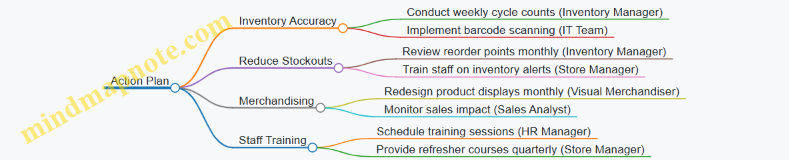
Example:
The store manager schedules monthly training sessions, while the inventory manager initiates weekly cycle counts and updates reorder points.
Step 4: Set Timelines and Milestones
Establish deadlines and milestones to track progress and maintain momentum.
Mind Map: Timelines and Milestones

Example:
By the end of month 1, the apparel store completes an inventory audit and begins staff training, setting the foundation for improvements.
Step 5: Monitor, Evaluate, and Adjust
Regularly review progress against goals, analyze results, and adjust the plan as necessary.
Mind Map: Monitoring and Evaluation
Example:
The store holds monthly meetings to review sales and inventory data, adjusting reorder points and merchandising tactics based on findings.
Bonus: Sample Personalized Action Plan Summary (Table)
| Goal | Action Item | Responsible Person | Timeline | Status |
|---|---|---|---|---|
| Improve Inventory Accuracy | Conduct weekly cycle counts | Inventory Manager | Ongoing | In Progress |
| Reduce Stockouts | Review and update reorder points | Inventory Manager | Monthly | Planned |
| Enhance Merchandising | Redesign product displays | Visual Merchandiser | Monthly | Planned |
| Staff Training | Conduct inventory training | Store Manager | Within 2 months | Scheduled |
Final Tips:
- Customize: Tailor every step to your store’s size, product mix, and customer base.
- Collaborate: Involve your team in planning to increase buy-in and accountability.
- Use Technology: Leverage software tools for tracking and reporting.
- Stay Flexible: Be ready to pivot based on what the data tells you.
By following this structured approach and using the mind maps as visual guides, you can create a personalized, actionable plan that drives measurable improvements in your retail store’s inventory management and merchandising effectiveness.
13.3 Resources and Tools for Continued Learning
Continuous learning is essential for retail managers and sales staff to stay updated on the latest inventory and merchandising best practices. Below is a curated list of valuable resources and tools, complemented by mind maps to help visualize and organize your learning journey.
Online Learning Platforms
- Coursera & edX: Offer courses on retail management, supply chain, and merchandising.
- LinkedIn Learning: Provides short courses focused on sales techniques, inventory control, and retail analytics.
- Udemy: Affordable courses with practical examples on inventory management software and merchandising strategies.
Example: Taking a Coursera course on “Retail Fundamentals” can help new managers understand inventory turnover and merchandising basics through real-world case studies.
Books and Publications
- “Retail Management: A Strategic Approach” by Barry R. Berman & Joel R. Evans
- “Merchandising Mathematics for Retailing” by Cynthia R. Easterling
- Industry Magazines: Retail Dive, National Retail Federation (NRF) reports
Example: Using “Merchandising Mathematics for Retailing” to practice calculating markups and s helps sales staff make informed pricing decisions.
Software Tools
- Inventory Management: TradeGecko, Zoho Inventory, Lightspeed Retail
- Point of Sale (POS): Square, Shopify POS, Vend
- Analytics & Forecasting: Tableau, Microsoft Power BI
Example: Using Zoho Inventory’s reorder point feature to automate stock replenishment reduces stockouts.
Industry Communities and Forums
- RetailWire: Discussion forums on retail trends and challenges
- Reddit r/retail: Peer advice and shared experiences
- LinkedIn Groups: Retail Management and Merchandising Professionals
Example: Engaging in RetailWire discussions can provide insights on handling seasonal inventory spikes.
Mind Maps for Learning Organization
Example Application
A new retail manager could use these resources by first enrolling in a LinkedIn Learning course on inventory basics, then applying the knowledge by experimenting with Zoho Inventory’s reorder point settings. Simultaneously, joining a LinkedIn group allows them to ask questions and share experiences, accelerating their learning curve.
By leveraging these resources and tools, retail professionals can continuously refine their skills, adapt to evolving market demands, and drive sales growth through smarter inventory and merchandising decisions.
13.4 Encouraging a Culture of Inventory Excellence Among Your Team
Creating a culture of inventory excellence is essential for retail operations to thrive. When every team member understands the importance of accurate inventory management and takes ownership, the entire sales process becomes smoother, customer satisfaction improves, and losses due to errors or shrinkage decrease.
Why Foster a Culture of Inventory Excellence?
- Improved Accuracy: Reduces stockouts and overstock situations.
- Enhanced Accountability: Everyone feels responsible for inventory health.
- Better Customer Experience: Ensures products are available when customers want them.
- Operational Efficiency: Streamlines processes and reduces manual errors.
Key Strategies to Build This Culture
Clear Communication and Expectations
- Set transparent inventory goals.
- Share performance metrics regularly.
Training and Empowerment
- Provide hands-on training on inventory systems.
- Encourage problem-solving and ownership.
Recognition and Rewards
- Celebrate accuracy milestones.
- Reward proactive inventory management behaviors.
Continuous Feedback Loop
- Hold regular team meetings to discuss inventory challenges.
- Use feedback to improve processes.
Lead by Example
- Managers actively participate in inventory tasks.
- Demonstrate commitment to inventory excellence.
Mind Map: Building a Culture of Inventory Excellence
Practical Examples
Example 1: Weekly Inventory Huddle
- Every Monday morning, the team gathers for a 15-minute meeting.
- Discuss last week’s inventory accuracy, highlight any discrepancies.
- Share tips on improving stock counts.
- Recognize team members who identified and resolved inventory issues.
Example 2: Inventory Champion Program
- Assign a rotating “Inventory Champion” role to a team member each week.
- Champion is responsible for double-checking stock levels and reporting anomalies.
- Champions receive small rewards like gift cards or extra break time.
Example 3: Visual Performance Boards
- Install a visible board in the staff area showing inventory KPIs.
- Track metrics like stock accuracy %, shrinkage, and audit completion rates.
- Update weekly to motivate continuous improvement.
Mind Map: Example Initiatives to Encourage Inventory Excellence
Tips for Sustaining the Culture
- Make Inventory Part of Daily Routine: Integrate inventory checks into daily tasks.
- Use Technology: Equip staff with easy-to-use inventory tools.
- Encourage Open Communication: Create a safe space for reporting issues without blame.
- Celebrate Small Wins: Recognize improvements to keep morale high.
Final Thought
Building a culture of inventory excellence is not a one-time effort but an ongoing commitment. By embedding these practices into your team’s daily habits and recognizing their efforts, you empower your retail staff and managers to maintain accurate inventory, ultimately driving sales growth and customer satisfaction.
13.5 Final Thoughts: Driving Sales Through Smart Inventory and Merchandising
In retail, the synergy between smart inventory management and effective merchandising is the cornerstone of driving sales and ensuring customer satisfaction. When these two elements work hand-in-hand, retailers can optimize stock levels, reduce waste, and create compelling shopping experiences that convert browsers into buyers.
Key Takeaways:
- Inventory Accuracy Fuels Sales: Knowing exactly what you have in stock prevents lost sales due to stockouts and reduces overstock that ties up capital.
- Merchandising Enhances Product Appeal: Thoughtful product placement and attractive displays guide customers to make purchasing decisions.
- Data-Driven Decisions: Leveraging sales data and inventory analytics helps anticipate demand and tailor merchandising strategies.
- Continuous Improvement: Regularly reviewing performance metrics and customer feedback ensures your strategies evolve with market trends.
Mind Map: Driving Sales Through Smart Inventory and Merchandising
Practical Example: How Smart Inventory and Merchandising Boosted Sales at “Urban Style” Boutique
Scenario: Urban Style, a mid-sized fashion retailer, struggled with frequent stockouts of popular items and uninspiring store layouts that failed to attract customers.
Actions Taken:
- Inventory Overhaul: Implemented an RFID system to track inventory in real-time, reducing stock discrepancies by 30%.
- Demand Forecasting: Analyzed past sales and seasonal trends to adjust reorder points, ensuring popular items were always available.
- Merchandising Revamp: Redesigned store layout to place bestsellers at eye level near entrances and created themed displays for seasonal collections.
- Promotions: Introduced bundled offers and time-limited discounts to increase basket size.
Results:
- 20% increase in monthly sales within 3 months.
- 15% reduction in overstock and clearance s.
- Improved customer satisfaction scores due to better product availability and engaging displays.
Final Recommendations:
- Invest in Technology: Tools like POS-integrated inventory systems and data analytics platforms are invaluable.
- Train Your Team: Ensure sales staff understand inventory levels and merchandising goals to provide better customer service.
- Stay Agile: Retail trends change rapidly; be ready to adapt inventory and merchandising strategies accordingly.
- Engage Customers: Use feedback and sales data to continuously refine your approach.
By embracing smart inventory practices combined with creative merchandising, retail managers and sales staff can not only drive sales but also build lasting customer loyalty and operational efficiency.