Full-Stack Web3 Development with Smart Contracts
1. Introduction to Web3 and Decentralized Applications
1.1 Understanding Web3: Concepts and Architecture
Web3 refers to a new iteration of the internet centered around decentralization, blockchain technology, and token-based economics. Unlike the traditional web (Web2), where data and applications are controlled by centralized entities, Web3 aims to distribute control among users and networks.
At its core, Web3 is about shifting trust from centralized intermediaries to decentralized protocols. This shift changes how applications are built, how data is stored, and how users interact with online services.
Key Concepts of Web3
- Decentralization: Instead of relying on a single server or authority, Web3 applications run on peer-to-peer networks, reducing single points of failure.
- Blockchain: A distributed ledger that records transactions in an immutable and transparent way.
- Smart Contracts: Self-executing code stored on the blockchain that enforces rules and automates processes.
- Tokens: Digital assets representing value, rights, or access, often used for governance, payments, or incentives.
- Cryptographic Identity: Users control their identity and data through cryptographic keys rather than usernames and passwords.
Web3 Architecture Overview
Web3 applications, or dApps, typically consist of three layers:
- Blockchain Layer: The base layer where transactions are recorded and smart contracts run. Ethereum is a popular example.
- Protocol Layer: Protocols define rules for interaction, such as token standards (ERC-20, ERC-721) or communication protocols.
- Application Layer: The user-facing part, including frontends and backend services that interact with smart contracts.
Below is a mind map summarizing these components:
Example: Simple Web3 Interaction
Imagine a user wants to send cryptocurrency to a friend using a Web3 wallet:
- The user initiates a transaction from their wallet interface (Application Layer).
- The transaction is signed with the user’s private key (Cryptographic Identity).
- The signed transaction is sent to the Ethereum blockchain (Blockchain Layer).
- The network validates and records the transaction.
- The recipient’s wallet reflects the updated balance.
This process contrasts with traditional banking, where a central authority processes and records transactions.
Mind Map: Web3 User Interaction Flow
Why Architecture Matters
Understanding these layers helps developers design dApps that are efficient, secure, and user-friendly. For example, knowing that smart contracts are immutable once deployed encourages thorough testing before launch. Recognizing the role of tokens guides decisions about user incentives and governance.
In summary, Web3 is a shift in how applications operate on the internet, emphasizing decentralization, user control, and blockchain technology. Its architecture is layered, with each part playing a distinct role in delivering decentralized services.
1.2 Overview of Decentralized Applications (dApps)
Decentralized applications, or dApps, are software programs that run on a blockchain or a peer-to-peer network of computers instead of a single centralized server. Unlike traditional applications, dApps operate without a central authority controlling the backend, which means they rely on a distributed ledger to maintain data integrity and transparency.
At their core, dApps combine smart contracts with user interfaces to provide services that are censorship-resistant and tamper-proof. The smart contracts handle the business logic and data storage on-chain, while the frontend interacts with users, often through web browsers connected to blockchain nodes via wallets.
Key Characteristics of dApps
- Decentralization: The backend code and data reside on a blockchain or distributed network.
- Open Source: Ideally, dApps have open-source code to promote transparency and community trust.
- Incentivization: Many dApps include tokens or rewards to encourage participation and network security.
- Consensus: Transactions and state changes are validated by the network consensus mechanism.
Mind Map: Core Components of a dApp
Example: A Simple Voting dApp
Imagine a voting application where users can cast votes on proposals. The smart contract stores proposals and votes, ensuring votes cannot be altered or deleted once cast. The frontend allows users to connect their wallets, view proposals, and submit votes. The blockchain guarantees transparency and immutability.
Why Use a dApp Here?
- No single entity can manipulate votes.
- Voting records are publicly verifiable.
- Users retain control of their voting power via their wallets.
Mind Map: Voting dApp Workflow
Types of dApps
- Financial dApps (DeFi): Lending, borrowing, exchanges, and stablecoins.
- Gaming dApps: Play-to-earn games, NFT collectibles.
- Social dApps: Decentralized social networks, content platforms.
- Governance dApps: Voting systems, DAOs (Decentralized Autonomous Organizations).
- Supply Chain dApps: Tracking provenance and logistics.
Each type uses smart contracts to automate processes and reduce reliance on intermediaries.
Example: ERC-20 Token dApp
A common dApp is a token contract following the ERC-20 standard. It allows users to hold and transfer tokens representing assets or utility. The smart contract manages balances and transfers, while the frontend displays balances and transaction history.
Best Practice Example
When building such a dApp, it’s important to:
- Use standardized interfaces (ERC-20) for compatibility.
- Implement event logging for transfers to enable frontend updates.
- Handle errors gracefully, such as insufficient balance.
Mind Map: ERC-20 Token dApp Structure
Interaction Patterns
Users interact with dApps primarily through wallets that manage private keys and sign transactions. Common wallets include MetaMask and hardware wallets. The dApp frontend communicates with these wallets via libraries like Ethers.js or Web3.js.
Transactions submitted by users trigger smart contract functions, which update the blockchain state after network consensus. This process introduces latency and gas costs, which developers must consider when designing user experiences.
Summary
Decentralized applications shift control from centralized servers to distributed networks, leveraging smart contracts to enforce rules and maintain data integrity. Understanding the components, workflows, and interaction patterns of dApps is essential for building reliable and user-friendly decentralized software.
1.3 Blockchain Fundamentals: Ethereum as a Platform
Ethereum is a decentralized platform that enables developers to build and deploy smart contracts and decentralized applications (dApps). Unlike Bitcoin, which primarily focuses on peer-to-peer digital currency, Ethereum provides a programmable blockchain environment. This section explains the core concepts that make Ethereum unique and practical for full-stack Web3 development.
What is Ethereum?
Ethereum is a blockchain network that maintains a shared ledger of transactions and contract states. It uses a consensus mechanism to validate and record these transactions across a distributed network of nodes. The key difference is that Ethereum’s blockchain stores not only transactions but also executable code in the form of smart contracts.
Key Components of Ethereum
Ethereum Virtual Machine (EVM)
The EVM is a virtual computer that runs smart contracts. It abstracts the underlying hardware and ensures that contract execution is deterministic and isolated. Every node runs the EVM to validate transactions and update the blockchain state accordingly.
Mind Map: EVM Components
Smart Contracts
Smart contracts are programs written primarily in Solidity (though other languages exist) that run on the EVM. They define rules and logic that execute automatically when triggered by transactions.
Example: Simple Storage Contract
pragma solidity ^0.8.0;

contract SimpleStorage {
    uint256 private storedData;

    function set(uint256 x) public {
        storedData = x;
    }

    function get() public view returns (uint256) {
        return storedData;
    }
}
This contract stores a number and allows anyone to update or read it. When deployed, the contract’s bytecode is stored on the blockchain, and its state (the value of storedData) is maintained across transactions.
Gas and Transaction Fees
Every operation on Ethereum requires gas, which measures computational effort. Gas fees are paid in Ether and incentivize miners (or validators) to include transactions in blocks. Gas limits prevent excessive resource consumption.
Mind Map: Gas Mechanics
Ethereum Accounts
Ethereum has two types of accounts:
- Externally Owned Accounts (EOA): Controlled by private keys, these accounts initiate transactions.
- Contract Accounts: Controlled by their contract code, these accounts execute smart contract logic.
Transactions always originate from EOAs and can trigger contract executions.
Blocks and Consensus
Ethereum groups transactions into blocks. Validators propose and attest to blocks, ensuring the network agrees on the current state. Ethereum uses Proof of Stake (PoS), where validators stake ETH to participate in consensus.
Mind Map: Ethereum Block Structure
State and Storage
Ethereum maintains a global state, which includes account balances, contract code, and storage. Each smart contract has its own storage, a key-value store that persists data between transactions.
Example: Storage Layout
In the SimpleStorage contract above, storedData is stored at a specific storage slot. Reading and writing to storage costs gas, so efficient data structures matter.
Summary
Ethereum is more than a cryptocurrency network; it is a programmable platform that runs decentralized applications via smart contracts. Understanding its components—EVM, gas, accounts, and consensus—is essential for building effective Web3 applications. The design choices in smart contracts, especially regarding gas and storage, directly impact performance and cost.
This foundation sets the stage for writing, testing, and deploying smart contracts, which the following chapters will cover in detail.
1.4 Smart Contracts: Definition, Use Cases, and Limitations
What is a Smart Contract?
A smart contract is a self-executing piece of code stored on a blockchain that automatically enforces and executes the terms of an agreement when predefined conditions are met. Unlike traditional contracts, which require intermediaries like lawyers or banks, smart contracts run on decentralized networks, removing the need for a trusted third party.
In Ethereum, smart contracts are written primarily in Solidity, a contract-oriented programming language. Once deployed, these contracts live on the blockchain and can be interacted with by users or other contracts.
Mind Map: Smart Contract Basics
Key Characteristics
- Deterministic: Given the same input, a smart contract will always produce the same output.
- Immutable: Once deployed, the contract code cannot be changed (unless designed to be upgradable).
- Autonomous: Executes automatically without human intervention after deployment.
- Transparent: Contract code and transaction history are publicly accessible.
Use Cases of Smart Contracts
Smart contracts can be applied wherever trust, automation, and transparency are valuable. Here are some concrete examples:
-
Token Creation and Management
- Example: ERC-20 tokens represent fungible assets like cryptocurrencies.
- Use: Automate token transfers, balances, and approvals.
-
Decentralized Finance (DeFi)
- Example: Lending protocols that automatically calculate interest and collateral.
- Use: Remove intermediaries in financial transactions.
-
Supply Chain Tracking
- Example: Recording product provenance and shipment status.
- Use: Increase transparency and reduce fraud.
-
Voting Systems
- Example: Transparent and tamper-proof election mechanisms.
- Use: Ensure vote integrity and auditability.
-
Escrow Services
- Example: Holding funds until contract conditions are met.
- Use: Secure transactions between parties without trust.
-
Non-Fungible Tokens (NFTs)
- Example: Unique digital collectibles or certificates.
- Use: Prove ownership and authenticity.
Mind Map: Common Smart Contract Use Cases
Simple Example: Escrow Contract
Consider a basic escrow contract where a buyer deposits funds that are released to the seller only after the buyer confirms receipt of goods.
pragma solidity ^0.8.0;

contract Escrow {
    address public buyer;
    address payable public seller;
    bool public goodsReceived;

    constructor(address payable _seller) {
        buyer = msg.sender;
        seller = _seller;
        goodsReceived = false;
    }

    function deposit() external payable {
        require(msg.sender == buyer, "Only buyer can deposit");
        require(msg.value > 0, "Deposit must be positive");
    }

    function confirmReceipt() external {
        require(msg.sender == buyer, "Only buyer can confirm");
        goodsReceived = true;
        seller.transfer(address(this).balance);
    }
}
This contract enforces the agreement without intermediaries. The buyer deposits funds, and only after confirming receipt does the contract release payment to the seller.
Limitations of Smart Contracts
Despite their advantages, smart contracts have several constraints:
-
Immutability Risks: Bugs or vulnerabilities in deployed contracts cannot be easily fixed. This requires careful testing and sometimes upgrade patterns.
-
Cost of Execution: Every operation costs gas, which can make complex contracts expensive to run.
-
Deterministic Environment: Smart contracts cannot access external data directly; they rely on oracles to bring in off-chain information.
-
Limited Computation: Blockchains are not designed for heavy computation or large data storage.
-
Privacy Concerns: All contract data and transactions are public, which may not suit sensitive applications.
-
Legal and Regulatory Uncertainty: The legal status of smart contracts varies by jurisdiction, and enforcement outside the blockchain can be complex.
Mind Map: Smart Contract Limitations
Summary
Smart contracts are programmable agreements that automate trust and execution on blockchains. They find use in finance, governance, digital assets, and more. However, their immutability, cost, and reliance on external data sources impose practical limits. Understanding these aspects is essential before building or deploying smart contracts.
1.5 Setting Up Your Development Environment: Tools and Frameworks
Setting up a solid development environment is the first practical step in building Web3 applications. This section covers the essential tools and frameworks you need to write, test, deploy, and interact with smart contracts and decentralized applications (dApps). We’ll also look at examples and mind maps to clarify how these components fit together.
Core Components of a Web3 Development Environment
Code Editor
A good code editor is the foundation. Visual Studio Code (VS Code) is the most popular choice because of its rich extension ecosystem, including Solidity language support, syntax highlighting, and integration with linters and formatters. Sublime Text works too but requires more manual setup.
Example: Installing the Solidity extension in VS Code gives you autocompletion and error highlighting as you write smart contracts.
Smart Contract Languages
Solidity is the dominant language for Ethereum smart contracts. Vyper is an alternative with a Python-like syntax and a focus on simplicity and security. Most tools and frameworks are optimized for Solidity, so it’s the practical default.
Example: Writing a simple contract in Solidity:
pragma solidity ^0.8.0;

contract SimpleStorage {
    uint256 public storedData;

    function set(uint256 x) public {
        storedData = x;
    }

    function get() public view returns (uint256) {
        return storedData;
    }
}
Frameworks
Frameworks like Hardhat and Truffle provide structured workflows for compiling, testing, and deploying contracts.
- Hardhat is a flexible, modern tool with a built-in local Ethereum network and plugin system.
- Truffle is older but still widely used, with integrated migration and testing features.
Example: Running npx hardhat compile compiles your contracts and reports errors.
Local Blockchain Simulators
Testing contracts on a local blockchain speeds up development and debugging.
- Ganache offers a GUI and CLI to spin up a personal Ethereum blockchain.
- Hardhat Network is embedded in Hardhat and runs automatically during tests.
Example: Using Ganache, you can deploy contracts and interact with them via scripts or the console.
Wallets
Wallets manage your private keys and sign transactions.
- MetaMask is a browser extension wallet that integrates with dApps.
- WalletConnect allows mobile wallets to connect to web applications.
Example: During development, MetaMask can be connected to your local blockchain network to test transactions.
Libraries
To interact with Ethereum nodes and contracts from your frontend or backend, you use libraries:
- Ethers.js is lightweight and modular.
- Web3.js is older and more monolithic.
Example: Using Ethers.js to call a contract function:
const { ethers } = require("ethers");
const provider = new ethers.providers.JsonRpcProvider("http://localhost:8545");
const contractAddress = "0xYourContractAddress";
const abi = [
  "function get() view returns (uint256)",
  "function set(uint256)"
];
const contract = new ethers.Contract(contractAddress, abi, provider);

async function readValue() {
  const value = await contract.get();
  console.log("Stored value:", value.toString());
}

readValue();
Testing Tools
Testing is critical. Mocha and Chai are popular JavaScript testing frameworks used alongside Hardhat or Truffle.
Example: A simple test in Hardhat using Mocha and Chai:
const { expect } = require("chai");

describe("SimpleStorage", function () {
  it("Should store and retrieve the correct value", async function () {
    const SimpleStorage = await ethers.getContractFactory("SimpleStorage");
    const storage = await SimpleStorage.deploy();
    await storage.deployed();

    await storage.set(42);
    expect(await storage.get()).to.equal(42);
  });
});
Deployment Tools
Deploying contracts to testnets or mainnet requires migration scripts.
- Hardhat Deploy is a plugin to manage deployments.
- Truffle Migrations automate deployment steps.
Example: A simple deployment script in Hardhat:
async function main() {
  const SimpleStorage = await ethers.getContractFactory("SimpleStorage");
  const storage = await SimpleStorage.deploy();
  await storage.deployed();
  console.log("Contract deployed to:", storage.address);
}

main().catch((error) => {
  console.error(error);
  process.exitCode = 1;
});
Mind Map: Development Workflow Overview
Setting up your environment with these tools and frameworks creates a smooth path from writing code to deploying and interacting with your dApp. Each component has a clear role, and the examples here show how they come together in practice.
1.6 Best Practices for Starting a Web3 Project: Planning and Security Considerations
Starting a Web3 project requires careful planning and a strong focus on security from the very beginning. Unlike traditional software projects, decentralized applications (dApps) operate on immutable ledgers and handle assets directly, so mistakes can be costly and difficult to fix. This section outlines best practices to guide you through the initial stages of your Web3 development journey.
Planning Your Web3 Project
Define Clear Objectives and Scope
Start by specifying what problem your dApp solves and who will use it. A clear goal helps avoid feature creep and keeps development focused. For example, if you’re building a decentralized voting system, decide upfront whether it’s for small communities or large-scale elections, as this affects design choices.
Choose the Right Blockchain and Layer-2 Solution
Ethereum is popular, but consider transaction fees, speed, and user base. Layer-2 solutions like Optimistic Rollups or zk-Rollups can reduce costs and increase throughput. Match your choice to your project’s needs.
Design User Experience with Wallets in Mind
Users interact with dApps through wallets. Decide which wallets to support and how to handle onboarding. For instance, MetaMask is common, but mobile users might prefer WalletConnect. Plan for smooth wallet integration to reduce friction.
Plan for Data Storage
On-chain storage is expensive and limited. Decide what data must be on-chain and what can live off-chain, perhaps using IPFS or centralized databases. For example, store NFT metadata off-chain but keep ownership on-chain.
Establish a Development Workflow
Set up version control, testing frameworks, and deployment pipelines early. Use tools like Hardhat or Truffle for smart contract development and testing. Automate deployments where possible to reduce human error.
Budget Time for Auditing and Testing
Security audits and thorough testing take time and resources. Allocate sufficient time in your project timeline to cover these steps before launch.
Security Considerations
Follow the Principle of Least Privilege
Grant contracts and users only the permissions they need. For example, if a contract only needs to transfer tokens, avoid giving it admin rights.
Use Established Standards and Libraries
Leverage audited libraries like OpenZeppelin for token contracts and access control. This reduces the chance of introducing vulnerabilities.
Implement Access Control Carefully
Use role-based access controls and multi-signature wallets for administrative functions. For example, require multiple signatures to upgrade a contract.
Validate Inputs Rigorously
Check all inputs to your smart contracts to prevent unexpected behavior. Use require statements to enforce constraints, such as ensuring token amounts are positive.
Handle Errors and Failures Gracefully
Design contracts to fail safely. For example, use the Checks-Effects-Interactions pattern to prevent reentrancy attacks.
Plan for Upgradability
Since bugs can slip through, consider proxy patterns to allow contract upgrades. However, be aware that upgradability adds complexity and potential risks.
Secure Key Management
Private keys control contract deployment and administration. Use hardware wallets or secure vaults, and never hard-code keys in your codebase.
Monitor and Respond
Set up monitoring for unusual contract activity and have a plan to respond to incidents. For example, pause contract functions if suspicious behavior is detected.
Mind Maps
Planning a Web3 Project
Security Considerations
Examples
Example 1: Input Validation in Solidity
function transfer(address recipient, uint256 amount) public {
    require(amount > 0, "Amount must be positive");
    require(balanceOf[msg.sender] >= amount, "Insufficient balance");
    balanceOf[msg.sender] -= amount;
    balanceOf[recipient] += amount;
    emit Transfer(msg.sender, recipient, amount);
}
This simple check prevents transfers of zero or negative amounts and ensures the sender has enough tokens.
Example 2: Role-Based Access Control Using OpenZeppelin
import "@openzeppelin/contracts/access/AccessControl.sol";

contract MyContract is AccessControl {
    bytes32 public constant ADMIN_ROLE = keccak256("ADMIN_ROLE");

    constructor() {
        _setupRole(ADMIN_ROLE, msg.sender);
    }

    function sensitiveFunction() public onlyRole(ADMIN_ROLE) {
        // restricted logic
    }
}
Only addresses with the ADMIN_ROLE can call sensitiveFunction, reducing risk.
Example 3: Development Workflow with Hardhat
- Write contracts in
contracts/ - Write tests in
test/using Mocha and Chai - Use
npx hardhat compileto compile - Use
npx hardhat testto run tests - Deploy with scripts in
scripts/
This workflow ensures code is tested and deployed consistently.
Starting a Web3 project is a balance of thoughtful design and cautious security practices. By defining clear goals, choosing appropriate technologies, and embedding security at every step, you set a solid foundation for your dApp’s success.
2. Solidity Programming Fundamentals
2.1 Solidity Language Basics: Syntax and Data Types
Solidity is a statically typed, contract-oriented programming language designed specifically for writing smart contracts on Ethereum and compatible blockchains. Its syntax resembles JavaScript and C++, making it approachable for developers familiar with those languages. Understanding Solidity’s syntax and data types is essential before writing functional and secure smart contracts.
Solidity Syntax Overview
A Solidity contract is defined using the contract keyword, followed by the contract name and a pair of curly braces enclosing the contract body.
pragma solidity ^0.8.0;

contract SimpleStorage {
    uint storedData;

    function set(uint x) public {
        storedData = x;
    }

    function get() public view returns (uint) {
        return storedData;
    }
}
pragma solidity ^0.8.0;specifies the compiler version.uint storedData;declares a state variable of unsigned integer type.- Functions have visibility modifiers like
public. - The
viewkeyword indicates the function does not modify state.
Mind Map: Solidity Syntax Structure
Data Types in Solidity
Solidity has several categories of data types:
-
Value Types (stored directly)
bool: Boolean valuestrueorfalse.int/uint: Signed and unsigned integers of various sizes (e.g.,uint8,int256). Default isint256oruint256.address: Holds Ethereum addresses.fixed/ufixed: Fixed-point decimals (currently not fully supported).bytes1tobytes32: Fixed-size byte arrays.enum: User-defined types with finite set of values.
-
Reference Types (stored by reference)
string: Dynamically sized UTF-8 encoded string.bytes: Dynamically sized byte array.- Arrays: Fixed or dynamic size arrays.
- Structs: Custom data structures.
-
Mapping Types
- Key-value stores with syntax
mapping(keyType => valueType).
- Key-value stores with syntax
Mind Map: Solidity Data Types
Examples of Data Types
pragma solidity ^0.8.0;

contract DataTypesExample {
    bool public isActive = true;
    uint8 public smallNumber = 255; // max value for uint8
    int256 public balance = -1000;
    address public owner;
    bytes32 public dataHash;
    string public name = "Solidity";
    bytes public dynamicBytes;

    enum Status { Pending, Active, Inactive }
    Status public currentStatus;

    uint[] public numbers;
    mapping(address => uint) public balances;

    struct Person {
        string name;
        uint age;
    }
    Person public person;

    constructor() {
        owner = msg.sender;
        dataHash = keccak256(abi.encodePacked("example"));
        dynamicBytes = "abc";
        currentStatus = Status.Active;
        numbers.push(1);
        numbers.push(2);
        balances[owner] = 1000;
        person = Person("Alice", 30);
    }
}
boolstores true/false.uint8is an 8-bit unsigned integer with max 255.addressstores Ethereum addresses, here initialized to contract deployer.bytes32is a fixed-size byte array, often used for hashes.stringandbytesare dynamic arrays.enumdefines a set of named constants.mappingassociates addresses with balances.structgroups related data.
Notes on Data Types
- Integer types have fixed sizes; choosing smaller sizes can save gas but requires careful handling.
addresstypes can be used to send Ether and query balances.- Strings and bytes are stored differently; strings are UTF-8 encoded.
- Mappings cannot be iterated over; they are optimized for lookups.
- Enums start at 0 by default.
Mind Map: Variable Declaration and Initialization
Example: Variable Scope and Initialization
pragma solidity ^0.8.0;

contract VariableScope {
    uint public stateVar; // defaults to 0
    uint constant MAX = 100;
    uint immutable creationTime;

    constructor() {
        creationTime = block.timestamp;
    }

    function localExample() public pure returns (uint) {
        uint localVar = 10;
        return localVar;
    }
}
stateVaris stored on-chain and defaults to zero.constantvariables save gas by embedding value at compile time.immutablevariables can be assigned once during construction.- Local variables exist only during function execution.
This section covers the essential building blocks of Solidity syntax and data types. Mastery of these basics allows you to write clear, efficient, and secure smart contracts. The next steps involve using these types effectively within functions, managing visibility, and handling contract state changes.
2.2 Writing Your First Smart Contract: A Simple Token Example
Creating a simple token contract is a practical way to understand Solidity basics and smart contract structure. Tokens represent digital assets or units of value on the blockchain. We’ll build a minimal ERC-20-like token to illustrate core concepts such as state variables, functions, events, and access control.
Mind Map: Simple Token Contract Structure
Step 1: Define the Contract and State Variables
pragma solidity ^0.8.0;

contract SimpleToken {
    string public name = "SimpleToken";
    string public symbol = "STK";
    uint8 public decimals = 18;
    uint256 public totalSupply;

    mapping(address => uint256) private balances;

    event Transfer(address indexed from, address indexed to, uint256 value);

    constructor(uint256 _initialSupply) {
        totalSupply = _initialSupply * 10 ** uint256(decimals);
        balances[msg.sender] = totalSupply;
        emit Transfer(address(0), msg.sender, totalSupply);
    }

    function balanceOf(address account) public view returns (uint256) {
        return balances[account];
    }

    function transfer(address to, uint256 amount) public returns (bool) {
        require(to != address(0), "Transfer to zero address");
        require(balances[msg.sender] >= amount, "Insufficient balance");

        balances[msg.sender] -= amount;
        balances[to] += amount;

        emit Transfer(msg.sender, to, amount);
        return true;
    }
}
Explanation
-
State Variables:
name,symbol, anddecimalsdescribe the token.totalSupplytracks the total tokens in existence.balancesis a mapping from addresses to their token holdings. -
Event:
Transferlogs token movements. Events are important for off-chain applications to track contract activity. -
Constructor: Runs once at deployment. It sets the total supply and assigns all tokens to the deployer (
msg.sender). It also emits aTransferevent from the zero address to indicate token creation. -
balanceOf: A read-only function returning the token balance of a given address.
-
transfer: Moves tokens from the sender to another address. It checks for valid recipient and sufficient balance, updates balances, emits a
Transferevent, and returnstrueon success.
Mind Map: Transfer Function Logic
Best Practices Illustrated
-
Input Validation: The
requirestatements prevent sending tokens to the zero address and prevent overdrawing balances. -
Event Emission: Emitting
Transferevents is essential for transparency and for external tools to track token movements. -
Use of
publicandprivate: State variables likebalancesare private to encapsulate data; access is provided through functions likebalanceOf. -
Decimals Handling: Multiplying initial supply by
10 ** decimalsensures token amounts account for fractional units. -
Returning Boolean: The
transferfunction returns a boolean to signal success, following ERC-20 conventions.
Example Usage
Suppose the contract is deployed with an initial supply of 1,000 tokens (considering 18 decimals). The deployer’s address will hold all 1,000 tokens initially.
-
Calling
balanceOf(deployer)returns1000000000000000000000(1,000 * 10^18). -
If the deployer calls
transfer(recipient, 100 * 10**18), 100 tokens move to the recipient. -
After transfer,
balanceOf(deployer)returns900000000000000000000andbalanceOf(recipient)returns100000000000000000000.
This simple token contract covers the essentials of smart contract development: state management, function logic, event emission, and basic security checks. It’s a solid foundation before moving on to more complex token standards and features.
2.3 Functions, Visibility, and Modifiers Explained with Examples
Functions, Visibility, and Modifiers Explained with Examples
In Solidity, functions are the building blocks of smart contracts. They define the behavior and logic that your contract can execute. Understanding how to declare functions, control their accessibility, and modify their behavior is essential for writing clear, secure, and efficient contracts.
Functions in Solidity
A function in Solidity is declared using the function keyword, followed by its name, parameters, visibility, and optionally, return types. Functions can be simple or complex, and they can alter the contract’s state or just read from it.
Basic function example:
function setValue(uint _value) public {
    storedValue = _value;
}
This function sets a state variable storedValue to the input _value.
Function Visibility
Visibility controls who can call a function. Solidity supports four visibility specifiers:
public: Anyone can call the function, both internally and externally.external: Only external calls (from other contracts or transactions) are allowed.internal: Only the contract itself and derived contracts can call it.private: Only the contract itself can call it.
Mind map: Function Visibility
Example demonstrating visibility:
contract VisibilityExample {
    uint private secretNumber = 42;
    uint internal internalNumber = 100;
    uint public publicNumber = 7;

    function getSecret() private view returns (uint) {
        return secretNumber;
    }

    function getInternal() internal view returns (uint) {
        return internalNumber;
    }

    function getPublic() public view returns (uint) {
        return publicNumber;
    }

    function callInternal() public view returns (uint) {
        return getInternal(); // Allowed
    }

    function callSecret() public view returns (uint) {
        // return getSecret(); // Not allowed, private
        return 0;
    }
}
In this example, getSecret is private and cannot be called outside the contract, even by derived contracts. getInternal is internal and accessible within the contract and any contract that inherits from it. getPublic is accessible by anyone.
Note that external functions are optimized for calls from outside the contract and cannot be called internally without using this.functionName(), which is more expensive.
Function Modifiers
Modifiers are reusable pieces of code that can be applied to functions to change their behavior. They are often used for access control, validation, or pre/post conditions.
Basic modifier example:
modifier onlyOwner() {
    require(msg.sender == owner, "Not the owner");
    _; // Placeholder for the function body
}

function sensitiveAction() public onlyOwner {
    // action only owner can perform
}
The _ represents where the original function’s code will be inserted.
Mind map: Function Modifiers
Example with multiple modifiers and state checks:
contract ModifierExample {
    address public owner;
    bool public paused;

    constructor() {
        owner = msg.sender;
        paused = false;
    }

    modifier onlyOwner() {
        require(msg.sender == owner, "Caller is not owner");
        _;
    }

    modifier whenNotPaused() {
        require(!paused, "Contract is paused");
        _;
    }

    function pause() public onlyOwner {
        paused = true;
    }

    function unpause() public onlyOwner {
        paused = false;
    }

    function performAction() public whenNotPaused {
        // Action that can only happen when not paused
    }
}
Here, onlyOwner restricts access to the contract owner, while whenNotPaused ensures that certain functions only run when the contract is active.
Combining Visibility and Modifiers
Modifiers and visibility often work together to enforce rules. For example, a function might be public but guarded by an onlyOwner modifier.
Example:
function updateSettings(uint newValue) public onlyOwner {
    settingsValue = newValue;
}
This function is callable by anyone, but the modifier ensures only the owner can execute it.
Special Function Types
- Constructor: Runs once during contract deployment.
- Fallback: Executes when no other function matches or when Ether is sent without data.
- Receive: Executes when the contract receives Ether with empty calldata.
These functions also have visibility rules and can use modifiers.
Summary Table
| Aspect | Description | Example Visibility | Notes |
|---|---|---|---|
| Public | Callable internally and externally | public | Default for many functions |
| External | Callable only externally | external | More gas efficient for external calls |
| Internal | Callable within contract and derived ones | internal | Useful for helper functions |
| Private | Callable only within contract | private | Strongest restriction |
| Modifiers | Reusable code snippets for functions | N/A | Used for access control, validation |
Understanding these concepts ensures your smart contracts behave as intended, restrict access properly, and maintain clarity. Modifiers keep your code DRY (Don’t Repeat Yourself) by centralizing common checks, while visibility specifiers control the surface area exposed to users and other contracts.
This section provides a foundation for writing secure, maintainable, and efficient smart contract functions.
2.4 State Variables and Storage Patterns
State variables in Solidity are variables whose values are permanently stored on the blockchain. Unlike local variables that exist only during function execution, state variables persist between transactions and represent the contract’s state. Understanding how to declare, organize, and optimize state variables is essential for efficient and secure smart contract development.
What Are State Variables?
State variables are declared at the contract level and stored in Ethereum’s persistent storage. They can hold various data types including integers, addresses, arrays, structs, and mappings. Because storage operations are costly in terms of gas, careful planning of state variables can reduce deployment and transaction costs.
Declaration and Default Values
State variables are declared similarly to regular variables but outside functions. If not explicitly initialized, they get default values: integers default to 0, booleans to false, addresses to the zero address, and so on.
contract Example {
    uint256 public count;          // defaults to 0
    bool public isActive;          // defaults to false
    address public owner;          // defaults to 0x0000000000000000000000000000000000000000
}
Storage vs Memory
State variables reside in storage, which is persistent and costly. In contrast, variables declared inside functions without the storage keyword are stored in memory, which is temporary and cheaper. When dealing with complex types like arrays or structs, understanding the difference between storage and memory is crucial.
Storage Layout and Gas Costs
Each state variable occupies a storage slot of 32 bytes. Solidity packs variables tightly when possible, storing multiple smaller variables in a single slot to save gas. For example, multiple uint8 variables declared consecutively can share one slot.
Mind map illustrating storage slots and packing:
Example: Storage Packing
contract StoragePacking {
    uint128 a = 1;       // uses half of slot 0
    uint128 b = 2;       // uses other half of slot 0
    uint256 c = 3;       // occupies slot 1
    bool d = true;       // part of slot 2
    uint8 e = 255;       // part of slot 2
    uint16 f = 65535;    // part of slot 2
}
This packing reduces the number of storage slots used, lowering gas costs.
Common Storage Patterns
Mappings
Mappings are key-value stores that do not store keys on-chain but allow efficient lookup of values by keys. They are useful for balances, permissions, or any associative data.
mapping(address => uint256) public balances;
The values are stored at a keccak256 hash of the key and the mapping’s slot, making direct iteration impossible.
Arrays
Arrays can be fixed-size or dynamic. Dynamic arrays store their length in one slot and elements in subsequent slots.
uint256[] public numbers;
Appending to dynamic arrays increases gas costs as storage grows.
Structs
Structs group related variables into a single type, improving organization and readability.
struct User {
    uint256 id;
    string name;
    bool isActive;
}

mapping(address => User) public users;
Example: Combining Patterns
contract UserRegistry {
    struct User {
        uint256 id;
        string name;
        bool isActive;
    }

    mapping(address => User) private users;
    address[] private userAddresses;

    function registerUser(address _addr, uint256 _id, string memory _name) public {
        users[_addr] = User(_id, _name, true);
        userAddresses.push(_addr);
    }

    function getUser(address _addr) public view returns (User memory) {
        return users[_addr];
    }
}
This example shows how to store user data and keep track of all registered addresses.
Best Practices for State Variables
- Minimize Storage Writes: Writing to storage is expensive. Cache values in memory when possible and only write back when necessary.
- Use Appropriate Data Types: Smaller data types can be packed efficiently. Avoid unnecessarily large types.
- Group Variables by Size: Place variables of similar sizes together to maximize packing.
- Avoid Dynamic Arrays for Large Data: Consider mappings or off-chain storage for large datasets.
- Explicit Visibility: Always specify visibility (
public,private,internal,external) for clarity and security. - Immutable and Constant: Use
immutablefor variables set once during construction andconstantfor compile-time constants to save gas.
Mind Map: State Variables Overview
Summary
State variables form the backbone of a smart contract’s persistent data. Efficient use and organization of these variables can significantly impact gas costs and contract performance. Understanding storage layout, packing, and common patterns helps create optimized and maintainable contracts.
2.5 Events and Logging Best Practices
Events in Solidity are a way for smart contracts to communicate that something has happened on the blockchain. They act as logs that external applications, like frontends or backend services, can listen to and react upon. Proper use of events improves transparency, debugging, and user experience.
What Are Events?
Events are special Solidity constructs that allow contracts to emit log entries during transaction execution. These logs are stored on the blockchain but are cheaper to access than contract storage. They are not accessible from within contracts but are visible off-chain.
Why Use Events?
- Efficient data retrieval: Events are indexed and can be filtered easily by external applications.
- Gas savings: Emitting events costs less gas than storing data on-chain.
- Audit trail: Events provide a historical record of contract activity.
Basic Syntax
pragma solidity ^0.8.0;

contract Example {
    // Declare an event
    event Transfer(address indexed from, address indexed to, uint256 value);

    function send(address to, uint256 amount) public {
        // Emit event when transfer occurs
        emit Transfer(msg.sender, to, amount);
    }
}
Key Concepts
- Indexed parameters: Up to three parameters can be marked as
indexed. These are stored as topics and allow efficient filtering. - Non-indexed parameters: Stored in the data part of the log, accessible but not filterable.
Mind Map: Events Structure
Best Practices for Events
Use Indexed Parameters Wisely
Indexing allows filtering by parameter values but is limited to three parameters per event. Choose the most important parameters to index, typically addresses or identifiers.
Emit Events for State Changes
Every meaningful state change should emit an event. This includes token transfers, ownership changes, or configuration updates. This practice helps users and developers track contract activity.
Avoid Emitting Excessive or Redundant Events
While events are cheaper than storage, emitting too many can still increase gas costs and clutter logs. Emit only what is necessary for off-chain processes.
Include Relevant Data
Ensure events carry enough information to reconstruct the context off-chain without querying the contract state repeatedly.
Use Clear and Consistent Naming
Event names should be descriptive and consistent across contracts. For example, use Transfer for token movements, Approval for permissions.
Document Event Parameters
Clearly document what each parameter represents to avoid confusion for developers consuming the events.
Example: Token Transfer Event
pragma solidity ^0.8.0;

contract SimpleToken {
    mapping(address => uint256) public balances;

    event Transfer(address indexed from, address indexed to, uint256 value);

    function transfer(address to, uint256 amount) public {
        require(balances[msg.sender] >= amount, "Insufficient balance");
        balances[msg.sender] -= amount;
        balances[to] += amount;
        emit Transfer(msg.sender, to, amount);
    }
}
Mind Map: Best Practices Summary
Logging and Debugging
Events also serve as a debugging aid. During development, emitting events can help trace contract execution without expensive storage reads.
Example: Debug Event
event Debug(string message, uint256 value);

function test(uint256 x) public {
    emit Debug("Function called with", x);
    // function logic
}
Gas Considerations
Emitting events costs gas proportional to the size and number of parameters. Indexed parameters cost more than non-indexed ones. Avoid large arrays or strings in events.
Summary
Events are a fundamental part of smart contract design for communication with the outside world. Using them thoughtfully improves contract transparency, efficiency, and usability. Always balance the need for information with gas costs and clarity.
2.6 Error Handling and Require Statements in Practice
Error handling in Solidity is essential to ensure that smart contracts behave as expected and to prevent unintended consequences. Solidity provides several mechanisms for error handling, with require, revert, and assert being the primary tools. This section focuses on the practical use of require statements, illustrating how they help enforce conditions and improve contract safety.
Why Use require?
require is used to validate conditions before executing further logic. If the condition inside require evaluates to false, the transaction is reverted, and all changes are undone. This prevents the contract from entering an invalid state.
- It checks inputs and conditions upfront.
- It provides a clear error message.
- It refunds remaining gas to the caller.
Basic Syntax
require(condition, "Error message if condition fails");
If condition is false, the transaction stops and the error message is returned.
Example 1: Validating Inputs
function deposit(uint256 amount) public {
    require(amount > 0, "Deposit amount must be greater than zero");
    balances[msg.sender] += amount;
}
Here, the contract ensures that the deposit amount is positive. If not, the transaction reverts immediately.
Example 2: Checking Permissions
function withdraw(uint256 amount) public {
    require(balances[msg.sender] >= amount, "Insufficient balance");
    balances[msg.sender] -= amount;
    payable(msg.sender).transfer(amount);
}
This prevents users from withdrawing more than their balance.
Example 3: Enforcing Contract State
enum State { Created, Locked, Inactive }
State public state;

function confirmPurchase() public {
    require(state == State.Created, "Purchase already confirmed or inactive");
    state = State.Locked;
}
This ensures that a purchase can only be confirmed once.
Mind Map: Error Handling with require
Best Practices for Using require
- Be specific with error messages: Clear messages help users and developers understand why a transaction failed.
- Validate all external inputs: Always check parameters passed into functions.
- Check contract state before execution: Prevent invalid state transitions.
- Avoid complex logic inside
require: Keep conditions simple to reduce gas costs and improve readability. - Use
requirefor user errors,assertfor internal errors:assertis meant for conditions that should never be false unless there is a bug.
Example 4: Combining Multiple Conditions
function transfer(address recipient, uint256 amount) public {
    require(recipient != address(0), "Invalid recipient address");
    require(amount > 0, "Transfer amount must be positive");
    require(balances[msg.sender] >= amount, "Insufficient balance");

    balances[msg.sender] -= amount;
    balances[recipient] += amount;
}
This example shows multiple require statements guarding different aspects of the transfer.
Example 5: Using require with External Calls
When interacting with other contracts, require can check the success of calls.
(bool success, ) = recipient.call{value: amount}("");
require(success, "Transfer failed");
This ensures that the external call succeeded before proceeding.
Mind Map: Common Use Cases for require
Summary
require is a simple yet powerful tool to enforce rules in smart contracts. It helps catch errors early, provides meaningful feedback, and protects contract integrity. Writing clear, concise conditions with helpful error messages improves contract usability and security. Always think about what assumptions your contract makes and use require to verify them before proceeding.
2.7 Gas Optimization Techniques Illustrated
Gas optimization in Solidity means writing smart contracts that consume less gas when executed. Lower gas usage translates to cheaper transactions and better user experience. This section covers practical techniques with examples and mind maps to clarify concepts.
Why Optimize Gas?
- Gas costs are paid in Ether, so inefficient code costs real money.
- Optimized contracts can handle more users and transactions.
- Some optimizations improve contract performance and reduce block space.
Mind Map: Gas Optimization Overview
Choose the Right Data Types
Solidity stores variables in 32-byte slots. Using smaller types can pack multiple variables into one slot, saving storage gas.
Example:
contract DataPacking {
    // Inefficient: each uint256 takes a full slot
    uint256 a;
    uint256 b;

    // Efficient: packed into one slot
    uint128 c;
    uint128 d;
}
Packing c and d into one 32-byte slot reduces storage costs.
Minimize Storage Writes
Storage operations are the most expensive. Reading is cheaper but writing to storage costs gas.
Best practice:
- Cache storage variables in memory during calculations.
- Write back only once if possible.
Example:
function increment(uint256 index) public {
    uint256 temp = data[index]; // read once
    temp += 1;
    data[index] = temp; // write once
}
Avoid writing inside loops or multiple times unnecessarily.
Use immutable and constant Variables
constant variables are replaced at compile time and cost no gas.
immutable variables are set once during construction and are cheaper than regular storage.
Example:
contract Constants {
    uint256 public constant FIXED_FEE = 1 ether;
    address public immutable owner;

    constructor() {
        owner = msg.sender;
    }
}
Using these reduces gas for repeated reads.
Prefer external to public for Functions
external functions are cheaper when called externally because calldata is read directly.
Example:
function foo(uint256 x) external {
    // ...
}
Use external if the function is not called internally.
Short-Circuit Boolean Expressions
Solidity evaluates boolean expressions left to right and stops when the result is known.
Example:
if (a == 0 && expensiveCheck()) {
    // ...
}
If a == 0 is false, expensiveCheck() is not called, saving gas.
Efficient Loops
Loops can be expensive if they iterate over large arrays or perform storage writes inside.
Best practices:
- Avoid unbounded loops.
- Cache array length.
- Minimize storage writes inside loops.
Example:
function process(uint256[] memory arr) public {
    uint256 len = arr.length;
    for (uint256 i = 0; i < len; i++) {
        // process arr[i]
    }
}
Use calldata for External Function Parameters
calldata is cheaper than memory for external functions because it avoids copying data.
Example:
function setData(uint256[] calldata data) external {
    // use data directly
}
Avoid Redundant Calculations
Store results of repeated calculations in variables instead of recalculating.
Example:
uint256 fee = calculateFee(amount);
uint256 total = amount + fee;
uint256 net = total - fee; // reuse fee
Inline Assembly for Critical Sections
Assembly can reduce gas by removing Solidity overhead but should be used sparingly and carefully.
Example:
function add(uint256 a, uint256 b) internal pure returns (uint256 result) {
    assembly {
        result := add(a, b)
    }
}
Mind Map: Storage Optimization
Example: Gas-Optimized Token Transfer
contract Token {
    mapping(address => uint256) private balances;

    function transfer(address to, uint256 amount) external returns (bool) {
        uint256 senderBalance = balances[msg.sender];
        require(senderBalance >= amount, "Insufficient balance");

        unchecked {
            balances[msg.sender] = senderBalance - amount;
            balances[to] += amount;
        }

        return true;
    }
}
Notes:
- Cached sender balance to reduce storage reads.
- Used
uncheckedto save gas by skipping overflow checks where safe.
Summary
Gas optimization is about understanding how Solidity and the EVM handle storage, computation, and data. Small changes in variable types, storage access patterns, and function design can add up to significant savings. Always balance readability and maintainability with optimization. Test gas costs regularly to verify improvements.
2.8 Testing Smart Contracts with Solidity and JavaScript Frameworks
Testing smart contracts is essential because once deployed, they are immutable and handle real value. A well-tested contract reduces bugs, security risks, and unexpected behavior. This section covers testing approaches using Solidity and popular JavaScript frameworks, focusing on practical examples and clear explanations.
Why Test Smart Contracts?
- Immutability: Once deployed, contracts cannot be changed.
- Financial Risk: Bugs can lead to loss of funds.
- Complex Logic: Contracts often have intricate state changes.
Testing Approaches
There are two main ways to write tests for smart contracts:
- Solidity-based tests: Write test contracts in Solidity itself.
- JavaScript-based tests: Use frameworks like Hardhat or Truffle with JavaScript or TypeScript.
Both have pros and cons. Solidity tests run on-chain and can test internal functions easily. JavaScript tests offer more flexibility, better tooling, and easier integration with frontends.
Mind Map: Testing Smart Contracts
Writing Tests in Solidity
Solidity tests are written as contracts that call the target contract’s functions and assert expected behavior using assert, require, or revert checks.
Example: Testing a simple Counter contract.
pragma solidity ^0.8.0;

contract Counter {
    uint public count = 0;

    function increment() public {
        count += 1;
    }

    function reset() public {
        count = 0;
    }
}

// Test Contract
contract TestCounter {
    Counter counter;

    function beforeEach() public {
        counter = new Counter();
    }

    function testInitialCount() public {
        beforeEach();
        assert(counter.count() == 0);
    }

    function testIncrement() public {
        beforeEach();
        counter.increment();
        assert(counter.count() == 1);
    }

    function testReset() public {
        beforeEach();
        counter.increment();
        counter.reset();
        assert(counter.count() == 0);
    }
}
Notes:
- Tests run on-chain.
- Good for testing internal logic.
- Limited tooling compared to JavaScript.
Writing Tests with JavaScript Frameworks
JavaScript tests are more common. They run locally on simulated blockchains (like Hardhat Network or Ganache) and use libraries like chai for assertions.
Example: Testing the same Counter contract with Hardhat and Mocha.
const { expect } = require("chai");
const { ethers } = require("hardhat");

describe("Counter", function () {
  let Counter, counter;

  beforeEach(async function () {
    Counter = await ethers.getContractFactory("Counter");
    counter = await Counter.deploy();
    await counter.deployed();
  });

  it("should start with count 0", async function () {
    expect(await counter.count()).to.equal(0);
  });

  it("should increment count", async function () {
    await counter.increment();
    expect(await counter.count()).to.equal(1);
  });

  it("should reset count", async function () {
    await counter.increment();
    await counter.reset();
    expect(await counter.count()).to.equal(0);
  });
});
Key points:
- Tests run on local blockchain simulation.
- Can simulate multiple accounts and transactions.
- Easy to integrate with frontend tests.
Testing Events
Smart contracts emit events to signal state changes. Testing events ensures your contract emits the right signals.
Example: Adding an event to Counter and testing it.
// Solidity contract snippet

event CountIncremented(uint newCount);

function increment() public {
    count += 1;
    emit CountIncremented(count);
}
JavaScript test:
it("should emit CountIncremented event on increment", async function () {
  await expect(counter.increment())
    .to.emit(counter, "CountIncremented")
    .withArgs(1);
});
Testing Reverts and Errors
Contracts often revert on invalid inputs. Tests should confirm these reverts happen as expected.
Example: Adding a function that reverts if count is zero.
function decrement() public {
    require(count > 0, "Count is zero");
    count -= 1;
}
JavaScript test:
it("should revert decrement when count is zero", async function () {
  await expect(counter.decrement()).to.be.revertedWith("Count is zero");
});
Organizing Tests
- Use
beforeEachto deploy fresh contracts for isolation. - Group related tests with
describeblocks. - Test one behavior per
itblock. - Clean up or reset state between tests.
Mind Map: JavaScript Testing Essentials
Gas Usage Testing
Tests can also check gas consumption to optimize contracts.
it("should use less than 50000 gas for increment", async function () {
  const tx = await counter.increment();
  const receipt = await tx.wait();
  expect(receipt.gasUsed.toNumber()).to.be.lessThan(50000);
});
Summary
Testing smart contracts requires careful planning and multiple approaches. Solidity tests are useful for internal logic checks, while JavaScript tests provide flexibility and integration capabilities. Testing events, reverts, and gas usage ensures contracts behave as expected in real scenarios. Organizing tests clearly and isolating state helps maintain reliability and ease debugging.
3. Advanced Smart Contract Development
3.1 Inheritance and Interfaces: Building Modular Contracts
In Solidity, inheritance and interfaces are fundamental tools for creating modular, reusable, and maintainable smart contracts. They allow you to organize code logically, reduce duplication, and enforce consistent behavior across multiple contracts.
Understanding Inheritance in Solidity
Inheritance lets one contract acquire the properties and functions of another. This is similar to object-oriented programming languages but tailored to Solidity’s constraints and blockchain context.
Key points:
- A contract can inherit from multiple contracts (multiple inheritance).
- The order of inheritance matters; Solidity uses C3 Linearization to resolve conflicts.
- Derived contracts can override functions marked as
virtualin base contracts. - Constructors of base contracts are called in the order of inheritance.
Mind Map: Solidity Inheritance Structure
Example: Basic Inheritance
pragma solidity ^0.8.0;

contract Animal {
    function sound() public pure virtual returns (string memory) {
        return "Some sound";
    }
}

contract Dog is Animal {
    function sound() public pure override returns (string memory) {
        return "Bark";
    }
}
Here, Dog inherits from Animal and overrides the sound function. The virtual keyword in Animal allows overriding, and override in Dog explicitly marks the function as an override.
Multiple Inheritance and the Diamond Problem
Solidity supports multiple inheritance but requires careful ordering to avoid ambiguity. The diamond problem occurs when two base contracts inherit from the same contract, and a derived contract inherits both.
Mind Map: Multiple Inheritance and Diamond Problem
Example: Resolving Diamond Problem
pragma solidity ^0.8.0;

contract A {
    function foo() public pure virtual returns (string memory) {
        return "A";
    }
}

contract B is A {
    function foo() public pure virtual override returns (string memory) {
        return "B";
    }
}

contract C is A {
    function foo() public pure virtual override returns (string memory) {
        return "C";
    }
}

contract D is B, C {
    function foo() public pure override(B, C) returns (string memory) {
        return super.foo(); // Calls C.foo() due to inheritance order
    }
}
In D, the call to super.foo() follows the linearization order, which means C‘s implementation is used. The explicit override(B, C) is required to clarify which base contracts’ functions are overridden.
Interfaces: Defining Contract Blueprints
Interfaces in Solidity define function signatures without implementation. They are useful to specify expected behavior without dictating how it’s done.
Characteristics:
- All functions are implicitly
externaland cannot have implementations. - No state variables or constructors allowed.
- Used to interact with other contracts or enforce standards.
Mind Map: Interface Structure
Example: Defining and Implementing an Interface
pragma solidity ^0.8.0;

interface ICounter {
    function increment() external;
    function getCount() external view returns (uint);
}

contract Counter is ICounter {
    uint private count = 0;

    function increment() external override {
        count += 1;
    }

    function getCount() external view override returns (uint) {
        return count;
    }
}
The Counter contract implements the ICounter interface by providing concrete logic for the declared functions.
Combining Inheritance and Interfaces
Contracts can inherit from other contracts and implement multiple interfaces simultaneously. This approach promotes modularity and clear separation of concerns.
Mind Map: Combining Inheritance and Interfaces
Example: Modular Contract with Interface and Inheritance
pragma solidity ^0.8.0;

interface IGreeter {
    function greet() external view returns (string memory);
}

contract BaseGreeter {
    function greet() public pure virtual returns (string memory) {
        return "Hello";
    }
}

contract FriendlyGreeter is BaseGreeter, IGreeter {
    function greet() public pure override(BaseGreeter) returns (string memory) {
        return string(abi.encodePacked(super.greet(), ", friend!"));
    }
}
FriendlyGreeter inherits from BaseGreeter and implements IGreeter. It overrides greet to extend the base greeting.
Best Practices
- Mark functions as
virtualonly when you expect them to be overridden. - Use the
overridekeyword explicitly to avoid ambiguity. - Order base contracts from most base-like to most derived in inheritance lists.
- Use interfaces to define external contract expectations and promote loose coupling.
- Avoid deep inheritance hierarchies to keep contracts understandable.
- Test overridden functions to ensure correct behavior.
This section covered how inheritance and interfaces help build modular smart contracts by enabling code reuse and enforcing consistent interfaces. The examples illustrate practical usage and common patterns to keep contracts clean and maintainable.
3.2 Libraries and Reusable Code Patterns
In Solidity development, libraries and reusable code patterns help keep your contracts clean, efficient, and secure. Libraries allow you to write code once and use it across multiple contracts without duplication. Reusable patterns provide tested ways to solve common problems, reducing errors and improving maintainability.
What Are Libraries in Solidity?
Libraries are special contracts intended solely for reuse. They cannot hold state and cannot inherit or be inherited. Instead, they provide functions that can be called by other contracts either via delegatecall or directly if marked as internal.
Libraries help reduce gas costs by avoiding code duplication and simplify upgrades by centralizing common logic.
Basic Library Example: Math Utilities
// SPDX-License-Identifier: MIT
pragma solidity ^0.8.0;

library MathLib {
    function max(uint256 a, uint256 b) internal pure returns (uint256) {
        return a >= b ? a : b;
    }

    function min(uint256 a, uint256 b) internal pure returns (uint256) {
        return a < b ? a : b;
    }
}

contract Example {
    using MathLib for uint256;

    function exampleMax(uint256 a, uint256 b) external pure returns (uint256) {
        return MathLib.max(a, b);
    }
}
Here, MathLib provides two pure functions, max and min. The Example contract calls max directly. The using MathLib for uint256; statement allows calling library functions as if they were methods on the type, though in this example we call it directly.
Why Use Libraries?
- Code Reuse: Write once, use everywhere.
- Gas Efficiency: Shared code reduces deployment size.
- Safety: Libraries can be audited independently.
Important Library Characteristics
- Libraries cannot have state variables.
- They cannot inherit or be inherited.
- Functions can be
internalorpublic. - When called externally, libraries use
delegatecallto run in the caller’s context.
Reusable Code Patterns
Reusable patterns are common solutions to recurring problems. Here are some widely used ones:
Safe Math Operations
Before Solidity 0.8, integer overflow was a common issue. Although Solidity 0.8+ has built-in overflow checks, understanding safe math patterns remains useful for legacy code.
Example using OpenZeppelin’s SafeMath pattern:
library SafeMath {
    function add(uint256 a, uint256 b) internal pure returns (uint256) {
        uint256 c = a + b;
        require(c >= a, "SafeMath: addition overflow");
        return c;
    }
    // Similarly for sub, mul, div
}
Access Control
Controlling who can call certain functions is a common need. The Ownable pattern is a reusable approach.
Example:
contract Ownable {
    address private _owner;

    event OwnershipTransferred(address indexed previousOwner, address indexed newOwner);

    constructor() {
        _owner = msg.sender;
        emit OwnershipTransferred(address(0), _owner);
    }

    modifier onlyOwner() {
        require(msg.sender == _owner, "Ownable: caller is not the owner");
        _;
    }

    function transferOwnership(address newOwner) public onlyOwner {
        require(newOwner != address(0), "Ownable: new owner is the zero address");
        emit OwnershipTransferred(_owner, newOwner);
        _owner = newOwner;
    }
}
This pattern can be reused by inheritance or composition.
Pausable Pattern
Allows emergency stops in contract functionality.
contract Pausable {
    bool private _paused;

    event Paused(address account);
    event Unpaused(address account);

    modifier whenNotPaused() {
        require(!_paused, "Pausable: paused");
        _;
    }

    modifier whenPaused() {
        require(_paused, "Pausable: not paused");
        _;
    }

    function pause() public {
        _paused = true;
        emit Paused(msg.sender);
    }

    function unpause() public {
        _paused = false;
        emit Unpaused(msg.sender);
    }
}
Pull Payment Pattern
Instead of pushing funds directly, contracts record balances and let users withdraw themselves. This avoids reentrancy risks.
Example snippet:
mapping(address => uint256) private payments;

function asyncSend(address dest, uint256 amount) internal {
    payments[dest] += amount;
}

function withdrawPayments() public {
    uint256 payment = payments[msg.sender];
    require(payment > 0, "No payments to withdraw");
    payments[msg.sender] = 0;
    payable(msg.sender).transfer(payment);
}
Mind Map: Libraries and Reusable Patterns
Combining Libraries and Patterns
You can combine libraries with patterns to build modular contracts. For example, a token contract might use a math library for safe arithmetic and inherit an Ownable contract for access control.
contract MyToken is Ownable {
    using MathLib for uint256;

    mapping(address => uint256) private balances;

    function transfer(address to, uint256 amount) public {
        balances[msg.sender] = balances[msg.sender].sub(amount); // using SafeMath pattern
        balances[to] = balances[to].add(amount);
    }

    function mint(address to, uint256 amount) public onlyOwner {
        balances[to] = balances[to].add(amount);
    }
}
This approach keeps your code organized and easier to audit.
Summary
Libraries and reusable patterns are essential tools in Solidity development. They reduce code duplication, improve security, and make contracts easier to maintain. Use libraries for shared logic and adopt well-known patterns for common tasks like access control and payment handling. Always test these components thoroughly to ensure they behave as expected.
3.3 Working with Structs and Mappings: Practical Examples
In Solidity, structs and mappings are fundamental data structures that help organize and manage complex data efficiently within smart contracts. Understanding how to use them effectively is key to building robust decentralized applications.
Structs: Grouping Related Data
A struct is a custom data type that groups variables under a single name. It’s useful when you want to represent an entity with multiple attributes.
Example: Suppose you want to represent a user profile with a name, age, and wallet address.
struct User {
    string name;
    uint256 age;
    address wallet;
}
You can then declare variables of type User and manage user data more cleanly than using separate variables.
Usage example:
mapping(address => User) public users;

function addUser(string memory _name, uint256 _age) public {
    users[msg.sender] = User(_name, _age, msg.sender);
}
This function stores a new User struct in the users mapping, keyed by the sender’s address.
Mappings: Key-Value Storage
Mappings are hash tables that associate keys with values. They are not iterable but provide fast lookup.
Syntax:
mapping(KeyType => ValueType) mapName;
KeyTypecan be any built-in value type (e.g.,address,uint,bytes32).ValueTypecan be any type, including structs.
Example:
mapping(address => uint256) public balances;
This creates a mapping from addresses to their token balances.
Combining Structs and Mappings
Mappings often store structs to represent complex data per key.
Example:
struct Product {
    uint256 id;
    string name;
    uint256 price;
}

mapping(uint256 => Product) public products;

function addProduct(uint256 _id, string memory _name, uint256 _price) public {
    products[_id] = Product(_id, _name, _price);
}
Here, products are stored by their ID, enabling quick access.
Practical Considerations and Best Practices
- Initialization: When you assign a struct to a mapping key, you overwrite any existing data at that key.
- Default values: If you query a mapping for a key that does not exist, Solidity returns default values (e.g., zero for integers, empty string for strings).
- Storage vs Memory: When working with structs inside functions, be mindful of whether you’re using
storage(persistent) ormemory(temporary) references.
Example:
function updateUserName(address _user, string memory _newName) public {
    User storage user = users[_user];
    user.name = _newName;
}
Using storage here updates the stored struct directly.
Mind Map: Structs and Mappings Overview
Example Contract: Managing a Simple Voting System
pragma solidity ^0.8.0;

contract Voting {
    struct Candidate {
        uint256 id;
        string name;
        uint256 voteCount;
    }

    mapping(uint256 => Candidate) public candidates;
    mapping(address => bool) public voters;
    uint256 public candidatesCount;

    function addCandidate(string memory _name) public {
        candidatesCount++;
        candidates[candidatesCount] = Candidate(candidatesCount, _name, 0);
    }

    function vote(uint256 _candidateId) public {
        require(!voters[msg.sender], "Already voted");
        require(_candidateId > 0 && _candidateId <= candidatesCount, "Invalid candidate");

        voters[msg.sender] = true;
        candidates[_candidateId].voteCount++;
    }
}
This contract uses:
- A struct
Candidateto hold candidate details. - A mapping
candidatesto store candidates by ID. - A mapping
votersto track who has voted.
The vote function updates the vote count inside the struct stored in the mapping.
Mind Map: Voting Contract Data Flow
Summary
Structs and mappings are powerful tools to organize data in Solidity. Structs group related fields, while mappings provide efficient key-value storage. Combining them lets you build complex data models, such as user profiles, product catalogs, or voting systems. Remember to manage storage references carefully and handle default values when accessing mappings. With these basics, you can structure your smart contracts cleanly and maintainably.
3.4 Managing Access Control: Ownable and Role-Based Patterns
Access control in smart contracts is about deciding who can do what. Without proper access control, anyone could call sensitive functions, leading to security risks or unintended behavior. Ethereum smart contracts typically implement access control through ownership or roles.
Mind Map: Access Control Overview
Ownable Pattern
The Ownable pattern is the simplest form of access control. It assigns a single owner to the contract, usually the deployer, who has exclusive rights to perform certain actions.
Key points:
- The owner address is stored in a state variable.
- Functions protected by the
onlyOwnermodifier can only be called by the owner. - Ownership can be transferred to another address.
Example:
pragma solidity ^0.8.0;

contract Ownable {
    address private _owner;

    event OwnershipTransferred(address indexed previousOwner, address indexed newOwner);

    constructor() {
        _owner = msg.sender;
        emit OwnershipTransferred(address(0), _owner);
    }

    modifier onlyOwner() {
        require(msg.sender == _owner, "Ownable: caller is not the owner");
        _;
    }

    function owner() public view returns (address) {
        return _owner;
    }

    function transferOwnership(address newOwner) public onlyOwner {
        require(newOwner != address(0), "Ownable: new owner is the zero address");
        emit OwnershipTransferred(_owner, newOwner);
        _owner = newOwner;
    }
}
Usage:
contract MyContract is Ownable {
    uint256 private secret;

    function setSecret(uint256 _secret) public onlyOwner {
        secret = _secret;
    }

    function getSecret() public view returns (uint256) {
        return secret;
    }
}
This pattern is straightforward and fits use cases where a single trusted party manages the contract. However, it lacks flexibility when multiple actors need different permissions.
Role-Based Access Control (RBAC)
RBAC allows assigning different roles to multiple addresses, each with specific permissions. This pattern is more flexible and scalable than Ownable.
Key points:
- Roles are identified by
bytes32identifiers. - Addresses can have multiple roles.
- Roles can be granted and revoked dynamically.
- Role administration can be hierarchical.
Mind Map: RBAC Components
Example:
pragma solidity ^0.8.0;

contract AccessControl {
    struct RoleData {
        mapping(address => bool) members;
        bytes32 adminRole;
    }

    mapping(bytes32 => RoleData) private _roles;

    bytes32 public constant DEFAULT_ADMIN_ROLE = 0x00;

    event RoleGranted(bytes32 indexed role, address indexed account, address indexed sender);
    event RoleRevoked(bytes32 indexed role, address indexed account, address indexed sender);

    modifier onlyRole(bytes32 role) {
        require(hasRole(role, msg.sender), "AccessControl: sender requires role");
        _;
    }

    function hasRole(bytes32 role, address account) public view returns (bool) {
        return _roles[role].members[account];
    }

    function getRoleAdmin(bytes32 role) public view returns (bytes32) {
        return _roles[role].adminRole;
    }

    function grantRole(bytes32 role, address account) public onlyRole(getRoleAdmin(role)) {
        if (!hasRole(role, account)) {
            _roles[role].members[account] = true;
            emit RoleGranted(role, account, msg.sender);
        }
    }

    function revokeRole(bytes32 role, address account) public onlyRole(getRoleAdmin(role)) {
        if (hasRole(role, account)) {
            _roles[role].members[account] = false;
            emit RoleRevoked(role, account, msg.sender);
        }
    }

    function renounceRole(bytes32 role, address account) public {
        require(account == msg.sender, "AccessControl: can only renounce roles for self");
        if (hasRole(role, account)) {
            _roles[role].members[account] = false;
            emit RoleRevoked(role, account, msg.sender);
        }
    }

    // Initialize the contract by assigning the deployer the default admin role
    constructor() {
        _roles[DEFAULT_ADMIN_ROLE].members[msg.sender] = true;
        _roles[DEFAULT_ADMIN_ROLE].adminRole = DEFAULT_ADMIN_ROLE;
        emit RoleGranted(DEFAULT_ADMIN_ROLE, msg.sender, msg.sender);
    }
}
Usage Example:
contract DocumentManagement is AccessControl {
    bytes32 public constant EDITOR_ROLE = keccak256("EDITOR_ROLE");

    mapping(uint256 => string) private documents;

    constructor() {
        // Grant deployer the editor role as well
        grantRole(EDITOR_ROLE, msg.sender);
    }

    function addDocument(uint256 id, string memory content) public onlyRole(EDITOR_ROLE) {
        documents[id] = content;
    }

    function readDocument(uint256 id) public view returns (string memory) {
        return documents[id];
    }
}
In this example, only addresses with the EDITOR_ROLE can add documents. The deployer starts with both the admin and editor roles.
Best Practices for Access Control
- Principle of Least Privilege: Grant only the minimum permissions necessary.
- Avoid Hardcoding Addresses: Use role assignments to allow flexibility.
- Emit Events on Changes: Always emit events when roles or ownership change to aid monitoring.
- Use Modifiers: Protect sensitive functions with modifiers like
onlyOwneroronlyRole. - Allow Role Renouncement: Let users remove their own roles to reduce risk.
- Separate Admin Roles: Use different admin roles for different permissions to avoid a single point of failure.
Summary
Managing access control is essential for secure smart contracts. The Ownable pattern suits simple cases with a single controller. Role-Based Access Control supports complex permission schemes with multiple actors. Both patterns rely on modifiers to restrict function calls. Implementing clear, auditable access control reduces risks and clarifies responsibilities within your dApp.
3.5 Upgradable Smart Contracts: Proxy Patterns and Best Practices
Smart contracts on Ethereum are immutable once deployed. This immutability is a double-edged sword: it guarantees code integrity but also means bugs or feature needs can’t be fixed by simply updating the contract. Upgradable smart contracts address this by separating logic from data storage, allowing the logic to be replaced while preserving state.
Why Upgrade Smart Contracts?
- Fix bugs or vulnerabilities discovered after deployment.
- Add new features or improve existing functionality.
- Adapt to changing requirements without losing user data.
Core Concept: Separation of Logic and Storage
The key to upgradeability is to keep the contract’s state in one place and the logic in another. When you want to upgrade, you deploy a new logic contract and point the proxy to it.
Common Proxy Patterns
Transparent Proxy Pattern
- Proxy Contract: Holds the storage and delegates calls to the implementation contract.
- Implementation Contract: Contains the business logic.
- Admin Account: Only the admin can upgrade the implementation.
How it works:
- Users interact with the proxy.
- Proxy forwards calls to the current implementation via
delegatecall. - Storage remains in the proxy.
Mind Map :
Example:
// SPDX-License-Identifier: MIT
pragma solidity ^0.8.0;

contract Proxy {
    address public implementation;
    address public admin;

    constructor(address _implementation) {
        implementation = _implementation;
        admin = msg.sender;
    }

    function upgrade(address newImplementation) external {
        require(msg.sender == admin, "Only admin can upgrade");
        implementation = newImplementation;
    }

    fallback() external payable {
        address impl = implementation;
        assembly {
            calldatacopy(0, 0, calldatasize())
            let result := delegatecall(gas(), impl, 0, calldatasize(), 0, 0)
            returndatacopy(0, 0, returndatasize())
            switch result
            case 0 { revert(0, returndatasize()) }
            default { return(0, returndatasize()) }
        }
    }
}
Universal Upgradeable Proxy Standard (UUPS)
- The logic contract itself contains the upgrade function.
- Proxy is minimal and delegates calls.
- Requires careful access control in the implementation.
Mind Map:
Beacon Proxy Pattern
- Proxy delegates calls to an implementation address stored in a separate beacon contract.
- Beacon contract holds the current implementation address.
- Multiple proxies can share the same beacon, enabling batch upgrades.
Mind Map:
Delegatecall and Storage Layout
Delegatecall executes code from another contract but in the context of the caller’s storage. This means the proxy’s storage layout must match the implementation’s expected layout exactly. Any mismatch can corrupt state.
Best Practice:
- Use the same variable order and types in all implementation contracts.
- Reserve storage slots for future variables.
- Use inheritance carefully to maintain layout.
Example Storage Layout:
contract Storage {
    uint256 public value; // slot 0
    address public owner; // slot 1
    // Reserve slots for future use
    uint256[50] private ______gap;
}
Best Practices for Upgradable Contracts
- Explicit Storage Layout: Define storage in a base contract and never reorder or remove variables.
- Use Initializers Instead of Constructors: Constructors run only on the implementation contract, so use initializer functions with
initializermodifiers. - Access Control on Upgrades: Restrict who can upgrade the contract.
- Avoid Delegatecall to Untrusted Contracts: Only delegatecall to trusted implementations.
- Test Upgrades Thoroughly: Deploy new implementations on testnets and simulate upgrades.
- Emit Events on Upgrades: Log upgrade events for transparency.
- Keep Logic Contracts Stateless: All state should live in the proxy.
Example: Upgradable Counter Contract
Step 1: Storage Contract
contract CounterStorage {
    uint256 public count;
}
Step 2: Implementation V1
contract CounterV1 is CounterStorage {
    function increment() public {
        count += 1;
    }
}
Step 3: Implementation V2 (adds decrement)
contract CounterV2 is CounterStorage {
    function increment() public {
        count += 1;
    }

    function decrement() public {
        require(count > 0, "Count is zero");
        count -= 1;
    }
}
Step 4: Proxy Contract
- Holds
countin storage. - Delegates calls to implementation.
- Admin can upgrade implementation address.
Summary Mind Map of Upgradable Contracts
Upgradable smart contracts require careful design and testing. The proxy pattern is a practical solution to Ethereum’s immutability, but it comes with complexity. Understanding delegatecall, storage layout, and upgrade mechanisms is essential to avoid pitfalls. Following best practices helps maintain contract integrity and user trust.
3.6 Security Best Practices: Preventing Reentrancy and Other Vulnerabilities
Smart contract security is a critical aspect of Web3 development. Among the vulnerabilities, reentrancy stands out due to its history and potential impact. This section covers reentrancy attacks and other common pitfalls, illustrating prevention techniques with clear examples and mind maps.
Understanding Reentrancy Attacks
Reentrancy occurs when a contract calls an external contract before it finishes its own execution, allowing the external contract to call back into the original contract and manipulate its state unexpectedly.
Mind Map: Reentrancy Attack Flow
Example: Vulnerable Withdrawal Function
mapping(address => uint) public balances;

function withdraw() public {
    uint amount = balances[msg.sender];
    require(amount > 0, "No balance to withdraw");

    (bool success, ) = msg.sender.call{value: amount}("");
    require(success, "Transfer failed");

    balances[msg.sender] = 0; // State update after external call
}
In this example, the external call to msg.sender happens before the balance is set to zero, allowing reentrant calls to withdraw multiple times.
Preventing Reentrancy
1. Checks-Effects-Interactions Pattern Always update the contract’s state before making external calls.
function withdraw() public {
    uint amount = balances[msg.sender];
    require(amount > 0, "No balance to withdraw");

    balances[msg.sender] = 0; // State updated first

    (bool success, ) = msg.sender.call{value: amount}("");
    require(success, "Transfer failed");
}
2. Using ReentrancyGuard Modifier
OpenZeppelin’s ReentrancyGuard prevents reentrant calls by using a status variable.
import "@openzeppelin/contracts/security/ReentrancyGuard.sol";

contract SecureContract is ReentrancyGuard {
    mapping(address => uint) public balances;

    function withdraw() public nonReentrant {
        uint amount = balances[msg.sender];
        require(amount > 0, "No balance to withdraw");

        balances[msg.sender] = 0;
        (bool success, ) = msg.sender.call{value: amount}("");
        require(success, "Transfer failed");
    }
}
Mind Map: Reentrancy Prevention Techniques
3. Pull Over Push Payments Avoid sending Ether automatically; instead, let users claim their funds.
Other Common Vulnerabilities and Their Prevention
1. Integer Overflow and Underflow Before Solidity 0.8, arithmetic operations did not check for overflow/underflow.
uint8 a = 255;
a += 1; // Wraps around to 0 in older versions
Prevention: Solidity 0.8+ has built-in checks. For older versions, use SafeMath library.
2. Unchecked External Calls Always check the return value of external calls.
(bool success, ) = addr.call("");
require(success, "Call failed");
3. Denial of Service (DoS) with Revert If a contract relies on external calls that can fail, a malicious actor can cause failures to block functionality.
Prevention: Avoid loops over user-controlled arrays or handle failures gracefully.
4. Timestamp Dependence
Using block.timestamp for critical logic can be manipulated slightly by miners.
Prevention: Avoid using timestamps for critical decisions or use them with caution.
Mind Map: Other Vulnerabilities and Mitigations
Summary
- Always update contract state before external calls (Checks-Effects-Interactions).
- Use
ReentrancyGuardto block nested calls. - Prefer pull payment models over push payments.
- Use Solidity 0.8+ to avoid arithmetic bugs.
- Check return values of external calls.
- Avoid reliance on miner-controlled variables like timestamps.
By combining these practices, you can significantly reduce the risk of common smart contract vulnerabilities.
3.7 Writing Comprehensive Unit Tests with Truffle and Hardhat
Unit testing smart contracts is essential for ensuring your code behaves as expected before deploying it on a live network. Both Truffle and Hardhat offer robust testing environments that integrate with popular JavaScript testing frameworks like Mocha and Chai. This section covers how to write thorough unit tests, organize them effectively, and interpret results to catch bugs early.
Why Unit Tests Matter in Smart Contract Development
Smart contracts are immutable once deployed, so errors can be costly. Unit tests simulate contract interactions in a controlled environment, allowing you to:
- Verify contract logic correctness.
- Detect security vulnerabilities.
- Ensure expected behavior under edge cases.
- Facilitate refactoring and upgrades.
Testing Frameworks Overview
- Truffle: Comes with a built-in testing framework using Mocha and Chai, and integrates with Ganache for a local blockchain.
- Hardhat: Provides a flexible environment with built-in network simulation and supports Mocha/Chai as well.
Both support writing tests in JavaScript or TypeScript.
Mind Map: Unit Testing Workflow
Writing Your First Test with Truffle
Suppose you have a simple SimpleStorage contract:
pragma solidity ^0.8.0;

contract SimpleStorage {
    uint256 private storedData;

    function set(uint256 x) public {
        storedData = x;
    }

    function get() public view returns (uint256) {
        return storedData;
    }
}
A basic test in Truffle (JavaScript) looks like this:
const SimpleStorage = artifacts.require("SimpleStorage");

contract("SimpleStorage", accounts => {
  it("should store and retrieve the correct value", async () => {
    const instance = await SimpleStorage.deployed();

    await instance.set(42, { from: accounts[0] });
    const storedValue = await instance.get();

    assert.equal(storedValue.toNumber(), 42, "The stored value should be 42");
  });
});
Key points:
- Use
artifacts.requireto load the contract. contractdefines the test suite.itdefines individual test cases.- Use
awaitfor asynchronous blockchain calls. - Assertions check expected outcomes.
Writing Tests with Hardhat
Hardhat tests use a similar pattern but often leverage ethers.js for contract interaction:
const { expect } = require("chai");
const { ethers } = require("hardhat");

describe("SimpleStorage", function () {
  let simpleStorage;

  beforeEach(async function () {
    const SimpleStorage = await ethers.getContractFactory("SimpleStorage");
    simpleStorage = await SimpleStorage.deploy();
    await simpleStorage.deployed();
  });

  it("should store and retrieve the correct value", async function () {
    await simpleStorage.set(42);
    expect(await simpleStorage.get()).to.equal(42);
  });
});
Differences to note:
- Use
describeanditfrom Mocha. - Use
expectfrom Chai for assertions. - Deploy contracts fresh in
beforeEachto isolate tests.
Mind Map: Test Structure and Best Practices
Testing Events
Events are crucial for dApps to react to contract changes. Here’s how to test events in Hardhat:
it("should emit an event when setting a value", async function () {
  await expect(simpleStorage.set(100))
    .to.emit(simpleStorage, "ValueChanged")
    .withArgs(100);
});
For this, the contract must emit the event:
event ValueChanged(uint256 newValue);

function set(uint256 x) public {
    storedData = x;
    emit ValueChanged(x);
}
Handling Reverts and Errors
Testing failure cases is as important as success cases. Use .to.be.revertedWith in Hardhat:
it("should revert when setting value above 1000", async function () {
  await expect(simpleStorage.set(1001)).to.be.revertedWith("Value too high");
});
Corresponding Solidity snippet:
require(x <= 1000, "Value too high");
Mind Map: Common Test Types
Organizing Tests
- Group related tests in files named after the contract.
- Use nested
describeblocks to organize scenarios. - Use
before,beforeEach,after, andafterEachhooks to manage setup and teardown.
Example:
describe("SimpleStorage", function () {
  describe("set and get", function () {
    // tests here
  });

  describe("access control", function () {
    // tests here
  });
});
Running Tests
- Truffle:
truffle test - Hardhat:
npx hardhat test
Both will output pass/fail results with details.
Summary
Writing comprehensive unit tests in Truffle and Hardhat involves:
- Setting up isolated test environments.
- Covering both success and failure cases.
- Testing events and state changes.
- Organizing tests clearly.
- Using assertions to confirm expected behavior.
This approach reduces bugs, improves code quality, and builds confidence before deployment.
3.8 Debugging and Profiling Smart Contracts
Debugging and profiling smart contracts is a crucial step in ensuring your code behaves as expected and runs efficiently on the Ethereum Virtual Machine (EVM). Unlike traditional software, smart contracts are immutable once deployed, so catching errors early is essential. This section covers practical techniques and tools to identify bugs, analyze performance, and optimize gas usage.
Understanding the Debugging Process
Debugging smart contracts involves tracing transactions, inspecting state changes, and pinpointing where logic deviates from expectations. Since contracts run on-chain, you can’t simply attach a debugger like in conventional programming. Instead, you rely on specialized tools and local simulations.
Mind Map: Debugging Smart Contracts
Tools and Techniques
1. Remix Debugger
Remix IDE includes a transaction debugger that lets you step through a transaction’s execution. You can inspect the stack, memory, and storage at each step. This is helpful for understanding how your contract behaves during a transaction.
Example: Suppose a function unexpectedly reverts. Using Remix’s debugger, you can step through the opcodes to see exactly where the revert occurs and inspect variable values.
2. Hardhat Network and Console Logs
Hardhat provides a local Ethereum network with debugging capabilities. It supports console.log statements inside Solidity using the console.sol library, which helps print variable values during tests.
Example:
import "hardhat/console.sol";

function transfer(address to, uint amount) public {
    console.log("Transferring %s tokens to %s", amount, to);
    // transfer logic
}
This helps verify that your function receives expected inputs during test runs.
3. Ganache and Transaction Replay
Ganache allows you to run a personal blockchain locally and replay transactions to observe their effects. You can inspect logs and state changes after each transaction.
Profiling Smart Contracts
Profiling focuses on measuring gas consumption and identifying costly operations. Gas efficiency is important because it affects transaction fees and user experience.
Mind Map: Profiling Smart Contracts
Gas Profiling Tools
Hardhat Gas Reporter integrates with your test suite and outputs gas usage per test. It helps identify which functions consume the most gas.
Example: After running tests, you might see:
  transfer(address,uint256)  Gas used: 45,000
  approve(address,uint256)  Gas used: 25,000
This indicates transfer is more expensive, prompting further investigation.
Remix Gas Profiler shows gas costs for each function when you run transactions in the IDE.
Practical Debugging Example
Imagine a token contract where transfer sometimes fails silently. Steps to debug:
- Write unit tests covering normal and edge cases.
- Use
console.login Hardhat tests to print input values. - Run tests on Hardhat Network and observe logs.
- If failure occurs, use Remix debugger to trace transaction.
- Inspect storage variables to verify balances before and after.
- Check for common pitfalls like insufficient balance or allowance.
Profiling Example
You notice your contract’s mint function is expensive. To profile:
- Run tests with Hardhat Gas Reporter enabled.
- Identify gas-heavy operations, e.g., multiple storage writes.
- Refactor code to batch writes or use more compact data structures.
- Re-run tests to confirm gas savings.
Tips for Effective Debugging and Profiling
- Write comprehensive tests before deployment.
- Use local blockchain simulators to avoid costly on-chain debugging.
- Leverage event logs to track contract state changes.
- Profile gas regularly during development, not just at the end.
- Keep functions small and modular to isolate issues easily.
Debugging and profiling smart contracts require patience and a methodical approach. The right tools combined with clear tests and careful inspection help catch bugs early and keep your contracts efficient.
4. Ethereum Development Tools and Frameworks
4.1 Using Hardhat for Smart Contract Development and Testing
Hardhat is a popular Ethereum development environment designed to simplify the process of writing, testing, and deploying smart contracts. It provides a local Ethereum network, task runner, and a flexible plugin system. This section covers how to set up Hardhat, write smart contracts, test them, and run scripts, with examples and mind maps to clarify the workflow.
What is Hardhat?
Hardhat is a Node.js-based framework that helps developers compile, deploy, test, and debug Ethereum smart contracts. It offers a local blockchain network called Hardhat Network, which runs in-memory and resets on each run, making it ideal for fast iteration.
Setting Up Hardhat
To start using Hardhat, you need Node.js installed. Then, create a new project folder and initialize npm:
mkdir hardhat-project
cd hardhat-project
npm init -y
npm install --save-dev hardhat
Next, run the Hardhat initialization command:
npx hardhat
Choose “Create a basic sample project” when prompted. This will generate a sample contract, test files, and configuration.
Hardhat Project Structure
Hardhat Project
├── contracts/          # Solidity smart contracts
│   └── Greeter.sol     # Sample contract
├── scripts/            # Deployment and interaction scripts
│   └── sample-script.js
├── test/               # Automated tests
│   └── sample-test.js
├── hardhat.config.js   # Configuration file
├── package.json
└── node_modules/
Mind Map: Hardhat Workflow
Writing a Simple Contract
The sample Greeter contract looks like this:
// SPDX-License-Identifier: MIT
pragma solidity ^0.8.0;

contract Greeter {
    string private greeting;

    constructor(string memory _greeting) {
        greeting = _greeting;
    }

    function greet() public view returns (string memory) {
        return greeting;
    }

    function setGreeting(string memory _greeting) public {
        greeting = _greeting;
    }
}
This contract stores a greeting message, lets anyone read it, and allows updating it.
Compiling Contracts
Compile contracts using:
npx hardhat compile
This command generates the necessary artifacts (ABI and bytecode) in the artifacts/ folder.
Testing Contracts
Hardhat uses Mocha and Chai for testing. Tests are written in JavaScript or TypeScript.
Example test for the Greeter contract:
const { expect } = require("chai");
const { ethers } = require("hardhat");

describe("Greeter", function () {
  it("Should return the new greeting once it's changed", async function () {
    const Greeter = await ethers.getContractFactory("Greeter");
    const greeter = await Greeter.deploy("Hello, world!");
    await greeter.deployed();

    expect(await greeter.greet()).to.equal("Hello, world!");

    const setGreetingTx = await greeter.setGreeting("Hola, mundo!");

    // wait until the transaction is mined
    await setGreetingTx.wait();

    expect(await greeter.greet()).to.equal("Hola, mundo!");
  });
});
Run tests with:
npx hardhat test
Mind Map: Testing with Hardhat
Running Scripts
Scripts automate deployment or interaction with contracts.
Example deployment script (scripts/deploy.js):
async function main() {
  const Greeter = await ethers.getContractFactory("Greeter");
  const greeter = await Greeter.deploy("Hello, Hardhat!");

  await greeter.deployed();
  console.log("Greeter deployed to:", greeter.address);
}

main()
  .then(() => process.exit(0))
  .catch((error) => {
    console.error(error);
    process.exit(1);
  });
Run it with:
npx hardhat run scripts/deploy.js --network localhost
Hardhat Network
By default, Hardhat runs a local Ethereum network in memory. It resets after each run, which means no persistent state unless you configure otherwise.
You can start a persistent local node with:
npx hardhat node
This allows you to deploy contracts and interact with them via scripts or frontends.
Configuration
The hardhat.config.js file controls networks, compiler versions, and plugins.
Example snippet:
require("@nomiclabs/hardhat-ethers");

module.exports = {
  solidity: "0.8.9",
  networks: {
    hardhat: {},
    localhost: {
      url: "http://127.0.0.1:8545"
    }
  }
};
Best Practices with Hardhat
- Write small, focused tests: Each test should check one behavior.
- Use fixtures: Reset contract state between tests to avoid dependencies.
- Leverage Hardhat plugins: For example,
hardhat-etherssimplifies contract interaction. - Keep deployment scripts idempotent: So you can run them multiple times without issues.
- Use console.log for debugging: Hardhat supports Solidity console.log for quick inspection.
Hardhat offers a straightforward and extensible environment for Ethereum development. Its local network, testing framework, and scripting capabilities make it a solid choice for building and verifying smart contracts efficiently.
4.2 Truffle Suite: Migration, Testing, and Deployment
Truffle is a popular development framework for Ethereum smart contracts. It streamlines the process of compiling, testing, and deploying contracts, making it easier to manage the lifecycle of your dApp’s backend. This section covers how to use Truffle for migrations, writing tests, and deploying contracts, with practical examples and mind maps to clarify the workflow.
Understanding Truffle Components
Migration: Deploying Smart Contracts
Migrations in Truffle are JavaScript files that manage the deployment of contracts. They keep track of which contracts have been deployed to avoid redeploying unnecessarily.
Basic Migration Script Example:
const SimpleStorage = artifacts.require("SimpleStorage");

module.exports = function (deployer) {
  deployer.deploy(SimpleStorage);
};
This script deploys the SimpleStorage contract. Truffle uses the deployer object to handle deployment steps.
Mind Map: Migration Workflow
Best Practice:
- Use incremental migration files named with numbers (e.g.,
1_initial_migration.js,2_deploy_contracts.js) to manage deployment order. - Avoid redeploying unchanged contracts to save gas and maintain state.
Testing Smart Contracts with Truffle
Testing is crucial to ensure your contracts behave as expected. Truffle supports tests written in JavaScript or Solidity.
JavaScript Test Example:
const SimpleStorage = artifacts.require("SimpleStorage");

contract("SimpleStorage", accounts => {
  it("should store and retrieve a value", async () => {
    const instance = await SimpleStorage.deployed();
    await instance.set(42, { from: accounts[0] });
    const storedValue = await instance.get();
    assert.equal(storedValue.toNumber(), 42, "The stored value should be 42");
  });
});
This test deploys the contract, sets a value, and checks if the stored value matches.
Mind Map: Testing Process
Best Practice:
- Write tests for both success and failure cases.
- Use
beforeEachhooks to reset contract state if needed. - Keep tests isolated to avoid dependencies.
Deployment to Networks
Truffle supports deploying contracts to multiple networks, including local development chains and public testnets or mainnet.
Configuring Networks in truffle-config.js:
module.exports = {
  networks: {
    development: {
      host: "127.0.0.1",
      port: 8545,
      network_id: "*"
    },
    rinkeby: {
      provider: () => new HDWalletProvider(mnemonic, "https://rinkeby.infura.io/v3/YOUR-PROJECT-ID"),
      network_id: 4,
      gas: 5500000,
      confirmations: 2,
      timeoutBlocks: 200,
      skipDryRun: true
    }
  },
  // Other config options
};
Deploying to a Network:
truffle migrate --network rinkeby
This command runs migrations on the Rinkeby testnet.
Mind Map: Deployment Steps
Best Practice:
- Use environment variables for sensitive data like mnemonics and API keys.
- Test deployments on testnets before mainnet.
- Use
--resetflag cautiously to redeploy contracts.
Interactive Console
Truffle provides a console to interact with deployed contracts directly.
truffle console --network development
Inside the console:
const instance = await SimpleStorage.deployed();
await instance.set(100);
const value = await instance.get();
console.log(value.toString());
This is useful for quick manual testing and debugging.
Summary
Truffle’s migration system organizes contract deployment, ensuring smooth updates and state management. Its testing framework integrates well with JavaScript, allowing you to write clear, automated tests. Network configuration in truffle-config.js lets you deploy to various Ethereum environments with minimal hassle. Using the Truffle console adds flexibility for manual contract interaction. Following best practices in migrations, testing, and deployments helps maintain reliable and secure dApps.
4.3 Remix IDE: Quick Prototyping and Debugging
Remix IDE is a browser-based development environment tailored for Ethereum smart contracts. It offers a straightforward interface for writing, compiling, deploying, and debugging Solidity contracts without needing a local setup. This makes it an excellent tool for quick prototyping and iterative development.
Why Use Remix IDE?
- Instant Access: No installation required; just open your browser.
- Integrated Tools: Compiler, debugger, and deployment tools all in one place.
- Plugin System: Extend functionality with plugins for testing, analysis, and more.
- Real-Time Feedback: Immediate compilation errors and warnings.
Core Features Breakdown
Remix IDE Mind Map
Writing and Compiling Contracts
Start by creating a new Solidity file in Remix’s file explorer. The editor supports syntax highlighting and basic auto-completion, which helps reduce typos and syntax errors.
Example: A simple contract to store and retrieve a number.
// SPDX-License-Identifier: MIT
pragma solidity ^0.8.0;

contract SimpleStorage {
    uint256 private storedData;

    function set(uint256 x) public {
        storedData = x;
    }

    function get() public view returns (uint256) {
        return storedData;
    }
}
After writing, select the appropriate Solidity compiler version from the compiler tab. Remix will automatically compile the contract and display any errors or warnings.
Deploying Contracts
Use the “Deploy & Run Transactions” tab to deploy your contract. You can choose from several environments:
- JavaScript VM: A sandboxed blockchain running in your browser, ideal for testing.
- Injected Web3: Connects to a browser wallet like MetaMask.
- Web3 Provider: Connects to an external node via RPC.
For prototyping, the JavaScript VM is the fastest and simplest option.
Example deployment steps:
- Select
SimpleStoragecontract. - Click “Deploy”.
- Once deployed, the contract instance appears below with callable functions.
Interacting with Deployed Contracts
Click on the contract’s functions to call them. For example, call set(42) to store the number 42, then call get() to retrieve it.
Remix shows transaction details including gas used and transaction hash.
Debugging Transactions
Remix includes a built-in debugger to inspect failed or successful transactions.
Example debugging workflow:
- After a transaction, click the debug icon next to it.
- Step through each opcode executed.
- Inspect local variables, storage, and the call stack.
This helps identify where and why a contract misbehaved.
Debugger Mind Map
Static Analysis and Security Checks
Remix offers a static analysis plugin that scans your code for common vulnerabilities and best practice violations. It highlights issues such as uninitialized variables, reentrancy risks, and gas inefficiencies.
Example: Running static analysis on the SimpleStorage contract will likely report no issues, but more complex contracts benefit greatly from this step.
Best Practices When Using Remix
- Use Specific Compiler Versions: Match the Solidity version to your target environment.
- Enable Optimization Only When Needed: Optimization can affect gas usage and debugging.
- Test on JavaScript VM Before Connecting to Real Networks: This avoids unnecessary costs.
- Use the Debugger for Failed Transactions: It saves time identifying bugs.
- Leverage Plugins: Static analysis and unit testing plugins improve code quality.
Example: Debugging a Failing Transaction
Consider a contract with a division by zero error:
pragma solidity ^0.8.0;

contract Divider {
    function divide(uint256 a, uint256 b) public pure returns (uint256) {
        return a / b;
    }
}
Deploy this contract in Remix and call divide(10, 0). The transaction will fail. Using the debugger, you can step through and see the exact opcode where the failure occurs, confirming the division by zero.
This immediate feedback loop helps fix errors quickly.
Remix IDE is a practical tool for rapid development cycles. Its combination of editing, compiling, deploying, and debugging in one interface reduces friction and accelerates learning and prototyping. Using it effectively involves understanding its environment options, leveraging its debugging tools, and applying static analysis to maintain code quality.
4.4 Integrating Ethers.js and Web3.js in Frontend Applications
When building frontend applications that interact with Ethereum, two libraries dominate the landscape: Ethers.js and Web3.js. Both provide JavaScript APIs to communicate with the blockchain, manage wallets, and send transactions. Choosing between them often depends on project needs, but understanding how to integrate either effectively is essential.
Mind Map: Key Concepts in Frontend Blockchain Integration
Setting Up Ethers.js
Ethers.js is a lightweight, modern library designed to be simple and secure. It emphasizes immutability and modularity.
Installation:
npm install ethers
Basic Usage Example:
import { ethers } from 'ethers';

// Connect to Ethereum provider (e.g., MetaMask)
const provider = new ethers.providers.Web3Provider(window.ethereum);

// Request user accounts
await provider.send('eth_requestAccounts', []);

// Get signer (the user)
const signer = provider.getSigner();

// Read the user's address
const address = await signer.getAddress();
console.log('Connected address:', address);
Best Practice: Always request accounts explicitly to respect user privacy and avoid silent connections.
Setting Up Web3.js
Web3.js is the older, more established library with a broader ecosystem but a heavier footprint.
Installation:
npm install web3
Basic Usage Example:
import Web3 from 'web3';

// Detect Ethereum provider
if (window.ethereum) {
  const web3 = new Web3(window.ethereum);
  try {
    // Request account access
    await window.ethereum.request({ method: 'eth_requestAccounts' });

    // Get accounts
    const accounts = await web3.eth.getAccounts();
    console.log('Connected accounts:', accounts);
  } catch (error) {
    console.error('User denied account access');
  }
} else {
  console.error('No Ethereum provider detected');
}
Best Practice: Always check for the presence of an Ethereum provider before attempting connection.
Reading Data from the Blockchain
Both libraries allow you to call smart contract methods that do not change state (view or pure functions).
Ethers.js Example:
const contractAddress = '0xYourContractAddress';
const abi = [ /* contract ABI */ ];
const contract = new ethers.Contract(contractAddress, abi, provider);

// Call a view function
const value = await contract.someViewFunction();
console.log('Value from contract:', value);
Web3.js Example:
const contract = new web3.eth.Contract(abi, contractAddress);

// Call a view function
const value = await contract.methods.someViewFunction().call();
console.log('Value from contract:', value);
Best Practice: Use a read-only provider (like Infura or Alchemy) for calls that don’t require user interaction to reduce friction.
Writing Data and Sending Transactions
Writing data involves sending transactions that modify blockchain state and require gas fees.
Ethers.js Example:
const contractWithSigner = contract.connect(signer);

const tx = await contractWithSigner.someStateChangingFunction(param1, param2);
console.log('Transaction hash:', tx.hash);

// Wait for transaction confirmation
const receipt = await tx.wait();
console.log('Transaction confirmed in block:', receipt.blockNumber);
Web3.js Example:
const accounts = await web3.eth.getAccounts();

contract.methods.someStateChangingFunction(param1, param2)
  .send({ from: accounts[0] })
  .on('transactionHash', function(hash){
    console.log('Transaction hash:', hash);
  })
  .on('receipt', function(receipt){
    console.log('Transaction confirmed:', receipt);
  })
  .on('error', console.error);
Best Practice: Provide clear user feedback during transaction lifecycle: pending, success, or failure.
Listening to Events
Smart contracts emit events to signal state changes. Frontends can listen to these events to update UI reactively.
Ethers.js Example:
contract.on('Transfer', (from, to, amount, event) => {
  console.log(`Transfer from ${from} to ${to} of ${amount.toString()}`);
  // Update UI accordingly
});
Web3.js Example:
contract.events.Transfer({ fromBlock: 'latest' })
  .on('data', event => {
    const { from, to, value } = event.returnValues;
    console.log(`Transfer from ${from} to ${to} of ${value}`);
  })
  .on('error', console.error);
Best Practice: Unsubscribe from events when components unmount to avoid memory leaks.
Handling Wallet Connections
Both libraries rely on injected providers such as MetaMask. Managing connection state is crucial.
Mind Map: Wallet Connection Flow
Example: Listening for Account and Network Changes (Ethers.js)
window.ethereum.on('accountsChanged', (accounts) => {
  if (accounts.length === 0) {
    console.log('Please connect to a wallet.');
  } else {
    console.log('Account changed to:', accounts[0]);
    // Update app state
  }
});

window.ethereum.on('chainChanged', (chainId) => {
  console.log('Network changed to:', chainId);
  // Reload or update app
});
Best Practice: React promptly to user wallet changes to prevent stale data or errors.
Error Handling and User Feedback
Errors can arise from user rejection, insufficient gas, or network issues.
Example: Ethers.js Transaction Error Handling
try {
  const tx = await contractWithSigner.someFunction();
  await tx.wait();
} catch (error) {
  if (error.code === 4001) {
    console.log('User rejected the transaction');
  } else {
    console.error('Transaction failed:', error);
  }
}
Best Practice: Differentiate between user cancellations and genuine errors to provide relevant feedback.
Summary
Integrating Ethers.js or Web3.js in frontend applications involves:
- Detecting and connecting to the user’s wallet
- Reading blockchain data with read-only calls
- Sending transactions with proper user feedback
- Listening to contract events for real-time UI updates
- Handling errors and wallet state changes gracefully
Both libraries are capable, but Ethers.js tends to be more modern and modular, while Web3.js has a longer history and wider ecosystem. The choice depends on your project requirements and personal preference. Regardless, following best practices around user experience, security, and error handling will make your dApp more reliable and user-friendly.
4.5 Managing Ethereum Accounts and Wallets Programmatically
Managing Ethereum accounts and wallets programmatically is a fundamental skill for any full-stack Web3 developer. It involves creating, storing, and using cryptographic keys securely, signing transactions, and interacting with the blockchain on behalf of users or applications.
Key Concepts
- Ethereum Account: A pair of cryptographic keys (private and public) that control funds and interact with smart contracts.
- Wallet: Software or hardware that manages one or more Ethereum accounts.
- Private Key: Secret key used to sign transactions; must be kept confidential.
- Public Key / Address: Derived from the private key; used as an identifier on the blockchain.
Mind Map: Ethereum Account and Wallet Management
Creating and Managing Accounts
You can create Ethereum accounts programmatically using libraries like Ethers.js or Web3.js. Here’s how to do it with Ethers.js:
const { ethers } = require('ethers');

// Create a random wallet
const wallet = ethers.Wallet.createRandom();

console.log('Address:', wallet.address);
console.log('Private Key:', wallet.privateKey);
This generates a new private key and derives the corresponding address. Remember, the private key must be kept secret.
Importing an Existing Account
If you already have a private key or mnemonic phrase, you can import it:
// Import wallet from private key
const privateKey = '0xabc123...';
const wallet = new ethers.Wallet(privateKey);
console.log('Imported Address:', wallet.address);

// Import wallet from mnemonic
const mnemonic = 'test test test test test test test test test test test junk';
const walletFromMnemonic = ethers.Wallet.fromMnemonic(mnemonic);
console.log('Mnemonic Address:', walletFromMnemonic.address);
Storing Keys Securely
Storing private keys in plaintext is a bad idea. Instead, use encrypted JSON keystore files:
// Encrypt wallet with password
const password = 'strongpassword';
wallet.encrypt(password).then((json) => {
  console.log('Encrypted JSON Keystore:', json);
  // Save json to disk securely
});
To decrypt:
const encryptedJson = '{...}';
ethers.Wallet.fromEncryptedJson(encryptedJson, password).then((decryptedWallet) => {
  console.log('Decrypted Address:', decryptedWallet.address);
});
Signing Transactions
To send Ether or interact with contracts, you must sign transactions with the private key.
Example: Sending Ether using Ethers.js
async function sendEther(wallet, toAddress, amountEther) {
  const tx = {
    to: toAddress,
    value: ethers.utils.parseEther(amountEther),
    // gasLimit and gasPrice can be set or estimated
  };

  const response = await wallet.sendTransaction(tx);
  console.log('Transaction Hash:', response.hash);
  await response.wait();
  console.log('Transaction Confirmed');
}

// Usage
sendEther(wallet, '0xrecipientAddress...', '0.01');
Hierarchical Deterministic (HD) Wallets
HD wallets generate multiple accounts from a single seed phrase. This is useful for managing many addresses without storing multiple private keys.
Example with Ethers.js:
const hdNode = ethers.utils.HDNode.fromMnemonic(mnemonic);

// Derive first account
const account0 = hdNode.derivePath("m/44'/60'/0'/0/0");
console.log('Account 0 Address:', account0.address);

// Derive second account
const account1 = hdNode.derivePath("m/44'/60'/0'/0/1");
console.log('Account 1 Address:', account1.address);
Managing Multiple Accounts
You can manage multiple wallets by storing their private keys or mnemonics securely and loading them as needed. Use environment variables or secure vaults to avoid exposing keys in code.
Mind Map: Signing and Sending Transactions
Security Best Practices
- Never commit private keys or mnemonics to version control.
- Use environment variables or secret management tools.
- Encrypt keystore files with strong passwords.
- Rotate keys if you suspect compromise.
- Limit the scope of accounts used by your application.
Example: Full Flow of Creating, Encrypting, Decrypting, and Sending Ether
(async () => {
  const wallet = ethers.Wallet.createRandom();
  console.log('New Wallet Address:', wallet.address);

  const password = 'supersecurepassword';
  const encryptedJson = await wallet.encrypt(password);
  console.log('Encrypted Wallet JSON:', encryptedJson);

  const decryptedWallet = await ethers.Wallet.fromEncryptedJson(encryptedJson, password);
  console.log('Decrypted Wallet Address:', decryptedWallet.address);

  // Connect to provider (e.g., Infura, Alchemy, or local node)
  const provider = ethers.getDefaultProvider('ropsten');
  const connectedWallet = decryptedWallet.connect(provider);

  // Prepare transaction
  const tx = {
    to: '0xrecipientAddress...',
    value: ethers.utils.parseEther('0.001')
  };

  try {
    const txResponse = await connectedWallet.sendTransaction(tx);
    console.log('Transaction Hash:', txResponse.hash);
    await txResponse.wait();
    console.log('Transaction Confirmed');
  } catch (error) {
    console.error('Transaction Failed:', error);
  }
})();
This example covers the entire lifecycle: account creation, encryption, decryption, connection to a provider, and sending a transaction.
Summary
Managing Ethereum accounts and wallets programmatically requires careful handling of private keys, understanding how to create and import accounts, and securely signing transactions. Using libraries like Ethers.js simplifies these tasks, but security remains paramount. Always encrypt keys, avoid exposing secrets, and handle errors gracefully to build reliable and secure Web3 applications.
4.6 Best Practices for Managing Secrets and Private Keys
Managing secrets and private keys is a critical part of Web3 development. These keys control access to wallets, contracts, and sensitive backend services. Mishandling them can lead to irreversible loss or theft of assets. This section covers practical approaches to keep secrets safe, with examples and mind maps to clarify concepts.
Why Managing Secrets Matters
Private keys are the gatekeepers of blockchain identities. Anyone with access to a private key can control the associated account. Unlike traditional passwords, blockchain transactions are irreversible, so mistakes or leaks have permanent consequences.
Secrets also include API keys, mnemonic phrases, and encryption keys used in backend services. Protecting these prevents unauthorized access and maintains trust.
Core Principles
- Least Privilege: Only expose secrets where absolutely necessary.
- Encryption: Store secrets encrypted at rest and in transit.
- Access Control: Limit who and what can access secrets.
- Auditability: Keep logs of secret access and usage.
- Separation of Concerns: Avoid mixing secrets with application code.
Mind Map: Managing Secrets and Private Keys
Storage Options
Hardware Wallets
Physical devices like Ledger or Trezor store private keys offline. They sign transactions without exposing keys to the internet. Use hardware wallets for high-value accounts or deployment keys.
Encrypted Files
Store keys in encrypted JSON files (e.g., keystore files). Protect these files with strong passwords and restrict file system permissions.
Example: Using web3.js to decrypt a keystore file:
const Web3 = require('web3');
const fs = require('fs');

const keystore = JSON.parse(fs.readFileSync('keystore.json'));
const password = process.env.KEYSTORE_PASSWORD;

const web3 = new Web3();
const account = web3.eth.accounts.decrypt(keystore, password);
console.log('Address:', account.address);
Secret Management Services
Use services like HashiCorp Vault or AWS Secrets Manager to store and rotate secrets securely. These services provide access control and audit logs.
Access Control
Environment Variables
Keep secrets out of code by injecting them as environment variables during runtime. Never commit secrets to version control.
Example .env file:
PRIVATE_KEY=0xabc123...
API_SECRET=supersecretvalue
Load with dotenv in Node.js:
require('dotenv').config();
const privateKey = process.env.PRIVATE_KEY;
Role-Based Access
Assign roles and permissions to users and services that need secrets. For example, only deployment pipelines should access private keys.
Usage Patterns
Signing Transactions
Use private keys only in secure environments. Avoid exposing keys in frontend code. Instead, sign transactions on backend servers or hardware wallets.
Example: Signing a transaction with ethers.js using a private key from environment variables:
const { ethers } = require('ethers');

const provider = ethers.getDefaultProvider('ropsten');
const wallet = new ethers.Wallet(process.env.PRIVATE_KEY, provider);

async function sendTx() {
  const tx = {
    to: '0xReceiverAddress',
    value: ethers.utils.parseEther('0.01')
  };
  const transactionResponse = await wallet.sendTransaction(tx);
  await transactionResponse.wait();
  console.log('Transaction sent:', transactionResponse.hash);
}

sendTx();
Backend Authentication
Use secrets to authenticate API requests or sign messages. Ensure these secrets never reach the client side.
Security Practices
Encryption
Encrypt secrets at rest using strong algorithms like AES-256. For example, encrypt keystore files or environment files on disk.
Backups
Keep encrypted backups of private keys and secrets in multiple secure locations. Losing keys means losing access.
Rotation
Regularly rotate secrets to reduce risk exposure. Automate rotation when possible.
Auditing
Log access to secrets and review logs for unauthorized attempts.
Mind Map: Security Practices
Common Mistakes to Avoid
- Committing private keys or secrets to public repositories.
- Hardcoding secrets directly in frontend code.
- Sharing secrets over insecure channels like email or chat.
- Using weak passwords or no encryption on stored secrets.
- Ignoring access logs or failing to monitor secret usage.
Summary
Managing secrets and private keys requires discipline and layered security. Use hardware wallets or encrypted storage, control access strictly, and keep secrets out of code. Encrypt, backup, rotate, and audit regularly. These practices reduce risk and protect your dApp and users from costly mistakes.
4.7 Continuous Integration and Deployment for Smart Contracts
Continuous Integration (CI) and Continuous Deployment (CD) are crucial for maintaining quality and reliability in smart contract development. Unlike traditional software, smart contracts are immutable once deployed, so mistakes can be costly. Automating testing and deployment reduces human error and speeds up iteration.
Why CI/CD Matters for Smart Contracts
- Immutable Deployments: Once a contract is on-chain, you can’t change it. CI/CD helps catch issues before deployment.
- Complex Testing Needs: Smart contracts interact with blockchain state, requiring specialized testing.
- Multiple Environments: You often deploy to testnets before mainnet.
- Collaboration: Teams can work concurrently with confidence.
Mind Map: CI/CD Workflow for Smart Contracts
Setting Up a CI Pipeline
A typical CI setup uses a service like GitHub Actions, GitLab CI, or Jenkins. The pipeline triggers on code pushes or pull requests.
Example: GitHub Actions Workflow for Hardhat
name: CI
on: [push, pull_request]
jobs:
  test:
    runs-on: ubuntu-latest
    steps:
      - uses: actions/checkout@v2
      - name: Setup Node.js
        uses: actions/setup-node@v2
        with:
          node-version: '16'
      - name: Install Dependencies
        run: npm install
      - name: Run Tests
        run: npx hardhat test
      - name: Run Static Analysis
        run: npx slither ./contracts --json slither-report.json
      - name: Upload Slither Report
        uses: actions/upload-artifact@v2
        with:
          name: slither-report
          path: slither-report.json
This workflow checks out code, installs dependencies, runs tests, and performs static analysis. The Slither report is saved as an artifact for review.
Automated Testing in CI
Tests should cover:
- Unit Tests: Verify individual contract functions.
- Integration Tests: Test contract interactions and event emissions.
- Edge Cases: Check for reentrancy, overflow, and access control.
Example test snippet using Hardhat and Mocha:
const { expect } = require("chai");
describe("Token Contract", function () {
  it("Should assign initial supply to owner", async function () {
    const [owner] = await ethers.getSigners();
    const Token = await ethers.getContractFactory("MyToken");
    const token = await Token.deploy();
    await token.deployed();

    const ownerBalance = await token.balanceOf(owner.address);
    expect(await token.totalSupply()).to.equal(ownerBalance);
  });
});
Tests like this run automatically on every commit.
Deployment Automation
Deploying smart contracts can be scripted using Hardhat or Truffle. In CI/CD, deployment to testnets is automated, while mainnet deployment often requires manual approval.
Example Hardhat deployment script:
async function main() {
  const [deployer] = await ethers.getSigners();
  console.log("Deploying contracts with account:", deployer.address);

  const Token = await ethers.getContractFactory("MyToken");
  const token = await Token.deploy();
  await token.deployed();

  console.log("Token deployed to:", token.address);
}

main().catch((error) => {
  console.error(error);
  process.exitCode = 1;
});
In CI, this script runs against testnets like Rinkeby or Goerli. Mainnet deployment can be gated behind a manual step to prevent accidental releases.
Mind Map: Deployment Stages
Managing Secrets and Keys
Private keys or mnemonic phrases used for deployment should never be hardcoded. Use environment variables or secret management features in CI platforms.
Example GitHub Actions snippet to use secrets:
- name: Deploy to Testnet
  env:
    PRIVATE_KEY: ${{ secrets.PRIVATE_KEY }}
  run: npx hardhat run scripts/deploy.js --network rinkeby
This keeps sensitive data out of the codebase.
Monitoring and Alerts
After deployment, monitoring contract activity and transaction status helps catch issues early. Integrate alerting for failed transactions or unusual activity.
Summary
CI/CD for smart contracts involves automated testing, static analysis, and deployment scripts integrated into a pipeline. Deployments to testnets should be automatic, while mainnet deployments usually require manual confirmation. Managing secrets securely and monitoring deployed contracts are essential parts of the process. This approach reduces errors and improves development speed without sacrificing safety.
5. Building the Backend for Web3 Applications
5.1 Designing a Backend Architecture for dApps
Designing a backend for decentralized applications (dApps) requires balancing traditional backend principles with blockchain-specific constraints. Unlike conventional apps, dApps interact with smart contracts on-chain, which introduces unique challenges such as latency, immutability, and event-driven data flows. The backend acts as a bridge between the blockchain and the user interface, handling off-chain logic, data indexing, and sometimes user authentication.
Core Responsibilities of a dApp Backend
- Blockchain Interaction: Querying smart contracts, sending transactions, and listening to events.
- Data Indexing and Storage: Storing blockchain data in a more query-friendly format.
- Business Logic: Handling off-chain computations or validations.
- User Management: Managing sessions, authentication, and permissions where applicable.
- Integration with External Services: Oracles, payment gateways, or other APIs.
Key Architectural Components
Blockchain Interaction Layer
This layer communicates directly with the blockchain network. It typically uses libraries like Ethers.js or Web3.js to:
- Read smart contract state.
- Submit signed transactions.
- Listen for contract events.
For example, a backend service might subscribe to a Transfer event emitted by an ERC-20 token contract to update user balances in its database.
const ethers = require('ethers');
const provider = new ethers.providers.JsonRpcProvider('https://mainnet.infura.io/v3/YOUR_PROJECT_ID');
const contract = new ethers.Contract(tokenAddress, tokenABI, provider);

contract.on('Transfer', (from, to, amount, event) => {
  console.log(`Transfer detected: ${amount} tokens from ${from} to ${to}`);
  // Update off-chain database here
});
Data Layer
Since blockchain data is stored in a format optimized for consensus rather than querying, the backend often maintains an off-chain database for efficient reads and complex queries.
Common choices include PostgreSQL, MongoDB, or specialized graph databases. The backend indexes relevant blockchain events and transaction data into this database.
A caching layer can improve performance for frequently accessed data.
Example: Storing NFT ownership history by indexing Transfer events from an ERC-721 contract.
Business Logic Layer
Not all logic belongs on-chain. The backend can perform:
- Complex calculations that would be expensive on-chain.
- Aggregations of blockchain data.
- Validation of user inputs before submitting transactions.
This layer usually exposes REST or GraphQL APIs consumed by the frontend.
Example: Calculating a user’s total token holdings across multiple contracts and returning it via an API endpoint.
User Management
While blockchain addresses serve as user identifiers, many dApps require off-chain user management for features like profiles, preferences, or session handling.
Authentication often uses wallet signatures rather than passwords.
Example: To authenticate, the backend sends a nonce to the frontend, which the user signs with their wallet. The backend verifies the signature to confirm ownership.
// Backend: generate nonce
const nonce = generateRandomNonce();
// Frontend: user signs nonce
const signature = await signer.signMessage(nonce);
// Backend: verify signature
const recoveredAddress = ethers.utils.verifyMessage(nonce, signature);
if (recoveredAddress.toLowerCase() === userAddress.toLowerCase()) {
  // Authentication successful
}
External Integrations
Backends often connect to oracles for off-chain data (e.g., price feeds), payment gateways for fiat on-ramps, or notification services for alerts.
These integrations must be designed carefully to maintain decentralization where needed.
Example Architecture Diagram
Putting It Together: A Simple dApp Backend Example
Imagine a dApp that tracks user token balances and notifies them of incoming transfers.
- The backend subscribes to the token contract’s
Transferevents. - On each event, it updates the user’s balance in the database.
- The API exposes endpoints for the frontend to fetch balances.
- When a transfer to a user is detected, the backend triggers a notification.
This design separates concerns clearly and leverages off-chain resources to improve user experience.
Summary
Designing a backend for dApps involves combining blockchain interaction with traditional backend roles. The architecture must handle asynchronous blockchain events, maintain efficient data storage, and provide APIs for frontend consumption. Authentication adapts to wallet-based identity, and external integrations expand functionality without compromising decentralization principles. Keeping these layers modular and well-defined helps maintainability and scalability.
5.2 Using Node.js with Ethereum: Connecting to the Blockchain
Connecting a Node.js backend to the Ethereum blockchain is a foundational skill for building decentralized applications. This section walks through the essentials of establishing this connection, interacting with smart contracts, and handling blockchain data in a Node.js environment.
Mind Map: Node.js Ethereum Connection Overview
Setting Up the Connection
To interact with Ethereum, your Node.js app needs a provider — a way to communicate with the blockchain. Providers can be remote services like Infura or Alchemy, or a local Ethereum node.
Example: Connecting with Ethers.js and Infura
const { ethers } = require('ethers');

// Infura project ID (replace with your own)
const INFURA_PROJECT_ID = 'your_infura_project_id';

// Connect to Ethereum mainnet via Infura
const provider = new ethers.providers.InfuraProvider('mainnet', INFURA_PROJECT_ID);

async function getBlockNumber() {
  const blockNumber = await provider.getBlockNumber();
  console.log('Current block number:', blockNumber);
}

getBlockNumber();
This example uses Ethers.js, a popular and lightweight library for Ethereum interaction. It connects to the mainnet through Infura’s HTTP endpoint and fetches the latest block number.
Key points:
- Providers abstract the connection details.
- You can switch networks by changing the provider’s network parameter.
Choosing Between Ethers.js and Web3.js
Both libraries serve similar purposes but differ in design and API style.
- Ethers.js: Smaller, modular, and designed with modern JavaScript in mind. It handles private keys and wallets more intuitively.
- Web3.js: Older and more feature-rich but heavier. It has a larger API surface.
Example: Connecting with Web3.js
const Web3 = require('web3');

const INFURA_PROJECT_ID = 'your_infura_project_id';
const web3 = new Web3(`https://mainnet.infura.io/v3/${INFURA_PROJECT_ID}`);

async function getBlockNumber() {
  const blockNumber = await web3.eth.getBlockNumber();
  console.log('Current block number:', blockNumber);
}

getBlockNumber();
Using WebSocket Providers for Real-Time Updates
HTTP providers are fine for simple queries, but WebSocket providers enable listening to events and new blocks in real time.
Example: Listening for New Blocks with Ethers.js WebSocket Provider
const { ethers } = require('ethers');

const INFURA_PROJECT_ID = 'your_infura_project_id';
const wsProvider = new ethers.providers.InfuraWebSocketProvider('mainnet', INFURA_PROJECT_ID);

wsProvider.on('block', (blockNumber) => {
  console.log('New block:', blockNumber);
});

// Keep the process alive
process.stdin.resume();
This example sets up a WebSocket connection and listens for new blocks. The callback runs every time a new block is mined.
Managing Accounts and Signing Transactions
Node.js apps often need to sign transactions. For this, you create a wallet instance with a private key.
Example: Creating a Wallet and Sending a Transaction
const { ethers } = require('ethers');

const INFURA_PROJECT_ID = 'your_infura_project_id';
const provider = new ethers.providers.InfuraProvider('ropsten', INFURA_PROJECT_ID);

// Private key should be stored securely, e.g., in environment variables
const PRIVATE_KEY = process.env.PRIVATE_KEY;
const wallet = new ethers.Wallet(PRIVATE_KEY, provider);

async function sendEther(toAddress, amountInEther) {
  const tx = {
    to: toAddress,
    value: ethers.utils.parseEther(amountInEther)
  };

  const transactionResponse = await wallet.sendTransaction(tx);
  console.log('Transaction hash:', transactionResponse.hash);

  // Wait for transaction confirmation
  await transactionResponse.wait();
  console.log('Transaction confirmed');
}

sendEther('0xRecipientAddressHere', '0.01');
Best practice: Never hardcode private keys. Use environment variables or secure vaults.
Interacting with Smart Contracts
To call functions on deployed contracts, you need the contract’s ABI and address.
Example: Reading from a Contract
const { ethers } = require('ethers');

const INFURA_PROJECT_ID = 'your_infura_project_id';
const provider = new ethers.providers.InfuraProvider('mainnet', INFURA_PROJECT_ID);

// Example: DAI stablecoin contract address and minimal ABI
const daiAddress = '0x6B175474E89094C44Da98b954EedeAC495271d0F';
const daiAbi = [
  'function name() view returns (string)',
  'function totalSupply() view returns (uint256)'
];

const daiContract = new ethers.Contract(daiAddress, daiAbi, provider);

async function getDaiInfo() {
  const name = await daiContract.name();
  const totalSupply = await daiContract.totalSupply();
  console.log(`Token: ${name}`);
  console.log(`Total Supply: ${ethers.utils.formatUnits(totalSupply, 18)}`);
}

getDaiInfo();
This example queries the DAI token contract for its name and total supply.
Example: Writing to a Contract
To send a transaction that changes state, connect the contract to a signer (wallet):
const wallet = new ethers.Wallet(PRIVATE_KEY, provider);
const daiWithSigner = daiContract.connect(wallet);

async function transferDai(to, amount) {
  const tx = await daiWithSigner.transfer(to, ethers.utils.parseUnits(amount, 18));
  console.log('Transfer transaction hash:', tx.hash);
  await tx.wait();
  console.log('Transfer confirmed');
}

transferDai('0xRecipientAddressHere', '10');
Error Handling and Network Issues
Blockchain calls can fail due to network issues, gas limits, or contract errors. Always wrap calls in try-catch blocks.
try {
  const blockNumber = await provider.getBlockNumber();
  console.log('Block number:', blockNumber);
} catch (error) {
  console.error('Error fetching block number:', error);
}
Handling errors gracefully helps maintain backend stability.
Summary
- Use providers (HTTP or WebSocket) to connect Node.js apps to Ethereum.
- Ethers.js and Web3.js are the main libraries; choose based on preference and project needs.
- Manage private keys securely; never hardcode them.
- Interact with smart contracts using ABI and contract addresses.
- Use WebSocket providers for real-time event listening.
- Always handle errors to avoid crashes.
This approach sets a solid foundation for backend blockchain integration in your full-stack Web3 projects.
5.3 Indexing and Querying Blockchain Data with The Graph
When building decentralized applications, accessing blockchain data efficiently is crucial. Directly querying the blockchain for historical data or complex queries can be slow and costly. This is where The Graph comes in: it indexes blockchain data and provides a GraphQL API to query that data quickly and flexibly.
What is The Graph?
The Graph is a decentralized protocol for indexing and querying data from blockchains. Instead of scanning the blockchain node-by-node, it organizes data into a format that is easy to query. This allows dApps to retrieve data like token balances, transaction histories, or event logs without heavy client-side processing.
How The Graph Works
- Subgraphs: These are open APIs that define how to index data from smart contracts. They specify which events or calls to listen to and how to map them to a queryable schema.
- Graph Node: The engine that processes blockchain data, indexes it according to the subgraph, and serves queries.
- GraphQL Endpoint: The interface dApps use to query indexed data.
Mind Map: The Graph Architecture
Setting Up a Subgraph
A subgraph defines what data to index and how. It consists of three main parts:
- Manifest (subgraph.yaml): Defines the data sources (smart contracts), events to listen to, and the mapping scripts.
- Schema: Defines the GraphQL types and relationships.
- Mappings: AssemblyScript functions that transform blockchain events into entities defined in the schema.
Example: Indexing a Simple Token Contract
Suppose you have an ERC-20 token contract emitting Transfer events. You want to index all token transfers.
Schema.graphql
type Transfer @entity {
  id: ID!
  from: Bytes!
  to: Bytes!
  value: BigInt!
}
subgraph.yaml (simplified)
specVersion: 0.0.2
schema:
  file: ./schema.graphql
dataSources:
  - kind: ethereum/contract
    name: Token
    network: mainnet
    source:
      address: "0xYourTokenAddress"
      abi: Token
    mapping:
      kind: ethereum/events
      apiVersion: 0.0.4
      language: wasm/assemblyscript
      entities:
        - Transfer
      abis:
        - name: Token
          file: ./abis/Token.json
      eventHandlers:
        - event: Transfer(indexed address,indexed address,uint256)
          handler: handleTransfer
      file: ./src/mapping.ts
mapping.ts
import { Transfer } from '../generated/schema'
import { Transfer as TransferEvent } from '../generated/Token/Token'
import { BigInt } from '@graphprotocol/graph-ts'

export function handleTransfer(event: TransferEvent): void {
  let transfer = new Transfer(event.transaction.hash.toHex() + '-' + event.logIndex.toString())
  transfer.from = event.params.from
  transfer.to = event.params.to
  transfer.value = event.params.value
  transfer.save()
}
This example listens to Transfer events, creates a new Transfer entity for each event, and saves it to the Graph Node’s database.
Querying the Indexed Data
Once deployed, you can query the subgraph using GraphQL. For example, to get the last 5 transfers:
{
  transfers(first: 5, orderBy: value, orderDirection: desc) {
    id
    from
    to
    value
  }
}
Mind Map: Query Flow
Best Practices
- Define Clear Schemas: Keep your GraphQL schema intuitive and normalized to avoid redundant data.
- Efficient Mappings: Minimize computation in mapping handlers; avoid heavy logic to keep indexing fast.
- Use Unique IDs: Combine transaction hash and log index to create unique entity IDs.
- Handle Reorgs: The Graph handles chain reorganizations, but your mappings should be idempotent.
- Test Locally: Use
graph-clitools to test subgraphs before deployment.
Example: Filtering Transfers by Address
You can query transfers involving a specific address:
{
  transfers(where: {from: "0xabc123..."}) {
    id
    to
    value
  }
}
This flexibility lets your dApp request only relevant data, improving performance and user experience.
Summary
The Graph simplifies blockchain data access by indexing events and exposing them via GraphQL. By defining subgraphs, you control what data to index and how to query it. This approach reduces client complexity and improves responsiveness, essential for full-stack Web3 applications.
5.4 Event Listening and Real-Time Updates in Backend Services
When building decentralized applications, backend services often need to react to changes on the blockchain. Smart contracts emit events to signal state changes, and listening to these events allows backend systems to update databases, trigger workflows, or notify users in real time. This section covers how to listen to Ethereum events effectively and maintain real-time synchronization.
What Are Smart Contract Events?
Smart contracts emit events as logs during transaction execution. These logs are stored on-chain and indexed by Ethereum nodes. Events serve as a lightweight communication channel from contracts to off-chain systems.
Key points:
- Events contain indexed parameters for efficient filtering.
- They are cheaper than storing data on-chain.
- Events are immutable and tied to transaction receipts.
Why Listen to Events in Backend Services?
- State Synchronization: Keep off-chain databases aligned with on-chain state.
- Trigger Actions: Execute business logic when specific contract events occur.
- User Notifications: Inform users about contract interactions.
Event Listening Approaches
There are two main ways to listen for events:
- Polling: Regularly query the blockchain for new events.
- Subscriptions: Use WebSocket or other push mechanisms to receive events instantly.
Polling is more compatible but less real-time; subscriptions offer immediacy but require persistent connections.
Mind Map: Event Listening Workflow
Example: Listening to Events Using Ethers.js
const { ethers } = require('ethers');

// Connect to Ethereum node via WebSocket
const provider = new ethers.providers.WebSocketProvider('wss://mainnet.infura.io/ws/v3/YOUR_PROJECT_ID');

// Contract ABI and address
const abi = [
  'event Transfer(address indexed from, address indexed to, uint256 value)'
];
const contractAddress = '0xYourContractAddress';
const contract = new ethers.Contract(contractAddress, abi, provider);

// Listen to Transfer events
contract.on('Transfer', (from, to, value, event) => {
  console.log(`Transfer event detected:`);
  console.log(`From: ${from}`);
  console.log(`To: ${to}`);
  console.log(`Value: ${value.toString()}`);
  console.log(`Block Number: ${event.blockNumber}`);

  // Update backend database or trigger workflows here
});

// Handle connection errors
provider._websocket.on('close', (code) => {
  console.log(`WebSocket closed with code ${code}. Attempting reconnect...`);
  // Implement reconnection logic
});
This example shows how to subscribe to a common ERC-20 Transfer event. The callback receives event parameters and the full event object, including block number and transaction hash.
Handling Event Consistency and Reorgs
Blockchains can reorganize, meaning a previously confirmed block might be replaced. This can cause events to appear and then disappear. To handle this:
- Track the block number of the last processed event.
- Wait for a certain number of confirmations before acting on events.
- Implement logic to rollback or adjust backend state if a reorg occurs.
Mind Map: Managing Event Consistency
Example: Polling for Events with Web3.js
const Web3 = require('web3');
const web3 = new Web3('https://mainnet.infura.io/v3/YOUR_PROJECT_ID');

const contractABI = [
  {
    "anonymous": false,
    "inputs": [
      {"indexed": true, "name": "from", "type": "address"},
      {"indexed": true, "name": "to", "type": "address"},
      {"indexed": false, "name": "value", "type": "uint256"}
    ],
    "name": "Transfer",
    "type": "event"
  }
];

const contractAddress = '0xYourContractAddress';
const contract = new web3.eth.Contract(contractABI, contractAddress);

let lastBlock = 0;

async function pollEvents() {
  const currentBlock = await web3.eth.getBlockNumber();
  if (lastBlock === 0) lastBlock = currentBlock - 1;

  contract.getPastEvents('Transfer', {
    fromBlock: lastBlock + 1,
    toBlock: currentBlock
  })
  .then(events => {
    events.forEach(event => {
      console.log('Transfer event:', event.returnValues);
      // Update backend state here
    });
    lastBlock = currentBlock;
  })
  .catch(console.error);
}

// Poll every 15 seconds
setInterval(pollEvents, 15000);
This polling example queries for new Transfer events between the last processed block and the current block, then updates the backend accordingly.
Best Practices
- Use WebSocket subscriptions when possible for lower latency.
- Implement reconnection and error handling for network disruptions.
- Store the last processed block or event ID persistently.
- Design event processing to be idempotent to avoid duplicate effects.
- Consider confirmation delays to reduce risks from chain reorganizations.
- Log event processing steps for easier debugging.
Listening to smart contract events is a fundamental part of building responsive backend services for dApps. Understanding how to connect, filter, and process these events reliably ensures your backend stays in sync with the blockchain and provides timely updates to users or other systems.
5.5 Securely Managing User Authentication and Sessions in dApps
User authentication in decentralized applications (dApps) differs significantly from traditional web apps. Instead of usernames and passwords, dApps rely on cryptographic signatures and wallet addresses. This section covers how to manage authentication and sessions securely while maintaining a smooth user experience.
Understanding Authentication in dApps
At its core, authentication in dApps is about proving ownership of a wallet address. Users sign a message with their private key, which the dApp verifies on the backend or frontend. This process confirms identity without exposing sensitive credentials.
Common Authentication Flow
- User connects their wallet (e.g., MetaMask).
- dApp generates a unique nonce (random string) for the user.
- User signs the nonce with their private key.
- dApp verifies the signature matches the wallet address.
- Upon verification, the user is authenticated.
This flow prevents replay attacks because the nonce changes every time.
Mind Map: Authentication Flow
Managing Sessions
Once authentication is successful, the dApp needs to maintain the session. Unlike traditional sessions tied to usernames, here sessions are linked to wallet addresses and their signatures.
Session Options
-
Stateless JWT tokens: After verifying the signature, the backend issues a JSON Web Token (JWT) containing the wallet address and expiration. The frontend stores this token (usually in memory or secure storage) and sends it with requests.
-
Server-side sessions: The backend stores session data linked to the wallet address and session ID. The frontend holds a session cookie.
JWTs are popular for their scalability and statelessness, but they require careful handling to avoid token theft.
Mind Map: Session Management
Example: Simple Authentication Using Ethers.js and Node.js
// Frontend: Request nonce and sign
async function authenticate() {
  const provider = new ethers.providers.Web3Provider(window.ethereum);
  const signer = provider.getSigner();
  const address = await signer.getAddress();

  // Request nonce from backend
  const response = await fetch(`/api/nonce?address=${address}`);
  const { nonce } = await response.json();

  // Sign the nonce
  const signature = await signer.signMessage(nonce);

  // Send signature to backend for verification
  const verifyResponse = await fetch('/api/verify', {
    method: 'POST',
    headers: { 'Content-Type': 'application/json' },
    body: JSON.stringify({ address, signature })
  });

  const { token } = await verifyResponse.json();
  // Store JWT token securely
  localStorage.setItem('authToken', token);
}
// Backend: Express.js example
const express = require('express');
const ethers = require('ethers');
const jwt = require('jsonwebtoken');
const app = express();
app.use(express.json());

const nonces = new Map(); // In-memory nonce store
const JWT_SECRET = 'your_jwt_secret';

app.get('/api/nonce', (req, res) => {
  const { address } = req.query;
  const nonce = `Login nonce: ${Math.floor(Math.random() * 1000000)}`;
  nonces.set(address, nonce);
  res.json({ nonce });
});

app.post('/api/verify', (req, res) => {
  const { address, signature } = req.body;
  const nonce = nonces.get(address);
  if (!nonce) return res.status(400).json({ error: 'Nonce not found' });

  const recoveredAddress = ethers.utils.verifyMessage(nonce, signature);
  if (recoveredAddress.toLowerCase() !== address.toLowerCase()) {
    return res.status(401).json({ error: 'Invalid signature' });
  }

  nonces.delete(address); // Prevent replay

  const token = jwt.sign({ address }, JWT_SECRET, { expiresIn: '1h' });
  res.json({ token });
});

app.listen(3000, () => console.log('Server running on port 3000'));
Best Practices
- Use nonces to prevent replay attacks: Always generate a fresh nonce for each authentication attempt.
- Limit nonce lifetime: Expire nonces after a short period to reduce risk.
- Secure token storage: Avoid storing JWTs in localStorage if possible; consider httpOnly cookies to mitigate XSS.
- Token expiration and refresh: Set reasonable expiration times and implement refresh mechanisms if needed.
- Verify signatures carefully: Use reliable libraries and check that recovered addresses match exactly.
- Handle wallet disconnections: Detect when users disconnect wallets and clear sessions accordingly.
- Avoid storing private keys: Never handle or store private keys on your backend or frontend.
Mind Map: Security Considerations
Handling Wallet Changes and Session Invalidations
Users may switch accounts or networks in their wallets. Your dApp should detect these changes and update or invalidate sessions accordingly to avoid mismatches or unauthorized access.
Example in React:
useEffect(() => {
  if (window.ethereum) {
    window.ethereum.on('accountsChanged', () => {
      // Clear session and prompt re-authentication
      localStorage.removeItem('authToken');
      window.location.reload();
    });

    window.ethereum.on('chainChanged', () => {
      // Optional: handle network changes
      window.location.reload();
    });
  }
}, []);
Summary
Managing authentication and sessions in dApps involves replacing traditional credentials with cryptographic proofs of wallet ownership. Using nonces and signature verification ensures secure login flows. Sessions can be maintained with JWTs or server-side stores, but token security and lifecycle management are critical. Detecting wallet changes and handling session invalidation keeps the user state consistent and secure.
5.6 Integrating Oracles for Off-Chain Data Access
Smart contracts on Ethereum and other blockchains operate in a deterministic environment. This means they can only access data that is already on-chain. However, many decentralized applications require external data — like price feeds, weather information, or sports scores — to function properly. This is where oracles come in.
What Are Oracles?
Oracles are services that provide smart contracts with external data. They act as bridges between the blockchain and the outside world, fetching and verifying data before delivering it on-chain. Since smart contracts cannot directly access off-chain data, oracles are essential for expanding the range of dApps.
Types of Oracles
- Inbound Oracles: Bring external data into the blockchain.
- Outbound Oracles: Send data from the blockchain to external systems.
- Software Oracles: Pull data from online sources like APIs.
- Hardware Oracles: Gather data from physical devices or sensors.
- Consensus-based Oracles: Aggregate data from multiple sources to improve reliability.
Mind Map: Oracle Integration Overview
How Oracles Work in Practice
- A smart contract requests data.
- The oracle service fetches the requested data from an external source.
- The oracle verifies and formats the data.
- The oracle submits the data to the blockchain.
- The smart contract receives and uses the data.
Example: Using Chainlink Price Feeds
Chainlink is a popular decentralized oracle network. It provides reliable price feeds for cryptocurrencies and other assets.
// SPDX-License-Identifier: MIT
pragma solidity ^0.8.0;

import "@chainlink/contracts/src/v0.8/interfaces/AggregatorV3Interface.sol";

contract PriceConsumer {
    AggregatorV3Interface internal priceFeed;

    constructor(address _priceFeed) {
        priceFeed = AggregatorV3Interface(_priceFeed);
    }

    function getLatestPrice() public view returns (int) {
        (
            ,
            int price,
            ,
            ,
        ) = priceFeed.latestRoundData();
        return price;
    }
}
In this example, the contract imports Chainlink’s Aggregator interface and reads the latest price from a deployed price feed contract. The address passed to the constructor corresponds to a specific asset’s price feed on the network.
Mind Map: Chainlink Price Feed Integration
Best Practices When Using Oracles
- Verify Data Sources: Choose oracles that pull data from reputable and multiple sources.
- Consider Decentralization: Use decentralized oracles to reduce single points of failure.
- Handle Data Latency: Account for delays between data updates and on-chain availability.
- Implement Fallbacks: Design your contracts to handle oracle failures or stale data gracefully.
- Monitor Costs: Oracle data requests often cost gas; optimize frequency and necessity.
Example: Handling Oracle Data with Fallback
pragma solidity ^0.8.0;

contract PriceWithFallback {
    int public price;
    int public fallbackPrice = 1000; // example fallback

    function updatePrice(int newPrice) external {
        if (newPrice > 0) {
            price = newPrice;
        } else {
            price = fallbackPrice;
        }
    }
}
This simple pattern ensures the contract has a valid price even if the oracle data is missing or invalid.
Mind Map: Oracle Data Handling Best Practices
Summary
Integrating oracles is essential for many Web3 applications that depend on real-world data. Understanding the types of oracles, their operation, and how to use them securely helps build reliable and functional dApps. Examples like Chainlink price feeds demonstrate practical integration, while best practices guide developers to handle data responsibly and efficiently.
5.7 Best Practices for Backend Scalability and Security
Building a backend for Web3 applications involves unique challenges. Unlike traditional apps, you’re dealing with blockchain data, decentralized user interactions, and often real-time event processing. This section covers practical approaches to keep your backend scalable and secure without overcomplicating the design.
Scalability Considerations
1. Efficient Blockchain Data Indexing
- Use event-driven architecture to listen for blockchain events rather than polling.
- Implement indexing services like The Graph or custom event listeners to cache relevant data.
- Cache frequently accessed data in memory or fast databases (e.g., Redis) to reduce repeated blockchain queries.
2. Load Distribution and Horizontal Scaling
- Design your backend statelessly where possible, so instances can scale horizontally.
- Use load balancers to distribute incoming requests evenly.
- Separate concerns: isolate blockchain interaction services from API gateways or user-facing services.
3. Database Optimization
- Choose databases optimized for your query patterns (e.g., document stores for flexible metadata, relational DBs for structured data).
- Use indexing on database columns frequently queried.
- Implement pagination and rate limiting on API endpoints to prevent overload.
4. Asynchronous Processing
- Offload heavy or slow tasks (e.g., complex data aggregation) to background workers.
- Use message queues (RabbitMQ, Kafka) to decouple components and smooth spikes in workload.
5. Monitoring and Metrics
- Track performance metrics like response times, error rates, and resource usage.
- Set alerts for unusual spikes or failures to react quickly.
Security Practices
1. Secure Communication
- Always use HTTPS for API endpoints.
- Encrypt sensitive data at rest and in transit.
2. Authentication and Authorization
- Use decentralized identity solutions or wallet-based authentication.
- Implement role-based access control (RBAC) for backend services.
- Validate and sanitize all inputs to prevent injection attacks.
3. Private Key and Secret Management
- Never hardcode private keys or secrets in code.
- Use environment variables or secret management tools.
- Restrict access to secrets to only necessary services.
4. Rate Limiting and Throttling
- Protect APIs from abuse by limiting request rates per user or IP.
- Implement exponential backoff for repeated failed requests.
5. Secure Event Handling
- Verify event authenticity before processing.
- Handle blockchain reorganizations (reorgs) gracefully by confirming events after multiple block confirmations.
6. Logging and Auditing
- Log critical actions with enough detail to trace issues.
- Protect logs from tampering and ensure they don’t expose sensitive data.
Mind Maps
Backend Scalability and Security Mind Map
Examples
Example 1: Event-Driven Indexing with Node.js and Ethers.js
const { ethers } = require('ethers');

// Connect to Ethereum node
const provider = new ethers.providers.JsonRpcProvider(process.env.ETH_NODE_URL);

// Contract ABI and address
const contractABI = ["event Transfer(address indexed from, address indexed to, uint256 value)"];
const contractAddress = '0xYourContractAddress';

const contract = new ethers.Contract(contractAddress, contractABI, provider);

// Listen for Transfer events
contract.on('Transfer', (from, to, value, event) => {
  console.log(`Transfer from ${from} to ${to} of ${value.toString()}`);
  // Insert into database or cache
});
This approach avoids polling and updates your backend only when relevant events occur.
Example 2: Rate Limiting with Express.js Middleware
const rateLimit = require('express-rate-limit');

const limiter = rateLimit({
  windowMs: 1 * 60 * 1000, // 1 minute
  max: 60, // limit each IP to 60 requests per windowMs
  message: 'Too many requests, please try again later.',
});

app.use('/api/', limiter);
This simple middleware protects your API from abuse.
Example 3: Handling Blockchain Reorgs
When processing events, wait for a few block confirmations before finalizing data:
const CONFIRMATIONS = 6;

provider.on('block', async (blockNumber) => {
  const targetBlock = blockNumber - CONFIRMATIONS;
  if (targetBlock < 0) return;

  const block = await provider.getBlockWithTransactions(targetBlock);
  // Process transactions/events from this block
});
This reduces the risk of acting on transactions that might be reversed.
Following these practices will help your backend handle growth and protect user data effectively. Scalability and security are not separate concerns but parts of the same system health. Keep your design modular, monitor constantly, and treat security as an ongoing task.
6. Frontend Development for Decentralized Applications
6.1 Web3 User Interface Fundamentals: Connecting Wallets
Connecting a user’s wallet is the first step in most Web3 applications. It enables the dApp to interact with the blockchain on behalf of the user, allowing transactions, data retrieval, and identity verification. This section covers the essential concepts, common wallet types, connection methods, and practical examples.
Key Concepts Mind Map
Wallet Types and Their Interfaces
-
Browser Extension Wallets: These wallets inject a provider object (usually
window.ethereum) into the browser. MetaMask is the most common example. The dApp interacts with this provider to request account access and send transactions. -
Mobile Wallets: Many mobile wallets do not inject providers directly into browsers. Instead, they use protocols like WalletConnect to establish a secure connection between the dApp and the wallet app.
-
Hardware Wallets: These provide an extra layer of security by storing private keys offline. Interaction usually happens through a connected software wallet or browser extension.
Connecting to a Wallet: Basic Steps
-
Detect Wallet Provider: Check if
window.ethereumor another provider is available. -
Request Account Access: Use the provider’s API to request permission to access user accounts.
-
Handle User Response: If the user approves, retrieve the account address(es). If rejected, handle gracefully.
-
Listen for Account or Network Changes: Wallets can switch accounts or networks; the dApp should respond accordingly.
Example: Connecting MetaMask Using Ethers.js
import { ethers } from 'ethers';

async function connectWallet() {
  if (typeof window.ethereum === 'undefined') {
    console.log('MetaMask is not installed');
    return;
  }

  try {
    // Request account access
    const accounts = await window.ethereum.request({ method: 'eth_requestAccounts' });
    const provider = new ethers.providers.Web3Provider(window.ethereum);
    const signer = provider.getSigner();
    console.log('Connected account:', accounts[0]);
    return { provider, signer, account: accounts[0] };
  } catch (error) {
    if (error.code === 4001) {
      console.log('User rejected the connection request');
    } else {
      console.error('Error connecting to wallet:', error);
    }
  }
}
This example checks for MetaMask, requests account access, and sets up an Ethers.js provider and signer for transaction signing.
Handling Wallet Events
Wallets can change state after connection. For example, users might switch accounts or networks. Listening to these events keeps the UI in sync.
window.ethereum.on('accountsChanged', (accounts) => {
  if (accounts.length === 0) {
    console.log('Please connect to a wallet');
  } else {
    console.log('Switched account to:', accounts[0]);
    // Update UI or state accordingly
  }
});

window.ethereum.on('chainChanged', (chainId) => {
  console.log('Network changed to:', chainId);
  // Reload or update dApp state
});
WalletConnect: Connecting Mobile Wallets
WalletConnect uses a QR code or deep link to connect mobile wallets to dApps.
import WalletConnectProvider from '@walletconnect/web3-provider';
import { ethers } from 'ethers';

async function connectWalletConnect() {
  const provider = new WalletConnectProvider({
    rpc: {
      1: 'https://mainnet.infura.io/v3/YOUR_INFURA_ID'
    }
  });

  await provider.enable();

  const web3Provider = new ethers.providers.Web3Provider(provider);
  const signer = web3Provider.getSigner();
  const accounts = await web3Provider.listAccounts();
  console.log('Connected account via WalletConnect:', accounts[0]);

  // Remember to handle disconnects
  provider.on('disconnect', (code, reason) => {
    console.log('WalletConnect disconnected:', code, reason);
  });

  return { provider: web3Provider, signer, account: accounts[0] };
}
User Experience Considerations
- Clear prompts: Inform users why the dApp needs wallet access.
- Error handling: Provide feedback if connection fails or is rejected.
- State updates: Reflect connection status visibly in the UI.
- Network awareness: Warn users if they are on an unsupported network.
Security Notes
- Never request private keys or seed phrases.
- Use HTTPS to prevent man-in-the-middle attacks.
- Validate all data received from the wallet.
- Avoid storing sensitive information in local storage.
This section lays the groundwork for integrating wallet connectivity into your dApp, balancing technical detail with user experience and security. The examples use popular libraries and standard APIs to keep the process straightforward and reliable.
6.2 Using React with Ethers.js: Building Interactive dApp Components
Integrating React with Ethers.js is a common approach to building user interfaces that interact with Ethereum smart contracts. React provides a flexible way to manage UI state and render components, while Ethers.js offers a clean and modern API to communicate with the blockchain.
Setting Up the Environment
Start by installing the necessary packages:
npm install ethers react
You will also need a wallet provider like MetaMask to connect to the Ethereum network.
Basic Architecture
A typical React dApp component using Ethers.js involves:
- Connecting to the user’s wallet
- Reading data from a smart contract
- Sending transactions to the contract
- Handling asynchronous blockchain events
Here is a mind map summarizing the component structure:
Example: Connecting to MetaMask and Displaying Account
import React, { useState, useEffect } from 'react';
import { ethers } from 'ethers';

function WalletConnector() {
  const [account, setAccount] = useState(null);
  const [error, setError] = useState(null);

  async function connectWallet() {
    if (!window.ethereum) {
      setError('MetaMask is not installed');
      return;
    }
    try {
      const accounts = await window.ethereum.request({ method: 'eth_requestAccounts' });
      setAccount(accounts[0]);
      setError(null);
    } catch (err) {
      setError('User rejected the request');
    }
  }

  useEffect(() => {
    if (window.ethereum) {
      window.ethereum.on('accountsChanged', (accounts) => {
        setAccount(accounts.length ? accounts[0] : null);
      });
    }
  }, []);

  return (
    <div>
      {account ? (
        <p>Connected account: {account}</p>
      ) : (
        <button onClick={connectWallet}>Connect MetaMask</button>
      )}
      {error && <p style={{ color: 'red' }}>{error}</p>}
    </div>
  );
}

export default WalletConnector;
This component handles wallet connection and updates the UI when the user changes accounts.
Example: Reading Data from a Smart Contract
Assuming you have a deployed contract with a name() function, here is how you can read that data:
import React, { useState, useEffect } from 'react';
import { ethers } from 'ethers';

const contractAddress = '0xYourContractAddress';
const contractABI = [
  'function name() view returns (string)'
];

function ContractName() {
  const [name, setName] = useState('');
  const [error, setError] = useState(null);

  useEffect(() => {
    async function fetchName() {
      if (!window.ethereum) {
        setError('MetaMask not detected');
        return;
      }
      try {
        const provider = new ethers.providers.Web3Provider(window.ethereum);
        const contract = new ethers.Contract(contractAddress, contractABI, provider);
        const contractName = await contract.name();
        setName(contractName);
      } catch (err) {
        setError('Failed to fetch contract name');
      }
    }
    fetchName();
  }, []);

  return (
    <div>
      {error ? <p style={{ color: 'red' }}>{error}</p> : <p>Contract Name: {name}</p>}
    </div>
  );
}

export default ContractName;
This example shows how to instantiate a contract with a read-only provider and call a view function.
Example: Sending a Transaction
To send a transaction, you need a signer, which represents the user’s wallet capable of signing messages.
import React, { useState } from 'react';
import { ethers } from 'ethers';

const contractAddress = '0xYourContractAddress';
const contractABI = [
  'function setValue(uint256 newValue)'
];

function SetValue() {
  const [inputValue, setInputValue] = useState('');
  const [txStatus, setTxStatus] = useState(null);
  const [error, setError] = useState(null);

  async function sendTransaction() {
    if (!window.ethereum) {
      setError('MetaMask not detected');
      return;
    }
    try {
      setTxStatus('Waiting for user confirmation...');
      const provider = new ethers.providers.Web3Provider(window.ethereum);
      const signer = provider.getSigner();
      const contract = new ethers.Contract(contractAddress, contractABI, signer);
      const tx = await contract.setValue(inputValue);
      setTxStatus('Transaction sent. Waiting for confirmation...');
      await tx.wait();
      setTxStatus('Transaction confirmed!');
      setError(null);
    } catch (err) {
      setError('Transaction failed or rejected');
      setTxStatus(null);
    }
  }

  return (
    <div>
      <input
        type="number"
        value={inputValue}
        onChange={(e) => setInputValue(e.target.value)}
        placeholder="Enter new value"
      />
      <button onClick={sendTransaction}>Set Value</button>
      {txStatus && <p>{txStatus}</p>}
      {error && <p style={{ color: 'red' }}>{error}</p>}
    </div>
  );
}

export default SetValue;
This component lets the user input a number and send a transaction to update the contract state.
Managing UI State and Feedback
Handling asynchronous blockchain operations requires clear UI feedback:
- Show loading indicators when waiting for user approval or transaction confirmation.
- Display error messages clearly.
- Update UI after transactions to reflect the new state.
Mind map for UI state management:
Listening to Contract Events
You can listen to smart contract events to update the UI in real time.
Example:
import React, { useEffect, useState } from 'react';
import { ethers } from 'ethers';

const contractAddress = '0xYourContractAddress';
const contractABI = [
  'event ValueChanged(address indexed author, uint256 newValue)'
];

function EventListener() {
  const [events, setEvents] = useState([]);

  useEffect(() => {
    if (!window.ethereum) return;

    const provider = new ethers.providers.Web3Provider(window.ethereum);
    const contract = new ethers.Contract(contractAddress, contractABI, provider);

    const onValueChanged = (author, newValue) => {
      setEvents((prev) => [...prev, { author, newValue: newValue.toString() }]);
    };

    contract.on('ValueChanged', onValueChanged);

    return () => {
      contract.off('ValueChanged', onValueChanged);
    };
  }, []);

  return (
    <div>
      <h3>Value Changed Events</h3>
      <ul>
        {events.map((event, index) => (
          <li key={index}>
            Author: {event.author}, New Value: {event.newValue}
          </li>
        ))}
      </ul>
    </div>
  );
}

export default EventListener;
This component subscribes to the ValueChanged event and appends new events to the list.
Summary Mind Map
Using React with Ethers.js allows you to build dApp components that are interactive, responsive, and user-friendly. The key is to manage asynchronous blockchain operations carefully and provide clear feedback to users. Each example here can be extended and combined to build more complex interfaces.
6.3 State Management in Web3 Frontends: Context API and Redux
State management is a core part of building any frontend application, and Web3 dApps are no exception. Managing state effectively means your app can respond to blockchain events, user interactions, and asynchronous data flows without becoming a tangled mess. In Web3, state often includes wallet connection status, user addresses, token balances, transaction statuses, and smart contract data.
Why State Management Matters in Web3 Frontends
Unlike traditional apps, Web3 frontends must handle asynchronous blockchain data, multiple user accounts, and network changes. This complexity calls for a clear and predictable way to manage state.
- User wallet connection and disconnection
- Current network and chain ID
- Contract data fetched from the blockchain
- Pending and confirmed transactions
- UI state such as modals or loading spinners
Without a robust state management approach, your app risks inconsistent UI, duplicated data fetching, or race conditions.
Mind Map: Core Web3 Frontend State Components
React Context API for Web3 State
React’s Context API provides a straightforward way to share state across components without prop drilling. It fits well for global state like wallet info or theme settings.
Example: Wallet Context
import React, { createContext, useState, useEffect, useContext } from 'react';
import { ethers } from 'ethers';

const WalletContext = createContext();

export const WalletProvider = ({ children }) => {
  const [provider, setProvider] = useState(null);
  const [account, setAccount] = useState(null);
  const [chainId, setChainId] = useState(null);

  useEffect(() => {
    if (window.ethereum) {
      const ethProvider = new ethers.providers.Web3Provider(window.ethereum);
      setProvider(ethProvider);

      window.ethereum.on('accountsChanged', (accounts) => {
        setAccount(accounts[0] || null);
      });

      window.ethereum.on('chainChanged', (chainId) => {
        setChainId(parseInt(chainId, 16));
      });
    }
  }, []);

  const connectWallet = async () => {
    if (!window.ethereum) {
      alert('MetaMask not detected');
      return;
    }
    const accounts = await window.ethereum.request({ method: 'eth_requestAccounts' });
    setAccount(accounts[0]);
    const network = await provider.getNetwork();
    setChainId(network.chainId);
  };

  return (
    <WalletContext.Provider value={{ provider, account, chainId, connectWallet }}>
      {children}
    </WalletContext.Provider>
  );
};

export const useWallet = () => useContext(WalletContext);
How This Helps
- Centralizes wallet state
- Reactively updates on account or network changes
- Provides a simple API to connect the wallet
This pattern avoids passing wallet info through multiple layers and keeps components clean.
Redux for Complex Web3 State
When your dApp grows, managing more complex state like transaction queues, multiple contracts, or detailed UI states, Redux can offer more structure and predictability.
Redux uses a single store, reducers, and actions to manage state changes in a predictable way. Middleware like redux-thunk or redux-saga helps handle asynchronous blockchain calls.
Example: Transaction State Management with Redux
// actions.js
export const ADD_TRANSACTION = 'ADD_TRANSACTION';
export const UPDATE_TRANSACTION_STATUS = 'UPDATE_TRANSACTION_STATUS';

export const addTransaction = (tx) => ({ type: ADD_TRANSACTION, payload: tx });
export const updateTransactionStatus = (txHash, status) => ({
  type: UPDATE_TRANSACTION_STATUS,
  payload: { txHash, status },
});

// reducer.js
const initialState = {
  transactions: []
};

export function txReducer(state = initialState, action) {
  switch (action.type) {
    case ADD_TRANSACTION:
      return { ...state, transactions: [...state.transactions, action.payload] };
    case UPDATE_TRANSACTION_STATUS:
      return {
        ...state,
        transactions: state.transactions.map(tx =>
          tx.hash === action.payload.txHash ? { ...tx, status: action.payload.status } : tx
        ),
      };
    default:
      return state;
  }
}
Dispatching Actions in Components
import { useDispatch, useSelector } from 'react-redux';
import { addTransaction, updateTransactionStatus } from './actions';

function TransactionButton({ contract, method, args }) {
  const dispatch = useDispatch();
  const transactions = useSelector(state => state.transactions);

  const sendTransaction = async () => {
    try {
      const txResponse = await contract[method](...args);
      dispatch(addTransaction({ hash: txResponse.hash, status: 'pending' }));

      const receipt = await txResponse.wait();
      dispatch(updateTransactionStatus(txResponse.hash, 'confirmed'));
    } catch (error) {
      console.error(error);
      dispatch(updateTransactionStatus(null, 'failed'));
    }
  };

  return <button onClick={sendTransaction}>Send Transaction</button>;
}
Why Use Redux Here?
- Centralizes transaction tracking
- Enables UI components to react to transaction status changes
- Makes debugging easier with predictable state transitions
Mind Map: State Management Comparison
Combining Context API and Redux
In many dApps, a hybrid approach works well: use Context API for wallet connection and provider info, and Redux for complex data like transactions, contract states, and UI flows. This keeps wallet logic lightweight and focused while leveraging Redux’s power for heavier state management.
Summary
Managing state in Web3 frontends requires balancing simplicity and scalability. The Context API suits straightforward global state like wallet info, while Redux handles more complex, asynchronous, and multi-faceted data. Both tools can coexist to keep your dApp maintainable and responsive to blockchain events.
Clear state management leads to better user experience, easier debugging, and more reliable dApps.
6.4 Handling Transactions and User Feedback Effectively
Handling transactions and user feedback effectively is a crucial part of building a smooth and trustworthy decentralized application (dApp). Transactions on Ethereum and other blockchains are asynchronous and can take time to confirm. Users need clear, timely feedback to understand what is happening and to avoid confusion or frustration.
Key Concepts in Transaction Handling
- Transaction Lifecycle: From initiation to confirmation or failure.
- User Feedback: Informing users about transaction status and potential issues.
- Error Handling: Detecting and communicating errors clearly.
- Optimistic UI Updates: Balancing responsiveness with accuracy.
Transaction Lifecycle Mind Map
User Feedback Mind Map
Practical Example: Handling a Transaction with Ethers.js and React
import { useState } from 'react';
import { ethers } from 'ethers';

function SendTransaction({ contract, signer }) {
  const [txStatus, setTxStatus] = useState('idle');
  const [txHash, setTxHash] = useState(null);
  const [error, setError] = useState(null);

  async function send() {
    setError(null);
    setTxStatus('awaiting_signature');
    try {
      const txResponse = await contract.connect(signer).someFunction();
      setTxStatus('pending');
      setTxHash(txResponse.hash);
      const receipt = await txResponse.wait();
      if (receipt.status === 1) {
        setTxStatus('confirmed');
      } else {
        setTxStatus('failed');
        setError('Transaction failed on chain');
      }
    } catch (err) {
      setTxStatus('error');
      if (err.code === 4001) {
        setError('User rejected the transaction');
      } else {
        setError(err.message);
      }
    }
  }

  return (
    <div>
      <button onClick={send} disabled={txStatus === 'pending' || txStatus === 'awaiting_signature'}>
        Send Transaction
      </button>
      {txStatus === 'awaiting_signature' && <p>Waiting for wallet signature...</p>}
      {txStatus === 'pending' && (
        <p>
          Transaction pending. Hash: <a href={`https://etherscan.io/tx/${txHash}`} target="_blank" rel="noreferrer">{txHash}</a>
        </p>
      )}
      {txStatus === 'confirmed' && <p>Transaction confirmed!</p>}
      {txStatus === 'failed' && <p>Transaction failed. {error}</p>}
      {txStatus === 'error' && <p>Error: {error}</p>}
    </div>
  );
}
Explanation
- State Management: We track the transaction status (
idle,awaiting_signature,pending,confirmed,failed,error) and any error messages. - User Feedback: The UI updates with messages that reflect the current state, including links to transaction details on Etherscan.
- Error Handling: We distinguish between user rejection and other errors, providing clear messages.
Best Practices
- Show Immediate Feedback: Let users know when the wallet is waiting for their signature.
- Display Transaction Hash: Provide a clickable link to a block explorer for transparency.
- Handle Failures Gracefully: Explain why a transaction failed and what users might do next.
- Avoid Blocking UI: Use non-blocking indicators so users can continue interacting with the app.
- Consider Optimistic UI Updates: For some actions, update the UI immediately but revert if the transaction fails.
Optimistic UI Mind Map
Example: Optimistic UI for Token Transfer
const [balance, setBalance] = useState(userBalance);
const [pendingTx, setPendingTx] = useState(false);

async function transferTokens(amount) {
  setBalance(prev => prev - amount); // Optimistic update
  setPendingTx(true);

  try {
    const tx = await contract.transfer(recipient, amount);
    await tx.wait();
    setPendingTx(false);
  } catch (error) {
    setBalance(prev => prev + amount); // Revert on failure
    setPendingTx(false);
    alert('Transaction failed: ' + error.message);
  }
}
This approach improves perceived performance but requires careful rollback logic.
Summary
Effective transaction handling in Web3 apps means managing asynchronous blockchain events with clear, timely user feedback. Use state to track transaction progress, provide meaningful messages, handle errors distinctly, and consider optimistic UI updates where appropriate. These techniques reduce user uncertainty and improve overall experience.
6.5 Responsive Design and Accessibility in dApps
Responsive design and accessibility are essential for decentralized applications (dApps) to reach a broad audience and provide a smooth user experience across devices and for users with diverse needs. This section covers practical approaches to making your dApp adaptable and inclusive.
Responsive Design Fundamentals
Responsive design ensures your dApp looks and functions well on various screen sizes, from large desktop monitors to small mobile phones. It involves flexible layouts, images, and CSS media queries.
Key Concepts:
- Fluid grids: Use relative units like percentages or
frunits in CSS Grid instead of fixed pixels. - Flexible images and media: Images scale within their containers without distortion.
- Media queries: CSS rules that apply styles based on device characteristics such as width, height, or resolution.
Example:
/* Base styles for desktop */
.container {
  display: grid;
  grid-template-columns: 1fr 3fr;
  gap: 20px;
}

/* Adjust layout for smaller screens */
@media (max-width: 600px) {
  .container {
    grid-template-columns: 1fr;
  }
}
This example switches a two-column layout to a single column on narrow screens, improving readability and usability.
Accessibility Basics
Accessibility means designing your dApp so that people with disabilities can use it effectively. This includes users who rely on screen readers, keyboard navigation, or have color vision deficiencies.
Core principles:
- Semantic HTML: Use proper HTML elements (
<button>,<nav>,<header>, etc.) to convey meaning. - Keyboard navigation: Ensure all interactive elements can be accessed and operated with a keyboard.
- Color contrast: Text and important UI elements should have sufficient contrast against backgrounds.
- ARIA attributes: Use Accessible Rich Internet Applications (ARIA) roles and properties to enhance semantic meaning where native HTML falls short.
Example:
<button aria-label="Send transaction" onClick={sendTx}>
  <svg aria-hidden="true" ...></svg>
  Send
</button>
Here, the button has an aria-label to clarify its purpose for screen readers, while the SVG icon is marked as decorative.
Mind Map: Responsive Design in dApps
Mind Map: Accessibility in dApps
Practical Tips for Responsive and Accessible dApps
- Test on multiple devices: Use browser dev tools and real devices to check layout and functionality.
- Use scalable units: Prefer
emorremfor font sizes and spacing to respect user settings. - Focus management: When modals or dialogs open, set keyboard focus inside them and restore focus on close.
- Visible focus states: Ensure keyboard users can see which element is focused, overriding browser defaults if needed.
- Avoid color-only cues: Don’t rely solely on color to convey information; add text or icons.
- Simplify navigation: Keep menus and controls straightforward and consistent.
- Provide feedback: Use ARIA live regions or status messages to inform users of transaction states or errors.
Example: Responsive and Accessible Wallet Connection Component
function WalletConnect() {
  const [connected, setConnected] = React.useState(false);

  return (
    <section aria-label="Wallet connection">
      <button
        onClick={() => setConnected(!connected)}
        aria-pressed={connected}
        style={{
          padding: '1rem',
          fontSize: '1rem',
          width: '100%',
          maxWidth: '300px',
          borderRadius: '8px',
          border: '2px solid #4a90e2',
          backgroundColor: connected ? '#4a90e2' : 'white',
          color: connected ? 'white' : '#4a90e2',
          cursor: 'pointer'
        }}
      >
        {connected ? 'Disconnect Wallet' : 'Connect Wallet'}
      </button>
    </section>
  );
}
- The button uses
aria-pressedto indicate toggle state. - The component’s width adapts to container size but caps at 300px.
- High contrast colors ensure readability.
- The button is large enough for touch devices.
Responsive design and accessibility are not optional extras; they are part of building usable, inclusive dApps. By combining flexible layouts with semantic markup and thoughtful interaction design, your dApp will serve a wider audience and provide a better experience for everyone.
6.6 Integrating Layer-2 Wallets and Multi-Chain Support
As decentralized applications grow more complex and users demand faster, cheaper transactions, integrating Layer-2 wallets and supporting multiple blockchains becomes essential. This section explains how to incorporate Layer-2 wallets and enable multi-chain functionality in your dApp, with practical examples and mind maps to clarify the concepts.
Understanding Layer-2 Wallets and Multi-Chain Support
Layer-2 wallets connect users to Layer-2 networks—solutions built on top of Ethereum to increase throughput and reduce fees. Multi-chain support means your dApp can interact with multiple blockchains or Layer-2 networks, providing flexibility and a broader user base.
Here’s a mind map outlining the core components:
Wallet Connection and Network Detection
Your dApp should detect the user’s wallet and the network it is connected to. Popular wallets like MetaMask support Layer-2 networks such as Optimism or Arbitrum, but users may also use wallets dedicated to specific Layer-2s.
Example: Detecting the current network and prompting the user to switch if needed.
async function checkNetwork(expectedChainId) {
  const provider = new ethers.providers.Web3Provider(window.ethereum);
  const network = await provider.getNetwork();
  if (network.chainId !== expectedChainId) {
    try {
      await window.ethereum.request({
        method: 'wallet_switchEthereumChain',
        params: [{ chainId: ethers.utils.hexValue(expectedChainId) }],
      });
      console.log('Network switched successfully');
    } catch (switchError) {
      console.error('Failed to switch network:', switchError);
    }
  } else {
    console.log('Connected to correct network');
  }
}

// Example usage for Optimism (chainId 10)
checkNetwork(10);
This snippet checks if the wallet is connected to the Optimism network and requests a switch if not. Handling errors is important because users might reject the request or the network might not be added to their wallet.
Supporting Multiple Networks in Your dApp
To support multiple chains, maintain a configuration object mapping chain IDs to network details such as RPC URLs, explorer URLs, and native currency.
const NETWORKS = {
  1: {
    name: 'Ethereum Mainnet',
    rpcUrl: 'https://mainnet.infura.io/v3/YOUR_INFURA_KEY',
    explorer: 'https://etherscan.io',
    currency: 'ETH'
  },
  10: {
    name: 'Optimism',
    rpcUrl: 'https://mainnet.optimism.io',
    explorer: 'https://optimistic.etherscan.io',
    currency: 'ETH'
  },
  137: {
    name: 'Polygon',
    rpcUrl: 'https://polygon-rpc.com',
    explorer: 'https://polygonscan.com',
    currency: 'MATIC'
  }
};
Use this to initialize providers dynamically and update your UI accordingly.
Handling Transactions Across Chains
Transactions on Layer-2 networks differ slightly from Layer-1. Gas fees are usually lower, but you must ensure your dApp signs and sends transactions using the correct provider.
Example: Sending a transaction on a selected network.
async function sendTransaction(chainId, signer, tx) {
  const network = NETWORKS[chainId];
  if (!network) throw new Error('Unsupported network');

  // Assume signer is connected to the correct network
  try {
    const response = await signer.sendTransaction(tx);
    console.log(`Transaction sent on ${network.name}:`, response.hash);
    await response.wait();
    console.log('Transaction confirmed');
  } catch (error) {
    console.error('Transaction failed:', error);
  }
}
In practice, you would obtain the signer from the provider connected to the user’s wallet on the chosen network.
User Interface Considerations
Your dApp should clearly display the current network and prompt users to switch networks when necessary. This reduces confusion and prevents failed transactions.
Mind map for UI elements:
Example React component snippet for network display:
function NetworkIndicator({ currentChainId }) {
  const network = NETWORKS[currentChainId] || { name: 'Unknown' };
  return <div>Connected to: {network.name}</div>;
}
Security and Permission Handling
When integrating multiple wallets and networks, verify that the wallet is connected to a legitimate network. Avoid trusting user input blindly. Also, handle wallet permissions carefully; request only the necessary scopes.
Example: Confirming network authenticity before proceeding.
function isSupportedNetwork(chainId) {
  return Object.keys(NETWORKS).includes(chainId.toString());
}

if (!isSupportedNetwork(currentChainId)) {
  alert('Please connect to a supported network');
}
Summary Mind Map
Integrating Layer-2 wallets and multi-chain support requires careful network management, clear user communication, and secure transaction handling. By structuring your dApp to detect and adapt to different networks, you provide a smoother experience and broaden your application’s reach.
6.7 Best Practices for Frontend Security and UX in Web3
Building a frontend for Web3 applications involves balancing security and user experience (UX). Unlike traditional web apps, dApps interact directly with blockchain networks and user wallets, which introduces unique challenges. This section covers practical strategies to keep your frontend secure while maintaining a smooth and understandable user journey.
Wallet Connection and Management
-
Explicit User Consent: Always require users to explicitly connect their wallets. Avoid auto-connecting wallets without user action to prevent confusion or unintended transactions.
-
Clear Wallet Status Indicators: Show connection status prominently. For example, display the connected wallet address or a truncated version (e.g.,
0x12...A9F3) so users know which account is active. -
Handle Multiple Wallets Gracefully: Support popular wallets like MetaMask, WalletConnect, and Coinbase Wallet. Provide clear instructions or fallback options if a wallet is unsupported.
-
Example:
// React snippet showing wallet connection status
function WalletStatus({ account }) {
  return (
    <div>
      {account ? `Connected: ${account.slice(0,6)}...${account.slice(-4)}` : 'Wallet not connected'}
    </div>
  );
}
Transaction Handling
-
User Confirmation Before Sending: Always prompt users to review transaction details before submission. Include gas fees, recipient addresses, and amounts.
-
Show Real-Time Transaction Status: Display pending, success, or failure states clearly. Use progress indicators or notifications.
-
Avoid Automatic Transaction Submission: Never send transactions without explicit user action.
-
Example:
async function sendTransaction(provider, tx) {
  try {
    const signer = provider.getSigner();
    const response = await signer.sendTransaction(tx);
    console.log('Transaction sent:', response.hash);
    // Update UI to show pending status
  } catch (error) {
    console.error('Transaction failed:', error);
    // Show error to user
  }
}
Data Privacy and Sensitive Information
-
Never Store Private Keys or Secrets on Frontend: Wallets handle private keys; your frontend should not access or store them.
-
Limit Exposure of User Data: Only request and display necessary information. Avoid logging sensitive data to the console.
-
Use Environment Variables for API Keys: When interacting with backend services or APIs, keep keys out of the frontend code.
Handling Network and Chain Changes
-
Detect Network Changes: Listen for network or chain changes via wallet events and update the UI accordingly.
-
Inform Users About Unsupported Networks: If the user switches to a network your dApp does not support, show a clear message.
-
Example Mind Map:
- Example:
window.ethereum.on('chainChanged', (chainId) => {
  if (!supportedChains.includes(chainId)) {
    alert('Unsupported network. Please switch to a supported network.');
  } else {
    // Refresh app state
  }
});
User Interface Clarity
-
Use Clear Labels and Instructions: Blockchain concepts can be unfamiliar. Label buttons and inputs clearly (e.g., “Connect Wallet”, “Approve Transaction”).
-
Explain Gas Fees and Confirmations: Show estimated gas fees and explain confirmation times in simple terms.
-
Prevent User Errors: Disable buttons when actions are invalid (e.g., insufficient balance).
-
Example Mind Map:
Error Handling and Feedback
-
Catch and Display Errors Gracefully: Show user-friendly error messages rather than raw exceptions.
-
Provide Next Steps: When errors occur, suggest actions (e.g., “Check your wallet balance” or “Try again later”).
-
Log Errors for Debugging: Use logging tools but avoid exposing logs to users.
-
Example:
try {
  await contract.someMethod();
} catch (error) {
  showError('Transaction failed. Please check your balance and try again.');
}
Preventing Phishing and Malicious Interactions
-
Use HTTPS: Always serve your dApp over HTTPS to prevent man-in-the-middle attacks.
-
Verify Contract Addresses: Hardcode or verify contract addresses to avoid interacting with malicious contracts.
-
Warn Users About External Links: Clearly indicate when users are navigating away from your dApp.
-
Example Mind Map:
Accessibility Considerations
-
Keyboard Navigation: Ensure all interactive elements are reachable via keyboard.
-
Screen Reader Support: Use ARIA labels and semantic HTML.
-
Color Contrast: Maintain sufficient contrast for readability.
-
Example:
<button aria-label="Connect Wallet" onClick={connectWallet}>Connect Wallet</button>
Summary Mind Map
Applying these practices helps create dApps that users trust and enjoy. Security and usability are not opposing goals but two sides of the same coin in Web3 frontend development.
7. Layer-2 Solutions and Scaling Ethereum
7.1 Introduction to Layer-2 Technologies: Rollups, Sidechains, and State Channels
Ethereum’s mainnet provides a secure and decentralized environment but faces limitations in transaction throughput and cost. Layer-2 solutions aim to address these by moving computation and state changes off the main chain while still relying on its security. This section introduces three primary Layer-2 approaches: rollups, sidechains, and state channels.
Mind Map: Overview of Layer-2 Technologies
Rollups
Rollups bundle multiple transactions into a single batch and submit this batch to the Ethereum mainnet. The mainnet stores minimal data, typically a compressed proof or transaction data, while the bulk of computation happens off-chain. Rollups maintain security by leveraging the mainnet’s consensus.
There are two main types:
- Optimistic Rollups assume transactions are valid by default and allow a challenge period for fraud proofs.
- zk-Rollups generate zero-knowledge proofs that cryptographically verify the correctness of batched transactions.
Example: Optimistic Rollup
Imagine a decentralized exchange (DEX) that batches 100 trades off-chain. Instead of submitting each trade to Ethereum, the rollup submits a summary and waits for a challenge window. If no fraud is detected, the trades finalize quickly and cheaply.
Example: zk-Rollup
A payment app bundles 500 microtransactions and generates a succinct cryptographic proof. This proof is submitted on-chain, confirming all transactions are valid without revealing individual details.
Mind Map: Rollup Workflow
Sidechains
Sidechains are independent blockchains running parallel to Ethereum. They have their own consensus mechanisms and validators but maintain interoperability with Ethereum through bridges.
Sidechains handle transactions independently, which can increase throughput and reduce fees. However, their security depends on their own validator set rather than Ethereum’s.
Example: Polygon (formerly Matic)
Polygon is a popular sidechain that processes transactions quickly and cheaply. Users can transfer assets between Ethereum and Polygon via a bridge, enabling faster interactions while periodically settling on Ethereum.
Mind Map: Sidechain Characteristics
State Channels
State channels allow participants to transact off-chain by opening a channel where they exchange signed messages representing state changes. Only the opening and closing states are recorded on Ethereum.
This approach is suitable for frequent, low-latency interactions between a fixed set of participants.
Example: Payment Channel
Two users open a payment channel by locking funds on Ethereum. They exchange signed transactions off-chain to update balances instantly. When finished, the final state is submitted on-chain to settle the net result.
Example: Gaming
Players in a multiplayer game update game state off-chain via state channels, reducing delays and costs. The final game result is recorded on Ethereum once the session ends.
Mind Map: State Channel Process
Summary Comparison
| Feature | Rollups | Sidechains | State Channels |
|---|---|---|---|
| Security Model | Ethereum mainnet security | Independent validators | Participants enforce state |
| Transaction Cost | Low (batched on mainnet) | Low (own chain fees) | Minimal (mostly off-chain) |
| Throughput | High | High | Very high (off-chain) |
| Use Cases | General purpose dApps | General purpose dApps | Frequent interactions between fixed parties |
| Finality | Depends on mainnet confirmation | Depends on sidechain consensus | On channel close |
Understanding these Layer-2 options helps developers choose the right scaling solution based on their application’s needs, balancing security, cost, and user experience.
7.2 Developing Smart Contracts Compatible with Layer-2 Networks
Layer-2 (L2) solutions aim to improve Ethereum’s scalability by processing transactions off the main Ethereum chain (Layer-1) while still benefiting from its security. When developing smart contracts for Layer-2 networks, there are specific considerations and adaptations to keep in mind. This section covers those aspects with practical examples and mind maps to clarify the concepts.
Understanding Layer-2 Compatibility
Layer-2 networks like Optimistic Rollups and zk-Rollups execute transactions off-chain and post compressed proofs or transaction batches on-chain. Smart contracts deployed on these networks often resemble those on Ethereum mainnet but may require adjustments due to differences in transaction finality, gas models, and cross-chain communication.
Key Considerations for Layer-2 Smart Contracts
- Gas Model Differences: Layer-2 networks typically have lower gas costs but may have different gas limit constraints.
- Transaction Finality: Some L2s, like Optimistic Rollups, have a challenge period before transactions are finalized.
- Cross-Chain Messaging: Contracts may need to interact with contracts on Layer-1 or other Layer-2s.
- Deployment Tools: Deployment processes may differ; some L2s require specific RPC endpoints or deployment scripts.
Mind Map: Core Areas for Layer-2 Smart Contract Development
Example 1: Simple ERC20 Token on an Optimistic Rollup
The Solidity code for an ERC20 token remains largely the same when deploying on an Optimistic Rollup like Optimism. However, deployment scripts must point to the L2 network RPC.
// SPDX-License-Identifier: MIT
pragma solidity ^0.8.0;

import "@openzeppelin/contracts/token/ERC20/ERC20.sol";

contract L2Token is ERC20 {
    constructor(uint256 initialSupply) ERC20("L2Token", "L2T") {
        _mint(msg.sender, initialSupply);
    }
}
Deployment snippet (JavaScript with Hardhat):
async function main() {
  const L2Token = await ethers.getContractFactory("L2Token");
  const initialSupply = ethers.utils.parseUnits("1000000", 18);
  const token = await L2Token.deploy(initialSupply);
  await token.deployed();
  console.log("L2Token deployed to:", token.address);
}

main().catch((error) => {
  console.error(error);
  process.exitCode = 1;
});
Note: The Hardhat config must specify the L2 network RPC endpoint, for example:
networks: {
  optimism: {
    url: "https://optimism-mainnet.infura.io/v3/YOUR_INFURA_KEY",
    accounts: [PRIVATE_KEY]
  }
}
Mind Map: Deployment Workflow on Layer-2
Example 2: Handling Cross-Chain Messaging
Some dApps require communication between Layer-1 and Layer-2. For example, a contract on L2 might need to receive messages from L1.
A common pattern is to use a bridge contract that relays messages. On L2, your contract listens for these messages and acts accordingly.
interface IBridge {
    function sendMessage(address target, bytes calldata data) external;
}

contract L2Receiver {
    address public bridge;
    address public owner;

    modifier onlyBridge() {
        require(msg.sender == bridge, "Not authorized");
        _;
    }

    constructor(address _bridge) {
        bridge = _bridge;
        owner = msg.sender;
    }

    function receiveMessage(bytes calldata data) external onlyBridge {
        // Process the message data
    }
}
This pattern requires careful security checks to avoid unauthorized calls.
Gas Optimization Tips for Layer-2
- Use calldata instead of memory for external functions where possible.
- Minimize storage writes; they remain costly even on L2.
- Batch multiple operations into one transaction to reduce overhead.
Mind Map: Gas Optimization Strategies on Layer-2
Summary
Developing smart contracts for Layer-2 networks involves mostly the same Solidity code as Layer-1 but requires attention to deployment configurations, cross-chain communication mechanisms, and gas optimizations tailored to the L2 environment. Understanding the network’s finality model and bridging methods is crucial for building reliable dApps that span multiple layers.
7.3 Deploying and Interacting with Contracts on Optimistic Rollups
Optimistic Rollups are a Layer-2 scaling solution for Ethereum that execute transactions off-chain while relying on the Ethereum mainnet for security. They bundle multiple transactions into a single batch, reducing gas costs and increasing throughput. This section explains how to deploy and interact with smart contracts on Optimistic Rollups, focusing on practical steps and examples.
Understanding the Deployment Process
Deploying contracts on Optimistic Rollups involves a few key differences compared to deploying directly on Ethereum mainnet:
- Network Selection: You must connect to the Optimistic Rollup network (e.g., Optimism) rather than Ethereum mainnet.
- Gas Fees: Gas fees are generally lower but still paid in ETH or the Layer-2 native token.
- Bridging Assets: To interact with contracts, you often need to bridge assets from mainnet to Layer-2.
Mind Map: Deployment Workflow
Setting Up Your Environment
To deploy on an Optimistic Rollup like Optimism, update your development environment:
- RPC URL: Use the Layer-2 network RPC endpoint.
- Chain ID: Set the chain ID corresponding to the Layer-2 network.
- Wallet: Configure MetaMask or another wallet to connect to the Layer-2 network.
Example Hardhat network configuration for Optimism:
module.exports = {
  networks: {
    optimism: {
      url: "https://mainnet.optimism.io",
      chainId: 10,
      accounts: [process.env.PRIVATE_KEY]
    }
  },
  solidity: "0.8.17"
};
Deploying a Simple Contract
Here is an example of deploying a simple Greeter contract on Optimism using Hardhat.
Greeter.sol:
// SPDX-License-Identifier: MIT
pragma solidity ^0.8.17;

contract Greeter {
    string public greeting;

    constructor(string memory _greeting) {
        greeting = _greeting;
    }

    function setGreeting(string memory _greeting) public {
        greeting = _greeting;
    }

    function greet() public view returns (string memory) {
        return greeting;
    }
}
Deployment script (deploy.js):
async function main() {
  const Greeter = await ethers.getContractFactory("Greeter");
  const greeter = await Greeter.deploy("Hello, Optimism!");
  await greeter.deployed();
  console.log("Greeter deployed to:", greeter.address);
}

main()
  .then(() => process.exit(0))
  .catch(error => {
    console.error(error);
    process.exit(1);
  });
Run the deployment with:
npx hardhat run scripts/deploy.js --network optimism
Interacting with the Contract
Once deployed, interaction is similar to Ethereum mainnet but through the Layer-2 RPC.
Example using Ethers.js:
const { ethers } = require("ethers");

const optimismProvider = new ethers.providers.JsonRpcProvider("https://mainnet.optimism.io");
const greeterAddress = "<DEPLOYED_CONTRACT_ADDRESS>";
const greeterABI = [
  "function greet() view returns (string)",
  "function setGreeting(string)"
];

async function readGreeting() {
  const contract = new ethers.Contract(greeterAddress, greeterABI, optimismProvider);
  const message = await contract.greet();
  console.log("Current greeting:", message);
}

async function updateGreeting(newGreeting, signer) {
  const contract = new ethers.Contract(greeterAddress, greeterABI, signer);
  const tx = await contract.setGreeting(newGreeting);
  await tx.wait();
  console.log("Greeting updated to:", newGreeting);
}
To send a transaction, you need a signer connected to the Layer-2 network, typically via a wallet.
Bridging Assets and Gas Considerations
To pay gas fees on Optimistic Rollups, users need ETH on the Layer-2 network. This usually requires bridging ETH from Ethereum mainnet to Layer-2.
- Use official bridges or SDKs to transfer assets.
- Be aware of withdrawal delays due to fraud-proof periods.
Mind Map: Interaction Flow
Best Practices
- Test on Layer-2 Testnets: Use Optimism Goerli or other testnets before mainnet deployment.
- Check Compatibility: Some Ethereum features or opcodes may behave differently on Layer-2.
- Monitor Gas Costs: Even though cheaper, gas fees exist and should be budgeted.
- Use Verified Bridges: To move assets safely between mainnet and Layer-2.
Deploying and interacting with contracts on Optimistic Rollups follows familiar Ethereum patterns but requires attention to network configuration and asset bridging. The reduced fees and increased throughput make it a practical choice for scalable dApps.
7.4 Using zk-Rollups: Concepts and Practical Examples
What Are zk-Rollups?
zk-Rollups (zero-knowledge rollups) are a Layer-2 scaling solution for Ethereum designed to increase transaction throughput while maintaining security guarantees of the mainnet. They bundle hundreds or thousands of transactions off-chain and submit a cryptographic proof, called a zero-knowledge proof, to the Ethereum mainnet. This proof verifies the correctness of all bundled transactions without revealing their details.
Core Concepts
- Zero-Knowledge Proofs (ZKPs): A cryptographic method that allows one party to prove to another that a statement is true without revealing any additional information.
- Rollup: Aggregates multiple transactions into a single batch.
- On-Chain Verification: The Ethereum mainnet verifies the validity of the batch using the ZKP.
- State Root: Represents the state of the Layer-2 system after processing the batch.
Why zk-Rollups?
- Security: They inherit Ethereum’s security since proofs are verified on-chain.
- Efficiency: Transaction data is compressed, reducing gas costs.
- Privacy: ZKPs can hide transaction details.
Mind Map: zk-Rollups Overview
How zk-Rollups Work
- Users submit transactions to the zk-Rollup operator.
- The operator processes transactions off-chain, updating the Layer-2 state.
- The operator generates a zero-knowledge proof that the state transition is valid.
- The proof and minimal data are submitted on-chain.
- Ethereum verifies the proof and updates the on-chain state root.
Mind Map: zk-Rollup Workflow
Practical Example: Simple zk-Rollup Interaction
Imagine a dApp that allows users to transfer tokens using a zk-Rollup. Here’s a simplified flow:
- Alice wants to send 10 tokens to Bob.
- Alice submits the transfer request to the zk-Rollup operator.
- The operator batches Alice’s transaction with others.
- The operator computes the new Layer-2 state reflecting the transfer.
- The operator generates a zero-knowledge proof confirming the batch’s validity.
- The proof and compressed data are submitted on-chain.
- Ethereum verifies the proof and updates the state root.
- Bob’s balance reflects the received tokens on Layer-2.
Example Code Snippet: Verifying a zk-SNARK Proof (Simplified Solidity)
pragma solidity ^0.8.0;

interface IZKVerifier {
    function verifyProof(
        bytes calldata proof,
        uint256[] calldata publicInputs
    ) external view returns (bool);
}

contract ZkRollup {
    IZKVerifier public verifier;
    bytes32 public stateRoot;

    constructor(address _verifier) {
        verifier = IZKVerifier(_verifier);
    }

    function submitBatch(bytes calldata proof, uint256[] calldata publicInputs, bytes32 newStateRoot) external {
        require(verifier.verifyProof(proof, publicInputs), "Invalid proof");
        stateRoot = newStateRoot;
    }
}
This contract accepts a zero-knowledge proof and public inputs, verifies the proof using an external verifier contract, and updates the state root if valid.
Best Practices When Using zk-Rollups
- Proof Generation Efficiency: Generating proofs can be computationally heavy. Optimize off-chain proof generation and consider hardware acceleration.
- Data Availability: Ensure that transaction data required to reconstruct state is accessible off-chain or on-chain to prevent censorship or data withholding.
- State Synchronization: Maintain accurate state roots and handle reorgs carefully.
- Security Audits: Verify the correctness of the verifier contract and proof generation logic.
Mind Map: Best Practices for zk-Rollups
Summary
zk-Rollups provide a way to scale Ethereum by moving transaction execution off-chain while retaining on-chain security through zero-knowledge proofs. Understanding the flow from user transactions to proof verification is key. Practical use involves managing proof generation, data availability, and secure on-chain verification. The example contract shows how a zk-Rollup might verify proofs and update state roots on Ethereum.
This section integrates concepts with practical examples and mind maps to clarify zk-Rollup mechanisms and best practices.
7.5 Bridging Assets Between Ethereum Mainnet and Layer-2
Bridging assets between Ethereum mainnet and Layer-2 networks is a fundamental task for developers aiming to leverage the scalability and lower fees of Layer-2 solutions while maintaining access to the security and liquidity of the mainnet. This section explains the core concepts, mechanisms, and practical examples involved in asset bridging.
What is a Bridge?
A bridge is a protocol or set of contracts that enable the transfer of tokens or assets from one blockchain or layer to another. In the context of Ethereum and Layer-2, it allows users to move assets like ETH or ERC-20 tokens from the mainnet to a Layer-2 network and back.
The process generally involves locking or burning tokens on the source chain and minting or releasing equivalent tokens on the destination chain.
Key Components of a Bridge
- Locking Contract (Mainnet): Holds the original tokens securely while the equivalent tokens exist on Layer-2.
- Minting Contract (Layer-2): Issues wrapped or representative tokens corresponding to the locked assets.
- Burning Contract (Layer-2): Burns the Layer-2 tokens when assets are moved back.
- Releasing Contract (Mainnet): Releases the locked tokens back to the user.
- Relayers: Off-chain or on-chain agents that facilitate communication and verification between chains.
Mind Map: Asset Bridging Workflow
Step-by-Step Example: Bridging ETH to an Optimistic Rollup
-
Deposit:
- The user calls the
deposit()function on the mainnet bridge contract, sending ETH. - The contract locks the ETH and emits a
DepositInitiatedevent. - A relayer or the Layer-2 sequencer detects this event.
- The Layer-2 bridge contract mints an equivalent amount of wrapped ETH (wETH) for the user.
- The user calls the
-
Usage on Layer-2:
- The user can now use wETH on Layer-2 with lower fees and faster transactions.
-
Withdrawal:
- The user calls
withdraw()on the Layer-2 bridge contract, burning their wETH. - The Layer-2 contract emits a
WithdrawalInitiatedevent. - After a challenge period (in optimistic rollups), the event is finalized.
- The mainnet bridge contract releases the locked ETH back to the user.
- The user calls
Mind Map: Contract Interaction during Bridging
Practical Considerations
-
Security: The locking contract on mainnet must be secure to prevent token loss. Auditing and minimal trusted components are critical.
-
Finality and Challenge Periods: Optimistic rollups require a waiting period during withdrawals to allow fraud proofs. This delay affects user experience.
-
Token Standards: Bridges often wrap tokens to maintain compatibility. For example, wrapped ERC-20 tokens on Layer-2 represent locked mainnet tokens.
-
Gas Costs: Deposits require mainnet gas fees; withdrawals may be cheaper but delayed.
-
Relayer Trust: Some bridges rely on trusted relayers, while others use decentralized mechanisms or fraud proofs.
Code Snippet: Simplified Deposit Function (Mainnet Bridge Contract in Solidity)
pragma solidity ^0.8.0;

contract MainnetBridge {
    mapping(address => uint256) public lockedBalances;
    event DepositInitiated(address indexed user, uint256 amount);

    function deposit() external payable {
        require(msg.value > 0, "Must deposit ETH");
        lockedBalances[msg.sender] += msg.value;
        emit DepositInitiated(msg.sender, msg.value);
    }

    // Function to release tokens after withdrawal proof
    function release(address user, uint256 amount) external {
        // Access control and proof verification omitted for brevity
        require(lockedBalances[user] >= amount, "Insufficient locked balance");
        lockedBalances[user] -= amount;
        payable(user).transfer(amount);
    }
}
Code Snippet: Simplified Mint Function (Layer-2 Bridge Contract in Solidity)
pragma solidity ^0.8.0;

contract Layer2Bridge {
    mapping(address => uint256) public balances;
    event Minted(address indexed user, uint256 amount);

    function mint(address user, uint256 amount) external {
        // Access control and event verification omitted
        balances[user] += amount;
        emit Minted(user, amount);
    }

    function burn(uint256 amount) external {
        require(balances[msg.sender] >= amount, "Insufficient balance");
        balances[msg.sender] -= amount;
        // Emit withdrawal event for relayer
    }
}
Summary
Bridging assets between Ethereum mainnet and Layer-2 networks involves locking tokens on the mainnet and minting equivalent tokens on Layer-2, and vice versa. The process requires careful coordination between contracts, relayers, and users. Understanding the flow, security implications, and user experience trade-offs is essential for building reliable bridges in your dApp.
7.6 Best Practices for Layer-2 Integration and User Experience
Integrating Layer-2 solutions into your dApp involves more than just deploying contracts on a secondary network. It requires careful consideration of user experience, security, and technical constraints. Below, we cover practical guidelines and examples to help you build effective Layer-2 integrations.
Understand the Trade-offs of Layer-2 Networks
Layer-2 solutions vary in terms of finality time, security assumptions, and user onboarding complexity. Before integration, clarify these trade-offs for your users.
- Finality and Withdrawal Delays: Optimistic rollups often have withdrawal delays (e.g., 7 days) due to fraud proofs, while zk-rollups finalize faster.
- Security Model: Layer-2 inherits some security from Layer-1 but introduces new trust assumptions.
- Cost vs. Speed: Layer-2 reduces gas costs but may add complexity in bridging assets.
Example: When building a payment dApp on Optimism, inform users about withdrawal delays to avoid confusion.
Mind Map: Key Considerations for Layer-2 Integration
Wallet and Network Support
Ensure your dApp supports popular wallets that can connect to Layer-2 networks. Many wallets require explicit network configuration.
- Automatically detect if the user is connected to the correct Layer-2 network.
- Prompt users to switch networks with clear instructions.
- Provide fallback or guidance if the wallet does not support the Layer-2 network.
Example: Use EIP-3085 to programmatically request wallet network changes:
async function switchToLayer2Network() {
  try {
    await ethereum.request({
      method: 'wallet_addEthereumChain',
      params: [{
        chainId: '0xA', // Example: Optimism Mainnet
        chainName: 'Optimism',
        rpcUrls: ['https://mainnet.optimism.io'],
        nativeCurrency: { name: 'ETH', symbol: 'ETH', decimals: 18 },
        blockExplorerUrls: ['https://optimistic.etherscan.io']
      }]
    });
  } catch (error) {
    console.error('Network switch failed:', error);
  }
}
Bridging Assets and State
Moving assets between Layer-1 and Layer-2 is often necessary but can be confusing.
- Clearly explain bridging steps and expected wait times.
- Provide transaction status updates during bridging.
- Automate bridging where possible to reduce user friction.
Example: Display a progress bar during token bridging with estimated confirmation times.
Transaction Management and Feedback
Users expect responsive feedback when interacting with dApps.
- Show clear transaction statuses: pending, confirmed, failed.
- Explain Layer-2 specific delays or behaviors.
- Handle errors gracefully, including failed fraud proofs or network congestion.
Example: When submitting a transaction on a zk-rollup, show a message like “Transaction submitted to Layer-2, awaiting finality.”
Gas Fee Handling
Layer-2 networks reduce gas fees but fees still exist.
- Display estimated Layer-2 gas fees in user-friendly units.
- Allow users to set gas limits and fees if appropriate.
- Consider subsidizing gas fees or offering meta-transactions to improve UX.
Example: Show “Estimated fee: 0.0001 ETH on Optimism” next to the transaction button.
Security and Trust Transparency
Users should understand the security model of the Layer-2 solution.
- Provide concise explanations of Layer-2 security assumptions.
- Warn about risks such as withdrawal delays or potential fraud proofs.
- Use audited contracts and display audit badges or summaries.
Example: Include a tooltip near withdrawal buttons explaining “Withdrawals take 7 days due to fraud-proof period on Optimistic Rollups.”
Monitoring and Analytics
Track Layer-2 network health and transaction statuses.
- Integrate event listeners for Layer-2 contract events.
- Provide dashboards or logs for users to verify their transaction history.
- Alert users to network outages or delays.
Example: Implement a notification system that alerts users if the Layer-2 network is experiencing congestion.
Mind Map: User Experience Flow for Layer-2 dApp
Example: Layer-2 Integration in a React Component
import { useState, useEffect } from 'react';
import { ethers } from 'ethers';

function Layer2Transaction({ provider, contract }) {
  const [txStatus, setTxStatus] = useState(null);
  const [error, setError] = useState(null);

  async function sendTransaction() {
    setError(null);
    setTxStatus('pending');
    try {
      const tx = await contract.someFunction();
      await tx.wait();
      setTxStatus('confirmed');
    } catch (err) {
      setError(err.message);
      setTxStatus('failed');
    }
  }

  return (
    <div>
      <button onClick={sendTransaction}>Send Tx on Layer-2</button>
      {txStatus === 'pending' && <p>Transaction pending on Layer-2...</p>}
      {txStatus === 'confirmed' && <p>Transaction confirmed!</p>}
      {txStatus === 'failed' && <p>Error: {error}</p>}
    </div>
  );
}
This example demonstrates clear state updates and error handling tailored for Layer-2 transactions.
In summary, Layer-2 integration requires careful attention to network specifics, user communication, and transaction management. Clear messaging, wallet compatibility, and transparent security explanations help users navigate the added complexity. Providing real-time feedback and handling bridging smoothly reduces friction and builds trust in your dApp.
7.7 Monitoring and Debugging Layer-2 Transactions
Monitoring and debugging transactions on Layer-2 (L2) solutions require a different approach compared to Ethereum mainnet due to the additional complexity introduced by off-chain processing and batching mechanisms. Understanding how transactions propagate, get processed, and eventually settled on Layer-2 is key to effective troubleshooting.
Key Concepts in Layer-2 Transaction Monitoring
- Transaction Lifecycle: On L2, a transaction is first submitted to the Layer-2 network, processed off-chain, and then periodically batched and committed to Ethereum mainnet.
- State Commitment: The L2 network submits a state root or proof to the Ethereum mainnet, anchoring the off-chain state.
- Finality Delays: Because of batching and challenge periods (especially in optimistic rollups), finality can take longer than on mainnet.
Common Challenges
- Tracking transaction status across both Layer-2 and Ethereum mainnet.
- Understanding delays caused by batching and fraud proofs.
- Debugging failed transactions that may revert on L2 or during finalization.
Mind Map: Monitoring Layer-2 Transactions
Step-by-Step Monitoring Process
-
Submit Transaction to Layer-2: The user sends a transaction via a wallet connected to the L2 network. The transaction is assigned a unique hash.
-
Check Transaction Status on L2 Explorer: Use the Layer-2 block explorer to verify if the transaction has been included in a block and its execution status (success or failure).
-
Verify Batch Submission: Confirm that the batch containing your transaction has been submitted to Ethereum mainnet. This is often visible on the L2 explorer or Ethereum explorer.
-
Wait for Finality: For optimistic rollups, wait for the challenge period to pass before the transaction is considered final.
-
Cross-Reference on Ethereum Explorer: Check the corresponding batch transaction on Ethereum mainnet to ensure the state root commitment was accepted.
Debugging Layer-2 Transactions
Debugging requires visibility into both L2 execution and mainnet settlement.
Common Debugging Steps
- Inspect Transaction Receipt on L2: Look for revert reasons, gas usage, and event logs.
- Check Sequencer Logs: If you run or have access to a sequencer node, review logs for errors or dropped transactions.
- Analyze Batch Submission: Confirm that the batch containing your transaction was successfully submitted and accepted on mainnet.
- Review Challenge Period Events: For optimistic rollups, check if any fraud proofs were submitted that could invalidate your transaction.
Mind Map: Debugging Layer-2 Transactions
Example: Debugging a Failed Transaction on an Optimistic Rollup
Suppose a user submits a token transfer on an Optimistic Rollup, but the transaction never appears as confirmed.
- Check L2 Explorer: The transaction shows as “pending” or “failed”.
- Inspect Transaction Receipt: The revert reason indicates “insufficient balance”.
- Review Sequencer Logs: The sequencer rejected the transaction due to a balance check failure.
- Verify Batch Submission: The batch containing this transaction was submitted, but since the transaction failed, it had no effect on the state root.
- User Action: Inform the user to check their balance and retry.
Example: Monitoring a zk-Rollup Transaction
- Submit Transaction: User sends a transaction to the zk-rollup network.
- L2 Explorer: Transaction is included in a block with status “success”.
- Proof Generation: The zk-proof is generated off-chain and submitted to Ethereum mainnet.
- Ethereum Explorer: The proof submission transaction is mined and confirmed.
- Finality: Because zk-rollups provide validity proofs, finality is near-instant after proof acceptance.
Tips for Effective Monitoring and Debugging
- Always track transactions on both L2 and Ethereum mainnet.
- Use event logs extensively to understand contract behavior.
- Maintain access to sequencer or node logs if possible.
- Automate monitoring with scripts that listen for key events and batch submissions.
- Understand the specific Layer-2 protocol’s finality and challenge mechanisms.
Monitoring and debugging Layer-2 transactions require patience and a clear understanding of the multi-layered process. By systematically checking each stage—from initial submission to final settlement—you can identify where issues arise and resolve them efficiently.
8. Token Standards and Decentralized Finance (DeFi) Components
8.1 ERC-20 Tokens: Implementation and Best Practices
ERC-20 is the most widely used token standard on Ethereum. It defines a common interface for fungible tokens, which means each token unit is interchangeable with another. This standardization allows wallets, exchanges, and other smart contracts to interact with tokens in a predictable way.
Core ERC-20 Interface
The ERC-20 standard specifies six mandatory functions and two events:
totalSupply(): Returns the total token supply.balanceOf(address account): Returns the token balance of the given address.transfer(address recipient, uint256 amount): Transfers tokens from the caller to the recipient.allowance(address owner, address spender): Returns how many tokens the spender is allowed to transfer on behalf of the owner.approve(address spender, uint256 amount): Allows the spender to transfer up to the specified amount from the caller’s account.transferFrom(address sender, address recipient, uint256 amount): Transfers tokens from sender to recipient using an allowance mechanism.
Events:
Transfer(address indexed from, address indexed to, uint256 value): Emitted on transfers, including zero value transfers.Approval(address indexed owner, address indexed spender, uint256 value): Emitted on approval changes.
Mind Map: ERC-20 Token Structure
Basic Implementation Example
pragma solidity ^0.8.0;

contract SimpleToken {
    string public name = "SimpleToken";
    string public symbol = "SIM";
    uint8 public decimals = 18;
    uint256 private _totalSupply;

    mapping(address => uint256) private balances;
    mapping(address => mapping(address => uint256)) private allowances;

    event Transfer(address indexed from, address indexed to, uint256 value);
    event Approval(address indexed owner, address indexed spender, uint256 value);

    constructor(uint256 initialSupply) {
        _totalSupply = initialSupply * (10 ** decimals);
        balances[msg.sender] = _totalSupply;
        emit Transfer(address(0), msg.sender, _totalSupply);
    }

    function totalSupply() external view returns (uint256) {
        return _totalSupply;
    }

    function balanceOf(address account) external view returns (uint256) {
        return balances[account];
    }

    function transfer(address recipient, uint256 amount) external returns (bool) {
        require(recipient != address(0), "Transfer to zero address");
        require(balances[msg.sender] >= amount, "Insufficient balance");

        balances[msg.sender] -= amount;
        balances[recipient] += amount;

        emit Transfer(msg.sender, recipient, amount);
        return true;
    }

    function approve(address spender, uint256 amount) external returns (bool) {
        require(spender != address(0), "Approve to zero address");

        allowances[msg.sender][spender] = amount;
        emit Approval(msg.sender, spender, amount);
        return true;
    }

    function allowance(address owner, address spender) external view returns (uint256) {
        return allowances[owner][spender];
    }

    function transferFrom(address sender, address recipient, uint256 amount) external returns (bool) {
        require(sender != address(0), "Transfer from zero address");
        require(recipient != address(0), "Transfer to zero address");
        require(balances[sender] >= amount, "Insufficient balance");
        require(allowances[sender][msg.sender] >= amount, "Allowance exceeded");

        balances[sender] -= amount;
        balances[recipient] += amount;
        allowances[sender][msg.sender] -= amount;

        emit Transfer(sender, recipient, amount);
        return true;
    }
}
Best Practices
-
Use Safe Math: Although Solidity 0.8+ has built-in overflow checks, explicitly handling arithmetic operations with care is still recommended for clarity.
-
Avoid Zero Address Transfers: Always check that recipient and sender addresses are not zero to prevent tokens from being irretrievably lost.
-
Emit Events Consistently: Emit
TransferandApprovalevents on every state change to ensure transparency and compatibility with off-chain tools. -
Allowance Race Condition: The standard
approvefunction can lead to race conditions if a spender uses the old and new allowance simultaneously. To mitigate this, either:- Require allowance to be zero before setting a new value.
- Use
increaseAllowanceanddecreaseAllowancehelper functions.
-
Decimals and Supply: Define
decimalsclearly to indicate token divisibility. Always scale initial supply accordingly. -
Testing: Write tests covering all functions, including edge cases like zero transfers, allowance changes, and transfers exceeding balances.
Mind Map: Allowance Management
Example: Mitigating Allowance Race Condition
function increaseAllowance(address spender, uint256 addedValue) public returns (bool) {
    allowances[msg.sender][spender] += addedValue;
    emit Approval(msg.sender, spender, allowances[msg.sender][spender]);
    return true;
}

function decreaseAllowance(address spender, uint256 subtractedValue) public returns (bool) {
    uint256 currentAllowance = allowances[msg.sender][spender];
    require(currentAllowance >= subtractedValue, "Decreased allowance below zero");
    allowances[msg.sender][spender] = currentAllowance - subtractedValue;
    emit Approval(msg.sender, spender, allowances[msg.sender][spender]);
    return true;
}
Gas Optimization Tips
- Use
uint256consistently to avoid unnecessary type conversions. - Cache state variables in memory when used multiple times in a function.
- Minimize storage writes, as they are costly.
Summary
Implementing an ERC-20 token involves adhering to a clear interface and emitting the correct events. Attention to detail in allowance management and transfer validation prevents common pitfalls. Testing and consistent event emission ensure your token behaves predictably across wallets and exchanges.
8.2 ERC-721 and ERC-1155: Building NFTs with Practical Examples
Understanding ERC-721 and ERC-1155 Standards
NFTs, or Non-Fungible Tokens, represent unique digital assets on the blockchain. Two main Ethereum token standards support NFTs: ERC-721 and ERC-1155. Both enable tokenizing unique items, but they differ in flexibility and efficiency.
- ERC-721 defines a standard for unique tokens where each token ID is distinct and owned by a single address.
- ERC-1155 is a multi-token standard that supports both fungible and non-fungible tokens within a single contract, allowing batch transfers and reducing gas costs.
Mind Map: NFT Standards Overview
When to Use ERC-721 vs ERC-1155
- Use ERC-721 when each token is unique and you want a straightforward implementation.
- Use ERC-1155 when managing multiple token types, such as a game with various items (some unique, some fungible).
ERC-721: Building a Simple NFT Contract
Here’s a minimal example of an ERC-721 contract using OpenZeppelin’s implementation. This contract creates a collection of unique tokens, each with metadata.
// SPDX-License-Identifier: MIT
pragma solidity ^0.8.0;

import "@openzeppelin/contracts/token/ERC721/ERC721.sol";
import "@openzeppelin/contracts/access/Ownable.sol";

contract SimpleNFT is ERC721, Ownable {
    uint256 private _tokenIdCounter;

    constructor() ERC721("SimpleNFT", "SNFT") {}

    function mint(address to) public onlyOwner {
        _tokenIdCounter++;
        _safeMint(to, _tokenIdCounter);
    }

    function _baseURI() internal pure override returns (string memory) {
        return "https://example.com/api/token/";
    }
}
Explanation:
- The contract inherits from
ERC721andOwnable. _tokenIdCountertracks token IDs.mintfunction allows the owner to mint new NFTs._baseURIdefines the base URL for token metadata.
Best Practice: Use OpenZeppelin Contracts
OpenZeppelin’s audited contracts reduce risk and save time. Avoid reinventing core ERC standards unless necessary.
ERC-1155: Multi-Token Contract Example
ERC-1155 allows minting multiple token types, both fungible and non-fungible, in one contract.
// SPDX-License-Identifier: MIT
pragma solidity ^0.8.0;

import "@openzeppelin/contracts/token/ERC1155/ERC1155.sol";
import "@openzeppelin/contracts/access/Ownable.sol";

contract MultiToken is ERC1155, Ownable {
    uint256 public constant GOLD = 0;
    uint256 public constant SILVER = 1;
    uint256 public constant UNIQUE_ART = 2;

    constructor() ERC1155("https://example.com/api/item/{id}.json") {
        _mint(msg.sender, GOLD, 1000, "");
        _mint(msg.sender, SILVER, 5000, "");
        _mint(msg.sender, UNIQUE_ART, 1, "");
    }

    function mint(address to, uint256 id, uint256 amount) public onlyOwner {
        _mint(to, id, amount, "");
    }
}
Explanation:
- The contract defines three token types: two fungible (GOLD, SILVER) and one non-fungible (UNIQUE_ART).
- The constructor mints initial supplies.
- The
mintfunction allows the owner to mint tokens of any type.
Mind Map: ERC-1155 Features
Metadata and Token URI
Both standards rely on metadata to describe tokens. Metadata is typically a JSON file hosted off-chain, containing attributes like name, description, and image URL.
For ERC-721, each token ID usually has a distinct URI. ERC-1155 uses a URI pattern with {id} replaced by the token ID in hex.
Example Metadata JSON for an NFT
{
  "name": "Cool Art #1",
  "description": "An exclusive piece of digital art.",
  "image": "https://example.com/images/cool-art-1.png",
  "attributes": [
    {"trait_type": "Rarity", "value": "Rare"},
    {"trait_type": "Artist", "value": "Jane Doe"}
  ]
}
Minting and Interacting with NFTs in JavaScript
Using Ethers.js, you can mint and interact with these contracts.
// Assume provider and signer are set up
const nftContract = new ethers.Contract(contractAddress, abi, signer);

// Mint an ERC-721 token
async function mintNFT(to) {
  const tx = await nftContract.mint(to);
  await tx.wait();
  console.log('NFT minted to', to);
}

// Mint ERC-1155 tokens
async function mintMultiToken(to, id, amount) {
  const tx = await nftContract.mint(to, id, amount);
  await tx.wait();
  console.log(`Minted ${amount} tokens of ID ${id} to ${to}`);
}
Best Practices for NFT Development
- Metadata immutability: Store metadata on IPFS or similar decentralized storage to avoid tampering.
- Gas optimization: Batch minting in ERC-1155 reduces costs.
- Access control: Restrict minting functions to authorized accounts.
- Event logging: Use events to track minting and transfers for frontend indexing.
- Security: Validate inputs and avoid reentrancy in minting functions.
Summary
ERC-721 and ERC-1155 provide solid foundations for NFT projects. ERC-721 is straightforward for unique tokens, while ERC-1155 offers flexibility and efficiency for multiple token types. Practical examples demonstrate how to implement, mint, and interact with these tokens, emphasizing best practices around metadata, security, and gas optimization.
8.3 Creating Custom Token Contracts with Advanced Features
Creating custom token contracts means going beyond the basic ERC-20 or ERC-721 implementations to add functionality tailored to your application’s needs. This section covers how to design and implement these features with clear examples and mind maps to organize your approach.
Key Advanced Features in Custom Tokens
- Minting and Burning: Control supply dynamically.
- Pausing Transfers: Emergency stop mechanism.
- Access Control: Roles for minting, burning, or pausing.
- Snapshotting: Record balances at specific points.
- Permit (EIP-2612): Gasless approvals via signatures.
- Time Locks and Vesting: Delayed token release.
- Fee Mechanisms: Charging fees on transfers.
Mind Map: Advanced Token Features
Example 1: Mintable and Burnable ERC-20 Token
// SPDX-License-Identifier: MIT
pragma solidity ^0.8.0;

import "@openzeppelin/contracts/token/ERC20/ERC20.sol";
import "@openzeppelin/contracts/access/Ownable.sol";

contract MintableBurnableToken is ERC20, Ownable {
    constructor(string memory name, string memory symbol) ERC20(name, symbol) {}

    function mint(address to, uint256 amount) external onlyOwner {
        _mint(to, amount);
    }

    function burn(uint256 amount) external {
        _burn(msg.sender, amount);
    }
}
Explanation:
- The contract inherits from OpenZeppelin’s ERC20 and Ownable.
- Only the owner can mint new tokens.
- Any token holder can burn their tokens.
Best Practice: Restrict minting to trusted roles to avoid inflation risks.
Example 2: Pausable Token with Role-Based Access
// SPDX-License-Identifier: MIT
pragma solidity ^0.8.0;

import "@openzeppelin/contracts/token/ERC20/extensions/ERC20Pausable.sol";
import "@openzeppelin/contracts/access/AccessControl.sol";

contract PausableToken is ERC20Pausable, AccessControl {
    bytes32 public constant PAUSER_ROLE = keccak256("PAUSER_ROLE");

    constructor(string memory name, string memory symbol) ERC20(name, symbol) {
        _setupRole(DEFAULT_ADMIN_ROLE, msg.sender);
        _setupRole(PAUSER_ROLE, msg.sender);
    }

    function pause() external onlyRole(PAUSER_ROLE) {
        _pause();
    }

    function unpause() external onlyRole(PAUSER_ROLE) {
        _unpause();
    }

    function _beforeTokenTransfer(address from, address to, uint256 amount)
        internal
        override(ERC20, ERC20Pausable)
    {
        super._beforeTokenTransfer(from, to, amount);
    }
}
Explanation:
- Uses AccessControl to manage roles.
- Only accounts with PAUSER_ROLE can pause/unpause transfers.
- Pausing halts all token transfers.
Best Practice: Use roles instead of single ownership for better security and flexibility.
Example 3: Snapshot Token for Historical Balance Tracking
// SPDX-License-Identifier: MIT
pragma solidity ^0.8.0;

import "@openzeppelin/contracts/token/ERC20/extensions/ERC20Snapshot.sol";
import "@openzeppelin/contracts/access/Ownable.sol";

contract SnapshotToken is ERC20Snapshot, Ownable {
    constructor(string memory name, string memory symbol) ERC20(name, symbol) {}

    function snapshot() external onlyOwner returns (uint256) {
        return _snapshot();
    }
}
Explanation:
- The owner can create snapshots recording balances at a moment.
- Useful for dividends, voting, or airdrops based on historical balances.
Best Practice: Avoid excessive snapshots as they increase gas costs.
Example 4: Implementing Permit (EIP-2612) for Gasless Approvals
// SPDX-License-Identifier: MIT
pragma solidity ^0.8.0;

import "@openzeppelin/contracts/token/ERC20/extensions/draft-ERC20Permit.sol";

contract PermitToken is ERC20Permit {
    constructor(string memory name, string memory symbol) ERC20(name, symbol) ERC20Permit(name) {}
}
Explanation:
- Extends ERC20Permit to allow approvals via off-chain signatures.
- Improves UX by enabling gasless approvals.
Best Practice: Always verify signature validity and nonce management.
Example 5: Transfer Fee Mechanism
// SPDX-License-Identifier: MIT
pragma solidity ^0.8.0;

import "@openzeppelin/contracts/token/ERC20/ERC20.sol";
import "@openzeppelin/contracts/access/Ownable.sol";

contract FeeToken is ERC20, Ownable {
    uint256 public feePercent = 1; // 1% fee
    address public feeRecipient;

    constructor(string memory name, string memory symbol, address _feeRecipient) ERC20(name, symbol) {
        feeRecipient = _feeRecipient;
    }

    function setFeePercent(uint256 newFee) external onlyOwner {
        require(newFee <= 5, "Fee too high");
        feePercent = newFee;
    }

    function setFeeRecipient(address newRecipient) external onlyOwner {
        feeRecipient = newRecipient;
    }

    function _transfer(address sender, address recipient, uint256 amount) internal override {
        uint256 fee = (amount * feePercent) / 100;
        uint256 amountAfterFee = amount - fee;

        super._transfer(sender, feeRecipient, fee);
        super._transfer(sender, recipient, amountAfterFee);
    }
}
Explanation:
- Charges a percentage fee on each transfer.
- Fee is sent to a designated recipient.
- Owner can adjust fee within limits.
Best Practice: Keep fees transparent and capped to avoid user backlash.
Mind Map: Designing a Custom Token Contract
Summary
Custom token contracts allow you to tailor token behavior to your application’s needs. Start with a solid standard implementation, then layer on features like minting, burning, pausing, snapshots, permits, and fees. Use role-based access control to manage permissions securely. Always consider gas costs and user experience when adding complexity. Testing each feature thoroughly prevents costly mistakes. The examples here show practical implementations that you can adapt and combine to build tokens that fit your project requirements.
8.4 Building a Decentralized Exchange (DEX) Smart Contract
A decentralized exchange (DEX) allows users to swap tokens directly on the blockchain without relying on a centralized intermediary. Building a DEX smart contract involves handling token swaps, liquidity pools, and ensuring security while maintaining efficiency. This section breaks down the core components and illustrates them with examples and mind maps.
Core Concepts of a DEX Smart Contract
- Liquidity Pools: Users provide pairs of tokens to a pool, enabling swaps.
- Swapping Mechanism: Users exchange one token for another based on pool reserves.
- Pricing Algorithm: Determines token prices, commonly using the constant product formula.
- Fees: Small fees incentivize liquidity providers and cover operational costs.
- Liquidity Provider Tokens (LP Tokens): Represent shares in the pool.
Mind Map: DEX Components
The Constant Product Formula
Most DEXs use the formula x * y = k, where x and y are the reserves of two tokens in the pool, and k is a constant. When a user swaps tokens, the contract adjusts reserves to keep k unchanged, which determines the swap price.
Example:
- Initial reserves: 1000 Token A and 1000 Token B (k = 1,000,000)
- User wants to swap 10 Token A for Token B
- New reserve of Token A: 1010
- New reserve of Token B: k / 1010 ≈ 990.1
- Tokens out to user: 1000 - 990.1 = 9.9 Token B
Example: Basic Swap Function in Solidity
pragma solidity ^0.8.0;

interface IERC20 {
    function transferFrom(address from, address to, uint amount) external returns (bool);
    function transfer(address to, uint amount) external returns (bool);
    function balanceOf(address owner) external view returns (uint);
}

contract SimpleDEX {
    IERC20 public tokenA;
    IERC20 public tokenB;

    uint public reserveA;
    uint public reserveB;

    uint public feePercent = 3; // 0.3% fee

    constructor(address _tokenA, address _tokenB) {
        tokenA = IERC20(_tokenA);
        tokenB = IERC20(_tokenB);
    }

    // Provide liquidity
    function addLiquidity(uint amountA, uint amountB) external {
        require(tokenA.transferFrom(msg.sender, address(this), amountA), "Transfer failed");
        require(tokenB.transferFrom(msg.sender, address(this), amountB), "Transfer failed");

        reserveA += amountA;
        reserveB += amountB;
    }

    // Swap Token A for Token B
    function swapAForB(uint amountAIn) external {
        require(tokenA.transferFrom(msg.sender, address(this), amountAIn), "Transfer failed");

        uint amountAInWithFee = amountAIn * (1000 - feePercent) / 1000;
        uint numerator = amountAInWithFee * reserveB;
        uint denominator = reserveA + amountAInWithFee;
        uint amountBOut = numerator / denominator;

        require(amountBOut <= reserveB, "Insufficient liquidity");

        reserveA += amountAIn;
        reserveB -= amountBOut;

        require(tokenB.transfer(msg.sender, amountBOut), "Transfer failed");
    }
}
This contract allows users to add liquidity and swap Token A for Token B. It applies a 0.3% fee and uses the constant product formula to calculate the output amount.
Mind Map: Swap Function Flow
Adding Liquidity and LP Tokens
A complete DEX also issues LP tokens to liquidity providers, representing their share of the pool. These tokens can be redeemed later for the underlying assets.
Example snippet for LP tokens:
mapping(address => uint) public lpBalances;
uint public totalLPTokens;

function addLiquidity(uint amountA, uint amountB) external {
    // Transfer tokens and update reserves as before

    uint liquidity;
    if (totalLPTokens == 0) {
        liquidity = sqrt(amountA * amountB);
    } else {
        liquidity = min((amountA * totalLPTokens) / reserveA, (amountB * totalLPTokens) / reserveB);
    }

    require(liquidity > 0, "Insufficient liquidity minted");

    lpBalances[msg.sender] += liquidity;
    totalLPTokens += liquidity;

    reserveA += amountA;
    reserveB += amountB;
}

function sqrt(uint y) internal pure returns (uint z) {
    if (y > 3) {
        z = y;
        uint x = y / 2 + 1;
        while (x < z) {
            z = x;
            x = (y / x + x) / 2;
        }
    } else if (y != 0) {
        z = 1;
    }
}
This approach mints LP tokens proportional to the liquidity added, using the geometric mean for the initial liquidity.
Security and Best Practices
- Reentrancy Guard: Use modifiers like
nonReentrantto prevent reentrancy attacks. - Safe Math: Solidity 0.8+ has built-in overflow checks; still, be mindful of edge cases.
- Slippage Protection: Allow users to specify minimum acceptable output amounts.
- Event Emission: Emit events for swaps, liquidity additions, and removals for transparency.
- Access Control: Restrict sensitive functions if necessary.
Summary
Building a DEX smart contract requires careful handling of token reserves, swap calculations, and liquidity management. The constant product formula is a simple yet effective pricing mechanism. Including fees and LP tokens incentivizes liquidity providers. Security considerations like reentrancy protection and slippage controls are essential. The examples here provide a foundation to build more complex and feature-rich DEX contracts.
8.5 Implementing Lending and Borrowing Protocols
Lending and borrowing protocols form a core part of decentralized finance (DeFi). They allow users to deposit assets as collateral and borrow other assets against that collateral. This section covers the fundamental components, design considerations, and practical examples to build a basic lending and borrowing smart contract.
Key Concepts and Components
- Collateral: Assets deposited by borrowers to secure loans.
- Loan: The amount borrowed, usually denominated in a different asset.
- Interest Rate: The cost of borrowing, often expressed as an annual percentage rate.
- Liquidation: The process of selling collateral if the loan becomes undercollateralized.
- Health Factor: A metric indicating the safety of a loan; if it falls below 1, liquidation may occur.
Mind Map: Lending and Borrowing Protocol Structure
Basic Lending and Borrowing Smart Contract Example
Here is a simplified Solidity example illustrating the core mechanics. It uses a single collateral and loan asset for clarity.
// SPDX-License-Identifier: MIT
pragma solidity ^0.8.0;

contract SimpleLending {
    // Collateral and loan token addresses (for simplicity, assume ERC20)
    IERC20 public collateralToken;
    IERC20 public loanToken;

    // User collateral and debt balances
    mapping(address => uint256) public collateralBalances;
    mapping(address => uint256) public debtBalances;

    // Interest rate per block (e.g., 0.0001% per block)
    uint256 public interestRatePerBlock = 1e12; // 0.0001% with 1e18 precision

    // Last block when interest was accrued per user
    mapping(address => uint256) public lastAccruedBlock;

    // Collateralization ratio (e.g., 150% means collateral must be 1.5x loan value)
    uint256 public collateralizationRatio = 150;

    constructor(address _collateralToken, address _loanToken) {
        collateralToken = IERC20(_collateralToken);
        loanToken = IERC20(_loanToken);
    }

    // Deposit collateral
    function depositCollateral(uint256 amount) external {
        require(amount > 0, "Amount must be > 0");
        collateralToken.transferFrom(msg.sender, address(this), amount);
        collateralBalances[msg.sender] += amount;
        if (lastAccruedBlock[msg.sender] == 0) {
            lastAccruedBlock[msg.sender] = block.number;
        }
    }

    // Withdraw collateral if safe
    function withdrawCollateral(uint256 amount) external {
        require(amount > 0, "Amount must be > 0");
        accrueInterest(msg.sender);
        require(collateralBalances[msg.sender] >= amount, "Insufficient collateral");
        uint256 newCollateral = collateralBalances[msg.sender] - amount;
        require(_isCollateralSufficient(newCollateral, debtBalances[msg.sender]), "Withdrawal would undercollateralize");
        collateralBalances[msg.sender] = newCollateral;
        collateralToken.transfer(msg.sender, amount);
    }

    // Borrow loan tokens
    function borrow(uint256 amount) external {
        require(amount > 0, "Amount must be > 0");
        accrueInterest(msg.sender);
        require(_isCollateralSufficient(collateralBalances[msg.sender], debtBalances[msg.sender] + amount), "Insufficient collateral");
        debtBalances[msg.sender] += amount;
        loanToken.transfer(msg.sender, amount);
    }

    // Repay loan
    function repay(uint256 amount) external {
        require(amount > 0, "Amount must be > 0");
        accrueInterest(msg.sender);
        require(debtBalances[msg.sender] >= amount, "Repay amount exceeds debt");
        loanToken.transferFrom(msg.sender, address(this), amount);
        debtBalances[msg.sender] -= amount;
    }

    // Accrue interest on user's debt
    function accrueInterest(address user) internal {
        uint256 blocksElapsed = block.number - lastAccruedBlock[user];
        if (blocksElapsed > 0 && debtBalances[user] > 0) {
            uint256 interest = (debtBalances[user] * interestRatePerBlock * blocksElapsed) / 1e18;
            debtBalances[user] += interest;
        }
        lastAccruedBlock[user] = block.number;
    }

    // Check if collateral covers debt with required ratio
    function _isCollateralSufficient(uint256 collateral, uint256 debt) internal view returns (bool) {
        if (debt == 0) return true;
        // For simplicity, assume 1:1 price ratio between collateral and loan tokens
        uint256 requiredCollateral = (debt * collateralizationRatio) / 100;
        return collateral >= requiredCollateral;
    }
}

interface IERC20 {
    function transfer(address to, uint256 amount) external returns (bool);
    function transferFrom(address from, address to, uint256 amount) external returns (bool);
}
Explanation of the Example
- Users deposit collateral tokens which are held by the contract.
- Borrowing is allowed only if the collateral covers the loan amount by the collateralization ratio.
- Interest accrues per block and is added to the debt balance.
- Users can repay loans partially or fully.
- Withdrawals of collateral are only allowed if the remaining collateral still covers the debt.
This example omits price feeds, liquidation mechanisms, and multiple asset support for simplicity.
Mind Map: Lending and Borrowing Workflow
Best Practices Embedded in the Example
- Interest Accrual: Accruing interest on-demand during user interactions avoids constant state updates and saves gas.
- Collateral Checks: Always verify collateral sufficiency before borrowing or withdrawing to prevent undercollateralized loans.
- Use of Interfaces: Abstracting token interactions via IERC20 interface keeps the contract flexible.
- Clear State Tracking: Separate mappings for collateral and debt balances simplify accounting.
Extending the Protocol
To build a production-ready lending protocol, consider adding:
- Price Oracles: To handle assets with varying prices and calculate accurate collateral value.
- Liquidation Mechanism: To protect lenders by selling collateral when loans become unsafe.
- Multiple Assets Support: Allow users to deposit and borrow different tokens.
- Interest Rate Models: Dynamic rates based on supply and demand.
- Governance Controls: To adjust parameters like collateralization ratio and interest rates.
This section provides a foundation to understand lending and borrowing mechanics and how to implement them in smart contracts.
8.6 Security Considerations in DeFi Smart Contracts
Security Considerations in DeFi Smart Contracts
DeFi smart contracts handle significant value and complex interactions, so security is a foundational concern. Understanding common vulnerabilities and applying rigorous design principles can prevent costly failures.
Key Security Areas in DeFi Smart Contracts
Reentrancy
Reentrancy occurs when a contract calls an external contract that then calls back into the original contract before the first invocation finishes. This can lead to inconsistent state.
Example:
function withdraw(uint amount) public {
    require(balances[msg.sender] >= amount, "Insufficient balance");
    (bool success, ) = msg.sender.call{value: amount}("");
    require(success, "Transfer failed");
    balances[msg.sender] -= amount;
}
Here, the balance is updated after sending funds, allowing a malicious contract to reenter and withdraw multiple times.
Best Practice: Update state before external calls.
function withdraw(uint amount) public {
    require(balances[msg.sender] >= amount, "Insufficient balance");
    balances[msg.sender] -= amount;
    (bool success, ) = msg.sender.call{value: amount}("");
    require(success, "Transfer failed");
}
Integer Overflow and Underflow
Before Solidity 0.8, arithmetic did not check for overflow or underflow, potentially causing balances to wrap around.
Example:
uint8 count = 255;
count += 1; // wraps to 0
Best Practice: Use Solidity 0.8+ which has built-in overflow checks or use SafeMath libraries.
Access Control
Functions that modify critical state must restrict who can call them.
Example: Missing access control on a function that mints tokens could allow anyone to inflate supply.
function mint(address to, uint amount) public {
    _mint(to, amount);
}
Best Practice: Use modifiers like onlyOwner or role-based access control.
modifier onlyOwner() {
require(msg.sender == owner, "Not owner");
_;
}
function mint(address to, uint amount) public onlyOwner {
_mint(to, amount);
}
Front-Running and Miner Extractable Value (MEV)
Transactions in a public mempool can be reordered by miners or bots to their advantage.
Example: A user submits a swap transaction; a bot detects it and places buy and sell orders around it to profit.
Mitigation: Use commit-reveal schemes, batch auctions, or private transaction submission where possible.
Oracle Manipulation
DeFi contracts often rely on external data, such as asset prices. If oracles are compromised, contracts can behave incorrectly.
Example: A manipulated price feed can cause liquidations or unfair trades.
Best Practice: Use decentralized oracles, multiple data sources, and sanity checks.
Denial of Service (DoS)
Contracts can be blocked from functioning if an attacker exploits gas limits or causes exceptions.
Example: A loop over user addresses that fails if one address reverts.
Best Practice: Avoid unbounded loops, handle failures gracefully, and limit gas consumption.
Time Manipulation
Miners control timestamps within a certain range, which can be exploited if contracts rely on exact block times.
Example: A contract that unlocks funds after a timestamp can be tricked by miners.
Best Practice: Use block numbers for timing or allow some timestamp tolerance.
Upgradeability Risks
Proxy contracts enable upgrades but introduce complexity.
Example: Storage layout changes can corrupt data.
Best Practice: Follow strict storage patterns, use well-audited upgrade frameworks, and test upgrades thoroughly.
Summary Mind Map
Security in DeFi smart contracts is a multi-faceted challenge. Each vulnerability requires specific attention and testing. Combining solid coding practices with thorough audits reduces risk and builds trust in your decentralized application.
8.7 Testing and Auditing DeFi Components
Testing and auditing DeFi components is essential to ensure that your smart contracts behave as intended and resist attacks. DeFi protocols often handle significant value, so even small bugs can lead to major losses. This section covers practical approaches to testing and auditing, with examples and mind maps to clarify the process.
Why Testing and Auditing Matter in DeFi
DeFi contracts typically involve complex logic for lending, borrowing, swapping, or yield farming. They interact with multiple contracts and external data sources. Testing verifies correctness during development, while auditing reviews the code for security and logic flaws before deployment.
Key Areas to Test in DeFi Components
- Functional correctness: Does the contract behave as expected for all inputs?
- Edge cases: How does it handle boundary conditions, like zero balances or max limits?
- Security vulnerabilities: Are there reentrancy issues, integer overflows, or access control flaws?
- Economic logic: Are incentives and calculations correct to prevent exploits?
- Integration: Does the contract interact safely with other contracts and oracles?
Mind Map: Testing and Auditing Workflow
Writing Unit Tests for DeFi Contracts
Unit tests check individual functions in isolation. For example, consider a simple lending contract function that calculates interest:
function calculateInterest(uint principal, uint rate, uint time) public pure returns (uint) {
return (principal * rate * time) / 10000;
}
A unit test in JavaScript using Hardhat and ethers.js might look like:
const { expect } = require("chai");
describe("Lending Contract", function () {
it("calculates interest correctly", async function () {
const principal = 1000;
const rate = 500; // 5% in basis points
const time = 2; // 2 periods
const expectedInterest = (principal * rate * time) / 10000;
expect(await contract.calculateInterest(principal, rate, time)).to.equal(expectedInterest);
});
});
This test confirms the calculation matches expectations. Testing edge cases, such as zero principal or zero time, is equally important.
Integration Testing
Integration tests verify interactions between multiple contracts or components. For example, a lending protocol might have separate contracts for lending pools, collateral management, and liquidation.
An integration test could simulate a user depositing collateral, borrowing funds, and triggering liquidation when collateral value drops.
it("handles liquidation correctly", async function () {
await collateralContract.deposit(user.address, collateralAmount);
await lendingContract.borrow(user.address, borrowAmount);
// Simulate price drop
await priceOracle.setPrice(newLowPrice);
// Trigger liquidation
await expect(lendingContract.liquidate(user.address))
.to.emit(lendingContract, "LiquidationEvent");
});
This test checks that the system behaves correctly across contracts and external data changes.
Property-Based and Fuzz Testing
Property-based testing generates many random inputs to check that certain properties always hold. For example, a property might be “the total supply of tokens never exceeds a maximum”.
Fuzz testing sends unexpected or malformed inputs to find crashes or unexpected behavior.
These methods help uncover edge cases that manual tests might miss.
Automated Security Analysis
Tools like Slither or MythX analyze Solidity code for common vulnerabilities. They can detect:
- Reentrancy risks
- Integer overflows/underflows
- Unchecked external calls
- Access control issues
Running these tools regularly during development helps catch issues early.
Manual Code Review
Automated tools cannot find every problem. Manual review focuses on:
- Understanding business logic correctness
- Verifying assumptions about external calls
- Checking for subtle economic exploits
- Confirming adherence to best practices
A checklist approach helps ensure thoroughness.
Example Security Checklist for DeFi Auditing
- Are all external calls checked for success?
- Is reentrancy prevented using mutexes or checks-effects-interactions?
- Are integer operations safe from overflow/underflow?
- Is access control properly enforced?
- Are user inputs validated?
- Are events emitted for important state changes?
- Is there a mechanism for contract upgrade or emergency pause?
- Are oracle inputs validated or protected?
- Are economic assumptions documented and tested?
Example: Auditing a Simple DeFi Token
Consider an ERC-20 token with a mint function restricted to the owner:
function mint(address to, uint amount) external onlyOwner {
_mint(to, amount);
}
During audit, verify:
- The
onlyOwnermodifier correctly restricts access. - Minting updates total supply and balances correctly.
- No way for unauthorized accounts to mint.
- Events are emitted.
Tests should include attempts to mint from non-owner accounts and confirm they fail.
Post-Audit Actions
After testing and auditing:
- Document all findings clearly.
- Prioritize fixes by severity.
- Re-test after fixes.
- Consider a second audit if major changes occur.
Testing and auditing DeFi components is a continuous process. Each step reduces risk and improves confidence that your contracts will behave as expected in the wild.
9. Security and Auditing in Smart Contract Development
9.1 Common Smart Contract Vulnerabilities and Exploits
Smart contracts are pieces of code running on a blockchain, often handling valuable assets. This makes them attractive targets for attackers. Understanding common vulnerabilities helps developers write safer contracts and avoid costly mistakes. Below, we cover several frequent issues, illustrated with examples and mind maps to clarify their mechanics.
Reentrancy
What it is: A contract calls an external contract, which then calls back into the original contract before the first call finishes. If the original contract updates its state after the external call, this can be exploited to repeatedly withdraw funds.
Example: The infamous DAO hack exploited reentrancy to drain millions.
Simple vulnerable code snippet:
function withdraw(uint _amount) public {
require(balances[msg.sender] >= _amount);
(bool success, ) = msg.sender.call{value: _amount}("");
require(success);
balances[msg.sender] -= _amount; // State update after external call
}
Fix: Update state before the external call or use the Checks-Effects-Interactions pattern.
Mind map:
Integer Overflow and Underflow
What it is: Arithmetic operations exceed the maximum or minimum value of a data type, causing wraparound.
Example: Adding 1 to the maximum uint256 value wraps to zero.
Vulnerable code snippet:
uint8 count = 255;
count += 1; // wraps to 0
Fix: Use Solidity 0.8.x or later, which has built-in overflow checks, or use SafeMath libraries.
Mind map:
Access Control Issues
What it is: Functions meant to be restricted are callable by unauthorized users.
Example: Missing onlyOwner modifier on sensitive functions.
Vulnerable code snippet:
function mintTokens(uint _amount) public {
totalSupply += _amount;
balances[msg.sender] += _amount;
}
Anyone can mint tokens here.
Fix: Use modifiers like onlyOwner or role-based access control.
Mind map:
Front-Running
What it is: An attacker observes a pending transaction and submits their own transaction with higher gas to execute first, profiting from the information.
Example: Buying tokens before a large purchase raises the price.
Mitigation: Use commit-reveal schemes or design contracts to minimize sensitive state changes visible before confirmation.
Mind map:
Denial of Service (DoS)
What it is: Preventing a contract from functioning correctly, often by causing it to run out of gas or block critical operations.
Example: A contract loops through an array of addresses; if one address reverts or consumes excessive gas, the entire function fails.
Vulnerable code snippet:
function payout() public {
for(uint i = 0; i < participants.length; i++) {
participants[i].transfer(prize);
}
}
If one participant’s fallback function reverts, the whole payout fails.
Fix: Use pull over push payments or design for partial failures.
Mind map:
Timestamp Dependence
What it is: Using block timestamps for critical logic, which miners can manipulate slightly.
Example: Using block.timestamp to determine auction end or randomness.
Risk: Miners can influence outcomes by adjusting timestamps within limits.
Fix: Avoid critical decisions based solely on timestamps or combine with other sources.
Mind map:
Unchecked Return Values
What it is: Ignoring the return value of low-level calls or token transfers, which may fail silently.
Example: Using address.call() without checking success.
Vulnerable code snippet:
address.call(abi.encodeWithSignature("foo()")); // No success check
Fix: Always check return values and handle failures.
Mind map:
Delegatecall Injection
What it is: Using delegatecall to execute code in the context of the calling contract, which can be exploited if the target address is controlled by an attacker.
Example: Proxy contracts that delegatecall untrusted code.
Risk: Attacker can manipulate storage or take control.
Fix: Restrict delegatecall targets and carefully audit proxy logic.
Mind map:
Conclusion
These vulnerabilities represent common pitfalls in smart contract development. Each has clear patterns and fixes. Applying best practices like the Checks-Effects-Interactions pattern, using modern Solidity versions, thorough testing, and code reviews can significantly reduce risk. Understanding these issues is the first step toward writing robust, secure contracts.
9.2 Writing Secure Code: Patterns and Anti-Patterns
Writing secure smart contract code is a critical skill for any Web3 developer. This section focuses on practical patterns that improve security and common anti-patterns that often lead to vulnerabilities. Examples and mind maps are included to clarify these concepts.
Secure Coding Patterns
Checks-Effects-Interactions Pattern
This pattern helps prevent reentrancy attacks by structuring functions in three steps:
- Checks: Validate inputs and conditions.
- Effects: Update contract state.
- Interactions: Call external contracts or send Ether.
function withdraw(uint amount) public {
require(balances[msg.sender] >= amount, "Insufficient balance"); // Checks
balances[msg.sender] -= amount; // Effects
(bool success, ) = msg.sender.call{value: amount}(""); // Interactions
require(success, "Transfer failed");
}
Mind map:
Use of Modifiers for Access Control
Modifiers help enforce who can call certain functions, reducing unauthorized access.
modifier onlyOwner() {
require(msg.sender == owner, "Not owner");
_;
}
function changeOwner(address newOwner) public onlyOwner {
owner = newOwner;
}
Mind map:
Pull Over Push for Payments
Instead of pushing Ether to users automatically, let them withdraw funds themselves. This avoids unexpected failures and reentrancy.
mapping(address => uint) pendingWithdrawals;
function withdraw() public {
uint amount = pendingWithdrawals[msg.sender];
require(amount > 0, "No funds to withdraw");
pendingWithdrawals[msg.sender] = 0;
(bool success, ) = msg.sender.call{value: amount}("");
require(success, "Withdrawal failed");
}
function deposit() public payable {
pendingWithdrawals[msg.sender] += msg.value;
}
Mind map:
Use of Immutable and Constant Variables
Declaring variables as immutable or constant saves gas and prevents accidental modification.
address public immutable owner;
uint256 public constant MAX_SUPPLY = 10000;
constructor() {
owner = msg.sender;
}
Mind map:
Limit External Calls and Validate Return Values
Always check the success of external calls and avoid calling untrusted contracts when possible.
(bool success, bytes memory data) = externalContract.call(abi.encodeWithSignature("doSomething()"));
require(success, "External call failed");
Mind map:
Common Anti-Patterns
Unchecked External Calls
Failing to check the return value of external calls can cause silent failures or vulnerabilities.
// Vulnerable
externalContract.call(abi.encodeWithSignature("doSomething()"));
// Secure
(bool success, ) = externalContract.call(abi.encodeWithSignature("doSomething()"));
require(success, "Call failed");
Reentrancy Vulnerabilities
Calling external contracts before updating state allows attackers to reenter and manipulate contract state.
// Vulnerable
function withdraw() public {
(bool success, ) = msg.sender.call{value: balances[msg.sender]}("");
require(success);
balances[msg.sender] = 0;
}
// Secure (Checks-Effects-Interactions)
function withdraw() public {
uint amount = balances[msg.sender];
require(amount > 0);
balances[msg.sender] = 0;
(bool success, ) = msg.sender.call{value: amount}("");
require(success);
}
Using tx.origin for Authentication
tx.origin can be spoofed via smart contract calls; use msg.sender instead.
// Vulnerable
require(tx.origin == owner);
// Secure
require(msg.sender == owner);
Overly Complex Functions
Large functions with many responsibilities are harder to audit and more error-prone. Break them into smaller, focused functions.
Hardcoding Magic Numbers
Using unexplained constants makes code less readable and harder to maintain. Use named constants instead.
// Bad
if (amount > 1000) { ... }
// Better
uint constant MAX_AMOUNT = 1000;
if (amount > MAX_AMOUNT) { ... }
Summary Mind Map
By following these patterns and avoiding common pitfalls, you reduce the risk of vulnerabilities and make your smart contracts more robust and maintainable.
9.3 Automated Security Tools: MythX, Slither, and Others
Automated security tools have become essential in smart contract development to catch vulnerabilities early and reduce human error. This section focuses on three widely used tools: MythX, Slither, and a brief overview of others. Each tool has its strengths and typical use cases, and understanding how to integrate them effectively into your workflow can improve contract security significantly.
MythX
MythX is a cloud-based security analysis service that performs deep static and dynamic analysis on smart contracts. It combines multiple analysis techniques like symbolic execution, taint analysis, and control flow checking to detect a wide range of vulnerabilities.
-
How MythX Works:
- You submit your Solidity bytecode or source code.
- MythX runs various analyses in parallel.
- It returns detailed vulnerability reports with severity levels and locations.
-
Example: Suppose you have a simple contract with a reentrancy vulnerability:
pragma solidity ^0.8.0; contract Vulnerable { mapping(address => uint) public balances; function deposit() public payable { balances[msg.sender] += msg.value; } function withdraw(uint _amount) public { require(balances[msg.sender] >= _amount, "Insufficient balance"); (bool success, ) = msg.sender.call{value: _amount}(""); require(success, "Transfer failed"); balances[msg.sender] -= _amount; } }When submitted to MythX, it would flag the
withdrawfunction for a potential reentrancy attack because the balance is updated after the external call. -
Best Practice: Integrate MythX into your CI pipeline to automatically scan contracts on every commit or pull request. This ensures vulnerabilities are caught before deployment.
Slither
Slither is a static analysis framework that runs locally. It is fast, extensible, and provides a rich set of detectors for common Solidity issues.
-
How Slither Works:
- Parses Solidity source code.
- Runs a suite of detectors to find bugs, code smells, and security issues.
- Outputs results in various formats (console, JSON, etc.).
-
Example: Using the same vulnerable contract above, running Slither with the command
slither Vulnerable.solwould produce warnings such as:- Reentrancy vulnerability in
withdrawfunction. - Unchecked call return value.
- Reentrancy vulnerability in
-
Additional Features:
- Detects unused variables and functions.
- Finds shadowed state variables.
- Reports on function visibility issues.
-
Best Practice: Use Slither during development for quick feedback. Its speed allows running it frequently, catching issues before they accumulate.
Mind Map: Automated Security Tools Overview
Other Tools
-
Oyente: One of the earliest symbolic execution tools for Ethereum smart contracts. It analyzes bytecode to detect vulnerabilities like reentrancy and transaction-ordering dependence. While useful, it is slower and less maintained compared to newer tools.
-
Securify: Uses formal verification techniques and predefined compliance patterns to check contracts. It provides a compliance report indicating which rules are met or violated.
-
SmartCheck: Focuses on source code scanning to find security and style issues. It parses Solidity code and matches patterns that indicate potential problems.
Integrating Multiple Tools
No single tool catches every issue. Combining MythX’s thorough cloud analysis with Slither’s fast local checks covers a broad spectrum of vulnerabilities. Running multiple tools also helps reduce false positives and negatives.
Example Workflow
- Write your contract code.
- Run Slither locally: Quickly identify obvious issues.
- Submit to MythX: Get a detailed vulnerability report.
- Review and fix reported issues.
- Repeat analysis until no critical issues remain.
Mind Map: Example Workflow
Summary
Automated security tools like MythX and Slither provide complementary approaches to smart contract analysis. MythX excels at deep, multi-technique analysis but requires cloud submission and more time. Slither offers rapid, local static analysis with extensibility. Using both in tandem, alongside other tools as needed, strengthens your security posture. Embedding these tools into your development lifecycle helps catch vulnerabilities early, saving time and reducing risk.
9.4 Manual Code Review Techniques with Examples
Manual code review remains a critical step in ensuring smart contract security and quality. Automated tools catch many issues, but human insight is essential to spot logic errors, subtle vulnerabilities, and architectural flaws. This section outlines practical techniques for reviewing Solidity code, supported by examples and mind maps to organize your approach.
Key Focus Areas in Manual Code Review
Step 1: Understand the Contract’s Purpose
Before jumping into the code, clarify what the contract is supposed to do. Review the specification or comments. This context helps identify if the implementation matches the intent.
Example: A simple token contract should allow minting, transferring, and burning tokens. If minting is unrestricted, is that intended?
Step 2: Check Readability and Style
Readable code is easier to audit. Look for:
- Clear naming: Variables and functions should describe their purpose.
- Comments: Explain why, not what. Avoid redundant comments.
- Consistent formatting: Indentation and spacing help scan code quickly.
Example:
// Poor naming
uint x;
function f() public {}
// Better naming
uint totalSupply;
function transfer(address recipient, uint256 amount) public {}
Step 3: Analyze Logic and Control Flow
Go through each function and verify:
- Inputs and outputs behave as expected.
- State variables update correctly.
- Conditions and loops handle edge cases.
Example:
function transfer(address to, uint256 amount) public {
require(balances[msg.sender] >= amount, "Insufficient balance");
balances[msg.sender] -= amount;
balances[to] += amount;
}
Check what happens if amount is zero or if to is the zero address.
Step 4: Identify Security Vulnerabilities
Focus on common Solidity pitfalls:
- Reentrancy: Ensure external calls happen after state changes.
- Access control: Verify only authorized users can call sensitive functions.
- Integer overflows/underflows: Use SafeMath or Solidity 0.8+ built-in checks.
- Unchecked external calls: Beware of calls to untrusted contracts.
Example:
// Vulnerable to reentrancy
function withdraw(uint256 amount) public {
require(balances[msg.sender] >= amount);
(bool success, ) = msg.sender.call{value: amount}("");
require(success);
balances[msg.sender] -= amount;
}
// Safer pattern
function withdraw(uint256 amount) public {
require(balances[msg.sender] >= amount);
balances[msg.sender] -= amount;
(bool success, ) = msg.sender.call{value: amount}("");
require(success);
}
Step 5: Evaluate Gas Efficiency
Look for unnecessary storage writes, expensive loops, and redundant computations.
Example:
// Inefficient loop
for (uint i = 0; i < array.length; i++) {
process(array[i]);
}
// Better if array is large: batch processing or limiting iterations
Step 6: Verify Testing and Documentation
Check if the contract has:
- Unit tests covering normal and edge cases.
- Comments explaining complex logic.
- Clear function descriptions.
Mind Map: Manual Code Review Workflow
Example Walkthrough: Reviewing a Crowdsale Contract Snippet
contract Crowdsale {
mapping(address => uint256) public contributions;
uint256 public totalRaised;
address public owner;
modifier onlyOwner() {
require(msg.sender == owner, "Not owner");
_;
}
function contribute() public payable {
require(msg.value > 0, "No ETH sent");
contributions[msg.sender] += msg.value;
totalRaised += msg.value;
}
function withdraw() public onlyOwner {
payable(owner).transfer(address(this).balance);
}
}
Review notes:
- Readability: Naming is clear.
- Logic:
contributeupdates contributions and totalRaised correctly. - Security:
withdrawrestricted to owner — good. - Potential issues: No protection against reentrancy in
withdraw, but since it transfers to owner only, risk is low. However, consider usingcallwith checks or pull over push pattern. - Gas: No loops, so efficient.
- Testing: Verify tests cover multiple contributions and withdrawal scenarios.
Manual code review is a skill that improves with practice and discipline. Using structured approaches like the above and mind maps helps maintain focus and thoroughness. Always question assumptions and verify every line against the contract’s goals and security requirements.
9.5 Formal Verification Basics and Practical Applications
Formal verification is a method of mathematically proving that a smart contract behaves exactly as intended under all possible conditions. Unlike testing, which checks behavior against specific inputs, formal verification analyzes the contract’s logic exhaustively. This approach helps catch subtle bugs that tests might miss, especially in complex contracts where edge cases abound.
What Is Formal Verification?
At its core, formal verification involves creating a formal specification—a precise mathematical description of the contract’s expected behavior. Then, using automated tools or theorem provers, the contract’s code is checked against this specification to confirm correctness.
This process can verify properties such as:
- Safety: The contract never enters an undesirable state (e.g., no unauthorized fund transfers).
- Liveness: Certain actions will eventually happen (e.g., a withdrawal function will complete).
- Invariants: Conditions that always hold true throughout execution (e.g., token balances remain non-negative).
Why Use Formal Verification?
Smart contracts often handle valuable assets and operate without human intervention once deployed. A single bug can lead to significant financial loss. Formal verification offers a higher assurance level than testing alone, especially for critical contracts.
Mind Map: Formal Verification Overview
Key Steps in Formal Verification
-
Define Formal Specification: Write down the contract’s intended behavior in a formal language. This step requires precision and clarity.
-
Model the Contract: Translate the smart contract code into a mathematical model or intermediate representation.
-
Run Verification Tools: Use automated theorem provers or model checkers to compare the model against the specification.
-
Analyze Results: If the tool finds inconsistencies, examine counterexamples and refine the contract or specification.
-
Iterate: Repeat until the contract satisfies all properties.
Mind Map: Formal Verification Process
Practical Example: Verifying a Simple Token Contract
Imagine a basic ERC-20 token contract. One critical property is that the total supply remains constant except when minting or burning occurs. A formal specification might state:
- For any state transition,
totalSupplyafter the operation equalstotalSupplybefore plus minted tokens minus burned tokens.
Using a formal verification tool, you model the contract’s transfer, mint, and burn functions. The tool checks that no sequence of operations can violate this invariant.
If the tool finds a scenario where totalSupply changes unexpectedly, it provides a counterexample. This might reveal a bug, such as a missing update in the burn function.
Mind Map: Example - Token Supply Invariant
Tools and Languages for Formal Verification
Several tools support formal verification of smart contracts, often requiring contracts to be written or translated into specific languages or formats. Examples include:
- Why3: A platform for deductive program verification.
- Coq: A proof assistant for formalizing mathematical assertions.
- Isabelle/HOL: A generic proof assistant.
- KEVM: A formal semantics of the Ethereum Virtual Machine.
While these tools can be complex, some frameworks integrate formal verification into the development process, making it more accessible.
Practical Tips
- Start with critical parts of your contract where bugs would be most costly.
- Keep formal specifications as simple and clear as possible.
- Use formal verification alongside testing and audits, not as a replacement.
- Be prepared for an iterative process; formal verification often uncovers subtle design flaws.
Mind Map: Best Practices for Formal Verification
Formal verification is a powerful technique that complements other security practices. It demands upfront effort and expertise but can significantly reduce risks in smart contract deployment.
9.6 Conducting a Security Audit: Process and Checklist
Conducting a security audit for smart contracts is a structured process aimed at identifying vulnerabilities, ensuring code quality, and confirming that the contract behaves as intended. The goal is to reduce risks before deployment, minimizing the chances of costly exploits or failures. This section outlines a practical process and a checklist to guide you through a thorough audit.
Security Audit Process
The audit process can be broken down into several key stages:
- Preparation: Understand the project scope, gather documentation, and set expectations.
- Automated Analysis: Use static analysis tools to catch common issues quickly.
- Manual Review: Read through the code carefully, looking for logic errors and subtle vulnerabilities.
- Testing: Execute unit and integration tests, including edge cases and attack scenarios.
- Reporting: Document findings clearly, prioritize issues, and suggest fixes.
- Remediation and Verification: Developers address issues, and auditors verify the fixes.
Below is a mind map summarizing this process:
Security Audit Process Mind Map
Detailed Checklist for Conducting a Security Audit
This checklist covers common areas to inspect, with examples to clarify each point.
Documentation and Specification
- Verify the contract’s intended functionality matches the documentation.
- Confirm assumptions about external dependencies and interfaces.
Example: If a contract expects a token to follow ERC-20 standard, check if it handles non-standard implementations gracefully.
Code Quality and Style
- Check for clear, consistent naming conventions.
- Look for commented complex logic sections.
- Identify dead or redundant code.
Example: A function named transferFunds should clearly indicate its purpose; ambiguous names can hide unintended behavior.
Access Control
- Confirm that sensitive functions have proper access restrictions.
- Check for use of modifiers like
onlyOwneror role-based controls. - Verify no public or external functions allow unauthorized state changes.
Example: A mint function should not be callable by anyone but the contract owner or authorized minters.
Arithmetic and Overflow/Underflow
- Ensure use of safe math libraries or Solidity 0.8+ built-in checks.
- Look for unchecked arithmetic operations.
Example: Adding token balances without overflow checks can cause incorrect balances.
Reentrancy
- Identify external calls that happen before state changes.
- Confirm use of reentrancy guards or checks-effects-interactions pattern.
Example: A withdrawal function should update the user’s balance before sending Ether.
State Variables and Storage
- Check for proper initialization of state variables.
- Verify that sensitive data is not exposed unnecessarily.
Example: Public variables expose getter functions; sensitive info should be private or internal.
Event Emission
- Confirm that important state changes emit events.
- Check for consistency and completeness of event parameters.
Example: A Transfer event should include sender, receiver, and amount.
Gas Usage and Optimization
- Identify expensive operations inside loops.
- Check for unnecessary storage writes.
Example: Avoid iterating over large arrays on-chain; consider off-chain indexing.
External Calls and Dependencies
- Review calls to other contracts or oracles.
- Verify handling of failed external calls.
Example: Use call with checks on return values instead of transfer for sending Ether.
Upgradeability and Initialization
- Check proxy patterns for proper initialization.
- Confirm no uninitialized storage slots.
Example: An upgradeable contract should have an initializer modifier to prevent re-initialization.
Testing Coverage
- Ensure tests cover all functions, including edge cases.
- Include tests for failure scenarios and revert conditions.
Example: Test that only authorized users can call restricted functions and that unauthorized calls revert.
Compliance with Standards
- Verify adherence to token or protocol standards (ERC-20, ERC-721, etc.).
Example: Confirm that the approve and transferFrom functions behave as specified in ERC-20.
Miscellaneous Checks
- Look for timestamp dependence or blockhash reliance.
- Check for randomness sources and their security.
Example: Using block.timestamp for randomness can be manipulated by miners.
Example: Applying the Checklist
Consider a simple ERC-20 token contract. During the audit:
- Access Control: Confirm
mintis restricted. - Arithmetic: Check all additions and subtractions use Solidity 0.8+ safe math.
- Reentrancy: Verify no external calls before state updates.
- Events: Ensure
TransferandApprovalevents are emitted correctly. - Testing: Validate tests cover transfers, approvals, and edge cases like zero addresses.
Summary
A security audit is a methodical review combining automated tools and human insight. The checklist helps ensure no critical area is overlooked. Clear documentation of findings and actionable recommendations make the audit useful for developers and stakeholders alike.
9.7 Incident Response and Post-Deployment Monitoring
Once your smart contract is live, the work doesn’t stop. Incident response and ongoing monitoring are essential to maintain the security and reliability of your decentralized application. This section covers practical steps and examples to prepare for, detect, and respond to incidents, as well as how to keep an eye on your contracts after deployment.
Incident Response: A Structured Approach
An incident in the context of smart contracts could be anything from a discovered vulnerability, unexpected contract behavior, suspicious transactions, or an actual exploit. Having a clear response plan helps reduce damage and restore trust.
Incident Response Mind Map
Preparation
Before an incident happens, assign clear roles: who monitors the system, who communicates with users, and who handles technical fixes. Prepare communication templates and decide on the channels (email, Discord, Telegram) to inform stakeholders quickly.
Detection
Set up monitoring tools that watch for abnormal patterns such as large token transfers, repeated failed transactions, or unusual contract calls. For example, you might configure alerts when a single address interacts with your contract more than a threshold number of times within a short period.
Example:
// Using Ethers.js to listen for Transfer events
contract.on('Transfer', (from, to, amount, event) => {
if (amount.gt(ethers.utils.parseUnits('10000', 18))) {
console.log(`Large transfer detected: ${amount.toString()} tokens from ${from} to ${to}`);
// Trigger alert mechanism here
}
});
Analysis
When an incident is detected, quickly gather relevant data: transaction hashes, block numbers, and event logs. Analyze whether the activity is malicious or a false positive. Cross-reference with your audit reports to understand if the behavior exploits a known vulnerability.
Containment
If your contract supports pausing (using a Pausable pattern), trigger the pause to prevent further damage.
Example:
function pause() external onlyOwner {
_pause();
}
If pausing isn’t possible, consider deploying a new contract version and informing users to migrate.
Eradication
After containment, fix the root cause. This might involve patching the contract and redeploying or implementing workarounds in the backend. Remember that smart contracts are immutable, so upgrades usually require proxy patterns or user migration.
Recovery
Restore services and communicate transparently with your users about what happened and what you’ve done. Clear communication helps maintain trust.
Lessons Learned
Conduct a post-incident review to identify what worked and what didn’t. Update your incident response plan accordingly.
Post-Deployment Monitoring: Keeping Watch
Monitoring is continuous. It helps catch issues early and verify that your dApp behaves as expected.
Monitoring Mind Map
Transaction Monitoring
Use blockchain explorers’ APIs or run your own node to track transactions involving your contract. Look for spikes in activity or unusual patterns.
Example:
// Sample logic to detect sudden increase in failed transactions
let failedTxCount = 0;
contract.on('TransactionFailed', () => {
failedTxCount++;
if (failedTxCount > 10) {
console.warn('High number of failed transactions detected');
// Trigger alert
}
});
Performance Metrics
Track average gas consumption per function call. A sudden increase might indicate inefficient code paths or attacks like gas exhaustion attempts.
Security Monitoring
Maintain a watchlist of suspicious addresses and monitor if they interact with your contract. Also, keep an eye on common exploit signatures, such as reentrancy patterns or flash loan attacks.
User Behavior
Analyze user interactions to detect abuse, such as bots spamming transactions or attempts to manipulate contract state.
Alerts and Notifications
Set up automated alerts that notify your team when thresholds are crossed. For example, if a single address attempts multiple high-value token transfers within minutes.
Logging and Auditing
Keep detailed logs of contract events and backend interactions. Regularly audit these logs to spot irregularities.
Example Scenario: Responding to a Suspicious Token Transfer Spike
- Detection: Monitoring scripts notice 50 token transfers above 10,000 tokens within 10 minutes from a single address.
- Analysis: Check transaction details and confirm transfers are legitimate but unusual.
- Containment: If the contract supports pausing, pause token transfers to prevent further movement.
- Eradication: Investigate if the address was compromised or if a vulnerability was exploited.
- Recovery: Inform users about the incident and unpause the contract after confirming safety.
- Lessons Learned: Update monitoring thresholds and improve alerting for future incidents.
Incident response and monitoring are not just about reacting but about building resilience. The clearer your processes and the more detailed your monitoring, the faster and more effectively you can handle issues. Smart contracts don’t sleep, and neither should your vigilance.
10. Deploying and Maintaining Decentralized Applications
10.1 Preparing Smart Contracts for Production Deployment
Preparing smart contracts for production deployment is a critical step that requires careful attention to detail. It involves ensuring your contracts are secure, efficient, and maintainable before they go live on the blockchain. This section breaks down the key aspects to consider, supported by mind maps and practical examples.
Key Areas to Address Before Deployment
Code Quality
Writing clean and readable code is the foundation. Use consistent naming conventions and comment your code to explain complex logic. For example, instead of uint x;, use uint256 public totalSupply; to clarify intent.
// Example: Clear variable naming and comments
contract Token {
// Total tokens minted
uint256 public totalSupply;
// Mapping from address to balance
mapping(address => uint256) private balances;
}
Security
Security is non-negotiable. Use well-tested libraries like OpenZeppelin for common patterns such as ownership and token standards. Always validate inputs and use require statements to enforce conditions.
// Example: Access control using OpenZeppelin's Ownable
import "@openzeppelin/contracts/access/Ownable.sol";
contract SecureContract is Ownable {
function sensitiveAction() external onlyOwner {
// critical logic
}
}
Watch for common pitfalls like reentrancy. Use the Checks-Effects-Interactions pattern:
function withdraw(uint256 amount) external {
require(balances[msg.sender] >= amount, "Insufficient balance");
balances[msg.sender] -= amount; // Effects
(bool success, ) = msg.sender.call{value: amount}(""); // Interaction
require(success, "Transfer failed");
}
Testing
Tests should cover all contract functions and edge cases. Use frameworks like Hardhat or Truffle to write unit tests.
// Example: Simple test for token minting
const { expect } = require("chai");
describe("Token contract", function () {
it("Should mint tokens correctly", async function () {
const Token = await ethers.getContractFactory("Token");
const token = await Token.deploy();
await token.deployed();
await token.mint(100);
expect(await token.totalSupply()).to.equal(100);
});
});
Also profile gas usage to avoid unexpectedly high costs.
Optimization
Gas optimization can save users money and improve contract performance. Use smaller data types when possible, minimize storage writes, and avoid expensive operations inside loops.
// Example: Using uint8 instead of uint256 for small counters
uint8 public smallCounter;
Deployment Configuration
Prepare deployment scripts that specify network parameters and constructor arguments. For example, using Hardhat:
async function main() {
const Token = await ethers.getContractFactory("Token");
const token = await Token.deploy("MyToken", "MTK", 18);
await token.deployed();
console.log("Token deployed to:", token.address);
}
main().catch((error) => {
console.error(error);
process.exitCode = 1;
});
Choose the correct network and verify your deployment parameters before running.
Upgradeability
If your contract needs to evolve, consider proxy patterns. This requires additional setup but allows you to fix bugs or add features without losing state.
Documentation
Document your contract’s purpose, functions, and expected behavior clearly. Include the ABI and usage instructions for developers who will interact with your contract.
Summary Mind Map
By systematically addressing these areas, you reduce the risk of costly mistakes and improve the reliability of your smart contracts once they are on the blockchain.
10.2 Deployment Strategies on Ethereum and Layer-2 Networks
Deploying smart contracts effectively requires understanding the trade-offs between Ethereum mainnet and Layer-2 networks. Each environment has its own constraints, costs, and operational nuances. This section covers practical deployment strategies, illustrated with examples and mind maps to clarify the process.
Deployment on Ethereum Mainnet
Ethereum mainnet offers the highest security and decentralization but comes with higher gas costs and slower transaction times. When deploying here, consider the following:
- Gas Optimization: Minimize contract size and complexity to reduce deployment cost.
- Network Congestion: Deploy during low-traffic periods if possible to save on gas.
- Verification: After deployment, verify the contract source code on Etherscan to increase transparency.
- Immutable Contracts: Once deployed, contracts cannot be changed unless designed to be upgradable.
Example: Deploying a simple ERC-20 token contract using Hardhat.
async function main() {
const Token = await ethers.getContractFactory("MyToken");
const token = await Token.deploy("MyToken", "MTK", 18, ethers.utils.parseEther("1000000"));
await token.deployed();
console.log("Token deployed to:", token.address);
}
main().catch((error) => {
console.error(error);
process.exitCode = 1;
});
This script compiles and deploys the token contract to the configured Ethereum network. Gas cost depends on contract complexity and network state.
Deployment on Layer-2 Networks
Layer-2 solutions like Optimistic Rollups and zk-Rollups reduce gas fees and increase throughput by processing transactions off-chain while relying on Ethereum for security. Deployment here involves additional steps:
- Compatibility: Ensure your contract is compatible with the Layer-2 environment (e.g., certain opcodes may differ).
- Bridging Assets: If your dApp interacts with tokens, consider how assets move between mainnet and Layer-2.
- Deployment Tools: Use Layer-2 specific RPC endpoints and network configurations.
- Testing: Test thoroughly on Layer-2 testnets before mainnet deployment.
Example: Deploying a contract on Optimism using Hardhat.
module.exports = {
networks: {
optimism: {
url: "https://mainnet.optimism.io",
accounts: [process.env.PRIVATE_KEY]
}
},
solidity: "0.8.4"
};
// Deployment script remains similar, but targets the optimism network
Mind Map: Deployment Decision Factors
Mind Map: Deployment Workflow
Best Practices for Deployment
- Use Environment Variables: Store private keys and RPC URLs outside code to avoid leaks.
- Automate Deployments: Use scripts and CI/CD pipelines to reduce human error.
- Test on Testnets: Deploy first on Ropsten, Goerli, or Layer-2 testnets to catch issues early.
- Verify Contracts: Verification on block explorers builds user trust.
- Plan for Upgradability: Use proxy patterns if contract logic may need changes.
Example: Proxy Deployment for Upgradable Contracts
Proxy contracts separate storage and logic, allowing upgrades without changing the contract address.
const { upgrades } = require("hardhat");
async function main() {
const Box = await ethers.getContractFactory("Box");
console.log("Deploying Box...");
const box = await upgrades.deployProxy(Box, [42], { initializer: "store" });
await box.deployed();
console.log("Box deployed to:", box.address);
}
main();
This deploys an upgradable contract on the configured network. The same approach works on Layer-2 networks if supported.
In summary, deployment strategies depend on your application’s needs for security, cost, and speed. Ethereum mainnet offers the strongest guarantees at a price, while Layer-2 solutions provide cost-effective alternatives. Proper preparation, testing, and tooling are essential for smooth deployments regardless of the target network.
10.3 Managing Contract Upgrades and Versioning
Smart contracts, once deployed, are immutable by design. This immutability ensures trust and security but poses challenges when you need to fix bugs, add features, or improve performance. Managing upgrades and versioning is essential to maintain and evolve your dApp without breaking existing functionality or losing user data.
Why Upgrade Smart Contracts?
- Bug fixes: Even well-audited contracts can have vulnerabilities or logic errors.
- Feature additions: New requirements or improvements may require contract changes.
- Performance improvements: Gas optimizations or architectural changes can reduce costs.
Challenges of Upgrading
- Immutability: Deployed bytecode cannot be changed.
- State preservation: User data and contract state must persist across upgrades.
- Address consistency: Users interact with a known contract address; changing addresses can confuse or disrupt UX.
Upgrade Patterns
There are several common patterns to manage upgrades. Each has trade-offs in complexity, flexibility, and security.
Redeploy and Migrate
The simplest approach is to deploy a new contract version and migrate users or data manually or via scripts.
- Pros: Simple to implement.
- Cons: Users must switch to new contract address; migration can be complex and error-prone.
// Old contract
contract TokenV1 {
mapping(address => uint) public balances;
function mint(address to, uint amount) public { balances[to] += amount; }
}
// New contract
contract TokenV2 {
mapping(address => uint) public balances;
function mint(address to, uint amount) public { balances[to] += amount * 2; } // Changed logic
}
Migration script example (pseudo-code):
for each user in oldContract.balances:
newContract.mint(user.address, oldContract.balances[user.address])
Proxy Pattern
The proxy pattern separates contract logic from data storage. The proxy holds the state and delegates calls to a logic contract (implementation). Upgrades happen by changing the implementation address in the proxy.
- Pros: Users interact with a single proxy address; state is preserved.
- Cons: More complex; requires careful design to avoid storage collisions.
Mind Map: Proxy Pattern Components
Example: Transparent Proxy (simplified)
contract Proxy {
address public implementation;
address public admin;
constructor(address _impl) {
implementation = _impl;
admin = msg.sender;
}
function upgrade(address newImpl) external {
require(msg.sender == admin, "Not authorized");
implementation = newImpl;
}
fallback() external payable {
(bool success, ) = implementation.delegatecall(msg.data);
require(success);
}
}
The logic contract contains the actual functions. The proxy forwards calls using delegatecall, which executes logic in the proxy’s context, preserving storage.
Storage Layout Considerations
Because storage is in the proxy, the implementation contract must have the same storage layout across versions to avoid corrupting data.
- Storage Slot 0: admin address
- Storage Slot 1: implementation address
- Storage Slot 2+: user balances, state variables
Upgrades must maintain or carefully migrate storage variables.
Eternal Storage Pattern
Separates storage into a dedicated contract accessed by logic contracts. This allows logic contracts to be swapped without affecting storage.
- Pros: Flexible upgrades; storage isolated.
- Cons: Increased complexity; more contracts to manage.
Mind Map: Eternal Storage Pattern
Versioning Strategies
Keeping track of contract versions is crucial for maintenance and debugging.
- Semantic Versioning: Use major.minor.patch format in contract metadata.
- Events: Emit upgrade events with version info.
- Storage Variables: Store version numbers in contract state.
Example event:
event Upgraded(address indexed implementation, string version);
function upgrade(address newImpl) external {
// ... upgrade logic
emit Upgraded(newImpl, "1.2.0");
}
Best Practices
- Plan storage layout carefully: Avoid changing storage order or types.
- Use established libraries: OpenZeppelin provides upgradeable contracts and proxies.
- Restrict upgrade permissions: Only trusted admins or multisig wallets should upgrade.
- Test upgrades thoroughly: Write tests that simulate upgrade scenarios.
- Document changes: Keep clear changelogs and version records.
Summary Mind Map: Managing Contract Upgrades
Managing contract upgrades is a balance between flexibility and security. Choosing the right pattern depends on your project’s complexity and risk tolerance. Always prioritize preserving user data and minimizing disruption.
10.4 Monitoring dApp Performance and User Activity
Monitoring dApp Performance and User Activity
Monitoring a decentralized application (dApp) is essential to understand how it behaves in the wild, identify bottlenecks, and improve user experience. Unlike traditional apps, dApps interact with blockchain networks, adding layers of complexity to performance tracking and user analytics. This section covers practical approaches and examples for effective monitoring.
Key Metrics to Monitor
- Transaction Throughput: Number of transactions processed per unit time.
- Transaction Latency: Time taken from transaction submission to confirmation.
- Gas Usage: Average and peak gas consumed per transaction.
- Smart Contract Events: Frequency and types of emitted events.
- User Engagement: Number of active users, session durations, and interaction patterns.
- Error Rates: Failed transactions and frontend errors.
Monitoring Architecture Mind Map
Monitoring Blockchain Layer
Since blockchain transactions are immutable and public, monitoring starts with tracking on-chain activity. Tools like event listeners and blockchain explorers can be integrated into backend services.
Example: Using Ethers.js to listen to contract events and log them for analysis.
const { ethers } = require('ethers');
const provider = new ethers.providers.JsonRpcProvider('https://mainnet.infura.io/v3/YOUR_PROJECT_ID');
const contractAddress = '0xYourContractAddress';
const abi = [
'event Transfer(address indexed from, address indexed to, uint256 value)'
];
const contract = new ethers.Contract(contractAddress, abi, provider);
contract.on('Transfer', (from, to, value, event) => {
console.log(`Transfer event: from ${from} to ${to} value ${value.toString()}`);
// Store event data for analytics or alerting
});
This example tracks token transfers in real time. Storing these events in a database enables querying trends and detecting unusual activity.
Monitoring Backend Performance
The backend often handles event processing, indexing, and serving data to the frontend. Monitoring API response times and error rates helps maintain a responsive dApp.
Example: Using middleware in an Express.js backend to log request durations.
app.use((req, res, next) => {
const start = Date.now();
res.on('finish', () => {
const duration = Date.now() - start;
console.log(`${req.method} ${req.originalUrl} took ${duration}ms`);
// Optionally push metrics to monitoring service
});
next();
});
Frontend Monitoring
Frontend performance impacts user retention. Tracking page load times, wallet connection status, and transaction submission feedback is crucial.
Example: Measuring time from user clicking “Send Transaction” to transaction receipt.
async function sendTransaction() {
const startTime = performance.now();
try {
const txResponse = await contract.someFunction();
await txResponse.wait();
const endTime = performance.now();
console.log(`Transaction confirmed in ${endTime - startTime} ms`);
} catch (error) {
console.error('Transaction failed', error);
}
}
User Activity Tracking
Tracking user interactions helps understand engagement and usability.
- Count wallet connections.
- Track which smart contract functions users call.
- Measure session length and frequency.
Example Mind Map:
Handling Errors and Alerts
Monitoring should include capturing failed transactions and frontend errors. Setting up alerts for unusual spikes in failures or gas usage can prevent bigger issues.
Example: Logging failed transactions with reasons.
contract.on('error', (error) => {
console.error('Contract error:', error);
// Notify developers or trigger alerts
});
Summary
Effective monitoring combines on-chain event tracking, backend performance metrics, and frontend user behavior data. Collecting and analyzing these metrics helps maintain a smooth user experience and spot issues early. Using simple code snippets like event listeners and timing functions integrates monitoring organically into your dApp stack.
10.5 Handling User Support and Bug Reporting
Handling user support and bug reporting is a crucial part of maintaining a decentralized application (dApp). Unlike traditional apps, dApps often involve irreversible blockchain transactions, so clear communication and prompt issue resolution are essential to maintain user trust and application integrity.
Understanding User Support in dApps
User support in Web3 involves guiding users through wallet connections, transaction confirmations, gas fees, and contract interactions. Common issues include failed transactions, stuck pending states, or confusion about wallet permissions.
Bug Reporting: Why It Matters
Bugs in smart contracts or frontends can lead to lost funds or degraded user experience. A structured bug reporting process helps developers prioritize and fix issues efficiently.
Mind Map: User Support Workflow
Mind Map: Bug Reporting Process
Practical Example: Handling a Failed Transaction Report
Scenario: A user reports that their transaction to mint an NFT failed but their wallet shows the gas fee was deducted.
Step 1: Gather Details Ask for transaction hash, wallet address, network used, and steps taken.
Step 2: Verify on Blockchain Use a block explorer to check transaction status. If the transaction failed but gas was consumed, explain that the Ethereum network charges gas for computation attempts, even if the transaction reverts.
Step 3: Provide Guidance Advise the user to check if the contract conditions were met (e.g., minting limits). Suggest retrying with correct parameters or waiting for contract updates.
Step 4: Log the Issue Create a bug report if the failure is unexpected or due to contract logic.
Practical Example: Bug Report Template for Users
Encourage users to submit bug reports with a template like:
Title: [Brief summary of the issue]
Description:
- What happened?
- What did you expect?
Steps to Reproduce:
1. ...
2. ...
Environment:
- Network (e.g., Ethereum Mainnet, Polygon)
- Wallet (e.g., MetaMask, WalletConnect)
- Browser and version
Additional Info:
- Transaction hash (if applicable)
- Screenshots or error messages
Best Practices for User Support and Bug Reporting
- Be Clear and Patient: Users may not be familiar with blockchain concepts. Explain issues without jargon.
- Acknowledge Quickly: Even if you can’t fix immediately, confirm receipt to reassure users.
- Document Everything: Keep detailed records of support interactions and bug reports.
- Prioritize Bugs: Focus on issues affecting funds or security first.
- Use Public Channels Wisely: Public forums can help community troubleshooting but avoid exposing sensitive info.
- Automate Where Possible: Use bots or templates for common questions and acknowledgments.
Mind Map: Support Best Practices
Handling user support and bug reporting in Web3 requires a balance of technical knowledge and clear communication. By establishing structured workflows, providing concrete examples, and maintaining transparency, you can improve user satisfaction and keep your dApp running smoothly.
10.6 Continuous Improvement: Integrating Feedback and Updates
Continuous improvement in decentralized applications (dApps) is essential to maintain relevance, security, and usability. Unlike traditional software, updating smart contracts involves unique challenges due to blockchain immutability. This section explains how to effectively integrate user feedback and deploy updates while respecting the constraints of decentralized systems.
Collecting and Prioritizing Feedback
User feedback is the starting point for improvement. Collect it through multiple channels such as in-app forms, community forums, social media, and direct user interviews. Organize feedback into categories like usability issues, feature requests, bug reports, and security concerns.
Use a prioritization matrix to decide which feedback to address first. Consider factors such as severity, frequency, impact on user experience, and development effort.
Planning Updates
Once feedback is prioritized, plan updates carefully. For smart contracts, this means deciding whether to deploy new contract versions or use upgradeable contract patterns. For frontend and backend components, standard release cycles apply.
Create a changelog that clearly documents what changes are planned, why, and how they affect users. Transparency helps build trust and prepares users for updates.
Implementing Smart Contract Updates
Smart contracts are immutable once deployed, so updates require special handling. Common approaches include:
- Proxy Contracts: Use a proxy contract that delegates calls to an implementation contract. Updating means deploying a new implementation and pointing the proxy to it.
- Contract Migration: Deploy a new contract and migrate state/data from the old one, often requiring user interaction.
Example: Suppose you have a token contract with a bug in the transfer function. Using a proxy pattern, you deploy a fixed implementation and update the proxy’s pointer. This avoids losing token balances and user data.
Updating Frontend and Backend Components
Frontend and backend updates are more straightforward but must be coordinated with smart contract changes. For example, if a contract’s interface changes, the frontend must adapt to new function signatures or event names.
Use feature flags or staged rollouts to minimize disruption. This allows testing new features with a subset of users before full deployment.
Example: If a new contract version introduces an additional event, update the backend event listeners and frontend UI to handle it. Deploy these changes in sync to avoid inconsistencies.
Testing and Validation
Before deploying updates, conduct thorough testing:
- Unit tests for individual components
- Integration tests across frontend, backend, and smart contracts
- User acceptance testing with a small group
Example: For a contract upgrade, test that the proxy correctly delegates calls and that state remains consistent.
Communicating Updates
Inform users about upcoming changes, especially if they require action (e.g., migrating tokens). Use clear, concise language and provide step-by-step instructions if needed.
Example: Announce a contract upgrade with a message like: “We are upgrading our token contract to fix a transfer issue. No action is needed from you, but please update your wallet software to the latest version.”
Monitoring Post-Update
After deployment, monitor the dApp for errors, performance issues, and user feedback. Use logs, analytics, and community input to detect problems early.
If issues arise, be ready to roll back frontend/backend changes or deploy hotfixes. Smart contract rollbacks are generally not possible, so thorough pre-deployment testing is crucial.
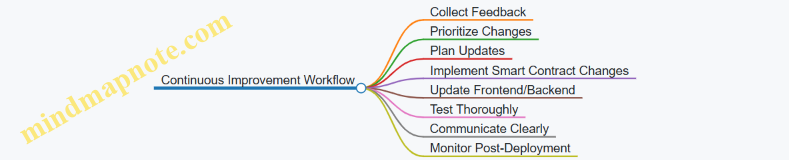
Example Scenario: Integrating a User-Requested Feature
- Feedback: Users request a feature to pause token transfers temporarily.
- Prioritization: High priority due to potential misuse.
- Planning: Decide to add a
pausefunction in the smart contract using an upgradeable proxy. - Implementation: Develop and test the new contract version with pause functionality.
- Frontend Update: Add UI controls to pause/unpause and display status.
- Testing: Run integration tests to ensure pause works and UI reflects state.
- Deployment: Deploy new implementation, update proxy, and release frontend update.
- Communication: Notify users about the new feature and how to use it.
- Monitoring: Watch for any issues and gather feedback on usability.
This cycle exemplifies how feedback leads to concrete improvements while respecting the constraints of blockchain development.
In summary, continuous improvement in Web3 requires structured feedback management, careful planning of immutable contract updates, coordinated frontend/backend releases, thorough testing, clear communication, and vigilant monitoring. Following these steps helps maintain a robust, user-friendly dApp over time.
10.7 Documentation and Community Engagement Best Practices
Clear documentation and active community engagement are essential for the success and longevity of any decentralized application (dApp). They help users understand your project, reduce support overhead, and foster a collaborative environment where feedback and contributions flow naturally.
Documentation Best Practices
1. Structure Your Documentation Clearly
Organize content logically so users can find information quickly. Typical sections include:
- Introduction: What the project is and its purpose.
- Installation and Setup: Step-by-step instructions.
- Usage: How to interact with the dApp or smart contracts.
- API Reference: Detailed descriptions of functions, parameters, and return values.
- Troubleshooting: Common issues and solutions.
- Contribution Guide: How to contribute code or report bugs.
Mind Map: Documentation Structure
2. Use Examples Liberally
Examples clarify abstract concepts and show practical usage. For instance, when documenting a smart contract function, include a code snippet demonstrating how to call it and what to expect.
Example:
// Transfers tokens from sender to recipient
function transfer(address recipient, uint256 amount) public returns (bool);
Usage example in JavaScript:
await tokenContract.transfer('0xRecipientAddress', 100);
3. Keep Language Simple and Consistent
Avoid jargon or explain it when necessary. Use consistent terminology throughout to prevent confusion.
4. Update Documentation Alongside Code
Outdated documentation frustrates users. Integrate documentation updates into your development workflow and use tools that generate docs from code comments when possible.
5. Include Visual Aids Where Helpful
Diagrams, flowcharts, or screenshots can make complex processes easier to grasp.
6. Provide a Searchable Format
If your documentation is extensive, enable search functionality or a detailed table of contents.
Community Engagement Best Practices
1. Choose Appropriate Communication Channels
Identify where your users and contributors spend time—Discord, Telegram, GitHub Discussions, or forums—and maintain an active presence there.
2. Set Clear Community Guidelines
Establish rules for respectful and constructive communication. This helps maintain a positive environment.
3. Be Responsive and Transparent
Answer questions promptly and acknowledge issues openly. Transparency builds trust.
4. Encourage Contributions
Make it easy for users to contribute by providing clear contribution guidelines, labeling issues suitable for beginners, and recognizing contributors.
5. Host Regular Updates and AMAs
Keep the community informed about progress, upcoming features, or challenges. This can be done through newsletters, posts, or live sessions.
6. Use Feedback to Improve
Collect and prioritize community feedback to guide development. Show that suggestions are valued by implementing popular requests or explaining constraints.
Mind Map: Community Engagement
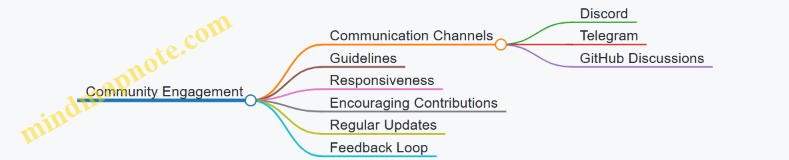
Integrated Example: Documentation and Community
Imagine you’ve just launched a new NFT marketplace dApp. Your documentation includes a detailed “Getting Started” guide with code snippets for minting and listing NFTs. You post this guide in your Discord channel and GitHub repo.
A user encounters an error during minting and asks for help in Discord. You respond quickly, referencing the troubleshooting section of your docs and suggesting a fix. The user appreciates the clarity and shares feedback about improving the UI flow.
You log this feedback, update the documentation to clarify the UI steps, and announce the update in your community channels. You also tag the issue on GitHub as “good first issue” to invite contributions for further UI improvements.
This cycle shows how documentation and community engagement reinforce each other, improving the project and user experience.
Summary
Good documentation reduces friction for users and contributors. Clear, example-rich content paired with active, transparent community engagement creates a supportive ecosystem around your dApp. Both require ongoing attention but pay off in smoother development, happier users, and a stronger project overall.
11. Case Studies: Building Real-World dApps
11.1 Developing a Decentralized Voting Application
A decentralized voting application (dApp) is a practical example to demonstrate how smart contracts can handle real-world processes with transparency and immutability. This section walks through the design, implementation, and testing of a simple voting system on Ethereum.
Conceptual Overview
A voting dApp allows users to cast votes on proposals. The key requirements include:
- Only eligible voters can vote.
- Each voter can vote only once per proposal.
- Votes are recorded immutably on the blockchain.
- The voting results are publicly verifiable.
The smart contract will manage proposals, voter registration, and vote tallying.
Mind Map: Voting dApp Components
Smart Contract Example (Solidity)
// SPDX-License-Identifier: MIT
pragma solidity ^0.8.0;
contract Voting {
struct Proposal {
string description;
uint voteCount;
}
address public admin;
mapping(address => bool) public voters;
mapping(address => bool) public hasVoted;
Proposal[] public proposals;
modifier onlyAdmin() {
require(msg.sender == admin, "Only admin can perform this action");
_;
}
modifier onlyVoter() {
require(voters[msg.sender], "Not registered to vote");
_;
}
constructor(string[] memory proposalNames) {
admin = msg.sender;
for (uint i = 0; i < proposalNames.length; i++) {
proposals.push(Proposal({description: proposalNames[i], voteCount: 0}));
}
}
function registerVoter(address voter) external onlyAdmin {
voters[voter] = true;
}
function vote(uint proposalIndex) external onlyVoter {
require(!hasVoted[msg.sender], "Already voted");
require(proposalIndex < proposals.length, "Invalid proposal");
proposals[proposalIndex].voteCount += 1;
hasVoted[msg.sender] = true;
}
function getProposal(uint index) external view returns (string memory description, uint voteCount) {
require(index < proposals.length, "Invalid proposal");
Proposal storage proposal = proposals[index];
return (proposal.description, proposal.voteCount);
}
function totalProposals() external view returns (uint) {
return proposals.length;
}
}
Explanation and Best Practices
- Admin Role: The contract deployer is the admin who registers voters. This keeps voter eligibility controlled.
- Voter Registration: Only registered voters can vote. This is enforced via the
votersmapping. - Single Vote Enforcement: The
hasVotedmapping prevents double voting. - Proposal Initialization: Proposals are set at deployment to simplify the example.
- Gas Efficiency: Using arrays and mappings carefully to balance lookup speed and storage costs.
Frontend Interaction Example (JavaScript with Ethers.js)
import { ethers } from 'ethers';
async function vote(proposalIndex) {
if (!window.ethereum) {
alert('Please install MetaMask');
return;
}
const provider = new ethers.providers.Web3Provider(window.ethereum);
await provider.send('eth_requestAccounts', []);
const signer = provider.getSigner();
const votingAddress = '0xYourContractAddress';
const votingAbi = [
'function vote(uint256 proposalIndex) external',
];
const contract = new ethers.Contract(votingAddress, votingAbi, signer);
try {
const tx = await contract.vote(proposalIndex);
await tx.wait();
console.log('Vote cast successfully');
} catch (error) {
console.error('Voting failed:', error);
}
}
Mind Map: Voting Transaction Flow
Testing Considerations
- Test voter registration by admin only.
- Ensure unregistered users cannot vote.
- Confirm a voter cannot vote twice.
- Validate proposal indexing and boundary checks.
- Simulate multiple voters and tally correctness.
This example covers the core mechanics of a decentralized voting system. It demonstrates how smart contracts enforce rules transparently and how frontends interact with contracts to provide a user-friendly experience. The design can be extended with features like voting deadlines, weighted votes, or anonymous voting using zero-knowledge proofs, but the current scope focuses on clarity and foundational best practices.
11.2 Building a NFT Marketplace with Layer-2 Integration
Creating an NFT marketplace involves several components: minting NFTs, listing them for sale, buying and selling transactions, and managing ownership transfers. Integrating Layer-2 solutions helps reduce transaction costs and improve user experience by offering faster and cheaper interactions compared to Ethereum mainnet.
Core Components of an NFT Marketplace
Step 1: Designing the NFT Smart Contract
Start with a standard ERC-721 contract. Use OpenZeppelin’s implementation for reliability and security. Minting should be controlled—either open to users or restricted to the marketplace owner.
Example: Basic ERC-721 NFT Contract
pragma solidity ^0.8.0;
import "@openzeppelin/contracts/token/ERC721/ERC721.sol";
import "@openzeppelin/contracts/access/Ownable.sol";
contract MyNFT is ERC721, Ownable {
uint256 public nextTokenId;
constructor() ERC721("MyNFT", "MNFT") {}
function mint(address to) external onlyOwner {
_safeMint(to, nextTokenId);
nextTokenId++;
}
}
This contract allows the owner to mint NFTs with incremental token IDs.
Step 2: Building the Marketplace Contract
The marketplace contract handles listings, purchases, and transfers. It should hold NFTs in escrow or approve transfers directly.
Example: Simplified Marketplace Listing and Buying
pragma solidity ^0.8.0;
import "@openzeppelin/contracts/token/ERC721/IERC721.sol";
import "@openzeppelin/contracts/security/ReentrancyGuard.sol";
contract NFTMarketplace is ReentrancyGuard {
struct Listing {
address seller;
uint256 price;
}
IERC721 public nftContract;
mapping(uint256 => Listing) public listings;
constructor(address _nftContract) {
nftContract = IERC721(_nftContract);
}
function listItem(uint256 tokenId, uint256 price) external {
require(nftContract.ownerOf(tokenId) == msg.sender, "Not owner");
require(price > 0, "Price must be positive");
nftContract.transferFrom(msg.sender, address(this), tokenId);
listings[tokenId] = Listing(msg.sender, price);
}
function buyItem(uint256 tokenId) external payable nonReentrant {
Listing memory item = listings[tokenId];
require(item.price > 0, "Not listed");
require(msg.value >= item.price, "Insufficient payment");
delete listings[tokenId];
payable(item.seller).transfer(msg.value);
nftContract.transferFrom(address(this), msg.sender, tokenId);
}
}
This contract holds NFTs during listing and transfers them upon purchase. It uses ReentrancyGuard to prevent reentrancy attacks.
Step 3: Deploying on Layer-2
Choose a Layer-2 network compatible with Ethereum, such as Optimism or Arbitrum. Deploy both NFT and marketplace contracts there to reduce gas fees.
Considerations:
- Verify Layer-2 compatibility with your tooling (e.g., Hardhat or Truffle).
- Use the Layer-2 RPC endpoint for deployment.
- Adjust gas parameters accordingly.
Step 4: Bridging Assets
Users may need to bridge NFTs or ETH between Ethereum mainnet and Layer-2. This process involves locking assets on mainnet and minting equivalents on Layer-2.
Example bridge flow:
- User initiates deposit on mainnet bridge contract
- Assets locked on mainnet
- Corresponding assets minted or unlocked on Layer-2
- User interacts with marketplace on Layer-2
- Withdrawals reverse the process
Bridging is often handled by Layer-2 providers’ official bridges.
Step 5: Frontend Integration
Use libraries like Ethers.js to connect the frontend to Layer-2 networks. Wallets such as MetaMask support Layer-2 chains, but users must switch networks.
Example: Connecting to Layer-2 with Ethers.js
import { ethers } from "ethers";
async function connectWallet() {
if (!window.ethereum) throw new Error("No crypto wallet found");
await window.ethereum.request({ method: "eth_requestAccounts" });
const provider = new ethers.providers.Web3Provider(window.ethereum);
// Check if user is on the correct Layer-2 network
const network = await provider.getNetwork();
if (network.chainId !== LAYER2_CHAIN_ID) {
try {
await window.ethereum.request({
method: "wallet_switchEthereumChain",
params: [{ chainId: ethers.utils.hexValue(LAYER2_CHAIN_ID) }],
});
} catch (switchError) {
throw new Error("Please switch to the Layer-2 network");
}
}
return provider.getSigner();
}
Step 6: Handling Transactions and User Feedback
Transactions on Layer-2 are faster but still require confirmation. Provide clear UI feedback:
- Show transaction pending status.
- Display confirmations count.
- Handle errors gracefully.
Step 7: Indexing and Event Listening
To display marketplace data, listen to contract events like Transfer, ItemListed, and ItemSold. Use a backend or The Graph to index events and serve frontend queries efficiently.
Summary Mind Map
This approach balances security, cost efficiency, and user experience by leveraging Layer-2 networks while maintaining Ethereum compatibility. Each step includes practical examples to guide implementation and encourage best practices.
11.3 Creating a Decentralized Finance Dashboard
A decentralized finance (DeFi) dashboard aggregates data from multiple smart contracts and blockchain sources to provide users with a clear view of their assets, positions, and market information. Building such a dashboard involves combining frontend development, blockchain data querying, and smart contract interaction.
Key Components of a DeFi Dashboard
- Wallet Connection: Allow users to connect their Ethereum wallets (e.g., MetaMask) to authenticate and fetch their data.
- Portfolio Overview: Display token balances, staking positions, and liquidity pool shares.
- Market Data: Show prices, interest rates, and other relevant metrics.
- Transaction History: List recent transactions related to the user’s DeFi activities.
- Interaction Controls: Enable users to deposit, withdraw, stake, or swap tokens directly from the dashboard.
Mind Map: DeFi Dashboard Structure
Step 1: Connecting the Wallet
Use libraries like Ethers.js to connect to the user’s wallet. The connection triggers a request for account access and sets up a provider to interact with the blockchain.
import { ethers } from 'ethers';
async function connectWallet() {
if (window.ethereum) {
try {
await window.ethereum.request({ method: 'eth_requestAccounts' });
const provider = new ethers.providers.Web3Provider(window.ethereum);
const signer = provider.getSigner();
const address = await signer.getAddress();
return { provider, signer, address };
} catch (error) {
console.error('User rejected wallet connection');
}
} else {
console.error('No Ethereum wallet detected');
}
}
Step 2: Fetching Token Balances
To display token balances, the dashboard queries ERC-20 contracts using the balanceOf function for the connected address.
const erc20Abi = [
'function balanceOf(address owner) view returns (uint256)',
'function decimals() view returns (uint8)',
'function symbol() view returns (string)'
];
async function getTokenBalance(provider, tokenAddress, userAddress) {
const contract = new ethers.Contract(tokenAddress, erc20Abi, provider);
const [rawBalance, decimals, symbol] = await Promise.all([
contract.balanceOf(userAddress),
contract.decimals(),
contract.symbol()
]);
const balance = Number(ethers.utils.formatUnits(rawBalance, decimals));
return { balance, symbol };
}
Step 3: Displaying Market Data
Market data such as token prices and interest rates can be fetched from on-chain or off-chain sources. For on-chain data, smart contracts may expose relevant functions; for off-chain, APIs or indexing services are used.
Example: Fetching interest rates from a lending protocol contract.
const lendingPoolAbi = [
'function getReserveData(address asset) view returns (uint256 liquidityRate)'
];
async function getInterestRate(provider, lendingPoolAddress, assetAddress) {
const contract = new ethers.Contract(lendingPoolAddress, lendingPoolAbi, provider);
const reserveData = await contract.getReserveData(assetAddress);
// liquidityRate is typically in ray units (1e27), convert to percentage
const interestRate = Number(reserveData.liquidityRate) / 1e25;
return interestRate; // e.g., 3.5 means 3.5%
}
Step 4: Transaction History
Transaction history can be built by listening to relevant events emitted by smart contracts or by querying blockchain data indexed by services like The Graph.
Example event listener for deposits:
const depositEventAbi = [
'event Deposit(address indexed user, uint256 amount)'
];
function listenToDeposits(contract) {
contract.on('Deposit', (user, amount, event) => {
console.log(`Deposit by ${user}: ${ethers.utils.formatUnits(amount, 18)}`);
// Update UI accordingly
});
}
Step 5: User Interaction Controls
Users need to interact with smart contracts to perform actions like staking or swapping. This involves sending transactions via the signer.
Example: Staking tokens
const stakingAbi = [
'function stake(uint256 amount)'
];
async function stakeTokens(signer, stakingContractAddress, amount) {
const contract = new ethers.Contract(stakingContractAddress, stakingAbi, signer);
const decimals = 18; // assuming 18 decimals
const amountInWei = ethers.utils.parseUnits(amount.toString(), decimals);
const tx = await contract.stake(amountInWei);
await tx.wait();
console.log('Tokens staked successfully');
}
Mind Map: User Interaction Flow
Best Practices Embedded in the Process
- Error Handling: Always catch and handle errors from blockchain calls to avoid UI crashes.
- Gas Estimation: Estimate gas before sending transactions to avoid failures.
- Data Caching: Cache frequently accessed data to reduce blockchain calls and improve performance.
- Security: Never expose private keys; rely on wallet providers for signing.
- User Feedback: Provide clear status updates during transactions to keep users informed.
This section shows how to combine smart contract calls, event listening, and frontend controls to build a functional DeFi dashboard. The examples demonstrate practical code snippets that can be adapted and extended to fit specific protocols and user needs.
11.4 Implementing a Supply Chain Tracking dApp
A supply chain tracking dApp aims to provide transparent, tamper-resistant records of product movement from origin to consumer. Ethereum smart contracts can record key events, while a frontend interfaces with users such as manufacturers, transporters, and retailers. Layer-2 solutions help reduce costs and improve speed.
Key Components and Workflow
Supply Chain Tracking dApp Mind Map
Smart Contract Design
The contract should allow registering products with unique IDs, updating their status, and transferring ownership. Events emitted during these actions enable off-chain indexing.
pragma solidity ^0.8.0;
contract SupplyChain {
enum Status { Manufactured, InTransit, Delivered }
struct Product {
uint id;
address owner;
Status status;
string details;
}
mapping(uint => Product) public products;
uint public nextProductId;
event ProductRegistered(uint indexed productId, address indexed owner, string details);
event OwnershipTransferred(uint indexed productId, address indexed from, address indexed to);
event StatusUpdated(uint indexed productId, Status status);
function registerProduct(string calldata details) external {
uint productId = nextProductId++;
products[productId] = Product(productId, msg.sender, Status.Manufactured, details);
emit ProductRegistered(productId, msg.sender, details);
}
function transferOwnership(uint productId, address newOwner) external {
Product storage product = products[productId];
require(msg.sender == product.owner, "Only owner can transfer");
address oldOwner = product.owner;
product.owner = newOwner;
emit OwnershipTransferred(productId, oldOwner, newOwner);
}
function updateStatus(uint productId, Status newStatus) external {
Product storage product = products[productId];
require(msg.sender == product.owner, "Only owner can update status");
product.status = newStatus;
emit StatusUpdated(productId, newStatus);
}
}
Best Practice: Use enums for status to keep state clear and restrict values. Emit events for every state change to enable off-chain tracking.
Frontend Interaction
The frontend connects to users’ wallets and interacts with the contract. Users can register products, transfer ownership, and update status.
import { ethers } from 'ethers';
async function registerProduct(details) {
const contract = getContractInstance();
const tx = await contract.registerProduct(details);
await tx.wait();
console.log('Product registered');
}
async function transferOwnership(productId, newOwner) {
const contract = getContractInstance();
const tx = await contract.transferOwnership(productId, newOwner);
await tx.wait();
console.log('Ownership transferred');
}
async function updateStatus(productId, status) {
const contract = getContractInstance();
const tx = await contract.updateStatus(productId, status);
await tx.wait();
console.log('Status updated');
}
function getContractInstance() {
const provider = new ethers.providers.Web3Provider(window.ethereum);
const signer = provider.getSigner();
const contractAddress = '0xYourContractAddress';
const abi = [ /* ABI from compiled contract */ ];
return new ethers.Contract(contractAddress, abi, signer);
}
Best Practice: Always wait for transaction confirmation before updating UI to avoid race conditions.
Event Indexing and History Display
To show a product’s full history, listen to events emitted by the contract. This can be done on the frontend or via a backend service that indexes events.
Event Indexing Mind Map
Example of fetching events with ethers.js:
async function getProductHistory(productId) {
const contract = getContractInstance();
const filterRegistered = contract.filters.ProductRegistered(productId);
const filterTransferred = contract.filters.OwnershipTransferred(productId);
const filterStatus = contract.filters.StatusUpdated(productId);
const registeredEvents = await contract.queryFilter(filterRegistered);
const transferredEvents = await contract.queryFilter(filterTransferred);
const statusEvents = await contract.queryFilter(filterStatus);
// Combine and sort events by blockNumber or timestamp
const allEvents = [...registeredEvents, ...transferredEvents, ...statusEvents];
allEvents.sort((a, b) => a.blockNumber - b.blockNumber);
return allEvents.map(event => ({
type: event.event,
args: event.args,
blockNumber: event.blockNumber
}));
}
Layer-2 Deployment
Deploying on a Layer-2 network such as Optimism or Arbitrum reduces gas costs. The contract and frontend interaction remain the same, but the provider connects to the Layer-2 RPC endpoint.
const provider = new ethers.providers.JsonRpcProvider('https://optimism-rpc-url');
Best Practice: Test thoroughly on testnets before deploying on Layer-2 mainnets.
Summary
This supply chain tracking dApp demonstrates how smart contracts can provide transparent, immutable records of product lifecycle events. Clear contract design, event emission, and frontend integration make the system practical. Layer-2 deployment helps keep transaction costs manageable. Each participant can verify product provenance, improving trust without relying on a central authority.
11.5 Building a Social Media dApp with Token Incentives
Creating a social media decentralized application (dApp) with token incentives involves combining user interaction mechanics with blockchain-based rewards. The goal is to encourage engagement through a transparent, trustless system where users earn tokens for contributing content, liking, sharing, or other activities.
Core Components
- User Profiles: Each user has a unique blockchain identity, often linked to their wallet address.
- Posts and Content: Users create posts stored on-chain or via decentralized storage.
- Token Incentives: A custom ERC-20 or ERC-721 token rewards user activity.
- Interaction Mechanics: Likes, comments, shares, and follows tracked on-chain or off-chain.
- Governance: Token holders may have voting rights on platform changes.
Mind Map: Social Media dApp Structure
Token Incentive Model
Tokens can be minted or distributed based on user actions. For example:
- Posting content: 10 tokens
- Receiving likes: 1 token per like
- Sharing content: 5 tokens
This requires smart contracts to track actions and distribute tokens accordingly.
Example: Simple Reward Contract Snippet (Solidity)
pragma solidity ^0.8.0;
import "@openzeppelin/contracts/token/ERC20/ERC20.sol";
contract SocialToken is ERC20 {
address public admin;
mapping(address => uint256) public userRewards;
constructor() ERC20("SocialToken", "STKN") {
admin = msg.sender;
_mint(admin, 1000000 * 10 ** decimals());
}
function rewardUser(address user, uint256 amount) external {
require(msg.sender == admin, "Only admin can reward");
_transfer(admin, user, amount);
userRewards[user] += amount;
}
}
This contract defines a token and a function to reward users. In a real dApp, the rewardUser function would be called by backend logic or other contracts after verifying user actions.
Mind Map: Token Reward Flow
Handling User Actions and Security
Tracking user actions on-chain can be costly. A common approach is to record events off-chain and periodically verify and reward on-chain. To prevent abuse:
- Limit rewards per user per time period.
- Use reputation or staking mechanisms.
- Implement anti-spam checks.
Frontend Integration Example (React + Ethers.js)
import { ethers } from "ethers";
import SocialTokenABI from "./SocialTokenABI.json";
const provider = new ethers.providers.Web3Provider(window.ethereum);
const signer = provider.getSigner();
const socialTokenAddress = "0xYourContractAddress";
const socialTokenContract = new ethers.Contract(socialTokenAddress, SocialTokenABI, signer);
async function rewardUser(userAddress, amount) {
try {
const tx = await socialTokenContract.rewardUser(userAddress, ethers.utils.parseUnits(amount.toString(), 18));
await tx.wait();
console.log(`Rewarded ${amount} tokens to ${userAddress}`);
} catch (error) {
console.error("Reward failed", error);
}
}
This snippet shows how the frontend can trigger token rewards after verifying user actions.
Mind Map: Frontend Interaction
Content Storage Considerations
Storing large amounts of content directly on-chain is expensive. Common practice is to store content off-chain using decentralized storage solutions (e.g., IPFS) and store only the content hash on-chain. This ensures content integrity without high costs.
Example:
- User uploads a post to IPFS.
- IPFS returns a content hash.
- The hash is saved in a smart contract linked to the user’s address.
Example: Storing Post Hash on Chain (Solidity)
mapping(uint256 => string) public postHashes;
uint256 public postCount;
function createPost(string memory ipfsHash) public {
postCount++;
postHashes[postCount] = ipfsHash;
// Reward user for posting
rewardUser(msg.sender, 10 * 10 ** decimals());
}
This function stores the IPFS hash and rewards the user.
Summary
Building a social media dApp with token incentives requires:
- Designing smart contracts for token management and reward distribution.
- Tracking user actions securely and efficiently.
- Integrating decentralized content storage.
- Creating a frontend that interacts with smart contracts and provides a smooth user experience.
Each piece must work together to create a system where users are fairly rewarded for their participation without compromising security or scalability.
11.6 Lessons Learned and Best Practices from Each Project
In this section, we summarize key takeaways from the projects covered in the previous chapters. Each project presented unique challenges and solutions, offering practical insights for full-stack Web3 development.
Decentralized Voting Application
Key Lessons:
- Security is paramount: Voting contracts must prevent double voting and tampering. Using modifiers to restrict function access and validating inputs rigorously are essential.
- Transparency vs Privacy: While blockchain ensures transparency, voter privacy requires careful design, often involving cryptographic techniques or off-chain components.
- Gas efficiency: Voting mechanisms can involve many transactions; optimizing state changes and event emissions reduces costs.
Example:
modifier onlyDuringVoting() {
require(block.timestamp >= startTime && block.timestamp <= endTime, "Voting closed");
_;
}
function vote(uint proposalId) external onlyDuringVoting {
require(!hasVoted[msg.sender], "Already voted");
votes[proposalId] += 1;
hasVoted[msg.sender] = true;
emit VoteCast(msg.sender, proposalId);
}
Mind Map:
NFT Marketplace with Layer-2 Integration
Key Lessons:
- Interoperability: Contracts must support standards like ERC-721 and be compatible with Layer-2 solutions.
- User Experience: Wallet integration and transaction feedback are crucial, especially with Layer-2 bridges causing delays.
- Asset Bridging: Handling asset transfers between mainnet and Layer-2 requires careful synchronization and event monitoring.
Example:
// Listening for bridge completion event
bridgeContract.on('TransferCompleted', (from, to, tokenId) => {
console.log(`NFT ${tokenId} bridged from ${from} to ${to}`);
updateUI(tokenId, to);
});
Mind Map:
Decentralized Finance Dashboard
Key Lessons:
- Data Aggregation: Efficiently querying multiple contracts and off-chain data sources is necessary for real-time updates.
- Security: Frontend must validate data and handle errors gracefully to avoid misleading users.
- Modular Design: Separating concerns between data fetching, state management, and UI components improves maintainability.
Example:
async function fetchUserBalances(address) {
const [tokenBalance, stakedBalance] = await Promise.all([
tokenContract.balanceOf(address),
stakingContract.stakedBalance(address)
]);
return { tokenBalance, stakedBalance };
}
Mind Map:
Supply Chain Tracking dApp
Key Lessons:
- Traceability: Immutable records on-chain provide reliable provenance.
- Off-chain Data: Large data or sensitive info should be stored off-chain with cryptographic proofs on-chain.
- Event-Driven Updates: Using events to trigger frontend updates keeps UI in sync with contract state.
Example:
function recordShipment(string memory shipmentId, string memory details) public {
shipments[shipmentId] = details;
emit ShipmentRecorded(shipmentId, details);
}
Mind Map:
Social Media dApp with Token Incentives
Key Lessons:
- Incentive Design: Token rewards must align with desired user behavior and prevent abuse.
- Scalability: High user interaction requires efficient contract design and possibly Layer-2 usage.
- Moderation: Implementing content moderation on-chain is complex; hybrid approaches are often needed.
Example:
function rewardUser(address user, uint amount) internal {
require(token.transfer(user, amount), "Reward transfer failed");
emit RewardIssued(user, amount);
}
Mind Map:
General Best Practices Across Projects
- Testing: Comprehensive unit and integration tests catch issues early.
- Security: Always assume adversarial conditions; use established patterns and tools.
- Gas Optimization: Profile and optimize contracts to reduce user costs.
- User Feedback: Clear transaction status and error messages improve user trust.
- Modularity: Write reusable, composable code for easier maintenance.
- Documentation: Keep code and APIs well documented for team collaboration and future updates.
These lessons reflect practical experience and can guide development of robust, user-friendly decentralized applications.
12. Appendix and Resources
12.1 Glossary of Web3 and Blockchain Terms
This glossary covers essential terms you’ll encounter in Web3 and blockchain development. Each entry includes a concise definition, a simple example, and a mind map to clarify relationships.
Blockchain
A blockchain is a distributed ledger that records transactions in a series of blocks, linked and secured using cryptography. Each block contains a batch of transactions and a reference (hash) to the previous block, forming a chain.
Example: Ethereum’s blockchain stores smart contract code and transaction history.
Smart Contract
A smart contract is a self-executing program stored on the blockchain that runs when predetermined conditions are met. It automates agreements without intermediaries.
Example: A token contract that automatically transfers tokens when a user sends a transaction.
Ethereum Virtual Machine (EVM)
The EVM is the runtime environment for smart contracts on Ethereum. It executes contract bytecode in a sandboxed environment, ensuring consistent behavior across all nodes.
Example: When you deploy a Solidity contract, it compiles to EVM bytecode.
Gas
Gas measures the computational work required to execute operations on Ethereum. Users pay gas fees in Ether to compensate miners or validators for processing transactions.
Example: Sending Ether costs gas; complex smart contract functions cost more.
Wallet
A wallet stores private keys and allows users to interact with the blockchain. It can be software (MetaMask), hardware (Ledger), or paper-based.
Example: MetaMask lets you sign transactions and manage tokens.
Decentralized Application (dApp)
A dApp is an application that runs on a decentralized network, often using smart contracts for backend logic and blockchain for data storage.
Example: A decentralized exchange where users trade tokens without a central authority.
Layer-2 Solutions
Layer-2 refers to protocols built on top of Ethereum to improve scalability and reduce fees by processing transactions off-chain or in batches.
Example: Optimistic Rollups bundle multiple transactions and submit a summary to Ethereum.
ERC-20
ERC-20 is a standard interface for fungible tokens on Ethereum, defining functions like transfer, balanceOf, and allowance.
Example: USDC is an ERC-20 token representing a stablecoin.
ERC-721
ERC-721 is a standard for non-fungible tokens (NFTs), which are unique and indivisible.
Example: CryptoKitties are ERC-721 tokens representing unique digital cats.
Node
A node is a computer that participates in the blockchain network by validating and relaying transactions and maintaining a copy of the blockchain.
Example: Running a full Ethereum node stores the entire blockchain and verifies blocks.
Gas Limit and Gas Price
Gas limit is the maximum gas a user is willing to spend on a transaction. Gas price is the amount of Ether paid per unit of gas.
Example: Setting a low gas price might delay transaction confirmation.
Oracle
An oracle is a service that feeds external data into smart contracts, enabling them to react to real-world events.
Example: A weather oracle providing temperature data to a crop insurance contract.
ABI (Application Binary Interface)
The ABI defines how to encode and decode data when interacting with smart contracts. It specifies function signatures and data types.
Example: Frontend uses ABI to call a contract’s transfer function.
Mining and Validators
Miners (Proof of Work) or validators (Proof of Stake) confirm transactions and add blocks to the blockchain.
Example: Validators stake Ether to participate in block validation on Ethereum 2.0.
Transaction Hash
A unique identifier generated by hashing the transaction data. It allows tracking and referencing a specific transaction.
Example: You can look up a transaction hash on a block explorer to see its status.
Nonce
A nonce is a number used once to ensure each transaction is unique and to prevent replay attacks. In Ethereum, it also orders transactions from an account.
Example: The first transaction from an account has nonce 0, the next nonce 1, and so forth.
Fork
A fork occurs when the blockchain splits into two separate chains due to differing consensus or upgrades.
Example: Ethereum’s hard fork after the DAO hack created Ethereum and Ethereum Classic.
This glossary aims to provide clear, practical definitions with examples and visual outlines to help you navigate Web3 development terminology effectively.
12.2 Recommended Tools and Libraries
When building full-stack Web3 applications, choosing the right tools and libraries can save time and reduce errors. This section organizes essential tools by their role in the development lifecycle, highlighting practical examples and mind maps to clarify their relationships.
Development Frameworks and Environments
-
Hardhat: A flexible Ethereum development environment that supports compiling, testing, debugging, and deploying smart contracts. It integrates well with plugins and offers a local blockchain network for testing.
-
Truffle: A comprehensive suite for smart contract development, including migration scripts, testing frameworks, and an asset pipeline.
-
Remix IDE: A browser-based IDE for quick prototyping and debugging of Solidity contracts.
Example: Using Hardhat to compile and test a simple contract:
// hardhat.config.js
module.exports = {
solidity: "0.8.17",
};
// test/sample-test.js
const { expect } = require("chai");
describe("SimpleContract", function () {
it("Should return the correct value", async function () {
const SimpleContract = await ethers.getContractFactory("SimpleContract");
const contract = await SimpleContract.deploy();
await contract.deployed();
expect(await contract.getValue()).to.equal(42);
});
});
Smart Contract Libraries
-
OpenZeppelin Contracts: A widely-used library of secure, community-vetted smart contracts including ERC standards, access control, and utilities.
-
Chainlink Contracts: For integrating decentralized oracles.
-
Solidity Libraries: Custom libraries for reusable code, such as math operations or data structures.
Example: Importing OpenZeppelin’s Ownable contract:
import "@openzeppelin/contracts/access/Ownable.sol";
contract MyContract is Ownable {
function restrictedAction() public onlyOwner {
// restricted logic
}
}
Ethereum Interaction Libraries
-
Ethers.js: A lightweight library to interact with Ethereum nodes, manage wallets, and format data.
-
Web3.js: The original JavaScript library for Ethereum interaction; more feature-rich but heavier than Ethers.js.
Example: Connecting to Ethereum and reading a contract value with Ethers.js:
const { ethers } = require("ethers");
const provider = new ethers.providers.JsonRpcProvider("https://mainnet.infura.io/v3/YOUR_PROJECT_ID");
const contractAddress = "0x...";
const abi = ["function getValue() view returns (uint256)"];
const contract = new ethers.Contract(contractAddress, abi, provider);
async function readValue() {
const value = await contract.getValue();
console.log("Value:", value.toString());
}
readValue();
Testing and Debugging Tools
-
Mocha & Chai: Testing framework and assertion library commonly used with Hardhat and Truffle.
-
Ganache: A personal Ethereum blockchain for testing.
-
Solidity Coverage: Measures test coverage for smart contracts.
-
MythX and Slither: Static analysis tools for security checks.
Example: Running tests with Mocha and Chai in Hardhat:
npx hardhat test
Backend and Indexing Tools
-
The Graph: A protocol for indexing and querying blockchain data via GraphQL.
-
Express.js: Common Node.js framework to build backend APIs that interact with blockchain data.
-
TypeORM / Prisma: For managing off-chain data storage.
Example: Basic GraphQL query to fetch events:
{
transfers(first: 5) {
id
from
to
value
}
}
Wallets and Authentication
-
MetaMask SDK: For integrating wallet connection in frontend apps.
-
WalletConnect: Protocol to connect mobile wallets with dApps.
-
Web3Modal: A library to simplify wallet selection and connection.
Example: Connecting MetaMask in a React app with Ethers.js:
async function connectWallet() {
if (window.ethereum) {
await window.ethereum.request({ method: 'eth_requestAccounts' });
const provider = new ethers.providers.Web3Provider(window.ethereum);
const signer = provider.getSigner();
console.log("Connected account:", await signer.getAddress());
} else {
console.log("MetaMask not detected");
}
}
Layer-2 and Cross-Chain Tools
-
Optimism SDK: Tools to deploy and interact with contracts on Optimistic Rollups.
-
Polygon SDK: For building on Polygon sidechains.
-
Bridge SDKs: Libraries to facilitate asset transfers between chains.
Mind Map: Tool Categories and Examples
Mind Map: Typical Development Workflow with Tools
This collection of tools and libraries covers the main stages of full-stack Web3 development. Each tool has its strengths and trade-offs, so understanding their roles helps in assembling a workflow that fits your project’s needs.
12.3 Sample Code Repositories and Tutorials
This section provides a structured overview of practical code repositories and tutorials designed to reinforce the concepts covered throughout the book. Each example is chosen to illustrate specific Web3 development techniques, from smart contract basics to Layer-2 integrations.
Mind Map: Overview of Sample Projects

Basic Smart Contracts
-
Simple ERC-20 Token Contract
- Implements standard token functions: transfer, approve, allowance.
- Demonstrates event emission and state variable management.
- Includes gas optimization tips, such as minimizing storage writes.
-
Decentralized Voting Contract
- Shows how to manage proposals and votes using mappings and structs.
- Covers access control with modifiers restricting voting periods.
- Example includes event logging for vote casting.
Full dApp Examples
-
NFT Marketplace
- Combines ERC-721 token minting with marketplace listing and bidding.
- Frontend uses React and Ethers.js to interact with contracts.
- Demonstrates handling asynchronous transactions and user notifications.
-
DeFi Dashboard
- Aggregates data from multiple smart contracts using The Graph.
- Backend Node.js service listens to events and updates UI in real time.
- Includes examples of wallet connection and transaction signing.
Layer-2 Integrations
-
Deploying on Optimistic Rollups
- Shows contract deployment steps specific to Layer-2 networks.
- Includes bridging assets from Ethereum mainnet.
- Demonstrates transaction confirmation differences and event handling.
-
zk-Rollup Interaction Example
- Illustrates submitting proofs and verifying transactions.
- Explains contract compatibility considerations.
Testing and Security
-
Unit Testing with Hardhat
- Example tests cover function correctness, access control, and failure cases.
- Shows how to simulate blockchain state and time manipulation.
-
Security Audit Checklist Implementation
- Sample scripts for static analysis using Slither.
- Manual review notes embedded in code comments.
Mind Map: Testing and Security Workflow
Each repository includes clear README files explaining setup, usage, and how the example ties back to best practices discussed in the book. The tutorials encourage hands-on experimentation, such as modifying contract parameters or extending functionality, to deepen understanding.
By working through these examples, developers can see how theory translates into working code, and how common pitfalls are avoided through thoughtful design and testing.
12.4 Security Checklists and Audit Templates
Security in smart contract development is a continuous process. A well-structured checklist helps ensure no critical aspect is overlooked during development or audit. Below are detailed checklists and audit templates, accompanied by mind maps in format, to guide developers and auditors through common security considerations.
Smart Contract Security Checklist
Audit Process Template
Mind Map: Smart Contract Security Checklist
Smart Contract Security Checklist Mind Map
Mind Map: Audit Process Template
Audit Process Mind Map
Example: Applying the Security Checklist
Consider a simple ERC-20 token contract. Applying the checklist:
- Access Control: The
mintfunction is restricted to the owner usingonlyOwnermodifier. - Arithmetic Safety: Solidity 0.8+ is used, so overflow checks are built-in.
- Reentrancy: No external calls in state-changing functions, minimizing risk.
- Events:
TransferandApprovalevents are emitted properly. - Error Handling:
requirestatements validate inputs with clear messages. - Gas Optimization: Constants used for token name and symbol.
- Testing: Unit tests cover transfers, approvals, and edge cases.
This methodical approach helps catch issues early and build confidence before deployment.
Security checklists and audit templates are practical tools that bring structure to the complex task of securing smart contracts. Using them consistently reduces human error and improves code quality.
12.5 Community and Support Channels
When working in Web3 development, having reliable community and support channels is essential. These channels provide a place to ask questions, share knowledge, troubleshoot issues, and stay connected with other developers. Understanding the structure and purpose of each type of channel helps you engage effectively and get the most out of the community.
Types of Community and Support Channels
-
Official Forums and Discussion Boards: These are often moderated spaces hosted by project teams or organizations. They focus on in-depth technical discussions, announcements, and structured Q&A.
-
Chat Platforms: Real-time communication channels like Discord, Telegram, or Matrix offer quick responses and informal conversations. They are useful for immediate troubleshooting and casual networking.
-
Social Media Groups: Platforms such as Twitter, Reddit, and LinkedIn host communities where developers share updates, tutorials, and opinions. These are less formal but valuable for staying informed.
-
Issue Trackers and Repositories: GitHub and GitLab issue trackers allow you to report bugs, request features, and contribute code. They are essential for direct interaction with project maintainers.
-
Meetups and Virtual Events: While not always online, these gatherings provide opportunities for live interaction, workshops, and networking.
How to Use These Channels Effectively
-
Be Specific and Clear: When asking questions, provide context, code snippets, error messages, and what you’ve tried. This increases the chance of getting helpful responses.
-
Search Before Asking: Many questions have been answered before. Searching archives or pinned messages saves time and respects the community’s effort.
-
Follow Community Guidelines: Each channel has rules about conduct, posting formats, and topics. Adhering to these keeps the environment productive.
-
Contribute Back: If you find solutions or learn something new, share it. Communities thrive on mutual support.
-
Use Appropriate Channels: For example, report bugs on GitHub rather than in a chat room to help maintainers track issues efficiently.
Example Mind Maps
Here are mind maps illustrating the structure and use of community and support channels.
Community and Support Channels Mind Map
Effective Community Engagement Mind Map
Concrete Examples
-
Example 1: Asking a Question in a Chat Platform
- Instead of “My contract doesn’t work, help!”, write:
I'm deploying a Solidity contract using Hardhat, but the transaction fails with "out of gas" error. Here's the relevant code snippet: [code]. I've tried increasing gas limit but no luck. Any ideas?"This approach gives helpers enough information to diagnose the problem.
-
Example 2: Reporting a Bug on GitHub
- A good bug report includes:
- Steps to reproduce
- Expected vs actual behavior
- Environment details (e.g., Solidity version, network)
- Minimal reproducible code
- A good bug report includes:
-
Example 3: Sharing a Solution Back to the Community
- After solving a tricky issue, post a summary in the forum or chat:
I encountered a reentrancy vulnerability in my contract. Adding the "checks-effects-interactions" pattern fixed it. Here's a code example: [code]. Hope this helps others!"
In summary, engaging with community and support channels thoughtfully enhances your development experience. It accelerates problem-solving and builds connections that can be valuable throughout your Web3 journey.
12.6 Further Reading and Reference Materials
This section gathers essential concepts and organizes them into mind maps to help you visualize the relationships between key Web3 development topics. Each mind map is followed by concise examples to clarify the ideas.
Mind Map 1: Ethereum Smart Contract Development
Example: A simple Solidity function with a modifier to restrict access:
modifier onlyOwner() {
require(msg.sender == owner, "Not owner");
_;
}
function setValue(uint _value) public onlyOwner {
value = _value;
}
This snippet ties into the Access Control node and demonstrates a common security pattern.
Mind Map 2: Full-Stack Web3 Architecture
Example: In the frontend, connecting to a wallet using Ethers.js:
const provider = new ethers.providers.Web3Provider(window.ethereum);
await provider.send("eth_requestAccounts", []);
const signer = provider.getSigner();
This snippet relates to Wallet Integration and shows how users authorize the dApp.
Mind Map 3: Layer-2 Integration

Example: A simple bridge interaction might involve locking tokens on Ethereum mainnet and minting them on Layer-2. The process requires smart contracts on both chains and a relayer service to confirm events.
Mind Map 4: Security and Auditing
Example: Using OpenZeppelin’s SafeMath library to prevent integer overflow:
using SafeMath for uint256;
function add(uint256 a, uint256 b) public pure returns (uint256) {
return a.add(b);
}
This practice reduces risks related to arithmetic errors.
Mind Map 5: Token Standards and DeFi Components
Example: A minimal ERC-20 transfer function:
function transfer(address recipient, uint256 amount) public returns (bool) {
require(balances[msg.sender] >= amount, "Insufficient balance");
balances[msg.sender] -= amount;
balances[recipient] += amount;
emit Transfer(msg.sender, recipient, amount);
return true;
}
This example connects to the ERC-20 node and illustrates basic token transfer logic.
These mind maps and examples provide a structured overview of the core areas in full-stack Web3 development. They serve as a quick reference to understand how different parts fit together and highlight practical snippets that embody best practices.