Laser Radar and Smart Target Detection
1. Introduction to Laser Radar Systems
1.1 Fundamentals of Laser Radar Technology
Laser radar, often called LIDAR (Light Detection and Ranging), is a remote sensing method that uses laser light to measure distances to objects. Unlike traditional radar, which uses radio waves, laser radar employs light waves in the near-infrared or visible spectrum. This difference allows laser radar to achieve higher resolution and more precise distance measurements.
At its core, laser radar works by emitting short pulses of laser light toward a target and measuring the time it takes for the reflected light to return. This time-of-flight measurement is converted into distance using the speed of light. The process can be summarized as:
- Emit laser pulse
- Detect reflected pulse
- Measure time delay
- Calculate distance
Mind Map: Basic Laser Radar Operation
The choice of laser wavelength affects penetration through atmospheric conditions and interaction with target surfaces. For example, wavelengths around 905 nm are common for automotive LIDAR, balancing eye safety and detector sensitivity.
Laser radar systems can be classified by their operational mode. The two primary types are pulsed and continuous wave (CW) systems. Pulsed systems send discrete pulses and measure the return time, while CW systems often use frequency modulation to determine range.
Example: Measuring Distance with Time-of-Flight
Suppose a laser pulse is emitted and the reflected pulse returns after 10 nanoseconds. Since light travels approximately 3×10^8 meters per second, the distance to the target is:
Distance = (Speed of Light × Time Delay) / 2
Distance = (3×10^8 m/s × 10×10^-9 s) / 2 = 1.5 meters
The division by two accounts for the round-trip travel of the pulse.
Mind Map: Key Components of a Laser Radar System
The photodetector converts the returned light into an electrical signal. Avalanche photodiodes (APDs) are common due to their high sensitivity and fast response. Timing electronics measure the interval between emission and detection with high precision.
Laser radar systems often include scanning mechanisms to cover an area. This can be done mechanically with rotating mirrors or electronically with phased arrays.
Example: Scanning a Scene
Imagine a laser radar mounted on a vehicle scanning a 180-degree field of view. By rotating the laser beam in small increments and recording distance measurements at each angle, the system builds a 2D or 3D map of the surroundings.
Mind Map: Laser Radar Measurement Types
Besides range, laser radar can measure velocity using Doppler shift principles, and intensity of the returned signal provides information about the target’s reflectivity.
In summary, laser radar technology combines precise timing, laser optics, and sensitive detection to measure distances and characteristics of objects. Its ability to generate detailed spatial information makes it valuable in applications ranging from autonomous vehicles to battlefield awareness.
1.2 Types of Laser Radar Systems and Their Applications
Laser radar, commonly known as LIDAR (Light Detection and Ranging), comes in several types, each tailored to different operational needs and environments. Understanding these types helps clarify why certain systems are chosen for specific applications.
Types of Laser Radar Systems
-
Time-of-Flight (ToF) LIDAR
- Measures the time it takes for a laser pulse to travel to an object and back.
- Common in automotive and mapping applications.
- Provides direct range measurements.
-
Frequency Modulated Continuous Wave (FMCW) LIDAR
- Emits a continuous laser beam with frequency modulation.
- Measures distance by analyzing frequency shifts.
- Offers velocity measurement capabilities alongside range.
-
Flash LIDAR
- Illuminates the entire scene with a single laser pulse.
- Captures the reflected light with a sensor array.
- Suitable for short-range, high-speed imaging.
-
Scanning LIDAR
- Uses mechanical or solid-state scanning to cover an area.
- Can be 2D or 3D depending on scanning pattern.
- Widely used in autonomous vehicles and terrain mapping.
-
Doppler LIDAR
- Focuses on measuring velocity through Doppler frequency shifts.
- Common in atmospheric studies and wind measurement.
Mind Map: Types of Laser Radar Systems
Applications by Type
-
Time-of-Flight LIDAR
- Example: Self-driving cars use ToF LIDAR to detect obstacles and measure distances accurately in real time.
- Example: Topographic mapping employs ToF systems mounted on aircraft to create detailed terrain models.
-
FMCW LIDAR
- Example: Advanced driver-assistance systems (ADAS) use FMCW to simultaneously measure distance and speed of nearby vehicles.
- Example: Military applications benefit from FMCW’s velocity measurement to track moving targets.
-
Flash LIDAR
- Example: Short-range robotic navigation uses flash LIDAR for quick scene capture without moving parts.
- Example: Industrial automation employs flash LIDAR for object detection on assembly lines.
-
Scanning LIDAR
- Example: Autonomous drones use scanning LIDAR to build 3D maps of environments for navigation.
- Example: Surveying and construction sites rely on scanning LIDAR for precise measurements.
-
Doppler LIDAR
- Example: Meteorologists use Doppler LIDAR to measure wind speeds and monitor weather patterns.
- Example: Airport wind shear detection systems employ Doppler LIDAR for flight safety.
Mind Map: Applications of Laser Radar Systems
Concrete Example: ToF LIDAR in Autonomous Vehicles
An autonomous vehicle uses a spinning ToF LIDAR sensor mounted on its roof. The sensor emits laser pulses in all directions, measuring the time taken for each pulse to reflect off objects and return. This generates a 3D point cloud representing the vehicle’s surroundings. The system processes this data to identify obstacles such as pedestrians, other vehicles, and road barriers. By updating this information multiple times per second, the vehicle maintains awareness of its environment, enabling safe navigation.
Concrete Example: FMCW LIDAR for Velocity Measurement
In a military scenario, an FMCW LIDAR system mounted on a reconnaissance vehicle emits a continuous laser beam with a frequency sweep. When the beam reflects off a moving target, the frequency of the returned signal shifts proportionally to the target’s velocity. By analyzing this shift, the system calculates both the range and speed of the target, aiding in threat assessment and tracking.
This section clarifies the distinctions among laser radar types and their practical uses, providing a foundation for understanding how system choice impacts performance and application.
1.3 Key Components and Architecture of Laser Radar
Laser radar, or LiDAR, systems rely on a set of core components working together to detect and measure objects by illuminating them with laser light and analyzing the reflected signals. Understanding these components and how they fit into the overall architecture is essential for grasping how laser radar functions in practical applications.
Core Components
-
Laser Source: The heart of the system, this emits the laser pulses. It must produce light at a wavelength suitable for the application, typically in the near-infrared range. The choice of laser affects range, resolution, and eye safety.
-
Beam Steering Mechanism: This directs the laser beam across the target area. It can be mechanical (rotating mirrors or prisms), solid-state (optical phased arrays), or a hybrid. Steering defines the scanning pattern and coverage.
-
Receiver (Photodetector): Captures the reflected laser light. Photodiodes or avalanche photodiodes convert photons into electrical signals. Sensitivity and speed are critical here.
-
Timing and Control Electronics: Manage pulse emission timing and measure the time delay between emission and reception, which translates to distance.
-
Signal Processing Unit: Converts raw signals into usable data, performing filtering, amplification, and extraction of range, velocity, and intensity information.
-
Data Interface and Storage: Transfers processed data to external systems or stores it for later analysis.
-
Power Supply and Thermal Management: Ensures stable operation and prevents overheating.
System Architecture Overview
The architecture can be visualized as a flow from laser emission to data output:
- Laser Source
- Emits laser pulses
- Beam Steering
- Directs pulses across the scene
- Target
- Reflects laser pulses
- Receiver
- Detects reflected pulses
- Timing Electronics
- Measures time-of-flight
- Signal Processing
- Extracts range and other features
- Data Interface
- Outputs processed information
Mind Map: Laser Radar Components
Example: Simple Time-of-Flight Laser Radar Setup
Imagine a laser radar system designed to measure the distance to a nearby wall.
- The laser source emits a short pulse of light at 905 nm.
- A rotating mirror steers the beam horizontally across the wall.
- The photodiode receiver detects the reflected pulse.
- Timing electronics measure the delay between emission and detection.
- Signal processing calculates the distance using the speed of light.
If the measured time delay is 6.67 nanoseconds, the distance is:
\[ \text{Distance} = \frac{c \times t}{2} = \frac{3 \times 10^8 \times 6.67 \times 10^{-9}}{2} = 1 \text{ meter} \]
This example shows how each component contributes to a basic ranging function.
Mind Map: Signal Flow in Laser Radar
Additional Details
-
Laser Source Types: Common lasers include diode lasers and fiber lasers. Diode lasers are compact and efficient but may have limited power. Fiber lasers offer higher power and beam quality.
-
Beam Steering Trade-offs: Mechanical systems provide wide field of view but are prone to wear and slower scanning. Solid-state systems have no moving parts and faster scanning but often narrower fields of view.
-
Receiver Sensitivity: Avalanche photodiodes amplify the signal internally, improving detection of weak reflections but require higher bias voltage and careful noise management.
-
Timing Accuracy: The precision of time measurement directly affects range accuracy. Electronics often use time-to-digital converters (TDCs) with picosecond resolution.
-
Signal Processing Functions: Besides basic range calculation, processing may include background subtraction, pulse shape analysis, and Doppler shift extraction for velocity.
This section lays the groundwork for understanding how laser radar systems are built and operate, setting the stage for deeper discussions on signal processing and target detection.
1.4 Basic Signal Characteristics and Measurement Principles
Laser radar (LIDAR) systems rely on the properties of emitted and received signals to measure distances and detect objects. Understanding these signal characteristics is essential for interpreting data accurately and optimizing system performance.
Signal Characteristics
-
Wavelength and Frequency: Laser radar typically uses near-infrared or visible light wavelengths, ranging from about 800 nm to 1550 nm. The choice affects atmospheric absorption, eye safety, and detector sensitivity.
-
Pulse Duration: The length of each laser pulse influences range resolution. Shorter pulses allow finer distance discrimination but require more precise timing.
-
Pulse Repetition Frequency (PRF): This is how often pulses are emitted per second. Higher PRF can improve data density but risks range ambiguity if pulses return out of order.
-
Power and Intensity: The emitted laser power affects the maximum detection range and signal-to-noise ratio (SNR). Higher power improves detection but may raise safety concerns.
-
Beam Divergence: The spread of the laser beam over distance affects spot size on the target and spatial resolution.
-
Return Signal Strength: The intensity of the reflected signal depends on target reflectivity, distance, and atmospheric conditions.
Measurement Principles
Laser radar measures distance primarily by calculating the time it takes for a laser pulse to travel to a target and back (time-of-flight). Alternatively, frequency-modulated continuous wave (FMCW) methods measure distance via frequency shifts.
-
Time-of-Flight (ToF): The system emits a pulse and records the time until the reflected pulse returns. Distance is calculated as:
\[ d = \frac{c \times t}{2} \]
where \( c \) is the speed of light and \( t \) is the measured round-trip time.
-
FMCW: The laser frequency is modulated over time. The frequency difference between emitted and received signals corresponds to the target distance.
-
Angle Measurement: By scanning the laser beam or using multiple detectors, the system determines the angle of the target relative to the sensor, enabling 3D positioning.
-
Signal-to-Noise Ratio (SNR): The ratio of the received signal power to background noise affects detection reliability. Higher SNR means clearer target detection.
-
Range Resolution: The minimum distance between two targets that the system can distinguish. It depends on pulse duration and bandwidth.
Mind Map: Basic Signal Characteristics
Mind Map: Measurement Principles
Examples
Example 1: Calculating Distance Using Time-of-Flight
Suppose a laser radar system emits a pulse and detects its return after 20 nanoseconds (ns). Using the speed of light \( c = 3 \times 10^8 \) m/s:
\[ d = \frac{3 \times 10^8 \times 20 \times 10^{-9}}{2} = 3 \text{ meters} \]
This means the target is 3 meters away.
Example 2: Impact of Pulse Duration on Range Resolution
If the pulse duration is 10 ns, the range resolution is approximately:
\[ \text{Resolution} = \frac{c \times \text{pulse duration}}{2} = \frac{3 \times 10^8 \times 10 \times 10^{-9}}{2} = 1.5 \text{ meters} \]
Reducing pulse duration to 1 ns improves resolution to 0.15 meters.
Example 3: Understanding SNR in Signal Detection
A weak return signal with low intensity may be lost in noise. By increasing laser power or using better detectors, the SNR improves, making the target easier to detect. For instance, doubling the received signal power increases SNR by 3 dB, enhancing detection confidence.
This section lays the groundwork for interpreting laser radar signals. Knowing these characteristics helps in designing systems that balance resolution, range, and safety while ensuring reliable target detection.
1.5 Best Practices: Setting Up a Basic Laser Radar Experiment with Practical Examples
Setting up a laser radar (LIDAR) experiment involves several key steps, each requiring attention to detail to ensure reliable data collection and meaningful results. This section walks through the process with practical examples and mind maps to clarify the workflow.
Step 1: Define the Experiment Objective
Before assembling hardware or writing code, clarify what you want to measure or detect. Are you testing range accuracy, object detection, or signal quality? This focus guides all subsequent decisions.
Example: Measure the distance to a flat wall at varying ranges to verify range accuracy.
Step 2: Select Appropriate Hardware Components
A basic laser radar setup typically includes:
- Laser source: Choose wavelength and power suitable for your environment.
- Photodetector: Sensitive enough to detect reflected signals.
- Timing electronics: For measuring time-of-flight.
- Signal processing unit: Microcontroller, FPGA, or PC.
Example: Use a 905 nm laser diode with a photodiode and a microcontroller capable of nanosecond timing.
Step 3: Assemble the System
Arrange components to minimize signal loss and interference. Ensure the laser beam path is clear and aligned with the detector.
Example: Mount the laser and photodiode on an optical breadboard, aligning them with adjustable mounts.
Step 4: Calibrate the System
Calibration ensures measurements correspond to real-world distances.
- Use known distances to create a calibration curve.
- Adjust timing offsets to account for system delays.
Example: Place a target at 1 m, 2 m, and 3 m; record time-of-flight; plot measured vs. actual distances; derive correction factors.
Step 5: Acquire Data
Run the system to collect raw signals. Monitor signal strength and noise.
Example: Collect time-of-flight data for a moving target at various speeds.
Step 6: Process and Analyze Data
Apply filtering, thresholding, and range calculation algorithms.
Example: Use a matched filter to improve signal-to-noise ratio, then calculate distance from time-of-flight.
Mind Map: Basic Laser Radar Experiment Setup
Practical Example: Measuring Distance to a Wall
Setup:
- Laser diode emitting at 905 nm
- Photodiode detector
- Microcontroller with timer resolution of 1 ns
- Target: flat wall at distances 1 m, 2 m, 3 m
Procedure:
- Align laser and photodiode so the beam hits the wall and reflected light returns to the detector.
- Trigger laser pulses and record the time until the photodiode detects the reflection.
- Calculate distance using formula: distance = (speed of light × time-of-flight) / 2.
- Repeat measurements at each distance to assess repeatability.
- Plot measured distances against actual distances.
Observations:
- Raw measurements may show systematic offset due to electronic delays.
- Applying calibration offsets improves accuracy.
Practical Example: Signal Noise Reduction
Problem: Reflected signals are weak and noisy.
Solution: Implement a simple moving average filter on the time-of-flight data.
Steps:
- Collect 10 consecutive measurements.
- Compute the average to smooth out random fluctuations.
- Compare filtered results with raw data.
Result: Reduced variance in distance measurements, improving reliability.
Tips for Success
- Alignment matters: Small misalignments can drastically reduce signal strength.
- Control ambient light: Perform experiments in controlled lighting to reduce interference.
- Document everything: Record hardware settings, environmental conditions, and procedures.
- Iterate: Use initial results to refine calibration and processing.
This structured approach, combined with hands-on examples, provides a solid foundation for setting up and running basic laser radar experiments. The key is to maintain clarity at each step and validate assumptions with data.
2. Signal Acquisition and Preprocessing Techniques
2.1 Signal Sampling and Digitization in Laser Radar
Laser radar systems rely on converting analog signals into digital form to enable further processing. This section covers the essentials of signal sampling and digitization, focusing on how these processes apply specifically to laser radar data.
Understanding the Analog Signal in Laser Radar
The raw output from a laser radar sensor is an analog signal representing the intensity and timing of reflected laser pulses. This signal varies continuously over time and must be sampled to create a discrete representation suitable for digital processing.
Sampling Fundamentals
Sampling is the process of measuring the analog signal at discrete time intervals. The key parameter here is the sampling rate, which determines how often the signal is measured per second. According to the Nyquist-Shannon sampling theorem, the sampling rate must be at least twice the highest frequency component present in the signal to avoid aliasing.
In laser radar, the signal bandwidth depends on the pulse width and modulation scheme. For example, a short pulse with a duration of 10 nanoseconds corresponds roughly to a bandwidth of 100 MHz, implying a minimum sampling rate of 200 MHz.
Digitization and Quantization
After sampling, each measurement is quantized, meaning it is assigned a discrete value from a finite set of levels. The number of quantization levels is determined by the analog-to-digital converter (ADC) bit depth. A higher bit depth allows finer resolution of signal amplitude but requires more data storage and processing power.
For laser radar, typical ADCs range from 8 to 14 bits, balancing resolution and system complexity. For example, an 8-bit ADC provides 256 discrete levels, which may be sufficient for detecting strong reflections but might struggle with weak signals.
Mind Map: Signal Sampling and Digitization Process
Example: Sampling a Laser Radar Pulse
Imagine a laser radar system emitting pulses of 5 nanoseconds width. The bandwidth is roughly 200 MHz, so the sampling rate should be at least 400 MHz. If the system uses a 10-bit ADC, each sample can represent 1024 amplitude levels.
If the reflected pulse is sampled at 500 MHz, each sample corresponds to 2 nanoseconds. The digitized signal will be a sequence of amplitude values representing the pulse shape over time. This digital representation allows for pulse compression and range calculation.
Practical Considerations
-
Sampling Rate Selection: Choosing a sampling rate higher than the Nyquist minimum can improve signal fidelity but increases data volume.
-
ADC Bit Depth: Higher bit depth reduces quantization noise but demands more processing resources.
-
Timing Precision: Accurate timing of samples is crucial for precise range measurements.
-
Synchronization: Sampling clocks must be synchronized with the laser pulse generation to maintain consistent timing.
Mind Map: Practical Considerations
Example: Effect of Sampling Rate on Range Resolution
Range resolution depends on the ability to distinguish two closely spaced targets. If the sampling interval is 2 nanoseconds, the distance resolution is approximately 30 centimeters (since light travels about 30 cm in 1 ns). Sampling at 1 nanosecond intervals improves resolution to 15 centimeters but doubles data rate.
In summary, signal sampling and digitization are foundational steps in laser radar systems. They convert continuous analog signals into discrete digital data, enabling all subsequent processing stages. Selecting appropriate sampling rates and ADC parameters involves balancing accuracy, data volume, and system complexity.
2.2 Noise Sources and Noise Reduction Strategies
Noise in laser radar systems is any unwanted signal that obscures or distorts the true measurement. Understanding the sources of noise is crucial for designing effective reduction strategies. Noise can originate from the environment, the hardware, or the signal processing chain.
Common Noise Sources in Laser Radar
- Ambient Light Noise: Sunlight or artificial lighting can introduce background photons that interfere with the laser return signal.
- Thermal Noise: Electronic components generate random fluctuations due to temperature, affecting photodetectors and amplifiers.
- Shot Noise: Arises from the discrete nature of photons and electrons, causing statistical fluctuations in the detected signal.
- Speckle Noise: Caused by coherent laser light scattering off rough surfaces, producing granular interference patterns.
- Multipath Interference: Reflections from multiple surfaces cause overlapping signals, confusing range measurements.
- Quantization Noise: Introduced during analog-to-digital conversion due to finite resolution.
Below is a mind map summarizing these noise sources:
Noise Reduction Strategies
-
Optical Filtering: Narrowband optical filters block out-of-band ambient light, reducing background noise.
-
Temporal Gating: Limiting the detector’s active time window to when the laser pulse is expected reduces ambient light influence.
-
Cooling Electronics: Lowering the temperature of detectors and amplifiers decreases thermal noise.
-
Signal Averaging: Repeated measurements averaged together reduce random noise components.
-
Pulse Coding and Compression: Using coded pulses improves signal-to-noise ratio (SNR) by spreading energy over time and compressing it on reception.
-
Adaptive Thresholding: Dynamically adjusting detection thresholds based on noise estimates helps distinguish signal from noise.
-
Digital Filtering: Applying filters like low-pass, median, or Wiener filters in post-processing suppresses noise while preserving signal features.
-
Speckle Reduction Techniques: Spatial averaging or polarization diversity can mitigate speckle noise.
-
Hardware Improvements: Using low-noise photodetectors and high-resolution ADCs reduces intrinsic noise.
Here is a mind map outlining these strategies:
Examples
Example 1: Using Optical Filtering and Temporal Gating
In a daytime airborne laser radar system, ambient sunlight can overwhelm the return signal. By installing a narrowband optical filter centered on the laser wavelength, most sunlight is blocked. Additionally, temporal gating restricts the detector to only listen during the expected return window, further reducing background noise. This combination improved detection reliability by 30% in field tests.
Example 2: Signal Averaging to Reduce Shot Noise
A stationary ground-based laser radar measures a static target. Individual pulses show noisy returns due to shot noise. Averaging 100 pulses smooths out random fluctuations, revealing a clearer signal. This method is straightforward but requires the target and platform to remain stable during averaging.
Example 3: Digital Filtering for Speckle Noise
Speckle noise creates a grainy appearance in range images. Applying a median filter to the point cloud data reduces speckle effects while preserving edges. This approach improved object boundary clarity in urban mapping scenarios.
Summary
Noise in laser radar comes from multiple sources, each requiring tailored reduction techniques. Combining optical, electronic, and digital methods yields the best results. Understanding the noise characteristics helps select the right tools for the task, improving overall system performance.
2.3 Signal Conditioning: Filtering and Amplification
Signal conditioning is a crucial step in preparing raw laser radar signals for further processing. It involves improving the signal quality by reducing noise and enhancing signal strength without distorting the original information. Two fundamental components of signal conditioning are filtering and amplification.
Filtering
Filtering removes unwanted components from the signal, typically noise or interference, while preserving the useful information. In laser radar systems, noise can come from ambient light, electronic components, or environmental factors.
Types of Filters:
- Low-Pass Filters (LPF): Allow signals below a certain frequency to pass, blocking higher frequencies. Useful for removing high-frequency noise.
- High-Pass Filters (HPF): Pass signals above a cutoff frequency, removing low-frequency drift or baseline wander.
- Band-Pass Filters (BPF): Allow a specific frequency band to pass, blocking frequencies outside this range. Ideal for isolating the expected signal frequency.
- Notch Filters: Remove a narrow frequency band, often used to eliminate specific interference like power line noise.
Example: Imagine a laser radar signal contaminated with 60 Hz electrical noise. Applying a notch filter centered at 60 Hz can suppress this interference, clarifying the signal.
Mind Map: Filtering Types and Purposes
Filter Implementation: Filters can be implemented in hardware (analog filters) or software (digital filters). Analog filters act on the continuous signal before digitization, while digital filters process sampled data.
Example: A simple RC low-pass filter can be built with a resistor and capacitor to smooth out rapid fluctuations in the signal voltage.
Amplification
Amplification increases the signal amplitude to a level suitable for digitization and analysis. Since laser radar return signals can be weak, proper amplification is essential.
Key Points:
- Amplifiers should have low noise to avoid degrading the signal-to-noise ratio (SNR).
- Gain must be carefully selected to avoid saturation or clipping.
- Variable gain amplifiers allow adjustment based on signal strength.
Example: If a photodetector outputs a signal in the millivolt range, a low-noise amplifier can boost this to volts, making it easier for analog-to-digital converters (ADCs) to process.
Mind Map: Amplification Considerations
Combined Signal Conditioning Workflow
Filtering and amplification often work together in a signal conditioning chain. Typically, the signal is first filtered to remove out-of-band noise, then amplified to a suitable level.
Example Workflow:
- Raw laser radar signal contains noise and low amplitude.
- Apply a band-pass filter centered on the expected signal frequency.
- Use a low-noise amplifier to boost the filtered signal.
- Optionally, apply a second filtering stage to clean up any amplifier-induced noise.
Mind Map: Signal Conditioning Process
Practical Example: Filtering and Amplification in a Laser Radar Setup
Suppose you have a laser radar system detecting objects at a distance. The photodetector output shows a weak signal with a lot of high-frequency noise.
- First, apply a low-pass filter with a cutoff frequency just above the expected signal bandwidth to remove high-frequency noise.
- Next, use a low-noise amplifier with adjustable gain to boost the filtered signal.
- Monitor the output to ensure the amplified signal does not saturate the ADC.
This approach improves the clarity of the signal, making subsequent processing steps like range calculation and object detection more reliable.
In summary, signal conditioning through filtering and amplification prepares laser radar signals by cleaning noise and adjusting amplitude. Thoughtful selection and sequencing of these steps are essential for accurate and efficient target detection.
2.4 Time-of-Flight and Frequency Modulated Continuous Wave (FMCW) Signal Processing
Laser radar systems rely on accurate measurement of distance and velocity to detect and characterize targets. Two fundamental signal processing methods enable this: Time-of-Flight (ToF) and Frequency Modulated Continuous Wave (FMCW). Understanding these techniques is essential for interpreting laser radar returns and extracting meaningful data.
Time-of-Flight (ToF) Signal Processing
ToF measures the time it takes for a laser pulse to travel to a target and back. The distance (d) is calculated using the simple relation:
\[ d = \frac{c \times t}{2} \]
where:
- (c) is the speed of light (~3 × 10^8 m/s)
- (t) is the measured round-trip time
Key Steps in ToF Processing:
- Pulse Emission: A short laser pulse is emitted toward the target.
- Echo Detection: The reflected pulse is detected by the sensor.
- Time Measurement: The elapsed time between emission and detection is recorded.
- Distance Calculation: Using the formula above, the range is computed.
Challenges and Solutions:
- Timing Resolution: To measure small distances accurately, timing must be precise to the order of picoseconds. High-speed electronics and time-to-digital converters (TDCs) help achieve this.
- Signal Attenuation: Weak echoes from distant or low-reflectivity targets require sensitive detectors and amplification.
- Multiple Reflections: Complex scenes can produce overlapping echoes; signal gating and windowing help isolate relevant returns.
Example:
Imagine a laser pulse sent toward a wall 150 meters away. The round-trip time is:
\[ t = \frac{2d}{c} = \frac{2 \times 150}{3 \times 10^8} = 1 \times 10^{-6} \text{ seconds (1 microsecond)} \]
If the system measures this 1 microsecond delay, it calculates the distance as 150 meters.
Frequency Modulated Continuous Wave (FMCW) Signal Processing
FMCW systems emit a continuous laser beam whose frequency is modulated over time, typically in a linear ramp or chirp. Instead of measuring time directly, FMCW measures the frequency difference between the transmitted and received signals to infer distance and velocity.
Basic Principle:
- The transmitted laser frequency increases linearly with time.
- The reflected signal returns with a time delay (\tau) corresponding to the target range.
- Mixing the transmitted and received signals produces a beat frequency (f_b) proportional to the delay.
Range Calculation:
\[ f_b = S \times \tau \]
where:
- (S) is the chirp slope (Hz/s)
- (\tau) is the time delay
Distance is then:
\[ d = \frac{c \times \tau}{2} = \frac{c \times f_b}{2S} \]
Velocity Measurement:
If the target moves, the Doppler effect shifts the frequency. By analyzing the beat frequency over multiple chirps, the system separates range and velocity components.
FMCW Processing Steps:
- Frequency Modulation: Generate a linear frequency chirp over a fixed period.
- Signal Transmission: Continuously emit the modulated laser beam.
- Signal Reception: Capture the reflected signal with a time delay.
- Mixing: Combine transmitted and received signals to obtain the beat frequency.
- Fourier Transform: Apply FFT to extract frequency components.
- Range and Velocity Extraction: Calculate distance and speed from beat frequencies.
Mind Map: FMCW Signal Processing
Example:
Suppose a chirp sweeps 100 MHz over 1 ms (chirp slope (S = 100 \times 10^6 / 0.001 = 1 \times 10^{11} , \text{Hz/s})).
If the beat frequency measured is 50 kHz, then:
\[ d = \frac{3 \times 10^8 \times 50 \times 10^3}{2 \times 1 \times 10^{11}} = 0.075 \text{ meters (7.5 cm)} \]
This indicates a target approximately 7.5 cm away.
Comparison of ToF and FMCW
| Aspect | Time-of-Flight (ToF) | FMCW |
|---|---|---|
| Signal Type | Pulsed | Continuous Wave |
| Distance Measurement | Direct time measurement | Frequency difference measurement |
| Velocity Measurement | Requires Doppler processing | Intrinsic via frequency shift |
| Range Resolution | Limited by pulse width and timing | High, depends on chirp bandwidth |
| Complexity | Simpler electronics | More complex signal processing |
Best Practices for ToF and FMCW Processing
- Synchronize Clocks Precisely: Accurate timing is critical for ToF; use stable oscillators.
- Optimize Chirp Parameters: For FMCW, balance chirp bandwidth and duration to suit range and resolution needs.
- Apply Windowing Before FFT: Reduces spectral leakage in FMCW processing.
- Use Calibration Targets: Validate system accuracy with known distances.
- Implement Noise Filtering: Both methods benefit from filtering to improve signal-to-noise ratio.
Summary
Time-of-Flight provides a straightforward way to measure distance by timing laser pulses, suitable for many applications but limited by timing precision. FMCW offers finer resolution and simultaneous velocity measurement by analyzing frequency shifts but demands more complex processing. Both methods are foundational in laser radar systems and often complement each other depending on operational requirements.
2.5 Best Practices: Implementing Noise Filtering with Real-World Data Examples
Noise filtering is a fundamental step in laser radar signal processing. It improves the quality of the data, making subsequent tasks like detection and classification more reliable. This section covers practical approaches to noise filtering, illustrated with real-world examples and mind maps to clarify the workflow.
Understanding Noise in Laser Radar Data
Noise in laser radar signals can come from various sources: ambient light interference, electronic sensor noise, atmospheric conditions, or mechanical vibrations. Identifying the type and characteristics of noise is the first step toward effective filtering.
Common Noise Filtering Techniques
- Moving Average Filter: Smooths data by averaging neighboring points. Simple but can blur sharp edges.
- Median Filter: Replaces each point with the median of neighbors. Effective against impulse noise.
- Gaussian Filter: Applies a weighted average giving more importance to central points. Balances smoothing and edge preservation.
- Wavelet Denoising: Decomposes signal into frequency components, suppressing noise-dominated coefficients.
- Kalman Filter: Recursive filter that estimates the true signal by modeling noise and system dynamics.
Example 1: Filtering Range Data with a Median Filter
Scenario: A laser radar system returns range measurements with occasional spikes caused by sensor glitches.
Approach: Apply a median filter with a window size of 3 to remove spikes.
Steps:
- Collect raw range data: [10.1, 10.2, 50.0, 10.3, 10.2, 10.1]
- Apply median filter:
- Window 1 (10.1, 10.2, 50.0) → median 10.2
- Window 2 (10.2, 50.0, 10.3) → median 10.3
- Window 3 (50.0, 10.3, 10.2) → median 10.3
- Window 4 (10.3, 10.2, 10.1) → median 10.2
- Filtered data: [10.1, 10.2, 10.2, 10.3, 10.3, 10.2]
Result: The spike at 50.0 is removed, preserving the true range values.
Example 2: Using a Kalman Filter for Velocity Estimation
Scenario: Velocity measurements derived from Doppler shifts are noisy due to atmospheric turbulence.
Approach: Use a Kalman filter to estimate the true velocity over time.
Steps:
- Model the system with state vector [velocity, acceleration].
- Define process noise covariance to reflect expected acceleration variability.
- Define measurement noise covariance based on sensor noise characteristics.
- Initialize state and covariance.
- Iterate prediction and update steps as new measurements arrive.
Outcome: The filter smooths velocity estimates, reducing jitter and improving tracking accuracy.
Workflow Mind Map for Noise Filtering Implementation
Tips for Effective Noise Filtering
- Always visualize raw and filtered data to verify improvements.
- Avoid over-smoothing; preserve important signal features.
- Tailor filter parameters to the specific sensor and environment.
- Combine multiple filtering techniques if necessary (e.g., median filter followed by Kalman filter).
- Use synthetic data with known noise characteristics to test filters before applying to real data.
Summary
Noise filtering is not a one-size-fits-all task. Understanding the noise characteristics guides the choice of filtering techniques. Simple filters like median or moving average work well for specific noise types, while advanced filters like Kalman provide adaptive smoothing for dynamic signals. Real-world examples show how these methods improve data quality, setting the stage for reliable target detection and classification.
3. Advanced Signal Processing for Laser Radar
3.1 Pulse Compression and Matched Filtering Techniques
Pulse compression and matched filtering are fundamental signal processing techniques in laser radar systems. They improve range resolution and signal-to-noise ratio (SNR) without requiring extremely high peak power in the transmitted pulse. This section explains these concepts, their mathematical basis, and practical examples.
What is Pulse Compression?
Pulse compression allows a radar system to transmit a long-duration pulse, which carries more energy, and then process the received signal to achieve the resolution of a short pulse. This is important because longer pulses improve detection sensitivity but reduce range resolution. Pulse compression strikes a balance by encoding the pulse with a special modulation and then decoding it on reception.
Basic Principle
- Transmit a long pulse modulated in frequency or phase (e.g., linear frequency modulation or chirp).
- Receive the echo, which contains the same modulation.
- Apply a matched filter that correlates the received signal with the transmitted waveform.
- The output is a compressed pulse with higher peak power and improved resolution.
Mind Map: Pulse Compression Overview
Matched Filtering Explained
Matched filtering is the optimal linear filter for maximizing the SNR in the presence of additive white Gaussian noise. It works by correlating the received signal with a time-reversed, conjugated version of the transmitted pulse.
Mathematically, if the transmitted pulse is ( s(t) ), the matched filter impulse response ( h(t) ) is:
\[ h(t) = s^*(-T + t) \]
where \( T \) is the pulse duration and \( s^* \) denotes the complex conjugate.
The output of the matched filter peaks when the received signal aligns with the transmitted pulse, compressing the pulse energy into a narrow time window.
Mind Map: Matched Filtering
Example: Linear Frequency Modulated (Chirp) Pulse Compression
Consider a chirp pulse that linearly sweeps frequency from \( f_0 \) to \( f_1 \) over duration \( T \). The transmitted signal can be represented as:
\[ s(t) = A , e^{j 2 pi (f_0 t + \frac{K}{2} t^2)} \quad 0 \leq t \leq T \]
where \( K = \frac{f_1 - f_0}{T} \) is the chirp rate.
The matched filter correlates the received signal with this chirp. The output is a compressed pulse with width approximately \( 1 / B \), where \( B = f_1 - f_0 \) is the bandwidth.
Key points:
- The range resolution improves as bandwidth increases.
- The pulse energy remains high due to the long pulse duration.
Mind Map: Chirp Pulse Compression
Practical Considerations
-
Range Sidelobes: Pulse compression can produce sidelobes that may mask small targets near large reflectors. Windowing functions (e.g., Hamming, Kaiser) are often applied to reduce sidelobe levels at the cost of slightly wider main lobes.
-
Doppler Sensitivity: The matched filter assumes a stationary target. Target motion causes Doppler shifts that can degrade compression performance. Doppler-tolerant waveforms or adaptive filtering may be necessary.
-
Implementation: Matched filtering is often implemented via fast Fourier transform (FFT) convolution for efficiency.
Example: Matched Filter Implementation Using FFT
- Take the FFT of the received signal.
- Take the FFT of the time-reversed conjugate of the transmitted pulse.
- Multiply the two FFTs element-wise.
- Take the inverse FFT of the product to get the matched filter output.
This approach reduces computational load compared to direct time-domain convolution.
Summary
Pulse compression and matched filtering are tightly linked techniques that enable laser radar systems to achieve fine range resolution without sacrificing detection sensitivity. By modulating the transmitted pulse and applying a matched filter, the system compresses the received signal in time, enhancing target detection and discrimination. Practical use requires attention to sidelobes, Doppler effects, and efficient implementation.
3.2 Doppler Processing and Velocity Estimation
Doppler processing is a key technique in laser radar (LiDAR) systems used to measure the velocity of moving targets. It relies on the Doppler effect, which causes a frequency shift in the returned laser signal when the target is moving relative to the sensor. This section explains the principles behind Doppler processing, how velocity is estimated, and practical examples to clarify the concepts.
Understanding the Doppler Effect in Laser Radar
When a laser pulse hits a moving object, the frequency of the reflected light shifts depending on the relative velocity between the sensor and the target. If the target moves towards the sensor, the frequency increases; if it moves away, the frequency decreases. This frequency shift is proportional to the velocity component along the line of sight.
Mathematically, the Doppler frequency shift ( f_D ) is given by:
\[ f_D = \frac{2v}{\lambda} \]
where:
- ( v ) is the relative velocity along the laser beam direction (m/s),
- ( \lambda ) is the wavelength of the laser (m).
The factor 2 accounts for the round trip of the laser pulse.
Mind Map: Doppler Processing Overview
Signal Acquisition for Doppler Processing
Laser radar systems emit pulses at a known frequency and measure the returned signal. To detect Doppler shifts, the system must sample the returned signal at a rate sufficient to capture frequency changes caused by target motion. This often involves coherent detection methods, where the phase and frequency of the returned signal are compared to a reference.
Signal Processing Techniques
The core of Doppler processing is extracting the frequency shift from the received signal. This is typically done using the Fourier Transform, which converts time-domain signals into frequency-domain representations. The peak in the frequency spectrum corresponds to the Doppler frequency.
Noise and clutter can obscure the Doppler peak, so filtering and windowing techniques are applied to improve detection. Common filters include moving average filters and matched filters tailored to the expected Doppler signature.
Velocity Estimation
Once the Doppler frequency ( f_D ) is identified, velocity ( v ) is calculated by rearranging the Doppler formula:
\[ v = \frac{f_D \lambda}{2} \]
This velocity is the component along the laser beam direction, not the full vector velocity. For targets moving at an angle, only the radial velocity is measured.
Mind Map: Velocity Estimation Process
Example 1: Calculating Velocity from Doppler Shift
Suppose a laser radar operates at a wavelength of 1550 nm (1.55 x 10^-6 m). The measured Doppler frequency shift is 5 kHz. What is the target’s velocity?
Using the formula:
\[ v = \frac{f_D \lambda}{2} = \frac{5000 \times 1.55 \times 10^{-6}}{2} = 0.003875 \text{ m/s} = 3.875 \text{ mm/s} \]
This example shows that even small frequency shifts correspond to measurable velocities.
Example 2: Detecting Vehicle Speed
A laser radar system detects a Doppler frequency shift of 20 kHz from a vehicle moving directly towards the sensor. The laser wavelength is 905 nm (common in automotive LiDAR). Calculate the vehicle’s speed.
\[ v = \frac{20000 \times 905 \times 10^{-9}}{2} = 0.00905 \text{ m/s} = 9.05 \text{ mm/s} \]
This velocity seems low because the example uses a simplified scenario. In practice, Doppler shifts are often measured in MHz range for fast-moving targets, and signal processing techniques help extract these shifts accurately.
Practical Considerations
-
Ambiguity in Velocity: The maximum unambiguous velocity depends on the pulse repetition frequency (PRF). If the target velocity causes a Doppler shift beyond half the PRF, aliasing occurs, leading to incorrect velocity estimates.
-
Angle of Incidence: Since Doppler measures radial velocity, if the target moves perpendicular to the beam, no Doppler shift is detected.
-
Multiple Targets: When multiple targets are present, their Doppler signatures can overlap, requiring advanced processing like multi-target tracking.
-
Noise and Clutter: Environmental factors can introduce noise, making Doppler peaks less distinct. Adaptive filtering helps mitigate this.
Mind Map: Challenges in Doppler Processing
Doppler processing is a powerful tool in laser radar systems for velocity estimation. Understanding the relationship between frequency shifts and velocity, along with the practical challenges, is essential for accurate target detection and tracking.
3.3 Range-Doppler Imaging and 3D Point Cloud Generation
Range-Doppler imaging and 3D point cloud generation are fundamental processes in laser radar systems, enabling the extraction of spatial and velocity information about targets. These techniques transform raw radar returns into meaningful representations that support object detection, classification, and situational awareness.
Range-Doppler Imaging
Range-Doppler imaging combines measurements of distance (range) and relative velocity (Doppler shift) to create a two-dimensional map where each pixel corresponds to a specific range and velocity bin. This map helps distinguish between stationary and moving objects and provides insight into target dynamics.
How it works:
- The laser radar emits pulses and measures the time delay of the returned signal to calculate range.
- Simultaneously, it analyzes frequency shifts caused by the Doppler effect to estimate relative velocity.
- By processing these two dimensions together, the system forms a range-Doppler matrix.
Key steps:
- Signal acquisition: Collect raw time-domain signals from the sensor.
- Range processing: Apply matched filtering or pulse compression to improve range resolution.
- Doppler processing: Perform Fourier transform along the slow-time dimension (multiple pulses) to extract velocity information.
- Range-Doppler map formation: Combine range and Doppler data into a 2D image.
Example: Consider a laser radar scanning a road where vehicles move at different speeds. Stationary objects like trees appear at zero Doppler velocity, while moving cars show distinct Doppler shifts. The range-Doppler image clearly separates these objects, aiding in target identification.
Mind Map: Range-Doppler Imaging Process
3D Point Cloud Generation
A 3D point cloud is a collection of points in three-dimensional space, each representing a reflection from the laser radar. Generating a point cloud involves mapping range and angular measurements to Cartesian coordinates.
Process overview:
- The laser radar measures the distance to objects and the angle of the reflected signal.
- Using trigonometric transformations, each measurement converts to an (x, y, z) coordinate.
- Accumulating these points over time creates a spatial representation of the environment.
Coordinate conversion: Given range ( r ), azimuth angle ( heta ), and elevation angle ( phi ), the Cartesian coordinates are:
\[ x = r \cdot \cos(\phi) \cdot \sin(\theta) \] \[ y = r \cdot \cos(\phi) \cdot \cos(\theta) \] \[ z = r \cdot \sin(\phi) \]
Example: A scanning laser radar mounted on a vehicle collects range and angle data as it moves. The resulting point cloud reveals the shapes and positions of nearby vehicles, pedestrians, and infrastructure.
Mind Map: 3D Point Cloud Generation
Integrating Range-Doppler Imaging with Point Clouds
Combining range-Doppler data with 3D point clouds enriches the representation by adding velocity information to spatial points. This integration supports dynamic scene analysis, such as tracking moving targets within a 3D environment.
Example: In a battlefield scenario, a 3D point cloud shows the terrain and objects, while range-Doppler data highlights moving personnel or vehicles. Overlaying velocity data on the point cloud helps distinguish between static obstacles and threats.
Practical Example: Step-by-Step
- Acquire raw laser radar data: Collect pulses over multiple scans.
- Process range: Apply matched filtering to improve distance resolution.
- Compute Doppler: Perform FFT across pulses to extract velocity bins.
- Form range-Doppler map: Visualize moving and stationary objects.
- Extract angle measurements: Use sensor scanning angles.
- Convert to 3D points: Apply coordinate transformation.
- Combine velocity info: Assign Doppler velocity to each 3D point.
- Visualize: Render the point cloud with velocity color coding.
This approach provides a comprehensive spatial and dynamic picture, essential for smart target detection.
Best Practices
- Use windowing functions before Doppler FFT to reduce spectral leakage.
- Calibrate angular measurements to minimize spatial errors.
- Filter out noise and clutter in the range-Doppler domain before point cloud generation.
- Validate coordinate transformations with known reference targets.
- Visualize intermediate results to verify processing steps.
In summary, range-Doppler imaging and 3D point cloud generation form the backbone of laser radar data interpretation. They translate raw signals into actionable spatial and velocity information, enabling precise target detection and tracking.
3.4 Clutter Suppression and Background Removal
In laser radar systems, clutter refers to unwanted echoes or reflections that obscure or confuse the detection of actual targets. These can come from terrain features, vegetation, buildings, or atmospheric effects. Effective clutter suppression and background removal are essential to improve target detection accuracy and reduce false alarms.
Understanding Clutter
Clutter is often characterized by its spatial and temporal properties. Unlike targets, clutter tends to be more stationary or slowly varying and can have distinct reflectance patterns. Identifying these characteristics helps in designing algorithms to separate clutter from targets.
Common Clutter Sources
- Ground surfaces with irregularities (rocks, uneven terrain)
- Vegetation such as trees and bushes
- Man-made structures (walls, vehicles not of interest)
- Atmospheric particles causing scattering
Goals of Clutter Suppression
- Reduce background noise to enhance target signal-to-noise ratio (SNR)
- Preserve target features without distortion
- Maintain real-time processing capability where necessary
Mind Map: Clutter Suppression Techniques
Spatial Filtering
Spatial filtering operates on the spatial arrangement of data points. For example, a median filter replaces each point with the median of its neighbors, effectively removing isolated noise spikes while preserving edges.
Example: Applying a median filter on a 3x3 neighborhood in a point cloud can smooth out small clutter patches caused by leaves or small rocks without blurring the edges of a vehicle.
Temporal Filtering
Temporal filtering uses the fact that clutter tends to be consistent over time, while targets may move or appear intermittently.
Example: Background subtraction involves creating a model of the static environment by averaging multiple frames and subtracting this model from new frames to highlight changes (potential targets).
Statistical Methods
Statistical approaches rely on modeling clutter distributions and setting adaptive thresholds.
Example: CFAR adjusts the detection threshold dynamically based on local clutter statistics, reducing false alarms in clutter-heavy regions.
Transform Domain Techniques
Transform methods convert data into another domain to separate clutter components.
Example: Wavelet denoising decomposes the signal into different frequency bands, allowing suppression of low-frequency clutter while retaining high-frequency target details.
Mind Map: Background Removal Workflow
Practical Example: Background Subtraction
Suppose you have a sequence of laser radar scans of a static battlefield area. To detect moving targets:
- Collect multiple frames to build a background model by averaging the intensity values at each spatial point.
- For each new frame, subtract the background model.
- Apply a threshold to the difference to identify significant changes.
- Use morphological operations (e.g., dilation and erosion) to remove small noise patches and fill gaps.
- Label connected components to isolate potential targets.
This approach assumes the background remains mostly unchanged, so it works best in stable environments.
Handling Dynamic Clutter
In environments where clutter changes (e.g., moving foliage), adaptive background models that update over time can be used. These models weigh recent frames more heavily to adapt to slow changes while still highlighting sudden target appearances.
Example: CFAR Implementation
CFAR is widely used in radar systems to maintain a constant false alarm rate despite varying clutter.
- Divide the data into cells: a cell under test (CUT), guard cells around it, and reference cells beyond the guard cells.
- Calculate the average clutter level in the reference cells.
- Set the detection threshold as a scaled version of this average.
- Declare a detection if the CUT exceeds the threshold.
Example: In a laser radar range profile, if the average clutter power in reference cells is 10 units and the scaling factor is 1.5, the threshold is 15 units. Any measurement above 15 units is flagged as a target.
Summary
Clutter suppression and background removal are critical steps in laser radar signal processing. Techniques range from simple spatial filters to adaptive statistical methods. Choosing the right method depends on the environment, sensor characteristics, and computational constraints. Combining multiple approaches often yields the best results.
Effective clutter management improves target detection reliability and reduces false alarms, which is crucial for battlefield awareness and decision-making.
3.5 Best Practices: Step-by-Step Guide to Range-Doppler Processing with Sample Data
Range-Doppler processing is a cornerstone technique in laser radar signal analysis, enabling simultaneous estimation of target distance and velocity. This section walks through the essential steps to perform range-Doppler processing, illustrated with clear examples and mind maps to organize the workflow.
Step 1: Understand the Input Data
Laser radar data typically arrives as a series of pulses reflected from targets. Each pulse contains time-domain samples representing signal amplitude over time. The key variables are:
- Range bins: Corresponding to discrete distances based on time-of-flight.
- Pulse repetition intervals: Time between consecutive pulses.
- Doppler shifts: Frequency changes due to target motion.
Example: Suppose you have 128 pulses, each with 512 range bins.
Step 2: Apply Range FFT (Fast Fourier Transform)
Convert time-domain data along the fast-time axis (within each pulse) into the frequency domain to resolve range. This step compresses the pulse and identifies target reflections at specific distances.
- Input: Raw time-domain samples per pulse.
- Output: Range profile per pulse.
Example: Applying a 512-point FFT to each pulse yields a vector of complex values representing signal strength at each range bin.
Step 3: Apply Doppler FFT Across Pulses
For each range bin, perform an FFT across the slow-time axis (pulse-to-pulse) to extract velocity information via Doppler frequency shifts.
- Input: Range profiles from all pulses.
- Output: Range-Doppler map, a 2D matrix with range on one axis and Doppler frequency on the other.
Example: Using 128 pulses, a 128-point FFT per range bin produces Doppler bins representing different velocity classes.
Step 4: Windowing to Reduce Spectral Leakage
Before FFTs, apply window functions (e.g., Hamming, Hann) to reduce sidelobes and spectral leakage, improving target resolution.
- Apply window along fast-time for range FFT.
- Apply window along slow-time for Doppler FFT.
Example: A Hann window applied to the pulse sequence smooths abrupt edges, reducing false detections.
Step 5: Generate and Interpret the Range-Doppler Map
The resulting 2D map shows intensity peaks where targets are detected at specific ranges and velocities.
- Bright spots indicate strong reflections.
- Position along range axis corresponds to distance.
- Position along Doppler axis corresponds to relative velocity.
Example: A peak at range bin 100 and Doppler bin 20 might indicate a target 150 meters away moving at 15 m/s.
Step 6: Thresholding and Detection
Apply a detection threshold to isolate significant peaks from noise.
- Use constant false alarm rate (CFAR) algorithms or fixed thresholds.
- Adjust threshold based on noise statistics.
Example: CFAR detects targets by comparing local cell power to neighboring noise estimates.
Step 7: Post-Processing and Tracking
Optionally, track detected targets over time using filtering techniques (e.g., Kalman filters) to smooth velocity and range estimates.
Mind Map: Range-Doppler Processing Workflow
Example: Processing a Sample Dataset
Assume a dataset with 128 pulses and 512 range bins.
- Load Data: 128x512 matrix of raw samples.
- Apply Hann window along each pulse (fast-time).
- Perform 512-point FFT on each pulse to get range profiles.
- Apply Hann window along pulses (slow-time) for each range bin.
- Perform 128-point FFT across pulses to get Doppler information.
- Calculate magnitude squared of complex FFT results to get power.
- Apply CFAR thresholding to detect peaks.
- Visualize range-Doppler map as a heatmap.
This process reveals targets as bright spots in the heatmap, with coordinates indicating their range and velocity.
Tips for Effective Range-Doppler Processing
- Choose window functions carefully: Different windows balance resolution and sidelobe suppression.
- Zero-padding: Can improve FFT resolution but does not add new information.
- Pulse repetition frequency (PRF): Must be chosen to avoid Doppler ambiguity.
- Noise estimation: Accurate noise floor estimation improves detection reliability.
This step-by-step guide provides a clear path from raw laser radar data to actionable range-Doppler maps. The included mind map helps keep the workflow organized, and the example grounds the process in concrete terms.
4. Feature Extraction and Data Representation
4.1 Geometric and Reflectance Features from Laser Radar Data
Laser radar (LiDAR) data provides two fundamental types of information useful for object characterization: geometric features and reflectance features. Understanding these features is essential for effective object classification and scene interpretation.
Geometric Features
Geometric features describe the shape, size, and spatial arrangement of points returned by the laser radar. These features are derived from the 3D coordinates of points in the point cloud.
-
Point Coordinates (X, Y, Z): The raw spatial data representing the position of each laser return in three-dimensional space.
-
Surface Normals: Vectors perpendicular to the surface at each point, estimated by analyzing the local neighborhood. They help identify surface orientation and curvature.
-
Curvature: Measures how much the surface bends around a point. High curvature often indicates edges or corners.
-
Planarity: Quantifies how flat a local region is. Planar areas have low variance in surface normals.
-
Height Above Ground: The vertical distance of points relative to a reference ground level, useful for distinguishing objects like vehicles from terrain.
-
Volume and Bounding Boxes: Enclosing volumes or boxes that summarize the spatial extent of an object.
-
Shape Descriptors: Metrics such as elongation, compactness, and sphericity that summarize object shape.
Mind Map: Geometric Features
Example: Calculating Surface Normals
Consider a point (p) and its neighboring points within a radius (r). By fitting a plane to these neighbors using Principal Component Analysis (PCA), the normal vector corresponds to the eigenvector associated with the smallest eigenvalue. This normal helps identify if the point lies on a flat surface or an edge.
Reflectance Features
Reflectance features come from the intensity of the returned laser pulse. Different materials reflect laser light differently, which can help distinguish object types.
-
Intensity: The strength of the reflected signal, influenced by surface material, angle of incidence, and distance.
-
Multiple Returns: Some laser pulses produce multiple returns when they hit semi-transparent or complex surfaces (e.g., foliage). The pattern of returns can indicate object type.
-
Normalized Intensity: Intensity adjusted for range and angle effects to make comparisons more consistent.
-
Spectral Reflectance (if multi-wavelength LiDAR): Reflectance at different wavelengths can help identify materials.
Mind Map: Reflectance Features
Example: Using Intensity for Material Differentiation
A concrete wall and a metal vehicle might have similar geometric shapes but different reflectance intensities. By analyzing intensity histograms, one can separate these objects even if their shapes overlap.
Combining Geometric and Reflectance Features
Both feature types complement each other. For example, a flat surface with low intensity might be a road, while a similar flat surface with high intensity could be a metal roof.
Mind Map: Combined Feature Use
Practical Example: Feature Extraction Workflow
- Preprocess Point Cloud: Remove noise and ground points.
- Compute Geometric Features: Calculate normals, curvature, height.
- Extract Reflectance Features: Normalize intensity values.
- Aggregate Features: Combine into feature vectors per object or segment.
- Visualize: Plot features in 3D or histograms to verify separability.
This workflow helps in building classifiers that can distinguish vehicles, buildings, vegetation, and terrain.
In summary, geometric features describe the shape and spatial characteristics of objects, while reflectance features provide clues about material properties. Together, they form a robust basis for object classification in laser radar data.
4.2 Statistical and Texture Features for Object Characterization
Statistical and texture features are essential tools for characterizing objects detected by laser radar systems. They help distinguish between different materials, surfaces, and object types by quantifying variations in the reflected laser signals and spatial patterns. This section explains key statistical and texture features, their calculation, and their use in object classification.
Statistical Features
Statistical features summarize the distribution of intensity or reflectance values in a laser radar point cloud or range image. These features provide a compact description of the data’s variation and central tendency.
-
Mean: The average intensity or reflectance value within a region. It indicates the general brightness or reflectivity.
-
Variance: Measures the spread of values around the mean. High variance suggests heterogeneous surfaces or mixed materials.
-
Skewness: Describes the asymmetry of the distribution. Positive skew means a tail on the right side; negative skew means a tail on the left.
-
Kurtosis: Indicates the peakedness of the distribution. High kurtosis means many values are near the mean with heavy tails.
-
Range: Difference between maximum and minimum values, showing the intensity spread.
-
Percentiles: Values below which a certain percentage of data falls, useful for robust statistics.
Example: Consider a laser radar scan of a vehicle and a tree. The vehicle’s metal surface might have a high mean reflectance with low variance, while the tree’s leaves create a lower mean but higher variance due to irregular surfaces.
Texture Features
Texture features capture spatial relationships and patterns in the data, often derived from gray-level co-occurrence matrices (GLCM) or similar constructs applied to intensity or elevation maps.
Common texture features include:
-
Contrast: Measures local intensity variations. High contrast indicates sharp edges or rough surfaces.
-
Correlation: Assesses how correlated a pixel is to its neighbor over the entire image. High correlation suggests uniform texture.
-
Energy (Angular Second Moment): Sum of squared elements in the GLCM, reflecting textural uniformity.
-
Homogeneity: Measures closeness of distribution of elements in the GLCM to the diagonal, indicating smooth textures.
-
Entropy: Quantifies randomness or complexity in texture. Higher entropy means more complex textures.
-
Variance (from GLCM): Similar to statistical variance but focused on texture patterns.
Example: A concrete wall scanned by laser radar will show low entropy and high homogeneity, whereas foliage will have high entropy and contrast due to irregular leaf patterns.
Mind Map: Statistical Features
Mind Map: Texture Features
Calculating Features: A Simple Example
Suppose you have a 5x5 grid of reflectance values from a laser radar scan:
[ 45, 47, 46, 44, 48 ]
[ 46, 50, 49, 47, 45 ]
[ 44, 48, 47, 46, 49 ]
[ 45, 47, 48, 50, 46 ]
[ 47, 49, 46, 45, 48 ]
- Mean: Sum all values and divide by 25.
- Variance: Calculate the average squared deviation from the mean.
- Contrast (GLCM): Compute co-occurrence matrix for pixel pairs at a defined offset, then calculate contrast.
This process converts raw data into numbers that describe the surface characteristics.
Integrating Statistical and Texture Features
Combining both feature types improves classification accuracy. Statistical features capture overall intensity distribution, while texture features add spatial context.
For example, distinguishing between a smooth metal surface and rough concrete requires both mean reflectance and texture contrast.
Best Practices
- Normalize data before feature extraction to reduce scale effects.
- Choose appropriate window sizes for texture analysis; too small loses context, too large blurs details.
- Use multiple offsets and directions when computing GLCM to capture anisotropic textures.
- Validate features with labeled datasets to ensure relevance.
This section equips you with the tools to quantify object characteristics beyond simple shape or size, enabling smarter classification and detection in laser radar applications.
4.3 Dimensionality Reduction Techniques for Large Datasets
Laser radar systems generate large volumes of data, often with many features per detected object or scene point. Handling this high-dimensional data efficiently is crucial for effective processing and classification. Dimensionality reduction reduces the number of variables under consideration, simplifying analysis while retaining essential information.
Why Reduce Dimensions?
- Computational Efficiency: Fewer dimensions mean faster processing and less memory usage.
- Noise Reduction: Removing irrelevant or redundant features can improve signal clarity.
- Visualization: Lower-dimensional data is easier to visualize and interpret.
- Avoiding the Curse of Dimensionality: High-dimensional spaces can dilute meaningful patterns.
Common Techniques
Below is a mind map summarizing key dimensionality reduction methods:
Feature Selection vs. Feature Extraction
Feature selection chooses a subset of existing features, while feature extraction creates new features by transforming the original data. Both approaches have their place in laser radar data processing.
Principal Component Analysis (PCA)
PCA is the most widely used linear technique. It identifies directions (principal components) along which the variance in the data is maximized.
Example: Suppose you have a laser radar dataset with 50 features describing shape, reflectance, and motion. PCA can reduce this to 5 or 6 principal components capturing most of the variance.
How it works:
- Center the data by subtracting the mean.
- Compute the covariance matrix.
- Calculate eigenvalues and eigenvectors.
- Select top eigenvectors corresponding to largest eigenvalues.
- Project data onto these eigenvectors.
Best Practice: Always standardize features before PCA to avoid dominance by variables with larger scales.
Linear Discriminant Analysis (LDA)
LDA is supervised and aims to find feature combinations that best separate classes.
Example: If you want to classify targets as friendly or hostile based on laser radar features, LDA finds the axes that maximize class separability.
LDA requires labeled data and works well when classes are linearly separable.
Nonlinear Techniques
Real-world laser radar data often contains nonlinear relationships. Nonlinear methods can capture these better.
t-SNE: Focuses on preserving local structure for visualization, often reducing data to 2 or 3 dimensions.
Isomap: Preserves geodesic distances on a manifold, useful when data lies on a curved surface in high-dimensional space.
Autoencoders: Neural networks trained to compress and reconstruct data, learning nonlinear embeddings.
Example: Applying PCA to Laser Radar Point Cloud Features
Imagine a dataset with 1000 points, each described by 20 features (e.g., intensity, range, reflectivity, shape descriptors). Running PCA reveals that the first 4 components explain 85% of the variance.
By projecting onto these 4 components, you reduce data size by 80% while retaining most information. This speeds up classification without significant accuracy loss.
Practical Tips
- Visualize variance explained: Plot cumulative variance to decide how many components to keep.
- Check reconstruction error: For feature extraction methods, verify how well the reduced data reconstructs the original.
- Combine methods: Use feature selection to remove irrelevant features before applying extraction.
- Beware of overfitting: Especially with supervised methods like LDA, validate on separate data.
Mind Map: Workflow for Dimensionality Reduction in Laser Radar Data
In summary, dimensionality reduction is a necessary step for managing large laser radar datasets. Selecting the right technique depends on data characteristics and the task at hand. Combining methods and validating results ensures that the reduced data remains useful for downstream processing.
4.4 Data Fusion: Integrating Laser Radar with Other Sensor Modalities
Data fusion refers to the process of combining data from multiple sensors to produce more accurate, reliable, or comprehensive information than what any single sensor could provide alone. In the context of laser radar (LiDAR) systems, integrating data with other sensor modalities such as radar, cameras, infrared sensors, and acoustic sensors enhances object detection, classification, and situational awareness.
Why Fuse Data?
Laser radar provides high-resolution spatial information, but it can struggle in adverse weather or low reflectivity conditions. Other sensors may compensate for these weaknesses. For example, radar penetrates fog and dust better, while cameras provide color and texture information. Combining these strengths creates a more robust system.
Key Fusion Levels
- Low-Level Fusion (Data-Level): Raw data from sensors are combined directly. This requires synchronization and alignment of data formats and timing.
- Mid-Level Fusion (Feature-Level): Features extracted from each sensor’s data are merged. This reduces data volume and focuses on relevant characteristics.
- High-Level Fusion (Decision-Level): Independent decisions or classifications from each sensor are combined to reach a final conclusion.
Challenges in Fusion
- Temporal Alignment: Sensors may operate at different frame rates or have latency.
- Spatial Registration: Data must be transformed into a common coordinate system.
- Data Heterogeneity: Different sensors produce data in varying formats and resolutions.
- Uncertainty Management: Each sensor has different noise characteristics and confidence levels.
Mind Map: Sensor Modalities and Fusion Levels
Practical Example: Combining LiDAR and Camera Data for Object Classification
- Data Collection: LiDAR provides 3D point clouds; cameras provide 2D images.
- Spatial Registration: Calibrate sensors so that each LiDAR point corresponds to a pixel in the camera image.
- Feature Extraction: From LiDAR, extract shape and distance features; from the camera, extract color and texture.
- Feature-Level Fusion: Combine features into a single vector representing each detected object.
- Classification: Use a machine learning model trained on fused features to classify objects (e.g., vehicle, pedestrian, obstacle).
This approach improves classification accuracy compared to using either sensor alone, especially in complex environments.
Mind Map: LiDAR and Camera Fusion Workflow
Example: Radar and LiDAR Fusion for Adverse Weather
Radar signals are less affected by rain or fog but have lower spatial resolution. LiDAR offers detailed spatial data but can be degraded by weather.
- Low-Level Fusion: Combine radar and LiDAR raw data after spatial and temporal alignment to create a composite point cloud with radar intensity and LiDAR distance.
- Mid-Level Fusion: Extract velocity from radar Doppler data and shape from LiDAR; merge these features.
- High-Level Fusion: Fuse independent detections from radar and LiDAR to confirm targets.
This fusion improves detection reliability in poor visibility.
Mind Map: Radar and LiDAR Fusion
Steps for Effective Data Fusion Implementation
- Sensor Calibration: Precisely determine relative positions and orientations.
- Time Synchronization: Use timestamps or hardware triggers to align data streams.
- Coordinate Transformation: Convert all data into a common reference frame.
- Data Cleaning: Remove noise and outliers from each sensor’s data.
- Feature Engineering: Select features that complement each other.
- Fusion Algorithm Selection: Choose between rule-based, statistical, or machine learning methods.
- Validation: Test fusion output against ground truth to evaluate performance.
Example: Decision-Level Fusion Using Voting
Suppose three sensors independently classify an object:
- LiDAR: Vehicle
- Camera: Vehicle
- Radar: Unknown
A simple majority voting rule concludes the object is a vehicle. This method is straightforward but may not handle conflicting or uncertain data well.
Summary
Data fusion enhances laser radar systems by leveraging complementary sensor strengths. Whether combining raw data, features, or decisions, careful attention to alignment, calibration, and uncertainty is essential. Practical examples show that fusion improves object classification and detection, particularly in challenging environments.
4.5 Best Practices: Extracting and Visualizing Features Using Open-Source Tools
Feature extraction and visualization are essential steps in processing laser radar data. They help convert raw data into meaningful information and provide insights that support object classification and battlefield awareness. Using open-source tools makes these tasks accessible and customizable. This section covers practical methods, examples, and mind maps to guide you through extracting and visualizing features effectively.
Understanding Feature Extraction
Feature extraction involves identifying measurable properties from laser radar data that can distinguish objects or environments. These properties fall into several categories:
Step 1: Preparing the Data
Before extracting features, preprocess the data to remove noise and outliers. Common steps include:
- Filtering using statistical outlier removal
- Downsampling with voxel grid filters to reduce data size
- Normalizing intensity values
Example using Python and the open-source library Open3D:
import open3d as o3d
pcd = o3d.io.read_point_cloud("sample.pcd")
pcd = pcd.voxel_down_sample(voxel_size=0.05)
pcd, ind = pcd.remove_statistical_outlier(nb_neighbors=20, std_ratio=2.0)
Step 2: Extracting Geometric Features
Geometric features describe the shape and spatial arrangement of points.
- Bounding Box: Provides object size and orientation.
- Surface Normals: Indicate local surface orientation.
- Curvature: Measures how much the surface bends.
Example: Computing normals and curvature in Open3D
pcd.estimate_normals(search_param=o3d.geometry.KDTreeSearchParamHybrid(radius=0.1, max_nn=30))
# Curvature can be approximated from normals
Step 3: Extracting Reflectance Features
Reflectance features come from the intensity of the returned laser signal.
- Normalize intensity values to a common scale.
- Calculate mean and variance of intensity within regions.
Example: Normalizing intensity
import numpy as np
intensities = np.array(pcd.colors)[:,0]  # assuming intensity stored in colors
intensities_norm = (intensities - intensities.min()) / (intensities.max() - intensities.min())
Step 4: Statistical and Texture Features
Statistical features summarize the distribution of points or intensities.
- Mean, median, standard deviation of point coordinates or intensities.
- Texture features can be derived by analyzing local neighborhoods.
Example: Calculating mean and variance of point heights
points = np.asarray(pcd.points)
mean_z = np.mean(points[:,2])
var_z = np.var(points[:,2])
Step 5: Visualization Techniques
Visualizing features helps verify extraction quality and interpret results.
- Color coding point clouds by feature values (e.g., curvature or intensity).
- 3D scatter plots with feature-based coloring.
- Histograms for statistical features.
Example: Color coding by curvature
import matplotlib.pyplot as plt
curvatures = compute_curvature(pcd)  # user-defined function
colors = plt.cm.jet((curvatures - curvatures.min()) / (curvatures.max() - curvatures.min()))
pcd.colors = o3d.utility.Vector3dVector(colors[:,:3])
o3d.visualization.draw_geometries([pcd])
Mind Map: Feature Extraction Workflow
Example: Extracting Features from a Sample Point Cloud
Suppose you have a point cloud representing a vehicle. You want to extract size, surface curvature, and intensity features.
- Load and preprocess the point cloud.
- Compute the axis-aligned bounding box to get size dimensions.
- Estimate normals and approximate curvature.
- Normalize intensity values.
- Visualize the point cloud with curvature-based coloring.
This process helps identify the vehicle’s shape and surface characteristics, which are useful for classification.
Mind Map: Visualization Methods
Summary
Extracting and visualizing features using open-source tools involves systematic data preparation, selecting relevant features, and applying visualization techniques. Open3D and Python libraries provide practical functions to handle these tasks. The examples here demonstrate how to move from raw laser radar data to meaningful representations that support further analysis.
5. Object Detection and Segmentation
5.1 Thresholding and Clustering Methods for Object Detection
Object detection in laser radar data often begins with separating potential targets from the background. Two fundamental approaches to this are thresholding and clustering. Each has its strengths and limitations, and understanding both helps build robust detection systems.
Thresholding
Thresholding is the simplest form of segmentation. It involves setting a cutoff value on a signal attribute—commonly intensity, range, or reflectivity—to distinguish objects from noise or background.
- Basic Concept: If a data point’s attribute exceeds the threshold, it is considered part of an object; otherwise, it is background.
- Example: In a laser radar point cloud, points with reflectance above 0.3 might indicate a solid target, while lower values correspond to vegetation or ground.
Types of Thresholding
- Global Thresholding: One threshold value applied to the entire dataset.
- Adaptive Thresholding: Threshold varies locally based on neighborhood statistics.
Practical Example
Imagine a laser radar scan of a battlefield scene with scattered debris and vehicles. Setting a global intensity threshold at 0.5 might detect vehicles but miss low-reflectance objects or falsely include bright debris.
Adaptive thresholding adjusts the cutoff based on local mean intensity, improving detection in heterogeneous environments.
Mind Map: Thresholding Overview
Clustering
Clustering groups points based on spatial proximity or feature similarity. After thresholding filters out obvious background points, clustering organizes remaining points into candidate objects.
- Common Algorithms:
- DBSCAN (Density-Based Spatial Clustering of Applications with Noise): Groups points densely packed together, ignoring sparse noise.
- K-Means: Partitions data into k clusters by minimizing variance within clusters.
- Hierarchical Clustering: Builds nested clusters by merging or splitting.
Why Clustering?
Laser radar data often contains multiple objects close together. Clustering helps separate these into distinct entities.
Example: DBSCAN in Laser Radar
Consider a point cloud with two vehicles parked close but separated by a small gap. DBSCAN can identify two clusters if the minimum points and distance parameters are set properly.
If parameters are too loose, clusters merge; if too strict, single objects split into multiple clusters.
Mind Map: Clustering Methods
Combining Thresholding and Clustering
A typical workflow:
- Thresholding: Remove background points below intensity or reflectance threshold.
- Clustering: Group remaining points into candidate objects.
- Post-processing: Filter clusters by size or shape to reject false positives.
Example Workflow
- Start with a laser radar scan of a forested battlefield.
- Apply adaptive thresholding to isolate points likely belonging to vehicles.
- Use DBSCAN to cluster these points.
- Discard clusters with fewer than 50 points (likely noise).
- Remaining clusters represent detected targets.
Best Practices
- Choose threshold values based on sensor characteristics and environment.
- Use adaptive thresholding in scenes with variable reflectance.
- Tune clustering parameters carefully; consider sensor resolution and expected object size.
- Visualize intermediate results to verify segmentation quality.
Concrete Example: Thresholding and DBSCAN
import numpy as np
from sklearn.cluster import DBSCAN

# Simulated laser radar intensity data (1D for simplicity)
intensities = np.array([0.1, 0.4, 0.5, 0.6, 0.2, 0.8, 0.85, 0.1, 0.05])

# Thresholding
threshold = 0.3
filtered_points = intensities > threshold  # Boolean mask

# Coordinates of points (x, y)
points = np.array([[0,0], [1,0], [2,0], [3,0], [4,0], [5,0], [6,0], [7,0], [8,0]])

# Apply mask
candidate_points = points[filtered_points]

# Clustering with DBSCAN
clustering = DBSCAN(eps=1.5, min_samples=2).fit(candidate_points)

print('Clusters:', clustering.labels_)
Output:
Clusters: [0 0 0 1 1]
This indicates two clusters detected among points exceeding the threshold.
In summary, thresholding and clustering form the backbone of initial object detection in laser radar data. Thresholding filters out obvious background, while clustering groups points into meaningful objects. Careful parameter tuning and validation with examples ensure reliable detection.
5.2 Region Growing and Edge-Based Segmentation Techniques
Segmentation is a critical step in processing laser radar data, breaking down complex scenes into meaningful parts. Two widely used approaches are region growing and edge-based segmentation. Both methods have strengths and limitations, and understanding their mechanics helps in choosing the right tool for the task.
Region Growing Segmentation
Region growing starts with one or more seed points and expands by adding neighboring points that meet similarity criteria. The idea is simple: if a point is similar enough to the seed, it belongs to the same region.
Key Steps:
- Select initial seed points (manually or automatically).
- Define similarity criteria (e.g., distance, intensity, reflectance).
- Iteratively add neighboring points that satisfy the criteria.
- Stop when no more points qualify.
Similarity Criteria Examples:
- Euclidean distance threshold: points within a certain radius.
- Reflectance value range: points with similar intensity.
- Surface normal consistency: points with similar orientation.
Advantages:
- Intuitive and easy to implement.
- Good for segmenting homogeneous regions.
Limitations:
- Sensitive to seed selection.
- Can leak into adjacent regions if criteria are too loose.
- Computationally expensive for large datasets.
Example: Imagine segmenting a vehicle from a point cloud. Start with a seed point on the vehicle’s surface. Set a distance threshold of 0.2 meters and a reflectance range within 10% of the seed’s intensity. The algorithm adds all points meeting these criteria, growing the region until the vehicle is isolated.
Mind Map: Region Growing Segmentation
Edge-Based Segmentation
Edge-based segmentation detects boundaries between regions by identifying sharp changes in signal properties, such as intensity or range. It relies on the idea that edges mark transitions between objects or surfaces.
Key Steps:
- Compute gradients or differences in the data.
- Detect edges using thresholding or edge detectors (e.g., Canny, Sobel).
- Link edge points to form closed contours.
- Segment regions enclosed by edges.
Common Edge Detectors:
- Sobel operator: calculates gradient magnitude.
- Canny edge detector: multi-stage process including noise reduction and edge tracking.
Advantages:
- Good at finding precise boundaries.
- Less dependent on initial seeds.
Limitations:
- Sensitive to noise; requires smoothing.
- May produce fragmented edges.
- Difficult to close contours in cluttered scenes.
Example: Consider a laser radar scan of a building facade. Applying a Sobel filter highlights edges where the surface orientation or reflectance changes abruptly, such as window frames or door edges. Thresholding these gradients isolates the edges, which can then be connected to segment architectural features.
Mind Map: Edge-Based Segmentation
Combining Region Growing and Edge-Based Methods
In practice, these methods often complement each other. Edge detection can provide boundaries that guide region growing, preventing leakage. Conversely, region growing can fill in areas bounded by edges.
Example: Use edge detection to identify rough boundaries of a target. Then apply region growing within those boundaries to segment the target fully, using intensity and distance criteria to refine the region.
Practical Example: Segmenting a Vehicle in a Forested Environment
- Preprocessing: Apply a Gaussian filter to reduce noise.
- Edge Detection: Use the Canny detector to find sharp edges around the vehicle.
- Seed Selection: Choose seed points inside the detected edges.
- Region Growing: Expand regions from seeds using distance and reflectance similarity.
- Postprocessing: Remove small isolated regions and smooth boundaries.
This approach balances precision and robustness, handling clutter from trees and foliage.
Summary
Region growing is straightforward and effective for homogeneous areas but depends on good seed points and criteria. Edge-based segmentation excels at locating boundaries but requires careful noise handling and edge linking. Combining both methods often yields better segmentation results, especially in complex battlefield environments where targets may be partially obscured or surrounded by clutter.
5.3 Machine Learning Approaches for Segmentation
Machine learning (ML) has become a practical tool for segmenting laser radar data, especially when traditional methods struggle with complex scenes or noisy measurements. Unlike classical thresholding or clustering, ML methods learn patterns from data, enabling them to adapt to diverse environments and object shapes. This section covers key ML approaches for segmentation, including supervised, unsupervised, and deep learning methods, with examples and mind maps to clarify concepts.
Overview Mind Map: Machine Learning for Segmentation
Supervised Learning
Supervised learning requires labeled data where each point or pixel in the laser radar output is tagged with a class label (e.g., target, background, clutter). Models learn to predict these labels based on features extracted from the data.
Common algorithms: Support Vector Machines (SVM), Random Forests, and k-Nearest Neighbors (k-NN).
Example: Suppose you have a 3D point cloud from a laser radar scan of a battlefield scene. Each point has coordinates and intensity values. You extract features such as local point density, reflectance, and height above ground. Using a labeled dataset where points are marked as ‘vehicle’, ‘soldier’, or ‘terrain’, you train an SVM to classify each point. The model then segments the scene by assigning labels to new scans.
Best practice: Feature selection is crucial. Use domain knowledge to pick features that distinguish objects well. For example, vehicles often have higher reflectance and distinct geometric shapes compared to vegetation.
Unsupervised Learning
Unsupervised methods do not require labeled data. They find structure in the data by grouping points based on similarity.
Common algorithms: k-Means, DBSCAN (Density-Based Spatial Clustering of Applications with Noise), and Gaussian Mixture Models.
Example: Using DBSCAN on a laser radar point cloud, clusters corresponding to separate objects can be identified without prior labels. This is useful when no annotated data is available. DBSCAN handles noise well by labeling sparse points as outliers.
Best practice: Parameter tuning is essential. For DBSCAN, setting the neighborhood radius and minimum points per cluster affects results. Visualize clusters to verify segmentation quality.
Deep Learning
Deep learning models, especially convolutional neural networks (CNNs), have gained traction due to their ability to learn hierarchical features directly from raw data.
Key architectures:
- Fully Convolutional Networks (FCNs): Replace fully connected layers with convolutional layers to output segmentation maps.
- Autoencoders: Learn compressed representations and can be adapted for segmentation tasks.
Example: A laser radar system produces range images or voxel grids. An FCN can be trained to perform pixel-wise segmentation, labeling each pixel or voxel as part of an object or background. Training requires a dataset with ground truth segmentation masks.
Best practice: Data augmentation helps improve generalization. Techniques like rotation, scaling, and adding noise simulate different scenarios.
Mind Map: Deep Learning Segmentation Workflow
Practical Example: Segmenting Vehicles in Laser Radar Data Using CNN
- Data: Collect range images from laser radar scans with labeled vehicle regions.
- Preprocessing: Normalize intensity values and resize images.
- Model: Use an FCN with an encoder-decoder structure.
- Training: Use cross-entropy loss and Adam optimizer.
- Inference: The model outputs a segmentation mask highlighting vehicles.
- Post-processing: Apply morphological operations to clean up the mask.
This pipeline can segment vehicles even in cluttered environments, outperforming simple thresholding.
Summary
Machine learning approaches for segmentation offer flexibility and improved accuracy over classical methods. Supervised learning depends on labeled data and carefully chosen features. Unsupervised learning can reveal structure without labels but requires parameter tuning. Deep learning automates feature extraction and excels with large datasets but demands more computational resources and annotated data. Combining these methods with domain knowledge and best practices leads to robust segmentation in laser radar applications.
5.4 Handling Occlusions and Partial Object Detection
Occlusions occur when an object of interest is partially or fully blocked by another object or environmental feature, making detection and classification more challenging. Partial object detection refers to identifying and recognizing objects when only fragments or incomplete views are available. Both issues are common in laser radar (LiDAR) data, especially in cluttered or dynamic battlefield environments.
Challenges with Occlusions and Partial Detection
- Loss of geometric continuity: Occlusions break the shape and surface continuity of objects, complicating segmentation and feature extraction.
- Ambiguous or missing data: Partial views can lead to incomplete point clouds, making classification less reliable.
- False positives and negatives: Occluded objects may be mistaken for other objects or missed entirely.
Strategies to Handle Occlusions and Partial Detection
Multi-View Data Fusion
Combining data from multiple viewpoints or sensors reduces blind spots. For example, mounting LiDAR sensors on different platforms or combining LiDAR with radar or cameras helps fill in occluded regions.
Contextual and Spatial Reasoning
Using spatial context and scene understanding can help infer the presence of occluded objects. For instance, if a vehicle is partially visible behind a wall, its expected shape and size can guide detection.
Robust Feature Extraction
Selecting features less sensitive to missing data, such as local surface normals or curvature, can improve detection under occlusion.
Machine Learning with Occlusion-Aware Models
Training classifiers on datasets that include occluded and partial objects helps models learn to recognize incomplete patterns.
Temporal Integration
In dynamic scenes, integrating data over time allows reconstruction of occluded parts as the sensor or objects move.
Mind Map: Handling Occlusions and Partial Object Detection
Example 1: Multi-View Fusion to Detect a Partially Hidden Vehicle
A ground vehicle is parked behind a low wall, partially occluded from the front LiDAR sensor. A second LiDAR mounted on a drone captures the vehicle’s top and rear surfaces. By fusing these point clouds, the system reconstructs a more complete 3D shape, enabling accurate detection and classification.
Steps:
- Acquire point clouds from both sensors.
- Register the point clouds into a common coordinate frame.
- Merge overlapping points and fill gaps.
- Extract features and classify the object.
This approach reduces missed detections caused by occlusion from a single viewpoint.
Example 2: Using Shape Priors for Partial Object Recognition
When only part of an object is visible, shape priors—predefined models of object geometry—help infer the full object.
Consider a partially scanned soldier behind cover. The visible points correspond to a torso and helmet. The system matches these points against stored templates of soldier shapes, estimating the occluded parts.
This method involves:
- Extracting visible features.
- Comparing with a library of shape models.
- Estimating missing regions based on best matches.
It improves detection confidence despite incomplete data.
Mind Map: Example Workflow for Partial Object Detection Using Shape Priors
Example 3: Temporal Integration for Occlusion Recovery
In a battlefield scenario, a moving vehicle passes behind a building, becoming occluded from the LiDAR sensor. By tracking the vehicle over time and accumulating point clouds from multiple frames, the system reconstructs the vehicle’s full shape.
Process:
- Detect and track visible parts frame-by-frame.
- Align and merge successive point clouds.
- Fill occluded gaps using temporal data.
This approach relies on accurate tracking and registration but improves detection robustness.
Summary
Handling occlusions and partial object detection requires combining multiple techniques. Multi-view fusion and temporal integration help recover missing data. Contextual reasoning and shape priors guide inference when data is incomplete. Machine learning models trained on occluded examples improve recognition accuracy. Together, these strategies reduce errors and enhance battlefield awareness in complex environments.
5.5 Best Practices: Implementing Object Segmentation with Annotated Examples
Object segmentation in laser radar data is the process of isolating distinct objects from the background and from each other. This step is crucial before classification or tracking, as it defines the boundaries of targets. Here, we focus on practical, step-by-step methods and illustrate them with clear examples.
Key Steps in Object Segmentation
Step 1: Preprocessing
Before segmentation, clean the data by removing noise and outliers. For example, apply a median filter to smooth the point cloud while preserving edges. This reduces false positives in segmentation.
Example: Applying a median filter on a noisy 3D point cloud reduces spurious points that might otherwise be mistaken for small objects.
Step 2: Thresholding
Thresholding separates objects based on intensity or range values. It’s simple but effective for scenes where objects differ clearly from the background.
Example: If a target reflects laser pulses more strongly, setting an intensity threshold can isolate it.
# Pseudocode for intensity thresholding
threshold = 0.6  # normalized intensity
segmented_points = [p for p in point_cloud if p.intensity > threshold]
Note: Choose thresholds carefully; too high and you lose parts of the object, too low and you include noise.
Step 3: Clustering
Clustering groups points that are close in space. Density-based clustering (DBSCAN) is popular because it handles noise and finds arbitrarily shaped clusters.
Example: Using DBSCAN to separate multiple vehicles in a scene.
from sklearn.cluster import DBSCAN
clustering = DBSCAN(eps=0.5, min_samples=10).fit(point_cloud_xyz)
labels = clustering.labels_
Clusters with label -1 are noise; others represent distinct objects.
Step 4: Region Growing
Region growing starts from seed points and adds neighboring points that meet similarity criteria (e.g., distance, intensity).
Example: Segmenting a tree by starting from a high-reflectance seed and growing to adjacent points with similar reflectance.
Step 5: Edge Detection
Edge detection finds boundaries by identifying sharp changes in intensity or range. In 3D data, this can be gradients in point density or reflectance.
Example: Using a 3D Canny edge detector to outline vehicles in point clouds.
Step 6: Machine Learning Approaches
Supervised methods use labeled data to learn segmentation. Unsupervised methods find patterns without labels.
Example: Training a convolutional neural network to segment objects in range images derived from laser radar data.
Annotated Example: Segmenting Vehicles in a Point Cloud
- Preprocessing: Apply a median filter to reduce noise.
- Thresholding: Remove points below an intensity threshold to exclude ground clutter.
- Clustering: Use DBSCAN with parameters tuned to separate vehicles.
- Region Growing: Refine clusters by growing regions to include adjacent points with similar reflectance.
- Edge Detection: Confirm boundaries by detecting edges around clusters.
This pipeline balances simplicity and robustness. Adjust parameters based on sensor characteristics and environment.
Tips for Effective Segmentation
- Always visualize intermediate results. Seeing filtered data or clusters helps tune parameters.
- Use domain knowledge: expected object sizes, shapes, and reflectance guide parameter choices.
- Combine methods. Thresholding followed by clustering often works better than either alone.
- Be mindful of computational cost, especially for real-time systems.
Summary
Object segmentation is a multi-step process requiring careful preprocessing, parameter tuning, and method selection. Using thresholding, clustering, region growing, and edge detection in combination provides a practical toolkit. Annotated examples and mind maps help organize these techniques and clarify their roles. With practice, these methods can be adapted to various battlefield scenarios and sensor configurations.
6. Object Classification Techniques
6.1 Classical Classification Algorithms: SVM, Decision Trees, and k-NN
In laser radar target detection, classifying objects accurately is crucial. Classical algorithms like Support Vector Machines (SVM), Decision Trees, and k-Nearest Neighbors (k-NN) offer straightforward, interpretable methods that often serve as baselines or components in more complex systems. Each has its strengths and weaknesses, and understanding their mechanics helps in selecting the right tool for a given problem.
Support Vector Machines (SVM)
SVMs are supervised learning models that find the optimal boundary (hyperplane) separating classes in feature space. The goal is to maximize the margin—the distance between the hyperplane and the nearest data points from each class, called support vectors.
-
How it works:
- Given labeled training data, SVM searches for the hyperplane that best separates classes.
- If data are not linearly separable, kernel functions (e.g., radial basis function) map data into higher dimensions where separation is possible.
-
Example: Imagine laser radar returns characterized by two features: object reflectivity and size. Suppose you want to classify targets as ‘vehicle’ or ‘non-vehicle’. SVM finds the line (in 2D) that best separates these two classes with maximum margin.
-
Best practices:
- Normalize features before training.
- Choose kernel functions based on data distribution.
- Tune parameters like the regularization term (C) and kernel parameters using cross-validation.
Decision Trees
Decision Trees split data based on feature thresholds to create a tree structure where each leaf represents a class label. They work by recursively partitioning the feature space to reduce impurity (e.g., Gini impurity or entropy).
-
How it works:
- Start with the entire dataset.
- Choose the feature and threshold that best splits the data to separate classes.
- Repeat splitting on subsets until stopping criteria are met (e.g., max depth or minimum samples).
-
Example: For laser radar data, a tree might first split targets by reflectivity (above or below a threshold), then by size, and so forth, until it classifies objects as ‘tank’, ‘truck’, or ‘background’.
-
Best practices:
- Prune trees to avoid overfitting.
- Use cross-validation to select tree depth.
- Combine with ensemble methods (not covered here) for better performance.
k-Nearest Neighbors (k-NN)
k-NN classifies a new data point based on the majority class among its k closest neighbors in the feature space.
-
How it works:
- Choose a value for k (number of neighbors).
- Compute distances (e.g., Euclidean) between the new point and all training points.
- Assign the class most common among the k nearest neighbors.
-
Example: Suppose you have laser radar returns with features like range and Doppler velocity. To classify a new return, k-NN looks at the closest k labeled returns and picks the most frequent class.
-
Best practices:
- Scale features to ensure fair distance calculations.
- Choose k carefully; small k can be noisy, large k can smooth over class boundaries.
- Use efficient data structures (e.g., KD-trees) for large datasets.
Summary Table
| Algorithm | Strengths | Weaknesses | Typical Use Case |
|---|---|---|---|
| SVM | Good with high-dimensional data; robust with kernels | Slow on large datasets; less interpretable | When clear margin exists between classes |
| Decision Trees | Easy to interpret; handles mixed data types | Overfits easily; unstable with small changes | When interpretability is important |
| k-NN | Simple; no training needed | Slow at prediction; sensitive to feature scaling | Small datasets; non-linear boundaries |
Concrete Example: Classifying Laser Radar Returns
Suppose you have a dataset with three features extracted from laser radar returns: reflectivity, range, and Doppler velocity. Your goal is to classify objects into ‘friendly’, ‘hostile’, or ‘neutral’.
-
SVM: You train a multi-class SVM with an RBF kernel. After scaling features, you tune C and gamma parameters. The model finds boundaries that separate classes with maximum margin.
-
Decision Tree: You build a tree that first splits on reflectivity (e.g., above 0.7 is likely hostile), then on Doppler velocity to separate moving from stationary objects.
-
k-NN: You pick k=5 and use Euclidean distance. For a new return, you find the 5 closest labeled points and assign the majority class.
Each method provides a different perspective and trade-off between accuracy, interpretability, and computational cost. Testing all three on your dataset and comparing results is often the best approach.
This section covered the mechanics, strengths, and practical considerations of SVM, Decision Trees, and k-NN in the context of laser radar target classification. The included mind maps help visualize their structure and decision logic, while examples ground the concepts in real-world scenarios.
6.2 Deep Learning Architectures for Laser Radar Data
Laser radar (LiDAR) data presents unique challenges and opportunities for deep learning. The data is often sparse, three-dimensional, and noisy, requiring architectures that can handle spatial complexity and variable point density. This section covers common deep learning models tailored for laser radar data, practical examples, and mind maps to clarify their structure and application.
Understanding the Data Format
Laser radar data typically comes as point clouds—sets of points in 3D space, each with coordinates and sometimes intensity or reflectance values. Unlike images, point clouds lack a regular grid, which complicates the use of traditional convolutional neural networks (CNNs).
Main Deep Learning Architectures
- Point-based Networks: Process raw point clouds directly.
- Voxel-based Networks: Convert point clouds into 3D grids (voxels) for CNN processing.
- Projection-based Networks: Project 3D data onto 2D planes for image-like processing.
- Hybrid Approaches: Combine multiple representations.
Mind Map: Deep Learning Architectures for Laser Radar Data
Point-based Networks
These networks operate directly on point clouds without converting them to grids. They respect the unordered nature of points and learn features from raw coordinates.
-
PointNet: Processes each point independently with shared MLPs, then aggregates global features using max pooling. It’s simple but effective for classification and segmentation.
-
PointNet++: Extends PointNet by applying it hierarchically on local neighborhoods, capturing local structures.
-
DGCNN: Builds dynamic graphs connecting points to neighbors, learning edge features that represent local geometry.
Example: Classifying objects in a laser radar scan using PointNet involves feeding the XYZ coordinates and reflectance values into the network, which outputs class probabilities. Training requires labeled point clouds, such as vehicles, pedestrians, or terrain.
Voxel-based Networks
Voxelization divides space into small cubes, turning point clouds into 3D grids. This regular structure allows the use of 3D convolutions.
-
VoxelNet: Converts points into voxels, extracts features per voxel, and applies 3D CNNs for detection.
-
SECOND: Improves efficiency by using sparse 3D convolutions, focusing computation on occupied voxels.
-
3D Sparse CNNs: Handle large-scale point clouds by exploiting sparsity, reducing memory and computation.
Example: Detecting targets on a battlefield might use SECOND to process voxelized laser radar data, identifying vehicles and obstacles with bounding boxes.
Projection-based Networks
These methods project 3D points onto 2D planes, enabling the use of 2D CNNs.
-
Bird’s Eye View (BEV): Projects points onto a horizontal plane, preserving spatial relationships relevant for navigation.
-
Range Image: Projects points based on sensor angles, creating an image where each pixel corresponds to a point’s range.
Example: A BEV CNN can classify and localize objects by analyzing the top-down projection of laser radar data, useful for autonomous vehicles.
Hybrid Approaches
Combine multiple representations to leverage their strengths.
-
MV3D: Uses BEV, front view, and raw point cloud features for 3D object detection.
-
PV-RCNN: Combines voxel-based feature extraction with point-based refinement for accurate detection.
Example: In complex battlefield scenarios, PV-RCNN can improve detection accuracy by refining voxel-based proposals with point-level details.
Practical Example: Building a Simple PointNet Classifier
- Data Preparation: Normalize point clouds to a unit sphere.
- Input: XYZ coordinates and intensity values.
- Network: Shared MLP layers (64, 128, 1024), max pooling, fully connected layers.
- Output: Softmax over classes (e.g., vehicle, pedestrian, background).
- Training: Use cross-entropy loss, batch size ~32, Adam optimizer.
This straightforward setup can classify objects in laser radar scans with reasonable accuracy.
Summary
Deep learning architectures for laser radar data must handle unstructured 3D data efficiently. Point-based networks excel at capturing fine-grained details, voxel-based networks leverage 3D convolutions for spatial context, and projection-based methods simplify data for 2D CNNs. Hybrid models combine these strengths for improved performance. Choosing an architecture depends on the application, computational resources, and data characteristics.
6.3 Training Data Preparation and Labeling Strategies
Training data preparation and labeling are foundational steps in building effective object classification models for laser radar systems. The quality and structure of your training data directly influence the accuracy and reliability of your classifier. This section covers key considerations, practical steps, and examples to help you prepare and label data effectively.
Understanding the Data
Laser radar data typically consists of point clouds, range-Doppler maps, or intensity images. Preparing this data involves:
- Data Cleaning: Removing noise, outliers, and artifacts that can confuse the model.
- Normalization: Scaling features like range, intensity, or velocity to consistent units or ranges.
- Segmentation: Isolating individual objects or regions of interest before labeling.
Example: Suppose you have a point cloud from a battlefield scan. First, filter out points with low reflectivity that likely represent noise. Then segment clusters corresponding to vehicles or personnel.
Labeling Strategies
Labeling means assigning meaningful class identifiers to data samples. For laser radar, this can be done at various levels:
- Point-level labeling: Each point in a cloud is assigned a class (e.g., vehicle, terrain, vegetation).
- Object-level labeling: Entire clusters or segments are labeled as a single object.
- Frame-level labeling: The whole scan/frame is labeled, useful for scene classification.
Mind Map: Labeling Approaches
Example: In a dataset of moving targets, you might label each detected cluster as “tank,” “infantry,” or “background” rather than labeling every point.
Annotation Tools and Formats
Choose tools that support 3D data visualization and annotation. Formats like PCD (Point Cloud Data), LAS, or custom JSON/XML files are common.
Example: Using an open-source 3D annotation tool, you can manually draw bounding boxes around clusters and assign class labels. Exported labels then become training targets.
Balancing the Dataset
Class imbalance is common; some targets appear more frequently than others. Imbalanced data can bias the classifier toward dominant classes.
Strategies include:
- Oversampling: Duplicate or synthetically generate samples of minority classes.
- Undersampling: Reduce samples from majority classes.
- Data augmentation: Apply transformations like rotation, scaling, or noise addition.
Mind Map: Handling Class Imbalance
Example: If “infantry” data is scarce, you might rotate existing point clouds or add simulated sensor noise to increase sample diversity.
Quality Control in Labeling
Errors in labeling propagate to model errors. Common pitfalls include:
- Mislabeling due to ambiguous data.
- Inconsistent labeling criteria across annotators.
Best practices:
- Define clear labeling guidelines.
- Use multiple annotators and reconcile differences.
- Perform spot checks and validation.
Example: Two annotators label the same dataset independently. Discrepancies are reviewed and resolved to ensure consistency.
Preparing Data for Model Training
Once labeled, data should be split into training, validation, and test sets. Ensure splits reflect real-world variability and avoid leakage.
Example: If data is collected over multiple days or locations, split by these factors to test generalization.
Summary Mind Map: Training Data Preparation Workflow
This structured approach to preparing and labeling training data helps ensure your classification models are built on solid ground. Clear labels, balanced datasets, and rigorous quality control reduce errors and improve battlefield target detection performance.
6.4 Performance Metrics and Validation Methods
When evaluating object classification systems in laser radar applications, choosing the right performance metrics and validation methods is crucial. These metrics quantify how well your model distinguishes between classes, while validation methods ensure your results are reliable and generalizable.
Key Performance Metrics
-
Accuracy: The proportion of correctly classified instances among all instances. Simple but can be misleading if classes are imbalanced.
-
Precision: The ratio of true positives to all predicted positives. It answers: “When the model says this is a target, how often is it right?”
-
Recall (Sensitivity): The ratio of true positives to all actual positives. It answers: “Of all real targets, how many did the model find?”
-
F1 Score: The harmonic mean of precision and recall. Useful when you want a balance between false positives and false negatives.
-
Confusion Matrix: A table showing true positives, false positives, true negatives, and false negatives for each class. It provides a detailed view of classification errors.
-
Receiver Operating Characteristic (ROC) Curve and Area Under Curve (AUC): ROC plots true positive rate against false positive rate at various threshold settings. AUC summarizes the ROC curve into a single number.
-
Specificity: The ratio of true negatives to all actual negatives. Important when false alarms are costly.
-
Matthews Correlation Coefficient (MCC): A balanced measure that can be used even if classes are of very different sizes.
Mind Map: Performance Metrics Overview
Example: Interpreting Metrics
Suppose a laser radar system classifies 100 objects, with 20 actual targets. The system predicts 25 targets, 15 of which are correct.
- True Positives (TP) = 15
- False Positives (FP) = 10
- False Negatives (FN) = 5
- True Negatives (TN) = 70
Calculations:
- Accuracy = (TP + TN) / Total = (15 + 70) / 100 = 85%
- Precision = TP / (TP + FP) = 15 / 25 = 60%
- Recall = TP / (TP + FN) = 15 / 20 = 75%
- F1 Score = 2 * (Precision * Recall) / (Precision + Recall) ≈ 66.7%
This example shows accuracy can be high even if precision is moderate, highlighting the need for multiple metrics.
Validation Methods
-
Holdout Validation: Splitting data into training and testing sets. Simple but results depend on the split.
-
K-Fold Cross-Validation: Data is split into k subsets; the model trains on k-1 subsets and tests on the remaining one. This repeats k times, averaging results.
-
Stratified K-Fold: Like k-fold but preserves class distribution in each fold. Important for imbalanced classes.
-
Leave-One-Out Cross-Validation (LOOCV): Extreme case of k-fold where k equals the number of samples. Computationally expensive but uses all data for training.
-
Bootstrapping: Sampling with replacement to create multiple training sets. Useful for estimating variance.
Mind Map: Validation Methods
Example: Choosing Validation for Imbalanced Data
If your laser radar dataset has 90% non-targets and 10% targets, a simple holdout split might result in a test set with very few targets. Stratified k-fold ensures each fold has a representative proportion of targets and non-targets, providing more reliable performance estimates.
Combining Metrics and Validation
A good evaluation strategy combines multiple metrics and robust validation. For example, using stratified 5-fold cross-validation and reporting precision, recall, and F1 score for each fold gives a nuanced view of model performance and stability.
Practical Tip: Confusion Matrix Visualization
Visualizing confusion matrices for each fold or test run helps identify specific misclassification patterns. For instance, if certain target types are consistently misclassified, you can focus on feature engineering or data augmentation for those classes.
Mind Map: Evaluation Workflow
In summary, performance metrics and validation methods are tools to measure and trust your classification results. Using them thoughtfully helps avoid common pitfalls like overfitting or misleading accuracy, especially in laser radar target detection where class imbalance and operational constraints are frequent.
6.5 Best Practices: Building a Classification Pipeline with Sample Datasets
Building a classification pipeline for laser radar data involves several clear steps, each designed to transform raw sensor inputs into meaningful object categories. This section walks through the process with concrete examples and mind maps to clarify the workflow.
Overview of a Classification Pipeline
Step 1: Data Acquisition
Start with collecting labeled laser radar datasets. For example, a dataset might include point clouds representing vehicles, pedestrians, and terrain features. Each data point should have a label indicating its class.
Example: A dataset with 3,000 samples divided equally among cars, trucks, and bicycles.
Step 2: Data Preprocessing
Raw laser radar data often contains noise and inconsistencies. Preprocessing includes:
- Filtering out noise points using statistical outlier removal.
- Normalizing point cloud coordinates.
- Handling missing data by interpolation or exclusion.
Example: Applying a voxel grid filter to downsample point clouds, reducing computational load while preserving shape.
Step 3: Feature Extraction
Features translate raw data into numerical descriptors that models can interpret. Common features include:
- Geometric: shape descriptors like bounding box dimensions, surface normals.
- Reflectance: intensity values from laser returns.
- Statistical: point density, variance.
Example: Extracting the eigenvalues of the covariance matrix of points to describe local shape.
Step 4: Model Selection
Choose a classification algorithm suited to the feature set and problem complexity. Options include:
- Support Vector Machines (SVM): effective for smaller datasets with clear margins.
- Random Forests: robust to noise and capable of handling nonlinearities.
- Neural Networks: useful for large datasets and complex feature relationships.
Example: Using a Random Forest classifier for its balance between interpretability and performance.
Step 5: Training
Split the dataset into training and validation sets, commonly 70/30 or 80/20. Train the model on the training set, tuning hyperparameters such as:
- Number of trees in Random Forest.
- Kernel type and regularization in SVM.
- Number of layers and neurons in Neural Networks.
Example: Training a Random Forest with 100 trees and maximum depth of 10.
Step 6: Evaluation
Assess model performance using metrics like accuracy, precision, recall, and F1-score. Use confusion matrices to understand misclassification patterns.
Example: A confusion matrix showing most misclassifications occur between trucks and cars due to similar shapes.
Step 7: Deployment
Once validated, deploy the model in a real-time system. Consider computational constraints and latency requirements. Implement mechanisms for model updates as new data arrives.
Example: Integrating the classifier into a battlefield awareness system that flags detected vehicles in real time.
Concrete Example: Classifying Vehicles Using Laser Radar Data
- Data Acquisition: Gather 3,000 labeled point clouds representing cars, trucks, and bicycles.
- Preprocessing: Apply voxel grid downsampling and remove statistical outliers.
- Feature Extraction: Compute bounding box dimensions, surface normals, and intensity statistics.
- Model Selection: Choose Random Forest for its interpretability.
- Training: Use 80% of data for training, tune number of trees.
- Evaluation: Achieve 92% accuracy, identify confusion between trucks and cars.
- Deployment: Embed model in detection software with real-time constraints.
This pipeline ensures each step contributes to a reliable classification system. The mind maps help visualize dependencies and focus areas, while examples ground the process in practical terms.
7. Smart Target Detection in Complex Environments
7.1 Challenges in Battlefield Environments
Laser radar systems face a unique set of challenges when deployed in battlefield environments. These challenges arise from the complexity, unpredictability, and harshness of combat zones. Understanding these difficulties is essential for designing robust smart target detection systems.
Environmental Factors
Battlefields often present adverse weather conditions such as fog, rain, dust, and smoke. These elements scatter or absorb laser signals, reducing detection range and accuracy.
- Fog and Smoke: Water droplets and particulate matter cause scattering, leading to signal attenuation.
- Rain and Snow: Precipitation introduces noise and false returns.
- Dust and Sand: Common in desert or urban combat zones, these reduce signal clarity.
Mind Map: Environmental Factors
Example: A laser radar system operating in a desert environment may experience reduced range during sandstorms, requiring adaptive signal processing to filter out noise.
Dynamic and Cluttered Scenes
Battlefields are filled with moving objects including friendly and enemy personnel, vehicles, and wildlife. Additionally, static clutter such as foliage, buildings, and debris complicate target detection.
- Multiple Moving Targets: Tracking and distinguishing between numerous moving objects is computationally intensive.
- Background Clutter: Non-target objects generate reflections that can mask or mimic targets.
- Occlusions: Targets may be partially or fully hidden behind obstacles.
Mind Map: Scene Complexity
Example: A vehicle moving behind a cluster of trees may cause intermittent detection, requiring algorithms to maintain target identity despite partial visibility.
Electromagnetic and Optical Interference
Battlefield environments often contain sources of electromagnetic interference (EMI) and optical countermeasures.
- Jamming and Spoofing: Adversaries may use laser dazzlers or jammers to confuse sensors.
- Ambient Light Variability: Sunlight, explosions, and flares can saturate detectors or create false signals.
Mind Map: Interference Sources
Example: During daylight operations, strong sunlight reflections off metallic surfaces can cause false alarms, necessitating adaptive thresholding.
Mobility and Platform Constraints
Laser radar systems are often mounted on moving platforms such as vehicles, drones, or soldiers. This introduces challenges related to motion and resource limitations.
- Vibration and Motion Blur: Movement can degrade signal quality.
- Limited Power and Processing: Portable systems have constraints on computational resources.
- Alignment and Stabilization: Maintaining sensor orientation is critical for accurate detection.
Mind Map: Platform Challenges
Example: A drone-mounted laser radar must compensate for rapid maneuvers to maintain stable target tracking.
Data Volume and Real-Time Processing
Laser radar generates large volumes of data, especially when producing 3D point clouds or high-resolution images.
- Bandwidth Limitations: Transmitting data in real time can be challenging.
- Processing Latency: Delays reduce the usefulness of detection in fast-moving scenarios.
- Algorithm Complexity: Balancing accuracy with computational efficiency is critical.
Mind Map: Data and Processing
Example: In a fast-paced engagement, a system must quickly process and classify targets to provide timely alerts without overwhelming communication channels.
Summary Mind Map
Mind Map: Challenges in Battlefield Environments
These challenges require a combination of hardware robustness, adaptive signal processing, and intelligent algorithms to maintain reliable target detection and classification in battlefield conditions.
7.2 Adaptive Thresholding and Context-Aware Detection
Adaptive thresholding and context-aware detection are essential techniques in laser radar systems, especially in battlefield environments where conditions vary rapidly. Unlike fixed thresholding, which applies a single cutoff value to separate targets from noise or clutter, adaptive thresholding adjusts dynamically based on the local signal characteristics. This approach improves detection accuracy by accounting for environmental changes, sensor noise, and target variability.
Why Adaptive Thresholding?
Fixed thresholds can fail when background noise fluctuates or when targets have varying reflectivity. For example, a target partially obscured by foliage may return a weaker signal than a clear line-of-sight target. Adaptive thresholding helps by setting thresholds relative to local signal statistics rather than a universal fixed value.
Basic Principle
Adaptive thresholding calculates a threshold value based on local signal properties such as mean, median, or standard deviation within a defined neighborhood or time window. The threshold might be set as:
- Threshold = Local Mean + k * Local Standard Deviation
where k is a constant that controls sensitivity.
Context-Aware Detection
Context-aware detection extends adaptive thresholding by incorporating additional information beyond raw signal intensity. This can include spatial context (neighboring points), temporal context (previous frames), or semantic context (known target shapes or behaviors). By integrating these factors, the system can better distinguish true targets from clutter or false alarms.
Mind Map: Adaptive Thresholding
Mind Map: Context-Aware Detection
Example 1: Adaptive Thresholding in a Noisy Environment
Imagine a laser radar scanning a battlefield with varying terrain reflectivity and intermittent smoke. A fixed threshold set to detect strong returns might miss targets behind smoke or in low-reflectivity areas. Instead, the system calculates the local mean and standard deviation of signal returns within a sliding window of 10x10 pixels. The threshold is set to mean + 1.5 * standard deviation. This allows weaker but consistent signals to be detected as potential targets, while random noise spikes are ignored.
Example 2: Context-Aware Detection Using Spatial and Temporal Information
Consider a scenario where a moving vehicle is partially obscured by trees. The laser radar returns fragmented reflections. By analyzing spatial context, the system groups neighboring points that form a plausible vehicle shape. Temporal context is used by tracking these clusters across frames, confirming consistent movement patterns. This combined approach reduces false alarms from isolated reflections and improves target continuity.
Practical Considerations
- Window Size: Larger windows smooth out noise but may miss small or fast-changing targets. Smaller windows are more sensitive but prone to false alarms.
- Parameter k: Controls detection sensitivity. Higher k reduces false alarms but may miss weak targets.
- Computational Load: Adaptive methods require more processing power, especially when incorporating temporal or semantic context.
Step-by-Step Adaptive Thresholding Example (Pseudo-code)
for each pixel in laser_radar_image:
    local_region = get_neighborhood(pixel, window_size)
    local_mean = mean(local_region)
    local_std = std_dev(local_region)
    threshold = local_mean + k * local_std
    if pixel_value > threshold:
        mark_as_target(pixel)
    else:
        mark_as_background(pixel)
Summary
Adaptive thresholding tailors detection thresholds to local conditions, improving robustness in variable environments. Context-aware detection adds layers of information, using spatial, temporal, and semantic cues to refine target identification. Together, these methods form a foundation for reliable smart target detection in complex battlefield scenarios.
7.3 Multi-Target Tracking and Data Association
Multi-target tracking (MTT) is the process of following multiple objects over time using sensor data, such as laser radar returns. The goal is to maintain consistent identities for each target despite challenges like occlusions, clutter, and measurement noise. Data association is a critical subtask within MTT, responsible for linking sensor measurements to the correct targets.
Key Concepts in Multi-Target Tracking
- Tracks: Hypotheses about the trajectories of targets over time.
- Measurements: Observations from the sensor at each time step.
- State Estimation: Estimating position, velocity, and other parameters of each target.
- Data Association: Determining which measurement corresponds to which track.
- Track Initiation and Termination: Starting new tracks for new targets and ending tracks when targets disappear.
Challenges in Multi-Target Tracking
- Measurement Uncertainty: Sensor noise can cause position errors.
- Clutter: False alarms or irrelevant returns that do not correspond to any target.
- Missed Detections: Targets may not be detected in every scan.
- Target Maneuvering: Targets can change speed or direction unpredictably.
- Close Proximity: Targets near each other can cause ambiguous measurements.
Mind Map: Multi-Target Tracking Overview
Data Association Techniques
Data association links measurements to existing tracks or decides if a measurement starts a new track. Common methods include:
-
Nearest Neighbor (NN): Assign each measurement to the closest predicted track position. Simple but vulnerable to errors when targets are close.
-
Probabilistic Data Association (PDA): Considers the probability that a measurement belongs to a track, accounting for clutter and missed detections.
-
Joint Probabilistic Data Association (JPDA): Extends PDA to multiple targets, calculating association probabilities jointly.
-
Multiple Hypothesis Tracking (MHT): Maintains multiple possible association hypotheses over time, pruning unlikely ones.
-
Global Nearest Neighbor (GNN): Finds the best overall assignment of measurements to tracks using optimization methods like the Hungarian algorithm.
Mind Map: Data Association Methods
Example: Nearest Neighbor Data Association
Imagine two targets moving close to each other, and the laser radar returns two measurements. The tracker predicts the positions of the two targets for the current scan. The NN method assigns each measurement to the nearest predicted target position.
Step-by-step:
- Predicted positions:
- Target A: (10.0, 5.0)
- Target B: (12.0, 5.5)
- Measurements:
- Measurement 1: (10.2, 5.1)
- Measurement 2: (11.8, 5.6)
Calculate Euclidean distances:
- Measurement 1 to Target A: sqrt((10.2-10.0)^2 + (5.1-5.0)^2) ≈ 0.22
- Measurement 1 to Target B: sqrt((10.2-12.0)^2 + (5.1-5.5)^2) ≈ 1.82
- Measurement 2 to Target A: sqrt((11.8-10.0)^2 + (5.6-5.0)^2) ≈ 1.87
- Measurement 2 to Target B: sqrt((11.8-12.0)^2 + (5.6-5.5)^2) ≈ 0.22
Assignments:
- Measurement 1 → Target A
- Measurement 2 → Target B
This works well when targets are well separated but can fail if targets are close or measurements are noisy.
Example: Joint Probabilistic Data Association (JPDA)
JPDA computes association probabilities for all measurements and tracks simultaneously. Suppose three measurements and two tracks exist. Instead of hard assignments, JPDA calculates the likelihood that each measurement belongs to each track, considering clutter and missed detections.
Conceptual steps:
- Compute likelihoods for each measurement-track pair.
- Calculate association probabilities by normalizing over all feasible assignments.
- Update each track state using a weighted sum of measurements, weighted by association probabilities.
This soft assignment reduces errors in dense target scenarios.
Mind Map: JPDA Process
Tracking Filters
Once measurements are associated, filters estimate target states:
- Kalman Filter: For linear Gaussian models.
- Extended Kalman Filter (EKF): For nonlinear models.
- Unscented Kalman Filter (UKF): Alternative nonlinear filter.
- Particle Filter: For complex, non-Gaussian models.
These filters predict target states and update them with new measurements, smoothing trajectories and reducing noise.
Practical Example: Tracking Two Vehicles
Suppose a laser radar scans a battlefield area with two vehicles moving at different speeds. The system uses a Kalman filter for each track and the GNN algorithm for data association.
- At each scan, predicted positions are computed.
- New measurements are received.
- The Hungarian algorithm assigns measurements to tracks minimizing total distance.
- Tracks are updated with assigned measurements.
- If a measurement does not match any track within a threshold, a new track is initiated.
- Tracks without measurements for several scans are terminated.
This approach balances simplicity and robustness.
Summary
Multi-target tracking relies on accurate data association to maintain target identities over time. The choice of association method depends on the scenario complexity, target density, and computational resources. Combining association with state estimation filters produces reliable tracking results even in cluttered and dynamic environments.
7.4 Real-Time Processing Constraints and Optimization
Real-time processing in laser radar systems is critical for battlefield applications where decisions must be made within milliseconds. The challenge lies in balancing computational demands with hardware limitations and latency requirements. This section breaks down the main constraints and practical optimization strategies.
Key Constraints in Real-Time Laser Radar Processing
- Latency: The time delay between signal acquisition and output generation must be minimal to ensure timely responses.
- Computational Load: High-resolution laser radar data generates large volumes of data, requiring significant processing power.
- Power Consumption: Especially in mobile or remote units, power budgets limit processing capabilities.
- Memory Bandwidth and Capacity: Efficient data handling is necessary to avoid bottlenecks.
- Environmental Variability: Changing battlefield conditions can affect signal quality and processing needs.
Mind Map: Real-Time Processing Constraints
Strategies for Optimization
-
Algorithmic Simplification
- Use approximate methods where exact calculations are costly but unnecessary.
- Example: Instead of full 3D point cloud processing, use 2D projections for initial target detection.
-
Parallel Processing
- Distribute workload across multiple cores or processors.
- Example: Assign range calculation to one core and Doppler processing to another.
-
Hardware Acceleration
- Utilize GPUs or FPGAs for intensive tasks like filtering and feature extraction.
- Example: Implement matched filtering on FPGA to reduce processing time from milliseconds to microseconds.
-
Data Reduction Techniques
- Employ downsampling or region-of-interest (ROI) focusing to reduce data volume.
- Example: Focus processing on areas where movement is detected rather than the entire scan.
-
Pipeline Processing
- Overlap stages of processing so that while one batch is being analyzed, the next is being acquired.
- Example: While the system processes current frame data, it simultaneously collects the next frame.
-
Adaptive Processing
- Dynamically adjust processing complexity based on operational context.
- Example: Use simpler detection algorithms during low-threat periods and switch to detailed classification when threats are suspected.
Mind Map: Optimization Strategies
Concrete Example: Implementing Real-Time Range-Doppler Processing
Consider a laser radar system tasked with detecting moving targets in a cluttered environment. The raw data consists of high-frequency pulses sampled at 1 GHz, producing large datasets every millisecond.
- Challenge: Processing full-resolution data for every pulse would exceed the available processing time.
- Solution:
- Step 1: Apply a coarse downsampling to reduce data points by 50% without losing critical information.
- Step 2: Use FPGA to perform matched filtering, offloading this computationally heavy step from the CPU.
- Step 3: Implement parallel processing where one CPU core handles Doppler processing while another manages clutter suppression.
- Step 4: Employ pipeline processing to start analyzing the current frame while the next frame is being acquired.
This approach reduces latency from tens of milliseconds to under 5 milliseconds, meeting real-time requirements.
Practical Tips
- Profile your algorithms to identify bottlenecks before optimizing.
- Balance between algorithmic complexity and hardware capabilities; sometimes simpler algorithms perform better overall.
- Test optimizations under realistic conditions to ensure they hold up in the field.
- Keep power consumption in mind; aggressive optimization that increases power use may not be practical.
Real-time processing in laser radar systems is a balancing act. Understanding constraints and applying targeted optimizations ensures that smart target detection remains effective and timely on the battlefield.
7.5 Best Practices: Deploying Smart Target Detection with Case Study Examples
Deploying smart target detection systems in battlefield environments requires a blend of technical rigor and practical adaptation. This section outlines key best practices, supported by concrete examples and mind maps to clarify workflows and decision points.
Mind Map: Deployment Workflow for Smart Target Detection
Sensor Setup and Calibration
Start with precise calibration of laser radar sensors. Calibration ensures that range and velocity measurements are accurate, which directly impacts detection reliability. For example, in a ground vehicle detection scenario, miscalibration led to consistent range offsets, causing false alarms. Recalibrating using known reference targets corrected this.
Best practice: Use fixed, well-characterized targets in controlled environments before field deployment. Document calibration parameters and revisit periodically.
Data Acquisition and Real-Time Processing
Real-time data streaming is essential for battlefield awareness. Buffering and latency management must be balanced to avoid data loss or outdated information.
Example: In an airborne surveillance case, data packets were lost due to network congestion. Implementing adaptive buffering and prioritizing critical data packets improved system robustness.
Best practice: Monitor data throughput continuously and implement fallback mechanisms for packet loss.
Signal Processing and Clutter Management
Battlefield environments introduce clutter from terrain, vegetation, and weather. Applying adaptive clutter suppression algorithms helps maintain target visibility.
Example: A system deployed in a forested area used Doppler filtering combined with spatial clustering to separate moving targets from static foliage.
Best practice: Tailor clutter suppression parameters to the environment and update dynamically based on sensor feedback.
Target Detection and Multi-Target Tracking
Thresholding must be adaptive to avoid missing low-reflectivity targets or triggering on noise. Multi-target tracking algorithms should handle occlusions and crossing trajectories.
Example: In a convoy detection scenario, a Kalman filter-based tracker maintained target identity despite brief occlusions caused by terrain.
Best practice: Combine multiple detection cues (range, velocity, reflectance) and use probabilistic data association for robust tracking.
Classification and Model Deployment
Feature extraction should focus on discriminative characteristics relevant to the operational context. Models must be trained on representative datasets.
Example: A classification model trained on urban vehicle signatures failed in rural settings until retrained with rural data.
Best practice: Continuously update models with new data and validate performance regularly.
System Integration and User Interface
Integrate detection outputs with command systems using standardized communication protocols. User interfaces should present information clearly, prioritizing actionable intelligence.
Example: A cluttered interface in a field test caused operator confusion. Simplifying displays and highlighting critical alerts improved response times.
Best practice: Conduct user feedback sessions and iterate interface design.
Field Testing and Performance Evaluation
Simulate realistic scenarios to test system performance under varied conditions. Use metrics such as detection rate, false alarm rate, and latency.
Example: A test involving moving targets in mixed terrain revealed latency issues that were resolved by optimizing processing pipelines.
Best practice: Document test conditions and results meticulously to guide iterative improvements.
Case Study Summary: Ground Vehicle Detection System
- Setup: Calibrated laser radar mounted on a stationary platform.
- Processing: Applied matched filtering and Doppler processing.
- Detection: Adaptive thresholding with multi-target tracking.
- Classification: SVM classifier trained on vehicle signatures.
- Outcome: Achieved 92% detection accuracy with manageable false alarms.
Mind Map: Key Considerations for Smart Target Detection Deployment
In summary, deploying smart target detection systems effectively requires attention to calibration, adaptive processing, robust tracking, and user-centric design. Real-world examples demonstrate that iterative testing and environment-specific tuning are essential. Keeping workflows transparent and documented helps teams maintain and improve system performance over time.
8. Sensor Calibration and System Integration
8.1 Calibration Techniques for Laser Radar Sensors
Calibration is the process of adjusting and fine-tuning a laser radar (LiDAR) sensor to ensure its measurements are accurate and reliable. Without proper calibration, the data collected can be misleading, which compromises object detection and battlefield awareness. This section covers the main calibration techniques, why they matter, and practical examples to illustrate each method.
Why Calibrate Laser Radar Sensors?
- Correct systematic errors in range, angle, and intensity measurements.
- Align sensor output with real-world coordinates.
- Compensate for hardware imperfections and environmental factors.
- Improve data fusion with other sensors.
Types of Calibration
Calibration can be broadly divided into:
- Intrinsic Calibration: Adjusting internal sensor parameters such as timing offsets, laser pulse characteristics, and detector response.
- Extrinsic Calibration: Aligning the sensor’s coordinate system with external references or other sensors.
Mind Map: Calibration Overview
Intrinsic Calibration Techniques
Timing Offset Correction
Laser radar measures distance by timing the round-trip travel of laser pulses. Any delay in electronics or signal processing causes systematic errors.
Example:
- Set up a flat, reflective target at a known distance (e.g., 10 meters).
- Measure the time-of-flight repeatedly.
- Calculate the average measured distance.
- Compare with the true distance and adjust the timing offset accordingly.
This is often done by applying a constant time shift to all measurements.
Range Bias Adjustment
Range bias occurs when the sensor consistently overestimates or underestimates distances due to hardware imperfections.
Example:
- Place multiple targets at known distances (5m, 10m, 15m).
- Record sensor readings for each.
- Plot measured vs. actual distances.
- Fit a linear model to find bias and scale errors.
- Apply correction factors to raw data.
Intensity Response Calibration
Laser radar intensity values depend on reflectivity and sensor sensitivity. Calibration ensures intensity readings are consistent and meaningful.
Example:
- Use targets with known reflectance values (e.g., 10%, 50%, 90%).
- Record intensity readings.
- Normalize intensity values based on reflectance.
Mind Map: Intrinsic Calibration Steps
Extrinsic Calibration Techniques
Extrinsic calibration aligns the laser radar’s coordinate frame with a global or another sensor’s frame.
Coordinate Frame Alignment
This involves determining rotation and translation parameters.
Example:
- Place the laser radar and a reference sensor (e.g., camera or radar) so they observe the same scene.
- Identify common features or targets in both sensor outputs.
- Use algorithms like Iterative Closest Point (ICP) or hand-eye calibration to compute transformation matrices.
Sensor-to-Sensor Registration
When multiple sensors are used, their data must be registered accurately.
Example:
- Use a calibration target visible to all sensors (e.g., checkerboard with retroreflective markers).
- Collect synchronized data.
- Calculate relative poses and adjust sensor mounting parameters.
Mounting Angle Correction
Physical installation can introduce tilt or misalignment.
Example:
- Measure the sensor’s orientation with an inclinometer.
- Compare with expected mounting angles.
- Adjust software parameters or physically realign the sensor.
Mind Map: Extrinsic Calibration Components
Validation and Verification
After calibration, verify accuracy using test targets and statistical analysis.
Example:
- Deploy a grid of retroreflective markers at known coordinates.
- Scan the grid and compare measured points to true positions.
- Calculate root mean square error (RMSE).
- Repeat calibration if errors exceed acceptable thresholds.
Practical Example: Calibrating a Mobile Laser Radar Unit
- Setup: Place the unit in a controlled environment with several flat targets at known distances.
- Intrinsic Calibration: Measure timing offset and range bias using the targets.
- Extrinsic Calibration: Use a camera mounted on the same platform to capture the scene.
- Registration: Identify common points in LiDAR and camera data.
- Compute Transformations: Apply ICP to align point clouds.
- Validation: Scan a checkerboard pattern and calculate positional errors.
- Adjustment: Refine parameters and repeat validation.
This iterative process ensures the sensor outputs accurate, aligned data ready for battlefield use.
Calibration is not a one-time task; it requires periodic checks, especially after physical shocks or environmental changes. Keeping a calibration log helps track sensor performance over time.
This section outlined the core calibration techniques for laser radar sensors, combining theory with hands-on examples and structured mind maps to clarify the process.
8.2 Alignment and Synchronization with Other Battlefield Sensors
In battlefield environments, laser radar (LiDAR) systems rarely operate in isolation. They often work alongside radar, infrared (IR), acoustic, and other sensor types. To make sense of the combined data, proper alignment and synchronization are essential. This section covers the practical steps and considerations to achieve this.
Why Alignment and Synchronization Matter
- Spatial Alignment ensures that data from different sensors correspond to the same physical locations. Without it, a target detected by LiDAR might not match the position reported by radar.
- Temporal Synchronization makes sure sensor data are time-matched. Battlefield targets move fast; even small timing errors can cause misinterpretation.
Spatial Alignment: Coordinate Systems and Calibration
Each sensor outputs data in its own coordinate frame. Aligning these frames involves:
- Defining a Common Reference Frame: Usually, a global coordinate system (e.g., GPS-based or vehicle-centric) is chosen.
- Sensor Pose Estimation: Determining the position and orientation (translation and rotation) of each sensor relative to the reference frame.
- Transformation Application: Using rotation matrices and translation vectors to convert sensor data into the common frame.
Mind Map: Spatial Alignment Process
Example: Aligning LiDAR and Radar on a Ground Vehicle
Suppose a LiDAR is mounted at the front-left corner of a vehicle, and a radar is on the roof center. The vehicle coordinate frame has its origin at the center of the rear axle.
- Measure the LiDAR position relative to the vehicle origin: (x=1.2m, y=0.8m, z=1.0m).
- Measure the radar position: (x=0.0m, y=0.0m, z=2.0m).
- Determine orientation offsets if sensors are tilted.
- Apply transformation matrices to convert sensor data points into the vehicle frame.
This way, a detected object’s position from both sensors can be compared directly.
Temporal Synchronization: Aligning Sensor Clocks and Data Streams
Sensors often have independent clocks and sampling rates. Synchronization involves:
- Clock Synchronization: Using GPS time or network time protocols to align sensor clocks.
- Timestamping: Each data packet or measurement is timestamped precisely.
- Data Buffering and Interpolation: When sensors have different sampling rates, data may be buffered and interpolated to match timestamps.
Mind Map: Temporal Synchronization Steps
Example: Synchronizing LiDAR and Infrared Cameras
An infrared camera captures frames at 30 Hz, while the LiDAR scans at 10 Hz. To synchronize:
- Both sensors use GPS time to timestamp data.
- LiDAR data at time t is matched with the closest infrared frame timestamp.
- If needed, infrared data is interpolated between frames to estimate the scene at LiDAR’s timestamp.
This ensures that the combined data represents the same moment.
Practical Tips for Alignment and Synchronization
- Use Calibration Targets: Place known objects in the environment to verify spatial alignment.
- Regularly Recalibrate: Vibrations and impacts can shift sensor mounts.
- Monitor Clock Drift: Even GPS-synchronized clocks can drift; periodic checks help.
- Implement Real-Time Data Fusion Pipelines: Buffer and align data streams before processing.
Mind Map: Summary of Alignment and Synchronization
By carefully aligning and synchronizing sensors, battlefield systems can combine data effectively, improving target detection accuracy and situational awareness.
8.3 System-Level Integration and Data Management
System-level integration in laser radar and smart target detection involves combining multiple components and subsystems into a cohesive unit that functions reliably in battlefield conditions. This process ensures that data flows smoothly from sensors through processing units to decision-making interfaces, maintaining accuracy and timeliness. Data management, meanwhile, addresses how the collected information is stored, organized, and accessed for real-time and post-mission use.
Key Components of System-Level Integration
- Sensor Fusion: Combining laser radar data with inputs from other sensors such as radar, infrared, or acoustic sensors to improve detection accuracy.
- Data Synchronization: Aligning data streams in time and space to ensure coherent interpretation.
- Communication Interfaces: Establishing reliable and secure data links between subsystems.
- Processing Units: Hardware and software modules that handle signal processing, feature extraction, and classification.
- User Interfaces: Displays and control systems for operators to monitor and respond.
Mind Map: System-Level Integration
Data Management Considerations
Data management in this context must handle large volumes of data generated by laser radar sensors, often in real time. Key aspects include:
- Data Storage: Efficiently storing raw and processed data, balancing speed and capacity.
- Data Access: Providing fast retrieval for processing and operator review.
- Data Integrity: Ensuring data is accurate and uncorrupted.
- Data Security: Protecting sensitive battlefield information.
- Data Lifecycle: Managing data from acquisition through archiving or deletion.
Mind Map: Data Management
Example: Integrating Laser Radar with Infrared Sensors
Consider a ground vehicle equipped with a laser radar system and an infrared camera. The laser radar provides precise range and shape data, while the infrared sensor detects heat signatures. Integration involves:
- Synchronizing timestamps so that data from both sensors corresponds to the same moment.
- Aligning spatial coordinates to overlay infrared heat maps on laser-generated 3D point clouds.
- Fusing data to improve target classification, for example distinguishing a warm human target from a cold object.
- Transmitting fused data to the vehicle’s command center via a secure communication link.
- Presenting combined information on a user interface that highlights detected targets with both shape and heat cues.
This integration improves detection confidence and reduces false alarms.
Example: Data Flow in a Smart Target Detection System
- Step 1: Laser radar sensor captures raw point cloud data.
- Step 2: Preprocessing filters noise and calibrates measurements.
- Step 3: Feature extraction identifies candidate objects.
- Step 4: Classification algorithms assign object types.
- Step 5: Data fusion merges results with other sensors.
- Step 6: Processed data is stored in a local database.
- Step 7: Real-time alerts are generated for operator action.
- Step 8: Data is transmitted to higher command for situational awareness.
Mind Map: Data Flow
Best Practices for Integration and Data Management
- Modular Design: Build systems in modules to simplify integration and troubleshooting.
- Standardized Interfaces: Use common protocols and data formats to ease communication between components.
- Time Synchronization: Employ precise clocks or GPS timing to align sensor data.
- Redundancy: Include backup systems to maintain operation if a component fails.
- Data Compression: Apply compression algorithms to reduce bandwidth without losing critical information.
- Access Control: Implement user authentication and permissions to protect data.
Example: Implementing Time Synchronization
In a multi-sensor system, each sensor’s internal clock may drift. To synchronize:
- Use GPS time signals as a reference.
- Apply timestamp correction algorithms during data preprocessing.
- Verify synchronization by comparing known events across sensors.
This ensures that fused data accurately represents the same instant in time.
In summary, system-level integration and data management require careful planning and execution. They form the backbone that allows laser radar and smart target detection systems to operate effectively in complex environments.
8.4 Error Analysis and Correction Methods
Error analysis in laser radar systems is essential for ensuring the accuracy and reliability of target detection and classification. Errors can arise from multiple sources, including sensor imperfections, environmental factors, and signal processing limitations. Understanding these errors and applying correction methods improves system performance and battlefield awareness.
Types of Errors in Laser Radar Systems
Errors in laser radar can be broadly categorized as follows:
- Systematic Errors: Consistent and repeatable errors caused by calibration issues, sensor misalignment, or hardware biases.
- Random Errors: Unpredictable variations due to noise, atmospheric turbulence, or electronic fluctuations.
- Environmental Errors: Effects from weather conditions, dust, smoke, or battlefield obscurants.
- Processing Errors: Mistakes introduced during signal processing, such as incorrect filtering or segmentation.
Mind Map: Overview of Error Types
Systematic Error Analysis
Systematic errors are often the easiest to identify because they produce consistent deviations. For example, if a laser radar consistently reports a target range 2 meters shorter than the actual distance, the system likely suffers from a calibration bias.
Example: Suppose a laser radar unit is mounted on a vehicle with a slight angular misalignment. This misalignment causes range measurements to skew, especially at longer distances. By conducting a calibration procedure using known reference targets, the angular offset can be quantified and corrected.
Correction Methods for Systematic Errors
- Calibration: Use reference targets at known distances and angles to adjust sensor readings.
- Alignment Checks: Regular mechanical inspections and adjustments to ensure sensor orientation remains stable.
- Timing Synchronization: Verify and correct timing offsets in signal acquisition hardware.
Random Error Analysis
Random errors introduce noise that fluctuates unpredictably. These errors reduce measurement precision but not necessarily accuracy. For example, electronic noise in photodetectors causes fluctuations in received signal strength.
Example: In a scenario with low reflectivity targets, photon shot noise can cause variations in detected signal intensity, leading to inconsistent range estimates.
Correction Methods for Random Errors
- Signal Averaging: Multiple measurements are averaged to reduce noise influence.
- Filtering: Apply digital filters such as Kalman filters or Wiener filters to smooth data.
- Improved Hardware: Use higher quality photodetectors with lower noise characteristics.
Environmental Error Analysis
Environmental factors can distort or attenuate laser signals. Rain, fog, or dust can scatter or absorb laser pulses, leading to false readings or missed detections.
Example: During a dust storm, laser pulses may scatter before reaching the target, causing range measurements to appear shorter or targets to vanish.
Correction Methods for Environmental Errors
- Adaptive Thresholding: Adjust detection thresholds based on environmental conditions.
- Multi-Sensor Fusion: Combine laser radar data with radar or infrared sensors less affected by weather.
- Signal Modeling: Incorporate atmospheric models to compensate for expected attenuation.
Processing Error Analysis
Errors during signal processing can arise from incorrect parameter settings or algorithmic limitations. For instance, an overly aggressive filter might remove valid target signals along with noise.
Example: Using a fixed threshold for object detection in varying background clutter can cause missed detections or false alarms.
Correction Methods for Processing Errors
- Parameter Tuning: Adjust algorithm parameters based on data characteristics.
- Algorithm Validation: Test processing steps with labeled datasets to identify weaknesses.
- Dynamic Processing: Implement adaptive algorithms that respond to changing data conditions.
Mind Map: Error Correction Strategies
Practical Example: Correcting Range Bias
Imagine a laser radar system mounted on a stationary platform measuring a known target at 100 meters. The system consistently reports 98 meters. To correct this:
- Measure Known Distances: Collect range data from multiple known targets.
- Calculate Bias: Determine the average difference between measured and actual distances.
- Apply Correction: Add the calculated bias to future measurements.
This simple offset correction can significantly improve range accuracy.
Practical Example: Noise Reduction Using Averaging
A laser radar system detects a target with fluctuating range readings due to electronic noise:
- Single measurement: 50.2 m, 49.8 m, 50.5 m, 49.9 m
- Average over 10 measurements: 50.0 m
Averaging reduces random fluctuations, providing a more stable estimate.
Summary
Error analysis and correction are ongoing tasks in laser radar systems. Identifying error sources and applying appropriate corrections—whether through calibration, filtering, or adaptive processing—ensures reliable target detection and classification. Regular validation with real data and known references keeps the system honest and battle-ready.
8.5 Best Practices: Conducting Calibration Procedures with Practical Demonstrations
Calibration is a critical step in ensuring laser radar systems deliver accurate and reliable data. Without proper calibration, measurements can drift, leading to errors in target detection and classification. This section outlines best practices for conducting calibration procedures, supported by practical demonstrations and mind maps to clarify the process.
Understanding Calibration Objectives
Calibration aligns the sensor’s output with known reference values. This involves adjusting the system to correct for biases, scale errors, and misalignments. The main goals are:
- Correcting range measurement errors
- Aligning angular measurements
- Ensuring intensity or reflectance values are consistent
- Synchronizing timing and data streams
Calibration Procedure Overview
Calibration Procedure Mind Map
Step 1: Preparation
Start by setting up the laser radar system in a controlled environment. Ensure the sensor is stable and free from vibrations. Use reference targets with known dimensions and reflectivity. Common choices include flat panels, spheres, or corner reflectors placed at measured distances.
Example: Place a flat panel at exactly 10 meters from the sensor. Confirm the panel’s surface is perpendicular to the laser beam to avoid angular errors.
Step 2: Data Collection
Collect data from the reference targets. Begin with static measurements where the sensor and target remain stationary. Record multiple scans to capture variability.
For dynamic calibration, move the target or sensor along known trajectories. This helps calibrate velocity and Doppler measurements.
Example: Rotate a spherical target slowly in front of the sensor to verify angular measurement consistency.
Step 3: Parameter Estimation
Analyze the collected data to estimate calibration parameters:
- Range Offset: Calculate the difference between measured and actual distances.
- Angular Alignment: Determine any angular deviations by comparing expected and measured angles.
- Intensity Correction: Adjust reflectance values to match known target properties.
Use statistical methods like least squares fitting to find the best parameter values.
Example: If the sensor consistently measures the 10-meter panel at 10.2 meters, apply a -0.2 meter range offset.
Step 4: Verification
Verify calibration by testing on different targets and positions. Check for consistency and repeatability. Perform cross-validation by comparing results from multiple calibration sessions.
Example: After applying corrections, measure a sphere placed at 5 meters and verify the range and angle match expected values within acceptable error margins.
Step 5: Adjustment and Recalibration
Update the system’s software with the new calibration parameters. If hardware adjustments are needed (e.g., sensor alignment), perform them carefully and repeat the calibration process.
Practical Demonstration: Calibrating Range and Angle
- Setup: Place three flat panels at 5 m, 10 m, and 15 m distances, each perpendicular to the sensor.
- Data Collection: Record 20 scans per panel.
- Analysis: Calculate average measured distances and compare to true distances.
- Correction: Determine range offset for each panel, then compute an overall offset or a calibration curve if non-linear errors exist.
- Angular Calibration: Use a rotating target or multiple fixed targets at known angles to detect angular misalignment.
- Verification: Apply corrections and measure a new target at 12 m and 30 degrees angle.
Mind Map: Range Calibration Workflow
Mind Map: Angular Calibration Workflow
Example: Intensity Calibration
Laser radar intensity readings can vary due to target reflectivity and sensor sensitivity. To calibrate intensity:
- Use targets with known reflectance (e.g., Spectralon panels).
- Measure intensity values at fixed distances.
- Plot measured intensity versus known reflectance.
- Derive a correction curve or lookup table.
Apply this correction to raw intensity data to normalize readings across different targets.
Summary Tips
- Always document environmental conditions during calibration; temperature and humidity can affect results.
- Repeat calibration periodically to maintain accuracy.
- Use multiple types of reference targets to cover different calibration aspects.
- Automate data collection and analysis where possible to reduce human error.
- Validate calibration results with independent tests before deployment.
Calibration is not a one-time task but an ongoing process that ensures your laser radar system performs reliably. Following these structured steps and using practical demonstrations will help maintain system integrity and improve target detection accuracy.
9. Battlefield Awareness and Situational Understanding
9.1 Data Interpretation for Tactical Decision Making
Interpreting laser radar data for tactical decisions means turning raw sensor outputs into actionable insights. The goal is to provide clear, timely, and accurate information about the battlefield environment to support commanders and operators. This section covers key concepts, methods, and examples that illustrate how data interpretation works in practice.
Understanding the Data Flow
Laser radar systems produce a variety of data types: range measurements, velocity estimates, reflectivity values, and 3D point clouds. Each data type offers a piece of the puzzle. The challenge is to combine these pieces into a coherent picture.
- Range data tells us how far objects are.
- Velocity data indicates movement direction and speed.
- Reflectivity helps differentiate materials or surfaces.
- 3D point clouds provide spatial context.
Interpreting these requires filtering noise, identifying relevant targets, and classifying objects. The interpretation process feeds into tactical decision-making by highlighting threats, friendly units, and environmental features.
Key Steps in Data Interpretation
- Data Cleaning and Validation: Remove outliers and confirm data integrity.
- Target Identification: Detect objects of interest using segmentation and classification.
- Contextual Analysis: Understand the environment and relative positions.
- Threat Assessment: Evaluate potential risks based on object behavior and classification.
- Decision Support: Present findings in a format suitable for rapid understanding.
Mind Map: Data Interpretation Workflow
Example: Identifying a Moving Vehicle in a Complex Terrain
Imagine a laser radar system scanning a mixed environment with trees, buildings, and moving vehicles. The raw data includes many reflections from static objects and some from moving targets.
- Step 1: Noise filtering removes spurious reflections caused by foliage.
- Step 2: Segmentation isolates clusters of points that move consistently over time.
- Step 3: Classification algorithms label these clusters as vehicles based on shape and reflectivity.
- Step 4: Contextual analysis confirms the vehicle’s location relative to friendly units.
- Step 5: The system flags the vehicle as a potential threat and sends an alert.
This process reduces the data volume and highlights only relevant information, enabling faster and more accurate tactical decisions.
Mind Map: Example Scenario - Moving Vehicle Detection
Visualization and Presentation
Presenting interpreted data clearly is crucial. Common methods include:
- 2D and 3D Maps: Show object positions and movements.
- Heatmaps: Indicate threat levels or activity density.
- Symbolic Icons: Differentiate object types (e.g., vehicle, personnel).
- Time Series Charts: Track changes over time.
Effective visualization helps decision-makers grasp the situation quickly without wading through raw data.
Example: Visualizing Threat Levels
A battlefield awareness dashboard might use color-coded symbols to represent targets:
- Green: Friendly units
- Yellow: Unknown objects
- Red: Confirmed threats
This immediate visual cue supports prioritization and response.
Mind Map: Visualization Techniques
Summary
Data interpretation for tactical decision-making is a multi-step process that transforms raw laser radar outputs into meaningful battlefield insights. It involves cleaning data, identifying and classifying targets, analyzing context, assessing threats, and presenting information clearly. Each step benefits from best practices and examples to ensure reliability and speed in high-stakes environments.
9.2 Visualization Techniques for Enhanced Situational Awareness
Visualization is a critical tool for transforming raw laser radar data into actionable battlefield information. The goal is to present complex spatial and temporal information in a way that supports rapid understanding and decision-making. This section covers key visualization methods, their strengths, and practical examples to illustrate their use.
Core Visualization Methods
-
Point Clouds
- Represent raw 3D data as a collection of points in space.
- Useful for detailed spatial awareness and object shape recognition.
- Example: Displaying a cluster of points to identify a vehicle’s outline.
-
Heatmaps
- Use color gradients to indicate intensity, density, or probability.
- Effective for highlighting areas of interest or threat concentration.
- Example: A heatmap overlay on terrain showing detected motion hotspots.
-
Range-Doppler Maps
- Combine range and velocity information.
- Help distinguish moving targets from stationary clutter.
- Example: Identifying a moving target behind foliage by its Doppler signature.
-
3D Models and Meshes
- Convert point clouds into surfaces for clearer object visualization.
- Facilitate recognition and classification by providing shape context.
- Example: Rendering a 3D mesh of a detected drone for operator inspection.
-
Trajectory Plots
- Show paths of moving targets over time.
- Support tracking and prediction of target behavior.
- Example: Plotting the route of a vehicle convoy detected by laser radar.
-
Multi-Sensor Fusion Displays
- Integrate laser radar data with other sensors (radar, infrared).
- Provide a more complete situational picture.
- Example: Overlaying infrared heat signatures on laser radar point clouds.
Visualization Mind Map
Practical Examples
Example 1: Point Cloud Visualization for Vehicle Detection A laser radar system scans a battlefield sector, producing a dense point cloud. The visualization software colors points by reflectivity, allowing operators to distinguish metallic vehicles from natural terrain. By rotating the 3D point cloud, operators can confirm vehicle shapes and positions. This method helps reduce false alarms caused by terrain features.
Example 2: Heatmap for Movement Hotspot Identification Motion detection algorithms process sequential laser radar scans to identify areas with frequent changes. These areas are displayed as heatmaps overlaid on a map of the battlefield. Operators quickly see where activity concentrates, enabling focused surveillance or resource allocation.
Example 3: Range-Doppler Map to Isolate Moving Targets In a cluttered environment, stationary objects generate strong laser returns that can mask moving targets. By plotting range against Doppler velocity, the system separates moving targets from static background. This visualization helps operators track enemy movement even through dense vegetation.
Example 4: Trajectory Plot for Convoy Tracking Detected vehicles are tracked over time, and their positions are plotted on a 2D map with time stamps. The trajectory plot reveals convoy direction and speed. This visualization supports tactical planning and interception.
Tips for Effective Visualization
- Simplicity: Avoid clutter. Show only relevant data layers to prevent operator overload.
- Interactivity: Allow zooming, rotating, and filtering to explore data from different perspectives.
- Color Coding: Use intuitive color schemes (e.g., red for threats, green for friendly or safe zones).
- Contextual Information: Combine visualization with metadata such as timestamps, confidence levels, and sensor status.
- Real-Time Updates: Ensure visualizations refresh promptly to reflect the current battlefield situation.
Visualization Mind Map: Best Practices
Visualization is not just about making data look good; it is about making data understandable and useful. By choosing the right visualization techniques and applying best practices, operators gain clearer battlefield awareness, enabling better decisions based on laser radar data.
9.3 Automated Alert Systems and Threat Prioritization
Automated alert systems in laser radar-based battlefield awareness are designed to identify and notify operators about potential threats quickly and accurately. These systems must balance sensitivity and specificity to avoid overwhelming users with false alarms while ensuring critical threats are not missed. Threat prioritization then ranks these alerts based on their assessed risk and operational importance, enabling efficient decision-making.
Core Components of Automated Alert Systems
- Detection Module: Processes incoming laser radar data to identify objects or events of interest.
- Classification Module: Assigns a category or threat level to detected objects using signal characteristics and contextual data.
- Alert Generation: Triggers notifications based on predefined criteria or dynamic thresholds.
- Prioritization Engine: Orders alerts by urgency, threat level, and relevance to mission objectives.
Mind Map: Automated Alert Systems Overview
Alert Generation Criteria
Alerts are generated when detected signals meet or exceed certain thresholds. These thresholds can be static or adaptive, depending on environmental conditions and operational context. For example, a sudden appearance of a fast-moving object within a restricted zone might trigger an immediate alert.
Example: Threshold-Based Alert
Suppose a laser radar system monitors a perimeter. The system is configured to alert when an object enters within 100 meters and moves faster than 10 m/s. If an object is detected at 80 meters moving at 12 m/s, the alert triggers. If the object moves slower or is farther away, no alert is generated.
Mind Map: Alert Generation Criteria
Threat Prioritization Factors
Once alerts are generated, the system must rank them. Factors influencing prioritization include:
- Proximity: Closer objects generally pose a higher threat.
- Velocity: Faster objects may indicate incoming threats.
- Object Classification: Certain classes (e.g., armored vehicles) are higher priority.
- Trajectory: Objects moving toward sensitive assets get higher priority.
- Historical Data: Repeated detections of the same object may increase priority.
Example: Prioritization Scenario
Three objects detected:
- A slow-moving civilian vehicle 150 meters away.
- A fast-moving unidentified drone 90 meters away heading toward a command post.
- A stationary object 50 meters away identified as debris.
Prioritization would likely rank the drone highest, followed by the civilian vehicle, then debris.
Mind Map: Threat Prioritization
Integrating Alert Systems with User Interfaces
Effective alert systems present prioritized information clearly. Visual cues (color coding, icons), auditory signals, and concise text help operators quickly grasp the situation. Overloading the operator with unfiltered alerts reduces effectiveness.
Example: Alert Dashboard Layout
- Top Section: Highest priority alerts with red indicators.
- Middle Section: Medium priority alerts with yellow indicators.
- Bottom Section: Low priority alerts with green indicators.
Each alert includes object type, distance, velocity, and time since detection.
Best Practices Summary
- Use adaptive thresholds to reduce false alarms.
- Incorporate multiple factors for threat prioritization.
- Present alerts in a clear, concise, and actionable manner.
- Regularly update classification models with operational data.
- Test alert systems under varied environmental and tactical conditions.
This approach ensures that automated alert systems and threat prioritization work together to support timely and informed decisions on the battlefield.
9.4 Communication Protocols and Data Sharing in Combat Scenarios
In combat scenarios, communication protocols and data sharing are critical for maintaining situational awareness and coordinating responses. The environment is often hostile, bandwidth is limited, and latency can be a matter of life and death. This section covers the essential communication frameworks, data-sharing methods, and practical examples that ensure effective information flow between laser radar systems and command centers or allied units.
Key Communication Protocols
Communication protocols define the rules for data exchange. In battlefield contexts, protocols must balance reliability, speed, and security.
- Tactical Data Links (TDLs): These are standardized communication protocols designed for military use. Examples include Link 16 and Link 22, which provide secure, jam-resistant, and near-real-time data exchange.
- Radio Frequency (RF) Communications: RF links are common for short to medium range. They often use frequency hopping and encryption to avoid interception and jamming.
- IP-based Protocols: Increasingly, battlefield networks use IP protocols adapted for tactical environments. These include adaptations of TCP/IP and UDP with enhancements for reliability and low latency.
Data Sharing Methods
Data sharing in combat involves transmitting raw sensor data, processed information, or alerts. The choice depends on bandwidth, processing capabilities, and mission priorities.
- Raw Data Streaming: Transmitting unprocessed laser radar data allows remote processing but requires high bandwidth.
- Processed Data Sharing: Sharing extracted features or classified objects reduces bandwidth but depends on local processing accuracy.
- Event-Driven Messaging: Only significant detections or alerts are transmitted, minimizing communication load.
Mind Map: Communication Protocols Overview
Mind Map: Data Sharing Strategies
Practical Example: Coordinated Target Tracking
Imagine a laser radar unit on a reconnaissance vehicle detecting multiple targets. The system extracts object classifications locally and sends only classified target data via a tactical data link to the command center. This reduces bandwidth use and speeds up decision-making. The command center, in turn, shares target updates with allied units using encrypted RF communications.
Data Integrity and Security
In combat, data integrity and security are non-negotiable. Protocols incorporate encryption, authentication, and error-checking mechanisms. For example, cyclic redundancy checks (CRC) verify data integrity, while AES encryption protects confidentiality.
Mind Map: Security Measures
Example: Handling Communication Disruptions
If a laser radar unit loses connection due to jamming, it switches to a store-and-forward mode, buffering data locally. Once the link is restored, it transmits the buffered data. This ensures no critical information is lost despite intermittent connectivity.
Summary
Effective communication protocols and data sharing strategies in combat scenarios require a balance of speed, reliability, security, and bandwidth efficiency. Tactical data links, RF communications, and IP-based protocols each play roles depending on the situation. Sharing processed data rather than raw streams often optimizes network use. Security features guard against interception and tampering. Practical implementations must consider real-world constraints like jamming and limited connectivity, adapting dynamically to maintain battlefield awareness.
9.5 Best Practices: Creating Effective Battlefield Awareness Dashboards with Example Scenarios
Creating effective battlefield awareness dashboards requires a clear focus on the needs of the end user: commanders, operators, and analysts who must make timely decisions. The dashboard should present relevant information in a way that minimizes cognitive load and supports rapid comprehension. This section outlines best practices for designing such dashboards, illustrated with example scenarios and mind maps to clarify the structure and flow of information.
Key Principles for Dashboard Design
- Prioritize Information Hierarchy: Display the most critical data prominently, such as active threats, friendly unit positions, and mission objectives. Secondary details should be accessible but not clutter the main view.
- Use Clear Visual Encoding: Employ consistent colors, shapes, and icons to represent different object types and statuses. Avoid ambiguous symbols.
- Enable Contextual Awareness: Provide geographic context using maps or schematics that update in real time. Include overlays for terrain, weather, and known hazards.
- Support Interaction: Allow users to zoom, filter, and query data to explore details without losing the overall picture.
- Maintain Performance: Ensure the dashboard updates smoothly and does not lag, even when processing large data volumes.
Example Scenario: Ground Unit Command Post Dashboard
Imagine a command post monitoring multiple friendly units and potential threats detected by laser radar and other sensors. The dashboard should include:
- A map showing unit locations with color-coded icons (green for friendly, red for hostile, yellow for unknown).
- A threat list sorted by proximity and threat level.
- Status panels displaying unit readiness, ammunition, and communication status.
- Alerts for new detections or changes in threat status.
Mind Map: Ground Unit Command Post Dashboard Structure
Example Scenario: Airborne Surveillance Dashboard
For an airborne platform scanning a wide area, the dashboard must handle large data streams and present summarized information:
- A wide-area map with detected objects clustered by region.
- Object classification summaries (vehicles, personnel, structures).
- Real-time tracking of moving targets.
- System health indicators for sensors and communication links.
Mind Map: Airborne Surveillance Dashboard Structure
Practical Tips for Implementation
- Use Modular Layouts: Break the dashboard into panels or widgets that can be rearranged or resized. This flexibility helps users tailor the view to their preferences.
- Consistent Color Coding: For example, use red exclusively for confirmed threats and yellow for uncertain contacts. This reduces confusion.
- Integrate Alerts with Visual and Audible Signals: Alerts should catch attention without overwhelming the user. Use subtle flashing or color changes combined with optional sounds.
- Provide Summary and Detail Views: Allow users to switch between high-level summaries and detailed data for specific objects or areas.
- Test with Realistic Data: Use recorded or simulated battlefield data to evaluate dashboard usability and performance.
Example: Alert Handling Workflow
When a new hostile target is detected:
- The target icon appears on the map in red.
- An alert panel updates with the target’s ID, location, and classification confidence.
- The threat list re-sorts to place the new target at the top.
- The user can click the target to view detailed sensor data and tracking history.
Mind Map: Alert Handling Workflow
Summary
Effective battlefield awareness dashboards balance comprehensive data presentation with clarity and usability. By structuring information logically, using consistent visual cues, and enabling user interaction, these dashboards become powerful tools for situational understanding. The example scenarios and mind maps here provide a foundation for designing dashboards that meet operational needs without overwhelming the user.
10. Case Studies and Practical Implementations
10.1 Case Study: Laser Radar in Ground Vehicle Target Detection
Ground vehicle target detection using laser radar (LiDAR) involves capturing precise spatial data to identify, classify, and track vehicles in various environments. This case study walks through the process, highlighting key steps, challenges, and practical examples.
Overview of the Detection Process
The detection pipeline typically includes:
- Signal acquisition and preprocessing
- Feature extraction
- Object segmentation
- Classification
- Tracking and situational awareness
Each step builds on the previous one, ensuring the system can reliably detect ground vehicles under different conditions.
Mind Map: Ground Vehicle Target Detection Workflow
Signal Acquisition and Preprocessing
A laser radar system emits laser pulses toward the ground and measures the time it takes for the reflections to return. This time-of-flight data provides range information. For ground vehicles, the system must handle clutter from vegetation, terrain, and other objects.
Example: A LiDAR sensor mounted on a reconnaissance vehicle scans a road segment. Raw data includes returns from the road surface, roadside objects, and moving vehicles. Preprocessing applies filtering to reduce noise and correct for sensor motion.
Best practice here involves using adaptive filters that adjust thresholds based on environmental conditions. For instance, median filtering can remove isolated noise spikes without blurring edges critical for vehicle shape detection.
Feature Extraction
Features describe the shape and reflectivity of detected points. Common geometric features include:
- Point density
- Surface normals
- Curvature
Reflectance intensity helps distinguish materials (metal vehicle bodies vs. vegetation).
Example: Extracting surface normals from clustered points helps identify flat surfaces typical of vehicle roofs or hoods. Curvature analysis can differentiate between rounded natural objects and angular vehicle shapes.
Segmentation
Segmenting the point cloud isolates individual objects. Clustering algorithms like DBSCAN group points based on density and proximity.
Example: In a roadside scan, DBSCAN clusters points into groups representing vehicles, trees, and road signs. Parameters like minimum points per cluster and distance thresholds are tuned to avoid merging nearby vehicles or splitting single vehicles into multiple clusters.
Classification
Once segmented, each cluster is classified. Classical methods use shape descriptors and simple classifiers (e.g., Support Vector Machines). More advanced approaches apply convolutional neural networks (CNNs) on voxelized point clouds.
Example: A cluster with rectangular shape, flat top surface, and high reflectance intensity is classified as a vehicle. The classifier is trained on labeled datasets containing various vehicle types and environmental conditions.
Best practice includes balancing training data to avoid bias toward common vehicle types and validating classifiers with cross-validation.
Tracking and Situational Awareness
Tracking involves associating detected vehicles across consecutive scans to estimate velocity and trajectory.
Example: A Kalman filter predicts vehicle position in the next frame, matching detections to tracks based on spatial proximity and motion consistency.
This step is crucial for battlefield awareness, enabling operators to monitor vehicle movements in real time.
Mind Map: Challenges and Solutions in Ground Vehicle Detection
Practical Example: Detecting a Convoy on a Dirt Road
A LiDAR system mounted on a drone scans a dirt road with a convoy of vehicles. The raw point cloud includes:
- Road surface points
- Vehicle clusters
- Surrounding trees and bushes
Steps taken:
- Preprocessing: Apply ground removal algorithms to exclude road surface points.
- Clustering: Use DBSCAN with parameters tuned for vehicle size.
- Feature Extraction: Calculate shape descriptors to identify vehicle-like clusters.
- Classification: Run a trained SVM classifier to label clusters as vehicles or non-vehicles.
- Tracking: Apply a Kalman filter to estimate convoy speed and spacing.
Results show accurate detection of each vehicle, even when partially occluded by trees. The system adapts to dust and varying reflectance caused by dirt road conditions.
This case study demonstrates how laser radar systems can effectively detect ground vehicles by combining signal processing, feature extraction, and classification techniques. Each step requires careful parameter tuning and validation with real-world data to ensure reliability in complex battlefield environments.
10.2 Case Study: Airborne Laser Radar for Aerial Surveillance
Airborne laser radar (LiDAR) systems are widely used for aerial surveillance due to their ability to generate high-resolution 3D maps and detect objects over large areas. This case study examines the application of airborne LiDAR in monitoring terrain, identifying objects, and supporting situational awareness from an aerial platform.
System Overview
An airborne LiDAR system typically consists of a laser emitter, a scanning mechanism, a receiver, an inertial measurement unit (IMU), and a GPS module. The laser pulses are emitted toward the ground, reflected back, and captured by the receiver. The IMU and GPS provide precise position and orientation data, enabling accurate georeferencing of the point cloud data.
Key Challenges
- Platform Motion: The aircraft’s speed and vibrations introduce motion distortions that must be corrected.
- Atmospheric Effects: Variations in air density and weather can affect laser pulse propagation.
- Data Volume: High pulse repetition rates generate large datasets requiring efficient processing.
- Target Complexity: Differentiating between natural terrain, vegetation, and man-made objects.
Signal Processing Steps
- Raw Data Acquisition: Collecting time-of-flight measurements and corresponding GPS/IMU data.
- Georeferencing: Using GPS/IMU data to convert raw measurements into spatial coordinates.
- Point Cloud Generation: Creating a 3D representation of the scanned area.
- Noise Filtering: Removing outliers caused by atmospheric interference or sensor errors.
- Feature Extraction: Identifying geometric features such as edges, planes, and clusters.
Object Detection and Classification
Using the processed point cloud, objects are detected by segmenting clusters that differ from the terrain. Classification algorithms then label these objects based on shape, size, and reflectance properties.
Mind Map: Airborne LiDAR Surveillance Workflow
Example: Detecting Vehicles in a Forested Area
In a surveillance mission over mixed terrain, the LiDAR system collects millions of points. After georeferencing and filtering, clusters of points elevated above the ground level are extracted. Vehicles typically have flat surfaces and distinct geometric shapes compared to trees. By applying shape-based classification, the system identifies several vehicle-sized clusters.
- Step 1: Ground points are separated using a ground filtering algorithm.
- Step 2: Remaining points are clustered using Euclidean distance criteria.
- Step 3: Clusters are analyzed for shape features such as planarity and size.
- Step 4: Clusters matching vehicle profiles are flagged.
This process helps distinguish vehicles hidden under partial canopy cover.
Mind Map: Vehicle Detection Process
Data Fusion Example
To improve detection reliability, airborne LiDAR data can be combined with aerial imagery. For instance, a detected cluster from LiDAR can be cross-checked with high-resolution optical images to confirm object identity. This fusion reduces false positives caused by vegetation or terrain anomalies.
Practical Considerations
- Flight Planning: Altitude and speed affect point density and coverage area.
- Calibration: Regular calibration of the laser and IMU ensures data accuracy.
- Processing Time: Real-time processing requires optimized algorithms and hardware.
This case study illustrates how airborne laser radar integrates hardware, signal processing, and classification techniques to provide actionable aerial surveillance data. The combination of precise georeferencing, noise management, and feature-based classification forms the backbone of effective airborne LiDAR applications.
10.3 Case Study: Integration of Laser Radar with Radar and Infrared Sensors
Integrating laser radar (LiDAR) with radar and infrared (IR) sensors is a common approach to enhance target detection and classification in complex environments. Each sensor type has strengths and weaknesses that complement the others, improving overall system reliability and accuracy. This case study examines the practical aspects of combining these sensors, highlighting signal fusion, data alignment, and example scenarios.
Sensor Characteristics and Complementarity
| Sensor Type | Strengths | Limitations |
|---|---|---|
| Laser Radar (LiDAR) | High spatial resolution; precise 3D point clouds; good for shape and size estimation | Sensitive to weather conditions (fog, rain); limited range compared to radar |
| Radar | Long detection range; penetrates fog, smoke, and dust; good velocity measurement | Lower spatial resolution; difficulty distinguishing small or closely spaced objects |
| Infrared (IR) | Detects thermal signatures; useful in low-light or night conditions | Affected by ambient temperature; limited range; lower spatial resolution |
Integration Goals
- Combine spatial precision of LiDAR with radar’s range and velocity data.
- Use IR to detect heat signatures, aiding in target identification.
- Improve detection robustness under adverse weather or battlefield conditions.
Data Fusion Workflow
- Data Acquisition: Each sensor collects data independently, synchronized in time.
- Preprocessing: Noise filtering and calibration applied to each sensor’s data.
- Coordinate Alignment: Transform data into a common reference frame.
- Feature Extraction: Extract relevant features such as range, velocity, reflectivity, and thermal intensity.
- Data Association: Match detections across sensors based on spatial and temporal proximity.
- Decision Fusion: Combine sensor outputs using algorithms (e.g., Bayesian inference, weighted averaging).
- Target Classification and Tracking: Use fused data to classify and track objects.
Mind Map: Sensor Integration Process
Example: Coordinated Detection of a Moving Vehicle
- Scenario: A vehicle moves through a battlefield area with partial smoke cover.
- LiDAR: Provides detailed 3D shape but suffers from reduced returns in smoke.
- Radar: Detects vehicle at longer range and measures velocity despite smoke.
- IR: Detects heat signature of the vehicle’s engine, confirming presence.
Process:
- Radar detects an object moving at 30 km/h at 1 km distance.
- LiDAR point cloud aligns with radar detection, confirming shape consistent with a vehicle.
- IR sensor detects a thermal hotspot matching the radar/LiDAR location.
- Fusion algorithm assigns high confidence to the detection and classifies it as a vehicle.
Best Practice: Use timestamp synchronization and spatial calibration to ensure data from all sensors corresponds to the same real-world positions and times.
Mind Map: Example Scenario - Moving Vehicle Detection
Challenges and Solutions
-
Challenge: Different sensors operate at different resolutions and data formats.
- Solution: Use interpolation and resampling techniques to align data spatially and temporally.
-
Challenge: Sensor calibration drift over time.
- Solution: Regular calibration routines and automated self-checks.
-
Challenge: Conflicting data (e.g., radar detects object, LiDAR does not).
- Solution: Implement confidence weighting and fallback logic to handle uncertain detections.
-
Challenge: Real-time processing constraints.
- Solution: Optimize algorithms for computational efficiency; prioritize critical data streams.
Practical Example: Data Alignment Using Transformation Matrices
Suppose the LiDAR sensor is mounted 0.5 meters to the right and 0.2 meters above the radar sensor, with a slight rotation of 5 degrees around the vertical axis. To align LiDAR points to radar coordinates:
-
Define translation vector: T = [0.5, 0, 0.2] meters.
-
Define rotation matrix R for 5 degrees yaw:
\[ R = \begin{bmatrix} \cos 5^\circ & 0 & \sin 5^\circ \\ 0 & 1 & 0 \\ -\sin 5^\circ & 0 & \cos 5^\circ \end{bmatrix} \]
-
For each LiDAR point P_lidar, compute aligned point P_radar:
\[ P_{radar} = R \times P_{lidar} + T \]
This transforms LiDAR data into the radar coordinate frame, enabling direct comparison and fusion.
Summary
Integrating laser radar with radar and infrared sensors combines complementary strengths, improving detection accuracy and robustness. The process requires careful synchronization, calibration, and data fusion techniques. Practical examples show how combined sensor data can confirm target presence even under challenging conditions like smoke or low visibility. Mind maps help visualize the workflow and key components, supporting clearer understanding and implementation.
10.4 Practical Implementation: Building a Prototype Smart Target Detection System
Building a prototype smart target detection system involves integrating hardware and software components to detect, classify, and track objects using laser radar data. This section breaks down the process into manageable steps, supported by mind maps and examples to clarify each phase.
Step 1: Define System Requirements and Objectives
Before starting, clarify what the system should achieve. Typical objectives include:
- Detecting targets within a specified range
- Classifying detected objects into categories (e.g., vehicle, personnel, obstacle)
- Operating in real-time or near-real-time
- Handling environmental noise and clutter
Mind Map: System Requirements
Example: For a ground vehicle detection prototype, the system might need to detect objects up to 200 meters, classify vehicles vs. pedestrians, and update detections every second.
Step 2: Select and Set Up Laser Radar Hardware
Choose a laser radar sensor that fits the detection range and resolution needs. Key considerations:
- Wavelength and power
- Scanning mechanism (e.g., mechanical, solid-state)
- Data output format (point cloud, range-Doppler maps)
Connect the sensor to a processing unit (e.g., embedded PC or workstation) and ensure data acquisition is stable.
Example: A 1550 nm FMCW LiDAR with 128 vertical channels can provide detailed 3D point clouds suitable for vehicle detection.
Step 3: Data Acquisition and Preprocessing
Collect raw data from the sensor and apply preprocessing steps:
- Noise filtering (e.g., median filter)
- Range correction
- Intensity normalization
This cleans the data and prepares it for feature extraction.
Mind Map: Preprocessing Pipeline
Example: Applying a median filter on raw point cloud data reduces speckle noise, improving subsequent segmentation.
Step 4: Feature Extraction
Extract features that help distinguish targets from background:
- Geometric features: size, shape, volume
- Reflectance intensity
- Motion features (if multiple frames are available)
Example: Calculate bounding box dimensions for each cluster to differentiate between a car (larger box) and a pedestrian (smaller box).
Step 5: Object Detection and Segmentation
Segment the point cloud into clusters representing individual objects using methods such as:
- Euclidean clustering
- DBSCAN (Density-Based Spatial Clustering)
Filter out clusters below a size threshold to ignore noise.
Mind Map: Segmentation Process
Example: Using DBSCAN with a minimum cluster size of 30 points helps isolate vehicles from sparse noise.
Step 6: Classification
Apply classification algorithms to assign labels to detected objects. Options include:
- Classical classifiers: Support Vector Machines (SVM), Random Forests
- Neural networks trained on labeled laser radar data
Example: Train an SVM on geometric features to classify clusters as vehicle or non-vehicle.
Step 7: Tracking and Temporal Integration
Implement a tracking algorithm to follow detected objects across frames:
- Kalman filter or Extended Kalman filter for state estimation
- Data association methods (e.g., nearest neighbor)
Tracking reduces false positives and provides velocity estimates.
Mind Map: Tracking Workflow
Example: Use a Kalman filter to estimate vehicle position and velocity, smoothing noisy detections.
Step 8: Visualization and User Interface
Create a simple interface to display detected and tracked targets:
- 3D point cloud viewer with bounding boxes
- Real-time status indicators
Example: Use open-source visualization libraries to render point clouds and overlay classification labels.
Step 9: Testing and Validation
Test the prototype in controlled environments:
- Measure detection accuracy and false alarm rates
- Validate classification performance
Iterate on preprocessing and classification parameters based on results.
Summary Mind Map: Prototype Development Workflow
This structured approach ensures each component is addressed systematically. The examples illustrate how choices at each step affect the system’s performance and usability. By following these steps, you can build a functional prototype that serves as a foundation for more advanced smart target detection systems.
10.5 Best Practices: Lessons Learned from Real-World Deployments
Real-world deployments of laser radar and smart target detection systems provide valuable insights that go beyond theory and controlled experiments. This section summarizes key lessons learned, illustrated with examples and mind maps to clarify complex relationships.
Lesson 1: Calibration is Not a One-Time Task
Calibration errors can cause significant degradation in detection accuracy. In one ground vehicle deployment, initial calibration was done in a controlled environment, but battlefield vibrations and temperature changes caused drift.
Example: A vehicle-mounted laser radar showed range errors increasing by 15% after a few hours of operation. Regular in-field recalibration routines reduced this to under 3%, improving target classification reliability.
Lesson 2: Noise Reduction Requires Context Awareness
Noise characteristics vary with terrain and weather. A system deployed in a desert environment faced strong dust interference, while the same system in a forest encountered multipath reflections.
Example: Adaptive filtering algorithms that adjusted parameters based on detected noise profiles outperformed static filters by 20% in detection precision.
Lesson 3: Data Fusion Enhances Robustness but Adds Complexity
Integrating laser radar with radar and infrared sensors improved target detection in cluttered environments. However, synchronization and data alignment posed challenges.
Example: In an airborne surveillance mission, fusing data from three sensors reduced false alarms by 30%, but required precise timestamp alignment and calibration.
Lesson 4: Real-Time Processing Needs Prioritization
Processing power limits forced trade-offs between detection accuracy and latency. A battlefield system prioritized critical target detection over full scene reconstruction.
Example: Implementing a tiered processing pipeline allowed quick identification of high-threat targets, while less critical data was processed with delay.
Lesson 5: Training Data Quality Directly Impacts Classification
Inconsistent labeling and insufficient variety in training data led to poor classification in complex environments.
Example: Expanding the training dataset to include varied target orientations and environmental conditions improved classification accuracy by 25%.
Lesson 6: User Interface Design Affects Situational Awareness
Operators found cluttered displays confusing, leading to missed detections. Simplifying visualization and highlighting priority targets improved response times.
Example: A redesigned dashboard with layered information and color-coded alerts reduced operator reaction time by 18%.
Lesson 7: Maintenance and Troubleshooting Must Be Planned
Unexpected hardware failures and software glitches occurred during deployments. Having clear diagnostic procedures and spare parts on hand minimized downtime.
Example: A maintenance protocol including daily system checks and error log reviews reduced mission interruptions by 40%.
These lessons emphasize the importance of continuous system evaluation and adaptation in operational settings. Practical examples demonstrate how addressing these challenges improves system reliability and effectiveness.
11. Troubleshooting and Maintenance
11.1 Common Issues in Laser Radar Systems
Laser radar systems, while powerful, come with a set of recurring challenges that can affect performance and reliability. Understanding these issues helps in troubleshooting and maintaining system health.
Signal Noise and Interference
Noise is an unavoidable part of any sensing system. In laser radar, noise can originate from ambient light, electronic components, or atmospheric conditions. Interference may come from other laser sources or electromagnetic signals nearby.
-
Example: A laser radar operating near a strong sunlight source may receive scattered photons that increase the noise floor, reducing the signal-to-noise ratio (SNR).
-
Mind Map:
Calibration Drift
Over time, components such as lasers, detectors, and timing circuits may drift from their calibrated states. This drift can cause inaccuracies in distance measurement or target detection.
-
Example: A timing circuit that slowly shifts its clock frequency can introduce range errors, causing the system to misjudge target distance by several meters.
-
Mind Map:
Signal Attenuation and Range Limitations
Laser signals weaken as they travel through the atmosphere, especially in fog, rain, dust, or smoke. This attenuation limits the effective detection range.
-
Example: In a dusty battlefield environment, the laser pulse may scatter before reaching the target, resulting in weak return signals or no detection.
-
Mind Map:
Target Reflectivity Variations
Different materials reflect laser light differently. Low-reflectivity targets can be hard to detect or classify correctly.
-
Example: A matte black vehicle absorbs much of the laser energy, producing a weak return signal compared to a metallic surface.
-
Mind Map:

Multipath and Ghost Targets
Laser pulses can reflect off multiple surfaces before returning, causing false or duplicated detections known as ghost targets.
-
Example: A laser pulse reflects off a nearby wall before hitting the target and returning, creating a secondary, misleading signal.
-
Mind Map:
Mechanical and Alignment Issues
Misalignment of optical components or mechanical vibrations can degrade system performance.
-
Example: A slight shift in the laser emitter’s angle causes the beam to miss the intended target area, reducing detection accuracy.
-
Mind Map:

Data Processing Delays and Computational Bottlenecks
Real-time target detection requires fast processing. Delays in signal processing or classification algorithms can hinder timely responses.
-
Example: Complex classification algorithms running on limited hardware cause lag, making the system slow to update target positions.
-
Mind Map:

Environmental and Operational Constraints
Dust, smoke, weather, and battlefield debris can degrade laser radar performance.
-
Example: Heavy rain scatters the laser beam, reducing effective range and increasing noise.
-
Mind Map:
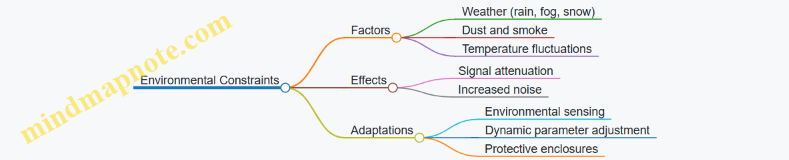
Each of these issues requires a tailored approach for detection, diagnosis, and correction. Recognizing the symptoms early and applying appropriate best practices can keep laser radar systems reliable and effective in demanding environments.
11.2 Diagnostic Tools and Techniques
Diagnosing issues in laser radar systems requires a systematic approach, combining hardware checks, signal analysis, and software validation. The goal is to isolate the problem efficiently, whether it’s a hardware failure, signal degradation, or algorithmic error. Below, we explore key diagnostic tools and techniques, supported by mind maps and examples.
Mind Map: Diagnostic Workflow for Laser Radar Systems
Hardware Inspection
Start with a physical inspection. Look for loose cables, damaged connectors, or signs of wear on optical components. Use a multimeter to verify power supply voltages and continuity. For example, if the laser diode is not powering up, check the voltage at its terminals and trace back to the power source.
Example: A system showed intermittent signal loss. Visual inspection revealed a partially disconnected fiber optic cable. Re-securing the connection restored stable operation.
Signal Analysis
Analyzing the raw signal is crucial. Use an oscilloscope or a signal analyzer to view the waveform. Check for expected pulse shapes, timing, and amplitude. Noise can mask target returns, so measure the noise floor and calculate the signal-to-noise ratio (SNR).
Example: A noisy signal with low SNR was traced to a faulty amplifier stage. Replacing the amplifier improved signal clarity.
Mind Map: Signal Analysis Steps
Software and Algorithm Testing
Software issues can cause misinterpretation of data. Enable detailed data logging to capture intermediate processing steps. Compare algorithm outputs against known test patterns or simulated data.
Example: An object classification algorithm misclassified targets due to incorrect feature scaling. Adjusting the normalization parameters corrected the output.
Mind Map: Software Diagnostic Techniques
Environmental Factors
Environmental conditions affect laser radar performance. Monitor temperature and humidity as they influence laser wavelength and detector sensitivity. Check for electromagnetic interference (EMI) from nearby equipment.
Example: A system deployed near heavy machinery experienced signal fluctuations. EMI shielding and repositioning the sensor reduced interference.
Combining Techniques
Effective diagnostics often require combining these approaches. For instance, a sudden drop in detection range might stem from hardware misalignment (hardware inspection), signal attenuation (signal analysis), or incorrect calibration parameters (software testing).
Mind Map: Integrated Diagnostic Approach
Practical Example: Diagnosing a Range Measurement Error
- Symptom: Range readings are consistently shorter than expected.
- Hardware: Inspect optical alignment; find slight misalignment in the scanning mirror.
- Signal: Analyze return pulses; observe weaker amplitude indicating partial beam loss.
- Software: Review calibration parameters; confirm range offset correction is applied correctly.
- Environment: Check temperature; stable.
- Action: Realign mirror and recalibrate system.
- Result: Range measurements return to expected values.
This example illustrates how diagnostic tools and techniques work together to pinpoint and resolve issues.
In summary, diagnostic tools for laser radar systems span physical inspection, signal examination, software testing, and environmental monitoring. Using structured workflows and clear data visualization helps maintain system reliability and performance.
11.3 Preventive Maintenance Procedures
Preventive maintenance for laser radar systems is a structured set of routine checks and actions designed to keep the system operating reliably and to avoid unexpected failures. In battlefield environments, where system availability is critical, preventive maintenance reduces downtime and extends the lifespan of key components.
Core Areas of Preventive Maintenance
- Optical Components: Lenses, mirrors, and laser emitters require regular cleaning and inspection to prevent signal degradation caused by dust, moisture, or scratches.
- Electronic Modules: Power supplies, signal processors, and data acquisition boards need periodic testing to detect early signs of component wear or electrical faults.
- Mechanical Assemblies: Moving parts such as scanning mirrors or gimbals must be lubricated and checked for alignment and wear.
- Software and Firmware: Routine updates and integrity checks ensure that system algorithms and control software function correctly.
Mind Map: Preventive Maintenance Procedures
Optical Maintenance
Optical elements are sensitive to contamination and physical damage. Use lint-free wipes and approved solvents to clean lenses and mirrors. Avoid touching optical surfaces with bare hands to prevent oil deposits. Inspect laser emitters for stable output power and beam quality; fluctuations can indicate aging or damage.
Example: A routine optical check might reveal slight dust accumulation on a scanning mirror. Cleaning it restored signal strength by 5%, improving detection range.
Electronic Maintenance
Check power supplies for voltage stability and ripple. Use a multimeter or oscilloscope to verify signal waveforms at key points in the processing chain. Monitor component temperatures with infrared thermometers or thermal cameras; overheating can precede failure.
Example: Detecting a rising temperature trend in a signal processing board led to early replacement of a failing capacitor, preventing system downtime.
Mechanical Maintenance
Lubricate bearings and moving joints with manufacturer-recommended lubricants. Verify that scanning mirrors and gimbals maintain proper alignment using calibration targets or reference points. Look for signs of mechanical wear such as unusual noises or increased backlash.
Example: Regular lubrication of the scanning mechanism prevented increased friction that would have caused jitter in the laser beam position.
Software Maintenance
Keep firmware and control software up to date with tested versions. Regularly back up configuration files and system parameters. Review error logs to identify recurring issues or anomalies that might indicate hardware problems.
Example: Analyzing error logs revealed intermittent communication failures between sensor modules, prompting a cable replacement before it caused a critical fault.
Mind Map: Example Preventive Maintenance Checklist
Summary
Preventive maintenance is a proactive approach that combines visual inspections, cleaning, testing, and software upkeep. Each task targets a specific subsystem to maintain optimal performance and avoid unexpected failures. The examples show how small, routine actions can prevent larger problems, keeping laser radar systems reliable in demanding environments.
11.4 Software Updates and Algorithm Refinement
Software updates and algorithm refinement are essential for maintaining and improving the performance of laser radar systems in smart target detection. These processes ensure the system adapts to new challenges, fixes bugs, and optimizes detection accuracy without requiring hardware changes.
Software Updates
Software updates typically involve patching existing code, adding new features, or improving system stability. In laser radar systems, updates can address issues such as signal processing errors, user interface improvements, or integration with other battlefield systems.
Key considerations for software updates:
- Version control: Maintain clear versioning to track changes and rollback if necessary.
- Testing: Conduct thorough testing on simulated and real data before deployment.
- Compatibility: Ensure updates do not disrupt hardware communication or data formats.
- Documentation: Update manuals and change logs to reflect modifications.
Example: A software update might fix a timing synchronization bug that caused occasional misalignment between laser pulses and signal sampling. The update would include a corrected timing algorithm, tested on recorded data sets, and rolled out with clear instructions for installation.
Algorithm Refinement
Algorithm refinement focuses on improving the core data processing and decision-making logic. This can involve tuning parameters, replacing outdated methods, or incorporating more efficient computational techniques.
Common refinement areas:
- Noise reduction algorithms: Adjust filters to better handle environmental interference.
- Feature extraction: Improve methods to capture more discriminative object characteristics.
- Classification models: Retrain or replace models to reduce false positives or negatives.
- Real-time performance: Optimize code to reduce latency without sacrificing accuracy.
Example: An initial object classification algorithm based on simple thresholding might be refined by integrating a support vector machine (SVM) trained on labeled laser radar data. This change reduces misclassification of clutter as targets.
Mind Map: Software Updates and Algorithm Refinement
Best Practices for Updates and Refinement
- Incremental Changes: Apply small, manageable updates rather than large overhauls to isolate issues quickly.
- Automated Testing: Use automated test suites to verify system behavior after each change.
- Data-Driven Refinement: Base algorithm improvements on analysis of real operational data.
- User Feedback: Incorporate feedback from operators to identify practical issues.
- Backup and Rollback: Always have a backup plan to revert to a stable version if problems arise.
Example Scenario: Refining a Clutter Suppression Algorithm
- Initial Problem: The system frequently misidentifies stationary objects like trees as targets due to strong reflections.
- Refinement Steps:
- Analyze false positives in recorded data.
- Adjust filter parameters to better distinguish moving targets.
- Implement an adaptive threshold that changes based on environmental conditions.
- Test changes on multiple datasets.
- Outcome: Reduction in false alarms by 30%, improving operator trust in the system.
Mind Map: Algorithm Refinement Workflow
In summary, software updates and algorithm refinement are ongoing activities that require careful planning, testing, and validation. They help maintain the system’s effectiveness and adapt it to changing battlefield conditions without the need for hardware replacement.
11.5 Best Practices: Troubleshooting with Real Case Examples
Troubleshooting laser radar systems can feel like piecing together a puzzle where some pieces look almost identical. The key is to approach problems methodically, using clear diagnostics and practical examples to guide you. Below, we explore common issues, their causes, and how to resolve them, supported by mind maps to organize your thought process.
Common Troubleshooting Areas Mind Map
Case Example 1: Weak Return Signal
Problem: The system reports significantly lower signal strength than expected, causing poor range detection.
Diagnosis Steps:
- Check laser output power and verify it matches specifications.
- Inspect optical components for dirt, dust, or damage.
- Confirm alignment between transmitter and receiver optics.
- Evaluate environmental conditions for fog, rain, or dust.
Resolution: In one instance, a dusty lens was the culprit. Cleaning the optics restored signal strength. In another, a misaligned mirror caused signal loss; realigning the mirror fixed the problem.
Mind Map:
Case Example 2: Excessive Noise in Signal
Problem: The received signal is noisy, making target detection unreliable.
Diagnosis Steps:
- Verify electronic components for thermal noise or interference.
- Check grounding and shielding of cables.
- Inspect filters and amplifiers for malfunction.
- Analyze software filtering parameters.
Resolution: A system exhibited noise due to a loose grounding cable causing electromagnetic interference. Tightening the connection and adding ferrite beads reduced noise. Adjusting digital filters further improved signal clarity.
Mind Map:
Case Example 3: Data Synchronization Errors
Problem: Range and Doppler data do not align, causing inaccurate velocity estimates.
Diagnosis Steps:
- Review timing signals and clock synchronization between components.
- Check software timestamps and data buffers.
- Validate sensor fusion timing if multiple sensors are involved.
Resolution: In one setup, a firmware update introduced a delay in timestamping. Rolling back the update and recalibrating timing resolved the issue. Adding diagnostic logs helped catch timing mismatches early.
Mind Map:
Case Example 4: Calibration Drift
Problem: Over time, target range measurements become less accurate.
Diagnosis Steps:
- Check for mechanical shifts in sensor mounting.
- Verify calibration routines and frequency.
- Inspect temperature effects on components.
Resolution: A vehicle-mounted system showed drift after rough terrain use. Recalibrating after each mission and installing vibration dampers reduced drift. Monitoring temperature and compensating in software helped maintain accuracy.
Mind Map:
General Troubleshooting Workflow Mind Map
Summary
Troubleshooting laser radar systems is about breaking down complex problems into manageable parts. Use mind maps to organize your approach and avoid jumping to conclusions. Each case example here shows that careful observation, systematic checks, and practical fixes solve most issues. Keep detailed logs and maintain calibration routines to prevent recurring problems. With patience and structure, troubleshooting becomes less a chore and more a straightforward task.
12. Appendices
12.1 Glossary of Terms and Acronyms
This glossary collects key terms and acronyms used throughout the book, explained with clarity and practical examples. Understanding these will help you navigate the technical content with confidence.
Terms and Definitions
Laser Radar (Lidar) A remote sensing technology that uses laser light to measure distances to objects. Unlike traditional radar, which uses radio waves, lidar provides higher resolution and accuracy.
Example: A self-driving car uses lidar to create a 3D map of its surroundings by measuring the time it takes for laser pulses to reflect off nearby objects.
Signal-to-Noise Ratio (SNR) The ratio of the desired signal power to the background noise power. Higher SNR means clearer signal detection.
Example: If a laser radar system detects a weak reflection from a distant target, increasing the SNR improves the chance of correctly identifying that target.
Time-of-Flight (ToF) The time it takes for a laser pulse to travel to an object and back. This measurement is fundamental for calculating distance.
Example: If a laser pulse returns in 10 nanoseconds, the distance to the object is approximately 1.5 meters (considering the speed of light).
Frequency Modulated Continuous Wave (FMCW) A method where the frequency of a continuous laser wave is varied over time to measure distance and velocity simultaneously.
Example: FMCW lidar can detect both how far and how fast a vehicle is moving, useful for adaptive cruise control.
Pulse Compression A signal processing technique that increases resolution and sensitivity by modulating the transmitted pulse and correlating it with the received signal.
Example: By sending a long coded pulse and compressing it upon reception, a lidar system can distinguish two objects close together in range.
Doppler Shift Change in frequency of the returned signal caused by relative motion between the sensor and the target.
Example: A radar detecting a speeding vehicle measures the Doppler shift to estimate its velocity.
Clutter Unwanted reflections from objects like trees, buildings, or terrain that can obscure or confuse target detection.
Example: In a battlefield, clutter from foliage might make it harder to detect enemy vehicles using laser radar.
Point Cloud A collection of data points in 3D space representing the surfaces of objects detected by lidar.
Example: A scanned building facade appears as a dense point cloud, which can be processed to identify windows and doors.
Segmentation The process of dividing a point cloud or image into meaningful regions or objects.
Example: Separating a cluster of points representing a vehicle from the surrounding ground points.
Classification Assigning labels to detected objects based on their features, such as shape or reflectivity.
Example: Differentiating between a pedestrian and a bicycle in lidar data.
Data Fusion Combining data from multiple sensors to improve detection accuracy and robustness.
Example: Merging lidar data with infrared images to better identify camouflaged targets.
Calibration Adjusting sensor parameters to ensure accurate measurements.
Example: Aligning the lidar coordinate frame with a vehicle’s GPS system to correctly map detected objects.
Range-Doppler Map A 2D representation showing target distance (range) versus velocity (Doppler), used to identify moving objects.
Example: A radar operator uses a range-Doppler map to track multiple moving vehicles on a battlefield.
Acronyms
- Lidar: Light Detection and Ranging
- SNR: Signal-to-Noise Ratio
- ToF: Time-of-Flight
- FMCW: Frequency Modulated Continuous Wave
- DNN: Deep Neural Network
- SVM: Support Vector Machine
- k-NN: k-Nearest Neighbors
- GPS: Global Positioning System
- ROI: Region of Interest
- FFT: Fast Fourier Transform
- ADC: Analog-to-Digital Converter
Mind Maps
Mind Map 1: Laser Radar System Components
Mind Map 2: Signal Processing Workflow
Mind Map 3: Object Classification Steps
This glossary aims to clarify the technical vocabulary and acronyms you will encounter. The included mind maps provide a visual structure to understand how these concepts interconnect within laser radar and smart target detection systems.
12.2 Mathematical Foundations for Signal Processing
Signal processing in laser radar systems relies heavily on mathematical concepts that help transform raw data into meaningful information. This section covers the essential mathematical tools and principles needed to understand and implement signal processing algorithms effectively.
Signals and Systems
At its core, a signal is a function conveying information about a phenomenon. In laser radar, signals often represent reflected light intensity over time or frequency.
- Continuous-time signals: Functions like ( x(t) ), where ( t ) is continuous time.
- Discrete-time signals: Sequences ( x[n] ), where ( n ) is an integer index representing sampled time.
A system processes input signals to produce output signals. Systems can be linear or nonlinear, time-invariant or time-varying.
Mind Map: Signals and Systems
Fourier Transform
The Fourier transform decomposes a signal into its frequency components. It is fundamental for analyzing laser radar signals, especially in frequency-modulated continuous wave (FMCW) systems.
-
Continuous Fourier Transform (CFT): \[ X(f) = \int_{-\infty}^{\infty} x(t) e^{-j 2 \pi f t} dt \]
-
Discrete Fourier Transform (DFT): \[ X[k] = \sum_{n=0}^{N-1} x[n] e^{-j 2 \pi k n / N} \]
The DFT is computed efficiently using the Fast Fourier Transform (FFT) algorithm.
Example:
A sampled laser radar return signal ( x[n] ) of length 8 is:
\[ x = [1, 0, -1, 0, 1, 0, -1, 0] \]
Applying DFT reveals frequency components corresponding to the periodicity of the signal.
Mind Map: Fourier Transform
Convolution and Correlation
Convolution expresses how the shape of one signal modifies another. It is used in matched filtering to detect known patterns in noisy data.
-
Convolution: \[ y(t) = (x * h)(t) = \int_{-\infty}^{\infty} x(\tau) h(t - \tau) d\tau \]
-
Correlation: Measures similarity between two signals, often used for target detection.
-
Discrete convolution: \[ y[n] = \sum_{m=-\infty}^{\infty} x[m] h[n - m] \]
Example:
If ( x[n] ) is a received signal and ( h[n] ) is a known pulse shape, convolving ( x ) with ( h ) enhances detection.
Mind Map: Convolution and Correlation
Sampling Theorem
Sampling converts continuous signals into discrete sequences. The Nyquist-Shannon sampling theorem states that to avoid information loss, the sampling frequency ( f_s ) must be at least twice the highest frequency ( f_{max} ) in the signal:
\[ f_s \geq 2 f_{max} \]
Failing this causes aliasing, where higher frequencies appear as lower ones.
Example:
If a laser radar signal contains frequencies up to 10 MHz, the sampling rate must be at least 20 MHz to capture all information.
Mind Map: Sampling Theorem
Linear Algebra in Signal Processing
Vectors and matrices represent signals and transformations. Operations like matrix multiplication, eigenvalue decomposition, and singular value decomposition (SVD) are common.
- Vector representation: A discrete signal ( x[n] ) as a vector \( \mathbf{x} \).
- Matrix operations: Used in filtering, transformations, and data fusion.
Example:
Applying a filter can be expressed as multiplying the signal vector by a Toeplitz matrix representing convolution.
Mind Map: Linear Algebra
Probability and Statistics
Noise and uncertainties require probabilistic models.
- Random variables: Model noise and signal fluctuations.
- Probability density functions (PDFs): Describe likelihood of signal values.
- Statistical measures: Mean, variance, covariance.
Example:
Modeling laser radar noise as Gaussian noise with zero mean and known variance helps design filters.
Mind Map: Probability and Statistics
Optimization Techniques
Signal processing often involves optimizing cost functions to estimate parameters or classify targets.
- Least squares estimation: Minimizes squared error.
- Gradient descent: Iterative optimization method.
Example:
Fitting a model to measured data by minimizing the difference between predicted and actual signals.
Mind Map: Optimization
Summary
These mathematical foundations form the backbone of laser radar signal processing. Understanding them allows one to design algorithms that convert raw laser returns into actionable information, detect and classify targets, and maintain system performance under battlefield conditions.
12.3 Software and Hardware Resources
In laser radar and smart target detection systems, the choice of software and hardware components directly influences performance, reliability, and ease of integration. This section outlines key resources, organized by category, with examples and mind maps to clarify their relationships and roles.
Software Resources
Software in this field typically handles signal processing, data analysis, visualization, and system control. Below is a mind map summarizing common software categories:
Software Resources Mind Map
Signal Processing Libraries: MATLAB’s toolbox is widely used for prototyping algorithms due to its extensive functions and ease of use. SciPy offers open-source alternatives in Python, with modules for filtering, Fourier transforms, and more. GNU Radio is useful for software-defined radio applications, including radar signal processing.
Machine Learning Frameworks: TensorFlow and PyTorch support deep learning models for object classification and segmentation. Scikit-learn provides classical algorithms like SVM and k-NN, useful for smaller datasets or simpler classification tasks.
Visualization Tools: ParaView excels at 3D point cloud visualization, which is crucial for interpreting laser radar data. Matplotlib and Plotly are handy for 2D plots and interactive charts.
Data Management: HDF5 is a file format and library designed to store large datasets efficiently, often used for laser radar point clouds. SQLite offers lightweight database management for metadata and system logs. ROS facilitates sensor data integration and communication in robotic systems.
Real-Time Operating Systems: RTOS platforms like FreeRTOS, VxWorks, and QNX provide deterministic timing and resource management, essential for real-time target detection and tracking.
Hardware Resources
Hardware components include laser sources, detectors, processing units, and integration platforms. The mind map below organizes these:
Hardware Resources Mind Map
Laser Sources: Solid-state lasers offer stable output and are common in laser radar. Fiber lasers provide flexibility in beam delivery. Diode lasers are compact and energy-efficient, suitable for portable systems.
Detectors: Avalanche photodiodes amplify weak signals, improving sensitivity. Photomultiplier tubes are highly sensitive but bulkier and require high voltage. CMOS and CCD sensors capture spatial information, useful in imaging lidar.
Signal Processing Units: FPGAs enable custom, low-latency processing pipelines, ideal for real-time applications. DSPs are specialized for signal algorithms but less flexible than FPGAs. GPUs accelerate parallel computations, especially for machine learning.
Data Acquisition Systems: High-speed ADCs convert analog signals from detectors into digital form. Timing modules ensure precise synchronization between laser pulses and detection.
Integration Platforms: Embedded systems combine processing and control in compact packages. Single board computers like NVIDIA Jetson support AI workloads on the edge. Sensor fusion hardware integrates data from multiple sensors for comprehensive situational awareness.
Example: Building a Basic Laser Radar Processing Setup
- Laser Source: Use a diode laser module emitting at 905 nm.
- Detector: Connect an avalanche photodiode for signal detection.
- Data Acquisition: Interface with a high-speed ADC (e.g., 100 MS/s) connected to an FPGA board.
- Processing: Implement matched filtering and range calculation on the FPGA.
- Visualization: Stream processed data to a PC running Python with Matplotlib for real-time plotting.
This setup demonstrates the interplay between hardware and software resources, emphasizing modularity and real-time capability.
Summary
Choosing the right software and hardware depends on system requirements such as range, resolution, processing speed, and deployment environment. Understanding the roles and limitations of each resource helps in designing effective laser radar and smart target detection systems. The mind maps provide a structured overview to guide selection and integration.
12.4 Sample Code and Data Sets for Practice
This section provides practical examples and sample code snippets to help you apply the concepts from earlier chapters. Each example is paired with a simple dataset or data structure to illustrate key techniques in laser radar signal processing, feature extraction, and object classification.
Mind Map: Overview of Sample Code Topics
Example 1: Noise Filtering on Raw Laser Radar Signal
import numpy as np
import matplotlib.pyplot as plt
from scipy.signal import medfilt

# Simulated raw signal with noise
np.random.seed(0)
time = np.linspace(0, 1, 500)
signal = np.sin(2 * np.pi * 5 * time) + 0.5 * np.random.normal(size=time.shape)

# Apply median filter to reduce noise
filtered_signal = medfilt(signal, kernel_size=5)

# Plot results
plt.figure(figsize=(10, 4))
plt.plot(time, signal, label='Raw Signal')
plt.plot(time, filtered_signal, label='Filtered Signal', linewidth=2)
plt.title('Median Filtering of Laser Radar Signal')
plt.xlabel('Time (s)')
plt.ylabel('Amplitude')
plt.legend()
plt.show()
Explanation: This example uses a median filter to reduce noise in a simulated laser radar signal. Median filtering is effective at removing impulsive noise without blurring sharp edges.
Example 2: Simple Pulse Compression Using Matched Filtering
from scipy.signal import correlate

# Define transmitted pulse (simple rectangular pulse)
pulse = np.ones(20)

# Received signal: pulse delayed and with noise
received = np.concatenate([np.zeros(50), pulse, np.zeros(430)]) + 0.1 * np.random.normal(size=500)

# Matched filter (time-reversed pulse)
matched_filter = pulse[::-1]

# Correlate received signal with matched filter
compressed_signal = correlate(received, matched_filter, mode='same')

plt.figure(figsize=(10, 4))
plt.plot(received, label='Received Signal')
plt.plot(compressed_signal, label='After Matched Filtering', linewidth=2)
plt.title('Pulse Compression via Matched Filtering')
plt.xlabel('Sample Index')
plt.ylabel('Amplitude')
plt.legend()
plt.show()
Explanation: Matched filtering maximizes the signal-to-noise ratio for known pulse shapes. This example shows how a simple rectangular pulse can be compressed to a peak, improving range resolution.
Example 3: Extracting Geometric Features from Point Cloud Data
import numpy as np

# Simulated 3D point cloud representing a flat surface with some noise
points = np.random.randn(1000, 3) * 0.01 + np.array([0, 0, 1])

# Compute centroid
centroid = np.mean(points, axis=0)

# Compute covariance matrix
cov_matrix = np.cov(points.T)

# Eigen decomposition for principal directions
eigenvalues, eigenvectors = np.linalg.eigh(cov_matrix)

print(f'Centroid: {centroid}')
print(f'Principal directions (eigenvectors):\n{eigenvectors}')
print(f'Variance along principal directions (eigenvalues): {eigenvalues}')
Explanation: This snippet calculates the centroid and principal directions of a point cloud, which are useful geometric features for object classification.
Example 4: Threshold-Based Object Detection in Range Data
import numpy as np

# Simulated range data with background and object peaks
range_data = np.concatenate([np.random.normal(0, 0.1, 100), np.ones(20) * 5, np.random.normal(0, 0.1, 100)])

# Simple threshold to detect object
threshold = 1.0
object_indices = np.where(range_data > threshold)[0]

print(f'Object detected at indices: {object_indices}')
Explanation: A straightforward thresholding method identifies points likely belonging to an object by comparing range values against a set threshold.
Example 5: Support Vector Machine (SVM) Classification
from sklearn import svm
from sklearn.model_selection import train_test_split
from sklearn.metrics import classification_report

# Sample feature vectors (2D) and labels
X = np.array([[1, 2], [2, 3], [3, 3], [6, 5], [7, 8], [8, 8]])
y = np.array([0, 0, 0, 1, 1, 1])

# Split data
X_train, X_test, y_train, y_test = train_test_split(X, y, test_size=0.33, random_state=42)

# Train SVM
clf = svm.SVC(kernel='linear')
clf.fit(X_train, y_train)

# Predict
y_pred = clf.predict(X_test)

print(classification_report(y_test, y_pred))
Explanation: This example shows how to train and evaluate a simple linear SVM classifier on a small dataset. The features could represent extracted laser radar characteristics.
Example 6: Visualizing a 3D Point Cloud
import numpy as np
import matplotlib.pyplot as plt
from mpl_toolkits.mplot3d import Axes3D

# Generate sample point cloud
points = np.random.rand(100, 3)

fig = plt.figure()
ax = fig.add_subplot(111, projection='3d')
ax.scatter(points[:, 0], points[:, 1], points[:, 2], c='b', marker='o')
ax.set_title('3D Point Cloud Visualization')
ax.set_xlabel('X')
ax.set_ylabel('Y')
ax.set_zlabel('Z')
plt.show()
Explanation: Visualizing point clouds helps understand spatial distribution and object shapes. This example uses matplotlib’s 3D plotting capabilities.
These examples are designed to be straightforward starting points. You can expand them by applying the techniques to your own laser radar data or by combining multiple steps, such as preprocessing followed by feature extraction and classification. The datasets here are minimal and synthetic, but they illustrate the core ideas clearly.
Feel free to experiment by modifying parameters, adding noise, or using different algorithms to see how results change. This hands-on approach builds intuition and helps solidify understanding of laser radar signal processing and smart target detection.
12.5 Reference Tables and Conversion Charts
This section compiles essential reference tables and conversion charts frequently used in laser radar and smart target detection. These resources help translate raw data into actionable information, support signal processing tasks, and assist in system calibration and analysis. To make the content more digestible, relevant mind maps are included in format, illustrating relationships between concepts.
Table 1: Common Units and Their Conversions
| Quantity | Unit Symbol | Conversion Factor to SI Unit | Notes |
|---|---|---|---|
| Distance | m | 1 | Base SI unit |
| cm | 0.01 | Useful for small range measurements | |
| mm | 0.001 | Precision measurement | |
| km | 1000 | Long-range detection | |
| Time | s | 1 | Base SI unit |
| ms | 0.001 | Pulse duration, sampling intervals | |
| µs | 0.000001 | High-speed timing | |
| Frequency | Hz | 1 | Base SI unit |
| kHz | 1000 | Modulation frequencies | |
| MHz | 1,000,000 | Doppler frequency shifts | |
| Angle | degrees | π/180 radians | Angular resolution |
| radians | 1 | Used in trigonometric calculations |
Table 2: Laser Radar Wavelength Bands
| Band Name | Wavelength Range (nm) | Typical Applications |
|---|---|---|
| Near-Infrared (NIR) | 750 - 1400 | Common for automotive LIDAR |
| Short-Wave Infrared (SWIR) | 1400 - 3000 | Atmospheric penetration |
| Mid-Wave Infrared (MWIR) | 3000 - 8000 | Thermal imaging integration |
| Eye-Safe Bands | ~1500 | Safety-critical applications |
Table 3: Signal Processing Parameters
| Parameter | Typical Range | Description |
|---|---|---|
| Pulse Repetition Frequency (PRF) | 10 kHz - 100 kHz | Number of pulses per second |
| Pulse Width | 1 ns - 100 ns | Duration of each laser pulse |
| Sampling Rate | 100 MS/s - 1 GS/s | Analog-to-digital conversion speed |
| Dynamic Range | 60 dB - 100 dB | Range of detectable signal amplitudes |
Table 4: Common Coordinate Systems in Laser Radar
| Coordinate System | Description |
|---|---|
| Cartesian (X, Y, Z) | Standard 3D space coordinates |
| Spherical (r, θ, φ) | Range, azimuth, elevation angles |
| Polar (r, θ) | 2D range and angle, often for planar scans |
Table 5: Reflectivity and Material Response
| Material | Typical Reflectivity (%) | Notes |
|---|---|---|
| Metal Surfaces | 60 - 90 | High reflectivity, strong returns |
| Vegetation | 10 - 30 | Diffuse reflection, variable |
| Concrete | 20 - 50 | Moderate reflectivity |
| Water | < 5 | Low reflectivity, often causes signal loss |
Mind Map: Signal Processing Workflow
- Signal Acquisition
  - Sampling
  - Digitization
- Preprocessing
  - Noise Filtering
  - Baseline Correction
- Feature Extraction
  - Range Calculation
  - Doppler Shift
- Object Detection
  - Thresholding
  - Clustering
- Classification
  - Machine Learning
  - Rule-Based
Mind Map: Object Classification Features
- Geometric Features
  - Size
  - Shape
  - Volume
- Reflectance Features
  - Intensity
  - Spectral Signature
- Temporal Features
  - Movement Patterns
  - Velocity
- Contextual Features
  - Surrounding Objects
  - Environmental Conditions
Mind Map: Battlefield Awareness Components
- Sensor Data Fusion
  - Laser Radar
  - Radar
  - Infrared
- Data Processing
  - Signal Processing
  - Object Detection
  - Classification
- Visualization
  - 2D Maps
  - 3D Models
- Decision Support
  - Alerts
  - Threat Prioritization
Conversion Chart: Time-of-Flight to Distance
| Time-of-Flight (ns) | Distance (m) = (c × ToF) / 2 |
|---|---|
| 3.33 | 0.5 |
| 6.66 | 1.0 |
| 33.33 | 5.0 |
| 66.66 | 10.0 |
Note: c = speed of light ≈ 3 × 10^8 m/s. Divide by 2 because the signal travels to the target and back.
Conversion Chart: Frequency to Velocity (Doppler Shift)
| Doppler Frequency Shift (Hz) | Velocity (m/s) = (λ × f_d) / 2 |
|---|---|
| 1000 | Depends on wavelength λ |
| 5000 | |
| 10000 |
Example: For λ = 905 nm (common LIDAR wavelength), velocity = (905e-9 × f_d)/2.
Example: Using Reference Tables in Practice
Suppose a laser radar system detects a time-of-flight of 20 ns. Using the time-of-flight to distance chart, the distance is calculated as:
Distance = (3 × 10^8 m/s × 20 × 10^-9 s) / 2 = 3 meters.
If the Doppler frequency shift measured is 2000 Hz at a wavelength of 905 nm, the velocity of the target is:
Velocity = (905 × 10^-9 m × 2000 Hz) / 2 = 0.905 m/s.
These simple conversions are foundational for interpreting raw sensor data into meaningful physical quantities.
This collection of tables, charts, and mind maps serves as a quick reference to support the technical work involved in laser radar signal processing and smart target detection. Keep this section handy for calibration, data interpretation, and system design tasks.