Industrial Control Systems (ICS, SCADA) Security
1. Introduction to ICS/SCADA Security
1.1 Overview of Industrial Control Systems and SCADA
Industrial Control Systems (ICS) and Supervisory Control and Data Acquisition (SCADA) systems are the backbone of modern industrial operations. They enable the monitoring, control, and automation of physical processes in industries such as manufacturing, energy, water treatment, transportation, and more.
What is an Industrial Control System (ICS)?
ICS refers to a broad category of control systems used to operate and automate industrial processes. These systems integrate hardware and software to manage equipment and processes in real-time.
Key components of ICS:
- Programmable Logic Controllers (PLCs)
- Remote Terminal Units (RTUs)
- Human-Machine Interfaces (HMIs)
- Sensors and Actuators
- Communication Networks
What is SCADA?
SCADA is a subset of ICS focused on supervisory-level control and data acquisition. It typically involves centralized monitoring and control of dispersed assets over large geographic areas.
SCADA system features:
- Data acquisition from field devices
- Centralized monitoring and control
- Alarm and event management
- Historical data logging
Mind Map: ICS and SCADA Components
Example: Water Treatment Plant ICS
In a water treatment plant, an ICS might include PLCs controlling pumps and valves, RTUs collecting sensor data from remote reservoirs, and an HMI allowing operators to monitor water quality and system status. The SCADA system aggregates this data, enabling centralized control and alerts if parameters exceed safe thresholds.
Why ICS/SCADA Security Matters
ICS and SCADA systems control critical infrastructure where failures or attacks can lead to severe safety, environmental, and economic consequences. Unlike traditional IT systems, ICS often require high availability and real-time operation, making security uniquely challenging.
Mind Map: ICS vs Traditional IT Systems
Example: Stuxnet Incident
One of the most famous ICS security incidents was the Stuxnet worm, which targeted PLCs in Iran’s nuclear facilities. It demonstrated how malware could manipulate physical processes by exploiting ICS-specific vulnerabilities, highlighting the critical need for robust ICS security.
This section sets the foundation for understanding the components, functions, and importance of ICS and SCADA systems, preparing readers to delve deeper into their security challenges and best practices.
1.2 Importance of Security in ICS Environments
Industrial Control Systems (ICS) are the backbone of critical infrastructure sectors such as energy, water treatment, manufacturing, transportation, and more. The security of these systems is paramount because any disruption or compromise can lead to severe consequences including safety hazards, environmental damage, financial loss, and national security threats.
Why ICS Security Matters
- Safety Risks: ICS often control physical processes that, if manipulated maliciously or accidentally, can cause harm to human life and the environment.
- Operational Continuity: Downtime or malfunction in ICS can halt production lines, disrupt supply chains, and cause significant economic impact.
- Data Integrity: Accurate data is essential for decision-making; compromised data can lead to wrong operational choices.
- Regulatory Compliance: Many industries are subject to strict regulations requiring robust ICS security.
- Increasing Cyber Threats: ICS are increasingly targeted by sophisticated cyberattacks exploiting legacy systems and weak security controls.
Mind Map: Importance of ICS Security
Real-World Examples Illustrating ICS Security Importance
Example 1: Stuxnet Worm (2010)
- What happened: A sophisticated malware targeted Iranian nuclear centrifuges, causing physical destruction by manipulating control logic.
- Impact: Demonstrated how cyberattacks can cause real-world physical damage.
- Lesson: ICS must be protected not only from IT threats but also from attacks that can affect physical processes.
Example 2: Ukraine Power Grid Attack (2015)
- What happened: Cyber attackers compromised the SCADA systems of Ukraine’s power grid, causing widespread blackouts.
- Impact: Highlighted vulnerability of critical infrastructure to coordinated cyberattacks.
- Lesson: Emphasizes need for layered defense, incident response plans, and continuous monitoring.
Mind Map: Consequences of Poor ICS Security
Example: Water Treatment Plant Scenario
Imagine a water treatment plant where the ICS controls chemical dosing and filtration. If an attacker gains access and alters chemical levels:
- Safety risk: Unsafe water quality affecting thousands.
- Operational impact: Shutdown of water supply.
- Regulatory violation: Non-compliance with health standards.
This example underscores the importance of securing ICS to protect public health and maintain trust.
Summary
Securing ICS environments is not just an IT concern but a critical operational imperative. The convergence of cyber and physical worlds means that security breaches can have tangible, dangerous consequences. Understanding the importance of ICS security helps organizations prioritize investments, adopt best practices, and foster a culture of vigilance among OT engineers, cybersecurity teams, and plant operators.
1.3 Unique Challenges in Securing ICS Compared to IT Systems
Industrial Control Systems (ICS) differ fundamentally from traditional IT systems in their design, purpose, and operational requirements. These differences create unique challenges when it comes to securing ICS environments. Understanding these challenges is critical for OT Engineers, Cybersecurity Teams, and Plant Operators to implement effective security measures.
Key Differences and Challenges
System Priorities: Safety and Availability Over Confidentiality
Unlike IT systems where confidentiality of data is often paramount, ICS prioritize safety and continuous availability. Downtime can cause physical damage, safety hazards, or significant production losses.
Example: A patch that requires a system reboot might be applied quickly in IT environments but could be delayed for months in ICS due to the risk of interrupting critical processes.
Legacy and Proprietary Technologies
Many ICS components run on legacy hardware and software that were not designed with security in mind. Proprietary protocols often lack encryption or authentication.
Example: Modbus, a widely used ICS protocol, transmits data in plaintext, making it vulnerable to interception and manipulation.
Limited Patch and Update Capabilities
Patching ICS devices is challenging because updates can cause unexpected behavior or downtime. Testing patches in ICS environments is often complex and time-consuming.
Example: A power plant may delay applying a critical security patch for months until a maintenance window is available.
Network Architecture Differences
ICS networks are often flat or have limited segmentation, increasing the risk of lateral movement by attackers. Specialized protocols and devices complicate the use of traditional IT security tools.
Example: An attacker gaining access to a single PLC could potentially control multiple devices due to lack of segmentation.
Physical and Cyber Convergence
ICS directly control physical processes. Cyber attacks can cause physical damage or safety incidents.
Example: The Stuxnet attack manipulated centrifuge speeds, causing physical destruction without immediate detection.
Access and Operational Constraints
Remote access is often restricted or tightly controlled to prevent unauthorized intrusion. Changes to ICS systems require strict approval and testing.
Example: Vendor remote access to SCADA systems is often routed through jump servers with multi-factor authentication and detailed logging.
Resource Constraints
ICS devices may have limited CPU and memory, restricting the deployment of resource-intensive security solutions like antivirus or endpoint detection.
Example: Installing traditional antivirus on a PLC is usually not feasible due to hardware limitations.
Incident Response Complexity
Incident response in ICS environments requires coordination with safety and operations teams to avoid unintended consequences.
Example: Isolating a compromised ICS segment might disrupt critical processes, so response plans must balance security and operational continuity.
Mind Map: Challenges in ICS Security Compared to IT
Summary
Securing ICS requires a tailored approach that respects the unique operational, technological, and safety constraints of these environments. Traditional IT security practices cannot be directly transplanted without adaptation. Awareness of these challenges helps cybersecurity teams and OT personnel design robust, practical, and safe security strategies.
1.4 Real-World Examples of ICS Security Breaches and Lessons Learned
Industrial Control Systems (ICS) and SCADA environments have been targeted by cyberattacks with increasing frequency and sophistication. Understanding these real-world breaches helps OT engineers, cybersecurity teams, and plant operators grasp the critical importance of robust ICS security and learn practical lessons to prevent similar incidents.
Case Study 1: Stuxnet Worm (2010)
Overview: Stuxnet is one of the most infamous cyberattacks targeting ICS. It was a highly sophisticated worm designed to sabotage Iran’s nuclear enrichment centrifuges by manipulating PLCs (Programmable Logic Controllers).
Attack Vector:
- Infection via USB drives
- Exploited zero-day vulnerabilities in Windows
- Targeted Siemens Step7 software to alter PLC code
Impact:
- Physical damage to centrifuges
- Disruption of nuclear program
Lessons Learned:
- Physical media (USB drives) can be a major infection vector in isolated ICS networks.
- Importance of strict control over removable media.
- Need for network segmentation and monitoring for unusual PLC code changes.
Mind Map:
Case Study 2: Ukraine Power Grid Attack (2015)
Overview: A cyberattack on Ukraine’s power grid caused a blackout affecting approximately 230,000 people.
Attack Vector:
- Spear-phishing emails to utility employees
- Malware deployment (BlackEnergy)
- Remote access via stolen credentials
Impact:
- Power outage lasting several hours
- Disruption of critical infrastructure
Lessons Learned:
- Importance of employee cybersecurity awareness and phishing prevention.
- Need for strong access controls and multi-factor authentication.
- Continuous network monitoring to detect unusual remote access.
Mind Map:
Case Study 3: Triton / TRISIS Malware (2017)
Overview: Triton targeted safety instrumented systems (SIS) in a petrochemical plant, aiming to disable safety controls and cause physical damage.
Attack Vector:
- Initial compromise via phishing or network intrusion
- Malware specifically designed to interact with Schneider Electric Triconex SIS controllers
Impact:
- Potential for catastrophic physical damage and safety hazards
Lessons Learned:
- Safety systems must be included in security assessments.
- Segregation of safety and control networks is critical.
- Incident response plans must consider attacks on safety systems.
Mind Map:
Case Study 4: Colonial Pipeline Ransomware Attack (2021)
Overview: A ransomware attack forced Colonial Pipeline, a major US fuel pipeline operator, to shut down operations temporarily.
Attack Vector:
- Compromised VPN credentials
- Ransomware deployment (DarkSide group)
Impact:
- Temporary shutdown of pipeline operations
- Fuel shortages and price spikes
Lessons Learned:
- Secure remote access with MFA and strong password policies.
- Regular backups and tested recovery plans.
- Importance of timely patching and vulnerability management.
Mind Map:
Summary Table of Lessons Learned
| Breach | Key Lessons | Practical Example for OT Teams |
|---|---|---|
| Stuxnet | Control removable media; PLC monitoring | Implement USB device control policies |
| Ukraine Power Grid | Employee training; strong access controls | Conduct phishing simulations and enforce MFA |
| Triton Malware | Protect safety systems; network segregation | Separate SIS network and monitor safety devices |
| Colonial Pipeline | Secure VPN; backups; patch management | Enforce MFA on VPN; schedule regular backups |
Conclusion
These real-world ICS security breaches highlight the critical need for a multi-layered defense strategy that includes technical controls, employee training, and incident preparedness. By studying these examples, ICS stakeholders can better anticipate threats and implement best practices to safeguard critical industrial infrastructure.
2. ICS/SCADA Architecture and Components
2.1 ICS Network Topologies and Zones Explained
Industrial Control Systems (ICS) networks are designed to support critical infrastructure and industrial processes. Understanding their topology and zoning is essential for securing these environments effectively. This section breaks down the common ICS network topologies and the concept of network zones, providing clear explanations and practical examples.
What is ICS Network Topology?
Network topology refers to the arrangement of various elements (links, nodes, devices) in a computer network. In ICS, topology impacts how data flows between devices such as PLCs, RTUs, HMIs, and enterprise systems.
Common ICS Network Topologies
-
Star Topology
- All devices connect to a central hub or switch.
- Simplifies management and isolation.
- Example: A small water treatment plant where all PLCs connect to a central SCADA server.
-
Bus Topology
- Devices connected along a single communication line.
- Less common in modern ICS due to single point of failure.
- Example: Legacy serial communication lines in older manufacturing plants.
-
Ring Topology
- Devices connected in a circular fashion.
- Provides redundancy; if one link fails, data can flow the other way.
- Example: Some power distribution networks use ring topology for reliability.
-
Mesh Topology
- Every device connects to multiple others.
- High redundancy and fault tolerance.
- Example: Advanced smart grid networks employing mesh for resilience.
-
Hybrid Topology
- Combination of two or more topologies.
- Most ICS networks are hybrid, balancing redundancy and simplicity.
- Example: A refinery network with star topology in control rooms and ring topology in field devices.
ICS Network Zones
To enhance security, ICS networks are segmented into zones based on function, risk, and trust level. This zoning limits the spread of attacks and controls access.
Common ICS Zones:
-
Enterprise Zone
- Contains business IT systems like ERP, email, and corporate databases.
- High connectivity to the internet.
-
DMZ (Demilitarized Zone)
- Acts as a buffer between the enterprise and ICS networks.
- Hosts data historians, remote access servers, and jump boxes.
-
Control Zone
- Contains SCADA servers, HMIs, and engineering workstations.
- Controls and monitors field devices.
-
Field Zone
- Includes PLCs, RTUs, sensors, and actuators.
- Directly interfaces with physical processes.
-
Safety Zone
- Dedicated to safety instrumented systems (SIS).
- Isolated to ensure safety functions remain uncompromised.
Mind Map: ICS Network Zones and Their Relationships
Example: Typical ICS Network Layout in a Manufacturing Plant
In this example, the enterprise zone connects to the DMZ through firewalls. The DMZ acts as a controlled gateway to the control zone. The control zone manages the field zone devices, and the safety zone remains isolated to ensure critical safety processes are unaffected by other network activities.
Best Practice: Implementing Zones with Network Segmentation
- Use firewalls and access control lists (ACLs) to enforce communication policies between zones.
- Limit direct access from enterprise to field zones.
- Monitor traffic crossing zone boundaries for anomalies.
Summary
Understanding ICS network topologies and zones is foundational for designing secure industrial environments. Proper segmentation into zones reduces attack surfaces and helps contain potential breaches. By combining topology knowledge with zoning best practices, OT engineers and cybersecurity teams can build resilient and secure ICS networks.
2.2 Key Components: PLCs, RTUs, HMIs, and Historian Systems
Industrial Control Systems (ICS) rely on several critical components that work together to monitor and control physical processes. Understanding these components is essential for OT engineers, cybersecurity teams, and plant operators to effectively secure and manage ICS environments. This section explores the key components: Programmable Logic Controllers (PLCs), Remote Terminal Units (RTUs), Human-Machine Interfaces (HMIs), and Historian Systems, with clear examples and mind maps to illustrate their roles and interconnections.
Programmable Logic Controllers (PLCs)
PLCs are ruggedized industrial computers designed to automate control processes such as machinery operation, assembly lines, and critical infrastructure systems. They receive input signals from sensors, process logic based on programmed instructions, and output commands to actuators.
Key Characteristics:
- Real-time operation
- Deterministic control
- High reliability and availability
- Often proprietary operating systems
Example: In a water treatment plant, PLCs control pumps and valves to maintain water flow and quality.
Mind Map: PLC Overview
Remote Terminal Units (RTUs)
RTUs are field devices used to collect data from remote or geographically dispersed sites and transmit it to central control systems. They are often used in utilities like electric grids, oil and gas pipelines, and water distribution.
Key Characteristics:
- Designed for harsh environments
- Often battery or solar powered
- Communicate over wide-area networks (WAN)
- Support telemetry protocols
Example: An RTU installed along a natural gas pipeline monitors pressure and temperature, sending data back to the control center.
Mind Map: RTU Functions
Human-Machine Interfaces (HMIs)
HMIs provide operators with graphical interfaces to monitor system status, visualize process data, and send control commands. They translate complex data into user-friendly displays.
Key Characteristics:
- Real-time visualization
- Alarm and event management
- Touchscreen or physical controls
- Can be local or remote
Example: An HMI panel in a manufacturing plant shows real-time conveyor belt speeds, alerts on faults, and allows operators to start or stop machines.
Mind Map: HMI Components
Historian Systems
Historian systems are specialized databases designed to collect, store, and analyze large volumes of time-series data from ICS components. They enable long-term trend analysis, reporting, and forensic investigations.
Key Characteristics:
- High-performance data storage
- Data compression and aggregation
- Integration with analytics and reporting tools
- Support for data integrity and security
Example: A historian system in a chemical plant records temperature and pressure data over months to optimize process efficiency and detect anomalies.
Mind Map: Historian System Features
Integrated Example: ICS Component Interaction
Example Scenario:
In a power generation plant, PLCs control turbine speed and generator output. RTUs monitor remote substations and relay data back to the control center. Operators use HMIs to monitor system health and respond to alarms. Meanwhile, the historian system archives all operational data for performance analysis and regulatory compliance.
Summary
Understanding the roles and interconnections of PLCs, RTUs, HMIs, and Historian Systems is foundational for securing ICS environments. Each component has unique security considerations, such as protecting PLC firmware from unauthorized changes, securing RTU communications over WAN, restricting HMI access, and ensuring historian data integrity. In subsequent sections, we will explore how to apply best practices to protect these components effectively.
2.3 Communication Protocols in ICS and Their Security Implications
Industrial Control Systems (ICS) rely heavily on specialized communication protocols to enable real-time monitoring and control of physical processes. Understanding these protocols and their security implications is critical for OT Engineers, Cybersecurity Teams, and Plant Operators to design robust defenses and mitigate risks.
Common ICS Communication Protocols
- Modbus
- DNP3 (Distributed Network Protocol)
- IEC 60870-5-104
- PROFINET
- OPC (OLE for Process Control)
- BACnet
- EtherNet/IP
Each protocol has unique characteristics, operational uses, and security challenges.
Mind Map: Overview of ICS Communication Protocols
Detailed Protocol Descriptions and Security Implications
Modbus
- Description: One of the oldest and simplest ICS protocols, Modbus operates over serial lines (Modbus RTU) or TCP/IP (Modbus TCP).
- Security Implications: Originally designed without encryption or authentication, making it vulnerable to eavesdropping, replay attacks, and command injection.
Example: An attacker sniffing Modbus TCP traffic on an unsegmented network could intercept commands to open a valve or shut down a pump.
Best Practice: Use network segmentation and VPN tunnels; deploy Modbus-aware intrusion detection systems (IDS).
DNP3
- Description: Widely used in electric and water utilities, DNP3 supports time-stamped data and event-driven communication.
- Security Implications: The original DNP3 protocol lacked security features, but Secure Authentication (DNP3-SA) extensions add cryptographic authentication.
Example: A water treatment plant upgrading to DNP3-SA can prevent unauthorized command injection by validating message authenticity.
Best Practice: Implement DNP3-SA where possible; monitor for legacy unsecured DNP3 traffic.
IEC 60870-5-104
- Description: A protocol used primarily in European electric utilities, running over TCP/IP.
- Security Implications: Like many ICS protocols, it was not designed with security in mind, lacking encryption and authentication.
Example: An attacker could perform a man-in-the-middle attack on IEC 104 traffic to manipulate control commands.
Best Practice: Use VPNs or TLS tunnels; apply strict firewall rules.
PROFINET
- Description: An industrial Ethernet protocol supporting real-time control and diagnostics.
- Security Implications: Supports authentication and encryption in newer versions, but many legacy devices lack these features.
Example: In a manufacturing plant, an unprotected PROFINET segment could be exploited to disrupt robotic assembly lines.
Best Practice: Upgrade to PROFINET with security extensions; segment networks; monitor traffic.
OPC and OPC UA
- Description: OPC Classic is a COM/DCOM-based protocol for data exchange; OPC UA is a platform-independent, service-oriented architecture with built-in security.
- Security Implications: OPC Classic is vulnerable due to DCOM security issues; OPC UA supports encryption, authentication, and auditing.
Example: Migrating from OPC Classic to OPC UA in a refinery improves secure data exchange between control systems and enterprise applications.
Best Practice: Adopt OPC UA; configure certificates and encryption properly.
BACnet
- Description: Used in building automation systems for HVAC, lighting, and access control.
- Security Implications: Earlier versions lack security; newer versions include BACnet/SC with TLS support.
Example: Securing a smart building’s HVAC system by implementing BACnet/SC reduces risk of unauthorized access.
Best Practice: Upgrade to BACnet/SC; enforce network segmentation.
EtherNet/IP
- Description: Uses Common Industrial Protocol (CIP) over Ethernet; common in manufacturing.
- Security Implications: CIP Security extension adds authentication and encryption; legacy implementations are vulnerable.
Example: A factory deploying CIP Security can prevent unauthorized control of assembly line devices.
Best Practice: Implement CIP Security; monitor for anomalous traffic.
Mind Map: Security Challenges by Protocol
Practical Example: Securing Modbus TCP in a Manufacturing Plant
Scenario: A manufacturing plant uses Modbus TCP to communicate between PLCs and HMIs. The network is flat, allowing any device to send commands.
Risks: An attacker gaining access to the network could send unauthorized commands to critical devices.
Mitigation Steps:
- Segment the ICS network from corporate IT using firewalls.
- Deploy a Modbus-aware IDS to detect unusual command patterns.
- Use VPN tunnels for remote access.
- Implement strict access control lists (ACLs) on network devices.
Outcome: Reduced attack surface and improved detection of malicious activity.
Summary
Understanding the communication protocols used in ICS environments and their inherent security limitations is foundational to building effective defense strategies. While many protocols were designed without security in mind, modern extensions and best practices enable organizations to enhance protection. OT teams should prioritize network segmentation, protocol-aware monitoring, and gradual migration to secure protocol versions to mitigate risks.
2.4 Example: Mapping a Typical ICS Network and Identifying Vulnerabilities
Understanding the architecture of a typical Industrial Control System (ICS) network is crucial for identifying potential vulnerabilities and securing the environment effectively. In this section, we’ll walk through a detailed example of mapping a standard ICS network, highlighting key components, communication flows, and common security weaknesses.
Typical ICS Network Overview
A typical ICS network is often segmented into multiple zones to separate business systems from operational technology (OT) systems. The Purdue Model is a widely accepted framework that helps visualize these layers.
Mind Map: ICS Network Components and Zones
Example Network Mapping
Let’s consider a simplified ICS network for a water treatment plant:
- Enterprise Network: Corporate office with email and ERP systems.
- DMZ: Hosts a data historian and a remote access jump server.
- Operations Network: SCADA servers and engineering workstations.
- Control Network: HMIs and PLC programming stations.
- Basic Control: PLCs controlling pumps and valves.
- Process: Sensors measuring water quality and actuators controlling chemical dosing.
Water Treatment Plant ICS Network

Enterprise Network
├── Corporate Workstations
├── Email Server

DMZ
├── Data Historian
├── Remote Access Jump Server
├── Firewall

Operations Network
├── SCADA Server
├── Engineering Workstations

Control Network
├── HMIs
├── PLC Programming Stations

Basic Control
├── PLCs (Pump Control)
├── RTUs

Process
├── pH Sensors
├── Flow Meters
├── Chemical Dosing Actuators
Identifying Vulnerabilities
Mapping the network allows us to identify common vulnerabilities at each level:
| Zone | Vulnerabilities & Examples |
|---|---|
| Enterprise Network | - Phishing attacks targeting corporate users. |
| - Unpatched IT systems that can be pivot points. | |
| DMZ | - Misconfigured firewalls allowing unauthorized access. |
| - Weak remote access controls (e.g., no MFA on jump server). | |
| Operations Network | - SCADA server exposed to unnecessary network traffic. |
| - Engineering workstations lacking endpoint protection. | |
| Control Network | - HMIs with default credentials. |
| - PLC programming stations connected directly to the network. | |
| Basic Control | - PLCs with outdated firmware vulnerable to exploits. |
| - Lack of encryption on control commands. | |
| Process | - Sensors and actuators physically accessible and unprotected. |
Mind Map: Vulnerabilities by Network Zone
Practical Example: Identifying a Vulnerability
Scenario: The remote access jump server in the DMZ does not enforce multi-factor authentication (MFA).
Risk: An attacker who compromises a corporate user’s credentials can gain direct access to the SCADA network through the jump server.
Mitigation: Implement MFA on all remote access points and regularly audit access logs.
Summary
Mapping your ICS network using frameworks like the Purdue Model helps visualize the architecture and pinpoint where vulnerabilities may exist. By understanding each zone’s components and their interactions, OT engineers and cybersecurity teams can prioritize security controls, such as network segmentation, access control, and patch management, to protect critical industrial assets effectively.
3. Risk Assessment and Threat Modeling for ICS
3.1 Conducting Comprehensive Risk Assessments in ICS Environments
Conducting a comprehensive risk assessment in Industrial Control Systems (ICS) environments is a foundational step toward securing critical infrastructure. Unlike traditional IT systems, ICS environments control physical processes, making the consequences of cyber incidents potentially catastrophic. This section will guide you through the essential steps of performing a thorough risk assessment tailored to ICS, supported by clear examples and mind maps to visualize the process.
What is Risk Assessment in ICS?
Risk assessment is the systematic process of identifying, analyzing, and evaluating risks to ICS assets. It helps organizations prioritize security efforts by understanding which vulnerabilities and threats pose the greatest danger to operational continuity and safety.
Key Objectives of ICS Risk Assessment
- Identify critical assets and their vulnerabilities
- Understand potential threats and attack vectors
- Evaluate the likelihood and impact of risks
- Prioritize mitigation strategies
Step-by-Step Process for ICS Risk Assessment
Mind Map: ICS Risk Assessment Process
Asset Identification
Begin by cataloging all ICS components, including hardware, software, communication links, and data flows. Understanding what you need to protect is critical.
Example: In a water treatment plant, assets include PLCs controlling valves, RTUs monitoring water quality sensors, HMIs used by operators, and the communication network linking these devices.
Threat Identification
Identify who or what could cause harm. Threats can be external hackers, disgruntled employees, natural disasters, or supply chain compromises.
Example: A disgruntled employee with access to the SCADA system might attempt to alter valve settings, causing overflow or contamination.
Vulnerability Analysis
Assess weaknesses in the system that could be exploited by threats.
Example: An outdated firmware on a PLC that lacks encryption support could allow interception and manipulation of control commands.
Risk Evaluation
Determine the likelihood of each threat exploiting a vulnerability and the potential impact on operations, safety, and compliance.
Mind Map: Risk Evaluation Criteria
Example: The likelihood of a ransomware attack on an isolated PLC may be low, but the impact could be catastrophic if it disrupts the entire plant.
Risk Prioritization
Rank risks based on their evaluated scores to focus resources on the most critical threats.
Example: Prioritize patching a vulnerable HMI that interfaces with multiple PLCs over less critical network devices.
Mitigation Planning
Develop and implement controls to reduce risks to acceptable levels.
Example: Implement network segmentation and multi-factor authentication to protect access to critical PLCs.
Comprehensive Example: Risk Assessment for a Chemical Plant ICS
Mind Map: Chemical Plant ICS Risk Assessment
Tips for Effective ICS Risk Assessments
- Involve cross-functional teams including OT engineers, cybersecurity experts, and plant operators.
- Use ICS-specific threat intelligence to stay updated on emerging risks.
- Regularly update the risk assessment to reflect system changes and new threats.
- Document findings clearly to support decision-making and compliance.
By following this structured approach and leveraging visual tools like mind maps, ICS teams can gain a clear understanding of their risk landscape and implement targeted security measures that protect both digital and physical assets effectively.
3.2 Identifying Threat Actors and Potential Attack Vectors
Industrial Control Systems (ICS) and SCADA environments face a unique set of threat actors and attack vectors due to their critical role in infrastructure and manufacturing. Understanding who the attackers are and how they might exploit vulnerabilities is essential for designing effective defenses.
Threat Actors in ICS/SCADA Security
Threat actors can be broadly categorized based on their motivations, capabilities, and targets. Below is a mind map summarizing common threat actors:
Example: Nation-State Attack
The Stuxnet worm, discovered in 2010, targeted Iranian uranium enrichment centrifuges by manipulating PLCs to cause physical damage while hiding its presence. This demonstrated how sophisticated nation-state actors can weaponize ICS vulnerabilities.
Potential Attack Vectors in ICS/SCADA
Attack vectors are the paths or methods used by threat actors to gain unauthorized access or cause harm. ICS environments have unique attack surfaces due to their mix of legacy systems, proprietary protocols, and physical components.
Example: Remote Access Exploit
In 2019, a ransomware attack on a water treatment facility in Florida exploited weak remote access credentials to alter chemical levels remotely, highlighting the risk of poorly secured remote connections.
Integrated Mind Map: Threat Actors and Their Common Attack Vectors
Practical Example: Mapping Threat Actors to Attack Vectors in a Manufacturing Plant
| Threat Actor | Likely Attack Vectors | Example Scenario |
|---|---|---|
| Nation-State | Network exploits, supply chain compromise | Targeted malware inserted via compromised vendor update |
| Cybercriminals | Ransomware, phishing | Ransomware encrypts PLC programming files |
| Insider Threats | Physical access, credential misuse | Disgruntled employee disables safety interlocks |
| Hacktivists | Website defacement, DoS | Defacing plant’s public SCADA status dashboard |
| Terrorists | Physical sabotage, network disruption | Tampering with sensors to cause unsafe conditions |
| Supply Chain Attackers | Malicious hardware, software updates | Infected network switch introduced during maintenance |
Summary
Identifying threat actors and understanding their preferred attack vectors is foundational for ICS security. By mapping these actors to potential attack methods, OT engineers, cybersecurity teams, and plant operators can prioritize defenses, tailor monitoring, and prepare incident response plans effectively.
Next Steps: In the following section, we will explore how to conduct comprehensive risk assessments and threat modeling tailored specifically for ICS environments, building upon the knowledge of threat actors and attack vectors.
3.3 Practical Threat Modeling Techniques Tailored for ICS
Threat modeling is a critical step in securing Industrial Control Systems (ICS) because it helps identify, understand, and prioritize potential threats specific to the operational environment. Unlike traditional IT systems, ICS environments have unique constraints such as real-time operations, legacy devices, and safety-critical processes. This section covers practical threat modeling techniques tailored for ICS, supported with mind maps and examples to facilitate understanding.
Why Threat Modeling for ICS?
- Identify vulnerabilities before attackers do
- Prioritize security investments based on risk
- Understand attacker motivations and capabilities
- Enhance incident response preparedness
Step 1: Define the Scope and Assets
- Identify critical ICS assets: PLCs, RTUs, HMIs, communication links, sensors, actuators
- Map the ICS network zones and data flows
- Understand operational processes and safety requirements
Example: A water treatment plant identifies its PLCs controlling chemical dosing pumps, HMIs used by operators, and historian servers storing process data as critical assets.
Step 2: Create an ICS-Specific Data Flow Diagram (DFD)
Use a DFD to visualize data movement and trust boundaries within the ICS.
ICS Threat Modeling DFD Mind Map
Example: Mapping the water treatment plant’s DFD reveals that remote vendor access crosses a trust boundary, highlighting a potential attack vector.
Step 3: Identify Threat Agents and Attack Vectors
Consider ICS-specific threat actors:
- Nation-state actors targeting critical infrastructure
- Insider threats (disgruntled employees or contractors)
- Hacktivists aiming to disrupt operations
- Malware exploiting legacy protocols
Example: A refinery identifies that insiders with engineering workstation access pose a risk of unauthorized command injection.
Step 4: Apply STRIDE Framework Adapted for ICS
STRIDE is a mnemonic for common threat categories:
- Spoofing: Impersonating devices or users (e.g., fake PLC commands)
- Tampering: Unauthorized modification of control logic or data
- Repudiation: Denying actions or commands issued
- Information Disclosure: Leak of sensitive process data
- Denial of Service: Disrupting communication or device availability
- Elevation of Privilege: Gaining unauthorized higher-level access
ICS STRIDE Threat Examples Mind Map
Example: In the water treatment plant, spoofing attacks could cause false sensor readings leading to unsafe chemical dosing.
Step 5: Prioritize Threats Using Risk Matrices
Evaluate threats based on likelihood and impact:
- Likelihood: How probable is the attack?
- Impact: What is the consequence on safety, environment, or operations?
Example: A ransomware attack on the historian server is high impact but medium likelihood; tampering with PLC logic is high impact and high likelihood due to weak access controls.
Step 6: Develop Mitigation Strategies
For each prioritized threat, define controls:
- Network segmentation to reduce attack surface
- Strong authentication and access control
- Monitoring and anomaly detection
- Incident response plans
Example: To mitigate spoofing, the plant implements message authentication codes (MACs) on sensor data and restricts engineering workstation access.
Summary Example: Threat Modeling for a Pump Control System
Pump Control System Threat Model Mind Map
By following these practical steps and using visual tools like mind maps and DFDs, ICS teams can build a robust threat model tailored to their unique operational environment, enabling proactive defense against cyber threats.
3.4 Case Study: Risk Assessment of a Water Treatment Plant Control System
Introduction
In this case study, we will walk through a comprehensive risk assessment conducted on a water treatment plant’s Industrial Control System (ICS). The goal is to identify potential threats, vulnerabilities, and impacts, and to prioritize security controls to mitigate risks effectively.
Step 1: System Overview and Asset Identification
The water treatment plant’s ICS includes the following key components:
- Supervisory Control and Data Acquisition (SCADA) system
- Programmable Logic Controllers (PLCs) controlling pumps, valves, and chemical dosing
- Remote Terminal Units (RTUs) for field data collection
- Human-Machine Interfaces (HMIs) used by operators
- Historian servers storing operational data
- Communication networks connecting all components
Example:
Step 2: Identifying Threat Actors and Attack Vectors
Potential threat actors include:
- External hackers aiming to disrupt water supply or contaminate water
- Insider threats such as disgruntled employees
- Third-party vendors with remote access
- Malware and ransomware attacks
Common attack vectors:
- Phishing emails targeting plant operators
- Exploiting unpatched PLC firmware
- Unauthorized remote access
- Network sniffing on unsegmented networks
Example Mind Map:
Step 3: Vulnerability Assessment
Key vulnerabilities identified:
- Outdated PLC firmware lacking recent security patches
- Flat network architecture with no segmentation
- Weak or shared passwords for HMIs
- Lack of multi-factor authentication (MFA) for remote access
- Insufficient monitoring and logging
Example:
Step 4: Impact Analysis
Potential impacts if vulnerabilities are exploited:
- Disruption of water treatment processes leading to unsafe water supply
- Physical damage to equipment (e.g., pumps running dry)
- Regulatory fines and reputational damage
- Safety risks to the public
Example:
Step 5: Risk Evaluation and Prioritization
Risks are evaluated based on likelihood and impact:
| Risk Description | Likelihood | Impact | Priority |
|---|---|---|---|
| Unauthorized remote access | High | High | Critical |
| Exploitation of outdated PLC firmware | Medium | High | High |
| Phishing attack on operators | High | Medium | High |
| Lack of network segmentation | High | High | Critical |
| Weak password policies | Medium | Medium | Medium |
Step 6: Recommendations and Best Practices
-
Network Segmentation:
- Separate ICS network from corporate IT network
- Create DMZs for data exchange
-
Patch Management:
- Regularly update PLC and RTU firmware
- Schedule maintenance windows minimizing operational impact
-
Access Control:
- Implement role-based access control (RBAC)
- Enforce strong password policies and MFA
-
Monitoring and Incident Response:
- Deploy intrusion detection systems (IDS) tailored for ICS
- Establish an incident response plan with regular drills
-
Security Awareness Training:
- Educate operators on phishing and social engineering risks
Example Mind Map of Mitigation Strategies:
Summary
This risk assessment provided a structured approach to identifying and prioritizing security risks in a water treatment plant’s ICS. By applying best practices such as network segmentation, patch management, and access control, the plant can significantly reduce its attack surface and improve resilience against cyber threats.
This case study exemplifies how OT engineers, cybersecurity teams, and plant operators can collaborate to safeguard critical infrastructure effectively.
4. ICS Security Best Practices: Network Segmentation and Architecture
4.1 Implementing Network Segmentation to Limit Attack Surfaces
Network segmentation is a critical security best practice in Industrial Control Systems (ICS) environments. It involves dividing the ICS network into multiple, isolated segments or zones to limit the attack surface, contain potential breaches, and improve overall security posture.
Why Network Segmentation Matters in ICS
- Minimizes lateral movement: If an attacker gains access to one segment, segmentation prevents easy access to other critical systems.
- Limits blast radius: Containment of malware or unauthorized access to a smaller part of the network.
- Improves monitoring and control: Easier to apply tailored security policies and monitor traffic between segments.
- Supports compliance: Many ICS security standards (e.g., IEC 62443) recommend segmentation.
Key Principles of Network Segmentation in ICS
- Define security zones and conduits: Group assets by function, criticality, and risk.
- Enforce strict access controls between zones: Use firewalls, VLANs, and access control lists (ACLs).
- Minimize unnecessary communication: Only allow essential protocols and ports.
- Monitor inter-zone traffic: Use intrusion detection/prevention systems (IDS/IPS).
Mind Map: Network Segmentation Overview
Steps to Implement Network Segmentation in ICS
-
Asset Inventory and Classification
- Identify all ICS devices: PLCs, RTUs, HMIs, historians.
- Classify assets based on criticality and function.
-
Define Security Zones
- Separate enterprise IT from OT networks.
- Create zones for control systems, safety systems, DMZ, and remote access.
-
Design Network Architecture
- Use VLANs to logically separate zones.
- Deploy firewalls or industrial-grade security gateways between zones.
-
Establish Access Controls
- Implement ACLs to restrict traffic to necessary protocols and ports.
- Use whitelist-based communication policies.
-
Monitor and Maintain
- Deploy IDS/IPS to monitor inter-zone traffic.
- Regularly review and update segmentation policies.
Example: Network Segmentation in a Manufacturing Plant
Scenario: A manufacturing plant operates a SCADA system controlling assembly lines, with an enterprise IT network for business operations.
Implementation:
-
Zone 1: Enterprise IT Network
- Handles email, ERP, and office applications.
-
Zone 2: DMZ
- Hosts data historians and application servers that interface between IT and OT.
-
Zone 3: Control Network
- Contains PLCs, RTUs, and HMIs controlling the assembly lines.
-
Zone 4: Safety Instrumented Systems (SIS)
- Dedicated to emergency shutdown systems.
Segmentation Controls:
- Firewalls between each zone enforce strict rules.
- VLANs separate traffic within the control network.
- Only necessary protocols (e.g., Modbus TCP on specific ports) are allowed between zones.
Outcome:
- If malware infects a workstation in the IT network, it cannot directly access the control network.
- Remote access is only allowed through the DMZ with multi-factor authentication.
Mind Map: Example Segmentation Zones in Manufacturing
Additional Example: Using VLANs and Firewalls for Segmentation
- VLANs: Logical separation of devices on the same physical switch.
- Example: VLAN 10 for control devices, VLAN 20 for HMIs.
- Firewalls: Control traffic between VLANs.
- Example: Firewall rules allow only SCADA protocol traffic from VLAN 20 to VLAN 10.
Benefit: Even if an attacker compromises an HMI, they cannot freely access PLCs without passing firewall rules.
Summary
Implementing network segmentation in ICS environments is a foundational security practice that significantly reduces risk by limiting attack surfaces and controlling communication paths. By carefully designing zones, enforcing access controls, and continuously monitoring traffic, OT engineers and cybersecurity teams can protect critical industrial processes from cyber threats.
4.2 Designing Demilitarized Zones (DMZ) for Secure Data Exchange
What is a DMZ in ICS/SCADA Environments?
A Demilitarized Zone (DMZ) is a physical or logical subnetwork that separates an internal local area network (LAN) from untrusted external networks, typically the corporate IT network or the internet. In ICS/SCADA environments, the DMZ acts as a controlled buffer zone to securely exchange data between the IT and OT (Operational Technology) networks, minimizing direct exposure of critical control systems.
Why is a DMZ Important in ICS Security?
- Isolation: Prevents direct access from the IT network to the ICS network, reducing attack surface.
- Controlled Data Flow: Enables secure data exchange such as reporting, monitoring, and remote access.
- Layered Defense: Adds an additional security layer, complementing firewalls and segmentation.
Key Principles for Designing a DMZ in ICS
- Segmentation: Separate the DMZ from both IT and OT networks using firewalls.
- Least Privilege: Only allow necessary protocols and services through the DMZ.
- Monitoring: Continuously monitor traffic and logs within the DMZ.
- Redundancy: Design for high availability to avoid single points of failure.
Typical DMZ Architecture in ICS
Components Commonly Placed in the DMZ
- Data Historian Servers: Collect and store process data for analysis without exposing OT systems.
- Application Servers: Host applications that require data from both IT and OT.
- Remote Access Gateways: Provide secure remote connectivity with multi-factor authentication.
- Security Monitoring Systems: IDS/IPS and logging servers to detect and analyze suspicious activity.
Example: Designing a DMZ for a Manufacturing Plant
Scenario: A manufacturing plant needs to securely share production data with the corporate IT network and allow vendor remote access for maintenance.
Step 1: Define Zones
- OT Network: PLCs, SCADA servers, HMIs
- DMZ: Data historian, remote access gateway, application servers
- IT Network: Corporate servers, user workstations
Step 2: Deploy Firewalls
- Firewall 1 between IT and DMZ: Allow only specific protocols (e.g., HTTPS, OPC UA)
- Firewall 2 between DMZ and OT: Restrict to essential ICS protocols and IP addresses
Step 3: Configure Access Controls
- Remote vendors connect through VPN to the remote access gateway in the DMZ
- Data historian pulls data from OT devices but does not allow inbound connections
Step 4: Monitoring and Logging
- IDS placed in DMZ to monitor traffic anomalies
- Logs forwarded to SIEM in IT network for correlation
Mind Map: DMZ Design Considerations
Best Practices for DMZ Implementation in ICS
- Use Dedicated Hardware: Avoid sharing DMZ devices with other network functions.
- Minimize Services: Only run essential services on DMZ hosts.
- Strict Protocol Filtering: Block all unnecessary ports and protocols.
- Implement Unidirectional Gateways: For critical data flows, consider data diodes to enforce one-way communication.
- Regularly Update and Patch: Keep DMZ devices and firewalls updated.
- Conduct Periodic Audits: Verify DMZ configurations and access rules.
Example: Implementing a Data Diode in the DMZ
A water treatment facility uses a data diode between the OT network and the DMZ to ensure that sensor data flows only from OT to the DMZ, preventing any inbound traffic that could compromise the control systems.
- Benefit: Even if the DMZ is compromised, attackers cannot send commands back into the OT network.
Summary
Designing a DMZ for ICS/SCADA environments is a critical step in securing data exchange between IT and OT networks. By carefully segmenting networks, enforcing strict access controls, and continuously monitoring the DMZ, organizations can significantly reduce the risk of cyber incidents affecting critical industrial processes.
4.3 Using Firewalls and Intrusion Detection Systems in ICS Networks
Industrial Control Systems (ICS) networks require specialized security controls to protect critical infrastructure from cyber threats without disrupting operational continuity. Firewalls and Intrusion Detection Systems (IDS) are foundational components in ICS cybersecurity, providing essential layers of defense by controlling traffic flow and detecting malicious activities.
Understanding Firewalls in ICS
Firewalls act as gatekeepers between different network zones, enforcing security policies by permitting or denying traffic based on predefined rules. In ICS environments, firewalls are typically deployed between:
- Corporate IT and OT networks
- Different ICS zones (e.g., control network, DMZ, field devices)
- Remote access points and the ICS network
Key Firewall Characteristics for ICS:
- Deterministic Behavior: Firewalls must have predictable, low-latency performance to avoid impacting real-time control processes.
- Protocol Awareness: Support for ICS-specific protocols (e.g., Modbus, DNP3) to filter traffic effectively.
- Fail-Safe Modes: In case of failure, firewalls should default to a safe state that does not compromise safety or availability.
Mind Map: Firewall Roles in ICS Networks
Example:
A manufacturing plant uses a firewall to separate its corporate network from the control network. The firewall rules only allow Modbus TCP traffic from authorized engineering workstations to Programmable Logic Controllers (PLCs), blocking all other traffic. This prevents unauthorized access and limits potential attack vectors.
Intrusion Detection Systems (IDS) in ICS
IDS monitor network traffic or host activities to identify suspicious patterns that may indicate cyber attacks or policy violations. In ICS, IDS are critical because traditional antivirus or endpoint protection tools may not be suitable due to the specialized nature of OT devices.
Types of IDS in ICS:
- Network-based IDS (NIDS): Monitors ICS network traffic for anomalies or known attack signatures.
- Host-based IDS (HIDS): Monitors individual ICS devices or servers for suspicious activities.
Mind Map: IDS Functions in ICS
Example:
A water treatment facility deploys a NIDS that monitors DNP3 traffic between RTUs and the control center. The IDS is configured to detect unusual command sequences or unexpected device communications, alerting the security team to potential reconnaissance or command injection attempts.
Best Practices for Using Firewalls and IDS in ICS Networks
-
Define Clear Security Zones and Interfaces:
- Use firewalls to enforce strict boundaries between zones such as corporate IT, DMZ, control network, and field devices.
-
Implement Whitelisting Rules:
- Configure firewalls to allow only known, necessary protocols and IP addresses.
-
Deploy IDS Strategically:
- Place IDS sensors at critical choke points like the boundary between IT and OT networks, and near critical assets.
-
Customize IDS Signatures and Anomaly Detection:
- Tailor detection rules to ICS protocols and normal operational behavior to reduce false positives.
-
Regularly Update and Test Firewall and IDS Configurations:
- Periodic reviews ensure rules remain relevant and effective against emerging threats.
-
Integrate with Centralized Monitoring:
- Send firewall logs and IDS alerts to a Security Information and Event Management (SIEM) system for correlation and faster incident response.
Mind Map: Best Practices Summary
Real-World Example: Step-by-Step Firewall and IDS Deployment in a Manufacturing Plant
- Assessment: Identify critical ICS assets and network zones.
- Design: Create network segmentation plan separating IT, DMZ, control, and field zones.
- Firewall Deployment: Install firewalls at zone boundaries with strict rules allowing only necessary ICS protocols.
- IDS Installation: Deploy NIDS sensors at the IT/OT boundary and near critical PLC clusters.
- Rule Customization: Develop IDS signatures based on normal Modbus traffic patterns.
- Monitoring: Integrate firewall and IDS logs into the plant’s SIEM.
- Incident Response: Establish procedures to investigate and respond to alerts.
Outcome: The plant successfully detected and blocked an attempted unauthorized remote access, preventing potential operational disruption.
By combining firewalls and IDS tailored to the unique requirements of ICS networks, organizations can significantly enhance their security posture while maintaining operational reliability.
4.4 Example: Step-by-Step Network Segmentation in a Manufacturing Plant
Network segmentation is a critical security best practice in ICS environments, especially in manufacturing plants where multiple systems and devices interact. Proper segmentation limits the attack surface, contains potential breaches, and ensures operational continuity.
Step 1: Understand the Plant Network and Identify Zones
Before segmentation, map out the existing network and classify it into logical zones based on function, risk, and communication needs.
Common Zones in a Manufacturing Plant:
- Enterprise Zone: Corporate IT systems, email, business applications.
- Demilitarized Zone (DMZ): Buffer zone for data exchange between Enterprise and OT.
- Control Zone: Contains SCADA servers, HMIs, and engineering workstations.
- Field Zone: PLCs, RTUs, sensors, actuators directly controlling manufacturing processes.
Step 2: Define Security Policies for Each Zone
Each zone should have tailored security policies based on its risk profile and operational requirements.
| Zone | Security Focus | Example Policy |
|---|---|---|
| Enterprise | Data confidentiality, user access | Restrict OT network access; enforce MFA |
| DMZ | Controlled data flow | Only allow specific protocols (e.g., OPC UA) |
| Control | High availability, integrity | Limit remote access; enforce RBAC |
| Field | Safety, real-time control | Disable unnecessary services; whitelist traffic |
Step 3: Implement Physical and Logical Segmentation
- Physical Segmentation: Use separate switches, routers, or VLANs to isolate zones.
- Logical Segmentation: Apply firewalls, access control lists (ACLs), and network policies.
Example:
- VLAN 10: Enterprise
- VLAN 20: DMZ
- VLAN 30: Control
- VLAN 40: Field
Configure firewalls to allow only necessary traffic between VLANs.
Step 4: Deploy Firewalls and Intrusion Detection Systems (IDS)
Place firewalls at zone boundaries to enforce policies and monitor traffic.
Example:
- Firewall between Enterprise and DMZ: Allow only HTTPS and VPN traffic.
- Firewall between DMZ and Control: Allow OPC UA and Modbus TCP with strict rules.
- IDS in Control Zone to detect anomalies in SCADA communications.
Step 5: Test and Validate Segmentation
- Perform penetration testing and vulnerability scans to verify segmentation effectiveness.
- Use network monitoring tools to ensure only authorized traffic flows.
Example:
- Attempt to access PLCs from Enterprise network should fail.
- SCADA server should communicate only with authorized HMIs and PLCs.
Step 6: Maintain and Update Segmentation
- Regularly review and update segmentation policies as the plant network evolves.
- Monitor logs and alerts for suspicious activity.
Summary Mind Map
Real-World Example
A manufacturing plant implemented network segmentation by creating separate VLANs for their enterprise IT and OT networks. They deployed a firewall between these VLANs allowing only VPN traffic from enterprise to DMZ and OPC UA protocol from DMZ to control zone. An IDS was placed in the control zone to monitor SCADA traffic. After segmentation, a phishing attack on the enterprise network was contained without impacting the OT systems, demonstrating the effectiveness of segmentation in limiting lateral movement.
By following this step-by-step approach, manufacturing plants can significantly improve their ICS security posture, reduce risks, and ensure operational resilience.
5. Access Control and Identity Management in ICS
5.1 Role-Based Access Control (RBAC) for ICS Systems
Role-Based Access Control (RBAC) is a fundamental security practice in Industrial Control Systems (ICS) that helps ensure that users have access only to the resources necessary for their job functions. This minimizes the risk of unauthorized access, accidental errors, and insider threats, which are critical concerns in operational technology environments.
What is RBAC?
RBAC is a method of regulating access to computer or network resources based on the roles of individual users within an organization. In ICS, roles are typically defined by job functions such as Plant Operator, OT Engineer, Maintenance Technician, or Cybersecurity Analyst.
Why RBAC is Important in ICS
- Minimizes Risk: Limits access to critical control systems and sensitive data.
- Simplifies Management: Easier to assign permissions based on roles rather than individual users.
- Compliance: Helps meet regulatory requirements by enforcing least privilege.
- Auditability: Easier to track who accessed what and when.
Core RBAC Concepts for ICS
Defining Roles and Permissions
| Role | Typical Permissions | Example Tasks |
|---|---|---|
| Plant Operator | Read sensor data, acknowledge alarms | Monitor system status, respond to alerts |
| OT Engineer | Configure devices, update firmware | Apply patches, modify control logic |
| Maintenance Technician | Access to diagnostic tools, limited control | Perform equipment maintenance, troubleshoot |
| Cybersecurity Analyst | Monitor logs, manage access controls | Review security alerts, audit user activity |
| Vendor/Third-Party | Limited time-bound access, read-only or specific write | Remote troubleshooting, software updates |
Example: Implementing RBAC for a Water Treatment Plant
Scenario: A water treatment plant wants to implement RBAC to secure its SCADA system.
-
Step 1: Identify roles:
- Operators
- Engineers
- Maintenance
- External Vendors
-
Step 2: Define permissions:
- Operators: View system status, acknowledge alarms
- Engineers: Modify control parameters, update software
- Maintenance: Access diagnostic tools only
- Vendors: Remote access limited to specific devices and time windows
-
Step 3: Apply constraints:
- Maintenance access only during scheduled windows
- Vendor access requires multi-factor authentication and is logged
-
Step 4: Enforce separation of duties:
- No single user can both approve and implement critical changes
Mind Map: Example RBAC Implementation Workflow
Best Practices for RBAC in ICS
- Start with Least Privilege: Assign the minimum permissions necessary.
- Use Role Hierarchies: Allow roles to inherit permissions where appropriate.
- Regularly Review Roles and Permissions: Update roles as job functions evolve.
- Implement Separation of Duties: Prevent conflicts of interest and reduce risk.
- Integrate with Authentication Systems: Use centralized identity management (e.g., LDAP, Active Directory).
- Log and Audit Access: Maintain detailed logs for compliance and forensic analysis.
Real-World Example: RBAC Failure and Lessons Learned
In a manufacturing plant, an engineer was given excessive permissions that included emergency override controls. During a system malfunction, the engineer accidentally triggered an unsafe shutdown, causing production loss and safety risks. This incident highlighted the importance of strict RBAC enforcement and separation of duties.
Summary
RBAC is a critical security control in ICS environments that helps protect sensitive systems by ensuring users have appropriate access based on their roles. By carefully defining roles, permissions, and constraints, and by following best practices, organizations can significantly reduce the risk of unauthorized access and improve overall security posture.
5.2 Multi-Factor Authentication (MFA) Implementation for Operators
Introduction
Multi-Factor Authentication (MFA) is a critical security control that significantly strengthens access security by requiring operators to provide two or more verification factors to gain access to Industrial Control Systems (ICS) and SCADA environments. Unlike traditional single-factor authentication (usually a password), MFA combines something the user knows (password), something the user has (token or smartphone), or something the user is (biometrics), thereby reducing the risk of unauthorized access.
Why MFA is Essential for ICS Operators
- ICS environments often control critical infrastructure where unauthorized access can lead to catastrophic consequences.
- Passwords alone are vulnerable to phishing, brute force attacks, and credential theft.
- MFA adds an additional layer of defense, making it much harder for attackers to compromise operator accounts.
Mind Map: MFA Components and Benefits
Step-by-Step Example: Implementing MFA on a SCADA HMI System
Scenario: A manufacturing plant wants to implement MFA for its SCADA Human-Machine Interface (HMI) to ensure only authorized operators can access critical control functions.
-
Assessment and Planning
- Identify all operator accounts accessing the SCADA HMI.
- Evaluate existing authentication mechanisms and system compatibility with MFA solutions.
- Choose MFA factors suitable for operators (e.g., password + mobile app token).
-
Selecting an MFA Solution
- Select an MFA provider that supports integration with the SCADA HMI system.
- Ensure the solution supports offline authentication or cached tokens if network connectivity is intermittent.
-
Integration and Configuration
- Integrate the MFA system with the SCADA HMI login process.
- Configure policies such as mandatory MFA for all operator accounts.
- Set up user enrollment processes for MFA tokens or apps.
-
Operator Training
- Conduct training sessions explaining the MFA process and benefits.
- Provide step-by-step guides for enrolling and using MFA tokens or apps.
-
Testing
- Perform controlled testing with a subset of operators.
- Verify that MFA prompts appear correctly and access is granted only after successful authentication.
-
Deployment
- Roll out MFA to all operators.
- Monitor authentication logs for any anomalies or access issues.
-
Maintenance and Support
- Establish procedures for lost tokens or device replacements.
- Regularly review and update MFA policies.
Example Mind Map: MFA Implementation Workflow
Practical Example: MFA Using Mobile Authenticator App
Operator John’s Login Process:
- John enters his username and password on the SCADA HMI login screen.
- The system prompts John to enter a one-time passcode (OTP) generated by his mobile authenticator app.
- John opens the app, views the 6-digit OTP, and inputs it into the SCADA system.
- Upon successful verification, John gains access to the control interface.
Benefits:
- Even if John’s password is compromised, an attacker cannot log in without the OTP.
- The OTP changes every 30 seconds, making replay attacks ineffective.
Addressing Common Challenges
| Challenge | Solution / Best Practice |
|---|---|
| Legacy ICS systems lack MFA support | Use gateway or proxy solutions that add MFA in front of legacy systems |
| Operator resistance to new steps | Provide clear training and emphasize security benefits |
| Network outages affecting MFA | Implement offline token validation or fallback authentication methods |
| Vendor remote access | Enforce MFA on all vendor accounts and remote sessions |
Summary
Implementing MFA for ICS operators is an essential step to protect critical infrastructure from unauthorized access. By combining multiple authentication factors, organizations can significantly reduce the risk of credential compromise. Successful implementation requires careful planning, integration, operator training, and ongoing maintenance. Using real-world examples and mind maps helps clarify the process and benefits, making MFA adoption smoother for OT engineers, cybersecurity teams, and plant operators.
5.3 Managing Vendor and Third-Party Access Securely
In Industrial Control Systems (ICS) and SCADA environments, vendors and third-party service providers often require access to critical systems for maintenance, updates, troubleshooting, or support. While this access is necessary, it also introduces significant security risks if not managed properly. Unauthorized or poorly controlled vendor access can become an entry point for cyberattacks, insider threats, or accidental disruptions.
Key Principles for Managing Vendor and Third-Party Access
- Least Privilege Access: Vendors should only receive the minimum access necessary to perform their tasks.
- Strong Authentication: Multi-factor authentication (MFA) should be enforced for all remote and local vendor access.
- Access Time Restrictions: Limit access to specific time windows aligned with scheduled maintenance.
- Comprehensive Logging and Monitoring: All vendor activities must be logged and monitored in real-time.
- Contractual Security Requirements: Include security clauses in contracts to enforce compliance with organizational policies.
- Regular Access Reviews: Periodically review and revoke unnecessary or expired access rights.
Mind Map: Vendor and Third-Party Access Management
Practical Example 1: Implementing Secure Vendor Access via Jump Server
Scenario: A manufacturing plant requires vendor engineers to remotely access PLCs for firmware updates.
Best Practice Implementation:
- Jump Server Setup: The plant sets up a hardened jump server located in a DMZ zone. Vendors connect to this jump server first.
- MFA Enforcement: Vendors authenticate using MFA before gaining access to the jump server.
- Role-Based Access: The jump server enforces role-based access controls, restricting vendor sessions only to specific PLC IP addresses.
- Session Recording: All vendor sessions are recorded and logged for audit purposes.
- Time-Limited Access: Vendor access accounts are enabled only during scheduled maintenance windows.
Outcome: This architecture limits vendor access strictly to what is necessary, reduces attack surface, and provides traceability.
Mind Map: Secure Remote Vendor Access Architecture
Practical Example 2: Vendor Access Policy for a Water Treatment Facility
Scenario: A water treatment facility contracts a third-party vendor for SCADA system maintenance.
Policy Highlights:
- Vendors must submit access requests 48 hours in advance.
- Access is granted only during off-peak hours to minimize operational impact.
- Vendors must use company-provided laptops with endpoint protection.
- All remote sessions must be routed through a VPN with MFA.
- Vendor activities are monitored by the SOC team with alerts for anomalous behavior.
- Post-maintenance, access accounts are immediately disabled.
Result: This policy ensures controlled, auditable, and secure vendor access, reducing risks of unauthorized activity.
Additional Recommendations
- Vendor Security Assessments: Before granting access, conduct security assessments or questionnaires to evaluate the vendor’s cybersecurity posture.
- Use of Just-In-Time (JIT) Access: Implement JIT access solutions that automatically provision and revoke vendor access on-demand.
- Encryption of Data in Transit: Ensure all communications between vendors and ICS components are encrypted.
- Incident Response Integration: Include vendors in incident response plans to coordinate actions if a security event involves their access.
Summary
Managing vendor and third-party access securely is critical to maintaining the integrity and availability of ICS/SCADA environments. By combining technical controls such as jump servers, MFA, and network segmentation with strong policies, contractual obligations, and continuous monitoring, organizations can significantly reduce the risks associated with external access.
5.4 Example: Deploying MFA on a SCADA HMI System
Multi-Factor Authentication (MFA) is a critical security control that adds an additional layer of protection beyond just usernames and passwords. In SCADA (Supervisory Control and Data Acquisition) environments, where Human-Machine Interfaces (HMIs) provide direct access to critical industrial processes, deploying MFA can significantly reduce the risk of unauthorized access.
Why Deploy MFA on SCADA HMI?
- HMIs are often the frontline interface for operators and engineers controlling critical infrastructure.
- Passwords alone can be compromised through phishing, brute force, or insider threats.
- MFA helps ensure that even if credentials are stolen, unauthorized access is prevented.
Step-by-Step Example: Deploying MFA on a SCADA HMI System
Mind Map: Deploying MFA on SCADA HMI
Example Scenario: Deploying MFA in a Water Treatment Plant SCADA System
Context: The water treatment plant uses a SCADA system with multiple HMIs located in control rooms and remote sites. Currently, access is controlled by username and password only.
Step 1: Assess Current Environment
- Inventory shows 10 HMIs running a proprietary SCADA software.
- Authentication is local to each HMI with no centralized directory.
Step 2: Select MFA Solution
- Chose a software token-based MFA using Time-based One-Time Passwords (TOTP) compatible with existing Active Directory (AD).
Step 3: Plan Integration
- Implemented a centralized RADIUS server integrated with AD and MFA provider.
- Configured HMIs to authenticate via RADIUS.
Step 4: Implement MFA
- Configured RADIUS server to require MFA.
- Enrolled operators with Google Authenticator app.
Step 5: Test Deployment
- Operators successfully logged in with password + OTP.
- Tested failover by temporarily disabling MFA to verify fallback.
Step 6: Train Users
- Conducted training sessions explaining MFA usage.
- Provided documentation for token enrollment and recovery.
Step 7: Monitor and Maintain
- Set up alerts for failed login attempts.
- Scheduled quarterly reviews of user access.
Additional Mind Map: Benefits and Challenges of MFA in SCADA
Mind Map: Benefits and Challenges of MFA in SCADA
Tips for Successful MFA Deployment on SCADA HMIs
- Start with a pilot: Deploy MFA on a small subset of HMIs before full rollout.
- Ensure redundancy: Use backup authentication methods to avoid lockouts.
- Communicate clearly: Keep operators informed about changes and benefits.
- Automate token management: Use centralized tools to manage user tokens and access.
- Monitor continuously: Track authentication logs for anomalies.
Deploying MFA on SCADA HMI systems is a practical and effective step to harden access controls in industrial environments. By carefully planning, selecting appropriate technologies, and engaging users, organizations can significantly improve their security posture while maintaining operational efficiency.
6. Patch Management and System Hardening
6.1 Challenges of Patch Management in ICS Environments
Patch management in Industrial Control Systems (ICS) environments presents unique and complex challenges that differ significantly from traditional IT systems. Understanding these challenges is critical for OT engineers, cybersecurity teams, and plant operators to maintain system reliability and security without disrupting critical industrial processes.
Key Challenges in ICS Patch Management
Detailed Explanation and Examples
1. System Availability and Safety Concerns
ICS environments often operate 24/7 with minimal tolerance for downtime. Applying patches may require system restarts or temporary shutdowns, which can halt production lines or critical infrastructure operations.
Example: A chemical processing plant cannot afford unscheduled downtime during a critical batch process. Applying a security patch without proper scheduling could cause process disruption, leading to product loss or safety hazards.
2. Legacy and Proprietary Systems
Many ICS components run on legacy operating systems or use proprietary software that vendors no longer support. This makes finding compatible patches difficult.
Example: A power grid’s SCADA system uses a legacy RTU with a proprietary OS. The vendor has discontinued updates, leaving the system vulnerable and patching options limited.
3. Testing and Validation Complexity
Patches must be thoroughly tested in environments that replicate production to avoid unintended consequences. However, creating such testbeds is expensive and complex.
Example: Before applying a patch to a water treatment plant’s PLCs, engineers must simulate the entire control process to ensure the patch does not interfere with sensor readings or actuator commands.
4. Change Management and Regulatory Compliance
ICS environments are often subject to strict regulatory standards requiring detailed documentation and approval for any changes.
Example: In a nuclear power facility, every patch application must go through a formal change request, risk assessment, and approval process, which can take weeks.
5. Network Segmentation and Access Limitations
ICS networks are often segmented or air-gapped for security, making remote patch deployment challenging.
Example: A manufacturing plant’s control network is air-gapped from the corporate network, requiring physical access to deploy patches, which slows down the process.
6. Resource Constraints
Many organizations lack dedicated OT cybersecurity personnel or automated tools for patch management.
Example: A small refinery relies on a handful of engineers who juggle operational duties and cybersecurity tasks, limiting the time available for patch management.
7. Vendor Coordination and Patch Availability
Vendors may delay releasing patches or provide patches that are not fully tested for ICS environments.
Example: A vendor releases a patch for a widely used HMI software, but it causes compatibility issues with certain PLC models, requiring additional testing and vendor support.
Mind Map: Patch Management Challenges and Mitigation Strategies
Summary
Patch management in ICS environments requires a delicate balance between maintaining security and ensuring operational continuity. By understanding these challenges and incorporating thorough testing, robust change management, and close vendor collaboration, organizations can improve their patching processes while minimizing risks to critical industrial operations.
6.2 Strategies for Safe and Timely Patch Deployment
Patching Industrial Control Systems (ICS) is a critical yet complex task. Unlike traditional IT environments, ICS environments often require continuous uptime and have devices that may not tolerate frequent updates or reboots. Therefore, deploying patches safely and timely demands a well-planned strategy that balances security needs with operational continuity.
Key Challenges in ICS Patch Deployment
- Operational Downtime Risks: Many ICS components operate 24/7, making downtime costly or dangerous.
- Compatibility Issues: Patches may affect legacy hardware or proprietary software.
- Testing Constraints: Limited ability to test patches in a production-like environment.
- Change Management: Strict regulatory and safety requirements around changes.
Mind Map: Strategies for Safe and Timely Patch Deployment
Preparation
Asset Inventory: Maintain a comprehensive, up-to-date inventory of all ICS devices, software versions, and firmware. This enables targeted patching and reduces the risk of missing critical systems.
Patch Prioritization: Use risk-based prioritization considering factors such as vulnerability severity, exploit availability, and criticality of the affected system.
Backup & Recovery Planning: Before patching, ensure full backups of system configurations and data are available to enable quick rollback if issues arise.
Example: A chemical plant maintains an asset register that identifies all PLCs and their firmware versions. When a critical vulnerability is announced for a specific PLC model, the security team immediately flags those devices for patching priority.
Testing
Lab Environment Testing: Replicate the ICS environment in a controlled lab to test patches for compatibility and stability.
Pilot Deployment: Deploy patches first to a small subset of non-critical systems to observe effects before full rollout.
Vendor Coordination: Work closely with ICS vendors to understand patch impacts and receive guidance.
Example: An electric utility sets up a test bench with identical RTUs and HMIs to validate patches. After successful testing, they pilot the patch on a secondary substation before wider deployment.
Deployment
Scheduled Maintenance Windows: Plan patch deployment during predefined maintenance windows to minimize operational disruption.
Incremental Rollouts: Roll out patches in phases across different zones or sites to contain potential issues.
Monitoring & Validation: Continuously monitor system behavior post-patch to detect anomalies or failures early.
Example: A water treatment facility schedules patching during weekend maintenance hours. They patch one control zone at a time and monitor system performance closely before proceeding.
Post-Deployment
Incident Response Plan: Have a clear rollback and incident response plan in case the patch causes unexpected issues.
Documentation & Reporting: Document patch details, deployment dates, and any issues encountered for compliance and future reference.
Continuous Improvement: Analyze patch deployment outcomes to refine processes and reduce risks in future cycles.
Example: After patching, a manufacturing plant documents the process and holds a review meeting to discuss lessons learned, improving their patch management policy.
Additional Best Practices
-
Automated Patch Management Tools: Where feasible, use ICS-compatible patch management tools that provide scheduling, tracking, and reporting.
-
Communication: Keep all stakeholders informed about patch schedules, expected impacts, and contingency plans.
-
Segmentation: Patch critical zones first and isolate patched systems during deployment to reduce risk.
Summary Table: Patch Deployment Phases and Actions
| Phase | Key Actions | Example Outcome |
|---|---|---|
| Preparation | Inventory, prioritize, backup | Identified vulnerable PLCs for patching |
| Testing | Lab tests, pilot deployment, vendor input | Validated patch compatibility |
| Deployment | Scheduled windows, incremental rollout, monitoring | Smooth patch rollout with minimal downtime |
| Post-Deployment | Incident response, documentation, review | Improved patch process for next cycle |
By following these strategies, OT engineers and cybersecurity teams can ensure patches are deployed safely and promptly, minimizing security risks without compromising ICS availability.
6.3 Hardening ICS Devices: Configuration and Firmware Best Practices
Industrial Control Systems (ICS) devices such as Programmable Logic Controllers (PLCs), Remote Terminal Units (RTUs), and Human-Machine Interfaces (HMIs) are critical components in operational environments. Hardening these devices is essential to reduce vulnerabilities and protect against cyber threats. This section covers practical configuration and firmware hardening best practices, supported by illustrative mind maps and real-world examples.
Why Hardening ICS Devices Matters
ICS devices often run legacy software, have limited computational resources, and operate in environments where uptime is critical. These factors make patching and security updates challenging, increasing the importance of secure configuration and firmware management.
Mind Map: ICS Device Hardening Overview
Configuration Best Practices
Disable Unused Services and Ports
Many ICS devices come with default services enabled that are not necessary for their operation. Disabling these reduces the attack surface.
Example:
- On a Siemens PLC, disable unused communication protocols such as FTP or Telnet if not required.
Change Default Passwords and Use Strong Authentication
Default credentials are a common entry point for attackers.
Example:
- Change factory default passwords on Schneider Electric RTUs to complex, unique passwords.
Restrict Network Access
Limit device accessibility to only authorized systems and networks.
Example:
- Configure Access Control Lists (ACLs) on network switches to allow only SCADA servers to communicate with HMIs.
Enable Logging and Auditing
Enable device logging to track configuration changes and access attempts.
Example:
- Enable event logging on Rockwell Automation PLCs and regularly review logs for anomalies.
Mind Map: Configuration Hardening Steps
Firmware Best Practices
Regular Firmware Updates
Keep firmware up to date to patch known vulnerabilities, but only after thorough testing.
Example:
- Before deploying a firmware update on a power plant’s PLC, test it in a lab environment to ensure no disruption.
Verify Firmware Integrity
Use cryptographic checksums or digital signatures to ensure firmware authenticity.
Example:
- Verify the SHA-256 hash of a firmware image downloaded from the vendor’s website before installation.
Use Vendor-Approved Firmware Only
Avoid installing unofficial or modified firmware to prevent introducing malware.
Example:
- Only use firmware provided by ABB for their RTUs, avoiding third-party or custom builds.
Backup Firmware Images
Maintain backups of current firmware versions to enable rollback in case of update failure.
Example:
- Store firmware images securely on a dedicated server with version control for quick recovery.
Mind Map: Firmware Management Best Practices
Real-World Example: Hardening a Water Treatment Plant PLC
Scenario: A water treatment facility uses PLCs to control chemical dosing and water flow. The plant experienced unauthorized access attempts exploiting default credentials and outdated firmware.
Steps Taken:
-
Configuration Hardening:
- Disabled unused communication protocols (FTP, Telnet).
- Changed all default passwords to complex, unique passwords.
- Implemented ACLs to restrict access to PLCs only from the SCADA master station.
- Enabled detailed logging on PLCs and set up automated log reviews.
-
Firmware Management:
- Established a quarterly firmware update schedule.
- Tested all firmware updates in a lab environment before deployment.
- Verified digital signatures of firmware images before installation.
- Maintained a secure repository of firmware backups for rollback.
Outcome: The plant significantly reduced unauthorized access attempts and improved system reliability.
Summary
Hardening ICS devices through careful configuration and disciplined firmware management is a foundational step in securing operational technology environments. By disabling unnecessary services, enforcing strong authentication, restricting network access, and maintaining rigorous firmware update and verification processes, OT teams can greatly reduce vulnerabilities and improve resilience against cyber threats.
6.4 Example: Patch Management Workflow for a Power Grid Control System
Patch management in a power grid control system is a critical process that ensures system reliability, security, and compliance without disrupting essential operations. Given the sensitive nature of ICS environments, patch deployment must be carefully planned and executed.
Overview of Patch Management Workflow
Step 1: Planning
- Asset Inventory: Maintain an up-to-date inventory of all ICS devices including PLCs, RTUs, HMIs, and communication equipment.
- Risk Assessment: Evaluate the criticality of each asset and the potential impact of patching or not patching.
- Patch Prioritization: Prioritize patches based on severity, exploitability, and relevance to the power grid environment.
Example: The control center identifies a critical vulnerability in the SCADA server OS. Since the server manages multiple substations, patching is prioritized but scheduled during low-demand hours.
Step 2: Testing
- Test Environment Setup: Use a dedicated ICS testbed that mirrors the production environment to avoid unintended disruptions.
- Patch Compatibility: Verify that the patch does not interfere with proprietary protocols or legacy hardware.
- Functional Testing: Confirm that all control functions operate as expected post-patch.
Example: Before deploying a firmware update to RTUs, engineers simulate the update on a test network replicating the substation to verify no communication loss occurs.
Step 3: Deployment
- Scheduling: Plan patch deployment during maintenance windows or periods of low grid demand.
- Backup Systems: Ensure system backups and configuration snapshots are taken before patching.
- Rollback Plan: Prepare a rollback procedure in case the patch causes instability.
Example: The patch is deployed overnight with a team on standby to revert changes if any anomalies are detected.
Step 4: Monitoring
- Post-Deployment Verification: Check system logs and operational metrics to confirm patch success.
- Performance Monitoring: Monitor for any degradation in system performance or unexpected behavior.
- Incident Reporting: Document any issues and lessons learned for continuous improvement.
Example: After patching, operators monitor SCADA alarms and network traffic to detect any irregularities.
Detailed Mind Map: Patch Management Activities
Additional Example: Handling Emergency Patches
In case of a zero-day exploit targeting the power grid’s communication protocol, an emergency patch must be deployed rapidly:
- Rapid Risk Assessment: Quickly evaluate the threat and affected systems.
- Expedited Testing: Perform focused testing on the most critical systems.
- Communication: Inform all stakeholders about the emergency patch timeline.
- Deployment: Use automated deployment tools with rollback capabilities.
- Post-Deployment Monitoring: Intensify monitoring to detect any side effects.
Example: When a vulnerability was found in the DNP3 protocol stack used by RTUs, the security team expedited patch deployment within 24 hours, coordinating with vendors and field engineers.
Summary
Effective patch management in power grid control systems requires a structured workflow that balances security with operational continuity. By following a disciplined approach involving planning, testing, deployment, and monitoring — supported by clear documentation and communication — ICS teams can mitigate vulnerabilities while maintaining grid stability.
7. Monitoring, Detection, and Incident Response
7.1 Continuous Monitoring Techniques for ICS Networks
Continuous monitoring is a cornerstone of effective ICS security, enabling early detection of anomalies, intrusions, and operational issues that could impact safety and reliability. Given the unique constraints and critical nature of ICS environments, monitoring techniques must be carefully tailored to avoid disruption while providing actionable insights.
Why Continuous Monitoring is Critical in ICS
- ICS environments often operate 24/7 with minimal downtime.
- Early detection of cyber threats or system faults can prevent costly outages or safety incidents.
- ICS networks have legacy devices and proprietary protocols that require specialized monitoring.
Key Objectives of Continuous Monitoring in ICS
- Detect unauthorized access or changes.
- Identify anomalous network traffic patterns.
- Monitor device health and operational status.
- Ensure compliance with security policies.
Mind Map: Core Components of ICS Continuous Monitoring
Network Traffic Analysis
Monitoring network traffic is fundamental to understanding what is happening inside an ICS network without interfering with operations.
- Protocol-specific Monitoring: Specialized tools parse ICS protocols like Modbus TCP, DNP3, and OPC to detect unusual commands or malformed packets.
- Deep Packet Inspection (DPI): Examines packet payloads to identify suspicious content or unauthorized commands.
- Flow Analysis: Monitors communication patterns, volume, and timing to spot deviations from normal behavior.
Example: A manufacturing plant deploys a DPI-enabled monitoring system that detects an unexpected Modbus ‘Write Single Coil’ command from an unrecognized IP address, triggering an alert before any physical process is affected.
Host and Device Monitoring
Monitoring the health and integrity of ICS devices is crucial since many attacks target device firmware or configurations.
- Integrity Checks: Regularly verify firmware hashes and configuration files to detect unauthorized changes.
- Resource Usage Monitoring: Sudden spikes in CPU or memory usage can indicate malware or malfunction.
- Log Collection: Aggregating logs from PLCs, RTUs, and HMIs helps identify suspicious activities.
Example: An energy utility implements automated firmware integrity checks on their RTUs. When a firmware hash mismatch is detected, the security team investigates and discovers an attempted unauthorized update.
Security Event Management
Integrating data from multiple monitoring sources into a centralized system enhances visibility.
- Intrusion Detection Systems (IDS): Network-based IDS tailored for ICS protocols detect known attack signatures.
- Security Information and Event Management (SIEM): Correlates logs and alerts, providing a holistic view and enabling faster incident response.
Example: A water treatment facility uses an ICS-aware IDS combined with a SIEM platform. When multiple failed login attempts on an HMI coincide with unusual network traffic, the system generates a high-priority alert.
Anomaly Detection
Beyond signature-based detection, anomaly detection identifies unknown threats by learning normal behavior.
- Behavioral Analytics: Profiles typical device and user behavior to flag deviations.
- Machine Learning Models: Use historical data to predict and detect anomalies.
Example: A chemical plant deploys machine learning-based monitoring that detects an unusual sequence of commands to a PLC outside normal operating hours, prompting investigation.
Alerting and Reporting
Effective continuous monitoring requires timely, actionable alerts and clear reporting.
- Real-time alerts via email, SMS, or dashboards.
- Customizable thresholds to reduce false positives.
- Integration with incident management tools for streamlined response.
Example: An oil refinery configures its monitoring system to send immediate alerts to the SOC team when critical devices show signs of tampering, enabling rapid containment.
Summary Mind Map: Continuous Monitoring Workflow
Final Notes
Continuous monitoring in ICS environments is a balance between comprehensive visibility and operational safety. Leveraging specialized tools, protocol-aware analysis, and advanced anomaly detection techniques empowers OT engineers, cybersecurity teams, and plant operators to maintain resilient and secure control systems.
7.2 Deploying Anomaly Detection and Behavioral Analytics
Industrial Control Systems (ICS) operate in highly specialized environments where predictable and stable behavior is crucial. Anomaly detection and behavioral analytics are essential tools to identify deviations from normal operations that may indicate cyber threats, equipment malfunctions, or operational errors.
What is Anomaly Detection in ICS?
Anomaly detection involves monitoring ICS network traffic, device behavior, and process data to identify patterns that deviate from established baselines. These deviations can signal potential security incidents or operational issues.
What is Behavioral Analytics?
Behavioral analytics focuses on understanding the normal behavior of users, devices, and processes within the ICS environment. By profiling typical activities, it becomes easier to detect unusual actions such as unauthorized access or unexpected command sequences.
Mind Map: Components of Anomaly Detection and Behavioral Analytics in ICS
Step-by-Step Guide to Deploying Anomaly Detection in ICS
-
Data Collection:
- Collect network traffic data from ICS communication protocols (e.g., Modbus, DNP3).
- Gather logs from PLCs, RTUs, HMIs, and historians.
- Monitor user activity and command sequences.
-
Baseline Establishment:
- Analyze collected data over a defined period to understand normal operations.
- Use statistical methods to define thresholds for acceptable variations.
-
Detection Engine Configuration:
- Choose detection techniques suitable for ICS (statistical, machine learning, or hybrid).
- Configure the system to monitor deviations from baseline.
-
Alerting and Visualization:
- Set up real-time alerts for detected anomalies.
- Use dashboards to visualize trends and anomalies.
-
Incident Response Integration:
- Integrate anomaly detection alerts with incident response workflows.
- Define automated or manual responses based on severity.
Example: Detecting Unauthorized Command Injection on a PLC
Scenario: A PLC controlling a critical valve receives an unexpected command to open outside scheduled maintenance windows.
- Normal Behavior: Valve commands only occur during scheduled operations.
- Anomaly Detected: Behavioral analytics flags the command as unusual because it deviates from the baseline schedule.
- Response: Alert sent to the security team; automated system temporarily blocks further commands from the suspicious source.
This early detection prevents potential sabotage or accidental damage.
Mind Map: Behavioral Analytics Use Cases in ICS
Best Practices for Effective Deployment
- Start Small: Begin with critical assets and expand coverage gradually.
- Continuous Baseline Updates: Regularly update baselines to reflect legitimate operational changes.
- Combine Techniques: Use a mix of signature-based and anomaly-based detection for comprehensive coverage.
- Collaborate Across Teams: Involve OT engineers, cybersecurity teams, and plant operators to interpret alerts accurately.
- Test and Tune: Regularly test detection rules and tune thresholds to minimize false positives.
Example: Behavioral Analytics Detecting Insider Threat
Scenario: An operator attempts to access control commands outside their role permissions.
- Behavioral analytics detects unusual access patterns compared to the operator’s historical activity.
- An alert triggers a review, revealing a potential insider threat.
- The security team initiates an investigation and restricts access accordingly.
Tools and Technologies
- Network Monitoring Systems: Specialized ICS network monitoring tools that understand industrial protocols.
- Machine Learning Platforms: Solutions that can learn and adapt to ICS behavior over time.
- SIEM Integration: Feeding anomaly alerts into Security Information and Event Management systems for correlation.
Summary
Deploying anomaly detection and behavioral analytics in ICS environments enhances the ability to detect subtle and sophisticated threats early. By combining data collection, baseline establishment, and advanced detection techniques, organizations can protect critical infrastructure from cyber and operational risks effectively.
7.3 Developing and Testing ICS Incident Response Plans
Industrial Control Systems (ICS) are critical infrastructures that require a specialized approach to incident response due to their unique operational requirements and safety concerns. Developing and testing an effective ICS Incident Response Plan (IRP) ensures rapid containment, mitigation, and recovery from cyber incidents while minimizing impact on physical processes.
Key Steps in Developing an ICS Incident Response Plan
Mind Map: ICS Incident Response Plan Structure
Example: Defining Roles and Responsibilities
- ICS Incident Response Team Lead: Coordinates response efforts, communicates with management and external stakeholders.
- OT Network Engineer: Analyzes network traffic and isolates affected segments.
- Control Systems Engineer: Assesses impact on PLCs and RTUs, implements containment.
- Forensics Specialist: Collects and preserves evidence for investigation.
- Communications Officer: Manages internal and external communications.
This clear role definition ensures everyone knows their responsibilities during an incident, reducing confusion and response time.
Developing Communication Protocols
Effective communication is critical during an ICS incident to avoid misinformation and ensure timely action.
- Establish secure communication channels (e.g., encrypted radios, dedicated phones).
- Define escalation paths for incident notification.
- Prepare pre-approved messaging templates for internal and external communications.
Example: In a chemical plant, the IRP might specify that the Control Room Supervisor immediately notifies the Incident Response Team Lead via a dedicated secure phone line upon detecting abnormal system behavior.
Containment Strategies Tailored to ICS
Unlike IT systems, ICS containment must avoid disrupting physical processes that could endanger safety or cause production loss.
- Use network segmentation to isolate affected zones.
- Implement read-only modes on critical HMIs to prevent unauthorized commands.
- Apply firewall rules to block malicious traffic without shutting down entire segments.
Example: During a malware outbreak in a water treatment SCADA network, the IRP might call for isolating the infected RTU subnet while maintaining communication with unaffected zones to keep water flow stable.
Testing the Incident Response Plan
Regular testing validates the effectiveness of the IRP and prepares the team for real incidents.
Types of Tests:
- Tabletop Exercises: Discussion-based sessions simulating incident scenarios.
- Walkthroughs: Step-by-step review of the IRP with involved personnel.
- Functional Drills: Hands-on exercises testing specific response capabilities.
- Full-Scale Simulations: Realistic scenarios involving multiple teams and systems.
Example Tabletop Exercise Scenario:
- Scenario: Detection of unauthorized remote access to a SCADA HMI.
- Objectives:
- Test communication protocols.
- Validate containment procedures.
- Assess decision-making under pressure.
Mind Map: Incident Response Testing Cycle
Post-Test Activities and Continuous Improvement
- Collect feedback from participants.
- Update the IRP based on lessons learned.
- Conduct refresher training sessions.
- Track improvements over time to build organizational resilience.
Real-World Example: Incident Response Plan Testing at a Power Generation Facility
A power plant conducted a full-scale simulation involving a ransomware attack on their SCADA system. The exercise revealed delays in communication between OT and IT teams and gaps in vendor coordination. Post-exercise, the plant updated its IRP to include a dedicated liaison role for vendor communication and enhanced cross-team training sessions, significantly improving response times in subsequent drills.
Summary
Developing and testing an ICS Incident Response Plan is a critical process that requires careful consideration of the unique operational and safety requirements of industrial environments. By defining clear roles, establishing communication protocols, tailoring containment strategies, and regularly exercising the plan through realistic scenarios, organizations can enhance their preparedness and resilience against cyber incidents.
7.4 Example: Responding to a Simulated ICS Cyber Incident
In this section, we walk through a detailed example of responding to a simulated cyber incident within an Industrial Control System (ICS) environment. This example is designed to help OT engineers, cybersecurity teams, and plant operators understand the practical steps, coordination, and best practices involved in managing an ICS security incident.
Scenario Overview
A simulated ransomware attack targets the SCADA network of a water treatment plant. The attack encrypts critical control data and disrupts communication between the Human-Machine Interface (HMI) and Programmable Logic Controllers (PLCs), causing alarms and process anomalies.
Step 1: Detection and Initial Response
Detection:
- Anomaly detection system flags unusual network traffic between the HMI and PLCs.
- Operators notice abnormal process readings and loss of control commands.
Initial Actions:
- Immediately isolate affected network segments to prevent lateral movement.
- Notify the ICS cybersecurity incident response team (CSIRT).
Mind Map: Detection and Initial Response
Step 2: Incident Triage and Analysis
Triage:
- Confirm the incident by correlating alerts with operator reports.
- Identify scope: affected devices, network segments, and data impacted.
Analysis:
- Examine logs from firewalls, IDS/IPS, and endpoint devices.
- Identify ransomware strain and attack vector (e.g., phishing email, remote access exploit).
Example:
- Logs show unauthorized remote access followed by execution of encryption routines on PLCs.
Mind Map: Incident Triage and Analysis
Step 3: Containment
Containment Strategies:
- Block malicious IP addresses and disable compromised user accounts.
- Disconnect infected PLCs and HMIs from the network.
- Deploy firewall rules to restrict traffic to essential ICS protocols only.
Example:
- Using network segmentation, isolate the affected subnet without impacting the entire plant.
Mind Map: Containment
Step 4: Eradication
Actions:
- Remove ransomware payloads from infected devices.
- Reimage or restore PLCs and HMIs from clean backups.
- Patch vulnerabilities exploited during the attack.
Example:
- Restore PLC firmware from verified backups and update access credentials.
Mind Map: Eradication
Step 5: Recovery
Recovery Steps:
- Gradually reconnect devices to the network.
- Monitor system behavior closely for residual threats.
- Validate process control integrity and resume normal operations.
Example:
- Perform controlled restart of SCADA components with continuous monitoring.
Mind Map: Recovery
Step 6: Post-Incident Review and Lessons Learned
Review:
- Conduct a detailed post-mortem to identify root causes.
- Document timeline, response effectiveness, and gaps.
Lessons Learned:
- Enhance network segmentation and access controls.
- Improve employee phishing awareness training.
- Update incident response playbooks based on findings.
Example:
- Implement multi-factor authentication (MFA) for remote access after the incident.
Mind Map: Post-Incident Review
Summary Table: Incident Response Actions
| Phase | Key Actions | Example Implementation |
|---|---|---|
| Detection | Anomaly alerts, operator reports | IDS flags unusual traffic; operator notices alarms |
| Triage & Analysis | Confirm scope, analyze logs | Identify ransomware via log correlation |
| Containment | Isolate network, block malicious access | Segment subnet, block IPs |
| Eradication | Remove malware, restore systems | Reimage PLCs, patch vulnerabilities |
| Recovery | Reconnect devices, monitor systems | Controlled restart with monitoring |
| Post-Incident | Review, document, improve | Implement MFA, update training |
Final Notes
This simulated incident highlights the importance of a well-prepared and rehearsed ICS incident response plan. Key takeaways include:
- Rapid detection and isolation are critical to limiting damage.
- Coordination between OT and cybersecurity teams ensures effective response.
- Regular backups and system hardening facilitate quicker recovery.
- Continuous training and updating of procedures reduce future risks.
By practicing such simulations, organizations can build resilience and protect critical infrastructure from evolving cyber threats.
8. Secure Remote Access and Vendor Management
8.1 Risks Associated with Remote Access to ICS
Remote access to Industrial Control Systems (ICS) has become increasingly common as organizations seek to improve operational efficiency, enable vendor support, and facilitate remote monitoring. However, this convenience introduces significant security risks that must be carefully managed to protect critical infrastructure.
Key Risks of Remote Access to ICS
Detailed Explanation of Risks
Unauthorized Access
Remote access often relies on credentials to authenticate users. Weak passwords, lack of multi-factor authentication (MFA), or stolen credentials can allow attackers or unauthorized personnel to gain access to ICS networks. Insider threats, whether malicious or accidental, also pose a risk when remote access is granted without strict controls.
Example: A plant operator uses a simple password without MFA to access the SCADA system remotely. An attacker obtains these credentials through phishing and gains control over the system, causing process disruptions.
Network Exposure
Opening remote access pathways such as VPNs or remote desktop services can expose ICS networks to the internet. If these connections are not properly secured with firewalls, segmentation, and encryption, attackers can exploit vulnerabilities to infiltrate the network.
Example: A manufacturing facility exposes its remote desktop protocol (RDP) port to the internet without proper firewall restrictions, leading to a brute-force attack that compromises the control network.
Malware and Ransomware
Remote users may inadvertently introduce malware into the ICS environment, especially if their devices are not properly secured or if they fall victim to phishing attacks. Malware can spread rapidly in ICS networks, potentially causing operational shutdowns or safety hazards.
Example: A vendor remotely connects to an ICS network using a compromised laptop infected with ransomware, which then encrypts critical control system files.
Man-in-the-Middle (MitM) Attacks
If remote access communications are not encrypted or use weak encryption, attackers can intercept and manipulate data between the remote user and ICS devices.
Example: An attacker intercepts unencrypted remote access traffic and injects malicious commands into the control system.
Vendor and Third-Party Risks
Third-party vendors often require remote access for maintenance and support. Without strict access controls, monitoring, and time-limited permissions, these connections can become entry points for attackers.
Example: A third-party vendor’s compromised credentials allow attackers to pivot into the ICS network undetected.
Configuration and Patch Management Issues
Remote access software and devices that are outdated or misconfigured can have vulnerabilities that attackers exploit.
Example: An unpatched VPN appliance used for remote ICS access is exploited through a known vulnerability.
Lack of Monitoring and Logging
Without continuous monitoring and comprehensive logging of remote access sessions, malicious activities can go unnoticed, delaying incident detection and response.
Example: An attacker maintains persistent remote access for weeks because no alerts were configured for unusual login times or IP addresses.
Physical Security Risks
Remote access often involves endpoint devices that may be physically insecure, such as personal laptops or mobile devices, increasing the risk of compromise.
Example: An operator uses a personal laptop without up-to-date antivirus to connect remotely, which becomes infected and spreads malware to the ICS network.
Mind Map: Mitigating Remote Access Risks
Summary
Remote access to ICS systems is a double-edged sword: it enables operational flexibility but introduces multiple security risks. Understanding these risks and implementing layered security controls—including strong authentication, network segmentation, vendor management, and continuous monitoring—is essential to safeguarding critical infrastructure.
By integrating best practices and learning from real-world examples, OT engineers, cybersecurity teams, and plant operators can effectively manage remote access risks and maintain resilient ICS environments.
8.2 Best Practices for Secure VPN and Jump Server Use
Industrial Control Systems (ICS) often require remote access for maintenance, monitoring, and troubleshooting. However, this remote access introduces significant security risks if not properly managed. Two common technologies used to enable secure remote access are Virtual Private Networks (VPNs) and Jump Servers (also known as Bastion Hosts). This section covers best practices for their secure deployment and use in ICS environments, supported by practical examples and mind maps to visualize concepts.
Understanding VPNs and Jump Servers in ICS
- VPN: Creates an encrypted tunnel between remote users and the ICS network, ensuring confidentiality and integrity of data in transit.
- Jump Server: A hardened, monitored gateway server that acts as an intermediary for accessing ICS devices, reducing direct exposure.
Best Practices for Secure VPN Use
Example:
A chemical plant implemented OpenVPN with certificate-based authentication combined with MFA for all remote engineers. Access was restricted to only the control network segment, and all VPN sessions were logged and reviewed daily. This reduced unauthorized access attempts by 85% within the first six months.
Best Practices for Secure Jump Server Use
Example:
A water treatment facility deployed a Linux-based jump server in a DMZ to control access to their SCADA network. All operators accessed ICS devices through this jump server using MFA. Session recordings were stored securely and audited weekly. This setup prevented direct access to critical devices and helped quickly identify an insider attempting unauthorized configuration changes.
Combined VPN and Jump Server Architecture
Using VPN and jump servers together provides layered security:
Example:
In a refinery, remote engineers first connect via a VPN with MFA to the corporate network. From there, they access a jump server that enforces strict access policies and logs all activity before allowing connections to PLCs and HMIs. This multi-layered approach significantly reduced the risk of lateral movement by attackers.
Additional Practical Tips
- Use Time-Limited VPN and Jump Server Access: Grant access only for the duration needed.
- Regularly Review Access Logs: Detect unusual patterns early.
- Enforce Strong Endpoint Security: Ensure remote devices connecting via VPN are secure.
- Avoid Split Tunneling: Prevent ICS traffic from bypassing VPN security controls.
- Educate Users: Train operators and engineers on secure remote access procedures.
Summary
Secure VPN and jump server use are critical components of ICS cybersecurity. By combining strong authentication, network segmentation, rigorous monitoring, and hardened infrastructure, organizations can significantly reduce the risk of unauthorized access and potential cyber incidents.
References
- NIST SP 800-82 Revision 2: Guide to Industrial Control Systems (ICS) Security
- IEC 62443-3-3: System Security Requirements and Security Levels
- SANS Institute: Best Practices for Securing VPNs and Jump Servers in OT
8.3 Managing and Auditing Vendor Access to ICS Networks
Industrial Control Systems (ICS) often require vendor support for maintenance, updates, and troubleshooting. However, vendor access introduces significant security risks if not properly managed and audited. This section covers best practices for managing and auditing vendor access to ICS networks, illustrated with clear examples and mind maps to visualize key concepts.
Why Manage Vendor Access?
- Vendors often have privileged access to critical systems.
- Uncontrolled access can lead to unauthorized changes, data breaches, or malware introduction.
- Vendors may use remote access tools that can be exploited if not secured.
Example: In 2015, the Ukraine power grid attack involved attackers gaining access through a third-party vendor’s credentials, highlighting the critical need for vendor access controls.
Best Practices for Managing Vendor Access
-
Role-Based and Least Privilege Access
- Assign vendors only the permissions necessary for their task.
- Avoid shared accounts; provide unique credentials.
-
Time-Bound Access
- Grant access only for the duration needed.
- Automatically revoke access after the task or time window.
-
Strong Authentication
- Enforce multi-factor authentication (MFA) for all vendor accounts.
- Use hardware tokens or mobile authenticators.
-
Secure Remote Access Methods
- Require VPN connections with strong encryption.
- Use jump servers (bastion hosts) to mediate access and isolate vendor sessions.
- Monitor and record vendor sessions for accountability.
-
Vendor Agreements and Policies
- Define security requirements in contracts.
- Specify acceptable use, access limits, and incident reporting obligations.
-
Continuous Auditing and Monitoring
- Maintain detailed logs of vendor access activities.
- Conduct regular audits to detect anomalies or policy violations.
- Use automated tools to generate alerts on suspicious behavior.
Example Scenario: Implementing Vendor Access Controls in a Refinery
Context: A refinery requires periodic maintenance of its SCADA system by an external vendor.
Steps Taken:
- Created unique vendor user accounts with RBAC limiting access to only the SCADA subsystem.
- Access granted only during scheduled maintenance windows, automatically revoked afterward.
- Enforced MFA using hardware tokens.
- Vendor connects through a VPN to a jump server that records all session activity.
- All access and commands executed by the vendor are logged and reviewed weekly by the security team.
- Vendor contract includes clauses on cybersecurity requirements and incident notification.
Outcome: Improved security posture with clear accountability and minimized risk of unauthorized access.
Mind Map: Vendor Access Auditing Process
Tools and Technologies to Support Vendor Access Management
- Privileged Access Management (PAM) Solutions: Centrally manage and monitor vendor credentials and sessions.
- Security Information and Event Management (SIEM): Aggregate logs and trigger alerts on unusual vendor activities.
- Network Access Control (NAC): Enforce device compliance before granting network access.
Summary
Managing and auditing vendor access to ICS networks is critical to maintaining operational security. By combining strict access controls, secure remote access methods, contractual obligations, and continuous auditing, organizations can significantly reduce the risk posed by third-party vendors. Real-world examples and structured processes ensure these practices are practical and effective for OT engineers, cybersecurity teams, and plant operators alike.
8.4 Example: Implementing a Secure Remote Access Policy in a Refinery
Remote access to Industrial Control Systems (ICS) in a refinery environment is a critical necessity for maintenance, troubleshooting, and vendor support. However, it also introduces significant security risks if not managed properly. This example outlines a comprehensive approach to implementing a secure remote access policy tailored to a refinery’s operational and security needs.
Step 1: Define Remote Access Requirements
- Identify who needs remote access (e.g., OT engineers, third-party vendors, cybersecurity teams).
- Determine what systems and devices require remote access (e.g., SCADA HMIs, PLCs, Historian servers).
- Define the purpose and duration of access (e.g., emergency troubleshooting, routine maintenance).
Step 2: Establish Strong Authentication and Authorization Controls
- Implement Multi-Factor Authentication (MFA) for all remote access users.
- Use Role-Based Access Control (RBAC) to restrict access based on job function.
- Enforce least privilege principles to limit access to only necessary systems.
Example:
- An OT engineer can access SCADA HMIs but not vendor-specific diagnostic tools.
- Vendors only get access during scheduled maintenance windows and only to designated devices.
Step 3: Secure Remote Access Infrastructure
- Use a dedicated VPN with strong encryption (e.g., AES-256) for all remote connections.
- Deploy jump servers (bastion hosts) as controlled gateways to ICS networks.
- Restrict VPN access to known IP addresses and enforce endpoint security checks.
Example:
- Vendors connect first to a hardened jump server that logs all sessions and commands.
- VPN connections require endpoint compliance checks such as updated antivirus and OS patches.
Step 4: Monitoring and Logging
- Enable detailed logging of all remote access sessions, including commands executed and data accessed.
- Use Security Information and Event Management (SIEM) tools to analyze logs and detect anomalies.
- Implement real-time alerts for suspicious activities such as unusual login times or multiple failed attempts.
Example:
- A cybersecurity analyst receives an alert when a vendor attempts to access the ICS network outside of scheduled hours.
Step 5: Vendor Management and Access Review
- Maintain an up-to-date inventory of all vendors with remote access privileges.
- Require vendors to sign security agreements outlining acceptable use and responsibilities.
- Conduct periodic access reviews and revoke unnecessary or expired access rights.
Example:
- Quarterly review meetings with vendors to assess access needs and compliance.
Step 6: Incident Response and Continuous Improvement
- Develop incident response procedures specific to remote access breaches.
- Conduct regular drills simulating remote access compromise scenarios.
- Use lessons learned to update policies and technical controls.
Example:
- After a simulated phishing attack targeting remote users, update MFA policies and conduct additional user training.
Summary Table: Secure Remote Access Policy Components
| Component | Description | Example Implementation |
|---|---|---|
| User Identification | Define who needs access and their roles | OT engineers, vendors, cybersecurity teams |
| Authentication | Enforce MFA and RBAC | Token-based MFA, role-specific permissions |
| Infrastructure | Secure VPN and jump servers | AES-256 VPN, bastion hosts with logging |
| Monitoring & Logging | Log sessions and analyze for anomalies | SIEM alerts on unusual login times |
| Vendor Management | Maintain vendor access inventory and agreements | Quarterly access reviews |
| Incident Response | Procedures and drills for remote access incidents | Simulated phishing attack response |
Final Notes
Implementing a secure remote access policy in a refinery requires a holistic approach combining technical controls, process management, and continuous monitoring. By following these steps and leveraging best practices, refineries can significantly reduce the risk of unauthorized access and potential cyber incidents while enabling necessary remote operations.
This example can be adapted to other ICS environments by tailoring access requirements, technologies, and policies to the specific operational context.
9. Data Integrity and Backup Strategies
9.1 Ensuring Data Integrity in ICS Systems
Data integrity in Industrial Control Systems (ICS) is critical to maintaining reliable, safe, and accurate operation of industrial processes. Ensuring that data has not been altered, corrupted, or tampered with—whether accidentally or maliciously—is foundational to operational trust and cybersecurity.
What is Data Integrity in ICS?
Data integrity means that the data collected, transmitted, and stored within ICS environments remains accurate, consistent, and trustworthy throughout its lifecycle.
- Accuracy: Data reflects the true state of the process or system.
- Consistency: Data remains uniform across systems and time.
- Completeness: No data is missing or lost.
- Validity: Data conforms to expected formats and ranges.
Why is Data Integrity Important in ICS?
- Incorrect data can lead to wrong operational decisions, causing safety hazards or production losses.
- Attackers may manipulate sensor readings or control commands to disrupt processes.
- Regulatory compliance often requires demonstrable data integrity.
Key Threats to Data Integrity in ICS
- Man-in-the-Middle Attacks: Intercepting and altering data in transit.
- Insider Threats: Unauthorized changes by internal personnel.
- Malware and Ransomware: Corrupting or encrypting control data.
- Hardware Failures: Faulty sensors or communication devices causing erroneous data.
Mind Map: Core Components of Data Integrity in ICS
Best Practices to Ensure Data Integrity
-
Implement Data Validation and Verification
- Use sanity checks on sensor data (e.g., temperature readings should be within expected ranges).
- Example: A chemical plant’s control system rejects sensor data outside the physical limits of the process to avoid false alarms.
-
Use Cryptographic Techniques
- Apply digital signatures or message authentication codes (MACs) to data packets to detect tampering.
- Example: A water treatment facility signs command messages to PLCs, ensuring commands are authentic and unaltered.
-
Deploy Redundant Sensors and Systems
- Cross-verify data from multiple sensors measuring the same parameter.
- Example: Power grid substations use redundant voltage sensors; discrepancies trigger alerts for investigation.
-
Maintain Accurate Time Synchronization
- Use protocols like NTP or PTP to timestamp data accurately for audit and forensic purposes.
- Example: A refinery synchronizes all ICS devices to a central time source to correlate events precisely during incident analysis.
-
Implement Robust Access Controls and Audit Logging
- Restrict who can modify data and maintain detailed logs of all changes.
- Example: An oil pipeline control center logs all operator commands and changes to setpoints, enabling traceability.
-
Regularly Calibrate and Maintain Sensors and Devices
- Prevent data drift caused by aging or malfunctioning hardware.
- Example: Scheduled calibration of flow meters in a manufacturing plant ensures accurate production data.
-
Use Secure Communication Protocols
- Employ protocols with built-in integrity checks (e.g., DNP3 Secure Authentication, OPC UA with encryption).
- Example: An electric utility upgrades legacy Modbus communications to secure OPC UA to protect data in transit.
Mind Map: Best Practices for Data Integrity
Example Scenario: Protecting Sensor Data Integrity in a Water Treatment Plant
Context: The plant relies on pH sensor readings to control chemical dosing.
Challenge: Sensor data could be corrupted by noise, hardware faults, or cyberattacks.
Solution:
- Deploy redundant pH sensors and compare readings continuously.
- Implement software validation rules rejecting readings outside plausible ranges.
- Use encrypted communication channels between sensors and the SCADA system.
- Maintain audit logs of all sensor data and operator overrides.
- Schedule monthly calibration of sensors.
Outcome: The plant reduces false alarms and prevents incorrect chemical dosing, improving safety and compliance.
Summary
Ensuring data integrity in ICS systems requires a multi-layered approach combining technical controls, process discipline, and continuous monitoring. By validating data, securing communications, maintaining devices, and enforcing strict access controls, organizations can protect their critical operational data from corruption and manipulation, thereby safeguarding industrial processes and infrastructure.
9.2 Backup and Recovery Best Practices for Critical Control Data
Industrial Control Systems (ICS) rely heavily on the integrity and availability of critical control data to maintain safe and efficient operations. Backup and recovery strategies are essential components of ICS cybersecurity, ensuring that in the event of data corruption, hardware failure, or cyberattack, systems can be restored quickly with minimal disruption.
Why Backup and Recovery Matter in ICS
- ICS environments often operate 24/7 with minimal downtime tolerance.
- Critical control data includes configuration files, control logic programs, historian data, and operator settings.
- Loss or corruption of this data can lead to unsafe conditions, production loss, or regulatory non-compliance.
Key Principles of Backup and Recovery for ICS
- Regular and Scheduled Backups: Establish frequent backup intervals aligned with operational needs.
- Multiple Backup Copies: Maintain at least three copies of data (original + 2 backups) stored in different locations.
- Offline and Offsite Storage: Protect backups from ransomware and physical disasters by storing copies offline and offsite.
- Data Integrity Verification: Regularly test backups to ensure data is complete and recoverable.
- Role-Based Access Controls: Restrict backup and recovery operations to authorized personnel only.
- Automated Backup Processes: Minimize human error and ensure consistency through automation.
Mind Map: Backup and Recovery Best Practices
Example: Backup Strategy for a Chemical Plant Control System
Scenario: A chemical plant operates a SCADA system controlling critical processes. The plant requires minimal downtime and must comply with strict safety regulations.
Backup Approach:
- Backup Frequency: Incremental backups every 4 hours, full backups weekly.
- Storage: Primary backups stored on a dedicated backup server onsite; secondary backups encrypted and stored offsite.
- Automation: Backup jobs scheduled via ICS management software with email alerts on failures.
- Verification: Monthly restore drills conducted to validate backup integrity.
- Access Control: Only the OT cybersecurity team and plant engineers have permissions to initiate backups or restores.
Outcome: This approach ensures rapid recovery from data loss events, minimizes operational impact, and meets compliance requirements.
Step-by-Step Backup and Recovery Workflow Example
- Identify Critical Data: Catalog all control system data requiring backup (PLC programs, HMI configurations, historian data).
- Select Backup Method: Choose full or incremental backups based on data change frequency.
- Schedule Backups: Automate backups during low-activity periods to reduce system load.
- Secure Backup Storage: Encrypt backups and store copies offsite to protect against ransomware and physical disasters.
- Monitor Backup Jobs: Use monitoring tools to track success/failure and receive alerts.
- Test Recovery Procedures: Regularly perform test restores to verify data integrity and recovery speed.
- Document and Train: Maintain detailed backup and recovery documentation and train relevant personnel.
Mind Map: Recovery Process Essentials
Real-World Example: Recovery from Ransomware Attack
A manufacturing plant was hit by ransomware that encrypted critical SCADA configuration files. Thanks to a robust backup strategy:
- The plant’s IT and OT teams quickly identified the attack.
- They isolated affected systems to prevent spread.
- Using offline encrypted backups stored offsite, they restored the SCADA configurations within hours.
- The plant resumed operations with minimal downtime and avoided paying ransom.
This example highlights the importance of offline backups and tested recovery plans.
Summary
Backup and recovery in ICS environments must be carefully planned and executed to protect critical control data. By implementing regular, secure, and tested backup procedures, organizations can ensure resilience against cyber threats, hardware failures, and operational disruptions.
References & Further Reading:
- NIST SP 800-82 Rev 2: Guide to Industrial Control Systems (ICS) Security
- IEC 62443-2-1: Security Program Requirements for ICS
- SANS Institute: ICS Backup and Recovery Best Practices
9.3 Using Cryptographic Techniques to Protect ICS Data
Industrial Control Systems (ICS) handle critical operational data that must be protected from unauthorized access, tampering, and interception. Cryptographic techniques provide a robust layer of security by ensuring confidentiality, integrity, and authenticity of ICS data both at rest and in transit.
Why Cryptography Matters in ICS
- Confidentiality: Prevents unauthorized users from reading sensitive control commands or sensor data.
- Integrity: Ensures data has not been altered maliciously or accidentally.
- Authentication: Verifies the identity of devices and users communicating within the ICS network.
- Non-repudiation: Provides proof of data origin and delivery, important for audit trails.
Key Cryptographic Techniques for ICS
Symmetric Encryption Example: Protecting Data in Transit
Scenario: A manufacturing plant uses a SCADA system where Programmable Logic Controllers (PLCs) communicate sensor data to a central Human-Machine Interface (HMI).
- Challenge: Data packets can be intercepted or tampered with during transmission.
- Solution: Implement AES-256 encryption for all communication channels between PLCs and HMIs.
Implementation Steps:
- Generate a shared secret key securely distributed to all PLCs and HMIs.
- Encrypt sensor data on the PLC before sending.
- Decrypt data on the HMI for processing and visualization.
- Use Message Authentication Codes (MAC) to verify data integrity.
Outcome: Even if an attacker intercepts the data, it remains unreadable without the key, and any tampering is detected.
Asymmetric Encryption Example: Secure Firmware Updates
Scenario: A water treatment facility receives firmware updates from a third-party vendor.
- Challenge: Ensuring the firmware is authentic and has not been altered.
- Solution: Use digital signatures based on asymmetric cryptography.
Implementation Steps:
- Vendor signs the firmware update using their private key.
- The facility’s ICS devices have the vendor’s public key installed.
- Before applying the update, devices verify the digital signature.
- If verification fails, the update is rejected.
Outcome: Protects against malicious firmware that could disrupt operations or create backdoors.
Hash Functions and Data Integrity
Hash functions produce a fixed-size digest unique to the input data.
- Use Case: Verifying integrity of configuration files or logs.
- Example: Before deploying a new ICS configuration, generate a SHA-256 hash and store it securely. After deployment, re-hash the configuration and compare to detect unauthorized changes.
Mind Map: Cryptographic Data Protection Workflow in ICS
Best Practices for Cryptography in ICS
- Use industry-standard algorithms like AES-256, RSA-2048/ECC-256, SHA-256.
- Implement end-to-end encryption where possible to protect data across the entire communication path.
- Employ robust key management systems to avoid key leakage or misuse.
- Regularly update cryptographic libraries to patch vulnerabilities.
- Use hardware security modules (HSMs) or trusted platform modules (TPMs) for secure key storage.
- Combine cryptography with network segmentation and access controls for layered defense.
Example: Implementing TLS for Secure SCADA Communications
Many modern SCADA systems support TLS to encrypt communication channels.
- Step 1: Obtain and install digital certificates for SCADA servers and clients.
- Step 2: Configure SCADA devices to enforce TLS connections.
- Step 3: Verify certificate validity and implement certificate revocation checks.
Result: Data exchanged between SCADA components is encrypted and authenticated, reducing risk of interception or man-in-the-middle attacks.
By integrating cryptographic techniques thoughtfully into ICS environments, organizations can significantly enhance the security posture of their critical infrastructure, ensuring operational continuity and safety.
9.4 Example: Designing a Backup and Recovery Plan for a Chemical Plant
Designing a robust backup and recovery plan for a chemical plant’s ICS environment is critical to ensure operational continuity, data integrity, and rapid restoration after incidents such as cyberattacks, hardware failures, or natural disasters. This example will walk through the key steps, best practices, and practical considerations, illustrated with mind maps and real-world scenarios.
Step 1: Identify Critical Systems and Data
Before designing the backup plan, it is essential to identify which systems and data are critical for plant operations. This includes:
- PLC configurations controlling chemical processes
- SCADA historian databases
- HMI configurations and logs
- Network device configurations (firewalls, switches)
- Safety instrumented systems (SIS) data
Mind Map: Critical Systems Identification
Step 2: Define Backup Frequency and Retention Policies
Backup frequency depends on how often data changes and the acceptable data loss (Recovery Point Objective - RPO). For a chemical plant:
- PLC configurations: Weekly or after any change
- Historian data: Hourly or real-time replication
- HMI configurations: Weekly or after updates
- Network device configs: Weekly
- SIS data: Daily
Retention policies should comply with regulatory requirements and operational needs, e.g., keeping backups for 90 days.
Mind Map: Backup Frequency & Retention
Step 3: Select Backup Methods and Technologies
Different backup methods suit different data types:
- Full backups: Complete copy of data (e.g., PLC firmware and configs)
- Incremental backups: Only changes since last backup (e.g., historian data)
- Snapshots: Point-in-time copies for quick recovery
Technologies:
- On-site backup servers with isolated network access
- Offline backups on removable media (e.g., encrypted USB drives)
- Off-site backups for disaster recovery
Example: Use a combination of daily incremental historian backups to a local NAS and weekly full backups stored offline.
Mind Map: Backup Methods & Technologies
Step 4: Implement Backup Security Measures
Security is paramount to prevent backup tampering or ransomware encryption:
- Encrypt backups both at rest and in transit
- Use access controls and multi-factor authentication for backup systems
- Maintain offline or air-gapped backups
- Regularly test backup integrity
Example: Encrypt historian backups using AES-256 and store offline copies in a locked safe.
Step 5: Develop Recovery Procedures
Recovery procedures must be clear, tested, and documented:
- Define Recovery Time Objectives (RTO) for each system
- Step-by-step restoration guides for PLCs, HMIs, and historian data
- Prioritize recovery order (e.g., safety systems first)
- Include rollback plans if updates cause issues
Example: In case of PLC failure, restore last known good configuration from weekly backup, then verify process stability before resuming operations.
Mind Map: Recovery Procedures
Step 6: Test Backup and Recovery Plan Regularly
Regular testing ensures the plan works as intended:
- Schedule quarterly recovery drills simulating various failure scenarios
- Validate backup data integrity and restoration speed
- Update procedures based on test outcomes
Example: Conduct a simulated ransomware attack drill where historian data is restored from offline backup within the RTO.
Summary Mind Map: Backup and Recovery Plan Overview
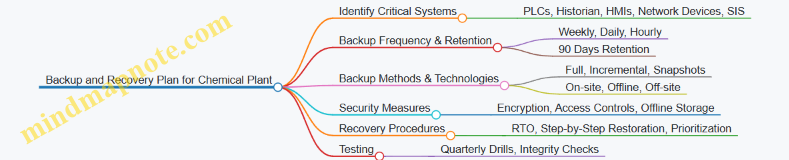
Practical Example Scenario
Scenario: A chemical plant experiences a ransomware attack that encrypts the SCADA historian server.
Response:
- Detect incident and isolate affected systems.
- Verify offline backups of historian data are intact.
- Restore historian data from last hourly incremental backup plus the last full backup.
- Validate data integrity and system functionality.
- Resume normal operations.
- Review incident and update backup procedures if needed.
This example highlights the importance of offline backups, frequent incremental backups, and tested recovery procedures.
By following these structured steps and integrating best practices with practical examples, chemical plants can build resilient backup and recovery plans that safeguard critical ICS data and ensure rapid recovery from disruptions.
10. Security Awareness and Training for ICS Personnel
10.1 Importance of Cybersecurity Training for OT Engineers and Operators
Operational Technology (OT) environments, especially those involving Industrial Control Systems (ICS) and SCADA, are critical to the functioning of essential infrastructure such as power plants, water treatment facilities, and manufacturing lines. Cybersecurity training for OT engineers and plant operators is not just beneficial—it is essential to protect these systems from increasingly sophisticated cyber threats.
Why Cybersecurity Training is Crucial for OT Personnel
- Unique OT Environment: Unlike traditional IT systems, OT systems prioritize availability, safety, and reliability over confidentiality. OT engineers and operators must understand how cybersecurity impacts these priorities.
- Human Factor: Many cyber incidents originate from human error, such as falling for phishing attacks or misconfiguring devices. Training reduces these risks.
- Rapid Incident Response: Well-trained personnel can detect anomalies early and respond effectively, minimizing downtime and damage.
- Compliance and Standards: Many regulations require documented training programs to ensure personnel are aware of cybersecurity policies.
Mind Map: Key Reasons for Cybersecurity Training in OT
Example 1: Phishing Awareness for Plant Operators
A water treatment facility experienced a phishing attack where an operator received an email disguised as a vendor update. Without training, the operator might have clicked a malicious link, potentially compromising the ICS network. However, due to prior cybersecurity training, the operator recognized suspicious signs such as unexpected sender address and poor grammar, reported the email to the security team, and avoided a breach.
Mind Map: Phishing Awareness Training Components
Example 2: Configuration Best Practices for OT Engineers
An OT engineer was tasked with configuring a new PLC. Training emphasized the importance of disabling unused services and changing default passwords. By following these best practices, the engineer reduced the attack surface, preventing attackers from exploiting default credentials that are a common entry point.
Mind Map: Configuration Security Best Practices
Benefits of Continuous Cybersecurity Training
- Keeps OT personnel updated on evolving threats such as ransomware targeting ICS.
- Reinforces a security-first mindset, integrating cybersecurity into daily operations.
- Builds confidence in handling cyber incidents, reducing panic and mistakes.
Summary
Cybersecurity training tailored for OT engineers and operators bridges the gap between technical controls and human behavior. It empowers personnel with the knowledge and skills to protect critical infrastructure effectively, ensuring operational continuity and safety.
Remember: The strongest cybersecurity posture is only as strong as the people who operate and maintain the systems. Investing in their training is investing in the resilience of your ICS environment.
10.2 Developing Role-Specific Security Awareness Programs
Creating effective security awareness programs tailored to the specific roles within an ICS environment is critical for strengthening the overall security posture. Different roles—such as OT Engineers, Cybersecurity Teams, and Plant Operators—face unique challenges and attack vectors, so training must be customized to address their distinct responsibilities and risks.
Why Role-Specific Security Awareness Matters
- Relevance: Training that directly relates to daily tasks increases engagement and retention.
- Risk Mitigation: Different roles have different access levels and attack surfaces.
- Efficiency: Focused programs avoid information overload and prioritize critical knowledge.
Key Steps to Develop Role-Specific Programs
-
Identify Roles and Responsibilities
- Map out all ICS-related roles.
- Understand each role’s access, tools, and potential security impact.
-
Assess Role-Specific Threats and Risks
- Analyze common threats targeting each role.
- Use past incident data and threat intelligence.
-
Define Learning Objectives
- What must each role know and be able to do?
- Examples: recognizing phishing for operators, secure coding for engineers.
-
Develop Customized Content
- Use real-world ICS examples relevant to each role.
- Incorporate interactive elements like simulations and quizzes.
-
Deliver Training Using Appropriate Channels
- In-person workshops, e-learning modules, hands-on labs.
-
Evaluate and Update Regularly
- Use feedback and incident trends to refine content.
Mind Map: Developing Role-Specific Security Awareness Programs
Role-Specific Examples and Best Practices
OT Engineers
- Focus Areas: Secure system design, patch management, configuration hardening.
- Example Training Module: “Identifying and Mitigating ICS Firmware Vulnerabilities”
- Best Practice: Hands-on labs simulating patch deployment with rollback procedures.
Cybersecurity Teams
- Focus Areas: Threat detection, incident response, network monitoring.
- Example Training Module: “Analyzing ICS Network Traffic for Anomalies”
- Best Practice: Tabletop exercises simulating cyber incidents in ICS environments.
Plant Operators
- Focus Areas: Recognizing social engineering, safe remote access, reporting anomalies.
- Example Training Module: “Spotting Phishing Attempts Targeting ICS Personnel”
- Best Practice: Simulated phishing campaigns followed by awareness sessions.
Mind Map: Example Training Topics by Role
Example: Simulated Phishing Exercise for Plant Operators
- Objective: Increase awareness of phishing tactics targeting ICS personnel.
- Process: Send simulated phishing emails mimicking common ICS-related lures.
- Outcome: Track click rates, provide immediate feedback, and conduct follow-up training.
Tips for Successful Role-Specific Programs
- Use language and terminology familiar to each role.
- Incorporate real ICS scenarios and past incident case studies.
- Provide clear, actionable steps tailored to daily workflows.
- Encourage two-way communication and feedback.
- Integrate continuous learning with refresher courses and updates.
By developing and maintaining role-specific security awareness programs, organizations empower their ICS workforce to act as a strong first line of defense against cyber threats, reducing risk and enhancing operational resilience.
10.3 Simulated Phishing and Social Engineering Exercises
Introduction
Phishing and social engineering attacks remain among the most effective methods adversaries use to compromise Industrial Control Systems (ICS). These attacks exploit human psychology rather than technical vulnerabilities, making training and awareness critical for OT engineers, cybersecurity teams, and plant operators.
Simulated phishing and social engineering exercises are proactive methods to educate personnel, test their preparedness, and reinforce secure behaviors in a controlled environment.
Objectives of Simulated Exercises
- Raise awareness about common phishing and social engineering tactics.
- Identify vulnerable individuals or groups within the organization.
- Provide hands-on learning experiences to recognize and respond to suspicious activities.
- Measure effectiveness of training programs and improve them.
Types of Social Engineering Exercises
Designing a Simulated Phishing Campaign
-
Define the Scope and Objectives
- Target groups (e.g., plant operators, engineers, management).
- Types of phishing to simulate (email, SMS, voice).
-
Craft Realistic Phishing Messages
- Use ICS-related themes such as system updates, safety alerts, or maintenance schedules.
- Example: An email appearing to come from the OT security team requesting password confirmation.
-
Deploy the Campaign
- Use phishing simulation platforms or internal tools.
-
Monitor and Analyze Responses
- Track click rates, credential submissions, and report rates.
-
Provide Feedback and Training
- Immediate feedback for those who fall for the simulation.
- Group training sessions highlighting red flags.
Example: Simulated Phishing Email for ICS Personnel
From: [email protected]
Subject: Urgent: ICS System Password Reset Required

Dear Operator,

Due to recent security updates, all ICS system passwords must be reset within 24 hours to maintain network integrity.
Please click the link below to reset your password immediately:

[Reset Password](http://fake-link.example.com)

Failure to comply may result in access suspension.

Thank you,
OT Security Team
Key Learning Points: Recognize urgency cues, verify sender authenticity, avoid clicking unknown links.
Physical Social Engineering Exercise Example
Tailgating Simulation: An authorized employee attempts to enter a secure control room by following closely behind another employee without using their own access card.
Training Outcome: Reinforce the importance of challenging unknown individuals and never allowing unauthorized tailgating.
Mind Map: Steps to Conduct a Social Engineering Exercise
Best Practices for Running Simulated Exercises
- Maintain Ethical Standards: Inform management and ensure exercises do not cause undue stress.
- Use Realistic but Safe Scenarios: Avoid overly aggressive tactics that might disrupt operations.
- Ensure Confidentiality: Protect participant privacy and use results constructively.
- Repeat Regularly: Conduct exercises periodically to maintain awareness.
- Integrate with Broader Security Program: Combine with technical controls and policy enforcement.
Measuring Success
- Reduction in click rates over time.
- Increased reporting of suspicious emails.
- Improved incident response times.
- Positive feedback from participants.
Summary
Simulated phishing and social engineering exercises are essential tools to strengthen the human element of ICS security. By creating realistic scenarios tailored to the operational environment, organizations can empower their personnel to recognize and resist social engineering threats effectively.
Additional Resources
- SANS Security Awareness Phishing Toolkit
- NIST Special Publication 800-50: Building an Information Technology Security Awareness and Training Program
- ICS-CERT Social Engineering Guidance
10.4 Example: Conducting a Security Workshop for Plant Operators
Conducting a security workshop tailored specifically for plant operators is a critical step in strengthening the overall cybersecurity posture of an ICS environment. Plant operators are on the front lines of operational technology (OT) and often interact directly with ICS/SCADA systems, making their awareness and preparedness essential.
Objectives of the Workshop
- Educate operators on the unique cybersecurity risks in ICS environments.
- Teach best practices for recognizing and responding to security incidents.
- Foster a security-conscious culture among operational staff.
- Provide hands-on exercises and real-world scenarios to reinforce learning.
Workshop Agenda
| Time | Topic |
|---|---|
| 09:00 - 09:30 | Introduction to ICS Cybersecurity |
| 09:30 - 10:15 | Common Threats and Attack Vectors |
| 10:15 - 10:30 | Break |
| 10:30 - 11:15 | Best Practices for Secure Operations |
| 11:15 - 12:00 | Hands-On Scenario: Incident Identification and Reporting |
| 12:00 - 13:00 | Lunch |
| 13:00 - 14:00 | Social Engineering Awareness and Phishing Simulation |
| 14:00 - 14:45 | Interactive Mind Map Exercise: Security Roles and Responsibilities |
| 14:45 - 15:00 | Wrap-Up and Q&A |
Mind Map 1: ICS Security Threats Overview
This mind map helps operators visualize the various types of threats they may encounter, emphasizing that threats come from both external and internal sources.
Best Practice Example: Incident Identification and Reporting
Scenario: An operator notices unusual system behavior — a sudden spike in network traffic and unexpected HMI screen changes.
Steps to follow:
- Do not attempt to fix the issue alone. Immediately notify the ICS security team.
- Document observations: Time, affected systems, and any error messages.
- Follow established incident response protocols.
This example reinforces the importance of timely communication and adherence to protocols to minimize damage.
Mind Map 2: Secure Operational Practices
This mind map serves as a quick reference for operators to remember daily security habits.
Social Engineering Awareness Exercise
Example: A phone call from someone claiming to be a vendor requests remote access to the control system urgently.
Discussion Points:
- How to verify the caller’s identity.
- Importance of following remote access policies.
- Risks of unauthorized access.
This exercise helps operators recognize and resist social engineering attempts.
Mind Map 3: Roles and Responsibilities in ICS Security

This mind map clarifies each role’s contribution to security, fostering teamwork and accountability.
Summary
By integrating interactive mind maps, real-life examples, and hands-on exercises, the workshop empowers plant operators to become active participants in ICS security. This approach not only improves their technical understanding but also builds a proactive security culture essential for protecting critical infrastructure.
11. Compliance, Standards, and Frameworks
11.1 Overview of ICS Security Standards (NIST, IEC 62443, ISA/IEC)
Industrial Control Systems (ICS) security standards provide structured guidelines and best practices to protect critical infrastructure from cyber threats. These standards help OT engineers, cybersecurity teams, and plant operators establish robust security postures tailored to the unique requirements of ICS environments.
Key ICS Security Standards
| Standard | Organization | Focus Area | Applicability |
|---|---|---|---|
| NIST SP 800-82 | National Institute of Standards and Technology (NIST) | ICS-specific cybersecurity guidance and risk management | US federal agencies and private sector globally |
| IEC 62443 | International Electrotechnical Commission (IEC) | Comprehensive ICS security lifecycle and technical controls | Global industrial automation and control systems |
| ISA/IEC 62443 | International Society of Automation (ISA) & IEC | Harmonized with IEC 62443, focusing on automation security | Industrial automation and control systems |
Mind Map: ICS Security Standards Overview
NIST SP 800-82: Guide to ICS Security
NIST Special Publication 800-82 is a comprehensive guide tailored specifically for ICS cybersecurity. It adapts traditional IT security controls to the operational technology (OT) environment, addressing unique ICS characteristics such as real-time operations and safety-critical processes.
Key Components:
- Risk Management Framework: Tailored to ICS environments, emphasizing safety and availability.
- Security Controls: Adapted from NIST SP 800-53, covering access control, audit and accountability, system integrity, and more.
- Incident Response: Guidance on detecting, responding to, and recovering from ICS-specific cyber incidents.
Example: A municipal water treatment plant used NIST SP 800-82 to develop a risk-based security program. They prioritized patching vulnerabilities in PLCs and implemented network segmentation to protect critical control devices, reducing their attack surface significantly.
IEC 62443: The International ICS Security Framework
IEC 62443 is a multi-part standard that addresses cybersecurity throughout the entire lifecycle of ICS—from design and implementation to operation and maintenance.
Core Elements:
- Security Levels (SL): Defines four security levels (SL1 to SL4) representing increasing degrees of protection against threats.
- Zones and Conduits: Architectural concepts to segment and protect ICS networks.
- Roles and Responsibilities: Defines roles such as asset owner, service provider, and component/system manufacturer.
Mind Map: IEC 62443 Core Concepts
Example: A manufacturing plant implemented IEC 62443 by segmenting their network into zones: a control zone for PLCs and an enterprise zone for business systems. They applied SL2 controls to protect against insider threats and unauthorized access, including strict access control policies and encrypted communications.
ISA/IEC 62443: Automation-Focused Security
The International Society of Automation (ISA) collaborates with IEC to promote and implement IEC 62443 standards specifically for automation systems.
Highlights:
- Provides certification programs for products, systems, and personnel.
- Offers practical implementation guides tailored for automation engineers.
- Focuses on integrating security into the automation lifecycle without disrupting operations.
Example: An oil refinery used ISA/IEC 62443 certification to select secure SCADA components. This ensured that all devices met minimum security requirements, simplifying integration and reducing vulnerabilities.
Summary Table: Comparing ICS Security Standards
| Feature | NIST SP 800-82 | IEC 62443 | ISA/IEC 62443 |
|---|---|---|---|
| Scope | ICS cybersecurity guidance | Comprehensive ICS security lifecycle | Automation-specific implementation |
| Geographic Focus | Primarily US, globally adopted | International | International |
| Security Levels | Not explicitly defined | SL1 to SL4 | Follows IEC 62443 levels |
| Certification | No formal certification | Product & system certification | Product, system, and personnel certification |
| Focus Areas | Risk management, incident response | Lifecycle security, architecture | Practical automation security |
Practical Tips for OT Teams
- Start with Risk Assessment: Use NIST SP 800-82 to identify and prioritize risks specific to your ICS environment.
- Adopt IEC 62443 Security Levels: Define security levels for different zones and apply controls accordingly.
- Leverage ISA/IEC 62443 Certifications: When procuring new ICS components, prefer certified products to reduce integration risks.
- Integrate Standards: Combine the strengths of these standards to build a layered, resilient security program.
Final Example: Applying Multiple Standards in Practice
A power generation facility combined NIST SP 800-82 for risk assessment and incident response planning, IEC 62443 for network segmentation and lifecycle security, and ISA/IEC 62443 certification to procure secure devices. This integrated approach helped them reduce downtime during a cyber incident and improved overall operational resilience.
By understanding and applying these ICS security standards, OT engineers, cybersecurity teams, and plant operators can build robust defenses that protect critical infrastructure from evolving cyber threats.
11.2 Aligning ICS Security Programs with Regulatory Requirements
Industrial Control Systems (ICS) operate within highly regulated environments where compliance with industry-specific and governmental regulations is critical. Aligning your ICS security program with these regulatory requirements not only ensures legal compliance but also strengthens your overall security posture.
Understanding Regulatory Requirements for ICS
Regulatory frameworks vary by industry and geography but often share common goals: ensuring safety, reliability, and security of critical infrastructure. Some key regulatory bodies and standards include:
- NERC CIP (North American Electric Reliability Corporation Critical Infrastructure Protection) for the electric sector
- FDA 21 CFR Part 11 for pharmaceutical manufacturing
- NIST SP 800-82 for ICS security guidance
- IEC 62443 series for industrial automation and control systems security
- CFATS (Chemical Facility Anti-Terrorism Standards) for chemical plants
Mind Map: Key Regulatory Frameworks for ICS Security
Steps to Align ICS Security Programs with Regulations
-
Identify Applicable Regulations:
- Assess your industry and jurisdiction to determine which regulations apply.
- Example: A power utility in the US must comply with NERC CIP, while a chemical plant may need to follow CFATS.
-
Map Regulatory Requirements to ICS Security Controls:
- Break down each regulation into specific security requirements.
- Example: NERC CIP requires access control and incident response plans; map these to your existing access management and IR policies.
-
Gap Analysis:
- Compare current ICS security program controls against regulatory requirements.
- Identify missing controls or areas needing improvement.
-
Develop and Implement Policies and Procedures:
- Create or update policies to meet regulatory mandates.
- Example: Implement a documented patch management policy to comply with IEC 62443 requirements.
-
Training and Awareness:
- Ensure personnel understand regulatory obligations and their role in compliance.
-
Continuous Monitoring and Auditing:
- Regularly review and audit ICS security controls to maintain compliance.
- Example: Conduct quarterly audits to verify adherence to NERC CIP standards.
Mind Map: Aligning ICS Security Program with Regulations
Example: Aligning a Water Treatment Plant ICS Security Program with NIST SP 800-82
-
Step 1: Identify Regulations
- The plant operates in the US and follows NIST SP 800-82 guidance.
-
Step 2: Map Requirements
- NIST SP 800-82 recommends risk management, access control, and incident response.
-
Step 3: Gap Analysis
- Current program lacks formal incident response procedures.
-
Step 4: Policy Development
- Develop an incident response plan tailored to ICS environments.
-
Step 5: Training
- Conduct training sessions for OT engineers and plant operators on incident response.
-
Step 6: Monitoring & Auditing
- Implement continuous monitoring tools and schedule quarterly audits.
Practical Tips for Successful Alignment
- Engage Cross-Functional Teams: Include OT engineers, cybersecurity teams, compliance officers, and plant operators.
- Leverage Frameworks: Use IEC 62443 as a comprehensive framework to bridge multiple regulations.
- Automate Compliance Tracking: Use tools to track compliance status and generate reports.
- Document Everything: Maintain thorough documentation to demonstrate compliance during audits.
Summary
Aligning your ICS security program with regulatory requirements is a multi-step process involving identification, mapping, gap analysis, policy development, training, and continuous monitoring. Using mind maps to visualize frameworks and alignment steps can simplify this complex task. Real-world examples, such as the water treatment plant aligning with NIST SP 800-82, illustrate how these principles are applied in practice.
By embedding regulatory compliance into your ICS security program, you not only meet legal obligations but also enhance the resilience and safety of your critical infrastructure.
11.3 Implementing Frameworks for Continuous Improvement
Implementing security frameworks within Industrial Control Systems (ICS) environments is essential for establishing a robust, repeatable, and evolving security posture. Continuous improvement ensures that security measures adapt to emerging threats, technological changes, and operational needs.
Understanding Continuous Improvement in ICS Security
Continuous improvement is a cyclical process of assessing, implementing, monitoring, and refining security controls. In ICS, this approach is critical due to the evolving threat landscape and the unique operational constraints.
Key Frameworks Supporting Continuous Improvement
- NIST Cybersecurity Framework (CSF)
- IEC 62443 Series
- ISA/IEC 62443
- ISO/IEC 27001
These frameworks provide structured methodologies for managing cybersecurity risks and emphasize iterative improvement.
Mind Map: Continuous Improvement Cycle in ICS Security
Step-by-Step Implementation Example: Applying NIST CSF for Continuous Improvement
- Identify: Conduct a comprehensive asset inventory and risk assessment of the ICS environment.
- Example: Catalog all PLCs, HMIs, and network devices in a manufacturing plant.
- Protect: Implement access controls, network segmentation, and patch management.
- Example: Deploy role-based access control (RBAC) and segment the ICS network from the corporate IT network.
- Detect: Set up continuous monitoring and anomaly detection systems.
- Example: Use an ICS-specific intrusion detection system (IDS) to monitor Modbus traffic.
- Respond: Develop and test incident response plans tailored to ICS scenarios.
- Example: Conduct tabletop exercises simulating a ransomware attack on SCADA.
- Recover: Establish backup and recovery procedures and incorporate lessons learned.
- Example: Maintain offline backups of critical control system configurations.
Mind Map: Mapping IEC 62443 Implementation to Continuous Improvement
Practical Example: Continuous Improvement in a Water Treatment Facility
- Initial Assessment: Identified outdated firmware on RTUs and weak password policies.
- Implementation: Rolled out patch management and enforced MFA for operator access.
- Monitoring: Deployed network monitoring tools to detect unusual command sequences.
- Incident Response: Responded to a phishing attempt targeting plant operators.
- Recovery & Lessons Learned: Updated training programs and improved email filtering.
- Next Cycle: Scheduled quarterly risk assessments and penetration tests.
Tips for Successful Framework Implementation
- Engage cross-functional teams including OT engineers, cybersecurity experts, and plant operators.
- Automate monitoring and reporting where possible to reduce human error.
- Document all processes and changes for auditability.
- Regularly review and update policies to reflect operational changes and new threats.
By embedding continuous improvement into ICS security frameworks, organizations can proactively manage risks, enhance resilience, and protect critical infrastructure effectively.
11.4 Example: Applying IEC 62443 Controls in a Manufacturing Facility
In this section, we explore a practical example of how a manufacturing facility can implement IEC 62443 security controls to enhance its Industrial Control Systems (ICS) security posture. IEC 62443 is a comprehensive set of standards designed specifically for OT environments, addressing risk management, system design, and operational security.
Step 1: Establishing the Security Program Foundation
Before applying specific controls, the facility must establish a security program aligned with IEC 62443-2-1 (Security Program Requirements for IACS Asset Owners).
- Example: The manufacturing plant forms a cross-functional cybersecurity team including OT engineers, IT security, and plant operators.
- Practice: Define security policies, roles, and responsibilities.
Mind Map: Security Program Foundation
Step 2: Conducting a Risk Assessment and Zone/Conduit Definition
Using IEC 62443-3-2, the facility segments its ICS network into security zones and conduits based on risk and function.
- Example: The plant divides its network into:
- Zone 1: Control Network (PLCs, RTUs)
- Zone 2: Supervisory Network (HMIs, SCADA servers)
- Zone 3: Corporate IT Network
- Practice: Define conduits (communication paths) between zones and apply security controls accordingly.
Mind Map: Zone and Conduit Definition
Step 3: Implementing Technical Security Controls (IEC 62443-3-3)
The facility applies foundational technical controls such as:
- Identification and Authentication Control (IAC): Enforce unique user IDs and strong passwords for all ICS devices.
- Use Control (UC): Role-Based Access Control (RBAC) limits user permissions.
- System Integrity (SI): Enable firmware validation and secure boot on PLCs.
- Data Confidentiality (DC): Encrypt sensitive communication between SCADA servers and HMIs.
Example: The plant configures the SCADA HMI to require MFA for operator login and restricts access to critical control functions based on roles.
Mind Map: Technical Security Controls
Step 4: Applying Process and Operational Controls (IEC 62443-2-4)
Operational procedures are critical to maintaining security:
- Example: The plant implements a patch management process specifically for ICS devices, scheduling updates during planned maintenance windows.
- Practice: Vendor remote access is tightly controlled via jump servers and logged for auditing.
Mind Map: Process and Operational Controls
Step 5: Monitoring and Continuous Improvement
- Example: The facility deploys an ICS-specific Intrusion Detection System (IDS) that monitors network traffic for anomalies.
- Security metrics and incident reports are reviewed monthly to improve controls.
Mind Map: Monitoring and Improvement
Summary Table: IEC 62443 Control Application in Manufacturing Facility
| IEC 62443 Part | Control Area | Implementation Example |
|---|---|---|
| 2-1 | Security Program | Cross-functional team, policies, training |
| 3-2 | Zone & Conduit Definition | Network segmentation into Control, Supervisory, IT |
| 3-3 | Technical Controls | MFA, RBAC, firmware validation, encrypted comms |
| 2-4 | Process & Operational Controls | Patch management, vendor remote access control |
| 4-1 (future) | Monitoring & Improvement | ICS IDS deployment, monthly security reviews |
By following IEC 62443 standards in a structured way, this manufacturing facility significantly reduces its cybersecurity risks while maintaining operational continuity and compliance.
Additional Example:
- The plant uses IEC 62443-4-2 component requirements to select PLCs that support secure firmware updates and audit logging, ensuring devices meet security expectations from the outset.
Mind Map: Component Security (IEC 62443-4-2)
This holistic approach demonstrates how IEC 62443 can be practically applied with clear examples and structured controls tailored to an operational manufacturing environment.
12. Emerging Technologies and Future Trends in ICS Security
12.1 Role of Artificial Intelligence and Machine Learning in ICS Security
Industrial Control Systems (ICS) and SCADA environments are increasingly adopting Artificial Intelligence (AI) and Machine Learning (ML) technologies to enhance security measures. These advanced technologies help detect anomalies, predict threats, automate responses, and improve overall resilience against cyberattacks. Below is a detailed exploration of how AI and ML integrate into ICS security, accompanied by mind maps and practical examples.
Understanding AI and ML in ICS Security
- Artificial Intelligence (AI): The simulation of human intelligence processes by machines, especially computer systems.
- Machine Learning (ML): A subset of AI that enables systems to learn and improve from experience without being explicitly programmed.
In ICS security, AI/ML analyze vast amounts of operational and network data to identify patterns and detect deviations that may indicate cyber threats.
Mind Map: AI & ML Applications in ICS Security
Threat Detection
AI-powered anomaly detection systems monitor ICS network traffic and device behavior to identify unusual activities that deviate from established baselines.
Example: A manufacturing plant deploys an ML-based IDS that learns normal PLC command patterns. When an attacker attempts to send unauthorized commands, the system flags the anomaly and alerts the security team before any damage occurs.
Predictive Maintenance
ML algorithms analyze sensor data from ICS devices to predict equipment failures, allowing preemptive maintenance and reducing unplanned downtime.
Example: In a power generation facility, ML models analyze vibration and temperature data from turbines. The system predicts potential failures days in advance, enabling timely maintenance and avoiding costly outages.
Mind Map: AI-Driven Threat Detection Workflow
Automated Incident Response
AI systems can automatically initiate predefined response actions upon detecting threats, reducing reaction time and limiting damage.
Example: A chemical plant uses an AI system that, upon detecting suspicious network traffic targeting RTUs, automatically isolates affected network segments and notifies the incident response team.
Behavioral Analytics
User and Entity Behavior Analytics (UEBA) powered by ML models track normal user activities and detect insider threats or compromised accounts.
Example: An OT engineer’s login behavior suddenly changes, accessing unusual control systems at odd hours. The UEBA system flags this as suspicious, prompting an investigation that uncovers a compromised account.
Data Analysis
AI/ML techniques analyze large volumes of ICS logs and network data to uncover hidden attack patterns and improve forensic investigations.
Example: After a ransomware attack on a water treatment plant, AI-assisted log analysis helps trace the attack vector and timeline, enabling faster recovery and improved defenses.
Challenges and Considerations
- Data Quality: ICS environments generate noisy and heterogeneous data, requiring careful preprocessing.
- False Positives: Overly sensitive models may trigger excessive alerts, overwhelming operators.
- Model Training: Requires historical data and domain expertise to build effective models.
- Integration: AI/ML systems must integrate seamlessly with existing ICS infrastructure without disrupting operations.
Summary
AI and ML are transformative technologies for ICS security, offering enhanced detection, prediction, and response capabilities. By leveraging these tools, OT engineers and cybersecurity teams can proactively defend critical infrastructure against evolving cyber threats.
Additional Example: AI-Based Anomaly Detection in a Smart Grid
A smart grid operator implements an ML model that continuously learns from normal power flow patterns. When a cyber attacker attempts to manipulate load data to cause grid instability, the AI system detects the anomaly within seconds and triggers automated safeguards, preventing a blackout.
By embracing AI and ML technologies, ICS security teams can move from reactive defense to proactive and predictive security postures, safeguarding vital industrial processes with greater efficiency and accuracy.
12.2 Blockchain for Data Integrity and Secure Transactions
Introduction
Blockchain technology, originally developed as the backbone for cryptocurrencies, has found promising applications in enhancing Industrial Control Systems (ICS) security. Its decentralized, immutable ledger offers a robust method to ensure data integrity and secure transactions within ICS/SCADA environments.
Why Blockchain for ICS?
- Data Integrity: Immutable records prevent tampering with critical operational data.
- Transparency: All participants can verify transactions, increasing trust.
- Decentralization: Eliminates single points of failure common in traditional ICS architectures.
- Traceability: Every change or command is logged with a timestamp, aiding audits and forensic analysis.
Mind Map: Blockchain Benefits in ICS Security
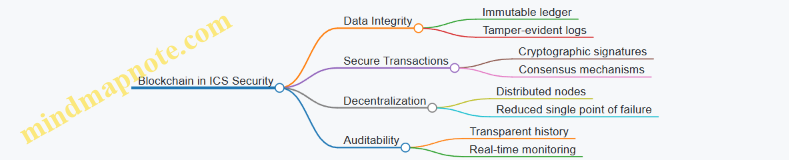
How Blockchain Works in ICS Context
- Data Generation: Sensors, PLCs, or RTUs generate operational data or control commands.
- Transaction Creation: Data or commands are packaged as transactions.
- Verification: Transactions are verified by network nodes using consensus algorithms.
- Block Formation: Verified transactions are grouped into blocks.
- Chain Update: Blocks are cryptographically linked to the previous block, forming an immutable chain.
- Access: Authorized ICS components and operators can query the blockchain for verified data.
Example: Using Blockchain to Secure Sensor Data Integrity
Scenario: A chemical plant wants to ensure that sensor readings (e.g., temperature, pressure) are not altered maliciously or accidentally.
Implementation:
- Each sensor reading is hashed and recorded as a transaction on a private blockchain maintained by the plant’s ICS network.
- Nodes include control room servers, historian systems, and select PLCs.
- Any attempt to alter historical sensor data would be immediately evident due to hash mismatches.
Outcome:
- Operators can trust the sensor data for decision-making.
- Auditors can verify the integrity of historical data during compliance checks.
Mind Map: Blockchain Implementation Steps in ICS
Best Practices for Blockchain in ICS
- Use Permissioned Blockchains: Restrict participation to trusted ICS components and personnel to maintain control and performance.
- Integrate with Existing Security Controls: Blockchain complements, not replaces, traditional ICS security like firewalls and access controls.
- Optimize for Latency: ICS environments require real-time or near-real-time responses; choose consensus algorithms that minimize delays.
- Regularly Audit Smart Contracts: Ensure that automated rules governing transactions are secure and error-free.
Example: Secure Transaction of Control Commands Using Blockchain
Scenario: In a power grid SCADA system, control commands (e.g., opening a breaker) must be securely logged and verified.
Implementation:
- Each control command is recorded as a blockchain transaction with a digital signature from the operator.
- Consensus among nodes ensures the command is legitimate before execution.
- Immutable logging provides a tamper-proof audit trail.
Benefits:
- Prevents unauthorized commands.
- Enables forensic analysis in case of incidents.
Challenges and Considerations
- Scalability: Blockchain networks can introduce overhead; careful design is needed to avoid impacting ICS performance.
- Integration Complexity: Legacy ICS devices may not natively support blockchain interfaces.
- Governance: Clear policies must define who can participate and how consensus is reached.
Summary
Blockchain technology offers a powerful tool to enhance data integrity and secure transactions in ICS/SCADA systems. By leveraging its decentralized and immutable nature, organizations can build trust, improve auditability, and reduce risks associated with data tampering and unauthorized commands.
Additional Resources
- IEC 62443 and Blockchain Integration
- NIST Blockchain Technology Overview
- Industrial Blockchain Consortium
12.3 The Impact of IoT and IIoT on ICS Security Posture
The integration of Internet of Things (IoT) and Industrial Internet of Things (IIoT) technologies into Industrial Control Systems (ICS) has transformed operational capabilities but also introduced new security challenges. Understanding these impacts is critical for OT engineers, cybersecurity teams, and plant operators to effectively safeguard ICS environments.
What are IoT and IIoT?
- IoT (Internet of Things): Network of interconnected devices embedded with sensors, software, and connectivity to collect and exchange data.
- IIoT (Industrial Internet of Things): Specialized subset of IoT focused on industrial applications such as manufacturing, energy, and utilities, integrating sensors and devices into ICS for enhanced automation and analytics.
Mind Map: Key Differences Between IoT and IIoT
How IoT and IIoT Affect ICS Security Posture
-
Expanded Attack Surface
- Addition of numerous connected devices increases entry points for attackers.
- Example: A compromised IIoT sensor providing unauthorized access to the ICS network.
-
Increased Complexity and Interconnectivity
- Integration of legacy ICS with modern IIoT devices creates complex environments that are harder to secure.
- Example: A legacy PLC communicating with cloud-based analytics platforms via IIoT gateways.
-
Data Volume and Velocity
- Massive data generated by IIoT devices requires robust data integrity and confidentiality controls.
- Example: Real-time sensor data streaming to cloud services for predictive maintenance.
-
New Protocols and Technologies
- Use of protocols like MQTT, CoAP, and OPC UA introduces unfamiliar security considerations.
- Example: MQTT broker misconfiguration leading to unauthorized data access.
-
Remote Access and Cloud Integration
- IIoT often leverages cloud platforms, increasing risks related to remote access and third-party dependencies.
- Example: Vendor cloud portal compromised, exposing ICS telemetry data.
Mind Map: Security Challenges Introduced by IoT/IIoT in ICS
Best Practices to Mitigate IoT/IIoT Security Risks in ICS
-
Device Authentication and Authorization
- Ensure all IIoT devices have strong identity management.
- Example: Use X.509 certificates for device authentication.
-
Network Segmentation
- Separate IIoT devices from critical ICS networks using firewalls and VLANs.
- Example: Place IIoT sensors in a DMZ zone with limited access to control systems.
-
Secure Communication Protocols
- Use encrypted protocols (TLS) for MQTT and OPC UA communications.
- Example: Enabling TLS 1.2 on MQTT brokers to protect sensor data.
-
Regular Firmware Updates and Patch Management
- Keep IIoT device firmware up-to-date to mitigate known vulnerabilities.
- Example: Scheduled patch cycles for IIoT gateways in a manufacturing plant.
-
Continuous Monitoring and Anomaly Detection
- Deploy IDS/IPS tailored for IIoT traffic patterns.
- Example: Detecting unusual sensor data spikes indicating a potential compromise.
-
Vendor and Supply Chain Security
- Assess and monitor security posture of IIoT device vendors.
- Example: Requiring security attestations from IIoT hardware suppliers.
Example Scenario: Securing IIoT Sensors in a Smart Factory
A smart factory integrates IIoT sensors on assembly lines to monitor temperature and vibration for predictive maintenance. The sensors communicate via MQTT to a local gateway, which forwards data to a cloud analytics platform.
- Challenge: MQTT broker was initially deployed without encryption, exposing data to interception.
- Mitigation: Implemented TLS encryption and mutual authentication between sensors and broker.
- Additional Controls: Network segmentation isolated IIoT devices from core ICS networks.
- Outcome: Improved data confidentiality and reduced risk of unauthorized access.
Summary
The adoption of IoT and IIoT technologies enhances ICS capabilities but requires a proactive security approach to address the expanded attack surface, new protocols, and integration complexities. By applying layered security controls, continuous monitoring, and rigorous vendor management, organizations can strengthen their ICS security posture in the evolving IIoT landscape.
12.4 Example: Leveraging AI-Based Anomaly Detection in a Smart Grid
Artificial Intelligence (AI) has become a transformative technology in enhancing the security and reliability of Industrial Control Systems (ICS), especially within smart grids. This section explores how AI-based anomaly detection can be effectively applied to monitor and protect smart grid operations.
Understanding AI-Based Anomaly Detection in Smart Grids
AI-based anomaly detection uses machine learning algorithms to identify unusual patterns or behaviors in the operational data of smart grids that may indicate faults, cyber-attacks, or equipment failures.
Key Benefits:
- Early detection of cyber intrusions
- Identification of equipment malfunctions
- Reduction of false positives compared to traditional rule-based systems
Mind Map: AI-Based Anomaly Detection Components
Practical Example: Deploying AI Anomaly Detection in a Smart Grid
Scenario: A regional smart grid operator wants to detect cyber intrusions and equipment anomalies in real-time to prevent outages and maintain grid stability.
Step 1: Data Collection
- Collect real-time data from smart meters, Phasor Measurement Units (PMUs), and network devices.
- Include network flow data and control commands.
Step 2: Data Preprocessing
- Clean data to remove noise caused by sensor errors.
- Normalize data to a common scale.
- Extract features such as voltage fluctuations, frequency deviations, and unusual command sequences.
Step 3: Model Selection
- Use an unsupervised learning model such as an autoencoder to learn normal operational patterns without requiring labeled attack data.
Step 4: Training and Validation
- Train the model on historical normal operation data.
- Validate using a dataset containing known anomalies (e.g., simulated cyber-attacks or equipment faults).
Step 5: Deployment and Monitoring
- Deploy the model in the operational environment.
- Continuously monitor anomaly scores and generate alerts when thresholds are exceeded.
Step 6: Incident Response
- When an anomaly is detected, notify operators via dashboards and automated alerts.
- Initiate predefined response protocols such as isolating affected segments or performing deeper forensic analysis.
Mind Map: AI Anomaly Detection Workflow in Smart Grid
Example Alert Scenario
- Anomaly Detected: Sudden spike in control command frequency from an unexpected IP address.
- AI System Response: Generates high anomaly score, triggers alert.
- Operator Action: Investigates the source, confirms unauthorized access attempt.
- Mitigation: Network segment isolated, credentials reset, forensic analysis initiated.
Challenges and Considerations
- Data Quality: AI models require high-quality, representative data.
- False Positives: Balancing sensitivity to avoid alert fatigue.
- Model Drift: Periodic retraining needed to adapt to evolving grid conditions.
- Integration: Seamless integration with existing SCADA and monitoring systems.
Summary
Leveraging AI-based anomaly detection in smart grids empowers OT engineers and cybersecurity teams to proactively identify and respond to threats and operational issues. By combining robust data collection, advanced machine learning models, and clear incident response workflows, smart grid operators can enhance resilience and maintain reliable power delivery.
For further reading, consider exploring open-source AI anomaly detection tools like TensorFlow Anomaly Detection, Azure Anomaly Detector, or specialized ICS security platforms that incorporate AI capabilities.
13. Case Studies and Real-World Implementations
13.1 Case Study: Securing a National Power Utility’s SCADA Network
Overview
This case study explores the comprehensive security measures implemented to protect the SCADA network of a national power utility. The utility operates a vast network of power generation plants, substations, and transmission lines controlled and monitored via SCADA systems. Given the critical nature of the infrastructure, ensuring robust cybersecurity was paramount to prevent disruptions, protect physical assets, and maintain national energy security.
Initial Challenges
- Legacy systems with minimal built-in security
- Lack of network segmentation leading to broad attack surfaces
- Inconsistent access control policies
- Limited visibility into network traffic and device behavior
- Vendor remote access without strong authentication
Step 1: Comprehensive Risk Assessment
The utility began by conducting a detailed risk assessment to identify vulnerabilities and prioritize mitigation efforts.
Mind Map: Risk Assessment Focus Areas
Example: The team discovered that several RTUs were running outdated firmware with known vulnerabilities, posing a risk of remote code execution.
Step 2: Network Segmentation and Architecture Redesign
To limit lateral movement by attackers, the utility redesigned its network architecture.
Mind Map: Network Segmentation Strategy
Example: A DMZ was established to isolate SCADA servers from the enterprise network, with strict firewall rules allowing only necessary communication.
Step 3: Access Control Enhancements
The utility implemented role-based access control (RBAC) and multi-factor authentication (MFA) for all SCADA system users.
Mind Map: Access Control Measures
Example: Vendor engineers were granted time-limited access via a jump server requiring MFA, reducing risk from third-party connections.
Step 4: Patch Management and System Hardening
A structured patch management program was introduced, balancing operational continuity with security needs.
Mind Map: Patch Management Workflow

Example: The team tested firmware updates for PLCs in a simulated environment before deploying them during scheduled outages.
Step 5: Continuous Monitoring and Incident Response
To detect and respond to threats quickly, the utility deployed advanced monitoring tools and developed an incident response plan.
Mind Map: Monitoring and Response Framework
Example: Anomaly detection tools flagged unusual command sequences to a substation PLC, triggering an immediate investigation that revealed a misconfigured device rather than an attack.
Step 6: Security Awareness and Training
Recognizing human factors as a critical risk, the utility conducted regular cybersecurity training tailored for OT personnel.
Example: Operators participated in phishing simulation exercises, improving their ability to recognize social engineering attempts targeting SCADA credentials.
Outcomes and Lessons Learned
- Significant reduction in attack surface through segmentation
- Improved visibility and faster incident detection
- Enhanced security posture without compromising operational uptime
- Importance of collaboration between IT and OT teams
Summary Table: Key Security Measures and Examples
| Security Measure | Implementation Example |
|---|---|
| Risk Assessment | Identified outdated RTU firmware vulnerabilities |
| Network Segmentation | Established DMZ with strict firewall rules |
| Access Control | Deployed MFA and RBAC for operators and vendors |
| Patch Management | Tested patches in lab before deployment |
| Monitoring & Incident Response | Used anomaly detection to flag unusual PLC commands |
| Security Awareness | Conducted phishing simulations for plant operators |
This case study demonstrates that securing a national power utility’s SCADA network requires a holistic approach combining technical controls, process improvements, and personnel training. By implementing these best practices with real-world examples, OT engineers, cybersecurity teams, and plant operators can significantly enhance the resilience of critical infrastructure.
13.2 Case Study: Incident Response to a Ransomware Attack on a Water Facility
Overview
In this case study, we explore a ransomware attack on a municipal water treatment facility’s ICS/SCADA environment. The attack disrupted water treatment operations, risking public health and safety. We will walk through the incident response lifecycle, highlighting best practices, lessons learned, and practical examples.
Incident Timeline
- Day 1: Initial infection via phishing email targeting plant operator.
- Day 2: Ransomware spreads to SCADA servers, encrypting critical control data.
- Day 3: Detection by monitoring tools; incident response team activated.
- Day 4: Containment and eradication efforts begin.
- Day 5: Recovery and system restoration.
Mind Map: Incident Response Phases
Preparation: Best Practices and Examples
- Phishing Awareness Training: Regular simulated phishing campaigns helped operators recognize suspicious emails, reducing initial infection risk.
- Network Segmentation: The facility had segmented the ICS network from corporate IT, limiting ransomware spread.
- Backup Strategy: Offline, immutable backups of SCADA configurations and control data were maintained.
Example: The plant used a dedicated jump server for remote access, which was disabled immediately upon detection, preventing further lateral movement.
Identification: Detection Techniques
- Anomaly Detection: Network monitoring tools flagged unusual outbound traffic from SCADA servers.
- Operator Alerts: Operators noticed abnormal HMI behavior and inability to access control functions.
Example: An IDS alert triggered when ransomware attempted to communicate with its command and control server.
Containment: Actions Taken
- Immediate isolation of infected SCADA servers from the network.
- Disabling VPN access to prevent external spread.
- Blocking known malicious IP addresses at the firewall.
Example: The incident response team used network segmentation to quarantine affected zones without shutting down the entire plant.
Eradication: Removing the Threat
- Malware removal tools were run on affected systems.
- Vulnerabilities exploited by the ransomware (e.g., unpatched Windows systems) were identified and patched.
- Comprehensive scans ensured no residual malware remained.
Example: The team discovered a legacy system running unsupported software; it was isolated and scheduled for upgrade.
Recovery: Restoring Operations
- Systems were restored from verified clean backups.
- Integrity checks ensured no tampered control logic or data.
- Gradual resumption of normal operations with heightened monitoring.
Example: The backup restoration process included validation of PLC programs to confirm no unauthorized changes.
Lessons Learned and Improvements
- Enhanced Monitoring: Deployment of AI-based anomaly detection improved early warning capabilities.
- Improved Patch Management: Instituted a regular patching schedule for all ICS devices.
- Vendor Access Controls: Strengthened third-party remote access policies.
- Incident Response Drills: Regular tabletop exercises to improve readiness.
Mind Map: Post-Incident Improvements
Summary
This ransomware incident underscored the critical importance of preparation, rapid detection, and coordinated response in ICS environments. By applying best practices such as network segmentation, employee training, and robust backup strategies, the water facility minimized operational downtime and safeguarded public health.
The case study serves as a practical example for OT engineers, cybersecurity teams, and plant operators to understand how integrated security measures and incident response protocols can effectively mitigate ransomware threats in ICS/SCADA systems.
13.3 Lessons Learned from Cyber-Physical Attacks on ICS
Industrial Control Systems (ICS) are critical infrastructure components that manage essential services such as power generation, water treatment, manufacturing, and transportation. Cyber-physical attacks on ICS not only disrupt digital operations but can cause physical damage, safety hazards, and significant economic impact. Understanding lessons learned from past attacks is vital for OT engineers, cybersecurity teams, and plant operators to strengthen defenses and respond effectively.
Key Lessons Learned from Notable Cyber-Physical Attacks
Attack: Stuxnet (2010)
- Overview: A sophisticated worm targeting Iranian nuclear centrifuges by manipulating PLCs to spin centrifuges at damaging speeds while reporting normal operations to operators.
- Lessons:
- Importance of securing PLC firmware and validating code authenticity.
- Need for network segmentation to isolate critical control devices.
- Monitoring for anomalous device behavior beyond network traffic.
Attack: Ukraine Power Grid (2015 & 2016)
- Overview: Coordinated cyberattacks caused widespread power outages by compromising SCADA systems and remotely switching off substations.
- Lessons:
- Necessity of multi-layered authentication and access controls.
- Importance of incident response plans tailored for ICS environments.
- Continuous monitoring and anomaly detection to identify intrusions early.
Attack: Triton/Trisis Malware (2017)
- Overview: Malware targeting safety instrumented systems (SIS) to disable safety controls in a petrochemical plant, risking catastrophic physical damage.
- Lessons:
- Protecting safety systems as a top priority, separate from regular ICS controls.
- Implementing strict vendor and third-party access controls.
- Regular security assessments and penetration testing of SIS.
Mind Map: Core Lessons from Cyber-Physical ICS Attacks
Practical Examples Illustrating Lessons Learned
Example 1: Network Segmentation to Prevent Lateral Movement
A manufacturing plant implemented strict network segmentation after studying the Ukraine power grid attack. Critical PLCs and safety systems were isolated in separate zones with firewalls controlling traffic. When a phishing attack compromised a workstation, the segmentation prevented attackers from reaching control devices, limiting damage.
Example 2: Firmware Integrity Verification
Following Stuxnet, a water treatment facility introduced cryptographic signing and verification of PLC firmware updates. This ensured only authenticated and tested firmware could be installed, preventing malicious code injection.
Example 3: Incident Response Drills
A petrochemical plant conducted regular ICS-specific incident response exercises simulating malware attacks on safety instrumented systems. These drills improved coordination between OT and cybersecurity teams, reducing response time and minimizing operational impact.
Summary
Cyber-physical attacks on ICS reveal that security cannot rely solely on traditional IT measures. A holistic approach encompassing network architecture, device hardening, access control, continuous monitoring, incident response, and personnel training is essential. Learning from past incidents helps organizations anticipate attacker tactics and build resilient ICS environments that protect both digital and physical assets.
13.4 Best Practice Implementation Summary from Multiple Industries
Industrial Control Systems (ICS) security best practices often share common principles across industries, yet each sector tailors implementations to its unique operational requirements and threat landscapes. This section summarizes key best practices distilled from diverse industries such as energy, water treatment, manufacturing, and chemical processing, supported by practical examples and mind maps to visualize their integration.
Mind Map: Core ICS Security Best Practices
Energy Sector: Power Grid SCADA Security
Implementation Highlights:
- Network Segmentation: Power utilities implement strict zone separation between corporate IT and operational technology (OT) networks, using firewalls and DMZs to control data flow.
- Access Control: Operators use RBAC combined with MFA to restrict control room access.
- Patch Management: Due to critical uptime requirements, patches are applied during carefully planned maintenance windows with vendor support.
- Monitoring: AI-driven anomaly detection tools monitor network traffic to identify unusual command sequences.
Example: A national power utility deployed a layered defense strategy where the SCADA network is segmented into process, control, and corporate zones. They use jump servers with MFA for remote vendor access, reducing attack surface and improving auditability.
Water Treatment Facilities
Implementation Highlights:
- Incident Response: Water plants develop detailed incident response playbooks tailored to chemical dosing and pump control systems.
- Training: Operators undergo regular cybersecurity awareness training focused on social engineering risks.
- Backup Strategies: Critical control data and configurations are backed up daily with offsite encrypted storage.
Example: After a ransomware attack simulation, a municipal water treatment plant improved its incident response by establishing a dedicated ICS cybersecurity team and conducting quarterly tabletop exercises.
Manufacturing Industry
Implementation Highlights:
- Patch Management: Manufacturing plants adopt a risk-based patching approach, prioritizing critical vulnerabilities while ensuring production continuity.
- Secure Remote Access: Use of VPNs combined with jump servers for vendor and remote engineer access.
- Monitoring: Deployment of IDS tailored to industrial protocols (e.g., Modbus, DNP3).
Example: A car manufacturing facility segmented its OT network into functional zones (assembly line, quality control, logistics) and implemented strict access controls, reducing lateral movement risks during cyber incidents.
Chemical Processing Plants
Implementation Highlights:
- Data Integrity: Use of cryptographic hashes to verify integrity of control system configurations.
- Compliance: Alignment with IEC 62443 standards for secure system lifecycle management.
- Training: Role-specific cybersecurity training for plant operators and engineers.
Example: A chemical plant integrated automated backup solutions with cryptographic validation and implemented IEC 62443 controls, resulting in improved audit readiness and faster recovery from system faults.
Mind Map: Industry-Specific ICS Security Focus Areas
Summary Table: Best Practice Implementation Examples
| Industry | Key Practice | Example Implementation Detail |
|---|---|---|
| Energy | Network Segmentation | Zone and conduit model with DMZs and jump servers |
| Water Treatment | Incident Response | Quarterly tabletop exercises and dedicated ICS cybersecurity team |
| Manufacturing | Patch Management | Risk-based patching aligned with production schedules |
| Chemical Processing | Data Integrity & Compliance | Cryptographic validation and IEC 62443 aligned lifecycle management |
Final Thoughts
While each industry faces unique operational constraints and threat profiles, the integration of foundational ICS security best practices—network segmentation, access control, patch management, monitoring, incident response, and training—forms a resilient defense posture. By learning from cross-industry implementations and tailoring these practices with practical examples, OT engineers, cybersecurity teams, and plant operators can significantly enhance their ICS security maturity.
14. Conclusion and Next Steps
14.1 Recap of Key ICS Security Principles and Best Practices
Industrial Control Systems (ICS) and SCADA environments require a specialized approach to cybersecurity that balances operational continuity with robust protection. Below is a comprehensive recap of the foundational principles and best practices covered throughout this blog, reinforced with mind maps and practical examples.
Key ICS Security Principles
Explanation:
- Defense-in-Depth: Layered security controls reduce the risk of a single point of failure. For example, segmenting the network into zones (corporate, DMZ, control) limits lateral movement of attackers.
- Risk Management: Identifying and prioritizing threats allows focused mitigation. A water treatment plant’s risk assessment might reveal vulnerabilities in remote access that need immediate attention.
- System Integrity: Regular patching and device hardening prevent exploitation of known vulnerabilities. For instance, applying firmware updates on PLCs during scheduled maintenance windows.
- Human Factor: Training operators to recognize phishing attempts or social engineering reduces insider risks. Role-based access ensures users only have permissions necessary for their job.
- Compliance & Standards: Following frameworks like IEC 62443 ensures a structured security program aligned with industry best practices.
Best Practices Recap with Examples
Examples:
-
Network Segmentation: A manufacturing plant segmented its ICS network into three zones: control, DMZ, and corporate. Firewalls between zones enforce strict rules, preventing unauthorized access from corporate IT to control devices.
-
Access Control: Implementing Multi-Factor Authentication (MFA) on SCADA HMIs reduced unauthorized logins. For example, operators use smart cards plus PINs to access critical control interfaces.
-
Patch Management: A power grid operator established a patch management workflow that includes testing patches in a lab environment before deployment, minimizing downtime and preventing disruptions.
-
Monitoring & Incident Response: Deploying behavioral analytics detected unusual command sequences on a PLC, triggering an automated incident response that isolated the affected device.
-
Remote Access: A refinery implemented a jump server requiring VPN and MFA for all vendor remote sessions, with detailed logging and session recording for auditing.
-
Backup & Recovery: A chemical plant designed a backup plan that includes offline backups of control system configurations and historian data, ensuring quick recovery from ransomware attacks.
-
Training & Awareness: Regular security workshops and phishing simulations for plant operators increased awareness, resulting in a 40% reduction in successful phishing attempts.
Summary Table of Principles and Practices with Examples
| Principle / Practice | Description | Real-World Example |
|---|---|---|
| Defense-in-Depth | Layered security controls | Network segmentation in manufacturing plant |
| Risk Management | Continuous threat and vulnerability assessment | Water treatment plant risk assessment |
| System Integrity | Patch management and device hardening | Firmware updates on PLCs during maintenance |
| Human Factor | Training and role-based access | MFA deployment on SCADA HMIs |
| Compliance & Standards | Adherence to IEC 62443, NIST | Applying IEC 62443 controls in manufacturing |
| Network Security | Firewalls, IDS, segmentation | Firewalls between corporate and control zones |
| Access Control | RBAC, MFA, vendor access management | Jump server with MFA for vendor remote access |
| Monitoring & Response | Anomaly detection, incident response plans | Behavioral analytics detecting PLC anomalies |
| Backup & Recovery | Regular backups and data integrity checks | Offline backups for ransomware recovery |
| Training & Awareness | Role-specific training and phishing simulations | Security workshops reducing phishing success rate |
This recap serves as a foundation for building and maintaining resilient ICS security programs. By integrating these principles and best practices with real-world examples, OT engineers, cybersecurity teams, and plant operators can better protect critical infrastructure from evolving cyber threats.
14.2 Building a Culture of Security in Operational Technology
Creating a robust culture of security within Operational Technology (OT) environments is essential for sustaining long-term protection of Industrial Control Systems (ICS) and SCADA networks. Unlike traditional IT environments, OT systems have unique operational priorities, such as availability and safety, which must be balanced carefully with security measures. Building a security culture means embedding security awareness, responsibility, and proactive behavior into every layer of the organization—from plant operators to senior management.
Why Build a Security Culture in OT?
- Human Factor is Critical: Most security incidents arise from human error or insider threats.
- Complexity of OT Systems: OT environments are often heterogeneous, with legacy systems and proprietary protocols.
- Continuous Threat Landscape: Attackers are increasingly targeting ICS for disruption or espionage.
- Compliance and Reputation: Regulatory bodies expect demonstrable security awareness and practices.
Key Components of a Security Culture in OT
Practical Steps to Build Security Culture
Conduct Role-Based Security Training
Example: In a chemical processing plant, operators receive training focused on recognizing social engineering attempts targeting control room access, while OT engineers get deep dives on patch management and network segmentation.
- Use interactive workshops rather than passive lectures.
- Incorporate real-world ICS attack scenarios.
- Reinforce training with periodic refreshers and quizzes.
Establish Clear and Accessible Security Policies
Example: A manufacturing facility develops a concise, illustrated security handbook that explains acceptable use of USB devices and remote access procedures, distributed to all plant personnel.
- Policies should be jargon-free and tailored to OT staff.
- Include escalation paths for reporting suspicious activity.
Promote Open Communication and Reporting
Example: An oil refinery implements an anonymous reporting system where operators can flag unusual system behavior without fear of reprisal.
- Encourage reporting of near-misses and anomalies.
- Share incident outcomes transparently to build trust.
Leadership Engagement and Security Champions
Example: Senior management at a water treatment facility holds quarterly security briefings and appoints ‘Security Ambassadors’ within each shift to advocate best practices.
- Leaders must visibly support security initiatives.
- Champions help bridge gaps between IT, OT, and operations teams.
Conduct Regular Security Drills and Simulations
Example: A power generation plant runs a tabletop exercise simulating a ransomware attack on SCADA systems, involving operators, engineers, and cybersecurity teams.
- Drills help identify gaps in incident response.
- Reinforce teamwork and communication under pressure.
Mind Map: Security Culture Building Blocks with Examples
Example Scenario: Transforming Security Culture at a Steel Mill
Challenge: The steel mill experienced repeated phishing incidents and inconsistent patching practices.
Approach:
- Launched a monthly security awareness campaign tailored to shift workers.
- Created a cross-functional security committee including OT engineers, plant operators, and IT security.
- Introduced a reward program recognizing employees who reported security concerns.
- Conducted quarterly incident response drills simulating ICS network intrusions.
Outcome: Within six months, phishing click rates dropped by 40%, patching compliance improved by 30%, and the team responded more effectively to simulated incidents.
Final Thoughts
Building a culture of security in OT is not a one-time project but an ongoing journey. It requires commitment, communication, and collaboration across all levels of the organization. By embedding security into the daily routines and mindset of OT personnel, organizations can significantly reduce risk and enhance the resilience of critical industrial systems.
14.3 Resources for Continued Learning and Improvement
Continuous learning is critical for OT Engineers, Cybersecurity Teams, and Plant Operators to stay ahead of evolving threats in Industrial Control Systems (ICS) and SCADA environments. Below are curated resources, including training platforms, certifications, communities, and tools, along with illustrative mind maps to help organize your learning journey.
Online Training Platforms & Courses
- SANS Institute ICS Security Courses
- Focused on hands-on ICS cybersecurity skills
- Example: ICS410 - ICS/SCADA Security Essentials
- Cybrary ICS Security Path
- Free and paid courses covering fundamentals and advanced topics
- Coursera & edX
- Courses on cybersecurity fundamentals, some with ICS-specific modules
Example:
- Enroll in SANS ICS410 and complete labs simulating real ICS attack scenarios.
Industry Certifications
- Global Industrial Cyber Security Professional (GICSP)
- Combines IT and OT security knowledge
- ISA/IEC 62443 Cybersecurity Certificate Programs
- Focus on standards and best practices
- Certified SCADA Security Architect (CSSA)
- Advanced certification for designing secure ICS architectures
Example:
- Pursue GICSP certification to validate your ICS security expertise.
Authoritative Standards & Frameworks
- ISA/IEC 62443 Series
- Comprehensive ICS security standards
- NIST SP 800-82 Rev 2
- Guide to ICS security
- MITRE ATT&CK for ICS
- Threat and attack technique knowledge base
Example:
- Use NIST SP 800-82 as a baseline to develop your plant’s ICS security policies.
Communities and Forums
- ICS-CERT (Cybersecurity and Infrastructure Security Agency)
- Alerts, advisories, and incident reports
- Industrial Control Systems Cyber Emergency Response Team (ICS-CERT) Mailing List
- LinkedIn Groups: ICS Cybersecurity, OT Security Professionals
- Reddit r/ICS and r/OTSecurity
Example:
- Subscribe to ICS-CERT alerts to stay informed about emerging vulnerabilities.
Tools and Labs for Hands-On Practice
- Cyber Range Platforms
- Example: Cyberbit Range, Dragos ICS Cybersecurity Labs
- Open-Source Tools
- Wireshark with ICS protocol dissectors
- Modbus/TCP simulators
- Virtual ICS Environments
- Use virtual PLCs and SCADA software for testing
Example:
- Set up a virtual lab using open-source Modbus simulators to practice network monitoring.
Mind Maps for Learning Organization
Mind Map 1: ICS Security Learning Path
Mind Map 2: ICS Security Resources
Mind Map 3: Continuous Improvement Cycle
Final Example: Creating a Personalized Learning Plan
- Assess your current knowledge: Use the ICS Security Learning Path mind map to identify gaps.
- Select resources: Choose a combination of online courses (e.g., SANS ICS410), certifications (GICSP), and standards (ISA/IEC 62443).
- Engage with communities: Join ICS-CERT mailing lists and LinkedIn groups.
- Practice hands-on: Build a virtual lab with Modbus simulators and Wireshark.
- Review and update: Periodically revisit the Continuous Improvement Cycle mind map to refine your skills.
By leveraging these resources and structured approaches, ICS professionals can maintain and enhance their cybersecurity capabilities effectively.
14.4 Final Checklist for ICS Security Readiness
Ensuring the security readiness of your Industrial Control Systems (ICS) is a continuous and multi-faceted process. This checklist consolidates the critical areas every OT engineer, cybersecurity team, and plant operator should verify regularly to maintain a robust security posture.
ICS Security Readiness Checklist
ICS Security Readiness Mind Map
Detailed Checklist Items with Examples
Network Security
- Verify network segmentation is implemented: Ensure ICS zones and DMZs are properly separated to limit lateral movement.
- Example: A manufacturing plant segmented its network into three zones, preventing a malware outbreak in the corporate network from reaching the SCADA system.
- Confirm firewalls and intrusion detection/prevention systems (IDS/IPS) are active and updated.
- Use secure communication protocols: Replace legacy protocols with encrypted versions where possible.
Access Control
- Ensure Role-Based Access Control (RBAC) is enforced: Only authorized personnel can access critical systems.
- Example: Operators have HMI access, but engineers have additional configuration privileges.
- Implement Multi-Factor Authentication (MFA): Especially for remote and privileged access.
- Audit and control third-party/vendor access: Use jump servers and time-limited credentials.
Patch Management
- Maintain an up-to-date inventory of all ICS devices and software versions.
- Test patches in a controlled environment before deployment to avoid operational disruptions.
- Example: A power grid operator uses a test lab replicating the production environment to validate patches.
- Apply firmware hardening best practices: Disable unnecessary services and ports.
Monitoring & Detection
- Deploy continuous monitoring tools tailored for ICS traffic.
- Use anomaly detection systems to identify unusual behavior early.
- Develop and regularly update an incident response plan: Conduct drills to ensure readiness.
- Example: A water treatment facility ran a simulated cyberattack to test their incident response effectiveness.
Backup & Recovery
- Schedule regular backups of critical control system configurations and data.
- Verify data integrity through checksums or cryptographic hashes.
- Test recovery procedures periodically to ensure rapid restoration.
Security Awareness
- Conduct regular cybersecurity training tailored to OT personnel.
- Run phishing and social engineering simulations to reinforce vigilance.
- Ensure all staff understand and follow security policies and procedures.
Compliance & Standards
- Align security controls with recognized frameworks such as IEC 62443 and NIST.
- Prepare for and participate in regular audits to verify compliance.
Emerging Technologies
- Evaluate and adopt AI/ML tools for enhanced threat detection.
- Secure remote access solutions with VPNs and jump servers.
- Assess and mitigate risks introduced by IoT and IIoT devices.
Summary Mind Map: ICS Security Readiness Priorities
By regularly reviewing this checklist and integrating these best practices into your daily operations, your ICS environment will be better prepared to withstand evolving cyber threats while maintaining operational continuity and safety.