Practical Cyber Hygiene for Small Businesses
1. Understanding Cyber Hygiene and Its Importance
1.1 What is Cyber Hygiene? Defining the Basics
Cyber hygiene refers to the routine practices and steps that individuals and organizations take to maintain the health and security of their digital environment. Just like personal hygiene involves daily habits to keep our bodies healthy, cyber hygiene involves consistent actions to protect computers, networks, and data from cyber threats.
Why Cyber Hygiene Matters
- Prevents unauthorized access
- Protects sensitive data
- Reduces risk of malware infections
- Ensures business continuity
Core Components of Cyber Hygiene
Simple Examples of Cyber Hygiene in Action
-
Using Strong Passwords: Instead of “password123”, a small business owner uses a complex password like “B!z2024$ecure” for their email accounts.
-
Regular Software Updates: An IT administrator schedules weekly checks to update all software and operating systems, closing security gaps before attackers can exploit them.
-
Backing Up Data: A local bakery backs up their sales and customer data every night to an external hard drive and cloud storage, ensuring they can recover quickly if data is lost.
-
Employee Awareness: A small marketing firm holds monthly training sessions to educate employees about spotting phishing emails and safe internet practices.
Mind Map: Everyday Cyber Hygiene Practices
Real-World Example
Case: A small accounting firm experienced a ransomware attack because an employee clicked a malicious link in an email. However, because they had a strong cyber hygiene routine—regular backups and updated antivirus software—they restored their data within hours without paying the ransom.
This example highlights how foundational cyber hygiene practices can mitigate the impact of cyber incidents.
In summary, cyber hygiene is about adopting simple, consistent habits that safeguard your business’s digital assets. These habits form the first line of defense against cyber threats and are essential for every small business aiming to operate securely in today’s digital landscape.
1.2 Why Cyber Hygiene Matters for Small Businesses
Small businesses are often perceived as less attractive targets for cybercriminals compared to large corporations. However, this perception is misleading and can lead to devastating consequences. Cyber hygiene—the routine practices and steps that help maintain system health and improve security—is crucial for small businesses to protect their assets, reputation, and customer trust.
The Importance of Cyber Hygiene for Small Businesses
- High Target for Cyber Attacks: Small businesses are frequently targeted because they often have weaker security measures in place.
- Limited Resources: Many small businesses lack dedicated IT security teams, making proactive cyber hygiene essential.
- Financial Impact: Cyber incidents can lead to significant financial losses, including costs related to recovery, legal fees, and regulatory fines.
- Reputation Damage: A breach can erode customer trust and damage brand reputation, which is often harder to recover for smaller enterprises.
- Compliance Requirements: Many industries require businesses to follow cybersecurity regulations, and failure to comply can result in penalties.
Mind Map: Why Cyber Hygiene Matters for Small Businesses
Real-World Examples
Example 1: A Small Retail Business Hit by Ransomware
A local retail shop did not regularly update its software or back up data. Cybercriminals exploited a vulnerability and deployed ransomware, locking the business out of its sales system. Without recent backups, the shop faced weeks of downtime and lost sales, ultimately paying a hefty ransom to regain access.
Example 2: Phishing Attack on a Small Consulting Firm
An employee at a small consulting firm received a convincing phishing email that appeared to be from a trusted vendor. The employee clicked a malicious link, compromising the firm’s network. Because the firm had not implemented multi-factor authentication or conducted phishing awareness training, the attackers accessed sensitive client data, resulting in reputational damage and client loss.
Summary
Cyber hygiene is not just a technical necessity but a critical business practice for small businesses. By understanding why it matters, small business owners and IT administrators can prioritize security measures that protect their operations, finances, and reputation from evolving cyber threats.
1.3 Common Cyber Threats Targeting Small Businesses
Small businesses are increasingly targeted by cybercriminals due to often having fewer security resources than larger enterprises. Understanding the common cyber threats is the first step in building effective defenses. Below is a detailed overview of the most prevalent threats, accompanied by mind maps and real-world examples.
Mind Map: Common Cyber Threats Overview
Phishing Attacks
Phishing is a method where attackers impersonate trusted entities to trick employees into revealing sensitive information like passwords or financial details.
-
Example: A small accounting firm received an email appearing to be from their bank requesting urgent verification of account details. An employee clicked the link and entered credentials, leading to unauthorized access.
-
Mind Map:
Ransomware
Ransomware encrypts business data and demands payment for the decryption key. Small businesses often lack backups, making them vulnerable.
-
Example: A local bakery’s point-of-sale system was locked by ransomware. Without recent backups, they paid the ransom to regain access, highlighting the importance of regular backups.
-
Mind Map:
Malware
Malware includes viruses, worms, trojans, and spyware designed to damage or gain unauthorized access to systems.
-
Example: A small marketing agency unknowingly downloaded a trojan disguised as a design tool, which stole client data over several weeks.
-
Mind Map:
Insider Threats
Employees or contractors with access to sensitive data can intentionally or unintentionally cause breaches.
-
Example: An employee at a small tech startup accidentally emailed a client list to an external contact, exposing confidential information.
-
Mind Map:
Password Attacks
Attackers use methods like brute force, credential stuffing, or password spraying to gain unauthorized access.
-
Example: A small law office experienced multiple failed login attempts until an account was compromised due to a weak password.
-
Mind Map:
Denial of Service (DoS) Attacks
These attacks overwhelm a business’s online services, causing downtime and loss of revenue.
-
Example: A small e-commerce site was targeted by a DoS attack during a holiday sale, making the site unavailable for hours.
-
Mind Map:
Man-in-the-Middle (MitM) Attacks
Attackers intercept communications between two parties to steal or manipulate data.
-
Example: A small consulting firm’s employee connected to an unsecured public Wi-Fi and had login credentials intercepted.
-
Mind Map:
Social Engineering
Attackers manipulate individuals into divulging confidential information or performing actions that compromise security.
-
Example: A small nonprofit’s receptionist was convinced over the phone to provide employee payroll information to an impersonator.
-
Mind Map:
Summary
Small businesses face a variety of cyber threats that can have severe consequences if not addressed. By understanding these threats through clear examples and structured mind maps, owners and IT administrators can better prepare and implement effective cyber hygiene practices.
1.4 Real-World Examples: Small Business Cyber Attacks and Lessons Learned
Small businesses often believe they are too small to be targeted by cybercriminals, but real-world incidents prove otherwise. Understanding these attacks and the lessons they offer is crucial for improving cyber hygiene.
Example 1: Ransomware Attack on a Local Accounting Firm
Scenario: A small accounting firm fell victim to a ransomware attack when an employee clicked on a malicious email attachment disguised as an invoice. The ransomware encrypted all client files, halting operations for days.
Impact:
- Loss of access to critical financial data
- Downtime causing missed client deadlines
- Costly ransom demand and recovery expenses
Lessons Learned:
- Importance of employee training to recognize phishing emails
- Necessity of regular data backups stored offline
- Keeping software and antivirus updated to detect ransomware
Example 2: Data Breach at a Small Retailer
Scenario: A small retail store experienced a data breach when hackers exploited an outdated point-of-sale (POS) system vulnerability to steal customer credit card information.
Impact:
- Compromised customer payment data
- Loss of customer trust and reputation damage
- Costs related to breach notification and legal compliance
Lessons Learned:
- Regularly update and patch POS and other critical systems
- Use network segmentation to isolate sensitive systems
- Implement strong access controls and monitor network activity
Example 3: Business Email Compromise (BEC) in a Consulting Firm
Scenario: A small consulting firm’s CFO received a spoofed email appearing to be from the CEO, requesting an urgent wire transfer. The CFO complied, resulting in a significant financial loss.
Impact:
- Loss of funds due to fraudulent wire transfer
- Internal distrust and operational disruption
Lessons Learned:
- Verify unusual payment requests through multiple channels
- Implement email authentication protocols like DMARC, SPF, and DKIM
- Train employees on BEC tactics and red flags
Example 4: Malware Infection in a Small Manufacturing Company
Scenario: A manufacturing company’s employee downloaded free software from an untrusted source, unknowingly installing malware that spread through the network.
Impact:
- System slowdowns and data corruption
- Potential intellectual property theft
- Costly cleanup and system restoration
Lessons Learned:
- Restrict software installation privileges
- Use endpoint protection and malware detection tools
- Educate employees on risks of untrusted downloads
Summary Mind Map: Key Lessons from Small Business Cyber Attacks
By studying these real-world examples, small businesses can better appreciate the importance of practical cyber hygiene measures. Implementing these lessons helps reduce vulnerabilities and strengthens overall security posture.
2. Building a Strong Foundation: Basic Cybersecurity Practices
2.1 Creating and Enforcing Strong Password Policies
Strong password policies are a cornerstone of effective cyber hygiene for small businesses. Passwords are often the first line of defense against unauthorized access, and weak or reused passwords can lead to devastating breaches. This section will guide you through creating robust password policies and enforcing them effectively, with practical examples and mind maps to illustrate key concepts.
Why Strong Password Policies Matter
- Passwords protect sensitive business data and systems.
- Weak passwords are easily cracked by attackers using automated tools.
- Enforcing strong passwords reduces the risk of unauthorized access.
Key Components of a Strong Password Policy
Best Practices for Creating Strong Passwords
- Use a minimum length of 12 characters.
- Combine uppercase letters, lowercase letters, numbers, and special characters.
- Avoid common words, phrases, or easily guessable information (e.g., birthdays, “password123”).
- Use passphrases made of random words or a sentence with substitutions.
Example: Instead of “Summer2023”, use “S!mm3r$ky#42!”
Enforcing Password Policies
- Implement technical controls via your IT systems or software:
- Password complexity requirements.
- Mandatory periodic password changes.
- Account lockout after multiple failed login attempts.
- Use password management tools to help employees generate and store complex passwords securely.
- Regularly audit password compliance.
Example Scenario: Small Business Implementation
Business: A local accounting firm with 15 employees.
Challenge: Employees were using simple passwords like “accounting1” or “password”.
Solution:
- IT administrator implemented a password policy requiring:
- Minimum 12 characters.
- At least one uppercase letter, one number, and one special character.
- Password expiration every 90 days.
- Account lockout after 5 failed attempts.
- Conducted a training session explaining the importance of strong passwords.
- Recommended use of a password manager (e.g., LastPass) to reduce password fatigue.
Outcome:
- Within 3 months, all employees complied.
- No security incidents related to password compromise reported in the following year.
Mind Map: Enforcing Password Policies
Tips for Small Business Owners and IT Administrators
- Start with clear, written password policies communicated to all employees.
- Use built-in features in operating systems and software to enforce rules.
- Encourage use of multi-factor authentication to complement strong passwords.
- Consider password managers to help employees manage complex passwords without frustration.
- Regularly review and update policies to adapt to evolving threats.
By creating and enforcing strong password policies, small businesses can significantly reduce their vulnerability to cyber attacks and protect their valuable data and systems.
2.2 Implementing Multi-Factor Authentication (MFA): Simple Steps and Tools
Multi-Factor Authentication (MFA) is a critical layer of security that significantly reduces the risk of unauthorized access by requiring users to provide two or more verification factors to gain access to a system, application, or account. For small businesses, implementing MFA is a practical and effective way to protect sensitive data and systems without requiring complex infrastructure.
What is MFA?
MFA combines multiple types of credentials from different categories:
- Something you know: Password or PIN
- Something you have: Smartphone app, hardware token, or SMS code
- Something you are: Biometric data like fingerprint or facial recognition
Why MFA Matters for Small Businesses
- Passwords alone can be compromised through phishing, brute force, or reuse.
- MFA adds a second barrier, making it much harder for attackers to gain access.
- Many cyberattacks on small businesses start with stolen credentials.
Simple Steps to Implement MFA
Popular MFA Tools for Small Businesses
| Tool Name | Type | Description | Example Use Case |
|---|---|---|---|
| Google Authenticator | Authenticator App | Generates time-based one-time passwords (TOTP) | Securing email and cloud accounts |
| Microsoft Authenticator | Authenticator App | Supports push notifications and TOTP | Access to Microsoft 365 services |
| Authy | Authenticator App | Cloud backup of tokens, multi-device support | Small teams with multiple devices |
| YubiKey | Hardware Token | Physical USB/NFC key for authentication | High-security access to critical systems |
| Duo Security | MFA Platform | Offers multiple MFA methods and centralized management | Comprehensive MFA for mixed environments |
Example: How a Small Marketing Agency Implemented MFA
Scenario: A small marketing agency of 15 employees experienced a phishing attempt where an employee’s password was compromised but the attacker was blocked due to MFA.
Steps Taken:
- Assessment: Identified critical systems including email, CRM, and cloud storage.
- Tool Selection: Chose Google Authenticator for its ease of use and no cost.
- Rollout: Sent step-by-step setup guides and held a training session.
- Enforcement: Enabled MFA as mandatory for all critical systems.
- Outcome: When a phishing email tricked an employee into revealing their password, the attacker could not log in without the second factor.
Tips for Successful MFA Implementation
- Start with the most sensitive accounts (email, financial systems).
- Use authenticator apps over SMS when possible (SMS can be intercepted).
- Provide clear instructions and support to employees.
- Consider hardware tokens for highly sensitive roles.
- Regularly review and update MFA policies.
Summary
Implementing MFA is a straightforward yet powerful step in improving your small business’s cyber hygiene. By combining something users know with something they have or are, you create a robust defense against unauthorized access. Using popular tools and following a clear implementation plan ensures a smooth transition and stronger security posture.
2.3 Regular Software Updates and Patch Management Explained
Keeping your software up to date is one of the simplest yet most effective ways to protect your small business from cyber threats. Software updates often include patches that fix security vulnerabilities discovered since the last version was released. Ignoring these updates can leave your systems exposed to attackers who exploit known weaknesses.
What Are Software Updates and Patches?
- Software Updates: These are new versions or improvements to existing software that may include new features, performance enhancements, and security fixes.
- Patches: These are specific updates designed primarily to fix security vulnerabilities or bugs in software.
Why Are They Important?
- Cybercriminals frequently target outdated software because vulnerabilities are publicly known and easy to exploit.
- Regular updates reduce the risk of malware infections, data breaches, and system downtime.
Mind Map: Importance of Regular Software Updates
Best Practices for Patch Management
- Inventory Your Software: Know all the applications and systems in use.
- Prioritize Critical Updates: Focus first on patches addressing high-risk vulnerabilities.
- Test Updates: Before deploying widely, test patches on a small group to avoid disruptions.
- Schedule Regular Updates: Set a routine (e.g., weekly or monthly) to check and apply updates.
- Automate Where Possible: Use patch management tools to automate detection and deployment.
- Maintain Backup: Always back up important data before applying updates.
Mind Map: Patch Management Process
Example: How a Small Retailer Prevented a Breach with Timely Patching
Scenario: A small retail store uses a popular point-of-sale (POS) system. The vendor releases a security patch addressing a vulnerability that could allow attackers to steal payment card data.
Action Taken: The IT administrator schedules weekly patch checks and applies the update within two days of release.
Outcome: When attackers attempted to exploit the vulnerability, the patched system blocked the attack, preventing a costly data breach.
Tips for Small Businesses
- Enable automatic updates for operating systems and critical software when possible.
- Subscribe to vendor security bulletins to stay informed about new patches.
- Use centralized patch management tools if managing multiple devices.
- Educate employees about the importance of restarting devices to complete updates.
Mind Map: Small Business Patch Management Tips
Summary
Regular software updates and patch management are foundational to maintaining strong cyber hygiene. By understanding their importance, implementing structured processes, and learning from real-world examples, small businesses can significantly reduce their vulnerability to cyber attacks.
2.4 Example: How a Small Retailer Prevented a Breach with Timely Patching
In the world of cybersecurity, timely patching is one of the simplest yet most effective defenses against cyber attacks. This section explores a real-world example of a small retail business that successfully prevented a data breach by implementing a strict patch management process.
Background
RetailCo, a small retail store with an online presence, handles customer payment information and inventory data. Like many small businesses, RetailCo initially struggled with keeping their software updated due to limited IT resources.
The Challenge
- RetailCo used a popular point-of-sale (POS) system and several third-party plugins.
- A critical vulnerability was discovered in one of the plugins that could allow attackers to inject malicious code.
- Cybercriminals were actively exploiting this vulnerability in similar businesses.
RetailCo’s Response: Timely Patching Process
RetailCo implemented the following patch management best practices:
- Regular Monitoring: Assigned an IT administrator to monitor vendor websites and security bulletins weekly.
- Automated Alerts: Subscribed to automated notifications for software updates and security patches.
- Scheduled Updates: Established a bi-weekly schedule to apply patches during low-traffic hours.
- Testing Environment: Created a small test environment to verify patches before full deployment.
- Backup Before Patching: Performed full system backups prior to applying updates.
Mind Map: RetailCo’s Patch Management Workflow
Outcome
- RetailCo applied the critical patch within 48 hours of its release.
- The patch closed the vulnerability before any attempted exploit.
- No data breaches or system disruptions occurred.
- Customer trust was maintained, and RetailCo avoided costly incident response.
Lessons Learned and Best Practices
-
Stay Informed: Regularly monitor for updates and vulnerabilities relevant to your software.
-
Automate Alerts: Use tools or subscriptions to receive timely notifications.
-
Test Before Deployment: Avoid unexpected downtime by verifying patches in a controlled environment.
-
Backup Data: Always backup systems before applying updates to enable recovery if issues arise.
-
Schedule Updates: Plan patching during off-hours to minimize impact on business operations.
Additional Example: Small Bakery’s Patch Failure
Contrast RetailCo’s success with a small bakery that ignored patch notifications for their payment system. The bakery was hit by ransomware exploiting an unpatched vulnerability, resulting in:
- Payment system downtime for 3 days.
- Loss of customer data.
- Costs exceeding $20,000 in recovery and fines.
This example highlights the critical importance of timely patching.
Summary
Timely patching is a cornerstone of cyber hygiene for small businesses. RetailCo’s example demonstrates that even with limited resources, structured patch management can prevent breaches and protect business continuity.
By integrating these practical steps into your small business cybersecurity routine, you can significantly reduce your risk of falling victim to preventable cyber attacks.
3. Securing Your Network and Devices
3.1 Setting Up Secure Wi-Fi Networks: Encryption and Access Controls
Securing your Wi-Fi network is one of the foundational steps in maintaining strong cyber hygiene for your small business. An unsecured or poorly configured Wi-Fi network can serve as an open door for cybercriminals to access sensitive business data or launch attacks.
Why Secure Wi-Fi Matters
- Wi-Fi networks transmit data wirelessly, making them inherently vulnerable if not properly secured.
- Attackers can intercept data, inject malware, or gain unauthorized access to your internal systems.
- Many small businesses overlook Wi-Fi security, making them easy targets.
Key Components of Wi-Fi Security
Use Strong Encryption Protocols
Best Practice: Always use WPA2 or WPA3 encryption on your Wi-Fi network.
- WPA2 (Wi-Fi Protected Access 2): Currently the minimum recommended standard.
- WPA3: The latest and most secure protocol, providing enhanced protection.
- Avoid WEP: Wired Equivalent Privacy (WEP) is outdated and easily cracked.
Example: A local coffee shop initially used an open Wi-Fi network for customers. After a security incident where customer data was intercepted, they switched to WPA3 encryption with a strong password, effectively blocking unauthorized access.
Set a Strong Wi-Fi Password
- Use a complex passphrase combining letters, numbers, and symbols.
- Avoid common words or easily guessable information like business names or addresses.
- Change the password regularly (e.g., quarterly).
Example:
A small accounting firm sets their Wi-Fi password as a random 16-character string (e.g., G7!kP9#xQ2vL@d3Z), and updates it every 3 months. This reduces the risk of brute-force attacks.
Implement Access Controls
- MAC Address Filtering: Restrict network access to known devices by their unique MAC addresses.
- Guest Networks: Create a separate Wi-Fi network for guests/customers with limited access to internal resources.
- SSID Management: Avoid broadcasting your network name (SSID) publicly if possible, or use a non-identifiable SSID.
Example: A small law office sets up two Wi-Fi networks: one for staff with strong encryption and MAC filtering enabled, and another isolated guest network with a separate password. This ensures clients can access the internet without risking exposure to sensitive case files.
Regularly Update Router Firmware
- Router manufacturers release firmware updates to patch security vulnerabilities.
- Check for updates monthly and apply them promptly.
Example: A boutique design agency schedules monthly checks for router updates. After applying a critical firmware patch, they prevented a known exploit from being used against their network.
Disable Unnecessary Features
- Turn off WPS (Wi-Fi Protected Setup), which can be exploited by attackers.
- Disable remote management unless absolutely necessary.
Example: A small retailer disabled WPS on their router after learning it was a common attack vector, significantly improving their network security.
Summary Mind Map
By following these practical steps, small businesses can significantly reduce the risk of unauthorized access and protect their digital assets. Remember, Wi-Fi security is not a one-time setup but an ongoing process that requires regular attention and updates.
3.2 Using Firewalls and Antivirus Software Effectively
In the realm of cyber hygiene, firewalls and antivirus software serve as fundamental pillars of defense for small businesses. Properly deploying and managing these tools can significantly reduce the risk of cyberattacks, malware infections, and unauthorized access.
What is a Firewall?
A firewall acts as a gatekeeper between your internal network and external sources (like the internet). It monitors and controls incoming and outgoing network traffic based on predetermined security rules.
What is Antivirus Software?
Antivirus software detects, quarantines, and removes malicious software (malware) such as viruses, worms, trojans, ransomware, and spyware.
Mind Map: Firewall and Antivirus Overview
Best Practices for Using Firewalls Effectively
-
Choose the Right Firewall Type:
- For small businesses, a network firewall integrated into your router or a dedicated hardware firewall is often sufficient.
- Host-based firewalls on individual computers add an extra layer of security.
-
Configure Rules Carefully:
- Only allow necessary inbound and outbound traffic.
- Block all non-essential ports and protocols.
-
Keep Firewall Firmware Updated:
- Regular updates patch vulnerabilities and improve performance.
-
Monitor Firewall Logs:
- Regularly review logs to detect suspicious activities.
-
Use Stateful Inspection:
- This allows the firewall to track active connections and make decisions based on context.
Best Practices for Using Antivirus Software Effectively
-
Install Reputable Antivirus Software:
- Choose solutions with high detection rates and good reviews.
-
Enable Real-Time Scanning:
- This ensures threats are detected as soon as they appear.
-
Schedule Regular Full System Scans:
- Weekly or bi-weekly scans help catch hidden threats.
-
Keep Antivirus Definitions Updated:
- Automatic updates ensure protection against the latest malware.
-
Quarantine and Remove Threats Promptly:
- Do not ignore alerts; take immediate action.
-
Avoid Running Multiple Antivirus Programs Simultaneously:
- This can cause conflicts and reduce effectiveness.
Mind Map: Effective Use of Firewalls and Antivirus
Real-World Example: How a Small Retailer Prevented a Breach with Firewalls and Antivirus
Scenario: A small retail business experienced frequent phishing attempts and malware-laden email attachments targeting their point-of-sale (POS) systems.
Actions Taken:
- Installed a hardware firewall with strict inbound/outbound rules, blocking all unnecessary ports.
- Enabled host-based firewalls on all POS terminals.
- Deployed a reputable antivirus solution with real-time scanning on all devices.
- Scheduled weekly full system scans and ensured automatic updates were enabled.
- Trained staff to report suspicious emails immediately.
Outcome:
- The firewall blocked unauthorized access attempts from external sources.
- Antivirus software detected and quarantined malware before it could infect POS systems.
- The business avoided costly data breaches and maintained customer trust.
Additional Tips
- Backup Firewall Configurations: Keep a backup of your firewall settings to quickly restore them if needed.
- Use VPNs with Firewalls: For remote employees, combine VPNs with firewall rules to secure connections.
- Test Your Setup: Regularly test firewall rules and antivirus effectiveness using vulnerability scanning tools.
By integrating firewalls and antivirus software into your small business’s cybersecurity strategy and following these best practices, you create a robust defense that helps safeguard your valuable data and systems from evolving cyber threats.
3.3 Mobile Device Security: Protecting Business Data on the Go
In today’s fast-paced business environment, mobile devices like smartphones, tablets, and laptops are essential tools for small business owners and employees. However, these devices also introduce unique cybersecurity risks because they often operate outside the secure office network and can be easily lost or stolen. Protecting business data on the go requires a combination of best practices, technology, and user awareness.
Why Mobile Device Security Matters
- Mobile devices store sensitive business information such as emails, customer data, and financial records.
- They connect to various networks, including public Wi-Fi, which may be insecure.
- Loss or theft of devices can lead to unauthorized access to business data.
Key Practices for Mobile Device Security
Mind Map: Mobile Device Security Essentials
Use Strong Authentication and Lock Features
- Always secure devices with strong PINs, passwords, or biometric authentication (fingerprint, face recognition).
- Enable auto-lock to activate after a short period of inactivity.
Example: Sarah, a small business owner, uses fingerprint authentication on her smartphone and sets auto-lock to activate after 1 minute. When she misplaced her phone at a café, the thief couldn’t access her emails or business apps.
Encrypt Device Storage
- Most modern devices support encryption, which protects stored data even if the device is stolen.
- Ensure encryption is enabled in device settings.
Example: A local accounting firm encrypted all employee laptops. When one laptop was stolen, the encrypted data remained inaccessible, preventing a potential data breach.
Avoid Using Public Wi-Fi or Use a VPN
- Public Wi-Fi networks are often unsecured, making it easy for attackers to intercept data.
- If employees must use public Wi-Fi, require the use of a reputable Virtual Private Network (VPN) to encrypt internet traffic.
Example: John’s marketing agency provided all remote workers with VPN subscriptions. When an employee accessed client data from a coffee shop, the VPN prevented potential eavesdropping.
Keep Operating Systems and Apps Updated
- Updates often include security patches that fix vulnerabilities.
- Enable automatic updates to ensure devices stay current.
Example: A small law office schedules weekly checks to update all mobile devices. This practice helped them avoid malware infections exploiting known vulnerabilities.
Install Security Apps
- Use trusted antivirus and anti-malware apps designed for mobile devices.
- These apps can detect and block malicious software and phishing attempts.
Example: A boutique design firm installed mobile security apps on all tablets used by designers. The app alerted users when they tried to download a suspicious file.
Enable Remote Wipe and Backup
- Configure devices to allow remote wiping of data if lost or stolen.
- Regularly back up important data to secure cloud storage or physical media.
Example: When an employee’s tablet was stolen, the IT administrator remotely wiped the device within minutes, preventing data compromise.
Educate Employees on Mobile Security Risks
- Train employees to recognize phishing attempts, avoid installing unapproved apps, and report lost devices immediately.
Example: A small consulting firm holds quarterly training sessions on mobile security. After training, employees became more vigilant about suspicious messages and device handling.
Summary
Mobile device security is a critical component of practical cyber hygiene for small businesses. By combining strong authentication, encryption, secure network practices, timely updates, security tools, remote management, and employee education, small businesses can significantly reduce the risk of data breaches caused by mobile device vulnerabilities.
For small business owners and IT administrators, implementing these mobile security practices ensures that business data remains protected, even when employees are working remotely or on the move.
3.4 Case Study: A Small Consultancy’s Approach to Network Segmentation
Introduction: A small consultancy firm with 25 employees faced increasing cybersecurity risks as their business grew. They handled sensitive client data, internal financial records, and used various cloud services. To reduce the risk of lateral movement by attackers and protect critical assets, they decided to implement network segmentation.
What is Network Segmentation?
Network segmentation is the practice of dividing a computer network into smaller parts, or segments, each isolated from the others to improve security and performance.
Why Network Segmentation?
- Limits access to sensitive data
- Contains breaches to a small segment
- Improves network performance
- Simplifies monitoring and compliance
The Consultancy’s Initial Network Setup
- Single flat network where all devices and servers were on the same subnet
- All employees had access to all resources
- No separation between guest Wi-Fi and internal network
Steps Taken to Implement Network Segmentation
-
Asset Identification and Classification
- Classified assets into three groups:
- Client Data Servers
- Employee Workstations
- Guest and IoT Devices
- Classified assets into three groups:
-
Designing Network Segments
- Created three VLANs (Virtual Local Area Networks):
- VLAN 10: Client Data Servers
- VLAN 20: Employee Workstations
- VLAN 30: Guest Wi-Fi and IoT Devices
- Created three VLANs (Virtual Local Area Networks):
-
Access Control Policies
- Restricted VLAN 20 (employees) from accessing VLAN 10 (client servers) except for specific roles
- Completely isolated VLAN 30 (guest Wi-Fi) from internal networks
-
Firewall Rules and Monitoring
- Configured firewall rules to control traffic between VLANs
- Set up monitoring alerts for unusual cross-segment traffic
-
Testing and Validation
- Conducted penetration testing to ensure segmentation effectiveness
- Verified that unauthorized access was blocked
Mind Map: Network Segmentation Implementation
Example: Access Control in Practice
- Before segmentation: Any employee device could access client data servers, increasing risk if an employee’s device was compromised.
- After segmentation: Only the finance team’s workstations (within VLAN 20 with special permissions) could access VLAN 10 servers. Other employees had no access.
Benefits Realized
- Reduced risk of data breaches spreading across the network
- Improved compliance with client data protection requirements
- Easier identification of suspicious network traffic
- Enhanced overall network performance by reducing broadcast traffic
Lessons Learned
- Proper asset classification is critical before segmentation
- Clear policies and documentation help maintain segmentation over time
- Regular audits and monitoring ensure segmentation remains effective
This case study demonstrates how even a small consultancy can implement practical network segmentation to strengthen their cybersecurity posture, protect sensitive data, and reduce risk with manageable effort and cost.
4. Data Protection and Backup Strategies
4.1 Identifying and Classifying Sensitive Business Data
In the realm of cyber hygiene, one of the foundational steps for small businesses is to identify and classify sensitive business data. Knowing what data you have, where it resides, and how critical it is to your operations helps prioritize protection efforts and ensures compliance with regulations.
What is Sensitive Business Data?
Sensitive business data refers to any information that, if accessed, altered, or disclosed without authorization, could harm your business, your customers, or your partners. This includes personal data, financial records, intellectual property, and operational information.
Why Identify and Classify Data?
- Risk Prioritization: Focus resources on protecting the most critical data.
- Compliance: Meet legal obligations such as GDPR, HIPAA, or PCI DSS.
- Efficient Incident Response: Quickly identify what data might be affected during a breach.
Step 1: Data Inventory
Start by creating a comprehensive inventory of all data your business collects, processes, and stores.
Mind Map: Data Inventory
Example: A small e-commerce store lists all customer information collected during orders, including names, addresses, and credit card details, as well as employee payroll data and supplier contracts.
Step 2: Classify Data by Sensitivity
Assign categories based on the sensitivity and impact level if compromised.
Common Classification Levels:
- Public: Information safe for public disclosure.
- Internal: Non-sensitive information for internal use only.
- Confidential: Sensitive data that could harm the business or individuals if disclosed.
- Restricted: Highly sensitive data requiring strict access controls.
Mind Map: Data Classification
Example: The e-commerce store classifies customer credit card details as Restricted, employee payroll information as Confidential, and product catalog as Public.
Step 3: Map Data Locations and Access
Identify where sensitive data is stored (on-premises servers, cloud services, employee devices) and who has access.
Mind Map: Data Location & Access
Example: The store finds that customer data is stored in a cloud CRM platform and on employee laptops. Only sales and finance teams have access.
Practical Tips for Small Businesses
- Use Simple Spreadsheets: Track data types, classification, location, and access.
- Engage Your Team: Involve employees in identifying data they handle.
- Leverage Tools: Use data discovery tools if budget allows.
Real-World Example
A small accounting firm once suffered a breach because sensitive client tax documents were stored unclassified on a shared drive accessible by all staff. After implementing a classification system, they restricted access and encrypted confidential files, preventing future incidents.
Summary
Identifying and classifying sensitive business data is a critical first step in protecting your small business from cyber threats. By understanding what data you have, how sensitive it is, and where it resides, you can apply appropriate security measures and reduce risk effectively.
4.2 Best Practices for Data Encryption at Rest and in Transit
Data encryption is a cornerstone of protecting sensitive information in any business, especially for small businesses that may not have extensive security resources. Encryption transforms readable data into an unreadable format, accessible only with the correct decryption key. This ensures that even if data is intercepted or accessed without authorization, it remains unintelligible and secure.
Understanding Encryption Types
- Encryption at Rest: Protects data stored on devices, servers, or cloud storage.
- Encryption in Transit: Protects data as it moves across networks, such as between your computer and a website or between servers.
Why Encryption Matters for Small Businesses
Small businesses often handle customer data, payment information, and proprietary business details. Encrypting this data helps prevent breaches, builds customer trust, and ensures compliance with regulations.
Mind Map: Data Encryption Overview
Best Practices for Encryption at Rest
-
Use Full Disk Encryption (FDE)
- Tools like BitLocker (Windows) or FileVault (Mac) encrypt the entire hard drive.
- Example: A small accounting firm uses BitLocker on all laptops to ensure data is protected if a device is lost or stolen.
-
Encrypt Sensitive Files Individually
- Use file-level encryption tools for particularly sensitive documents.
- Example: A boutique design agency encrypts client contracts and intellectual property files using VeraCrypt containers.
-
Secure Databases with Encryption
- Enable Transparent Data Encryption (TDE) on databases like Microsoft SQL Server or MySQL.
- Example: An online retailer encrypts customer payment information stored in their database to comply with PCI-DSS standards.
-
Manage Encryption Keys Safely
- Store keys separately from encrypted data.
- Use hardware security modules (HSMs) or trusted key management services.
Mind Map: Encryption at Rest Best Practices
Best Practices for Encryption in Transit
-
Use HTTPS with SSL/TLS for Websites and Web Services
- Always ensure your website uses HTTPS to encrypt data between users and your site.
- Example: A local bakery’s online ordering system uses a TLS certificate from Let’s Encrypt to secure customer orders.
-
Employ Virtual Private Networks (VPNs)
- Use VPNs to encrypt data traffic when employees access company resources remotely.
- Example: A consulting firm requires all remote workers to connect via a company VPN to protect sensitive client data.
-
Secure Email Communications
- Use encryption standards like PGP or S/MIME for sensitive email exchanges.
- Example: A law office encrypts emails containing confidential case details to protect client privacy.
-
Use Secure File Transfer Protocols
- Prefer SFTP or FTPS over traditional FTP to encrypt file transfers.
-
Enable End-to-End Encryption on Communication Tools
- Use messaging apps that support end-to-end encryption for internal communications.
Mind Map: Encryption in Transit Best Practices
Practical Examples
-
Example 1: Protecting Customer Data on an E-commerce Site
- A small online boutique uses HTTPS to secure customer credit card information during checkout.
- They also encrypt their database with TDE to protect stored payment details.
-
Example 2: Remote Work Security for a Marketing Agency
- Employees access company servers via a VPN.
- Laptops have full disk encryption enabled.
- Sensitive client proposals are encrypted as individual files before sharing.
-
Example 3: Secure Communication in a Legal Practice
- Lawyers use S/MIME to encrypt emails containing confidential information.
- They use encrypted USB drives with file-level encryption for transporting case files.
Summary
Implementing encryption both at rest and in transit is essential for safeguarding your small business data. By adopting full disk encryption, securing databases, and ensuring all network communications are encrypted, you reduce the risk of data breaches and protect your customers and your business reputation.
Remember, encryption is only effective when combined with strong key management and complemented by other cyber hygiene practices such as access controls and employee training.
4.3 Establishing Reliable Backup Procedures and Schedules
Backing up your business data is one of the most critical components of cyber hygiene. Without reliable backups, your small business risks permanent data loss due to cyberattacks, hardware failures, or accidental deletions. This section will guide you through establishing effective backup procedures and schedules with practical examples and mind maps to simplify the process.
Why Reliable Backups Matter
- Protects against ransomware attacks by allowing data restoration without paying a ransom.
- Recovers from accidental deletions or data corruption.
- Ensures business continuity during disasters.
Key Elements of a Backup Procedure
Backup Procedure Mind Map
Step 1: Identify What to Back Up
- Prioritize critical business data such as customer records, financial documents, and operational files.
- Example: A small accounting firm decides to back up client tax files, accounting software databases, and email communications daily.
Step 2: Choose Backup Frequency
- Determine how often backups should occur based on how frequently data changes.
- Example: A local bakery updates its sales records daily, so it schedules daily incremental backups and weekly full backups.
Step 3: Select Backup Types
- Full Backup: Copies all selected data. Takes longer but simplifies restoration.
- Incremental Backup: Copies only data changed since the last backup. Saves storage and time.
- Differential Backup: Copies data changed since the last full backup.
Example: A small marketing agency uses weekly full backups combined with daily incremental backups to balance speed and storage.
Step 4: Determine Storage Locations
- Use the 3-2-1 backup rule: 3 copies of data, on 2 different media, with 1 copy off-site.
- Options include external hard drives (on-site), cloud storage services (off-site), or a combination.
Example: A small law office keeps one backup on an external drive in the office and another encrypted copy in a cloud service like Google Drive.
Step 5: Verify and Test Backups Regularly
- Schedule periodic restore tests to ensure backups are complete and usable.
- Example: Every quarter, a small e-commerce business performs a test restore of its product database to verify backup integrity.
Step 6: Secure Your Backups
- Encrypt backup files to protect sensitive data.
- Restrict access to backup storage.
Example: A local healthcare provider encrypts backups containing patient information and limits access to authorized IT staff only.
Backup Schedule Mind Map
Backup Schedule Mind Map

Practical Example: Small Retail Shop Backup Plan
Business Needs: Protect sales data, inventory records, and customer loyalty program information.
Backup Plan:
- Daily incremental backups of sales and inventory data at 2 AM using automated software.
- Weekly full backups every Sunday stored on an external hard drive.
- Monthly encrypted backups uploaded to a cloud storage provider.
- Quarterly restore tests conducted by the IT administrator.
Outcome: When the shop’s point-of-sale system was infected by ransomware, the owner restored data from the latest cloud backup within hours, avoiding downtime and data loss.
Summary
Establishing reliable backup procedures and schedules involves identifying critical data, choosing appropriate backup types and frequencies, storing backups securely in multiple locations, and regularly testing backups. By following these steps, small businesses can safeguard their data against cyber threats and operational mishaps with confidence.
4.4 Example: Recovering from Ransomware with a Solid Backup Plan
Ransomware attacks can cripple small businesses by encrypting critical data and demanding payment for its release. However, having a solid backup plan can be the difference between a minor disruption and a catastrophic loss.
Case Example: “GreenLeaf Bakery” Recovers Swiftly from Ransomware
GreenLeaf Bakery, a small local bakery, experienced a ransomware attack that encrypted their sales records, supplier contacts, and recipe files. Instead of paying the ransom, they relied on their comprehensive backup strategy to restore operations within hours.
Mind Map: Components of GreenLeaf Bakery’s Backup Plan
Backup Plan Mind Map

Step-by-Step Recovery Process at GreenLeaf Bakery
- Detection: Employees noticed they couldn’t access files and saw ransom notes.
- Isolation: IT administrator immediately disconnected infected systems from the network to prevent spread.
- Assessment: Confirmed that backups were intact and unaffected.
- Restoration: Used the latest clean backup from the previous night to restore all critical data.
- Verification: Tested restored data and systems to ensure full functionality.
- Resumption: Business operations resumed with minimal downtime.
Practical Lessons and Best Practices Demonstrated
- Regular Backups: GreenLeaf’s daily incremental and weekly full backups ensured minimal data loss.
- Multiple Backup Locations: Storing backups both on-site and off-site prevented total data loss.
- Backup Encryption and Access Control: Secured backups prevented ransomware from encrypting backup files.
- Routine Testing: Monthly restore drills ensured backups were reliable and staff knew recovery steps.
Additional Mind Map: Key Elements of a Solid Backup Plan for Small Businesses
Example: Simple Backup Strategy for a Small Retail Business
- Daily: Automated incremental backup to cloud storage every night.
- Weekly: Full backup saved to an external hard drive stored off-site.
- Monthly: Test restore performed by IT administrator.
- Security: Backups encrypted and access restricted to IT personnel.
This approach balances cost, security, and reliability, enabling quick recovery from ransomware or other data loss events.
Summary
A solid backup plan is a cornerstone of cyber hygiene for small businesses. By implementing regular, secure, and tested backups—like GreenLeaf Bakery did—businesses can recover quickly from ransomware attacks without paying ransoms or suffering prolonged downtime. Investing time and resources in backup planning safeguards business continuity and builds resilience against evolving cyber threats.
5. Employee Training and Awareness
5.1 Why Employee Cybersecurity Awareness is Critical
Employee cybersecurity awareness is a cornerstone of effective cyber hygiene for small businesses. Since employees are often the first line of defense — and sometimes the weakest link — understanding why their awareness matters can dramatically reduce risks and improve overall security posture.
The Human Factor in Cybersecurity
Many cyber attacks exploit human error rather than technical vulnerabilities. Phishing emails, social engineering, weak passwords, and accidental data leaks often originate from uninformed or careless actions by employees.
Key Reasons Why Employee Awareness is Critical
- Preventing Phishing Attacks: Employees trained to recognize suspicious emails can avoid clicking malicious links or downloading harmful attachments.
- Reducing Insider Threats: Awareness helps employees understand the importance of protecting sensitive data and following access protocols.
- Maintaining Compliance: Many regulations require employee training as part of cybersecurity compliance.
- Protecting Business Reputation: Employees who understand cybersecurity help prevent breaches that could damage customer trust.
Mind Map: Why Employee Cybersecurity Awareness Matters
Real-World Example: The Cost of Unawareness
A small accounting firm received an email that appeared to be from a trusted client requesting urgent invoice payment. An employee, unaware of phishing tactics, processed the payment to a fraudulent account, resulting in a $15,000 loss. This incident highlights how a lack of awareness can lead to costly mistakes.
Example: How Awareness Prevented a Breach
In contrast, a small marketing agency regularly trained employees on cybersecurity. When a phishing email circulated, an employee recognized the red flags—unusual sender address, poor grammar, and unexpected attachment—and reported it immediately. The IT team blocked the threat before any damage occurred.
Mind Map: Benefits of Employee Cybersecurity Awareness
Conclusion
Investing in employee cybersecurity awareness is not just a best practice; it is essential for small businesses to defend against evolving cyber threats. By educating staff, businesses create a vigilant workforce capable of identifying risks and acting to protect valuable assets.
5.2 Designing Effective Cyber Hygiene Training Programs
Creating an effective cyber hygiene training program is essential for small businesses to empower employees with the knowledge and skills needed to protect sensitive information and prevent cyber incidents. This section will guide you through designing a training program that is engaging, practical, and tailored to your business needs.
Key Components of an Effective Cyber Hygiene Training Program
Step 1: Define Clear Objectives
Start by identifying what you want your employees to achieve through the training. For example:
- Understand the importance of strong passwords and how to create them.
- Recognize phishing emails and avoid falling victim.
- Follow procedures for reporting suspicious activity.
Having clear goals helps tailor the content and measure effectiveness.
Step 2: Develop Relevant and Practical Content
Use simple language and relatable examples to explain concepts. Incorporate the following topics:
-
Password Security: Explain why passwords like “123456” are risky. Example: “Imagine your email password is ‘password123’. An attacker guesses it easily, gaining access to confidential client information.”
-
Phishing Awareness: Show examples of phishing emails with red flags such as urgent requests or suspicious links.
-
Device Security: Teach employees to lock their computers when away and avoid using public Wi-Fi without VPN.
-
Data Protection: Explain the importance of handling sensitive data carefully, like encrypting files or avoiding sharing passwords.
Step 3: Choose Engaging Delivery Methods
Mix different formats to keep employees interested:
-
Interactive Workshops: Hands-on sessions where employees practice identifying phishing emails.
-
E-Learning Modules: Self-paced courses with videos and quizzes.
-
Simulations: Phishing simulations that send fake phishing emails to test awareness.
-
Regular Updates: Short refresher sessions or newsletters with the latest threats.
Step 4: Foster Engagement and Reinforcement
Encourage participation through:
-
Quizzes: Short tests after modules to reinforce learning.
-
Gamification: Reward systems or leaderboards for completing training.
-
Real-Life Scenarios: Discuss recent cyber incidents affecting small businesses.
Example: “A local bakery lost customer data due to a phishing attack. How could this have been prevented?”
Step 5: Evaluate and Improve
Measure the program’s success by:
- Conducting pre- and post-training assessments to gauge knowledge improvement.
- Collecting employee feedback to identify areas for enhancement.
- Monitoring security incident reports to see if training reduces risky behavior.
Example: Cyber Hygiene Training Program for a Small Marketing Agency
Objective: Reduce phishing-related incidents by 50% within 6 months.
Content Highlights:
- Password best practices with examples of weak vs. strong passwords.
- Phishing email identification with screenshots.
- Device security tips for remote work.
Delivery:
- Monthly interactive workshops.
- Quarterly phishing simulations.
- Weekly security tips via email.
Engagement:
- Gamified quizzes with badges.
- Team competitions on spotting phishing attempts.
Evaluation:
- Pre-training quiz average score: 60%
- Post-training quiz average score: 90%
- Phishing click rate dropped from 20% to 7%.
By designing a cyber hygiene training program that is clear, engaging, and continuously improved, small businesses can significantly reduce their cybersecurity risks and build a security-conscious workforce.
5.3 Phishing Simulations and How to Spot Suspicious Emails
Phishing attacks remain one of the most common and effective cyber threats targeting small businesses. Cybercriminals craft deceptive emails designed to trick employees into revealing sensitive information, clicking malicious links, or downloading harmful attachments. To combat this, phishing simulations and employee education are essential components of a strong cyber hygiene program.
What is a Phishing Simulation?
A phishing simulation is a controlled exercise where IT administrators or security teams send fake phishing emails to employees to test their ability to recognize and respond appropriately. These simulations help identify vulnerabilities and reinforce good security habits.
Benefits of Phishing Simulations:
- Measure employee awareness and readiness
- Identify individuals or departments needing additional training
- Reduce the risk of real phishing attacks succeeding
How to Conduct Effective Phishing Simulations
- Design Realistic Scenarios: Use examples relevant to your business, such as fake invoices, password reset requests, or urgent internal memos.
- Vary the Difficulty: Start with obvious phishing attempts and gradually increase sophistication.
- Provide Immediate Feedback: When employees fall for a simulated phishing email, offer instant guidance on what to look for.
- Track and Analyze Results: Use the data to tailor future training and improve defenses.
Mind Map: Components of a Phishing Simulation
How to Spot Suspicious Emails: Key Indicators
Employees should be trained to recognize common signs of phishing emails. Here are some easy-to-understand indicators:
- Unexpected Sender: Email from an unknown or unusual source.
- Generic Greetings: Use of “Dear Customer” instead of your name.
- Urgency or Threats: Messages pressuring immediate action (e.g., “Your account will be locked!”).
- Poor Grammar and Spelling: Many phishing emails contain mistakes.
- Suspicious Links: URLs that don’t match the claimed sender or look strange.
- Unexpected Attachments: Files you weren’t expecting, especially with unusual extensions.
Mind Map: Spotting Suspicious Emails
Practical Examples
Example 1: The Fake Invoice An employee receives an email with the subject “Invoice #12345 Attached” from an unfamiliar vendor. The email urges payment within 24 hours to avoid penalties. The attachment is a .exe file disguised as a PDF.
How to spot it:
- Unfamiliar sender
- Unexpected attachment type (.exe)
- Urgency to pay quickly
Action: Do not open the attachment. Verify the invoice by contacting the vendor through known channels.
Example 2: Password Reset Request An email claims to be from the IT department asking the employee to reset their password immediately by clicking a link.
How to spot it:
- Unexpected request
- Link URL does not match company domain
- Generic greeting
Action: Do not click the link. Contact IT directly to confirm.
Example 3: CEO Impersonation An email appears to come from the CEO requesting an urgent wire transfer.
How to spot it:
- Unusual request outside normal process
- Sender email address slightly altered (e.g., [email protected] instead of [email protected])
Action: Verify through a phone call or in-person before taking any action.
Tips to Reinforce Employee Vigilance
- Encourage employees to pause and think before clicking.
- Promote the “When in doubt, report it” culture.
- Provide easy ways to report suspicious emails (e.g., a dedicated email or button).
- Regularly update training materials with new phishing trends.
By integrating phishing simulations with practical training on spotting suspicious emails, small businesses can significantly reduce their risk of falling victim to phishing attacks, protecting both their data and reputation.
5.4 Example: How Regular Training Reduced Security Incidents in a Small Firm
Background
A small digital marketing agency with 25 employees faced frequent cybersecurity incidents, primarily phishing attacks and accidental data leaks. Despite having basic security tools, the firm lacked a structured employee training program on cyber hygiene.
The Challenge
- Employees were unaware of phishing red flags.
- Password reuse was common.
- Sensitive data was sometimes shared insecurely via email.
The Solution: Implementing Regular Cybersecurity Training
The firm introduced a quarterly cybersecurity training program focusing on practical cyber hygiene practices, including:
- Recognizing phishing emails
- Creating strong passwords and using password managers
- Safe data handling and sharing
- Reporting suspicious activities promptly
Training Structure
- Interactive Workshops: Hands-on sessions with real phishing email examples.
- Phishing Simulations: Monthly simulated phishing campaigns to test awareness.
- Quizzes and Feedback: Short quizzes after each session to reinforce learning.
- Regular Updates: Sharing latest cyber threat news during team meetings.
Mind Map: Cybersecurity Training Focus Areas
Results After 6 Months
- Phishing Click Rate: Dropped from 18% to 3% in simulations.
- Incident Reports: Increased by 40%, indicating better awareness.
- Password Practices: 90% of employees adopted password managers.
- Data Sharing: Shifted to encrypted platforms; email sharing of sensitive data reduced by 70%.
Real-World Example: Phishing Email Breakdown
| Email Feature | What Employees Learned to Spot | Example from Simulation |
|---|---|---|
| Sender Address | Look for misspellings or suspicious domains | [email protected] instead of paypal.com |
| Urgency Language | Beware of pressure to act immediately | “Your account will be suspended in 24 hrs” |
| Links | Hover to check URL before clicking | Link points to suspicious IP address |
| Attachments | Avoid opening unexpected files | .exe file disguised as invoice.pdf |
Key Takeaways
- Regular training empowers employees to become the first line of defense.
- Simulations provide practical experience and reinforce vigilance.
- Continuous feedback and updates keep cybersecurity top of mind.
Final Thought
This small firm’s experience demonstrates that investing in employee cyber hygiene training can dramatically reduce security incidents, protect sensitive data, and foster a security-conscious culture even with limited resources.
6. Managing Access and Privileges
6.1 Principle of Least Privilege: What It Means and How to Apply It
What is the Principle of Least Privilege (PoLP)?
The Principle of Least Privilege (PoLP) is a fundamental cybersecurity concept that means giving users, applications, and systems the minimum level of access — or privileges — necessary to perform their tasks. By limiting access rights, PoLP reduces the risk of accidental or intentional misuse of data and resources.
Why is PoLP Important for Small Businesses?
- Minimizes attack surface: If a user account is compromised, limited privileges reduce potential damage.
- Prevents insider threats: Employees only access what they need, reducing risk from malicious or careless insiders.
- Limits propagation of malware: Malware running under a low-privilege account cannot easily escalate privileges or spread.
- Simplifies compliance: Many regulations require strict access controls.
How to Apply PoLP in Your Small Business
Identify Roles and Responsibilities
Understand what each employee or system component needs to do. For example:
Mind Map: Identifying Roles and Access Needs
Define Access Levels
Assign access levels based on roles. Examples:
- Read-only access for users who only need to view data.
- Edit access for users who need to modify data.
- Admin access only for trusted IT personnel.
Implement Role-Based Access Control (RBAC)
Use your systems’ built-in RBAC features to assign permissions by role rather than individual users. This simplifies management.
Regularly Review and Update Permissions
People change roles or leave the company. Regular audits ensure access rights remain appropriate.
Use Separate Accounts for Admin Tasks
Administrators should have two accounts: one for daily work with limited rights and one with elevated rights for administrative tasks.
Practical Examples
Example 1: Limiting Access in a Small Retail Business
- Scenario: The store manager needs to update inventory and view sales reports.
- PoLP Application:
- Manager gets edit access to inventory software.
- Cashiers only get access to point-of-sale (POS) system, no access to inventory or reports.
- Accountant accesses financial records but not POS system.
Example 2: Preventing Malware Spread
- Scenario: An employee’s computer is infected with ransomware.
- PoLP Application:
- Since the employee’s account has no admin rights, malware cannot install system-wide software or access other users’ files.
- Damage is contained to that user’s files, allowing easier recovery.
Example 3: Using Separate Admin Accounts
- Scenario: IT admin performs daily email and document work but also manages network settings.
- PoLP Application:
- Admin uses a standard user account for daily tasks.
- Switches to an admin account only when configuring network or installing software.
- Reduces risk of accidental changes or malware exploiting admin privileges.
Mind Map: Applying PoLP in Small Business
Tips for Small Business IT Administrators
- Start small: apply PoLP to critical systems first.
- Document all access permissions and changes.
- Train employees on why limited access protects them and the business.
- Use tools that simplify permission management.
By embedding the Principle of Least Privilege into your cybersecurity practices, your small business can significantly reduce vulnerabilities and protect valuable data with practical, manageable steps.
6.2 Managing User Accounts and Permissions Safely
Managing user accounts and permissions is a critical aspect of maintaining strong cyber hygiene in small businesses. Proper management ensures that employees have access only to the data and systems necessary for their roles, reducing the risk of accidental or malicious data breaches.
Why Managing User Accounts and Permissions Matters
- Minimizes Insider Threats: Limiting access reduces the chance of intentional or unintentional misuse.
- Reduces Attack Surface: Fewer accounts with elevated privileges mean fewer targets for attackers.
- Improves Accountability: Clear permissions help track who accessed or modified data.
Best Practices for Managing User Accounts and Permissions
Implement Role-Based Access Control (RBAC)
Assign permissions based on job roles rather than individuals. This simplifies management and ensures consistency.
Example:
- A sales representative only has access to customer contact information but not financial records.
- An IT administrator has access to system configurations but not to payroll data.
Use the Principle of Least Privilege
Grant users the minimum level of access required to perform their tasks.
Example:
- A marketing intern can view marketing materials but cannot edit or delete them.
Regularly Review and Update Permissions
Conduct periodic audits to remove unnecessary permissions, especially when employees change roles or leave the company.
Example:
- When a staff member moves from finance to HR, revoke finance system access and grant HR system access.
Disable or Delete Inactive Accounts
Inactive accounts can be exploited by attackers. Disable accounts immediately when employees leave or no longer need access.
Example:
- An ex-employee’s account is disabled on their last working day to prevent unauthorized access.
Use Strong Authentication Methods
Combine user permissions with strong authentication like multi-factor authentication (MFA) to enhance security.
Example:
- Admin accounts require MFA to log in, adding an extra layer of protection.
Mind Maps
Mind Map 1: User Account Management Overview
Mind Map 2: Role-Based Access Control (RBAC)
Mind Map 3: Account Lifecycle Management
Practical Example: Managing Permissions in a Small Design Agency
Scenario: A small design agency has 15 employees with different roles: designers, project managers, and finance staff.
- Designers need access to design software and project files but not to financial records.
- Project managers require access to project timelines, client communications, and billing but not to design software licenses.
- Finance staff need access to billing, payroll, and tax documents but not to client project files.
Implementation:
- The IT administrator creates user groups for each role.
- Permissions are assigned to these groups following the principle of least privilege.
- When a designer is promoted to project manager, their group membership is updated, automatically changing their access rights.
- When an employee leaves, their account is promptly disabled and then deleted after 30 days.
This structured approach prevents accidental data exposure and ensures employees only access what they need.
Summary
Managing user accounts and permissions safely is foundational to protecting your small business from internal and external threats. By implementing role-based access control, adhering to the principle of least privilege, regularly reviewing access rights, and securing accounts with strong authentication, small businesses can significantly reduce their cybersecurity risks.
6.3 Monitoring and Auditing Access Logs for Suspicious Activity
Monitoring and auditing access logs is a critical component of maintaining strong cyber hygiene in small businesses. Access logs record who accessed what resources, when, and from where, providing invaluable insight into user behavior and potential security incidents.
Why Monitor Access Logs?
- Detect unauthorized access attempts early
- Identify unusual patterns that may indicate insider threats or compromised accounts
- Support forensic investigations after a security incident
- Ensure compliance with regulatory requirements
What to Monitor in Access Logs?
- Login Attempts: Successful and failed logins
- Access Times: Unusual hours or spikes in activity
- Source IP Addresses: Unknown or suspicious locations
- Resource Access: Sensitive files or systems accessed
- Privilege Escalation: Attempts to gain higher access rights
Mind Map: Key Elements of Access Log Monitoring
Tools and Techniques
- Built-in OS Logs: Windows Event Viewer, Linux syslog
- Network Devices: Firewall and router logs
- Security Information and Event Management (SIEM): Tools like Splunk, LogRhythm (may be costly but scalable)
- Cloud Services Logs: AWS CloudTrail, Azure Monitor
Practical Example: Detecting Suspicious Login Attempts
A small marketing agency noticed several failed login attempts on their file server during late night hours. By reviewing the access logs, the IT administrator identified multiple failed logins from an unfamiliar IP address followed by a successful login. Immediate action was taken to reset passwords and block the suspicious IP, preventing potential data theft.
Best Practices for Effective Log Monitoring
- Automate Log Collection: Use centralized logging to gather logs from all systems
- Set Alert Thresholds: Configure alerts for multiple failed logins or access outside business hours
- Regular Review Schedule: Weekly or monthly audits to identify trends
- Train Staff: Ensure IT staff know how to interpret logs and respond to alerts
- Retain Logs Securely: Keep logs for a sufficient period to support investigations
Mind Map: Steps to Implement Access Log Auditing
Additional Example: Insider Threat Prevention
A small accounting firm used access log audits to detect an employee accessing client financial records outside their assigned projects. The audit revealed repeated access to unrelated files, prompting a review that uncovered unauthorized data usage. This early detection helped prevent data leakage and reinforced access policies.
By integrating continuous monitoring and auditing of access logs into your cyber hygiene practices, small businesses can proactively detect and mitigate threats, safeguarding their data and reputation.
6.4 Case Example: Preventing Insider Threats through Access Controls
Insider threats pose a significant risk to small businesses, often stemming from employees or contractors who have legitimate access to systems but misuse their privileges either intentionally or accidentally. Implementing robust access controls is a practical and effective way to mitigate these risks.
Understanding Insider Threats
Insider threats can be categorized into three main types:
- Malicious insiders: Employees or contractors who intentionally cause harm.
- Negligent insiders: Users who unintentionally cause harm through carelessness.
- Compromised insiders: Users whose credentials are stolen or misused by external attackers.
Access Control Principles to Prevent Insider Threats
The cornerstone of preventing insider threats is the Principle of Least Privilege (PoLP), which means users are granted only the access necessary to perform their job functions.
Mind Map: Access Control Principles
Case Example: How “GreenTech Solutions” Implemented Access Controls
Background: GreenTech Solutions, a small environmental consultancy with 25 employees, experienced a data leak when a former employee accessed sensitive client data after leaving the company.
Actions Taken:
- Implemented Role-Based Access Control (RBAC): Defined roles such as Analyst, Manager, and Admin, each with specific access rights.
- Enforced Principle of Least Privilege: Employees received access only to the data and systems necessary for their role.
- Automated Offboarding Process: Ensured immediate revocation of access upon employee termination.
- Regular Access Audits: Quarterly reviews of user permissions to identify and correct excessive privileges.
- Multi-Factor Authentication (MFA): Added an extra layer of security for accessing sensitive systems.
Outcome: Since implementing these controls, GreenTech Solutions has had zero insider-related incidents and improved overall security posture.
Practical Steps for Small Businesses to Implement Access Controls
- Identify Critical Assets and Data: Know what needs protection.
- Define Roles and Responsibilities: Map job functions to access needs.
- Assign Permissions Based on Roles: Use RBAC to simplify management.
- Use Strong Authentication Methods: Implement MFA where possible.
- Regularly Review and Update Access Rights: Remove or adjust permissions as roles change.
- Monitor Access Logs: Look for unusual or unauthorized access attempts.
Mind Map: Implementing Access Controls in Small Business
Example: Access Control in Action
Scenario: Sarah is a marketing coordinator at a small e-commerce company. She needs access to the marketing database but not to the financial records.
- Before Access Controls: Sarah had broad access, including financial data, increasing risk.
- After Access Controls: Sarah’s account is limited to marketing systems only.
This reduces the risk of accidental or malicious data exposure.
Summary
Preventing insider threats through access controls is a practical, cost-effective strategy for small businesses. By applying the principle of least privilege, using role-based access control, enforcing MFA, and regularly reviewing permissions, businesses can significantly reduce the risk of insider incidents.
Remember, access control is not a one-time setup but an ongoing process that adapts as your business grows and changes.
7. Incident Response and Recovery Planning
7.1 Developing a Practical Incident Response Plan
An incident response plan (IRP) is a documented, structured approach that small businesses use to identify, manage, and recover from cybersecurity incidents efficiently and effectively. Having a practical IRP minimizes damage, reduces recovery time, and helps maintain customer trust.
Why Small Businesses Need an Incident Response Plan
- Cyber incidents can happen anytime and often without warning.
- Small businesses are frequent targets due to perceived weaker defenses.
- An IRP ensures a coordinated, timely response rather than a chaotic reaction.
Key Components of a Practical Incident Response Plan
Step-by-Step Guide to Developing Your IRP
-
Preparation
- Assign an incident response team or designate responsible individuals.
- Ensure employees know how to report suspicious activity.
- Prepare necessary tools such as antivirus software, backups, and communication channels.
-
Identification
- Define what constitutes an incident (e.g., malware infection, data breach).
- Use monitoring tools to detect anomalies.
- Example: A small accounting firm notices unusual login attempts and flags it immediately.
-
Containment
- Short-term: Isolate affected devices to prevent spread.
- Long-term: Apply patches or change credentials.
- Example: Disconnecting an infected workstation from the network to stop ransomware spread.
-
Eradication
- Remove malware or unauthorized access.
- Clean affected systems.
- Example: Running antivirus scans and reinstalling compromised software.
-
Recovery
- Restore systems from clean backups.
- Monitor systems for signs of lingering threats.
- Example: A small e-commerce business restores its website after a DDoS attack.
-
Lessons Learned
- Conduct a post-incident meeting.
- Document what went well and what needs improvement.
- Update the IRP accordingly.
Example Scenario: Responding to a Phishing Attack
- Preparation: Employees trained to recognize phishing emails; IT has email filtering tools.
- Identification: An employee reports a suspicious email requesting credentials.
- Containment: IT disables the compromised account and blocks the sender.
- Eradication: Passwords are reset; affected devices scanned for malware.
- Recovery: Normal operations resume; monitoring continues.
- Lessons Learned: Additional phishing simulations scheduled; email filters updated.
Tips for Small Businesses
- Keep the plan simple and clear.
- Regularly review and update the IRP.
- Conduct tabletop exercises to practice responses.
- Maintain contact lists for internal and external stakeholders.
By developing and maintaining a practical incident response plan, small businesses can reduce the impact of cyber incidents and recover faster, protecting both their assets and reputation.
7.2 Roles and Responsibilities During a Cyber Incident
When a cyber incident occurs, having clearly defined roles and responsibilities ensures a swift, organized, and effective response. Small businesses often have limited resources, so understanding who does what can make the difference between containment and costly damage.
Key Roles in a Cyber Incident Response Team
Detailed Responsibilities
Incident Response Leader
- Acts as the central point of command.
- Activates the incident response plan.
- Coordinates between all team members.
- Makes decisions on escalation and resource allocation.
IT Administrator / Security Specialist
- Detects and analyzes the incident.
- Isolates affected systems to prevent spread.
- Applies patches or removes malicious software.
- Collects forensic evidence for investigation.
Communications Lead
- Crafts clear, accurate messages for employees.
- Notifies customers if their data is impacted.
- Handles media inquiries to protect company reputation.
Legal Advisor
- Reviews legal obligations related to breach notification.
- Advises on data privacy laws (e.g., GDPR, CCPA).
- Helps prepare documentation for regulators.
Human Resources
- Supports affected employees.
- Coordinates any disciplinary actions if insider threats are involved.
- Updates training programs based on incident learnings.
External Partners
- Provide specialized expertise.
- Assist with forensic analysis and remediation.
- Help liaise with law enforcement if needed.
Example Scenario: Ransomware Attack at a Small Marketing Agency
In this example, the agency owner leads the response despite limited staff, leveraging external experts to fill technical gaps. Clear communication minimizes panic among employees and customers.
Tips for Small Businesses
- Assign roles in advance: Don’t wait for an incident to happen. Define roles and responsibilities in your incident response plan.
- Keep it simple: Small teams can have overlapping roles but clarity is key.
- Train regularly: Conduct tabletop exercises to practice roles.
- Document everything: Maintain logs of actions taken during the incident.
Summary
Having well-defined roles and responsibilities during a cyber incident empowers small businesses to respond effectively, minimize damage, and recover faster. Even with limited resources, clear leadership, communication, and leveraging external help can make a significant difference.
7.3 Communicating with Customers and Stakeholders Post-Incident
Effective communication after a cybersecurity incident is crucial for maintaining trust, managing reputation, and ensuring compliance with legal requirements. Small businesses must approach this task thoughtfully to minimize damage and foster transparency.
Why Communication Matters Post-Incident
- Builds and maintains customer trust
- Demonstrates accountability and transparency
- Helps manage misinformation and rumors
- Meets regulatory and legal obligations
- Facilitates faster recovery and support
Key Principles for Post-Incident Communication
- Timeliness: Inform stakeholders as soon as possible without compromising investigation integrity.
- Clarity: Use clear, jargon-free language.
- Honesty: Acknowledge what happened and what is unknown.
- Empathy: Show understanding of customer concerns.
- Actionable Guidance: Provide steps customers can take to protect themselves.
Mind Map: Post-Incident Communication Strategy
Example: Email Notification to Customers After a Data Breach
Subject: Important Security Notice from [Your Business Name]
Dear [Customer Name],
We are writing to inform you about a recent security incident that may have involved your personal information. On [date], we detected unauthorized access to our systems. Our team acted immediately to contain the breach and is working with cybersecurity experts to investigate.
At this time, we believe the following information may have been affected: [list of data types]. We have no evidence that your information has been misused, but we recommend you take the following precautions:
- Change your password on our platform and any other sites where you use the same password.
- Monitor your accounts for any suspicious activity.
- Be cautious of phishing emails or calls requesting personal information.
We sincerely apologize for this incident and are committed to protecting your data. If you have any questions or need assistance, please contact our support team at [contact info].
Thank you for your understanding and continued trust.
Sincerely,
[Your Name]
[Your Position]
[Your Business Name]
Mind Map: Communication Channels and Their Uses
Example: Social Media Post After Incident
We recently identified a security incident affecting some customer data. Our team is investigating and taking immediate action. We are committed to transparency and will provide updates here. For questions, please contact [support info]. Your security is our priority.
Tips for Small Businesses
- Prepare communication templates in advance.
- Train designated spokespersons on messaging.
- Coordinate messaging across all channels for consistency.
- Monitor customer feedback and respond promptly.
- Document all communications for compliance and review.
By integrating these communication best practices, small businesses can navigate the challenging post-incident phase with greater confidence, maintaining customer trust and minimizing long-term impact.
7.4 Example: How a Small Business Quickly Recovered from a Data Breach
Background
A small e-commerce business, “GreenLeaf Organics,” experienced a data breach when an employee unknowingly clicked on a phishing email. The breach exposed customer information, including names, emails, and partial payment details. Despite the initial panic, GreenLeaf Organics was able to recover quickly by following a well-prepared incident response plan.
Step-by-Step Recovery Process
Mind Map: Data Breach Recovery Process
Detailed Actions Taken by GreenLeaf Organics
-
Detection and Reporting
- The employee immediately reported the suspicious email to the IT administrator.
- IT used network monitoring tools to confirm unauthorized access.
-
Containment
- The IT team disconnected the infected workstation from the network.
- Changed passwords and revoked access tokens for affected accounts.
-
Eradication
- Malware was identified and removed using antivirus and anti-malware tools.
- The phishing email server was blocked.
- Software patches were applied to close exploited vulnerabilities.
-
Recovery
- Data was restored from the most recent clean backup taken 24 hours prior.
- Systems were monitored closely for 72 hours to detect any residual threats.
-
Communication
- Customers were promptly notified with clear instructions on how to protect themselves.
- The breach was reported to relevant data protection authorities as per legal requirements.
-
Post-Incident Review and Improvement
- Conducted a root cause analysis revealing the need for better phishing awareness.
- Implemented mandatory quarterly cybersecurity training for all employees.
- Updated the incident response plan based on lessons learned.
Practical Examples Embedded in the Recovery
-
Phishing Awareness Training: After the breach, GreenLeaf introduced simulated phishing emails to train employees. For example, an email mimicking a common supplier invoice was sent to test vigilance.
-
Backup Strategy: Their backup system used an automated cloud backup service with versioning, allowing them to restore data to a point before the breach.
-
Communication Template: The company used a pre-prepared customer notification template that explained the breach in simple terms, recommended password changes, and offered free credit monitoring.
Key Takeaways for Small Businesses
-
Have an Incident Response Plan Ready: Preparation enables quick, coordinated action.
-
Employee Vigilance is Crucial: Encourage prompt reporting of suspicious activity.
-
Regular Backups Save the Day: Ensure backups are frequent, tested, and secure.
-
Transparent Communication Builds Trust: Inform customers honestly and promptly.
-
Continuous Improvement: Use incidents as learning opportunities to strengthen defenses.
By following these practical steps and learning from GreenLeaf Organics’ experience, small businesses can minimize damage and recover swiftly from data breaches.
8. Leveraging Technology and Tools for Cyber Hygiene
8.1 Choosing the Right Security Software for Your Business Size
Selecting the appropriate security software is a critical step in establishing strong cyber hygiene for your small business. The right tools can protect your digital assets, reduce risks, and streamline security management without overwhelming your resources.
Understanding Your Business Size and Needs
Security needs vary significantly depending on the size of your business, the complexity of your IT environment, and the sensitivity of your data. Here’s a simple mind map to help visualize key considerations:
Security Software Categories to Consider
Regardless of size, most small businesses should consider software in these categories:
- Antivirus and Anti-malware: Protects against viruses, ransomware, spyware.
- Firewall: Monitors and controls incoming/outgoing network traffic.
- Email Security: Filters phishing and spam emails.
- Password Management: Helps generate and store strong passwords.
- Backup Solutions: Automates data backups to prevent loss.
- Endpoint Protection: Secures all devices connected to your network.
Tailoring Software Choices by Business Size
Micro Businesses (1-10 employees)
- Example: A local bakery with 3 employees using 2 computers.
- Recommended Software:
- All-in-one security suites (e.g., Norton Small Business, Bitdefender GravityZone Business Security) that combine antivirus, firewall, and email protection.
- Cloud-based password manager like LastPass or 1Password.
- Simple cloud backup solutions (e.g., Google Drive, Dropbox with versioning).
Small Businesses (11-50 employees)
- Example: A small marketing agency with remote workers.
- Recommended Software:
- Dedicated endpoint protection platforms (e.g., CrowdStrike, Sophos Intercept X).
- Email security with phishing detection (e.g., Mimecast, Proofpoint Essentials).
- Managed firewall appliances or cloud firewalls.
- Centralized password management and multi-factor authentication tools.
- Automated backup solutions with offsite/cloud storage.
Medium Businesses (51-100 employees)
- Example: A regional retail chain with multiple locations.
- Recommended Software:
- Enterprise-grade endpoint detection and response (EDR) tools.
- Security Information and Event Management (SIEM) for monitoring.
- Advanced email security with sandboxing.
- Network segmentation and advanced firewall configurations.
- Comprehensive backup and disaster recovery solutions.
Mind Map: Software Selection by Business Size
Practical Example: Choosing Security Software for a Small Graphic Design Studio
Scenario: A small graphic design studio with 15 employees working both onsite and remotely.
Challenges: Protecting client data, securing remote access, preventing phishing attacks.
Solution:
- Deploy Sophos Intercept X for endpoint protection across all devices.
- Use Microsoft 365 Defender for email security and anti-phishing.
- Implement LastPass Enterprise for password management.
- Set up a cloud-based backup with automated daily snapshots.
- Use a cloud-managed firewall to control network traffic.
This combination balances strong protection with ease of management and scalability.
Tips for Selecting Security Software
- Assess Your Needs: Start with a risk assessment to identify your biggest vulnerabilities.
- Prioritize Usability: Choose software that your team can easily adopt.
- Look for Integration: Tools that integrate well reduce complexity.
- Consider Support and Updates: Opt for vendors with reliable customer support and regular updates.
- Trial Before Purchase: Use free trials or demos to evaluate software in your environment.
By carefully selecting security software tailored to your business size and needs, you lay a strong foundation for effective cyber hygiene that protects your business and builds customer trust.
8.2 Automating Routine Security Tasks to Reduce Human Error
Automation in cybersecurity refers to using technology to perform repetitive security tasks without continuous human intervention. For small businesses, automating routine security tasks is a practical way to reduce human error, increase efficiency, and strengthen overall cyber hygiene.
Why Automate Security Tasks?
- Minimize Human Error: Manual processes are prone to mistakes such as missed updates or misconfigurations.
- Save Time: Automation frees up IT administrators to focus on strategic tasks.
- Consistency: Automated tasks run uniformly and on schedule, ensuring no step is skipped.
Common Security Tasks That Can Be Automated
Practical Examples of Automation in Small Businesses
Automated Patch Management
A small accounting firm uses a patch management tool that automatically downloads and installs operating system and application updates overnight. This prevents vulnerabilities from remaining unpatched due to forgetfulness or workload.
Scheduled Vulnerability Scanning
An IT administrator for a boutique marketing agency sets up weekly vulnerability scans using an affordable scanning tool. The system emails a summary report highlighting any new risks, enabling quick remediation.
Automated Backup Verification
A local retail store employs backup software that not only schedules daily backups but also runs automated integrity checks to ensure data can be restored if needed.
Security Alert Automation
A small law office integrates its firewall and antivirus software with an alert system that automatically notifies the IT administrator via SMS if suspicious activity is detected outside business hours.
How to Get Started with Automation
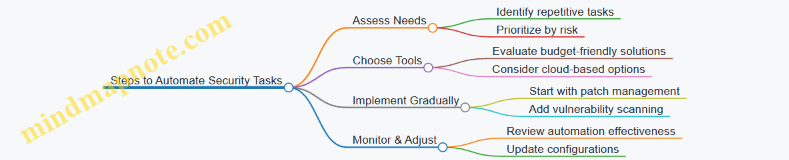
Tips for Successful Automation
- Start Small: Automate one or two tasks first to avoid overwhelming your team.
- Use Trusted Tools: Select reputable software with good support and regular updates.
- Maintain Oversight: Automation reduces errors but doesn’t eliminate the need for human review.
- Document Processes: Keep records of what is automated and how to troubleshoot.
Summary
Automating routine security tasks is a cost-effective way for small businesses to enhance their cyber hygiene. By reducing human error and ensuring consistent execution of critical security functions, automation helps protect valuable business data and maintain trust with customers.
8.3 Cloud Security Best Practices for Small Businesses
Cloud computing offers small businesses scalable resources and cost-effective solutions, but it also introduces unique security challenges. Implementing strong cloud security practices is essential to protect sensitive data and maintain business continuity.
Key Cloud Security Best Practices
Detailed Explanation and Examples
1. Understand Your Cloud Service Model
Knowing whether your business uses SaaS, PaaS, or IaaS helps clarify which security responsibilities lie with you and which are managed by the provider.
Example: A small marketing agency using a SaaS email marketing platform should focus on securing user accounts and data access, while the provider manages infrastructure security.
2. Data Encryption
Encrypt sensitive data both when stored (at rest) and when moving between your devices and the cloud (in transit). Many cloud providers offer built-in encryption tools.
Example: A small accounting firm encrypts client financial records stored on a cloud drive and uses HTTPS to secure data transfer.
3. Access Management
Implement MFA to add an extra layer of security beyond passwords. Use RBAC to ensure employees only access data necessary for their roles.
Example: A small e-commerce business requires employees to use MFA when accessing the cloud-based inventory system and restricts access to financial data only to the accounting team.
4. Secure Configuration
Misconfigured cloud resources are a common cause of data breaches. Follow provider best practices and disable unused services to minimize attack surfaces.
Example: A small software development startup regularly audits their cloud environment and disables unused API endpoints to prevent unauthorized access.
5. Regular Backups
Automate backups of critical data and store them securely, ideally in a separate location or cloud region. Regularly test restoring data to ensure backup integrity.
Example: A local boutique uses automated daily backups of their customer database and tests restoring the data quarterly to prepare for potential ransomware attacks.
6. Monitor and Audit
Enable logging features to track user activity and system changes. Use cloud-native monitoring tools to detect anomalies and set up alerts.
Example: A small consultancy uses AWS CloudTrail to monitor API calls and receives alerts when unusual login attempts occur.
7. Vendor Security Assessment
Before selecting a cloud provider, review their security certifications and understand the shared responsibility model to know what security aspects you must manage.
Example: A startup chooses a cloud provider certified under ISO 27001 and clarifies that while the provider secures the infrastructure, the startup is responsible for managing user access.
8. Employee Training
Educate your team about cloud security risks such as phishing attacks targeting cloud credentials and the importance of secure password practices.
Example: A small law firm conducts quarterly training sessions on recognizing phishing emails and safe cloud usage.
Mind Map: Cloud Security Best Practices for Small Businesses
Cloud Security Mind Map
By integrating these cloud security best practices, small businesses can significantly reduce their risk of data breaches and operational disruptions while leveraging the benefits of cloud technology.
8.4 Example: Using Managed Security Services to Enhance Protection
Small businesses often face challenges in maintaining robust cybersecurity due to limited resources, expertise, and time. Managed Security Services Providers (MSSPs) offer an effective solution by delivering outsourced monitoring, management, and response capabilities tailored to the needs of smaller organizations.
What Are Managed Security Services?
Managed Security Services involve outsourcing cybersecurity tasks to specialized providers who continuously monitor and manage security devices and systems. This can include firewall management, intrusion detection, vulnerability scanning, incident response, and more.
Why MSSPs Are Valuable for Small Businesses
- Cost Efficiency: Avoids the need to hire full-time security experts.
- 24/7 Monitoring: Continuous threat detection and rapid response.
- Access to Expertise: Leverages specialized knowledge and advanced tools.
- Scalability: Services can grow with your business needs.
Mind Map: Benefits of Using MSSPs for Small Businesses
Real-World Example: “GreenLeaf Consulting” Case Study
Background: GreenLeaf Consulting is a small business with 25 employees providing environmental consulting services. With limited IT staff, they struggled to keep up with cybersecurity demands and faced increasing phishing attempts and malware threats.
Challenge: They needed a cost-effective way to improve their security posture without hiring additional personnel.
Solution: GreenLeaf partnered with an MSSP that provided:
- 24/7 network monitoring and threat detection
- Managed firewall and antivirus updates
- Regular vulnerability assessments
- Employee phishing simulation training
Outcome: Within six months:
- Phishing-related incidents dropped by 70%
- Malware infections were detected and contained before spreading
- Compliance with industry data protection standards improved
- IT staff could focus on business-critical tasks instead of firefighting security issues
Mind Map: MSSP Service Components Illustrated by GreenLeaf Consulting
Practical Tips for Small Businesses Considering MSSPs
- Assess Your Needs: Identify which security functions you need help with (e.g., monitoring, incident response).
- Evaluate Providers: Look for MSSPs with experience serving small businesses and transparent pricing.
- Check Compliance Support: Ensure the MSSP can help you meet relevant regulations.
- Understand SLAs: Review service level agreements for response times and coverage.
- Integrate with Existing Systems: Confirm the MSSP can work with your current IT infrastructure.
Summary
Using Managed Security Services enables small businesses to enhance their cyber hygiene by leveraging expert resources and continuous monitoring without the overhead of building an in-house security team. The GreenLeaf Consulting example demonstrates how MSSPs can reduce risks, improve compliance, and free up internal resources, making them an excellent option for small business owners and IT administrators aiming to strengthen cybersecurity effectively.
9. Compliance and Legal Considerations
9.1 Understanding Relevant Cybersecurity Regulations for Small Businesses
Small businesses often assume that cybersecurity regulations apply only to large corporations, but this is a misconception. Many regulations are designed to protect consumer data and apply regardless of business size. Understanding these regulations helps small businesses avoid costly fines, protect customer trust, and improve their overall security posture.
Key Cybersecurity Regulations Affecting Small Businesses
Below is a mind map outlining some of the most relevant cybersecurity regulations for small businesses:
Practical Examples
Example 1: A Small E-commerce Store and PCI DSS Compliance
An online boutique processes credit card payments through its website. To comply with PCI DSS, the store implements secure payment gateways, encrypts cardholder data, and regularly scans its systems for vulnerabilities. This not only helps avoid penalties but also builds customer trust.
Example 2: A Health Clinic and HIPAA Requirements
A small health clinic stores patient records electronically. HIPAA requires them to implement access controls, encrypt sensitive data, and train staff on privacy policies. Failure to comply could result in hefty fines and damage to reputation.
Example 3: A Local Marketing Firm and CCPA
The firm collects personal information from California residents for targeted campaigns. Under CCPA, they must provide customers with access to their data and options to opt out of data sales. The firm updates its privacy policy and implements processes to respond to consumer requests.
Tips for Small Businesses to Navigate Cybersecurity Regulations
- Identify Applicable Regulations: Understand which laws apply based on your industry, location, and customer base.
- Document Policies: Maintain clear cybersecurity and privacy policies aligned with regulations.
- Train Employees: Ensure staff understand regulatory requirements and their role in compliance.
- Use Compliance Checklists: Many regulatory bodies provide checklists to help businesses stay on track.
- Consult Experts: When in doubt, seek advice from legal or cybersecurity professionals.
By proactively understanding and adhering to relevant cybersecurity regulations, small businesses can protect themselves from legal risks and strengthen their security posture, ultimately fostering customer confidence and business growth.
9.2 Data Privacy Laws and Their Impact on Cyber Hygiene
Data privacy laws are legal frameworks designed to protect personal information collected, stored, and processed by businesses. For small businesses, understanding and complying with these laws is critical not only to avoid legal penalties but also to strengthen cyber hygiene practices that safeguard customer trust and business reputation.
Key Data Privacy Laws Affecting Small Businesses
- General Data Protection Regulation (GDPR): Applies to businesses handling data of EU citizens, emphasizing consent, data minimization, and breach notification.
- California Consumer Privacy Act (CCPA): Grants California residents rights over their personal data, including access and deletion.
- Health Insurance Portability and Accountability Act (HIPAA): Protects health information in the U.S., relevant for healthcare-related small businesses.
- Children’s Online Privacy Protection Act (COPPA): Regulates data collection from children under 13.
Impact of Data Privacy Laws on Cyber Hygiene Practices
These laws influence how small businesses manage data security, user access, and breach response. Incorporating legal requirements into cyber hygiene ensures compliance and reduces risk.
Mind Map: Data Privacy Laws and Cyber Hygiene Integration
Practical Examples of Compliance Impacting Cyber Hygiene
Example 1: Implementing Privacy by Design
A small e-commerce business updated its website to require explicit customer consent before collecting personal data, aligning with GDPR principles. This led to the integration of consent management tools and periodic reviews of data collection forms, improving overall data handling hygiene.
Example 2: Data Access and Deletion Requests
Under CCPA, a local marketing agency received a request from a customer to delete their data. The agency established a secure verification process and trained staff to handle such requests promptly, enhancing their access control and data management protocols.
Example 3: Securing Health Data under HIPAA
A small physical therapy clinic implemented encryption for all stored patient records and restricted access to authorized personnel only. Regular employee training on HIPAA requirements reinforced secure handling of sensitive health information.
Best Practices to Align Cyber Hygiene with Data Privacy Laws
- Conduct Data Mapping: Identify what personal data you collect, where it is stored, and who has access.
- Implement Access Controls: Use the principle of least privilege to limit data access.
- Encrypt Sensitive Data: Both at rest and in transit to prevent unauthorized access.
- Develop Clear Privacy Policies: Communicate how data is collected, used, and protected.
- Train Employees Regularly: Ensure staff understand privacy obligations and cyber hygiene.
- Establish Incident Response Plans: Include breach notification procedures as required by law.
- Maintain Documentation: Keep records of data processing activities and compliance efforts.
Mind Map: Best Practices for Data Privacy Compliance in Cyber Hygiene
By embedding data privacy law requirements into everyday cyber hygiene routines, small businesses not only comply with regulations but also build a robust defense against cyber threats, ensuring long-term sustainability and customer confidence.
9.3 Documenting Cybersecurity Policies and Procedures
Effective cybersecurity starts with clear, well-documented policies and procedures. For small businesses, this documentation serves as a roadmap for employees, IT administrators, and management to understand their roles and responsibilities in maintaining cyber hygiene.
Why Document Cybersecurity Policies and Procedures?
- Consistency: Ensures everyone follows the same security standards.
- Accountability: Clarifies who is responsible for what.
- Compliance: Helps meet legal and industry requirements.
- Incident Response: Provides guidance during security incidents.
Key Components of Cybersecurity Policies and Procedures
Step-by-Step Guide to Creating Your Documentation
- Assess Your Business Needs: Identify critical assets, data, and systems.
- Define Clear Policies: Write simple, jargon-free policies tailored to your business.
- Develop Procedures: Detail step-by-step actions for implementing policies.
- Assign Responsibilities: Specify who does what.
- Communicate and Train: Share documents with employees and provide training.
- Review Regularly: Update policies to reflect new threats or business changes.
Example: Password Policy Document Excerpt
Password Policy
Purpose: To ensure strong password practices that protect business systems.
Policy:
- Passwords must be at least 12 characters long.
- Use a mix of uppercase, lowercase, numbers, and symbols.
- Change passwords every 90 days.
- Do not reuse previous 5 passwords.
Procedure:
- Use the company-approved password manager to generate and store passwords.
- Enable multi-factor authentication wherever possible.
- Report any suspected password compromise immediately to IT.
Responsibilities:
- Employees must follow these rules and report issues.
- IT Admins will enforce and audit password compliance.
Example: Incident Reporting Procedure
Incident Reporting Procedure
Purpose: To ensure timely and effective response to cybersecurity incidents.
Procedure:
- Identify the incident (e.g., suspicious email, data breach).
- Immediately notify the IT administrator via email or phone.
- Document the incident details: date, time, affected systems.
- Follow IT guidance on containment and recovery.
- Participate in post-incident review if requested.
Responsibilities:
- All employees must report incidents promptly.
- IT Admins coordinate response and communication.
Tips for Maintaining Effective Documentation
- Use clear language avoiding technical jargon where possible.
- Include visual aids like flowcharts or mind maps to clarify complex procedures.
- Store documents in a centralized, accessible location (e.g., company intranet).
- Encourage feedback from employees to improve clarity and usability.
- Perform regular audits to ensure policies are followed and updated.
Summary
Documenting cybersecurity policies and procedures is a foundational step for small businesses to build strong cyber hygiene. Clear, accessible, and regularly updated documentation empowers employees and IT administrators to act confidently and consistently, reducing risks and enhancing overall security posture.
9.4 Case Study: Avoiding Penalties through Proactive Compliance
Introduction
Small businesses often face challenges in navigating the complex landscape of cybersecurity regulations and data privacy laws. This case study explores how a small e-commerce company, “GreenLeaf Organics,” successfully avoided costly penalties by implementing proactive compliance measures.
Background
GreenLeaf Organics processes customer orders online and handles sensitive personal information, including payment details and addresses. With increasing regulatory scrutiny, especially under laws like GDPR and CCPA, the company recognized the need to strengthen its compliance posture.
Proactive Compliance Measures Taken
-
Understanding Applicable Regulations:
- Conducted a thorough review of relevant laws such as GDPR (for EU customers) and CCPA (for California residents).
- Consulted with legal experts to interpret requirements.
-
Data Mapping and Classification:
- Created an inventory of all personal data collected, stored, and processed.
- Classified data based on sensitivity and regulatory requirements.
-
Policy Development:
- Drafted clear privacy policies and terms of service reflecting compliance commitments.
- Established data retention and deletion schedules.
-
Employee Training:
- Trained staff on data handling best practices and legal obligations.
-
Technical Controls:
- Implemented encryption for data at rest and in transit.
- Set up access controls limiting data access to authorized personnel only.
-
Regular Audits and Monitoring:
- Scheduled quarterly compliance audits.
- Monitored for unauthorized data access or breaches.
-
Incident Response Plan:
- Developed a plan to promptly address data breaches, including notification procedures.
Mind Map: Proactive Compliance Strategy
Outcomes
-
Avoided Regulatory Fines: By demonstrating compliance efforts, GreenLeaf Organics passed regulatory audits without any penalties.
-
Enhanced Customer Trust: Transparent privacy policies and secure data handling improved customer confidence.
-
Reduced Risk of Data Breaches: Technical and procedural controls minimized vulnerabilities.
-
Preparedness for Incidents: The incident response plan enabled quick action when a phishing attempt targeted employees, preventing data compromise.
Example: Notification Process in Action
When an employee received a suspicious email, the incident response plan was activated:
- Employee reported the email to the IT administrator.
- IT administrator quarantined the email and scanned systems for compromise.
- No breach was detected, but the event was logged and reviewed.
- A reminder training was sent to all staff about phishing risks.
This swift, documented response aligned with compliance requirements and demonstrated due diligence.
Key Takeaways for Small Businesses
- Know Your Regulations: Identify which laws apply to your business and customers.
- Document Everything: Maintain clear records of policies, training, and audits.
- Train Your Team: Employees are your first line of defense.
- Implement Technical Safeguards: Encryption and access controls are essential.
- Plan for Incidents: Have a clear, practiced response plan.
By integrating these practices into daily operations, small businesses can not only avoid penalties but also build a resilient cybersecurity posture that supports growth and customer trust.
10. Continuous Improvement and Staying Updated
10.1 Conducting Regular Security Assessments and Audits
Regular security assessments and audits are essential practices for maintaining strong cyber hygiene in small businesses. These processes help identify vulnerabilities, ensure compliance with policies, and verify that security controls are working effectively.
Why Conduct Security Assessments and Audits?
- Identify Weaknesses: Uncover gaps in your security posture before attackers do.
- Ensure Compliance: Meet regulatory and industry standards.
- Improve Security Controls: Validate that existing measures are effective.
- Build Customer Trust: Demonstrate commitment to protecting data.
Types of Security Assessments
Step-by-Step Guide to Conducting a Security Assessment
- Define Scope: Decide which systems, networks, and data will be assessed.
- Gather Information: Collect details about hardware, software, and configurations.
- Perform Scanning and Testing: Use tools and manual methods to find vulnerabilities.
- Analyze Findings: Evaluate risks and prioritize remediation.
- Report Results: Document issues, recommendations, and action plans.
- Remediate Issues: Fix vulnerabilities and strengthen controls.
- Follow-Up: Schedule next assessments and verify fixes.
Example: Small Business Security Assessment
Scenario: A local accounting firm wants to ensure their client data is secure.
- They hire a cybersecurity consultant to perform a vulnerability scan and penetration test.
- The scan reveals outdated software on several workstations.
- Penetration testing uncovers weak passwords on some accounts.
- The consultant recommends updating software, enforcing strong password policies, and enabling multi-factor authentication.
- After remediation, the firm schedules quarterly assessments to maintain security.
Tools for Small Business Security Assessments
| Tool Name | Purpose | Example Use Case |
|---|---|---|
| Nessus | Vulnerability Scanning | Scan network for missing patches |
| OpenVAS | Open-source vulnerability scanner | Identify outdated software |
| Metasploit | Penetration Testing Framework | Simulate attacks to test defenses |
| Qualys | Cloud-based security and compliance | Continuous monitoring and audits |
Best Practices
- Schedule assessments at least twice a year.
- Include both automated tools and manual reviews.
- Engage third-party experts for unbiased audits.
- Document all findings and remediation steps.
- Train employees on findings relevant to their roles.
Mind Map: Benefits of Regular Security Assessments
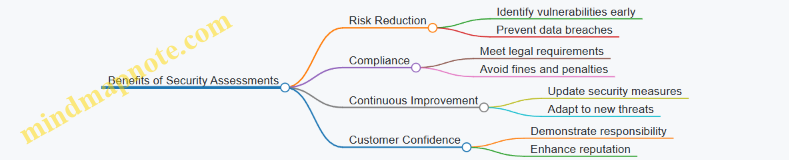
By integrating regular security assessments and audits into your small business’s cyber hygiene routine, you create a proactive defense that adapts to evolving threats and safeguards your critical assets effectively.
10.2 Keeping Up with Emerging Threats and Trends
In the rapidly evolving world of cybersecurity, staying informed about emerging threats and trends is crucial for small businesses. Cybercriminals continuously develop new tactics, making yesterday’s defenses potentially obsolete today. This section explores practical ways small business owners and IT administrators can keep pace with these changes and adapt their cyber hygiene practices accordingly.
Why Staying Updated Matters
- Proactive Defense: Knowing about new threats allows you to anticipate and mitigate risks before they impact your business.
- Resource Optimization: Focusing on current threats helps prioritize security investments effectively.
- Compliance: Many regulations require businesses to stay informed and implement up-to-date security measures.
Practical Ways to Keep Up with Emerging Threats
Subscribe to Trusted Cybersecurity News Sources
Regularly reading updates from reputable cybersecurity websites and newsletters helps you stay informed. Examples include:
- US-CERT (United States Computer Emergency Readiness Team): Provides alerts and bulletins.
- Krebs on Security: A blog by journalist Brian Krebs focusing on cybercrime.
- SANS Internet Storm Center: Daily threat analysis and trends.
Example: A small accounting firm subscribed to US-CERT alerts and received timely warnings about a new phishing campaign targeting financial institutions, allowing them to warn employees and block suspicious emails.
Join Industry and Local Business Groups
Networking with peers and cybersecurity professionals can provide insights into recent attacks and effective defenses.
- Local chambers of commerce often host cybersecurity workshops.
- Industry-specific forums discuss threats relevant to your sector.
Example: A small retail business joined a local business association that held quarterly cybersecurity briefings, helping them learn about emerging POS malware threats.
Use Threat Intelligence Feeds and Tools
Some free and paid tools aggregate threat data and provide actionable insights.
- VirusTotal: Checks files and URLs against multiple antivirus engines.
- Have I Been Pwned: Monitors if your business emails have been part of data breaches.
Example: An IT administrator used Have I Been Pwned to discover that an employee’s email was compromised in a breach, prompting a password reset and MFA enforcement.
Attend Webinars and Training Sessions
Cybersecurity vendors and organizations frequently offer webinars on current threats and best practices.
- Many are free and tailored for small businesses.
Example: A small marketing agency attended a webinar on ransomware trends and updated their backup strategy accordingly.
Follow Cybersecurity Influencers and Organizations on Social Media
Platforms like Twitter and LinkedIn are hubs for real-time threat information.
- Follow accounts like @CISAgov, @MalwareTechBlog, and cybersecurity experts.
Example: A startup’s IT lead followed cybersecurity experts on Twitter and quickly learned about a zero-day vulnerability affecting their software stack.
Mind Map: Staying Updated on Emerging Cyber Threats
Integrating Emerging Threat Awareness into Your Cyber Hygiene
- Update Policies: Regularly revise security policies to address new threats.
- Employee Training: Incorporate latest threat examples into training sessions.
- Technology Updates: Ensure software and hardware defenses are current.
Example: After learning about a surge in business email compromise (BEC) scams, a small consulting firm updated its email filtering rules and trained staff to recognize suspicious requests for wire transfers.
Summary
Keeping up with emerging threats and trends is an ongoing process that requires dedication but is essential for maintaining strong cyber hygiene. By leveraging trusted information sources, engaging with the community, utilizing tools, and continuously educating your team, your small business can stay resilient against evolving cyber risks.
10.3 Encouraging a Culture of Cybersecurity Within Your Business
Creating a culture of cybersecurity means embedding security awareness and best practices into the daily operations and mindset of every employee, from leadership to entry-level staff. This cultural shift helps ensure that cybersecurity is not just a checklist item but a shared responsibility that protects your business from evolving threats.
Why a Cybersecurity Culture Matters
- Reduces Human Error: Most breaches occur due to human mistakes. A security-aware workforce minimizes risky behaviors.
- Improves Incident Response: Employees who understand cybersecurity can recognize and report threats faster.
- Builds Trust: Customers and partners feel more confident working with businesses that prioritize security.
Key Elements to Foster a Cybersecurity Culture
Practical Steps with Examples
-
Leadership Commitment
- Example: The owner of a small marketing agency holds monthly meetings emphasizing cybersecurity updates and shares personal commitment stories to inspire the team.
-
Regular, Engaging Training
- Example: A boutique accounting firm runs quarterly phishing simulations and follows up with interactive workshops where employees discuss what they learned.
-
Clear and Accessible Policies
- Example: A local retail store creates a simple cybersecurity handbook with visuals and real-life scenarios, making it easy for all employees to understand.
-
Encourage Open Communication
- Example: An IT administrator at a small law office sets up an anonymous reporting tool for suspicious emails, encouraging staff to report without fear.
-
Celebrate Security Successes
- Example: After successfully avoiding a phishing attack, a small consultancy sends a company-wide email praising the team and sharing tips to maintain vigilance.
-
Leverage Technology to Support Culture
- Example: A small healthcare provider implements single sign-on (SSO) and MFA, reducing password fatigue and making secure access easier for employees.
-
Continuous Feedback and Improvement
- Example: A startup collects quarterly feedback on cybersecurity training effectiveness and adjusts content based on employee suggestions.
Mind Map: Example of Building Cybersecurity Culture in a Small Business
Final Thoughts
Embedding cybersecurity into your company culture is an ongoing journey. It requires consistent effort, open communication, and leadership buy-in. By making cybersecurity a shared value, small businesses can significantly reduce risks and empower their teams to act as the first line of defense.
Remember, a culture of cybersecurity is not about fear but about confidence and preparedness.
10.4 Example: How Ongoing Improvement Helped a Small Business Stay Secure
In the fast-evolving world of cybersecurity, small businesses must adopt a mindset of continuous improvement to stay protected against emerging threats. This example illustrates how a local accounting firm, “SecureBooks LLC,” successfully enhanced its cyber hygiene over time by regularly assessing and updating its security practices.
Background
SecureBooks LLC started as a small firm with minimal cybersecurity measures—basic antivirus software and simple passwords. After experiencing a minor phishing attempt that was fortunately caught early, the company realized the importance of ongoing improvement in their cybersecurity posture.
Step 1: Conducting Regular Security Assessments
SecureBooks implemented quarterly security audits to identify vulnerabilities.
- Mind Map: Security Assessment Process
- Example: During one audit, they discovered outdated software on a few employee devices, which was promptly updated to close potential entry points.
Step 2: Updating Policies and Training
Based on assessment findings, SecureBooks revised their cybersecurity policies and launched monthly employee training sessions.
- Mind Map: Employee Training Topics
- Example: After a training session on phishing, employees reported a suspicious email, preventing a potential breach.
Step 3: Implementing New Technologies
The firm invested in multi-factor authentication (MFA) and automated patch management tools.
- Mind Map: Technology Enhancements
- Example: MFA implementation reduced unauthorized access attempts by 80% within three months.
Step 4: Monitoring and Incident Response
SecureBooks established a monitoring system and an incident response plan.
- Mind Map: Incident Response Workflow
- Example: When a ransomware attempt was detected early through monitoring, the team isolated the affected system and restored data from backups, minimizing downtime.
Outcome
Through continuous improvement, SecureBooks LLC transformed from a vulnerable small business into a resilient organization with strong cyber hygiene. Their proactive approach not only reduced security incidents but also built trust with clients who valued their commitment to data protection.
Key Takeaways
- Regular assessments uncover hidden vulnerabilities.
- Ongoing employee training empowers staff to act as a security first line of defense.
- Investing in appropriate technologies strengthens protection.
- Having a clear incident response plan minimizes damage during breaches.
- Continuous improvement is a cycle, not a one-time effort.
This example underscores that small businesses don’t need to be overwhelmed by cybersecurity. By adopting a mindset of ongoing improvement and integrating practical steps regularly, they can maintain strong cyber hygiene and protect their valuable assets effectively.