Engineering Brain-Computer Interfaces: Signals, Systems, and Ethics
1. Introduction to Brain-Computer Interfaces
1.1 Overview of Brain-Computer Interfaces (BCIs)
Brain-Computer Interfaces (BCIs) are systems that enable direct communication between the brain and an external device. They bypass conventional neuromuscular pathways, allowing users to control computers, prosthetics, or other devices using brain activity alone. BCIs have transformative potential in medicine, assistive technology, gaming, and beyond.
What is a BCI?
A BCI captures brain signals, processes them, and translates them into commands that can control external systems. This process involves several key components:
- Signal Acquisition
- Signal Processing
- Device Output
Mind Map: Core Components of a BCI
Types of BCIs
BCIs are generally categorized based on their invasiveness:
- Invasive BCIs: Implanted directly into brain tissue, offering high signal quality but with surgical risks.
- Semi-invasive BCIs: Placed on the brain surface but not penetrating tissue.
- Non-invasive BCIs: External sensors like EEG caps; safer but with noisier signals.
Mind Map: BCI Types
Practical Example: EEG-Based Cursor Control
One of the simplest and most illustrative examples of a BCI is controlling a computer cursor using EEG signals. Here, the user imagines moving their left or right hand, which modulates sensorimotor rhythms detectable by EEG sensors.
- Step 1: EEG signals are recorded via scalp electrodes.
- Step 2: Signal processing extracts features related to motor imagery.
- Step 3: A classifier interprets these features to determine intended cursor movement.
- Step 4: The cursor moves left or right accordingly on the screen.
This example demonstrates the fundamental BCI loop: brain signal acquisition, processing, translation, and feedback.
Best Practices Highlighted in This Section
- Clear Definition of BCI Scope: Understand the type and application of BCI before development.
- Signal Quality Awareness: Choose appropriate acquisition methods balancing invasiveness and signal fidelity.
- User-Centered Design: Start with simple, intuitive control paradigms like motor imagery for initial prototypes.
Summary
BCIs represent a multidisciplinary field combining neuroscience, engineering, and computer science to create systems that interpret brain activity for communication and control. Understanding the core components and types of BCIs lays the foundation for deeper exploration into signal processing, system design, and ethical considerations.
1.2 Historical Development and Milestones
Brain-Computer Interfaces (BCIs) have evolved through decades of interdisciplinary research, combining neuroscience, engineering, and computer science. Understanding the historical development helps contextualize current technologies and guides future innovations.
Early Foundations (1960s - 1970s)
- The concept of directly interfacing the brain with machines was first explored in the 1960s.
- Early research focused on electrophysiological recordings from animals.
- Example: In 1969, Eberhard Fetz demonstrated that monkeys could learn to control the firing rate of individual neurons in their motor cortex, laying groundwork for neural control.
Mind Map: Early Foundations
Emergence of Human BCIs (1980s - 1990s)
- Focus shifted to non-invasive EEG-based BCIs for communication.
- In 1988, Jacques Vidal coined the term “Brain-Computer Interface” and demonstrated EEG-based cursor control.
- Development of P300 and sensorimotor rhythm paradigms.
Example: Vidal’s 1989 study showed that users could move a cursor on a screen using EEG signals, a pioneering demonstration of real-time BCI.
Mind Map: Human BCI Emergence
Technological Advancements and Invasive BCIs (2000s)
- Introduction of invasive BCIs using implanted microelectrodes.
- Development of neuroprosthetics enabling motor control for paralyzed patients.
- Improvement in signal processing and machine learning techniques.
Example: In 2004, researchers at Brown University enabled a paralyzed patient to control a robotic arm using intracortical implants.
Mind Map: 2000s Technological Advances
Modern Era: Hybrid and Adaptive BCIs (2010s - Present)
- Integration of multiple signal modalities (EEG, fNIRS, ECoG).
- Use of deep learning for improved decoding accuracy.
- Focus on user-centered design and ethical considerations.
Example: The development of hybrid BCIs combining EEG and fNIRS to improve communication speed and accuracy in locked-in patients.
Mind Map: Modern BCI Era
Summary Timeline
| Year | Milestone | Example |
|---|---|---|
| 1969 | Neural control in monkeys (Fetz) | Voluntary neuron firing modulation |
| 1988 | Term “BCI” coined (Vidal) | EEG cursor control |
| 2004 | Invasive BCI for robotic arm control | Paralyzed patient motor control |
| 2010s | Hybrid BCIs and deep learning | EEG + fNIRS communication |
Understanding these milestones provides a foundation for appreciating the complexity and promise of modern BCIs. Each phase brought new challenges and solutions, shaping best practices such as careful signal acquisition, adaptive algorithms, and ethical responsibility that continue to guide the field today.
1.3 Types of BCIs: Invasive, Semi-invasive, and Non-invasive
Brain-Computer Interfaces (BCIs) can be broadly categorized based on how they interact with the brain to acquire neural signals. Understanding these types is crucial for biomedical engineers and applied neuroscientists to select appropriate systems for specific applications.
Overview of BCI Types
- Invasive BCIs: Electrodes are implanted directly into the brain tissue.
- Semi-invasive BCIs: Electrodes are placed inside the skull but outside the brain tissue.
- Non-invasive BCIs: Electrodes or sensors are placed on the scalp or outside the body.
Mind Map: Types of BCIs
Invasive BCIs
Description: Invasive BCIs involve implanting microelectrodes directly into the cerebral cortex. This method provides the highest spatial and temporal resolution of neural signals.
Example:
- Utah Array: A widely used microelectrode array implanted in motor cortex to decode intended movement.
Best Practices:
- Ensure sterile surgical procedures to minimize infection.
- Use biocompatible materials to reduce immune response.
- Regularly monitor electrode stability and signal quality.
Example in Practice: A patient with tetraplegia uses an invasive BCI with implanted electrodes to control a robotic arm with high precision. The system decodes motor cortex signals to translate intended hand movements into robotic commands.
Mind Map: Invasive BCI Example - Utah Array
Semi-invasive BCIs
Description: Semi-invasive BCIs place electrodes beneath the skull but above the brain tissue, such as electrocorticography (ECoG) grids. This approach balances signal quality and surgical risk.
Example:
- ECoG-based BCI: Electrodes placed on the cortical surface to capture local field potentials.
Best Practices:
- Optimize electrode placement for target brain regions.
- Use flexible electrode arrays to conform to cortical surface.
- Implement signal processing to reduce artifacts from blood flow or movement.
Example in Practice: An epilepsy patient undergoing monitoring with ECoG electrodes participates in a BCI study to control a computer cursor, demonstrating faster response times compared to non-invasive EEG.
Mind Map: Semi-invasive BCI Example - ECoG
Non-invasive BCIs
Description: Non-invasive BCIs acquire brain signals without surgery, typically using scalp electrodes or optical sensors. They are safe and widely used but have lower signal resolution.
Examples:
- Electroencephalography (EEG): Measures electrical activity via scalp electrodes.
- Functional Near-Infrared Spectroscopy (fNIRS): Measures hemodynamic responses.
Best Practices:
- Use high-quality electrodes and conductive gels to improve signal.
- Apply advanced filtering and artifact removal techniques.
- Design user-friendly setups to improve comfort and reduce movement artifacts.
Example in Practice: A user employs an EEG-based BCI speller that detects P300 event-related potentials to select letters on a screen, enabling communication without any surgical intervention.
Mind Map: Non-invasive BCI Example - EEG
Summary Table: Comparison of BCI Types
| Feature | Invasive BCI | Semi-invasive BCI | Non-invasive BCI |
|---|---|---|---|
| Signal Quality | Highest | Moderate | Lowest |
| Surgical Risk | High | Moderate | None |
| Spatial Resolution | Micrometer scale | Millimeter scale | Centimeter scale |
| Typical Applications | Neuroprosthetics, Research | Clinical monitoring, Rehab | Communication, Gaming |
| Example Devices | Utah Array | ECoG grids | EEG caps, fNIRS devices |
By understanding these types, biomedical engineers and applied neuroscientists can make informed decisions about the trade-offs between invasiveness, signal quality, and application requirements when designing or selecting BCIs.
1.4 Practical Example: Simple EEG-based Cursor Control
Brain-Computer Interfaces (BCIs) enable direct communication between the brain and external devices. One of the foundational practical examples in BCI research is controlling a computer cursor using EEG signals. This example illustrates the core principles of signal acquisition, processing, and system feedback in a straightforward and intuitive way.
Overview
In this example, EEG signals are recorded from the scalp while a user imagines moving their left or right hand. These motor imagery tasks generate distinct patterns in the EEG, particularly in the sensorimotor cortex, which can be translated into cursor movements on a screen.
Step 1: Signal Acquisition
- Electrodes Placement: Typically, electrodes are placed over the motor cortex areas (e.g., C3 and C4 according to the 10-20 system).
- Sampling Rate: EEG signals are sampled at around 256 Hz to capture relevant brain rhythms.
- Example: Using a 16-channel EEG headset, channels C3 and C4 are monitored closely.
Step 2: Signal Preprocessing
- Filtering: Apply bandpass filters to isolate the mu (8-13 Hz) and beta (13-30 Hz) rhythms associated with motor imagery.
- Artifact Removal: Remove eye blinks and muscle artifacts using Independent Component Analysis (ICA) or thresholding.
Step 3: Feature Extraction
- Power Spectral Density (PSD): Calculate the power in the mu and beta bands for each channel.
- Event-Related Desynchronization (ERD): Detect decreases in power during motor imagery.
Step 4: Classification
- Classifier: Use a simple Linear Discriminant Analysis (LDA) to distinguish left vs. right hand imagery.
- Training: Collect labeled data where the user performs left or right hand imagery.
Step 5: Cursor Control
- Mapping: Classifier output controls cursor movement direction (left or right).
- Feedback: Real-time visual feedback helps the user improve control.
Mind Map: EEG-based Cursor Control Workflow
Example Walkthrough
- Setup: The user wears an EEG headset with electrodes positioned over the motor cortex.
- Calibration: The system records EEG while the user imagines moving their left and right hands in response to cues.
- Training: Extract features and train the LDA classifier to recognize patterns.
- Control: The user attempts to move the cursor left or right by imagining corresponding hand movements.
- Feedback: The cursor moves accordingly, providing visual confirmation.
Best Practices Embedded in This Example
- Electrode Placement: Focus on relevant brain regions to maximize signal quality.
- Filtering: Use appropriate bandpass filters to isolate motor-related rhythms.
- Artifact Management: Implement robust artifact removal to improve classification accuracy.
- User Training: Provide clear instructions and feedback to help users learn control strategies.
- Real-Time Feedback: Essential for user engagement and system adaptation.
Additional Notes
- This example can be extended with more complex classifiers or additional degrees of freedom (e.g., up/down cursor movement).
- Hybrid BCIs may combine EEG with other modalities for improved performance.
By understanding and implementing this simple EEG-based cursor control, biomedical engineers and applied neuroscientists gain practical insights into the fundamental components of BCI systems, laying the groundwork for more advanced applications.
1.5 Best Practices: Setting Realistic Expectations for BCI Performance
Brain-Computer Interfaces (BCIs) hold immense promise, but it is crucial for engineers, neuroscientists, and users to set realistic expectations regarding their performance. Overpromising can lead to user frustration, loss of trust, and slowed adoption. This section outlines best practices to manage expectations effectively, supported by practical examples and mind maps.
Why Setting Realistic Expectations Matters
- User Satisfaction: Understanding limitations helps users appreciate incremental progress.
- Research Direction: Prevents chasing unattainable goals, focusing efforts on achievable milestones.
- Ethical Responsibility: Avoids misleading vulnerable populations relying on BCIs for critical functions.
Key Factors Influencing BCI Performance
Best Practices
-
Communicate the Current State of Technology Clearly
- Example: “Our EEG-based BCI system can achieve 70-80% accuracy in controlled lab conditions but may vary in real-world settings.”
-
Highlight the Learning Curve for Users
- Example: Motor imagery BCIs often require weeks of user training before reliable control is achieved.
-
Set Incremental Goals
- Example: Instead of aiming for full robotic arm control immediately, start with simple binary commands (e.g., open/close).
-
Incorporate User Feedback Loops
- Example: Adaptive algorithms that improve with user input can help manage expectations by showing gradual improvement.
-
Demonstrate Practical Use Cases with Limitations
- Example: A spelling BCI may have slower typing speeds than traditional keyboards but can restore communication for locked-in patients.
-
Prepare for Variability and Non-Stationarity
- Example: Signal quality may degrade due to electrode shifts; users should be informed about the need for recalibration.
-
Avoid Overhyping in Marketing and Communication
- Example: Avoid claims like “mind reading” or “telepathy” which can mislead stakeholders.
Example Scenario: EEG-Based Cursor Control
- Initial Expectation: Instant and flawless cursor movement using thought alone.
- Reality:
- Accuracy depends on signal quality and user training.
- Typical accuracy ranges from 60-85% after several sessions.
- Latency of 200-500 ms is common due to processing delays.
Managing Expectations:
- Inform users about the need for practice.
- Provide visual feedback to help users understand system responses.
- Set milestones such as “accurate control for 10 seconds” before progressing.
Mind Map: Managing User Expectations
Summary
Setting realistic expectations is a cornerstone of successful BCI engineering and deployment. By transparently communicating capabilities and limitations, providing structured training, and emphasizing incremental progress, developers can foster trust and improve user experience. This approach not only benefits end-users but also guides research and development toward meaningful, achievable innovations.
2. Neurophysiological Signals for BCIs
2.1 Understanding Brain Signals: EEG, ECoG, and Single-Unit Activity
Brain-Computer Interfaces (BCIs) rely heavily on the accurate acquisition and interpretation of neural signals. Understanding the characteristics, advantages, and limitations of different brain signal modalities is fundamental for biomedical engineers and applied neuroscientists designing effective BCI systems. This section covers three primary neural recording techniques: Electroencephalography (EEG), Electrocorticography (ECoG), and Single-Unit Activity (SUA).
Overview of Brain Signal Modalities
Electroencephalography (EEG)
EEG records electrical activity generated by large populations of neurons, primarily cortical pyramidal cells, via electrodes placed on the scalp. It is the most widely used non-invasive brain signal modality due to its safety, portability, and relatively low cost.
Key Characteristics:
- Signal Origin: Postsynaptic potentials from cortical neurons
- Frequency Bands: Delta (0.5–4 Hz), Theta (4–8 Hz), Alpha (8–13 Hz), Beta (13–30 Hz), Gamma (>30 Hz)
- Spatial Resolution: Low (centimeters)
- Temporal Resolution: High (milliseconds)
Example: A common EEG-based BCI application is the P300 speller, which detects event-related potentials (ERPs) elicited by visual stimuli to allow communication in locked-in patients.
Best Practice:
- Use high-density electrode arrays (e.g., 64 or 128 channels) to improve spatial resolution.
- Apply artifact removal techniques (e.g., Independent Component Analysis) to reduce noise from eye blinks and muscle activity.
Electrocorticography (ECoG)
ECoG involves placing electrode grids directly on the cortical surface beneath the dura mater. It offers a middle ground between non-invasive EEG and highly invasive single-unit recordings.
Key Characteristics:
- Signal Origin: Local field potentials from cortical columns
- Spatial Resolution: Moderate (millimeters)
- Temporal Resolution: High (milliseconds)
- Signal-to-Noise Ratio: Higher than EEG
Example: ECoG has been used to decode hand gestures in real-time for neuroprosthetic control, providing more precise control signals compared to EEG.
Best Practice:
- Optimize electrode placement to target functional cortical areas.
- Use high sampling rates (e.g., >1000 Hz) to capture high-frequency activity.
Single-Unit Activity (SUA)
SUA records action potentials from individual neurons using microelectrodes inserted into brain tissue. This modality provides the highest resolution and specificity but is the most invasive.
Key Characteristics:
- Signal Origin: Action potentials (spikes) from single neurons
- Spatial Resolution: Micrometer scale
- Temporal Resolution: Sub-millisecond
Example: Invasive BCIs using SUA have enabled paralyzed patients to control robotic arms with high precision by decoding motor cortex neuron firing patterns.
Best Practice:
- Employ spike sorting algorithms to isolate individual neuron activity.
- Maintain electrode stability to ensure consistent recordings over time.
Comparative Mind Map: EEG vs ECoG vs SUA
Practical Example: Choosing the Right Signal for a BCI Application
Imagine designing a BCI for communication in a patient with severe paralysis:
- EEG-based BCI: Non-invasive, easy to set up, but limited speed and accuracy due to noise and low spatial resolution.
- ECoG-based BCI: Offers improved accuracy and faster response times, but requires surgery.
- SUA-based BCI: Highest accuracy and control granularity, suitable for complex prosthetic control, but involves significant surgical risks.
Best Practice: Match the signal modality to the application requirements, balancing invasiveness, signal quality, and user safety.
Summary
Understanding the differences between EEG, ECoG, and SUA is critical for BCI system design. Each modality offers unique trade-offs in terms of invasiveness, spatial/temporal resolution, and signal quality. Applying best practices in signal acquisition and processing tailored to each modality enhances BCI performance and user experience.
2.2 Signal Characteristics and Their Implications
Understanding the characteristics of neurophysiological signals is fundamental to designing effective Brain-Computer Interfaces (BCIs). Each signal type carries unique properties that influence how it can be acquired, processed, and interpreted. This section explores key signal characteristics and their practical implications, supported by mind maps and examples to clarify concepts.
Key Signal Characteristics
- Amplitude: The strength or magnitude of the signal, usually measured in microvolts (µV) for EEG.
- Frequency: The rate at which the signal oscillates, measured in Hertz (Hz).
- Signal-to-Noise Ratio (SNR): The ratio of meaningful signal power to background noise power.
- Spatial Resolution: The ability to distinguish signals originating from different brain areas.
- Temporal Resolution: The precision of signal measurement over time.
- Stationarity: Whether the statistical properties of the signal remain constant over time.
Mind Map: Signal Characteristics Overview
Amplitude and Its Implications
Amplitude reflects how strong the brain signals are. For example, EEG signals typically range from 10 to 100 µV, which is quite small and susceptible to noise from muscle activity or electrical interference.
Example: When recording EEG during motor imagery tasks, muscle tension can produce electromyographic (EMG) artifacts with amplitudes often larger than the brain signals themselves, complicating signal extraction.
Best Practice: Use high-quality amplifiers with good common-mode rejection and apply artifact removal techniques such as Independent Component Analysis (ICA) to improve signal clarity.
Frequency Bands and Their Functional Roles
Brain signals are often analyzed in specific frequency bands, each associated with different cognitive or motor functions.
- Delta (0.5-4 Hz): Often linked to deep sleep.
- Theta (4-8 Hz): Associated with memory and navigation.
- Alpha (8-13 Hz): Related to relaxation and inhibition.
- Beta (13-30 Hz): Connected to active thinking and motor control.
- Gamma (30-100 Hz): Linked to attention and sensory processing.
Example: Motor imagery BCIs often focus on the mu rhythm (8-13 Hz) and beta bands, where desynchronization indicates imagined movement.
Best Practice: Tailor feature extraction to frequency bands relevant to the BCI task to improve decoding accuracy.
Mind Map: Frequency Bands and Applications
Signal-to-Noise Ratio (SNR)
SNR is critical for reliable BCI operation. Low SNR means brain signals are obscured by noise, reducing classification performance.
Example: EEG signals contaminated by eye blinks or power line interference (50/60 Hz) reduce SNR.
Best Practice: Employ notch filters to remove power line noise and instruct users to minimize movements that generate artifacts.
Spatial and Temporal Resolution
- Spatial Resolution: EEG has low spatial resolution due to volume conduction and skull attenuation, making it hard to localize sources precisely.
- Temporal Resolution: EEG and ECoG provide excellent temporal resolution (milliseconds), enabling real-time BCI applications.
Example: ECoG offers better spatial resolution than EEG, making it suitable for high-precision control in invasive BCIs.
Best Practice: Choose the signal modality based on the application’s spatial and temporal requirements.
Stationarity and Its Challenges
Brain signals are inherently non-stationary; their statistical properties change over time due to fatigue, attention shifts, or electrode displacement.
Example: A classifier trained on data from one session may perform poorly in another session due to signal non-stationarity.
Best Practice: Use adaptive algorithms or session-to-session calibration to maintain performance.
Mind Map: Implications of Signal Characteristics
Summary
Understanding signal characteristics such as amplitude, frequency, SNR, spatial and temporal resolution, and stationarity is essential for designing robust BCIs. By tailoring acquisition and processing methods to these characteristics, engineers can optimize system performance and user experience.
Additional Example: Practical Impact of Signal Characteristics
Consider a BCI designed for communication using P300 signals (an event-related potential occurring approximately 300 ms after stimulus). The P300 has a relatively low amplitude (~10 µV) and occurs in a specific time window.
- Implication: The system must have high temporal resolution to detect the P300 peak accurately.
- Challenge: Low amplitude requires effective noise reduction.
- Best Practice: Use averaging across multiple trials and spatial filtering (e.g., xDAWN algorithm) to enhance the P300 signal.
This example highlights how signal characteristics directly influence system design choices.
2.3 Practical Example: Capturing P300 Signals for Spelling Applications
The P300 signal is a well-known event-related potential (ERP) component that appears approximately 300 milliseconds after a rare or significant stimulus. It is widely used in brain-computer interfaces (BCIs) for communication, especially in spelling applications for users with severe motor disabilities.
Understanding the P300 Signal
- The P300 is elicited using an “oddball” paradigm where infrequent target stimuli are interspersed with frequent non-target stimuli.
- When the user focuses attention on a target stimulus, a positive voltage peak around 300 ms post-stimulus can be detected in EEG recordings.
Step-by-Step Example: Building a P300 Speller
-
Stimulus Presentation
- A matrix of letters (e.g., 6x6) is displayed.
- Rows and columns flash randomly.
- The user focuses attention on the desired letter.
-
Signal Acquisition
- EEG signals are recorded using non-invasive electrodes placed primarily over parietal and central scalp areas (e.g., Cz, Pz).
- Sampling rate typically ranges from 256 Hz to 512 Hz.
-
Preprocessing
- Bandpass filtering (e.g., 0.1–30 Hz) to remove noise.
- Artifact removal techniques to reduce eye blinks and muscle noise.
-
Epoch Extraction
- EEG data segments (epochs) are extracted time-locked to each stimulus flash.
- Typical epoch length: 0 to 600 ms post-stimulus.
-
Feature Extraction
- Average amplitude in the 250–500 ms window.
- Other features: peak latency, area under curve.
-
Classification
- Classify epochs as target or non-target.
- Common classifiers: Linear Discriminant Analysis (LDA), Support Vector Machines (SVM).
-
Letter Selection
- The row and column with the highest probability of eliciting a P300 are combined to identify the selected letter.
Mind Map: P300 Speller Workflow
Example: Simple Python Pseudocode for Epoch Extraction and Averaging
import numpy as np

def extract_epochs(eeg_data, event_markers, fs, epoch_window):
    """
    eeg_data: numpy array (channels x timepoints)
    event_markers: list of stimulus onset indices
    fs: sampling frequency
    epoch_window: tuple (start_ms, end_ms)
    """
    start_samples = int(epoch_window[0] * fs / 1000)
    end_samples = int(epoch_window[1] * fs / 1000)
    epochs = []
    for marker in event_markers:
        epoch = eeg_data[:, marker + start_samples : marker + end_samples]
        epochs.append(epoch)
    return np.array(epochs)

# Usage example
# epochs shape: (num_epochs, channels, samples)

# Average target epochs to enhance P300
# average_target = np.mean(target_epochs, axis=0)
Best Practices for Capturing P300 Signals
- User Attention: Ensure the user is focused on the target stimulus to maximize P300 amplitude.
- Stimulus Timing: Use inter-stimulus intervals (e.g., 125 ms) that balance speed and signal clarity.
- Electrode Placement: Focus on central-parietal electrodes (e.g., Cz, Pz) where P300 is strongest.
- Signal Quality: Use high-quality amplifiers and minimize environmental noise.
- Calibration: Perform initial calibration sessions to train classifiers with personalized data.
Additional Mind Map: Best Practices for P300 Signal Capture
By following these steps and best practices, biomedical engineers and applied neuroscientists can effectively capture and utilize P300 signals in spelling applications, enabling communication for users with limited motor abilities.
2.4 Best Practices: Signal Acquisition and Noise Reduction Techniques
Acquiring clean and reliable neurophysiological signals is fundamental to the success of any Brain-Computer Interface (BCI) system. Noise and artifacts can severely degrade signal quality, leading to poor decoding performance and user frustration. This section covers best practices for signal acquisition and noise reduction, supported by practical examples and mind maps to clarify concepts.
Key Principles of Signal Acquisition
- High-Quality Sensors: Use sensors with appropriate sensitivity and selectivity for the target signals (e.g., EEG electrodes with low impedance).
- Proper Electrode Placement: Follow standardized electrode placement systems such as the 10-20 system for EEG to ensure reproducibility.
- Stable Contact: Ensure good electrode-skin contact to minimize impedance and movement artifacts.
- Environmental Control: Minimize electromagnetic interference (EMI) by using shielded cables, Faraday cages, or operating in low-noise environments.
- Amplification and Digitization: Use high-quality amplifiers with appropriate gain and filtering before analog-to-digital conversion.
Noise Sources and Their Mitigation
| Noise Source | Description | Mitigation Strategy |
|---|---|---|
| Power Line Interference | 50/60 Hz electromagnetic interference | Notch filters, shielding, grounding |
| Muscle Artifacts | EMG signals from facial or scalp muscles | Relaxation techniques, artifact removal |
| Eye Movements (EOG) | Blinks and saccades causing large potentials | Independent component analysis (ICA) |
| Movement Artifacts | Electrode displacement or cable movement | Secure electrodes, cable management |
| Environmental Noise | External electromagnetic sources | Shielding, controlled environment |
Mind Map: Signal Acquisition Best Practices
Practical Example: EEG Signal Acquisition for Motor Imagery
In a motor imagery BCI, EEG signals from the sensorimotor cortex are critical. To acquire reliable signals:
- Use gel-based Ag/AgCl electrodes placed at C3, Cz, and C4 according to the 10-20 system.
- Prepare the scalp by cleaning with alcohol wipes to reduce impedance.
- Use a high-input impedance amplifier with a bandpass filter set from 0.5 to 40 Hz.
- Employ a notch filter at 50/60 Hz to remove power line noise.
- Instruct the user to minimize facial muscle movements and blinking during trials.
Noise Reduction Techniques
-
Filtering:
- Bandpass Filters: Remove frequencies outside the expected signal band.
- Notch Filters: Remove power line interference.
-
Artifact Removal Methods:
- Independent Component Analysis (ICA): Separate and remove components related to eye blinks or muscle activity.
- Regression Techniques: Use reference channels (e.g., EOG electrodes) to regress out artifacts.
-
Signal Averaging:
- Useful in event-related potentials (ERPs) to improve signal-to-noise ratio by averaging multiple trials.
-
Adaptive Filtering:
- Dynamically adjusts filter parameters to track and remove non-stationary noise.
-
Hardware Solutions:
- Use active electrodes with built-in preamplifiers to reduce cable noise.
Mind Map: Noise Reduction Techniques
Practical Example: Using ICA to Remove Eye Blink Artifacts
- Record EEG signals along with EOG channels placed near the eyes.
- Apply ICA decomposition to the multichannel EEG data.
- Identify components correlated with EOG signals (eye blinks).
- Remove these components and reconstruct the EEG signals.
- Result: Cleaner EEG data with reduced eye blink artifacts, improving classification accuracy.
Summary of Best Practices
| Practice | Description & Example |
|---|---|
| Proper Electrode Preparation | Clean skin, use conductive gel to reduce impedance |
| Standardized Electrode Placement | Use 10-20 system for reproducibility |
| Environmental Noise Control | Use shielded rooms or Faraday cages |
| Use of Appropriate Filters | Bandpass and notch filters tailored to signal and noise bands |
| Artifact Removal Algorithms | ICA for eye blinks, regression for muscle artifacts |
| Hardware Optimization | Active electrodes and high-quality amplifiers |
| User Instructions | Minimize movement and muscle tension during recording |
By integrating these practices, BCI engineers can significantly improve the quality of acquired signals, leading to more robust and reliable brain-computer interfaces.
2.5 Emerging Signal Modalities: fNIRS and MEG
As Brain-Computer Interfaces (BCIs) evolve, researchers are exploring beyond traditional EEG and invasive recordings to incorporate emerging neuroimaging modalities such as functional Near-Infrared Spectroscopy (fNIRS) and Magnetoencephalography (MEG). These technologies offer complementary insights into brain activity, expanding the potential applications and improving the robustness of BCIs.
Functional Near-Infrared Spectroscopy (fNIRS)
fNIRS is a non-invasive optical imaging technique that measures hemodynamic responses associated with neural activity by detecting changes in oxygenated and deoxygenated hemoglobin concentrations in the cortex.
Key Features of fNIRS:
- Measures blood oxygenation changes reflecting brain activity.
- Uses near-infrared light (650-950 nm) transmitted through the scalp.
- Portable and relatively low-cost compared to fMRI.
- Good spatial resolution (~1-3 cm) but limited depth penetration (cortical surface).
- Temporal resolution in the order of seconds (slower than EEG).
Practical Example: Using fNIRS for Mental Workload Detection
Imagine a BCI designed to monitor a user’s cognitive workload during complex tasks (e.g., air traffic control). fNIRS sensors placed on the prefrontal cortex detect increased oxygenated hemoglobin levels indicating higher mental effort. The system adapts task difficulty or provides assistance accordingly.
Mind Map: fNIRS Overview
Best Practices for fNIRS Signal Acquisition and Processing
- Ensure proper optode placement to maximize cortical coverage.
- Minimize motion artifacts by securing sensors and instructing users.
- Use short-separation channels to filter out superficial signals.
- Apply signal preprocessing: filtering, baseline correction, and motion artifact removal.
- Combine with EEG for hybrid BCIs to leverage complementary temporal and spatial information.
Magnetoencephalography (MEG)
MEG records the magnetic fields generated by neuronal electrical activity, providing direct measurement of brain function with high temporal and spatial resolution.
Key Features of MEG:
- Measures magnetic fields produced by intracellular currents.
- Excellent temporal resolution (~1 ms).
- Better spatial resolution (~2-5 mm) than EEG due to less distortion by skull and scalp.
- Requires magnetically shielded rooms and expensive SQUID sensors.
- Non-invasive but less portable.
Practical Example: MEG-Based Motor Imagery BCI
A BCI system uses MEG to detect motor cortex activity when a user imagines moving their hand. The high spatial resolution allows precise localization of the activity, improving classification accuracy for controlling a robotic arm.
Mind Map: MEG Overview
Best Practices for MEG Signal Processing
- Perform noise reduction using signal space separation (SSS) techniques.
- Use source localization algorithms (e.g., beamforming) to identify active brain regions.
- Combine MEG data with MRI for anatomical mapping.
- Implement real-time processing pipelines for online BCI applications.
Integrating fNIRS and MEG in BCIs
Combining these emerging modalities with traditional EEG can enhance BCI performance by leveraging their complementary strengths:
- fNIRS provides metabolic information with good spatial resolution but slower dynamics.
- MEG offers millisecond-level temporal resolution and precise spatial localization.
Mind Map: Hybrid BCI Modalities
Example: Hybrid EEG-fNIRS BCI for Communication
A communication BCI for patients with severe motor impairment uses EEG to detect fast neural oscillations and fNIRS to confirm cortical activation patterns. This dual confirmation reduces errors and improves reliability during spelling tasks.
Summary
Emerging modalities like fNIRS and MEG enrich the BCI landscape by providing diverse neural information channels. While fNIRS offers a portable, cost-effective means to monitor cortical hemodynamics, MEG delivers unparalleled temporal and spatial precision albeit with higher cost and complexity. Understanding their characteristics, best practices, and integration strategies is essential for biomedical engineers and applied neuroscientists aiming to design next-generation BCIs.
3. Signal Processing Fundamentals in BCIs
3.1 Preprocessing: Filtering, Artifact Removal, and Normalization
Preprocessing is a critical step in Brain-Computer Interface (BCI) signal processing pipelines. It prepares raw neurophysiological signals for effective feature extraction and classification by enhancing signal quality and reducing noise and artifacts. This section covers the core preprocessing techniques: filtering, artifact removal, and normalization, with practical examples and mind maps to clarify concepts.
Filtering
Filtering is used to isolate the frequency bands of interest and remove unwanted noise components from the signal.
- Types of Filters:
- Low-pass filter: Removes high-frequency noise above a cutoff frequency.
- High-pass filter: Removes low-frequency drifts and baseline wander.
- Band-pass filter: Passes frequencies within a certain range (e.g., 0.5–40 Hz for EEG).
- Notch filter: Removes specific narrowband noise such as power line interference (50/60 Hz).
Example:
In EEG-based motor imagery BCIs, a band-pass filter between 8–30 Hz is commonly applied to capture mu and beta rhythms relevant to motor activity.
Artifact Removal
Artifacts are unwanted signals originating from sources other than brain activity, such as muscle movements, eye blinks, or external electrical interference. Removing artifacts is essential to prevent misinterpretation of brain signals.
-
Common Artifacts:
- Electrooculogram (EOG) from eye blinks and movements
- Electromyogram (EMG) from muscle activity
- Power line interference
- Movement artifacts
-
Techniques:
- Manual inspection and rejection: Visual identification and removal of contaminated segments.
- Regression-based methods: Using reference channels (e.g., EOG electrodes) to regress out artifacts.
- Blind Source Separation (BSS): Independent Component Analysis (ICA) to separate and remove artifact components.
- Adaptive filtering: Dynamically filtering artifacts based on reference signals.
Example:
In a P300 speller BCI, ICA is applied to EEG data to identify components corresponding to eye blinks, which are then removed before further processing.
Normalization
Normalization scales the preprocessed signals to a consistent range or distribution, improving the stability and performance of machine learning algorithms.
- Common Methods:
- Z-score normalization: Subtract mean and divide by standard deviation.
- Min-max scaling: Scale values to a fixed range, e.g., [0,1].
- Baseline correction: Subtract baseline activity measured during rest.
Example:
For motor imagery classification, z-score normalization is applied channel-wise to EEG epochs to reduce inter-subject and inter-session variability.
Integrated Practical Example: Preprocessing Pipeline for EEG Motor Imagery
- Filtering: Apply a band-pass filter (8–30 Hz) to isolate mu and beta rhythms.
- Artifact Removal: Use ICA to identify and remove eye blink components.
- Normalization: Perform z-score normalization on each EEG channel.
This pipeline ensures that the features extracted downstream reflect true brain activity related to motor imagery, improving classification accuracy.
Summary Mind Map
By carefully applying these preprocessing steps with attention to best practices and examples, biomedical engineers and applied neuroscientists can significantly enhance the quality and reliability of BCI systems.
3.2 Feature Extraction Techniques: Time, Frequency, and Spatial Domains
Feature extraction is a critical step in Brain-Computer Interface (BCI) signal processing, where raw neurophysiological data is transformed into meaningful representations that can be used for classification or interpretation. This section explores three primary domains for feature extraction: time, frequency, and spatial. Each domain offers unique insights into brain activity and is often combined to improve BCI performance.
Time-Domain Feature Extraction
Time-domain features are derived directly from the raw signal waveform over time. These features capture temporal characteristics such as amplitude variations, signal shape, and event-related potentials.
- Common Time-Domain Features:
- Mean and variance of signal amplitude
- Peak-to-peak amplitude
- Hjorth parameters (activity, mobility, complexity)
- Event-Related Potentials (ERPs) such as P300, N200
Example: Consider an EEG signal recorded during a P300 speller task. The P300 component is a positive deflection occurring approximately 300 ms after a stimulus. Extracting the amplitude and latency of this peak in the time domain helps identify the user’s intended letter.
Frequency-Domain Feature Extraction
Frequency-domain features analyze the signal’s spectral content, revealing oscillatory brain activities associated with different cognitive states.
-
Common Frequency Bands:
- Delta (0.5–4 Hz)
- Theta (4–8 Hz)
- Alpha (8–13 Hz)
- Beta (13–30 Hz)
- Gamma (>30 Hz)
-
Techniques:
- Fourier Transform (FT)
- Power Spectral Density (PSD)
- Wavelet Transform
Example: In motor imagery BCIs, the suppression of the mu rhythm (8–13 Hz) over the sensorimotor cortex is a key feature. Calculating the power in the alpha band during imagined hand movement versus rest can help classify user intent.
Spatial-Domain Feature Extraction
Spatial features exploit the distribution of signals across multiple electrodes or sensors, capturing the spatial patterns of brain activity.
- Common Methods:
- Common Spatial Patterns (CSP)
- Principal Component Analysis (PCA)
- Independent Component Analysis (ICA)
Example: CSP is widely used in motor imagery BCIs to find spatial filters that maximize variance for one class (e.g., left hand movement) while minimizing it for another (e.g., right hand movement). This enhances discriminability between classes.
Integrative Example: Combining Domains for Robust Feature Extraction
A practical BCI system often combines features from multiple domains to improve accuracy. For instance, a motor imagery BCI might use:
- Time-domain features: Hjorth parameters to capture signal complexity
- Frequency-domain features: Power in mu and beta bands
- Spatial-domain features: CSP-filtered signals
This multi-domain approach leverages complementary information, enhancing the system’s ability to decode user intentions.
Best Practices for Feature Extraction
- Understand the Task: Choose features relevant to the cognitive or motor task.
- Preprocessing: Ensure signals are clean to avoid extracting noise-related features.
- Dimensionality: Avoid overly large feature sets to reduce computational load and overfitting.
- Validation: Use cross-validation to verify feature effectiveness.
By mastering feature extraction across time, frequency, and spatial domains, biomedical engineers and applied neuroscientists can design more effective and reliable BCI systems.
3.3 Practical Example: Using Common Spatial Patterns (CSP) for Motor Imagery
Common Spatial Patterns (CSP) is a powerful signal processing technique widely used in Brain-Computer Interfaces (BCIs) to extract discriminative spatial features from multi-channel EEG data, especially for motor imagery tasks. Motor imagery involves the mental simulation of movement (e.g., imagining moving the left or right hand) without actual execution, which produces distinct EEG patterns that CSP can help isolate.
What is CSP?
CSP is a supervised method that finds spatial filters maximizing the variance for one class while minimizing it for another. This makes it ideal for binary classification problems such as distinguishing between left-hand and right-hand motor imagery.
Step-by-Step Example: Applying CSP to Motor Imagery EEG Data
-
Data Collection:
- Collect multi-channel EEG data during motor imagery tasks.
- Example: 64-channel EEG recorded while a subject imagines moving their left or right hand.
-
Preprocessing:
- Bandpass filter the EEG signals (e.g., 8-30 Hz) to focus on sensorimotor rhythms.
- Remove artifacts such as eye blinks or muscle noise.
-
Epoching:
- Segment the continuous EEG into trials corresponding to each motor imagery task.
-
Covariance Matrix Computation:
- Calculate the normalized spatial covariance matrices for each class (left-hand and right-hand imagery).
-
CSP Filter Computation:
- Solve the generalized eigenvalue problem to obtain spatial filters.
- Filters maximize variance for one class and minimize for the other.
-
Feature Extraction:
- Apply CSP filters to EEG epochs.
- Compute log-variance of the filtered signals as features.
-
Classification:
- Use extracted features to train a classifier (e.g., Linear Discriminant Analysis).
-
Evaluation:
- Test classifier performance on unseen data.
Mind Map: CSP Workflow for Motor Imagery
Example Code Snippet (Python with MNE and sklearn)
import numpy as np
from mne.decoding import CSP
from sklearn.discriminant_analysis import LinearDiscriminantAnalysis
from sklearn.model_selection import cross_val_score

# Assume X is EEG data: shape (n_trials, n_channels, n_times)
# y is labels: 0 for left-hand, 1 for right-hand imagery

# Initialize CSP
csp = CSP(n_components=4, reg=None, log=True, norm_trace=False)

# Fit CSP filters
X_csp = csp.fit_transform(X, y)

# Initialize classifier
clf = LinearDiscriminantAnalysis()

# Evaluate with cross-validation
scores = cross_val_score(clf, X_csp, y, cv=5)
print(f'Mean classification accuracy: {np.mean(scores):.2f}')
Best Practices for Using CSP
- Preprocessing is critical: Proper filtering and artifact removal improve CSP performance.
- Regularization: Use regularized CSP variants to handle noisy or limited data.
- Number of Components: Typically select 4-6 spatial filters to avoid overfitting.
- Cross-validation: Always validate with unseen data to ensure generalization.
Intuitive Explanation with Example
Imagine you have two groups of EEG signals: one when the user imagines moving their left hand, and one for the right hand. CSP finds spatial filters that highlight the brain areas most active during left-hand imagery while suppressing right-hand activity, and vice versa. Applying these filters transforms raw EEG signals into features that a classifier can easily distinguish.
Summary
Using CSP for motor imagery classification is a cornerstone technique in BCI signal processing. It effectively extracts discriminative spatial features that improve classification accuracy, enabling more responsive and reliable BCI systems.
3.4 Best Practices: Balancing Signal Quality and Computational Efficiency
In Brain-Computer Interface (BCI) systems, achieving a balance between high-quality signal processing and computational efficiency is critical. High signal quality ensures accurate decoding of neural activity, while computational efficiency enables real-time responsiveness and usability, especially in portable or embedded systems.
Key Considerations
- Signal Quality: Refers to the clarity and reliability of the neural signals after preprocessing and feature extraction.
- Computational Efficiency: Refers to the speed and resource usage (CPU, memory) of the signal processing pipeline.
Mind Map: Balancing Signal Quality and Computational Efficiency
Best Practices with Examples
-
Selective Filtering
- Use bandpass filters tailored to the frequency bands of interest to reduce noise without excessive computational overhead.
- Example: For motor imagery EEG signals, apply a 8-30 Hz bandpass filter instead of a broad spectrum filter to focus on mu and beta rhythms.
-
Efficient Artifact Removal
- Apply computationally light artifact removal methods when real-time processing is required.
- Example: Use simple thresholding or regression-based eye blink removal instead of computationally expensive ICA in embedded BCI systems.
-
Feature Extraction Trade-offs
- Choose features that provide good discriminability but are computationally inexpensive.
- Example: Use power spectral density (PSD) estimates via Welch’s method instead of full wavelet transforms for frequency features.
-
Dimensionality Reduction and Feature Selection
- Reduce the feature set to the most informative features to speed up classification.
- Example: Apply Principal Component Analysis (PCA) or mutual information-based feature selection to reduce input dimensions before classification.
-
Algorithm Choice
- Select classifiers that balance accuracy and speed.
- Example: Linear Discriminant Analysis (LDA) is often preferred over complex neural networks for real-time BCIs due to its low computational cost.
-
Incremental and Adaptive Learning
- Use adaptive algorithms that update models incrementally to maintain performance without retraining from scratch.
- Example: Implement online LDA updates to adapt to signal non-stationarities with minimal computation.
-
Hardware-aware Optimization
- Tailor the processing pipeline to the hardware capabilities.
- Example: On embedded platforms, offload heavy computations to dedicated DSPs or use fixed-point arithmetic to reduce power consumption.
Mind Map: Example Workflow for Balancing Quality and Efficiency
Summary
Balancing signal quality and computational efficiency requires thoughtful selection and tuning of preprocessing, feature extraction, and classification methods. By prioritizing relevant frequency bands, using efficient artifact removal, selecting discriminative yet simple features, and choosing lightweight classifiers, BCI systems can achieve real-time performance without sacrificing accuracy. Hardware constraints must also be considered to optimize the overall system design.
This balance is essential for developing practical BCIs that are both reliable and user-friendly.
3.5 Dimensionality Reduction and Feature Selection Strategies
In brain-computer interface (BCI) systems, the high dimensionality of neurophysiological data can pose significant challenges for effective signal processing and classification. Dimensionality reduction and feature selection are critical steps to improve computational efficiency, reduce overfitting, and enhance classification accuracy.
Why Dimensionality Reduction and Feature Selection?
- Curse of Dimensionality: High-dimensional data can lead to sparse samples, making learning difficult.
- Noise Reduction: Removing irrelevant or redundant features helps improve signal-to-noise ratio.
- Computational Efficiency: Lower dimensions reduce processing time, crucial for real-time BCIs.
- Improved Generalization: Simplified models tend to generalize better on unseen data.
Common Techniques for Dimensionality Reduction
Mind Map: Dimensionality Reduction Techniques
Example: Principal Component Analysis (PCA)
PCA projects data onto orthogonal axes capturing maximum variance.
- Use Case: Reducing EEG feature space from 64 channels to a few principal components.
- Benefit: Retains most signal variance while discarding noise and redundancy.
from sklearn.decomposition import PCA
pca = PCA(n_components=10)
X_reduced = pca.fit_transform(X)
Feature Selection Strategies
Mind Map: Feature Selection Approaches
Example: Recursive Feature Elimination (RFE)
RFE iteratively removes less important features based on classifier weights.
- Use Case: Selecting the most informative frequency bands in motor imagery EEG.
- Benefit: Improves classifier performance by focusing on relevant features.
from sklearn.feature_selection import RFE
from sklearn.svm import SVC
svc = SVC(kernel='linear')
rfe = RFE(estimator=svc, n_features_to_select=5)
X_selected = rfe.fit_transform(X, y)
Integrating Dimensionality Reduction and Feature Selection
Often, combining both approaches yields the best results:
- Use feature selection to remove irrelevant features first.
- Apply dimensionality reduction to compress the selected features.
Practical Example:
- Extract time-frequency features from EEG signals.
- Use mutual information (filter method) to select top 20 features.
- Apply PCA to reduce these 20 features to 5 principal components.
- Train classifier on the reduced feature set.
Best Practices
- Understand Your Data: Visualize feature distributions and correlations.
- Avoid Data Leakage: Perform feature selection and dimensionality reduction within cross-validation loops.
- Balance Reduction and Interpretability: Excessive reduction may lose meaningful information.
- Experiment with Multiple Methods: Different datasets may benefit from different techniques.
Summary Mind Map
Mind Map: Dimensionality Reduction & Feature Selection Workflow
By carefully applying dimensionality reduction and feature selection strategies, BCI engineers can build more robust, efficient, and interpretable systems that better decode brain signals for practical applications.
4. Machine Learning and Pattern Recognition in BCIs
4.1 Overview of Classification Algorithms for BCIs
Brain-Computer Interfaces (BCIs) rely heavily on classification algorithms to interpret brain signals and translate them into meaningful commands or actions. Classification algorithms analyze extracted features from neural signals to determine the user’s intent. This section provides a comprehensive overview of commonly used classification algorithms in BCIs, their working principles, strengths, weaknesses, and practical examples to illustrate their application.
What is Classification in BCIs?
Classification in BCIs is the process of assigning brain signal features to predefined categories or classes, such as different motor imagery tasks (e.g., left hand vs right hand movement) or cognitive states (e.g., attention vs relaxation).
Mind Map: Classification Algorithms in BCIs
Linear Discriminant Analysis (LDA)
Description: LDA is one of the most popular classifiers in BCI due to its simplicity, computational efficiency, and good performance on linearly separable data. It projects data onto a line and finds a threshold to separate classes.
Example:
- Classifying motor imagery EEG signals for left vs right hand movement.
- Features: Band power in mu (8-12 Hz) and beta (13-30 Hz) bands extracted via Common Spatial Patterns (CSP).
Best Practice: Use LDA when the feature space is relatively low-dimensional and classes are approximately linearly separable.
Support Vector Machines (SVM)
Description: SVMs find the hyperplane that maximizes the margin between classes. They can handle both linear and non-linear classification using kernel functions.
Example:
- Using SVM with a radial basis function (RBF) kernel to classify P300 event-related potentials for a speller BCI.
Best Practice: Tune kernel parameters carefully using cross-validation to avoid overfitting.
Artificial Neural Networks (ANN)
Description: ANNs, especially deep learning models like CNNs and RNNs, have gained popularity for their ability to learn complex, non-linear relationships in data.
Example:
- CNNs applied directly on raw EEG signals for motor imagery classification.
Best Practice: Require large datasets and computational resources; use data augmentation and regularization to improve generalization.
Probabilistic Models
- Naive Bayes: Assumes feature independence; simple and fast.
- Hidden Markov Models (HMM): Useful for temporal sequence modeling, e.g., decoding continuous EEG states.
Example:
- HMM used to model temporal dynamics in imagined speech BCIs.
Ensemble Methods
Combine multiple classifiers to improve robustness and accuracy.
Example:
- Random Forest classifier combining decision trees for EEG artifact classification.
k-Nearest Neighbors (k-NN)
Classifies based on the majority class among the k closest samples.
Example:
- Simple baseline classifier for initial BCI prototyping.
Mind Map: Practical Considerations for Choosing Classifiers
Summary
Classification algorithms are the backbone of BCI systems, translating complex brain signals into actionable commands. Selecting the right classifier depends on the application requirements, data characteristics, and computational constraints. Starting with simpler models like LDA or SVM often provides a strong baseline, while advanced deep learning methods can unlock higher performance given sufficient data and resources.
Further Reading and Tools
- Scikit-learn documentation for LDA and SVM implementations.
- TensorFlow and PyTorch for deep learning models.
- OpenBCI community examples applying various classifiers.
This foundational understanding prepares you to implement and optimize classification algorithms tailored to your BCI application.
4.2 Practical Example: Implementing Support Vector Machines for EEG Classification
Support Vector Machines (SVMs) are a powerful and widely used supervised machine learning algorithm, especially effective in classification tasks involving EEG signals in Brain-Computer Interfaces (BCIs). This section walks through the implementation of an SVM classifier for EEG data, highlighting best practices and providing illustrative examples.
Understanding SVM in EEG Classification
SVM aims to find the optimal hyperplane that separates data points of different classes with the maximum margin. For EEG classification, this means distinguishing between different brain states or cognitive tasks, such as motor imagery of left vs. right hand movement.
Step 1: Data Preparation
- Data Collection: Use EEG signals recorded during two different tasks (e.g., left-hand motor imagery vs. right-hand motor imagery).
- Preprocessing: Apply bandpass filtering (e.g., 8-30 Hz) to focus on relevant frequency bands (mu and beta rhythms).
- Segmentation: Segment the continuous EEG into epochs aligned with task events.
Step 2: Feature Extraction
Common features for EEG classification include:
- Power Spectral Density (PSD) in specific frequency bands
- Common Spatial Patterns (CSP) features
- Time-domain statistics (mean, variance)
Example: Extract CSP features to maximize variance differences between classes.
Step 3: Training the SVM Classifier
- Kernel Selection: Linear kernel is often preferred for EEG due to interpretability and efficiency.
- Regularization Parameter (C): Controls the trade-off between margin maximization and classification error.
- Cross-Validation: Use k-fold cross-validation to tune hyperparameters and avoid overfitting.
Step 4: Testing and Evaluation
- Evaluate classifier performance using metrics such as accuracy, precision, recall, and confusion matrix.
- Analyze misclassifications to identify potential improvements.
Mind Map: SVM Implementation Workflow
Example: Python Implementation Using scikit-learn
import numpy as np
from sklearn.svm import SVC
from sklearn.model_selection import train_test_split, GridSearchCV
from sklearn.metrics import accuracy_score, confusion_matrix

# Assume X contains extracted features, y contains labels (0 or 1)
X = np.load('features.npy')
y = np.load('labels.npy')

# Split data
X_train, X_test, y_train, y_test = train_test_split(X, y, test_size=0.2, random_state=42)

# Define SVM with linear kernel
svm = SVC(kernel='linear')

# Hyperparameter tuning with GridSearchCV
param_grid = {'C': [0.1, 1, 10, 100]}
grid = GridSearchCV(svm, param_grid, cv=5)
grid.fit(X_train, y_train)

print(f"Best C parameter: {grid.best_params_['C']}")

# Predict on test set
y_pred = grid.predict(X_test)

# Evaluate
accuracy = accuracy_score(y_test, y_pred)
conf_matrix = confusion_matrix(y_test, y_pred)

print(f"Test Accuracy: {accuracy * 100:.2f}%")
print("Confusion Matrix:")
print(conf_matrix)
Best Practices
- Feature Scaling: Normalize or standardize features before training to improve convergence.
- Balanced Dataset: Ensure classes are balanced or apply techniques like class weighting.
- Artifact Handling: Remove or correct artifacts (e.g., eye blinks) to improve signal quality.
- Interpretability: Use linear SVM weights to identify important features or channels.
Additional Mind Map: Best Practices for SVM in EEG
Summary
Implementing an SVM classifier for EEG classification involves careful data preprocessing, feature extraction, and model tuning. By following best practices and leveraging tools like scikit-learn, biomedical engineers and applied neuroscientists can build robust classifiers to decode brain signals effectively.
4.3 Deep Learning Approaches: CNNs and RNNs in Signal Decoding
Deep learning has revolutionized the field of brain-computer interfaces (BCIs) by enabling automatic feature extraction and improved decoding accuracy from complex neural signals. Two of the most prominent architectures used in BCI signal decoding are Convolutional Neural Networks (CNNs) and Recurrent Neural Networks (RNNs). This section explores how these architectures work, their applications in BCI, and practical examples to illustrate their use.
Understanding CNNs and RNNs in BCI
-
Convolutional Neural Networks (CNNs):
- Specialized for spatial feature extraction.
- Capture local patterns and spatial hierarchies in data.
- Particularly effective for EEG data arranged as 2D spatial maps or time-frequency representations.
-
Recurrent Neural Networks (RNNs):
- Designed to model temporal dependencies.
- Useful for sequential data such as time-series EEG signals.
- Variants like Long Short-Term Memory (LSTM) and Gated Recurrent Units (GRU) address vanishing gradient problems.
Mind Map: Deep Learning Architectures in BCI Signal Decoding
Practical Example 1: CNN for Motor Imagery Classification
Scenario: Classifying left vs right hand motor imagery from EEG data.
- Data Preparation: Convert raw EEG signals into 2D time-frequency spectrograms using Short-Time Fourier Transform (STFT).
- Model Architecture:
- Input layer accepts spectrogram images.
- Multiple convolutional layers extract spatial features.
- Pooling layers reduce dimensionality.
- Fully connected layers perform classification.
- Outcome: CNN automatically learns discriminative features, achieving higher accuracy than traditional manual feature extraction.
Best Practice: Use dropout and batch normalization to prevent overfitting and stabilize training.
Practical Example 2: RNN (LSTM) for P300 Signal Detection
Scenario: Detecting P300 event-related potentials in EEG sequences for a speller application.
- Data Preparation: EEG signals segmented into time windows around stimulus events.
- Model Architecture:
- Input sequences fed into LSTM layers to capture temporal dependencies.
- Output layer predicts presence or absence of P300.
- Outcome: LSTM captures temporal dynamics of P300 better than static classifiers.
Best Practice: Tune sequence length to balance temporal context and computational load.
Hybrid CNN-RNN Models
Combining CNNs and RNNs leverages both spatial and temporal information:
- CNN layers extract spatial features from EEG channel maps or spectrograms.
- RNN layers model temporal evolution of these features.
Example: A hybrid model classifies imagined speech by first extracting spatial features with CNN, then modeling temporal patterns with LSTM.
Best Practice: Train end-to-end with sufficient data and consider transfer learning to improve generalization.
Summary of Best Practices
- Data Representation: Choose input formats that highlight relevant spatial or temporal features (e.g., raw signals, spectrograms).
- Model Complexity: Balance depth and parameter count to avoid overfitting, especially with limited BCI datasets.
- Regularization: Employ dropout, batch normalization, and early stopping.
- Training: Use cross-validation and data augmentation to improve robustness.
- Interpretability: Visualize learned filters and activations to understand model decisions.
Deep learning architectures like CNNs and RNNs have become indispensable tools in modern BCI systems, enabling more accurate and robust decoding of brain signals. By carefully selecting architectures and following best practices, biomedical engineers and applied neuroscientists can design systems that effectively translate neural activity into meaningful commands.
4.4 Best Practices: Avoiding Overfitting and Ensuring Generalizability
Overfitting is a common challenge in brain-computer interface (BCI) machine learning models where the model performs well on training data but poorly on unseen data. Ensuring generalizability means the model can reliably interpret brain signals from new users or sessions. This section covers practical strategies to avoid overfitting and improve model robustness.
Key Concepts Mind Map
Data Handling
-
Cross-validation: Use k-fold cross-validation to ensure the model’s performance is consistent across different subsets of data. For example, in EEG motor imagery classification, 10-fold cross-validation helps detect if the model is overfitting to a particular session.
-
Data Augmentation: Artificially increase dataset size by adding noise, time-shifting signals, or simulating artifacts. For instance, adding Gaussian noise to EEG epochs can help the model generalize better.
-
Balanced Datasets: Ensure classes have roughly equal representation to prevent bias. In P300 speller datasets, balance the number of target and non-target trials.
Model Complexity
-
Regularization: Techniques like L1 (Lasso) and L2 (Ridge) regularization penalize overly complex models. For example, applying L2 regularization in an SVM classifier reduces the risk of fitting noise.
-
Simpler Models: Start with simpler classifiers (e.g., Linear Discriminant Analysis) before moving to complex deep learning models. Simpler models often generalize better on limited BCI data.
Training Strategies
-
Early Stopping: Monitor validation loss during training and stop when performance degrades to prevent overfitting. For example, in CNN-based EEG decoding, stop training when validation accuracy plateaus.
-
Dropout: Randomly deactivate neurons during training to reduce co-adaptation. This is effective in deep learning models decoding EEG signals.
-
Batch Normalization: Normalize inputs of each layer to stabilize and accelerate training, improving generalization.
Evaluation
-
Independent Test Sets: Always evaluate on data from sessions or subjects not seen during training. For example, train on data from subject A and test on subject B to assess generalizability.
-
Metrics Beyond Accuracy: Use metrics like F1-score, ROC-AUC, and confusion matrices to understand model performance comprehensively.
Domain Adaptation
-
Transfer Learning: Pretrain models on large datasets and fine-tune on smaller subject-specific data. For example, use a pretrained CNN on a large EEG dataset, then adapt it to a new user.
-
Adaptive Classifiers: Implement algorithms that update model parameters online to accommodate signal non-stationarity.
Practical Example: Avoiding Overfitting in Motor Imagery EEG Classification
Suppose you are developing a motor imagery BCI using EEG signals:
- Data Preparation: Use 10-fold cross-validation and augment data by adding small Gaussian noise and time-warping.
- Model Choice: Start with LDA and then try a CNN with dropout layers.
- Training: Apply early stopping based on validation loss.
- Evaluation: Test on a completely new session from the same subject and on data from a different subject.
- Adaptation: Use transfer learning by fine-tuning the CNN on new subject data.
This approach helps ensure the model does not memorize training data and can generalize across sessions and users.
Summary
Avoiding overfitting and ensuring generalizability in BCI systems requires a holistic approach involving careful data handling, model selection, training strategies, and rigorous evaluation. Employing these best practices leads to more reliable and user-friendly brain-computer interfaces.
4.5 Online vs Offline Learning: Adaptive Systems in Real-Time BCIs
Brain-Computer Interfaces (BCIs) rely heavily on machine learning algorithms to decode neural signals into meaningful commands. A critical distinction in BCI system design is between offline learning and online learning, especially when considering adaptive systems that operate in real-time.
Understanding Offline Learning
Offline learning refers to the process where the model is trained on pre-recorded data before deployment. This approach allows extensive data preprocessing, feature engineering, and hyperparameter tuning without time constraints.
-
Example: A motor imagery BCI system where EEG data is collected during a calibration session. The data is then used offline to train a classifier (e.g., SVM) to distinguish between imagined left and right hand movements.
-
Advantages:
- Allows thorough model optimization.
- Easier to debug and validate.
-
Limitations:
- Models may not generalize well to new sessions or users due to non-stationarity of brain signals.
- Cannot adapt to changes in user state or environment during real-time use.
Understanding Online Learning
Online learning involves updating the model continuously or periodically as new data arrives during real-time BCI operation. This enables the system to adapt to signal variability, user fatigue, or changes in mental state.
-
Example: A P300 speller BCI that updates its classifier weights after each trial based on user feedback, improving accuracy over time.
-
Advantages:
- Adaptability to non-stationary signals.
- Potentially improved user experience and performance.
-
Challenges:
- Computational constraints in real-time.
- Risk of model drift or catastrophic forgetting.
Mind Map: Offline vs Online Learning in BCIs
Adaptive Systems in Real-Time BCIs
Adaptive BCIs leverage online learning to maintain or improve performance despite signal variability. Key strategies include:
-
Supervised Adaptation: Using labeled feedback from the user or environment to update the model.
- Example: After each trial, the system receives the true label and adjusts the classifier accordingly.
-
Unsupervised Adaptation: Updating the model without explicit labels, often by assuming stable feature distributions or using clustering.
- Example: Tracking feature distribution shifts and adjusting decision boundaries.
-
Reinforcement Learning: The system learns from rewards based on user satisfaction or task success.
- Example: A BCI-controlled robotic arm that improves control policies based on task completion feedback.
Mind Map: Adaptive Learning Strategies in Real-Time BCIs
Practical Example: Adaptive Motor Imagery BCI
Consider a motor imagery BCI designed to control a wheelchair. Initially, the system is trained offline on calibration data. However, as the user operates the wheelchair, EEG signals may shift due to fatigue or electrode displacement.
- The system employs an online learning algorithm that updates the classifier parameters after each command based on the detected accuracy or user feedback.
- This adaptation helps maintain high classification accuracy and smooth control.
Best Practice: Implement safeguards such as limiting the magnitude of model updates and monitoring performance metrics to prevent degradation due to noisy or mislabeled data.
Computational Considerations
- Online learning algorithms must be computationally efficient to avoid latency.
- Incremental learning methods (e.g., incremental SVM, adaptive LDA) are popular choices.
Summary
| Aspect | Offline Learning | Online Learning |
|---|---|---|
| Data | Pre-recorded, labeled | Streaming, possibly unlabeled |
| Adaptability | Limited | High |
| Computational Demand | Lower during deployment | Higher during deployment |
| Use Case | Initial model training | Real-time adaptation and personalization |
By integrating both offline and online learning paradigms, BCI systems can achieve robust initial performance and maintain adaptability to dynamic neural signals, ultimately enhancing user experience and system reliability.
5. System Design and Integration
5.1 Hardware Components: Sensors, Amplifiers, and Data Acquisition Systems
Brain-Computer Interface (BCI) systems rely heavily on the quality and reliability of their hardware components. Understanding the roles and characteristics of sensors, amplifiers, and data acquisition systems is essential for biomedical engineers and applied neuroscientists aiming to design effective BCIs.
Sensors: Capturing Neural Signals
Sensors are the frontline devices that detect brain activity. The choice of sensor depends on the invasiveness, spatial resolution, and signal type required.
- Types of Sensors:
- Electroencephalography (EEG) Electrodes: Non-invasive, placed on the scalp; measure electrical potentials generated by cortical neurons.
- Electrocorticography (ECoG) Electrodes: Semi-invasive, placed on the cortical surface; offer higher spatial resolution and signal-to-noise ratio.
- Intracortical Microelectrodes: Invasive, penetrate brain tissue; record single-unit or multi-unit neuronal activity.
- Other Sensors: fNIRS optodes (near-infrared spectroscopy), MEG sensors (magnetoencephalography).
Example: A typical non-invasive BCI for motor imagery uses EEG electrodes arranged according to the 10-20 system to capture sensorimotor rhythms.
Mind Map: Sensors in BCI
Amplifiers: Enhancing Signal Quality
Neural signals are typically in the microvolt range and susceptible to noise. Amplifiers boost these signals while preserving their integrity.
- Key Features:
- High Input Impedance: Minimizes signal loss at the electrode interface.
- Low Noise: Ensures minimal addition of electronic noise.
- Common Mode Rejection Ratio (CMRR): Reduces interference from external electrical sources.
- Bandwidth: Should match the frequency range of the neural signals (e.g., 0.1 Hz to 100 Hz for EEG).
Example: Using a differential amplifier with a CMRR of >100 dB helps reduce 50/60 Hz power line interference in EEG recordings.
Mind Map: Amplifier Characteristics
Data Acquisition Systems: Digitizing Neural Signals
Once amplified, analog neural signals must be converted into digital form for processing.
- Components:
- Analog-to-Digital Converter (ADC): Converts continuous signals into discrete digital values.
- Sampling Rate: Must be sufficiently high to capture relevant signal frequencies (Nyquist theorem).
- Resolution (Bit Depth): Determines the precision of digitization; common values are 12-bit to 24-bit.
- Channels: Number of simultaneous signals that can be recorded.
Example: A 16-channel EEG system with 24-bit ADC and a sampling rate of 512 Hz is commonly used for research-grade BCI experiments.
Mind Map: Data Acquisition System
Integrated Example: Building a Simple EEG-Based BCI Hardware Setup
- Sensors: 32-channel wet EEG cap placed on the scalp.
- Amplifier: Differential amplifier with high CMRR and bandwidth of 0.1-100 Hz.
- Data Acquisition: 24-bit ADC, sampling at 512 Hz, connected via USB to a processing computer.
This setup enables the capture of sensorimotor rhythms for motor imagery classification.
Best Practices
- Sensor Selection: Match sensor type to application needs balancing invasiveness and signal quality.
- Amplifier Configuration: Use shielding and grounding to minimize noise.
- Sampling Parameters: Choose sampling rate and resolution to avoid aliasing and quantization errors.
- Calibration: Regularly calibrate hardware to ensure consistent performance.
By carefully selecting and integrating sensors, amplifiers, and data acquisition systems, engineers can build robust BCI hardware platforms that serve as the foundation for effective signal processing and user interaction.
5.2 Software Architectures for BCI Systems
Designing robust software architectures is critical for the development of efficient, scalable, and maintainable Brain-Computer Interface (BCI) systems. The software architecture defines how different components interact, process data, and deliver real-time feedback to users. In this section, we explore common architectural paradigms, their components, and best practices, supported by practical examples and mind maps to clarify concepts.
Key Components of BCI Software Architecture
- Signal Acquisition Module: Interfaces with hardware to collect raw brain signals.
- Preprocessing Module: Filters and cleans the raw signals to remove noise/artifacts.
- Feature Extraction Module: Extracts meaningful features from preprocessed signals.
- Classification Module: Applies machine learning or pattern recognition to decode user intent.
- Application Interface: Translates decoded commands into control signals for applications.
- Feedback Module: Provides real-time feedback to the user.
- Data Storage Module: Logs data for offline analysis and system improvement.
Common Software Architecture Paradigms
Modular Architecture
Each component is developed as an independent module with well-defined interfaces. This promotes reusability and easier debugging.
Example: A BCI system where signal acquisition is handled by OpenBCI hardware APIs, preprocessing and feature extraction are implemented as separate Python modules, and classification uses scikit-learn models. Each module communicates via defined data structures or message queues.
Pipeline Architecture
Data flows sequentially through stages, from acquisition to output. This linear flow is intuitive and easy to implement.
    Signal Acquisition
      --> Preprocessing
        --> Feature Extraction
          --> Classification
            --> Application Interface
              --> Feedback
Example: In a motor imagery BCI, EEG signals are acquired, filtered, features extracted using Common Spatial Patterns (CSP), classified with an SVM, and the output controls a robotic arm. Each stage processes data and passes it downstream.
Event-Driven Architecture
Components react to events or triggers, enabling asynchronous processing and better real-time responsiveness.
Example: A BCI speller system where new EEG data triggers preprocessing, which then triggers feature extraction, and so forth. This allows parallelism and reduces latency.
Hybrid Architectures
Often, BCI systems combine paradigms to leverage their strengths. For example, a modular pipeline with event-driven messaging between modules.
Best Practices in BCI Software Architecture
- Decouple Hardware and Software Layers: Use abstraction layers to support multiple acquisition devices.
- Implement Real-Time Data Handling: Prioritize low-latency processing with efficient buffering and threading.
- Use Standardized Data Formats: Facilitate interoperability and data sharing (e.g., BIDS, EDF).
- Design for Scalability: Allow easy integration of new algorithms or hardware.
- Ensure Robust Error Handling: Prevent system crashes during noisy or missing data.
Practical Example: Building a Real-Time BCI Software Stack
Consider a BCI system designed to control a wheelchair using EEG signals.
- Signal Acquisition: OpenBCI hardware streams EEG data via a USB interface.
- Preprocessing: A Python module applies bandpass filtering and artifact removal.
- Feature Extraction: Extracts power spectral density features in motor cortex frequency bands.
- Classification: A pre-trained Random Forest model classifies user intent (left, right, forward, stop).
- Application Interface: Sends commands over Bluetooth to wheelchair control hardware.
- Feedback: Visual feedback on a GUI shows detected commands.
- Data Storage: Logs raw and processed data for offline analysis.
This system uses an event-driven architecture where each module listens for data-ready events and processes asynchronously, ensuring low latency and responsiveness.
Summary
Software architecture in BCI systems is foundational to achieving reliable, real-time, and user-friendly interfaces. By understanding and applying modular, pipeline, and event-driven paradigms — often in combination — developers can build flexible and maintainable systems. Incorporating best practices and leveraging real-world examples ensures that BCI software meets the demanding requirements of biomedical engineering and applied neuroscience.
5.3 Practical Example: Building a Real-Time BCI Control Loop
Building a real-time Brain-Computer Interface (BCI) control loop is a foundational exercise for biomedical engineers and applied neuroscientists aiming to translate brain signals into actionable commands. This example will guide you through the essential components, signal flow, and best practices to create a responsive and robust BCI system.
Overview of a Real-Time BCI Control Loop
A real-time BCI control loop typically consists of the following stages:
- Signal Acquisition: Capturing brain signals via sensors (e.g., EEG electrodes).
- Signal Preprocessing: Filtering and artifact removal to clean the raw data.
- Feature Extraction: Identifying meaningful patterns or characteristics from the signals.
- Classification/Regression: Translating features into commands or continuous control signals.
- Output Device Control: Sending commands to an external device (e.g., cursor, robotic arm).
- Feedback: Providing real-time feedback to the user to improve performance.
Mind Map: Real-Time BCI Control Loop Components
Step-by-Step Example: EEG-Based Cursor Control
Objective: Use motor imagery EEG signals to control a 1D cursor movement in real time.
1. Signal Acquisition:
- Use a 16-channel EEG cap with electrodes placed over the motor cortex (e.g., C3, Cz, C4).
- Sampling rate: 256 Hz.
2. Signal Preprocessing:
- Apply a bandpass filter between 8-30 Hz to isolate sensorimotor rhythms.
- Use a notch filter at 50/60 Hz to remove powerline noise.
- Implement artifact rejection algorithms to remove eye blink and muscle artifacts.
3. Feature Extraction:
- Calculate band power in the mu (8-12 Hz) and beta (13-30 Hz) bands.
- Use Common Spatial Patterns (CSP) to enhance discriminability between left and right motor imagery.
4. Classification:
- Train a Linear Discriminant Analysis (LDA) classifier on labeled motor imagery data.
- Classifier outputs: Left movement, Right movement, or No movement.
5. Output Control:
- Translate classifier output into cursor velocity commands.
- Update cursor position on screen every 100 ms.
6. Feedback:
- Display cursor movement in real time.
- Provide visual cues to guide motor imagery tasks.
Mind Map: EEG-Based Cursor Control Loop
Code Snippet Example (Python-like Pseudocode)
# Signal acquisition (simulated)
raw_eeg = acquire_eeg_data(channels=16, sampling_rate=256)

# Preprocessing
filtered_eeg = bandpass_filter(raw_eeg, lowcut=8, highcut=30)
filtered_eeg = notch_filter(filtered_eeg, freq=50)
clean_eeg = remove_artifacts(filtered_eeg)

# Feature extraction
band_power = compute_band_power(clean_eeg, bands=[(8,12), (13,30)])
csp_features = apply_csp(clean_eeg, labels)

# Classification
lda_model = train_lda(csp_features, labels)
predicted_command = lda_model.predict(csp_features)

# Output control
cursor_velocity = map_command_to_velocity(predicted_command)
update_cursor_position(cursor_velocity)

# Feedback
render_cursor_on_screen()
Best Practices for Real-Time BCI Control Loops
- Latency Minimization: Use efficient algorithms and hardware to keep system latency below 300 ms for smooth user experience.
- Robust Artifact Handling: Combine automatic artifact detection with manual inspection during training.
- Adaptive Algorithms: Implement online learning to adapt to signal variability over time.
- User Feedback: Provide intuitive and immediate feedback to facilitate user learning and system calibration.
- Modular Design: Structure software in modular components for easier debugging and upgrades.
Summary
Building a real-time BCI control loop requires careful integration of hardware and software components, signal processing techniques, and user-centered design. By following the outlined steps and best practices, engineers can develop responsive BCI systems that empower users with direct brain-driven control over external devices.
5.4 Best Practices: Ensuring Low Latency and Robust Communication
In brain-computer interface (BCI) systems, ensuring low latency and robust communication is critical for real-time responsiveness and user satisfaction. Delays or communication failures can significantly degrade system performance and user experience, especially in applications like neuroprosthetics or assistive devices.
Key Concepts for Low Latency and Robust Communication
Best Practices Explained with Examples
Optimize Hardware for Speed and Stability
- Use sensors with high sampling rates (e.g., 500-1000 Hz for EEG) to capture detailed brain signals.
- Employ amplifiers with low latency and high fidelity to minimize signal distortion.
- Example: In a motor imagery BCI, using a 24-bit ADC with 1 kHz sampling ensures timely and accurate signal capture.
Efficient Data Acquisition and Buffering
- Implement circular buffers to handle continuous data streams without loss.
- Use Direct Memory Access (DMA) to offload CPU and reduce processing delays.
- Example: A real-time BCI system uses DMA to transfer EEG data directly to memory, reducing latency from acquisition to processing.
Use Lightweight and Reliable Communication Protocols
- Prefer protocols with low overhead like UDP for speed, combined with application-level error correction.
- For critical data, use TCP or implement hybrid protocols to balance speed and reliability.
- Example: A wireless BCI controlling a prosthetic arm uses UDP for command transmission but includes sequence numbers and checksums to detect lost packets.
Implement Real-Time Operating Systems (RTOS) or Prioritized Threading
- RTOS ensures time-critical tasks like signal processing and communication run with minimal delay.
- Prioritize threads handling data acquisition and transmission.
- Example: An embedded BCI device runs FreeRTOS to guarantee that signal processing completes within a fixed time window.
Minimize Software Processing Delays
- Use optimized algorithms and compiled languages (e.g., C/C++) for signal processing.
- Employ parallel processing or GPU acceleration where possible.
- Example: A BCI system uses CUDA-enabled GPUs to accelerate feature extraction, reducing processing latency from 100 ms to 20 ms.
Robust Error Detection and Recovery
- Use checksums or cyclic redundancy checks (CRC) to detect corrupted data.
- Implement retransmission strategies or redundant data packets to recover lost information.
- Example: In a wireless BCI, lost packets trigger automatic retransmission requests to maintain data integrity.
Network Considerations for Wireless BCIs
- Use frequency hopping spread spectrum (FHSS) to minimize interference.
- Choose Wi-Fi 6 or Bluetooth Low Energy for low-latency, energy-efficient communication.
- Example: A wireless EEG headset uses Bluetooth 5.0 with adaptive frequency hopping to maintain stable connections in crowded environments.
Provide User Feedback on System Status
- Display latency indicators and connection quality to inform users.
- Allow users to troubleshoot or switch communication modes if latency spikes.
- Example: A BCI speller interface shows real-time latency and connection bars, alerting users when signal quality drops.
Summary Mind Map
By integrating these best practices, BCI engineers can design systems that respond swiftly and reliably, enhancing both performance and user trust.
5.5 User Interface Design and Feedback Mechanisms
Designing effective user interfaces (UIs) and feedback mechanisms is critical in Brain-Computer Interface (BCI) systems to ensure usability, user engagement, and performance. The interface acts as the bridge between the user’s brain signals and the external device or application, while feedback helps users learn, adapt, and improve control over time.
Key Principles of BCI User Interface Design
- Simplicity and Clarity: Interfaces should be intuitive and easy to understand, minimizing cognitive load.
- Responsiveness: Low latency feedback is essential to maintain user engagement and trust.
- Customization: Interfaces should accommodate individual user preferences and abilities.
- Multimodal Feedback: Combining visual, auditory, and haptic feedback can enhance learning and performance.
- Accessibility: Design must consider users with disabilities or impairments.
Mind Map: Components of BCI User Interface Design
Feedback Mechanisms in BCIs
-
Visual Feedback: The most common form, such as moving a cursor, highlighting selections, or changing colors.
- Example: In a motor imagery BCI controlling a robotic arm, the arm’s movement on screen reflects the user’s imagined movement.
-
Auditory Feedback: Useful when visual attention is limited or to complement visual cues.
- Example: Different tones indicating successful command recognition or errors.
-
Haptic Feedback: Provides tactile sensations through vibrations or pressure.
- Example: A vibrating wristband signaling successful command execution.
-
Error-Related Feedback: Detects when the system misinterprets user intent and informs the user.
- Example: A brief beep or color flash indicating an incorrect selection.
Mind Map: Feedback Mechanisms
Practical Example: Designing a BCI Spelling Interface with Feedback
-
Scenario: A P300-based BCI speller where the user selects letters by focusing on flashing rows/columns.
-
Interface Design:
- Letters arranged in a grid with clear, high-contrast fonts.
- Rows and columns flash sequentially to evoke P300 responses.
-
Feedback Mechanisms:
- Visual: The selected letter is highlighted and displayed in a text box.
- Auditory: A soft beep confirms each selection.
- Error Feedback: If no selection is detected within a time window, a gentle alert tone plays.
-
Best Practice: Allow users to adjust flash speed and feedback volume to suit comfort.
Mind Map: BCI Speller Interface Example
Best Practices for UI Design and Feedback in BCIs
- Iterative User-Centered Design: Engage end-users early and often to tailor interfaces.
- Latency Minimization: Optimize processing pipelines to reduce delay between user intent and feedback.
- Multi-Sensory Feedback: Combine feedback types to reinforce learning.
- Adaptive Feedback: Modify feedback intensity or modality based on user performance or fatigue.
- Clear Error Communication: Provide informative but non-frustrating error signals.
Summary
Effective user interface design and feedback mechanisms are foundational to successful BCI systems. By focusing on clarity, responsiveness, and multimodal feedback, engineers can create systems that are not only functional but also enjoyable and empowering for users. Incorporating best practices and real-world examples ensures that these interfaces meet the diverse needs of BCI users.
6. Applications of Brain-Computer Interfaces
6.1 Medical Applications: Neuroprosthetics and Rehabilitation
Brain-Computer Interfaces (BCIs) have revolutionized medical applications, particularly in neuroprosthetics and rehabilitation. These technologies enable direct communication between the brain and external devices, bypassing damaged neural pathways and restoring lost functions. This section explores key applications, practical examples, and best practices to optimize patient outcomes.
Neuroprosthetics: Restoring Motor Function
Neuroprosthetics involve devices that replace or enhance motor functions lost due to injury or disease. BCIs decode neural signals to control prosthetic limbs or assistive devices.
Example: A patient with a spinal cord injury uses an invasive BCI implanted in the motor cortex to control a robotic arm. Neural signals corresponding to intended hand movements are decoded in real-time, enabling the patient to grasp and manipulate objects.
Best Practices:
- Signal Stability: Use invasive electrodes for higher signal fidelity but monitor for long-term biocompatibility.
- User Training: Incorporate adaptive machine learning algorithms that evolve with the user’s neural patterns.
- Feedback Integration: Provide sensory feedback (e.g., haptic or visual) to improve control accuracy and embodiment.
Rehabilitation: Enhancing Neuroplasticity
BCIs facilitate rehabilitation by promoting neuroplasticity—the brain’s ability to reorganize and form new connections. They are particularly useful in stroke recovery and motor impairment.
Example: A stroke patient participates in a BCI-driven rehabilitation program where EEG signals related to motor imagery trigger functional electrical stimulation (FES) of the affected limb, encouraging neural reorganization.
Best Practices:
- Task-Specific Training: Design BCI tasks that closely mimic real-world movements.
- Closed-Loop Systems: Use real-time feedback to reinforce correct neural activity patterns.
- Multimodal Approaches: Combine BCIs with physical therapy and pharmacological treatments.
Mind Map: Neuroprosthetics and Rehabilitation Applications
Case Study: EEG-Based BCI for Hand Rehabilitation
A clinical trial involved chronic stroke patients using an EEG-based BCI system to control a hand exoskeleton. Patients performed motor imagery tasks while the system detected relevant EEG patterns and actuated the exoskeleton accordingly.
- Outcome: Significant improvement in hand function after 8 weeks.
- Key Insight: Combining motor imagery with physical assistance accelerates recovery.
Challenges and Considerations
- Signal Variability: Neural signals vary intra- and inter-subject; adaptive algorithms are essential.
- User Fatigue: Long sessions can cause fatigue; designing engaging and short tasks helps.
- Ethical Concerns: Informed consent and realistic expectations must be maintained.
Summary
Neuroprosthetics and rehabilitation represent some of the most impactful medical applications of BCIs. By decoding brain signals to control assistive devices or promote recovery, BCIs offer hope for patients with severe motor impairments. Integrating best practices such as adaptive learning, multimodal feedback, and patient-centered design ensures these technologies achieve their full therapeutic potential.
6.2 Communication Aids for Locked-in Syndrome Patients
Locked-in syndrome (LIS) is a neurological condition characterized by complete paralysis of voluntary muscles except for those that control eye movements. Patients are conscious and cognitively intact but unable to produce speech or gestures, making communication extremely challenging. Brain-Computer Interfaces (BCIs) offer a promising avenue to restore communication capabilities by translating neural signals into actionable commands.
Understanding Communication Challenges in Locked-in Syndrome
- Total paralysis restricts traditional communication methods.
- Eye-tracking can be limited by fatigue or ocular motor impairments.
- BCIs provide a direct neural pathway bypassing muscular control.
BCI-Based Communication Aids: Overview
BCI systems designed for LIS patients typically focus on:
- Detecting specific brain signals (e.g., P300, SSVEP, motor imagery).
- Translating these signals into selections on a communication interface.
- Providing real-time feedback to the user.
Mind Map: Communication Aids for Locked-in Syndrome Patients
Example 1: P300 Speller for Communication
Description: The P300 speller is a widely used BCI communication tool that leverages the P300 event-related potential. A matrix of letters flashes randomly, and the user’s P300 response to the target letter is detected to select characters.
How it works:
- The user focuses attention on the desired letter.
- Rows and columns flash in random order.
- The P300 response is elicited when the target flashes.
- Signal processing algorithms identify the target letter.
Best Practices:
- Use clear, high-contrast visual stimuli to enhance P300 detection.
- Implement artifact removal to reduce noise from eye blinks.
- Provide auditory or tactile feedback for users with visual impairments.
Example 2: SSVEP-Based Communication Interface
Description: Steady-State Visual Evoked Potentials (SSVEP) are brain responses to visual stimuli flickering at specific frequencies. By assigning different commands or letters to flickering targets, users can select options by focusing on them.
How it works:
- Multiple targets flicker at distinct frequencies.
- EEG detects frequency-specific responses.
- The system decodes the focused target based on frequency.
Best Practices:
- Optimize flicker frequencies to minimize user discomfort.
- Use adaptive algorithms to account for individual variability.
- Incorporate breaks to reduce visual fatigue.
Example 3: Motor Imagery for Yes/No Communication
Description: Motor imagery BCIs detect imagined movements (e.g., left or right hand) to generate binary communication signals.
How it works:
- The user imagines a specific movement to indicate ‘Yes’ or ‘No’.
- EEG patterns corresponding to motor imagery are classified.
- The system outputs the corresponding response.
Best Practices:
- Conduct personalized training sessions to improve classification accuracy.
- Use real-time feedback to enhance user engagement.
- Combine with other modalities for improved reliability.
Integrating Communication Aids into Daily Life
- Customizable interfaces tailored to patient needs.
- Hybrid BCIs combining multiple signal types for robustness.
- Incorporation of environmental controls (e.g., smart home devices).
Summary
BCI-based communication aids for locked-in syndrome patients represent a vital technology to restore interaction with the world. By carefully selecting signal modalities, optimizing interfaces, and adhering to best practices such as personalized calibration and multimodal feedback, these systems can significantly improve quality of life.
References & Further Reading
- Wolpaw, J.R., et al. “Brain-computer interfaces: principles and practice.” (2012).
- Sellers, E.W., Donchin, E. “A P300-based brain-computer interface: initial tests by ALS patients.” Clinical Neurophysiology (2006).
- Allison, B.Z., et al. “A hybrid brain-computer interface based on the fusion of EEG and NIRS.” Frontiers in Neuroscience (2012).
6.3 Practical Example: BCI-Controlled Wheelchair Navigation
Brain-Computer Interface (BCI)-controlled wheelchair navigation represents a transformative application of BCI technology, enabling individuals with severe motor disabilities to regain mobility and independence. This section explores the engineering, signal processing, system integration, and user experience aspects involved in designing and implementing a BCI-controlled wheelchair.
Overview
A BCI-controlled wheelchair translates brain signals into commands that control the movement of a wheelchair. The system typically involves signal acquisition (e.g., EEG), signal processing, classification, command generation, and wheelchair actuation.
Mind Map: Components of a BCI-Controlled Wheelchair
Step-by-Step Example: Implementing a Motor Imagery-Based BCI Wheelchair
-
Signal Acquisition:
- Use a non-invasive EEG headset with 8-16 channels focused on the motor cortex (e.g., C3, Cz, C4).
- Ensure proper electrode placement and impedance below 5 kΩ for signal quality.
-
Signal Preprocessing:
- Apply a bandpass filter between 8-30 Hz to isolate sensorimotor rhythms.
- Remove artifacts using Independent Component Analysis (ICA) or thresholding.
-
Feature Extraction:
- Extract Common Spatial Patterns (CSP) features to enhance discriminability between left and right hand motor imagery.
-
Classification:
- Train a Linear Discriminant Analysis (LDA) classifier on labeled motor imagery data.
- Validate classifier accuracy with cross-validation.
-
Command Mapping:
- Map left hand imagery to ‘Turn Left’, right hand imagery to ‘Turn Right’, and rest state to ‘Move Forward’.
- Include a ‘Stop’ command triggered by a specific mental task or external button.
-
Wheelchair Control:
- Interface the classifier output with the wheelchair motor controller via a microcontroller (e.g., Arduino).
- Implement safety features such as obstacle detection sensors and emergency stop.
-
User Feedback:
- Provide real-time visual feedback on a screen showing detected commands.
- Use auditory cues to confirm command execution.
Mind Map: Signal Processing Pipeline for Wheelchair Navigation
Example Scenario: Navigating a Corridor
- The user imagines moving their left hand to turn left at a corridor intersection.
- The BCI system detects the left motor imagery with 85% accuracy.
- The wheelchair turns left accordingly.
- The user imagines moving their right hand to turn right at the next intersection.
- The system detects the command and executes the turn.
- The user relaxes (rest state) to move forward.
- The wheelchair moves forward until the next command.
Best Practices Embedded in This Example
- Signal Quality Assurance: Proper electrode placement and impedance checks ensure reliable signal acquisition.
- Robust Preprocessing: Filtering and artifact removal reduce noise, improving classification accuracy.
- Feature Selection: CSP features are well-suited for motor imagery tasks, enhancing discriminability.
- Classifier Validation: Cross-validation prevents overfitting and ensures generalizability.
- Safety Integration: Emergency stop and obstacle detection prioritize user safety.
- User Feedback: Multimodal feedback improves user confidence and system transparency.
- Real-Time Performance: Low-latency processing is critical for responsive wheelchair control.
Additional Considerations
- Adaptation: Incorporate online learning algorithms to adapt to user signal variability over time.
- Hybrid BCIs: Combine EEG with other signals (e.g., eye tracking) to improve command accuracy.
- User Training: Provide training sessions to help users learn to generate distinguishable brain patterns.
This practical example demonstrates how engineering principles, signal processing techniques, and ethical considerations come together to create a functional and safe BCI-controlled wheelchair system that can significantly enhance quality of life for users with mobility impairments.
6.4 Non-Medical Applications: Gaming and Virtual Reality
Brain-Computer Interfaces (BCIs) have transcended their traditional medical and assistive roles, making significant inroads into the domains of gaming and virtual reality (VR). These applications leverage neural signals to create immersive, intuitive, and novel user experiences that redefine interaction paradigms.
Overview
In gaming and VR, BCIs enable users to control game elements, navigate virtual environments, or modulate experiences using brain activity alone or in combination with conventional inputs. This integration opens pathways for accessibility, enhanced immersion, and novel gameplay mechanics.
Mind Map: BCI Applications in Gaming and VR
Practical Examples
Direct Neural Control in Gaming
Example: A first-person shooter game where players use motor imagery (imagining hand movements) detected via EEG to reload weapons or switch tools without pressing buttons.
- Best Practice: Start with simple, binary commands (e.g., left vs right hand imagery) to reduce classification complexity and improve user success rates.
Emotional State Modulation
Example: A horror VR game that adapts its intensity based on the player’s emotional state detected through EEG patterns associated with stress or relaxation.
- Best Practice: Use real-time signal processing pipelines to detect emotional markers and adjust game parameters dynamically, enhancing immersion.
Attention-Based Puzzle Games
Example: Puzzle games that respond to the player’s focus level, measured by alpha and beta wave activity, unlocking hints or altering difficulty.
- Best Practice: Implement calibration sessions to personalize attention detection thresholds for each user.
Mind Map: Example Workflow for a BCI-Enabled VR Game
Best Practices for BCI in Gaming and VR
- User-Centered Design: Tailor BCI controls to the cognitive load and comfort of players to avoid fatigue.
- Hybrid Control Schemes: Combine BCIs with traditional controllers to enhance reliability and user experience.
- Iterative Training: Provide training modes to help users learn to modulate their brain signals effectively.
- Latency Minimization: Optimize signal processing pipelines to reduce delay between neural intent and game response.
- Robust Signal Acquisition: Use high-quality sensors and artifact reduction methods to maintain signal integrity during active gameplay.
Emerging Trends
- Neurofeedback Games: Games designed to improve cognitive functions or mental health through real-time brain activity feedback.
- Multimodal VR Experiences: Combining BCI with eye tracking, gesture recognition, and haptics for richer interaction.
- Social VR with BCI: Enabling shared neural states or emotional communication between players.
Summary
BCI integration into gaming and VR is an exciting frontier that blends neuroscience, engineering, and entertainment. By harnessing brain signals, developers can create more accessible, immersive, and adaptive experiences. While challenges like signal noise and user variability remain, ongoing advancements in signal processing, machine learning, and hardware promise a vibrant future for BCI-powered interactive entertainment.
6.5 Best Practices: Tailoring Applications to User Needs and Abilities
Designing brain-computer interface (BCI) applications that truly serve users requires a deep understanding of their unique needs, abilities, and contexts. This section explores best practices to customize BCI solutions effectively, ensuring usability, accessibility, and meaningful impact.
Understanding User Profiles
Before tailoring any BCI application, it is critical to gather comprehensive information about the user. This includes:
- Physical Abilities: Motor control, sensory capabilities, fatigue levels.
- Cognitive Abilities: Attention span, memory, learning curve.
- Emotional and Psychological State: Motivation, stress, comfort with technology.
- Environmental Context: Home, clinical, or public setting.
Example: For a BCI-controlled wheelchair, a user with limited head movement but good eye control might benefit from an eye-tracking hybrid BCI, whereas another user might rely solely on motor imagery.
Mind Map: User-Centered BCI Design Considerations
Adaptive Calibration and Training
BCI systems should incorporate adaptive calibration protocols that adjust to the user’s evolving capabilities and signal variability.
Example: A motor imagery BCI application can start with simple left/right hand movement tasks and gradually introduce more complex commands as the user gains proficiency.
Best Practice: Use incremental training sessions with real-time feedback to maintain user engagement and optimize performance.
Multimodal Interfaces
Combining BCI with other input modalities can compensate for limitations and enhance control.
Example: A communication aid might integrate eye-tracking with EEG signals, allowing users to switch between modalities depending on fatigue or signal quality.
Mind Map: Multimodal BCI Integration
Customizable Feedback Mechanisms
Feedback should be tailored to user preferences and abilities to improve learning and satisfaction.
- Visual feedback: Graphical displays, color coding
- Auditory feedback: Tones, verbal cues
- Haptic feedback: Vibrations, pressure
Example: For users with visual impairments, auditory or haptic feedback can replace or supplement visual cues.
Example Scenario: BCI for Stroke Rehabilitation
- User Profile: Middle-aged patient with partial hand paralysis and mild cognitive impairment.
- Tailoring Approach:
- Use motor imagery tasks focused on affected hand.
- Provide simple visual feedback with large icons.
- Incorporate frequent breaks to reduce fatigue.
- Adapt difficulty based on daily performance.
This approach increases motivation and maximizes therapeutic benefit.
Continuous User Involvement
Engage users throughout development via interviews, usability testing, and feedback loops.
Best Practice: Iterative design cycles ensure the application evolves with user needs.
Mind Map: User Involvement in BCI Development
Summary of Best Practices
| Practice | Description | Example |
|---|---|---|
| Comprehensive User Profiling | Understand physical, cognitive, and environmental factors | Tailoring wheelchair BCI for users with different motor abilities |
| Adaptive Calibration | Adjust system parameters dynamically based on user performance | Gradual increase in motor imagery task complexity |
| Multimodal Integration | Combine BCI with other input methods to enhance control | EEG + eye-tracking for communication aids |
| Customizable Feedback | Provide feedback in modalities suited to the user’s abilities | Auditory feedback for visually impaired users |
| Continuous User Engagement | Involve users in design and testing to ensure relevance and usability | Iterative prototype testing with stroke rehabilitation patients |
By embedding these best practices into BCI application development, engineers and neuroscientists can create systems that are not only technically robust but also deeply aligned with the real-world needs and abilities of their users.
7. Ethical, Legal, and Social Implications
7.1 Privacy and Data Security in BCIs
Brain-Computer Interfaces (BCIs) inherently deal with highly sensitive and personal neural data, making privacy and data security paramount concerns. This section explores the critical aspects of protecting user data, the risks involved, and best practices to safeguard privacy in BCI systems.
Understanding Privacy Concerns in BCIs
BCIs capture brain signals that can reveal intimate details about a person’s thoughts, emotions, intentions, and health conditions. Unauthorized access or misuse of this data can lead to serious ethical and legal issues.
Key Privacy Risks:
- Data interception: Neural signals transmitted wirelessly or stored in cloud systems can be intercepted by malicious actors.
- Unauthorized data sharing: Sensitive neural data might be shared without user consent.
- Re-identification: Even anonymized data can sometimes be linked back to individuals.
- Behavioral profiling: Extracted neural patterns could be used to infer behaviors or mental states beyond the intended application.
Mind Map: Privacy Risks in BCIs
Data Security Challenges Specific to BCIs
- Real-time Data Streaming: Continuous streaming of brain signals requires secure, low-latency encryption methods.
- Resource Constraints: Many BCI devices are portable with limited computational power, restricting complex encryption algorithms.
- Heterogeneous Systems: Integration of hardware, software, cloud services, and third-party apps increases attack surfaces.
Mind Map: Data Security Challenges in BCIs
Practical Example: Securing EEG Data Transmission
Consider a non-invasive EEG-based BCI that controls a smart home device. The EEG headset transmits data wirelessly to a smartphone app which then sends commands to home appliances.
Security Measures Implemented:
- End-to-End Encryption: Data encrypted on the headset and decrypted only on the smartphone.
- Authentication Protocols: Mutual authentication between headset and smartphone to prevent unauthorized devices from connecting.
- Data Minimization: Only essential features extracted on the headset are transmitted, reducing raw data exposure.
This approach reduces the risk of data interception and unauthorized access.
Best Practices for Privacy and Data Security in BCIs
- Data Encryption: Use strong encryption standards (e.g., AES-256) for data at rest and in transit.
- Access Control: Implement strict authentication and authorization mechanisms.
- Anonymization and Pseudonymization: Remove or mask personally identifiable information where possible.
- User Consent and Transparency: Clearly inform users about what data is collected, how it is used, and obtain explicit consent.
- Secure Software Development: Follow secure coding practices and regularly update software to patch vulnerabilities.
- Regular Audits and Penetration Testing: Continuously test systems for security weaknesses.
- Data Minimization: Collect only data necessary for the application to reduce exposure.
- Local Processing: Whenever possible, process data locally on the device to limit transmission risks.
Mind Map: Best Practices for BCI Privacy & Security
Practical Example: Implementing Privacy in Clinical BCI Trials
In a clinical trial involving invasive BCIs for motor rehabilitation, patient neural data is extremely sensitive. The research team implements the following:
- Encrypted Data Storage: All neural recordings are stored encrypted on secure servers.
- Restricted Access: Only authorized clinicians and researchers can access data, controlled via role-based permissions.
- Informed Consent: Patients receive detailed explanations of data usage and sign consent forms.
- Data De-identification: Before sharing data with external collaborators, all identifying information is removed.
This ensures compliance with ethical standards and protects patient privacy.
Summary
Privacy and data security in BCIs are critical to protect users from potential harm and to build trust in these transformative technologies. By understanding the unique challenges and implementing robust best practices, engineers and scientists can create secure, ethical BCI systems that respect user autonomy and confidentiality.
7.2 Informed Consent and User Autonomy
In the development and deployment of Brain-Computer Interfaces (BCIs), ensuring informed consent and respecting user autonomy are foundational ethical principles. These principles safeguard users’ rights, promote trust, and foster responsible innovation.
Understanding Informed Consent in BCIs
Informed consent is the process by which a user voluntarily confirms their willingness to participate in a BCI-related procedure or study after being informed of all relevant aspects, including risks, benefits, and alternatives.
Key Elements of Informed Consent:
- Disclosure: Providing comprehensive information about the BCI system, procedures, potential risks, and benefits.
- Comprehension: Ensuring the user understands the information.
- Voluntariness: Consent given without coercion or undue influence.
- Competence: User’s capacity to make decisions.
- Consent: Explicit agreement to proceed.
Mind Map: Components of Informed Consent in BCIs
User Autonomy in BCI Context
User autonomy refers to the right of users to make decisions about their own bodies and data without external control or manipulation. In BCIs, this extends to controlling how the interface interprets brain signals and how data is used.
Challenges to Autonomy in BCIs:
- Implicit control: BCIs may interpret unintended neural activity.
- Data sharing: Risks of unauthorized access or use.
- Dependency: Over-reliance on BCI systems may affect decision-making.
Mind Map: Factors Affecting User Autonomy in BCIs
Practical Example: Obtaining Informed Consent for a Clinical BCI Trial
Scenario: A research team is conducting a clinical trial using an invasive BCI to restore motor function in stroke patients.
Steps Taken:
- Disclosure: Patients receive detailed explanations about the surgical procedure, risks of infection, potential benefits, and alternative therapies.
- Comprehension: Educational sessions with visual aids and Q&A ensure patients understand the information.
- Voluntariness: Patients are informed that participation is voluntary and can be withdrawn at any time without affecting their standard care.
- Competence: Assessments confirm patients’ cognitive ability to consent.
- Consent: Written consent is obtained, documented, and stored securely.
Outcome: Patients feel respected and empowered, leading to higher trust and engagement.
Best Practices for Informed Consent and Autonomy in BCIs
- Use plain language and multimedia tools to enhance understanding.
- Provide ongoing consent opportunities, especially for long-term BCI use.
- Implement mechanisms for users to control data sharing and device settings.
- Regularly assess user competence and willingness.
- Ensure transparency about system limitations and potential unintended effects.
Additional Example: Autonomy in Non-Invasive BCI for Communication
A locked-in patient uses a non-invasive EEG-based BCI to communicate. The system includes a feature allowing the patient to pause or stop communication at any time, preserving autonomy. The care team regularly reviews consent and system settings with the patient and family to ensure alignment with the patient’s wishes.
Summary
Informed consent and user autonomy are critical to ethical BCI engineering. By embedding these principles into design, research, and clinical practice, engineers and neuroscientists can create systems that respect users’ rights and foster trust.
7.3 Practical Example: Addressing Ethical Concerns in Clinical Trials
Brain-Computer Interface (BCI) clinical trials present unique ethical challenges that must be carefully managed to protect participants and ensure responsible innovation. This section explores a practical example of how ethical concerns are addressed in a hypothetical BCI clinical trial aimed at restoring communication in patients with locked-in syndrome.
Mind Map: Ethical Concerns in BCI Clinical Trials
Scenario Overview
A research team is conducting a clinical trial to evaluate a semi-invasive BCI system that decodes neural signals from electrocorticography (ECoG) to enable communication for patients with locked-in syndrome. The trial involves surgical implantation, signal calibration, and long-term use.
Addressing Ethical Concerns
1. Informed Consent
- Challenge: Patients cannot communicate verbally or through conventional means.
- Approach:
- Engage legally authorized representatives (LARs) as surrogate decision-makers.
- Use simplified visual aids and demonstration sessions to explain the trial.
- Implement an ongoing consent process where patient responses via BCI (e.g., yes/no answers) are used to confirm willingness to continue.
Example: During the trial, a patient uses the BCI to answer yes/no questions confirming understanding of risks and willingness to proceed, ensuring respect for autonomy despite communication barriers.
2. Privacy and Data Security
- Challenge: Neural data can reveal sensitive personal information.
- Approach:
- Encrypt all stored and transmitted data.
- Use anonymization techniques to dissociate data from patient identity.
- Limit access to data to authorized personnel only.
Example: The research team employs end-to-end encryption for neural signal streams and stores data on secure servers with multi-factor authentication.
3. Risk-Benefit Analysis
- Challenge: Surgical implantation carries physical risks; psychological risks include frustration or false hope.
- Approach:
- Conduct thorough pre-trial medical evaluations.
- Provide psychological counseling before, during, and after the trial.
- Clearly communicate realistic expectations.
Example: A patient is informed that the BCI may not restore full communication but could enable basic yes/no responses, preventing unrealistic expectations.
4. Autonomy and User Control
- Challenge: Ensuring patients retain control over device use.
- Approach:
- Design the system to allow patients to initiate or terminate sessions.
- Provide options to pause or disable data collection.
Example: The BCI interface includes a simple command for the patient to stop data transmission if they feel uncomfortable.
5. Transparency and Communication
- Challenge: Maintaining open communication about trial progress and adverse events.
- Approach:
- Regularly update patients and families.
- Report any complications promptly.
Example: Weekly meetings with patient families include updates on signal quality, device performance, and any side effects.
6. Post-Trial Access
- Challenge: Ensuring continued benefit after trial ends.
- Approach:
- Plan for device maintenance or replacement.
- Provide training for caregivers.
Example: After trial completion, the patient is offered continued use of the BCI system under a compassionate use program.
Summary Mind Map: Ethical Best Practices in BCI Clinical Trials
By integrating these ethical considerations into the design and conduct of BCI clinical trials, researchers can safeguard participant rights and wellbeing while advancing the field responsibly.
7.4 Best Practices: Developing Transparent and Responsible BCI Technologies
Developing Brain-Computer Interface (BCI) technologies that are transparent and responsible is essential to foster trust, ensure user safety, and promote ethical innovation. This section outlines key best practices, supported by practical examples and mind maps to help biomedical engineers, applied neuroscientists, and systems engineers integrate these principles effectively.
Clear Communication and User Education
- Explain system capabilities and limitations: Users should understand what the BCI can and cannot do.
- Provide accessible documentation: Use layman terms alongside technical details.
Example: A BCI speller device includes a user manual with simple illustrations explaining how EEG signals translate into letter selection, emphasizing that accuracy may vary with user fatigue.
Data Privacy and Security
- Implement strong encryption for data transmission and storage.
- Anonymize user data when possible.
- Limit data access to authorized personnel only.
Example: A clinical BCI system encrypts EEG data streams using AES-256 and stores data on secure servers with multi-factor authentication for access.
Informed Consent and User Autonomy
- Obtain explicit informed consent before data collection or experimentation.
- Ensure users can easily opt-out or pause BCI use at any time.
- Provide clear information about potential risks and benefits.
Example: Before using a BCI-controlled prosthetic, patients receive a detailed briefing and sign consent forms outlining possible device malfunctions and data usage.
Transparent Algorithm Design and Explainability
- Use interpretable machine learning models when possible.
- Provide users and clinicians with explanations of system decisions.
- Document algorithm development and validation processes openly.
Example: A motor imagery BCI uses a linear classifier whose feature weights are visualized and explained to clinicians to understand which brain regions contribute most to classification.
Continuous Monitoring and Feedback Loops
- Implement real-time monitoring of system performance and user state.
- Provide feedback to users about system confidence and errors.
- Use monitoring data to improve system reliability and safety.
Example: A BCI-controlled wheelchair alerts the user when signal quality drops and temporarily disables movement commands to prevent accidents.
Ethical Review and Multidisciplinary Collaboration
- Engage ethicists, clinicians, engineers, and users in design and deployment.
- Conduct regular ethical reviews and impact assessments.
- Incorporate user feedback into iterative development.
Example: A BCI research project includes an ethics advisory board and holds monthly meetings with patient representatives to discuss concerns and improvements.
Summary Mind Map
By integrating these best practices into the development lifecycle, BCI engineers and researchers can create systems that not only perform effectively but also respect user rights, promote safety, and encourage societal acceptance.
7.5 Future Challenges: Neuroethics in Emerging BCI Applications
As Brain-Computer Interface (BCI) technologies rapidly evolve, they bring forth complex neuroethical challenges that must be thoughtfully addressed to ensure responsible development and deployment. This section explores key future challenges in neuroethics related to emerging BCI applications, supported by illustrative examples and mind maps to clarify the interconnections.
Privacy and Cognitive Liberty
BCIs have the potential to access and interpret neural data that reveal thoughts, intentions, and emotions. This raises profound concerns about mental privacy and cognitive liberty — the right to control one’s own mental processes.
Example: Imagine a workplace using BCIs to monitor employee focus or stress levels in real-time. Without strict safeguards, this could lead to intrusive surveillance and loss of mental privacy.
Mind Map: Privacy and Cognitive Liberty
Informed Consent and User Autonomy
Emerging BCIs often involve complex technologies that users may not fully understand, complicating informed consent. Additionally, some applications (e.g., for patients with impaired communication) challenge traditional consent models.
Example: A BCI-enabled neuroprosthetic for a patient with severe paralysis requires consent for device calibration and data collection. Ensuring the patient comprehends the risks and benefits is critical.
Mind Map: Informed Consent and User Autonomy
Dual-Use and Misuse Risks
BCIs designed for therapeutic or assistive purposes could be repurposed for coercion, manipulation, or military applications, raising concerns about dual-use and misuse.
Example: A military-grade BCI that enhances soldier performance might be adapted for interrogation or control, potentially violating human rights.
Mind Map: Dual-Use and Misuse Risks
Equity and Access
As BCIs become more advanced, disparities in access could exacerbate social inequalities, creating ethical concerns about fairness and justice.
Example: High-cost BCI neuroprosthetics may only be available to wealthy individuals, leaving disadvantaged populations behind.
Mind Map: Equity and Access
Identity, Agency, and Responsibility
Integrating BCIs into the human body and mind raises questions about personal identity, agency, and responsibility for actions mediated by the interface.
Example: If a BCI-controlled prosthetic performs an unintended harmful action due to a system error, who is responsible — the user, developer, or manufacturer?
Mind Map: Identity, Agency, and Responsibility
Long-Term Effects and Psychological Impact
The long-term cognitive, emotional, and social effects of BCI use remain largely unknown, necessitating ethical vigilance.
Example: Continuous BCI use for communication might alter neural plasticity or affect social interaction patterns, with unforeseen consequences.
Mind Map: Long-Term Effects and Psychological Impact
Summary
The future of BCIs promises remarkable benefits but also demands proactive neuroethical engagement. Addressing privacy, consent, misuse, equity, identity, and long-term effects through multidisciplinary collaboration, transparent policies, and user-centered design will be essential to harness BCIs responsibly.
References & Further Reading:
- Nijboer, F., Clausen, J., Allison, B. Z., & Haselager, P. (2013). The Asilomar Survey: Stakeholders’ Opinions on Ethical Issues Related to Brain-Computer Interfacing. Neuroethics, 6(3), 541–578.
- Yuste, R., Goering, S., Bi, G., Carmena, J. M., Carter, A., Fins, J. J., … & Wolpaw, J. (2017). Four ethical priorities for neurotechnologies and AI. Nature, 551(7679), 159-163.
8. Evaluation and Performance Metrics
8.1 Quantitative Metrics: Accuracy, Speed, and Information Transfer Rate
In the evaluation of Brain-Computer Interface (BCI) systems, quantitative metrics are essential to objectively measure performance, guide improvements, and compare different systems. The three primary metrics often used are Accuracy, Speed, and Information Transfer Rate (ITR). Understanding these metrics and how they interplay is crucial for biomedical engineers, applied neuroscientists, and systems engineers working on BCI development.
Accuracy
Accuracy refers to the proportion of correctly classified or recognized commands/signals out of the total attempts. It is a straightforward metric but fundamental in assessing how well a BCI system interprets the user’s intent.
-
Formula: \[ \text{Accuracy} = \frac{\text{Number of Correct Predictions}}{\text{Total Number of Predictions}} \times 100\% \]
-
Example: Suppose a motor imagery BCI system attempts to classify left vs. right hand movement imagery over 100 trials. If it correctly classifies 85 trials, the accuracy is 85%.
-
Best Practice: Always report accuracy alongside chance level (e.g., 50% for binary classification) to contextualize performance.
Speed
Speed measures how quickly the BCI system can process and output a decision or command. It is often expressed as the time per trial or commands per minute.
-
Example: A P300 speller might require 5 seconds per character selection. Optimizing speed involves reducing trial length or number of repetitions without sacrificing accuracy.
-
Best Practice: Balance speed with accuracy; faster decisions are only useful if they remain reliable.
Information Transfer Rate (ITR)
ITR combines accuracy and speed into a single metric that quantifies how much information (in bits) is communicated per unit time. It is widely used to compare BCI systems with different numbers of classes and speeds.
-
Formula: \[ \text{ITR (bits/min)} = \left[ \log_2 N + P \log_2 P + (1-P) \log_2 \left( \frac{1-P}{N-1} \right) \right] \times \frac{60}{T} \] where:
- \(N\) = number of possible targets/classes
- \(P\) = classification accuracy (as a fraction)
- \(T\) = time in seconds per selection
-
Example: For a 4-class BCI with 90% accuracy and 5 seconds per trial:
\[ \begin{aligned} ITR &= \left[ \log_2 4 + 0.9 \log_2 0.9 + 0.1 \log_2 \left( \frac{0.1}{3} \right) \right] \times \frac{60}{5} \ &= \left[ 2 + 0.9 \times (-0.152) + 0.1 \times (-4.906) \right] \times 12 \ &= \left[ 2 - 0.137 - 0.491 \right] \times 12 = 1.372 \times 12 = 16.46 \text{ bits/min} \end{aligned} \]
-
Interpretation: Higher ITR means more efficient communication. However, very high accuracy at slow speeds or very fast speeds at low accuracy can both result in low ITR.
Mind Maps
Mind Map 1: Quantitative Metrics Overview
Mind Map 2: Factors Affecting Accuracy
Mind Map 3: Relationship Between Speed and Accuracy
Practical Example: Evaluating a Motor Imagery BCI
Imagine a motor imagery BCI system designed to classify left vs. right hand movement imagery.
- Test Setup: 100 trials, 2 classes (N=2)
- Results: 80 correct classifications (P=0.8)
- Trial Duration: 4 seconds per trial (T=4)
Calculate ITR:
\[ \begin{aligned} ITR &= \left[ \log_2 2 + 0.8 \log_2 0.8 + 0.2 \log_2 \left( \frac{0.2}{1} \right) \right] \times \frac{60}{4} \ &= \left[ 1 + 0.8 \times (-0.322) + 0.2 \times (-2.322) \right] \times 15 \ &= \left[ 1 - 0.258 - 0.464 \right] \times 15 = 0.278 \times 15 = 4.17 \text{ bits/min} \end{aligned} \]
This ITR indicates moderate communication efficiency. To improve, one might increase accuracy by better feature extraction or reduce trial time with faster processing.
Summary
- Accuracy is the foundational metric indicating classification correctness.
- Speed impacts how quickly commands can be issued.
- Information Transfer Rate (ITR) elegantly combines both to reflect overall system efficiency.
By carefully measuring and optimizing these metrics, engineers can design BCIs that are both reliable and practical for end users.
8.2 Practical Example: Benchmarking a Motor Imagery BCI System
Benchmarking a Motor Imagery (MI) Brain-Computer Interface (BCI) system is a critical step to evaluate its performance, reliability, and usability. This section provides a detailed walkthrough of benchmarking processes, including key metrics, experimental setup, and interpretation of results, supported by mind maps and practical examples.
Understanding Motor Imagery BCI Benchmarking
Motor imagery BCIs decode the user’s intention by recognizing imagined movements, such as imagining moving the left or right hand. Benchmarking helps quantify how well the system translates these neural signals into commands.
Key Performance Metrics
- Accuracy: Percentage of correctly classified trials.
- Information Transfer Rate (ITR): Bits per minute, combining speed and accuracy.
- False Positive Rate (FPR): Rate of incorrect activations.
- Response Time: Time taken from signal acquisition to output command.
- User Comfort and Fatigue: Subjective measures impacting long-term use.
Mind Map: Benchmarking Metrics Overview
Experimental Setup
- Participants: Recruit 5-10 healthy volunteers.
- Signal Acquisition: Use EEG with 16-32 channels focused on sensorimotor cortex.
- Task Design: Alternate between left-hand and right-hand motor imagery trials.
- Trial Structure: Each trial lasts 4 seconds with rest intervals.
- Data Collection: Collect at least 100 trials per class.
Mind Map: Experimental Setup
Step-by-Step Benchmarking Procedure
Data Preprocessing
- Apply bandpass filtering (8-30 Hz) to capture mu and beta rhythms.
- Remove artifacts (eye blinks, muscle noise) using ICA or regression.
Feature Extraction
- Use Common Spatial Patterns (CSP) to enhance class separability.
- Extract log-variance features from filtered signals.
Classification
- Train a Linear Discriminant Analysis (LDA) classifier.
- Use k-fold cross-validation (e.g., 10-fold) to evaluate performance.
Performance Evaluation
- Calculate accuracy, ITR, and FPR.
- Analyze confusion matrix to identify misclassification patterns.
Mind Map: Benchmarking Procedure
Example Results Interpretation
| Metric | Value |
|---|---|
| Accuracy | 85% |
| Information Transfer Rate | 12 bits/min |
| False Positive Rate | 5% |
| Average Response Time | 1.2 seconds |
- Interpretation:
- An 85% accuracy indicates reliable classification for practical use.
- ITR of 12 bits/min suggests efficient communication speed.
- FPR of 5% is acceptable but could be improved with better artifact removal.
- Response time under 1.5 seconds supports near real-time control.
Practical Tips and Best Practices
- Ensure balanced classes during training to avoid bias.
- Use adaptive classifiers to handle non-stationarity in EEG signals.
- Incorporate user feedback to improve system usability.
- Repeat benchmarking periodically to monitor system drift.
Mind Map: Best Practices for Benchmarking
Summary
Benchmarking a Motor Imagery BCI involves a structured approach to data collection, preprocessing, feature extraction, classification, and performance evaluation. Using clear metrics and iterative testing ensures the system meets both technical and user-centered requirements, paving the way for effective real-world applications.
8.3 User-Centered Evaluation: Usability and Satisfaction
User-centered evaluation is a critical aspect of Brain-Computer Interface (BCI) development that focuses on the end-user’s experience, usability, and overall satisfaction. While quantitative metrics like accuracy and speed are essential, understanding how users interact with the system, their comfort, and their subjective satisfaction ensures that BCIs are practical and effective in real-world applications.
Key Dimensions of User-Centered Evaluation
Usability Components Explained
- Learnability: How easy is it for users to accomplish basic tasks the first time they encounter the BCI?
- Efficiency: Once learned, how quickly can users perform tasks?
- Error Tolerance: How well does the system prevent errors, and how easy is recovery?
- Memorability: Can users return to the system after a period of non-use without relearning?
- Accessibility: Does the system accommodate users with varying physical or cognitive abilities?
Satisfaction Components Explained
- Comfort: Physical and cognitive comfort during use (e.g., headset fit, mental workload).
- Motivation: User willingness to continue using the BCI.
- Trust: Confidence in system reliability and data privacy.
- Engagement: Degree of user involvement and interest.
- Feedback Quality: How informative and timely is the system’s feedback?
Practical Example: Evaluating a Motor Imagery BCI for Rehabilitation
A research team developed a motor imagery BCI to assist stroke patients in rehabilitation. To evaluate usability and satisfaction, they conducted a mixed-methods study involving:
- Usability Testing: Patients performed predefined tasks controlling a virtual arm.
- Questionnaires: System Usability Scale (SUS) and custom satisfaction surveys.
- Interviews: Semi-structured interviews to gather qualitative feedback.
Findings:
- Patients found the system learnable but desired more intuitive feedback.
- Physical comfort was high due to lightweight EEG caps.
- Motivation increased when real-time feedback was enhanced.
- Trust issues arose around data privacy, prompting clearer consent protocols.
Best Practices for User-Centered Evaluation in BCIs
- Early User Involvement: Engage target users from the start to align design with their needs.
- Multimodal Assessment: Combine objective performance data with subjective feedback for a holistic view.
- Iterative Design: Use feedback loops to refine system usability continuously.
- Accessibility Focus: Ensure the system works across a range of abilities and contexts.
- Transparent Communication: Clearly communicate data use, system capabilities, and limitations to build trust.
Additional Example: Usability Testing of a P300 Speller BCI
In a study with ALS patients using a P300 speller:
- Researchers measured task completion time and error rates.
- Participants rated comfort and mental workload using the NASA-TLX scale.
- Feedback led to redesigning the visual interface to reduce fatigue.
This example highlights how user-centered evaluation directly influenced system improvements that enhanced user satisfaction and performance.
Summary
User-centered evaluation bridges the gap between technical performance and real-world applicability of BCIs. By focusing on usability and satisfaction, engineers and neuroscientists can develop systems that are not only effective but also embraced by users, ultimately advancing the impact of BCI technologies.
8.4 Best Practices: Designing Robust Validation Protocols
Designing robust validation protocols is critical to accurately assess the performance and reliability of Brain-Computer Interface (BCI) systems. Validation ensures that the system not only performs well on training data but also generalizes effectively to new data and real-world scenarios. Below, we explore best practices for validation, supported by practical examples and mind maps to clarify key concepts.
Key Principles of Robust Validation Protocols
- Reproducibility: Protocols should be clearly defined so results can be independently verified.
- Generalizability: Validation must test the system’s ability to perform on unseen data.
- Statistical Rigor: Use appropriate statistical tests and metrics to evaluate performance.
- Realistic Conditions: Validation should mimic the intended application environment.
- User-Centric Evaluation: Incorporate user feedback and usability metrics.
Mind Map: Components of a Robust Validation Protocol
Best Practice 1: Use Proper Data Partitioning Strategies
Splitting data into training, validation, and test sets prevents overfitting and gives a realistic estimate of system performance.
Example:
In a motor imagery BCI study, EEG data from 20 sessions is split such that 14 sessions are used for training, 3 for validation (parameter tuning), and 3 for testing. This ensures the classifier is evaluated on data it has never seen before.
Cross-validation (e.g., k-fold) can be used when data is limited, rotating the test set across folds to maximize data usage.
Best Practice 2: Select Appropriate Performance Metrics
Different applications require different metrics. For example, accuracy might suffice for simple classification, but Information Transfer Rate (ITR) better captures speed and reliability in communication BCIs.
Example:
A P300 speller system is evaluated using both accuracy and ITR. While accuracy is 85%, the ITR metric reveals the system can transmit 15 bits per minute, providing a fuller picture of communication efficiency.
Mind Map: Common Performance Metrics in BCIs
Best Practice 3: Incorporate Statistical Significance Testing
Use statistical tests (e.g., paired t-tests, Wilcoxon signed-rank) to confirm that observed improvements are not due to chance.
Example:
After implementing a new feature extraction method, a paired t-test comparing classification accuracies before and after the change shows p < 0.01, confirming a statistically significant improvement.
Best Practice 4: Validate Under Realistic and Variable Conditions
BCI performance can vary with user fatigue, electrode placement, and environmental noise. Validation protocols should include multiple sessions, different users, and varying conditions.
Example:
A wheelchair control BCI is tested over five days with three different users, including sessions with background noise and slight electrode shifts to simulate real-world use.
Best Practice 5: Combine Offline and Online Evaluations
Offline analysis provides initial performance estimates, but online validation is crucial to assess real-time usability and user adaptation.
Example:
An EEG-based speller is first validated offline on recorded data, then tested online where users receive real-time feedback, allowing assessment of learning effects and system responsiveness.
Mind Map: Offline vs Online Validation
Best Practice 6: Include User-Centered Metrics
Usability, cognitive load, and user satisfaction are vital for practical BCI deployment.
Example:
After a BCI session, users complete the NASA-TLX questionnaire to evaluate cognitive workload, helping developers optimize interface complexity.
Summary
Robust validation protocols are multi-faceted, combining rigorous data partitioning, appropriate metrics, statistical analysis, realistic testing conditions, and user-centered evaluation. Applying these best practices ensures that BCI systems are reliable, effective, and ready for real-world application.
For further reading and tools, consider exploring open-source BCI toolkits like BCILAB and OpenViBE, which provide built-in validation frameworks to streamline these processes.
8.5 Longitudinal Studies and System Adaptation
Longitudinal studies in Brain-Computer Interface (BCI) research are essential for understanding how BCI systems perform over extended periods and how users adapt to these technologies. These studies help identify challenges such as signal variability, user learning curves, and system robustness, which are critical for real-world applications.
Importance of Longitudinal Studies
- User Adaptation: Users often improve their control over BCI systems with practice, which can change signal characteristics.
- Signal Non-Stationarity: Brain signals can vary day-to-day or even within a session due to fatigue, mood, or electrode placement.
- System Robustness: Evaluating how well the system maintains performance over time.
- Clinical Relevance: For neuroprosthetics or rehabilitation, long-term efficacy and safety are paramount.
System Adaptation Approaches
To address challenges revealed by longitudinal studies, adaptive algorithms and system designs are employed.
- Adaptive Machine Learning Models: Models that update parameters based on new incoming data to maintain accuracy.
- Transfer Learning: Leveraging knowledge from previous sessions or users to improve current performance.
- Co-Adaptive Systems: Both the user and the system learn and adapt simultaneously.
- Regular Calibration: Scheduled recalibration sessions to realign the system with current signal patterns.
Mind Map: Key Components of Longitudinal Studies and System Adaptation
Practical Example: Adaptive Motor Imagery BCI Over Multiple Weeks
A study involving motor imagery BCI users over 8 weeks demonstrated the need for system adaptation:
- Initial Sessions: Users showed variable control accuracy (~60-70%).
- Mid-Study: Adaptive classifiers updated with new data improved accuracy to ~80%.
- Late Sessions: Co-adaptive training protocols helped users and systems converge, reaching ~85-90% accuracy.
This example highlights how continuous adaptation and user training synergize to enhance performance.
Mind Map: Adaptive Motor Imagery BCI Study Workflow
Best Practices for Longitudinal BCI Studies and Adaptation
- Consistent Data Collection Protocols: Maintain electrode placement and environmental conditions as much as possible.
- Regular Performance Monitoring: Track metrics like accuracy, false positives, and user fatigue.
- Incorporate User Feedback: Adjust system parameters or training based on subjective user experience.
- Implement Adaptive Algorithms: Use machine learning models capable of online updates.
- Plan for Calibration: Balance between user convenience and system accuracy.
Additional Example: Transfer Learning to Reduce Calibration Time
In a study where new users were introduced to a BCI system, transfer learning techniques were applied using data from experienced users. This approach reduced the calibration time from hours to minutes, enabling faster system usability without sacrificing accuracy.
Mind Map: Transfer Learning in Longitudinal BCI Adaptation

In conclusion, longitudinal studies paired with system adaptation strategies are vital for advancing BCIs from lab prototypes to reliable, user-friendly technologies. By understanding temporal dynamics and implementing adaptive solutions, engineers and neuroscientists can create BCIs that remain effective and intuitive over time.
9. Challenges and Future Directions
9.1 Technical Challenges: Signal Variability and Non-Stationarity
Brain-Computer Interfaces (BCIs) rely heavily on the accurate interpretation of neural signals. However, one of the most persistent technical challenges in this field is the inherent signal variability and non-stationarity of brain signals. These phenomena complicate signal processing, feature extraction, and classification, often leading to reduced system reliability and user frustration.
Understanding Signal Variability and Non-Stationarity
- Signal Variability refers to fluctuations in the recorded brain signals caused by physiological, environmental, or technical factors.
- Non-Stationarity means that the statistical properties of the signal (mean, variance, frequency content) change over time, violating assumptions made by many signal processing algorithms.
These challenges arise from multiple sources:
Mind Map: Sources of Signal Variability and Non-Stationarity
Practical Example: EEG Signal Variability in Motor Imagery Tasks
Consider a BCI system designed to decode motor imagery (imagined hand movements) from EEG signals. Over multiple sessions, the user’s EEG patterns can change due to fatigue or electrode repositioning. This variability can cause the classifier trained on earlier sessions to perform poorly later.
- Session 1: Clear mu rhythm desynchronization during imagined right-hand movement.
- Session 2: Reduced desynchronization amplitude and shifted frequency bands.
This illustrates how non-stationarity impacts decoding accuracy.
Strategies to Address Signal Variability and Non-Stationarity
Mind Map: Best Practices to Mitigate Signal Variability and Non-Stationarity
Example: Adaptive Algorithms for Non-Stationary EEG
Adaptive classifiers update their parameters in real-time to accommodate changes in signal properties. For instance, an adaptive Support Vector Machine (SVM) can recalibrate using recent data samples, improving robustness against non-stationarity.
- Implementation: After every 5 minutes of use, the classifier retrains with the latest labeled data.
- Outcome: Maintains classification accuracy above 80% despite signal drift.
Summary
Signal variability and non-stationarity are fundamental challenges in BCI engineering. Understanding their sources and implementing adaptive, robust processing pipelines are essential best practices to enhance system reliability and user experience.
For further reading, see:
- Lotte et al., “A review of classification algorithms for EEG-based brain–computer interfaces,” Journal of Neural Engineering, 2018.
- Vidaurre et al., “Adaptive calibration of BCI systems: A review,” IEEE Transactions on Neural Systems and Rehabilitation Engineering, 2019.
9.2 Practical Example: Overcoming Signal Drift with Adaptive Algorithms
Signal drift is a common challenge in Brain-Computer Interface (BCI) systems, where the characteristics of recorded brain signals change over time due to factors like electrode impedance changes, user fatigue, or environmental noise. This drift can degrade the performance of fixed classifiers and reduce the reliability of the BCI.
Understanding Signal Drift
Signal drift manifests as gradual or abrupt shifts in signal amplitude, frequency, or spatial patterns. Without adaptation, these changes cause the model trained on initial data to misclassify incoming signals.
Mind Map: Causes and Effects of Signal Drift
Adaptive Algorithms: Overview
Adaptive algorithms dynamically update model parameters or decision boundaries to accommodate signal changes, maintaining BCI performance over time.
Common adaptive strategies include:
- Incremental Learning: Continuously updating the classifier with new labeled or pseudo-labeled data.
- Covariate Shift Adaptation: Adjusting for changes in input data distribution.
- Transfer Learning: Leveraging data from previous sessions or users to recalibrate models.
- Unsupervised Adaptation: Using unlabeled data with assumptions about signal structure.
Practical Example: Adaptive Motor Imagery BCI Using Incremental Learning
Scenario: A motor imagery BCI system uses EEG signals to classify left vs. right hand movement imagination. Over a session, signal drift causes the classifier accuracy to drop from 85% to 60%.
Solution: Implement an adaptive Support Vector Machine (SVM) classifier that updates its model parameters incrementally during use.
Step-by-step:
- Initial Training: Train SVM on labeled calibration data.
- Online Operation: During BCI use, collect new EEG epochs.
- Pseudo-labeling: Use classifier confidence thresholds to assign labels to new data.
- Incremental Update: Update SVM model with new pseudo-labeled data to adapt to drift.
- Performance Monitoring: Continuously evaluate accuracy; adjust confidence thresholds as needed.
Outcome: Accuracy stabilizes above 80%, demonstrating successful drift compensation.
Mind Map: Adaptive Algorithm Workflow
Additional Example: Covariate Shift Adaptation with Domain Adaptation Techniques
Context: EEG features distributions shift between sessions.
Technique: Use domain adaptation methods such as Transfer Component Analysis (TCA) to align feature distributions from previous sessions (source domain) to current session (target domain).
Example:
- Extract features from source and target data.
- Apply TCA to find a common subspace minimizing distribution differences.
- Train classifier on transformed source data.
- Classify target data in the aligned space.
This approach reduces the need for extensive recalibration and improves cross-session robustness.
Best Practices for Handling Signal Drift
- Frequent Calibration: Schedule short recalibration sessions to update models.
- User Feedback Integration: Incorporate user corrections to improve adaptation.
- Hybrid Approaches: Combine supervised and unsupervised adaptation methods.
- Robust Feature Selection: Use features less sensitive to drift (e.g., spatial filters).
Summary
Overcoming signal drift is critical for reliable BCI performance. Adaptive algorithms, such as incremental learning and domain adaptation, provide effective solutions by continuously updating models to reflect changing brain signal characteristics. Implementing these strategies with careful monitoring and user involvement ensures sustained accuracy and user satisfaction.
9.3 Integration with Other Modalities: Hybrid BCIs
Hybrid Brain-Computer Interfaces (BCIs) combine multiple signal acquisition methods or integrate brain signals with other physiological or environmental inputs to enhance system robustness, accuracy, and usability. By leveraging complementary modalities, hybrid BCIs can overcome limitations inherent to single-modality systems, such as low signal-to-noise ratio, slow response times, or limited control commands.
What are Hybrid BCIs?
Hybrid BCIs integrate two or more types of signals or input methods. These can be:
- Multiple brain signal types: e.g., EEG + fNIRS, EEG + ECoG
- Brain signals + physiological signals: e.g., EEG + EMG (muscle activity), EEG + eye-tracking
- Brain signals + external devices: e.g., EEG + joystick or keyboard
Benefits of Hybrid BCIs
- Improved accuracy: Combining complementary signals reduces ambiguity.
- Increased number of commands: More input channels expand control possibilities.
- Robustness to artifacts: If one modality is noisy, others can compensate.
- Faster response: Some modalities provide quicker signals.
Mind Map: Hybrid BCI Modalities
Practical Example 1: EEG + fNIRS Hybrid System for Motor Imagery
Scenario: Motor imagery BCIs based on EEG can suffer from low spatial resolution and susceptibility to noise. Functional Near-Infrared Spectroscopy (fNIRS) measures hemodynamic responses and provides complementary spatial information.
Implementation:
- EEG electrodes capture electrical brain activity related to imagined movement.
- fNIRS sensors measure oxygenation changes in motor cortex regions.
- Data fusion algorithms combine EEG temporal resolution with fNIRS spatial resolution.
Outcome: Improved classification accuracy of motor imagery tasks, enabling more reliable control of prosthetic limbs.
Practical Example 2: EEG + Eye-Tracking for Communication Aids
Scenario: Locked-in patients often rely on BCIs for communication. EEG-based P300 spellers can be slow or error-prone.
Implementation:
- EEG detects P300 event-related potentials when the user focuses on a letter.
- Eye-tracking provides gaze direction to narrow down letter selection.
- Combined system reduces false positives and speeds up letter selection.
Outcome: Enhanced communication speed and accuracy, improving quality of life.
Mind Map: Hybrid BCI Example - EEG + Eye-Tracking
Best Practices for Developing Hybrid BCIs
- Signal Synchronization: Ensure precise temporal alignment between modalities to enable meaningful data fusion.
- Artifact Management: Different modalities have distinct noise sources; apply tailored preprocessing for each.
- User-Centered Design: Consider user comfort and cognitive load when adding multiple sensors.
- Modular Architecture: Design systems to allow easy integration or removal of modalities.
- Adaptive Fusion Algorithms: Use machine learning methods that can weigh modalities dynamically based on signal quality.
Challenges
- Increased hardware complexity and cost.
- More complicated calibration and training procedures.
- Potentially higher cognitive or physical burden on users.
Future Directions
- Integration of BCIs with wearable sensors (e.g., inertial measurement units).
- Use of hybrid BCIs in augmented and virtual reality environments.
- Development of lightweight, wireless hybrid systems for daily use.
Hybrid BCIs represent a promising frontier in brain-computer interface engineering, enabling more reliable, versatile, and user-friendly systems by intelligently combining multiple data streams.
9.4 Best Practices: Collaborative Multidisciplinary Development
Brain-Computer Interface (BCI) development inherently requires the integration of diverse expertise spanning neuroscience, biomedical engineering, signal processing, software development, ethics, and user experience design. Collaborative multidisciplinary development is not just beneficial but essential to create robust, user-centric, and ethically sound BCI systems.
Key Principles of Collaborative Multidisciplinary Development
- Open Communication: Establish clear, jargon-free communication channels to bridge domain-specific language gaps.
- Shared Goals: Define common objectives that align the interests of all disciplines.
- Iterative Feedback: Implement continuous feedback loops to refine system design and functionality.
- Mutual Respect: Value contributions from all fields equally to foster innovation.
- Integrated Workflows: Use tools and processes that facilitate seamless collaboration.
Mind Map: Core Components of Multidisciplinary BCI Development
Example 1: Developing a Motor Imagery BCI with a Multidisciplinary Team
Scenario: A team is tasked with creating a BCI system that enables users to control a robotic arm using motor imagery.
- Neuroscientists identify relevant EEG patterns associated with motor imagery.
- Biomedical engineers design and optimize EEG cap hardware for comfort and signal fidelity.
- Signal processing experts develop algorithms to filter and extract features from noisy EEG data.
- Machine learning specialists implement classifiers that distinguish between different imagined movements.
- Software engineers build the real-time control system and user interface.
- Ethicists ensure that user data privacy and consent protocols are in place.
- UX designers conduct usability studies to optimize user interaction and feedback.
This collaboration leads to a system that is technically sound, user-friendly, and ethically compliant.
Mind Map: Workflow for Collaborative BCI Project
Example 2: Addressing Communication Barriers
Challenge: Engineers and neuroscientists often use different terminologies, which can cause misunderstandings.
Solution: The team organizes regular interdisciplinary workshops where each member presents their work in layman’s terms. They also create a shared glossary of terms.
Outcome: Improved mutual understanding accelerates problem-solving and innovation.
Tools and Practices to Facilitate Collaboration
- Version Control Systems (e.g., Git): For managing code and documentation collaboratively.
- Project Management Platforms (e.g., Jira, Trello): To track tasks and milestones across teams.
- Communication Tools (e.g., Slack, Microsoft Teams): For real-time discussions.
- Shared Documentation (e.g., Confluence, Google Docs): To maintain living documents accessible to all.
- Regular Cross-Disciplinary Meetings: To synchronize progress and address challenges.
Summary
Collaborative multidisciplinary development in BCI engineering ensures that complex challenges are addressed holistically. By fostering open communication, shared goals, and integrated workflows, teams can create innovative, effective, and ethical BCI systems that meet the needs of diverse users.
9.5 Vision for Next-Generation BCIs: Towards Seamless Brain-Machine Symbiosis
As Brain-Computer Interfaces (BCIs) evolve, the ultimate goal is to achieve a seamless integration between human neural activity and external machines — a true brain-machine symbiosis. This vision transcends current capabilities, aiming for intuitive, bidirectional communication that feels natural and effortless to the user.
Key Components of Next-Generation BCIs
Next-Generation BCIs Mind Map
Example: Neuralink’s Ambition for Symbiosis
Neuralink aims to implant ultra-thin flexible threads into the brain to capture high-resolution signals with minimal invasiveness. Their system envisions:
- Real-time decoding of complex motor commands
- Wireless data transmission
- Bidirectional interfaces capable of sensory feedback
This approach exemplifies the push towards seamless, high-bandwidth brain-machine communication.
Mind Map: Functional Goals of Seamless BCIs
Functional Goals Mind Map
Example: Bidirectional Sensory Feedback in Prosthetics
Modern prosthetic limbs integrated with BCIs not only decode motor intentions but also provide sensory feedback via electrical stimulation of peripheral nerves or the somatosensory cortex. This two-way communication enhances embodiment and control precision, moving closer to natural limb function.
Mind Map: Technological Enablers
Technological Enablers Mind Map
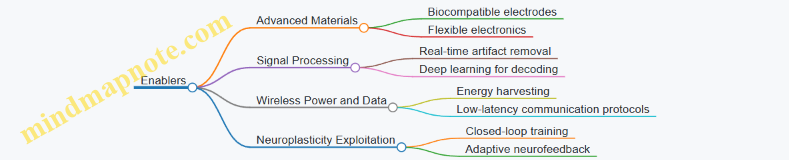
Example: Adaptive Algorithms Exploiting Neuroplasticity
Adaptive machine learning algorithms that update decoding models in real-time can harness the brain’s natural plasticity. For instance, a BCI controlling a robotic arm can improve accuracy over weeks as both the user’s brain and the algorithm co-adapt, enabling more intuitive control.
Ethical Considerations in Brain-Machine Symbiosis
As BCIs become more integrated, ethical concerns grow. Key areas include:
- Ensuring informed consent for complex, long-term implants
- Protecting mental privacy and preventing unauthorized access
- Addressing potential psychological impacts of deep integration
Mind Map: Ethical Framework for Next-Gen BCIs
Ethical Framework Mind Map

Final Thoughts
The journey toward seamless brain-machine symbiosis is multidisciplinary, requiring advances in neuroscience, engineering, AI, ethics, and user-centered design. By integrating these domains thoughtfully, next-generation BCIs promise to revolutionize human capabilities, healthcare, and quality of life with systems that feel like natural extensions of the self.
10. Resources and Tools for BCI Development
10.1 Open-Source Software Platforms and Toolkits
Open-source software platforms and toolkits play a pivotal role in accelerating Brain-Computer Interface (BCI) research and development. They provide accessible, flexible, and community-driven environments that enable biomedical engineers, applied neuroscientists, and systems engineers to prototype, test, and deploy BCI systems efficiently. This section explores some of the most widely used open-source platforms, their features, and practical examples illustrating their use.
Key Open-Source BCI Platforms and Toolkits
EEGLAB
Overview: EEGLAB is a MATLAB-based toolbox designed for processing continuous and event-related EEG data. It offers a graphical user interface (GUI) and scripting capabilities.
Features:
- Preprocessing: filtering, artifact rejection
- Independent Component Analysis (ICA)
- Time-frequency analysis
- Visualization tools
Example: A researcher uses EEGLAB to preprocess EEG data collected during a motor imagery task. They apply bandpass filtering (8-30 Hz), run ICA to remove eye-blink artifacts, and then extract event-related spectral perturbations to identify motor-related brain activity.
MNE-Python
Overview: MNE-Python is a comprehensive Python package for processing MEG and EEG data, emphasizing reproducibility and integration with machine learning workflows.
Features:
- Signal preprocessing and visualization
- Source localization
- Connectivity analysis
- Integration with scikit-learn for classification
Example: An applied neuroscientist uses MNE-Python to perform source localization on EEG data to identify cortical areas activated during a P300 speller task.
OpenViBE
Overview: OpenViBE is a software platform dedicated to designing, testing, and using real-time BCI applications.
Features:
- Visual programming environment
- Real-time signal acquisition and processing
- Support for multiple hardware devices
- Customizable scenarios
Example: A systems engineer creates a real-time BCI scenario in OpenViBE to control a robotic arm using motor imagery signals, integrating OpenBCI hardware for data acquisition.
BCI2000
Overview: BCI2000 is a general-purpose system for BCI research, supporting various signal acquisition devices and paradigms.
Features:
- Modular architecture (signal processing, user application, data acquisition)
- Real-time feedback
- Extensive documentation and community support
Example: A biomedical engineer uses BCI2000 to implement a P300-based speller system, leveraging its built-in signal processing modules and GUI.
Practical Example: Building a Simple Motor Imagery BCI Pipeline with MNE-Python and scikit-learn
import mne
from mne.datasets import sample
from sklearn.pipeline import make_pipeline
from sklearn.discriminant_analysis import LinearDiscriminantAnalysis
from sklearn.model_selection import cross_val_score

# Load sample EEG data
data_path = sample.data_path()
raw = mne.io.read_raw_fif(data_path + '/MEG/sample/sample_audvis_raw.fif', preload=True)

# Preprocessing: bandpass filter
raw.filter(8., 30., fir_design='firwin')

# Extract epochs around motor imagery events (example event IDs)
events = mne.find_events(raw)
epochs = mne.Epochs(raw, events, event_id={'left_hand': 1, 'right_hand': 2}, tmin=0, tmax=2, baseline=None)

# Feature extraction: compute covariance matrices
X = epochs.get_data()  # shape: (n_epochs, n_channels, n_times)

# Flatten data for classifier
X = X.reshape(len(X), -1)

y = epochs.events[:, 2]

# Classification pipeline
clf = make_pipeline(LinearDiscriminantAnalysis())

# Cross-validation
scores = cross_val_score(clf, X, y, cv=5)
print(f'Classification accuracy: {scores.mean():.2f} ± {scores.std():.2f}')
Best Practices for Using Open-Source BCI Toolkits
- Understand the Data Format: Each toolkit may have specific data format requirements; ensure compatibility or use conversion tools.
- Leverage Community Resources: Participate in forums and GitHub repositories to stay updated and troubleshoot.
- Combine Toolkits When Needed: For example, use MNE-Python for preprocessing and TensorFlow for deep learning classification.
- Document Your Workflow: Maintain reproducibility by scripting your analysis pipelines.
- Validate with Benchmark Datasets: Test your implementations on publicly available datasets to ensure robustness.
Summary Mind Map
Open-source software platforms empower BCI developers to innovate rapidly while adhering to best practices and leveraging community knowledge. By integrating these toolkits thoughtfully, engineers and neuroscientists can build robust, efficient, and ethical BCI systems.
10.2 Practical Example: Using OpenBCI Hardware for Rapid Prototyping
OpenBCI (Open Brain-Computer Interface) is a popular open-source hardware platform designed to facilitate rapid prototyping and experimentation in the field of brain-computer interfaces. Its affordability, flexibility, and community support make it an excellent choice for biomedical engineers and applied neuroscientists looking to build and test BCI systems quickly.
Overview of OpenBCI Hardware
- OpenBCI Boards: Cyton, Ganglion, and Ultracortex headset
- Channels: 8 to 16 EEG channels depending on the board
- Connectivity: USB, Bluetooth
- Open-Source: Schematics and firmware available
Step-by-Step Example: Building a Simple EEG-Based Motor Imagery BCI
Step 1: Hardware Setup
- Assemble the OpenBCI Cyton board with the Ultracortex headset
- Connect electrodes according to the 10-20 system (e.g., C3, C4, Cz for motor cortex)
- Ensure proper skin preparation for good signal quality
Step 2: Software Installation
- Install OpenBCI GUI (Graphical User Interface) from the official website
- Alternatively, use Python libraries such as
pyOpenBCIfor custom data acquisition
Step 3: Data Acquisition
- Start streaming EEG data via the GUI or custom script
- Monitor raw signals and check for artifacts (eye blinks, muscle noise)
Step 4: Signal Processing and Feature Extraction
- Apply bandpass filtering (e.g., 8-30 Hz for motor imagery rhythms)
- Extract features such as power spectral density or Common Spatial Patterns (CSP)
Step 5: Classification and Feedback
- Use a simple classifier (e.g., Linear Discriminant Analysis) to distinguish motor imagery tasks
- Provide real-time visual feedback (e.g., moving a cursor left or right)
Mind Map: OpenBCI Rapid Prototyping Workflow
Example Code Snippet: Streaming EEG Data Using pyOpenBCI
from openbci import OpenBCICyton

def print_sample(sample):
    print(sample.channels_data)

if __name__ == '__main__':
    board = OpenBCICyton(port='COM3')  # Replace with your port
    board.start_stream(print_sample)
This simple script connects to the OpenBCI Cyton board and prints EEG channel data in real-time.
Best Practices for Using OpenBCI Hardware
- Electrode Preparation: Clean skin, use conductive gel or saline solution for low impedance
- Noise Reduction: Use a grounded environment and minimize electrical interference
- Data Quality Checks: Continuously monitor signal quality during acquisition
- Documentation: Keep detailed logs of hardware settings and experimental protocols
Additional Example: Rapid Prototyping a P300 Speller
- Use OpenBCI to record EEG signals while flashing letters on a screen
- Detect P300 event-related potentials using time-locked averaging
- Implement a classifier to identify the attended letter
- Provide real-time feedback to the user
Mind Map: P300 Speller Prototyping with OpenBCI
Summary
OpenBCI hardware empowers engineers and neuroscientists to quickly prototype BCI systems with real-time data acquisition and processing capabilities. By following structured workflows and best practices, users can develop functional BCI applications such as motor imagery control or P300 spellers, accelerating research and innovation in the field.
10.3 Data Repositories and Benchmark Datasets
Brain-Computer Interface (BCI) development heavily relies on high-quality, well-ocumented datasets to train, validate, and benchmark algorithms. Access to diverse data repositories accelerates research by providing common grounds for comparison and reproducibility.
Importance of Data Repositories in BCI
- Facilitate algorithm development without the need for costly and time-consuming data collection.
- Enable benchmarking and performance comparison across different methods.
- Support reproducibility and transparency in research.
- Provide diverse datasets covering various BCI paradigms, signal modalities, and user populations.
Key Characteristics of Good BCI Datasets
- Signal Quality: Clean, well-annotated signals with minimal noise.
- Metadata: Detailed information about subjects, recording conditions, and experimental protocols.
- Diversity: Inclusion of multiple subjects, sessions, and task types.
- Accessibility: Open access with clear licensing.
Popular BCI Data Repositories and Benchmark Datasets
Mind Map: Popular BCI Data Repositories
Example Dataset Descriptions
-
PhysioNet EEG Motor Movement/Imagery Dataset
- Description: Contains EEG recordings from 109 subjects performing motor movement and motor imagery tasks.
- Use Case: Training and testing motor imagery classification algorithms.
- Best Practice: Use this dataset to benchmark feature extraction methods like Common Spatial Patterns (CSP).
-
BCI Competition IV Dataset 2a
- Description: Multi-class motor imagery dataset with 9 subjects performing four different motor imagery tasks.
- Use Case: Evaluating multi-class classifiers and adaptive algorithms.
- Best Practice: Employ cross-validation and report information transfer rate (ITR) for fair comparison.
-
OpenNeuro Visual P300 Dataset
- Description: EEG data collected during a P300 speller experiment.
- Use Case: Developing and testing event-related potential (ERP) detection algorithms.
- Best Practice: Preprocess with artifact removal and baseline correction to improve signal quality.
How to Effectively Use Benchmark Datasets
Mind Map: Best Practices for Using BCI Datasets
Practical Example: Benchmarking Motor Imagery Classifier Using BCI Competition IV Dataset 2a
- Download the dataset from the official BCI Competition website.
- Preprocess EEG signals by bandpass filtering between 8-30 Hz to capture sensorimotor rhythms.
- Extract features using Common Spatial Patterns (CSP).
- Train a Support Vector Machine (SVM) classifier.
- Validate using 10-fold cross-validation.
- Report classification accuracy and ITR.
This example demonstrates how publicly available datasets enable reproducible research and fair benchmarking.
Summary
Access to comprehensive BCI data repositories and benchmark datasets is essential for advancing the field. By leveraging these resources, biomedical engineers and applied neuroscientists can develop robust, generalizable algorithms and systems. Always adhere to best practices in data handling, preprocessing, and evaluation to maximize the value of these datasets.
10.4 Best Practices: Leveraging Community and Collaborative Resources
Leveraging community and collaborative resources is a cornerstone for accelerating innovation and ensuring robust development in Brain-Computer Interface (BCI) engineering. Engaging with open-source communities, research consortia, and interdisciplinary teams provides access to shared knowledge, tools, and datasets that can significantly reduce development time and improve system performance.
Why Leverage Community and Collaborative Resources?
- Access to Cutting-Edge Tools: Communities often develop and maintain state-of-the-art software and hardware platforms.
- Shared Datasets: Collaborative repositories provide diverse datasets essential for training and benchmarking.
- Collective Problem Solving: Forums and working groups foster discussion and troubleshooting.
- Standardization: Community efforts help establish standards for data formats, protocols, and evaluation metrics.
- Interdisciplinary Insights: Collaboration brings together engineers, neuroscientists, clinicians, and ethicists.
Mind Map: Benefits of Community and Collaborative Resources
Practical Examples
Example 1: Using OpenBCI and NeuroTechX Community
OpenBCI is an open-source hardware platform for EEG and other biosignal acquisition. The NeuroTechX community supports OpenBCI users with forums, tutorials, and collaborative projects.
- Best Practice: Join the NeuroTechX forums to ask questions, share code snippets, and participate in hackathons.
- Example: A biomedical engineer struggling with signal noise reduction found a community-developed Python library shared on NeuroTechX that improved preprocessing pipelines.
Example 2: Utilizing Public Datasets like BCI Competition Data
The BCI community has released multiple benchmark datasets (e.g., BCI Competition IV dataset 2a) for motor imagery tasks.
- Best Practice: Use these datasets to train and validate machine learning models before applying them to proprietary data.
- Example: An applied neuroscientist used the BCI Competition dataset to test a novel deep learning architecture, enabling comparison with published results.
Example 3: Collaborative Development with GitHub
Many BCI projects are hosted on GitHub, facilitating version control and collaborative coding.
- Best Practice: Contribute to existing repositories by submitting pull requests or reporting issues.
- Example: A systems engineer improved the latency of an open-source real-time BCI software by optimizing the data streaming module and shared the enhancement with the community.
Mind Map: How to Engage with Community Resources Effectively
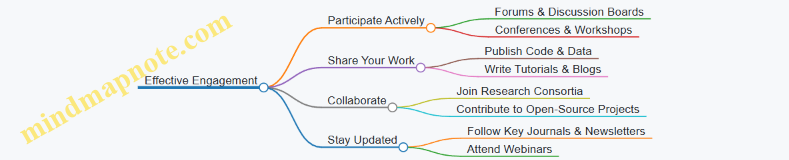
Tips for Maximizing Benefits
- Be Proactive: Don’t hesitate to ask questions or offer help.
- Document Contributions: Clear documentation helps others and increases your visibility.
- Respect Licensing: Understand and comply with open-source licenses.
- Network: Build relationships with community members for future collaborations.
- Continuous Learning: Use community resources to stay abreast of emerging trends and technologies.
Summary
Leveraging community and collaborative resources empowers BCI engineers and researchers to build more effective, reliable, and ethical systems. By actively participating in these ecosystems, professionals can accelerate their projects, avoid common pitfalls, and contribute to the collective advancement of the field.
10.5 Continuing Education: Workshops, Courses, and Conferences
Staying current in the rapidly evolving fields of Brain-Computer Interfaces (BCIs), Biomedical Engineering, and Signal Processing is essential for professionals aiming to innovate and excel. Continuing education through workshops, courses, and conferences provides invaluable opportunities to deepen knowledge, gain hands-on experience, and network with peers and experts.
Workshops
Workshops offer focused, practical training on specific BCI topics, often led by leading researchers or industry experts. They typically involve interactive sessions, live demonstrations, and hands-on exercises.
Examples:
- BCI Summer School: An intensive workshop covering signal acquisition, processing, machine learning, and ethical considerations.
- EEG Signal Processing Workshop: Focuses on preprocessing techniques, artifact removal, and feature extraction.
- Neuroethics Workshop: Discusses privacy, consent, and societal impacts of neurotechnology.
Best Practice: When selecting workshops, prioritize those that include hands-on labs and real-time system demonstrations to reinforce theoretical knowledge.
Online and In-Person Courses
Courses provide structured learning paths, often with assessments and certification. They can range from introductory to advanced levels.
Examples:
- Coursera: “Neural Signal Processing” – Covers fundamentals of neural data analysis with practical coding assignments.
- edX: “Biomedical Signal Processing” – Focuses on signal filtering, feature extraction, and classification.
- MIT OpenCourseWare: “Principles of Neuroengineering” – Explores neural interfaces and system design.
Best Practice: Complement theoretical courses with project-based learning, such as developing a simple BCI application using open-source tools.
Conferences
Conferences are pivotal for presenting cutting-edge research, networking, and discovering emerging trends.
Key Conferences:
- International BCI Meeting: The premier event dedicated solely to BCI research and development.
- IEEE EMBC (Engineering in Medicine and Biology Conference): Covers a broad range of biomedical engineering topics including BCIs.
- Neural Control of Movement (NCM) Conference: Focuses on neural mechanisms and control relevant to BCIs.
Best Practice: Engage actively by submitting papers, participating in workshops, and attending poster sessions to maximize learning and visibility.
Mind Maps
Below are mind maps in format to help visualize the continuing education landscape:
Mind Map 1: Continuing Education Modalities
Mind Map 2: Workshop Topics
Mind Map 3: Course Learning Outcomes
Mind Map 4: Conference Engagement
Practical Example: Leveraging Continuing Education for Career Growth
Scenario: A biomedical engineer wants to specialize in motor imagery BCIs.
Steps:
- Enroll in an online course on neural signal processing to build foundational knowledge.
- Attend a workshop focused on motor imagery signal classification to gain hands-on experience.
- Submit a poster to the International BCI Meeting showcasing a prototype BCI system.
- Participate in networking events at conferences to connect with researchers and industry professionals.
- Join a neuroethics workshop to understand the societal implications of their work.
This integrated approach ensures comprehensive skill development and professional growth.
Summary
Continuing education through workshops, courses, and conferences is vital for biomedical engineers, applied neuroscientists, and systems engineers working in BCIs. By actively engaging in these learning opportunities, professionals can stay abreast of technological advances, refine their skills with practical examples, and contribute responsibly to the field’s ethical landscape.