Developer Guide to Rust for Systems and Web
1. Introduction to Rust Programming
1.1 Overview of Rust Language and Ecosystem
Rust is a programming language designed to provide memory safety and concurrency without sacrificing performance. It achieves this by enforcing strict compile-time checks on ownership and borrowing, which prevents common bugs like null pointer dereferencing and data races. Rust’s syntax is familiar to those who have used C or C++, but its core concepts encourage safer code patterns.
Key Characteristics of Rust
- Memory Safety Without Garbage Collection: Rust uses a system of ownership with rules checked at compile time, eliminating the need for a garbage collector.
- Zero-Cost Abstractions: High-level features compile down to efficient machine code with no runtime overhead.
- Concurrency: Rust’s type system and ownership model make concurrent programming safer and easier to reason about.
- Performance: Rust programs often match or exceed the speed of C and C++ counterparts.
Mind Map: Core Concepts of Rust
Rust Ecosystem Components
Rust’s ecosystem is built around several key tools and libraries that support development across systems and web domains.
- Cargo: The package manager and build system. It manages dependencies, compiles code, runs tests, and generates documentation.
- Crates: Packages of Rust code published to the central repository, crates.io. They can be libraries or executables.
- Standard Library: Provides essential data types, collections, I/O, concurrency primitives, and more.
- Compiler (rustc): Translates Rust code into machine code, enforcing safety and performance guarantees.
- Rustfmt: Automatically formats code to a consistent style.
- Clippy: A linter that suggests improvements and catches common mistakes.
Mind Map: Rust Ecosystem Overview
Example: Hello World with Cargo
fn main() {
    println!("Hello, Rust!");
}
To run this example:
- Create a new project with
cargo new hello_rust. - Navigate into the directory:
cd hello_rust. - Build and run with
cargo run.
Cargo handles compilation and execution, simplifying the development workflow.
Why Rust Matters for Systems and Web Development
Rust’s design addresses challenges common in systems programming, such as manual memory management and concurrency bugs. At the same time, its growing web frameworks and WebAssembly support make it suitable for web applications. This dual focus allows developers to write high-performance, safe code across different domains using a single language.
Example: Ownership Concept
fn main() {
    let s1 = String::from("hello");
    let s2 = s1; // s1 is moved to s2
    // println!("{}", s1); // Error: s1 is no longer valid
    println!("{}", s2);
}
This example shows how Rust prevents use-after-move errors by enforcing ownership rules at compile time.
Summary
Rust combines safety, concurrency, and performance through a unique ownership system and a supportive ecosystem. Understanding these fundamentals sets the stage for writing reliable and efficient code in both systems and web contexts.
1.2 Setting Up the Rust Development Environment
Setting up a Rust development environment involves installing the Rust toolchain, configuring your editor or IDE, and verifying that everything works as expected. This section walks through these steps with practical examples and tips.
Installing Rust
Rust is distributed via a tool called rustup, which manages Rust versions and associated tools. It’s the recommended way to install Rust because it keeps your setup consistent and up to date.
To install Rust, open your terminal and run:
curl --proto '=https' --tlsv1.2 -sSf https://sh.rustup.rs | sh
This command downloads and runs the Rust installer script. It will prompt you to proceed with the default installation, which includes the latest stable Rust compiler (rustc), the package manager (cargo), and standard libraries.
After installation, you need to reload your shell environment or restart your terminal to have access to Rust commands.
Verifying Installation
Check that Rust is installed correctly by running:
rustc --version
cargo --version
These commands should output the installed versions of the Rust compiler and Cargo.
Rust Toolchain Components
Rustup installs several components:
rustc: The Rust compiler.cargo: Rust’s build system and package manager.rustfmt: Formatter for Rust code.clippy: Linter for catching common mistakes.
You can add or update components using rustup. For example, to add Clippy:
rustup component add clippy
Managing Rust Versions
Rust releases new stable versions every six weeks. To update Rust to the latest stable version, run:
rustup update
If you need to use a specific Rust version for a project, you can override the default with:
rustup override set 1.65.0
This command pins Rust 1.65.0 in the current directory.
Setting Up Your Editor or IDE
Rust works well with many editors. Popular choices include Visual Studio Code, IntelliJ IDEA with Rust plugin, and Vim or Neovim.
For Visual Studio Code, install the “rust-analyzer” extension. It provides features like code completion, inline errors, and refactoring support.
Example: To enable Rust support in VS Code:
- Open VS Code.
- Go to Extensions (Ctrl+Shift+X).
- Search for “rust-analyzer”.
- Click Install.
Other editors require similar plugin installations.
Creating a New Rust Project
Use Cargo to create a new project:
cargo new hello_rust
cd hello_rust
This creates a directory hello_rust with a basic Cargo.toml file and a src/main.rs containing a “Hello, world!” program.
Run the program with:
cargo run
Output:
Hello, world!
Mind Map: Rust Development Environment Setup
Best Practices
- Always use
rustupfor managing Rust versions and components. - Keep your Rust toolchain updated regularly.
- Use an editor with Rust support to catch errors early.
- Start new projects with Cargo to leverage its build and dependency management.
Troubleshooting
- If
rustcorcargocommands are not found after installation, ensure your PATH environment variable includes Cargo’s bin directory (usually$HOME/.cargo/bin). - Use
rustup showto see the active Rust version and toolchain.
This setup provides a solid foundation for writing, building, and running Rust code, whether for systems programming or web development.
1.3 Understanding Cargo: Rust’s Build System and Package Manager
Cargo is the official Rust build system and package manager. It handles compiling your code, downloading the libraries your code depends on, and building those libraries. It also manages project metadata and automates many tasks that would otherwise require manual setup.
What Cargo Does
- Builds your project: Compiles your Rust code and its dependencies.
- Manages dependencies: Downloads and compiles external libraries (crates).
- Runs tests: Executes unit and integration tests.
- Generates documentation: Builds documentation from your code comments.
- Packages and publishes: Prepares your crate for distribution.
Here’s a mind map summarizing Cargo’s core responsibilities:
Cargo.toml: The Heart of Your Project
Every Cargo project has a Cargo.toml file at its root. This file contains metadata and configuration. Here’s a minimal example:
[package]
name = "example_project"
version = "0.1.0"
authors = ["Jane Developer <[email protected]>"]
edition = "2021"

[dependencies]
serde = "1.0"
[package]section defines your project’s identity.[dependencies]lists external crates your project needs.
Cargo uses this file to download and compile dependencies automatically.
Basic Cargo Commands
cargo new project_name— Creates a new Rust project with a default structure.cargo build— Compiles the current project.cargo run— Builds and runs the project.cargo test— Runs tests.cargo doc --open— Builds and opens documentation.cargo clean— Removes build artifacts.
Example: Creating and running a new project
cargo new hello_cargo
cd hello_cargo
cargo run
This creates a new directory hello_cargo with a basic Rust program, compiles it, and runs it.
Dependency Management
When you add a dependency in Cargo.toml, Cargo fetches it from crates.io and compiles it. Versions follow Semantic Versioning, and Cargo resolves compatible versions automatically.
Example of specifying a dependency with a version range:
[dependencies]
regex = "^1.3"
This means any regex crate version compatible with 1.3.x.
You can also specify dependencies from Git repositories or local paths:
[dependencies]
my_crate = { git = "https://github.com/username/my_crate.git" }
local_crate = { path = "../local_crate" }
Workspaces
Cargo supports workspaces, which let you manage multiple related packages in one repository. This is useful for large projects or when splitting code into reusable crates.
Workspace structure mind map:
Example root Cargo.toml for a workspace:
[workspace]
members = ["crate_a", "crate_b"]
Running cargo build in the workspace root builds all member crates.
Profiles
Cargo uses build profiles to control compilation settings. The two main profiles are dev and release.
devis the default for development builds, prioritizing fast compilation.releaseenables optimizations for performance.
You can customize profiles in Cargo.toml:
[profile.release]
opt-level = 3
Use cargo build --release to build with the release profile.
Example: Adding and Using a Dependency
- Add
randcrate toCargo.toml:
[dependencies]
rand = "0.8"
- Use it in your code (
src/main.rs):
use rand::Rng;

fn main() {
    let mut rng = rand::thread_rng();
    let n: u8 = rng.gen();
    println!("Random number: {}", n);
}
- Build and run:
cargo run
This example shows how Cargo manages the dependency and compiles your project seamlessly.
Summary Mind Map
Cargo simplifies Rust development by automating compilation, dependency management, and more. Understanding its structure and commands is essential for efficient Rust programming.
1.4 Writing Your First Rust Program: A Step-by-Step Guide
Starting with Rust means understanding how to write a simple program that compiles and runs. This section guides you through creating a basic Rust application, explaining each step with examples and a mind map to visualize the process.
Step 1: Setting Up Your Project
Rust projects are managed using Cargo, Rust’s build system and package manager. To create a new project, you run:
cargo new hello_rust
cd hello_rust
This command creates a directory named hello_rust with a basic project structure:
Cargo.toml: The manifest file describing your project and dependencies.src/main.rs: The main source file where your code lives.
Step 2: Understanding the Main File
Open src/main.rs. By default, it contains:
fn main() {
    println!("Hello, world!");
}
This is the entry point of your Rust program. The fn main() declares the main function, and println! is a macro that prints text to the console.
Step 3: Running Your Program
To compile and run your program, execute:
cargo run
Cargo compiles the code and runs the resulting executable. You should see:
Hello, world!
Step 4: Modifying the Program
Change the message to something personal:
fn main() {
    println!("Hello, Rustaceans!");
}
Run cargo run again to see the new output.
Step 5: Adding Variables
Rust is statically typed, so variables have types. Here’s how to declare and use a variable:
fn main() {
    let name = "Rustacean"; // immutable by default
    println!("Hello, {}!", name);
}
The {} is a placeholder replaced by name in the output.
Step 6: Making Variables Mutable
If you want to change a variable’s value, mark it as mutable:
fn main() {
    let mut counter = 1;
    println!("Counter: {}", counter);
    counter = 2;
    println!("Counter updated: {}", counter);
}
Step 7: Adding a Simple Function
Functions help organize code. Here’s a function that returns a greeting:
fn greet(name: &str) -> String {
    format!("Hello, {}!", name)
}

fn main() {
    let message = greet("Rustacean");
    println!("{}", message);
}
&str is a string slice, a reference to a string. format! creates a String.
Step 8: Mind Map of the First Program
Mind Map: Writing Your First Rust Program
Step 9: Error Handling Basics
Try changing println!("{}", message); to println!(message); and compile. Rust will error because println! expects a format string. This shows Rust’s strictness helps catch mistakes early.
Step 10: Summary Example
Here is a complete example combining these elements:
fn greet(name: &str) -> String {
    format!("Hello, {}! Welcome to Rust.", name)
}

fn main() {
    let mut visitor = "Rustacean";
    println!("{}", greet(visitor));
    visitor = "Fellow Developer";
    println!("{}", greet(visitor));
}
Running this prints two personalized greetings, demonstrating variables, mutability, functions, and output.
This step-by-step approach introduces you to Rust’s syntax and workflow with clear examples and a visual structure. The next sections will build on this foundation, adding complexity and best practices.
1.5 Best Practices: Code Style and Project Organization in Rust
Writing Rust code that is easy to read and maintain starts with consistent style and clear project structure. Rust’s tooling and community conventions help guide this process, but understanding the rationale behind these practices makes them easier to apply.
Code Style
Rust’s official style guidelines are enforced by rustfmt, a tool that formats code automatically. Using rustfmt ensures your code follows a consistent style, which reduces cognitive load when switching between projects or collaborating.
Key style points include:
- Indentation: Use 4 spaces per indentation level. Tabs are discouraged.
- Line length: Aim for 100 characters or fewer per line to keep code readable on various devices.
- Brace placement: Opening braces go on the same line as the statement or function signature.
- Naming conventions:
- Variables and functions use snake_case.
- Types and traits use CamelCase.
- Constants use SCREAMING_SNAKE_CASE.
Example:
const MAX_CONNECTIONS: usize = 100;

struct HttpServer {
    port: u16,
}

impl HttpServer {
    fn new(port: u16) -> Self {
        Self { port }
    }

    fn start(&self) {
        println!("Server running on port {}", self.port);
    }
}
Organizing Code into Modules and Files
Rust projects are organized into modules, which map to files and directories. This modularity helps manage complexity and controls visibility.
- Modules: Declared with
modkeyword. Each module can have submodules. - Files: A module named
foocorresponds to a filefoo.rsor a directoryfoo/mod.rs. - Visibility: Items are private by default. Use
pubto expose functions, structs, or modules.
Mind map of module organization:
Example of module declaration:
// src/main.rs
mod network;
mod utils;

fn main() {
    network::connect();
    utils::parser::parse_data();
}
// src/network.rs
pub fn connect() {
    println!("Connecting...");
}
// src/utils/mod.rs
pub mod parser;
// src/utils/parser.rs
pub fn parse_data() {
    println!("Parsing data...");
}
Project Structure
A typical Rust project has a clear directory layout:
- Cargo.toml # Project manifest
- src
- main.rs # Entry point for binary crate
- lib.rs # Library root (optional)
- modules and submodules
- tests # Integration tests
- benches # Benchmarks
- examples # Example programs
- Use
main.rsfor executable projects. - Use
lib.rsfor libraries or shared code. - Place integration tests in the
testsdirectory, each test is a separate crate.
Best Practices Summary Mind Map
Documentation and Comments
Rust encourages documentation through doc comments (///). Documenting public APIs helps users understand how to use your code without reading the implementation.
Example:
/// Represents a user in the system.
///
/// # Examples
///
/// ```
/// let user = User::new("Alice");
/// assert_eq!(user.name(), "Alice");
/// ```
pub struct User {
    name: String,
}

impl User {
    /// Creates a new user with the given name.
    pub fn new(name: &str) -> Self {
        Self { name: name.to_string() }
    }

    /// Returns the user's name.
    pub fn name(&self) -> &str {
        &self.name
    }
}
Final Notes
- Keep functions small and focused; if a function grows beyond 30 lines, consider splitting it.
- Group related functions and types into modules to improve discoverability.
- Avoid deep nesting; use early returns to reduce indentation.
- Use descriptive names for variables and functions; clarity beats cleverness.
Following these practices will make your Rust code easier to read, maintain, and share.
2. Rust Fundamentals and Core Concepts
2.1 Variables, Mutability, and Data Types with Practical Examples
Rust’s approach to variables, mutability, and data types is foundational to writing safe and efficient code. Understanding these concepts early helps avoid common pitfalls and makes your code clearer and more predictable.
Variables and Immutability
By default, variables in Rust are immutable. This means once a value is bound to a variable, it cannot be changed. This design encourages safer code by preventing accidental modification.
let x = 5;
// x = 6; // This will cause a compile-time error because x is immutable
println!("x is {}", x);
If you want a variable to be mutable, you must explicitly declare it with the mut keyword.
let mut y = 5;
y = 6; // This is allowed because y is mutable
println!("y is {}", y);
Mind Map: Variables and Mutability
Shadowing
Rust allows you to declare a new variable with the same name as a previous variable. This is called shadowing. It’s different from mutability because it creates a new variable rather than modifying the existing one.
let x = 5;
let x = x + 1; // shadows previous x
let x = x * 2;
println!("x is {}", x); // prints 12
Shadowing can be useful to transform a value while keeping the same variable name, especially when changing types.
Data Types Overview
Rust is statically typed, meaning every variable’s type must be known at compile time. The compiler can often infer types, but sometimes you need to specify them explicitly.
Rust’s primitive data types fall into several categories:
- Scalar types: integers, floating-point numbers, booleans, and characters
- Compound types: tuples and arrays
Scalar Types
Integers
Integers come in signed and unsigned forms, with sizes from 8 to 128 bits.
let a: i32 = -10; // signed 32-bit integer
let b: u8 = 255;  // unsigned 8-bit integer
If you omit the type, Rust defaults to i32 for integers.
Floating-Point Numbers
Rust supports f32 and f64 for floating-point numbers, with f64 as the default.
let x = 2.0; // f64 by default
let y: f32 = 3.0;
Booleans
Represented as bool, they can be true or false.
let t = true;
let f: bool = false;
Characters
Rust’s char type represents a Unicode scalar value and is 4 bytes in size.
let c = 'z';
let z: char = 'ℤ';
Compound Types
Tuples
Tuples group a fixed number of values with potentially different types.
let tup: (i32, f64, u8) = (500, 6.4, 1);
let (x, y, z) = tup; // destructuring
println!("The value of y is {}", y);
Arrays
Arrays hold multiple values of the same type and have a fixed length.
let a = [1, 2, 3, 4, 5];
let first = a[0];
Mind Map: Data Types
Practical Example: Combining Variables and Types
fn main() {
    let mut count: u32 = 0; // mutable unsigned 32-bit integer
    let name: &str = "Rustacean"; // string slice

    println!("Hello, {}!", name);

    count = count + 1;
    println!("Count is now {}", count);

    let coordinates: (f64, f64) = (10.0, 20.0);
    println!("Coordinates: ({}, {})", coordinates.0, coordinates.1);

    let numbers = [1, 2, 3, 4, 5];
    println!("First number: {}", numbers[0]);
}
Best Practices
- Prefer immutability unless you need to change a value. It reduces bugs and makes reasoning about code easier.
- Use shadowing to transform variables without mutability, especially when changing types.
- Explicitly annotate types when it improves code clarity or when the compiler cannot infer the type.
- Choose the smallest integer type that fits your data to optimize memory usage.
- Use tuples for fixed-size heterogeneous data and arrays for fixed-size homogeneous data.
Understanding these basics sets the stage for more advanced topics like ownership and concurrency, where Rust’s type system and variable rules play a crucial role.
2.2 Ownership, Borrowing, and Lifetimes Explained
Rust’s ownership system is central to its promise of memory safety without a garbage collector. It enforces rules at compile time that prevent common bugs like use-after-free, double free, and data races. Understanding ownership, borrowing, and lifetimes is essential for writing idiomatic Rust.
Ownership
Ownership in Rust means that each value has a single owner, and when the owner goes out of scope, the value is dropped (memory freed). This eliminates dangling pointers and memory leaks common in manual memory management.
- Each value has one owner.
- When the owner is dropped, the value is dropped.
- Ownership can be transferred (moved).
fn main() {
    let s1 = String::from("hello"); // s1 owns the String
    let s2 = s1; // ownership moved from s1 to s2
    // println!("{}", s1); // error: s1 no longer valid
    println!("{}", s2); // works
}
In this example, s1 owns the string initially. When assigned to s2, ownership moves, and s1 becomes invalid.
Borrowing
Borrowing allows you to use a value without taking ownership. Rust enforces borrowing rules to ensure no data races or invalid references.
- Immutable references (
&T) allow multiple readers. - Mutable references (
&mut T) allow one writer. - You cannot have mutable and immutable references to the same data simultaneously.
fn main() {
    let mut s = String::from("hello");
    let r1 = &s; // immutable borrow
    let r2 = &s; // another immutable borrow
    println!("{} and {}", r1, r2); // OK

    let r3 = &mut s; // error: cannot borrow `s` as mutable because it is also borrowed as immutable
}
The compiler forbids mutable borrow while immutable borrows exist.
Lifetimes
Lifetimes describe the scope during which a reference is valid. Rust uses lifetimes to prevent dangling references.
- Every reference has a lifetime.
- The compiler infers lifetimes in many cases.
- Explicit lifetimes are needed when the compiler cannot determine how references relate.
Example of explicit lifetimes:
fn longest<'a>(x: &'a str, y: &'a str) -> &'a str {
    if x.len() > y.len() { x } else { y }
}

fn main() {
    let string1 = String::from("long string");
    let string2 = "short";
    let result = longest(string1.as_str(), string2);
    println!("Longest string is: {}", result);
}
Here, 'a is a lifetime parameter indicating that the returned reference will live at least as long as both input references.
Mind Map: Ownership
Mind Map: Borrowing
Mind Map: Lifetimes
Practical Example: Combining Ownership, Borrowing, and Lifetimes
fn main() {
    let s = String::from("hello");
    print_str(&s); // borrow s immutably
    // s can still be used here
    println!("s is still valid: {}", s);
}

fn print_str(s: &String) {
    println!("Printing: {}", s);
}
In main, s owns the string. print_str borrows it immutably. After the call, s remains valid because ownership was not transferred.
Common Pitfalls
- Trying to use a value after it has been moved.
- Having multiple mutable references at the same time.
- Returning references that do not live long enough.
Rust’s compiler messages often guide you to fix these issues by explaining ownership and lifetime problems.
Summary
Ownership ensures a single responsible owner per value, preventing memory errors. Borrowing lets you access data without taking ownership, with strict rules to avoid conflicts. Lifetimes track how long references are valid, preventing dangling pointers. Together, these concepts form Rust’s memory safety foundation without runtime overhead.
2.3 Pattern Matching and Control Flow in Rust
Pattern matching and control flow are core to writing clear, concise, and idiomatic Rust code. Rust’s pattern matching is powered by the match expression, which allows you to compare a value against a series of patterns and execute code based on which pattern matches. This goes beyond simple equality checks and can destructure complex data types.
The Basics of match
The match expression takes a value and compares it against multiple arms. Each arm consists of a pattern and the code to run if that pattern matches. The syntax looks like this:
match value {
    pattern1 => expression1,
    pattern2 => expression2,
    _ => default_expression,
}
The underscore _ acts as a catch-all pattern, matching anything not previously matched.
Example: Matching an Integer
let number = 3;
match number {
    1 => println!("One"),
    2 => println!("Two"),
    3 => println!("Three"),
    _ => println!("Something else"),
}
This will print “Three” because number matches the pattern 3.
Mind Map: Basic match Structure
Matching Enums and Destructuring
Rust’s power shines when matching enums and destructuring data. Consider an enum representing a simple message:
enum Message {
    Quit,
    Move { x: i32, y: i32 },
    Write(String),
    ChangeColor(i32, i32, i32),
}

let msg = Message::Move { x: 10, y: 20 };

match msg {
    Message::Quit => println!("Quit message"),
    Message::Move { x, y } => println!("Move to ({}, {})", x, y),
    Message::Write(text) => println!("Text message: {}", text),
    Message::ChangeColor(r, g, b) => println!("Change color to RGB({}, {}, {})", r, g, b),
}
This example shows how match can destructure the enum variants and bind inner values to variables.
Mind Map: Matching and Destructuring Enums
Pattern Matching with if let and while let
Sometimes you want to match a single pattern and ignore others. if let lets you do this succinctly:
let some_option = Some(5);
if let Some(value) = some_option {
    println!("Got a value: {}", value);
} else {
    println!("No value");
}
Similarly, while let can be used to loop while a pattern matches:
let mut stack = vec![1, 2, 3];
while let Some(top) = stack.pop() {
    println!("Popped: {}", top);
}
Mind Map: if let and while let
Control Flow Constructs in Rust
Rust includes familiar control flow keywords: if, else if, else, loop, while, and for. These work similarly to other languages but integrate smoothly with Rust’s pattern matching.
if and else
let x = 10;
if x < 5 {
    println!("Less than five");
} else if x == 10 {
    println!("Equal to ten");
} else {
    println!("Something else");
}
loop
An infinite loop that you can break out of:
let mut count = 0;
loop {
    count += 1;
    if count == 5 {
        break;
    }
}
println!("Count reached {}", count);
while
Runs while a condition is true:
let mut n = 3;
while n != 0 {
    println!("{}!", n);
    n -= 1;
}
println!("Liftoff!");
for
Iterates over collections:
let arr = [10, 20, 30];
for element in arr.iter() {
    println!("Element: {}", element);
}
Mind Map: Control Flow Keywords
Combining Patterns and Guards
Patterns can be combined with conditions called guards:
let num = Some(4);
match num {
    Some(x) if x < 5 => println!("Less than five: {}", x),
    Some(x) => println!("{}", x),
    None => println!("No value"),
}
The guard if x < 5 adds an extra condition to the pattern.
Matching Multiple Patterns
You can match several patterns in one arm using the | operator:
let c = 'a';
match c {
    'a' | 'e' | 'i' | 'o' | 'u' => println!("Vowel"),
    _ => println!("Consonant"),
}
Best Practices
- Always include a catch-all
_arm unless you want the compiler to warn about non-exhaustive matches. - Use pattern matching to destructure data rather than manual indexing or field access when possible.
- Prefer
if letfor simple one-pattern matches to keep code concise. - Use guards sparingly; if your logic gets complex, consider refactoring.
- Leverage
forloops with iterators instead of manual indexing.
Summary
Rust’s pattern matching and control flow constructs provide a powerful toolkit for handling data and branching logic. They encourage writing clear, safe, and expressive code by combining matching, destructuring, and conditional execution in a unified syntax. Understanding these tools is essential for effective Rust programming.
2.4 Functions, Closures, and Error Handling Patterns
Functions in Rust
Functions are the building blocks of Rust programs. They encapsulate reusable logic, accept parameters, and return values. The syntax is straightforward:
fn add(a: i32, b: i32) -> i32 {
    a + b
}
Here, add takes two 32-bit integers and returns their sum. The return type follows the arrow ->. Notice the absence of a semicolon on the last expression; this makes it the return value.
Functions can also return tuples, structs, or even other functions. Parameters are immutable by default, which encourages safer code.
Closures: Anonymous Functions with Context
Closures are like functions but can capture variables from their surrounding scope. They are handy for short, inline logic.
let x = 5;
let add_x = |y: i32| y + x;
println!("{}", add_x(3)); // prints 8
Closures infer parameter and return types when possible, but you can specify them explicitly:
let multiply = |a: i32, b: i32| -> i32 { a * b };
Closures implement traits like Fn, FnMut, or FnOnce depending on how they capture variables. This affects how and when you can call them.
Mind Map: Functions and Closures
Error Handling Patterns
Rust uses types like Result and Option to handle errors and absence of values explicitly, avoiding exceptions.
A function returning a Result looks like this:
fn divide(a: f64, b: f64) -> Result<f64, String> {
    if b == 0.0 {
        Err(String::from("division by zero"))
    } else {
        Ok(a / b)
    }
}
The caller must handle both Ok and Err cases, making error handling explicit.
Using match for Error Handling
match divide(10.0, 0.0) {
    Ok(result) => println!("Result: {}", result),
    Err(e) => println!("Error: {}", e),
}
The ? Operator
To reduce boilerplate, Rust provides the ? operator, which propagates errors upwards:
fn reciprocal(value: f64) -> Result<f64, String> {
    if value == 0.0 {
        Err(String::from("cannot take reciprocal of zero"))
    } else {
        Ok(1.0 / value)
    }
}

fn divide_and_reciprocal(a: f64, b: f64) -> Result<f64, String> {
    let division = divide(a, b)?;
    reciprocal(division)
}
If divide returns an error, divide_and_reciprocal returns it immediately.
Mind Map: Error Handling
Combining Functions, Closures, and Error Handling
Closures can return Result types, allowing inline error handling:
let parse_and_double = |s: &str| -> Result<i32, std::num::ParseIntError> {
    let num = s.parse::<i32>()?;
    Ok(num * 2)
};

match parse_and_double("10") {
    Ok(val) => println!("Doubled value: {}", val),
    Err(e) => println!("Parse error: {}", e),
}
Best Practices
- Prefer expression-based returns to avoid unnecessary
returnstatements. - Use closures for short, context-dependent logic.
- Handle errors explicitly with
ResultandOption. - Use the
?operator to propagate errors cleanly. - Avoid panics in library code; reserve them for unrecoverable errors.
- Define custom error types when you need richer error information.
This section covered how Rust’s functions and closures work together with its error handling model to create clear, safe, and concise code. The explicitness in error handling encourages developers to consider failure cases upfront, leading to more robust applications.
2.5 Modules, Crates, and Visibility: Organizing Code Effectively
Rust’s approach to code organization revolves around modules and crates, with visibility rules that control access. Understanding these concepts helps keep code manageable, reusable, and clear.
Modules: The Building Blocks of Code Organization
Modules in Rust are like folders inside your project that group related code. They help avoid name clashes and clarify where functionality lives.
- A module is declared with the
modkeyword. - Modules can be nested.
- Each module creates a separate namespace.
Example:
mod network {
    pub mod tcp {
        pub fn connect() {
            println!("TCP connect");
        }
    }
    mod udp {
        fn send() {
            println!("UDP send");
        }
    }
}

fn main() {
    network::tcp::connect();
    // network::udp::send(); // Error: function is private
}
Here, tcp is public inside network, but udp is private. This means connect can be called from outside, but send cannot.
Crates: The Compilation Unit
A crate is a compilation unit in Rust. It can be a binary (an executable) or a library. Every Rust project is a crate.
- Crates contain modules.
- The root module is the crate root.
- Cargo manages crates and dependencies.
Example:
If you create a library crate, your lib.rs is the root module. You define submodules inside it.
// lib.rs
pub mod utils {
    pub fn greet() {
        println!("Hello from utils!");
    }
}
Another crate can depend on this library and call utils::greet().
Visibility: Controlling Access
Rust defaults to private visibility. Items (functions, structs, modules) are private to their parent module unless marked pub.
Visibility keywords:
pub: makes an item public within the crate and to external crates.pub(crate): public within the current crate only.pub(super): public to the parent module.pub(in path): public within a specific module path.
Example:
mod outer {
    pub mod inner {
        pub(crate) fn crate_only() {
            println!("Visible within crate");
        }
        pub(super) fn parent_only() {
            println!("Visible to parent module");
        }
        pub fn public_fn() {
            println!("Public everywhere");
        }
        fn private_fn() {
            println!("Private to inner module");
        }
    }
    fn test() {
        inner::crate_only();
        inner::parent_only();
        inner::public_fn();
        // inner::private_fn(); // Error: private
    }
}
Mind Map: Modules and Visibility
Organizing Code: File System and Modules
Rust maps modules to files and folders:
mod foo;looks forfoo.rsorfoo/mod.rs.- Nested modules correspond to nested folders.
Example file structure:
src/
├── lib.rs
├── network/
│   ├── mod.rs
│   ├── tcp.rs
│   └── udp.rs
In lib.rs:
pub mod network;
In network/mod.rs:
pub mod tcp;
pub mod udp;
This structure keeps code modular and easy to navigate.
Best Practices for Modules and Visibility
- Start with private items; make public only what’s necessary.
- Use
pub(crate)to expose internals within your crate but hide from others. - Group related functions and types in modules to clarify intent.
- Keep module hierarchies shallow; deep nesting can confuse.
- Use clear naming to indicate module purpose.
Example: A Small Library with Modules and Visibility
// lib.rs
pub mod math {
    pub mod geometry {
        pub fn area_of_square(side: f64) -> f64 {
            side * side
        }

        fn helper() {
            // private helper function
        }
    }

    mod algebra {
        pub fn solve_linear(a: f64, b: f64) -> f64 {
            -b / a
        }
    }
}

fn main() {
    println!("Area: {}", math::geometry::area_of_square(3.0));
    // math::algebra::solve_linear(2.0, 3.0); // Error: algebra is private
}
Here, geometry is public, so its public functions are accessible. algebra is private, so it’s hidden outside math.
Modules, crates, and visibility form the backbone of Rust’s code organization. They help you write code that’s clear about what’s exposed and what stays internal, making maintenance and collaboration smoother.
3. Advanced Rust Types and Memory Safety
3.1 Structs and Enums: Defining Custom Data Types
Rust’s power in systems and web programming partly comes from its ability to define custom data types that model real-world concepts clearly and safely. Two fundamental tools for this are structs and enums. They let you group related data and represent different possible states or variants in your program.
Structs: Grouping Related Data
A struct (short for structure) is a composite data type that groups together multiple related values. Think of it as a way to create your own data type with named fields. Each field has a type, and the struct as a whole can be passed around as a single unit.
Basic Syntax
struct Point {
    x: f64,
    y: f64,
}
Here, Point groups two f64 values representing coordinates.
Creating and Using Structs
let origin = Point { x: 0.0, y: 0.0 };
println!("Origin is at ({}, {})", origin.x, origin.y);
You access fields using dot notation. Structs make your code more descriptive and type-safe.
Mind Map: Structs Overview
Tuple Structs
Rust also supports tuple structs, which are like tuples but with a name:
struct Color(u8, u8, u8);
let black = Color(0, 0, 0);
println!("Red component: {}", black.0);
They are useful when you want a lightweight struct without named fields.
Unit-Like Structs
A struct with no fields is called a unit-like struct. It can be used for type-level information or as markers.
Enums: Representing Variants
Enums let you define a type that can be one of several variants. Each variant can optionally hold data. This is useful for modeling states, options, or different kinds of messages.
Basic Syntax
enum Direction {
    North,
    East,
    South,
    West,
}
Here, Direction can be one of four values.
Using Enums
let heading = Direction::North;
match heading {
    Direction::North => println!("Going up!"),
    Direction::East => println!("Going right!"),
    Direction::South => println!("Going down!"),
    Direction::West => println!("Going left!"),
}
The match statement exhaustively handles all variants, which helps prevent bugs.
Enums with Data
Variants can carry data, making enums powerful:
enum Message {
    Quit,
    Move { x: i32, y: i32 },
    Write(String),
    ChangeColor(i32, i32, i32),
}
Each variant can have different types and amounts of associated data.
Mind Map: Enums Overview
Comparing Structs and Enums
| Feature | Structs | Enums |
|---|---|---|
| Purpose | Group related data | Represent one of several variants |
| Data | Named or unnamed fields | Variants with or without data |
| Usage | Modeling entities or records | Modeling states or choices |
| Pattern Matching | Limited (field access only) | Full pattern matching support |
Practical Example: Modeling a Shape
// Define a struct for a circle
struct Circle {
    radius: f64,
}

// Define a struct for a rectangle
struct Rectangle {
    width: f64,
    height: f64,
}

// Define an enum to represent different shapes
enum Shape {
    Circle(Circle),
    Rectangle(Rectangle),
}

impl Shape {
    fn area(&self) -> f64 {
        match self {
            Shape::Circle(c) => 3.14159 * c.radius * c.radius,
            Shape::Rectangle(r) => r.width * r.height,
        }
    }
}

fn main() {
    let circle = Shape::Circle(Circle { radius: 5.0 });
    let rectangle = Shape::Rectangle(Rectangle { width: 3.0, height: 4.0 });

    println!("Circle area: {}", circle.area());
    println!("Rectangle area: {}", rectangle.area());
}
This example shows how structs and enums can work together to model complex data and behavior.
Best Practices
- Use structs when you need to group related data with a fixed structure.
- Use enums when you want to represent a value that can be one of several distinct types.
- Prefer named fields in structs for clarity unless tuple structs are simpler.
- Leverage pattern matching with enums for clear and exhaustive handling of variants.
- Keep your data types focused and cohesive; avoid mixing unrelated data in one struct or enum.
Structs and enums form the backbone of data modeling in Rust. Mastering them helps you write code that is both expressive and safe, which is crucial for systems and web applications alike.
3.2 Traits and Trait Objects: Polymorphism in Rust
Traits in Rust provide a way to define shared behavior across types. They are similar to interfaces in other languages but come with Rust’s unique ownership and type system considerations. Understanding traits is essential for writing flexible and reusable code.
What is a Trait?
A trait defines a set of method signatures that types can implement. When a type implements a trait, it guarantees that it provides concrete behavior for those methods.
// Define a trait named `Speak`
trait Speak {
    fn speak(&self) -> String;
}

// Implement the trait for a struct
struct Dog;

impl Speak for Dog {
    fn speak(&self) -> String {
        "Woof!".to_string()
    }
}

struct Cat;

impl Speak for Cat {
    fn speak(&self) -> String {
        "Meow!".to_string()
    }
}
Using Traits for Polymorphism
Traits enable polymorphism by allowing different types to be treated uniformly if they implement the same trait.
fn animal_speak(animal: &impl Speak) {
    println!("Animal says: {}", animal.speak());
}

fn main() {
    let dog = Dog;
    let cat = Cat;
    animal_speak(&dog);
    animal_speak(&cat);
}
Here, animal_speak accepts any reference to a type that implements Speak. This is called static dispatch because the compiler knows the exact type at compile time.
Trait Objects and Dynamic Dispatch
Sometimes, you want to store or pass around different types that implement the same trait without knowing their concrete types at compile time. This is where trait objects come in.
A trait object is a pointer to some data and a pointer to a vtable (a table of function pointers) that allows method calls to be resolved at runtime.
fn animal_speak_dyn(animal: &dyn Speak) {
    println!("Animal says: {}", animal.speak());
}

fn main() {
    let dog = Dog;
    let cat = Cat;

    let animals: Vec<&dyn Speak> = vec![&dog, &cat];

    for animal in animals {
        animal_speak_dyn(animal);
    }
}
Here, &dyn Speak is a trait object. The method call uses dynamic dispatch, which adds a small runtime cost but allows for more flexible code.
Mind Map: Traits and Trait Objects
Object Safety
Not all traits can be made into trait objects. For a trait to be object safe, it must satisfy certain rules:
- Methods cannot have generic type parameters.
- The
Selftype can only appear in the receiver position (&self,&mut self, orself).
Example of a non-object-safe trait:
trait NotObjectSafe {
    fn generic_method<T>(&self, value: T);
}
You cannot create a trait object from NotObjectSafe because of the generic method.
Using Trait Objects in Structs
You can store trait objects in structs to allow flexible behavior.
struct AnimalShelter {
    animals: Vec<Box<dyn Speak>>,
}

impl AnimalShelter {
    fn new() -> Self {
        AnimalShelter { animals: Vec::new() }
    }

    fn add_animal(&mut self, animal: Box<dyn Speak>) {
        self.animals.push(animal);
    }

    fn all_speak(&self) {
        for animal in &self.animals {
            println!("Shelter animal says: {}", animal.speak());
        }
    }
}

fn main() {
    let mut shelter = AnimalShelter::new();
    shelter.add_animal(Box::new(Dog));
    shelter.add_animal(Box::new(Cat));
    shelter.all_speak();
}
Here, Box<dyn Speak> is a heap-allocated trait object. This allows storing different types that implement Speak in the same collection.
When to Use Static vs Dynamic Dispatch
- Use static dispatch (
impl Trait) when performance is critical and the type is known at compile time. - Use dynamic dispatch (
&dyn TraitorBox<dyn Trait>) when you need flexibility, such as heterogeneous collections or plugin-like architectures.
Summary
- Traits define shared behavior.
- Implementing traits enables polymorphism.
- Static dispatch uses compile-time knowledge of types.
- Trait objects enable dynamic dispatch at runtime.
- Object safety rules determine if a trait can be a trait object.
- Trait objects can be stored in structs and collections for flexible designs.
Understanding traits and trait objects is key to writing idiomatic Rust that balances flexibility and performance.
3.3 Smart Pointers: Box, Rc, Arc, and RefCell with Use Cases
Rust’s ownership model enforces strict rules to ensure memory safety without a garbage collector. Sometimes, though, you need more flexible ownership or interior mutability. That’s where smart pointers come in. They wrap data and provide additional capabilities beyond simple references.
This section covers four key smart pointers: Box<T>, Rc<T>, Arc<T>, and RefCell<T>. Each serves a distinct purpose and fits different scenarios. We’ll look at their characteristics, use cases, and examples.
Mind Map: Overview of Smart Pointers
Box<T>: Heap Allocation and Single Ownership
Box<T> is the simplest smart pointer. It allocates data on the heap and provides ownership. Use it when you want to store data on the heap instead of the stack, or when you need a type with a known size but the data is recursive or large.
Example: Recursive data structures like linked lists or trees require heap allocation because their size can’t be known at compile time.
enum List {
    Cons(i32, Box<List>),
    Nil,
}

fn main() {
    let list = List::Cons(1, Box::new(List::Cons(2, Box::new(List::Nil))));
}
Here, Box<List> allows the Cons variant to hold a pointer to another List, breaking the infinite size problem.
Best practice: Use Box<T> when you need ownership and heap allocation but no shared ownership or mutability beyond what Rust normally allows.
Rc<T>: Reference Counting for Shared Ownership
Rc<T> stands for Reference Counted. It enables multiple parts of your program to own the same data. It keeps track of the number of references to the data and only cleans up when the last owner goes out of scope.
Rc<T> is single-threaded. It’s not safe to share across threads.
Example: Sharing read-only data across multiple parts of a program.
use std::rc::Rc;

fn main() {
    let shared_vec = Rc::new(vec![1, 2, 3]);
    let a = Rc::clone(&shared_vec);
    let b = Rc::clone(&shared_vec);

    println!("a: {:?}, b: {:?}", a, b);
    println!("Reference count: {}", Rc::strong_count(&shared_vec));
}
This example clones the Rc, increasing the reference count. When all clones go out of scope, the data is dropped.
Best practice: Use Rc<T> when you need shared ownership in a single-threaded context and the data is immutable.
Arc<T>: Thread-Safe Reference Counting
Arc<T> is the thread-safe counterpart of Rc<T>. It uses atomic operations to manage the reference count, allowing safe sharing across threads.
Example: Sharing configuration data or read-only state between threads.
use std::sync::Arc;
use std::thread;

fn main() {
    let shared_data = Arc::new(vec![10, 20, 30]);
    let mut handles = vec![];

    for _ in 0..3 {
        let data = Arc::clone(&shared_data);
        let handle = thread::spawn(move || {
            println!("Thread sees: {:?}", data);
        });
        handles.push(handle);
    }

    for handle in handles {
        handle.join().unwrap();
    }
}
Best practice: Use Arc<T> when you need shared ownership across threads, typically for immutable data.
RefCell<T>: Interior Mutability with Runtime Borrow Checking
Rust’s usual borrowing rules enforce mutability at compile time. RefCell<T> relaxes this by enforcing borrowing rules at runtime. It allows you to mutate data even when the RefCell itself is immutable.
RefCell<T> is single-threaded and not safe for concurrent use.
Example: Modifying data inside an immutable structure.
use std::cell::RefCell;

fn main() {
    let data = RefCell::new(5);

    {
        let mut val = data.borrow_mut();
        *val += 1;
    }

    println!("Value: {}", data.borrow());
}
If you try to borrow mutably twice at the same time, RefCell will panic at runtime.
Best practice: Use RefCell<T> when you need interior mutability in a single-threaded context and can guarantee the borrowing rules dynamically.
Mind Map: Choosing the Right Smart Pointer
Combined Example: Shared Mutable Tree Structure
Suppose you want a tree where nodes can have multiple parents and you want to mutate node values. Neither Box nor Rc alone suffices because Rc does not allow mutation, and Box does not allow shared ownership.
Use Rc<RefCell<T>> to combine shared ownership with interior mutability.
use std::rc::Rc;
use std::cell::RefCell;

#[derive(Debug)]
struct Node {
    value: i32,
    children: Vec<Rc<RefCell<Node>>>,
}

fn main() {
    let leaf = Rc::new(RefCell::new(Node { value: 3, children: vec![] }));
    let branch = Rc::new(RefCell::new(Node {
        value: 5,
        children: vec![Rc::clone(&leaf)],
    }));

    // Mutate leaf value through one owner
    leaf.borrow_mut().value = 10;

    println!("Branch: {:?}", branch);
}
This pattern is common in data structures needing shared ownership and mutation.
Summary
Box<T>: Single ownership, heap allocation, useful for recursive types.Rc<T>: Shared ownership, single-threaded, immutable data.Arc<T>: Shared ownership, thread-safe, immutable data.RefCell<T>: Interior mutability, single-threaded, runtime borrow checking.
Choosing the right smart pointer depends on your ownership, mutability, and concurrency needs. Combining them, like Rc<RefCell<T>>, covers more complex cases but requires care to avoid runtime panics or deadlocks.
3.4 Managing Memory Safely: Understanding Rust’s Borrow Checker
Rust’s borrow checker is the core mechanism that enforces memory safety without a garbage collector. It ensures that references to data follow strict rules to prevent data races, dangling pointers, and other common bugs found in systems programming.
The Basics of Ownership and Borrowing
Rust’s ownership model means each value has a single owner at a time. When ownership moves, the previous owner loses access. Borrowing allows temporary access without transferring ownership.
- Immutable borrow (
&T): Multiple readers allowed, but no writers. - Mutable borrow (
&mut T): Exactly one writer allowed, no other borrows allowed.
The borrow checker enforces these rules at compile time.
Mind Map: Borrow Checker Rules
Example 1: Immutable and Mutable Borrows
fn main() {
    let mut data = String::from("hello");
    let r1 = &data; // immutable borrow
    let r2 = &data; // another immutable borrow
    println!("{} and {}", r1, r2); // OK: multiple immutable borrows

    let r3 = &mut data; // mutable borrow
    // println!("{}", r1); // ERROR: cannot borrow `data` as mutable because it is also borrowed as immutable
    r3.push_str(", world");
    println!("{}", r3);
}
Here, the borrow checker prevents simultaneous mutable and immutable borrows. The mutable borrow r3 requires exclusive access.
Lifetimes: The Borrow Checker’s Timekeeper
Lifetimes describe how long a reference is valid. The borrow checker uses lifetimes to ensure references don’t outlive the data they point to.
Example 2: Lifetime Annotation
fn longest<'a>(x: &'a str, y: &'a str) -> &'a str {
    if x.len() > y.len() {
        x
    } else {
        y
    }
}

fn main() {
    let string1 = String::from("abcd");
    let string2 = "xyz";

    let result = longest(string1.as_str(), string2);
    println!("Longest string is: {}", result);
}
The function longest returns a reference valid as long as both input references. The lifetime 'a ties the inputs and output together, ensuring safety.
Common Borrow Checker Errors and How to Fix Them
-
Error: cannot borrow as mutable because it is also borrowed as immutable
- Fix: Ensure mutable borrow happens after immutable borrows end.
-
Error: borrowed value does not live long enough
- Fix: Adjust lifetimes or scope to keep data alive while references exist.
-
Error: cannot move out of borrowed content
- Fix: Clone data or restructure code to avoid moving from borrowed references.
Mind Map: Borrow Checker Error Categories
Best Practices for Working with the Borrow Checker
- Keep borrows as short-lived as possible.
- Prefer immutable borrows; use mutable borrows only when necessary.
- Use explicit lifetime annotations when the compiler cannot infer them.
- Break complex functions into smaller ones to simplify lifetime management.
- Use smart pointers like
RcorArcwhen shared ownership is needed.
Example 3: Shortening Borrow Scope
fn main() {
    let mut s = String::from("hello");

    {
        let r1 = &s; // immutable borrow
        println!("{}", r1);
    } // r1 goes out of scope here

    let r2 = &mut s; // mutable borrow allowed now
    r2.push_str(", world");
    println!("{}", r2);
}
By limiting the scope of the immutable borrow r1, the mutable borrow r2 can occur without conflict.
The borrow checker is strict but predictable. Understanding its rules and how lifetimes work helps you write safe, efficient Rust code without surprises. It’s less about fighting the compiler and more about working with it to manage memory clearly and safely.
3.5 Best Practices: Avoiding Common Ownership and Lifetime Pitfalls
Ownership and lifetimes are at the core of Rust’s safety guarantees, but they can also be a source of confusion and frustration. This section focuses on practical advice to help you navigate these concepts without getting stuck.
Understanding Ownership Mistakes
Ownership errors often arise when you try to use a value after it has been moved or when you unintentionally clone data. Here’s a simple example:
fn main() {
    let s1 = String::from("hello");
    let s2 = s1; // s1 is moved to s2
    println!("{}", s1); // error: use of moved value
}
The compiler prevents use-after-move bugs by design. To avoid this, either borrow the value or clone it explicitly:
fn main() {
    let s1 = String::from("hello");
    let s2 = &s1; // borrow s1
    println!("{}", s1); // works fine
}
Or clone if you need ownership:
let s2 = s1.clone();
Remember: cloning is explicit and potentially expensive. Use it only when necessary.
Common Lifetime Pitfalls
Lifetimes tell the compiler how long references are valid. A frequent source of errors is trying to return a reference to a local variable:
fn get_str() -> &str {
    let s = String::from("hello");
    &s // error: returns reference to local variable
}
The fix is to return an owned value or pass in a reference with a proper lifetime:
fn get_str() -> String {
    String::from("hello")
}
Or:
fn get_str<'a>(input: &'a str) -> &'a str {
    input
}
Mind Map: Ownership and Lifetimes Overview
Borrowing Rules and How to Respect Them
Rust enforces these borrowing rules:
- At any time, either one mutable reference or any number of immutable references.
- References must always be valid.
Violating these leads to compiler errors. For example:
let mut s = String::from("hello");
let r1 = &s; // immutable borrow
let r2 = &mut s; // error: cannot borrow as mutable while immutable borrow exists
To fix this, limit the scope of borrows:
let mut s = String::from("hello");
{
    let r1 = &s;
    println!("{}", r1);
} // r1 goes out of scope here
let r2 = &mut s; // now allowed
Mind Map: Borrowing and Mutability
Using Structs and Lifetimes
When structs hold references, you must specify lifetimes explicitly:
struct ImportantExcerpt<'a> {
    part: &'a str,
}
This tells Rust that the struct cannot outlive the reference it holds. Forgetting this leads to errors or unsafe code.
Example usage:
fn main() {
    let novel = String::from("Call me Ishmael.");
    let first_sentence = novel.split('.').next().unwrap();
    let excerpt = ImportantExcerpt { part: first_sentence };
    println!("{}", excerpt.part);
}
Avoiding Overly Complex Lifetime Annotations
Sometimes lifetime annotations get complicated. In many cases, Rust’s lifetime elision rules handle them for you. When you find yourself writing multiple lifetime parameters, consider:
- Can you restructure the code to reduce lifetime complexity?
- Would returning owned data simplify lifetimes?
- Can you break functions into smaller parts?
Example of lifetime elision:
fn first_word(s: &str) -> &str {
    s.split_whitespace().next().unwrap_or("")
}
No explicit lifetimes needed here.
Mind Map: Lifetime Management Strategies
Practical Tips Summary
- Prefer borrowing over cloning to avoid unnecessary copies.
- Limit the scope of borrows to prevent conflicts.
- Use explicit lifetimes when structs or functions hold references.
- Return owned data if lifetime annotations become too complex.
- Trust the compiler’s error messages; they often point directly to the problem.
Example: Fixing Ownership and Lifetime Issues Together
fn longest<'a>(x: &'a str, y: &'a str) -> &'a str {
    if x.len() > y.len() {
        x
    } else {
        y
    }
}

fn main() {
    let string1 = String::from("abcd");
    let string2 = "xyz";

    let result = longest(string1.as_str(), string2);
    println!("The longest string is {}", result);
}
Here, the lifetime 'a ensures the returned reference is valid as long as both inputs are valid. Without this, Rust would reject the code.
Ownership and lifetimes can feel like a puzzle at first, but with practice and attention to these patterns, you’ll write safe, efficient Rust code without unnecessary headaches.
4. Error Handling and Robustness
4.1 The Result and Option Types: Idiomatic Error Handling
Rust’s approach to error handling centers around two powerful enums: Option<T> and Result<T, E>. These types encourage explicit handling of possible failure or absence of values, avoiding the pitfalls of null pointers and unchecked exceptions common in other languages.
Understanding Option<T>
Option<T> represents a value that can either be something (Some) or nothing (None). It’s Rust’s way of expressing optionality without nulls.
let some_number: Option<i32> = Some(5);
let no_number: Option<i32> = None;
This forces you to handle the case where a value might be missing, making your code safer and more predictable.
Mind Map: Option<T>
Using Option<T>: Example
fn find_index(arr: &[i32], target: i32) -> Option<usize> {
    for (index, &value) in arr.iter().enumerate() {
        if value == target {
            return Some(index);
        }
    }
    None
}

fn main() {
    let numbers = [10, 20, 30];
    match find_index(&numbers, 20) {
        Some(i) => println!("Found at index: {}", i),
        None => println!("Not found"),
    }
}
This example shows how Option makes the absence of a result explicit and requires the caller to handle it.
Understanding Result<T, E>
Result<T, E> is the go-to type for functions that can succeed or fail. It has two variants:
Ok(T)for successErr(E)for failure
The error type E can be any type that implements the std::error::Error trait or a custom type.
Mind Map: Result<T, E>
Using Result<T, E>: Example
use std::fs::File;
use std::io::{self, Read};

fn read_username_from_file() -> Result<String, io::Error> {
    let mut file = File::open("username.txt")?;
    let mut username = String::new();
    file.read_to_string(&mut username)?;
    Ok(username)
}

fn main() {
    match read_username_from_file() {
        Ok(name) => println!("Username: {}", name),
        Err(e) => println!("Error reading file: {}", e),
    }
}
This example uses the ? operator to propagate errors, simplifying error handling by avoiding nested match statements.
Comparing Option and Result
- Use
Option<T>when absence of a value is expected and not an error. - Use
Result<T, E>when you want to communicate success or failure explicitly.
Mind Map: Choosing Between Option and Result
Best Practices for Using Option and Result
- Avoid calling
.unwrap()or.expect()in production code unless you are certain the value exists; prefer pattern matching or combinators. - Use combinators like
.map(),.and_then(),.unwrap_or(), and.unwrap_or_else()to write concise and expressive code. - Use the
?operator to propagate errors cleanly in functions returningResult. - Define custom error types when you need to provide detailed error information.
Example: Combining Option and Result
fn parse_and_divide(a: &str, b: &str) -> Result<Option<f64>, String> {
    let num_a: f64 = a.parse().map_err(|_| "Invalid number for a".to_string())?;
    let num_b: f64 = b.parse().map_err(|_| "Invalid number for b".to_string())?;
    if num_b == 0.0 {
        return Ok(None); // Division by zero treated as absence of result
    }
    Ok(Some(num_a / num_b))
}

fn main() {
    match parse_and_divide("10", "2") {
        Ok(Some(result)) => println!("Result: {}", result),
        Ok(None) => println!("Division by zero"),
        Err(e) => println!("Error: {}", e),
    }
}
This example shows how Result and Option can be combined to represent different layers of failure and absence.
In summary, Option and Result are central to Rust’s error handling philosophy. They make failure explicit, encourage handling errors at compile time, and reduce runtime surprises. Using them effectively leads to clearer, safer, and more maintainable code.
4.2 Propagating Errors with the ? Operator
Rust’s error handling model encourages explicit handling of errors through the Result type. However, chaining error checks manually can quickly clutter code. The ? operator offers a concise way to propagate errors upward, reducing boilerplate while preserving clarity.
What Does the ? Operator Do?
The ? operator can be read as: “If this expression returns Ok, unwrap it and continue; if it returns Err, return early from the function with that error.” It works only in functions that return a Result (or Option in some cases).
fn read_username_from_file() -> Result<String, std::io::Error> {
    let mut file = std::fs::File::open("username.txt")?;
    let mut username = String::new();
    file.read_to_string(&mut username)?;
    Ok(username)
}
Here, File::open and read_to_string both return Result. Using ? means if either fails, the function returns immediately with the error. Otherwise, it unwraps the Ok value and continues.
Mind Map: Error Propagation with ?
How Does ? Work Under the Hood?
The ? operator is syntactic sugar for a match that returns early on error:
match expression {
    Ok(value) => value,
    Err(err) => return Err(From::from(err)),
}
Rust uses the From trait to convert the error type from the expression into the function’s return error type. This conversion is why error types often implement From or Into traits.
Example: Propagating Different Error Types
Suppose you have a function that reads a file and parses its content as a number:
use std::num::ParseIntError;
use std::fs::File;
use std::io::{self, Read};

fn read_number_from_file() -> Result<i32, Box<dyn std::error::Error>> {
    let mut file = File::open("number.txt")?; // io::Error
    let mut contents = String::new();
    file.read_to_string(&mut contents)?; // io::Error
    let num: i32 = contents.trim().parse()?; // ParseIntError
    Ok(num)
}
Here, ? propagates errors from File::open, read_to_string, and parse. The function returns a boxed trait object Box<dyn std::error::Error>, which can represent any error type. The ? operator automatically converts io::Error and ParseIntError into this boxed error via From implementations.
Mind Map: Using ? with Multiple Error Types
When Can You Use ??
- In functions returning
Result<T, E>orOption<T>(with some restrictions). - In closures or async blocks with compatible return types.
- Not in
mainunless it returnsResult.
Attempting to use ? in a function that returns () or an incompatible type results in a compile-time error.
Best Practices with ?
- Use
?to keep error handling concise and readable. - Ensure your function’s error type can represent all possible errors or convert them.
- When combining different error types, consider defining a custom error enum or using
Box<dyn Error>. - Avoid overusing
?in deeply nested code where explicit handling might clarify intent.
Example: Custom Error with ?
use std::fmt;

#[derive(Debug)]
enum MyError {
    Io(std::io::Error),
    Parse(std::num::ParseIntError),
}

impl From<std::io::Error> for MyError {
    fn from(err: std::io::Error) -> MyError {
        MyError::Io(err)
    }
}

impl From<std::num::ParseIntError> for MyError {
    fn from(err: std::num::ParseIntError) -> MyError {
        MyError::Parse(err)
    }
}

impl fmt::Display for MyError {
    fn fmt(&self, f: &mut fmt::Formatter) -> fmt::Result {
        match self {
            MyError::Io(e) => write!(f, "IO error: {}", e),
            MyError::Parse(e) => write!(f, "Parse error: {}", e),
        }
    }
}

impl std::error::Error for MyError {}

fn read_and_parse() -> Result<i32, MyError> {
    let mut s = String::new();
    std::fs::File::open("num.txt")?.read_to_string(&mut s)?;
    let num = s.trim().parse()?;
    Ok(num)
}
This example shows how to define a custom error type that aggregates multiple error kinds. The ? operator works seamlessly because of the From implementations.
Summary
The ? operator is a tool for propagating errors cleanly and efficiently. It unwraps successful results and returns errors early, reducing boilerplate and nested code. Understanding how it works with the From trait and function return types is key to using it effectively. Proper use of ? leads to code that is easier to read and maintain while respecting Rust’s safety guarantees.
4.3 Custom Error Types and Implementing the Error Trait
Rust’s standard library provides the std::error::Error trait as a common interface for error types. While many crates and functions return built-in error types or use Box<dyn Error>, creating custom error types is essential when you want to represent domain-specific failures clearly and handle them precisely.
Why Create Custom Error Types?
- Clarity: Custom errors communicate exactly what went wrong in your application.
- Control: You can define how errors behave, including how they display and chain.
- Integration: Implementing the
Errortrait allows your errors to work seamlessly with Rust’s error handling ecosystem.
Mind Map: Custom Error Types Overview
Defining a Basic Custom Error
The simplest custom error is an enum representing different failure cases. For example, imagine a file processing application that can fail due to I/O errors or invalid data:
use std::fmt;
use std::error::Error;

#[derive(Debug)]
enum FileProcessingError {
    Io(std::io::Error),
    InvalidFormat(String),
}

// Implement Display for user-friendly messages
impl fmt::Display for FileProcessingError {
    fn fmt(&self, f: &mut fmt::Formatter<'_>) -> fmt::Result {
        match self {
            FileProcessingError::Io(e) => write!(f, "I/O error: {}", e),
            FileProcessingError::InvalidFormat(msg) => write!(f, "Invalid format: {}", msg),
        }
    }
}

// Implement Error to integrate with std error handling
impl Error for FileProcessingError {
    fn source(&self) -> Option<&(dyn Error + 'static)> {
        match self {
            FileProcessingError::Io(e) => Some(e),
            FileProcessingError::InvalidFormat(_) => None,
        }
    }
}
Here, FileProcessingError wraps an I/O error and also represents a custom invalid format error with a message.
Mind Map: Implementing Display and Error Traits
Using the Custom Error in Functions
fn read_and_parse_file(path: &str) -> Result<(), FileProcessingError> {
    let content = std::fs::read_to_string(path).map_err(FileProcessingError::Io)?;

    if !content.starts_with("DATA") {
        return Err(FileProcessingError::InvalidFormat("Missing DATA header".into()));
    }

    // Parsing logic here
    Ok(())
}
The map_err method converts the std::io::Error into our custom error type. This pattern is common when wrapping errors from other libraries.
Chaining Errors with source()
The source() method in the Error trait allows you to link errors together, showing the root cause. This is helpful when debugging or logging.
For example, if your custom error wraps an underlying error, return it in source(). If not, return None.
Mind Map: Error Chaining
Using thiserror for Boilerplate Reduction
While manual implementations are instructive, the thiserror crate simplifies error creation by deriving implementations. Here’s how the previous example looks with thiserror:
use thiserror::Error;

#[derive(Error, Debug)]
enum FileProcessingError {
    #[error("I/O error: {0}")]
    Io(#[from] std::io::Error),

    #[error("Invalid format: {0}")]
    InvalidFormat(String),
}
The #[from] attribute automatically implements From<std::io::Error> for our error, making conversions seamless.
Best Practices Summary
- Use enums for errors with multiple variants.
- Implement
Displayto provide clear, user-friendly messages. - Implement
Errorand overridesource()when wrapping other errors. - Use
map_error?withFromimplementations to convert errors smoothly. - Consider
thiserrorto reduce boilerplate without losing clarity.
Custom error types make your code more expressive and maintainable. They help you communicate failure modes precisely and integrate cleanly with Rust’s error handling ecosystem.
4.4 Panic and Recover: When and How to Use Them
In Rust, panic! is the mechanism to immediately stop execution when the program encounters an unrecoverable error. Unlike typical error handling with Result or Option, panics are for situations where continuing execution would lead to undefined behavior or corrupt state.
What is Panic?
A panic occurs when the program encounters a condition it cannot handle safely. This triggers an unwinding process that cleans up the stack by running destructors for in-scope variables, then terminates the thread or the entire program.
fn main() {
    panic!("Something went terribly wrong!");
}
This will print the panic message and backtrace (if enabled) before exiting.
When to Use Panic
- Logic errors: Conditions that should never happen if the code is correct, such as violating invariants.
- Unrecoverable errors: Situations where no meaningful recovery or fallback is possible.
- Prototyping or tests: Quick failure to catch bugs early.
Avoid panics in library code intended for reuse; prefer returning Result or Option so callers can handle errors.
Recovering from Panic
Rust allows catching panics in a controlled way using std::panic::catch_unwind. This lets you run code that might panic and handle the panic without crashing the entire program.
use std::panic;

fn main() {
    let result = panic::catch_unwind(|| {
        println!("About to panic");
        panic!("Oops");
    });

    match result {
        Ok(_) => println!("No panic occurred"),
        Err(_) => println!("Panic was caught and handled"),
    }
}
This is useful in scenarios like sandboxing untrusted code or isolating failures.
Mind Map: Panic and Recover
Panic Strategies
Rust supports two panic strategies:
- Unwind (default): Cleans up the stack, runs destructors, then terminates the thread.
- Abort: Immediately terminates the program without unwinding.
Choosing between them affects binary size and runtime behavior. Abort is faster but less graceful.
Example: Panic in Library vs Application
// Library code - avoid panic
pub fn parse_number(s: &str) -> Result<i32, std::num::ParseIntError> {
    s.parse()
}

// Application code - panic on unrecoverable error
fn main() {
    let num = parse_number("42").unwrap_or_else(|_| panic!("Failed to parse number"));
    println!("Number: {}", num);
}
Here, the library returns a Result to let the caller decide. The application chooses to panic if parsing fails.
Best Practices Summary
- Use panics only for unrecoverable errors or logic bugs.
- Prefer returning
ResultorOptionfor recoverable errors. - Use
catch_unwindsparingly to isolate panics when necessary. - Be aware of the panic strategy your project uses.
- Document any function that may panic to inform users.
Mind Map: Best Practices for Panic
In summary, panics are Rust’s way of saying “I can’t continue safely.” They are powerful but should be used thoughtfully. Recovering from panics is possible but comes with caveats. Balancing panics and error handling leads to robust and maintainable Rust code.
4.5 Best Practices: Writing Resilient and Maintainable Error Handling Code
Writing resilient and maintainable error handling code in Rust means embracing the language’s design while keeping your code clear and predictable. Rust’s error handling revolves around the Result and Option types, but the way you structure and propagate errors can make a big difference in how easy your code is to maintain and debug.
Mind Map: Key Principles of Resilient Error Handling
Use Result and Option Idiomatically
Rust distinguishes between recoverable and unrecoverable errors. Use Result<T, E> when an operation might fail but the caller can handle it. Use Option<T> when a value might be missing but that’s an expected case, not an error.
fn find_user(id: u32) -> Option<User> {
    // Returns None if user not found, no error involved
}

fn read_config(path: &str) -> Result<Config, io::Error> {
    // Returns Err if file can't be read
}
Avoid mixing these concepts. Don’t use Option to represent errors that should be reported explicitly.
Propagate Errors Cleanly
Rust’s ? operator is your friend. It lets you return errors early without verbose boilerplate.
fn parse_and_process(input: &str) -> Result<(), ParseError> {
    let data = input.parse::<Data>()?;
    process(data)?;
    Ok(())
}
Avoid using .unwrap() or .expect() except in tests or when you are absolutely sure failure is impossible. These cause panics and reduce resilience.
Define Clear Error Types
Use enums to represent different error cases clearly. This makes your API expressive and your error handling code easier to write and maintain.
#[derive(Debug)]
enum ConfigError {
    Io(io::Error),
    Parse(toml::de::Error),
    MissingField(&'static str),
}

impl std::fmt::Display for ConfigError {
    fn fmt(&self, f: &mut std::fmt::Formatter) -> std::fmt::Result {
        match self {
            ConfigError::Io(e) => write!(f, "IO error: {}", e),
            ConfigError::Parse(e) => write!(f, "Parse error: {}", e),
            ConfigError::MissingField(field) => write!(f, "Missing field: {}", field),
        }
    }
}

impl std::error::Error for ConfigError {}
This approach helps maintainers understand what errors can occur and handle them appropriately.
Contextualize Errors
Adding context to errors helps debugging. Instead of just forwarding errors, wrap them with additional information.
fn load_config(path: &str) -> Result<Config, ConfigError> {
    let content = std::fs::read_to_string(path)
        .map_err(ConfigError::Io)?;
    toml::from_str(&content)
        .map_err(ConfigError::Parse)
}
For more detailed context, you might manually add messages or use crates like thiserror (though not shown here).
Avoid Panics in Library Code
Panics should be reserved for truly unrecoverable situations. Libraries should return errors instead of panicking, so users can decide how to handle failures.
// Bad: panics on invalid input
fn divide(a: i32, b: i32) -> i32 {
    assert!(b != 0, "division by zero");
    a / b
}

// Better: returns a Result
fn divide(a: i32, b: i32) -> Result<i32, &'static str> {
    if b == 0 {
        Err("division by zero")
    } else {
        Ok(a / b)
    }
}
Test Error Paths
Don’t just test the happy path. Write tests that simulate failures and verify your code handles them gracefully.
#[test]
fn test_divide_by_zero() {
    let result = divide(10, 0);
    assert!(result.is_err());
}
Document Error Behavior
Make it clear in your function documentation what kinds of errors can occur and under what conditions. This helps users of your code write better error handling.
Mind Map: Error Handling Workflow
Summary Example: Putting It All Together
use std::fs::File;
use std::io::{self, Read};

#[derive(Debug)]
enum ReadError {
    Io(io::Error),
    EmptyFile,
}

impl std::fmt::Display for ReadError {
    fn fmt(&self, f: &mut std::fmt::Formatter) -> std::fmt::Result {
        match self {
            ReadError::Io(e) => write!(f, "IO error: {}", e),
            ReadError::EmptyFile => write!(f, "File was empty"),
        }
    }
}

impl std::error::Error for ReadError {}

fn read_nonempty_file(path: &str) -> Result<String, ReadError> {
    let mut file = File::open(path).map_err(ReadError::Io)?;
    let mut contents = String::new();
    file.read_to_string(&mut contents).map_err(ReadError::Io)?;
    if contents.is_empty() {
        Err(ReadError::EmptyFile)
    } else {
        Ok(contents)
    }
}

fn main() {
    match read_nonempty_file("config.txt") {
        Ok(data) => println!("File contents: {}", data),
        Err(e) => eprintln!("Failed to read file: {}", e),
    }
}
This example shows clear error types, propagation with ?, contextual errors, and handling in the caller.
By following these practices, your error handling code will be easier to understand, maintain, and extend, helping your Rust projects stay robust and predictable.
5. Concurrency and Parallelism in Rust
5.1 Introduction to Rust’s Concurrency Model
Rust’s concurrency model is built around safety and performance, aiming to prevent common bugs found in concurrent programming such as data races and deadlocks. Unlike many languages, Rust enforces these guarantees at compile time, making concurrency errors less likely to reach production.
Core Concepts
Concurrency in Rust revolves around the idea of ownership and borrowing extended to multiple threads. The compiler ensures that data accessed concurrently is either immutable or properly synchronized.
Here is a mind map summarizing the key components:
Ownership and Thread Safety Traits
Rust uses two marker traits to manage concurrency safety:
- Send: Types that can be transferred safely between threads.
- Sync: Types that can be referenced from multiple threads safely.
Most primitive types and many standard library types implement these traits automatically. The compiler checks these traits to prevent unsafe sharing.
Spawning Threads
Rust’s standard library provides std::thread::spawn to create new threads. Each thread runs a closure, and ownership rules apply to the data moved or borrowed into the thread.
Example:
use std::thread;

fn main() {
    let v = vec![1, 2, 3];
    let handle = thread::spawn(move || {
        println!("Here's a vector from another thread: {:?}", v);
    });
    handle.join().unwrap();
}
In this example, the vector v is moved into the new thread, ensuring no data race occurs.
Message Passing with Channels
Rust encourages message passing to communicate between threads instead of shared mutable state. Channels provide a way to send data safely.
Example:
use std::sync::mpsc;
use std::thread;

fn main() {
    let (tx, rx) = mpsc::channel();

    thread::spawn(move || {
        tx.send("Hello from thread").unwrap();
    });

    let received = rx.recv().unwrap();
    println!("Received: {}", received);
}
This pattern avoids shared mutable state by transferring ownership of the message.
Shared State Concurrency
When threads need to access shared data, Rust requires synchronization primitives to ensure safety.
- Mutex: Provides mutual exclusion, allowing only one thread to access data at a time.
- RwLock: Allows multiple readers or one writer.
- Atomic Types: For lock-free, low-level synchronization on simple data.
Example using a Mutex:
use std::sync::{Arc, Mutex};
use std::thread;

fn main() {
    let counter = Arc::new(Mutex::new(0));
    let mut handles = vec![];

    for _ in 0..10 {
        let counter = Arc::clone(&counter);
        let handle = thread::spawn(move || {
            let mut num = counter.lock().unwrap();
            *num += 1;
        });
        handles.push(handle);
    }

    for handle in handles {
        handle.join().unwrap();
    }

    println!("Result: {}", *counter.lock().unwrap());
}
Here, Arc allows multiple ownership across threads, and Mutex ensures only one thread modifies the counter at a time.
Summary Mind Map
Rust’s concurrency model is straightforward once ownership and borrowing are understood. It encourages safe patterns by design and prevents common pitfalls through compile-time checks. The next sections will build on this foundation to explore practical concurrency patterns and asynchronous programming.
5.2 Threads and Message Passing with Channels
Rust’s approach to concurrency is built around safety and explicitness. One of the fundamental ways to achieve concurrency is through threads, which allow multiple sequences of instructions to run simultaneously. However, sharing data between threads can lead to complex bugs if not handled carefully. Rust encourages message passing as a safer alternative to shared mutable state.
Threads in Rust
Rust’s standard library provides a straightforward way to spawn threads using std::thread::spawn. Each thread runs a closure independently. Here’s a simple example:
use std::thread;

fn main() {
    let handle = thread::spawn(|| {
        println!("Hello from the spawned thread!");
    });

    println!("Hello from the main thread!");

    handle.join().unwrap();
}
This code creates a new thread that prints a message, while the main thread continues executing. The join() call waits for the spawned thread to finish. Without it, the main thread might exit before the spawned thread runs.
Message Passing with Channels
To communicate safely between threads, Rust uses channels. Channels provide a way to send messages from one thread to another, avoiding shared mutable state. The standard library offers std::sync::mpsc (multiple producer, single consumer) channels.
A channel consists of two halves:
- Sender: Used to send messages.
- Receiver: Used to receive messages.
Here’s a basic example:
use std::sync::mpsc;
use std::thread;

fn main() {
    let (tx, rx) = mpsc::channel();

    thread::spawn(move || {
        let val = String::from("hi");
        tx.send(val).unwrap();
    });

    let received = rx.recv().unwrap();
    println!("Got: {}", received);
}
The spawned thread sends a string through the channel, and the main thread receives it. The recv() call blocks until a message arrives.
Mind Map: Threads and Channels Overview
Multiple Producers
Channels support multiple senders by cloning the sender handle. This allows several threads to send messages to a single receiver.
use std::sync::mpsc;
use std::thread;

fn main() {
    let (tx, rx) = mpsc::channel();

    for i in 0..3 {
        let tx_clone = tx.clone();
        thread::spawn(move || {
            tx_clone.send(i).unwrap();
        });
    }

    drop(tx); // Close the original sender

    for received in rx {
        println!("Got: {}", received);
    }
}
The loop spawns three threads, each sending a number. The receiver iterates over incoming messages until all senders are dropped.
Mind Map: Multiple Producers and Receiver
Non-blocking Receive
Sometimes you want to check for messages without waiting. try_recv() returns immediately with a Result indicating if a message was available.
use std::sync::mpsc;
use std::thread;
use std::time::Duration;

fn main() {
    let (tx, rx) = mpsc::channel();

    thread::spawn(move || {
        thread::sleep(Duration::from_secs(1));
        tx.send(42).unwrap();
    });

    loop {
        match rx.try_recv() {
            Ok(msg) => {
                println!("Received: {}", msg);
                break;
            }
            Err(_) => {
                println!("No message yet, doing other work...");
                thread::sleep(Duration::from_millis(200));
            }
        }
    }
}
This example polls the channel periodically, simulating other work while waiting.
Ownership and Move Semantics
When spawning threads or sending messages, Rust enforces ownership rules. Data moved into threads or sent over channels must be owned or safely referenced. This prevents data races.
For example, if you try to use a variable after moving it into a thread, the compiler will error:
let v = vec![1, 2, 3];
thread::spawn(move || {
    println!("{:?}", v);
});
// v cannot be used here anymore
Similarly, sending data over a channel moves ownership to the receiver.
Mind Map: Ownership in Threads and Channels
Summary
Threads allow concurrent execution, but sharing data directly is risky. Rust’s channels provide a safe way to pass messages between threads, transferring ownership and avoiding shared mutable state. Cloning senders enables multiple producers, and receivers can block or poll for messages. Ownership rules ensure data safety across threads. Using these tools together helps write concurrent Rust code that is both efficient and reliable.
5.3 Shared State Concurrency: Mutex, RwLock, and Atomic Types
When multiple threads need to access or modify the same data, controlling that access safely becomes essential. Rust’s ownership and borrowing rules prevent data races at compile time, but shared mutable state across threads requires synchronization primitives. This section covers three core tools for managing shared state safely: Mutex, RwLock, and atomic types.
Understanding the Problem: Shared Mutable State
Imagine two threads incrementing the same counter. Without synchronization, they might read, increment, and write back simultaneously, losing updates. Rust’s type system alone can’t prevent this because the data is shared across threads. Synchronization primitives ensure only one thread modifies data at a time or coordinate safe concurrent access.
Mind Map: Shared State Concurrency in Rust
Mutex: Mutual Exclusion Lock
A Mutex<T> provides exclusive access to the data it guards. Only one thread can hold the lock at a time. Other threads wait (block) until the lock is released.
use std::sync::{Arc, Mutex};
use std::thread;

fn main() {
    let counter = Arc::new(Mutex::new(0));
    let mut handles = vec![];

    for _ in 0..10 {
        let counter = Arc::clone(&counter);
        let handle = thread::spawn(move || {
            let mut num = counter.lock().unwrap();
            *num += 1;
        });
        handles.push(handle);
    }

    for handle in handles {
        handle.join().unwrap();
    }

    println!("Result: {}", *counter.lock().unwrap());
}
Explanation:
Arcallows multiple ownership across threads.Mutexguards the integer.- Each thread locks the mutex, increments the value, then releases the lock.
Best practice: Always handle the possibility of a poisoned mutex (caused by panics while locked). Using unwrap() is fine for examples, but production code should handle errors gracefully.
RwLock: Read-Write Lock
RwLock<T> allows multiple readers or one writer at a time. This is useful when reads are frequent and writes are rare.
use std::sync::{Arc, RwLock};
use std::thread;

fn main() {
    let data = Arc::new(RwLock::new(5));
    let mut handles = vec![];

    // Spawn reader threads
    for _ in 0..3 {
        let data = Arc::clone(&data);
        let handle = thread::spawn(move || {
            let r = data.read().unwrap();
            println!("Read value: {}", *r);
        });
        handles.push(handle);
    }

    // Spawn writer thread
    {
        let data = Arc::clone(&data);
        let handle = thread::spawn(move || {
            let mut w = data.write().unwrap();
            *w += 1;
            println!("Wrote value: {}", *w);
        });
        handles.push(handle);
    }

    for handle in handles {
        handle.join().unwrap();
    }
}
Explanation:
- Multiple readers can hold the lock simultaneously.
- Writers get exclusive access, blocking readers and other writers.
Best practice: Avoid holding locks longer than necessary to reduce contention.
Atomic Types: Lock-Free Synchronization
Atomic types provide primitive operations on shared data without locks. They work on simple data types like integers and booleans. Operations are guaranteed to be atomic and come with memory ordering semantics.
use std::sync::atomic::{AtomicUsize, Ordering};
use std::sync::Arc;
use std::thread;

fn main() {
    let counter = Arc::new(AtomicUsize::new(0));
    let mut handles = vec![];

    for _ in 0..10 {
        let counter = Arc::clone(&counter);
        let handle = thread::spawn(move || {
            counter.fetch_add(1, Ordering::SeqCst);
        });
        handles.push(handle);
    }

    for handle in handles {
        handle.join().unwrap();
    }

    println!("Result: {}", counter.load(Ordering::SeqCst));
}
Explanation:
fetch_addatomically increments the value.Ordering::SeqCstis the strongest memory ordering, ensuring sequential consistency.
Best practice: Use atomic types for simple counters or flags where lock overhead is undesirable. For complex data, prefer Mutex or RwLock.
Mind Map: Choosing the Right Primitive
Summary
Mutexis the simplest way to protect shared mutable data with exclusive access.RwLockimproves concurrency by allowing multiple readers or one writer.- Atomic types provide lock-free operations for simple data.
Choosing the right tool depends on the data complexity and access patterns. Overusing locks can degrade performance, while underusing them risks data races. Rust’s type system and synchronization primitives together help write safe, concurrent code with clear intent.
5.4 Asynchronous Programming with async/await and Futures
Asynchronous programming in Rust allows your applications to perform multiple tasks concurrently without blocking the thread. This is especially useful in I/O-bound or high-latency operations such as network requests or file handling. Rust’s async/await syntax and the Future trait provide a structured way to write asynchronous code that looks and feels like synchronous code.
Understanding Futures
A Future in Rust is an abstraction representing a value that may not be available yet but will be computed at some point. It is a state machine that can be polled to check if the value is ready.
use std::future::Future;

fn example_future() -> impl Future<Output = i32> {
    async {
        42
    }
}
Here, example_future returns a Future that will eventually resolve to the integer 42.
The async Keyword
Marking a function or block with async transforms it into a Future. The function does not execute immediately but returns a Future that can be awaited.
async fn fetch_data() -> String {
    // Simulate data fetching
    "data".to_string()
}
Calling fetch_data() returns a Future. To get the result, you must .await it inside an async context.
The await Keyword
await pauses the execution of the async function until the Future is ready, then resumes with the resolved value.
#[tokio::main]
async fn main() {
    let data = fetch_data().await;
    println!("Fetched: {}", data);
}
Here, main is an async function using the Tokio runtime, awaiting the result of fetch_data.
Mind Map: Async/Await and Futures Overview
Executors and Runtimes
Rust does not provide a built-in executor. Popular runtimes like Tokio or async-std run the event loop that polls Futures to completion.
#[tokio::main]
async fn main() {
    let result = fetch_data().await;
    println!("Result: {}", result);
}
The #[tokio::main] macro sets up the Tokio runtime automatically.
Writing Your Own Future
You can implement the Future trait manually, but it’s often complex. Here’s a simple example:
use std::pin::Pin;
use std::task::{Context, Poll};
use std::future::Future;

struct ReadyFuture {
    value: i32,
    done: bool,
}

impl Future for ReadyFuture {
    type Output = i32;

    fn poll(mut self: Pin<&mut Self>, _cx: &mut Context<'_>) -> Poll<Self::Output> {
        if self.done {
            Poll::Ready(self.value)
        } else {
            self.done = true;
            Poll::Pending
        }
    }
}

fn main() {
    // This Future will be polled twice: Pending then Ready
}
This Future returns Poll::Pending once, then Poll::Ready on the next poll.
Combining Futures
Rust provides combinators and async blocks to compose Futures.
async fn task1() -> i32 {
    10
}

async fn task2() -> i32 {
    20
}

#[tokio::main]
async fn main() {
    let (a, b) = tokio::join!(task1(), task2());
    println!("Sum: {}", a + b);
}
tokio::join! runs multiple Futures concurrently and waits for all to complete.
Mind Map: Futures Composition
Error Handling in async
Since async functions return Futures, error handling uses Result as usual.
async fn might_fail(flag: bool) -> Result<&'static str, &'static str> {
    if flag {
        Ok("Success")
    } else {
        Err("Failure")
    }
}

#[tokio::main]
async fn main() {
    match might_fail(true).await {
        Ok(msg) => println!("Got: {}", msg),
        Err(e) => println!("Error: {}", e),
    }
}
Using ? inside async functions works as expected.
Best Practices
- Use async/await syntax instead of manually polling Futures for clarity.
- Avoid blocking calls inside async functions; use async equivalents.
- Prefer established runtimes like Tokio or async-std to manage executors.
- Use combinators and macros like
join!andselect!to handle multiple concurrent tasks. - Handle errors explicitly with
Resultand propagate them using?. - Keep async functions focused and avoid mixing heavy CPU-bound tasks; offload those to separate threads.
Summary
Rust’s async/await and Future model provide a powerful way to write concurrent code without blocking threads. The syntax keeps code readable while the runtime handles scheduling. Understanding the underlying Future trait and how executors work helps in writing efficient and safe asynchronous applications.
5.5 Best Practices: Writing Safe and Efficient Concurrent Code
Concurrency in Rust is a powerful tool, but it requires careful handling to avoid common pitfalls like data races, deadlocks, and performance bottlenecks. This section presents practical guidelines, reinforced with examples and mind maps, to help you write concurrent Rust code that is both safe and efficient.
Mind Map: Core Principles of Safe Concurrency in Rust
Prefer Message Passing Over Shared State
Rust encourages using channels for communication between threads rather than sharing mutable state. This reduces the risk of data races and simplifies reasoning about code.
use std::sync::mpsc;
use std::thread;

fn main() {
    let (tx, rx) = mpsc::channel();

    thread::spawn(move || {
        tx.send("Hello from thread").unwrap();
    });

    let received = rx.recv().unwrap();
    println!("Received: {}", received);
}
This example shows a simple producer-consumer pattern where the main thread receives a message from a spawned thread. The ownership of the message is transferred safely through the channel.
Mind Map: Message Passing vs Shared State
Use Synchronization Primitives Judiciously
When shared mutable state is necessary, use synchronization primitives like Mutex or RwLock. Avoid holding locks longer than needed to reduce contention.
use std::sync::{Arc, Mutex};
use std::thread;

fn main() {
    let counter = Arc::new(Mutex::new(0));
    let mut handles = vec![];

    for _ in 0..10 {
        let counter = Arc::clone(&counter);
        let handle = thread::spawn(move || {
            let mut num = counter.lock().unwrap();
            *num += 1;
        });
        handles.push(handle);
    }

    for handle in handles {
        handle.join().unwrap();
    }

    println!("Result: {}", *counter.lock().unwrap());
}
Here, Arc allows multiple ownership across threads, and Mutex ensures safe mutable access. Note the lock is held only briefly while incrementing.
Avoid Deadlocks by Lock Ordering and Minimizing Locks
Deadlocks occur when two or more threads wait indefinitely for locks held by each other. To prevent this:
- Always acquire multiple locks in a consistent global order.
- Keep critical sections small.
- Consider using
try_lockto avoid blocking.
use std::sync::{Arc, Mutex};
use std::thread;

fn main() {
    let lock_a = Arc::new(Mutex::new(()));
    let lock_b = Arc::new(Mutex::new(()));

    let a1 = Arc::clone(&lock_a);
    let b1 = Arc::clone(&lock_b);
    let t1 = thread::spawn(move || {
        let _a = a1.lock().unwrap();
        let _b = b1.lock().unwrap();
        println!("Thread 1 acquired locks A and B");
    });

    let a2 = Arc::clone(&lock_a);
    let b2 = Arc::clone(&lock_b);
    let t2 = thread::spawn(move || {
        let _a = a2.lock().unwrap();
        let _b = b2.lock().unwrap();
        println!("Thread 2 acquired locks A and B");
    });

    t1.join().unwrap();
    t2.join().unwrap();
}
Both threads acquire locks in the same order (lock_a then lock_b), preventing deadlocks.
Use Atomic Types for Low-Level Shared State
For simple shared counters or flags, atomic types avoid the overhead of locks.
use std::sync::atomic::{AtomicUsize, Ordering};
use std::sync::Arc;
use std::thread;

fn main() {
    let counter = Arc::new(AtomicUsize::new(0));
    let mut handles = vec![];

    for _ in 0..10 {
        let counter = Arc::clone(&counter);
        let handle = thread::spawn(move || {
            counter.fetch_add(1, Ordering::SeqCst);
        });
        handles.push(handle);
    }

    for handle in handles {
        handle.join().unwrap();
    }

    println!("Atomic counter: {}", counter.load(Ordering::SeqCst));
}
Atomic operations are lock-free and suitable for simple numeric updates but not for complex data structures.
Embrace Async for High-Concurrency Scenarios
Rust’s async/await model lets you write non-blocking code that scales well with many tasks.
use tokio::time::{sleep, Duration};

#[tokio::main]
async fn main() {
    let task1 = async {
        sleep(Duration::from_secs(1)).await;
        println!("Task 1 done");
    };

    let task2 = async {
        sleep(Duration::from_millis(500)).await;
        println!("Task 2 done");
    };

    tokio::join!(task1, task2);
}
Async tasks yield control when waiting, allowing other tasks to run without blocking threads.
Mind Map: Async vs Threading
Minimize Shared State and Prefer Immutability
Immutable data can be safely shared across threads without synchronization. When possible, design your data flow to reduce mutable shared state.
use std::sync::Arc;
use std::thread;

fn main() {
    let data = Arc::new(vec![1, 2, 3, 4]);
    let mut handles = vec![];

    for i in 0..4 {
        let data = Arc::clone(&data);
        let handle = thread::spawn(move || {
            println!("Thread {} sees value {}", i, data[i]);
        });
        handles.push(handle);
    }

    for handle in handles {
        handle.join().unwrap();
    }
}
Here, Arc allows safe sharing of immutable data without locks.
Use Scoped Threads to Avoid ’static Lifetime Requirements
Rust’s standard threads require 'static lifetimes, which can be restrictive. The crossbeam crate provides scoped threads that allow borrowing data safely.
use crossbeam::scope;

fn main() {
    let mut data = vec![1, 2, 3];

    scope(|s| {
        for i in 0..data.len() {
            s.spawn(|_| {
                data[i] += 1;
            });
        }
    }).unwrap();

    println!("Updated data: {:?}", data);
}
Scoped threads help avoid unnecessary cloning or 'static constraints.
Summary Checklist for Safe and Efficient Concurrency
- Prefer message passing to shared mutable state.
- Use synchronization primitives only when necessary.
- Acquire locks in a consistent order to prevent deadlocks.
- Use atomic types for simple shared counters or flags.
- Leverage async/await for I/O-bound concurrency.
- Minimize shared mutable state; favor immutability.
- Consider scoped threads to manage lifetimes flexibly.
Following these practices will help you write concurrent Rust code that is easier to maintain, less error-prone, and performs well under load.
6. Systems Programming with Rust
6.1 Low-Level Memory Management and Unsafe Rust
Rust is well-known for its memory safety guarantees enforced at compile time. However, there are cases where you need to step outside these guarantees to interact with hardware, optimize performance, or interface with other languages. This is where low-level memory management and unsafe Rust come into play.
Understanding Rust’s Memory Model
Rust’s ownership system ensures that each piece of data has a single owner, and borrowing rules prevent data races and dangling pointers. This model works well for most applications but can be restrictive when you need direct control over memory layout or raw pointers.
When and Why Use Unsafe Rust?
unsafe Rust allows you to:
- Dereference raw pointers.
- Call unsafe functions or methods.
- Access or modify mutable static variables.
- Implement unsafe traits.
- Use inline assembly (nightly feature).
Using unsafe means you promise the compiler you’ve manually ensured memory safety. Misuse can lead to undefined behavior, so it requires caution.
Mind Map: Unsafe Rust Overview
Raw Pointers
Raw pointers in Rust are similar to pointers in C/C++. They can be null, dangling, or unaligned, and the compiler does not enforce borrowing rules on them. They come in two flavors:
*const T: immutable raw pointer*mut T: mutable raw pointer
Example:
fn raw_pointer_example() {
    let mut num = 5;
    let r1 = &num as *const i32;
    let r2 = &mut num as *mut i32;

    unsafe {
        println!("r1 points to: {}", *r1);
        *r2 = 10;
        println!("num after mutation through r2: {}", num);
    }
}
Here, dereferencing raw pointers requires an unsafe block because Rust cannot guarantee safety.
Unsafe Functions and Blocks
Declaring a function as unsafe means the caller must ensure certain invariants before calling it. This shifts responsibility from the compiler to the programmer.
Example:
unsafe fn dangerous_function() {
    println!("This is unsafe code.");
}

fn safe_wrapper() {
    unsafe {
        dangerous_function();
    }
}
You cannot call dangerous_function without an unsafe block.
Mutable Static Variables
Static variables live for the entire duration of the program. Mutable statics are unsafe because concurrent access can cause data races.
Example:
static mut COUNTER: u32 = 0;

fn add_to_counter() {
    unsafe {
        COUNTER += 1;
        println!("COUNTER: {}", COUNTER);
    }
}
Accessing or modifying mutable statics requires unsafe blocks.
Implementing Unsafe Traits
Some traits are marked as unsafe because incorrect implementation can break safety guarantees.
Example:
unsafe trait UnsafeTrait {
    fn dangerous_method(&self);
}

struct MyStruct;

unsafe impl UnsafeTrait for MyStruct {
    fn dangerous_method(&self) {
        println!("Implementing unsafe trait method.");
    }
}
Managing Memory Manually
Rust provides raw pointers and the std::alloc module for manual memory management.
Example: Allocating and deallocating memory manually
use std::alloc::{alloc, dealloc, Layout};

fn manual_allocation() {
    unsafe {
        let layout = Layout::from_size_align(4, 4).unwrap();
        let ptr = alloc(layout) as *mut u32;

        if ptr.is_null() {
            panic!("Memory allocation failed");
        }

        *ptr = 42;
        println!("Value at ptr: {}", *ptr);

        dealloc(ptr as *mut u8, layout);
    }
}
This code allocates 4 bytes aligned to 4 bytes, writes a value, reads it, then deallocates.
Best Practices for Unsafe Code
- Minimize the amount of unsafe code; isolate it in small, well-tested modules.
- Document all safety invariants clearly.
- Use safe abstractions to wrap unsafe code for safer reuse.
- Prefer
unsafeblocks overunsafefunctions when possible to limit scope. - Test unsafe code thoroughly, including edge cases.
Summary
Low-level memory management and unsafe Rust provide powerful tools for cases where Rust’s safety checks are too restrictive. Raw pointers, unsafe functions, and manual memory management give you control but require careful handling to avoid undefined behavior. By isolating unsafe code and following clear safety rules, you can harness this power without compromising the overall safety of your application.
6.2 Interfacing with C and Foreign Function Interfaces (FFI)
Rust is designed to interoperate smoothly with other languages, especially C, which remains a lingua franca for system-level programming. This section covers how Rust interacts with C code using Foreign Function Interfaces (FFI), enabling you to reuse existing C libraries or expose Rust code to C programs.
Understanding FFI Basics
FFI allows Rust to call functions written in other languages and vice versa. The key to safe and effective FFI is understanding how data is represented and managed across language boundaries.
Mind Map: FFI Core Concepts
Declaring External C Functions in Rust
To call a C function from Rust, declare it within an extern "C" block. This tells Rust to use the C calling convention.
extern "C" {
    fn puts(s: *const libc::c_char) -> libc::c_int;
}

fn main() {
    let message = std::ffi::CString::new("Hello from C!").unwrap();
    unsafe {
        puts(message.as_ptr());
    }
}
Here, puts is a standard C function. The string is converted to a C-compatible string using CString. The call to puts is wrapped in an unsafe block because Rust cannot guarantee safety across FFI boundaries.
Exposing Rust Functions to C
Rust functions can be exposed to C by marking them with #[no_mangle] and extern "C".
#[no_mangle]
extern "C" fn add(a: i32, b: i32) -> i32 {
    a + b
}
The #[no_mangle] attribute prevents Rust from changing the function name during compilation, making it accessible from C.
Data Types and Layout
Rust and C have different type systems and memory layouts. To safely share data:
- Use primitive types with matching sizes (e.g.,
i32in Rust andint32_tin C). - Use
#[repr(C)]on structs to ensure C-compatible layout.
#[repr(C)]
struct Point {
    x: f64,
    y: f64,
}
This guarantees that Point has the same memory layout as a C struct with two double fields.
Mind Map: Data Sharing in FFI
Safety Considerations
FFI calls are inherently unsafe because Rust cannot enforce its usual guarantees across language boundaries. Use unsafe blocks to:
- Call external functions.
- Dereference raw pointers.
- Manage memory manually when needed.
Always validate pointers and data received from C to avoid undefined behavior.
Linking with C Libraries
Rust can link to C libraries statically or dynamically. Use build.rs scripts or cargo configuration to specify link paths and libraries.
Example Cargo.toml snippet:
[dependencies]
libc = "*"

[build-dependencies]
cc = "*"
Example build.rs to compile a C file:
fn main() {
    cc::Build::new()
        .file("src/foo.c")
        .compile("foo");
}
Example: Calling a C Function from Rust
Suppose you have a C function in math.c:
// math.c
int multiply(int a, int b) {
    return a * b;
}
And a header math.h:
int multiply(int a, int b);
In Rust:
extern "C" {
    fn multiply(a: i32, b: i32) -> i32;
}

fn main() {
    unsafe {
        let result = multiply(6, 7);
        println!("6 * 7 = {}", result);
    }
}
Compile the C code and link it with Rust using a build.rs script or manually.
Example: Passing Structs Between Rust and C
C struct:
typedef struct {
    int id;
    float value;
} Data;

void print_data(Data d);
Rust equivalent:
#[repr(C)]
struct Data {
    id: i32,
    value: f32,
}

extern "C" {
    fn print_data(d: Data);
}

fn main() {
    let d = Data { id: 42, value: 3.14 };
    unsafe {
        print_data(d);
    }
}
Mind Map: FFI Workflow
Summary
FFI in Rust requires careful attention to calling conventions, data layout, and safety. Use extern "C" blocks to declare or expose functions, #[repr(C)] for structs, and unsafe blocks for calls. Proper linking and memory management are essential. With these tools, Rust can effectively integrate with existing C codebases or provide functionality to C programs.
6.3 Writing Device Drivers and Embedded Applications
Writing device drivers and embedded applications in Rust requires a careful balance between low-level hardware control and Rust’s safety guarantees. This section covers the core concepts, practical approaches, and examples to help you write reliable and efficient embedded code.
Understanding the Embedded Rust Landscape
Embedded Rust often runs without the standard library (#![no_std]), since many embedded environments lack OS support or sufficient resources. This means you work closer to the hardware, managing memory and peripherals directly.
Rust’s ownership model helps prevent common bugs like data races and null pointer dereferences, which are critical in embedded systems where errors can cause hardware faults.
Key Concepts for Embedded Rust
#![no_std]: Disables the Rust standard library, relying oncoreandalloccrates.- Memory-mapped I/O: Accessing hardware registers via pointers.
- Interrupt handling: Writing safe interrupt service routines (ISRs).
- Concurrency without OS: Using atomic operations or hardware interrupts.
- Linker scripts: Defining memory layout for embedded targets.
Mind Map: Embedded Rust Development
Writing a Simple Memory-Mapped Register Access
Embedded devices often expose control registers at fixed memory addresses. Rust allows safe abstractions over these using volatile reads and writes to prevent the compiler from optimizing away hardware interactions.
#![no_std]
#![no_main]

use core::ptr::{read_volatile, write_volatile};

const GPIO_BASE: usize = 0x4002_0000;
const GPIO_DIR_OFFSET: usize = 0x400;

fn set_gpio_output(pin: u32) {
    let gpio_dir = (GPIO_BASE + GPIO_DIR_OFFSET) as *mut u32;
    unsafe {
        let mut dir_val = read_volatile(gpio_dir);
        dir_val |= 1 << pin;
        write_volatile(gpio_dir, dir_val);
    }
}

// Example usage
fn main() {
    set_gpio_output(3);
}
Explanation:
- We define a base address for GPIO registers.
- Use
read_volatileandwrite_volatileto safely access hardware registers. - The
unsafeblock is necessary because raw pointer dereferencing can cause undefined behavior if misused.
Interrupt Handling in Rust
Interrupts are essential in embedded systems for responding to hardware events. Rust provides crates like cortex-m-rt for ARM Cortex-M microcontrollers to define ISRs.
Example of a basic interrupt handler:
#![no_std]
#![no_main]

use cortex_m_rt::entry;
use cortex_m_rt::exception;

#[entry]
fn main() -> ! {
    // Initialization code
    loop {
        // Main loop
    }
}

#[exception]
fn SysTick() {
    // This function is called on SysTick interrupt
    // Handle timer events here
}
Best Practice: Keep ISRs short and avoid blocking operations. Use shared state carefully with atomic types or critical sections.
Mind Map: Interrupt Handling
Concurrency in Embedded Rust
Without an OS, concurrency relies on interrupts and atomic operations. Rust’s core::sync::atomic module provides atomic primitives.
Example: Using an atomic flag to signal between main code and ISR.
use core::sync::atomic::{AtomicBool, Ordering};

static FLAG: AtomicBool = AtomicBool::new(false);

#[interrupt]
fn EXTI0() {
    FLAG.store(true, Ordering::SeqCst);
}

fn main() {
    loop {
        if FLAG.load(Ordering::SeqCst) {
            // Handle event
            FLAG.store(false, Ordering::SeqCst);
        }
    }
}
This pattern avoids data races and ensures safe communication.
Writing a Minimal Embedded Application
#![no_std]
#![no_main]

use cortex_m_rt::entry;
use panic_halt as _; // halts on panic

#[entry]
fn main() -> ! {
    // Initialize hardware
    loop {
        // Main application loop
    }
}
This skeleton shows the minimal setup: no standard library, a panic handler, and an entry point.
Mind Map: Embedded Application Structure
Best Practices Summary
- Use
#![no_std]for embedded targets without OS support. - Access hardware registers with
volatileoperations insideunsafeblocks. - Keep interrupt handlers short and use atomic types or critical sections for shared data.
- Use linker scripts to control memory layout.
- Test on real hardware or simulators to catch hardware-specific issues.
- Leverage Rust’s type system to minimize runtime errors.
Writing device drivers and embedded applications in Rust is about combining low-level control with Rust’s safety features. The language encourages explicitness and careful handling of unsafe code, which is unavoidable in embedded contexts but can be isolated and audited.
This approach leads to more maintainable and reliable embedded software.
6.4 Performance Profiling and Optimization Techniques
Performance profiling and optimization are essential steps in systems programming with Rust. Profiling helps identify bottlenecks, while optimization improves efficiency without sacrificing safety or maintainability. This section covers practical tools and methods to profile Rust code and strategies to optimize it effectively.
Understanding Profiling
Profiling is the process of measuring where your program spends time or uses resources. It can reveal unexpected hotspots or inefficient code paths.
Types of Profiling:
- CPU Profiling: Measures how much CPU time each part of the program consumes.
- Memory Profiling: Tracks memory allocations and leaks.
- I/O Profiling: Examines input/output operations.
Common Profiling Tools for Rust
perf(Linux): A powerful system-wide profiler.valgrind/massif: For memory profiling.cargo-flamegraph: Generates flamegraphs to visualize CPU usage.heaptrack: Tracks heap memory allocations.Instruments(macOS): For CPU and memory profiling.
Profiling Workflow
- Build with Debug Symbols: Use
cargo build --releasewith debug info enabled (debug = trueinCargo.toml) to get accurate profiling data. - Run the Profiler: Execute your program under the profiler.
- Analyze Results: Identify functions or modules consuming excessive resources.
- Optimize: Apply targeted improvements.
- Repeat: Profile again to verify gains.
Mind Map: Profiling Workflow
Example: Using cargo-flamegraph
cargo install flamegraph
RUSTFLAGS="-C instrument-coverage" cargo flamegraph
This generates an SVG flamegraph showing CPU usage by function. The wider the block, the more CPU time consumed.
Optimization Techniques
Algorithmic Improvements
Before tweaking code, review your algorithms. A more efficient algorithm often yields the biggest gains.
Avoiding Unnecessary Allocations
Rust’s ownership model encourages efficient memory use, but careless cloning or temporary allocations can slow things down.
Example:
// Inefficient
let s = String::from("hello");
let s2 = s.clone(); // unnecessary clone

// Better
let s = String::from("hello");
let s2 = &s; // borrow instead of clone
Using Iterators Wisely
Iterators are idiomatic and efficient, but chaining too many can sometimes add overhead.
Example:
let sum: i32 = (0..1000).map(|x| x * 2).filter(|x| x % 3 == 0).sum();
This is usually fine, but if profiling shows overhead, consider manual loops.
Inlining Hot Functions
Mark small, frequently called functions with #[inline] to hint the compiler to inline them.
Leveraging Zero-Cost Abstractions
Rust’s abstractions often compile away, but profiling can reveal when they don’t. Adjust accordingly.
Parallelization
Use crates like rayon to parallelize CPU-bound tasks, but profile to ensure overhead doesn’t outweigh benefits.
Mind Map: Optimization Techniques
Example: Optimizing a CPU-Intensive Loop
Initial code:
fn sum_squares(n: u64) -> u64 {
    (0..n).map(|x| x * x).sum()
}
Profile shows this is slow for large n. Optimization:
fn sum_squares(n: u64) -> u64 {
    let mut sum = 0;
    for x in 0..n {
        sum += x * x;
    }
    sum
}
This manual loop can sometimes be faster due to less iterator overhead.
Example: Parallelizing with Rayon
use rayon::prelude::*;

fn sum_squares_parallel(n: u64) -> u64 {
    (0..n).into_par_iter().map(|x| x * x).sum()
}
Parallel execution can reduce runtime on multi-core systems.
Profiling Memory Usage
Rust’s ownership system reduces leaks, but large or frequent allocations can hurt performance.
Tools like heaptrack or valgrind --tool=massif help identify heavy allocations.
Example: Avoiding repeated allocations by reusing buffers.
let mut buffer = Vec::with_capacity(1024);
for data in data_chunks {
    buffer.clear();
    buffer.extend_from_slice(data);
    process(&buffer);
}
Reusing buffer avoids repeated allocations.
Mind Map: Memory Optimization
Final Notes
Optimization should be guided by profiling data, not guesswork. Premature optimization can complicate code without benefit. Use Rust’s tools and idioms to write clear, safe code first, then profile and optimize the real bottlenecks.
Remember, the goal is efficient, maintainable code that performs well in real scenarios.
6.5 Best Practices: Balancing Safety and Performance in Systems Code
Balancing safety and performance in systems programming with Rust requires a clear understanding of when to rely on Rust’s guarantees and when to carefully step outside them. Rust’s ownership model and type system provide strong safety nets, but systems code often demands fine-grained control and optimization that can conflict with these safety abstractions. This section covers practical approaches to maintain safety without sacrificing performance.
Understanding the Trade-offs
Rust enforces memory safety and thread safety at compile time, which can sometimes add overhead or restrict certain low-level optimizations. The key is to identify critical code paths where performance gains justify using unsafe code or manual optimizations, while keeping the rest of the codebase safe and maintainable.
// Safe Rust example: bounds-checked array access
fn safe_access(arr: &[i32], index: usize) -> Option<i32> {
    arr.get(index).copied()
}

// Unsafe Rust example: unchecked array access for performance
fn unsafe_access(arr: &[i32], index: usize) -> i32 {
    unsafe { *arr.get_unchecked(index) }
}
The unsafe version removes bounds checks, improving speed but risking undefined behavior if misused. Use unsafe only when you can guarantee correctness through other means.
Mind Map: Balancing Safety and Performance
Encapsulating Unsafe Code
When you must use unsafe code, isolate it in small, well-reviewed modules or functions. This limits the risk and makes it easier to audit. Wrap unsafe operations in safe abstractions that enforce invariants at the API boundary.
struct FastBuffer {
    data: Vec<u8>,
}

impl FastBuffer {
    fn get_unchecked(&self, index: usize) -> u8 {
        unsafe { *self.data.get_unchecked(index) }
    }

    fn safe_get(&self, index: usize) -> Option<u8> {
        self.data.get(index).copied()
    }
}
Here, unsafe access is hidden behind a method, and safe access remains available.
Optimizing Data Layout
Systems code often benefits from controlling memory layout to improve cache utilization and reduce overhead. Rust allows specifying struct representation to match C layouts or pack fields tightly.
#[repr(C)]
struct Header {
    id: u32,
    flags: u16,
    count: u16,
}
Packing structs reduces memory footprint but can cause unaligned accesses, which may be slower or unsafe on some architectures. Measure the impact before applying such optimizations.
Concurrency: Safety First, Performance Second
Rust’s concurrency primitives like Mutex, RwLock, and channels provide safety but can introduce overhead. For performance-critical sections, consider atomic operations or lock-free data structures, but only if you fully understand the risks.
use std::sync::atomic::{AtomicUsize, Ordering};

static COUNTER: AtomicUsize = AtomicUsize::new(0);

fn increment() {
    COUNTER.fetch_add(1, Ordering::Relaxed);
}
Atomic operations avoid locks but require careful ordering guarantees to prevent subtle bugs.
Testing and Validation
Safety guarantees weaken when using unsafe code or manual optimizations. Compensate by increasing test coverage, including unit tests, integration tests, and fuzz testing. Validate assumptions explicitly.
#[test]
fn test_fast_buffer_bounds() {
    let buf = FastBuffer { data: vec![1, 2, 3] };
    assert_eq!(buf.safe_get(1), Some(2));
    // Unsafe access tested indirectly through safe API
}
Summary
Balancing safety and performance in Rust systems programming is about making informed trade-offs:
- Default to safe Rust for clarity and correctness.
- Profile to find real bottlenecks.
- Use unsafe code only when necessary, encapsulated, and well-documented.
- Optimize data layout thoughtfully.
- Choose concurrency primitives based on safety and performance needs.
- Rely on thorough testing to catch issues introduced by unsafe or optimized code.
This approach keeps your systems code both robust and efficient.
7. Web Development with Rust
7.1 Overview of Web Frameworks: Actix, Rocket, and Warp
Rust’s ecosystem offers several web frameworks, each with its own approach to building web applications. This section compares three popular frameworks: Actix, Rocket, and Warp. Understanding their design philosophies, core features, and typical use cases helps in choosing the right tool for your project.
Actix
Actix is a powerful, actor-based framework known for its high performance and flexibility. It uses the Actix actor system to handle concurrency, which can be particularly useful for complex applications requiring fine-grained control over state and message passing.
-
Key Features:
- Built on the Actix actor framework
- Asynchronous by default, leveraging Tokio runtime
- Middleware support for request/response processing
- WebSocket support
- Strong type safety and zero-cost abstractions
-
Typical Use Case: High-performance APIs and services where concurrency and throughput are critical.
Example: Basic Actix Web Server
use actix_web::{web, App, HttpResponse, HttpServer, Responder};

async fn greet() -> impl Responder {
    HttpResponse::Ok().body("Hello from Actix!")
}

#[actix_web::main]
async fn main() -> std::io::Result<()> {
    HttpServer::new(|| {
        App::new()
            .route("/", web::get().to(greet))
    })
    .bind("127.0.0.1:8080")?
    .run()
    .await
}
Rocket
Rocket emphasizes ease of use and developer productivity. It uses Rust’s procedural macros extensively to provide a clean and intuitive API. Rocket supports both synchronous and asynchronous code, with a focus on type safety and compile-time checks.
-
Key Features:
- Declarative routing with macros
- Request guards and fairings for middleware-like functionality
- Built-in support for forms, JSON, and templating
- Strong compile-time safety guarantees
-
Typical Use Case: Applications where developer experience and code clarity are priorities.
Example: Simple Rocket Route
#[macro_use] extern crate rocket;

#[get("/")]
fn index() -> &'static str {
    "Hello from Rocket!"
}

#[launch]
fn rocket() -> _ {
    rocket::build().mount("/", routes![index])
}
Warp
Warp is a lightweight, composable web framework built on top of Tokio and Hyper. It uses a functional programming style with filters to compose routes and middleware. Warp is designed for asynchronous programming and offers fine-grained control over request handling.
-
Key Features:
- Filter-based routing and middleware
- Asynchronous and non-blocking by design
- Built-in support for WebSockets and multipart forms
- Strong type safety with composable building blocks
-
Typical Use Case: Projects that benefit from a modular, functional approach to routing and middleware.
Example: Warp Hello World
use warp::Filter;

#[tokio::main]
async fn main() {
    let hello = warp::path::end()
        .map(|| "Hello from Warp!");

    warp::serve(hello)
        .run(([127, 0, 0, 1], 3030))
        .await;
}
Mind Map: Comparing Actix, Rocket, and Warp
Choosing a Framework
- Performance: Actix generally leads in raw throughput due to its actor model and mature async runtime integration.
- Ease of Use: Rocket’s macros and clear syntax reduce boilerplate and improve readability.
- Flexibility: Warp’s filter system allows granular control and composition of routes and middleware.
Each framework integrates Rust’s safety and concurrency features differently. Actix’s actor model suits complex stateful services. Rocket’s design favors rapid development with strong compile-time checks. Warp’s functional filters appeal to those who prefer composability and minimalism.
Summary
Actix, Rocket, and Warp each offer distinct advantages. Actix excels in performance and concurrency control, Rocket prioritizes developer ergonomics and safety, and Warp provides a modular, functional approach to building asynchronous web services. Your choice depends on project requirements, team familiarity, and preferred coding style.
7.2 Building RESTful APIs with Practical Examples
Creating RESTful APIs in Rust involves understanding how to structure your endpoints, handle requests and responses, and manage state or data persistence. This section walks through the core concepts and practical steps using Rust’s popular web frameworks, focusing on clarity and safety.
Key Concepts of RESTful APIs
- Resources: Everything in REST is a resource, identified by URLs.
- HTTP Methods: Commonly GET, POST, PUT, DELETE, PATCH, each with a specific semantic.
- Statelessness: Each request from client to server must contain all information needed to understand and process the request.
- Representation: Resources are represented in formats like JSON.
Mind Map: RESTful API Components
Choosing a Framework
Rust offers several web frameworks; Actix-web and Rocket are among the most used. Actix-web is known for its performance and flexibility, while Rocket provides a more ergonomic API with macros. This example uses Actix-web for its explicitness and concurrency support.
Example: Simple REST API for a To-Do List
This example shows how to build a REST API managing to-do items with basic CRUD operations.
Define the Data Model
use serde::{Deserialize, Serialize};

#[derive(Serialize, Deserialize, Clone)]
struct TodoItem {
    id: u32,
    title: String,
    completed: bool,
}
Set Up Shared State
Use Mutex inside an Arc to safely share mutable state across threads.
use std::sync::{Arc, Mutex};

type Db = Arc<Mutex<Vec<TodoItem>>>;
Define Handlers
Each handler corresponds to an HTTP method and path.
use actix_web::{web, HttpResponse, Responder};

// Get all todos
async fn get_todos(db: web::Data<Db>) -> impl Responder {
    let todos = db.lock().unwrap();
    HttpResponse::Ok().json(&*todos)
}

// Add a new todo
async fn add_todo(db: web::Data<Db>, item: web::Json<TodoItem>) -> impl Responder {
    let mut todos = db.lock().unwrap();
    todos.push(item.into_inner());
    HttpResponse::Created().finish()
}

// Update a todo
async fn update_todo(db: web::Data<Db>, path: web::Path<u32>, item: web::Json<TodoItem>) -> impl Responder {
    let id = path.into_inner();
    let mut todos = db.lock().unwrap();
    if let Some(todo) = todos.iter_mut().find(|t| t.id == id) {
        todo.title = item.title.clone();
        todo.completed = item.completed;
        HttpResponse::Ok().finish()
    } else {
        HttpResponse::NotFound().finish()
    }
}

// Delete a todo
async fn delete_todo(db: web::Data<Db>, path: web::Path<u32>) -> impl Responder {
    let id = path.into_inner();
    let mut todos = db.lock().unwrap();
    let len_before = todos.len();
    todos.retain(|t| t.id != id);
    if todos.len() < len_before {
        HttpResponse::NoContent().finish()
    } else {
        HttpResponse::NotFound().finish()
    }
}
Configure Routes and Run Server
use actix_web::{App, HttpServer};

#[actix_web::main]
async fn main() -> std::io::Result<()> {
    let db: Db = Arc::new(Mutex::new(Vec::new()));

    HttpServer::new(move || {
        App::new()
            .app_data(web::Data::new(db.clone()))
            .route("/todos", web::get().to(get_todos))
            .route("/todos", web::post().to(add_todo))
            .route("/todos/{id}", web::put().to(update_todo))
            .route("/todos/{id}", web::delete().to(delete_todo))
    })
    .bind("127.0.0.1:8080")?
    .run()
    .await
}
Explanation
- Data Model:
TodoItemuses Serde for JSON serialization/deserialization. - Shared State:
Dbis a thread-safe wrapper around a vector. - Handlers: Each function locks the shared state, performs the operation, and returns an appropriate HTTP response.
- Routing: Routes map HTTP methods and paths to handlers.
Mind Map: REST API Flow
Best Practices Embedded in Example
- Use
Arc<Mutex<>>for safe shared mutable state in simple cases. - Return appropriate HTTP status codes (e.g., 201 Created, 404 Not Found).
- Use Serde for JSON handling to reduce boilerplate.
- Keep handlers small and focused.
- Use explicit error handling rather than panics.
Extending the Example
- Add validation for incoming data.
- Replace in-memory storage with a database.
- Implement pagination and filtering.
- Add authentication middleware.
This section demonstrates the core of building RESTful APIs in Rust with clear, practical code. The approach balances safety, concurrency, and simplicity, making it suitable for both systems and web developers.
7.3 WebAssembly (Wasm) and Rust for Frontend Development
WebAssembly (Wasm) is a binary instruction format designed to run code efficiently in web browsers. Rust, with its focus on performance and safety, pairs well with Wasm to build frontend applications that need more computational power than JavaScript alone can provide.
What is WebAssembly?
WebAssembly is a low-level assembly-like language that runs in modern browsers alongside JavaScript. It is designed for speed and portability, enabling languages like Rust, C, and C++ to run on the web.
Why Use Rust with WebAssembly?
- Performance: Rust compiles to highly optimized Wasm bytecode.
- Memory Safety: Rust’s ownership model helps avoid common bugs.
- Tooling: Cargo and wasm-pack streamline building and packaging.
Basic Workflow
- Write Rust code targeting
wasm32-unknown-unknown. - Compile Rust to Wasm using
wasm-packorcargo build. - Integrate the generated Wasm module into a web project.
- Use JavaScript to load and interact with the Wasm module.
Mind Map: Rust and WebAssembly Workflow
Example: Simple Rust Function Exposed to JavaScript
use wasm_bindgen::prelude::*;

#[wasm_bindgen]
pub fn add(a: i32, b: i32) -> i32 {
    a + b
}
This Rust function adds two integers and is exposed to JavaScript using the wasm_bindgen macro.
To compile:
wasm-pack build --target web
In JavaScript:
import init, { add } from './pkg/your_crate.js';

async function run() {
  await init();
  console.log(add(5, 7)); // Outputs: 12
}

run();
Interfacing Between Rust and JavaScript
Rust and JavaScript communicate through the Wasm boundary. Types must be compatible or converted. Primitive types like integers and floats are straightforward. Complex types require serialization or helper crates.
wasm-bindgen helps by generating glue code for:
- Strings
- Arrays
- Structs
Example: Passing a string from JS to Rust
#[wasm_bindgen]
pub fn greet(name: &str) -> String {
    format!("Hello, {}!", name)
}
JavaScript:
console.log(greet('Alice')); // "Hello, Alice!"
Mind Map: Data Types and Interop
Managing Memory and Performance
Rust’s ownership model applies within Wasm, but JavaScript manages its own memory separately. Passing large data between Rust and JS can be costly.
Best practices:
- Minimize crossing the boundary frequently.
- Batch data transfers.
- Use shared memory buffers when possible.
Example: Using a shared buffer for image processing
#[wasm_bindgen]
pub fn invert_colors(data: &mut [u8]) {
    for byte in data.iter_mut() {
        *byte = 255 - *byte;
    }
}
JavaScript passes an Uint8Array to Rust, which modifies it in place.
Integrating with Frontend Frameworks
Rust-generated Wasm modules can be used with frameworks like React, Vue, or plain JavaScript.
Typical integration steps:
- Load Wasm asynchronously.
- Call Rust functions for heavy computations.
- Use JS for DOM manipulation and event handling.
Example: Calling Rust from React
import React, { useEffect, useState } from 'react';
import init, { add } from './pkg/your_crate.js';

function App() {
  const [result, setResult] = useState(null);

  useEffect(() => {
    async function run() {
      await init();
      setResult(add(10, 20));
    }
    run();
  }, []);

  return <div>10 + 20 = {result}</div>;
}

export default App;
Debugging and Tooling
Debugging Wasm can be tricky. Tools include:
- Browser DevTools support for Wasm debugging.
console_error_panic_hookcrate to get Rust panic messages in JS console.- Source maps generated by
wasm-packfor better traceability.
Example: Adding panic hook
use wasm_bindgen::prelude::*;
use console_error_panic_hook;

#[wasm_bindgen(start)]
pub fn main() {
    console_error_panic_hook::set_once();
}
This prints Rust panic messages to the browser console.
Summary
Rust and WebAssembly together provide a way to write frontend code that benefits from Rust’s safety and performance. The key is understanding the interaction between Rust and JavaScript, managing memory efficiently, and integrating Wasm modules smoothly into web applications.
7.4 Database Integration: Using Diesel and SQLx
Integrating databases into Rust applications is a common requirement, whether you’re building a web backend or a systems tool that needs persistent storage. Two popular Rust libraries for database interaction are Diesel and SQLx. Both offer strong typing and safety guarantees, but they approach database operations differently. This section explores how to use each effectively, with examples and mind maps to clarify their workflows.
Diesel: Compile-Time Safety with an ORM Feel
Diesel is a Rust ORM (Object-Relational Mapper) that emphasizes compile-time guarantees. It uses Rust’s type system to check your SQL queries during compilation, reducing runtime errors.
Key Concepts Mind Map
Example: Basic Setup and Query
// Cargo.toml
// [dependencies]
// diesel = { version = "2.0", features = ["postgres"] }
// dotenvy = "0.15"

use diesel::prelude::*;
use diesel::pg::PgConnection;
use dotenvy::dotenv;
use std::env;

// Establish connection
fn establish_connection() -> PgConnection {
    dotenv().ok();
    let database_url = env::var("DATABASE_URL").expect("DATABASE_URL must be set");
    PgConnection::establish(&database_url).expect("Error connecting to database")
}

// Define schema (usually generated by diesel print-schema)
// table! {
//     users (id) {
//         id -> Int4,
//         name -> Varchar,
//         email -> Varchar,
//     }
// }

#[derive(Queryable)]
struct User {
    id: i32,
    name: String,
    email: String,
}

fn main() {
    let connection = establish_connection();
    use crate::schema::users::dsl::*;

    let results = users
        .filter(name.like("%Alice%"))
        .limit(5)
        .load::<User>(&connection)
        .expect("Error loading users");

    for user in results {
        println!("ID: {}, Name: {}, Email: {}", user.id, user.name, user.email);
    }
}
Best Practices with Diesel
- Use migrations to keep schema changes consistent.
- Prefer Diesel’s query builder over raw SQL to leverage compile-time checks.
- Manage connection pools with
r2d2for web applications. - Use
QueryableandInsertabletraits to map Rust structs to database rows.
SQLx: Async and Flexible with Runtime Checks
SQLx is an async, pure Rust SQL crate that supports multiple databases. Unlike Diesel, SQLx performs query checking at compile time only if you enable the offline feature and provide a database connection during build. Otherwise, it checks queries at runtime. It offers a lightweight, flexible approach closer to raw SQL.
Key Concepts Mind Map
Example: Async Query with SQLx
// Cargo.toml
// [dependencies]
// sqlx = { version = "0.6", features = ["postgres", "runtime-tokio-native-tls", "macros"] }
// tokio = { version = "1", features = ["full"] }

use sqlx::postgres::PgPoolOptions;

#[derive(Debug)]
struct User {
    id: i32,
    name: String,
    email: String,
}

#[tokio::main]
async fn main() -> Result<(), sqlx::Error> {
    let database_url = std::env::var("DATABASE_URL").expect("DATABASE_URL must be set");
    let pool = PgPoolOptions::new()
        .max_connections(5)
        .connect(&database_url)
        .await?;

    // Using query_as! macro for compile-time checked query
    let users: Vec<User> = sqlx::query_as!(
        User,
        "SELECT id, name, email FROM users WHERE name LIKE $1 LIMIT 5",
        "%Alice%"
    )
    .fetch_all(&pool)
    .await?;

    for user in users {
        println!("ID: {}, Name: {}, Email: {}", user.id, user.name, user.email);
    }

    Ok(())
}
Best Practices with SQLx
- Use async runtimes to maximize performance.
- Enable the
macrosfeature and usequery!orquery_as!for compile-time query validation. - Use connection pools to manage database connections efficiently.
- Handle errors explicitly; SQLx returns detailed error types.
Comparing Diesel and SQLx
Summary Mind Map
Both Diesel and SQLx provide robust ways to integrate databases into Rust applications. Your choice depends on your project’s needs: Diesel offers more compile-time guarantees and an ORM experience, while SQLx provides async support and flexibility closer to raw SQL. Either way, leveraging Rust’s type system and error handling will help you write safer and more reliable database code.
7.5 Best Practices: Secure and Scalable Web Application Design
Building web applications in Rust comes with the advantage of safety and performance, but it also requires careful architectural and coding decisions to ensure security and scalability. This section covers practical guidelines, illustrated with examples and mind maps, to help you design robust web applications.
Security First: Principles and Practices
Security is not a feature you add later; it’s a foundation you build on. Rust’s type system and ownership model reduce many common bugs, but web apps face threats beyond memory safety.
-
Input Validation and Sanitization: Always validate data from users or external sources. Use strong typing and libraries like
serdeto enforce expected formats. -
Authentication and Authorization: Separate authentication (verifying identity) from authorization (access control). Use secure tokens (JWT or opaque tokens) and validate them rigorously.
-
Secure Communication: Use HTTPS everywhere. Rust frameworks often integrate TLS easily; never send sensitive data over plain HTTP.
-
Error Handling and Information Leakage: Avoid exposing internal errors to users. Log detailed errors internally but return generic messages externally.
-
Dependency Management: Regularly audit your dependencies. Rust’s Cargo.lock helps ensure reproducible builds, but keep an eye on security advisories.
Scalability: Designing for Growth
Scalability means your app can handle increased load without a rewrite. Rust’s performance helps, but architecture matters.
-
Statelessness: Design services to be stateless where possible. This simplifies scaling horizontally.
-
Database Connection Pooling: Use connection pools (e.g.,
deadpool,bb8) to manage database connections efficiently. -
Caching: Cache expensive computations or database queries. Use in-memory caches like Redis or local caches with crates like
cached. -
Asynchronous Processing: Use async Rust to handle many concurrent requests without blocking threads.
-
Load Balancing and Microservices: Split responsibilities into smaller services if needed, and use load balancers to distribute traffic.
Example: Secure and Scalable REST API Endpoint
Here’s a simplified example of a Rust Actix-web handler that demonstrates some best practices.
use actix_web::{web, HttpResponse, Error};
use serde::Deserialize;
use validator::Validate;

#[derive(Deserialize, Validate)]
struct CreateUser {
    #[validate(email)]
    email: String,
    #[validate(length(min = 8))]
    password: String,
}

async fn create_user(
    pool: web::Data<sqlx::PgPool>,
    form: web::Json<CreateUser>,
) -> Result<HttpResponse, Error> {
    // Validate input
    form.validate().map_err(|e| {
        actix_web::error::ErrorBadRequest(format!("Invalid input: {}", e))
    })?;

    // Hash password (using argon2 crate)
    let password_hash = argon2::hash_encoded(form.password.as_bytes(), b"somesalt", &argon2::Config::default())
        .map_err(|_| actix_web::error::ErrorInternalServerError("Hashing failed"))?;

    // Insert user into DB
    sqlx::query!("INSERT INTO users (email, password_hash) VALUES ($1, $2)", form.email, password_hash)
        .execute(pool.get_ref())
        .await
        .map_err(|_| actix_web::error::ErrorInternalServerError("DB insert failed"))?;

    Ok(HttpResponse::Created().finish())
}
Why this example matters:
- Input is validated before processing.
- Passwords are hashed before storage.
- Errors are handled without exposing internal details.
- The database pool is injected, supporting connection pooling.
- The function is async, allowing scalable concurrency.
Additional Tips
-
Use HTTPS Redirects: Configure your server to redirect HTTP to HTTPS automatically.
-
Limit Request Size: Prevent denial-of-service by limiting payload sizes.
-
Rate Limiting: Implement rate limiting to protect APIs from abuse.
-
Logging and Monitoring: Log security-relevant events and monitor performance metrics.
-
Use Content Security Policies (CSP): Protect frontend assets and scripts.
-
Keep Secrets Out of Code: Use environment variables or secret management systems.
In summary, secure and scalable web application design in Rust requires combining Rust’s safety features with sound architectural decisions. Validate and sanitize inputs, handle errors carefully, and design for concurrency and growth. Use async programming, connection pooling, and caching to keep your app responsive under load. Keep security and scalability in mind from the start to avoid costly rewrites later.
8. Testing, Debugging, and Tooling
8.1 Writing Unit and Integration Tests in Rust
Testing is a fundamental part of software development, and Rust makes it straightforward to write both unit and integration tests. These tests help ensure your code behaves as expected and remains reliable as it evolves.
Unit Tests
Unit tests focus on small, isolated pieces of code, typically individual functions or methods. They verify that these components work correctly on their own.
In Rust, unit tests are usually placed in the same file as the code they test, inside a special module annotated with #[cfg(test)]. This attribute tells the compiler to compile the module only when running tests.
Here’s a simple example:
pub fn add(a: i32, b: i32) -> i32 {
    a + b
}

#[cfg(test)]
mod tests {
    use super::*;

    #[test]
    fn test_add_positive_numbers() {
        assert_eq!(add(2, 3), 5);
    }

    #[test]
    fn test_add_negative_numbers() {
        assert_eq!(add(-2, -3), -5);
    }
}
Each test function is marked with #[test]. The test runner executes these functions and reports success or failure based on whether any assertions fail.
Mind Map: Unit Testing in Rust
Integration Tests
Integration tests check how different parts of your code work together. They live outside the main source directory, typically in the tests folder at the root of your project.
Each file in the tests directory is compiled as its own crate, allowing you to test your public API from an external perspective.
Example structure:
my_project/
├── src/
│   └── lib.rs
└── tests/
    └── integration_test.rs
Example integration test (tests/integration_test.rs):
use my_project::add;

#[test]
fn test_add_function() {
    assert_eq!(add(10, 15), 25);
}
Integration tests can test multiple modules working together, external interfaces, or even simulate real-world usage.
Mind Map: Integration Testing in Rust
Writing Effective Tests
-
Use Assertions Wisely: Rust provides several macros like
assert!,assert_eq!, andassert_ne!. Use the one that best fits the check you want. -
Test Edge Cases: Include tests for boundary conditions, empty inputs, and invalid data.
-
Keep Tests Independent: Tests should not rely on shared state or execution order.
-
Name Tests Clearly: Descriptive names help understand what’s being tested and why.
-
Use Setup Functions: For repeated setup code, use helper functions or the
#[test]module’s setup patterns.
Example: Testing a Struct with Methods
pub struct Counter {
    count: u32,
}

impl Counter {
    pub fn new() -> Self {
        Counter { count: 0 }
    }

    pub fn increment(&mut self) {
        self.count += 1;
    }

    pub fn value(&self) -> u32 {
        self.count
    }
}

#[cfg(test)]
mod tests {
    use super::*;

    #[test]
    fn test_counter_starts_at_zero() {
        let counter = Counter::new();
        assert_eq!(counter.value(), 0);
    }

    #[test]
    fn test_counter_increments() {
        let mut counter = Counter::new();
        counter.increment();
        assert_eq!(counter.value(), 1);
    }
}
Running Tests and Output
Run tests with:
cargo test
Rust’s test runner outputs each test’s status and a summary. Failed tests show detailed error messages.
Organizing Tests
- Unit tests go alongside the code they test.
- Integration tests go in the
testsdirectory. - For larger projects, consider subdirectories inside
teststo group related tests.
Summary
Rust’s testing framework is built-in and easy to use. Unit tests ensure individual components behave correctly, while integration tests verify that components work together properly. Writing clear, focused tests helps maintain code quality and confidence in your application.
8.2 Using Mocks and Test Doubles Effectively
Testing in Rust often requires isolating units of code to verify their behavior independently. When a function or module depends on external components—like databases, APIs, or other services—directly invoking those dependencies during tests can be impractical or slow. This is where mocks and test doubles come in. They replace real dependencies with controlled stand-ins, allowing you to focus on the logic under test.
What Are Mocks and Test Doubles?
Test doubles is a general term for any replacement of a real component in tests. Mocks are a specific kind of test double that not only replace behavior but also verify interactions, such as whether a method was called.
Other types include:
- Stubs: Provide canned responses to calls but don’t verify interactions.
- Fakes: Have working implementations but are simpler or less efficient than the real thing.
- Spies: Record information about how they were called, often used to verify behavior.
Why Use Mocks?
- Isolation: Test a unit without relying on external systems.
- Speed: Avoid slow operations like network or disk access.
- Control: Simulate edge cases or error conditions that are hard to reproduce.
- Verification: Ensure that certain interactions happen as expected.
Mind Map: Types of Test Doubles
Implementing Mocks in Rust
Rust does not have built-in mocking like some dynamic languages. Instead, mocking is often done by defining traits for dependencies and then providing test implementations of those traits.
Example: Mocking a Database Client
Suppose you have a trait representing a database client:
trait DbClient {
    fn get_user(&self, user_id: u32) -> Option<String>;
}
Your production code uses a real implementation:
struct RealDbClient;

impl DbClient for RealDbClient {
    fn get_user(&self, user_id: u32) -> Option<String> {
        // Imagine real database access here
        Some(format!("User{}", user_id))
    }
}
For testing, create a mock:
struct MockDbClient {
    users: std::collections::HashMap<u32, String>,
}

impl DbClient for MockDbClient {
    fn get_user(&self, user_id: u32) -> Option<String> {
        self.users.get(&user_id).cloned()
    }
}

impl MockDbClient {
    fn new() -> Self {
        let mut users = std::collections::HashMap::new();
        users.insert(1, "Alice".to_string());
        users.insert(2, "Bob".to_string());
        MockDbClient { users }
    }
}
Now, in your tests, you can inject MockDbClient instead of RealDbClient:
#[test]
fn test_get_user() {
    let db = MockDbClient::new();
    assert_eq!(db.get_user(1), Some("Alice".to_string()));
    assert_eq!(db.get_user(3), None);
}
Verifying Interactions with Mocks
Sometimes you want to verify that a method was called with certain parameters. Since Rust lacks built-in mocking frameworks with automatic verification, you can implement this manually.
Example: Counting Calls
struct CountingMock {
    call_count: std::cell::RefCell<u32>,
}

impl CountingMock {
    fn new() -> Self {
        CountingMock {
            call_count: std::cell::RefCell::new(0),
        }
    }

    fn calls(&self) -> u32 {
        *self.call_count.borrow()
    }
}

trait Service {
    fn do_something(&self);
}

impl Service for CountingMock {
    fn do_something(&self) {
        *self.call_count.borrow_mut() += 1;
    }
}

#[test]
fn test_call_count() {
    let mock = CountingMock::new();
    mock.do_something();
    mock.do_something();
    assert_eq!(mock.calls(), 2);
}
This pattern can be extended to record parameters or simulate different behaviors.
Mind Map: Steps to Use Mocks in Rust
Best Practices
- Design for Testability: Use traits to abstract dependencies.
- Keep Mocks Simple: Only implement what you need for the test.
- Avoid Over-Mocking: Excessive mocking can make tests brittle and hard to maintain.
- Use Dependency Injection: Pass dependencies explicitly to facilitate swapping with mocks.
- Test Behavior, Not Implementation: Focus on what the code should do, not how it does it.
Example: Dependency Injection with Mocks
struct UserService<T: DbClient> {
    db_client: T,
}

impl<T: DbClient> UserService<T> {
    fn new(db_client: T) -> Self {
        UserService { db_client }
    }

    fn find_user(&self, user_id: u32) -> Option<String> {
        self.db_client.get_user(user_id)
    }
}

#[test]
fn test_user_service_with_mock() {
    let mock_db = MockDbClient::new();
    let service = UserService::new(mock_db);
    assert_eq!(service.find_user(1), Some("Alice".to_string()));
}
This pattern keeps your code modular and testable.
Summary
Mocks and test doubles let you isolate units of code by replacing real dependencies with controlled stand-ins. In Rust, this typically means defining traits and providing test implementations. While Rust lacks automatic mocking frameworks, manual mocks can be simple and effective. Use mocks to control test conditions, verify interactions, and speed up tests. Keep mocks focused, avoid overuse, and design your code to accept dependencies via traits and injection.
8.3 Debugging Rust Applications with GDB and LLDB
Debugging is an essential skill for any developer, and Rust is no exception. While Rust’s compiler catches many issues at compile time, runtime bugs can still occur, especially in complex systems or when interfacing with unsafe code. Two popular debuggers for Rust are GDB (GNU Debugger) and LLDB (LLVM Debugger). Both support Rust to varying degrees and can help inspect program state, step through code, and diagnose problems.
Why Use GDB or LLDB with Rust?
- Rust compiles down to native code, so native debuggers like GDB and LLDB work well.
- They allow inspection of variables, stack traces, and control flow at runtime.
- They support breakpoints, watchpoints, and stepping through code.
- LLDB often integrates better with Rust’s LLVM-based toolchain.
Preparing Your Rust Code for Debugging
Rust’s default release builds optimize aggressively, which can make debugging difficult. To get the most out of GDB or LLDB:
- Compile with debug symbols:
cargo build(default is debug build with symbols). - Avoid
--releaseunless you adddebug = trueinCargo.tomlunder[profile.release]. - Use
RUST_BACKTRACE=1environment variable to get stack traces on panics.
Example Cargo.toml snippet for release debugging:
[profile.release]
debug = true
opt-level = 3
Basic Debugging Workflow
- Compile your Rust program with debug info.
- Run the debugger with your executable.
- Set breakpoints where you want to pause execution.
- Run the program inside the debugger.
- Inspect variables, step through code, and analyze state.
Mind Map: Debugging Workflow
Using GDB with Rust
Starting GDB:
gdb target/debug/my_rust_app
Common commands:
break main— sets a breakpoint at themainfunction.run— starts the program.nextorn— steps over to the next line.stepors— steps into function calls.print variable_name— prints the value of a variable.backtraceorbt— shows the call stack.continueorc— resumes execution until next breakpoint.
Example session:
(gdb) break main
Breakpoint 1 at 0x55a1c2a7f6a0: file src/main.rs, line 10.
(gdb) run
Starting program: /path/to/my_rust_app
Breakpoint 1, main () at src/main.rs:10
10          let x = 5;
(gdb) print x
$1 = 5
(gdb) next
11          let y = x + 1;
(gdb) print y
No symbol "y" in current context.
(gdb) next
12          println!("y = {}", y);
(gdb) print y
$2 = 6
(gdb) backtrace
#0  main () at src/main.rs:12
(gdb) continue
Note: GDB may not always display Rust-specific types in the most readable way, especially enums and complex structs.
Using LLDB with Rust
LLDB is part of the LLVM project, which Rust uses as its backend, so LLDB often has better Rust support.
Starting LLDB:
lldb target/debug/my_rust_app
Common commands:
breakpoint set --name main— set breakpoint atmain.run— start program.nextorn— step over.stepors— step into.frame variableorfr v— print variables in current frame.thread backtraceorbt— show call stack.continueorc— continue execution.
Example session:
(lldb) breakpoint set --name main
Breakpoint 1: where = my_rust_app`main + 20 at main.rs:10:5, address = 0x0000000100000f14
(lldb) run
Process 12345 launched: '/path/to/my_rust_app' (x86_64)
Process 12345 stopped
* thread #1, queue = 'com.apple.main-thread', stop reason = breakpoint 1.1
    frame #0: 0x0000000100000f14 my_rust_app`main at main.rs:10
10          let x = 5;
(lldb) frame variable
(int) x = 5
(lldb) next
11          let y = x + 1;
(lldb) frame variable y
(int) y = 6
(lldb) thread backtrace
* thread #1, queue = 'com.apple.main-thread', stop reason = breakpoint 1.1
  * frame #0: 0x0000000100000f14 my_rust_app`main at main.rs:10
(lldb) continue
LLDB tends to format Rust enums and structs more clearly than GDB, making it easier to inspect complex data.
Debugging Rust-Specific Constructs
Rust’s ownership and pattern matching can sometimes make debugging tricky.
- Enums: LLDB can show enum variants and their data. GDB may require manual inspection.
- Closures: Debuggers show closures as compiler-generated structs. Look for fields named like
__0,__1. - Unsafe code: Step carefully; debugger can help identify where undefined behavior occurs.
Mind Map: Debugging Rust Constructs
Tips for Effective Debugging
- Use
cargo buildfor debug builds; avoid optimizations during debugging. - Use
RUST_BACKTRACE=1to get stack traces on panics. - Use
println!debugging alongside debuggers for quick checks. - For complex data, consider implementing
Debugtrait for clearer output. - When debugging optimized code, expect some variables to be optimized away.
Example: Debugging a Panic
Suppose a Rust program panics due to an out-of-bounds access:
fn main() {
    let v = vec![1, 2, 3];
    println!("{}", v[10]); // panic here
}
Run with backtrace:
RUST_BACKTRACE=1 cargo run
Output shows stack trace. To inspect in debugger:
gdb target/debug/my_rust_app
(gdb) run
When it crashes, use backtrace to see call stack and inspect variables to understand why the index was out of bounds.
Debugging Rust with GDB and LLDB requires some familiarity with native debugging tools, but it pays off by giving you control over runtime behavior and insight into tricky bugs. Both debuggers have strengths; LLDB often handles Rust types more gracefully, while GDB is widely available. Using them alongside Rust’s compiler messages and runtime checks gives a solid toolkit for diagnosing issues.
8.4 Profiling and Benchmarking with Criterion
Profiling and benchmarking are essential steps in understanding the performance characteristics of your Rust code. Criterion is a popular benchmarking library that provides statistically rigorous measurements and detailed reports. It helps identify bottlenecks and guides optimization efforts.
What is Criterion?
Criterion is a benchmarking framework designed to provide accurate and reliable performance measurements. Unlike simple timing methods, it uses statistical analysis to account for noise and variability, giving you confidence in the results.
Setting Up Criterion
Add Criterion as a development dependency in your Cargo.toml:
[dev-dependencies]
criterion = "*"
Create a benches directory in your project root. Inside, create a Rust file, for example, my_benchmark.rs.
Basic Benchmark Example
use criterion::{black_box, criterion_group, criterion_main, Criterion};
fn fibonacci(n: u64) -> u64 {
match n {
0 => 0,
1 => 1,
_ => fibonacci(n - 1) + fibonacci(n - 2),
}
}
fn benchmark_fibonacci(c: &mut Criterion) {
c.bench_function("fib 20", |b| b.iter(|| fibonacci(black_box(20))));
}
criterion_group!(benches, benchmark_fibonacci);
criterion_main!(benches);
black_boxprevents the compiler from optimizing away the input.bench_functionruns the closure multiple times and collects timing data.
Run benchmarks with:
cargo bench
Understanding Criterion Output
Criterion outputs detailed statistics including:
- Mean execution time
- Median execution time
- Standard deviation
- Number of samples
- Graphs showing performance over time
This data helps distinguish between consistent slowdowns and random fluctuations.
Mind Map: Benchmarking Workflow with Criterion
Benchmarking Best Practices
- Isolate the code under test: Benchmark small, focused functions to get meaningful results.
- Avoid side effects: Ensure benchmarks do not perform I/O or depend on external state.
- Use
black_box: Prevents compiler optimizations that could invalidate the benchmark. - Run benchmarks multiple times: Criterion does this automatically to improve accuracy.
Advanced Benchmarking: Parameterized Benchmarks
You can benchmark a function with different inputs using parameterized benchmarks.
fn benchmark_fibonacci_param(c: &mut Criterion) {
let mut group = c.benchmark_group("Fibonacci Group");
for i in [10u64, 15, 20].iter() {
group.bench_with_input(format!("fib {}", i), i, |b, &i| {
b.iter(|| fibonacci(black_box(i)))
});
}
group.finish();
}
criterion_group!(benches, benchmark_fibonacci_param);
criterion_main!(benches);
This approach helps compare performance across input sizes.
Mind Map: Parameterized Benchmarking
Profiling with Criterion
While Criterion focuses on benchmarking, it can be combined with profiling tools to pinpoint slow code sections:
- Use Criterion to identify slow functions.
- Profile the application using tools like
perf(Linux) or Instruments (macOS). - Correlate profiling data with benchmark results.
Example: Benchmarking Sorting Algorithms
use criterion::{criterion_group, criterion_main, Criterion, black_box};
fn bubble_sort(mut v: Vec<u32>) -> Vec<u32> {
let len = v.len();
for i in 0..len {
for j in 0..len - i - 1 {
if v[j] > v[j + 1] {
v.swap(j, j + 1);
}
}
}
v
}
fn benchmark_sorting(c: &mut Criterion) {
let mut group = c.benchmark_group("Sorting Algorithms");
let sizes = [100, 1000];
for &size in sizes.iter() {
let data: Vec<u32> = (0..size).rev().collect();
group.bench_with_input(format!("bubble_sort {}", size), &data, |b, data| {
b.iter(|| bubble_sort(black_box(data.clone())))
});
group.bench_with_input(format!("std_sort {}", size), &data, |b, data| {
b.iter(|| {
let mut v = black_box(data.clone());
v.sort();
v
})
});
}
group.finish();
}
criterion_group!(benches, benchmark_sorting);
criterion_main!(benches);
This example compares a naive bubble sort with Rust’s standard sort on reversed data.
Mind Map: Benchmarking Multiple Algorithms
Summary
Criterion offers a structured way to measure performance with statistical rigor. Writing clear benchmarks, using black_box, and grouping related tests help maintain clarity. Parameterized benchmarks allow comparison across inputs. Combining benchmarking with profiling tools gives a fuller picture of performance. This methodical approach supports informed optimization decisions.
8.5 Best Practices: Continuous Integration and Code Quality Tools
Continuous integration (CI) and code quality tools form the backbone of reliable Rust development workflows. They help catch errors early, enforce coding standards, and maintain a healthy codebase as projects grow. This section covers practical best practices for integrating these tools effectively.
Continuous Integration Essentials
CI automates building, testing, and verifying your code every time you push changes. This reduces the risk of broken builds and regressions.
- Automate builds and tests: Configure your CI pipeline to run
cargo buildandcargo teston every commit. This ensures your code compiles and passes tests consistently. - Run tests in different environments: Use CI to test on multiple Rust versions and target platforms to catch compatibility issues.
- Fail fast: If a build or test fails, the CI should stop further steps and notify the team immediately.
Code Quality Tools in Rust
Rust’s ecosystem offers several tools to maintain code quality:
- Clippy: A linter that provides idiomatic Rust suggestions and catches common mistakes.
- Rustfmt: Automatically formats code according to style guidelines.
- Tarpaulin: A code coverage tool to measure how much of your code is tested.
Integrating Tools into CI Pipelines
A typical CI pipeline for Rust might look like this:
- Checkout code
- Run
cargo fmt -- --checkto verify formatting - Run
cargo clippy -- -D warningsto enforce linting with no warnings - Run
cargo testto execute tests - Run
cargo tarpaulinto check test coverage
Failing any step should block merging changes.
Mind Map: CI and Code Quality Workflow
Example: GitHub Actions Workflow for Rust
name: Rust CI
on: [push, pull_request]
jobs:
build:
runs-on: ubuntu-latest
steps:
- uses: actions/checkout@v3
- name: Install Rust
uses: actions-rs/toolchain@v1
with:
toolchain: stable
override: true
- name: Check formatting
run: cargo fmt -- --check
- name: Run Clippy
run: cargo clippy -- -D warnings
- name: Run tests
run: cargo test --verbose
- name: Run coverage
run: cargo tarpaulin --ignore-tests
Best Practices for CI and Code Quality
- Enforce formatting and linting: Make
rustfmtandclippymandatory to keep code consistent and idiomatic. - Use strict linting levels: Treat warnings as errors to avoid ignoring potential issues.
- Run tests with all features: If your crate has optional features, test all combinations to avoid surprises.
- Measure and monitor coverage: Aim for meaningful coverage, but don’t obsess over 100%—focus on critical paths.
- Keep CI fast: Optimize to keep feedback loops short; slow pipelines discourage frequent commits.
- Automate notifications: Let the team know immediately when something breaks.
Mind Map: Best Practices Summary
Example: Enforcing Clippy in Code
// Example function with a clippy warning
fn calculate_sum(vec: &Vec<i32>) -> i32 {
vec.iter().sum()
}
// Clippy suggests changing &Vec<T> to &[T] for better flexibility
// Corrected version:
fn calculate_sum(slice: &[i32]) -> i32 {
slice.iter().sum()
}
Incorporating clippy into your CI will catch such improvements automatically.
Wrapping Up
Integrating CI and code quality tools is not just about automation; it’s about creating a culture where code quality is visible and maintained continuously. By automating formatting, linting, testing, and coverage checks, you reduce human error and keep your Rust projects healthy and maintainable.
9. Networking and Asynchronous I/O
9.1 TCP and UDP Networking with Tokio
Rust’s Tokio library is a popular choice for asynchronous networking, providing tools to work with TCP and UDP protocols efficiently. This section covers how to use Tokio to build TCP and UDP clients and servers, with examples and mind maps to clarify the concepts.
Understanding TCP and UDP
- TCP (Transmission Control Protocol) is connection-oriented, reliable, and ensures ordered delivery of data.
- UDP (User Datagram Protocol) is connectionless, faster, but does not guarantee delivery or order.
Both protocols serve different purposes; TCP is common for web servers and applications requiring reliability, while UDP suits real-time applications like gaming or streaming.
Tokio’s Role in Networking
Tokio provides an asynchronous runtime and utilities for non-blocking I/O. It allows writing network code that can handle many connections efficiently without blocking threads.
Mind Map: TCP Client-Server with Tokio
Example: Simple TCP Echo Server
use tokio::net::{TcpListener, TcpStream};
use tokio::io::{AsyncReadExt, AsyncWriteExt};
#[tokio::main]
async fn main() -> Result<(), Box<dyn std::error::Error>> {
let listener = TcpListener::bind("127.0.0.1:8080").await?;
println!("Server listening on 127.0.0.1:8080");
loop {
let (mut socket, addr) = listener.accept().await?;
println!("New connection from {}", addr);
tokio::spawn(async move {
let mut buf = vec![0; 1024];
loop {
let n = match socket.read(&mut buf).await {
Ok(0) => {
println!("Connection closed by client");
return;
}
Ok(n) => n,
Err(e) => {
eprintln!("Failed to read from socket; err = {:?}", e);
return;
}
};
if let Err(e) = socket.write_all(&buf[..n]).await {
eprintln!("Failed to write to socket; err = {:?}", e);
return;
}
}
});
}
}
Explanation:
- The server binds to
127.0.0.1:8080and listens for incoming connections. - Each connection is handled in a separate asynchronous task using
tokio::spawn. - The server reads data into a buffer and writes it back, echoing what it receives.
- Proper error handling ensures the server continues running despite client errors.
Mind Map: UDP Client-Server with Tokio
Example: Simple UDP Echo Server
use tokio::net::UdpSocket;
#[tokio::main]
async fn main() -> Result<(), Box<dyn std::error::Error>> {
let socket = UdpSocket::bind("127.0.0.1:8081").await?;
println!("UDP server listening on 127.0.0.1:8081");
let mut buf = vec![0u8; 1024];
loop {
let (len, addr) = socket.recv_from(&mut buf).await?;
println!("Received {} bytes from {}", len, addr);
let sent = socket.send_to(&buf[..len], &addr).await?;
println!("Sent {} bytes back to {}", sent, addr);
}
}
Explanation:
- The UDP server binds to
127.0.0.1:8081. - It waits for datagrams, then sends the received data back to the sender.
- Since UDP is connectionless, no connection management is needed.
Best Practices for TCP and UDP with Tokio
- Buffer Size: Choose buffer sizes that balance memory use and performance; 1024 bytes is a common starting point.
- Error Handling: Always handle errors from I/O operations to avoid panics and resource leaks.
- Concurrency: Use
tokio::spawnto handle multiple connections concurrently without blocking. - Graceful Shutdown: Implement logic to close connections cleanly when shutting down servers.
- UDP Packet Size: Keep UDP packets under the network’s MTU (usually 1500 bytes) to avoid fragmentation.
Summary
Tokio offers a solid foundation for asynchronous TCP and UDP networking in Rust. TCP provides reliable, ordered communication, while UDP offers lightweight, connectionless messaging. Using Tokio’s abstractions like TcpListener, TcpStream, and UdpSocket, you can build scalable network applications that handle many clients efficiently. The examples demonstrate basic echo servers, which are good starting points for more complex protocols and applications.
9.2 Building High-Performance Network Servers
Building a high-performance network server in Rust requires careful consideration of concurrency, resource management, and efficient I/O handling. Rust’s ownership model and asynchronous ecosystem provide tools to write servers that are both safe and fast.
Core Concepts
- Asynchronous I/O: Avoid blocking threads by using async operations to handle many connections concurrently.
- Event-driven architecture: React to network events rather than polling or blocking.
- Zero-cost abstractions: Use Rust’s abstractions without runtime overhead.
- Resource management: Leverage ownership and borrowing to prevent leaks and race conditions.
Mind Map: Components of a High-Performance Network Server
Setting Up the Server
Rust’s Tokio runtime is a common choice for async servers. It provides an event loop and utilities for TCP networking.
use tokio::net::{TcpListener, TcpStream};
use tokio::io::{AsyncReadExt, AsyncWriteExt};
#[tokio::main]
async fn main() -> std::io::Result<()> {
let listener = TcpListener::bind("127.0.0.1:8080").await?;
println!("Server listening on 127.0.0.1:8080");
loop {
let (socket, addr) = listener.accept().await?;
println!("Accepted connection from {}", addr);
// Spawn a new task to handle the connection
tokio::spawn(async move {
if let Err(e) = handle_connection(socket).await {
eprintln!("Error handling connection: {}", e);
}
});
}
}
async fn handle_connection(mut socket: TcpStream) -> std::io::Result<()> {
let mut buffer = [0u8; 1024];
loop {
let n = socket.read(&mut buffer).await?;
if n == 0 {
break; // Connection closed
}
// Echo back the data
socket.write_all(&buffer[..n]).await?;
}
Ok(())
}
Explanation
- The server binds to an address and listens for incoming TCP connections.
- Each accepted connection is handled in its own asynchronous task, allowing many connections to be served concurrently.
- The
handle_connectionfunction reads data asynchronously and writes it back, implementing a simple echo server.
Mind Map: Async Connection Handling Flow
Managing Concurrency and Backpressure
Handling thousands of connections requires controlling resource usage. Tokio’s async model helps, but you should also:
- Limit the number of concurrent connections or tasks.
- Use bounded channels or semaphores to control workload.
- Employ buffer pools to reduce allocations.
Example: Using a semaphore to limit concurrent connections.
use tokio::sync::Semaphore;
use std::sync::Arc;
#[tokio::main]
async fn main() -> std::io::Result<()> {
let listener = TcpListener::bind("127.0.0.1:8080").await?;
let max_connections = Arc::new(Semaphore::new(100)); // Limit to 100 concurrent connections
loop {
let permit = max_connections.clone().acquire_owned().await.unwrap();
let (socket, addr) = listener.accept().await?;
tokio::spawn(async move {
println!("Handling connection from {}", addr);
if let Err(e) = handle_connection(socket).await {
eprintln!("Connection error: {}", e);
}
drop(permit); // Release permit when done
});
}
}
Best Practices
- Use async runtimes: Tokio or async-std provide efficient event loops.
- Avoid blocking calls: Use async versions of I/O and timers.
- Limit concurrency: Prevent resource exhaustion with semaphores or connection pools.
- Handle errors gracefully: Log errors and close connections cleanly.
- Reuse buffers: Minimize allocations by reusing buffers when possible.
- Monitor resource usage: Track open connections and memory to detect leaks.
Example: Simple HTTP Server Skeleton
use tokio::net::TcpListener;
use tokio::io::{AsyncReadExt, AsyncWriteExt};
#[tokio::main]
async fn main() -> std::io::Result<()> {
let listener = TcpListener::bind("127.0.0.1:8080").await?;
println!("HTTP server running on 127.0.0.1:8080");
loop {
let (mut socket, _) = listener.accept().await?;
tokio::spawn(async move {
let mut buffer = [0; 1024];
match socket.read(&mut buffer).await {
Ok(n) if n == 0 => return, // Connection closed
Ok(n) => {
// Very basic HTTP response
let response = b"HTTP/1.1 200 OK\r\nContent-Length: 13\r\n\r\nHello, world!";
if let Err(e) = socket.write_all(response).await {
eprintln!("Failed to send response: {}", e);
}
}
Err(e) => eprintln!("Failed to read from socket: {}", e),
}
});
}
}
This example demonstrates the core pattern: accept, spawn, read, process, write, and loop. It’s a foundation you can build upon for more complex protocols and logic.
Summary
Building high-performance network servers in Rust involves combining asynchronous programming with careful resource management. Rust’s type system and async ecosystem help avoid common pitfalls like data races and blocking operations. By structuring your server around async tasks, limiting concurrency, and handling errors cleanly, you can create servers that scale well and remain maintainable.
9.3 Using Async I/O for File and Network Operations
Asynchronous I/O in Rust allows your program to handle multiple tasks without blocking the thread, which is particularly useful when dealing with file and network operations that can be slow or unpredictable. Instead of waiting for an operation to complete, async I/O lets your program continue working on other tasks, improving efficiency and responsiveness.
Core Concepts
- Async Functions: Functions declared with
asyncreturn aFuturethat represents a value that may not be ready yet. - Awaiting: Using
.awaiton a future pauses the current async task until the future resolves. - Runtime: An async runtime like Tokio or async-std drives the execution of async tasks.
Mind Map: Async I/O Workflow
Async File Operations
Rust’s async ecosystem provides traits and types to perform file operations without blocking. Tokio’s tokio::fs module is a common choice.
Example: Reading a File Asynchronously
use tokio::fs::File;
use tokio::io::{self, AsyncReadExt};
#[tokio::main]
async fn main() -> io::Result<()> {
let mut file = File::open("example.txt").await?;
let mut contents = String::new();
file.read_to_string(&mut contents).await?;
println!("File contents: {}", contents);
Ok(())
}
This example opens a file asynchronously and reads its contents into a string. The .await keyword ensures the task yields control while waiting for the I/O operation.
Best Practice: Buffer Size and Chunked Reads
Reading large files in chunks avoids loading the entire file into memory.
use tokio::fs::File;
use tokio::io::{self, AsyncReadExt};
#[tokio::main]
async fn main() -> io::Result<()> {
let mut file = File::open("large_file.txt").await?;
let mut buffer = [0u8; 1024];
loop {
let n = file.read(&mut buffer).await?;
if n == 0 {
break;
}
println!("Read {} bytes", n);
// Process buffer[..n]
}
Ok(())
}
Async Network Operations
Tokio provides async TCP and UDP sockets that integrate with the async runtime.
Example: Async TCP Client
use tokio::net::TcpStream;
use tokio::io::{self, AsyncWriteExt, AsyncReadExt};
#[tokio::main]
async fn main() -> io::Result<()> {
let mut stream = TcpStream::connect("127.0.0.1:8080").await?;
stream.write_all(b"Hello, server!").await?;
let mut buffer = vec![0; 1024];
let n = stream.read(&mut buffer).await?;
println!("Received: {}", String::from_utf8_lossy(&buffer[..n]));
Ok(())
}
This client connects to a server, sends a message, and reads the response asynchronously.
Example: Async TCP Server
use tokio::net::{TcpListener, TcpStream};
use tokio::io::{AsyncReadExt, AsyncWriteExt};
async fn handle_client(mut socket: TcpStream) {
let mut buf = [0; 1024];
loop {
match socket.read(&mut buf).await {
Ok(0) => return, // Connection closed
Ok(n) => {
if socket.write_all(&buf[..n]).await.is_err() {
return; // Failed to write, close connection
}
}
Err(_) => {
return; // Error reading
}
}
}
}
#[tokio::main]
async fn main() -> std::io::Result<()> {
let listener = TcpListener::bind("127.0.0.1:8080").await?;
loop {
let (socket, _) = listener.accept().await?;
tokio::spawn(handle_client(socket));
}
}
This server listens for incoming connections and echoes back any data received. Each connection is handled concurrently using tokio::spawn.
Mind Map: Async Network I/O
Combining File and Network Async I/O
You can combine async file and network operations to build efficient applications like file servers or proxies.
Example: Simple Async File Server
use tokio::net::TcpListener;
use tokio::io::{AsyncReadExt, AsyncWriteExt};
use tokio::fs::File;
#[tokio::main]
async fn main() -> std::io::Result<()> {
let listener = TcpListener::bind("127.0.0.1:9000").await?;
loop {
let (mut socket, _) = listener.accept().await?;
tokio::spawn(async move {
let mut file = match File::open("static_file.txt").await {
Ok(f) => f,
Err(_) => return,
};
let mut buffer = Vec::new();
if file.read_to_end(&mut buffer).await.is_ok() {
let _ = socket.write_all(&buffer).await;
}
});
}
}
This server sends the contents of a file to any client that connects, demonstrating how async file and network I/O can work together.
Best Practices
- Use an Async Runtime: Async functions need a runtime like Tokio or async-std to execute.
- Avoid Blocking Calls: Mixing blocking I/O with async code can stall the runtime.
- Handle Errors Gracefully: Network and file operations can fail; always check results.
- Limit Concurrency: Spawn tasks judiciously to avoid resource exhaustion.
- Buffer Management: Use appropriate buffer sizes for reads and writes to balance memory use and performance.
Async I/O in Rust provides a powerful way to write efficient, responsive applications that handle file and network operations without unnecessary waiting. The key is understanding how futures, await, and the runtime interact to keep your program moving.
9.4 Implementing Protocols and Serialization Formats
In systems and network programming, protocols define how data is structured and exchanged between endpoints. Serialization formats specify how data structures are converted into a byte stream for transmission or storage and then reconstructed. Rust offers several tools and libraries to implement protocols and serialization efficiently and safely.
Understanding Protocol Implementation
Implementing a protocol means encoding and decoding messages according to agreed rules. This involves:
- Defining message structures
- Serializing data into a wire format
- Parsing incoming data back into usable structures
- Handling errors and incomplete data gracefully
Rust’s strong type system and pattern matching help ensure protocol correctness.
Mind Map: Protocol Implementation in Rust
Serialization Formats Overview
Common serialization formats include:
- JSON: Text-based, human-readable, widely used for web APIs.
- MessagePack: Binary, compact, faster than JSON.
- CBOR: Binary, designed for small code size and extensibility.
- Protobuf: Binary, schema-based, efficient for large-scale systems.
- Bincode: Rust-specific, compact binary serialization.
Each format has trade-offs between readability, size, speed, and schema enforcement.
Mind Map: Serialization Formats
Example: Defining a Protocol Message with Serde
use serde::{Serialize, Deserialize};
#[derive(Serialize, Deserialize, Debug)]
enum Command {
Ping,
Echo(String),
SetValue { key: String, value: i32 },
}
fn main() {
let cmd = Command::SetValue { key: "volume".to_string(), value: 10 };
// Serialize to JSON
let json = serde_json::to_string(&cmd).unwrap();
println!("Serialized JSON: {}", json);
// Deserialize back
let deserialized: Command = serde_json::from_str(&json).unwrap();
println!("Deserialized: {:?}", deserialized);
}
This example shows a simple command protocol with three message types. Using serde simplifies serialization and deserialization.
Manual Serialization Example
Sometimes you need full control over the wire format, especially in low-level protocols.
#[derive(Debug)]
struct Header {
version: u8,
flags: u8,
length: u16,
}
impl Header {
fn serialize(&self) -> [u8; 4] {
[self.version, self.flags, (self.length >> 8) as u8, self.length as u8]
}
fn deserialize(bytes: &[u8]) -> Option<Header> {
if bytes.len() < 4 {
return None;
}
Some(Header {
version: bytes[0],
flags: bytes[1],
length: ((bytes[2] as u16) << 8) | bytes[3] as u16,
})
}
}
fn main() {
let header = Header { version: 1, flags: 0b0000_0010, length: 512 };
let serialized = header.serialize();
println!("Serialized header: {:?}", serialized);
let deserialized = Header::deserialize(&serialized).unwrap();
println!("Deserialized header: {:?}", deserialized);
}
This manual approach avoids dependencies and can be optimized for performance or specific protocol requirements.
Handling Partial and Streaming Data
Protocols often receive data in chunks. Parsing must handle incomplete messages and buffer data until a full message is available.
A common pattern is to maintain a buffer and attempt to parse messages repeatedly:
fn parse_messages(buffer: &mut Vec<u8>) -> Vec<Message> {
let mut messages = Vec::new();
while let Some((msg, consumed)) = try_parse_message(buffer) {
messages.push(msg);
buffer.drain(0..consumed);
}
messages
}
This approach prevents blocking and supports asynchronous I/O.
Best Practices Summary
- Use
serdeand existing crates when possible to reduce errors and improve maintainability. - For performance-critical or low-level protocols, manual serialization may be necessary.
- Define clear, strongly typed message structures.
- Handle errors explicitly and avoid panics during parsing.
- Test serialization and deserialization thoroughly, including edge cases.
- When dealing with streaming data, design parsers to handle partial input and maintain state.
Implementing protocols and serialization in Rust benefits from the language’s safety guarantees and expressive type system. Choosing the right approach depends on your application’s requirements for performance, interoperability, and complexity.
9.5 Best Practices: Efficient and Safe Network Programming
Network programming in Rust requires balancing performance, safety, and maintainability. This section covers practical guidelines to write network code that is both efficient and robust.
Mind Map: Core Principles of Safe and Efficient Network Programming
Manage Resources Explicitly
Network resources like sockets and buffers are limited. Use Rust’s ownership and RAII principles to ensure resources are released promptly. For example, wrapping TCP streams in structs that implement Drop guarantees cleanup.
use std::net::TcpStream;
struct Connection {
stream: TcpStream,
}
impl Drop for Connection {
fn drop(&mut self) {
println!("Closing connection");
// TcpStream closes automatically here
}
}
Set timeouts on sockets to avoid hanging connections. Tokio’s async runtime supports this via tokio::time::timeout.
use tokio::{net::TcpStream, time::{timeout, Duration}};
async fn connect_with_timeout(addr: &str) -> Result<TcpStream, &'static str> {
match timeout(Duration::from_secs(5), TcpStream::connect(addr)).await {
Ok(Ok(stream)) => Ok(stream),
Ok(Err(_)) => Err("Connection failed"),
Err(_) => Err("Connection timed out"),
}
}
Use Async Programming to Handle Concurrency
Rust’s async/await model lets you write concurrent network code without blocking threads. Avoid spawning too many tasks, which can exhaust system resources.
Example: spawning a fixed number of worker tasks to handle incoming connections.
use tokio::{net::TcpListener, sync::Semaphore, task};
use std::sync::Arc;
#[tokio::main]
async fn main() -> Result<(), Box<dyn std::error::Error>> {
let listener = TcpListener::bind("127.0.0.1:8080").await?;
let max_connections = Arc::new(Semaphore::new(100));
loop {
let permit = max_connections.clone().acquire_owned().await.unwrap();
let (socket, _) = listener.accept().await?;
task::spawn(async move {
handle_connection(socket).await;
drop(permit); // Release permit
});
}
}
async fn handle_connection(_socket: tokio::net::TcpStream) {
// Handle the connection
}
This pattern prevents the server from accepting more than 100 concurrent connections.
Handle Errors Explicitly and Early
Network code can fail in many ways. Use Rust’s Result type to propagate errors and handle them at appropriate levels.
Example of propagating errors with ?:
async fn read_message(stream: &mut tokio::net::TcpStream) -> Result<String, std::io::Error> {
let mut buf = vec![0; 1024];
let n = stream.readable().await?;
let n = stream.try_read(&mut buf)?;
Ok(String::from_utf8_lossy(&buf[..n]).to_string())
}
Avoid panics in network code; instead, recover gracefully or close connections cleanly.
Validate and Sanitize Inputs
Never trust data received over the network. Validate message sizes, formats, and content before processing.
Example: checking message length before parsing.
fn process_message(msg: &[u8]) -> Result<(), &'static str> {
if msg.len() > 4096 {
return Err("Message too large");
}
// Proceed with parsing
Ok(())
}
This prevents buffer overflows and denial-of-service attacks.
Use Encryption and Secure Protocols
Always use TLS or other encryption methods for sensitive data. Rust crates like tokio-rustls provide async TLS support.
Example: wrapping a TCP stream with TLS.
use tokio_rustls::TlsConnector;
use tokio::net::TcpStream;
use webpki::DNSNameRef;
async fn secure_connect(domain: &str, addr: &str) -> Result<(), Box<dyn std::error::Error>> {
let stream = TcpStream::connect(addr).await?;
let connector = TlsConnector::from( /* configure here */ );
let dnsname = DNSNameRef::try_from_ascii_str(domain)?;
let tls_stream = connector.connect(dnsname, stream).await?;
Ok(())
}
Optimize Buffer Usage
Reuse buffers where possible to reduce allocations. Use Bytes or BytesMut from the bytes crate for efficient zero-copy slices.
Example: reading into a reusable buffer.
use bytes::BytesMut;
use tokio::io::{AsyncReadExt, BufReader};
async fn read_data(reader: &mut BufReader<tokio::net::TcpStream>, buf: &mut BytesMut) -> std::io::Result<usize> {
buf.clear();
buf.reserve(1024);
let n = reader.read_buf(buf).await?;
Ok(n)
}
Avoid Deadlocks and Race Conditions
When sharing state across tasks, use synchronization primitives carefully. Prefer message passing over shared mutable state.
Example: using channels instead of shared mutexes.
use tokio::sync::mpsc;
#[tokio::main]
async fn main() {
let (tx, mut rx) = mpsc::channel(32);
tokio::spawn(async move {
while let Some(msg) = rx.recv().await {
println!("Received: {}", msg);
}
});
tx.send("Hello").await.unwrap();
}
Summary
Efficient and safe network programming in Rust hinges on explicit resource management, clear concurrency models, thorough error handling, input validation, secure communication, buffer optimization, and careful synchronization. Applying these principles consistently leads to network applications that are reliable, maintainable, and performant.
10. Security and Cryptography in Rust
10.1 Common Security Principles in Systems and Web Development
Security in systems and web development is about managing risks and minimizing vulnerabilities. It starts with understanding the core principles that guide secure design and implementation. These principles help developers anticipate threats and build defenses that are practical and effective.
Principle 1: Least Privilege
Grant only the minimum access rights necessary for a component or user to perform its function. This limits the damage if a part of the system is compromised.
Example: If a web service only needs to read from a database, it should not have write permissions. In Rust, this can be enforced by limiting the scope of mutable references and using types that encapsulate access rights.
Principle 2: Defense in Depth
Use multiple layers of security controls so that if one fails, others still protect the system. This includes network firewalls, application-level checks, and data validation.
Example: A Rust web server might validate input data, authenticate users, and also encrypt sensitive data at rest. Each layer reduces the chance of a successful attack.
Principle 3: Fail Securely
When errors occur, the system should fail in a way that does not expose sensitive information or leave the system vulnerable.
Example: Instead of panicking with detailed error messages, a Rust application can return generic error responses to clients while logging detailed errors internally.
Principle 4: Secure Defaults
Systems should be configured to be secure out of the box. Users or developers should have to explicitly enable less secure options if needed.
Example: A Rust web framework might disable debug mode by default to prevent accidental exposure of internal state.
Principle 5: Input Validation and Sanitization
Never trust input data. Validate and sanitize all inputs to prevent injection attacks, buffer overflows, or logic errors.
Example: Using Rust’s strong typing and pattern matching, you can enforce constraints on input data before processing it. For instance, parsing user input into enums or structs with strict validation.
Principle 6: Principle of Least Common Mechanism
Avoid sharing mechanisms or resources between different parts of the system to reduce unintended interactions and vulnerabilities.
Example: Running untrusted code in a sandboxed environment or isolating microservices with separate credentials.
Principle 7: Audit and Logging
Maintain detailed logs of security-relevant events to detect and analyze attacks or failures.
Example: In Rust, structured logging crates like log or tracing can be used to capture events with context, making it easier to review and respond to incidents.
Principle 8: Keep Secrets Secret
Manage sensitive information such as keys, passwords, and tokens carefully. Avoid hardcoding secrets and use secure storage.
Example: Use Rust crates designed for secret management or environment variable handling, ensuring secrets are not exposed in logs or error messages.
Principle 9: Minimize Attack Surface
Reduce the number of entry points and exposed services to limit opportunities for attackers.
Example: A Rust server might compile with only the necessary features enabled and bind only to required network interfaces.
Principle 10: Keep Software Up-to-Date
Apply patches and updates regularly to fix known vulnerabilities.
Example: Use Cargo’s dependency management to keep libraries current, and monitor for security advisories affecting your dependencies.
Summary Mind Map
These principles form the foundation of secure systems and web development. Applying them consistently reduces risks and helps build software that behaves predictably under attack or failure conditions. Rust’s language features and ecosystem support many of these principles naturally, but conscious design decisions are still necessary to maintain security.
10.2 Using Rust Cryptography Libraries: RustCrypto and Ring
Cryptography in Rust is supported by several libraries, with RustCrypto and Ring being two of the most widely used. Both offer a range of cryptographic primitives, but they differ in design philosophy, API style, and supported algorithms. Understanding these differences helps in choosing the right tool for your project.
Overview of RustCrypto and Ring
- RustCrypto is a collection of pure Rust implementations of cryptographic algorithms. It emphasizes modularity and extensibility.
- Ring is a Rust wrapper around BoringSSL’s cryptographic primitives, focusing on performance and security.
Mind Map: Cryptography Libraries in Rust
Hashing with RustCrypto
RustCrypto provides crates like sha2 and blake2 for hashing. Here’s an example using SHA-256:
use sha2::{Sha256, Digest};
fn main() {
let mut hasher = Sha256::new();
hasher.update(b"hello world");
let result = hasher.finalize();
println!("SHA-256 hash: {:x}", result);
}
This example creates a new SHA-256 hasher, feeds it data, and finalizes the hash. The output is a 32-byte digest.
Hashing with Ring
Ring offers a simpler API for hashing:
use ring::digest;
fn main() {
let data = b"hello world";
let hash = digest::digest(&digest::SHA256, data);
println!("SHA-256 hash: {:x}", hash);
}
Ring’s digest function returns a fixed-size digest that implements AsRef<[u8]>.
Symmetric Encryption Example: AES-GCM with Ring
Ring supports authenticated encryption with AES-GCM and ChaCha20-Poly1305. Here’s how to encrypt and decrypt data with AES-GCM:
use ring::aead;
fn main() -> Result<(), ring::error::Unspecified> {
let key_bytes = [0u8; 32]; // 256-bit key
let key = aead::UnboundKey::new(&aead::AES_256_GCM, &key_bytes)?;
let sealing_key = aead::LessSafeKey::new(key);
let nonce_bytes = [0u8; 12];
let nonce = aead::Nonce::assume_unique_for_key(nonce_bytes);
let mut in_out = b"plaintext data".to_vec();
sealing_key.seal_in_place_append_tag(nonce, aead::Aad::empty(), &mut in_out)?;
println!("Encrypted data: {:?}", in_out);
// Decrypt
let key = aead::UnboundKey::new(&aead::AES_256_GCM, &key_bytes)?;
let opening_key = aead::LessSafeKey::new(key);
let nonce = aead::Nonce::assume_unique_for_key(nonce_bytes);
let decrypted_data = opening_key.open_in_place(nonce, aead::Aad::empty(), &mut in_out)?;
println!("Decrypted data: {}", String::from_utf8_lossy(decrypted_data));
Ok(())
}
This example shows how to create keys, encrypt data in place, and then decrypt it. The nonce must be unique per key to maintain security.
Symmetric Encryption with RustCrypto
RustCrypto’s aes-gcm crate provides a similar interface:
use aes_gcm::{Aes256Gcm, Key, Nonce};
use aes_gcm::aead::{Aead, NewAead};
fn main() {
let key = Key::from_slice(&[0u8; 32]);
let cipher = Aes256Gcm::new(key);
let nonce = Nonce::from_slice(&[0u8; 12]);
let plaintext = b"plaintext data";
let ciphertext = cipher.encrypt(nonce, plaintext.as_ref()).expect("encryption failure!");
println!("Encrypted: {:?}", ciphertext);
let decrypted = cipher.decrypt(nonce, ciphertext.as_ref()).expect("decryption failure!");
println!("Decrypted: {}", String::from_utf8_lossy(&decrypted));
}
Asymmetric Cryptography: Signing with Ring
Ring supports Ed25519 signatures:
use ring::signature::{Ed25519KeyPair, Signature, KeyPair, ED25519};
fn main() {
let pkcs8_bytes = Ed25519KeyPair::generate_pkcs8(&ring::rand::SystemRandom::new()).unwrap();
let key_pair = Ed25519KeyPair::from_pkcs8(pkcs8_bytes.as_ref()).unwrap();
let message = b"sign me";
let sig: Signature = key_pair.sign(message);
println!("Signature: {:?}", sig.as_ref());
}
This example generates a new key pair and signs a message.
Asymmetric Cryptography with RustCrypto
RustCrypto’s ed25519-dalek crate offers similar functionality:
use ed25519_dalek::{Keypair, Signature, Signer};
use rand::rngs::OsRng;
fn main() {
let mut csprng = OsRng{};
let keypair: Keypair = Keypair::generate(&mut csprng);
let message = b"sign me";
let signature: Signature = keypair.sign(message);
println!("Signature: {:?}", signature.to_bytes());
}
Best Practices When Using These Libraries
- Nonce Management: Always ensure nonces are unique per key. Reusing nonces in authenticated encryption can lead to catastrophic failures.
- Key Generation: Use secure random number generators provided by the libraries or the OS.
- Error Handling: Cryptographic operations can fail; handle errors explicitly.
- Algorithm Choice: Match algorithms to your security requirements and interoperability needs.
- Avoid Unsafe Code: Both libraries provide safe abstractions; prefer them over writing your own cryptographic primitives.
Mind Map: Best Practices
This section covered how to use RustCrypto and Ring for hashing, symmetric encryption, and asymmetric cryptography with clear examples. Both libraries have strengths and trade-offs, but they share a focus on safety and correctness. Practical use requires attention to details like nonce uniqueness and error handling, which are crucial for secure cryptographic code.
10.3 Implementing Authentication and Authorization
Authentication and authorization are two pillars of application security. Authentication confirms who a user is, while authorization determines what that user can do. In Rust, implementing these concepts requires careful handling of data, secure storage of credentials, and clear separation of concerns.
Authentication: Verifying Identity
Authentication typically involves verifying credentials such as usernames and passwords. Rust’s strong type system and error handling help implement this securely and clearly.
Mind Map: Authentication Flow
Example: Password Hashing and Verification
Rust crates like argon2 or bcrypt are common for password hashing. Here’s a simple example using argon2:
use argon2::{self, Config};
fn hash_password(password: &str) -> Result<String, argon2::Error> {
let salt = b"randomsalt"; // In practice, generate a unique salt per password
let config = Config::default();
argon2::hash_encoded(password.as_bytes(), salt, &config)
}
fn verify_password(hash: &str, password: &str) -> Result<bool, argon2::Error> {
argon2::verify_encoded(hash, password.as_bytes())
}
fn main() {
let password = "secret123";
let hashed = hash_password(password).expect("Hashing failed");
let is_valid = verify_password(&hashed, password).expect("Verification failed");
println!("Password valid: {}", is_valid);
}
This example shows how to hash a password and verify it later. The salt should be unique per password and stored alongside the hash.
Authorization: Controlling Access
Authorization checks whether an authenticated user has permission to perform an action or access a resource.
Mind Map: Authorization Concepts
Example: Role-Based Access Control (RBAC)
Here’s a simple Rust example demonstrating RBAC with enums and pattern matching:
enum Role {
Admin,
User,
Guest,
}
fn can_delete(role: &Role) -> bool {
match role {
Role::Admin => true,
_ => false,
}
}
fn main() {
let user_role = Role::User;
println!("Can delete? {}", can_delete(&user_role)); // false
let admin_role = Role::Admin;
println!("Can delete? {}", can_delete(&admin_role)); // true
}
This example keeps authorization logic explicit and easy to audit.
Combining Authentication and Authorization
Often, these two processes are integrated in middleware or request handlers.
Mind Map: Integration in Web Applications
Example: Simple JWT Authentication and Role Check
Using the jsonwebtoken crate, you can encode user info and roles in a token:
use jsonwebtoken::{encode, decode, Header, Validation, EncodingKey, DecodingKey};
use serde::{Serialize, Deserialize};
#[derive(Debug, Serialize, Deserialize)]
struct Claims {
sub: String,
role: String,
exp: usize,
}
fn create_token(user_id: &str, role: &str, secret: &[u8]) -> String {
let claims = Claims {
sub: user_id.to_owned(),
role: role.to_owned(),
exp: 10000000000, // expiration timestamp
};
encode(&Header::default(), &claims, &EncodingKey::from_secret(secret)).unwrap()
}
fn validate_token(token: &str, secret: &[u8]) -> Option<Claims> {
decode::<Claims>(token, &DecodingKey::from_secret(secret), &Validation::default())
.map(|data| data.claims)
.ok()
}
fn main() {
let secret = b"supersecretkey";
let token = create_token("user123", "admin", secret);
println!("Token: {}", token);
if let Some(claims) = validate_token(&token, secret) {
println!("User: {} with role: {}", claims.sub, claims.role);
if claims.role == "admin" {
println!("Access granted to admin resource.");
} else {
println!("Access denied.");
}
} else {
println!("Invalid token.");
}
}
This example creates a JWT with a user ID and role, then validates and checks the role to decide access.
Best Practices Summary
- Always hash passwords with a strong, slow hashing algorithm and unique salts.
- Keep authentication and authorization logic separate but well integrated.
- Use enums and Rust’s pattern matching to make authorization rules clear and maintainable.
- Validate tokens carefully and handle errors explicitly.
- Avoid storing sensitive data in tokens unless encrypted.
- Use middleware or guards to centralize authentication and authorization checks in web frameworks.
Implementing authentication and authorization in Rust involves combining secure cryptographic practices with clear, maintainable code structures. The language’s features help enforce correctness and safety, which is crucial when handling sensitive user data and access control.
10.4 Secure Coding Practices to Prevent Vulnerabilities
Writing secure Rust code means understanding both the language’s safety guarantees and the common pitfalls that can still lead to vulnerabilities. Rust’s ownership model and type system help a lot, but they don’t replace careful design and coding discipline. This section covers practical approaches to keep your Rust applications secure.
Mind Map: Core Secure Coding Practices in Rust
Input Validation
Rust’s strong typing helps catch many errors at compile time, but input validation remains crucial. Never trust data from outside your program. For example, parsing user input into a number should always handle errors gracefully:
fn parse_age(input: &str) -> Result<u8, String> {
input.trim().parse::<u8>().map_err(|_| "Invalid age format".to_string())
}
This code trims whitespace and attempts to parse the input as an unsigned 8-bit integer, returning a clear error if parsing fails. Avoid unwrap or expect on user input, as they cause panics.
Memory Safety
Rust enforces memory safety by default, but unsafe code blocks can introduce vulnerabilities if misused. Use unsafe only when necessary and isolate it carefully.
Example: When interfacing with C code, validate pointers before dereferencing:
unsafe fn read_from_ptr(ptr: *const u8, len: usize) -> Option<&[u8]> {
if ptr.is_null() {
None
} else {
Some(std::slice::from_raw_parts(ptr, len))
}
}
This check prevents null pointer dereference, a common source of crashes and exploits.
Error Handling
Rust encourages explicit error handling with Result and Option types. Avoid panicking in production code; instead, propagate errors and handle them appropriately.
Example:
fn read_config(path: &str) -> Result<String, std::io::Error> {
std::fs::read_to_string(path)
}
fn main() {
match read_config("config.toml") {
Ok(contents) => println!("Config loaded."),
Err(e) => eprintln!("Failed to load config: {}", e),
}
}
This pattern prevents unexpected crashes and allows the program to respond to errors securely.
Concurrency Safety
Rust’s ownership model eliminates data races at compile time, but logical concurrency bugs can still occur. Use synchronization primitives like Mutex or RwLock when sharing mutable state.
Example:
use std::sync::{Arc, Mutex};
use std::thread;
fn main() {
let counter = Arc::new(Mutex::new(0));
let mut handles = vec![];
for _ in 0..10 {
let counter = Arc::clone(&counter);
let handle = thread::spawn(move || {
let mut num = counter.lock().unwrap();
*num += 1;
});
handles.push(handle);
}
for handle in handles {
handle.join().unwrap();
}
println!("Result: {}", *counter.lock().unwrap());
}
This code safely increments a shared counter across threads without data races.
Cryptography
Never implement cryptographic algorithms yourself. Use well-maintained crates like ring or RustCrypto. Always handle keys securely and avoid exposing sensitive data.
Example: Using ring to generate a secure random key:
use ring::rand::{SystemRandom, SecureRandom};
fn generate_key() -> [u8; 32] {
let rng = SystemRandom::new();
let mut key = [0u8; 32];
rng.fill(&mut key).unwrap();
key
}
This ensures cryptographically secure randomness.
Dependency Management
Third-party crates can introduce vulnerabilities. Regularly audit dependencies and update them. Use tools like cargo audit to check for known issues. Avoid unnecessary dependencies to reduce your attack surface.
Access Control
Apply the principle of least privilege. Limit access rights in your code and APIs. For example, validate authorization tokens before processing requests.
Example:
fn authorize(token: &str) -> bool {
// Simple token check example
token == "secret_token"
}
fn handle_request(token: &str) {
if authorize(token) {
println!("Access granted.");
} else {
println!("Access denied.");
}
}
This basic pattern should be expanded with proper authentication and authorization logic.
Summary
Secure Rust coding is about combining the language’s safety features with disciplined practices: validate inputs, handle errors explicitly, limit unsafe code, manage concurrency carefully, use vetted cryptography, audit dependencies, and enforce access control. These steps help prevent common vulnerabilities and build reliable, maintainable applications.
10.5 Best Practices: Auditing and Maintaining Secure Rust Codebases
Maintaining security in Rust projects is an ongoing task that requires a structured approach. Auditing your codebase regularly helps catch vulnerabilities early and ensures that security remains a priority as the project evolves. Below, we break down key practices and illustrate them with examples and mind maps to clarify the process.
Code Auditing: What to Look For
Security audits focus on several areas:
- Unsafe Code Usage: Unsafe blocks bypass Rust’s safety guarantees and need careful review.
- Dependency Management: External crates can introduce vulnerabilities.
- Error Handling: Properly handling errors prevents unexpected behavior.
- Concurrency Issues: Data races and deadlocks can cause security flaws.
- Input Validation: Ensuring all external inputs are sanitized.
Reviewing Unsafe Code
Unsafe code is sometimes necessary, especially in systems programming, but it must be limited and well-documented. When auditing:
- Confirm that unsafe blocks are as small as possible.
- Check that all invariants required by unsafe code are upheld.
- Prefer safe abstractions over raw pointers or manual memory management.
Example:
// Unsafe block minimized to a single function
unsafe fn get_value(ptr: *const i32) -> i32 {
assert!(!ptr.is_null());
*ptr
}
fn safe_wrapper(ptr: *const i32) -> Option<i32> {
if ptr.is_null() {
None
} else {
// Safety: ptr is checked for null
Some(unsafe { get_value(ptr) })
}
}
This pattern confines unsafe code, making it easier to audit and reason about.
Dependency Auditing
Rust projects often rely on crates. To maintain security:
- Regularly update dependencies to patch known vulnerabilities.
- Use tools like
cargo auditto scan for insecure crates. - Review the transitive dependencies introduced by your crates.
Mind map:
Error Handling Discipline
Rust encourages explicit error handling with Result and Option. Avoid panics in production code because they can cause crashes or expose internal state.
- Use
?to propagate errors cleanly. - Handle all possible error cases explicitly.
- Log errors with context for easier debugging.
Example:
fn read_config(path: &str) -> Result<String, std::io::Error> {
let contents = std::fs::read_to_string(path)?;
if contents.is_empty() {
Err(std::io::Error::new(std::io::ErrorKind::InvalidData, "Config file is empty"))
} else {
Ok(contents)
}
}
This approach avoids panics and provides clear error paths.
Concurrency Safety
Rust’s ownership model helps prevent data races, but concurrency bugs can still occur if synchronization primitives are misused.
- Use
MutexorRwLockto protect shared data. - Prefer message passing (channels) over shared state when possible.
- Avoid holding locks longer than necessary.
Example:
use std::sync::{Arc, Mutex};
use std::thread;
fn main() {
let counter = Arc::new(Mutex::new(0));
let mut handles = vec![];
for _ in 0..10 {
let counter = Arc::clone(&counter);
let handle = thread::spawn(move || {
let mut num = counter.lock().unwrap();
*num += 1;
});
handles.push(handle);
}
for handle in handles {
handle.join().unwrap();
}
println!("Result: {}", *counter.lock().unwrap());
}
This example shows correct use of Arc and Mutex to avoid data races.
Input Validation
Never trust external input. Validate and sanitize all data before use.
- Check lengths, formats, and value ranges.
- Use Rust’s type system to enforce constraints where possible.
- Reject or sanitize suspicious input early.
Example:
fn validate_username(username: &str) -> bool {
let is_valid_length = username.len() >= 3 && username.len() <= 20;
let is_alphanumeric = username.chars().all(|c| c.is_alphanumeric());
is_valid_length && is_alphanumeric
}
fn process_username(input: &str) -> Result<(), &'static str> {
if validate_username(input) {
Ok(())
} else {
Err("Invalid username")
}
}
This function enforces simple but effective validation rules.
Continuous Security Maintenance
Security is not a one-time effort. Integrate auditing into your development cycle:
- Use automated tools for static analysis and vulnerability scanning.
- Review code changes with security in mind during code reviews.
- Document security decisions and assumptions.
- Keep dependencies and Rust compiler versions up to date.

Summary
Auditing and maintaining secure Rust codebases means balancing Rust’s safety features with disciplined practices:
- Limit and review unsafe code.
- Keep dependencies current and vetted.
- Handle errors explicitly.
- Use concurrency primitives correctly.
- Validate all inputs.
- Automate security checks and embed them into your workflow.
Following these steps helps keep your Rust projects robust and secure without sacrificing the language’s performance and expressiveness.
11. Building and Distributing Rust Applications
11.1 Packaging and Publishing Crates to crates.io
Publishing a crate to crates.io is the standard way to share your Rust library or binary with the community. This section covers the steps to package your crate correctly and publish it, along with best practices and examples.
What is a Crate?
A crate is the smallest unit of Rust code distribution. It can be a library or a binary. When you publish a crate, you make it available for others to use via Cargo, Rust’s package manager.
Preparing Your Crate for Publishing
Before publishing, your crate needs a few key elements:
- Cargo.toml: The manifest file describing your crate.
- README.md: A clear introduction and usage guide.
- LICENSE: A license file to specify usage rights.
- Documentation comments: Inline docs for public APIs.
Cargo.toml Essentials
Your Cargo.toml must include metadata fields that crates.io requires:
[package]
name = "my_crate"
version = "0.1.0"
authors = ["Your Name <[email protected]>"]
edition = "2021"
description = "A brief description of my_crate."
homepage = "https://example.com"
repository = "https://github.com/yourusername/my_crate"
documentation = "https://docs.rs/my_crate"
license = "MIT OR Apache-2.0"
readme = "README.md"
keywords = ["rust", "example", "crate"]
categories = ["command-line-utilities"]
[dependencies]
name,version, andauthorsare mandatory.descriptionshould be concise (under 512 characters).licenseorlicense-fileis required to clarify usage rights.
Mind Map: Crate Metadata Structure
Checking Your Crate Before Publishing
Run cargo package to create a distributable package locally. This command checks for common issues, such as missing files or invalid metadata.
Example:
cargo package
If successful, Cargo creates a .crate file in the target/package directory.
Publishing Your Crate
To publish, use:
cargo publish
This command uploads your crate to crates.io. You need to have an account on crates.io and be logged in via cargo login <API_TOKEN>.
Mind Map: Publishing Workflow
Versioning
Follow Semantic Versioning when updating your crate:
- Increment patch for bug fixes.
- Increment minor for backward-compatible feature additions.
- Increment major for breaking changes.
Cargo enforces that each published version is unique.
Ignoring Files
Use .gitignore and .cargo_vcs_info.json to exclude files from your package. Additionally, create a Cargo.toml [package] section with exclude or include keys to control what files get packaged.
Example to exclude tests and examples:
[package]
exclude = ["tests/*", "examples/*"]
Best Practices
- Keep your README clear and concise. It’s the first thing users see.
- Document your public API thoroughly. Use Rustdoc comments (
///). - Choose a permissive license to encourage usage.
- Test your package locally with
cargo packagebefore publishing. - Use meaningful version numbers that reflect changes.
- Avoid publishing sensitive or unnecessary files.
Example: Minimal Cargo.toml for Publishing
[package]
name = "hello_world"
version = "0.1.0"
authors = ["Jane Doe <[email protected]>"]
edition = "2021"
description = "A simple hello world crate."
license = "MIT"
readme = "README.md"
repository = "https://github.com/janedoe/hello_world"
[dependencies]
Summary
Publishing a crate involves preparing your project with the right metadata, documentation, and licensing, validating it with cargo package, and then publishing with cargo publish. Proper versioning and file management ensure your crate is usable and maintainable. Following these steps makes your crate a reliable building block for others.
11.2 Cross-Compilation for Multiple Platforms
Cross-compilation in Rust means building your application on one platform (the host) to run on another (the target). This is essential when your development environment differs from your deployment environment, such as compiling on a Linux machine for Windows or an ARM-based device.
Why Cross-Compile?
- Develop on a powerful desktop but target embedded devices.
- Build Windows binaries from Linux or macOS without a VM.
- Automate builds for multiple platforms in CI pipelines.
Basic Concepts
- Host: The platform where you compile.
- Target: The platform where the compiled binary will run.
- Target triple: A string identifying the target platform, e.g.,
x86_64-pc-windows-gnu.
Mind Map: Cross-Compilation Workflow
Step 1: Identify Your Target
Rust supports many targets. You can list them with:
rustc --print target-list
Pick the one matching your deployment environment.
Step 2: Add the Target to Rustup
Install the target with:
rustup target add <target-triple>
Example:
rustup target add x86_64-pc-windows-gnu
Step 3: Set Up the Linker and Toolchain
Cross-compilation often requires a linker for the target platform. For example, compiling Windows binaries on Linux needs mingw-w64.
Example for Linux targeting Windows:
- Install mingw-w64:
sudo apt-get install mingw-w64 - Create a
.cargo/config.tomlin your project:[target.x86_64-pc-windows-gnu] linker = "x86_64-w64-mingw32-gcc"
This tells Cargo which linker to use.
Step 4: Build for the Target
Use Cargo with the --target flag:
cargo build --target x86_64-pc-windows-gnu --release
The output binary will be in target/x86_64-pc-windows-gnu/release/.
Example: Cross-Compiling a Simple CLI
Suppose you have a project hello_world:
fn main() {
println!("Hello from Rust cross-compilation!");
}
To build for Windows on Linux:
- Add the target:
rustup target add x86_64-pc-windows-gnu - Install mingw-w64 linker.
- Configure
.cargo/config.toml:[target.x86_64-pc-windows-gnu] linker = "x86_64-w64-mingw32-gcc" - Build:
cargo build --target x86_64-pc-windows-gnu --release
You can then transfer the executable to a Windows machine and run it.
Mind Map: Toolchain Configuration
Handling Dependencies with Native Code
If your Rust project depends on C libraries, cross-compilation requires cross-compiling those libraries or using precompiled binaries for the target platform. You may need to set environment variables like CC and CXX to point to cross-compilers.
Example:
CC=x86_64-w64-mingw32-gcc CXX=x86_64-w64-mingw32-g++ cargo build --target x86_64-pc-windows-gnu
Cross-Compiling for ARM
For embedded or ARM devices, the process is similar but requires ARM toolchains.
Example target: armv7-unknown-linux-gnueabihf
Steps:
- Add target:
rustup target add armv7-unknown-linux-gnueabihf - Install ARM cross-compiler toolchain.
- Configure
.cargo/config.toml:[target.armv7-unknown-linux-gnueabihf] linker = "arm-linux-gnueabihf-gcc" - Build:
cargo build --target armv7-unknown-linux-gnueabihf
Mind Map: Common Cross-Compilation Targets
Troubleshooting Tips
- Missing linker errors: Install the appropriate cross-linker.
- C dependencies fail to build: Ensure cross-compiler is set and environment variables are correct.
- Dynamic libraries not found at runtime: Check that target system has required libraries or statically link if possible.
- Target not found: Confirm the target triple is correct and installed.
Summary
Cross-compilation in Rust is straightforward once the target is installed and the linker is configured. Cargo’s flexibility with configuration files and environment variables lets you tailor builds for many platforms. This approach saves time and resources by avoiding the need for multiple physical or virtual machines.
Keep your .cargo/config.toml organized and document your toolchain setup for your team. With practice, cross-compiling becomes a routine part of delivering Rust applications to diverse environments.
11.3 Creating and Using Rust Workspaces
Rust workspaces are a way to organize multiple related packages (crates) under a single umbrella. They help manage dependencies, build processes, and versioning more efficiently when working on projects that consist of several crates. Instead of handling each crate individually, a workspace lets you build, test, and publish multiple crates together.
What is a Workspace?
A workspace is a set of packages that share the same Cargo.lock and output directory (target). This means dependencies are resolved once for the entire workspace, speeding up builds and ensuring consistent dependency versions across crates.
Basic Workspace Structure
A typical workspace has a root directory with a Cargo.toml file that defines the workspace members, and subdirectories for each crate.
my_workspace/
├── Cargo.toml # Workspace manifest
├── crate_a/
│ └── Cargo.toml # Crate A manifest
└── crate_b/
└── Cargo.toml # Crate B manifest
Defining a Workspace
At the root Cargo.toml, you declare the workspace and list its members:
[workspace]
members = ["crate_a", "crate_b"]
Each member is a path relative to the workspace root. These members are individual crates with their own Cargo.toml files.
Example: Creating a Workspace
Let’s create a workspace with two crates: a library (crate_a) and a binary (crate_b) that depends on the library.
- Create the workspace root and initialize the workspace manifest:
mkdir my_workspace
cd my_workspace
touch Cargo.toml
- Edit
Cargo.tomlto define the workspace:
[workspace]
members = ["crate_a", "crate_b"]
- Create the library crate:
cargo new crate_a --lib
- Create the binary crate:
cargo new crate_b --bin
- Add a dependency on
crate_aincrate_b/Cargo.toml:
[dependencies]
crate_a = { path = "../crate_a" }
- Implement a simple function in
crate_a/src/lib.rs:
pub fn greet(name: &str) -> String {
format!("Hello, {}!", name)
}
- Use the library in
crate_b/src/main.rs:
fn main() {
let message = crate_a::greet("Rustacean");
println!("{}", message);
}
- Build and run the binary from the workspace root:
cargo run -p crate_b
This command builds all workspace members but runs the specified package.
Mind Map: Workspace Components
Benefits of Using Workspaces
- Consistent dependency resolution: One
Cargo.lockensures all crates use the same versions. - Faster builds: Shared
targetdirectory avoids rebuilding dependencies multiple times. - Simplified commands: Run tests, builds, or other commands across all crates or specific ones.
- Easier dependency management: Path dependencies within the workspace avoid publishing intermediate crates.
Workspace Commands
cargo buildbuilds all members.cargo testruns tests for all members.cargo run -p <crate_name>runs a specific crate.cargo checkchecks all crates without producing binaries.
Advanced Workspace Features
- Excluding members: You can exclude crates from the workspace by not listing them.
- Nested workspaces: Workspaces can contain other workspaces, but this requires careful management.
- Profiles: Workspace-level profiles can be defined to control build settings for all members.
Example: Workspace with Shared Dependencies
Suppose both crate_a and crate_b depend on serde. Instead of each crate specifying its own version, the workspace ensures a single version is used.
# crate_a/Cargo.toml
[dependencies]
serde = "1.0"
# crate_b/Cargo.toml
[dependencies]
serde = "1.0"
Cargo resolves serde once for the entire workspace, preventing version conflicts.
Mind Map: Workspace Workflow
Common Pitfalls
- Forgetting to list a crate in
memberswill exclude it from workspace builds. - Using relative paths incorrectly in dependencies can cause build errors.
- Publishing crates with path dependencies requires changing them to versioned dependencies.
Summary
Rust workspaces provide a clean way to manage multi-crate projects. They reduce duplication, speed up builds, and keep dependencies consistent. Using workspaces is a practical step when your project grows beyond a single crate or when you want to split functionality into reusable components.
The examples here show how to set up a workspace, link crates with path dependencies, and run commands efficiently. Keeping your workspace organized helps maintain clarity and reduces overhead in larger Rust projects.
11.4 Continuous Deployment Pipelines for Rust Projects
Continuous deployment (CD) pipelines automate the process of delivering Rust applications from development to production. Setting up an effective CD pipeline ensures that your code changes are tested, built, and deployed consistently and reliably. This section covers the key components of a CD pipeline tailored for Rust projects, with examples and mind maps to clarify the workflow.
Key Components of a Rust CD Pipeline
- Source Control Integration: Trigger pipeline runs on code changes (e.g., GitHub, GitLab).
- Build Stage: Compile the Rust project using Cargo, including dependency resolution.
- Test Stage: Run unit tests, integration tests, and optionally benchmarks.
- Static Analysis and Linting: Use tools like Clippy and Rustfmt to enforce code quality.
- Artifact Packaging: Create deployable binaries or containers.
- Deployment Stage: Deploy artifacts to target environments (servers, cloud, containers).
- Monitoring and Rollback: Track deployment health and enable rollback if needed.
Mind Map: Continuous Deployment Pipeline Overview
Setting Up the Pipeline
Source Control Integration
Start with a Git repository hosting service that supports CI/CD triggers. Configure the pipeline to trigger on pushes to branches like main or release and on pull request merges.
Build Stage
Use Cargo to build your Rust project in release mode for optimized binaries:
cargo build --release
Caching dependencies between builds speeds up this step. Most CI systems allow caching the ~/.cargo/registry and ~/.cargo/git directories.
Test Stage
Run tests to verify code correctness:
cargo test --all
Include integration tests and consider benchmarks if performance is critical. Fail the pipeline if tests fail.
Static Analysis and Linting
Run Clippy to catch common mistakes and enforce style:
cargo clippy -- -D warnings
Check formatting with Rustfmt:
cargo fmt -- --check
Fail the pipeline if issues are detected.
Artifact Packaging
Package your application as a binary or container image. For binaries, simply archive the release build output:
tar -czf myapp.tar.gz target/release/myapp
For containerized deployments, create a Dockerfile:
FROM debian:buster-slim
COPY target/release/myapp /usr/local/bin/myapp
CMD ["/usr/local/bin/myapp"]
Build and push the image to a registry.
Deployment Stage
Deploy artifacts to your environment. Examples:
- SSH Deployment: Copy binaries to servers and restart services.
- Container Orchestration: Deploy Docker images to Kubernetes or similar.
Automate this step with scripts or deployment tools integrated into the pipeline.
Monitoring and Rollback
After deployment, monitor application health via logs and metrics. If issues arise, trigger rollback procedures to previous stable versions.
Mind Map: Rust Build and Test Workflow
Example: GitHub Actions Workflow for Rust CD
name: Rust CI/CD
on:
push:
branches: [ main ]
pull_request:
branches: [ main ]
jobs:
build-test:
runs-on: ubuntu-latest
steps:
- uses: actions/checkout@v3
- name: Cache Cargo registry
uses: actions/cache@v3
with:
path: |
~/.cargo/registry
~/.cargo/git
key: ${{ runner.os }}-cargo-registry-${{ hashFiles('**/Cargo.lock') }}
- name: Install Rust
uses: actions-rs/toolchain@v1
with:
toolchain: stable
override: true
- name: Build
run: cargo build --release
- name: Run Tests
run: cargo test --all
- name: Run Clippy
run: cargo clippy -- -D warnings
- name: Check Formatting
run: cargo fmt -- --check
deploy:
needs: build-test
runs-on: ubuntu-latest
if: github.ref == 'refs/heads/main'
steps:
- uses: actions/checkout@v3
- name: Build Release Binary
run: cargo build --release
- name: Deploy to Server
run: |
scp target/release/myapp user@server:/usr/local/bin/myapp
ssh user@server 'systemctl restart myapp.service'
env:
SSH_PRIVATE_KEY: ${{ secrets.SSH_PRIVATE_KEY }}
This example shows a two-stage pipeline: build/test and deploy. The deploy stage runs only on the main branch and after successful tests.
Tips for Effective Rust CD Pipelines
- Parallelize independent steps like linting and testing to reduce pipeline time.
- Use caching aggressively to speed up builds.
- Fail fast on errors to save resources.
- Keep deployment scripts simple and idempotent.
- Automate rollbacks to minimize downtime.
Mind Map: Deployment Strategies

In summary, a continuous deployment pipeline for Rust projects should integrate building, testing, static analysis, packaging, and deployment steps. Automating these processes reduces human error and accelerates delivery while maintaining code quality and application stability.
11.5 Best Practices: Versioning, Documentation, and Release Management
Managing a Rust project beyond code writing involves clear versioning, thorough documentation, and disciplined release management. These practices ensure your project remains maintainable, understandable, and reliable for users and contributors alike.
Versioning
Versioning is the backbone of communicating changes and compatibility. Rust projects typically follow Semantic Versioning (SemVer), which uses a three-part version number: MAJOR.MINOR.PATCH.
- MAJOR increments signal incompatible API changes.
- MINOR increments add functionality in a backward-compatible manner.
- PATCH increments fix bugs without affecting the API.
Proper versioning helps users know when they can safely upgrade or when they need to review changes carefully.
// Cargo.toml example snippet
[package]
name = "example_project"
version = "1.2.3"
Best Practice: Always update your version number before publishing. Use cargo publish only after confirming the version is correct.
Documentation
Rust’s documentation system is built into the language and tooling. Writing clear documentation comments (///) above functions, structs, and modules allows cargo doc to generate HTML docs automatically.
/// Calculates the factorial of a number.
///
/// # Arguments
///
/// * `n` - A non-negative integer
///
/// # Returns
///
/// The factorial of `n` as a `u64`.
fn factorial(n: u64) -> u64 {
(1..=n).product()
}
Best Practice:
- Document the purpose, parameters, return values, and any panics or errors.
- Use examples in documentation to clarify usage.
- Keep docs up to date with code changes.
Release Management
Releases mark stable points in your project’s lifecycle. They bundle code, documentation, and metadata for distribution.
Steps for a clean release:
- Update version in
Cargo.tomlfollowing SemVer. - Run tests with
cargo testto ensure stability. - Generate documentation using
cargo doc --no-depsand review it. - Tag the release in your version control system (e.g., Git).
- Publish the crate with
cargo publish.
# Tagging a release in Git
git tag -a v1.2.3 -m "Release version 1.2.3"
git push origin v1.2.3
# Publishing to crates.io
cargo publish
Best Practice: Automate repetitive release tasks with scripts or CI pipelines to reduce human error.
Mind Map: Versioning, Documentation, and Release Management
Example Workflow
Imagine you fixed a bug and added a new feature:
- Fix bug → increment PATCH version:
1.2.3→1.2.4 - Add feature → increment MINOR version:
1.2.4→1.3.0 - Introduce breaking change → increment MAJOR version:
1.3.0→2.0.0
Each step involves updating Cargo.toml, documenting changes in CHANGELOG.md or release notes, running tests, and tagging the release.
Clear versioning, thorough documentation, and disciplined release management are not just chores but tools that make your Rust projects easier to use, maintain, and evolve. They reduce confusion, prevent mistakes, and build trust with your users and collaborators.
12. Integrating Rust with Other Languages and Systems
12.1 Calling Rust from Python, JavaScript, and Other Languages
Interoperability between Rust and other programming languages is a practical way to combine Rust’s performance and safety with the flexibility or ecosystem of another language. This section covers how to call Rust code from Python, JavaScript, and other languages, focusing on concrete examples and clear explanations.
Mind Map: Calling Rust from Other Languages
Calling Rust from Python
Rust can be used to write Python extensions using the pyo3 crate. This crate allows you to write Rust code that compiles into a Python module, which can then be imported and used like any Python package.
Basic Example:
use pyo3::prelude::*;
#[pyfunction]
fn double(x: usize) -> usize {
x * 2
}
#[pymodule]
fn rust_extension(py: Python, m: &PyModule) -> PyResult<()> {
m.add_function(wrap_pyfunction!(double, m)?)?;
Ok(())
}
In this example:
#[pyfunction]marks a Rust function to be exposed to Python.#[pymodule]defines the Python module.- The function
doublemultiplies an integer by two.
To build this, you use maturin or setuptools-rust to package and install the Rust extension.
Usage in Python:
import rust_extension
print(rust_extension.double(10)) # Output: 20
This approach is useful when you want to speed up computationally intensive parts of a Python program.
Calling Rust from JavaScript
Rust can compile to WebAssembly (Wasm), which runs in browsers and Node.js. The wasm-bindgen tool helps bind Rust and JavaScript, making it easier to call Rust functions from JavaScript.
Basic Example:
Rust code:
use wasm_bindgen::prelude::*;
#[wasm_bindgen]
pub fn greet(name: &str) -> String {
format!("Hello, {}!", name)
}
Here, #[wasm_bindgen] exposes the greet function to JavaScript.
After compiling with wasm-pack, you can import and use it in JavaScript:
import init, { greet } from './pkg/your_crate.js';
async function run() {
await init();
console.log(greet('World')); // Output: Hello, World!
}
run();
This method is common for performance-critical code in web applications or Node.js environments.
Calling Rust from Other Languages via FFI
Rust can expose a C-compatible interface using extern "C" functions. This allows other languages that can call C libraries to use Rust code.
Basic Example:
Rust code:
#[no_mangle]
pub extern "C" fn add(a: i32, b: i32) -> i32 {
a + b
}
#[no_mangle]prevents Rust from changing the function name.extern "C"specifies the C calling convention.
This function can be compiled into a shared library (.so, .dll, .dylib) and linked from C, C++, or other languages.
Example C usage:
#include <stdio.h>
// Declaration of the Rust function
int add(int a, int b);
int main() {
int result = add(5, 7);
printf("Result: %d\n", result); // Output: Result: 12
return 0;
}
This approach is the most general but requires careful management of data types and memory.
Summary of Best Practices
- When targeting Python, use
pyo3for idiomatic and safe bindings. - For JavaScript, compile Rust to Wasm and use
wasm-bindgento simplify interaction. - For other languages, expose a C-compatible API with
extern "C"and#[no_mangle]. - Always be mindful of data ownership and memory safety across language boundaries.
- Keep interfaces minimal and simple to reduce complexity and bugs.
This section provides a foundation for integrating Rust into multi-language projects, combining Rust’s strengths with the flexibility of other ecosystems.
12.2 Embedding Rust in Existing Codebases
Embedding Rust in existing codebases is a practical approach to gradually improve performance, safety, or concurrency without rewriting entire projects. This section covers key concepts, integration strategies, and examples to help you add Rust components to codebases written in languages like C, C++, or even higher-level languages.
Why Embed Rust?
Rust offers memory safety guarantees and concurrency features that can enhance parts of your system where bugs or performance bottlenecks are common. Embedding lets you isolate critical code in Rust while keeping the rest of the system intact.
Key Concepts
- FFI (Foreign Function Interface): Rust’s primary mechanism to communicate with other languages.
- ABI (Application Binary Interface): Ensures function calls between Rust and other languages are compatible.
- Data Layout and Ownership: Careful management of data passed across language boundaries to avoid undefined behavior.
Mind Map: Embedding Rust in Existing Codebases
Step 1: Expose Rust Functions with C ABI
Rust functions intended for external use must use the C calling convention and avoid name mangling. This is done with extern "C" and #[no_mangle].
#[no_mangle]
pub extern "C" fn add(a: i32, b: i32) -> i32 {
a + b
}
This function can now be called from C or C++ code as a normal C function.
Step 2: Handle Data Types Carefully
Primitive types like integers and floats map straightforwardly between Rust and C. Complex types require attention:
- Use
#[repr(C)]on structs to ensure predictable layout. - Avoid Rust-specific types like
StringorVecacross boundaries; instead, use raw pointers or C-compatible types.
Example struct:
#[repr(C)]
pub struct Point {
x: f64,
y: f64,
}
#[no_mangle]
pub extern "C" fn distance(p1: Point, p2: Point) -> f64 {
let dx = p1.x - p2.x;
let dy = p1.y - p2.y;
(dx * dx + dy * dy).sqrt()
}
Step 3: Manage Memory Ownership
When Rust allocates memory and passes pointers to other languages, you must provide functions to free that memory safely. For example, if Rust returns a pointer to a heap-allocated string, provide a corresponding free function.
use std::ffi::CString;
use std::os::raw::c_char;
#[no_mangle]
pub extern "C" fn hello() -> *mut c_char {
let s = CString::new("Hello from Rust!").unwrap();
s.into_raw()
}
#[no_mangle]
pub extern "C" fn free_string(s: *mut c_char) {
if s.is_null() { return; }
unsafe { CString::from_raw(s); } // Drops and frees memory
}
Step 4: Build and Link
Use Cargo to build Rust code as a static or dynamic library. Then link it with your existing project.
Example Cargo.toml snippet for a static library:
[lib]
name = "rustlib"
crate-type = ["staticlib"]
In your CMake or Makefile, link against the generated librustlib.a or librustlib.so.
Step 5: Call Rust from C/C++
In C, declare the Rust functions with matching signatures:
// rustlib.h
int add(int a, int b);
struct Point {
double x;
double y;
};
double distance(struct Point p1, struct Point p2);
char* hello();
void free_string(char* s);
Then use normally:
#include "rustlib.h"
#include <stdio.h>
int main() {
int sum = add(5, 7);
printf("Sum: %d\n", sum);
struct Point p1 = {0.0, 0.0};
struct Point p2 = {3.0, 4.0};
double dist = distance(p1, p2);
printf("Distance: %f\n", dist);
char* greeting = hello();
printf("%s\n", greeting);
free_string(greeting);
return 0;
}
Best Practices
- Keep the FFI boundary minimal. Limit the number of functions and data types crossing the boundary.
- Use simple, C-compatible types for interoperability.
- Document ownership rules clearly to avoid memory leaks or double frees.
- Test the boundary thoroughly, as bugs here can cause undefined behavior.
- Use Rust’s
unsafeblocks only when necessary and encapsulate unsafe code.
Mind Map: Best Practices for Embedding Rust
Embedding Rust is a pragmatic way to improve existing projects incrementally. By carefully managing interfaces and memory, you can combine Rust’s strengths with legacy codebases effectively.
12.3 Using Rust in Microservices Architectures
Microservices architecture breaks down applications into small, independent services that communicate over a network. Rust fits well here due to its performance, safety, and concurrency features. This section covers how to design, build, and integrate Rust microservices effectively.
Key Concepts in Rust Microservices
- Service Independence: Each microservice is a standalone Rust binary with its own data and logic.
- Communication: Services interact via HTTP, gRPC, message queues, or other protocols.
- Data Ownership: Rust’s ownership model ensures memory safety within each service.
- Concurrency: Async Rust enables handling multiple requests efficiently.
- Deployment: Services are containerized or deployed independently.
Mind Map: Rust Microservices Architecture
Designing a Rust Microservice
Start with defining the service’s scope. Keep it focused and small. Use Rust modules to organize code internally. For example, a user service might have modules for authentication, profile management, and data access.
mod auth {
pub fn login(user: &str, pass: &str) -> bool {
// simple example
user == "admin" && pass == "password"
}
}
mod profile {
pub struct UserProfile {
pub username: String,
pub email: String,
}
pub fn get_profile(username: &str) -> Option<UserProfile> {
Some(UserProfile {
username: username.to_string(),
email: format!("{}@example.com", username),
})
}
}
Communication Between Services
Rust microservices typically communicate over HTTP or gRPC. The actix-web or warp crates are popular for REST APIs, while tonic is a common choice for gRPC.
Example: Simple REST endpoint with warp:
use warp::Filter;
#[tokio::main]
async fn main() {
let hello = warp::path!(String).map(|name| format!("Hello, {}!", name));
warp::serve(hello).run(([127, 0, 0, 1], 3030)).await;
}
This service responds with a greeting, demonstrating a minimal microservice.
Async and Concurrency
Rust’s async/await syntax and runtimes like Tokio allow microservices to handle many requests without blocking threads.
Example: Handling multiple requests concurrently:
use tokio::task;
#[tokio::main]
async fn main() {
let handles: Vec<_> = (1..=5)
.map(|i| task::spawn(async move {
println!("Processing request {}", i);
// simulate work
tokio::time::sleep(std::time::Duration::from_secs(1)).await;
println!("Finished request {}", i);
}))
.collect();
for handle in handles {
handle.await.unwrap();
}
}
This example shows how Rust can manage concurrent tasks efficiently.
Data Management
Each microservice owns its data. Rust’s type system helps prevent data races and inconsistencies.
Example: Using sqlx for asynchronous database access:
use sqlx::postgres::PgPoolOptions;
#[tokio::main]
async fn main() -> Result<(), sqlx::Error> {
let pool = PgPoolOptions::new()
.max_connections(5)
.connect("postgres://user:password@localhost/dbname")
.await?;
let row: (i64,) = sqlx::query_as("SELECT 1 + 1")
.fetch_one(&pool)
.await?;
println!("1 + 1 = {}", row.0);
Ok(())
}
Error Handling and Resilience
Rust encourages explicit error handling. Microservices should handle errors gracefully and return meaningful HTTP status codes.
Example: Returning a 404 when a user is not found:
use warp::{http::StatusCode, reject, Rejection, Reply};
async fn get_user(username: String) -> Result<impl Reply, Rejection> {
if username == "admin" {
Ok(format!("User: {}", username))
} else {
Err(reject::not_found())
}
}
// In main, route setup would handle rejections and map them to responses
Deployment Considerations
Rust microservices compile to static binaries, simplifying deployment. Containerization with Docker is common.
Example Dockerfile snippet:
FROM rust:1.70 as builder
WORKDIR /app
COPY . .
RUN cargo build --release
FROM debian:buster-slim
COPY --from=builder /app/target/release/myservice /usr/local/bin/myservice
CMD ["/usr/local/bin/myservice"]
Mind Map: Rust Microservice Lifecycle

Summary
Using Rust in microservices means leveraging its safety and concurrency features to build reliable, efficient services. Clear service boundaries, explicit error handling, and asynchronous programming are key. Rust’s tooling supports smooth development and deployment, making it a practical choice for microservice architectures.
12.4 Interoperability with Databases and External APIs
Interoperability with databases and external APIs is a common requirement in many Rust applications, especially those that bridge systems programming and web development. Rust’s type system and ownership model can initially seem like hurdles when dealing with external data sources, but they also provide safety guarantees that reduce runtime errors.
Key Considerations
- Type Safety: Rust’s strict typing means you need to carefully map database types or API response formats to Rust types.
- Error Handling: Network or database calls can fail, so robust error handling is essential.
- Async Support: Many database drivers and HTTP clients are asynchronous, requiring familiarity with Rust’s async ecosystem.
- Serialization/Deserialization: Converting between Rust structs and external data formats (JSON, XML, SQL rows) is a frequent task.
Mind Map: Interoperability Overview
Database Interoperability
Rust offers several mature libraries for database interaction. Two popular choices for SQL databases are Diesel and SQLx.
- Diesel is a compile-time checked ORM that generates SQL queries based on Rust code. It uses macros and traits to enforce type safety.
- SQLx is an async, pure Rust SQL crate that supports compile-time checked queries if you enable the feature, but it’s more lightweight than Diesel.
Example: Querying a PostgreSQL Database with SQLx
use sqlx::postgres::PgPoolOptions;
use serde::Deserialize;
#[derive(Debug, Deserialize)]
struct User {
id: i32,
username: String,
email: String,
}
#[tokio::main]
async fn main() -> Result<(), sqlx::Error> {
let pool = PgPoolOptions::new()
.max_connections(5)
.connect("postgres://user:password@localhost/mydb")
.await?;
let users: Vec<User> = sqlx::query_as!(User, "SELECT id, username, email FROM users")
.fetch_all(&pool)
.await?;
for user in users {
println!("User: {} - {}", user.username, user.email);
}
Ok(())
}
This example shows how to define a Rust struct matching the database schema and use SQLx’s query_as! macro to fetch typed results. The macro checks the SQL query at compile time if the database is reachable, reducing runtime surprises.
External API Interoperability
Interacting with external APIs usually involves HTTP requests and JSON (or other formats) serialization/deserialization.
- reqwest is a popular HTTP client that supports async requests and integrates well with serde for JSON.
- serde is the go-to serialization framework in Rust, supporting JSON, YAML, and more.
Example: Fetching and Parsing JSON from an API
use reqwest::Error;
use serde::Deserialize;
#[derive(Debug, Deserialize)]
struct ApiResponse {
id: u32,
name: String,
active: bool,
}
#[tokio::main]
async fn main() -> Result<(), Error> {
let response = reqwest::get("https://api.example.com/data")
.await?
.json::<ApiResponse>()
.await?;
println!("Received: {:?}", response);
Ok(())
}
This snippet demonstrates how to perform a GET request and deserialize the JSON response directly into a Rust struct. The json::<T>() method handles the deserialization step.
Serialization and Deserialization
Rust’s serde crate is central to converting between Rust types and external data formats. When working with databases or APIs, you often define structs with #[derive(Deserialize, Serialize)] to enable automatic conversion.
use serde::{Deserialize, Serialize};
#[derive(Serialize, Deserialize)]
struct Item {
id: u64,
description: String,
price: f64,
}
This struct can be serialized to JSON for an API request or deserialized from a database query result.
Error Handling Patterns
When dealing with external systems, errors are inevitable. Rust encourages explicit handling via the Result type.
- Use
?to propagate errors upward. - Define custom error enums when combining multiple error sources.
- Log or handle errors gracefully to avoid panics.
Example of a custom error combining HTTP and database errors:
use thiserror::Error;
#[derive(Error, Debug)]
enum AppError {
#[error("HTTP error: {0}")]
Http(#[from] reqwest::Error),
#[error("Database error: {0}")]
Db(#[from] sqlx::Error),
}
This approach simplifies error management when your application interacts with multiple external systems.
Async Considerations
Both database calls and HTTP requests are often asynchronous. Rust’s async/await syntax and runtimes like Tokio enable writing non-blocking code.
Keep in mind:
- Use async versions of libraries (e.g.,
sqlxwith Tokio). - Avoid blocking calls inside async contexts.
- Manage connection pools to avoid exhausting resources.
Summary
Interoperability with databases and external APIs in Rust requires careful mapping of data types, robust error handling, and often asynchronous programming. Using libraries like SQLx, Diesel, reqwest, and serde simplifies these tasks while maintaining Rust’s safety guarantees. Structuring your code with clear error types and leveraging async runtimes will help you build reliable and maintainable integrations.
12.5 Best Practices: Managing Cross-Language Boundaries Safely
Managing cross-language boundaries safely is a critical aspect when integrating Rust with other languages. The key challenge is to maintain Rust’s guarantees—memory safety, thread safety, and error handling—while interacting with languages that may not enforce these constraints. This section covers practical best practices, illustrated with examples and mind maps, to help you navigate this complexity.
Understanding the Boundary
At the boundary between Rust and another language, data and control flow cross over. This boundary is where assumptions about memory layout, ownership, and concurrency can break down. To manage this safely, you need to clearly define:
- How data is represented and transferred
- Who owns the data at each point
- How errors and panics are handled
- How concurrency is coordinated
Mind Map: Cross-Language Boundary Essentials
Data Representation and Layout
Rust’s strict typing and memory layout rules differ from many languages. When passing data:
- Use
#[repr(C)]on structs to ensure a predictable layout compatible with C ABI. - Avoid passing Rust-specific types (like
Vec<T>,String) directly across boundaries; instead, convert them to raw pointers or C-compatible types. - For strings, prefer passing pointers to UTF-8 byte arrays with explicit length rather than Rust
Stringor&str.
Example:
#[repr(C)]
pub struct Point {
x: f64,
y: f64,
}
#[no_mangle]
pub extern "C" fn distance(p1: *const Point, p2: *const Point) -> f64 {
unsafe {
let p1 = &*p1;
let p2 = &*p2;
((p2.x - p1.x).powi(2) + (p2.y - p1.y).powi(2)).sqrt()
}
}
This function can be called safely from C or other languages expecting C ABI.
Ownership and Memory Management
Ownership rules differ between Rust and other languages. To avoid leaks or double frees:
- Clearly document which side owns the memory.
- Use explicit allocation and deallocation functions when passing heap data.
- For example, if Rust allocates memory to be used by another language, provide a corresponding free function.
Example:
#[no_mangle]
pub extern "C" fn create_buffer(size: usize) -> *mut u8 {
let mut buf = Vec::with_capacity(size);
let ptr = buf.as_mut_ptr();
std::mem::forget(buf); // Prevent Rust from freeing
ptr
}
#[no_mangle]
pub extern "C" fn free_buffer(ptr: *mut u8, size: usize) {
unsafe {
let _ = Vec::from_raw_parts(ptr, 0, size);
// Vec drops here, freeing memory
}
}
Error Handling Across Boundaries
Rust uses Result and panics, but other languages may use exceptions or error codes.
- Avoid letting Rust panics unwind into foreign code; this is undefined behavior.
- Use
catch_unwindto catch panics at the boundary and convert them into error codes. - Return error codes or null pointers to indicate failure.
Example:
use std::panic::{catch_unwind, AssertUnwindSafe};
#[no_mangle]
pub extern "C" fn safe_divide(a: i32, b: i32, result: *mut i32) -> i32 {
let res = catch_unwind(AssertUnwindSafe(|| {
if b == 0 {
return Err(-1); // error code for division by zero
}
unsafe { *result = a / b; }
Ok(0) // success
}));
match res {
Ok(Ok(code)) => code,
_ => -2, // error code for panic
}
}
Concurrency and Thread Safety
When crossing language boundaries, concurrency issues can arise:
- Avoid sharing mutable state without synchronization.
- Use thread-safe primitives like
Arc<Mutex<T>>when sharing Rust data. - Ensure foreign threads calling into Rust are registered with Rust’s runtime if necessary.
Mind Map: Concurrency at Cross-Language Boundaries
Practical Tips Summary
- Always use
extern "C"for FFI functions to ensure ABI compatibility. - Annotate structs with
#[repr(C)]for predictable layout. - Convert Rust types to C-compatible types before crossing boundaries.
- Manage memory explicitly, providing allocation and deallocation functions.
- Catch panics at boundaries to prevent undefined behavior.
- Use error codes or out parameters for error reporting.
- Synchronize shared data to prevent race conditions.
- Document ownership and thread-safety assumptions clearly.
Example: Safe Rust-Python Boundary
Rust code exposing a function to Python via FFI:
#[no_mangle]
pub extern "C" fn sum_array(ptr: *const i32, len: usize) -> i32 {
if ptr.is_null() {
return 0;
}
let slice = unsafe { std::slice::from_raw_parts(ptr, len) };
slice.iter().sum()
}
Python side passes a pointer to an integer array and length. Rust does not take ownership, avoiding double frees.
Final Thought
Cross-language integration requires discipline and attention to detail. By respecting Rust’s safety principles and carefully managing data, ownership, errors, and concurrency at the boundary, you can build robust, maintainable bridges between Rust and other languages.
13. Real-World Projects and Case Studies
13.1 Building a Concurrent File Server in Rust
Creating a concurrent file server in Rust is an excellent way to apply Rust’s strengths: safety, concurrency, and performance. This section guides you through building a simple TCP-based file server that can handle multiple clients simultaneously, serving requested files from disk.
Overview
The server will listen on a TCP socket, accept incoming connections, and spawn a new task for each client. Each client can request a file by name, and the server will respond with the file’s contents or an error message if the file is not found.
Key components:
- TCP listener
- Concurrent client handling
- File I/O
- Error handling
Mind Map: Concurrent File Server Components
Step 1: Setting Up the TCP Listener
We start by binding a TCP listener to a specified address and port.
use std::net::{TcpListener, TcpStream};
use std::io::{Read, Write};
use std::thread;
fn main() -> std::io::Result<()> {
let listener = TcpListener::bind("127.0.0.1:7878")?;
println!("Server listening on 127.0.0.1:7878");
for stream in listener.incoming() {
match stream {
Ok(stream) => {
thread::spawn(|| {
handle_client(stream);
});
}
Err(e) => eprintln!("Connection failed: {}", e),
}
}
Ok(())
}
fn handle_client(mut stream: TcpStream) {
// Placeholder for client handling logic
}
Best Practice: Spawn a new thread for each client to avoid blocking the listener. This is simple but may not scale well for thousands of clients. For higher scalability, async runtimes like Tokio can be used.
Step 2: Defining the Communication Protocol
The client sends the filename as a UTF-8 string terminated by a newline character. The server reads until it encounters a newline, then attempts to open and send the file.
Example request:
example.txt\n
Response:
- If file exists: raw file bytes
- If file missing: error message
Step 3: Implementing File Reading and Sending
use std::fs::File;
use std::io::{BufRead, BufReader};
fn handle_client(mut stream: TcpStream) {
let mut reader = BufReader::new(&stream);
let mut filename = String::new();
if let Err(e) = reader.read_line(&mut filename) {
eprintln!("Failed to read from client: {}", e);
return;
}
// Trim newline and whitespace
let filename = filename.trim();
match File::open(filename) {
Ok(mut file) => {
let mut buffer = Vec::new();
if let Err(e) = file.read_to_end(&mut buffer) {
let _ = stream.write_all(b"Error reading file\n");
eprintln!("Error reading file {}: {}", filename, e);
return;
}
if let Err(e) = stream.write_all(&buffer) {
eprintln!("Failed to send file to client: {}", e);
}
}
Err(_) => {
let _ = stream.write_all(b"File not found\n");
}
}
}
Best Practice: Use buffered reading for the client request to handle partial reads. Trim input to avoid issues with trailing newline characters.
Step 4: Handling Multiple Clients Concurrently
The earlier code spawns a thread per client. This works well for moderate loads.
Mind Map: Concurrency Model
For a production-grade server, consider async I/O, but the thread-per-client model is a good starting point.
Step 5: Improving Robustness and Error Handling
Add more detailed error responses and logging to help diagnose issues.
fn handle_client(mut stream: TcpStream) {
let mut reader = BufReader::new(&stream);
let mut filename = String::new();
if let Err(e) = reader.read_line(&mut filename) {
eprintln!("Failed to read from client: {}", e);
let _ = stream.write_all(b"Failed to read filename\n");
return;
}
let filename = filename.trim();
match File::open(filename) {
Ok(mut file) => {
let mut buffer = Vec::new();
if let Err(e) = file.read_to_end(&mut buffer) {
eprintln!("Error reading file {}: {}", filename, e);
let _ = stream.write_all(b"Error reading file\n");
return;
}
if let Err(e) = stream.write_all(&buffer) {
eprintln!("Failed to send file to client: {}", e);
}
}
Err(e) => {
eprintln!("File not found or inaccessible: {}", e);
let _ = stream.write_all(b"File not found or inaccessible\n");
}
}
}
Best Practice: Always handle errors gracefully and provide clients with meaningful feedback.
Step 6: Example Client for Testing
A simple client to test the server:
use std::net::TcpStream;
use std::io::{self, Write, Read};
fn main() -> io::Result<()> {
let mut stream = TcpStream::connect("127.0.0.1:7878")?;
// Request file
stream.write_all(b"example.txt\n")?;
let mut response = Vec::new();
stream.read_to_end(&mut response)?;
println!("Received response:");
println!("{}", String::from_utf8_lossy(&response));
Ok(())
}
Summary
This example demonstrates:
- Setting up a TCP listener
- Handling multiple clients concurrently with threads
- Reading client requests and serving files
- Basic error handling and logging
The approach is straightforward and suitable for learning Rust’s concurrency and I/O. For more demanding scenarios, async runtimes and more complex protocols can be introduced.
Mind Map: Summary of Implementation
13.2 Developing a Web API with Actix-Web and Diesel
Creating a web API in Rust often involves combining a web framework with a database ORM. Actix-Web and Diesel are two popular choices that complement each other well: Actix-Web handles HTTP requests efficiently, while Diesel manages database interactions with type safety.
Overview
This section walks through building a simple RESTful API for managing a list of books. The API will support creating, reading, updating, and deleting (CRUD) book records stored in a PostgreSQL database.
Mind Map: Components of the API
Step 1: Setting Up the Project
Start by creating a new Cargo project and adding dependencies in Cargo.toml:
[dependencies]
actix-web = "4"
diesel = { version = "2", features = ["postgres", "r2d2", "chrono"] }
serde = { version = "1", features = ["derive"] }
serde_json = "1"
dotenv = "0.15"
actix-webprovides the web server and routing.dieselwithpostgresandr2d2features enables PostgreSQL support and connection pooling.serdeandserde_jsonhandle JSON serialization.dotenvloads environment variables, useful for database URLs.
Run diesel setup after installing Diesel CLI and configuring your database URL.
Step 2: Defining the Database Schema
Diesel uses a schema.rs file generated from migrations. For books, a migration might look like:
CREATE TABLE books (
id SERIAL PRIMARY KEY,
title VARCHAR NOT NULL,
author VARCHAR NOT NULL,
published_year INT
);
Run diesel migration run to apply this.
Diesel generates a schema module:
// schema.rs
table! {
books (id) {
id -> Int4,
title -> Varchar,
author -> Varchar,
published_year -> Nullable<Int4>,
}
}
Step 3: Defining Data Models
Create Rust structs representing the data:
use serde::{Deserialize, Serialize};
use crate::schema::books;
#[derive(Queryable, Serialize)]
pub struct Book {
pub id: i32,
pub title: String,
pub author: String,
pub published_year: Option<i32>,
}
#[derive(Insertable, Deserialize)]
#[table_name = "books"]
pub struct NewBook {
pub title: String,
pub author: String,
pub published_year: Option<i32>,
}
Bookis used for querying and returning data.NewBookis for inserting new records.
Step 4: Establishing Database Connection
Use Diesel’s connection pooling with r2d2:
use diesel::r2d2::{self, ConnectionManager};
use diesel::PgConnection;
pub type DbPool = r2d2::Pool<ConnectionManager<PgConnection>>;
fn establish_connection() -> DbPool {
let database_url = std::env::var("DATABASE_URL").expect("DATABASE_URL must be set");
let manager = ConnectionManager::<PgConnection>::new(database_url);
r2d2::Pool::builder()
.build(manager)
.expect("Failed to create pool.")
}
Inject this pool into Actix-Web’s application state for use in handlers.
Step 5: Writing Handlers
Handlers process HTTP requests and interact with the database.
Create Book Handler
use actix_web::{post, web, HttpResponse, Responder};
use diesel::prelude::*;
#[post("/books")]
async fn create_book(
pool: web::Data<DbPool>,
new_book: web::Json<NewBook>,
) -> impl Responder {
let conn = pool.get().expect("couldn't get db connection from pool");
let result = web::block(move || {
diesel::insert_into(books::table)
.values(&*new_book)
.get_result::<Book>(&conn)
})
.await;
match result {
Ok(book) => HttpResponse::Created().json(book),
Err(_) => HttpResponse::InternalServerError().finish(),
}
}
web::blockruns blocking DB code on a thread pool.- Returns
201 Createdwith the new book JSON.
Get Books Handler
use actix_web::{get, web, HttpResponse, Responder};
#[get("/books")]
async fn get_books(pool: web::Data<DbPool>) -> impl Responder {
let conn = pool.get().expect("couldn't get db connection from pool");
let result = web::block(move || books::table.load::<Book>(&conn)).await;
match result {
Ok(book_list) => HttpResponse::Ok().json(book_list),
Err(_) => HttpResponse::InternalServerError().finish(),
}
}
Step 6: Routing and Application Setup
Set up Actix-Web server and configure routes:
use actix_web::{App, HttpServer};
#[actix_web::main]
async fn main() -> std::io::Result<()> {
dotenv::dotenv().ok();
let pool = establish_connection();
HttpServer::new(move || {
App::new()
.app_data(web::Data::new(pool.clone()))
.service(create_book)
.service(get_books)
})
.bind(("127.0.0.1", 8080))?
.run()
.await
}
Step 7: Error Handling Best Practices
- Use
web::blockto offload blocking DB calls. - Map Diesel errors to appropriate HTTP status codes.
- Avoid panics; return meaningful HTTP responses.
Mind Map: Request Flow
Step 8: Extending the API
Add update and delete handlers similarly:
- Update Book: Use
diesel::updatewithfilteronid. - Delete Book: Use
diesel::deletewithfilteronid.
Example update handler snippet:
use actix_web::{put, web, HttpResponse, Responder};
#[put("/books/{id}")]
async fn update_book(
pool: web::Data<DbPool>,
book_id: web::Path<i32>,
updated_book: web::Json<NewBook>,
) -> impl Responder {
let conn = pool.get().expect("couldn't get db connection from pool");
let id = book_id.into_inner();
let result = web::block(move || {
diesel::update(books::table.find(id))
.set(&*updated_book)
.get_result::<Book>(&conn)
})
.await;
match result {
Ok(book) => HttpResponse::Ok().json(book),
Err(_) => HttpResponse::InternalServerError().finish(),
}
}
Summary
Combining Actix-Web and Diesel provides a robust foundation for building web APIs in Rust. Actix-Web handles asynchronous HTTP requests efficiently, while Diesel offers compile-time checked SQL queries. Using connection pooling and offloading blocking operations to worker threads keeps the server responsive. Structuring code with clear separation between models, handlers, and routing improves maintainability. Error handling should be explicit and map database errors to HTTP responses gracefully.
This approach results in a safe, concurrent, and performant API suitable for production use.
13.3 Creating a WebAssembly Frontend Application
WebAssembly (Wasm) allows you to run Rust code in the browser with near-native performance. This section walks through building a simple frontend application using Rust compiled to Wasm, focusing on practical steps and best practices.
Understanding the Basics
Before writing code, it helps to understand the key components:
Mind Map: WebAssembly Frontend Application Components
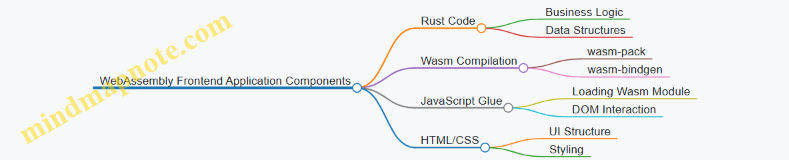
Rust handles the core logic and state, compiled into Wasm. JavaScript acts as the bridge to the browser’s DOM and event system. HTML and CSS provide the user interface.
Setting Up the Project
Start with wasm-pack, a tool that simplifies building Rust-generated Wasm packages:
cargo install wasm-pack
Create a new Rust library project:
cargo new --lib wasm_frontend
cd wasm_frontend
Add these dependencies to Cargo.toml:
[dependencies]
wasm-bindgen = "0.2"
wasm-bindgen facilitates communication between Rust and JavaScript.
Writing Rust Code for Wasm
In src/lib.rs, start with a simple function that can be called from JavaScript:
use wasm_bindgen::prelude::*;
#[wasm_bindgen]
pub fn greet(name: &str) -> String {
format!("Hello, {}! Welcome to Rust + Wasm.", name)
}
The #[wasm_bindgen] attribute exposes the function to JavaScript. This example returns a greeting string.
Compiling to Wasm
Run:
wasm-pack build --target web
This compiles your Rust code to Wasm and generates JavaScript bindings for browser environments.
JavaScript Integration
Create an index.html and index.js to load and interact with the Wasm module.
index.html:
<!DOCTYPE html>
<html lang="en">
<head>
<meta charset="UTF-8" />
<title>Rust Wasm Frontend</title>
</head>
<body>
<input id="nameInput" type="text" placeholder="Enter your name" />
<button id="greetBtn">Greet</button>
<p id="greeting"></p>
<script type="module" src="index.js"></script>
</body>
</html>
index.js:
import init, { greet } from './pkg/wasm_frontend.js';
async function run() {
await init();
const input = document.getElementById('nameInput');
const button = document.getElementById('greetBtn');
const greeting = document.getElementById('greeting');
button.addEventListener('click', () => {
const name = input.value.trim();
if (name) {
greeting.textContent = greet(name);
} else {
greeting.textContent = 'Please enter a name.';
}
});
}
run();
This JavaScript loads the Wasm module, then uses the exported greet function to update the page.
Mind Map: Interaction Flow
Mind Map: User Interaction Flow
Expanding the Application
Rust can manage more complex state and logic. For example, a counter:
use wasm_bindgen::prelude::*;
#[wasm_bindgen]
pub struct Counter {
value: i32,
}
#[wasm_bindgen]
impl Counter {
#[wasm_bindgen(constructor)]
pub fn new() -> Counter {
Counter { value: 0 }
}
pub fn increment(&mut self) {
self.value += 1;
}
pub fn get_value(&self) -> i32 {
self.value
}
}
And JavaScript usage:
import init, { Counter } from './pkg/wasm_frontend.js';
async function run() {
await init();
const counter = new Counter();
const display = document.getElementById('counterDisplay');
const incButton = document.getElementById('incButton');
incButton.addEventListener('click', () => {
counter.increment();
display.textContent = counter.get_value();
});
}
run();
This shows how Rust can hold mutable state accessible from JavaScript.
Best Practices
- Keep Rust focused on logic: Use Rust for computation, state management, and performance-sensitive tasks.
- Use JavaScript for DOM: Manipulating the DOM directly in Rust is possible but cumbersome; JavaScript is more straightforward.
- Minimize data copying: Pass simple types or references where possible to reduce overhead.
- Handle errors gracefully: Use
Resultin Rust and propagate errors to JavaScript for user feedback. - Use
wasm-packtargets appropriately:--target webfor browser,--target bundlerfor bundlers like Webpack.
Summary
Creating a WebAssembly frontend application with Rust involves writing Rust code exposed to JavaScript, compiling it to Wasm, and integrating it into a web page. Rust handles core logic and state, while JavaScript manages the browser interface. This separation keeps code clean and efficient. Starting with simple functions and expanding to stateful components illustrates how Rust and Wasm can power modern web apps with safety and speed.
13.4 Implementing a Secure Chat Application with Async Networking
Building a secure chat application in Rust using asynchronous networking involves several key components: managing concurrent connections, ensuring message confidentiality and integrity, and handling user authentication. This section walks through these elements with practical examples and a mind map to organize the architecture.
Mind Map: Secure Async Chat Application Architecture
Setting Up the Async TCP Server
Rust’s async ecosystem, particularly the Tokio runtime, provides the tools to handle many clients concurrently without blocking threads. Here’s a minimal example of an async TCP server that accepts connections:
use tokio::net::{TcpListener, TcpStream};
use tokio::io::{AsyncReadExt, AsyncWriteExt};
#[tokio::main]
async fn main() -> tokio::io::Result<()> {
let listener = TcpListener::bind("127.0.0.1:8080").await?;
println!("Server listening on 127.0.0.1:8080");
loop {
let (socket, addr) = listener.accept().await?;
println!("New client: {}", addr);
tokio::spawn(async move {
handle_client(socket).await;
});
}
}
async fn handle_client(mut socket: TcpStream) {
let mut buf = [0u8; 1024];
loop {
match socket.read(&mut buf).await {
Ok(0) => break, // connection closed
Ok(n) => {
if socket.write_all(&buf[..n]).await.is_err() {
break;
}
}
Err(_) => break,
}
}
}
This code accepts clients and echoes back whatever they send. It’s a starting point for building chat functionality.
Managing Shared State for Multiple Clients
A chat server needs to broadcast messages to all connected clients. Managing this shared state safely and concurrently is crucial. Using Tokio’s synchronization primitives like tokio::sync::broadcast or tokio::sync::Mutex helps.
Here’s a simplified example using a broadcast channel:
use tokio::sync::broadcast;
#[tokio::main]
async fn main() -> tokio::io::Result<()> {
let (tx, _rx) = broadcast::channel(100);
let listener = TcpListener::bind("127.0.0.1:8080").await?;
loop {
let (socket, _) = listener.accept().await?;
let tx = tx.clone();
let mut rx = tx.subscribe();
tokio::spawn(async move {
let (reader, mut writer) = socket.into_split();
let mut reader = tokio::io::BufReader::new(reader);
let mut line = String::new();
loop {
tokio::select! {
result = reader.read_line(&mut line) => {
if result.unwrap_or(0) == 0 {
break;
}
let _ = tx.send(line.clone());
line.clear();
}
result = rx.recv() => {
if let Ok(msg) = result {
if writer.write_all(msg.as_bytes()).await.is_err() {
break;
}
}
}
}
}
});
}
}
This code creates a broadcast channel where each client can send messages that are received by all others. The tokio::select! macro allows reading from the client and receiving broadcast messages concurrently.
Adding TLS for Encryption
To secure communication, encrypting traffic is essential. Rust’s tokio-rustls crate integrates TLS with Tokio. The server needs a certificate and private key.
Example snippet for wrapping a TcpStream with TLS:
use tokio_rustls::TlsAcceptor;
use rustls::{ServerConfig, NoClientAuth};
use std::sync::Arc;
// Load certificates and keys omitted for brevity
let config = ServerConfig::builder()
.with_safe_defaults()
.with_no_client_auth()
.with_single_cert(certs, key)?;
let acceptor = TlsAcceptor::from(Arc::new(config));
// Inside the accept loop
let tls_stream = acceptor.accept(socket).await?;
This wraps the raw TCP socket in a TLS session, encrypting all data.
Authentication and User Management
A simple approach is to require clients to send a username upon connection. The server keeps track of usernames and rejects duplicates.
Example snippet:
use std::collections::HashSet;
use tokio::sync::Mutex;
use std::sync::Arc;
struct ServerState {
users: Mutex<HashSet<String>>,
}
// On new connection
let state = Arc::new(ServerState { users: Mutex::new(HashSet::new()) });
// When client sends username
let mut users = state.users.lock().await;
if users.contains(&username) {
// reject connection
} else {
users.insert(username);
}
This ensures unique usernames and allows the server to manage connected clients.
Message Serialization
For structured messages, using JSON or a binary format like MessagePack helps. The serde crate simplifies serialization and deserialization.
Example message struct:
use serde::{Serialize, Deserialize};
#[derive(Serialize, Deserialize)]
struct ChatMessage {
username: String,
content: String,
}
Sending and receiving messages involves serializing to a string and then sending over the socket.
Putting It All Together: Example Flow
- Client connects via TLS.
- Client sends username; server checks uniqueness.
- Client sends serialized chat messages.
- Server broadcasts messages to all clients asynchronously.
- Server ensures message integrity and confidentiality via TLS.
Best Practices Summary
- Use Tokio’s async runtime to handle multiple clients efficiently.
- Manage shared state with synchronization primitives to avoid race conditions.
- Encrypt communication with TLS to protect data in transit.
- Authenticate users to prevent impersonation.
- Serialize messages for structured communication.
- Handle errors gracefully to maintain server stability.
This approach balances safety, concurrency, and security, making Rust a solid choice for building a chat server that can scale and protect user data.
13.5 Best Practices: Applying Rust Principles in Production Environments
When moving Rust code into production, the focus shifts from learning syntax and concepts to maintaining reliability, performance, and safety over time. This section outlines practical approaches to keep Rust projects robust and maintainable in real-world settings.
Mind Map: Key Areas for Production-Ready Rust
Code Quality: Consistency and Clarity
Consistent style reduces cognitive load for teams. Use rustfmt to enforce formatting automatically. Combine this with clippy to catch common mistakes and suggest idiomatic improvements. For example, clippy can warn about unnecessary clones or suggest more efficient iterator usage.
Document public APIs clearly. Rust’s documentation comments (///) support and examples that can be tested with cargo test. This keeps docs accurate and executable.
/// Returns the sum of two numbers.
///
/// # Examples
///
/// ```
/// let result = add(2, 3);
/// assert_eq!(result, 5);
/// ```
fn add(a: i32, b: i32) -> i32 {
a + b
}
Safety and Correctness: Ownership and Error Handling
Respect Rust’s ownership model strictly. Avoid circumventing it with unsafe unless absolutely necessary and well-audited. Unsafe code should be isolated, small, and thoroughly tested.
Handle errors explicitly. Use Result and Option types rather than panicking. Propagate errors with the ? operator to keep code clean.
Example of propagating errors:
use std::fs::File;
use std::io::{self, Read};
fn read_username_from_file() -> io::Result<String> {
let mut file = File::open("username.txt")?;
let mut username = String::new();
file.read_to_string(&mut username)?;
Ok(username)
}
Testing: Beyond Unit Tests
Unit tests are essential but not sufficient. Include integration tests that verify components working together. Use mocks or test doubles when external dependencies are involved.
Example: Using #[cfg(test)] to isolate test code.
#[cfg(test)]
mod tests {
use super::*;
#[test]
fn test_add() {
assert_eq!(add(1, 2), 3);
}
}
Continuous testing in CI pipelines helps catch regressions early.
Performance: Measure Before Optimizing
Profile your application to identify bottlenecks. Tools like cargo bench and criterion provide benchmarking capabilities.
Avoid premature optimization. Write clear code first, then optimize hotspots.
Example: Using iterators efficiently.
// Less efficient
let mut sum = 0;
for i in 0..1000 {
sum += i;
}
// More idiomatic and potentially optimized
let sum: i32 = (0..1000).sum();
Concurrency: Use Rust’s Guarantees
Rust’s type system prevents data races at compile time. Use Arc and Mutex for shared mutable state. Prefer message passing with channels to minimize locking.
Async code should use established runtimes like Tokio or async-std. Avoid mixing sync and async code without care.
Example: Spawning a thread safely.
use std::sync::{Arc, Mutex};
use std::thread;
let counter = Arc::new(Mutex::new(0));
let mut handles = vec![];
for _ in 0..10 {
let counter = Arc::clone(&counter);
let handle = thread::spawn(move || {
let mut num = counter.lock().unwrap();
*num += 1;
});
handles.push(handle);
}
for handle in handles {
handle.join().unwrap();
}
println!("Result: {}", *counter.lock().unwrap());
Deployment: Reproducible Builds and Monitoring
Use Cargo’s lockfile (Cargo.lock) to ensure reproducible builds. Pin dependencies to avoid unexpected changes.
Cross-compile carefully for target environments. Test binaries on the actual deployment platform.
Implement structured logging to facilitate debugging in production. Use crates like log and env_logger.
Example: Basic logging setup.
use log::{info, warn};
fn main() {
env_logger::init();
info!("Application started");
warn!("This is a warning message");
}
Summary
Applying Rust principles in production means respecting the language’s safety guarantees, writing clear and maintainable code, testing thoroughly, and monitoring performance and behavior in real environments. The language’s tools and ecosystem support these goals, but discipline and attention to detail remain essential.
By combining these practices, Rust projects can achieve the reliability and efficiency expected in production systems without sacrificing developer productivity or code clarity.