Accounting Information Systems
1. Introduction to Accounting Information Systems
1.1 Definition and Importance of AIS in Modern Finance
What is an Accounting Information System (AIS)?
An Accounting Information System (AIS) is a structured framework that collects, stores, manages, processes, retrieves, and reports financial data to support decision-making and control in an organization. It integrates accounting principles with information technology to streamline financial operations and ensure accuracy, compliance, and efficiency.
Mind Map: Core Definition of AIS
Importance of AIS in Modern Finance
-
Accuracy and Reliability
- AIS automates data entry and processing, significantly reducing human errors.
- Example: A multinational corporation uses AIS to automatically reconcile bank statements daily, minimizing discrepancies.
-
Efficiency and Speed
- Automated workflows speed up transaction processing and reporting.
- Example: An e-commerce company processes thousands of sales transactions per hour using AIS, enabling real-time financial tracking.
-
Regulatory Compliance
- AIS helps organizations comply with financial regulations by maintaining audit trails and generating required reports.
- Example: A publicly traded company uses AIS to ensure Sarbanes-Oxley (SOX) compliance by tracking changes in financial data.
-
Improved Decision Making
- Provides timely and relevant financial information to stakeholders.
- Example: CFOs use AIS dashboards to monitor cash flow and profitability trends, enabling strategic planning.
-
Cost Reduction
- Reduces manual labor and paper-based processes.
- Example: A small business reduces accounting overhead by adopting cloud-based AIS, eliminating the need for physical storage and manual bookkeeping.
-
Internal Controls and Fraud Prevention
- AIS incorporates controls like segregation of duties and access restrictions.
- Example: A manufacturing firm uses AIS to restrict invoice approvals to authorized personnel only, preventing fraudulent payments.
Mind Map: Importance of AIS in Modern Finance
Example Scenario: AIS Impact in a Mid-Sized Accounting Firm
A mid-sized accounting firm implemented an integrated AIS to handle client bookkeeping, payroll, and tax reporting. Before AIS, accountants manually entered data into spreadsheets, leading to delays and errors. Post-implementation:
- Data entry errors dropped by 85% due to validation rules.
- Monthly financial closing time reduced from 10 days to 3 days.
- Real-time client reports improved transparency and client satisfaction.
- Compliance with tax regulations became automated, reducing audit risks.
This example illustrates how AIS transforms financial operations by enhancing accuracy, efficiency, and compliance.
Summary
Accounting Information Systems are vital in modern finance for automating and securing financial data management. By integrating accounting with technology, AIS empowers accountants and IT specialists to deliver accurate, timely, and compliant financial information, driving better business decisions and operational excellence.
1.2 Key Components of AIS: People, Processes, and Technology
Accounting Information Systems (AIS) are complex frameworks designed to collect, store, and process financial and accounting data. To understand how AIS functions effectively, it is essential to break down its three fundamental components: People, Processes, and Technology. Each component plays a critical role and must work in harmony to ensure accurate, timely, and secure financial information.
People
People are the backbone of any AIS. They include all individuals who interact with the system, from data entry clerks to accountants, auditors, and IT specialists. Their roles and responsibilities vary but are crucial for the system’s success.
- Accountants: Interpret financial data, ensure compliance, and use AIS outputs for decision-making.
- IT Specialists: Manage the technical infrastructure, maintain system security, and customize software.
- Management: Use AIS reports for strategic planning and performance evaluation.
- End Users: Input data and use AIS tools for daily operations.
Best Practice Example:
A mid-sized manufacturing company assigns clear roles where accountants validate data entries and IT specialists regularly update security protocols. This segregation ensures data integrity and reduces errors.
Mind Map: People in AIS
Processes
Processes refer to the procedures and workflows that govern how data is collected, processed, and reported within the AIS. Well-defined processes ensure accuracy, consistency, and efficiency.
Key process elements include:
- Data Input: Capturing financial transactions accurately.
- Data Processing: Classifying, summarizing, and validating data.
- Data Storage: Organizing data securely for easy retrieval.
- Information Output: Generating reports and dashboards for stakeholders.
Best Practice Example:
A retail company implements automated invoice processing where scanned invoices are automatically entered into the AIS, reducing manual errors and speeding up accounts payable.
Mind Map: Processes in AIS
Technology
Technology encompasses the hardware, software, and networks that enable AIS to function. It includes accounting software, databases, cloud services, and security tools.
- Accounting Software: Tools like QuickBooks, SAP, or Oracle Financials that automate accounting tasks.
- Databases: Structured storage systems that hold financial data securely.
- Networks: Facilitate data sharing and remote access.
- Security Technologies: Firewalls, encryption, and access controls protect sensitive information.
Best Practice Example:
An IT firm integrates cloud-based AIS software allowing accountants to access real-time financial data remotely, improving collaboration and decision-making.
Mind Map: Technology in AIS
Integrated Example: How People, Processes, and Technology Work Together
Consider a healthcare provider implementing a new AIS:
- People: Accountants input patient billing data; IT specialists configure the system.
- Processes: Automated billing processes validate insurance claims before submission.
- Technology: Cloud-based software stores data securely and generates financial reports.
This integration ensures timely billing, reduces errors, and supports compliance with healthcare regulations.
Summary
| Component | Role | Best Practice Example |
|---|---|---|
| People | Execute and manage AIS tasks | Clear role definitions in a manufacturing firm |
| Processes | Define workflows for data handling | Automated invoice processing in retail |
| Technology | Provide tools and infrastructure | Cloud-based AIS in IT firm |
Understanding these components and their interplay is vital for accountants and IT specialists to design, implement, and maintain effective AIS solutions.
1.3 Overview of AIS Roles for Accountants and IT Specialists
Accounting Information Systems (AIS) serve as the backbone for financial data management and decision-making in organizations. Both Accountants and IT Specialists play crucial, yet distinct, roles in ensuring that AIS operates efficiently, securely, and aligns with business objectives. Understanding these roles helps foster collaboration and optimize system performance.
Mind Map: Roles in AIS
Accountants’ Roles in AIS
-
Data Entry & Validation
- Accountants ensure accurate and timely input of financial transactions.
- Example: An accountant verifies invoices before entering them into the AIS to prevent errors.
-
Financial Reporting
- They generate reports such as balance sheets, income statements, and cash flow statements.
- Example: Preparing monthly financial summaries for management review using AIS reporting tools.
-
Compliance & Audit
- Accountants ensure AIS outputs comply with regulatory standards like GAAP or IFRS.
- Example: Using AIS audit trails to verify transaction authenticity during internal audits.
-
Internal Controls
- They design and monitor controls to prevent fraud and errors.
- Example: Implementing segregation of duties within AIS to ensure no single user can both approve and process payments.
-
User Training & Support
- Accountants often train end-users on AIS functionalities related to finance.
- Example: Conducting workshops for junior accountants on how to use the AIS for expense reporting.
Mind Map: Accountants’ AIS Responsibilities
IT Specialists’ Roles in AIS
-
System Design & Development
- IT specialists develop or customize AIS software to meet organizational needs.
- Example: Creating a custom module for automated payroll processing.
-
Database Management
- They manage the databases that store financial data, ensuring integrity and availability.
- Example: Regularly backing up AIS databases and optimizing query performance.
-
Security & Access Control
- IT ensures that only authorized personnel can access sensitive financial data.
- Example: Implementing multi-factor authentication and role-based access controls.
-
System Maintenance & Updates
- They apply patches, upgrades, and troubleshoot system issues.
- Example: Scheduling downtime to update AIS software without disrupting business operations.
-
Technical Support
- IT specialists provide ongoing support to AIS users.
- Example: Resolving login issues or software bugs reported by accountants.
Mind Map: IT Specialists’ AIS Responsibilities
Collaborative Examples
-
Example 1: Implementing a New AIS Feature
- Accountants identify the need for enhanced expense tracking.
- IT specialists design and develop the feature.
- Both teams collaborate on testing and training.
-
Example 2: Responding to a Security Incident
- IT detects unusual access patterns.
- Accountants review affected transactions.
- Jointly, they update controls and educate users.
Summary
The synergy between Accountants and IT Specialists is vital for a robust AIS. Accountants bring domain expertise and ensure financial accuracy and compliance, while IT Specialists provide the technical foundation and security. Together, they enable organizations to leverage AIS for strategic advantage.
1.4 Best Practice: Aligning AIS with Organizational Goals - Example of a Mid-Sized Firm
Aligning an Accounting Information System (AIS) with organizational goals is critical to ensure that the system supports the company’s strategic objectives, improves operational efficiency, and provides accurate financial information for decision-making. This section explores best practices for achieving this alignment, illustrated with a practical example from a mid-sized manufacturing firm.
Why Align AIS with Organizational Goals?
- Supports Strategic Decision-Making: AIS provides timely and relevant financial data that helps management steer the company.
- Enhances Operational Efficiency: Tailoring AIS to business processes reduces redundant tasks and errors.
- Ensures Compliance and Risk Management: Aligning AIS with regulatory requirements protects the organization.
- Improves User Adoption: Systems designed with organizational context in mind are easier for staff to use.
Best Practices for Alignment
-
Understand Organizational Goals Clearly
- Engage stakeholders from finance, operations, and IT.
- Document short-term and long-term objectives.
-
Map Business Processes to AIS Functions
- Identify key processes like order-to-cash, procure-to-pay, and payroll.
- Ensure AIS modules support these processes seamlessly.
-
Customize AIS Features to Reflect Business Needs
- Configure reporting formats to match management requirements.
- Automate workflows that align with company policies.
-
Establish Continuous Feedback Loops
- Regularly collect user feedback to refine AIS.
- Monitor KPIs to assess system impact on goals.
-
Train Users on AIS in the Context of Organizational Objectives
- Provide role-based training emphasizing how AIS supports their tasks.
Mind Map: Aligning AIS with Organizational Goals
Example: Mid-Sized Manufacturing Firm “TechParts Inc.”
Background: TechParts Inc. produces electronic components and has about 200 employees. The company aims to improve financial transparency, reduce manual errors, and speed up month-end closing.
Step 1: Understanding Goals
- Management wants real-time cost tracking per product line.
- The finance team requires automated reconciliation to reduce errors.
- Compliance with industry-specific tax regulations is mandatory.
Step 2: Mapping Processes
- Order-to-Cash: From sales orders to revenue recognition.
- Procure-to-Pay: Managing supplier invoices and payments.
- Inventory Management: Tracking raw materials and finished goods.
Step 3: Customizing AIS
- Implemented a module for real-time cost allocation per product.
- Automated bank reconciliation workflows.
- Customized tax reporting templates aligned with regulations.
Step 4: Feedback and KPIs
- Monthly surveys collected from finance and operations teams.
- KPIs monitored: Reduction in closing time (from 10 to 5 days), error rate in invoices (reduced by 60%).
Step 5: Training
- Conducted workshops focusing on how AIS features help achieve faster closing and error reduction.
Mind Map: TechParts Inc. AIS Alignment
Key Takeaways
- Aligning AIS with organizational goals ensures the system delivers maximum value.
- Collaboration between accountants and IT specialists is essential for effective customization.
- Continuous feedback and training help maintain alignment as business needs evolve.
This approach not only improves system efficiency but also empowers users by making the AIS a strategic tool rather than just a transactional system.
1.5 Case Study: Transition from Manual to Automated AIS
Overview
This case study explores the journey of a mid-sized manufacturing company, “Acme Manufacturing,” as it transitioned from a fully manual accounting system to an automated Accounting Information System (AIS). The goal was to improve accuracy, reduce processing time, and enhance reporting capabilities.
Background
Acme Manufacturing relied on paper-based ledgers, manual invoice processing, and spreadsheet-based financial reporting. This led to frequent errors, delayed month-end closes, and limited real-time financial insights.
Challenges Faced
- Data Entry Errors: Manual input caused frequent mistakes.
- Time-Consuming Processes: Invoice approvals and reconciliations took days.
- Limited Reporting: Financial reports were generated monthly with limited detail.
- Lack of Integration: Disconnected systems led to redundant work.
Transition Objectives
- Automate data entry and transaction processing.
- Implement internal controls to reduce errors and fraud.
- Enable real-time financial reporting.
- Integrate accounting with inventory and sales systems.
Step-by-Step Transition Process
Mind Map: Transition Process from Manual to Automated AIS
Best Practices Applied
-
Comprehensive Needs Assessment
- Example: Conducted workshops with accounting and IT teams to list all manual processes and pain points.
-
Stakeholder Collaboration
- Example: Accountants and IT specialists jointly selected an AIS platform that supports integration with existing inventory software.
-
Phased Implementation
- Example: Started automation with accounts payable before moving to general ledger and payroll.
-
Parallel Testing
- Example: Ran manual and automated systems simultaneously for one month to validate accuracy.
-
User Training and Support
- Example: Created role-based training sessions and a dedicated helpdesk for early adopters.
Example: Automated Invoice Processing Workflow
Mind Map: Automated Invoice Processing
This automation reduced invoice processing time from 5 days to 1 day and decreased errors by 80%.
Results and Benefits
- Accuracy Improved: Data entry errors dropped significantly due to validation controls.
- Efficiency Gains: Month-end close shortened from 10 days to 4 days.
- Real-Time Reporting: Management accessed dashboards with up-to-date financial metrics.
- Enhanced Security: Segregation of duties and audit trails reduced fraud risk.
- Employee Satisfaction: Staff shifted focus from repetitive tasks to analysis and decision support.
Lessons Learned
- Early involvement of end-users is critical for adoption.
- Parallel runs help build confidence and identify hidden issues.
- Continuous training and feedback loops improve system utilization.
Summary
The transition from manual to automated AIS at Acme Manufacturing demonstrates how thoughtful planning, collaboration between accountants and IT specialists, and adherence to best practices can transform accounting operations. This case highlights the tangible benefits of automation, including improved accuracy, efficiency, and strategic insight.
For accountants and IT specialists embarking on similar transitions, this case study underscores the importance of clear communication, phased rollouts, and ongoing support to ensure a successful AIS implementation.
2. Core Functionalities of Accounting Information Systems
2.1 Data Collection and Input Controls - Best Practices with Real-World Examples
Introduction
Data collection and input controls are foundational to the accuracy and reliability of any Accounting Information System (AIS). Properly designed input controls ensure that the data entered into the system is complete, accurate, and authorized, minimizing errors and fraud.
Key Concepts of Data Collection and Input Controls
- Data Collection: The process of gathering financial and transactional data from various sources.
- Input Controls: Mechanisms to validate and verify data before it is processed by the AIS.
Best Practices for Data Collection and Input Controls
Validation Checks
- Definition: Automated checks that verify data accuracy and completeness at the point of entry.
- Examples: Range checks, format checks, consistency checks.
Authorization Controls
- Ensuring only authorized personnel can input or modify data.
- Use of role-based access controls (RBAC).
Automated Data Capture
- Using technologies like barcode scanners, OCR (Optical Character Recognition), and EDI (Electronic Data Interchange) to reduce manual entry errors.
Segregation of Duties
- Separating responsibilities between data entry, approval, and reconciliation to prevent fraud.
Audit Trails
- Maintaining logs of who entered or modified data and when.
Mind Map: Data Collection and Input Controls Best Practices
Real-World Examples
Example 1: Retail Company Using Barcode Scanning
A retail company implemented barcode scanning at the point of sale to capture sales data directly into their AIS. This automated data collection reduced manual entry errors significantly.
- Best Practice Applied: Automated Data Capture
- Impact: Improved accuracy, faster processing, and real-time inventory updates.
Example 2: Financial Firm Implementing Validation Checks
A financial services firm integrated validation rules into their AIS to ensure that all invoice amounts entered were within expected ranges and that invoice dates were not in the future.
- Best Practice Applied: Validation Checks
- Impact: Reduced data entry errors and prevented processing of invalid invoices.
Example 3: Manufacturing Company Segregating Duties
In a manufacturing company, the data entry clerk inputs purchase orders, but only the purchasing manager can approve them. The AIS enforces this segregation through access controls.
- Best Practice Applied: Segregation of Duties & Authorization Controls
- Impact: Reduced risk of unauthorized purchases and fraud.
Example 4: Non-Profit Organization Maintaining Audit Trails
A non-profit organization uses their AIS to maintain detailed audit trails for all donations entered, including who entered the data and when, to comply with regulatory requirements.
- Best Practice Applied: Audit Trails
- Impact: Enhanced transparency and accountability.
Additional Mind Map: Example Scenario - Invoice Data Entry Controls
Summary
Implementing robust data collection and input controls is essential for maintaining the integrity of an AIS. By combining validation checks, authorization controls, automated data capture, segregation of duties, and audit trails, organizations can significantly reduce errors and fraud, leading to more reliable financial reporting and decision-making.
2.2 Processing Transactions: Accuracy and Efficiency Techniques
Processing transactions accurately and efficiently is at the heart of any Accounting Information System (AIS). This section explores best practices and techniques to ensure transaction processing maintains data integrity, minimizes errors, and accelerates workflows.
Key Objectives in Transaction Processing
- Accuracy: Ensuring data entered and processed is correct and consistent.
- Efficiency: Minimizing time and resources needed to process transactions.
- Auditability: Maintaining clear trails for verification and compliance.
Best Practices for Accuracy and Efficiency
Automated Data Validation
Automated validation rules check data as it is entered, reducing human error.
- Example: Invoice entry fields automatically validate vendor IDs against the master database.
Use of Standardized Transaction Templates
Templates ensure consistent data capture and reduce omissions.
- Example: A standardized purchase order form with mandatory fields.
Batch Processing with Error Handling
Grouping transactions for batch processing improves efficiency, while error logs help isolate issues.
- Example: Payroll transactions processed nightly with automatic flagging of anomalies.
Real-Time Processing for Critical Transactions
For time-sensitive transactions, real-time processing ensures immediate updates.
- Example: Real-time bank reconciliations for cash management.
Segregation of Duties and Dual Controls
Splitting transaction processing tasks reduces fraud and errors.
- Example: One employee enters transactions, another approves them.
Mind Map: Techniques to Ensure Accuracy in Transaction Processing
Mind Map: Techniques to Improve Efficiency in Transaction Processing
Detailed Examples
Example 1: Automated Invoice Processing in a Retail Company
A retail company implemented an AIS module that automatically scans and extracts invoice data using Optical Character Recognition (OCR). The system validates vendor codes and purchase order numbers against the database before posting the transaction.
- Accuracy: Automated validation reduced invoice entry errors by 85%.
- Efficiency: Processing time dropped from 3 days to a few hours.
Example 2: Payroll Batch Processing with Error Handling
A mid-sized firm processes payroll in batches every two weeks. The AIS flags any employee record missing tax information or with inconsistent hours worked.
- Accuracy: Errors are caught before payment runs.
- Efficiency: Payroll staff focus only on flagged records, saving time.
Example 3: Real-Time Bank Reconciliation
A financial institution uses real-time transaction feeds to reconcile bank statements instantly. Any discrepancies trigger alerts for immediate investigation.
- Accuracy: Immediate detection of mismatches.
- Efficiency: Reduced month-end reconciliation workload.
Summary
By combining automated validation, standardized templates, batch and real-time processing, and segregation of duties, organizations can significantly improve the accuracy and efficiency of transaction processing within their AIS. These techniques not only reduce errors and fraud risk but also accelerate financial workflows, enabling better decision-making and compliance.
For accountants and IT specialists, understanding and implementing these techniques is critical to maintaining robust and reliable accounting systems.
2.3 Information Storage and Retrieval: Database Management Best Practices
Effective information storage and retrieval are foundational to the success of any Accounting Information System (AIS). Proper database management ensures data integrity, accessibility, and security, enabling accountants and IT specialists to generate accurate financial reports and make informed decisions.
Key Concepts in Database Management for AIS
- Data Integrity: Ensuring accuracy and consistency of data over its lifecycle.
- Data Accessibility: Enabling authorized users to retrieve data efficiently.
- Data Security: Protecting sensitive financial information from unauthorized access.
- Backup and Recovery: Safeguarding data against loss or corruption.
Best Practices for Database Management in AIS
-
Use a Relational Database Management System (RDBMS)
- Most AIS utilize RDBMS like SQL Server, Oracle, or MySQL.
- Example: A retail company uses SQL Server to store transactional data, ensuring relationships between invoices, customers, and payments are maintained.
-
Normalize Data to Reduce Redundancy
- Organize data into tables to minimize duplication.
- Example: Separating customer details and sales transactions into different tables linked by customer ID.
-
Implement Strong Access Controls
- Role-based access ensures only authorized personnel can view or modify data.
- Example: Accountants have read/write access to financial records, while auditors have read-only access.
-
Regular Backup and Disaster Recovery Plans
- Schedule automated backups and test recovery procedures.
- Example: A manufacturing firm performs nightly backups and stores copies offsite.
-
Use Indexing to Improve Query Performance
- Index frequently queried fields like invoice numbers or dates.
- Example: Indexing the invoice date column speeds up monthly sales reports.
-
Audit Trails and Logging
- Track changes to data for compliance and troubleshooting.
- Example: Logging every update to payment records with user ID and timestamp.
-
Data Encryption
- Encrypt sensitive data both at rest and in transit.
- Example: Encrypting customer credit card information stored in the database.
Mind Map: Database Management Best Practices in AIS
Example: Implementing Database Management in a Mid-Sized Accounting Firm
Scenario: A mid-sized accounting firm wants to improve its AIS database to handle increasing client data securely and efficiently.
Steps Taken:
- Migrated from a flat-file system to an RDBMS (PostgreSQL).
- Normalized data into tables: Clients, Transactions, Invoices, Payments.
- Established role-based access: Accountants, Auditors, IT Admins.
- Enabled encryption for sensitive fields like Social Security Numbers.
- Set up nightly backups with offsite replication.
- Created indexes on client ID and invoice date for faster report generation.
- Implemented audit logging to track data changes.
Outcome:
- Faster data retrieval for monthly financial reports.
- Enhanced data security and compliance with regulations.
- Reduced data redundancy and errors.
Mind Map: Example Implementation Workflow
Tips for IT Specialists and Accountants
- IT Specialists: Focus on designing a scalable, secure database architecture that supports business needs.
- Accountants: Collaborate closely with IT to define data requirements and validate data integrity.
By following these best practices, organizations can ensure their AIS databases are robust, secure, and optimized for efficient financial data management.
2.4 Reporting and Decision Support Systems in AIS
Accounting Information Systems (AIS) play a crucial role not only in processing transactions but also in generating insightful reports and supporting decision-making processes. Reporting and Decision Support Systems (DSS) within AIS enable accountants and IT specialists to transform raw financial data into actionable information that drives strategic business decisions.
What are Reporting and Decision Support Systems in AIS?
- Reporting Systems: These systems generate financial statements, management reports, compliance reports, and customized dashboards that summarize the organization’s financial health.
- Decision Support Systems (DSS): These are interactive software tools that help users analyze data, model scenarios, and make informed decisions based on accounting and operational data.
Importance of Reporting and DSS in AIS
- Provide timely and accurate financial information.
- Facilitate compliance with regulatory requirements.
- Support budgeting, forecasting, and strategic planning.
- Enhance transparency and accountability within organizations.
Mind Map: Components of Reporting and DSS in AIS
Best Practices for Reporting and DSS in AIS
-
Automate Report Generation
- Example: A manufacturing company uses AIS to automatically generate monthly financial statements and send them to management, reducing manual errors and saving time.
-
Customize Reports for Different Stakeholders
- Example: Accountants receive detailed ledger reports, while executives get high-level dashboards focusing on KPIs.
-
Integrate Real-Time Data Visualization
- Example: A retail chain implements dashboards that update sales and expense data in real time, enabling quick response to market changes.
-
Use Scenario Modeling for Strategic Decisions
- Example: An IT firm uses DSS to model the financial impact of investing in new software development projects.
-
Ensure Data Accuracy and Consistency
- Example: Regular data reconciliation processes are embedded within AIS to maintain report integrity.
Example: Implementing a Decision Support System in a Mid-Sized Accounting Firm
Scenario: The firm wants to improve its budgeting process and better forecast cash flows.
- The AIS is configured to collect historical financial data automatically.
- Using built-in DSS tools, accountants perform trend analysis on past revenues and expenses.
- The system enables “what-if” scenario modeling, such as projecting cash flow impacts if client payments are delayed by 30 days.
- Customized dashboards display forecasted cash positions and alert accountants when projected cash falls below a threshold.
Outcome: The firm can proactively manage cash reserves and make informed decisions about expenditures and client credit terms.
Mind Map: Example Workflow of Reporting and DSS in AIS
Tools and Technologies Supporting Reporting and DSS in AIS
- Business Intelligence (BI) Tools: Power BI, Tableau, QlikView
- Accounting Software with Built-in Reporting: QuickBooks, SAP Business One, Oracle NetSuite
- Data Analytics Platforms: Microsoft Excel (advanced), Python with Pandas, R
Summary
Reporting and Decision Support Systems are integral to maximizing the value of AIS. By leveraging automated reporting, real-time dashboards, and scenario modeling, organizations empower accountants and IT specialists to make data-driven decisions that enhance financial performance and strategic agility.
2.5 Example: Implementing Automated Invoice Processing in a Retail Company
Automated invoice processing is a critical functionality within Accounting Information Systems (AIS) that enhances efficiency, reduces errors, and accelerates the accounts payable cycle. In this section, we explore a detailed example of how a retail company can implement an automated invoice processing system, highlighting best practices and practical steps.
Background
RetailCo, a mid-sized retail chain with multiple outlets, faced challenges with manual invoice processing:
- High volume of paper invoices causing delays
- Frequent data entry errors leading to payment discrepancies
- Difficulty in tracking invoice status and approvals
To address these issues, RetailCo decided to implement an automated invoice processing system integrated into their AIS.
Step 1: Understanding the Invoice Processing Workflow
Before automation, the workflow involved:
- Receiving paper or PDF invoices via mail/email
- Manual data entry into the accounting system
- Physical routing for approval
- Manual matching of invoices with purchase orders and receipts
- Payment processing
Mind Map: Manual Invoice Processing Workflow
Step 2: Designing the Automated Invoice Processing System
RetailCo aimed to automate the following:
- Capture invoice data automatically using Optical Character Recognition (OCR)
- Validate invoice data against purchase orders and receipts
- Route invoices electronically for approval
- Update AIS in real-time
- Generate alerts for exceptions
Mind Map: Automated Invoice Processing Workflow
Step 3: Implementation Best Practices
-
Stakeholder Collaboration: Accountants and IT specialists worked together to define requirements and map workflows.
-
Choosing the Right Technology: RetailCo selected an OCR tool compatible with their AIS and ERP system.
-
Pilot Testing: The system was tested with a subset of invoices to identify issues.
-
Training: Staff were trained on new processes and exception handling.
-
Continuous Monitoring: KPIs such as processing time and error rates were tracked.
Step 4: Example Scenario
- An invoice arrives via email as a PDF.
- The OCR engine extracts key data: invoice number, date, vendor, line items, amounts.
- The system automatically matches the invoice to a purchase order and goods receipt.
- If matched, the invoice is routed electronically to the purchasing manager for approval.
- Upon approval, the AIS updates the accounts payable ledger and schedules payment.
- If discrepancies arise, the system flags the invoice for manual review.
Mind Map: Invoice Processing Exception Handling
Benefits Realized by RetailCo
- 60% reduction in invoice processing time
- Significant decrease in data entry errors
- Improved visibility into invoice status
- Enhanced compliance and audit trail
Summary
Automating invoice processing within an AIS framework transforms a traditionally manual, error-prone task into a streamlined, efficient workflow. By leveraging OCR technology, electronic approvals, and real-time system updates, RetailCo improved operational efficiency and accuracy, demonstrating a best practice example for other retail and finance organizations.
3. Designing and Implementing an Effective AIS
3.1 Requirements Gathering: Collaborating Between Accountants and IT Specialists
Requirements gathering is a critical first step in designing an effective Accounting Information System (AIS). It involves collecting detailed information about what the system must do to meet the needs of both accounting professionals and IT specialists. Successful collaboration between these two groups ensures the system is both functionally robust and technically feasible.
Why Collaboration Matters
- Accountants understand the financial processes, compliance requirements, and reporting needs.
- IT Specialists bring expertise in system architecture, data security, and technology integration.
Together, they ensure the AIS supports accurate financial management while being scalable, secure, and user-friendly.
Key Steps in Requirements Gathering
- Stakeholder Identification
- Identify all users and stakeholders (e.g., accountants, auditors, IT staff, management).
- Interviews and Workshops
- Conduct interviews and joint workshops to understand workflows and pain points.
- Documenting Business Processes
- Map out current accounting processes and identify areas for automation or improvement.
- Defining Functional Requirements
- Specify what the AIS must do (e.g., ledger management, tax calculations, audit trails).
- Defining Non-Functional Requirements
- Include performance, security, usability, and compliance needs.
- Prioritization and Validation
- Prioritize requirements and validate them with stakeholders.
Mind Map: Requirements Gathering Process
Example: Collaborative Requirements Gathering for a Payroll System
Scenario: A mid-sized company wants to implement an AIS module for payroll.
-
Accountants’ Input:
- Need accurate tax calculations based on local regulations.
- Require automated deduction of benefits and retirement contributions.
- Must generate reports for compliance and auditing.
-
IT Specialists’ Input:
- System must integrate with existing HR software.
- Data encryption is required for sensitive employee information.
- Support for multi-platform access (desktop and mobile).
Collaboration Outcome:
- Joint workshops identified the need for an API to connect payroll with HR.
- Accountants and IT agreed on security protocols and user roles.
- Prioritized features included automated tax updates and real-time reporting.
Mind Map: Payroll System Requirements Collaboration
Best Practices for Effective Collaboration
- Establish Clear Communication Channels: Use collaborative tools like Slack, Microsoft Teams, or shared documentation platforms.
- Create Cross-Functional Teams: Include representatives from accounting and IT in all phases.
- Use Visual Aids: Flowcharts, mind maps, and prototypes help clarify complex requirements.
- Iterative Feedback: Regularly review requirements with stakeholders to refine and adjust.
- Document Everything: Maintain detailed records of decisions and requirements for future reference.
Additional Example: Using Mind Mapping Tools
A financial services firm used mind mapping software (e.g., XMind, MindMeister) during requirements sessions. This visual approach helped uncover overlooked needs such as:
- Automated reconciliation alerts.
- Multi-currency handling.
- Audit trail customization.
The mind maps were shared with all stakeholders, ensuring transparency and alignment before development began.
In summary, requirements gathering is a collaborative, iterative process where accountants provide domain expertise and IT specialists translate those needs into technical specifications. Using structured approaches like mind maps and joint workshops ensures the AIS is designed to meet real-world business needs effectively.
3.2 System Design Principles: Scalability and Flexibility
Designing an Accounting Information System (AIS) that can grow with your organization and adapt to changing requirements is crucial for long-term success. Scalability and flexibility are two foundational principles that ensure your AIS remains effective, efficient, and relevant.
Understanding Scalability in AIS
Scalability refers to the system’s ability to handle increasing amounts of work, data, or users without performance degradation. In accounting systems, scalability ensures that as transaction volumes grow or as more users access the system, the AIS continues to operate smoothly.
Key aspects of scalability:
- Vertical scalability: Enhancing the system’s capacity by upgrading hardware or software resources.
- Horizontal scalability: Adding more machines or instances to distribute the load.
Example: A growing e-commerce company initially processes 1,000 transactions daily. As sales increase, the AIS must handle 10,000+ transactions without slowing down invoice generation or financial reporting.
Understanding Flexibility in AIS
Flexibility is the system’s ability to adapt to new business processes, regulatory changes, or integration requirements without extensive rework.
Key aspects of flexibility:
- Modular design allowing components to be added or modified independently.
- Configurable workflows that can be adjusted without coding.
- Support for multiple accounting standards or currencies.
Example: A multinational corporation needs its AIS to support different tax regulations and currencies across countries. A flexible system allows easy configuration for each region without building separate systems.
Mind Map: Scalability and Flexibility in AIS
Best Practices for Designing Scalable and Flexible AIS
-
Adopt a Modular Architecture:
- Break down the AIS into independent modules such as General Ledger, Accounts Payable, and Reporting.
- Example: Using microservices architecture where each accounting function is a separate service that can be scaled independently.
-
Use Cloud-Based Infrastructure:
- Cloud platforms like AWS or Azure offer on-demand resources to scale vertically and horizontally.
- Example: A startup uses a cloud AIS solution that automatically scales during peak financial periods like month-end closing.
-
Implement Configurable Workflows:
- Allow users to modify approval processes or reporting formats without developer intervention.
- Example: An accounting team configures a multi-level invoice approval workflow as the company grows.
-
Design for Integration:
- Use standardized APIs and middleware to connect AIS with ERP, CRM, or payroll systems.
- Example: Integrating AIS with a CRM system to automatically sync customer billing data.
-
Plan for Data Growth:
- Use scalable databases (e.g., NoSQL or sharded SQL databases) to handle increasing transaction volumes.
- Example: A retail chain implements a sharded database to distribute sales data across regions.
-
Continuous Performance Monitoring:
- Monitor system response times and transaction throughput to identify bottlenecks early.
- Example: IT specialists set up dashboards to track AIS performance metrics in real-time.
Example Scenario: Designing a Scalable and Flexible Payroll System
Context: A mid-sized company with 200 employees plans to expand to multiple countries.
- Scalability: The payroll module is designed to handle up to 5,000 employees by using cloud infrastructure that can add computing resources during payroll processing peaks.
- Flexibility: The system supports multiple tax jurisdictions and currencies, allowing HR to configure payroll rules per country without custom coding.
Mind Map:
Summary
Designing AIS with scalability and flexibility in mind helps organizations avoid costly system overhauls and downtime. By adopting modular architectures, leveraging cloud technologies, and enabling configurability, both accountants and IT specialists can ensure the AIS supports current needs and future growth seamlessly.
3.3 Best Practice: Using Flowcharts and Data Models - Example of a Payroll System
When designing an Accounting Information System (AIS), particularly for complex processes like payroll, visual tools such as flowcharts and data models are invaluable. They help both accountants and IT specialists understand, communicate, and optimize system workflows and data structures before implementation.
Why Use Flowcharts and Data Models?
- Clarity: Visual representations simplify complex processes.
- Collaboration: Bridges communication gaps between accountants and IT teams.
- Error Reduction: Early identification of bottlenecks or missing steps.
- Documentation: Provides a reference for future audits and system updates.
Example Scenario: Payroll System
A payroll system manages employee salary calculations, tax deductions, benefits, and payment disbursements. Designing this system requires clear mapping of processes and data relationships.
Flowchart for Payroll Processing
    flowchart TD
    A[Start: Collect Employee Work Hours] --> B[Validate Hours]
    B -->|Valid| C[Calculate Gross Pay]
    B -->|Invalid| D[Flag Error and Notify]
    C --> E[Calculate Deductions]
    E --> F[Calculate Net Pay]
    F --> G[Generate Payslip]
    G --> H[Disburse Payment]
    H --> I[Update Payroll Records]
    I --> J[End]
Explanation:
- The process starts with collecting employee work hours.
- Validation ensures data accuracy.
- Gross pay is calculated based on hours and pay rate.
- Deductions (taxes, benefits) are applied.
- Net pay is computed.
- Payslips are generated and payments disbursed.
- Records are updated for accounting and audit purposes.
Data Model for Payroll System (Entity-Relationship Diagram)
Explanation:
- Employees entity stores employee details.
- TimeRecords track hours worked per date.
- Payroll aggregates payment information per pay period.
- Deductions detail various deduction types linked to payroll.
Practical Example: Applying the Flowchart and Data Model
Step 1: Data Collection
- Employee John Doe logs 40 hours for the week.
- TimeRecords entry created with EmployeeID = 001, Date = 2024-06-01, HoursWorked = 40.
Step 2: Validation
- System checks if hours are within allowable limits.
- If valid, proceed; if not, notify payroll officer.
Step 3: Gross Pay Calculation
- John’s pay rate = $25/hour.
- Gross Pay = 40 * $25 = $1,000.
Step 4: Deductions Calculation
- Tax deduction = 15% of gross pay = $150.
- Health insurance = $50.
- Total deductions = $200.
Step 5: Net Pay Calculation
- Net Pay = $1,000 - $200 = $800.
Step 6: Payslip Generation and Payment
- Payslip generated with all details.
- Payment disbursed via direct deposit.
Step 7: Record Update
- Payroll record updated with all payment details.
Tips for Creating Effective Flowcharts and Data Models
- Use standard symbols (e.g., rectangles for processes, diamonds for decisions).
- Keep flowcharts simple and modular.
- Validate models with end-users (accountants and payroll staff).
- Update diagrams as system requirements evolve.
By integrating flowcharts and data models early in the payroll system design, organizations can ensure smoother implementation, reduce errors, and foster better collaboration between accounting and IT teams.
3.4 Implementation Strategies: Phased vs. Big Bang Approach
Implementing an Accounting Information System (AIS) is a critical step that can significantly impact an organization’s operational efficiency and financial accuracy. Choosing the right implementation strategy is essential to minimize risks, control costs, and ensure user adoption. Two primary strategies dominate AIS implementation: the Phased Approach and the Big Bang Approach.
Phased Implementation Approach
The phased approach involves rolling out the AIS in stages or modules over a period of time. This method allows organizations to gradually transition from the old system to the new one, reducing disruption and allowing for continuous feedback and adjustments.
Key Characteristics:
- Incremental deployment of system components
- Parallel running of old and new systems during transition
- Easier troubleshooting and risk management
Mind Map: Phased Implementation Approach
Example: A mid-sized manufacturing company decided to implement their AIS using a phased approach. They first deployed the payroll module, allowing HR and finance teams to get accustomed to the new system. After successfully running payroll for two cycles without issues, they moved on to implement accounts payable, followed by general ledger and financial reporting. This incremental rollout helped identify and fix issues early, minimizing operational disruptions.
Big Bang Implementation Approach
The big bang approach involves switching over from the old system to the new AIS all at once, on a predetermined date. This method aims for a rapid transition, eliminating the need to maintain two systems simultaneously.
Key Characteristics:
- Complete system cutover at once
- Requires extensive preparation and testing
- High risk but potentially faster realization of benefits
Mind Map: Big Bang Implementation Approach
Example: A financial services firm opted for a big bang implementation of their new AIS to meet regulatory deadlines. They conducted extensive user training and system testing over six months. On a weekend, they switched off the legacy system and activated the new AIS. Although the transition was challenging, the firm was able to quickly leverage the new system’s advanced reporting and compliance features.
Comparative Mind Map: Phased vs. Big Bang
Best Practices for Choosing an Implementation Strategy
- Assess Organizational Readiness: Evaluate staff expertise, change management capacity, and IT infrastructure.
- Consider System Complexity: More complex systems often benefit from phased implementation.
- Evaluate Risk Tolerance: Organizations with low risk tolerance should prefer phased rollout.
- Plan Thorough Training: Regardless of approach, comprehensive user training is critical.
- Develop Contingency Plans: Prepare rollback strategies and support resources.
Summary
Both phased and big bang approaches have their merits and challenges. The phased approach offers controlled, incremental change with lower risk but requires more time and resources. The big bang approach provides rapid deployment and immediate benefits but comes with higher risk and demands meticulous preparation. Selecting the right strategy depends on organizational needs, resources, and risk appetite.
Additional Example: Payroll System Implementation
Phased: Implement core payroll processing first, then add tax filing and benefits management modules later.
Big Bang: Deploy the entire payroll system including processing, tax filing, and benefits management simultaneously on a single go-live date.
By understanding these strategies and applying best practices, accountants and IT specialists can collaborate effectively to ensure a smooth AIS implementation that supports the organization’s financial and operational goals.
3.5 Real-Life Example: Successful AIS Implementation in a Non-Profit Organization
Background
A mid-sized non-profit organization focused on community development faced challenges with its manual accounting processes. The organization struggled with data accuracy, delayed financial reporting, and difficulty in tracking donations and grants. To address these issues, they decided to implement an Accounting Information System (AIS) tailored to their unique needs.
Objectives of AIS Implementation
- Automate financial transactions and reporting
- Improve accuracy and reduce errors
- Enhance donor and grant tracking
- Ensure compliance with regulatory requirements
- Facilitate real-time financial insights for decision-making
Implementation Process
-
Needs Assessment and Requirement Gathering
- Collaboration between accountants and IT specialists to identify pain points
- Prioritized features: donation tracking, grant management, expense allocation
-
System Selection and Customization
- Chose a cloud-based AIS with modules for non-profit accounting
- Customized chart of accounts to reflect fund accounting principles
-
Data Migration and Validation
- Transferred historical financial data from spreadsheets
- Conducted thorough data validation to ensure accuracy
-
Training and Change Management
- Role-based training sessions for finance staff and program managers
- Created user manuals and FAQs
-
Go-Live and Continuous Support
- Phased rollout starting with core accounting functions
- Established helpdesk support for troubleshooting
Mind Map: AIS Implementation Workflow
Best Practices Applied with Examples
-
Collaborative Requirement Gathering: Accountants and IT specialists held joint workshops to ensure all functional needs were captured. For example, program managers requested custom reports to track fund utilization per project.
-
Phased Implementation: Instead of switching all functions at once, the organization first automated accounts payable and receivable, then moved to grant tracking. This reduced risk and allowed staff to adapt gradually.
-
Role-Based Training: Finance staff received in-depth training on journal entries and reconciliations, while program managers were trained on generating financial reports relevant to their projects.
-
Data Validation: Before going live, sample transactions were entered and cross-checked with legacy data to ensure accuracy, preventing costly errors post-implementation.
-
Continuous Feedback Loop: After implementation, monthly meetings were held to gather user feedback and prioritize system enhancements, such as adding automated email alerts for grant deadlines.
Example: Donation Tracking Module
- Problem: Previously, donations were tracked manually, leading to missed acknowledgments and reporting delays.
- Solution: The AIS integrated a donation tracking module that automatically records donor details, donation amounts, and generates receipts.
- Outcome: Improved donor relations and compliance with tax regulations.
Mind Map: Donation Tracking Process
Results and Impact
- Reduced monthly financial closing time by 40%
- Increased accuracy in financial reports, reducing audit findings
- Enhanced transparency with real-time dashboards for board members
- Improved donor engagement through timely communication
Lessons Learned
- Early involvement of end-users is critical to capture all requirements
- Investing in comprehensive training ensures smoother adoption
- Continuous system evaluation and updates keep the AIS aligned with organizational needs
This real-life example demonstrates how a well-planned and collaboratively executed AIS implementation can transform financial management in a non-profit organization, driving efficiency, accuracy, and transparency.
4. Internal Controls and Security in AIS
4.1 Understanding Internal Controls in Accounting Systems
Internal controls are essential mechanisms embedded within Accounting Information Systems (AIS) to ensure the accuracy, reliability, and security of financial data. They help prevent errors, detect fraud, and ensure compliance with laws and regulations. For both accountants and IT specialists, understanding internal controls is critical to maintaining the integrity of financial reporting and safeguarding organizational assets.
What Are Internal Controls?
Internal controls are policies, procedures, and activities designed to provide reasonable assurance that an organization’s objectives related to financial reporting, operations, and compliance are achieved.
Key Objectives of Internal Controls:
- Reliability of Financial Reporting
- Effectiveness and Efficiency of Operations
- Compliance with Applicable Laws and Regulations
Types of Internal Controls in AIS
Preventive Controls
These controls aim to stop errors or fraud before they occur.
-
Access Controls: Restrict system access to authorized users only.
- Example: Using role-based access control (RBAC) so that only accountants can approve journal entries.
-
Authorization Procedures: Require approval for transactions.
- Example: A purchase order must be approved by a manager before processing.
-
Segregation of Duties (SoD): Dividing responsibilities so no single individual can execute all parts of a transaction.
- Example: One employee enters invoices, another approves payments.
Detective Controls
These controls identify errors or irregularities after they have occurred.
-
Reconciliations: Regularly comparing records to detect discrepancies.
- Example: Monthly bank reconciliations to verify cash balances.
-
Exception Reports: Automated reports highlighting unusual transactions.
- Example: A report showing all payments above a certain threshold for review.
-
Audit Trails: Logs that record transaction details for review.
- Example: Tracking who modified a financial record and when.
Corrective Controls
These controls help fix problems detected by detective controls.
-
Backup and Recovery Procedures: Regular data backups to restore information after data loss.
- Example: Daily backups of the AIS database stored offsite.
-
Incident Response: Steps to address security breaches or system failures.
- Example: Immediate account lockout after multiple failed login attempts.
-
System Updates and Patches: Applying software updates to fix vulnerabilities.
- Example: Regularly updating AIS software to protect against cyber threats.
Example Scenario: Segregation of Duties in a Small Business AIS
In a small business, the accountant enters vendor invoices into the AIS. To prevent fraud, the business owner reviews and approves payments before they are processed. This separation ensures no single person can both create and pay fraudulent invoices.
Summary
Understanding and implementing internal controls within AIS is vital for safeguarding assets, ensuring data integrity, and maintaining regulatory compliance. Both accountants and IT specialists must collaborate to design, implement, and monitor these controls effectively.
Further Reading:
- COSO Internal Control Framework
- COBIT for IT Governance
- Sarbanes-Oxley Act (SOX) Compliance Guidelines
4.2 Best Practice: Segregation of Duties with Practical Examples
Segregation of Duties (SoD) is a fundamental internal control designed to prevent errors and fraud by dividing responsibilities among different individuals. In Accounting Information Systems (AIS), SoD ensures that no single person has control over all aspects of any critical financial transaction.
Why Segregation of Duties Matters
- Risk Mitigation: Reduces the risk of intentional fraud or unintentional errors.
- Checks and Balances: Creates a system of checks and balances within financial processes.
- Accountability: Enhances accountability by clearly defining roles.
Core Principles of Segregation of Duties
- Authorization of transactions should be separate from recording.
- Custody of assets should be separate from accounting.
- Reconciliation and review should be performed independently.
Mind Map: Segregation of Duties in AIS
Practical Example 1: Accounts Payable Process
Scenario: In a mid-sized company, the accounts payable process involves multiple steps where SoD is critical.
| Role | Responsibility |
|---|---|
| Purchase Requester | Initiates purchase requests |
| Purchase Approver | Approves purchase orders |
| Accounts Payable | Processes invoices and payments |
| Receiving Clerk | Confirms receipt of goods/services |
| Internal Auditor | Reviews transactions periodically |
How SoD is applied:
- The Purchase Approver cannot process payments.
- The Receiving Clerk is separate from Accounts Payable to verify goods before payment.
- Internal Auditor reviews the entire process independently.
Mind Map: Accounts Payable Segregation of Duties
Practical Example 2: Payroll System
Scenario: In an organization, payroll processing involves sensitive data and payments.
| Role | Responsibility |
|---|---|
| HR Department | Maintains employee records |
| Payroll Processor | Calculates and processes payroll |
| Finance Department | Approves payroll disbursement |
| IT Department | Manages payroll system access |
SoD Implementation:
- HR updates employee data but cannot process payroll.
- Payroll Processor runs payroll but cannot modify employee data.
- Finance approves payroll payments but does not process or modify payroll data.
- IT controls system access and monitors for unauthorized changes.
Mind Map: Payroll Segregation of Duties
Practical Example 3: Cash Handling and Recording
Scenario: A retail company manages cash transactions daily.
| Role | Responsibility |
|---|---|
| Cashier | Collects cash from customers |
| Cash Count Team | Counts and verifies cash at shift end |
| Accountant | Records cash transactions in AIS |
| Internal Auditor | Performs surprise cash counts |
SoD Highlights:
- Cashiers do not record transactions in AIS.
- Accountants record transactions but do not handle cash.
- Cash Count Team verifies physical cash independently.
- Internal Auditor performs unannounced checks.
Mind Map: Cash Handling Segregation of Duties
Implementing Segregation of Duties in AIS
- Role-Based Access Control (RBAC): Assign system permissions based on job roles.
- Automated Alerts: Configure AIS to flag conflicting duties or unusual activities.
- Regular Reviews: Periodically review user access and transaction logs.
- Cross-Training: Ensure multiple employees can perform tasks to avoid bottlenecks but maintain SoD.
Summary
Segregation of Duties is a critical control in AIS that protects organizations from fraud and errors. By clearly defining and separating responsibilities, companies can create a robust control environment. Practical implementation through role definitions, system access controls, and independent reviews ensures the effectiveness of SoD.
For accountants and IT specialists, understanding and applying SoD principles within AIS not only safeguards financial integrity but also enhances operational efficiency and compliance.
4.3 Data Security Measures: Encryption, Access Controls, and Authentication
In Accounting Information Systems (AIS), protecting sensitive financial data is paramount. Data security measures such as encryption, access controls, and authentication form the backbone of safeguarding information from unauthorized access, tampering, and breaches. This section explores these critical components with practical examples and mind maps to help accountants and IT specialists understand and implement best practices effectively.
Encryption
Encryption is the process of converting data into a coded format that can only be read by someone who has the decryption key. It ensures that even if data is intercepted, it remains unreadable to unauthorized users.
Types of Encryption:
- Symmetric Encryption: Same key for encryption and decryption.
- Asymmetric Encryption: Public and private key pairs.
Example: A finance department uses AES (Advanced Encryption Standard) to encrypt sensitive payroll data before storing it in the cloud. Even if the cloud storage is compromised, the encrypted data remains protected.
Mind Map: Encryption in AIS
Access Controls
Access controls restrict who can view or use resources in a computing environment. They are essential to ensure that only authorized personnel can access financial data.
Types of Access Controls:
- Discretionary Access Control (DAC): Access based on user identity and permissions.
- Mandatory Access Control (MAC): Access based on fixed policies.
- Role-Based Access Control (RBAC): Access based on user roles.
Best Practice Example: A company implements RBAC in their AIS where accountants have access to financial reporting modules, while IT specialists have access to system configuration but not sensitive financial records.
Mind Map: Access Controls
Authentication
Authentication verifies the identity of a user or system before granting access. Strong authentication mechanisms prevent unauthorized access to AIS.
Common Authentication Methods:
- Passwords and PINs
- Multi-Factor Authentication (MFA)
- Biometric Authentication (fingerprint, facial recognition)
Example: An accounting firm requires employees to use MFA when accessing the AIS remotely. After entering their password, users must also provide a one-time code sent to their mobile device.
Mind Map: Authentication Methods
Integrated Example: Securing Payroll Data in an AIS
- Encryption: Payroll files are encrypted using AES before storage.
- Access Controls: Only HR and payroll accountants have RBAC permissions to access payroll modules.
- Authentication: Employees accessing payroll remotely must use MFA.
This layered approach ensures confidentiality, integrity, and availability of sensitive payroll information.
Summary
Implementing encryption, access controls, and authentication in AIS is critical for protecting financial data. By combining these measures, organizations can create a robust security framework that mitigates risks from both external threats and insider misuse.
For accountants and IT specialists, understanding these concepts and applying them with practical tools and policies is essential to maintaining trust and compliance in financial reporting systems.
4.4 Case Study: Preventing Fraud Through AIS Controls in a Manufacturing Company
Fraud prevention is a critical concern for manufacturing companies due to the complexity of their operations and the large volume of transactions. This case study explores how a mid-sized manufacturing company successfully implemented Accounting Information System (AIS) controls to detect and prevent fraud, ensuring financial integrity and operational efficiency.
Background
The company, “ABC Manufacturing,” faced challenges with unauthorized transactions, inventory misappropriation, and inaccurate financial reporting. Their legacy AIS lacked robust internal controls, making them vulnerable to fraud.
Objectives
- Strengthen internal controls within the AIS
- Improve segregation of duties
- Enhance transaction monitoring and approval processes
- Implement real-time fraud detection mechanisms
AIS Controls Implemented
Segregation of Duties (SoD)
- Description: Dividing responsibilities among different employees to reduce risk of error or fraud.
- Example: The employee responsible for inventory management cannot approve purchase orders.
Automated Approval Workflows
- Description: Transactions above a certain threshold require multiple levels of approval within the AIS.
- Example: Purchase orders over $10,000 require approval from both the Purchasing Manager and the CFO.
Access Controls and User Permissions
- Description: Restricting system access based on roles.
- Example: Only authorized personnel can modify vendor master data.
Real-Time Transaction Monitoring
- Description: AIS flags suspicious transactions based on predefined rules.
- Example: Duplicate invoice numbers or unusual payment amounts trigger alerts.
Audit Trails and Logging
- Description: Every transaction and change is logged with user ID and timestamp.
- Example: If a payment is modified, the system records who made the change and when.
Mind Map: AIS Controls for Fraud Prevention
Implementation Process
- Assessment: Conducted a risk assessment to identify vulnerable areas.
- Design: Developed control policies aligned with business processes.
- Configuration: Configured AIS modules to enforce controls.
- Training: Educated employees on new processes and fraud awareness.
- Monitoring: Established continuous monitoring and periodic audits.
Results and Benefits
- Reduction in Fraud Incidents: Reported fraud cases dropped by 70% within the first year.
- Improved Compliance: Enhanced adherence to regulatory requirements.
- Increased Transparency: Management gained real-time visibility into transactions.
- Operational Efficiency: Automated workflows reduced manual errors and processing time.
Example Scenario: Detecting Duplicate Invoices
- Situation: The AIS flagged two invoices with identical invoice numbers but different amounts.
- Action: The system automatically sent alerts to the Accounts Payable team.
- Outcome: Investigation revealed an attempt to process a fraudulent invoice; payment was stopped.
Best Practices Highlighted
- Integrate AIS Controls Early: Embedding controls during system design prevents costly fixes later.
- Regularly Update Control Rules: Fraud tactics evolve; AIS rules should adapt accordingly.
- Cross-Functional Collaboration: Accountants and IT specialists must work together to balance security and usability.
- Leverage Technology: Utilize AI and machine learning for advanced anomaly detection.
This case study illustrates how a well-designed AIS with robust controls can serve as a powerful tool to prevent fraud in manufacturing companies, safeguarding assets and ensuring trustworthy financial reporting.
4.5 Disaster Recovery and Business Continuity Planning for AIS
Disaster Recovery (DR) and Business Continuity Planning (BCP) are critical components in safeguarding Accounting Information Systems (AIS) against unexpected disruptions. These disruptions can range from natural disasters, cyberattacks, hardware failures, to human errors. For accountants and IT specialists, understanding and implementing robust DR and BCP strategies ensures the integrity, availability, and confidentiality of financial data, minimizing downtime and financial loss.
Key Concepts in Disaster Recovery and Business Continuity Planning
- Disaster Recovery (DR): Focuses on restoring IT systems and data access after a disruption.
- Business Continuity Planning (BCP): Ensures that critical business functions continue during and after a disaster.
Mind Map: Core Components of DR and BCP for AIS
Best Practice: Conducting a Risk Assessment with Example
Example: A mid-sized accounting firm identifies the following risks:
- Power outages affecting server availability
- Ransomware attacks encrypting financial data
- Flooding in the data center location
Action: They prioritize risks based on likelihood and impact, focusing first on ransomware and power outages.
Data Backup Strategies with Practical Example
Example: A retail company using AIS implements:
- Daily incremental backups stored on a secure cloud service.
- Weekly full backups saved on encrypted external drives stored off-site.
This layered approach ensures minimal data loss and quick recovery.
Mind Map: Recovery Objectives and Strategies
Communication Plan Example
Scenario: After a ransomware attack, the IT team must notify:
- Senior management
- Accounting department
- External auditors
- Clients (if data breach affects them)
Best Practice: Use predefined communication templates and assign clear roles to ensure timely and accurate information dissemination.
Testing and Maintenance
- Schedule quarterly disaster recovery drills simulating AIS failure.
- Document lessons learned and update the DR/BCP plan accordingly.
Example: An accounting firm conducts a simulated data center outage, successfully switching operations to a cloud-based AIS backup within the RTO.
Integrated Example: Disaster Recovery Plan for a Financial Institution’s AIS
- Risk Assessment: Identified threats include cyberattacks and hardware failures.
- Backup Strategy: Real-time replication of AIS data to a geographically distant data center.
- RPO & RTO: Set at 1 hour and 30 minutes respectively.
- Communication: Automated alerts to IT and finance teams.
- Testing: Bi-annual failover tests to validate recovery procedures.
This comprehensive approach minimizes financial risk and ensures regulatory compliance.
Summary
Disaster Recovery and Business Continuity Planning for AIS require a proactive, well-documented, and regularly tested approach. By combining risk assessments, strategic backups, clear recovery objectives, effective communication, and continuous improvement, organizations can protect their critical accounting systems and maintain trust with stakeholders even in the face of adversity.
5. Integration of AIS with Other Enterprise Systems
5.1 ERP Systems and AIS: Understanding the Connection
Enterprise Resource Planning (ERP) systems and Accounting Information Systems (AIS) are two critical components in modern business operations, especially within finance and IT sectors. Understanding their connection is essential for accountants and IT specialists to optimize financial processes, improve data accuracy, and enhance decision-making.
What is an ERP System?
An ERP system is an integrated software platform used by organizations to manage and automate core business processes across various departments such as finance, human resources, procurement, supply chain, and manufacturing.
What is an AIS?
An Accounting Information System is a subset of ERP focused specifically on collecting, storing, and processing financial and accounting data to produce meaningful reports for stakeholders.
How ERP and AIS Connect
- Integration: AIS is often a module within an ERP system or tightly integrated with it.
- Data Flow: ERP systems provide a centralized database where AIS accesses real-time financial data.
- Process Automation: ERP automates workflows that involve accounting, such as invoicing, payroll, and budgeting.
Mind Map: ERP and AIS Connection Overview
Example 1: ERP with Integrated AIS in a Manufacturing Company
Scenario: A manufacturing company uses an ERP system that includes an AIS module. When raw materials are purchased, the procurement module records the transaction, which automatically updates the AIS module for accounts payable.
Best Practice: This integration eliminates duplicate data entry, reduces errors, and ensures that financial statements reflect real-time inventory costs.
Mind Map: Data Flow Example in ERP-AIS Integration
Example 2: ERP-AIS Integration in a Retail Chain
Scenario: A retail chain uses an ERP system where the sales module records transactions at the point of sale. This data flows directly into the AIS module, updating revenue accounts and inventory simultaneously.
Best Practice: Real-time synchronization allows finance teams to monitor daily sales performance and inventory turnover without manual reconciliation.
Benefits of ERP and AIS Integration
- Improved Data Accuracy: Single source of truth reduces discrepancies.
- Enhanced Reporting: Consolidated data enables comprehensive financial and operational reports.
- Streamlined Processes: Automation reduces manual workload and accelerates closing cycles.
- Better Compliance: Integrated audit trails support regulatory requirements.
Mind Map: Benefits Summary
Conclusion
For accountants and IT specialists, understanding the connection between ERP systems and AIS is crucial for designing efficient financial workflows and ensuring data integrity. Leveraging ERP’s broad capabilities alongside AIS’s specialized financial functions creates a powerful ecosystem that supports strategic business decisions.
Quick Tips for Implementation
- Ensure clear communication between finance and IT teams during ERP selection and customization.
- Prioritize modules that tightly integrate AIS functions for seamless data flow.
- Regularly train users on how ERP and AIS modules interact to maximize system benefits.
- Use real-world scenarios to test integration points before full deployment.
5.2 Best Practice: Seamless Data Flow Between AIS and CRM Systems - Example Scenario
In today’s interconnected business environment, seamless data flow between Accounting Information Systems (AIS) and Customer Relationship Management (CRM) systems is crucial for improving operational efficiency, enhancing customer experience, and ensuring accurate financial reporting. This section explores best practices for integrating AIS and CRM systems, supported by a detailed example scenario and mind maps to visualize the process.
Why Integrate AIS and CRM?
- Unified Customer Data: Consolidates financial and customer interaction data.
- Improved Billing Accuracy: Automates invoicing based on CRM sales data.
- Enhanced Reporting: Combines sales pipeline and revenue recognition.
- Streamlined Processes: Reduces manual data entry and errors.
Best Practices for Seamless Data Flow
-
Define Clear Data Mapping:
- Identify which data fields in CRM correspond to AIS (e.g., customer ID, invoice amount).
- Establish standardized data formats to avoid discrepancies.
-
Use Middleware or APIs:
- Employ integration platforms or APIs to enable real-time or scheduled data synchronization.
-
Implement Data Validation and Error Handling:
- Validate data before transfer to prevent corrupt or incomplete records.
- Set up alerts for synchronization failures.
-
Maintain Data Security and Compliance:
- Ensure data encryption during transfer.
- Comply with regulations like GDPR or SOX.
-
Enable Bidirectional Communication:
- Allow updates from AIS to reflect back in CRM (e.g., payment status).
-
Regularly Monitor and Audit Integration:
- Schedule periodic audits to verify data consistency.
Example Scenario: Integrating AIS and CRM in a Subscription-Based Software Company
Context: A SaaS company uses a CRM system to manage customer subscriptions and sales pipelines, while the AIS handles billing, revenue recognition, and financial reporting. The goal is to automate invoice generation and payment tracking by integrating the two systems.
Process Flow Mind Map:
Step-by-Step Example:
- Subscription Creation in CRM: Sales team enters new subscription details, including customer info, plan type, and payment terms.
- Data Sync to AIS: Middleware extracts relevant data fields and pushes them to AIS.
- Invoice Generation: AIS automatically generates an invoice based on subscription details.
- Payment Processing: AIS records payment once received.
- Status Update to CRM: AIS sends payment confirmation back to CRM, updating the customer record.
- Renewal Management: CRM triggers renewal reminders based on payment status.
Mind Map: Data Fields Mapping Between CRM and AIS
Practical Tips
- Start Small: Begin integration with core data fields before expanding.
- Test Thoroughly: Use sandbox environments to validate data flow.
- Document Processes: Maintain clear documentation for troubleshooting.
- Engage Both Teams: Ensure accountants and IT specialists collaborate closely.
Summary
Seamless integration between AIS and CRM systems enables organizations to synchronize customer and financial data efficiently, reduce manual errors, and improve decision-making. By following best practices such as clear data mapping, secure data transfer, and continuous monitoring, companies can create a robust, automated workflow that benefits both accounting and sales teams.
For further reading, consider exploring middleware solutions like Zapier, MuleSoft, or custom API integrations tailored to your AIS and CRM platforms.
5.3 Challenges and Solutions in System Integration
Integrating Accounting Information Systems (AIS) with other enterprise systems is crucial for seamless data flow, improved efficiency, and enhanced decision-making. However, this integration process comes with several challenges that both accountants and IT specialists must navigate carefully. This section explores common challenges encountered during system integration and practical solutions, supported by illustrative examples and mind maps.
Common Challenges in System Integration
-
Data Incompatibility
- Different systems often use varied data formats, structures, or standards, making direct data exchange difficult.
- Example: An AIS using a legacy database format struggles to communicate with a modern CRM system using JSON-based APIs.
-
System Complexity and Scalability
- Integrating multiple systems can increase overall system complexity, potentially affecting performance and scalability.
- Example: A logistics firm integrating AIS with supply chain management faces latency issues as transaction volume grows.
-
Security Risks
- Data transfer between systems can expose sensitive financial information to unauthorized access or breaches.
- Example: Poorly secured API endpoints between AIS and ERP systems lead to data leaks.
-
Lack of Standardized Protocols
- Absence of common communication protocols complicates integration efforts.
- Example: A retail company’s AIS and inventory management system use different communication protocols, requiring custom middleware.
-
Change Management and User Adoption
- Users may resist new integrated workflows or find them difficult to navigate.
- Example: Accountants accustomed to standalone AIS struggle with the integrated ERP interface.
-
Cost and Resource Constraints
- Integration projects can be expensive and resource-intensive, requiring careful budgeting and planning.
Solutions and Best Practices
-
Adopt Middleware and APIs
- Use middleware platforms or APIs to bridge incompatible systems, enabling standardized data exchange.
- Example: A logistics firm uses an API gateway to connect their AIS with supply chain management software, translating data formats in real-time.
-
Implement Data Mapping and Transformation Tools
- Employ ETL (Extract, Transform, Load) tools to harmonize data formats and ensure consistency.
- Example: A retail company uses an ETL tool to convert CRM customer data into formats compatible with their AIS.
-
Prioritize Security Measures
- Use encryption, secure authentication, and role-based access controls during integration.
- Example: An ERP-AIS integration employs OAuth 2.0 for secure API authentication and encrypts data in transit.
-
Use Standard Protocols and Formats
- Whenever possible, adopt industry standards like XML, JSON, or EDI for data interchange.
- Example: A financial institution standardizes on XML-based messages for AIS and banking system integration.
-
Phased Integration Approach
- Integrate systems incrementally to manage complexity and allow user adaptation.
- Example: A non-profit organization first integrates donor management with AIS before expanding to grant management.
-
Comprehensive Training and Change Management
- Provide role-specific training and communicate benefits clearly to encourage adoption.
- Example: Accountants receive hands-on workshops on the new integrated system workflows.
-
Robust Testing and Monitoring
- Conduct thorough integration testing and continuously monitor system performance post-integration.
- Example: IT specialists use automated testing scripts to validate data synchronization between AIS and CRM.
Mind Maps
Mind Map 1: Challenges in System Integration
Mind Map 2: Solutions to Integration Challenges
Mind Map 3: Example Scenario - AIS and CRM Integration
Summary
System integration in Accounting Information Systems is a complex but essential task that requires careful planning, collaboration between accountants and IT specialists, and adherence to best practices. By understanding common challenges such as data incompatibility, security risks, and user resistance, and applying solutions like middleware, standardized protocols, and phased rollouts, organizations can achieve seamless and secure integration that enhances operational efficiency and decision-making.
5.4 Using APIs and Middleware for AIS Integration
Accounting Information Systems (AIS) rarely operate in isolation. To maximize efficiency and data accuracy, AIS must integrate seamlessly with other enterprise systems such as Customer Relationship Management (CRM), Enterprise Resource Planning (ERP), and Supply Chain Management (SCM) systems. Two critical technologies enabling this integration are APIs (Application Programming Interfaces) and middleware.
What are APIs and Middleware?
- APIs are sets of protocols and tools that allow different software applications to communicate with each other. They define how requests and responses should be formatted and handled.
- Middleware acts as a bridge or intermediary layer that facilitates communication, data management, and integration between disparate systems.
Why Use APIs and Middleware in AIS Integration?
- Standardized communication: APIs provide a standardized way for AIS to exchange data with other systems.
- Flexibility: Middleware can handle complex data transformations and routing.
- Scalability: Both technologies support scaling integration as business needs grow.
- Real-time data exchange: Enables timely and accurate financial reporting.
Mind Map: Key Concepts in AIS Integration Using APIs and Middleware
Practical Example: Integrating AIS with a CRM System Using APIs
Scenario: A finance team wants to synchronize customer payment data from their AIS with the sales data in the CRM to get a unified view of customer financial status.
Step-by-step:
- Identify API endpoints: The AIS exposes a RESTful API endpoint
/paymentsto retrieve payment records. - Authentication: Use OAuth 2.0 to securely authenticate API calls.
- Data Retrieval: The CRM system periodically calls the AIS API to fetch recent payments in JSON format.
- Data Mapping: Middleware transforms the payment data to match CRM’s data schema.
- Data Update: Middleware pushes the transformed data into the CRM’s database.
- Error Handling: Middleware logs any failed transactions and retries.
Outcome: Sales teams can see up-to-date payment statuses, improving customer communication and credit management.
Mind Map: Middleware Workflow for AIS-CRM Integration
Example: Middleware Using Message Queues for Asynchronous AIS Integration
In large enterprises, synchronous API calls may cause delays. Middleware can use message queues (e.g., RabbitMQ, Kafka) to decouple systems.
- AIS publishes financial transaction messages to a queue.
- Middleware consumes messages asynchronously, processes them, and updates other systems.
Benefits:
- Improved system resilience
- Load balancing
- Handling spikes in data volume
Best Practices for Using APIs and Middleware in AIS Integration
- Secure APIs: Always use encryption (HTTPS) and strong authentication.
- Version Control: Manage API versions to avoid breaking changes.
- Data Validation: Ensure data integrity during transformation.
- Monitoring and Logging: Track API usage and middleware processes.
- Error Handling: Implement retry mechanisms and alerting.
- Documentation: Maintain clear API and middleware documentation for developers.
Summary
APIs and middleware are essential tools for integrating AIS with other enterprise systems. They enable real-time, secure, and scalable data exchange, improving financial data accuracy and operational efficiency. By following best practices and leveraging examples like AIS-CRM integration, organizations can build robust accounting information ecosystems that support strategic decision-making.
5.5 Example: Integrating AIS with Supply Chain Management in a Logistics Firm
Integrating an Accounting Information System (AIS) with Supply Chain Management (SCM) systems in a logistics firm creates a seamless flow of financial and operational data, enabling real-time decision-making, cost control, and improved efficiency. This section explores a detailed example of such integration, highlighting best practices and illustrating with mind maps and practical scenarios.
Why Integrate AIS with SCM?
- Improved Data Accuracy: Eliminates manual data entry errors by automating data exchange.
- Real-Time Financial Visibility: Tracks costs, revenues, and inventory value instantly.
- Enhanced Decision Making: Combines financial and operational data for better forecasting and budgeting.
- Streamlined Processes: Automates billing, invoicing, and payment processing linked to supply chain activities.
Mind Map: Key Components of AIS-SCM Integration
Practical Example: Logistics Firm “SwiftTrans”
Background: SwiftTrans is a mid-sized logistics company managing freight shipments across multiple regions. They use an SCM system to track shipments, inventory, and supplier orders, while their AIS handles accounting, billing, and financial reporting.
Challenge: The two systems operated in silos, causing delays in invoicing, inaccuracies in cost tracking, and difficulties in financial forecasting.
Solution: SwiftTrans integrated their AIS with the SCM system using middleware that enabled real-time data exchange.
Implementation Highlights:
- Automated Purchase Order Matching: When SCM generates a purchase order for transportation services, AIS automatically receives the data to prepare vendor invoices.
- Inventory Cost Updates: Inventory movements tracked in SCM update the AIS to reflect current asset values.
- Shipment Billing: Once a shipment is delivered, SCM triggers AIS to generate customer invoices based on delivery data.
- Financial Reporting: Combined data provides management with up-to-date profit margins per shipment and region.
Mind Map: Data Flow Between AIS and SCM at SwiftTrans
Best Practices Demonstrated
-
Use of Middleware for Integration: SwiftTrans employed middleware to handle data transformation and communication, reducing direct dependencies between AIS and SCM.
-
Real-Time Data Sync: Ensured financial data reflects operational realities instantly, improving accuracy.
-
Role-Based Access Controls: Restricted sensitive financial data access to authorized personnel only.
-
Audit Trail Maintenance: Both systems log transactions to support compliance and auditing.
-
Cross-Functional Collaboration: Accountants and IT specialists worked closely to define integration requirements and workflows.
Additional Example: Automated Invoice Processing Workflow
This workflow reduces manual intervention, accelerates cash flow, and minimizes errors.
Summary
Integrating AIS with SCM in a logistics firm like SwiftTrans demonstrates how combining financial and supply chain data can streamline operations, improve accuracy, and provide actionable insights. Leveraging middleware, real-time synchronization, and strong internal controls are key to successful integration.
This example serves as a blueprint for accountants and IT specialists aiming to enhance their firm’s operational and financial synergy through AIS-SCM integration.
6. Emerging Technologies in Accounting Information Systems
6.1 Cloud Computing and AIS: Benefits and Risks
Cloud computing has revolutionized the way Accounting Information Systems (AIS) are deployed, managed, and scaled. By leveraging cloud technologies, organizations can enhance flexibility, reduce costs, and improve collaboration between accountants and IT specialists. However, adopting cloud computing also introduces certain risks that must be carefully managed.
What is Cloud Computing in AIS?
Cloud computing refers to delivering computing services—including servers, storage, databases, networking, software, analytics, and intelligence—over the internet (“the cloud”) to offer faster innovation, flexible resources, and economies of scale.
In the context of AIS, cloud computing enables accounting software and data to be hosted on remote servers accessible via the internet, rather than on local servers or personal computers.
Benefits of Cloud Computing in AIS
Example: A mid-sized accounting firm migrated its AIS to a cloud platform, reducing IT infrastructure costs by 40% and enabling accountants to securely access financial data from client sites or home offices, improving client responsiveness.
Risks of Cloud Computing in AIS
Example: A financial services company experienced a temporary service outage due to their cloud provider’s downtime, highlighting the importance of having a robust disaster recovery plan and SLA agreements.
Mind Map: Cloud Computing Benefits and Risks in AIS
Best Practice: Mitigating Risks When Using Cloud AIS
- Conduct thorough due diligence on cloud providers: Evaluate security certifications (e.g., ISO 27001), compliance with financial regulations, and data center locations.
- Implement strong access controls and encryption: Use multi-factor authentication and encrypt data both at rest and in transit.
- Establish clear Service Level Agreements (SLAs): Define uptime guarantees, support response times, and data ownership.
- Regularly back up data independently: Maintain offline or alternative backups to prevent data loss.
- Train staff on cloud security awareness: Educate accountants and IT specialists on phishing, password hygiene, and data handling.
Example: A global accounting firm adopted a hybrid cloud AIS model, keeping sensitive data on private clouds while leveraging public clouds for less critical functions, balancing security with scalability.
Summary
Cloud computing offers transformative benefits for Accounting Information Systems, including cost savings, accessibility, and scalability. However, organizations must proactively manage risks related to security, compliance, and vendor dependence. By following best practices and learning from real-world examples, accountants and IT specialists can harness cloud AIS effectively to drive business value.
6.2 Best Practice: Implementing Cloud-Based AIS with Security Considerations
Implementing a cloud-based Accounting Information System (AIS) offers numerous advantages such as scalability, cost-efficiency, and accessibility. However, it also introduces unique security challenges that must be carefully managed to protect sensitive financial data.
Key Security Considerations for Cloud-Based AIS
To ensure a secure cloud-based AIS implementation, organizations should focus on the following best practices:
- Data Encryption: Encrypt data both at rest and in transit to prevent unauthorized access.
- Access Controls: Implement strict user authentication and role-based access controls.
- Regular Audits and Monitoring: Continuously monitor system activity and conduct security audits.
- Data Backup and Recovery: Ensure robust backup solutions and disaster recovery plans.
- Compliance with Regulations: Align AIS security measures with relevant standards like GDPR, SOX, and HIPAA.
- Vendor Security Assessment: Evaluate cloud service providers’ security posture before selection.
Mind Map: Security Layers in Cloud-Based AIS
Example: Implementing Cloud-Based AIS Security in a Mid-Sized Accounting Firm
Scenario: A mid-sized accounting firm decides to migrate its AIS to a cloud platform to improve remote accessibility and reduce infrastructure costs.
Steps Taken:
- Vendor Selection: The firm evaluates multiple cloud providers, prioritizing those with strong security certifications (e.g., ISO 27001, SOC 2).
- Data Encryption: They implement end-to-end encryption using AES-256 for stored data and TLS 1.3 for data in transit.
- Access Controls: The firm enforces multi-factor authentication (MFA) for all users and assigns permissions based on job roles to limit data access.
- Monitoring: Continuous monitoring tools are deployed to track unusual activities and generate alerts.
- Backup Strategy: Automated daily backups are configured, with offsite storage to ensure data redundancy.
- Compliance: Processes are aligned with SOX requirements, including maintaining audit trails and access logs.
Outcome: The firm successfully enhances data security while benefiting from the flexibility and scalability of the cloud.
Mind Map: Step-by-Step Cloud AIS Security Implementation
Additional Example: Cloud AIS Security in a Retail Company
A retail company integrates its cloud-based AIS with its point-of-sale system. To protect customer and financial data:
- They use tokenization to mask sensitive payment information.
- Access is restricted to finance and IT teams only, with periodic access reviews.
- Security Information and Event Management (SIEM) tools analyze logs for suspicious behavior.
This layered security approach helps the company prevent data breaches and comply with PCI DSS standards.
Summary
Implementing cloud-based AIS requires a comprehensive security strategy that encompasses encryption, access management, continuous monitoring, and compliance adherence. By following these best practices and learning from real-world examples, accountants and IT specialists can safeguard financial data while leveraging the benefits of cloud technology.
6.3 Artificial Intelligence and Machine Learning Applications in AIS
Artificial Intelligence (AI) and Machine Learning (ML) are revolutionizing Accounting Information Systems (AIS) by automating complex tasks, enhancing accuracy, and providing deeper insights. Integrating AI/ML into AIS enables accountants and IT specialists to focus on strategic decision-making rather than routine data processing.
Key AI and ML Applications in AIS
Example 1: Automated Invoice Processing Using AI
A mid-sized retail company implemented an AI-powered OCR system integrated with their AIS to process thousands of invoices monthly. The system automatically scanned invoices, extracted key data fields (vendor, amount, date), and entered them into the AIS.
Benefits:
- Reduced manual data entry time by 70%
- Minimized input errors
- Faster invoice approval and payment cycles
Example 2: Fraud Detection in Financial Transactions
A financial institution deployed ML algorithms within their AIS to monitor transactions in real-time. The system learned normal transaction patterns and flagged unusual activities such as duplicate payments or suspicious vendor behavior.
Benefits:
- Early detection of fraudulent activities
- Reduced financial losses
- Enhanced trust with stakeholders
Mind Map: AI/ML Workflow in AIS
Example 3: Predictive Analytics for Cash Flow Management
An accounting firm used ML models to analyze historical cash flow data and predict future liquidity needs for their clients. The AIS dashboard displayed forecasts with confidence intervals, helping CFOs make informed decisions on investments and expenses.
Benefits:
- Improved financial planning
- Reduced risk of cash shortages
- Data-driven budgeting
Mind Map: Benefits of AI/ML in AIS
Best Practice: Collaborative AI/ML Implementation
- Cross-Functional Teams: Accountants and IT specialists should collaborate to identify AIS processes that benefit most from AI/ML.
- Pilot Projects: Start with small-scale AI implementations to measure impact and refine models.
- Data Governance: Ensure high-quality, clean data for effective AI training.
- User Training: Educate users on AI capabilities and limitations.
In summary, AI and ML applications in AIS are transforming how financial data is processed, analyzed, and secured. By embracing these technologies, organizations can achieve greater efficiency, accuracy, and strategic insight.
6.4 Blockchain for Accounting: Practical Use Cases and Examples
Blockchain technology has emerged as a transformative force in accounting information systems (AIS), offering enhanced transparency, security, and efficiency. This section explores practical use cases of blockchain in accounting, supported by detailed examples and mind maps to illustrate concepts clearly.
What is Blockchain in Accounting?
Blockchain is a decentralized, immutable ledger technology that records transactions across multiple computers, ensuring data integrity and transparency without a central authority.
Mind Map: Blockchain Fundamentals in Accounting
Practical Use Cases of Blockchain in Accounting
-
Real-Time Transaction Recording and Verification
- Blockchain enables instant recording of financial transactions, reducing delays and errors.
- Example: A multinational corporation uses blockchain to record intercompany transactions, ensuring all subsidiaries have synchronized, tamper-proof records.
-
Automated Smart Contracts for Accounts Payable/Receivable
- Smart contracts automatically execute payment terms when predefined conditions are met.
- Example: A supplier contract triggers automatic payment once goods are delivered and verified, reducing manual intervention and disputes.
-
Audit Trail and Compliance Enhancement
- Immutable blockchain records provide a transparent and verifiable audit trail.
- Example: An accounting firm uses blockchain to maintain client financial records, simplifying SOX compliance and reducing audit time.
-
Fraud Prevention and Risk Management
- Blockchain’s transparency and immutability reduce opportunities for fraudulent manipulation.
- Example: A bank integrates blockchain to monitor loan disbursements and repayments, minimizing fraudulent activities.
-
Asset and Inventory Management
- Tracking assets on blockchain ensures accurate valuation and reduces discrepancies.
- Example: A manufacturing company uses blockchain to track raw materials and finished goods, linking inventory data directly to accounting records.
Mind Map: Blockchain Use Cases in Accounting
Detailed Example: Smart Contracts in Accounts Payable
Scenario: A retail company implements blockchain-based smart contracts to automate payments to suppliers.
-
Process:
- Supplier delivers goods and uploads delivery confirmation to blockchain.
- Smart contract verifies delivery date and quantity.
- Upon validation, payment is automatically released to the supplier’s wallet.
-
Benefits:
- Eliminates manual invoice processing.
- Reduces payment delays and errors.
- Enhances supplier trust through transparency.
Detailed Example: Blockchain for Audit Trail
Scenario: An accounting firm adopts blockchain to maintain client financial data.
-
Process:
- All client transactions are recorded on a permissioned blockchain.
- Auditors access the blockchain ledger to verify transactions without needing physical documents.
-
Benefits:
- Immutable and time-stamped records improve audit accuracy.
- Reduces audit preparation time by 30%.
- Enhances client confidence in financial reporting.
Challenges and Considerations
- Integration with existing AIS can be complex.
- Regulatory acceptance and standards are still evolving.
- Data privacy concerns must be managed, especially with public blockchains.
Summary
Blockchain offers powerful tools for enhancing accounting systems through improved transparency, automation, and security. By leveraging smart contracts, immutable ledgers, and real-time transaction recording, organizations can streamline accounting processes, reduce fraud, and simplify audits.
For accountants and IT specialists, understanding these practical applications and challenges is critical to harnessing blockchain’s full potential in AIS.
6.5 Case Study: Using Robotic Process Automation (RPA) to Streamline Accounts Payable
Introduction
Robotic Process Automation (RPA) has revolutionized how accounting departments handle repetitive, rule-based tasks. In the accounts payable (AP) process, RPA can significantly reduce manual effort, minimize errors, and accelerate invoice processing times. This case study explores how a mid-sized manufacturing company implemented RPA to streamline their AP workflow, highlighting best practices and practical examples.
Background
The company processed approximately 5,000 invoices monthly, with a team of 8 AP clerks manually entering data, matching purchase orders, and processing payments. Challenges included:
- High error rates due to manual data entry
- Delays in invoice approvals and payments
- Limited visibility into invoice status
The company decided to implement RPA to automate repetitive tasks and improve efficiency.
RPA Implementation Overview
The RPA solution was designed to automate the following AP tasks:
- Extract invoice data from emails and scanned documents
- Validate invoice details against purchase orders and contracts
- Enter data into the ERP system
- Route invoices for approval based on predefined rules
- Generate payment batches
Mind Map: RPA in Accounts Payable Process
Step-by-Step Example: Automating Invoice Data Entry
-
Invoice Receipt:
- RPA bot monitors the AP inbox for incoming invoices.
- Extracts invoice data using Optical Character Recognition (OCR) for scanned PDFs or parses structured data from emails.
-
Data Validation:
- Bot cross-checks invoice number, date, and amount against purchase orders in the ERP.
- Flags discrepancies for human review.
-
Data Entry:
- Validated data is automatically entered into the ERP system, eliminating manual typing.
-
Approval Routing:
- Based on invoice amount and department, the bot routes the invoice to the correct approver.
-
Payment Processing:
- Once approved, the bot creates payment batches and schedules payments.
Best Practices Highlighted
- Start with Process Mapping: Document the existing AP process to identify automation opportunities.
- Use Exception Handling: Design bots to flag and route exceptions rather than attempting full automation.
- Collaborate Across Teams: Accountants and IT specialists worked together to ensure data accuracy and system compatibility.
- Pilot Before Full Rollout: Initial automation was tested on a subset of invoices to refine the process.
- Continuous Monitoring: Dashboards track bot performance and invoice processing times.
Results and Benefits
- Processing Time Reduced by 60%: From an average of 5 days to 2 days per invoice.
- Error Rate Dropped by 85%: Significant reduction in manual entry mistakes.
- Improved Vendor Relationships: Faster payments enhanced supplier trust.
- Employee Satisfaction Increased: AP staff shifted focus from repetitive tasks to exception management and analysis.
Mind Map: Benefits of RPA in AP
Additional Example: Handling Exceptions
In cases where invoice amounts do not match purchase orders, the RPA bot automatically:
- Flags the invoice in the system
- Sends a notification email to the AP clerk with details
- Logs the exception for audit purposes
This ensures that only exceptions require human intervention, optimizing resource allocation.
Conclusion
This case study demonstrates how RPA can transform the accounts payable process by automating routine tasks, improving accuracy, and freeing up staff for higher-value activities. By following best practices such as thorough process mapping, exception handling, and cross-functional collaboration, organizations in both finance and IT sectors can successfully implement RPA to streamline their AIS operations.
Further Reading and Resources
- Guide to RPA Implementation in Finance
- Top RPA Tools for Accounting
- Webinar: Automating AP with RPA
7. Compliance, Auditing, and Regulatory Considerations
7.1 Understanding Regulatory Requirements Affecting AIS
Accounting Information Systems (AIS) operate within a complex framework of regulatory requirements designed to ensure accuracy, transparency, and security of financial data. For accountants and IT specialists, understanding these regulations is critical to designing, implementing, and maintaining compliant AIS.
Key Regulatory Frameworks Impacting AIS
-
Sarbanes-Oxley Act (SOX)
- Enforces strict internal controls and financial reporting standards for publicly traded companies.
- Requires audit trails and controls to prevent fraud.
-
General Data Protection Regulation (GDPR)
- Governs data privacy and protection for individuals within the EU.
- Impacts how AIS stores and processes personal data.
-
International Financial Reporting Standards (IFRS)
- Provides global accounting standards affecting how financial data is recorded and reported.
-
Health Insurance Portability and Accountability Act (HIPAA)
- Relevant for AIS in healthcare, ensuring protection of sensitive patient financial information.
-
Payment Card Industry Data Security Standard (PCI DSS)
- Applies to AIS handling credit card transactions, emphasizing data security.
Mind Map: Regulatory Requirements Affecting AIS
Best Practices for AIS Compliance
-
Implement Robust Internal Controls
- Example: A multinational corporation uses role-based access controls and segregation of duties within their AIS to comply with SOX requirements, ensuring no single employee can both initiate and approve transactions.
-
Maintain Comprehensive Audit Trails
- Example: An accounting firm configures their AIS to log every transaction modification with timestamps and user IDs, facilitating easier audits and fraud detection.
-
Ensure Data Privacy and Security
- Example: A European financial services company encrypts all personal data stored in their AIS and implements consent management workflows to comply with GDPR.
-
Regular Compliance Training
- Example: IT specialists and accountants at a healthcare provider undergo quarterly training on HIPAA requirements related to financial data handling.
-
Continuous Monitoring and Reporting
- Example: An enterprise uses automated compliance monitoring tools integrated with their AIS to generate real-time compliance reports and flag potential violations.
Example Scenario: SOX Compliance in AIS
A publicly traded manufacturing company needed to upgrade its AIS to meet SOX compliance. The company:
- Introduced multi-factor authentication and strict user role definitions.
- Automated transaction logging and audit trail generation.
- Established workflows requiring dual approvals for high-value transactions.
- Conducted periodic internal audits using AIS-generated reports.
This approach reduced the risk of fraud and ensured transparent financial reporting.
Example Scenario: GDPR Impact on AIS
A European fintech startup handling customer financial data:
- Implemented data minimization principles in their AIS, collecting only necessary personal information.
- Enabled data subject access requests (DSAR) through the AIS interface.
- Applied encryption and anonymization techniques for stored data.
- Regularly updated privacy policies and integrated consent management.
These measures ensured compliance with GDPR and built customer trust.
Summary
Understanding and adhering to regulatory requirements is essential for effective AIS management. Accountants and IT specialists must collaborate to embed compliance into system design, operation, and monitoring. Leveraging best practices and real-world examples helps organizations mitigate risks and maintain integrity in financial reporting and data management.
7.2 Best Practice: Maintaining Audit Trails with Practical Examples
Maintaining comprehensive and accurate audit trails is a cornerstone best practice in Accounting Information Systems (AIS). Audit trails provide a chronological record of all transactions and system activities, enabling transparency, accountability, and compliance with regulatory requirements. For both accountants and IT specialists, understanding how to effectively maintain and utilize audit trails is essential for detecting errors, preventing fraud, and facilitating audits.
What is an Audit Trail?
An audit trail is a detailed log that records every step of a transaction or system event, including who performed the action, when it was done, what was changed, and the before-and-after values. It acts as a digital footprint that can be traced back to verify the integrity of financial data.
Importance of Audit Trails in AIS
- Transparency: Ensures all transactions are traceable.
- Accountability: Identifies responsible users for each action.
- Error Detection: Helps in pinpointing mistakes or irregularities.
- Fraud Prevention: Discourages unauthorized activities.
- Regulatory Compliance: Meets standards such as SOX, GDPR, and others.
Mind Map: Components of an Effective Audit Trail
Best Practices for Maintaining Audit Trails
-
Automate Audit Trail Generation:
- Use AIS software that automatically logs all transactions and system events.
- Example: A cloud-based accounting system that records every invoice creation, modification, and approval automatically.
-
Ensure Immutable Logs:
- Audit trails should be tamper-proof.
- Use write-once-read-many (WORM) storage or blockchain technology to secure logs.
- Example: A financial institution implementing blockchain to store transaction logs, ensuring no alteration.
-
Include Comprehensive Details:
- Capture user identity, timestamps, transaction details, and before/after states.
- Example: Payroll system logs showing who updated salary details, when, and the exact changes.
-
Implement Role-Based Access Controls (RBAC):
- Restrict who can view or modify audit trails.
- Example: Only internal auditors and compliance officers can access audit logs.
-
Regular Review and Monitoring:
- Schedule periodic audits of the audit trails to detect anomalies.
- Example: Monthly review of all high-value transaction logs for unusual patterns.
-
Backup and Disaster Recovery:
- Maintain secure backups of audit trails.
- Example: Daily encrypted backups stored offsite to prevent data loss.
-
Integrate with Alert Systems:
- Set up alerts for suspicious activities detected in audit trails.
- Example: Immediate notification when an unauthorized user attempts to delete a transaction.
Mind Map: Audit Trail Best Practices Workflow
Practical Examples
Example 1: Invoice Processing System
- Scenario: A retail company uses an AIS to process invoices.
- Audit Trail Implementation:
- Every invoice creation, approval, modification, and payment is logged.
- Logs include user ID, timestamp, invoice number, and changes made.
- If an invoice amount is changed, the system records the original amount and the new amount.
- Benefit: When discrepancies arise, the finance team can trace exactly who made changes and when, reducing errors and preventing fraud.
Example 2: Payroll System
- Scenario: A mid-sized enterprise manages employee payroll through an AIS.
- Audit Trail Implementation:
- All salary adjustments, bonuses, and deductions are logged with user credentials.
- The system records before and after salary figures.
- Access to audit logs is restricted to HR and internal auditors.
- Benefit: Enables compliance with labor laws and facilitates audits by providing transparent records.
Example 3: Cloud-Based Accounting Platform
- Scenario: A startup uses a cloud accounting platform.
- Audit Trail Implementation:
- The platform automatically logs all user activities.
- Logs are encrypted and stored in immutable storage.
- Alerts are configured for unusual activities like multiple failed login attempts.
- Benefit: Enhances security and ensures compliance with data protection regulations.
Summary
Maintaining detailed and secure audit trails is vital for the integrity and reliability of Accounting Information Systems. By automating audit trail creation, securing logs, capturing comprehensive details, and regularly reviewing them, organizations can significantly enhance transparency, accountability, and compliance. Practical implementation of these best practices, as demonstrated in real-world examples, empowers accountants and IT specialists to safeguard financial data and support effective auditing processes.
7.3 Role of AIS in Sarbanes-Oxley (SOX) Compliance
The Sarbanes-Oxley Act of 2002 (SOX) was enacted to protect investors by improving the accuracy and reliability of corporate disclosures. Accounting Information Systems (AIS) play a pivotal role in ensuring compliance with SOX by providing accurate financial data, maintaining audit trails, and supporting internal controls.
Understanding SOX Compliance Requirements
SOX compliance focuses primarily on the accuracy of financial reporting and the effectiveness of internal controls over financial reporting (ICFR). AIS must be designed and managed to support these objectives.
Key Roles of AIS in SOX Compliance
- Accurate Financial Reporting: AIS automates data collection and processing, reducing errors.
- Internal Controls Enforcement: AIS enforces segregation of duties and approval workflows.
- Audit Trail Maintenance: AIS logs all transactions and changes for traceability.
- Access Controls: AIS restricts user access to sensitive financial data.
- Change Management: AIS tracks system changes to prevent unauthorized modifications.
Mind Map: AIS and SOX Compliance Overview
Example: Using AIS to Enforce Segregation of Duties (SoD)
Scenario: In a manufacturing company, the AIS is configured so that the employee who creates a vendor invoice cannot approve payments.
- The system requires two distinct user roles: Invoice Creator and Payment Approver.
- When an invoice is entered, it must be approved by a different user before payment processing.
- The AIS logs all actions with timestamps and user IDs.
This setup prevents fraud and errors, aligning with SOX requirements.
Mind Map: Segregation of Duties Implementation in AIS
Example: Maintaining Audit Trails for SOX Compliance
An accounting firm uses an AIS that automatically records every transaction modification, including who made the change, when, and what was changed.
- If a journal entry is modified, the system logs the original entry, the new entry, the user ID, and timestamp.
- This audit trail is accessible during internal and external audits to verify compliance.
Mind Map: Audit Trail Features in AIS
Best Practice: Regular AIS Access Reviews
To comply with SOX, organizations should conduct periodic reviews of user access rights within the AIS.
- Example: Quarterly audits of user permissions to ensure no unauthorized access.
- Removing access for employees who have changed roles or left the company.
This practice helps prevent unauthorized data manipulation.
Mind Map: Access Control Review Process
Summary
Accounting Information Systems are integral to achieving and maintaining SOX compliance. By embedding internal controls, enforcing segregation of duties, maintaining comprehensive audit trails, and managing access controls effectively, AIS help organizations meet regulatory requirements and safeguard financial integrity.
Additional Resources
- COSO Framework for Internal Controls
- SOX Compliance Checklists for AIS
- Case Studies on AIS Implementation for SOX
7.4 Auditing AIS: Techniques and Tools for IT Specialists and Accountants
Auditing Accounting Information Systems (AIS) is a critical process that ensures the integrity, accuracy, and security of financial data. Both IT specialists and accountants play vital roles in this process, leveraging specialized techniques and tools to identify risks, detect errors, and ensure compliance with regulatory standards.
Key Objectives of AIS Auditing
- Verify accuracy and completeness of financial data
- Assess effectiveness of internal controls
- Ensure compliance with laws and regulations
- Detect and prevent fraud
- Evaluate system security and data integrity
Mind Map: Overview of AIS Auditing Process
Techniques Used in AIS Auditing
-
Risk Assessment and Planning
- Identify high-risk areas such as revenue recognition or payroll processing.
- Example: An IT specialist reviews system access logs to identify unauthorized access risks.
-
Control Testing
- Evaluate automated and manual controls within AIS.
- Example: Accountants test segregation of duties by verifying that no single user can both create and approve transactions.
-
Substantive Testing
- Verify transaction accuracy through sampling and data analysis.
- Example: Sampling invoices and matching them to payment records.
-
Data Analytics and Continuous Auditing
- Use data analytics tools to monitor transactions in real-time.
- Example: Using ACL or IDEA software to detect duplicate payments or unusual patterns.
-
System and Security Testing
- Penetration testing and vulnerability assessments.
- Example: IT specialists perform penetration tests to check for weaknesses in AIS firewall configurations.
Mind Map: Techniques in AIS Auditing
Tools Commonly Used in AIS Auditing
| Tool Name | Purpose | Example Use Case |
|---|---|---|
| ACL / IDEA | Data analysis and audit sampling | Detecting duplicate payments in accounts payable |
| SAP Audit Management | Integrated audit workflow and documentation | Tracking audit findings and remediation status |
| Wireshark | Network protocol analyzer | Monitoring AIS network traffic for suspicious activity |
| Nessus | Vulnerability scanning | Identifying system vulnerabilities in AIS servers |
| SQL Query Tools | Data extraction and validation | Extracting transaction data for testing |
| Penetration Testing Tools (e.g., Metasploit) | Security testing | Simulating attacks to test AIS defenses |
Example Scenario: Auditing Payroll Module in AIS
Context: A mid-sized company uses an AIS with an integrated payroll module. The audit team needs to verify the accuracy of payroll processing and ensure controls prevent fraud.
Steps:
- Risk Assessment: Identify risks such as ghost employees or unauthorized salary changes.
- Control Testing: Verify that changes to payroll data require dual approval.
- Substantive Testing: Sample payroll transactions and verify against HR records.
- Data Analytics: Use ACL to scan for duplicate employee IDs or unusual payment amounts.
- Security Testing: IT specialists check access logs and perform vulnerability scans on payroll servers.
Outcome: The audit uncovers a lack of segregation of duties, leading to implementation of stricter access controls and approval workflows.
Mind Map: Payroll Module Audit Workflow
Best Practices for Effective AIS Auditing
- Collaborate Across Departments: Accountants and IT specialists should work closely to understand both financial and technical aspects.
- Leverage Automation: Use continuous auditing tools to monitor transactions in real-time.
- Maintain Comprehensive Documentation: Document audit procedures, findings, and remediation actions thoroughly.
- Stay Updated on Regulations: Ensure AIS complies with evolving standards like SOX and GDPR.
- Regular Training: Keep audit teams trained on latest AIS technologies and auditing methodologies.
Summary
Auditing AIS requires a blend of accounting knowledge and IT expertise. By applying structured techniques, leveraging powerful tools, and following best practices, audit teams can ensure the reliability, security, and compliance of accounting information systems, ultimately safeguarding organizational assets and enhancing decision-making.
7.5 Example: Conducting an Internal AIS Audit in a Financial Institution
Conducting an internal audit of an Accounting Information System (AIS) within a financial institution is a critical process to ensure data integrity, compliance with regulations, and operational efficiency. This section provides a step-by-step example of how such an audit can be performed, including practical examples and mind maps to visualize the process.
Step 1: Planning the AIS Audit
- Define the audit scope: Focus on transaction processing, data security, and compliance.
- Identify key stakeholders: Internal auditors, IT specialists, finance managers.
- Gather documentation: System manuals, process workflows, previous audit reports.
Example: The audit team at a mid-sized bank decides to focus on the loan processing module of their AIS due to recent regulatory changes.
Mind Map: AIS Audit Planning
Step 2: Risk Assessment
- Identify potential risks such as unauthorized access, data manipulation, and system downtime.
- Prioritize risks based on impact and likelihood.
Example: The team identifies a risk of unauthorized access to sensitive customer data due to weak password policies.
Mind Map: Risk Assessment
Step 3: Control Evaluation
- Review internal controls related to data input, processing, and output.
- Verify segregation of duties to prevent fraud.
- Assess IT controls such as access management and backup procedures.
Example: Auditors find that the loan approval process lacks proper segregation of duties, as the same employee can both create and approve loans.
Mind Map: Control Evaluation
Step 4: Testing and Evidence Gathering
- Perform sample testing of transactions to check accuracy and completeness.
- Use audit software tools to analyze logs and detect anomalies.
Example: The audit team samples 50 loan transactions and discovers discrepancies in interest rate calculations in 3 cases.
Mind Map: Testing and Evidence Gathering
Step 5: Reporting Findings and Recommendations
- Document all findings with supporting evidence.
- Provide actionable recommendations to address identified issues.
- Present the report to management and relevant departments.
Example: The audit report recommends implementing multi-factor authentication and revising the loan approval workflow to enforce segregation of duties.
Mind Map: Reporting
Step 6: Follow-Up and Continuous Monitoring
- Schedule follow-up audits to verify implementation of recommendations.
- Establish continuous monitoring mechanisms using AIS dashboards.
Example: Three months after the audit, the team conducts a follow-up and confirms that multi-factor authentication is active and loan approval duties are segregated.
Mind Map: Follow-Up
Summary Table: Internal AIS Audit Example
| Step | Activity | Example Outcome |
|---|---|---|
| Planning | Define scope and gather documentation | Focus on loan processing module |
| Risk Assessment | Identify and prioritize risks | Weak password policies risk identified |
| Control Evaluation | Review controls and segregation of duties | Lack of segregation in loan approval |
| Testing | Sample transaction testing | Interest rate discrepancies found |
| Reporting | Document findings and recommend fixes | Recommend MFA and workflow revision |
| Follow-Up | Verify implementation and monitor continuously | MFA implemented; duties segregated |
This example illustrates how accountants and IT specialists can collaborate effectively to audit an AIS in a financial institution, ensuring the system’s reliability, security, and compliance with regulatory standards.
8. Performance Measurement and Continuous Improvement in AIS
8.1 Key Performance Indicators (KPIs) for AIS Effectiveness
Accounting Information Systems (AIS) are critical for ensuring accurate financial data processing, compliance, and decision-making. To measure the effectiveness of an AIS, organizations rely on Key Performance Indicators (KPIs) that provide quantifiable metrics reflecting system performance, user satisfaction, and business impact.
What are KPIs in AIS?
KPIs are measurable values that demonstrate how effectively an AIS achieves its objectives. They help accountants and IT specialists monitor system health, identify bottlenecks, and guide continuous improvements.
Categories of KPIs for AIS Effectiveness
Detailed Explanation and Examples
System Performance KPIs
- Processing Speed: Measures how quickly transactions are processed.
- Example: A retail company tracks that invoice processing time has decreased from 5 minutes to 2 minutes after AIS upgrade.
- System Uptime: Percentage of time the AIS is operational.
- Example: Financial firms aim for 99.9% uptime to ensure continuous access to accounting data.
- Error Rate: Frequency of system errors or transaction failures.
- Example: An error rate reduction from 3% to 0.5% after implementing automated validation checks.
Data Quality KPIs
- Accuracy: The correctness of data entered and processed.
- Example: Monthly reconciliation reports showing 99.8% accuracy in financial entries.
- Completeness: Ensuring all required data fields are filled.
- Example: A manufacturing company monitors that 100% of purchase orders have complete vendor information.
- Timeliness: Data availability when needed.
- Example: Real-time financial dashboards updated within 5 minutes of transaction posting.
User Experience KPIs
- User Satisfaction: Surveys measuring how users feel about the AIS.
- Example: Post-implementation survey shows 85% of accountants find the new AIS easier to use.
- Training Effectiveness: Percentage of users proficient after training.
- Example: 90% of staff pass competency tests within 2 weeks of AIS training.
- Support Response Time: Average time to resolve user issues.
- Example: IT support resolves 95% of AIS-related tickets within 4 hours.
Compliance & Security KPIs
- Audit Trail Completeness: Percentage of transactions with complete audit logs.
- Example: 100% of journal entries have traceable audit trails in a banking AIS.
- Access Control Violations: Number of unauthorized access attempts.
- Example: Zero access violations reported after implementing multi-factor authentication.
- Incident Response Time: Time taken to address security breaches.
- Example: Security team responds to AIS incidents within 30 minutes on average.
Business Impact KPIs
- Cost Savings: Reduction in operational costs due to AIS automation.
- Example: A CPA firm saves $50,000 annually by automating accounts payable.
- ROI on AIS Implementation: Financial return compared to investment.
- Example: ROI of 150% within the first year after deploying a cloud-based AIS.
- Decision-Making Speed: Time taken to generate reports for management.
- Example: Monthly financial reports generated in 1 day instead of 5 days.
Mind Map: Example KPI Dashboard for AIS
Best Practices for Monitoring KPIs
- Establish Clear Objectives: Define what success looks like for your AIS.
- Use Automated Tools: Implement dashboards and alerts for real-time monitoring.
- Regular Reviews: Schedule monthly or quarterly KPI assessments.
- Cross-Functional Collaboration: Accountants and IT specialists should jointly analyze KPI trends.
- Continuous Improvement: Use KPI insights to prioritize system upgrades and training.
By focusing on these KPIs, organizations can ensure their Accounting Information Systems deliver reliable, secure, and efficient financial data management that supports strategic decision-making and compliance.
8.2 Best Practice: Using Dashboards for Real-Time Monitoring - Example from a CPA Firm
In today’s fast-paced accounting environment, real-time monitoring through dashboards has become a critical best practice for CPA firms aiming to enhance decision-making, improve operational efficiency, and maintain accuracy in financial reporting. Dashboards consolidate complex data into intuitive visual formats, enabling accountants and IT specialists to quickly interpret key performance indicators (KPIs) and respond proactively.
Why Use Dashboards for Real-Time Monitoring?
- Immediate Insight: Dashboards provide instant visibility into financial data, reducing the lag between data generation and decision-making.
- Improved Accuracy: Automated data feeds minimize manual errors.
- Enhanced Collaboration: Visual data presentations facilitate communication between accountants, IT teams, and clients.
- Trend Identification: Real-time data helps spot anomalies or trends early.
Core Elements of an Effective Accounting Dashboard
Example: Real-Time Dashboard Implementation at “Precision CPA Group”
Background: Precision CPA Group, a mid-sized CPA firm, implemented a real-time dashboard to monitor client financials and internal operational KPIs.
Dashboard Features:
- Client Financial Overview: Displays revenue, expenses, and net profit margins updated hourly.
- Accounts Receivable Aging: Highlights overdue invoices with color-coded alerts.
- Cash Flow Forecast: Predicts cash inflows and outflows for the next 30 days.
- Compliance Tracker: Monitors upcoming tax filing deadlines and audit schedules.
Benefits Realized:
- Reduced overdue invoices by 25% within 3 months due to proactive alerts.
- Improved client satisfaction through transparent financial reporting.
- Enhanced internal efficiency by automating manual report generation.
Step-by-Step Guide to Building a Real-Time Dashboard for a CPA Firm
Practical Examples of Dashboard Widgets
| Widget Name | Description | Example Use Case |
|---|---|---|
| Revenue Trend Chart | Line graph showing revenue over time | Track monthly revenue growth or decline |
| Expense Breakdown Pie | Pie chart categorizing expenses by department/type | Identify major cost centers |
| Cash Flow Gauge | Visual gauge indicating current cash position | Quickly assess liquidity status |
| AR Aging Table | Table listing outstanding invoices with due dates | Prioritize collection efforts |
| Compliance Calendar | Calendar view of upcoming deadlines | Ensure timely tax filings and audits |
Tips for Maximizing Dashboard Effectiveness
- Keep it Simple: Avoid clutter; focus on actionable insights.
- Customize for Roles: Different users need different views.
- Automate Data Refresh: Ensure data is updated frequently.
- Use Color Wisely: Highlight critical issues without overwhelming.
- Enable Interactivity: Allow users to drill down for details.
Summary
Using dashboards for real-time monitoring in a CPA firm setting empowers both accountants and IT specialists to maintain financial accuracy, improve client service, and streamline internal processes. The example of Precision CPA Group illustrates practical benefits and actionable steps to implement such systems effectively.
By integrating best practices with tailored visualizations and continuous feedback, CPA firms can leverage dashboards as a cornerstone of their accounting information systems strategy.
8.3 Feedback Loops Between Accountants and IT for System Enhancements
Effective feedback loops between accountants and IT specialists are essential for the continuous improvement and optimization of Accounting Information Systems (AIS). These loops ensure that the system evolves in alignment with user needs, regulatory changes, and technological advancements. This section explores how to establish and maintain productive feedback channels, supported by practical examples and mind maps to visualize the process.
Why Feedback Loops Matter
- Bridging the Gap: Accountants understand the business and compliance requirements, while IT specialists bring technical expertise. Feedback loops help bridge these perspectives.
- Improved System Usability: Continuous feedback leads to enhancements that make AIS more intuitive and efficient.
- Proactive Issue Resolution: Early identification of bugs or inefficiencies reduces downtime and errors.
- Adaptation to Regulatory Changes: Accountants can communicate new compliance needs promptly, enabling IT to update systems accordingly.
Components of an Effective Feedback Loop
Step-by-Step Feedback Loop Process
-
Issue Identification by Accountants:
- Example: An accountant notices that the month-end closing reports take too long to generate.
-
Feedback Submission:
- Using a shared ticketing system (e.g., Jira, ServiceNow) or collaborative platform (e.g., Microsoft Teams, Slack).
- Example: Accountant submits a detailed ticket describing the delay and its impact.
-
IT Analysis and Prioritization:
- IT reviews the ticket, assesses technical causes, and prioritizes the fix based on impact.
-
Solution Development:
- IT develops patches, optimizes queries, or upgrades hardware/software.
-
Testing and Deployment:
- Solutions are tested in a staging environment with accountant involvement.
-
Feedback on Solution:
- Accountants validate the fix and provide feedback on effectiveness.
-
Documentation and Training:
- Updates are documented, and relevant training is provided if needed.
-
Continuous Monitoring:
- System performance is monitored to ensure sustained improvement.
Example: Improving Expense Report Processing
-
Scenario: Accountants report that the AIS expense report module lacks integration with the company’s travel booking system, causing manual data entry and errors.
-
Feedback Loop in Action:
- Accountants submit enhancement requests via a feedback portal.
- IT evaluates feasibility and designs an API integration.
- A prototype is shared with accountants for testing.
- After iterative feedback, the integration is deployed.
- Result: Reduced manual entry by 70%, fewer errors, and faster reimbursement cycles.
Best Practices for Maintaining Feedback Loops
- Establish Regular Communication Cadence: Weekly or bi-weekly meetings between accountants and IT teams.
- Use Collaborative Tools: Shared platforms for logging, tracking, and discussing feedback.
- Encourage Open and Constructive Dialogue: Foster a culture where feedback is welcomed and acted upon.
- Document All Changes: Maintain clear records of feedback, decisions, and system updates.
- Train Users on Feedback Processes: Ensure accountants know how and when to provide feedback.
- Leverage Analytics: Use system usage data to proactively identify areas needing improvement.
Mind Map: Best Practices for Feedback Loops
Summary
Feedback loops between accountants and IT specialists are vital for evolving AIS to meet organizational needs effectively. By implementing structured communication channels, leveraging collaborative tools, and fostering a culture of continuous improvement, organizations can ensure their AIS remains robust, user-friendly, and compliant. Real-world examples, such as integrating expense reporting with travel systems, demonstrate the tangible benefits of these feedback mechanisms.
8.4 Case Study: Continuous Improvement through User Training and System Updates
Continuous improvement is a critical aspect of maintaining an effective Accounting Information System (AIS). This case study explores how a mid-sized accounting firm successfully leveraged user training and systematic updates to enhance their AIS performance, increase user satisfaction, and reduce errors.
Background
The firm had implemented a popular AIS software to streamline financial reporting and compliance. However, after initial deployment, they noticed recurring user errors, delayed reporting, and underutilization of advanced features.
Approach to Continuous Improvement
The firm adopted a two-pronged strategy:
- Comprehensive User Training Program
- Regular System Updates and Feedback Integration
Comprehensive User Training Program
The training program was designed to be role-specific, interactive, and ongoing rather than one-time. Key components included:
- Role-Based Modules: Tailored training for accountants, auditors, and IT specialists focusing on their specific AIS functionalities.
- Hands-On Workshops: Practical sessions using real data to simulate common tasks and problem-solving.
- E-Learning Platform: Accessible tutorials and quizzes for continuous learning.
- Feedback Mechanism: Post-training surveys and suggestion boxes to identify knowledge gaps.
Example:
- Accountants received detailed training on automated reconciliation features, reducing manual errors by 30% within three months.
- IT specialists were trained on system customization and troubleshooting, which decreased downtime by 20%.
Mind Map: User Training Program
Regular System Updates and Feedback Integration
The firm established a schedule for system updates that incorporated user feedback and technological advancements:
- Monthly Updates: Minor bug fixes and usability improvements.
- Quarterly Feature Releases: Introduction of new functionalities based on user requests.
- User Feedback Loop: Regular meetings between IT and accounting teams to prioritize updates.
Example:
- After feedback indicated difficulty in generating custom reports, the IT team developed a simplified report builder tool, which increased report generation speed by 40%.
- Security patches were promptly applied following internal audits, ensuring compliance and data protection.
Mind Map: System Updates and Feedback
Outcomes
- Error Reduction: User errors decreased by 35% within six months.
- Increased Efficiency: Report generation and transaction processing times improved significantly.
- Higher User Satisfaction: Surveys showed a 25% increase in user confidence and satisfaction.
- Better Compliance: Timely updates ensured adherence to regulatory changes.
Key Takeaways
- Continuous user training tailored to roles enhances system utilization and reduces errors.
- Incorporating user feedback into system updates ensures the AIS evolves to meet real-world needs.
- Collaboration between accountants and IT specialists is essential for effective AIS improvement.
This case study exemplifies how ongoing investment in people and technology drives continuous improvement in Accounting Information Systems, ultimately supporting better financial management and decision-making.
8.5 Leveraging Analytics to Optimize AIS Processes
Accounting Information Systems (AIS) generate vast amounts of data daily, from transaction records to financial reports. Leveraging analytics within AIS processes enables organizations to extract actionable insights, improve decision-making, and optimize operational efficiency. This section explores how analytics can be integrated into AIS, practical examples, and mind maps to visualize key concepts.
What is Analytics in AIS?
Analytics in AIS refers to the systematic computational analysis of accounting data to identify patterns, trends, anomalies, and opportunities for process improvement. It encompasses descriptive, diagnostic, predictive, and prescriptive analytics.
- Descriptive Analytics: Summarizes historical data (e.g., monthly revenue reports).
- Diagnostic Analytics: Explains why something happened (e.g., investigating a sudden drop in cash flow).
- Predictive Analytics: Forecasts future outcomes (e.g., predicting late payments).
- Prescriptive Analytics: Recommends actions (e.g., optimizing payment schedules).
Mind Map: Types of Analytics in AIS

Benefits of Leveraging Analytics in AIS
- Improved Accuracy: Detect errors and inconsistencies early.
- Enhanced Fraud Detection: Identify unusual patterns signaling fraud.
- Operational Efficiency: Streamline processes by pinpointing bottlenecks.
- Better Decision-Making: Data-driven insights support strategic choices.
- Cost Reduction: Optimize resource allocation and reduce waste.
Practical Examples
-
Example: Cash Flow Forecasting in a Manufacturing Company
By applying predictive analytics to historical sales and payment data, the company forecasts cash inflows and outflows. This enables proactive management of working capital and timely payments to suppliers.
-
Example: Fraud Detection in a Retail Chain
Using diagnostic analytics, the AIS flags transactions that deviate from normal patterns, such as unusually large refunds or repeated voided sales, triggering further investigation.
-
Example: Accounts Payable Optimization in a CPA Firm
Prescriptive analytics recommend optimal payment schedules to maximize early payment discounts while maintaining healthy cash reserves.
Mind Map: Analytics-Driven AIS Optimization Process
Steps to Implement Analytics in AIS
- Identify Key Data Sources: Determine which AIS data (e.g., general ledger, accounts receivable) are relevant.
- Data Cleaning and Preparation: Ensure data quality and consistency.
- Select Appropriate Analytics Tools: Use software like Power BI, Tableau, or specialized AIS analytics modules.
- Develop Analytics Models: Build models for forecasting, anomaly detection, etc.
- Integrate Analytics into AIS Workflows: Embed dashboards and alerts for real-time insights.
- Train Users: Ensure accountants and IT specialists understand and utilize analytics outputs.
- Review and Refine: Continuously improve models based on feedback and changing business needs.
Example Mind Map: Analytics Tools and Techniques for AIS
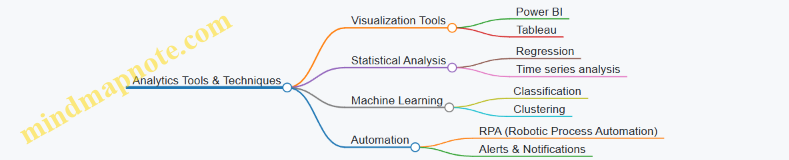
Real-World Case Study: Analytics-Driven Process Improvement at a Mid-Sized CPA Firm
The firm integrated an analytics module into their AIS to monitor billing cycles and client payment patterns. Using predictive analytics, they identified clients likely to delay payments and proactively engaged them, reducing overdue invoices by 30%. Additionally, anomaly detection helped uncover billing errors, improving invoice accuracy and client satisfaction.
Summary
Leveraging analytics within Accounting Information Systems empowers finance and IT professionals to transform raw data into strategic assets. By integrating descriptive, diagnostic, predictive, and prescriptive analytics, organizations can optimize AIS processes, enhance accuracy, detect fraud, and improve overall financial management.
Next Steps:
- Explore analytics tools compatible with your AIS.
- Start small with descriptive analytics and gradually incorporate predictive and prescriptive models.
- Foster collaboration between accountants and IT specialists to maximize analytics benefits.
9. Training, Change Management, and User Adoption
9.1 Importance of Training for AIS Users
Training is a critical component in the successful adoption and utilization of Accounting Information Systems (AIS). Proper training ensures that both accountants and IT specialists can effectively use the system, minimize errors, enhance productivity, and maintain data integrity. Without adequate training, organizations risk underutilizing their AIS investments, increasing operational risks, and facing compliance issues.
Why Training Matters in AIS
- Maximizes System Efficiency: Users who understand the system can perform tasks faster and more accurately.
- Reduces Errors: Training helps users recognize potential pitfalls and avoid common mistakes.
- Enhances Security Awareness: Educated users are more likely to follow security protocols, reducing vulnerabilities.
- Improves Compliance: Proper use of AIS supports adherence to regulatory requirements.
- Facilitates Change Management: Training eases the transition during system upgrades or new implementations.
Mind Map: Key Benefits of AIS Training
Mind Map: Stakeholders Involved in AIS Training

Example 1: Training Program for a Mid-Sized Accounting Firm
A mid-sized accounting firm implemented a new cloud-based AIS. They developed a comprehensive training program that included:
- Role-Based Workshops: Separate sessions for accountants focusing on transaction processing and for IT specialists focusing on system configuration and security.
- Hands-On Practice: Simulated data entry and report generation exercises.
- Security Protocol Training: Emphasizing password policies and data privacy.
- Feedback Sessions: Collecting user input to improve the system and training materials.
Outcome: The firm saw a 30% reduction in data entry errors within the first three months and improved compliance with audit requirements.
Example 2: Onboarding Training in a Large Financial Institution
A large financial institution introduced an AIS upgrade with advanced analytics features. Their training approach included:
- E-Learning Modules: Allowing users to learn at their own pace.
- Live Q&A Sessions: Facilitated by AIS experts.
- Quick Reference Guides: Distributed for daily use.
- Security Drills: Simulated phishing and data breach scenarios.
Outcome: Enhanced user confidence and a smoother transition to the upgraded system, with minimal downtime.
Best Practices for Effective AIS Training
- Customize Training to User Roles: Tailor content to the specific needs of accountants, IT specialists, and management.
- Use Real-World Scenarios: Incorporate examples and exercises that reflect daily tasks.
- Leverage Multiple Training Formats: Combine in-person workshops, e-learning, and documentation.
- Encourage Continuous Learning: Provide refresher courses and updates as the AIS evolves.
- Measure Training Effectiveness: Use assessments and feedback to improve training programs.
In conclusion, investing in comprehensive AIS training is essential for maximizing the system’s benefits, ensuring security and compliance, and empowering users to contribute effectively to the organization’s financial and operational goals.
9.2 Best Practice: Designing Role-Based Training Programs with Examples
Designing role-based training programs is a critical best practice to ensure that users of Accounting Information Systems (AIS) acquire the specific skills and knowledge necessary for their unique responsibilities. This approach increases efficiency, reduces errors, and enhances system adoption by tailoring content to the needs of different roles such as accountants, IT specialists, auditors, and management.
Why Role-Based Training Matters
- Relevance: Training content is directly applicable to the user’s daily tasks.
- Efficiency: Learners focus only on what they need to know, saving time.
- Engagement: Customized training increases motivation and retention.
- Security: Ensures users understand their access rights and responsibilities.
Key Steps to Designing Role-Based Training Programs
Example 1: Role-Based Training for Accountants
Objective: Enable accountants to efficiently use AIS for transaction processing, reporting, and compliance.
Training Modules:
- Introduction to AIS Interface and Navigation
- Data Entry and Validation Procedures
- Generating Financial Reports
- Understanding Internal Controls and Compliance
- Troubleshooting Common Errors
Example Activity: Hands-on exercise to enter sample invoices and generate a trial balance report.
Example 2: Role-Based Training for IT Specialists
Objective: Equip IT staff with skills to maintain, secure, and troubleshoot the AIS.
Training Modules:
- System Architecture Overview
- User Access Management and Security Protocols
- Backup and Disaster Recovery Procedures
- Integration with Other Enterprise Systems
- Monitoring and Performance Tuning
Example Activity: Simulated user access request and role assignment, followed by a security audit exercise.
Example 3: Role-Based Training for Auditors
Objective: Prepare auditors to effectively use AIS audit trails and reporting features.
Training Modules:
- Navigating Audit Logs and Trails
- Extracting and Analyzing Transaction Data
- Compliance Reporting Features
- Identifying Red Flags and Anomalies
Example Activity: Case study analysis using AIS audit reports to detect potential fraud.
Sample Mind Map: Training Curriculum for Accountants
Tips for Effective Role-Based Training
- Customize Content: Use real-life examples from the organization.
- Interactive Learning: Incorporate quizzes, simulations, and group discussions.
- Regular Updates: Reflect system upgrades and regulatory changes.
- Feedback Mechanism: Collect learner feedback to improve training.
- Blended Learning: Combine online modules with live sessions for flexibility.
By implementing role-based training programs, organizations can ensure that each user group maximizes the benefits of the AIS, leading to improved accuracy, compliance, and operational efficiency.
9.3 Managing Resistance to Change in AIS Implementation
Implementing a new Accounting Information System (AIS) often triggers resistance from users, especially accountants and IT specialists accustomed to legacy systems or manual processes. Managing this resistance effectively is crucial to ensure smooth adoption, minimize disruptions, and maximize the benefits of the new system.
Understanding the Sources of Resistance
Resistance can stem from various factors including fear of the unknown, lack of trust in the new system, concerns about job security, or simply comfort with existing workflows.
Mind Map: Sources of Resistance to AIS Implementation
Example: In a mid-sized accounting firm, senior accountants resisted switching to an automated AIS because they feared losing control over manual reconciliations they trusted. This slowed down the implementation timeline.
Best Practices to Manage Resistance
-
Early and Transparent Communication
- Inform all stakeholders about the reasons for change, benefits, and implementation timeline.
- Use multiple channels: meetings, emails, newsletters.
-
Involve Users in the Process
- Engage accountants and IT specialists in system selection, customization, and testing.
- Create focus groups or pilot teams.
-
Provide Comprehensive Training
- Offer role-based training sessions.
- Use hands-on workshops and e-learning modules.
-
Address Job Security Concerns
- Clarify that AIS aims to enhance productivity, not replace jobs.
- Highlight opportunities for upskilling.
-
Offer Continuous Support
- Establish help desks and peer support networks.
- Regularly collect feedback and act on it.
-
Celebrate Quick Wins
- Showcase early successes to build confidence.
Mind Map: Strategies to Manage Resistance
Example Scenario: Overcoming Resistance in a Financial Services Company
A financial services company planned to implement a cloud-based AIS. Initial surveys showed 40% of accountants were skeptical about data security and feared job redundancy.
Actions Taken:
- Held town hall meetings explaining cloud security protocols.
- Involved senior accountants in vendor demos.
- Rolled out a phased training program with certifications.
- Created a dedicated support team for the first 3 months post-implementation.
- Shared monthly progress reports highlighting efficiency gains.
Outcome: Within six months, user satisfaction increased by 60%, and the system adoption rate reached 95%, significantly reducing manual errors.
Additional Tips
- Empathy is Key: Understand individual concerns and address them personally when possible.
- Leverage Change Champions: Identify influential staff members who support the AIS and empower them to advocate for the change.
- Monitor Resistance Levels: Use surveys and informal check-ins to gauge ongoing sentiment.
Mind Map: Additional Tips for Managing Resistance
By proactively managing resistance through clear communication, involvement, training, and support, organizations can ensure a smoother transition to new Accounting Information Systems, ultimately enhancing operational efficiency and user satisfaction.
9.4 Case Study: Successful User Adoption through Gamification Techniques
Introduction
User adoption is a critical factor in the success of any Accounting Information System (AIS) implementation. Resistance to change, lack of motivation, and insufficient training often hinder effective use of new systems. Gamification — the application of game-design elements in non-game contexts — has emerged as a powerful strategy to increase engagement, motivation, and ultimately adoption rates among users.
This case study explores how a mid-sized accounting firm successfully employed gamification techniques to drive user adoption of their newly implemented AIS.
Background
The firm recently transitioned from a legacy manual accounting process to a cloud-based AIS. Initial training sessions showed low engagement, and early usage metrics indicated reluctance among staff to fully embrace the new system. To address this, the IT and accounting leadership collaborated to design a gamification strategy tailored to their users.
Gamification Strategy Overview
The strategy focused on incorporating the following game elements:
- Points and Scoring: Users earned points for completing tasks such as entering transactions, generating reports, and completing training modules.
- Badges and Achievements: Milestones like “First 100 Transactions Entered” or “Master of Reconciliation” were rewarded with badges.
- Leaderboards: Weekly and monthly leaderboards fostered friendly competition among departments and individuals.
- Challenges and Quests: Periodic challenges encouraged users to explore advanced features, e.g., “Complete a full audit trail review.”
- Feedback and Rewards: Instant feedback on task completion and tangible rewards such as gift cards or extra break time.
Mind Map: Gamification Elements in AIS User Adoption
Implementation Steps
- User Profiling: Identified different user groups (e.g., junior accountants, auditors, IT support) to tailor challenges and rewards.
- Integration: Embedded gamification elements directly into the AIS user interface to ensure seamless experience.
- Communication: Launched an internal campaign explaining the gamification program, its benefits, and how to participate.
- Monitoring: Set up dashboards to track participation, points earned, and leaderboard standings.
- Feedback Loop: Held weekly feedback sessions to refine challenges and address user concerns.
Example: Points System Breakdown
| Activity | Points Awarded |
|---|---|
| Entering a transaction | 10 |
| Completing a training module | 50 |
| Generating a financial report | 20 |
| Identifying and correcting errors | 30 |
| Participating in a challenge | 40 |
Mind Map: User Engagement Lifecycle

Results and Outcomes
- Increased System Usage: Within three months, daily active users increased by 45%.
- Improved Training Completion Rates: Completion of AIS training modules rose from 60% to 90%.
- Enhanced Data Accuracy: Error rates in transaction entries dropped by 25%, attributed to motivated users double-checking their work.
- Positive Employee Feedback: Surveys showed 85% of users found the gamification elements motivating and helpful.
Lessons Learned
- Customization is Key: Tailoring challenges and rewards to different user roles maximized engagement.
- Balance Competition and Collaboration: While leaderboards fostered competition, team-based quests encouraged collaboration.
- Continuous Improvement: Regular updates to challenges kept the program fresh and users interested.
- Management Support: Visible endorsement from leadership reinforced the importance of the program.
Conclusion
Gamification proved to be an effective tool in overcoming resistance and boosting user adoption of the AIS in this accounting firm. By integrating game mechanics thoughtfully and aligning them with organizational goals, both accountants and IT specialists created a more engaging, productive environment.
Additional Example: Gamification in Training
A junior accountant, Sarah, was initially hesitant to use the new AIS. Through earning badges for completing training modules and participating in challenges, she gained confidence and quickly became one of the top users on the leaderboard, demonstrating how gamification can transform user attitudes.
This case study highlights that combining best practices in change management with innovative gamification techniques can significantly enhance AIS adoption and performance.
9.5 Tools and Resources for Ongoing AIS Education
Continuous education is crucial for both accountants and IT specialists to stay current with evolving Accounting Information Systems (AIS). Leveraging the right tools and resources can significantly enhance learning effectiveness and user adoption.
Key Tools and Resources for AIS Education
-
Online Learning Platforms
- Platforms like Coursera, Udemy, LinkedIn Learning offer specialized courses on AIS fundamentals, ERP systems, cybersecurity, and data analytics.
- Example: “Accounting Information Systems” course on Coursera by the University of Illinois provides practical case studies and software tutorials.
-
Interactive Simulations and Sandboxes
- Hands-on practice environments where users can simulate AIS processes without risk.
- Example: SAP Learning Hub offers sandbox environments for ERP and AIS modules.
-
Webinars and Workshops
- Live or recorded sessions hosted by AIS experts focusing on best practices, new technologies, and compliance updates.
- Example: A webinar series on “Implementing Internal Controls in AIS” by the Institute of Internal Auditors.
-
Books and eBooks
- Comprehensive guides and reference materials.
- Example: “Accounting Information Systems” by Romney and Steinbart, which includes real-world examples and exercises.
-
Professional Communities and Forums
- Platforms like Reddit’s r/Accounting, Stack Exchange Information Security, and LinkedIn groups facilitate peer learning and problem-solving.
-
Certification Programs
- Certifications such as Certified Information Systems Auditor (CISA) or Certified Management Accountant (CMA) include AIS-related content.
-
Mind Mapping Tools
- Tools like XMind, MindMeister, or FreeMind help visualize AIS concepts and workflows, aiding memory and understanding.
Mind Maps for AIS Education
Below are several mind maps in format to help visualize key AIS education topics.
Mind Map 1: AIS Learning Path
Mind Map 2: Tools for AIS Training
Mind Map 3: Best Practices for AIS User Training
Example: Designing a Role-Based AIS Training Program
-
Step 1: Identify Roles and Responsibilities
- Accountants focus on transaction processing, reporting, and compliance.
- IT specialists focus on system maintenance, security, and integration.
-
Step 2: Select Appropriate Learning Resources
- Accountants: Courses on financial reporting, internal controls, and ERP usage.
- IT Specialists: Training on database management, cybersecurity, and system architecture.
-
Step 3: Incorporate Interactive Tools
- Use sandbox environments for hands-on practice.
- Include quizzes and case studies for applied learning.
-
Step 4: Schedule Regular Webinars and Workshops
- Invite experts to discuss updates and emerging trends.
-
Step 5: Establish Feedback Mechanisms
- Collect user feedback to refine training materials.
By integrating these tools, resources, and structured approaches, organizations can foster a culture of continuous AIS education that empowers both accountants and IT specialists to maximize system effectiveness and compliance.
10. Future Trends and Challenges in Accounting Information Systems
10.1 Predictive Analytics and AIS
Predictive analytics is transforming Accounting Information Systems (AIS) by enabling organizations to forecast future financial trends, detect anomalies, and make data-driven decisions with greater accuracy. By integrating predictive analytics into AIS, accountants and IT specialists can move beyond traditional reporting to proactive financial management.
What is Predictive Analytics in AIS?
Predictive analytics involves using historical data, statistical algorithms, and machine learning techniques to identify the likelihood of future outcomes. In AIS, this means leveraging accounting data to anticipate cash flow issues, detect fraud, optimize budgeting, and improve audit accuracy.
Mind Map: Core Components of Predictive Analytics in AIS
Example 1: Cash Flow Forecasting Using Predictive Analytics
A mid-sized manufacturing company integrated predictive analytics into their AIS to forecast cash flow for the next 12 months. By analyzing historical sales, payment cycles, and seasonal trends, the system generated monthly cash flow predictions with 95% accuracy.
Best Practice: Incorporate multiple data sources (e.g., sales data, supplier payment terms) and continuously update models with new data to improve forecasting accuracy.
Mind Map: Steps for Implementing Cash Flow Forecasting
Example 2: Fraud Detection in AIS
A financial services firm used predictive analytics to detect unusual transaction patterns indicative of fraud. The AIS applied machine learning algorithms to flag transactions deviating from normal behavior, such as sudden large transfers or repeated small transactions just below approval thresholds.
Best Practice: Combine predictive models with rule-based controls and human review to reduce false positives and improve detection efficiency.
Mind Map: Fraud Detection Workflow with Predictive Analytics
Example 3: Budget Optimization
An accounting department in a retail chain employed predictive analytics to optimize their budgeting process. By analyzing past expenditure trends and sales forecasts, the AIS suggested budget adjustments to allocate resources more efficiently across departments.
Best Practice: Use scenario analysis within predictive models to evaluate the impact of different budget allocations before finalizing decisions.
Integration Tips for Accountants and IT Specialists
- Collaborate Early: Accountants provide domain knowledge while IT specialists handle data infrastructure and model deployment.
- Data Quality: Ensure clean, consistent, and comprehensive data for reliable predictions.
- User-Friendly Dashboards: Present predictive insights in intuitive formats to support decision-making.
- Continuous Learning: Update models regularly with new data and feedback.
Summary
Predictive analytics enhances AIS by enabling forward-looking insights that improve financial planning, risk management, and operational efficiency. By following best practices and leveraging real-world examples, finance and IT professionals can successfully integrate predictive analytics into their accounting systems, driving smarter business outcomes.
10.2 Best Practice: Preparing AIS for Increasing Data Volumes - Example of Big Data Integration
As organizations grow and their operations become more complex, the volume of financial and operational data processed by Accounting Information Systems (AIS) increases exponentially. Preparing AIS to handle this surge in data volume is critical to maintaining accuracy, efficiency, and timely reporting.
Why Prepare AIS for Increasing Data Volumes?
- Data Overload Risks: Without proper preparation, large data volumes can slow down processing, increase error rates, and reduce system responsiveness.
- Compliance and Reporting: Regulatory requirements demand accurate and timely financial data, which becomes challenging with massive datasets.
- Decision-Making: High-quality, real-time data supports better financial decisions.
Best Practices for Preparing AIS for Big Data Integration
Scalable Infrastructure
- Cloud-Based Solutions: Use cloud platforms (e.g., AWS, Azure) that can dynamically scale storage and computing power.
- Distributed Databases: Implement databases that distribute data across multiple servers to enhance processing speed.
Data Management and Governance
- Data Quality Controls: Establish validation rules and cleansing processes to maintain data integrity.
- Metadata Management: Maintain detailed metadata to track data sources, transformations, and usage.
Advanced Data Processing Techniques
- Batch vs. Real-Time Processing: Use batch processing for large historical data and real-time streaming for immediate transactions.
- Data Warehousing: Centralize data from multiple sources into a data warehouse optimized for analytics.
Integration with Big Data Technologies
- Use of Hadoop and Spark: Leverage big data frameworks for processing large datasets efficiently.
- APIs and Middleware: Facilitate seamless data exchange between AIS and big data platforms.
Enhanced Security Measures
- Encryption and Access Controls: Protect sensitive financial data even as volumes grow.
- Audit Trails: Maintain detailed logs to track data changes and access.
Example: Big Data Integration in a Multinational Retailer’s AIS
Scenario: A multinational retailer experiences rapid growth, resulting in millions of daily transactions across hundreds of stores worldwide. Their legacy AIS struggles with data volume, causing delays in financial reporting and inventory reconciliation.
Solution Implementation:
- Migrated AIS data storage to a cloud-based data lake to handle unstructured and structured data.
- Integrated Hadoop ecosystem for distributed processing of sales, inventory, and financial data.
- Developed ETL (Extract, Transform, Load) pipelines to cleanse and aggregate data into a centralized data warehouse.
- Implemented real-time dashboards for finance teams to monitor sales and expenses.
- Established strict data governance policies and encryption to secure sensitive information.
Outcome:
- Reduced data processing time from hours to minutes.
- Improved accuracy and timeliness of financial reports.
- Enabled predictive analytics for inventory management and financial forecasting.
Mind Maps
Mind Map 1: Preparing AIS for Increasing Data Volumes
Mind Map 2: Big Data Integration Example - Multinational Retailer
Additional Examples
-
Example 1: Financial Services Firm
- Integrated AIS with Apache Kafka for streaming transaction data.
- Enabled real-time fraud detection and compliance monitoring.
-
Example 2: Manufacturing Company
- Used Spark to process sensor and financial data together.
- Improved cost accounting accuracy by correlating production data with expenses.
Summary
Preparing AIS for increasing data volumes involves adopting scalable infrastructure, robust data management, advanced processing techniques, and integrating big data technologies. Real-world examples demonstrate how these best practices enable organizations to maintain AIS performance, ensure data integrity, and support strategic financial decision-making even as data grows exponentially.
10.3 Ethical Considerations in Automated Accounting Systems
Automated accounting systems have revolutionized the way financial data is processed, analyzed, and reported. However, with increased automation comes a heightened responsibility to address ethical considerations to ensure transparency, accuracy, and fairness. This section explores key ethical issues in automated accounting systems, supported by mind maps and practical examples.
Key Ethical Considerations
Data Integrity
Maintaining data integrity is fundamental. Automated systems must ensure that financial data is accurate and free from unauthorized alterations.
Example: A multinational corporation uses an automated AIS that logs every transaction with a timestamp and user ID, creating an immutable audit trail. This practice helps detect and prevent fraudulent activities.
Privacy and Confidentiality
Automated systems handle vast amounts of sensitive financial data. Protecting this data from unauthorized access is both an ethical and legal imperative.
Example: An accounting firm implements role-based access controls in their AIS, ensuring that only authorized personnel can view client financial records, complying with GDPR requirements.
Transparency
Automated accounting decisions, such as expense approvals or risk assessments, should be transparent and explainable to stakeholders.
Example: A company deploying AI-driven expense auditing provides detailed reports explaining why certain expenses were flagged for review, enhancing trust among employees.
Accountability
Even with automation, human accountability remains crucial. Clear policies must define who is responsible for system errors or unethical outcomes.
Example: In a bank, the IT department manages the AIS infrastructure, but the finance team is responsible for validating reports before submission, ensuring dual accountability.
Bias and Fairness
Algorithms can unintentionally perpetuate biases, leading to unfair financial decisions.
Example: An automated loan approval system is regularly audited to detect and correct biases against certain demographic groups, ensuring fair lending practices.
Security
Robust security measures protect AIS from cyberattacks that could compromise financial data.
Example: A cloud-based AIS provider conducts quarterly penetration testing and encrypts all data at rest and in transit.
Compliance
Automated systems must be designed to comply with evolving financial regulations.
Example: An AIS is updated annually to incorporate changes in tax laws and reporting standards, preventing compliance breaches.
Mind Map: Ethical Considerations Workflow
Practical Example: Ethical Dilemma in Automated Expense Reporting
Scenario: An automated AIS flags an employee’s travel expense as suspicious due to an unusual pattern. The system automatically rejects the claim.
Ethical Considerations:
- Was the algorithm’s decision transparent and explainable?
- Is there a human review process to prevent wrongful rejection?
- How is the employee informed and given a chance to appeal?
Best Practice: Implement a hybrid approach where automated flags trigger human review, ensuring fairness and accountability.
Summary
Ethical considerations in automated accounting systems are critical to maintaining trust, compliance, and fairness. By integrating best practices such as transparency, accountability, and continuous monitoring, organizations can harness automation benefits while upholding high ethical standards.
10.4 Challenges of AIS in a Remote and Hybrid Work Environment
The shift towards remote and hybrid work environments has introduced unique challenges for Accounting Information Systems (AIS). These challenges affect data security, system accessibility, collaboration, and overall system performance. Understanding and addressing these issues is critical for accountants and IT specialists to maintain the integrity, efficiency, and reliability of AIS.
Key Challenges
Security Concerns
Remote access increases the attack surface for cyber threats. Employees working outside the secure office network may use unsecured Wi-Fi or personal devices, increasing risk.
Best Practice: Implement multi-factor authentication (MFA), VPNs, and end-to-end encryption.
Example: A mid-sized accounting firm experienced multiple phishing attempts targeting remote staff. By enforcing MFA and VPN access, unauthorized access was prevented, maintaining AIS integrity.
Accessibility and System Availability
Remote workers rely heavily on stable internet connections and cloud-based AIS platforms. System downtime or slow response times can disrupt financial reporting and transaction processing.
Best Practice: Utilize cloud-based AIS solutions with high availability SLAs and offline capabilities.
Example: A retail company migrated its AIS to a cloud platform, allowing remote accountants to access real-time financial data without interruptions, even during local network outages.
Collaboration and Communication
Hybrid teams often face challenges coordinating workflows, sharing documents, and maintaining version control.
Best Practice: Integrate AIS with collaboration tools like Microsoft Teams or Slack and use centralized document management systems.
Example: An IT specialist integrated the AIS with SharePoint, enabling accountants to collaborate on financial reports seamlessly, reducing errors caused by multiple document versions.
Compliance and Audit Challenges
Ensuring compliance with regulations such as SOX or GDPR becomes more complex when data is accessed remotely.
Best Practice: Maintain detailed audit trails and enforce strict access controls.
Example: A financial institution implemented automated logging within their AIS to track remote user activities, simplifying audits and ensuring regulatory compliance.
Performance and Scalability
Remote work can strain AIS performance due to network latency and increased concurrent users.
Best Practice: Optimize AIS infrastructure for scalability and monitor network performance continuously.
Example: A multinational corporation upgraded its AIS servers and implemented load balancing to support thousands of remote users without performance degradation.
Summary Mind Map
Conclusion
The remote and hybrid work model demands that AIS evolve to meet new challenges. By adopting best practices such as enhanced security protocols, cloud-based accessibility, integrated collaboration tools, and rigorous compliance measures, organizations can ensure their AIS remains robust, secure, and efficient in this new working landscape.
10.5 Preparing for the Future: Strategic Planning for AIS Evolution
As Accounting Information Systems (AIS) continue to evolve rapidly, strategic planning becomes essential to ensure that organizations remain competitive, compliant, and efficient. Preparing for the future involves anticipating technological advancements, aligning AIS with business goals, and fostering adaptability within both accounting and IT teams.
Key Areas for Strategic Planning in AIS Evolution
Example 1: Mid-Sized Accounting Firm Preparing for Cloud Migration
Scenario: A mid-sized accounting firm plans to migrate its legacy AIS to a cloud-based system to improve accessibility and scalability.
Strategic Steps:
- Conduct a comprehensive needs assessment involving accountants and IT specialists.
- Evaluate cloud providers focusing on security certifications (e.g., ISO 27001).
- Plan phased migration to minimize disruption.
- Train staff on new system features and cloud security best practices.
- Establish continuous monitoring and feedback loops.
Outcome: The firm successfully transitions to a cloud AIS, enabling remote work, faster processing, and improved client service.
Example 2: Large Corporation Integrating AI for Predictive Analytics
Scenario: A large corporation wants to leverage AI within its AIS to predict cash flow trends and detect anomalies.
Strategic Steps:
- Collaborate between finance and IT teams to identify key predictive metrics.
- Integrate machine learning models into the AIS reporting module.
- Pilot the AI features with a subset of users and gather feedback.
- Ensure compliance with data privacy regulations.
- Continuously refine models based on new data.
Outcome: The company gains actionable insights, reduces forecasting errors, and enhances fraud detection.
Mind Map: Steps to Develop a Future-Ready AIS Strategy
Best Practices for Strategic AIS Planning
- Engage Cross-Functional Teams: Involve both accountants and IT specialists early to ensure the system meets technical and functional needs.
- Stay Informed on Regulatory Changes: Regularly update AIS to comply with evolving financial regulations.
- Invest in Training: Equip users with skills to leverage new AIS functionalities effectively.
- Prioritize Security: Implement robust cybersecurity frameworks to protect sensitive financial data.
- Adopt Agile Methodologies: Use iterative development and feedback to adapt AIS quickly to changing requirements.
Final Thoughts
Strategic planning for AIS evolution is not a one-time task but a continuous process. By proactively embracing innovation, fostering collaboration, and focusing on user-centric design, organizations can build resilient AIS that drive financial accuracy, operational efficiency, and strategic decision-making well into the future.