Financial Reporting for Nonprofits
1. Introduction to Nonprofit Financial Reporting
1.1 Understanding the Purpose and Importance of Financial Reporting
Financial reporting is a fundamental aspect of nonprofit management that ensures transparency, accountability, and informed decision-making. Unlike for-profit organizations, nonprofits rely heavily on public trust and donor confidence, making accurate and clear financial reporting essential.
Why Financial Reporting Matters for Nonprofits
- Transparency: Demonstrates how funds are used, building trust with donors, grantors, and the public.
- Accountability: Shows that the organization is responsible for managing resources effectively and ethically.
- Compliance: Meets regulatory requirements from bodies such as the IRS, FASB, and state authorities.
- Decision-Making: Provides management and boards with critical financial data to guide strategy and operations.
- Fundraising: Helps attract and retain donors by showing financial health and stewardship.
Mind Map: Purpose of Financial Reporting in Nonprofits
Example: Transparency in Action
Consider a local animal shelter that receives donations from the community. By publishing an annual financial report showing how donations are spent—such as on veterinary care, food, and shelter maintenance—they reassure donors that their contributions are making a tangible impact. This transparency often leads to increased donations and community support.
Key Components of Financial Reporting
- Statement of Financial Position: Snapshot of assets, liabilities, and net assets.
- Statement of Activities: Shows revenues and expenses over a period.
- Statement of Cash Flows: Tracks cash inflows and outflows.
Mind Map: Key Components of Nonprofit Financial Reports
Example: Accountability Through Reporting
A nonprofit focused on education publishes quarterly financial reports to its board. When the board notices an unexpected increase in fundraising expenses, they can investigate and adjust strategies accordingly. This ongoing accountability helps prevent mismanagement and ensures resources are used effectively.
Summary
Financial reporting in nonprofits is not just a regulatory requirement but a strategic tool that fosters trust, supports compliance, and drives better organizational outcomes. By understanding its purpose and importance, nonprofit managers and accountants can create reports that truly reflect the organization’s mission and financial health.
1.2 Key Differences Between Nonprofit and For-Profit Financial Reporting
Financial reporting for nonprofits differs significantly from for-profit organizations due to their distinct missions, funding sources, and regulatory requirements. Understanding these differences is crucial for accountants and nonprofit managers to ensure accurate, transparent, and compliant financial statements.
Mind Map: Key Differences Between Nonprofit and For-Profit Financial Reporting
Purpose and Mission
- Nonprofits exist to fulfill a mission or public benefit, so financial reporting focuses on accountability and stewardship of resources.
- For-profits focus on profitability and maximizing shareholder value.
Example: A nonprofit animal shelter reports how donations are used to care for animals, while a for-profit pet store reports sales and profits.
Financial Statements Structure
| Aspect | Nonprofit Financial Statements | For-Profit Financial Statements |
|---|---|---|
| Primary Statements | Statement of Financial Position, Statement of Activities, Statement of Cash Flows | Balance Sheet, Income Statement, Statement of Cash Flows |
| Net Assets / Equity | Net assets categorized by donor restrictions | Equity includes stock, retained earnings |
Example:
- Nonprofit’s Statement of Activities shows changes in net assets by restriction category.
- For-profit’s Income Statement shows net income or loss.
Net Assets vs. Equity
Nonprofits classify net assets based on donor-imposed restrictions:
- Unrestricted Net Assets: No donor restrictions, available for general use.
- Temporarily Restricted Net Assets: Use limited by time or purpose.
- Permanently Restricted Net Assets: Principal must be maintained permanently.
For-profits report equity as ownership interest, including:
- Common stock
- Additional paid-in capital
- Retained earnings
Example: A nonprofit receives a $50,000 grant restricted for educational programs (temporarily restricted net assets). A for-profit reports retained earnings accumulated from prior years’ profits.
Revenue Recognition
- Nonprofits: Revenue often comes from contributions, grants, fundraising events, and membership dues. Recognition depends on donor restrictions and conditions.
- For-profits: Revenue is primarily from sales of goods or services, recognized when earned and realizable.
Example: A nonprofit receives a pledge of $10,000 to be used next year; it records this as temporarily restricted revenue until the funds are used. A for-profit recognizes revenue when a product is delivered.
Expense Classification
Nonprofits categorize expenses to demonstrate resource allocation:
- Program Services: Directly related to mission activities.
- Management and General: Administrative costs.
- Fundraising: Costs to solicit contributions.
For-profits classify expenses as:
- Cost of goods sold
- Selling, general, and administrative expenses
Example: A nonprofit spends $30,000 on a community outreach program (program services), $10,000 on office rent (management), and $5,000 on fundraising events.
Regulatory and Reporting Requirements
- Nonprofits: Must comply with FASB ASC 958, file IRS Form 990 annually, and adhere to donor restrictions.
- For-profits: Follow GAAP and, if public, SEC regulations.
Example: A nonprofit files Form 990 to disclose financial information publicly, promoting transparency to donors.
Summary Table of Key Differences
| Feature | Nonprofit | For-Profit |
|---|---|---|
| Primary Objective | Mission fulfillment and public accountability | Profit maximization and shareholder value |
| Financial Statements | Statement of Financial Position, Activities, Cash Flows | Balance Sheet, Income Statement, Cash Flows |
| Equity/Net Assets | Classified by donor restrictions | Shareholders’ equity |
| Revenue Sources | Contributions, grants, fundraising | Sales, services |
| Expense Reporting | Program, management, fundraising | Cost of goods sold, operating expenses |
| Regulatory Filings | IRS Form 990, FASB ASC 958 | GAAP, SEC filings (if public) |
Practical Example: Comparing Financial Reporting for a Nonprofit and a For-Profit
Scenario: Both organizations receive $100,000.
-
Nonprofit: Receives $100,000 grant restricted for youth programs.
- Records as temporarily restricted revenue.
- Expenses related to youth programs classified under program services.
- Reports net assets reflecting the restriction.
-
For-Profit: Sells products generating $100,000 revenue.
- Recognizes revenue when products are delivered.
- Expenses include cost of goods sold and operating expenses.
- Reports net income impacting retained earnings.
This example illustrates how the same amount of money is treated differently in financial reporting based on organizational type and purpose.
By understanding these key differences, nonprofit accountants and managers can prepare financial reports that accurately reflect their organization’s financial health, comply with regulations, and build trust with stakeholders.
1.3 Overview of Regulatory Requirements and Standards (FASB, GASB, IRS)
Nonprofit organizations operate under a unique set of regulatory requirements and accounting standards designed to ensure transparency, accountability, and proper stewardship of funds. Understanding these frameworks is essential for accountants and nonprofit managers to produce accurate financial reports and maintain compliance.
Key Regulatory Bodies and Standards
-
FASB (Financial Accounting Standards Board)
- Sets the Generally Accepted Accounting Principles (GAAP) for most nonprofits.
- Governs financial reporting for private nonprofit organizations.
-
GASB (Governmental Accounting Standards Board)
- Establishes accounting and financial reporting standards for government entities and certain nonprofits that are considered governmental or quasi-governmental.
-
IRS (Internal Revenue Service)
- Oversees tax-exempt status and requires annual filings such as Form 990.
- Enforces compliance with tax laws and public disclosure requirements.
Mind Map: Regulatory Framework for Nonprofit Financial Reporting
FASB Standards for Nonprofits
The FASB’s Accounting Standards Codification (ASC) Topic 958 specifically addresses nonprofit organizations. Key elements include:
- Statement of Financial Position: Classifies net assets into three categories — unrestricted, temporarily restricted, and permanently restricted.
- Statement of Activities: Reports revenues and expenses, showing changes in net assets.
- Statement of Cash Flows: Provides cash inflows and outflows categorized by operating, investing, and financing activities.
Example:
A nonprofit receives a $50,000 grant restricted for a specific program. Under FASB ASC 958, this amount is recorded as temporarily restricted net assets until used for the designated purpose.
Mind Map: FASB ASC 958 Key Components
GASB Standards and Applicability
GASB standards apply primarily to government entities and nonprofits that function as governmental units (e.g., public hospitals, universities). These standards emphasize fund accounting and accountability to the public.
Example:
A public university reports its financials under GASB standards, using fund accounting to separate restricted funds from general operating funds.
Mind Map: GASB Focus Areas
IRS Requirements for Nonprofits
The IRS governs tax-exempt organizations under Section 501(c)(3) and other subsections. Key reporting requirements include:
- Form 990: Annual information return detailing financial activities, governance, and compliance.
- Public Disclosure: Financial statements and Form 990 must be publicly available.
- Unrelated Business Income Tax (UBIT): Tax on income from activities unrelated to the nonprofit’s mission.
Example:
A nonprofit hosting a fundraising event sells merchandise unrelated to its mission. The income generated may be subject to UBIT and must be reported accordingly.
Mind Map: IRS Compliance Essentials
Integrated Example: Applying Standards in Practice
Scenario:
A nonprofit organization receives a $100,000 unrestricted donation, a $75,000 grant restricted for educational programs, and incurs $50,000 in program expenses and $20,000 in fundraising expenses.
- Under FASB ASC 958, the $100,000 is recorded as unrestricted net assets.
- The $75,000 grant is recorded as temporarily restricted net assets until spent.
- Expenses are classified between program and fundraising services in the Statement of Activities.
- The nonprofit files Form 990 with the IRS, disclosing these transactions and their impact on net assets.
This integrated approach ensures compliance with accounting standards and regulatory requirements while providing transparent financial reporting to stakeholders.
Summary
Understanding the roles of FASB, GASB, and IRS in nonprofit financial reporting enables organizations to:
- Prepare accurate and compliant financial statements.
- Maintain tax-exempt status and meet public disclosure obligations.
- Enhance transparency and accountability to donors, boards, and regulators.
Accountants and nonprofit managers should stay current with updates from these bodies to ensure ongoing compliance and best practices in financial reporting.
1.4 Common Financial Statements in Nonprofits: Statement of Financial Position, Activities, and Cash Flows
Nonprofit organizations rely on three primary financial statements to communicate their financial health, performance, and cash management. Understanding these statements is essential for accountants and nonprofit managers to ensure transparency, compliance, and informed decision-making.
Overview of the Three Core Financial Statements
Nonprofit Financial Statements Mind Map
Statement of Financial Position (Balance Sheet Equivalent)
This statement provides a snapshot of the nonprofit’s financial condition at a specific point in time. It details what the organization owns (assets), what it owes (liabilities), and the residual interest (net assets).
Key Components:
- Assets: Cash, accounts receivable, investments, property, equipment.
- Liabilities: Accounts payable, accrued expenses, notes payable.
- Net Assets: Classified as unrestricted, temporarily restricted, and permanently restricted.
Example:
| Statement of Financial Position | Amount ($) |
|---|---|
| Assets | |
| Cash | 50,000 |
| Accounts Receivable | 15,000 |
| Equipment | 35,000 |
| Total Assets | 100,000 |
| Liabilities | |
| Accounts Payable | 10,000 |
| Notes Payable | 20,000 |
| Total Liabilities | 30,000 |
| Net Assets | |
| Unrestricted | 40,000 |
| Temporarily Restricted | 20,000 |
| Permanently Restricted | 10,000 |
| Total Net Assets | 70,000 |
Statement of Activities (Income Statement Equivalent)
This statement shows the nonprofit’s financial performance over a period, detailing revenues and expenses and how net assets have changed.
Key Components:
- Revenues: Contributions, grants, program service fees, investment income.
- Expenses: Program services, management and general, fundraising.
- Change in Net Assets: Difference between total revenues and expenses.
Example:
| Statement of Activities | Amount ($) |
|---|---|
| Revenues | |
| Contributions | 120,000 |
| Grants | 80,000 |
| Program Service Fees | 30,000 |
| Investment Income | 5,000 |
| Total Revenues | 235,000 |
| Expenses | |
| Program Services | 150,000 |
| Management and General | 40,000 |
| Fundraising | 25,000 |
| Total Expenses | 215,000 |
| Change in Net Assets | 20,000 |
Statement of Cash Flows
This statement reports the cash inflows and outflows categorized by operating, investing, and financing activities, helping assess liquidity and cash management.
Key Components:
- Operating Activities: Cash received from donations, grants, payments for expenses.
- Investing Activities: Purchase or sale of equipment or investments.
- Financing Activities: Borrowing or repayment of loans.
Example:
| Statement of Cash Flows | Amount ($) |
|---|---|
| Operating Activities | |
| Cash received from donors | 200,000 |
| Cash paid for expenses | (180,000) |
| Net Cash from Operating Activities | 20,000 |
| Investing Activities | |
| Purchase of equipment | (10,000) |
| Sale of investments | 5,000 |
| Net Cash from Investing Activities | (5,000) |
| Financing Activities | |
| Loan proceeds | 15,000 |
| Loan repayments | (5,000) |
| Net Cash from Financing Activities | 10,000 |
| Net Increase in Cash | 25,000 |
Mind Map: Relationship Between Financial Statements
Best Practice Tips
- Consistency: Use consistent classifications across statements to improve clarity.
- Transparency: Clearly distinguish between restricted and unrestricted net assets.
- Reconciliation: Regularly reconcile cash flows with bank statements and the statement of financial position.
- Narrative: Supplement financial statements with notes explaining significant changes or unusual items.
By mastering these three core financial statements, nonprofit accountants and managers can provide stakeholders with a clear and comprehensive picture of the organization’s financial health and stewardship.
1.5 Best Practice: Establishing a Financial Reporting Calendar with Real-World Examples
Establishing a financial reporting calendar is a foundational best practice for nonprofits aiming to maintain transparency, ensure compliance, and facilitate strategic decision-making. A well-structured calendar helps nonprofit accountants and managers anticipate deadlines, allocate resources efficiently, and communicate financial information consistently to stakeholders.
Why Establish a Financial Reporting Calendar?
- Consistency: Ensures reports are generated regularly and on time.
- Accountability: Assigns clear responsibilities for each reporting task.
- Compliance: Helps meet regulatory and grant-related deadlines.
- Transparency: Provides stakeholders with predictable updates.
- Efficiency: Reduces last-minute rushes and errors.
Key Components of a Financial Reporting Calendar
Step-by-Step Guide to Creating Your Calendar
-
Identify Reporting Requirements:
- Internal (Board meetings, management reviews)
- External (IRS filings, grant reports, donor updates)
-
Define Reporting Periods:
- Monthly, quarterly, annually
- Align with fiscal year and grant cycles
-
Set Deadlines:
- Include preparation, review, and distribution dates
-
Assign Responsibilities:
- Specify who collects data, prepares reports, reviews, and distributes
-
Integrate Tools:
- Use software like QuickBooks Nonprofit, Sage Intacct, or Excel templates
- Set calendar reminders and alerts
-
Communicate Calendar:
- Share with finance team, program managers, and board members
-
Review and Update:
- Adjust calendar based on feedback and changing requirements
Real-World Example 1: Small Local Nonprofit
Organization: Community Food Bank
- Monthly: Prepare and review financial statements by the 10th of each month.
- Quarterly: Submit grant financial reports by the 15th following quarter end.
- Annually: Complete IRS Form 990 and audited financial statements by March 31.
- Responsibilities:
- Accountant prepares reports.
- Executive Director reviews.
- Board Treasurer receives reports.
Real-World Example 2: Mid-Sized Education Nonprofit
Organization: Youth Learning Initiative
- Monthly: Financial statements and budget variance analysis by the 7th.
- Bi-Monthly: Cash flow forecast updates.
- Quarterly: Board financial package including narrative explanations by the 20th.
- Semi-Annual: Internal control review and risk assessment.
- Annually: External audit and IRS filings.
Tips for Maintaining an Effective Reporting Calendar
- Use Shared Calendars: Google Calendar or Outlook for team visibility.
- Automate Reminders: Set automated alerts for upcoming deadlines.
- Regular Check-Ins: Monthly meetings to review progress and address bottlenecks.
- Document Processes: Maintain SOPs linked to calendar events.
- Flexibility: Allow buffer days for unexpected delays.
By implementing a financial reporting calendar tailored to your nonprofit’s size and complexity, you create a rhythm that supports accuracy, transparency, and trust with your stakeholders. This best practice not only streamlines internal workflows but also strengthens your organization’s financial stewardship.
Summary Mindmap:
2. Chart of Accounts and Fund Accounting
2.1 Designing a Chart of Accounts for Nonprofits: Principles and Examples
A well-structured Chart of Accounts (CoA) is the backbone of accurate and meaningful financial reporting for nonprofits. It organizes financial transactions into categories that reflect the organization’s activities, funding sources, and compliance requirements. This section will guide you through the principles of designing an effective CoA tailored for nonprofits, supported by practical examples and mind maps to visualize the structure.
Principles of Designing a Chart of Accounts for Nonprofits
-
Simplicity and Clarity
- Keep the CoA straightforward to avoid confusion.
- Use clear, descriptive account names.
-
Segmentation by Fund and Program
- Differentiate accounts based on restricted vs. unrestricted funds.
- Separate programmatic expenses from administrative and fundraising costs.
-
Compliance with Reporting Standards
- Align account categories with FASB standards (e.g., net asset classes).
- Ensure IRS Form 990 reporting requirements are met.
-
Scalability and Flexibility
- Design the CoA to accommodate organizational growth and new programs.
- Allow room for additional accounts without restructuring.
-
Consistency
- Maintain consistent account numbering and naming conventions.
- Facilitate easy comparison across periods.
Mind Map: High-Level Structure of a Nonprofit Chart of Accounts
Example: Sample Chart of Accounts Numbering System
| Account Number | Account Name | Description |
|---|---|---|
| 1000 | Assets | All asset accounts |
| 1100 | Cash and Cash Equivalents | Checking and savings accounts |
| 1200 | Accounts Receivable | Money owed to the nonprofit |
| 1300 | Prepaid Expenses | Payments made in advance |
| 1500 | Fixed Assets | Long-term assets like equipment |
| 2000 | Liabilities | All liability accounts |
| 2100 | Accounts Payable | Amounts owed to vendors |
| 2200 | Accrued Expenses | Expenses incurred but not yet paid |
| 3000 | Net Assets | Equity accounts reflecting fund balances |
| 3100 | Unrestricted Net Assets | Funds without donor restrictions |
| 3200 | Temporarily Restricted Net Assets | Funds with time or purpose restrictions |
| 3300 | Permanently Restricted Net Assets | Endowment or permanently restricted funds |
| 4000 | Revenue | Income sources |
| 4100 | Contributions | Donations received |
| 4200 | Grants | Grant income |
| 4300 | Program Service Revenue | Fees for services provided |
| 4400 | Investment Income | Interest, dividends |
| 5000 | Expenses | Costs incurred |
| 5100 | Program Services | Direct program costs |
| 5200 | Management and General | Administrative expenses |
| 5300 | Fundraising | Costs related to fundraising activities |
Example: Designing Fund-Specific Accounts
To track restricted funds separately, nonprofits often append fund codes to account numbers or create sub-accounts.
| Account Number | Account Name | Description |
|---|---|---|
| 4100-01 | Contributions - General Fund | Unrestricted contributions |
| 4100-02 | Contributions - Education Fund | Temporarily restricted for education |
| 4100-03 | Contributions - Endowment Fund | Permanently restricted contributions |
This approach allows for detailed reporting on fund usage without mixing balances.
Mind Map: Expense Classification in the Chart of Accounts
Practical Example: Nonprofit XYZ’s Chart of Accounts Snapshot
Assets:
- 1010 Cash - Operating Account
- 1020 Cash - Grant Fund
- 1200 Accounts Receivable - Donations
Liabilities:
- 2010 Accounts Payable
- 2100 Accrued Payroll
Net Assets:
- 3110 Unrestricted Net Assets
- 3210 Temporarily Restricted - Building Fund
Revenue:
- 4110 Contributions - General
- 4120 Contributions - Capital Campaign
- 4200 Government Grants
Expenses:
- 5110 Program Services - Community Outreach
- 5120 Program Services - Education
- 5210 Management and General
- 5310 Fundraising Events
Summary
Designing a Chart of Accounts for nonprofits requires balancing clarity, compliance, and flexibility. By segmenting accounts according to fund restrictions and program activities, nonprofits can produce transparent and insightful financial reports that meet stakeholder and regulatory expectations. Using consistent numbering and naming conventions, along with thoughtful categorization, ensures that financial data is both accurate and actionable.
For further reading, consider exploring sample CoA templates from nonprofit accounting software providers or consulting the FASB Accounting Standards Codification (ASC) Topic 958 for nonprofit organizations.
2.2 Understanding Fund Accounting and Its Impact on Reporting
Fund accounting is a specialized accounting system used by nonprofits to ensure and demonstrate compliance with donor restrictions and legal requirements. Unlike for-profit entities that focus primarily on profitability, nonprofits must track resources according to their purpose and restrictions. This is where fund accounting plays a critical role.
What is Fund Accounting?
Fund accounting segregates resources into different “funds” based on their intended use. Each fund is treated as a separate accounting entity with its own set of accounts.
Key Characteristics:
- Ensures accountability by tracking restricted and unrestricted resources separately.
- Helps organizations report financial position and activities clearly.
- Supports compliance with donor-imposed restrictions and grant requirements.
Types of Funds in Nonprofit Accounting
Nonprofits typically classify funds into three broad categories:
- Unrestricted Funds: Resources without donor-imposed restrictions, available for general operations.
- Temporarily Restricted Funds: Resources restricted by donors for a specific purpose or time period.
- Permanently Restricted Funds: Resources that must be maintained permanently, typically endowments.
Impact of Fund Accounting on Financial Reporting
Fund accounting affects how financial statements are prepared and presented. It ensures transparency and accountability by showing how resources are used according to donor intentions.
Example: A nonprofit receives a $50,000 grant restricted for a youth education program (temporarily restricted fund). Fund accounting requires this grant to be tracked separately from general donations. When the grant is spent on the program, the restriction is released, and the funds move from temporarily restricted to unrestricted net assets.
Practical Example: Fund Accounting in Action
Scenario: The “Helping Hands” nonprofit has the following funds:
- General Fund (Unrestricted): Covers daily operations.
- Building Fund (Temporarily Restricted): For renovating the community center.
- Endowment Fund (Permanently Restricted): Principal must be preserved.
Transactions:
- Received $100,000 unrestricted donation.
- Received $200,000 grant restricted for building renovation.
- Spent $50,000 on renovation.
Accounting Treatment:
- Record $100,000 in the General Fund.
- Record $200,000 in the Building Fund.
- When $50,000 is spent, recognize expense in Building Fund and reduce temporarily restricted net assets accordingly.
Reporting Impact:
- The Statement of Financial Position shows net assets by fund type.
- The Statement of Activities reports revenues and expenses separately for each fund.
Mind Map: Fund Accounting Workflow
Best Practices for Fund Accounting
- Clearly Define Fund Categories: Establish clear policies on fund classification.
- Use Accounting Software with Fund Tracking: Automate segregation and reporting.
- Regularly Review Fund Restrictions: Ensure compliance with donor requirements.
- Train Staff and Board: Ensure understanding of fund accounting principles.
Summary
Fund accounting is essential for nonprofits to maintain transparency, meet regulatory requirements, and honor donor restrictions. By segregating resources into funds and reporting accordingly, nonprofits build trust and demonstrate responsible stewardship of resources.
For nonprofit managers and accountants, mastering fund accounting is a foundational skill that directly impacts the quality and credibility of financial reporting.
2.3 Best Practice: Segregating Restricted and Unrestricted Funds with Sample Account Setups
Introduction
In nonprofit financial reporting, correctly segregating restricted and unrestricted funds is critical to ensure transparency, compliance, and accurate financial management. Restricted funds are those given with donor-imposed limitations on their use, while unrestricted funds can be used at the organization’s discretion.
Proper segregation helps nonprofits demonstrate accountability to donors and stakeholders and ensures resources are used according to their intended purposes.
Understanding Fund Restrictions
- Unrestricted Funds: Resources available for general operations or any purpose.
- Temporarily Restricted Funds: Funds restricted by donors for a specific purpose or time period.
- Permanently Restricted Funds: Endowments or funds that must be maintained intact indefinitely, with only earnings available for use.
Mind Map: Types of Funds and Their Characteristics
Best Practice: Segregating Funds in the Chart of Accounts
To effectively segregate funds, nonprofits should design their chart of accounts to clearly differentiate between unrestricted and restricted funds. This can be done by assigning distinct account number ranges or prefixes for each fund type.
Sample Account Setup
| Account Number | Account Name | Fund Type | Description |
|---|---|---|---|
| 1000 | Assets - Unrestricted | Unrestricted | Cash, receivables, and other assets available for general use |
| 1100 | Assets - Temporarily Restricted | Temporarily Restricted | Assets restricted for specific programs or time periods |
| 1200 | Assets - Permanently Restricted | Permanently Restricted | Endowment principal and related assets |
| 2000 | Liabilities - Unrestricted | Unrestricted | General liabilities |
| 2100 | Liabilities - Temporarily Restricted | Temporarily Restricted | Liabilities related to restricted funds |
| 3000 | Net Assets - Unrestricted | Unrestricted | Net assets without donor restrictions |
| 3100 | Net Assets - Temporarily Restricted | Temporarily Restricted | Net assets with donor-imposed restrictions |
| 3200 | Net Assets - Permanently Restricted | Permanently Restricted | Net assets to be maintained permanently |
Example: Chart of Accounts Segment for Fund Segregation
Example Scenario: Recording a Temporarily Restricted Grant
Scenario: Your nonprofit receives a $50,000 grant restricted for a youth education program.
Journal Entry:
| Account | Debit | Credit |
|---|---|---|
| 1100 Assets - Temporarily Restricted (Cash) | $50,000 | |
| 3100 Net Assets - Temporarily Restricted | $50,000 |
When the funds are spent on the program:
| Account | Debit | Credit |
|---|---|---|
| Program Expense | $50,000 | |
| 1100 Assets - Temporarily Restricted (Cash) | $50,000 |
And to release the restriction:
| Account | Debit | Credit |
|---|---|---|
| 3100 Net Assets - Temporarily Restricted | $50,000 | |
| 3000 Net Assets - Unrestricted | $50,000 |
This sequence ensures the grant is tracked separately until spent and then reclassified appropriately.
Mind Map: Fund Segregation Process
Additional Tips
- Use Subaccounts: For large nonprofits, create subaccounts under each fund type to track individual grants or donations.
- Regular Reconciliation: Periodically reconcile fund balances to ensure accuracy.
- Clear Documentation: Maintain donor agreements and restriction details to support fund classification.
Summary
Segregating restricted and unrestricted funds is essential for nonprofit accountability. By designing a clear chart of accounts and following consistent recording practices, nonprofits can provide transparent financial reports that meet donor and regulatory expectations.
This best practice, supported by structured account setups and clear examples, empowers accountants and nonprofit managers to maintain financial integrity and build stakeholder trust.
2.4 Case Study: Implementing Fund Accounting in a Mid-Sized Nonprofit Organization
Introduction
Fund accounting is a cornerstone of nonprofit financial management, ensuring that resources are tracked and reported according to donor restrictions and organizational purposes. This case study explores how a mid-sized nonprofit, “GreenFuture Initiative,” successfully implemented fund accounting to enhance transparency, compliance, and financial control.
Background of GreenFuture Initiative
- Mission: Environmental conservation and education
- Annual Budget: $5 million
- Programs: Community Outreach, Research Grants, Educational Workshops
- Funding Sources: Government grants, private donations, corporate sponsorships
Challenges Before Implementation
- Difficulty segregating restricted and unrestricted funds
- Inconsistent reporting to donors and grantors
- Limited visibility into program-specific financial performance
- Manual tracking leading to errors and inefficiencies
Objectives for Fund Accounting Implementation
- Establish clear segregation of funds according to donor restrictions
- Improve accuracy and timeliness of financial reports
- Enable program managers to monitor their budgets effectively
- Ensure compliance with FASB standards and grant requirements
Step 1: Designing the Chart of Accounts
GreenFuture restructured their chart of accounts to reflect fund accounting principles.
Mind Map: Chart of Accounts Structure
Example:
- Account 1001: Cash - Unrestricted
- Account 1002: Cash - Temporarily Restricted (e.g., grant funds for Research Grants)
Step 2: Setting Up Fund Classes in Accounting Software
GreenFuture used QuickBooks Nonprofit edition, creating fund classes to track each funding source and restriction.
Mind Map: Fund Classes Setup
Example:
- A $50,000 grant received for Research Grants is recorded under the “Research Grant Fund” class.
Step 3: Recording Transactions with Fund Restrictions
Each transaction is tagged with the appropriate fund class to maintain segregation.
Example Transaction:
- Received $20,000 donation unrestricted: Debit Cash - Unrestricted, Credit Contributions - Unrestricted
- Spent $5,000 on Educational Workshops funded by the Education Sponsorship Fund: Debit Educational Workshops Expense, Credit Cash - Temporarily Restricted
Step 4: Reporting and Analysis
GreenFuture generated fund-specific financial statements, enabling clear visibility.
Mind Map: Fund Reporting Components
Example:
- The Statement of Activities for the Research Grant Fund shows $100,000 revenue and $80,000 expenses, indicating $20,000 net increase in temporarily restricted net assets.
Step 5: Training and Ongoing Monitoring
- Conducted workshops for accounting and program staff on fund accounting principles
- Established monthly fund reconciliation and reporting cycles
Outcomes and Benefits
- Enhanced transparency to donors and grantors through clear fund reporting
- Improved compliance with grant restrictions and accounting standards
- Empowered program managers with accurate financial data for decision-making
- Reduced errors and streamlined financial close process
Summary Mind Map: Fund Accounting Implementation Process
Final Thoughts
Implementing fund accounting can seem complex, but as GreenFuture Initiative’s experience shows, a structured approach with clear objectives, proper tools, and staff engagement leads to successful adoption. This foundation supports financial integrity and strengthens stakeholder trust.
3. Preparing the Statement of Financial Position
3.1 Components of the Statement of Financial Position Explained
The Statement of Financial Position, often referred to as the Balance Sheet in for-profit organizations, is a critical financial statement for nonprofits. It provides a snapshot of the organization’s financial health at a specific point in time by detailing what the nonprofit owns (assets), what it owes (liabilities), and the net assets (equity) that represent the residual interest in the assets after liabilities are deducted.
Understanding each component is essential for accurate reporting and informed decision-making. Below, we break down the main components with explanations, examples, and mind maps to visualize their relationships.
Main Components:
Assets
Assets represent resources owned or controlled by the nonprofit that are expected to provide future economic benefits.
Example:
- Cash and Cash Equivalents: Money in checking accounts or petty cash.
- Accounts Receivable: Pledges from donors expected to be received.
- Property, Plant, and Equipment: Buildings, office equipment, and vehicles used in operations.
Mind Map:
Example Scenario:
A nonprofit has $50,000 in cash, $20,000 in pledges receivable, and owns a building valued at $200,000. These would be recorded under assets accordingly.
Liabilities
Liabilities are obligations the nonprofit must settle in the future, such as debts or unpaid bills.
Example:
- Accounts Payable: Invoices from vendors for office supplies.
- Accrued Expenses: Salaries earned by employees but not yet paid.
- Deferred Revenue: Grants received but not yet earned.
Mind Map:
Example Scenario:
If the nonprofit owes $10,000 to suppliers and has a $100,000 mortgage on its building, these amounts are recorded as liabilities.
Net Assets
Net assets represent the difference between assets and liabilities and reflect the nonprofit’s equity. They are classified based on donor-imposed restrictions.
- Without Donor Restrictions: Funds available for general use.
- With Donor Restrictions: Funds restricted for specific purposes or time periods.
- Permanently Restricted: Funds that must be maintained permanently, such as endowments.
Mind Map:
Example:
A nonprofit has $150,000 in unrestricted net assets, $50,000 temporarily restricted for a new program, and $100,000 permanently restricted as an endowment.
Integrated Example: Statement of Financial Position Snapshot
| Assets | Amount | Liabilities & Net Assets | Amount |
|---|---|---|---|
| Current Assets | Current Liabilities | ||
| Cash and Cash Equivalents | $50,000 | Accounts Payable | $10,000 |
| Accounts Receivable | $20,000 | Accrued Expenses | $5,000 |
| Prepaid Expenses | $3,000 | Deferred Revenue | $15,000 |
| Non-Current Assets | Long-term Liabilities | ||
| Property, Plant & Equipment | $200,000 | Mortgage Payable | $100,000 |
| Total Assets | $273,000 | Total Liabilities | $130,000 |
| Net Assets | |||
| Without Donor Restrictions | $150,000 | ||
| With Donor Restrictions (Temp.) | $50,000 | ||
| Permanently Restricted | $100,000 | ||
| Total Net Assets | $300,000 |
Note: In this example, total net assets plus liabilities exceed total assets because of timing or valuation differences; in practice, these must balance. This highlights the importance of accurate classification and reconciliation.
Summary
Understanding the components of the Statement of Financial Position helps nonprofit accountants and managers accurately report financial status, comply with regulations, and communicate effectively with stakeholders. Using clear classifications and examples ensures transparency and supports strategic planning.
For further reading, consider exploring how these components interact with other financial statements such as the Statement of Activities and Cash Flow Statement.
3.2 Best Practice: Classifying Assets and Liabilities with Practical Examples
Proper classification of assets and liabilities is fundamental to accurate nonprofit financial reporting. It ensures transparency, aids in compliance, and provides stakeholders with a clear understanding of the organization’s financial health.
Understanding Asset Classification
Assets are resources owned or controlled by the nonprofit that provide future economic benefits. They are generally classified into current and non-current (long-term) assets.
- Current Assets: Expected to be converted into cash or used up within one year.
- Non-Current Assets: Held for longer than one year, often used in operations.
Mind Map: Asset Classification
Practical Example: Asset Classification
| Asset Item | Classification | Explanation |
|---|---|---|
| Cash in Checking Account | Current Asset | Readily available for operations |
| Pledge Receivable (due in 6 months) | Current Asset | Expected to be collected within one year |
| Office Building | Non-Current Asset | Used for operations, held long-term |
| Prepaid Insurance | Current Asset | Benefits to be realized within the year |
| Endowment Fund Investments | Non-Current Asset | Held for long-term growth and income generation |
Understanding Liability Classification
Liabilities represent obligations the nonprofit must settle. Like assets, liabilities are classified as current and long-term.
- Current Liabilities: Obligations due within one year.
- Long-Term Liabilities: Obligations due beyond one year.
Mind Map: Liability Classification
Practical Example: Liability Classification
| Liability Item | Classification | Explanation |
|---|---|---|
| Accounts Payable | Current Liability | Amounts owed to vendors, payable within 30 days |
| Deferred Grant Revenue | Current Liability | Funds received but not yet earned, due within year |
| Mortgage Payable | Long-Term Liability | Debt on property, payable over 15 years |
| Accrued Payroll | Current Liability | Salaries earned but not yet paid |
Best Practices for Classification
- Review Timing: Always consider the expected timing of cash flows to determine current vs. non-current.
- Use Clear Definitions: Align classifications with FASB ASC 958 standards for nonprofits.
- Consistent Application: Apply classifications consistently across reporting periods.
- Document Assumptions: Keep detailed notes on classification decisions for audit trails.
- Reassess Regularly: Periodically review classifications, especially for long-term receivables or liabilities.
Integrated Example: Statement of Financial Position Snapshot
| Assets | Amount (USD) | Liabilities and Net Assets | Amount (USD) |
|---|---|---|---|
| Current Assets | Current Liabilities | ||
| Cash and Cash Equivalents | 150,000 | Accounts Payable | 40,000 |
| Accounts Receivable | 60,000 | Accrued Expenses | 15,000 |
| Prepaid Expenses | 10,000 | Deferred Revenue | 25,000 |
| Non-Current Assets | Long-Term Liabilities | ||
| Property, Plant & Equipment | 500,000 | Mortgage Payable | 300,000 |
| Long-Term Investments | 200,000 | ||
| Total Assets | 920,000 | Total Liabilities | 380,000 |
| Net Assets | 540,000 |
Summary
Correct classification of assets and liabilities enhances the clarity and usefulness of nonprofit financial statements. By following the outlined best practices and using clear examples, nonprofit accountants and managers can ensure accurate reporting that supports organizational transparency and stakeholder trust.
3.3 Handling Net Assets: Unrestricted, Temporarily Restricted, and Permanently Restricted
Nonprofit organizations classify their net assets into three main categories to provide clarity on the availability and restrictions of resources. Understanding these classifications is essential for accurate financial reporting and transparency to stakeholders.
What Are Net Assets?
Net assets represent the difference between total assets and total liabilities of a nonprofit. They indicate the residual interest in the organization’s resources after obligations are met.
Categories of Net Assets
-
Unrestricted Net Assets
- Resources without donor-imposed restrictions.
- Can be used at the discretion of the nonprofit for any purpose.
- Examples: General operating funds, board-designated funds.
-
Temporarily Restricted Net Assets
- Resources subject to donor-imposed restrictions that will expire with time or by fulfilling certain conditions.
- Examples: Grants restricted for a specific program or capital campaign, funds restricted until a future date.
-
Permanently Restricted Net Assets
- Resources that donors require to be maintained permanently.
- Only the income generated from these assets can be used, not the principal.
- Examples: Endowment funds where the principal is preserved.
Mind Map: Overview of Net Assets
Best Practice: Clear Segregation and Reporting
Maintaining clear segregation of net assets in accounting systems and financial statements ensures transparency and compliance. Use specific ledger accounts for each category and regularly review restrictions with legal counsel or donor agreements.
Example 1: Recording a Temporarily Restricted Grant
Scenario: A nonprofit receives a $50,000 grant restricted for a youth education program to be used within the next fiscal year.
Accounting Treatment:
- Record $50,000 as an increase in Temporarily Restricted Net Assets.
- When funds are spent on the program, reclassify the amount from Temporarily Restricted to Unrestricted net assets to reflect the expiration of the restriction.
Journal Entries:
| Date | Account | Debit | Credit |
|---|---|---|---|
| Receipt | Cash | 50,000 | |
| Receipt | Temporarily Restricted Net Assets | 50,000 | |
| Expense | Program Expense | 20,000 | |
| Expense | Cash | 20,000 | |
| Reclassification | Temporarily Restricted Net Assets | 20,000 | |
| Reclassification | Unrestricted Net Assets | 20,000 |
Mind Map: Temporarily Restricted Net Assets Lifecycle
Example 2: Managing Permanently Restricted Endowment
Scenario: A donor gives $100,000 to establish an endowment where the principal must remain intact, but the nonprofit can use the investment income.
Accounting Treatment:
- Record $100,000 as Permanently Restricted Net Assets.
- Investment income earned (e.g., $5,000) is recorded as Temporarily Restricted or Unrestricted depending on donor stipulations.
Journal Entries:
| Date | Account | Debit | Credit |
|---|---|---|---|
| Receipt | Cash | 100,000 | |
| Receipt | Permanently Restricted Net Assets | 100,000 | |
| Investment Income | Cash | 5,000 | |
| Investment Income | Temporarily Restricted Net Assets | 5,000 |
When the income is used:
| Date | Account | Debit | Credit |
|---|---|---|---|
| Expense | Program Expense | 5,000 | |
| Expense | Cash | 5,000 | |
| Reclassification | Temporarily Restricted Net Assets | 5,000 | |
| Reclassification | Unrestricted Net Assets | 5,000 |
Mind Map: Permanently Restricted Net Assets and Income Use
Practical Tips for Accountants and Nonprofit Managers
- Review donor agreements carefully to determine the nature of restrictions.
- Maintain separate ledger accounts for each net asset category.
- Communicate clearly in financial statements the amounts and nature of restrictions.
- Use footnotes to explain any significant donor restrictions or changes.
- Regularly reconcile and reclassify net assets as restrictions expire or conditions are met.
Summary Table: Net Assets at a Glance
| Net Asset Type | Description | Example Use Case | Accounting Treatment |
|---|---|---|---|
| Unrestricted | No donor restrictions | General operations | Recorded as unrestricted net assets |
| Temporarily Restricted | Donor restrictions expire with time/purpose | Program-specific grants | Recorded as temporarily restricted; reclassified when restrictions expire |
| Permanently Restricted | Principal must be maintained permanently | Endowment funds | Recorded as permanently restricted; income recorded separately and used accordingly |
By mastering the handling of net assets, nonprofit accountants and managers can ensure accurate financial reporting that reflects the organization’s fiduciary responsibilities and builds trust with donors and stakeholders.
3.4 Example Walkthrough: Preparing a Statement of Financial Position for a Community Charity
Preparing a Statement of Financial Position (also known as the Balance Sheet) is a critical step in nonprofit financial reporting. It provides a snapshot of the organization’s financial health at a specific point in time by listing its assets, liabilities, and net assets.
Step 1: Understand the Components
The Statement of Financial Position consists of three main sections:
- Assets: What the organization owns or controls
- Liabilities: What the organization owes
- Net Assets: The residual interest in the assets after deducting liabilities, categorized by restrictions
Mind Map: Components of Statement of Financial Position
Step 2: Gather Financial Data for the Community Charity
Let’s consider “Helping Hands Community Charity,” which operates locally to provide food and shelter. Below is the summarized financial data as of December 31, 2023:
| Item | Amount (USD) |
|---|---|
| Cash and Cash Equivalents | 50,000 |
| Accounts Receivable | 15,000 |
| Prepaid Rent | 5,000 |
| Property and Equipment (net) | 120,000 |
| Accounts Payable | 10,000 |
| Accrued Expenses | 7,000 |
| Deferred Revenue | 8,000 |
| Notes Payable (Long-Term) | 40,000 |
| Unrestricted Net Assets | 90,000 |
| Temporarily Restricted Assets | 35,000 |
| Permanently Restricted Assets | 0 |
Step 3: Classify and Organize the Data
-
Assets:
- Current Assets:
- Cash and Cash Equivalents: $50,000
- Accounts Receivable: $15,000
- Prepaid Rent: $5,000
- Long-Term Assets:
- Property and Equipment (net): $120,000
- Current Assets:
-
Liabilities:
- Current Liabilities:
- Accounts Payable: $10,000
- Accrued Expenses: $7,000
- Deferred Revenue: $8,000
- Long-Term Liabilities:
- Notes Payable: $40,000
- Current Liabilities:
-
Net Assets:
- Unrestricted: $90,000
- Temporarily Restricted: $35,000
- Permanently Restricted: $0
Step 4: Construct the Statement of Financial Position
Helping Hands Community Charity
Statement of Financial Position
As of December 31, 2023
| ASSETS | LIABILITIES & NET ASSETS | ||
|---|---|---|---|
| Current Assets: | Current Liabilities: | ||
| Cash and Cash Equivalents | 50,000 | Accounts Payable | 10,000 |
| Accounts Receivable | 15,000 | Accrued Expenses | 7,000 |
| Prepaid Rent | 5,000 | Deferred Revenue | 8,000 |
| Total Current Assets | 70,000 | Total Current Liabilities | 25,000 |
| Long-Term Assets: | Long-Term Liabilities: | ||
| Property and Equipment (net) | 120,000 | Notes Payable | 40,000 |
| Total Long-Term Assets | 120,000 | Total Long-Term Liabilities | 40,000 |
| Total Assets | 190,000 | Total Liabilities | 65,000 |
| Net Assets: | |||
| Unrestricted | 90,000 | ||
| Temporarily Restricted | 35,000 | ||
| Permanently Restricted | 0 | ||
| Total Net Assets | 125,000 | ||
| Total Liabilities & Net Assets | 190,000 |
Step 5: Review and Analyze
- Balance Check: Total Assets ($190,000) = Total Liabilities + Net Assets ($65,000 + $125,000)
- Net Asset Composition: Majority unrestricted, indicating flexibility in fund usage.
- Liabilities: Current liabilities are manageable relative to current assets.
Best Practice Tips
- Use Clear Classifications: Separate current and long-term assets/liabilities for clarity.
- Reconcile Accounts: Ensure all balances come from reconciled general ledger accounts.
- Disclose Restrictions: Clearly identify net asset restrictions to comply with donor requirements.
- Regular Updates: Prepare this statement monthly or quarterly to monitor financial position.
Additional Mind Map: Preparing Statement of Financial Position
This example walkthrough demonstrates how nonprofit accountants and managers can prepare a clear, compliant, and insightful Statement of Financial Position that reflects the true financial standing of their organization.
3.5 Common Pitfalls and How to Avoid Them
Financial reporting for nonprofits is critical for transparency, compliance, and informed decision-making. However, several common pitfalls can undermine the quality and reliability of these reports. Below, we explore these pitfalls along with practical strategies and examples to avoid them.
Pitfall 1: Misclassification of Net Assets
Description: Nonprofits must classify net assets into unrestricted, temporarily restricted, and permanently restricted categories. Misclassification can mislead stakeholders about the organization’s financial health.
How to Avoid:
- Understand donor restrictions clearly.
- Maintain detailed documentation for each contribution.
- Use fund accounting to segregate resources.
Example: A nonprofit received a $50,000 donation restricted for building renovation. Recording it as unrestricted inflates available funds and may cause overspending.
Mind Map:
Pitfall 2: Incomplete or Inaccurate Revenue Recognition
Description: Recognizing revenue prematurely or failing to recognize conditional contributions can distort financial results.
How to Avoid:
- Follow FASB ASC 958 guidelines for revenue recognition.
- Identify conditions attached to grants and contributions.
- Record revenue only when conditions are substantially met.
Example: A grant requires submission of a progress report before funds are released. Recording the full amount upon grant award rather than upon meeting conditions inflates revenue.
Mind Map:
Pitfall 3: Poor Expense Allocation
Description: Expenses must be properly allocated among program services, management, and fundraising. Misallocation affects program efficiency metrics and donor trust.
How to Avoid:
- Develop clear criteria for expense classification.
- Use time tracking and cost allocation methods.
- Review allocations regularly.
Example: Administrative salaries charged entirely to program services without justification can misrepresent program costs.
Mind Map:
Pitfall 4: Neglecting Reconciliation and Review Processes
Description: Failing to reconcile accounts or review financial statements can lead to errors going undetected.
How to Avoid:
- Implement monthly bank and ledger reconciliations.
- Conduct internal reviews before finalizing reports.
- Use checklists to ensure completeness.
Example: Unreconciled bank accounts led to unnoticed duplicate payments, causing cash shortages.
Mind Map:
Pitfall 5: Inadequate Disclosure and Transparency
Description: Insufficient notes and disclosures reduce stakeholder confidence and may violate reporting standards.
How to Avoid:
- Include comprehensive notes explaining accounting policies, restrictions, and contingencies.
- Follow FASB disclosure requirements.
- Review disclosures with auditors.
Example: A nonprofit failed to disclose a significant pending lawsuit, which later affected donor trust.
Mind Map:
Summary Table of Common Pitfalls and Solutions
| Pitfall | Cause | Consequence | Best Practice to Avoid | Example Scenario |
|---|---|---|---|---|
| Misclassification of Net Assets | Poor donor restriction understanding | Misleading financial position | Fund accounting, clear documentation | Recording restricted donation as unrestricted |
| Inaccurate Revenue Recognition | Ignoring grant conditions | Overstated revenue | Follow FASB ASC 958, review agreements | Recognizing conditional grant prematurely |
| Poor Expense Allocation | Lack of clear policies | Misleading program costs | Define allocation criteria, time tracking | Charging admin salaries fully to programs |
| Neglecting Reconciliation | Time constraints, no procedures | Undetected errors, financial loss | Monthly reconciliations, checklists | Duplicate payments due to unreconciled accounts |
| Inadequate Disclosure | Lack of awareness | Reduced transparency | Comprehensive notes, auditor review | Not disclosing pending lawsuit |
By proactively addressing these common pitfalls through clear policies, regular training, and robust internal controls, nonprofit accountants and managers can ensure accurate, transparent, and compliant financial reporting that builds trust with donors, boards, and regulators.
4. Preparing the Statement of Activities
4.1 Understanding Revenue Recognition in Nonprofits
Revenue recognition is a fundamental aspect of nonprofit financial reporting. It determines when and how revenue is recorded in the financial statements, ensuring transparency and accuracy in reflecting the organization’s financial health.
What is Revenue Recognition?
Revenue recognition is the accounting principle that dictates the specific conditions under which income becomes realized or realizable and earned, and thus recorded in the financial statements.
In nonprofits, revenue can come from various sources such as donations, grants, membership fees, program service fees, and fundraising events. Each source may have different recognition criteria.
Key Principles of Revenue Recognition for Nonprofits
- Earned vs. Received: Revenue is recognized when earned, not necessarily when cash is received.
- Conditional vs. Unconditional Contributions: Conditional contributions are recognized only when conditions are met.
- Restricted vs. Unrestricted Funds: Revenue classification depends on donor-imposed restrictions.
Mind Map: Revenue Recognition Overview
Types of Revenue and Recognition Examples
-
Unconditional Contributions
- Recognized immediately when the promise to give is received.
- Example: A donor pledges $10,000 with no restrictions. The nonprofit recognizes $10,000 as revenue upon pledge.
-
Conditional Contributions
- Recognized only when conditions are substantially met.
- Example: A grant of $50,000 is awarded contingent on completing a community project. Revenue is recognized as project milestones are met.
-
Program Service Fees
- Recognized when services are performed.
- Example: A nonprofit charges $100 per workshop attended. Revenue is recognized after each workshop.
-
Membership Dues
- Recognized over the membership period.
- Example: A $120 annual membership fee is recognized as $10 per month over 12 months.
-
Fundraising Events
- Gross revenue recognized less direct costs.
- Example: A gala raises $30,000 in ticket sales with $5,000 in direct event expenses. Net revenue recognized is $25,000.
Mind Map: Conditional vs. Unconditional Contributions
Best Practice: Documenting Revenue Recognition Policies
- Clearly define revenue categories and recognition criteria in the accounting policies.
- Maintain documentation of donor restrictions and conditions.
- Regularly review contracts and grant agreements for revenue recognition triggers.
Example Scenario: Recognizing a Government Grant
A nonprofit receives a $100,000 government grant to provide educational services over 12 months. The grant is conditional on delivering monthly reports and meeting service targets.
- Recognition Approach: Revenue is recognized monthly as services are delivered and reporting requirements are met.
- Accounting Entry: Each month, recognize $8,333 as revenue (100,000 / 12).
Summary
Understanding revenue recognition in nonprofits ensures that financial statements accurately reflect the timing and nature of income. Proper classification between conditional and unconditional contributions, as well as restricted and unrestricted funds, is essential for compliance and transparency.
For nonprofit accountants and managers, mastering revenue recognition principles helps maintain trust with donors, comply with regulations, and provide meaningful financial insights to stakeholders.
4.2 Best Practice: Reporting Contributions and Grants with Illustrative Examples
Effective reporting of contributions and grants is essential for nonprofits to maintain transparency, meet compliance requirements, and build trust with donors and stakeholders. This section outlines best practices for accurately recognizing, classifying, and reporting these revenues, supported by illustrative examples and mind maps to clarify the concepts.
Understanding Contributions and Grants
- Contributions: Voluntary, unconditional transfers of cash or other assets to a nonprofit. Can be restricted or unrestricted.
- Grants: Funds provided by government agencies, foundations, or corporations, often with specific conditions or reporting requirements.
Key Principles for Reporting Contributions and Grants
- Recognition: Contributions and grants should be recognized as revenue when received or unconditionally promised.
- Restrictions: Identify whether funds are unrestricted, temporarily restricted, or permanently restricted.
- Disclosure: Clearly disclose the nature, amount, and restrictions of contributions and grants in financial statements.
Mind Map: Reporting Contributions and Grants
Step-by-Step Best Practice Guide
-
Identify the Type of Contribution or Grant
- Example: A $50,000 grant from a foundation to support a new program for one year.
-
Determine Restrictions
- Is the grant restricted to a specific purpose or time period?
- Example: The $50,000 grant is temporarily restricted for program expenses in 2024.
-
Record the Contribution or Grant
- Debit Cash or Pledges Receivable
- Credit Revenue in the appropriate net asset class
-
Track and Monitor Usage
- Ensure expenses align with restrictions
-
Report in Financial Statements
- Show revenue under the correct net asset category
- Provide notes explaining restrictions and conditions
Illustrative Example 1: Unrestricted Contribution
Scenario: A donor gives $10,000 with no restrictions.
Accounting Entry:
- Debit Cash $10,000
- Credit Unrestricted Contribution Revenue $10,000
Reporting:
- Recognized as unrestricted revenue in the Statement of Activities.
- No restrictions disclosed in notes.
Illustrative Example 2: Temporarily Restricted Grant
Scenario: A government grant of $100,000 restricted for building renovations to be used within two years.
Accounting Entry at Receipt:
- Debit Cash $100,000
- Credit Temporarily Restricted Revenue $100,000
When Expenses Are Incurred:
- Debit Temporarily Restricted Net Assets $X
- Credit Unrestricted Net Assets $X
Reporting:
- Initially reported as temporarily restricted revenue.
- Released from restriction as expenses occur.
- Notes detail the restriction and timeline.
Mind Map: Accounting Flow for Temporarily Restricted Grants
Illustrative Example 3: Conditional Contribution
Scenario: A pledge of $25,000 contingent on the nonprofit raising matching funds.
Best Practice:
- Do not recognize revenue until conditions are substantially met.
Accounting Treatment:
- No entry until matching funds are raised.
- Once conditions met, record as revenue.
Reporting:
- Disclose nature of conditions in notes.
Tips for Accurate Reporting
- Maintain detailed donor and grant agreements.
- Use fund accounting to segregate restricted funds.
- Regularly review and update restriction statuses.
- Coordinate with program managers to verify fund usage.
By following these best practices and leveraging clear documentation and classification, nonprofits can ensure their financial reports accurately reflect contributions and grants, enhancing credibility and supporting effective stewardship of resources.
4.3 Expense Classification: Program Services, Management, and Fundraising
Proper expense classification is crucial for nonprofit financial reporting as it provides transparency to donors, grantors, and stakeholders about how funds are being utilized. Nonprofits typically categorize expenses into three main categories: Program Services, Management and General, and Fundraising. Each category serves a distinct purpose and helps demonstrate the organization’s commitment to its mission and operational efficiency.
Expense Categories Overview
Program Services Expenses
These expenses are directly related to carrying out the nonprofit’s mission and programs. They include costs that are essential for delivering services or products to beneficiaries.
Examples:
- Salaries for teachers in an education nonprofit
- Supplies for a food bank
- Costs of running a health clinic
Best Practice: Track program expenses separately by program to provide detailed insights into resource allocation.
Example: A youth mentorship nonprofit spends $50,000 on mentor stipends, $10,000 on educational materials, and $5,000 on transportation for mentees. All these are classified under Program Services.
Management and General Expenses
These expenses support the overall administration and management of the organization but are not directly tied to any specific program or fundraising activity.
Examples:
- Executive director’s salary
- Accounting and audit fees
- Office rent and utilities
Best Practice: Maintain clear documentation to justify these expenses as necessary for organizational operations.
Example: The nonprofit pays $12,000 annually for accounting services and $8,000 for office rent. These costs are allocated to Management and General.
Fundraising Expenses
Fundraising expenses are costs incurred to raise money for the organization. This includes staff salaries dedicated to fundraising, event costs, and marketing.
Examples:
- Salaries of development officers
- Costs of organizing fundraising events
- Printing and mailing solicitation letters
Best Practice: Track fundraising expenses carefully to evaluate the cost-effectiveness of campaigns.
Example: A nonprofit spends $20,000 on a gala event, including venue rental, catering, and promotional materials. These are recorded as Fundraising expenses.
Mind Map: Detailed Expense Examples
Integrating Expense Classification into Financial Statements
Nonprofits report these expenses on the Statement of Activities, often breaking down expenses by category and sometimes by program. This classification helps stakeholders assess how efficiently the organization uses its resources.
Example Table:
| Expense Category | Amount ($) |
|---|---|
| Program Services | 150,000 |
| Management and General | 40,000 |
| Fundraising | 30,000 |
This breakdown clearly shows the nonprofit’s focus on program delivery while maintaining necessary administrative and fundraising activities.
Summary
- Program Services: Directly support the mission.
- Management and General: Support overall operations.
- Fundraising: Support resource development.
Accurate classification enhances transparency, builds donor trust, and ensures compliance with reporting standards.
Additional Example: Expense Classification in Action
Scenario: A nonprofit focused on environmental conservation incurs the following expenses in a quarter:
- $25,000 on habitat restoration supplies
- $10,000 on salaries for field biologists
- $5,000 on office rent
- $3,000 on accounting fees
- $7,000 on a fundraising dinner event
- $2,000 on promotional flyers
Classification:
- Program Services: $35,000 (supplies + salaries)
- Management and General: $8,000 (rent + accounting)
- Fundraising: $9,000 (event + flyers)
This clear classification helps the nonprofit communicate its financial stewardship effectively to stakeholders.
4.4 Example: Creating a Statement of Activities for a Youth Education Nonprofit
Creating a Statement of Activities is a critical step in nonprofit financial reporting. It provides a clear picture of the organization’s revenues and expenses over a specific period, showing how resources are used to fulfill its mission. In this section, we’ll walk through an example for a Youth Education Nonprofit, illustrating best practices with detailed examples and mind maps.
Understanding the Statement of Activities
The Statement of Activities reports changes in net assets by detailing revenues, gains, expenses, and losses. For nonprofits, it typically categorizes net assets into:
- Unrestricted
- Temporarily Restricted
- Permanently Restricted
Revenues and expenses are reported by their nature and function, often broken down into program services, management/general, and fundraising.
Step 1: Identify Revenue Sources
For a Youth Education Nonprofit, common revenue sources include:
- Contributions and Donations
- Grants (government and private foundations)
- Program Service Fees (e.g., tuition, workshop fees)
- Fundraising Events
- In-kind Donations
Example:
| Revenue Source | Amount (USD) | Restriction Type |
|---|---|---|
| Individual Donations | 150,000 | Unrestricted |
| Government Grant | 100,000 | Temporarily Restricted |
| Program Fees | 50,000 | Unrestricted |
| Fundraising Event | 30,000 | Unrestricted |
| Foundation Grant | 75,000 | Permanently Restricted |
Step 2: Categorize Expenses
Expenses should be classified by function:
- Program Services: Direct costs related to youth education programs
- Management and General: Administrative expenses
- Fundraising: Costs to raise funds
Example:
| Expense Category | Amount (USD) |
|---|---|
| Program Services | 220,000 |
| Management & General | 40,000 |
| Fundraising | 25,000 |
Step 3: Prepare the Statement of Activities
Below is a simplified example of the Statement of Activities for the Youth Education Nonprofit for the fiscal year ending 2023.
| Description | Unrestricted | Temporarily Restricted | Permanently Restricted | Total |
|---|---|---|---|---|
| Revenues and Support | ||||
| Contributions and Donations | 150,000 | 150,000 | ||
| Government Grants | 100,000 | 100,000 | ||
| Program Service Fees | 50,000 | 50,000 | ||
| Fundraising Events | 30,000 | 30,000 | ||
| Foundation Grants | 75,000 | 75,000 | ||
| Net Assets Released from Restrictions | 90,000 | (90,000) | 0 | |
| Total Revenues and Support | 320,000 | 10,000 | 75,000 | 405,000 |
| Expenses | ||||
| Program Services | 220,000 | 220,000 | ||
| Management & General | 40,000 | 40,000 | ||
| Fundraising | 25,000 | 25,000 | ||
| Total Expenses | 285,000 | 285,000 | ||
| Change in Net Assets | 35,000 | 10,000 | 75,000 | 120,000 |
Step 4: Visualizing the Statement of Activities with Mind Maps
Using mind maps helps visualize the flow and classification of revenues and expenses.
Statement of Activities Mind Map
Step 5: Best Practices Illustrated
- Clear Classification: Ensure revenues and expenses are accurately categorized by restriction and function.
- Net Assets Released from Restrictions: Reflect when restricted funds are used, moving amounts from temporarily restricted to unrestricted.
- Transparency: Provide notes explaining significant grants or restrictions.
- Consistent Terminology: Use terms aligned with FASB standards for clarity.
Additional Example: Narrative Explanation
“During fiscal year 2023, the Youth Education Nonprofit received $100,000 in government grants restricted for after-school program expansion. Of this, $90,000 was utilized, releasing the restriction and supporting program services. The organization also secured a $75,000 permanently restricted foundation grant to establish an endowment fund for scholarships. Total expenses of $285,000 were primarily dedicated to program services, reflecting our commitment to delivering quality educational programs to youth.”
By following this structured approach, nonprofit accountants and managers can create comprehensive, transparent, and compliant Statements of Activities that effectively communicate financial performance to stakeholders.
4.5 Integrating Narrative Explanations to Enhance Transparency
Narrative explanations in nonprofit financial reporting play a crucial role in providing context, clarifying numbers, and building trust with stakeholders such as donors, board members, and grantors. While financial statements present quantitative data, narratives help explain the “why” and “how” behind the numbers, making reports more accessible and meaningful.
Why Use Narrative Explanations?
- Clarify Complex Transactions: Explain unusual or one-time events (e.g., large grants, asset sales).
- Highlight Program Impact: Connect financial data to mission outcomes.
- Increase Accountability: Show how funds were used responsibly.
- Build Stakeholder Confidence: Transparent communication fosters trust.
Key Components of Effective Narrative Explanations
Best Practices for Integrating Narratives
- Start with a Summary: Provide an overview of the financial performance and key highlights.
- Explain Revenue Sources: Describe major funding streams and any restrictions.
- Detail Expense Allocation: Clarify how expenses support programs vs. administrative costs.
- Discuss Changes and Trends: Explain significant increases or decreases compared to prior periods.
- Use Real Examples: Illustrate points with concrete, relatable examples.
- Incorporate Visuals: Use charts or infographics to complement the narrative.
Example Narrative Explanation
“In FY2023, our nonprofit received a $500,000 grant from the Green Earth Foundation, restricted specifically for our urban tree planting program. This represents a 25% increase in program revenue compared to FY2022. The grant enabled us to plant 10,000 trees across five neighborhoods, directly contributing to our mission of improving urban air quality. Administrative expenses remained steady at 12% of total expenses, reflecting our ongoing commitment to efficient operations. The increase in program expenses aligns with the expanded scope of the tree planting initiative.”
Mind Map: Example Narrative Breakdown
Tips for Accountants and Nonprofit Managers
- Collaborate with program staff to gather impact stories and data.
- Use simple language; avoid accounting jargon.
- Tailor narratives to the audience’s level of financial literacy.
- Review narratives for accuracy and consistency with financial data.
- Update narratives regularly to reflect current activities and financial status.
Visual Example: Combining Narrative with a Pie Chart
Narrative: “Program services accounted for 78% of total expenses, underscoring our focus on mission-driven activities. Fundraising and administrative costs were 15% and 7%, respectively, reflecting prudent resource management.”
This narrative paired with a pie chart showing these percentages helps stakeholders quickly grasp expense distribution.
Summary
Integrating narrative explanations into nonprofit financial reports transforms raw data into a compelling story of impact and stewardship. By following best practices and using clear examples, nonprofits can enhance transparency, foster trust, and strengthen relationships with their stakeholders.
5. Cash Flow Reporting and Management
5.1 Importance of Cash Flow Statements in Nonprofit Financial Health
Cash flow statements are a critical component of financial reporting for nonprofits, providing a clear picture of how cash moves in and out of the organization. Unlike profit-focused businesses, nonprofits prioritize sustainability and mission delivery, making cash flow management essential to ensure ongoing operations and program success.
Why Cash Flow Statements Matter for Nonprofits
- Liquidity Insight: Cash flow statements reveal the organization’s ability to meet short-term obligations such as payroll, rent, and vendor payments.
- Operational Sustainability: They help nonprofits understand if they have enough cash to continue their programs without interruption.
- Donor and Grantor Confidence: Transparent cash flow reporting builds trust with donors and grantors by demonstrating responsible financial stewardship.
- Decision-Making Tool: Provides management and boards with actionable data to plan for future expenses, fundraising needs, or investment opportunities.
- Early Warning System: Identifies potential cash shortages before they become crises, allowing proactive measures.
Mind Map: Key Benefits of Cash Flow Statements for Nonprofits
Components of a Nonprofit Cash Flow Statement
- Operating Activities: Cash received from donations, grants, program fees, and cash paid for program expenses, salaries, and administrative costs.
- Investing Activities: Cash used for purchasing or selling assets like equipment or property.
- Financing Activities: Cash received from loans or repayments of debt.
Example: Cash Flow Statement Snapshot for “Helping Hands” Nonprofit
| Activity Type | Cash Inflows | Cash Outflows | Net Cash Flow |
|---|---|---|---|
| Operating Activities | $150,000 | $130,000 | $20,000 |
| Investing Activities | $0 | $10,000 | -$10,000 |
| Financing Activities | $5,000 | $0 | $5,000 |
| Total | $155,000 | $140,000 | $15,000 |
Interpretation: Helping Hands generated positive cash flow from operations, indicating healthy core activities. The purchase of new equipment caused a cash outflow in investing activities, partially offset by a loan inflow under financing activities. Overall, the organization ended the period with a net positive cash flow of $15,000, supporting ongoing program delivery.
Mind Map: Cash Flow Statement Components
Real-World Example: Seasonal Cash Flow Challenges
Consider a nonprofit that runs summer camps and relies heavily on donations collected during the holiday season. During the off-season, cash inflows are minimal, but expenses like facility maintenance and staff salaries continue.
- Without a cash flow statement, the organization might not realize the timing mismatch between inflows and outflows.
- By monitoring cash flow, the nonprofit can plan to build reserves during peak donation periods to cover off-season expenses.
Best Practice Tip
Regularly prepare and review cash flow statements monthly or quarterly. Use them in conjunction with budget forecasts to anticipate cash shortages and adjust fundraising or spending accordingly.
In summary, cash flow statements provide nonprofit accountants and managers with indispensable insights into the organization’s financial health, enabling informed decisions that sustain mission-critical activities and foster long-term stability.
5.2 Best Practice: Categorizing Operating, Investing, and Financing Activities with Examples
Effective cash flow reporting is essential for nonprofits to maintain financial health and transparency. Categorizing cash flows into operating, investing, and financing activities helps stakeholders understand how cash is generated and used. Below, we explore best practices for categorization, supported by detailed examples and mind maps to clarify each category.
Understanding the Three Categories of Cash Flows
Operating Activities
Operating activities reflect the core mission-related cash inflows and outflows. This includes cash received from donations, grants, program service fees, and cash paid for salaries, rent, utilities, and supplies.
Example:
- A nonprofit receives $50,000 in unrestricted donations.
- It pays $20,000 in salaries and $5,000 for program supplies.
Cash flow from operating activities:
- Inflows: $50,000
- Outflows: $25,000
- Net cash provided by operating activities: $25,000
Investing Activities
Investing activities involve cash transactions related to the acquisition or disposal of long-term assets and investments.
Example:
- The nonprofit purchases new computer equipment for $10,000.
- It sells an old vehicle for $5,000.
Cash flow from investing activities:
- Outflows: $10,000
- Inflows: $5,000
- Net cash used in investing activities: -$5,000
Financing Activities
Financing activities reflect cash flows related to borrowing and repaying debt, as well as contributions restricted for long-term purposes such as endowments.
Example:
- The nonprofit takes out a loan of $30,000.
- It repays $5,000 of a previous loan.
- Receives a $15,000 donation restricted for building renovation.
Cash flow from financing activities:
- Inflows: $45,000 ($30,000 loan + $15,000 restricted donation)
- Outflows: $5,000
- Net cash provided by financing activities: $40,000
Integrated Example: Monthly Cash Flow Categorization
| Activity Description | Amount | Category |
|---|---|---|
| Unrestricted donations received | $40,000 | Operating |
| Program service fees | $10,000 | Operating |
| Salaries paid | ($25,000) | Operating |
| Purchase of office furniture | ($7,000) | Investing |
| Sale of old equipment | $3,000 | Investing |
| Loan received | $20,000 | Financing |
| Loan repayment | ($4,000) | Financing |
Summary:
- Operating activities net cash: $25,000
- Investing activities net cash: -$4,000
- Financing activities net cash: $16,000
Tips for Accurate Categorization
- Review the nature of each cash transaction carefully: Is it related to daily operations, long-term assets, or financing?
- Use consistent definitions: Follow FASB guidelines and nonprofit accounting standards.
- Document assumptions: Keep notes on why each transaction was categorized a certain way.
- Leverage accounting software: Many platforms allow tagging transactions by activity type.
By categorizing cash flows clearly and consistently, nonprofits can provide transparent financial reports that help board members, donors, and managers understand the organization’s financial dynamics and sustainability.
5.3 Example Scenario: Managing Cash Flow for a Seasonal Nonprofit Organization
Managing cash flow is a critical challenge for seasonal nonprofits, which experience fluctuations in revenue and expenses throughout the year. This section explores a detailed example of how a seasonal nonprofit can effectively manage cash flow to maintain financial stability.
Understanding the Seasonal Cash Flow Cycle
Seasonal nonprofits often have peak periods where donations, grants, or program activities generate most of their revenue, followed by off-peak periods with limited income but ongoing expenses.
Example: A nonprofit focused on summer youth camps receives most of its funding and program fees between March and July, while the rest of the year involves planning, maintenance, and administrative costs.
Mind Map: Seasonal Cash Flow Components
Seasonal Cash Flow Management Mind Map
Step 1: Creating a Cash Flow Forecast
A cash flow forecast projects expected cash inflows and outflows over the year, helping identify periods of potential shortfalls.
Example Forecast Table (Simplified):
| Month | Cash Inflows ($) | Cash Outflows ($) | Net Cash Flow ($) | Cumulative Cash ($) |
|---|---|---|---|---|
| January | 5,000 | 8,000 | -3,000 | 7,000 |
| February | 7,000 | 6,000 | 1,000 | 8,000 |
| March | 25,000 | 10,000 | 15,000 | 23,000 |
| April | 30,000 | 15,000 | 15,000 | 38,000 |
| May | 40,000 | 20,000 | 20,000 | 58,000 |
| June | 35,000 | 25,000 | 10,000 | 68,000 |
| July | 10,000 | 30,000 | -20,000 | 48,000 |
| August | 5,000 | 15,000 | -10,000 | 38,000 |
| September | 3,000 | 10,000 | -7,000 | 31,000 |
| October | 4,000 | 8,000 | -4,000 | 27,000 |
| November | 6,000 | 7,000 | -1,000 | 26,000 |
| December | 8,000 | 6,000 | 2,000 | 28,000 |
Note: The cumulative cash balance assumes an initial reserve of $10,000.
Step 2: Strategies to Manage Cash Flow
-
Build and Maintain a Reserve Fund:
- Maintain a minimum cash reserve to cover off-peak expenses.
- Example: The nonprofit sets aside 3 months’ worth of average expenses ($24,000) as an emergency fund.
-
Expense Smoothing:
- Spread out large expenses over several months to avoid cash crunches.
- Example: Scheduling maintenance costs in smaller increments throughout the year instead of a lump sum in July.
-
Diversify Revenue Sources:
- Introduce off-season fundraising events or grants.
- Example: Hosting a winter gala in November to generate additional cash inflows.
-
Negotiate Payment Terms:
- Work with vendors to delay payments during low cash flow months.
- Example: Arranging quarterly payments for utilities instead of monthly.
-
Regular Monitoring and Reporting:
- Monthly cash flow reviews to adjust forecasts and strategies.
- Example: The finance team reviews actual vs. forecasted cash flows monthly and updates the budget accordingly.
Mind Map: Cash Flow Management Strategies
Step 3: Example Communication to Board and Stakeholders
Sample Narrative:
“Our cash flow forecast indicates strong inflows during the spring and early summer months driven by program fees and grants. However, we anticipate cash shortfalls in the late summer and fall due to reduced program activity. To mitigate this, we have established a reserve fund of $24,000, which currently stands at $28,000, providing a comfortable cushion. We are also planning a winter fundraising gala to diversify revenue and have negotiated with key vendors to extend payment terms during low cash flow months. Monthly cash flow reports will be shared with the board to ensure transparency and proactive management.”
Summary
Managing cash flow for a seasonal nonprofit requires proactive forecasting, building reserves, smoothing expenses, diversifying revenue, and maintaining clear communication with stakeholders. Using practical examples and structured mind maps helps nonprofit managers and accountants visualize and implement effective cash flow strategies to ensure financial sustainability throughout the year.
5.4 Tools and Techniques for Accurate Cash Flow Forecasting
Accurate cash flow forecasting is essential for nonprofits to maintain financial stability, plan for future activities, and ensure they meet their mission-driven goals without interruption. This section explores practical tools and techniques that nonprofit accountants and managers can use to create reliable cash flow forecasts.
Key Techniques for Cash Flow Forecasting
-
Historical Data Analysis
- Analyze past cash inflows and outflows to identify patterns.
- Use seasonality trends to predict periods of high or low cash availability.
-
Rolling Forecasts
- Continuously update forecasts based on the latest financial data.
- Typically done monthly or quarterly to reflect changes in funding or expenses.
-
Scenario Planning
- Develop multiple forecast scenarios (best case, worst case, most likely).
- Helps prepare for uncertainties such as grant delays or unexpected expenses.
-
Zero-Based Forecasting
- Start from zero and justify every cash inflow and outflow.
- Useful for new programs or when historical data is unreliable.
-
Use of Software Tools
- Leverage accounting and forecasting software to automate calculations and visualize data.
Recommended Tools for Cash Flow Forecasting
| Tool Name | Description | Example Use Case |
|---|---|---|
| Excel/Google Sheets | Flexible spreadsheets with customizable formulas | Building tailored cash flow models |
| QuickBooks | Accounting software with cash flow reporting | Integrating accounting data for forecasts |
| Float | Cash flow forecasting software that syncs with accounting platforms | Real-time cash flow visualization and alerts |
| Fathom | Financial analysis and forecasting tool | Scenario planning and KPI tracking |
Mind Map: Cash Flow Forecasting Techniques
Example: Building a Simple Cash Flow Forecast in Excel
Step 1: List expected cash inflows by month, including donations, grants, and program fees.
| Month | Donations | Grants | Program Fees | Total Inflows |
|---|---|---|---|---|
| January | $10,000 | $5,000 | $2,000 | $17,000 |
| February | $8,000 | $7,000 | $3,000 | $18,000 |
Step 2: List expected cash outflows by month, including salaries, rent, and program expenses.
| Month | Salaries | Rent | Program Expenses | Total Outflows |
|---|---|---|---|---|
| January | $7,000 | $1,500 | $5,000 | $13,500 |
| February | $7,000 | $1,500 | $6,000 | $14,500 |
Step 3: Calculate net cash flow and cumulative cash balance.
| Month | Total Inflows | Total Outflows | Net Cash Flow | Cumulative Cash Balance |
|---|---|---|---|---|
| January | $17,000 | $13,500 | $3,500 | $3,500 |
| February | $18,000 | $14,500 | $3,500 | $7,000 |
This simple model helps visualize monthly cash availability and plan accordingly.
Mind Map: Example Cash Flow Forecast Structure
Best Practice: Integrating Forecasts with Program Planning
- Collaborate with program managers to understand timing of expenses and funding.
- Update forecasts when new grants are awarded or program changes occur.
- Use forecasts to identify potential cash shortfalls early and plan fundraising or cost-saving measures.
Example Scenario: Seasonal Nonprofit Cash Flow
A nonprofit running summer camps experiences most revenue in spring but incurs expenses year-round.
- Use historical data to forecast high inflows in March-May.
- Plan cash reserves to cover expenses during low inflow months (e.g., winter).
- Scenario planning helps prepare for late grant payments.
By combining these tools and techniques, nonprofit accountants and managers can create accurate, actionable cash flow forecasts that support sustainable financial management and mission success.
5.5 Case Study: Improving Cash Flow Visibility Through Monthly Reporting
Introduction
Cash flow visibility is critical for nonprofits to maintain operational stability, plan for future activities, and ensure they meet their mission goals without financial disruption. This case study explores how a mid-sized nonprofit organization improved its cash flow visibility by implementing a structured monthly reporting process.
Background
Organization: Helping Hands Community Services (HHCS)
Size: Mid-sized nonprofit with multiple programs funded by grants, donations, and fundraising events.
Challenge: HHCS struggled with unpredictable cash inflows and outflows, leading to occasional shortfalls that affected program delivery.
Objectives
- Establish a clear, repeatable monthly cash flow reporting process.
- Improve forecasting accuracy to anticipate cash shortages or surpluses.
- Provide actionable insights to management and the board.
Approach
HHCS adopted the following best practices to enhance cash flow visibility:
Standardized Monthly Cash Flow Report Template
- Categorized cash inflows by source: grants, donations, program fees, fundraising.
- Categorized cash outflows by type: program expenses, administrative costs, fundraising expenses, capital expenditures.
- Included opening cash balance, net cash flow, and closing cash balance.
Integration with Budget and Actuals
- Compared actual cash flows against budgeted amounts.
- Highlighted variances with explanations.
Rolling 3-Month Cash Flow Forecast
- Projected cash inflows and outflows for the next three months.
- Updated forecasts monthly based on actual results and new information.
Visual Dashboards
- Used graphs and charts to display trends and variances.
Mind Map: Monthly Cash Flow Reporting Process
Example: Monthly Cash Flow Report Summary (March 2024)
| Description | Budgeted Amount | Actual Amount | Variance | Explanation |
|---|---|---|---|---|
| Opening Cash Balance | $50,000 | $50,000 | $0 | Beginning balance as of March 1 |
| Cash Inflows | ||||
| Grants Received | $30,000 | $28,000 | -$2,000 | Delay in grant disbursement |
| Donations | $15,000 | $18,000 | +$3,000 | Successful fundraising event |
| Program Fees | $5,000 | $5,500 | +$500 | Higher participation |
| Total Inflows | $50,000 | $51,500 | +$1,500 | |
| Cash Outflows | ||||
| Program Expenses | $40,000 | $42,000 | -$2,000 | Additional supplies purchased |
| Administrative Costs | $8,000 | $7,500 | +$500 | Cost savings on utilities |
| Fundraising Expenses | $3,000 | $2,500 | +$500 | Lower event costs |
| Total Outflows | $51,000 | $52,000 | -$1,000 | |
| Net Cash Flow | -$1,000 | -$500 | +$500 | |
| Closing Cash Balance | $49,000 | $49,500 | +$500 | Ending balance as of March 31 |
Visual Dashboard Examples
Results
- Improved Forecast Accuracy: Rolling forecasts allowed HHCS to anticipate a cash shortfall two months in advance and adjust spending accordingly.
- Enhanced Decision-Making: Monthly reports provided the board with clear insights, enabling timely fundraising campaigns and cost control measures.
- Increased Transparency: Visual dashboards made financial data accessible to non-financial stakeholders.
Lessons Learned
- Consistent data collection is vital for accurate reporting.
- Combining quantitative data with narrative explanations improves understanding.
- Regular updates to forecasts help manage uncertainties.
Conclusion
By implementing a structured monthly cash flow reporting process, Helping Hands Community Services significantly enhanced its financial visibility and operational resilience. This approach can serve as a model for other nonprofits seeking to improve cash flow management and transparency.
Additional Resources
- Sample Monthly Cash Flow Report Template [Link to template]
- Guide to Creating Financial Dashboards for Nonprofits
- Webinar: Cash Flow Forecasting Best Practices for Nonprofits
6. Budgeting and Variance Analysis
6.1 Developing Effective Budgets Aligned with Strategic Goals
Developing an effective budget is a cornerstone of sound financial management for nonprofits. A well-crafted budget not only ensures that resources are allocated efficiently but also aligns financial planning with the organization’s strategic goals, enabling mission-driven success.
Why Align Budgets with Strategic Goals?
- Resource Optimization: Ensures funds are directed toward priority programs.
- Accountability: Provides a financial framework to measure progress.
- Transparency: Enhances communication with stakeholders.
- Risk Management: Anticipates financial challenges linked to strategic initiatives.
Steps to Develop an Effective Budget Aligned with Strategic Goals
Detailed Breakdown
-
Define Strategic Goals Clearly
- Example: A nonprofit focused on youth education may have goals like “Increase literacy rates by 10% in target communities” or “Expand after-school programs to 3 new locations.”
-
Prioritize Initiatives
- Rank programs based on impact and feasibility.
- Example: Prioritizing after-school programs expansion over launching a new mentorship program due to resource constraints.
-
Project Revenues Realistically
- Use historical donation trends, grant commitments, and fundraising event projections.
- Example: If last year’s fundraising gala raised $100,000, project a similar or slightly increased amount based on current plans.
-
Plan Expenses According to Programs and Operations
- Break down costs into programmatic, administrative, and fundraising categories.
- Example: Program costs include materials and staff salaries; administrative costs cover office rent and utilities.
-
Map Expenses to Strategic Goals
- Ensure each dollar spent supports a strategic objective.
- Example: Allocating $50,000 specifically for new after-school program materials directly supports the expansion goal.
-
Review and Obtain Approvals
- Present draft budgets to leadership and the board for feedback and approval.
-
Monitor and Adjust
- Conduct monthly or quarterly variance analyses to compare actuals against budget.
- Adjust forecasts and spending as necessary.
Example: Budget Alignment for a Youth Education Nonprofit
| Strategic Goal | Budget Item | Amount ($) | Notes |
|---|---|---|---|
| Expand after-school programs to 3 new locations | Staff salaries (program coordinators) | 120,000 | Hiring 3 coordinators at $40,000 each |
| Program materials | 50,000 | Books, supplies, technology | |
| Increase literacy rates by 10% | Literacy workshops | 30,000 | Facilitator fees and venue rentals |
| Enhance fundraising capacity | Fundraising events | 20,000 | Gala and community events |
| Strengthen organizational infrastructure | Administrative expenses | 40,000 | Rent, utilities, office supplies |
| Total Budget | 260,000 |
Mind Map: Budget Categories and Strategic Alignment
Best Practice Tips
- Engage Program Managers: Involve those responsible for programs in budgeting to ensure realistic estimates.
- Use Zero-Based Budgeting: Justify every expense rather than relying solely on historical budgets.
- Scenario Planning: Prepare for best-case, expected, and worst-case financial scenarios.
- Regular Updates: Treat the budget as a living document, revising it as circumstances change.
By following these steps and integrating strategic goals into every aspect of budgeting, nonprofit managers and accountants can create financial plans that drive mission success while maintaining fiscal responsibility.
6.2 Best Practice: Creating Program-Specific Budgets with Sample Templates
Creating program-specific budgets is a critical best practice for nonprofit organizations aiming to allocate resources effectively, demonstrate accountability, and measure program impact. Unlike a general organizational budget, program-specific budgets focus on the detailed financial planning of individual programs or projects, allowing managers and accountants to track income and expenses directly related to each program.
Why Create Program-Specific Budgets?
- Enhanced Transparency: Clearly shows how funds are used for each program.
- Improved Resource Allocation: Helps identify funding gaps or surpluses.
- Better Performance Measurement: Links financial data directly to program outcomes.
- Donor Confidence: Provides detailed financial reports tailored to funder requirements.
Key Components of a Program-Specific Budget
- Revenue Sources: Grants, donations, fundraising events, service fees.
- Direct Expenses: Salaries, materials, travel, equipment specific to the program.
- Indirect Expenses (Allocated Overhead): Portion of rent, utilities, admin costs.
- Contingency Funds: Reserved for unexpected costs.
Step-by-Step Guide to Creating a Program-Specific Budget
- Define the Program Scope and Objectives
- Understand the goals and activities.
- Identify Revenue Sources
- List all expected income streams dedicated to the program.
- Estimate Direct Costs
- Break down expenses by category (personnel, supplies, etc.).
- Allocate Indirect Costs
- Determine a fair share of overhead costs.
- Include Contingency
- Typically 5-10% of total expenses.
- Review and Adjust
- Collaborate with program managers and finance team.
Mind Map: Program-Specific Budget Creation
Sample Program-Specific Budget Template
| Category | Description | Amount (USD) |
|---|---|---|
| Revenue | ||
| Grant A | Foundation grant for program | 50,000 |
| Donations | Individual contributions | 10,000 |
| Fundraising Event | Annual gala proceeds | 5,000 |
| Total Revenue | 65,000 | |
| Expenses | ||
| Personnel | Program coordinator salary | 30,000 |
| Supplies | Educational materials | 5,000 |
| Travel | Site visits and outreach | 3,000 |
| Equipment | Computers and software | 4,000 |
| Rent Allocation | 10% of office rent | 2,000 |
| Utilities Allocation | 10% of utilities | 1,000 |
| Admin Costs | Shared administrative expenses | 1,500 |
| Contingency (7%) | Reserved for unexpected costs | 2,500 |
| Total Expenses | 49,000 | |
| Net Surplus/Deficit | 16,000 |
Example: Youth Literacy Program Budget
A nonprofit running a Youth Literacy Program expects a $40,000 grant and $5,000 in donations. Direct expenses include salaries for two part-time educators, books, and workshop materials. Indirect costs are allocated at 15%.
- Revenue:
- Grant: $40,000
- Donations: $5,000
- Expenses:
- Personnel: $25,000
- Books & Materials: $8,000
- Travel: $2,000
- Rent & Utilities Allocation (15%): $5,000
- Contingency (5%): $2,500
This detailed budget helps the nonprofit track spending and report to the grantor precisely how funds were used.
Mind Map: Youth Literacy Program Budget Breakdown
Tips for Effective Program-Specific Budgeting
- Collaborate: Engage program managers early for accurate estimates.
- Use Historical Data: Reference past budgets and actuals.
- Be Realistic: Avoid underestimating costs or overestimating revenue.
- Regular Updates: Review budgets quarterly to reflect changes.
- Document Assumptions: Keep notes on how figures were derived.
By adopting program-specific budgeting, nonprofits can enhance financial clarity, improve decision-making, and strengthen trust with stakeholders. Using templates and mind maps as visual aids simplifies the process and promotes consistency across programs.
6.3 Conducting Variance Analysis: Identifying and Explaining Deviations
Variance analysis is a critical component of nonprofit financial management, enabling organizations to compare actual financial performance against budgeted expectations. This process helps identify areas where the nonprofit is overperforming or underperforming, allowing managers and accountants to make informed decisions and maintain financial health.
What is Variance Analysis?
Variance analysis involves calculating the difference between budgeted amounts and actual results, then investigating the reasons behind these differences. Variances can be either favorable (positive impact) or unfavorable (negative impact).
Why is Variance Analysis Important for Nonprofits?
- Ensures accountability to donors and stakeholders
- Highlights operational inefficiencies or unexpected opportunities
- Supports strategic adjustments and resource reallocation
- Improves future budgeting accuracy
Key Steps in Conducting Variance Analysis
Types of Variances
- Revenue Variances: Differences in donations, grants, or program fees.
- Expense Variances: Differences in program costs, administrative expenses, or fundraising costs.
Example:
| Category | Budgeted Amount | Actual Amount | Variance | Variance Type |
|---|---|---|---|---|
| Donations | $100,000 | $120,000 | +$20,000 | Favorable |
| Program Supplies | $30,000 | $35,000 | -$5,000 | Unfavorable |
Practical Example: Youth Education Nonprofit
The nonprofit budgeted $50,000 for fundraising events but spent only $40,000. Meanwhile, donations exceeded expectations by $15,000.
-
Variance Analysis:
- Fundraising Expense Variance = $50,000 - $40,000 = +$10,000 (Favorable)
- Donation Revenue Variance = $15,000 (Favorable)
-
Explanation:
- Reduced fundraising costs due to volunteer-led events.
- Increased donations due to a successful social media campaign.
-
Action:
- Consider increasing fundraising targets.
- Allocate savings to program expansion.
Mind Map: Investigating Variances
Common Causes of Variances
- Timing Differences: Expenses or revenues recorded in different periods than expected.
- Estimation Errors: Inaccurate budget assumptions.
- Operational Changes: Changes in program scope or delivery.
- External Factors: Economic shifts, donor behavior, or regulatory impacts.
Best Practice: Reporting Variance Analysis
- Present variances in financial reports with clear explanations.
- Use visuals like bar charts or variance waterfalls to illustrate deviations.
- Link variances to organizational goals and strategic plans.
Example Visual (Table):
| Month | Budgeted Expenses | Actual Expenses | Variance | Explanation |
|---|---|---|---|---|
| Jan | $10,000 | $12,000 | -$2,000 | Increased program activity |
| Feb | $8,000 | $7,500 | +$500 | Cost savings on supplies |
Summary
Conducting variance analysis is essential for nonprofit managers and accountants to maintain financial discipline and transparency. By systematically identifying, investigating, and explaining deviations, nonprofits can optimize resource use and strengthen stakeholder trust.
6.4 Example: Using Variance Reports to Inform Board Decision-Making
Variance reports are essential tools that help nonprofit managers and accountants communicate financial performance clearly and effectively to the board of directors. These reports highlight the differences between budgeted and actual figures, allowing the board to understand where the organization is overperforming or underperforming and make informed strategic decisions.
What is a Variance Report?
A variance report compares the budgeted amounts against actual results for a specific period. It typically includes:
- Revenue variances
- Expense variances
- Explanations for significant differences
This report helps identify trends, risks, and opportunities.
Why Use Variance Reports for Board Decision-Making?
- Transparency: Provides clear financial insights.
- Accountability: Holds program managers responsible for budget adherence.
- Strategic Planning: Guides resource allocation and program adjustments.
Example Scenario: Community Outreach Nonprofit
Background: The nonprofit budgeted $500,000 in revenue and $480,000 in expenses for Q1. The actual revenue was $450,000, and expenses were $510,000.
Variance Report Snapshot:
| Category | Budgeted | Actual | Variance | % Variance | Explanation |
|---|---|---|---|---|---|
| Revenue | $500,000 | $450,000 | -$50,000 | -10% | Delayed grant disbursement |
| Expenses | $480,000 | $510,000 | +$30,000 | +6.25% | Increased outreach event costs |
| Net Income (Loss) | $20,000 | -$60,000 | -$80,000 | -400% | Revenue shortfall and overspending |
Mind Map: Using Variance Reports to Inform Board Decision-Making
How the Board Uses This Information
- Assess Financial Health: The board sees the $50,000 revenue shortfall and $30,000 expense overrun, resulting in a net loss.
- Ask Critical Questions: Why was the grant delayed? Can outreach event costs be optimized?
- Make Decisions: Approve budget revisions, prioritize fundraising efforts, or cut discretionary spending.
- Monitor Progress: Request monthly variance reports to track improvements.
Best Practices for Presenting Variance Reports to the Board
- Use Visuals: Bar charts or traffic light indicators (green/yellow/red) to highlight variances.
- Provide Context: Explain reasons behind variances clearly.
- Focus on Material Variances: Highlight variances exceeding a certain threshold (e.g., 5%).
- Link to Strategic Goals: Show how variances affect program outcomes.
Additional Example: Fundraising Campaign Variance
| Category | Budgeted | Actual | Variance | % Variance | Explanation |
|---|---|---|---|---|---|
| Donations | $200,000 | $230,000 | +$30,000 | +15% | Successful social media campaign |
| Campaign Expenses | $50,000 | $45,000 | -$5,000 | -10% | Efficient vendor negotiations |
| Net Campaign Income | $150,000 | $185,000 | +$35,000 | +23.3% | Higher revenue, lower expenses |
Board Decision: Consider increasing investment in social media campaigns based on positive variance.
Summary
Using variance reports effectively enables nonprofit boards to:
- Understand financial performance in detail
- Make data-driven decisions
- Enhance organizational transparency and accountability
By integrating clear examples and mind maps, nonprofit accountants and managers can empower their boards with actionable insights that support mission success.
6.5 Integrating Budget Reviews into Financial Reporting Cycles
Effective integration of budget reviews into the financial reporting cycle is essential for nonprofit organizations to maintain financial health, ensure accountability, and support strategic decision-making. This section explores best practices, practical examples, and visual mind maps to help accountants and nonprofit managers embed budget reviews seamlessly into their regular financial reporting processes.
Why Integrate Budget Reviews?
- Continuous Monitoring: Keeps financial performance aligned with organizational goals.
- Early Detection: Identifies variances and potential financial issues promptly.
- Informed Decision-Making: Provides data-driven insights for program adjustments and resource allocation.
- Stakeholder Confidence: Demonstrates transparency and fiscal responsibility to donors, boards, and regulators.
Best Practices for Integration
-
Establish a Regular Review Schedule
- Align budget reviews with monthly, quarterly, or semi-annual financial reporting cycles.
- Example: A nonprofit conducts budget reviews one week before quarterly board meetings to prepare comprehensive reports.
-
Involve Key Stakeholders
- Engage program managers, finance teams, and board members in budget review discussions.
- Example: Program managers provide explanations for variances related to their departments.
-
Use Standardized Templates and Tools
- Develop consistent budget vs. actual comparison reports.
- Example: A nonprofit uses Excel templates highlighting variances over 5% for immediate attention.
-
Incorporate Variance Analysis
- Analyze and document reasons for significant budget deviations.
- Example: Increased fundraising expenses due to an unplanned campaign launch.
-
Link Budget Reviews to Strategic Planning
- Use findings from budget reviews to adjust forecasts and strategic priorities.
- Example: Redirecting funds from underperforming programs to high-impact initiatives.
Example: Quarterly Budget Review Process
| Step | Description | Responsible Party | Output |
|---|---|---|---|
| 1 | Prepare budget vs. actual report | Finance Team | Detailed report with variance highlights |
| 2 | Review report with program managers | Finance Team & Program Managers | Explanations for variances |
| 3 | Summarize findings and recommendations | Finance Director | Executive summary for leadership |
| 4 | Present findings at board meeting | Executive Director & Finance Director | Board-approved adjustments |
| 5 | Update budgets and forecasts | Finance Team | Revised budget documents |
Mind Map: Integrating Budget Reviews into Financial Reporting Cycles
Example Mind Map: Variance Analysis Focus
Practical Example: Nonprofit “Hope for All”
“Hope for All,” a mid-sized nonprofit focused on community health, integrates budget reviews into its quarterly financial reporting cycle as follows:
- Preparation: The finance team generates a budget vs. actual report highlighting variances greater than 7%.
- Review: Program managers analyze variances related to their projects and provide written explanations.
- Meeting: A cross-departmental meeting is held to discuss findings and propose corrective actions.
- Reporting: An executive summary is prepared for the board, including recommended budget reallocations.
- Follow-up: Adjusted budgets are implemented, and progress is monitored in subsequent cycles.
This process has improved financial transparency and enabled proactive management of resources.
Tips for Successful Integration
- Automate data collection where possible to reduce errors and save time.
- Train program managers on basic financial concepts to enhance their participation.
- Use visual dashboards to present budget review findings clearly.
- Foster a culture of openness where variances are seen as opportunities to improve rather than failures.
By embedding budget reviews into the financial reporting cycle, nonprofits can ensure ongoing alignment between financial resources and mission-driven activities, ultimately enhancing organizational effectiveness and stakeholder trust.
7. Internal Controls and Financial Reporting Integrity
7.1 Establishing Internal Controls to Safeguard Assets and Ensure Accuracy
Internal controls are essential processes and procedures implemented by nonprofits to protect their assets, ensure the accuracy and reliability of financial reporting, and promote operational efficiency. Establishing strong internal controls helps prevent fraud, errors, and mismanagement, which is critical for maintaining donor trust and complying with regulatory requirements.
What Are Internal Controls?
Internal controls encompass policies, procedures, and activities designed to:
- Safeguard organizational assets
- Ensure the integrity of financial and operational information
- Promote adherence to laws and regulations
- Support effective and efficient operations
Key Objectives of Internal Controls in Nonprofits
Core Components of Internal Controls
- Control Environment: Sets the tone at the top, including ethical values and management philosophy.
- Risk Assessment: Identifying and analyzing risks that could affect financial reporting and operations.
- Control Activities: Specific policies and procedures to address risks.
- Information and Communication: Ensuring relevant information flows within the organization.
- Monitoring: Regular review and evaluation of controls.
Best Practices for Establishing Internal Controls
Segregation of Duties
Dividing responsibilities among different people to reduce the risk of error or fraud.
Example:
- One person authorizes payments.
- Another person processes payments.
- A third person reconciles bank statements.
Authorization and Approval Controls
All transactions should require appropriate approval before processing.
Example:
- Expense reimbursements require manager sign-off.
- Grant disbursements need board approval above a certain threshold.
Physical Controls
Safeguarding physical assets such as cash, equipment, and inventory.
Example:
- Cash locked in safes with limited access.
- Inventory counts performed regularly and documented.
Documentation and Recordkeeping
Maintaining clear, complete, and organized records to support all financial transactions.
Example:
- Keeping copies of invoices, receipts, and contracts.
- Using standardized forms for donations and grants.
Independent Reconciliations
Regularly comparing records from different sources to detect discrepancies.
Example:
- Monthly bank reconciliations performed by someone not involved in cash handling.
Training and Awareness
Educating staff and volunteers about internal controls and their responsibilities.
Example:
- Annual training sessions on fraud prevention and ethical conduct.
Example Scenario: Implementing Internal Controls in a Small Nonprofit
Context: A local food bank managing donations, grants, and expenses with a small finance team.
Controls Implemented:
- Cash donations counted by two individuals and logged immediately.
- Expense reimbursements require submission of receipts and manager approval.
- Monthly bank reconciliations performed by the executive director, who does not handle cash.
- Physical inventory of food supplies conducted quarterly.
- Use of accounting software with restricted user access.
Outcome: Improved accuracy in financial records, reduced risk of misappropriation, and increased donor confidence.
Mind Map: Summary of Internal Controls Establishment
Establishing and maintaining robust internal controls is a continuous process that requires commitment from leadership and active participation from all staff. By embedding these controls into daily operations, nonprofits can safeguard their assets, ensure financial accuracy, and uphold the trust of their stakeholders.
7.2 Best Practice: Segregation of Duties with Real-World Examples
Segregation of duties (SoD) is a fundamental internal control designed to prevent errors and fraud by dividing responsibilities among different individuals. In nonprofit financial reporting, SoD ensures that no single person has control over all aspects of any critical financial transaction.
Why Segregation of Duties Matters
- Prevents Fraud: Limits opportunities for misappropriation of assets.
- Reduces Errors: Multiple checks reduce the chance of mistakes.
- Enhances Accountability: Clear roles make it easier to identify responsibility.
Core Functions to Separate
- Authorization – Approving transactions or expenditures.
- Custody – Handling or managing assets (cash, checks, inventory).
- Record Keeping – Recording transactions in accounting systems.
- Reconciliation – Comparing records to actual assets or bank statements.
Mind Map: Key Areas of Segregation of Duties
Practical Examples of Segregation of Duties in Nonprofits
Example 1: Cash Handling
- Scenario: A nonprofit receives cash donations during an event.
- Segregation Practice:
- Person A collects and counts cash.
- Person B prepares the deposit slip and takes cash to the bank.
- Person C records the cash receipt in the accounting system.
- Person D reconciles the bank deposit with the recorded receipts.
This separation ensures no one individual can misappropriate cash without detection.
Example 2: Expense Approval and Payment
- Scenario: Staff submit expense reimbursements.
- Segregation Practice:
- Employee submits expense report (Record Keeping).
- Supervisor reviews and approves expenses (Authorization).
- Finance team processes payment (Custody).
- Internal auditor or another staff member reviews expense reports and payments periodically (Reconciliation).
This process prevents unauthorized or fraudulent payments.
Mind Map: Segregation of Duties Workflow Example
Tips for Implementing Segregation of Duties in Small Nonprofits
- When staff size is limited, consider compensating controls such as:
- Increased supervisory review.
- Regular independent reconciliations.
- Use of software with audit trails.
- Rotate duties periodically to reduce risk.
Real-World Case Study
Community Food Bank implemented SoD by assigning:
- Volunteer A to collect and count donations.
- Volunteer B to prepare bank deposits.
- Staff Accountant to record transactions.
- Finance Committee member to review monthly bank reconciliations.
Result: The Food Bank reduced discrepancies in cash handling by 90% within six months and improved donor confidence.
Summary
Segregation of duties is a critical best practice for nonprofits to maintain financial integrity. By clearly dividing responsibilities and incorporating checks and balances, organizations can protect assets, improve accuracy, and build trust with stakeholders.
Implementing SoD tailored to the size and complexity of your nonprofit, supported by real-world examples and workflows, will strengthen your financial reporting framework.
7.3 Monitoring and Testing Controls: Sample Checklists and Procedures
Effective monitoring and testing of internal controls are critical to maintaining financial reporting integrity within nonprofits. This section provides detailed procedures, sample checklists, and practical examples to help nonprofit accountants and managers ensure controls are functioning as intended.
Why Monitor and Test Controls?
- Detect errors or fraud early
- Ensure compliance with policies and regulations
- Improve operational efficiency
- Provide assurance to stakeholders
Key Steps in Monitoring and Testing Controls
-
Identify Key Controls
- Segregation of duties
- Authorization and approval processes
- Reconciliation procedures
- Access controls
-
Develop Testing Procedures
- Walkthroughs
- Sampling transactions
- Observation
- Reperformance
-
Document Findings
- Record exceptions
- Assess severity
- Recommend corrective actions
-
Follow-Up
- Verify remediation
- Update control documentation
Sample Checklist for Monitoring Controls
| Control Area | Control Activity | Testing Method | Frequency | Status (Pass/Fail) | Notes |
|---|---|---|---|---|---|
| Cash Receipts | Daily deposit verification | Reperformance | Monthly | ||
| Expense Approvals | Manager approval on invoices | Document review | Quarterly | ||
| Bank Reconciliations | Timely reconciliation and review | Sampling | Monthly | ||
| Access Controls | User access review for accounting system | Observation & Review | Semi-Annual | ||
| Segregation of Duties | Separate roles for payment processing | Walkthrough | Annually |
Sample Procedure: Testing Bank Reconciliations
Objective: Ensure bank reconciliations are accurate and completed timely.
Steps:
- Obtain bank statements and corresponding reconciliations for the last three months.
- Verify that reconciliations are completed within 15 days after month-end.
- Recalculate the reconciliation to confirm accuracy.
- Check for unexplained reconciling items older than 30 days.
- Confirm that a supervisor or manager has reviewed and signed off on the reconciliation.
Example Finding: In a community arts nonprofit, the monthly bank reconciliation for March was completed 25 days after month-end, exceeding the 15-day policy. Recommendation: Implement reminders and escalation procedures to ensure timely completion.
Mind Map: Monitoring and Testing Controls
Mind Map: Sample Control Areas and Testing Methods
Practical Example: Monitoring Segregation of Duties
Scenario: A small nonprofit has limited staff, making segregation of duties challenging.
Approach:
- Identify critical functions that must be separated (e.g., payment approval vs. payment processing).
- Implement compensating controls such as increased supervisory review and dual signatories on checks.
- Test controls by reviewing payment records monthly to ensure approvals are documented and independent.
Outcome: Enhanced control environment despite staffing constraints, reducing risk of unauthorized transactions.
Tips for Effective Monitoring and Testing
- Use a risk-based approach to prioritize high-impact controls.
- Maintain clear documentation for audit trails.
- Engage board or audit committee members in reviewing control effectiveness.
- Leverage technology (e.g., accounting software reports) to automate monitoring where possible.
By systematically monitoring and testing internal controls using these checklists, procedures, and examples, nonprofit finance professionals can safeguard assets, ensure accurate financial reporting, and build trust with stakeholders.
7.4 Case Study: Detecting and Preventing Financial Misstatements in a Nonprofit
Introduction
Financial misstatements in nonprofits can lead to loss of donor trust, legal penalties, and operational disruptions. This case study explores how a mid-sized nonprofit organization identified and prevented financial misstatements by strengthening internal controls and improving reporting processes.
Background
“Helping Hands Foundation” is a nonprofit focused on community development with an annual budget of $5 million. During an internal review, discrepancies were found between reported expenses and actual disbursements, prompting a deeper investigation.
Detecting Financial Misstatements
Key Indicators Detected:
- Unexplained variances in program expense accounts
- Delays in bank reconciliations
- Missing supporting documentation for some transactions
- Inconsistent reporting formats across departments
Mind Map: Indicators of Financial Misstatements
Root Cause Analysis
The investigation revealed:
- Lack of segregation of duties: The same staff member handled both invoice approval and payment processing.
- Inadequate training on accounting policies.
- Absence of periodic internal audits.
- Manual data entry errors due to outdated systems.
Example: An employee approved and processed payments for a vendor without a second-level review, leading to duplicate payments.
Preventive Measures Implemented
-
Segregation of Duties
- Payment approval and processing assigned to different employees.
- Example: The finance manager approves invoices; the accounts payable clerk processes payments.
-
Internal Controls Enhancement
- Introduction of mandatory supporting documentation for all expenses.
- Monthly bank reconciliations performed by an independent staff member.
-
Staff Training and Awareness
- Regular workshops on nonprofit accounting standards and fraud awareness.
-
Automation and Technology
- Implementation of accounting software with built-in controls to flag duplicate invoices.
-
Periodic Internal Audits
- Quarterly internal audits to review financial transactions and controls.
Mind Map: Preventive Measures for Financial Misstatements
Outcome and Lessons Learned
- Financial misstatements were significantly reduced within six months.
- Improved confidence from donors and board members due to transparent reporting.
- Enhanced staff accountability and morale.
Example: A duplicate payment attempt was flagged automatically by the new accounting system, preventing a $2,500 erroneous payment.
Summary Table: Before and After Controls
| Aspect | Before Implementation | After Implementation |
|---|---|---|
| Segregation of Duties | Single person handled multiple steps | Clear separation of approval and payment |
| Documentation | Incomplete or missing | Mandatory supporting documents |
| Reconciliation | Irregular and delayed | Monthly, independent reconciliations |
| Staff Training | Ad hoc, informal | Regular, structured workshops |
| Technology | Manual data entry | Automated accounting software |
| Internal Audits | None | Quarterly internal audits |
Final Thoughts
Detecting and preventing financial misstatements requires a proactive approach combining strong internal controls, staff training, and technology. Nonprofit managers and accountants should regularly review processes and foster a culture of transparency to safeguard organizational assets and maintain stakeholder trust.
7.5 Reporting on Internal Controls to Stakeholders
Effective reporting on internal controls is essential for nonprofit organizations to build trust with stakeholders such as board members, donors, grantors, and regulatory bodies. Transparent communication about the strength and effectiveness of internal controls demonstrates accountability and helps mitigate risks.
Why Report on Internal Controls?
- Builds Confidence: Stakeholders gain assurance that assets are protected and financial data is reliable.
- Enhances Transparency: Clear reporting fosters openness about organizational operations.
- Supports Compliance: Many grantors and regulators require evidence of internal control effectiveness.
- Facilitates Continuous Improvement: Reporting highlights areas for enhancement.
Key Components to Include in Internal Control Reports
- Overview of Internal Control Framework: Briefly describe the control environment, risk assessment, control activities, information & communication, and monitoring.
- Summary of Control Activities: Highlight key controls in place (e.g., segregation of duties, approval processes).
- Results of Control Testing: Share findings from internal audits or control assessments.
- Identified Deficiencies and Remediation Plans: Transparently report any weaknesses and corrective actions.
- Impact on Financial Reporting: Explain how controls support the accuracy and completeness of financial statements.
Mind Map: Internal Control Reporting Structure
Example: Reporting Internal Controls in a Board Meeting
Context: A mid-sized nonprofit prepares a quarterly internal control report for its board.
Report Excerpt:
“During this quarter, our finance team conducted a review of segregation of duties within the accounts payable process. We identified one instance where the same staff member was responsible for both invoice approval and payment processing. This control weakness has been addressed by reassigning payment processing duties to a separate employee. No financial discrepancies were found. These controls help ensure the accuracy of our financial reporting and safeguard organizational assets.”
Visual Example: Internal Control Dashboard
| Control Area | Status | Issues Identified | Remediation Status |
|---|---|---|---|
| Segregation of Duties | Effective | 1 | Completed |
| Access Controls | Effective | 0 | N/A |
| Expense Approval | Needs Review | 2 | In Progress |
| Cash Handling | Effective | 0 | N/A |
This dashboard can be included in reports or presentations to provide a quick snapshot of control health.
Best Practices for Reporting
- Use Plain Language: Avoid jargon to ensure all stakeholders understand the content.
- Incorporate Examples: Real scenarios help illustrate control effectiveness.
- Be Transparent: Report both strengths and weaknesses honestly.
- Leverage Visuals: Charts, tables, and dashboards enhance comprehension.
- Regular Updates: Provide periodic reports to maintain stakeholder confidence.
Sample Narrative for Annual Report Section on Internal Controls
“Our organization maintains a robust system of internal controls designed to safeguard assets and ensure the integrity of financial reporting. Key controls include segregation of duties, multi-level approval processes, and regular reconciliations. During the past year, internal audits confirmed the effectiveness of these controls, with minor issues promptly addressed. We remain committed to continuous improvement to uphold the highest standards of accountability and transparency.”
By integrating clear, honest, and well-structured internal control reports into stakeholder communications, nonprofit managers and accountants can strengthen trust and support the organization’s mission effectively.
8. Compliance and Audit Preparation
8.1 Understanding Audit Requirements for Nonprofits
Nonprofit organizations operate under unique financial and regulatory frameworks that require transparency and accountability to donors, grantors, and regulatory bodies. Understanding audit requirements is essential for nonprofit managers and accountants to ensure compliance, maintain trust, and improve financial practices.
What is a Nonprofit Audit?
An audit is an independent examination of an organization’s financial statements and related operations to provide assurance that the financial reports are accurate and comply with applicable accounting standards and regulations.
For nonprofits, audits help verify that funds are used appropriately and that financial reporting is transparent.
Why Are Audits Important for Nonprofits?
- Compliance: Many states and funding agencies require annual audits.
- Transparency: Builds trust with donors, board members, and the public.
- Fraud Prevention: Detects and deters financial mismanagement.
- Improved Financial Management: Identifies areas for process improvement.
When is an Audit Required?
Audit requirements vary based on:
- Organization size: Many states require audits if revenue exceeds a certain threshold.
- Funding sources: Federal grants (e.g., under the Uniform Guidance) often mandate audits.
- State laws: Some states require audits for nonprofits regardless of size.
Types of Financial Reviews for Nonprofits
| Type | Description | When to Use |
|---|---|---|
| Compilation | Financial statements prepared by an accountant without assurance. | Small nonprofits with limited requirements |
| Review | Accountant performs limited procedures to provide limited assurance. | Organizations needing moderate assurance |
| Audit | Comprehensive examination providing highest assurance. | Required by law, funders, or large nonprofits |
Mind Map: Audit Requirements Overview
Key Regulatory Frameworks
- Uniform Guidance (2 CFR 200): Requires audits for nonprofits receiving $750,000 or more in federal funds annually.
- IRS Form 990: While not an audit, it is a required annual information return that must be accurate and consistent with audited financials.
- State Charity Officials: Many states require audits or financial reports for nonprofits soliciting donations.
Example: Audit Thresholds by State
| State | Revenue Threshold for Audit Requirement | Notes |
|---|---|---|
| California | $2 million or more | Audit required for charities above this threshold |
| New York | $750,000 or more | Audit or independent accountant’s review required |
| Texas | $1 million or more | Audit required for organizations soliciting donations |
Note: Always verify current state requirements as thresholds can change.
Preparing for an Audit: Best Practices
- Maintain organized financial records throughout the year.
- Reconcile accounts monthly.
- Document internal controls and policies.
- Communicate early with auditors.
- Prepare schedules and supporting documentation.
Example Scenario: Preparing for a Federal Single Audit
A nonprofit receives $1 million in federal grants annually. Under the Uniform Guidance, it must undergo a Single Audit.
Steps:
- Identify all federal awards received.
- Prepare a Schedule of Expenditures of Federal Awards (SEFA).
- Ensure internal controls comply with federal requirements.
- Coordinate with auditors to schedule fieldwork.
- Address any findings or recommendations promptly.
Summary
Understanding audit requirements helps nonprofits stay compliant, maintain donor confidence, and improve financial management. Awareness of regulatory thresholds, types of audits, and preparation steps are critical for smooth audit processes.
For further reading, consider reviewing:
- AICPA Audit Guide for Not-for-Profit Organizations
- The Uniform Guidance (2 CFR 200)
- State-specific nonprofit compliance guides
8.2 Best Practice: Preparing Financial Statements for External Audit with Checklists
Preparing financial statements for an external audit is a critical step for nonprofits to ensure transparency, compliance, and trust with stakeholders. Proper preparation not only facilitates a smooth audit process but also helps identify and correct issues before the auditor’s review.
Key Steps in Preparing Financial Statements for Audit
Mind Map: Preparing Financial Statements for External Audit
Detailed Checklist for Financial Statement Preparation
| Task | Description | Example / Notes |
|---|---|---|
| Trial Balance Accuracy | Ensure the trial balance is up-to-date and reflects all transactions. | Example: Verify that all December donations are recorded before closing books. |
| Bank Reconciliations | Reconcile all bank accounts to statements as of the audit date. | Example: Match the nonprofit’s bank statement ending balance with the ledger. |
| Accounts Receivable Review | Confirm that receivables are valid and collectible. | Example: Review outstanding pledges and assess collectability. |
| Accounts Payable Review | Verify that all liabilities are recorded and supported by invoices. | Example: Check vendor invoices for services rendered before year-end. |
| Adjusting Journal Entries | Post necessary accruals, depreciation, and corrections. | Example: Accrue expenses for utilities used but not yet billed. |
| Supporting Documentation | Collect all relevant documents supporting balances and transactions. | Example: Grant agreements to support restricted funds. |
| Fixed Asset Schedule | Prepare a detailed list of assets including depreciation. | Example: List computers, furniture, and vehicles with purchase dates and values. |
| Investment Statements | Obtain statements for all investments as of the audit date. | Example: Brokerage statements for endowment funds. |
| Net Asset Classification | Verify correct classification of net assets (unrestricted, temporarily restricted, permanently restricted). | Example: Confirm donor restrictions align with recorded classifications. |
| Financial Statement Drafts | Prepare draft financial statements in accordance with FASB standards. | Example: Statement of Financial Position, Statement of Activities, Cash Flows. |
| Management Review | Conduct an internal review and obtain management approval. | Example: CFO reviews and signs off on statements before submission. |
| Board Review and Approval | Present financial statements to the board for approval. | Example: Finance committee meeting minutes documenting approval. |
| Audit Coordination | Schedule audit timeline and provide auditors with requested documents. | Example: Share electronic access to accounting software and files. |
| Responding to Auditor Queries | Prepare to answer questions and provide additional documentation promptly. | Example: Clarify unusual transactions or provide explanations for variances. |
Example Scenario: Preparing for Audit at a Local Food Bank
- Gather Financial Data: The accountant compiles the trial balance as of December 31, ensuring all donations, grants, and expenses are recorded.
- Reconcile Accounts: Bank statements for all accounts are reconciled, identifying a $500 outstanding check that clears in January.
- Review Receivables: Outstanding pledges from a recent fundraising event are reviewed; $2,000 is deemed collectible.
- Adjusting Entries: Accruals for utilities and depreciation on kitchen equipment are posted.
- Supporting Documents: Grant agreements for a government food assistance program are collected to verify restricted fund usage.
- Prepare Draft Statements: The Statement of Financial Position and Statement of Activities are drafted following FASB standards.
- Management and Board Review: The CFO reviews and approves the statements; the finance committee reviews and signs off.
- Coordinate with Auditors: The audit firm is provided access to QuickBooks and all supporting documentation.
- Respond to Queries: During the audit, the accountant promptly provides explanations for a large one-time donation and clarifies classification of certain expenses.
Tips for Smooth Audit Preparation
- Maintain organized and up-to-date records throughout the year to avoid last-minute scrambling.
- Use standardized templates for schedules and reconciliations to ensure consistency.
- Communicate early and often with auditors to understand their requirements and expectations.
- Train staff on documentation standards and internal controls to support accurate reporting.
By following this best practice approach and utilizing the checklist and examples provided, nonprofit accountants and managers can ensure their financial statements are audit-ready, fostering confidence among donors, boards, and regulatory bodies.
8.3 Managing Donor and Grant Reporting Requirements
Managing donor and grant reporting requirements is a critical aspect of nonprofit financial reporting. It ensures transparency, maintains donor trust, and complies with grant agreements. This section will guide you through best practices, common challenges, and practical examples to effectively manage these requirements.
Understanding Donor and Grant Reporting
Donor and grant reporting involves preparing and submitting financial and programmatic reports that demonstrate how funds were used. These reports often include:
- Financial statements showing fund utilization
- Narrative descriptions of program outcomes
- Compliance documentation
Failure to meet reporting requirements can jeopardize future funding and damage your nonprofit’s reputation.
Key Components of Donor and Grant Reports
Best Practices for Managing Reporting Requirements
-
Maintain Detailed Records
- Track all income and expenses related to each grant or donor.
- Use fund accounting to segregate restricted funds.
-
Understand Grant Agreements Thoroughly
- Review reporting deadlines, formats, and required documentation.
- Clarify any ambiguous terms with the grantor.
-
Develop a Reporting Calendar
- Schedule reminders for interim and final reports.
- Coordinate with program staff to gather necessary data.
-
Use Standardized Templates
- Create templates for financial and narrative reports to ensure consistency.
-
Communicate Regularly with Donors and Grantors
- Provide updates beyond formal reports to build trust.
Example: Managing a Grant Reporting Process
Scenario: A nonprofit received a $50,000 grant to run a literacy program over 12 months. The grant requires quarterly financial reports and a final impact report.
Step-by-step approach:
- Record Keeping: Set up a dedicated fund in the accounting system labeled “Literacy Program Grant.”
- Budget Tracking: Break down the budget into categories like staff salaries, materials, and outreach.
- Quarterly Reporting: Prepare a financial report comparing actual expenses to the budget and a narrative update on program progress.
- Final Report: Compile cumulative financial data and detailed outcomes, including participant testimonials.
Sample Financial Report Snippet:
| Category | Budgeted Amount | Actual Amount | Variance |
|---|---|---|---|
| Staff Salaries | $30,000 | $28,500 | +$1,500 |
| Materials | $10,000 | $11,000 | -$1,000 |
| Outreach | $10,000 | $9,500 | +$500 |
| Total | $50,000 | $49,000 | +$1,000 |
Mind Map: Grant Reporting Workflow
Common Challenges and Solutions
| Challenge | Solution | Example |
|---|---|---|
| Missing Deadlines | Use automated calendar reminders and assign responsibilities | Set quarterly calendar alerts for report due dates |
| Incomplete Data | Establish clear data collection processes | Train program staff on timely and accurate data entry |
| Misclassification of Expenses | Implement fund accounting and regular reconciliations | Monthly review of expenses against grant restrictions |
| Lack of Narrative Detail | Collaborate with program managers for qualitative input | Schedule monthly meetings to gather stories and impact data |
Example: Donor Reporting for a Major Gift
A donor contributes $100,000 restricted for building renovation. The nonprofit commits to bi-annual updates.
Reporting Elements:
- Financial summary of funds spent on renovation materials and labor
- Photos and descriptions of renovation progress
- Timeline updates
Sample Narrative Excerpt:
“Thanks to your generous gift, we have completed the first phase of the renovation, including new flooring and lighting in the main hall. This upgrade has already enhanced the experience for our visitors and staff.”
Tools to Streamline Donor and Grant Reporting
- Accounting software with fund accounting capabilities (e.g., QuickBooks Nonprofit, Blackbaud)
- Project management tools for tracking deadlines (e.g., Asana, Trello)
- Document templates stored in shared drives
- Communication platforms for regular updates (e.g., Mailchimp, Constant Contact)
By integrating these practices and tools, nonprofit accountants and managers can ensure timely, accurate, and transparent donor and grant reporting, fostering stronger relationships and sustained funding.
8.4 Example: Coordinating with Auditors to Streamline the Audit Process
Effective coordination with auditors is essential to ensure a smooth, efficient, and accurate audit process for nonprofits. This section provides practical steps, examples, and mind maps to help nonprofit accountants and managers prepare and collaborate effectively with auditors.
Key Steps to Coordinate with Auditors
-
Pre-Audit Planning and Communication
- Schedule an initial meeting with auditors to discuss the scope, timeline, and specific requirements.
- Share organizational background, recent financial reports, and any changes in accounting policies.
-
Document Preparation and Organization
- Gather all requested documents such as financial statements, bank reconciliations, grant agreements, and board minutes.
- Organize documents logically, often by audit areas (e.g., revenue, expenses, assets).
-
Assigning Internal Roles and Responsibilities
- Designate a point person for auditor communication.
- Ensure department heads are aware of potential requests related to their areas.
-
Facilitating Auditor Access
- Provide auditors with access to accounting software and relevant personnel.
- Arrange workspace if auditors are onsite.
-
Ongoing Communication During the Audit
- Hold regular check-ins to address questions and clarify findings.
- Track outstanding items and deadlines.
-
Post-Audit Review and Follow-Up
- Review draft audit reports carefully.
- Implement recommended adjustments and controls.
Mind Map: Coordinating with Auditors
Example Scenario: Community Health Nonprofit
Background: A mid-sized community health nonprofit is preparing for its annual audit. The finance manager, Sarah, is responsible for coordinating with the external auditors.
Step 1: Pre-Audit Meeting
- Sarah schedules a video call with the audit team two months before the audit.
- They discuss the audit scope, focusing on grant compliance and revenue recognition.
Step 2: Document Preparation
- Sarah compiles the latest financial statements, bank reconciliations, grant contracts, and board meeting minutes.
- She uses a shared cloud folder organized by audit areas for easy access.
Step 3: Assigning Roles
- Sarah informs program managers about the audit and potential document requests.
- She appoints an assistant to track auditor queries.
Step 4: Facilitating Access
- Auditors are granted read-only access to the accounting software.
- A dedicated conference room is reserved for onsite visits.
Step 5: Ongoing Communication
- Weekly check-ins are scheduled to review progress and resolve questions.
- Sarah maintains a checklist of outstanding items.
Step 6: Post-Audit
- Sarah reviews the draft audit report with the executive director.
- They develop an action plan to address recommendations, including tightening internal controls.
Sample Document Checklist for Auditors
- Trial Balance
- Bank Statements and Reconciliations
- Grant Agreements and Reports
- Board Meeting Minutes
- Fixed Asset Register
- Payroll Records
- Expense Receipts and Invoices
- Prior Year Audit Reports
Tips for Streamlining the Audit Process
- Maintain organized records year-round to avoid last-minute scrambling.
- Use cloud-based accounting software to facilitate real-time access.
- Communicate proactively to anticipate auditor needs.
- Train staff on audit expectations and documentation requirements.
- Document internal controls and policies clearly for auditor review.
By following these best practices and examples, nonprofit finance teams can foster a collaborative relationship with auditors, reduce audit time, and enhance the accuracy and credibility of their financial reporting.
8.5 Post-Audit Reporting and Implementing Recommendations
After completing an external audit, nonprofits face the critical phase of post-audit reporting and implementing the auditor’s recommendations. This stage ensures continuous improvement in financial management, strengthens internal controls, and enhances stakeholder confidence.
Understanding Post-Audit Reporting
Post-audit reporting involves compiling and communicating the audit findings, management letters, and recommendations to the board, management, and relevant stakeholders. It is essential to present the information clearly and constructively.
Key Components of Post-Audit Reporting:
- Audit Opinion: The auditor’s conclusion on the fairness of the financial statements.
- Management Letter: Detailed observations about internal controls, compliance issues, and areas for improvement.
- Corrective Action Plan: Steps the nonprofit will take to address findings.
Best Practice Mind Map: Post-Audit Reporting Process
Example: Post-Audit Reporting in Action
Scenario: A mid-sized nonprofit received an audit report highlighting weaknesses in segregation of duties and outdated expense approval processes.
Steps Taken:
- Presentation to Board: The CFO summarized the audit opinion and highlighted key findings from the management letter during the quarterly board meeting.
- Corrective Action Plan: The finance team developed a plan to implement dual approvals for expenses over $1,000 and reassign certain accounting tasks to reduce risk.
- Implementation: New workflows were documented, and staff received training on updated procedures.
- Follow-Up: Internal audits were scheduled quarterly to ensure compliance.
Mind Map: Implementing Audit Recommendations
Example: Tracking Implementation Progress
| Recommendation | Responsible Party | Timeline | Status | Notes |
|---|---|---|---|---|
| Implement dual expense approvals | Finance Manager | 2 months | Completed | New approval workflow documented |
| Update expense policy document | Compliance Officer | 1 month | In Progress | Draft under review |
| Conduct staff training on controls | HR & Finance | 3 months | Scheduled | Training planned for next quarter |
Tips for Effective Post-Audit Follow-Up
- Engage the Board: Regularly update the board on progress to maintain accountability.
- Document Everything: Keep detailed records of actions taken to demonstrate compliance.
- Leverage Technology: Use project management tools to track implementation tasks.
- Continuous Improvement: Treat audit recommendations as opportunities to strengthen financial health.
Summary
Post-audit reporting and implementing recommendations are vital for nonprofit financial integrity. By clearly communicating findings, prioritizing actions, and diligently following through, nonprofits can enhance transparency, reduce risks, and build trust with donors and stakeholders.
9. Enhancing Financial Transparency and Stakeholder Communication
9.1 Best Practice: Designing Clear and Accessible Financial Reports
Creating financial reports that are clear and accessible is essential for nonprofits to effectively communicate their financial health and stewardship to stakeholders such as donors, board members, and grantors. This section outlines best practices for designing such reports, supported by mind maps and practical examples.
Key Principles for Clear and Accessible Financial Reports
- Simplicity: Use straightforward language and avoid jargon.
- Consistency: Maintain consistent formatting and terminology throughout the report.
- Transparency: Clearly disclose all relevant financial information.
- Visual Appeal: Incorporate charts, graphs, and infographics to enhance understanding.
- Accessibility: Ensure reports are easy to navigate and available in multiple formats if needed.
Mind Map: Components of a Clear and Accessible Financial Report
Best Practice #1: Use an Executive Summary to Highlight Key Information
Example:
A community arts nonprofit includes a one-page executive summary at the beginning of their annual report that highlights:
- Total revenue increased by 12% compared to last year.
- 85% of expenses were allocated to program services.
- A new grant of $50,000 was secured for youth outreach.
This summary uses bullet points and simple language to quickly inform readers of the organization’s financial health.
Best Practice #2: Incorporate Visual Aids to Enhance Comprehension
Example:
A youth education nonprofit uses a pie chart to show revenue sources:
This visual representation helps stakeholders quickly grasp the organization’s funding diversity.
Mind Map: Visual Aids for Financial Reports
Best Practice #3: Use Consistent Formatting and Terminology
Example:
A healthcare nonprofit standardizes its financial report by:
- Using the same font and color scheme throughout.
- Defining terms like “temporarily restricted net assets” in a glossary.
- Labeling all tables and charts with clear titles and dates.
This consistency reduces confusion and improves readability.
Best Practice #4: Provide Clear Notes and Disclosures
Example:
An environmental nonprofit includes notes explaining:
- The basis of accounting used (accrual basis).
- Restrictions on certain grants and donations.
- Significant accounting estimates or changes in policy.
These notes help users understand the context behind the numbers.
Best Practice #5: Ensure Accessibility for All Stakeholders
- Provide reports in multiple formats (PDF, web-friendly HTML).
- Use accessible fonts and color contrasts.
- Include alternative text for images and charts.
Example:
A nonprofit serving diverse communities offers its financial report both as a downloadable PDF and an interactive web page with screen-reader compatibility.
Summary Mind Map: Best Practices for Designing Clear and Accessible Financial Reports
By integrating these best practices, nonprofit accountants and managers can produce financial reports that not only comply with regulatory standards but also build trust and engagement with their stakeholders through clarity and accessibility.
9.2 Using Visual Aids and Infographics to Communicate Financial Data
Effectively communicating financial data is crucial for nonprofits to maintain transparency, engage stakeholders, and foster trust. Visual aids and infographics transform complex numbers and reports into easily digestible and compelling stories. This section explores best practices for using visual tools, supported by mind maps and practical examples.
Why Use Visual Aids in Nonprofit Financial Reporting?
- Simplify complex data for diverse audiences (board members, donors, staff).
- Highlight key trends and insights quickly.
- Enhance retention and understanding.
- Support storytelling by linking numbers to impact.
Types of Visual Aids Commonly Used
- Bar and Column Charts: Compare revenues, expenses, or program costs over time.
- Pie Charts: Show composition of expenses or revenue sources.
- Line Graphs: Display trends such as donation growth or cash flow changes.
- Tables with Conditional Formatting: Highlight variances or budget adherence.
- Infographics: Combine icons, charts, and text to narrate financial stories.
- Dashboards: Interactive visuals for real-time financial monitoring.
Mind Map: Visual Aids for Financial Reporting
Best Practices for Creating Visual Aids
- Know Your Audience: Tailor visuals to the financial literacy level of your stakeholders.
- Keep It Simple: Avoid clutter; focus on key messages.
- Use Consistent Colors and Fonts: Align with your nonprofit’s branding.
- Label Clearly: Every axis, segment, and number should be clearly identified.
- Tell a Story: Use visuals to guide the viewer through the financial narrative.
- Use Accurate Scales: Avoid misleading representations.
- Combine Visuals with Narrative: Supplement charts with brief explanations.
Example 1: Pie Chart Showing Expense Breakdown
A youth education nonprofit wants to show how its expenses are allocated:
- Program Services: 70%
- Fundraising: 15%
- Management and General: 15%
Visual Aid:
- Program Services: ████████████████████████████████████████████████████ 70%
- Fundraising: ████████████ 15%
- Management and General: ████████████ 15%
This pie chart quickly communicates that the majority of funds support program services, reassuring donors about efficient use of resources.
Example 2: Line Graph Depicting Donation Trends Over 5 Years
A nonprofit tracks annual donations from 2018 to 2022:
| Year | Donations ($) |
|---|---|
| 2018 | 150,000 |
| 2019 | 175,000 |
| 2020 | 200,000 |
| 2021 | 220,000 |
| 2022 | 250,000 |
Visual Aid:
Donation Trends (2018-2022)
2018 ──●
2019 ────●
2020 ─────●
2021 ──────●
2022 ───────●
Donations steadily increased each year, indicating growing community support.
Mind Map: Steps to Create an Effective Infographic

Example 3: Infographic for Annual Financial Summary
Scenario: A healthcare nonprofit wants to summarize its annual financials for donors.
Infographic Elements:
- Total Revenue: $3M (icon of money bag)
- Program Expenses: $2.1M (hospital icon)
- Fundraising Expenses: $450K (megaphone icon)
- Net Assets Increase: $300K (upward arrow icon)
- Impact Highlight: Served 10,000 patients (people icon)
Narrative: “In 2023, your generous support helped us raise $3 million, with 70% directly funding patient care programs. We expanded services to reach over 10,000 patients, improving community health outcomes.”
Tools to Create Visual Aids and Infographics
- Microsoft Excel / Google Sheets (charts and tables)
- Canva (infographics and presentations)
- Tableau / Power BI (dashboards and interactive visuals)
- Piktochart / Venngage (infographic-specific platforms)
Summary
Using visual aids and infographics in nonprofit financial reporting bridges the gap between complex financial data and stakeholder understanding. By combining clear visuals with concise narratives, nonprofits can enhance transparency, build trust, and inspire continued support.
9.3 Example: Annual Report Financial Section for a Healthcare Nonprofit
Creating a clear, transparent, and engaging financial section in the annual report is critical for healthcare nonprofits. It builds trust with donors, board members, and other stakeholders by demonstrating sound financial stewardship and impact.
Key Components of the Financial Section
- Statement of Financial Position (Balance Sheet)
- Statement of Activities (Income Statement)
- Cash Flow Statement
- Notes to the Financial Statements
- Management Discussion and Analysis (MD&A)
Mind Map: Structure of the Financial Section
Example: Financial Highlights Narrative
“In fiscal year 2023, our healthcare nonprofit achieved total revenues of $12.5 million, representing a 10% increase over the previous year. Contributions and grants accounted for 75% of total revenue, enabling us to expand our community health programs. Program service expenses constituted 82% of total expenses, reflecting our commitment to maximizing impact. Our net assets increased by $1.2 million, strengthening our financial position and ensuring sustainability.”
Example: Statement of Financial Position (Simplified)
| Assets | Amount (USD) |
|---|---|
| Cash and Cash Equivalents | 1,200,000 |
| Accounts Receivable | 800,000 |
| Property and Equipment (Net) | 3,500,000 |
| Total Assets | 5,500,000 |
| Liabilities | Amount (USD) |
|---|---|
| Accounts Payable | 600,000 |
| Long-Term Debt | 1,000,000 |
| Total Liabilities | 1,600,000 |
| Net Assets | Amount (USD) |
|---|---|
| Unrestricted | 2,500,000 |
| Temporarily Restricted | 900,000 |
| Permanently Restricted | 500,000 |
| Total Net Assets | 3,900,000 |
Example: Statement of Activities (Simplified)
| Revenues | Amount (USD) |
|---|---|
| Contributions and Grants | 9,375,000 |
| Program Service Revenue | 3,125,000 |
| Total Revenues | 12,500,000 |
| Expenses | Amount (USD) |
|---|---|
| Program Services | 10,250,000 |
| Management & General | 1,500,000 |
| Fundraising | 550,000 |
| Total Expenses | 12,300,000 |
| Change in Net Assets | 200,000 |
Best Practice: Using Visual Aids
- Pie Chart: Expense Breakdown by Category
- Bar Graph: Revenue Sources Comparison Year-over-Year
- Infographic: Impact Metrics Linked to Financial Data
Example: Management Discussion & Analysis (Excerpt)
“The increase in program service expenses reflects our strategic investment in expanding patient outreach and preventive care services. Despite rising operational costs, we maintained fundraising efficiency at 5%, underscoring our commitment to donor stewardship. Our liquidity position remains strong, with cash reserves sufficient to cover six months of operating expenses. Moving forward, we plan to diversify revenue streams by developing new grant partnerships and enhancing earned income opportunities.”
Tips for Accountants and Nonprofit Managers
- Use clear, jargon-free language to make financial data accessible.
- Integrate real examples and stories to connect numbers to impact.
- Include comparative data (prior year or budget vs actual) to provide context.
- Ensure consistency in terminology and formatting throughout the report.
- Collaborate with communications teams to design visually appealing layouts.
By weaving together detailed financial data, clear explanations, and visual storytelling, the financial section of a healthcare nonprofit’s annual report can effectively communicate accountability and inspire continued support.
9.4 Engaging Donors and Board Members Through Financial Storytelling
Financial storytelling is a powerful tool that transforms raw numbers into compelling narratives, helping donors and board members understand the impact of their contributions and the nonprofit’s financial health. By weaving data with stories, nonprofits can build trust, inspire continued support, and foster deeper engagement.
Why Financial Storytelling Matters
- Builds Emotional Connection: Numbers alone can seem abstract; stories make the impact tangible.
- Enhances Transparency: Clear narratives around finances demonstrate accountability.
- Supports Decision-Making: Helps board members grasp complex financial information to make informed choices.
Key Elements of Financial Storytelling
Best Practices for Engaging Donors and Board Members
- Start with the Mission: Link financial data directly to the nonprofit’s mission and goals.
- Use Visuals: Charts, infographics, and dashboards make data easier to digest.
- Tell Impact Stories: Share specific examples of how funds were used and the outcomes achieved.
- Be Transparent About Challenges: Honest communication about financial hurdles builds credibility.
- Tailor the Message: Customize the story for donors (focus on impact) and board members (focus on governance and strategy).
Example: Financial Storytelling for Donors
Scenario: A nonprofit focused on providing clean water shares its annual financial report.
-
Raw Data: $500,000 raised, $350,000 spent on projects, $50,000 on admin, $100,000 reserved.
-
Storytelling Approach:
Narrative Example:
“Thanks to your generous support, we raised $500,000 this year. We invested $350,000 directly into building 10 new wells, providing clean water to over 5,000 individuals. This has led to a 40% reduction in waterborne illnesses in those communities. We allocated $50,000 to administrative costs to maintain efficient operations and set aside $100,000 as a reserve to safeguard our mission against future uncertainties. Your continued partnership is vital to sustaining this impact.”
Example: Financial Storytelling for Board Members
Scenario: Presenting quarterly financials to the board.
-
Raw Data: Revenue $1.2M, Expenses $1.1M, Net Assets increased by $100K.
-
Storytelling Approach:
Narrative Example:
“This quarter, we generated $1.2 million in revenue, driven primarily by a 15% increase in grant funding and successful fundraising events. Expenses were controlled at $1.1 million, resulting in a net asset growth of $100,000, strengthening our financial position. However, we need to monitor cash flow closely as some grants are pending renewal. We recommend adjusting the budget to allocate more resources to donor engagement initiatives to sustain revenue growth.”
Tips for Creating Effective Financial Stories
- Use simple language avoiding jargon.
- Incorporate real quotes from beneficiaries or staff.
- Highlight before-and-after scenarios.
- Use comparative data (year-over-year, budget vs actual).
- Provide clear calls to action for donors and board members.
Summary Mind Map
By integrating financial storytelling into your reporting, you create a bridge between numbers and people, fostering a culture of transparency and shared purpose that motivates donors and board members alike.
9.5 Leveraging Technology for Real-Time Financial Dashboards
In today’s fast-paced nonprofit environment, having access to real-time financial data is critical for timely decision-making and maintaining transparency with stakeholders. Leveraging technology to create real-time financial dashboards can transform how nonprofit managers and accountants monitor financial health, track key performance indicators (KPIs), and communicate results.
Why Real-Time Financial Dashboards Matter
- Immediate Insights: Quickly identify cash flow issues, budget variances, or funding gaps.
- Enhanced Transparency: Provide board members, donors, and staff with up-to-date financial information.
- Improved Decision-Making: Enable proactive management rather than reactive responses.
- Efficiency Gains: Automate data collection and reporting, reducing manual errors and time spent.
Key Features of Effective Financial Dashboards
- Customizable Views: Tailor dashboards to different users (e.g., program managers, CFOs, board members).
- Integration with Accounting Software: Automatically pull data from platforms like QuickBooks, Sage Intacct, or Blackbaud.
- Visualization Tools: Use charts, graphs, and gauges to simplify complex data.
- Drill-Down Capabilities: Allow users to explore underlying transactions or reports.
- Alerts and Notifications: Set thresholds for KPIs to trigger alerts.
Mind Map: Components of a Real-Time Financial Dashboard
Example: Building a Real-Time Dashboard for a Nonprofit
Scenario: A mid-sized environmental nonprofit wants to monitor its monthly donation income, program expenses, and cash reserves in real-time.
Step 1: Identify Data Sources
- QuickBooks Online for accounting data.
- Bank feeds for cash balances.
- Fundraising CRM for donation tracking.
Step 2: Select Dashboard Platform
- Use Microsoft Power BI for integration and visualization.
Step 3: Define KPIs
- Total donations received this month.
- Program expenses vs. budget.
- Current cash balance.
Step 4: Design Visualizations
- Line chart showing donation trends over the last 12 months.
- Gauge showing percentage of program expenses against budget.
- Card displaying current cash balance.
Step 5: Automate Data Refresh
- Set up daily data refresh from QuickBooks and CRM.
Step 6: Share Dashboard
- Provide access to executive team and board via secure web portal.
Mind Map: Workflow for Implementing a Financial Dashboard
Best Practices for Nonprofit Financial Dashboards
- Keep It Simple: Focus on the most relevant KPIs to avoid information overload.
- Ensure Data Accuracy: Regularly reconcile data sources to maintain trust.
- Customize for Audience: Different stakeholders need different levels of detail.
- Use Visual Storytelling: Combine numbers with narratives to explain trends.
- Secure Sensitive Data: Implement role-based access controls.
Additional Example: Dashboard KPIs for a Food Bank
| KPI | Description | Visualization Type |
|---|---|---|
| Food Distributed (lbs) | Total pounds of food distributed monthly | Bar Chart |
| Donor Contributions | Monthly donation amounts | Line Graph |
| Volunteer Hours | Total volunteer hours logged | Gauge |
| Program Expense % | Percentage of expenses spent on programs | Pie Chart |
| Cash on Hand | Current cash available | Card |
Conclusion
Implementing real-time financial dashboards empowers nonprofit accountants and managers to maintain financial health, improve transparency, and make informed decisions quickly. By leveraging modern technology and following best practices, nonprofits can transform their financial reporting from static, periodic snapshots into dynamic, actionable insights.
References & Tools:
- Microsoft Power BI
- Tableau
- QuickBooks Online
- Blackbaud Financial Edge NXT
- Google Data Studio
10. Advanced Topics in Nonprofit Financial Reporting
10.1 Accounting for Endowments and Investments with Practical Examples
Introduction
Endowments and investments are critical components of many nonprofit organizations’ financial health. Proper accounting for these assets ensures transparency, compliance with donor restrictions, and accurate financial reporting. This section will cover the accounting principles for endowments and investments, including classification, valuation, and reporting, supported by practical examples and mind maps to clarify concepts.
Mind Map: Overview of Endowment and Investment Accounting
Understanding Endowments
Definition: An endowment is a fund where the principal amount is maintained intact, and only the income generated is used for the nonprofit’s operations or specific purposes.
Types of Endowments:
- Permanent Endowment: The principal is never spent; only earnings are used.
- Term Endowment: Principal is held for a specific term, after which it can be spent.
- Quasi-Endowment: Funds designated by the board to function like an endowment but without donor restrictions.
Example: A university receives a $1 million donation with a permanent endowment restriction. The nonprofit invests the funds and uses only the investment income to fund scholarships.
Accounting Treatment for Endowments
- Initial Recognition: Record the donation as an increase in net assets with donor restrictions (if applicable).
- Investment Income: Recognize interest, dividends, and gains/losses in the period earned.
- Spending: When income is appropriated for spending, reclassify the amount from net assets with donor restrictions to net assets without donor restrictions.
Example Journal Entries:
| Transaction | Debit | Credit |
|---|---|---|
| Donation received (permanent) | Cash $1,000,000 | Net Assets with Donor Restrictions $1,000,000 |
| Investment income earned (dividends) | Investments $20,000 | Investment Income $20,000 |
| Appropriation of income for scholarships | Scholarships Expense $15,000 | Net Assets Released from Restrictions $15,000 |
Investments: Classification and Valuation
Nonprofits typically classify investments as:
- Equity Securities: Stocks
- Debt Securities: Bonds
- Alternative Investments: Real estate, hedge funds, etc.
Valuation:
- Investments are reported at fair value on the statement of financial position.
- Changes in fair value are recognized in the statement of activities.
Mind Map: Investment Valuation and Income Recognition
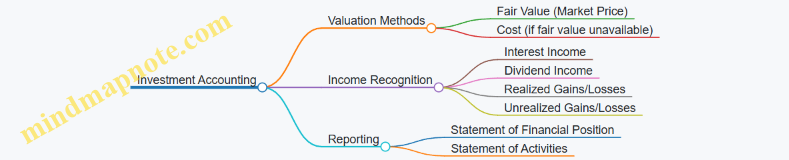
Practical Example: Accounting for Investments
A nonprofit holds the following investments:
| Investment Type | Cost Basis | Fair Value at Year-End | Income Earned |
|---|---|---|---|
| Equity Securities | $500,000 | $550,000 | $15,000 (dividends) |
| Debt Securities | $300,000 | $310,000 | $12,000 (interest) |
Journal Entries:
- Record investment income:
Dr. Cash $27,000
    Cr. Investment Income $27,000
- Adjust investments to fair value (unrealized gain of $60,000):
Dr. Investments $60,000
    Cr. Unrealized Gain on Investments $60,000
- If any investments were sold, record realized gains/losses accordingly.
Spending Policies and Appropriations
Nonprofits often establish spending policies to determine how much of the endowment earnings can be used annually, balancing current needs with long-term sustainability.
Example: A nonprofit adopts a policy to appropriate 4% of the average fair value of the endowment over the past 12 quarters.
Calculation:
- Average fair value over 12 quarters: $1,200,000
- Appropriation amount: 4% x $1,200,000 = $48,000
Accounting Treatment:
Dr. Net Assets Released from Restrictions $48,000
    Cr. Appropriation Expense (e.g., Program Expense) $48,000
Disclosure Requirements
Nonprofits must disclose:
- Nature and type of endowment funds
- Spending policies
- Fair value of investments
- Restrictions on net assets
Example Note Disclosure:
“The Organization’s endowment consists of donor-restricted funds that are permanently restricted. The Board has adopted a spending policy to appropriate 4% of the average fair value of the endowment assets over the prior 12 quarters for program support. Investments are reported at fair value, with unrealized gains and losses recognized in the statement of activities.”
Summary
Proper accounting for endowments and investments involves:
- Correct classification of funds
- Accurate valuation at fair value
- Transparent recognition of income and gains/losses
- Clear disclosure of policies and restrictions
By following these best practices, nonprofits can ensure compliance, maintain donor trust, and provide meaningful financial information to stakeholders.
10.2 Reporting on In-Kind Contributions and Volunteer Services
Introduction
In-kind contributions and volunteer services are vital resources for many nonprofits, often representing a significant portion of the organization’s support. Properly reporting these contributions enhances transparency, demonstrates the full value of resources received, and complies with accounting standards such as FASB ASC 958.
Understanding In-Kind Contributions
In-kind contributions refer to non-cash donations such as goods, services, or use of facilities. These must be recorded at their fair market value at the time of donation.
Examples of In-Kind Contributions:
- Donated office equipment
- Professional services (legal, accounting, consulting)
- Donated supplies for events or programs
- Use of meeting space or facilities
Understanding Volunteer Services
Volunteer services are hours donated by individuals to support the nonprofit’s mission. While many volunteer hours are not recognized as contributions unless they meet specific criteria, certain services that create or enhance nonfinancial assets or require specialized skills must be reported.
Criteria for Reporting Volunteer Services:
- Services create or enhance nonfinancial assets (e.g., building repairs)
- Services require specialized skills (e.g., legal advice, accounting)
- Services would typically need to be purchased if not donated
Mind Map: Types and Reporting of In-Kind Contributions and Volunteer Services
Best Practices for Reporting In-Kind Contributions
-
Valuation at Fair Market Value:
- Obtain independent appraisals or use market prices.
- Example: Donated office furniture valued at $5,000 based on comparable sales.
-
Documentation:
- Maintain detailed records including donor information, description, estimated value, and date.
- Example: A letter from a donor specifying the type and condition of donated computers.
-
Recording in Financial Statements:
- Recognize as both revenue and expense (or asset) in the Statement of Activities.
- Example Entry:
- Debit: Office Equipment (Asset) $5,000
- Credit: Contributions - In-Kind Revenue $5,000
-
Disclosure in Notes:
- Explain the nature and valuation methods of in-kind donations.
Best Practices for Reporting Volunteer Services
-
Identify Reportable Volunteer Services:
- Only specialized or asset-enhancing services are recognized.
- Example: Volunteer lawyer providing pro bono legal advice valued at $150/hour.
-
Valuation:
- Use the rate the organization would pay for similar services.
- Example: 10 hours of legal services × $150/hour = $1,500 contribution.
-
Documentation:
- Track volunteer hours, type of service, and qualifications.
- Example: Volunteer timesheets and service descriptions.
-
Recording in Financial Statements:
- Recognize as contribution revenue and corresponding expense.
Example: Reporting In-Kind Contributions and Volunteer Services
Scenario: A nonprofit receives the following during the fiscal year:
- Donated office supplies valued at $2,000
- Volunteer accountant providing 15 hours of specialized services at $50/hour
- Use of a conference room donated for 10 days, valued at $100/day
Journal Entries:
| Date | Account | Debit | Credit |
|---|---|---|---|
| 2024-03-15 | Office Supplies (Asset) | $2,000 | |
| Contributions - In-Kind Revenue | $2,000 | ||
| 2024-04-10 | Professional Services Expense | $750 | |
| Contributions - Volunteer Revenue | $750 | ||
| 2024-05-01 | Facility Use Expense | $1,000 | |
| Contributions - In-Kind Revenue | $1,000 |
Notes Disclosure Example: “During the year, the organization received donated office supplies valued at $2,000, volunteer professional accounting services valued at $750, and donated use of a conference room valued at $1,000. These in-kind contributions are recorded at fair market value and included in both revenue and expenses to reflect the full support received.”
Mind Map: Workflow for Reporting In-Kind and Volunteer Contributions
Summary
Accurate reporting of in-kind contributions and volunteer services is essential for reflecting the true value of resources supporting a nonprofit’s mission. By following best practices in valuation, documentation, and disclosure, nonprofits can enhance financial transparency and comply with accounting standards.
Additional Resources
- FASB ASC 958-605: Revenue Recognition
- IRS Publication 4221-PC: Compliance Guide for 501(c)(3) Public Charities
- Sample Volunteer Timesheet Template
- Nonprofit Accounting Software with In-Kind Tracking Features
10.3 Best Practice: Handling Multi-Year Grants and Conditional Contributions
Handling multi-year grants and conditional contributions is a critical aspect of nonprofit financial reporting. Proper recognition, tracking, and disclosure ensure compliance with accounting standards and maintain transparency with donors and stakeholders.
Understanding Multi-Year Grants and Conditional Contributions
- Multi-Year Grants: Funding commitments made by donors or grantors that span multiple fiscal years.
- Conditional Contributions: Contributions that depend on the nonprofit meeting certain conditions before the funds can be recognized as revenue.
Key Accounting Principles
- Revenue should be recognized when earned and realizable.
- For conditional contributions, revenue recognition is deferred until conditions are substantially met.
- Multi-year grants require allocation of revenue across the grant period.
Mind Map: Overview of Multi-Year Grants and Conditional Contributions
Best Practices for Handling Multi-Year Grants
-
Establish Clear Grant Agreements: Ensure grant terms specify the funding period, reporting requirements, and any restrictions.
-
Set Up Dedicated Funds or Accounts: Use fund accounting to segregate multi-year grant funds from other resources.
-
Recognize Revenue Proportionally: Allocate grant revenue based on the grant period or milestones achieved.
-
Regularly Monitor Grant Compliance: Track expenditures and progress against grant terms to ensure conditions are met.
-
Disclose Appropriately: Include notes in financial statements explaining the nature and timing of multi-year grants.
Example: Recognizing a $300,000 Three-Year Grant
- Grant received: $300,000 for a program spanning 3 years.
- Recognition approach: Recognize $100,000 revenue each year.
| Year | Revenue Recognized | Deferred Revenue |
|---|---|---|
| 1 | $100,000 | $200,000 |
| 2 | $100,000 | $100,000 |
| 3 | $100,000 | $0 |
Mind Map: Multi-Year Grant Revenue Recognition Process
Best Practices for Handling Conditional Contributions
-
Identify Conditions Clearly: Determine if contributions have barriers or stipulations that must be met.
-
Defer Revenue Until Conditions Are Met: Do not recognize conditional contributions as revenue until conditions are substantially satisfied.
-
Track Conditions and Progress: Maintain documentation and monitoring systems to track fulfillment of conditions.
-
Communicate with Donors: Keep donors informed about progress and any delays in meeting conditions.
-
Disclose Conditional Contributions: Provide transparent notes about the nature of conditions and timing of revenue recognition.
Example: Conditional Contribution of $50,000
- Condition: Nonprofit must complete a community outreach program.
- Until program completion, $50,000 is recorded as deferred revenue.
- Upon completion, recognize $50,000 as revenue.
| Date | Transaction | Debit | Credit |
|---|---|---|---|
| Grant Date | Cash | $50,000 | |
| Grant Date | Deferred Revenue (Liability) | $50,000 | |
| Completion | Deferred Revenue | $50,000 | |
| Completion | Contribution Revenue | $50,000 |
Mind Map: Conditional Contribution Recognition

Integrated Example: Multi-Year Grant with Conditional Components
A nonprofit receives a $500,000 grant over 5 years, with $100,000 conditional on achieving specific program milestones each year.
- Recognize $80,000 each year as unconditional revenue.
- Recognize $20,000 only after milestone completion.
| Year | Unconditional Revenue | Conditional Revenue Recognized | Deferred Revenue |
|---|---|---|---|
| 1 | $80,000 | $20,000 (upon milestone) | $400,000 |
| 2 | $80,000 | $20,000 | $300,000 |
| 3 | $80,000 | $20,000 | $200,000 |
| 4 | $80,000 | $20,000 | $100,000 |
| 5 | $80,000 | $20,000 | $0 |
Summary Checklist for Handling Multi-Year Grants and Conditional Contributions
- Review grant agreements thoroughly.
- Set up appropriate fund accounting structures.
- Track and document conditions and milestones.
- Recognize revenue only when earned and conditions met.
- Maintain clear communication with stakeholders.
- Disclose relevant information in financial statements.
By following these best practices, nonprofit accountants and managers can ensure accurate, transparent, and compliant financial reporting related to multi-year grants and conditional contributions.
10.4 Example: Consolidated Financial Reporting for Nonprofit Affiliates
Consolidated financial reporting is essential for nonprofit organizations that operate through multiple affiliates or chapters. It provides a comprehensive view of the financial position and activities of the entire organization, ensuring transparency and compliance with accounting standards.
What is Consolidated Financial Reporting?
Consolidated financial reporting combines the financial statements of a parent nonprofit organization and its affiliates into one set of financial statements. This approach eliminates intercompany transactions and balances to avoid double counting.
Why is Consolidated Reporting Important for Nonprofits?
- Holistic Financial View: Enables stakeholders to understand the overall financial health.
- Regulatory Compliance: Meets requirements of FASB ASC 958 and other standards.
- Improved Decision Making: Facilitates strategic planning across all affiliates.
Key Steps in Consolidated Financial Reporting
Example Scenario
Organization: Helping Hands Network (HHN)
Structure:
- Parent Organization (HHN National)
- Three Affiliates: HHN East, HHN West, HHN Central
Each affiliate maintains its own books but HHN National consolidates financials annually.
Step 1: Align Chart of Accounts
To consolidate effectively, all affiliates use a standardized chart of accounts. For example:
| Account Number | Account Name |
|---|---|
| 1000 | Cash and Cash Equivalents |
| 2000 | Accounts Payable |
| 4000 | Contributions Revenue |
| 5000 | Program Expenses |
Step 2: Collect Financial Data
Each affiliate submits trial balances as of the reporting date.
| Account | HHN East | HHN West | HHN Central | HHN National |
|---|---|---|---|---|
| Cash | 50,000 | 40,000 | 60,000 | 100,000 |
| Accounts Payable | 10,000 | 8,000 | 12,000 | 20,000 |
| Contributions Revenue | 150,000 | 120,000 | 130,000 | 300,000 |
| Program Expenses | 100,000 | 90,000 | 95,000 | 250,000 |
Step 3: Eliminate Intercompany Transactions
Suppose HHN National provided a grant of $20,000 to HHN East, recorded as:
- HHN National: Grant Expense $20,000
- HHN East: Grant Revenue $20,000
These must be eliminated to avoid double counting.
Step 4: Aggregate and Prepare Consolidated Statements
Consolidated Statement of Financial Position (Simplified):
| Account | Amount | |
|---|---|---|
| Cash | $250,000 | <– 50,000 + 40,000 + 60,000 + 100,000 |
| Accounts Payable | $50,000 | <– 10,000 + 8,000 + 12,000 + 20,000 |
| Net Assets | $200,000 | <– Calculated as Assets - Liabilities |
Consolidated Statement of Activities (Simplified):
| Account | Amount | |
|---|---|---|
| Contributions Revenue | $700,000 | <– Sum of all affiliates and parent |
| Program Expenses | $535,000 | <– Sum of all affiliates and parent |
| Change in Net Assets | $165,000 |
Best Practice Tips
- Standardize Accounting Policies: Ensure all affiliates use consistent accounting methods.
- Regular Communication: Maintain frequent coordination between parent and affiliates.
- Use Consolidation Software: Tools like Sage Intacct or Blackbaud Financial Edge NXT can automate eliminations.
- Document Intercompany Transactions: Keep detailed records for audit trails.
Summary Mind Map
Conclusion
Consolidated financial reporting for nonprofit affiliates provides a transparent and accurate picture of the entire organization’s financial health. By following standardized processes, eliminating intercompany transactions, and leveraging technology, nonprofits can produce reliable consolidated reports that support strategic decision-making and regulatory compliance.
10.5 Emerging Trends: ESG Reporting and Its Relevance to Nonprofits
Environmental, Social, and Governance (ESG) reporting has traditionally been associated with for-profit corporations, but its relevance to the nonprofit sector is rapidly growing. Nonprofits are increasingly expected to demonstrate accountability not only in financial stewardship but also in their environmental impact, social responsibility, and governance practices. This section explores the emerging trend of ESG reporting in nonprofits, its benefits, challenges, and practical examples.
What is ESG Reporting?
ESG reporting involves disclosing data and narratives related to three key areas:
- Environmental: How an organization manages its environmental footprint, including energy use, waste management, carbon emissions, and sustainability initiatives.
- Social: How the organization impacts its community, employees, beneficiaries, and broader society, including diversity, equity, inclusion, labor practices, and community engagement.
- Governance: The structures and policies that ensure ethical behavior, transparency, accountability, and effective leadership.
Why ESG Reporting Matters for Nonprofits
- Donor Expectations: Increasingly, donors and grantmakers want to support organizations that align with their values, including sustainability and social justice.
- Transparency and Trust: ESG reporting enhances transparency beyond financials, building trust with stakeholders.
- Risk Management: Identifying ESG risks can help nonprofits avoid reputational damage and operational disruptions.
- Competitive Advantage: Demonstrating strong ESG practices can differentiate nonprofits in a crowded funding environment.
Mind Map: Key Components of ESG Reporting for Nonprofits
Best Practices for ESG Reporting in Nonprofits
-
Integrate ESG Metrics into Existing Reporting: Embed ESG data into annual reports or impact reports rather than creating separate documents.
-
Use Relevant and Measurable Indicators: Choose ESG indicators that align with your mission and are quantifiable.
-
Engage Stakeholders: Involve board members, staff, beneficiaries, and donors in identifying ESG priorities.
-
Leverage Frameworks: Utilize established ESG frameworks adapted for nonprofits, such as the Global Reporting Initiative (GRI) or the Sustainability Accounting Standards Board (SASB).
-
Be Transparent About Challenges: Report both successes and areas for improvement to build credibility.
Example: ESG Reporting for a Nonprofit Environmental Education Center
- Environmental: Reported a 20% reduction in energy use by installing solar panels and switching to LED lighting.
- Social: Highlighted programs promoting STEM education to underrepresented youth and tracked participant diversity.
- Governance: Updated board policies to include ESG oversight and established an ethics hotline.
This information was integrated into their annual impact report with clear visuals and narratives.
Mind Map: Sample ESG Metrics for Nonprofits
Challenges in ESG Reporting for Nonprofits
- Resource Constraints: Smaller nonprofits may lack staff or expertise to collect and analyze ESG data.
- Lack of Standardization: ESG frameworks are often designed for businesses, requiring adaptation.
- Balancing Mission and ESG: Prioritizing ESG efforts that align with the core mission without overextending.
Practical Tips to Overcome Challenges
- Start small by focusing on one or two ESG areas most relevant to your mission.
- Use simple data collection tools like surveys or spreadsheets.
- Collaborate with other nonprofits or networks to share best practices.
- Seek training or consultants specializing in nonprofit ESG reporting.
Final Thoughts
ESG reporting is an evolving area for nonprofits, offering an opportunity to deepen stakeholder engagement and demonstrate holistic accountability. By thoughtfully integrating ESG practices and reporting, nonprofits can enhance their impact, attract mission-aligned funding, and future-proof their operations.
For further reading and tools, consider exploring:
- Global Reporting Initiative (GRI) Standards adapted for nonprofits
- SASB Materiality Map for social sector relevance
- Nonprofit Finance Fund ESG resources
This concludes the section on Emerging Trends: ESG Reporting and Its Relevance to Nonprofits.
11. Case Studies and Real-World Applications
11.1 Comprehensive Financial Reporting for a Small Local Nonprofit
Introduction
Small local nonprofits often operate with limited resources but still face the critical need to maintain transparent, accurate, and compliant financial reporting. This section walks through a comprehensive example of financial reporting tailored for a small local nonprofit, illustrating best practices and practical examples to help accountants and nonprofit managers.
Understanding the Organization
Example Organization: “Neighborhood Helping Hands” (NHH)
- Mission: Provide food and basic necessities to underserved families.
- Annual Revenue: $250,000
- Staff: 3 full-time employees, 10 volunteers
- Funding Sources: Individual donations, local grants, fundraising events
Key Financial Statements for NHH
- Statement of Financial Position (Balance Sheet)
- Statement of Activities (Income Statement)
- Statement of Cash Flows
Step 1: Chart of Accounts Setup
A clear chart of accounts is essential for accurate reporting.
Example: NHH separates donations into unrestricted and temporarily restricted funds to comply with donor requirements.
Step 2: Statement of Financial Position
Best Practice: Classify assets and liabilities clearly and show net assets by restriction category.
| Account | Amount (USD) |
|---|---|
| Assets | |
| Cash | 45,000 |
| Accounts Receivable | 5,000 |
| Supplies Inventory | 3,000 |
| Total Assets | 53,000 |
| Liabilities | |
| Accounts Payable | 4,000 |
| Accrued Expenses | 1,000 |
| Total Liabilities | 5,000 |
| Net Assets | |
| Unrestricted | 30,000 |
| Temporarily Restricted | 18,000 |
| Total Net Assets | 48,000 |
| Total Liabilities & Net Assets | 53,000 |
Step 3: Statement of Activities
Best Practice: Separate revenues and expenses by category and show changes in net assets.
| Description | Unrestricted | Temporarily Restricted | Total |
|---|---|---|---|
| Revenues | |||
| Donations | 70,000 | 15,000 | 85,000 |
| Grants | 40,000 | 10,000 | 50,000 |
| Fundraising Income | 20,000 | 0 | 20,000 |
| Total Revenues | 130,000 | 25,000 | 155,000 |
| Expenses | |||
| Program Services | 100,000 | 0 | 100,000 |
| Management & General | 30,000 | 0 | 30,000 |
| Fundraising | 12,000 | 0 | 12,000 |
| Total Expenses | 142,000 | 0 | 142,000 |
| Change in Net Assets | (12,000) | 25,000 | 13,000 |
Example Explanation: Temporarily restricted funds were released and used for program services, reflected in the net assets change.
Step 4: Statement of Cash Flows
Best Practice: Use the indirect method to reconcile net income to cash flow.
Example: NHH’s cash flow statement highlights cash inflows from donations and outflows for program expenses.
Step 5: Budget vs. Actual Reporting
Best Practice: Regularly compare budgeted amounts to actuals to monitor financial health.
| Category | Budget (USD) | Actual (USD) | Variance (USD) | Explanation |
|---|---|---|---|---|
| Donations | 80,000 | 85,000 | +5,000 | Successful fundraising campaign |
| Grants | 50,000 | 50,000 | 0 | On target |
| Program Expenses | 110,000 | 100,000 | +10,000 | Cost savings on supplies |
| Management & General | 30,000 | 30,000 | 0 | As budgeted |
Step 6: Narrative and Transparency
Best Practice: Include narrative notes explaining significant changes or restrictions.
Example Narrative: “During the fiscal year, Neighborhood Helping Hands received a $15,000 grant restricted for the food pantry program, which was fully utilized. Fundraising efforts exceeded expectations by 6%, enabling additional community outreach activities. Cost savings in program expenses were achieved by negotiating better supply contracts.”
Summary Mind Map of Comprehensive Financial Reporting Process for NHH
Conclusion
By following these best practices and using clear, well-structured examples like Neighborhood Helping Hands, small local nonprofits can produce comprehensive financial reports that meet compliance requirements, enhance transparency, and support effective decision-making.
11.2 Mid-Sized Nonprofit: Integrating Fund Accounting and Budgeting
Managing the financial reporting of a mid-sized nonprofit often requires a sophisticated approach to fund accounting and budgeting. This section explores how these two critical components can be integrated effectively to enhance transparency, accountability, and strategic financial management.
Understanding Fund Accounting in Mid-Sized Nonprofits
Fund accounting is essential for nonprofits to track resources according to their restrictions and purposes. Mid-sized organizations typically manage multiple funds, including unrestricted, temporarily restricted, and permanently restricted funds.
Example: A mid-sized nonprofit focused on community development may have:
- An unrestricted fund for general operations
- A temporarily restricted fund for a grant to build a community center
- A permanently restricted endowment fund
Budgeting Aligned with Fund Accounting
Budgeting in this context means creating separate budgets for each fund to ensure that resources are allocated and spent according to donor restrictions and organizational priorities.
Example: The community center grant fund will have a budget that includes construction costs, staff salaries dedicated to the project, and outreach expenses. The unrestricted fund budget covers administrative costs and ongoing programs.
Mind Map: Integrating Fund Accounting and Budgeting
Step-by-Step Example: Creating an Integrated Budget Report
-
Identify Funds and Restrictions
- List all active funds and their donor-imposed restrictions.
-
Develop Fund-Specific Budgets
- Allocate revenues and expenses to each fund.
- Example: Temporarily restricted fund budget includes $200,000 grant revenue and $180,000 in related expenses.
-
Consolidate Budgets for Organizational Overview
- Combine fund budgets to create a comprehensive organizational budget.
-
Track Actuals Against Budget by Fund
- Monitor spending and revenue recognition per fund.
-
Prepare Financial Reports Reflecting Fund and Budget Status
- Example report sections:
- Budget vs. Actual for Unrestricted Fund
- Budget vs. Actual for Temporarily Restricted Fund
- Example report sections:
Mind Map: Budget Report Components
Best Practice: Using Software to Link Fund Accounting and Budgeting
Many mid-sized nonprofits benefit from accounting software that supports fund accounting and budgeting integration. Features to look for include:
- Ability to assign transactions to specific funds
- Budget creation and tracking by fund
- Automated variance reports
Example: Using QuickBooks Nonprofit or Sage Intacct, the finance team can generate real-time reports showing budget vs. actuals by fund, helping managers make informed decisions.
Real-World Scenario
Organization: “Hope Community Services”
- Funds Managed:
- General Operations (Unrestricted)
- Youth Program Grant (Temporarily Restricted)
- Endowment Fund (Permanently Restricted)
Process:
- The finance team creates separate budgets for each fund.
- Monthly financial reports include fund-specific budget comparisons.
- The board reviews these reports to ensure compliance with donor restrictions and assess program performance.
Outcome:
- Improved financial transparency
- Enhanced ability to plan and allocate resources effectively
- Stronger donor confidence
Summary
Integrating fund accounting with budgeting in mid-sized nonprofits ensures that financial resources are managed responsibly and transparently. By creating fund-specific budgets, tracking actuals, and using appropriate tools, nonprofits can meet compliance requirements and support strategic decision-making.
11.3 Large Nonprofit: Managing Complex Grants and Multi-Program Reporting
Managing financial reporting for a large nonprofit organization involves navigating the complexities of multiple grants, diverse funding sources, and several active programs. This section explores best practices, challenges, and practical examples to help accountants and nonprofit managers maintain clarity, compliance, and transparency in their financial reports.
Understanding the Complexity
Large nonprofits often receive funding from various grants, each with specific restrictions, reporting requirements, and timelines. Additionally, these organizations run multiple programs simultaneously, each with distinct budgets and financial goals. Effective financial reporting must capture these nuances accurately.
Mind Map: Key Components of Complex Grant and Multi-Program Reporting
Best Practices for Managing Complex Grants
-
Grant Identification and Tracking:
- Maintain a centralized grant management system.
- Assign unique identifiers to each grant.
- Track restrictions (e.g., time, purpose, matching requirements).
-
Segregation of Funds:
- Use fund accounting principles to separate restricted and unrestricted funds.
- Allocate expenses accurately to the corresponding grant or program.
-
Regular Compliance Checks:
- Monitor grant conditions continuously.
- Schedule internal reviews before external reporting deadlines.
-
Detailed Documentation:
- Keep comprehensive records of expenditures, approvals, and correspondence.
-
Collaboration Between Departments:
- Foster communication between program managers, finance teams, and grant administrators.
Example: Grant Tracking Table
| Grant ID | Grant Name | Restriction Type | Amount Awarded | Amount Spent | Reporting Deadline | Status |
|---|---|---|---|---|---|---|
| GRT-001 | Community Health | Temporarily Restricted | $500,000 | $350,000 | 12/31/2024 | On Track |
| GRT-002 | Youth Education | Permanently Restricted | $300,000 | $150,000 | 06/30/2024 | Needs Review |
| GRT-003 | Environmental Action | Unrestricted | $200,000 | $180,000 | N/A | Completed |
Multi-Program Financial Reporting
Large nonprofits must generate both consolidated financial statements and program-specific reports to satisfy internal management needs and external stakeholders.
Mind Map: Multi-Program Reporting Workflow
Example: Expense Allocation Across Programs
Suppose a nonprofit has three programs: A, B, and C. Some expenses, like rent and utilities, are shared and must be allocated based on square footage or headcount.
| Expense Category | Total Cost | Allocation Basis | Program A | Program B | Program C |
|---|---|---|---|---|---|
| Rent | $12,000 | Square Footage | $5,000 | $4,000 | $3,000 |
| Utilities | $3,000 | Headcount | $1,200 | $1,000 | $800 |
| Program Supplies | $6,000 | Direct Expense | $2,500 | $2,000 | $1,500 |
Example Walkthrough: Preparing a Multi-Program Financial Report
- Gather Data: Collect all revenue and expense data categorized by program and grant.
- Allocate Shared Costs: Use predetermined allocation bases to distribute shared expenses.
- Prepare Program Statements: Generate income and expense statements for each program.
- Consolidate Data: Combine program data to create an overall financial statement.
- Review for Accuracy: Cross-check totals and ensure compliance with grant restrictions.
- Present to Stakeholders: Provide detailed program reports alongside consolidated statements.
Challenges and Solutions
| Challenge | Solution |
|---|---|
| Tracking multiple grant restrictions | Implement grant management software with automated alerts and tracking capabilities |
| Allocating shared expenses fairly | Develop clear allocation policies and document methodologies |
| Meeting diverse reporting deadlines | Create a reporting calendar and assign responsibilities to ensure timely submissions |
| Ensuring data accuracy across programs | Conduct regular reconciliations and internal audits |
Summary
Managing complex grants and multi-program reporting in large nonprofits requires robust systems, clear policies, and effective collaboration. By adopting best practices such as centralized grant tracking, precise fund segregation, and transparent reporting workflows, nonprofits can enhance financial clarity and maintain stakeholder trust.
For further reading, see sections on Fund Accounting (2.2), Budgeting and Variance Analysis (6), and Internal Controls (7).
11.4 Lessons Learned: Common Challenges and Solutions in Nonprofit Financial Reporting
Nonprofit financial reporting presents unique challenges that can impact transparency, compliance, and decision-making. Understanding these challenges and applying practical solutions is crucial for accountants and nonprofit managers. This section explores the most common hurdles faced in nonprofit financial reporting and offers actionable strategies supported by examples.
Common Challenges and Solutions Mind Map
Fund Accounting Complexity
Challenge: Nonprofits must track multiple funds with different restrictions, which complicates financial reporting.
Solution: Establish a detailed chart of accounts that clearly separates unrestricted, temporarily restricted, and permanently restricted funds.
Example: A nonprofit receives a $50,000 grant restricted for educational programs and a $30,000 unrestricted donation. By assigning these to separate fund accounts, the organization can accurately report how each dollar is used.
Revenue Recognition Issues
Challenge: Determining when and how to recognize contributions, grants, and pledges can be confusing.
Solution: Follow FASB ASC 958 standards, recognizing revenue when the contribution is unconditional and measurable.
Example: A nonprofit receives a pledge of $20,000 payable over two years. Only the amount received or unconditional promises should be recognized as revenue in the current period.
Expense Allocation Difficulties
Challenge: Allocating expenses correctly among program services, management, and fundraising is essential but often challenging.
Solution: Develop and document clear allocation policies, using time tracking or square footage methods.
Example: A nonprofit spends $100,000 on salaries where 70% is program staff and 30% is administrative. Allocate expenses accordingly for accurate reporting.
Data Accuracy and Timeliness
Challenge: Late or inaccurate data entry leads to unreliable reports.
Solution: Use accounting software with automation features and set strict reporting deadlines.
Example: Implementing monthly financial close procedures ensures data is reviewed and errors corrected promptly.
Compliance and Regulatory Changes
Challenge: Nonprofits must stay current with changing accounting standards and IRS rules.
Solution: Invest in ongoing training and subscribe to regulatory update services.
Example: After FASB updated revenue recognition rules, a nonprofit updated its policies and trained staff to comply.
Internal Control Weaknesses
Challenge: Inadequate controls increase risk of fraud or misstatements.
Solution: Segregate duties, require approvals, and conduct periodic internal audits.
Example: Separating the roles of check signer and bookkeeper reduces risk of unauthorized transactions.
Communication and Transparency
Challenge: Financial reports can be complex and difficult for stakeholders to understand.
Solution: Use charts, graphs, and plain language summaries to present data clearly.
Example: Including a pie chart showing expense breakdown alongside narrative explanations in the annual report.
Summary Table of Challenges and Solutions
| Challenge | Solution | Example Summary |
|---|---|---|
| Fund Accounting Complexity | Detailed chart of accounts | Separate funds for restricted and unrestricted grants |
| Revenue Recognition Issues | Follow FASB ASC 958 | Recognize revenue only when unconditional |
| Expense Allocation Difficulties | Clear allocation policies | Allocate salaries based on staff roles |
| Data Accuracy and Timeliness | Automation and reporting schedules | Monthly financial close procedures |
| Compliance and Regulatory Changes | Ongoing training and updates | Policy updates after FASB changes |
| Internal Control Weaknesses | Segregation of duties and audits | Separate check signing and bookkeeping |
| Communication and Transparency | Visual aids and plain language | Pie charts and narrative in annual reports |
By proactively addressing these common challenges with the outlined best practices and real-world examples, nonprofit accountants and managers can enhance the accuracy, reliability, and transparency of their financial reporting, ultimately strengthening stakeholder trust and organizational effectiveness.
11.5 Interactive Example: Building a Financial Report from Raw Data
In this section, we will walk through the process of building a comprehensive financial report for a nonprofit organization starting from raw financial data. This hands-on example will integrate best practices and provide clear, easy-to-understand illustrations.
Step 1: Understanding the Raw Data
Imagine you have received the following raw financial data for “Helping Hands Community Center” for the fiscal year ending 2023:
| Account | Amount (USD) |
|---|---|
| Cash | 75,000 |
| Accounts Receivable | 10,000 |
| Prepaid Expenses | 5,000 |
| Equipment | 50,000 |
| Accumulated Depreciation | (15,000) |
| Accounts Payable | 8,000 |
| Deferred Revenue | 12,000 |
| Unrestricted Net Assets | 80,000 |
| Temporarily Restricted Net Assets | 25,000 |
| Permanently Restricted Net Assets | 10,000 |
| Contributions Revenue | 120,000 |
| Grants Revenue | 60,000 |
| Program Service Expenses | 130,000 |
| Management & General Expenses | 25,000 |
| Fundraising Expenses | 20,000 |
Step 2: Organizing the Data Using a Mind Map
Below is a mind map that helps visualize the components of the financial report.
Step 3: Preparing the Statement of Financial Position
Assets:
-
Current Assets:
- Cash: $75,000
- Accounts Receivable: $10,000
- Prepaid Expenses: $5,000
- Total Current Assets = $75,000 + $10,000 + $5,000 = $90,000
-
Non-Current Assets:
- Equipment: $50,000
- Less: Accumulated Depreciation: ($15,000)
- Net Equipment = $35,000
-
Total Assets = $90,000 + $35,000 = $125,000
Liabilities:
- Accounts Payable: $8,000
- Deferred Revenue: $12,000
- Total Liabilities = $20,000
Net Assets:
- Unrestricted: $80,000
- Temporarily Restricted: $25,000
- Permanently Restricted: $10,000
- Total Net Assets = $115,000
Check: Assets ($125,000) = Liabilities ($20,000) + Net Assets ($115,000) ✔
Step 4: Preparing the Statement of Activities
| Description | Amount (USD) |
|---|---|
| Revenues | |
| Contributions | 120,000 |
| Grants | 60,000 |
| Total Revenues | 180,000 |
| Expenses | |
| Program Services | 130,000 |
| Management & General | 25,000 |
| Fundraising | 20,000 |
| Total Expenses | 175,000 |
| Change in Net Assets | 5,000 |
Explanation: The nonprofit generated $180,000 in revenues and incurred $175,000 in expenses, resulting in a net increase in net assets of $5,000.
Step 5: Visualizing the Statement of Activities Mind Map

Step 6: Drafting the Statement of Cash Flows (Indirect Method)
Since we have limited data, we will prepare a simplified cash flow statement focusing on operating activities.
Assumptions: No investing or financing cash flows for this example.
Operating Activities:
- Change in Net Assets: +$5,000
- Adjustments for non-cash items:
- Add back Depreciation: +$15,000
- Changes in working capital:
- Increase in Accounts Receivable: -$10,000
- Increase in Prepaid Expenses: -$5,000
- Increase in Accounts Payable: +$8,000
- Increase in Deferred Revenue: +$12,000
Net Cash Provided by Operating Activities:
= $5,000 + $15,000 - $10,000 - $5,000 + $8,000 + $12,000 = $25,000
Cash at Beginning of Year: Assume $50,000
Cash at End of Year: $50,000 + $25,000 = $75,000 (matches raw data)
Step 7: Finalizing the Financial Report
The financial report for Helping Hands Community Center will include:
- Statement of Financial Position showing assets, liabilities, and net assets
- Statement of Activities detailing revenues and expenses
- Statement of Cash Flows summarizing cash inflows and outflows
Summary Mind Map of the Entire Process
Key Takeaways
- Always start by organizing raw data into meaningful categories.
- Use fund accounting principles to separate restricted and unrestricted net assets.
- Verify that the accounting equation balances.
- Incorporate non-cash adjustments when preparing cash flow statements.
- Use visual tools like mind maps to clarify complex relationships.
- Present financial reports clearly to enhance stakeholder understanding.
This interactive example demonstrates how nonprofit accountants and managers can transform raw financial data into a clear, accurate, and transparent financial report that meets best practices and regulatory standards.
12. Resources and Tools for Nonprofit Financial Reporting
12.1 Recommended Software and Platforms for Nonprofit Accounting
Effective financial reporting in nonprofits hinges on using the right accounting software tailored to the unique needs of the sector. The ideal platform should support fund accounting, grant tracking, donor management, and compliance reporting. Below, we explore some of the top software solutions, their features, and examples of how nonprofits can leverage them.
Key Features to Look for in Nonprofit Accounting Software
Recommended Software Platforms
QuickBooks Online Nonprofit Edition
Overview: QuickBooks is widely used due to its ease of use and extensive features. The Nonprofit Edition offers fund accounting capabilities and integrates well with donor management tools.
Best Practice Example: A local animal shelter uses QuickBooks to segregate donations restricted for medical care versus general operations. They set up classes to track expenses by program, enabling clear reporting to their board.
Key Features:
- Class and location tracking for fund segregation
- Customizable reports tailored for nonprofits
- Integration with apps like DonorPerfect and Bloomerang
Blackbaud Financial Edge NXT
Overview: Designed specifically for nonprofits, this cloud-based solution excels in fund accounting, grant management, and compliance.
Best Practice Example: A mid-sized education nonprofit uses Financial Edge NXT to manage multiple grants, ensuring each grant’s expenditures align with donor restrictions. Automated alerts notify managers when budgets approach limits.
Key Features:
- Robust fund and grant accounting
- Real-time dashboards and reporting
- Audit trail and compliance tools
Aplos
Overview: Aplos is tailored for small to mid-sized nonprofits, combining accounting, fundraising, and donor management in one platform.
Best Practice Example: A community arts nonprofit uses Aplos to track donations, generate IRS-compliant reports, and manage event budgets, simplifying year-end reporting.
Key Features:
- Fund accounting with easy-to-use interface
- Donor management and communication tools
- Budgeting and financial reporting
Sage Intacct Nonprofit
Overview: Sage Intacct offers advanced financial management with strong automation and integration capabilities, suitable for larger nonprofits.
Best Practice Example: A healthcare nonprofit uses Sage Intacct to consolidate financials across multiple locations, automate grant tracking, and produce detailed financial statements for stakeholders.
Key Features:
- Multi-entity and multi-fund accounting
- Automated workflows and approvals
- Real-time financial visibility
Example Mind Map: Selecting the Right Software
Tips for Implementation
- Start with a Needs Assessment: Identify your nonprofit’s size, reporting requirements, and budget before selecting software.
- Leverage Free Trials: Most platforms offer demos or trial periods—use these to test usability and features.
- Train Your Team: Ensure accountants and nonprofit managers understand how to use the software effectively.
- Integrate with Existing Systems: Choose software that can seamlessly connect with your donor management or CRM tools to reduce manual data entry.
Summary
Choosing the right accounting software is foundational for accurate, transparent, and efficient financial reporting in nonprofits. Platforms like QuickBooks Online, Blackbaud Financial Edge NXT, Aplos, and Sage Intacct offer tailored features to meet diverse organizational needs. By aligning software capabilities with your nonprofit’s size, complexity, and reporting demands, you can streamline financial management and enhance stakeholder trust.
12.2 Templates and Checklists for Financial Reporting Best Practices
Effective financial reporting in nonprofits hinges on consistency, accuracy, and transparency. Utilizing well-structured templates and checklists can streamline the reporting process, reduce errors, and ensure compliance with regulatory standards. Below, we provide detailed templates, checklists, and mind maps to guide nonprofit accountants and managers through best practices.
Financial Reporting Templates
Statement of Financial Position Template
| Account Category | Description | Amount (USD) |
|---|---|---|
| Assets | ||
| Current Assets | Cash, Accounts Receivable, etc. | |
| Fixed Assets | Property, Equipment (net of depreciation) | |
| Other Assets | Investments, Endowments | |
| Total Assets | ||
| Liabilities | ||
| Current Liabilities | Accounts Payable, Accrued Expenses | |
| Long-Term Liabilities | Loans, Mortgages | |
| Total Liabilities | ||
| Net Assets | Unrestricted, Temporarily Restricted, Permanently Restricted | |
| Total Liabilities & Net Assets |
Example: A community food bank uses this template to classify its assets and liabilities clearly, ensuring restricted donations are properly reported under net assets.
Statement of Activities Template
| Revenue and Support | Description | Amount (USD) |
|---|---|---|
| Contributions | Donations, Grants | |
| Program Service Revenue | Fees for services | |
| Investment Income | Interest, Dividends | |
| Other Income | Fundraising events, Miscellaneous | |
| Total Revenue and Support | ||
| Expenses | ||
| Program Services | Direct program costs | |
| Management and General | Administrative expenses | |
| Fundraising | Campaign and event costs | |
| Total Expenses | ||
| Change in Net Assets |
Example: A youth education nonprofit uses this template monthly to monitor income sources and control fundraising expenses.
Financial Reporting Checklists
A. Monthly Financial Reporting Checklist
- Reconcile all bank accounts.
- Verify all revenue entries against deposit slips.
- Review expense invoices and approvals.
- Update and review the chart of accounts.
- Prepare draft financial statements.
- Compare actuals to budget and note variances.
- Document explanations for significant variances.
- Review restricted fund balances.
- Backup all financial data securely.
- Submit reports to management and board as scheduled.
Example: The finance manager of a healthcare nonprofit uses this checklist to ensure no steps are missed before monthly board meetings.
B. Annual Audit Preparation Checklist
- Compile all financial statements for the fiscal year.
- Gather bank statements and reconciliations.
- Prepare schedules for fixed assets and depreciation.
- Collect grant agreements and donor restrictions.
- Ensure documentation for all significant transactions.
- Review internal control policies and recent testing results.
- Confirm all payroll records and tax filings are complete.
- Coordinate with external auditors for scheduling.
- Address any prior audit recommendations.
- Prepare management representation letter.
Example: A mid-sized nonprofit uses this checklist to reduce audit delays and improve transparency.
Mind Maps for Financial Reporting Best Practices
Mind Map 1: Financial Reporting Process Overview
Mind Map 2: Key Components of Nonprofit Financial Statements
Mind Map 3: Internal Controls for Financial Reporting
Example: Using a Checklist and Template Together
Scenario: A nonprofit manager is preparing the quarterly financial report.
- Step 1: Use the Monthly Financial Reporting Checklist to ensure all data is accurate and complete.
- Step 2: Populate the Statement of Financial Position and Statement of Activities templates with the verified data.
- Step 3: Review the financial statements against the mind map components to confirm all required elements are included.
- Step 4: Present the report to the board with variance explanations and internal control confirmations.
This integrated approach helps maintain accuracy, transparency, and stakeholder confidence.
Summary
Templates and checklists are invaluable tools that bring structure and clarity to nonprofit financial reporting. By combining these with visual mind maps, nonprofit accountants and managers can better understand, execute, and communicate financial information effectively. Regular use of these resources fosters best practices, reduces errors, and supports compliance with regulatory and donor requirements.
12.3 Training and Certification Opportunities for Accountants and Managers
In the nonprofit sector, staying current with financial reporting standards, regulations, and best practices is essential for both accountants and nonprofit managers. Professional training and certifications not only enhance skills but also build credibility and improve organizational financial health.
Key Training and Certification Programs
| Program Name | Target Audience | Description | Example Use Case |
|---|---|---|---|
| Certified Nonprofit Accounting Professional (CNAP) | Accountants, Finance Staff | Focuses on nonprofit accounting principles, fund accounting, and compliance requirements. | An accountant at a mid-sized nonprofit improves accuracy in fund segregation and reporting. |
| Chartered Global Management Accountant (CGMA) | Accountants, Managers | Emphasizes management accounting skills including budgeting, forecasting, and strategic planning. | A nonprofit finance manager uses CGMA skills to develop better financial forecasts. |
| Nonprofit Financial Stewardship Certificate (NFSC) | Nonprofit Managers | Designed for managers to understand financial statements, budgeting, and internal controls. | A program director gains confidence in interpreting financial reports for board presentations. |
| Certified Government Financial Manager (CGFM) | Accountants, Managers | Covers governmental and nonprofit accounting, auditing, and financial reporting standards. | A nonprofit with government grants ensures compliance through CGFM knowledge. |
| Financial Management Certificate (FMC) | Accountants, Managers | General financial management training with nonprofit-specific modules. | A new finance officer completes FMC to quickly get up to speed on nonprofit financial practices. |
Mind Map: Training Pathways for Nonprofit Finance Professionals
Example: How Certification Transformed a Nonprofit Finance Team
Background: A regional environmental nonprofit struggled with inconsistent financial reporting and limited understanding of fund restrictions.
Action: The lead accountant pursued the CNAP certification, while the finance manager completed the NFSC program.
Outcome:
- Improved accuracy in segregating restricted and unrestricted funds.
- Clearer, more transparent financial reports for the board and donors.
- Enhanced internal controls reducing errors and risks.
This example demonstrates how targeted training can directly impact financial reporting quality and organizational trust.
Additional Training Resources
- Webinars and Online Courses: Platforms like Coursera, NonprofitReady, and the American Institute of CPAs (AICPA) offer nonprofit-specific financial courses.
- Workshops and Conferences: Events such as the Nonprofit Financial Stewardship Conference provide hands-on learning and networking.
- In-House Training: Developing customized training sessions tailored to your organization’s unique financial processes.
Mind Map: Continuous Learning for Nonprofit Finance Teams
By investing in relevant training and certifications, nonprofit accountants and managers can ensure they are equipped to meet the evolving demands of financial reporting, compliance, and stewardship, ultimately strengthening their organization’s mission impact.
12.4 Online Communities and Forums for Nonprofit Finance Professionals
In the dynamic world of nonprofit finance, staying connected with peers, experts, and resources is essential for continuous learning and problem-solving. Online communities and forums provide invaluable platforms where nonprofit accountants and managers can share best practices, ask questions, and stay updated on industry trends.
Why Join Online Communities?
- Peer Support: Get advice from professionals facing similar challenges.
- Knowledge Sharing: Access diverse perspectives on financial reporting, compliance, and budgeting.
- Resource Exchange: Share and discover templates, tools, and guides.
- Networking: Build relationships that can lead to collaborations or mentorship.
- Stay Updated: Receive timely updates on regulatory changes and nonprofit accounting standards.
Popular Online Communities and Forums
| Community Name | Platform | Focus Area | Example Topics |
|---|---|---|---|
| Nonprofit Finance Forum | Website Forum | General nonprofit finance and accounting | Grant reporting, audit preparation, budgeting |
| The Chronicle of Philanthropy Community | Website Forum | Fundraising & finance integration | Donor restrictions, financial transparency |
| LinkedIn Groups: Nonprofit Accounting & Finance Professionals | Networking and discussions | Financial software, compliance updates | |
| Reddit: r/nonprofit | Broad nonprofit topics including finance | Cash flow management, internal controls | |
| AccountingWEB Nonprofit Section | Website Forum | Accounting standards and best practices | FASB updates, audit tips |
Example: How to Use a Forum Effectively
- Search Before Posting: Use keywords to find if your question has been answered.
- Be Specific: Provide context such as organization size, software used, or reporting period.
- Engage Respectfully: Thank contributors and provide feedback on solutions.
- Share Your Experiences: Post your own best practices or templates.
Mind Map: Navigating Online Communities for Nonprofit Finance
Example Post from a Nonprofit Finance Forum
Title: “Best Practices for Reporting Temporarily Restricted Funds”
Post: “Hello everyone, I’m managing the financial reporting for a mid-sized nonprofit and want to ensure we correctly report temporarily restricted funds in our Statement of Activities. Could anyone share examples or templates that clearly separate these from unrestricted funds? Also, how do you handle donor communications around these restrictions?”
Typical Responses:
- Sample chart of accounts separating fund types.
- Explanation of FASB guidelines on net asset classifications.
- Suggestions for donor letters explaining fund usage.
Additional Tips
- Join multiple communities to cover different aspects of nonprofit finance.
- Participate regularly to build reputation and trust.
- Use community resources to prepare for audits or board presentations.
By leveraging these online communities and forums, nonprofit accountants and managers can enhance their financial reporting capabilities, stay compliant, and foster transparency within their organizations.
12.5 Continuing Education: Staying Updated with Regulatory Changes
Staying current with regulatory changes is crucial for nonprofit accountants and managers to ensure compliance, maintain transparency, and uphold the organization’s reputation. Regulations affecting nonprofits can evolve frequently, including changes in tax laws, financial reporting standards, grant requirements, and audit procedures.
Why Continuing Education Matters
- Compliance Assurance: Avoid penalties and maintain good standing with regulatory bodies like the IRS and FASB.
- Improved Financial Reporting: Incorporate the latest standards to produce accurate and reliable reports.
- Enhanced Decision-Making: Understand new regulations to better advise leadership and stakeholders.
- Professional Growth: Stay competitive and expand expertise in the nonprofit finance sector.
Key Areas to Monitor for Regulatory Updates
Effective Strategies for Staying Updated
Subscribe to Official Newsletters and Alerts
- Examples:
- IRS Exempt Organizations Newsletter
- FASB Update Emails
- Grantmaker Associations’ Bulletins
Attend Webinars and Conferences
- Example: The Nonprofit Financial Management Conference offers sessions on recent regulatory changes.
- Example: FASB-hosted webinars explaining new accounting standards.
Join Professional Associations
- Examples:
- American Institute of CPAs (AICPA) – Nonprofit Section
- National Council of Nonprofits
- Association of Fundraising Professionals (AFP)
Engage in Online Courses and Certifications
- Example: Certificate in Nonprofit Accounting and Financial Management (offered by various universities).
- Example: Coursera and LinkedIn Learning courses on nonprofit compliance.
Network with Peers and Experts
- Participate in forums such as:
- Reddit r/nonprofit
- LinkedIn Groups focused on nonprofit finance
Mind Map: Continuing Education Pathways
Real-World Example: Implementing a Regulatory Update Process
Scenario: A mid-sized nonprofit recently learned about changes in FASB’s reporting requirements for donor restrictions.
Steps Taken:
- Subscribed to FASB email alerts.
- Attended a webinar explaining the new standards.
- Updated internal financial reporting templates.
- Trained accounting staff on the changes.
- Communicated updates to the board and key stakeholders.
Outcome: The nonprofit successfully integrated the changes before the next reporting cycle, avoiding compliance issues and enhancing report clarity.
Tips for Embedding Continuing Education into Your Workflow
- Allocate dedicated time monthly for regulatory review.
- Assign a compliance officer or team member to monitor updates.
- Document changes and update internal policies accordingly.
- Use technology tools like RSS feeds and calendar reminders.
Summary
Continuing education is not a one-time effort but an ongoing commitment. By leveraging multiple resources, engaging with the professional community, and proactively updating internal practices, nonprofit accountants and managers can confidently navigate the evolving regulatory landscape.
Additional Resources:
- IRS Exempt Organizations
- FASB Website
- National Council of Nonprofits
- AICPA Nonprofit Section
- Grant Professionals Association