Payroll Management for Accountants
1. Introduction to Payroll Management
1.1 Understanding Payroll: Definition and Importance
Payroll is the process by which employers pay an employee for the work they have completed. It encompasses calculating wages, withholding taxes and deductions, and distributing payments to employees. For accountants, mastering payroll is crucial because it directly affects financial accuracy, compliance, and employee satisfaction.
What is Payroll?
Payroll includes all activities involved in compensating employees, such as:
- Calculating gross wages based on hours worked or salary
- Deducting taxes, benefits, and other withholdings
- Issuing payments via checks, direct deposits, or other methods
- Maintaining records for legal and tax purposes
Mind Map: Components of Payroll
Why is Payroll Important?
- Legal Compliance: Payroll must comply with tax laws and labor regulations to avoid penalties.
- Financial Accuracy: Payroll affects the company’s financial statements and cash flow.
- Employee Satisfaction: Timely and accurate payment builds trust and morale.
- Data for Decision Making: Payroll data helps in budgeting, forecasting, and strategic planning.
Example: Impact of Payroll Errors
Imagine a company where an accountant miscalculates overtime pay for 50 employees over a month. Each employee is underpaid by $100. This results in $5,000 owed to employees, potential fines for non-compliance, and decreased employee trust. Correcting this requires additional administrative effort and may damage the company’s reputation.
Mind Map: Importance of Payroll
Practical Example: Payroll in Action
Consider an accountant managing payroll for a mid-sized company with 100 employees. Each pay period, they:
- Collect timesheets and verify hours
- Calculate gross pay including overtime and bonuses
- Deduct taxes and benefits accurately
- Process payments via direct deposit
- Generate payroll reports for management
By following best practices and using payroll software, the accountant ensures compliance, accuracy, and employee satisfaction.
In summary, understanding payroll is foundational for accountants. It is not just about paying employees but managing a complex process that impacts legal compliance, financial health, and workforce morale.
1.2 Roles and Responsibilities of Accountants in Payroll
Accountants play a crucial role in payroll management, ensuring that employees are paid accurately and on time while maintaining compliance with legal and financial regulations. Their responsibilities span from data management to reporting and auditing.
Key Roles of Accountants in Payroll
- Payroll Calculation and Processing: Accountants calculate gross pay, deductions, taxes, and net pay.
- Compliance and Regulatory Adherence: Ensuring payroll complies with tax laws, labor regulations, and company policies.
- Record Keeping and Documentation: Maintaining accurate payroll records for audits and future reference.
- Reporting and Analysis: Generating payroll reports for management and tax authorities.
- Internal Controls and Fraud Prevention: Implementing controls to prevent errors and fraud.
- Communication: Coordinating with HR, finance, and employees regarding payroll queries.
Mind Map: Roles of Accountants in Payroll
Detailed Responsibilities with Examples
-
Payroll Calculation and Processing
Accountants ensure that each employee’s pay is calculated correctly based on hours worked, salary, bonuses, commissions, and deductions.
Example:
- An accountant calculates an employee’s monthly salary of $4,000, adds a $500 performance bonus, deducts $300 for taxes and $200 for benefits, resulting in a net pay of $4,000 + $500 - $300 - $200 = $4,000.
-
Compliance and Regulatory Adherence
Accountants stay updated with tax codes and labor laws to ensure payroll compliance.
Example:
- When new tax legislation increases social security contributions, the accountant updates payroll software settings to reflect the new rates, avoiding penalties.
-
Record Keeping and Documentation
Maintaining detailed payroll records is essential for audits and legal compliance.
Example:
- An accountant organizes payroll registers monthly, ensuring all payslips, tax filings, and employee contracts are stored securely and can be retrieved easily.
-
Reporting and Analysis
Accountants prepare reports that summarize payroll expenses and tax liabilities.
Example:
- Generating a quarterly payroll cost report that breaks down expenses by department helps management control budgets.
-
Internal Controls and Fraud Prevention
Implementing checks and balances to prevent payroll fraud.
Example:
- Segregating duties so that the person who approves timesheets is different from the one processing payroll reduces the risk of ghost employees.
-
Communication
Accountants act as a bridge between HR, employees, and management.
Example:
- Addressing an employee’s query about an unexpected deduction by reviewing payroll records and explaining the reason clearly.
Mind Map: Payroll Calculation Responsibilities
Summary
Accountants are the backbone of payroll management, ensuring accuracy, compliance, and transparency. By combining technical skills with effective communication and internal controls, they safeguard the payroll process and contribute to organizational success.
1.3 Overview of Payroll Systems and Processes
Payroll systems and processes form the backbone of efficient payroll management. They ensure employees are paid accurately and on time while maintaining compliance with legal requirements. This section provides a comprehensive overview of the typical payroll systems and the step-by-step processes involved, enriched with mind maps and practical examples.
What is a Payroll System?
A payroll system is a combination of software, procedures, and controls used to calculate, distribute, and record employee compensation. It automates many tasks, reduces errors, and ensures compliance with tax and labor laws.
Key Components of Payroll Systems
Payroll System Components Mind Map
Payroll Processes: Step-by-Step
Payroll Process Mind Map
Example: Manual Payroll Process for a Small Business
- Data Collection: The payroll manager collects timesheets from employees every two weeks.
- Calculation: Using a spreadsheet, the manager calculates gross pay based on hours worked and hourly rates.
- Deductions: Taxes and benefits are manually subtracted.
- Payment: The manager issues checks to employees.
- Reporting: Payroll summaries are prepared for accounting and tax purposes.
Challenges: Time-consuming, prone to errors, difficult to maintain compliance.
Example: Automated Payroll System in a Mid-Sized Company
- Employee Data Input: Employees enter their hours via an online portal integrated with biometric attendance.
- Automated Calculation: Payroll software calculates salaries, taxes, and deductions automatically.
- Direct Deposit: Payments are processed electronically to employees’ bank accounts.
- Reporting: The system generates payslips and files tax reports electronically.
Benefits: Increased accuracy, time savings, improved compliance.
Integrating Payroll with Other Systems
Payroll systems often integrate with HR management, accounting, and time-tracking software to streamline data flow and reduce duplication.
Payroll Integration Mind Map
Summary
Understanding payroll systems and processes is crucial for accountants managing payroll. Whether using manual methods or automated software, the goal remains the same: accurate, timely, and compliant payroll management. Mind maps help visualize the components and workflow, while real-world examples illustrate practical applications.
1.4 Common Payroll Terminologies Explained with Examples
Understanding payroll terminology is crucial for accountants and payroll managers to ensure accurate processing and compliance. Below are some of the most common payroll terms, explained with easy-to-understand examples and mind maps to visualize their relationships.
Gross Pay
Definition: The total earnings of an employee before any deductions are made.
Example: If an employee earns $20 per hour and works 40 hours in a week, their gross pay is:
Gross Pay = $20 × 40 = $800
Net Pay
Definition: The amount an employee takes home after all deductions (taxes, benefits, etc.) are subtracted from the gross pay.
Example: If the employee’s gross pay is $800 and total deductions amount to $200, then:
Net Pay = $800 - $200 = $600
Deductions
Definition: Amounts subtracted from gross pay, including taxes, retirement contributions, insurance premiums, and other withholdings.
Example: Common deductions include:
- Federal Income Tax
- Social Security Tax
- Health Insurance Premiums
Payroll Taxes
Definition: Taxes that employers are required to withhold from employees’ paychecks and/or pay on behalf of employees.
Example:
- Employee Portion: Social Security (6.2%), Medicare (1.45%)
- Employer Portion: Matches employee Social Security and Medicare contributions
Overtime Pay
Definition: Additional pay for hours worked beyond the standard workweek, usually calculated at 1.5 times the regular hourly rate.
Example: If the regular hourly rate is $20, overtime pay is:
Overtime Rate = $20 × 1.5 = $30 per hour
If the employee worked 5 overtime hours:
Overtime Pay = 5 × $30 = $150
Benefits
Definition: Non-wage compensations provided to employees, such as health insurance, retirement plans, and paid time off.
Example: An employer may contribute $200 monthly to an employee’s health insurance plan.
Pay Period
Definition: The recurring length of time over which employee time is recorded and paid.
Example: Common pay periods include weekly, biweekly (every 2 weeks), semimonthly (twice a month), and monthly.
Withholding Allowance
Definition: A claim made by employees on their W-4 form to reduce the amount of tax withheld from their paycheck.
Example: An employee claiming 2 allowances will have less federal income tax withheld compared to someone claiming 0.
Garnishment
Definition: A legal process where a portion of an employee’s earnings is withheld for payment of a debt.
Example: If an employee owes child support, the court may order 25% of their net pay to be garnished.
Direct Deposit
Definition: Electronic transfer of an employee’s net pay directly into their bank account.
Example: Instead of receiving a paper check, the employee’s $600 net pay is deposited automatically every payday.
Mind Maps
Payroll Components Mind Map
Tax Withholding Mind Map
Overtime Calculation Mind Map
Summary Table of Terms and Examples
| Term | Definition | Example |
|---|---|---|
| Gross Pay | Total earnings before deductions | $20/hr × 40 hrs = $800 |
| Net Pay | Earnings after deductions | $800 - $200 = $600 |
| Deductions | Amounts subtracted from gross pay | Taxes, insurance premiums |
| Payroll Taxes | Taxes withheld and employer contributions | Social Security 6.2%, Medicare 1.45% |
| Overtime Pay | Pay for hours worked beyond standard time | $20 × 1.5 × 5 hrs = $150 |
| Benefits | Non-wage compensations | Employer health insurance contribution |
| Pay Period | Timeframe for payroll calculation | Biweekly |
| Withholding Allowance | Employee claim to reduce tax withholding | Claiming 2 allowances on W-4 |
| Garnishment | Court-ordered wage withholding | 25% of net pay for child support |
| Direct Deposit | Electronic payment method | Net pay deposited into bank account |
By mastering these common payroll terms and understanding their practical applications, accountants and payroll managers can ensure smoother payroll operations and better communication with employees and stakeholders.
2. Legal and Regulatory Framework
2.1 Key Payroll Laws and Compliance Requirements
Payroll management is deeply intertwined with a variety of laws and regulations designed to protect employees and ensure fair compensation. For accountants, understanding these laws is crucial to maintaining compliance, avoiding penalties, and fostering trust within the organization.
Overview of Key Payroll Laws
Below is a mind map summarizing the major payroll-related laws and compliance areas every accountant should be familiar with:
Detailed Breakdown with Examples
Wage and Hour Laws
Fair Labor Standards Act (FLSA) governs minimum wage, overtime pay, recordkeeping, and youth employment standards.
-
Example: If an employee works 45 hours in a week, the first 40 hours are paid at the regular rate, and the extra 5 hours must be paid at 1.5 times the regular hourly rate.
-
Best Practice: Use time-tracking software to accurately record hours and automatically calculate overtime to ensure compliance.
Taxation Laws
Accountants must withhold the correct amount of federal and state income taxes, Social Security, Medicare, and unemployment taxes.
-
Example: For an employee earning $1,000 weekly, calculate:
- Federal income tax withholding based on IRS tax tables
- Social Security tax at 6.2% ($62)
- Medicare tax at 1.45% ($14.50)
-
Best Practice: Regularly update payroll tax tables and use payroll software that integrates tax calculations to minimize errors.
Employee Benefits and Deductions
Certain deductions like retirement contributions, health insurance premiums, and court-ordered garnishments must be handled carefully.
-
Example: An employee opts for a 5% 401(k) contribution. For a $2,000 paycheck, $100 is deducted pre-tax.
-
Best Practice: Maintain clear documentation of employee elections and legal orders to ensure accurate deductions.
Reporting and Recordkeeping
Employers must file quarterly and annual payroll reports with agencies such as the IRS and DOL.
-
Example: Filing Form 941 quarterly to report federal tax withholdings.
-
Best Practice: Establish a calendar with deadlines and automate report generation to avoid late filings.
Anti-Discrimination Laws
Payroll must be free from discrimination based on gender, race, or other protected classes.
-
Example: Ensuring equal pay for employees performing the same job regardless of gender.
-
Best Practice: Conduct periodic payroll audits to detect and correct any pay disparities.
Mind Map: Compliance Workflow for Payroll Management
Real-World Example: Avoiding Compliance Pitfalls
Scenario: A mid-sized company failed to withhold overtime pay correctly, paying employees their regular hourly rate for all hours worked.
Consequence: The company faced a Department of Labor investigation and was required to pay back wages plus penalties.
Lesson: Implementing automated overtime calculations and regular payroll audits can prevent costly compliance failures.
Summary
Understanding and adhering to key payroll laws is foundational for accountants managing payroll. Leveraging best practices such as automation, regular training, and thorough documentation helps ensure compliance and protects the organization from legal risks.
2.2 Taxation Rules Affecting Payroll: Income Tax, Social Security, and More
Payroll taxation is a critical aspect of payroll management that accountants must master to ensure compliance and accuracy. This section breaks down the key taxation rules affecting payroll, including income tax, social security contributions, and other mandatory deductions, supported by clear examples and mind maps to facilitate understanding.
Overview of Payroll Taxes
Payroll taxes are taxes imposed on employers and employees, usually calculated as a percentage of the salaries that employers pay their staff. These taxes fund government programs such as social security, healthcare, and unemployment benefits.
Mind Map: Key Payroll Tax Components
Income Tax Withholding
Income tax is deducted from employees’ gross wages based on tax brackets and personal allowances.
Best Practice:
Use up-to-date tax tables and software to calculate withholding accurately.
Example:
An employee earns $4,000 monthly. The income tax rate is progressive:
- 10% on first $1,000
- 15% on next $2,000
- 20% on remaining $1,000
Calculation:
- Tax on first $1,000 = $100
- Tax on next $2,000 = $300
- Tax on last $1,000 = $200
- Total Income Tax Withheld = $600
Social Security Contributions
Social security taxes fund retirement, disability, and survivor benefits.
Mind Map: Social Security Contributions
Best Practice:
Ensure both employee and employer contributions are calculated and reported correctly.
Example:
If the social security tax rate is 6.2% for both employee and employer, and the employee’s monthly salary is $5,000 with a contribution cap of $7,000 per month:
- Employee Contribution = 6.2% × $5,000 = $310
- Employer Contribution = 6.2% × $5,000 = $310
Total social security tax = $620
Medicare Tax and Other Deductions
Medicare tax is another mandatory payroll tax, often calculated at a flat rate.
Example:
Medicare tax rate is 1.45% on all wages.
For the same $5,000 salary:
- Medicare Tax = 1.45% × $5,000 = $72.50
Other deductions such as unemployment insurance or local taxes vary by jurisdiction and must be accounted for accordingly.
Handling Tax Exemptions and Allowances
Employees may have exemptions or allowances that reduce taxable income.
Example:
An employee claims a $500 monthly allowance.
Gross Salary: $4,000
Taxable Income = $4,000 - $500 = $3,500
Income tax is then calculated on $3,500 instead of $4,000.
Multi-Jurisdictional Payroll Tax Considerations
For companies operating in multiple states or countries, payroll taxes can vary significantly.
Best Practice:
Maintain updated knowledge of local tax laws and use payroll software capable of handling multi-jurisdictional tax calculations.
Summary Mind Map: Payroll Taxation Workflow
Final Example: Complete Payroll Tax Calculation
Employee Details:
- Monthly Salary: $4,500
- Allowance: $300
- Social Security Rate: 6.2%
- Medicare Rate: 1.45%
- Income Tax Brackets:
- 10% on first $1,000
- 15% on next $2,000
- 20% on remaining
Step 1: Calculate Taxable Income $4,500 - $300 = $4,200
Step 2: Income Tax Calculation
- 10% on $1,000 = $100
- 15% on $2,000 = $300
- 20% on $1,200 = $240
- Total Income Tax = $640
Step 3: Social Security 6.2% × $4,500 = $279
Step 4: Medicare 1.45% × $4,500 = $65.25
Step 5: Total Deductions $640 + $279 + $65.25 = $984.25
Net Pay: $4,500 - $984.25 = $3,515.75
By understanding and applying these taxation rules with careful calculation and compliance, accountants can ensure accurate payroll management that meets legal requirements and supports organizational financial health.
2.3 Handling Employee Benefits and Statutory Deductions
Managing employee benefits and statutory deductions is a critical part of payroll management for accountants. Proper handling ensures compliance with legal requirements and maintains employee satisfaction. This section breaks down the key components, best practices, and examples to help accountants navigate this complex area.
Understanding Employee Benefits
Employee benefits are non-wage compensations provided to employees in addition to their normal wages or salaries. These can include health insurance, retirement plans, paid time off, and more.
Common Types of Employee Benefits:
Example:
- An employer offers a health insurance plan where the company pays 70% of the premium and the employee pays 30%. The accountant must deduct the employee’s portion from payroll and report the employer’s contribution appropriately.
Statutory Deductions Explained
Statutory deductions are mandatory payroll deductions required by law. These typically include income tax withholding, social security contributions, unemployment insurance, and other government-mandated contributions.
Key Statutory Deductions:
Example:
- For an employee earning $4,000 monthly, the accountant calculates federal income tax withholding based on IRS tax tables, deducts 6.2% for Social Security, and 1.45% for Medicare. The employer matches Social Security and Medicare contributions.
Best Practices for Handling Benefits and Deductions
-
Maintain Up-to-Date Knowledge of Laws: Payroll laws and contribution rates can change frequently. Accountants should subscribe to official updates.
-
Accurate Record-Keeping: Keep detailed records of all deductions and employer contributions for audits and employee queries.
-
Clear Communication with Employees: Provide transparent payslips showing all deductions and benefits.
-
Automate Calculations Where Possible: Use payroll software to reduce errors.
-
Regular Reconciliation: Periodically reconcile payroll deductions with payments made to government agencies and benefit providers.
Example Scenario: Calculating Payroll Deductions Including Benefits
Employee Details:
- Gross Salary: $5,000/month
- Health Insurance Premium: $400 (Employer pays $280, Employee pays $120)
- 401(k) Contribution: 5% of gross salary (Employee elected)
- Federal Income Tax: Calculated as $600
- Social Security: 6.2% of gross salary
- Medicare: 1.45% of gross salary
Step-by-Step Calculation:
| Item | Calculation | Amount ($) |
|---|---|---|
| Gross Salary | 5,000 | |
| Employee Health Insurance | Employee portion | 120 |
| 401(k) Contribution | 5% of 5,000 | 250 |
| Federal Income Tax | Given | 600 |
| Social Security | 6.2% of 5,000 | 310 |
| Medicare | 1.45% of 5,000 | 72.50 |
| Total Deductions | 120 + 250 + 600 + 310 + 72.50 | 1,352.50 |
| Net Pay | 5,000 - 1,352.50 | 3,647.50 |
Employer Contributions:
- Health Insurance: $280
- Social Security: $310 (matches employee)
- Medicare: $72.50 (matches employee)
Mind Map: Payroll Deductions Workflow
Tips for Accountants
- Always verify employee benefit elections before processing payroll.
- Use checklists to ensure all statutory deductions are applied correctly.
- Stay informed about deadlines for remitting deducted amounts to avoid penalties.
- Provide training sessions for HR and payroll staff on benefits and deductions.
By integrating these best practices and examples, accountants can effectively manage employee benefits and statutory deductions, ensuring accuracy, compliance, and employee trust.
2.4 Case Study: Avoiding Penalties Through Compliance Best Practices
In payroll management, compliance with legal and regulatory requirements is critical to avoid costly penalties and maintain organizational reputation. This case study explores how a mid-sized company successfully implemented payroll compliance best practices to steer clear of penalties.
Background
Company: TechSolutions Inc.
Industry: IT Services
Employees: 250
Challenge: Frequent changes in payroll tax laws and benefits regulations led to missed deadlines and errors in payroll tax filings, resulting in fines and employee dissatisfaction.
Compliance Challenges Faced
- Late submission of payroll tax returns
- Incorrect calculation of statutory deductions
- Incomplete documentation for employee benefits
- Lack of regular updates on changing regulations
Best Practices Implemented
Establishing a Compliance Calendar
TechSolutions created a detailed payroll compliance calendar that included all critical deadlines for tax filings, payments, and reporting.
Example: The payroll team set reminders two weeks before each deadline, ensuring ample time for review and corrections.
Regular Training and Updates
The company scheduled quarterly training sessions for payroll staff to stay updated on new laws and regulations.
Example: After a recent update in social security contribution rates, the team quickly adapted payroll calculations, avoiding underpayment penalties.
Automated Payroll Software with Compliance Features
TechSolutions invested in payroll software that automatically updated tax tables and generated compliance reports.
Example: The software flagged a discrepancy in employee tax withholding, allowing correction before submission.
Internal Audits and Review Processes
Monthly internal audits were introduced to verify payroll accuracy and compliance.
Example: An audit uncovered a misclassification of an employee’s exempt status, which was promptly corrected.
Results Achieved
- Zero penalties or fines in the following fiscal year
- Improved accuracy in payroll tax filings
- Enhanced employee trust and satisfaction
- Streamlined payroll process with reduced manual errors
Key Takeaways
- Maintaining a detailed compliance calendar ensures deadlines are met.
- Continuous education keeps payroll teams informed and prepared.
- Leveraging technology reduces human error and enhances compliance.
- Regular internal audits help detect and correct issues proactively.
Summary Mind Map
By integrating these best practices, accountants and payroll managers can significantly reduce the risk of penalties and ensure smooth payroll operations.
3. Payroll Data Collection and Management
3.1 Gathering Accurate Employee Information
Accurate employee information is the foundation of effective payroll management. Without precise data, payroll calculations can be incorrect, leading to compliance issues, employee dissatisfaction, and financial discrepancies. This section explores best practices for gathering and maintaining accurate employee information, supported by practical examples and mind maps to visualize the process.
Why Accurate Employee Information Matters
- Ensures correct salary and benefits calculation
- Facilitates compliance with tax and labor laws
- Enables timely and accurate tax filings
- Prevents payroll errors and disputes
Key Employee Information to Collect
Best Practices for Gathering Employee Information
-
Use Standardized Forms:
- Provide new hires with a comprehensive onboarding form covering all necessary data.
- Example: A digital form that employees complete before their first payroll cycle.
-
Verify Data Accuracy:
- Cross-check information like SSN against official documents.
- Example: Requesting a copy of a government-issued ID during onboarding.
-
Update Information Regularly:
- Encourage employees to report changes immediately (e.g., address, marital status).
- Example: Annual employee self-service portal updates.
-
Secure Data Storage:
- Store sensitive information in encrypted databases with restricted access.
- Example: Using payroll software with built-in security protocols.
-
Train HR and Payroll Staff:
- Ensure personnel understand the importance of accurate data collection.
- Example: Regular training sessions on data privacy and accuracy.
Example Scenario: Onboarding a New Employee
Step 1: Employee receives an onboarding packet including a digital form to fill out personal, tax, and banking details.
Step 2: HR reviews submitted forms and verifies SSN and tax withholding status.
Step 3: Payroll team inputs data into the payroll system, flags any missing or inconsistent information.
Step 4: Employee confirms data accuracy via a self-service portal before the first paycheck.
Step 5: Payroll processes salary based on verified data, ensuring compliance and accuracy.
Mind Map: Employee Onboarding Data Flow
Tips for Accountants and Payroll Managers
- Establish clear communication channels with HR to ensure data accuracy.
- Implement periodic audits of employee data to catch discrepancies early.
- Use technology to automate data validation where possible.
By following these best practices and leveraging structured data collection methods, accountants and payroll managers can significantly reduce payroll errors and enhance overall payroll efficiency.
3.2 Timekeeping and Attendance Tracking Best Practices
Accurate timekeeping and attendance tracking are foundational to effective payroll management. For accountants and payroll managers, ensuring that employee hours are recorded correctly not only guarantees timely and accurate payments but also helps maintain compliance with labor laws and company policies.
Why Timekeeping and Attendance Matter
- Ensures employees are paid for the exact hours worked.
- Helps track overtime and leaves accurately.
- Supports compliance with wage and hour laws.
- Provides data for performance and productivity analysis.
Best Practices for Timekeeping and Attendance Tracking
Choose the Right Timekeeping System
- Manual Timesheets: Simple but prone to errors and manipulation.
- Punch Cards/Clocks: Traditional but less flexible.
- Digital Time Tracking Software: Automated, reduces errors, integrates with payroll.
Example: A mid-sized company switched from manual timesheets to a biometric time clock system. This reduced buddy punching and improved accuracy by 30%.
Establish Clear Attendance Policies
- Define work hours, break times, and overtime rules.
- Communicate policies clearly to all employees.
- Include rules for tardiness, absenteeism, and leave reporting.
Example: A company implemented a policy requiring employees to notify their manager at least 1 hour before their shift if they are going to be late or absent, reducing unreported absences by 40%.
Regularly Audit Time Records
- Conduct weekly or monthly reviews of time logs.
- Look for inconsistencies or unusual patterns.
- Verify overtime approvals.
Example: An accountant noticed repeated overtime entries without approval and flagged it for management review, preventing potential payroll fraud.
Integrate Attendance Tracking with Payroll Systems
- Automate data transfer to reduce manual entry errors.
- Use software that syncs attendance with payroll calculations.
Example: A company integrated its attendance software with payroll, reducing payroll processing time by 25% and minimizing errors.
Train Employees and Managers
- Provide training on how to use timekeeping systems.
- Educate on the importance of accurate time reporting.
Example: After training sessions, a company saw a 15% reduction in timekeeping errors reported by payroll.
Mind Maps
Mind Map 1: Components of Effective Timekeeping
Mind Map 2: Benefits of Accurate Attendance Tracking
Mind Map 3: Common Challenges and Solutions
Practical Example: Implementing a Digital Timekeeping System
Scenario: A company with 150 employees was struggling with inaccurate manual timesheets leading to payroll discrepancies and employee dissatisfaction.
Steps Taken:
- Selected a cloud-based time tracking software with biometric verification.
- Developed clear attendance policies and communicated them via workshops.
- Integrated the timekeeping system with existing payroll software.
- Trained employees and managers on system usage.
- Established monthly audits of time records.
Outcome:
- Payroll errors reduced by 80%.
- Payroll processing time shortened by 30%.
- Employee satisfaction improved due to transparency.
Summary
Accurate timekeeping and attendance tracking are critical for smooth payroll management. By choosing the right system, setting clear policies, auditing regularly, integrating systems, and training staff, accountants can ensure payroll accuracy and compliance while minimizing errors and fraud.
3.3 Managing Payroll Data Confidentiality and Security
Payroll data contains highly sensitive information such as employee salaries, social security numbers, bank details, and tax information. Protecting this data is critical to maintaining employee trust, complying with legal requirements, and preventing financial fraud or identity theft. In this section, we will explore best practices for managing payroll data confidentiality and security, supported by clear examples and mind maps to illustrate key concepts.
Why Payroll Data Security Matters
- Prevents unauthorized access to sensitive employee information.
- Ensures compliance with data protection laws like GDPR, HIPAA, or local regulations.
- Protects the organization from financial penalties and reputational damage.
Best Practices for Payroll Data Confidentiality and Security
Access Control
- Principle of Least Privilege: Only authorized personnel should access payroll data.
- Role-Based Access: Define roles such as Payroll Manager, Accountant, HR, and restrict data access accordingly.
Data Encryption
- Encrypt payroll data both at rest and in transit.
- Use secure protocols (e.g., HTTPS, SFTP) for data transmission.
Secure Storage
- Store payroll data on secure servers with firewalls and intrusion detection.
- Avoid storing sensitive data on local or unsecured devices.
Regular Audits and Monitoring
- Conduct periodic audits to detect unauthorized access or anomalies.
- Use logging to track who accessed or modified payroll data.
Employee Training
- Train payroll and HR staff on data privacy policies and security protocols.
- Promote awareness about phishing and social engineering attacks.
Data Backup and Recovery
- Maintain encrypted backups of payroll data.
- Have a disaster recovery plan to restore data securely in case of loss.
Mind Map: Payroll Data Confidentiality and Security Best Practices
Example 1: Implementing Role-Based Access Control (RBAC)
Scenario: A mid-sized company has a payroll team of five people, but only two should have full access to employee salary details.
Solution:
- Define roles: Payroll Manager (full access), Payroll Assistant (limited access), HR (access to employee personal info but not salary).
- Use payroll software that supports RBAC.
- Regularly review access rights and update when roles change.
Outcome: Sensitive salary data is protected from unnecessary exposure, reducing risk of internal data leaks.
Example 2: Encrypting Payroll Data in Transit
Scenario: Payroll data is sent monthly from the HR department to the accounting team via email.
Risk: Emails can be intercepted, exposing sensitive data.
Solution:
- Use secure file transfer methods such as SFTP or encrypted email services.
- Alternatively, share payroll reports via a secure, password-protected portal.
Outcome: Data remains confidential during transmission, preventing unauthorized interception.
Mind Map: Payroll Data Breach Prevention Workflow
Example 3: Responding to a Payroll Data Breach
Scenario: An employee’s payroll file was accidentally emailed to the wrong recipient.
Steps Taken:
- Immediately notify IT and management.
- Contact the unintended recipient to delete the email and confirm deletion.
- Inform affected employees if personal data was exposed.
- Review and update email policies to prevent recurrence.
- Conduct refresher training on data handling.
Outcome: Quick action minimized damage and reinforced data security culture.
Summary
Managing payroll data confidentiality and security requires a multi-layered approach combining technology, policies, and employee awareness. By implementing access controls, encryption, secure storage, regular audits, and training, accountants can safeguard sensitive payroll information effectively.
Remember, protecting payroll data is not just about compliance—it’s about maintaining trust and integrity within the organization.
3.4 Example: Implementing a Secure Payroll Data Management System
Managing payroll data securely is critical for accountants to protect sensitive employee information and ensure compliance with data protection regulations. This section provides a detailed example of how to implement a secure payroll data management system, incorporating best practices and practical steps.
Step 1: Identify Payroll Data Types and Sensitivity
Understanding what data you handle is the first step. Payroll data typically includes:
- Employee personal information (name, address, SSN, bank details)
- Salary and wage details
- Tax information
- Attendance and leave records
- Benefits and deductions
Step 2: Establish Access Controls
Limit access to payroll data based on roles. For example:
- Payroll Managers: Full access to payroll processing data
- Accountants: Access to payroll reports and tax data
- HR Staff: Access to employee personal and attendance data
- IT Staff: Limited access for system maintenance only
Example:
Use role-based access control (RBAC) in your payroll software to ensure employees only see data necessary for their role.
Step 3: Encrypt Payroll Data
Encrypt sensitive data both at rest and in transit.
- Use database encryption for stored payroll records.
- Ensure SSL/TLS protocols protect data during transmission.
Example:
Encrypt employee bank account numbers and social security numbers in the database to prevent unauthorized access.
Step 4: Implement Secure Data Backup and Recovery
Regular backups protect against data loss.
- Schedule automated encrypted backups.
- Store backups in secure, offsite locations.
- Test recovery procedures periodically.
Example:
Set up nightly encrypted backups of payroll data to a secure cloud storage provider with multi-factor authentication.
Step 5: Maintain Audit Trails and Monitoring
Track all access and changes to payroll data.
- Enable logging of user activities.
- Review logs regularly for suspicious activity.
Example:
Use payroll software features to generate audit reports showing who accessed or modified payroll records and when.
Step 6: Train Employees on Data Security
Educate payroll and HR staff about:
- Importance of data confidentiality
- Recognizing phishing attempts
- Secure password practices
Example:
Conduct quarterly training sessions on payroll data security policies and procedures.
Summary Example Scenario
Company ABC implemented a secure payroll data management system by:
- Classifying payroll data and restricting access using RBAC.
- Encrypting all sensitive data fields in their payroll database.
- Using SSL/TLS for all payroll software communications.
- Scheduling nightly encrypted backups stored in a secure cloud environment.
- Enabling detailed audit logs and reviewing them weekly.
- Providing regular security training to payroll and HR teams.
As a result, Company ABC reduced the risk of data breaches, ensured compliance with GDPR and other regulations, and improved employee trust in payroll processes.
By following these steps and examples, accountants can effectively implement a secure payroll data management system that safeguards sensitive information and supports organizational compliance.
4. Payroll Calculation and Processing
4.1 Step-by-Step Payroll Calculation Methods
Payroll calculation is a critical task for accountants and payroll managers, ensuring employees are paid accurately and on time. This section breaks down the process into clear, manageable steps, supported by mind maps and practical examples.
Step 1: Gather Employee Information
- Employee ID
- Pay rate (hourly or salary)
- Hours worked (regular and overtime)
- Tax withholding details
- Benefits and deductions
Example: John Doe, Employee ID 1234, is paid $20/hour. He worked 40 regular hours and 5 overtime hours this pay period.
Step 2: Calculate Gross Pay
- For hourly employees: (Regular Hours × Hourly Rate) + (Overtime Hours × Overtime Rate)
- For salaried employees: Fixed salary amount per pay period
Overtime Rate: Typically 1.5 times the hourly rate.
Example: John’s gross pay:
- Regular Pay = 40 × $20 = $800
- Overtime Pay = 5 × ($20 × 1.5) = 5 × $30 = $150
- Total Gross Pay = $800 + $150 = $950
Step 3: Calculate Deductions
- Mandatory Deductions:
- Federal and state income tax
- Social Security tax
- Medicare tax
- Voluntary Deductions:
- Health insurance premiums
- Retirement contributions
- Union dues
Example: From John’s $950 gross pay:
- Federal tax withheld: $100
- Social Security (6.2%): $58.90
- Medicare (1.45%): $13.78
- Health insurance: $50
Total deductions = $100 + $58.90 + $13.78 + $50 = $222.68
Step 4: Calculate Net Pay
- Net Pay = Gross Pay - Total Deductions
Example: John’s net pay = $950 - $222.68 = $727.32
Step 5: Verify and Document
- Double-check calculations
- Record payroll in accounting system
- Generate payslips
Example: After calculating John’s net pay, the accountant verifies the figures and inputs the data into the payroll software, then issues a payslip showing gross pay, deductions, and net pay.
Summary Mind Map
By following these steps, accountants can ensure accurate payroll processing, reduce errors, and maintain compliance with tax and labor regulations.
4.2 Handling Overtime, Bonuses, and Commissions with Examples
Payroll management often involves complex calculations beyond base salary, such as overtime pay, bonuses, and commissions. Proper handling of these components ensures employee satisfaction and compliance with labor laws.
Overtime Pay
Definition: Overtime pay is the additional compensation employees receive for hours worked beyond their standard work schedule, typically over 40 hours per week in many jurisdictions.
Best Practices:
- Understand local labor laws regarding overtime eligibility and rates.
- Track employee hours accurately using reliable timekeeping systems.
- Calculate overtime pay at the correct rate (e.g., 1.5x regular hourly wage).
- Communicate overtime policies clearly to employees.
Example:
An employee earns $20/hour and works 45 hours in a week. The overtime rate is 1.5 times the regular rate.
- Regular pay: 40 hours x $20 = $800
- Overtime pay: 5 hours x ($20 x 1.5) = 5 x $30 = $150
- Total weekly pay = $800 + $150 = $950
Mind Map:
Bonuses
Definition: Bonuses are additional compensation awarded to employees, often based on performance, company profits, or special occasions.
Best Practices:
- Define clear criteria for bonus eligibility.
- Decide on bonus types: discretionary, performance-based, or holiday bonuses.
- Document bonus policies and communicate them transparently.
- Ensure bonuses are processed timely and accurately.
Example:
A company offers a quarterly performance bonus of 10% of the employee’s quarterly salary if sales targets are met. An employee with a quarterly salary of $12,000 meets the target.
- Bonus = 10% x $12,000 = $1,200
Mind Map:
Commissions
Definition: Commissions are payments made to employees, usually sales staff, based on the amount or value of sales they generate.
Best Practices:
- Establish clear commission structures (e.g., flat rate, tiered percentages).
- Track sales accurately and in real-time.
- Clarify timing of commission payments (monthly, quarterly).
- Integrate commission calculations with payroll systems.
Example:
A salesperson earns a 5% commission on all sales. In a month, they generate $50,000 in sales.
- Commission = 5% x $50,000 = $2,500
If the company uses a tiered commission:
- First $30,000 at 5% = $1,500
- Remaining $20,000 at 7% = $1,400
- Total commission = $1,500 + $1,400 = $2,900
Mind Map:
Integrated Example: Calculating Payroll with Overtime, Bonus, and Commission
Scenario:
- Base hourly wage: $25
- Hours worked: 50 hours (10 hours overtime)
- Overtime rate: 1.5x
- Quarterly bonus: 8% of quarterly base salary ($12,000)
- Commission: 4% on sales of $40,000
Calculations:
- Regular pay: 40 x $25 = $1,000
- Overtime pay: 10 x ($25 x 1.5) = 10 x $37.5 = $375
- Bonus (monthly portion): 8% x $12,000 / 3 = $320
- Commission: 4% x $40,000 = $1,600
Total pay for the month:
$1,000 + $375 + $320 + $1,600 = $3,295
Summary
Handling overtime, bonuses, and commissions requires clear policies, accurate tracking, and precise calculations. Using examples and mind maps helps accountants and payroll managers visualize and implement best practices effectively.
4.3 Managing Deductions and Reimbursements Accurately
Managing deductions and reimbursements is a critical component of payroll processing that ensures employees are paid correctly while maintaining compliance with legal and organizational policies. Accurate handling of these elements prevents payroll errors, employee dissatisfaction, and potential legal issues.
Key Concepts in Deductions and Reimbursements
- Deductions: Amounts subtracted from an employee’s gross pay, which may be mandatory (taxes, social security) or voluntary (retirement contributions, health insurance premiums).
- Reimbursements: Payments made to employees to cover business-related expenses they incurred, such as travel or office supplies.
Mind Map: Managing Deductions and Reimbursements
Best Practices for Managing Deductions
-
Classify Deductions Correctly:
- Separate mandatory from voluntary deductions.
- Example: Federal income tax withholding is mandatory, while contributions to a company-sponsored charity are voluntary.
-
Stay Updated on Legal Requirements:
- Tax rates and deduction limits can change annually.
- Example: Adjusting Social Security tax deductions when the wage base limit changes.
-
Obtain Employee Authorization:
- Voluntary deductions require written consent.
- Example: Employees must sign enrollment forms for health insurance premiums deducted from payroll.
-
Automate Calculations:
- Use payroll software to reduce manual errors.
- Example: Software automatically calculates retirement plan contributions based on a percentage of gross pay.
-
Reconcile Deductions Regularly:
- Cross-check payroll deductions with payments made to tax authorities or benefit providers.
- Example: Monthly reconciliation of health insurance premiums deducted vs. amounts remitted to the insurance company.
Best Practices for Managing Reimbursements
-
Define Clear Reimbursement Policies:
- Specify eligible expenses, submission deadlines, and required documentation.
- Example: Travel expenses must be submitted within 30 days with original receipts.
-
Require Proper Documentation:
- Receipts, invoices, or approval emails should accompany reimbursement requests.
- Example: An employee submits a taxi receipt for reimbursement.
-
Implement Approval Workflows:
- Supervisors or finance teams should verify and approve reimbursements before processing.
- Example: Manager approval required for any reimbursement over $100.
-
Separate Reimbursements from Payroll Deductions:
- Process reimbursements as separate payments to avoid tax complications.
- Example: Reimbursement for office supplies is paid as a separate transaction, not deducted from salary.
-
Use Payroll Software Features:
- Many payroll systems support reimbursement tracking and reporting.
- Example: Automated alerts for pending reimbursement approvals.
Mind Map: Example Workflow for Deductions and Reimbursements
Practical Example 1: Calculating Deductions
Scenario:
- Employee gross salary: $5,000
- Mandatory deductions:
- Federal Income Tax: $500
- Social Security: 6.2% of $5,000 = $310
- Medicare: 1.45% of $5,000 = $72.50
- Voluntary deductions:
- 401(k) contribution: 5% of $5,000 = $250
- Health insurance premium: $150
Calculation:
- Total deductions = $500 + $310 + $72.50 + $250 + $150 = $1,282.50
- Net pay = $5,000 - $1,282.50 = $3,717.50
Best Practice: Use payroll software to automate these calculations and generate payslips reflecting each deduction clearly.
Practical Example 2: Processing a Reimbursement
Scenario:
- Employee submits a reimbursement request for a business trip taxi fare of $45.
- Submission includes a valid receipt.
- Manager approves the request.
Process:
- Employee submits reimbursement form with receipt.
- Payroll team verifies documentation.
- Manager approves the expense.
- Payroll processes reimbursement as a separate payment in the next payroll cycle.
- Employee receives reimbursement without tax deductions.
Best Practice: Maintain a reimbursement log and track approvals to ensure audit readiness.
Summary
Accurate management of deductions and reimbursements requires clear policies, proper documentation, employee communication, and leveraging payroll technology. Accountants must ensure compliance with legal requirements while maintaining transparency and accuracy to foster trust and avoid costly errors.
4.4 Practical Example: Calculating Payroll for a Multi-State Workforce
Managing payroll for employees working across multiple states can be complex due to varying state tax laws, wage regulations, and benefit requirements. This section provides a detailed, step-by-step example to help accountants navigate these challenges effectively.
Key Considerations for Multi-State Payroll Calculation
- State Income Tax Variations: Each state may have different withholding rates and rules.
- Local Taxes: Some cities/counties impose additional taxes.
- Wage and Hour Laws: Minimum wage and overtime rules can differ.
- Unemployment Insurance (UI) Rates: Vary by state and employer experience.
- Benefits and Deductions: State-mandated benefits may apply differently.
Step 1: Collect Employee Work Location Data
| Employee | State(s) Worked | Hours Worked per State |
|---|---|---|
| Alice | California (CA) | 40 |
| Bob | Texas (TX) | 30 |
| Bob | New York (NY) | 10 |
| Carol | Florida (FL) | 40 |
Step 2: Determine Gross Pay per State
Assuming hourly wages:
- Alice: $25/hr in CA
- Bob: $20/hr
- Carol: $22/hr
| Employee | State | Hours | Hourly Rate | Gross Pay |
|---|---|---|---|---|
| Alice | CA | 40 | $25 | $1,000 |
| Bob | TX | 30 | $20 | $600 |
| Bob | NY | 10 | $20 | $200 |
| Carol | FL | 40 | $22 | $880 |
Step 3: Calculate State Income Tax Withholding
Each state has different withholding rates. For simplicity:
- CA: 6%
- TX: No state income tax
- NY: 5%
- FL: No state income tax
| Employee | State | Gross Pay | State Tax Rate | Tax Withheld |
|---|---|---|---|---|
| Alice | CA | $1,000 | 6% | $60 |
| Bob | TX | $600 | 0% | $0 |
| Bob | NY | $200 | 5% | $10 |
| Carol | FL | $880 | 0% | $0 |
Step 4: Calculate Other Deductions
- Social Security: 6.2% on total gross pay
- Medicare: 1.45% on total gross pay
Calculate total gross pay per employee:
- Alice: $1,000
- Bob: $600 + $200 = $800
- Carol: $880
| Employee | Total Gross Pay | Social Security (6.2%) | Medicare (1.45%) |
|---|---|---|---|
| Alice | $1,000 | $62 | $14.50 |
| Bob | $800 | $49.60 | $11.60 |
| Carol | $880 | $54.56 | $12.76 |
Step 5: Calculate Net Pay
Net Pay = Gross Pay - State Tax - Social Security - Medicare
| Employee | Gross Pay | State Tax | Social Security | Medicare | Net Pay |
|---|---|---|---|---|---|
| Alice | $1,000 | $60 | $62 | $14.50 | $863.50 |
| Bob | $800 | $10 | $49.60 | $11.60 | $728.80 |
| Carol | $880 | $0 | $54.56 | $12.76 | $812.68 |
Mind Map: Multi-State Payroll Calculation Process
Example Scenario Summary
Alice works full-time in California, where state income tax applies. Bob splits his time between Texas (no state income tax) and New York (withholding applies). Carol works in Florida, which has no state income tax. This example demonstrates how to allocate wages and calculate taxes accordingly.
Best Practices Highlighted
- Accurate Time Tracking: Ensure hours are correctly allocated to each state.
- Stay Updated on State Laws: Tax rates and regulations can change annually.
- Use Payroll Software: Automate calculations to reduce errors.
- Maintain Clear Documentation: For audits and compliance verification.
This practical example equips accountants with a clear framework to handle payroll calculations for employees working across multiple states, ensuring compliance and accuracy.
5. Payroll Software and Automation
5.1 Evaluating Payroll Software Options for Accountants
Selecting the right payroll software is critical for accountants to ensure accuracy, compliance, and efficiency in payroll management. This section explores key evaluation criteria, common features, and practical examples to help accountants make informed decisions.
Key Criteria for Evaluating Payroll Software
Detailed Breakdown of Evaluation Criteria
-
Features
- Automation: Does the software automate tax calculations, direct deposits, and payslip generation?
- Tax Compliance: Is it updated regularly to comply with local, state, and federal tax laws?
- Reporting: Are there customizable reports for payroll summaries, tax filings, and audit trails?
- Integration: Can it seamlessly integrate with accounting software like QuickBooks or ERP systems?
- User Interface: Is the software user-friendly for accountants with varying technical skills?
-
Cost
- Consider upfront costs, monthly or annual subscription fees, and any additional charges for extra features or users.
-
Security
- Look for strong encryption, role-based access controls, and reliable backup systems to protect sensitive payroll data.
-
Support
- Evaluate the availability of customer support, training materials, and frequency of software updates.
-
Scalability
- Ensure the software can grow with your organization, supporting more employees, locations, or complex payroll scenarios.
Example: Comparing Two Popular Payroll Software Options
| Feature | PaySoft Pro | EasyPayroll Plus |
|---|---|---|
| Automation | Full automation of payroll runs | Partial automation, manual inputs |
| Tax Compliance | Real-time tax updates | Quarterly manual updates |
| Reporting | Customizable, exportable reports | Standard reports only |
| Integration | Integrates with major accounting tools | Limited integration options |
| User Interface | Intuitive, dashboard view | Basic interface, steeper learning curve |
| Cost | $50/month + $5/employee | $30/month flat rate |
| Security | AES 256-bit encryption, 2FA | Standard encryption, no 2FA |
| Support | 24/7 live chat and phone support | Email support only |
| Scalability | Supports up to 500 employees | Best for small businesses (<100 employees) |
Practical Example: How an Accountant Chooses Payroll Software
Scenario: Jane is an accountant managing payroll for a mid-sized company with 200 employees across three states. She needs software that handles multi-state tax compliance, integrates with their existing accounting system, and offers strong security.
- Jane lists her priorities: tax compliance, integration, scalability, and support.
- She narrows options to PaySoft Pro and EasyPayroll Plus.
- After evaluating features and costs, Jane chooses PaySoft Pro because it offers real-time tax updates, seamless integration, and 24/7 support, which are critical for her company’s complexity.
Summary
Evaluating payroll software involves balancing features, cost, security, support, and scalability. Accountants should map their organization’s specific needs against software capabilities, leveraging demos, trials, and peer reviews. Using mind maps to visualize criteria can streamline the decision-making process and ensure the selected software aligns with both current and future payroll demands.
5.2 Benefits of Automating Payroll Processes
Automating payroll processes offers numerous advantages that streamline operations, reduce errors, and improve overall efficiency for accountants and payroll managers. Below, we explore the key benefits with detailed explanations, mind maps, and practical examples.
Key Benefits of Payroll Automation
Enhanced Accuracy
Manual payroll processing is prone to errors such as miscalculations of hours, incorrect tax deductions, or missed benefits. Automation uses predefined rules and formulas to calculate salaries, taxes, and deductions accurately.
Example: A mid-sized company switched to an automated payroll system that calculates overtime pay based on actual logged hours. Previously, manual calculations led to frequent underpayments. Post-automation, payroll errors dropped by 90%, improving employee trust.
Significant Time Savings
Automated payroll systems drastically reduce the time spent on repetitive tasks like data entry, calculations, and report generation.
Example: An accounting team that used to spend 3 days processing payroll now completes it within a few hours using automation. This freed up time for strategic financial planning.
Improved Compliance
Payroll automation software is regularly updated to reflect changes in tax laws and labor regulations, helping organizations stay compliant and avoid costly penalties.
Example: When a new tax regulation was introduced, an automated payroll system instantly updated the tax tables. The company avoided penalties that competitors faced due to delayed manual updates.
Cost Efficiency
Reducing manual labor and minimizing errors translates into cost savings. Additionally, automation reduces the risk of fines from non-compliance.
Example: A company saved over $15,000 annually by automating payroll, cutting down on overtime hours spent by payroll staff and avoiding late tax filing fees.
Enhanced Data Security
Automated payroll systems often include encryption, role-based access, and audit trails, protecting sensitive employee information.
Example: After implementing an automated payroll solution with multi-factor authentication, a firm reduced data breach risks and complied with GDPR requirements.
Increased Employee Satisfaction
Automation ensures employees are paid accurately and on time, with easy access to digital payslips and tax documents.
Example: Employees at a remote-first company appreciated receiving instant electronic payslips, reducing payroll inquiries and improving transparency.
Summary Mind Map
Automating payroll processes empowers accountants and payroll managers to focus on higher-value activities, reduces risks, and enhances the overall payroll experience for employees and the organization alike.
5.3 Integrating Payroll Software with Accounting Systems
Integrating payroll software with accounting systems is a crucial step for accountants and payroll managers aiming to streamline financial processes, reduce errors, and ensure accurate reporting. This integration allows seamless data flow between payroll and accounting, eliminating manual data entry and improving overall efficiency.
Why Integration Matters
- Accuracy: Automated data transfer reduces human errors in payroll entries.
- Efficiency: Saves time by eliminating duplicate data entry.
- Compliance: Ensures payroll expenses and liabilities are correctly recorded for audits and tax filings.
- Real-time Reporting: Provides up-to-date financial insights.
Key Components of Integration
Common Integration Methods
-
API-Based Integration
- Payroll software and accounting systems communicate via APIs.
- Example: QuickBooks Payroll API syncing with QuickBooks Accounting.
-
File-Based Integration
- Export payroll data as CSV/Excel files and import into accounting software.
- Example: Exporting payroll journal entries from ADP and importing into Sage.
-
Middleware Solutions
- Third-party tools act as a bridge to synchronize data.
- Example: Using Zapier or Workato to connect Gusto Payroll with Xero Accounting.
Step-by-Step Example: Integrating Gusto Payroll with Xero Accounting
-
Setup API Access:
- Obtain API keys from both Gusto and Xero.
-
Map Data Fields:
- Match payroll categories (e.g., wages, taxes) to corresponding accounting ledger accounts.
-
Configure Automation:
- Schedule daily or weekly syncs for payroll transactions.
-
Test Integration:
- Run a test payroll cycle and verify journal entries in Xero.
-
Go Live:
- Enable full automation after successful testing.
Best Practices for Successful Integration
Real-World Example: How a Mid-Sized Company Improved Payroll Accuracy
Scenario: A mid-sized company was manually entering payroll data into their accounting system, leading to frequent errors and delayed financial reports.
Solution: They implemented an API-based integration between their payroll software (Paychex) and accounting system (NetSuite).
Outcome:
- Reduced payroll data entry errors by 90%.
- Cut down payroll processing time by 50%.
- Improved financial reporting accuracy and timeliness.
Troubleshooting Common Integration Issues
| Issue | Cause | Solution |
|---|---|---|
| Data Mismatch | Incorrect field mapping | Review and correct mapping settings |
| Sync Failures | API connection errors | Check API credentials and network |
| Duplicate Entries | Overlapping sync schedules | Adjust sync frequency and settings |
| Security Concerns | Unencrypted data transfer | Enable encryption and secure protocols |
Integrating payroll software with accounting systems is a strategic move that empowers accountants and payroll managers to maintain accurate financial records, ensure compliance, and optimize operational workflows. By following best practices and leveraging modern integration methods, organizations can achieve a seamless and efficient payroll-accounting ecosystem.
5.4 Case Example: Streamlining Payroll with Automation Tools
In today’s fast-paced business environment, payroll automation has become essential for accountants aiming to improve accuracy, save time, and ensure compliance. This case example demonstrates how a mid-sized company successfully streamlined its payroll process by integrating automation tools.
Background
Company: TechSolutions Inc.
Industry: IT Services
Employees: 250
Challenge: Manual payroll processing was time-consuming, error-prone, and compliance updates were difficult to track.
Step 1: Identifying Pain Points
- Manual data entry causing frequent errors
- Delays in payroll processing due to multiple approval layers
- Difficulty in tracking tax law changes and applying them correctly
- Lack of integration between payroll and accounting systems
Step 2: Selecting the Right Automation Tools
TechSolutions chose a cloud-based payroll software with the following features:
- Automated tax calculations and updates
- Direct integration with accounting software (e.g., QuickBooks)
- Employee self-service portal for payslips and leave requests
- Time and attendance tracking integration
Step 3: Implementation Process
- Migrated existing employee data into the new system
- Configured payroll rules including overtime, bonuses, and deductions
- Trained payroll and HR teams on software usage
- Set up automated payroll schedules and notifications
Step 4: Results Achieved
- Time Saved: Payroll processing time reduced from 3 days to 4 hours per cycle
- Error Reduction: Payroll errors dropped by 90%
- Compliance: Automated tax updates ensured 100% compliance with local laws
- Employee Satisfaction: Employees accessed payslips instantly via the portal
Mind Map: Payroll Automation Implementation
Example: Automated Overtime Calculation
Before automation, overtime was manually calculated using timesheets, often leading to miscalculations. With the new system:
- Employees clock in/out via integrated time tracking
- System automatically flags overtime hours beyond 40 hours/week
- Overtime pay is calculated at 1.5x regular rate and added to payroll
Example Calculation:
| Employee | Regular Hours | Overtime Hours | Regular Pay Rate | Overtime Pay Rate | Total Pay |
|---|---|---|---|---|---|
| John Doe | 40 | 5 | $20/hour | $30/hour | (40x20)+(5x30) = $950 |
Example: Integration with Accounting Software
The payroll system automatically exports payroll expenses to the accounting software daily, categorizing expenses by department and project.
Benefits:
- Eliminates manual journal entries
- Real-time financial reporting
- Simplifies audit trails
Best Practices Highlighted
- Choose scalable software to accommodate company growth
- Ensure integration capabilities to reduce duplicate data entry
- Train staff thoroughly to maximize tool benefits
- Leverage employee self-service to reduce administrative queries
This case example illustrates how automation tools can transform payroll management for accountants, enabling them to focus on strategic financial tasks rather than manual processing.
6. Payroll Reporting and Documentation
6.1 Essential Payroll Reports Every Accountant Should Generate
Payroll reports are vital tools that help accountants maintain accuracy, ensure compliance, and provide transparency in payroll management. Generating the right reports regularly enables proactive decision-making and simplifies audits. Below is a detailed overview of the essential payroll reports every accountant should generate, complete with mind maps and practical examples.
Payroll Summary Report
Purpose: Provides an overview of total payroll expenses for a specific period, including gross pay, deductions, and net pay.
Key Components:
- Total gross wages
- Total deductions (taxes, benefits, garnishments)
- Net pay
- Number of employees paid
Example: For March 2024, the payroll summary report shows:
- Gross wages: $150,000
- Total deductions: $45,000
- Net pay: $105,000
- Employees paid: 50
Mind Map:
Employee Earnings Report
Purpose: Details individual employee earnings, including regular hours, overtime, bonuses, and commissions.
Key Components:
- Employee name and ID
- Pay period
- Hours worked (regular and overtime)
- Earnings breakdown
Example: John Doe worked 160 regular hours and 10 overtime hours in April 2024, earning $4,000 regular pay and $375 overtime pay.
Mind Map:
Tax Liability Report
Purpose: Summarizes payroll taxes withheld and employer tax obligations.
Key Components:
- Federal income tax withheld
- Social Security and Medicare taxes
- State and local taxes
- Employer tax contributions
Example: For Q1 2024, the company withheld $20,000 in federal taxes and owes $15,000 in employer Social Security contributions.
Mind Map:
Deduction Report
Purpose: Lists all deductions taken from employee paychecks, including voluntary and involuntary deductions.
Key Components:
- Health insurance premiums
- Retirement contributions
- Wage garnishments
- Other voluntary deductions (e.g., union dues)
Example: Jane Smith had $200 deducted for health insurance and $150 for a 401(k) contribution in May 2024.
Mind Map:
Payroll Register
Purpose: A detailed report listing each employee’s pay information for a payroll period.
Key Components:
- Employee details
- Earnings
- Deductions
- Net pay
Example: The payroll register for June 2024 lists all 60 employees with their respective pay details, ensuring transparency and accuracy.
Mind Map:
Overtime Report
Purpose: Tracks overtime hours and pay to monitor labor costs and compliance with labor laws.
Key Components:
- Employee name
- Overtime hours worked
- Overtime pay
Example: Mark Lee logged 15 overtime hours in July 2024, resulting in $450 overtime pay.
Mind Map:
Leave and Absence Report
Purpose: Summarizes employee leave taken, including paid time off, sick leave, and unpaid absences.
Key Components:
- Employee name
- Type of leave
- Leave dates
- Leave balances
Example: Emily Clark took 5 days of paid vacation and 2 days of sick leave in August 2024.
Mind Map:
Best Practices for Generating Payroll Reports
- Automate Report Generation: Use payroll software to schedule and automate reports, reducing errors and saving time.
- Regular Review: Generate reports monthly or per payroll cycle to catch discrepancies early.
- Customize Reports: Tailor reports to meet organizational needs and compliance requirements.
- Secure Access: Ensure only authorized personnel can access sensitive payroll reports.
Conclusion
Generating these essential payroll reports equips accountants with the insights needed to manage payroll efficiently, ensure compliance, and support strategic financial planning. Incorporating clear examples and structured mind maps helps in understanding the components and significance of each report, making payroll management more transparent and effective.
6.2 Maintaining Accurate Payroll Records for Audits
Maintaining accurate payroll records is a critical responsibility for accountants and payroll managers, especially when preparing for audits. Audits can be internal or external and often require detailed documentation to verify compliance with tax laws, labor regulations, and company policies. Proper record-keeping not only ensures smooth audits but also helps prevent costly penalties and legal issues.
Why Accurate Payroll Records Matter
- Compliance: Demonstrates adherence to government regulations.
- Transparency: Provides clear evidence of payroll transactions.
- Dispute Resolution: Helps resolve employee payment disputes quickly.
- Audit Readiness: Facilitates efficient and successful audits.
Key Components of Payroll Records
- Employee personal information (name, address, Social Security number)
- Employment agreements and contracts
- Time and attendance records
- Payroll registers and pay slips
- Tax withholding and deduction records
- Benefits and compensation details
- Records of bonuses, commissions, and overtime
- Payroll tax filings and payment confirmations
Mind Map: Components of Accurate Payroll Records
Best Practices for Maintaining Payroll Records
- Consistency in Record-Keeping: Use standardized formats and templates for all payroll documents.
- Digital Record Management: Utilize secure payroll software to store and back up records electronically.
- Regular Updates: Update records promptly with any changes in employee status, pay rates, or deductions.
- Access Control: Restrict access to payroll data to authorized personnel only to ensure confidentiality.
- Retention Period Compliance: Retain payroll records for the legally required period (usually 3-7 years depending on jurisdiction).
- Cross-Verification: Regularly reconcile payroll records with bank statements and tax filings.
Example: Maintaining Payroll Records for Audit Preparation
Scenario: An accountant at a mid-sized company is preparing for an upcoming tax audit.
- The accountant reviews the payroll register for the past fiscal year, ensuring all employee payments are accurately recorded.
- Timekeeping records are cross-checked with payroll calculations to verify overtime payments.
- Tax withholding records are matched against submitted tax filings to confirm compliance.
- Digital backups of all payroll documents are organized by month and securely stored.
- Any discrepancies found during reconciliation are documented and corrected before the audit.
This thorough preparation helps the company pass the audit without any penalties.
Mind Map: Payroll Audit Preparation Workflow
Tips for Accountants and Payroll Managers
- Schedule periodic internal audits to catch errors early.
- Train payroll staff on compliance and record-keeping standards.
- Use checklists to ensure all necessary documents are maintained.
- Keep communication open with HR and finance teams for accurate data sharing.
By following these best practices and maintaining comprehensive, accurate payroll records, accountants can ensure their organizations are well-prepared for audits and maintain trust with employees and regulatory bodies alike.
6.3 Best Practices for Payroll Documentation and Archiving
Proper payroll documentation and archiving are critical for ensuring compliance, facilitating audits, and maintaining accurate records for both the company and employees. Below, we explore best practices with clear examples and mind maps to help accountants and payroll managers implement effective documentation strategies.
Why Payroll Documentation Matters
- Ensures legal compliance with tax authorities and labor laws.
- Provides evidence during audits or disputes.
- Facilitates accurate payroll processing and reporting.
- Helps in resolving employee queries efficiently.
Best Practices for Payroll Documentation and Archiving
-
Maintain Comprehensive Records
- Include employee personal details, tax forms, pay rates, hours worked, bonuses, deductions, and benefits.
- Example: Keep copies of Form W-4, direct deposit authorizations, and signed contracts.
-
Organize Documentation Systematically
- Use consistent file naming conventions and folder structures.
- Separate records by employee, payroll period, and document type.
- Example: Folder structure like
/Payroll/2024/Q2/EmployeeName/containing payslips, tax forms, and attendance logs.
-
Ensure Data Accuracy and Timeliness
- Update records promptly after payroll runs.
- Cross-verify data entries with source documents.
- Example: After processing payroll, reconcile hours worked with timesheets before finalizing payslips.
-
Implement Secure Storage Solutions
- Use encrypted digital storage or locked physical cabinets.
- Limit access to authorized personnel only.
- Example: Store payroll files on a secure cloud platform with role-based access controls.
-
Retain Records According to Legal Requirements
- Understand local regulations for retention periods (e.g., 3-7 years).
- Regularly review and securely dispose of outdated documents.
- Example: Retain tax forms for 7 years, then shred physical copies and delete digital files securely.
-
Backup Payroll Data Regularly
- Schedule automatic backups to prevent data loss.
- Store backups in separate physical or cloud locations.
- Example: Weekly backup of payroll database to an offsite cloud server.
-
Document Payroll Policies and Procedures
- Maintain an up-to-date payroll manual.
- Include step-by-step processes, roles, and responsibilities.
- Example: A documented procedure for handling payroll corrections and employee inquiries.
Mind Map: Payroll Documentation Best Practices
Example Scenario: Implementing Payroll Documentation in a Mid-Sized Company
Context: A company with 150 employees wants to improve its payroll documentation to prepare for an upcoming audit.
Steps Taken:
- Created a digital folder structure organized by year, quarter, and employee.
- Scanned and uploaded all historical payroll documents into a secure cloud storage with encryption.
- Established a naming convention:
EmployeeName_DocumentType_Date(e.g.,JaneDoe_Payslip_20240430.pdf). - Trained payroll staff to update records immediately after each payroll cycle.
- Set up automatic weekly backups and restricted access to payroll managers and accountants.
- Developed a payroll manual outlining documentation procedures.
Outcome:
- Audit was completed smoothly with all required documents readily available.
- Reduced time spent searching for records by 40%.
- Improved data security and compliance with regulatory retention policies.
Tips for Accountants and Payroll Managers
- Regularly audit your own documentation practices to identify gaps.
- Use payroll software that supports document management and audit trails.
- Communicate clearly with HR and IT teams to ensure data consistency and security.
- Keep abreast of changes in legal requirements related to payroll recordkeeping.
By following these best practices, accountants and payroll managers can ensure that payroll documentation and archiving are efficient, secure, and compliant, ultimately supporting smooth payroll operations and organizational transparency.
6.4 Example Report: Monthly Payroll Summary and Analysis
A Monthly Payroll Summary and Analysis report is a crucial document that helps accountants and payroll managers review payroll activities, ensure accuracy, and provide insights for decision-making. Below is a detailed example of how to structure this report, including key components, analysis techniques, and visual mind maps to aid understanding.
Components of a Monthly Payroll Summary Report
- Employee Payroll Summary: Total wages, hours worked, overtime, bonuses, and deductions per employee.
- Departmental Payroll Overview: Payroll expenses broken down by department.
- Tax and Deduction Summary: Total taxes withheld, benefits contributions, and other deductions.
- Payroll Cost Analysis: Comparison with previous months and budgeted amounts.
- Discrepancy and Adjustment Notes: Any corrections or anomalies identified during payroll processing.
Example: Monthly Payroll Summary Table
| Employee Name | Regular Hours | Overtime Hours | Gross Pay | Taxes Withheld | Deductions | Net Pay |
|---|---|---|---|---|---|---|
| Jane Doe | 160 | 10 | $4,500 | $900 | $300 | $3,300 |
| John Smith | 160 | 5 | $4,200 | $840 | $250 | $3,110 |
| Alice Johnson | 150 | 0 | $3,750 | $750 | $200 | $2,800 |
Note: This table can be generated automatically using payroll software or spreadsheet tools.
Mind Map: Structure of Monthly Payroll Summary Report
Payroll Cost Analysis Example
Suppose the total payroll cost for March was $150,000, while February’s was $140,000, and the budget was $145,000.
- Month-over-Month Increase: (($150,000 - $140,000) / $140,000) * 100 = 7.14%
- Variance from Budget: (($150,000 - $145,000) / $145,000) * 100 = 3.45%
This indicates a slight increase in payroll costs that exceeds the budget, prompting further review.
Mind Map: Payroll Cost Analysis Process
Example Notes Section: Discrepancies and Adjustments
- Employee Jane Doe had an incorrect overtime calculation in February; adjusted in March payroll.
- Bonus payments for John Smith were processed late and included in March payroll.
- Deductions for health insurance updated due to plan changes effective March 1.
Best Practices for Creating and Using the Report
- Automate data collection to reduce errors.
- Review the report monthly to catch discrepancies early.
- Share summaries with department heads for transparency.
- Use visual aids like charts or mind maps to communicate insights.
Summary
The Monthly Payroll Summary and Analysis report is an essential tool for accountants to monitor payroll accuracy, control costs, and ensure compliance. By integrating detailed tables, clear analysis, and visual mind maps, the report becomes a powerful resource for continuous payroll management improvement.
7. Handling Payroll Errors and Discrepancies
7.1 Common Payroll Errors and How to Detect Them
Payroll management is a critical function for accountants and payroll managers, but it is also prone to various errors that can lead to financial penalties, employee dissatisfaction, and compliance issues. Understanding the most common payroll errors and how to detect them early is essential for maintaining accuracy and trust.
Common Payroll Errors
Data Entry Errors
Description: These occur when employee information or payroll data is entered incorrectly into the system.
Example: An accountant accidentally enters an hourly wage of $25 instead of $15 for an employee working 40 hours, resulting in an overpayment of $400.
Detection Tips:
- Cross-check employee records regularly.
- Use validation rules in payroll software to flag unusual entries.
- Implement a double-entry verification process.
Calculation Errors
Description: Errors in computing gross pay, taxes, deductions, or net pay.
Example: Overtime hours are calculated at the regular rate instead of 1.5 times the hourly rate, causing underpayment.
Detection Tips:
- Use automated payroll systems with built-in calculation formulas.
- Periodically audit payroll calculations manually.
- Compare payroll summaries month-over-month for inconsistencies.
Classification Errors
Description: Incorrectly categorizing employees, which affects tax treatment and benefits.
Example: Treating a contractor as a full-time employee leads to incorrect tax withholdings and benefits.
Detection Tips:
- Review employee contracts and job roles carefully.
- Maintain updated classification guidelines.
- Conduct periodic classification audits.
Compliance Errors
Description: Failing to meet legal requirements such as tax filings, payments, and statutory deductions.
Example: Missing the deadline for submitting payroll taxes results in penalties.
Detection Tips:
- Use payroll software with compliance alerts.
- Maintain a compliance calendar with key deadlines.
- Regularly update payroll policies according to new regulations.
Payment Errors
Description: Mistakes in issuing payments, such as duplicates or missed payments.
Example: An employee receives two payments for the same pay period due to system glitch.
Detection Tips:
- Reconcile payroll bank statements with payroll reports.
- Use audit trails in payroll software to track payments.
- Implement approval workflows before payment processing.
Summary Mind Map: Detecting Payroll Errors
Practical Example: Detecting an Overtime Calculation Error
Scenario: During a monthly payroll review, the accountant notices that an employee’s overtime pay is consistently lower than expected.
Steps Taken:
- Review the employee’s time records and confirm overtime hours.
- Check the payroll system’s overtime rate settings.
- Identify that the system was applying the regular hourly rate instead of 1.5x.
- Correct the rate and recalculate the payroll.
- Communicate the correction to the employee and adjust the next paycheck.
Outcome: The error was detected early, preventing ongoing underpayments and ensuring compliance.
By proactively understanding and detecting these common payroll errors, accountants can safeguard their organizations from costly mistakes and maintain employee trust.
7.2 Correcting Payroll Mistakes: Procedures and Examples
Payroll mistakes can lead to employee dissatisfaction, compliance issues, and financial discrepancies. Correcting these errors promptly and accurately is essential for maintaining trust and ensuring legal compliance. This section outlines the step-by-step procedures to identify, correct, and prevent payroll mistakes, supported by practical examples and mind maps.
Common Types of Payroll Mistakes
- Incorrect salary or wage calculation
- Misclassification of employees
- Errors in tax withholdings
- Overtime miscalculations
- Missing or incorrect deductions
- Late or missed payments
Step-by-Step Procedure to Correct Payroll Mistakes
Detailed Explanation of Each Step
Identify the Error
Begin by carefully reviewing payroll reports, employee complaints, or audit results to pinpoint the exact nature of the mistake. For example, an employee may report receiving less pay than expected.
Analyze the Cause
Determine why the error occurred. Was it a manual data entry mistake, a misapplied tax rate, or a software malfunction? For instance, if overtime hours were not included, check if timekeeping records were properly imported.
Communicate with Stakeholders
Notify the affected employee(s) and relevant management about the error and the planned corrective actions. Transparency helps maintain trust.
Correct the Error
Make the necessary adjustments in the payroll system. This may involve issuing a supplemental paycheck or adjusting future payrolls. Example: If an employee was underpaid $200, process an off-cycle payment to cover the shortfall.
Document the Correction
Record the error and correction details in payroll logs to maintain an audit trail. This documentation is crucial for compliance and future reference.
Prevent Future Errors
Implement preventive measures such as additional training, enhanced review processes, or software updates to reduce recurrence.
Example Scenario 1: Underpayment Due to Overtime Miscalculation
Situation: Jane, a payroll clerk, missed including 5 hours of overtime for an employee, Mark.
Correction Steps:
- Identify: Payroll report shows Mark’s pay is lower than expected.
- Analyze: Review timesheets and confirm 5 hours of overtime were not processed.
- Communicate: Inform Mark and management about the issue.
- Correct: Calculate overtime pay (5 hours x overtime rate) and issue an off-cycle payment.
- Document: Log the error and correction in payroll records.
- Prevent: Update payroll checklist to include overtime verification.
Example Scenario 2: Incorrect Tax Withholding
Situation: An employee’s federal tax withholding was calculated incorrectly due to outdated tax tables.
Correction Steps:
- Identify: Employee notices discrepancy in net pay.
- Analyze: Verify payroll software is using outdated tax tables.
- Communicate: Notify employee and HR.
- Correct: Recalculate taxes and adjust payroll records; process additional withholding or refund as necessary.
- Document: Record the correction and software update.
- Prevent: Schedule regular updates for tax tables in payroll software.
Mind Map: Correcting Payroll Mistakes with Examples
Best Practices for Correcting Payroll Mistakes
- Act promptly to minimize impact.
- Maintain clear and open communication.
- Use payroll software features to track changes.
- Keep detailed records for audits.
- Regularly train payroll staff on compliance and system updates.
By following these structured procedures and learning from real-world examples, accountants and payroll managers can efficiently correct payroll mistakes, ensuring accuracy, compliance, and employee satisfaction.
7.3 Communicating Payroll Issues to Employees Effectively
Effective communication about payroll issues is crucial for maintaining trust, transparency, and employee satisfaction. When discrepancies or delays occur, how accountants and payroll managers convey this information can significantly impact employee morale and reduce confusion.
Key Principles for Communicating Payroll Issues
- Transparency: Clearly explain the issue without jargon.
- Timeliness: Inform employees as soon as the issue is identified.
- Empathy: Acknowledge the inconvenience caused and show understanding.
- Clarity: Provide actionable next steps or timelines for resolution.
- Confidentiality: Respect privacy and avoid sharing sensitive details unnecessarily.
Mind Map: Effective Payroll Communication
Common Payroll Issues and Communication Examples
-
Delayed Payroll Processing
-
Example Communication:
“Dear Team, we want to inform you that due to a technical issue, this month’s payroll processing has been delayed by two days. We understand the importance of timely payments and are working diligently to resolve this. We expect to have all payments processed by [date]. We appreciate your patience and will keep you updated.”
-
-
Incorrect Salary Amount
-
Example Communication:
“Hello [Employee Name], we noticed an error in your recent paycheck where the amount was lower than expected. This was due to an incorrect deduction applied. We are correcting this and will issue the adjusted payment by [date]. Please reach out if you have any questions or concerns.”
-
-
Missing Overtime or Bonus Payments
-
Example Communication:
“Dear [Employee Name], it has come to our attention that your recent overtime hours/bonus were not included in the last payroll. We apologize for this oversight and are processing the missing amount immediately. You should see the adjustment reflected in your next paycheck. Thank you for your understanding.”
-
Mind Map: Steps for Communicating Payroll Issues
Best Practices with Examples
-
Use Multiple Channels: For widespread issues, send an email and post a notice on the company portal to ensure everyone is informed.
-
Personalize When Possible: For individual payroll errors, communicate directly via email or phone to maintain confidentiality.
-
Document Communications: Keep records of all communications related to payroll issues for audit and reference.
-
Train Payroll Staff: Equip payroll teams with communication templates and guidelines to handle issues professionally.
Example Scenario: Handling a Payroll Discrepancy Communication
Scenario: An employee notices their paycheck is missing a bonus.
Communication Flow:
-
Acknowledgment Email:
“Hi [Employee Name], thank you for bringing this to our attention. We are reviewing your payroll records and will update you shortly.”
-
Follow-up Explanation:
“After investigation, we found the bonus was inadvertently omitted. We apologize for this and have processed the payment, which will appear in your next paycheck dated [date]. Please let us know if you have any further questions.”
-
Confirmation:
“We confirm the bonus payment has been included in your latest paycheck. Thank you for your patience.”
By following these communication strategies and using clear, empathetic language, accountants and payroll managers can effectively manage payroll issues, maintain employee trust, and minimize disruptions.
7.4 Case Study: Resolving a Payroll Discrepancy Efficiently
Introduction
Payroll discrepancies can cause significant dissatisfaction among employees and may lead to compliance risks if not addressed promptly. This case study explores a real-world scenario where an accountant identified and resolved a payroll discrepancy efficiently, ensuring accuracy and maintaining employee trust.
Scenario Overview
A mid-sized company with 150 employees noticed that several employees reported receiving incorrect net pay amounts in their recent paychecks. The payroll manager received multiple complaints about underpayment, particularly concerning overtime hours.
Step 1: Identifying the Discrepancy
The accountant began by collecting data from various sources:
- Timesheets and attendance records
- Payroll system reports
- Employee complaints and feedback
Mind Map: Identifying Payroll Discrepancy
Example: Employee A worked 10 hours overtime last month but was paid only for 5 hours. The payroll system showed a misconfiguration in the overtime pay rate.
Step 2: Analyzing the Root Cause
The accountant traced the issue to a recent software update that reset the overtime pay multiplier from 1.5x to 1.0x for several employees.
Mind Map: Root Cause Analysis
Example: The payroll software update did not preserve custom pay rules, causing the system to default to regular pay for overtime hours.
Step 3: Correcting the Payroll Data
The accountant recalculated the affected employees’ pay, applying the correct overtime multiplier and preparing adjustment payments.
Mind Map: Correcting Payroll Data
Example: Employee A’s overtime pay was recalculated: 10 hours × 1.5 × hourly rate = corrected amount. The difference was included in the next paycheck.
Step 4: Implementing Preventive Measures
To avoid recurrence, the accountant:
- Documented the issue and solution
- Coordinated with IT to test software updates before deployment
- Set up automated alerts for payroll configuration changes
Mind Map: Preventive Measures
Example: A checklist was created for payroll software updates, requiring validation of pay rules before going live.
Step 5: Communicating with Employees
Transparent communication helped maintain trust:
- Sent personalized emails explaining the error and correction
- Provided a detailed breakdown of adjusted payments
- Offered a channel for further questions
Example Email Snippet:
Dear Employee A,
We identified an error in your recent paycheck related to overtime pay. The issue has been corrected, and the adjustment will be reflected in your next payment. Please see the attached breakdown for details.
Summary Table: Payroll Discrepancy Resolution Process
| Step | Action Taken | Outcome |
|---|---|---|
| Identification | Collected data from timesheets and payroll | Discrepancy pinpointed |
| Root Cause Analysis | Investigated software update and settings | Found overtime multiplier reset |
| Correction | Recalculated pay and prepared adjustments | Employees compensated correctly |
| Prevention | Documented and implemented controls | Reduced future risk |
| Communication | Informed employees with transparency | Maintained employee trust |
Key Takeaways
- Always verify payroll system settings after updates.
- Maintain clear documentation of payroll issues and resolutions.
- Communicate openly with employees to preserve trust.
- Implement automated controls to detect configuration changes.
This case study highlights how a systematic approach combining data analysis, corrective action, preventive controls, and communication can efficiently resolve payroll discrepancies.
8. Payroll Audits and Internal Controls
8.1 Importance of Payroll Audits for Accountants
Payroll audits are a critical component of effective payroll management, especially for accountants who are responsible for ensuring accuracy, compliance, and financial integrity. Conducting regular payroll audits helps identify errors, prevent fraud, and maintain trust within the organization.
Why Payroll Audits Matter for Accountants
- Accuracy Verification: Ensures that employee payments, deductions, and benefits are calculated correctly.
- Compliance Assurance: Confirms adherence to tax laws, labor regulations, and company policies.
- Fraud Detection: Helps uncover unauthorized payments, ghost employees, or manipulation of payroll data.
- Financial Control: Supports accurate financial reporting and budgeting.
- Risk Mitigation: Reduces the risk of penalties, fines, and legal issues.
Mind Map: Key Benefits of Payroll Audits
Example: Detecting Payroll Errors Through Audit
Imagine a mid-sized company where an accountant performs a payroll audit and discovers that overtime hours for several employees were not recorded correctly, resulting in underpayment. By identifying this during the audit, the accountant can correct the payroll before the next pay cycle, ensuring employees are compensated fairly and avoiding potential disputes.
Mind Map: Payroll Audit Process Overview
Example: Preventing Fraud with Payroll Audits
In another scenario, an accountant notices through an audit that payments are being made to an employee who has not been active for months (a ghost employee). By flagging this, the company stops unauthorized payments, saving significant costs and improving internal controls.
Best Practices for Accountants Conducting Payroll Audits
- Schedule audits regularly (monthly, quarterly, or annually depending on company size).
- Use automated tools to cross-check payroll data against attendance and HR records.
- Maintain clear documentation of audit procedures and findings.
- Collaborate with HR and finance teams to resolve discrepancies.
- Stay updated on changes in payroll regulations and tax laws.
Mind Map: Best Practices for Payroll Audits
Summary
For accountants, payroll audits are not just a formality but a vital control mechanism that safeguards the organization’s financial health and legal standing. By systematically reviewing payroll processes, accountants can ensure accuracy, compliance, and transparency, ultimately fostering trust and operational excellence.
8.2 Designing Internal Controls to Prevent Payroll Fraud
Payroll fraud can lead to significant financial losses and damage to an organization’s reputation. As accountants, implementing strong internal controls is essential to safeguard payroll processes and ensure accuracy and integrity. This section explores practical strategies, supported by mind maps and real-world examples, to design effective internal controls that prevent payroll fraud.
Understanding Payroll Fraud
Payroll fraud typically involves unauthorized payments, ghost employees, falsified hours, or manipulated payroll data. Preventing these requires a multi-layered control system.
Key Principles of Internal Controls in Payroll
- Segregation of Duties: Separate responsibilities among different individuals to reduce risk.
- Authorization Controls: Ensure all payroll transactions are properly approved.
- Access Controls: Limit system access to authorized personnel only.
- Reconciliation and Review: Regularly compare payroll records with bank statements and timesheets.
- Audit Trails: Maintain detailed logs of payroll changes and approvals.
Mind Map: Core Components of Payroll Internal Controls
Segregation of Duties: Example
Scenario: In a mid-sized company, the payroll clerk enters employee hours, but the payroll manager reviews and approves the payroll report before payment is processed by the finance department.
Benefit: This separation ensures no single individual can both create and approve payroll payments, reducing the risk of fraudulent entries.
Authorization Controls: Example
Scenario: Any salary adjustments or bonuses require written approval from the HR director and CFO before being processed.
Benefit: This prevents unauthorized salary changes and ensures transparency.
Access Controls: Example
Scenario: Payroll software access is restricted using role-based permissions. Only HR personnel can update employee records, while payroll staff can process payments but cannot alter employee details.
Benefit: Limits the ability to manipulate payroll data to authorized roles only.
Reconciliation and Review: Example
Scenario: Monthly reconciliation is performed where payroll reports are matched against bank payment records and employee timesheets.
Benefit: Detects discrepancies such as payments to non-existent employees or incorrect hours.
Audit Trails: Example
Scenario: The payroll system logs every change made to employee salary or hours, including the user ID, timestamp, and reason for change.
Benefit: Provides accountability and facilitates investigations if discrepancies arise.
Mind Map: Steps to Implement Payroll Internal Controls
Real-World Example: Detecting Ghost Employees
Situation: A company noticed payroll expenses were unusually high. Upon review, it was discovered that several ‘ghost employees’ were on the payroll.
Control Applied: By implementing mandatory periodic employee verification and cross-checking payroll lists with HR records, the company eliminated ghost employees and saved significant costs.
Summary
Designing internal controls to prevent payroll fraud involves a combination of clear policies, segregation of duties, strict authorization, controlled access, and ongoing monitoring. Using mind maps helps visualize these components and their interconnections, making it easier to implement and communicate controls effectively.
For accountants, embedding these controls within payroll management processes not only protects the organization but also enhances trust and compliance.
8.3 Conducting a Payroll Audit: Step-by-Step Guide
Conducting a payroll audit is a critical task for accountants to ensure accuracy, compliance, and fraud prevention within payroll processes. This step-by-step guide will walk you through the essential stages of a payroll audit, enriched with practical examples and mind maps to help visualize the process.
Step 1: Define the Scope and Objectives of the Payroll Audit
- Determine the audit period (e.g., quarterly, annually).
- Identify key focus areas such as compliance, accuracy, fraud detection, or process efficiency.
- Establish audit criteria based on company policies, legal requirements, and industry standards.
Example: An accountant decides to audit payroll for Q1 to verify tax withholdings and overtime payments for compliance with labor laws.
Step 2: Gather Payroll Documentation and Data
- Collect payroll registers, employee attendance records, tax filings, benefit records, and payroll software reports.
- Ensure data completeness and integrity.
Example: The payroll manager provides the accountant with payroll registers, timesheets, and tax payment receipts for the audit period.
Step 3: Verify Employee Information
- Confirm employee details such as names, Social Security numbers, job titles, pay rates, and employment status.
- Cross-check with HR records to detect ghost employees or unauthorized changes.
Example: The accountant finds a discrepancy where an employee’s pay rate was increased without HR approval, prompting further investigation.
Step 4: Recalculate Payroll Amounts
- Independently calculate gross pay, deductions, taxes, and net pay for a sample of employees.
- Include overtime, bonuses, commissions, and benefits.
Example: For employee Jane Doe, the accountant recalculates her overtime pay based on 10 hours at 1.5x regular rate and finds an underpayment.
Step 5: Review Tax Compliance and Filings
- Check that payroll taxes (federal, state, local) were calculated correctly and paid on time.
- Verify proper filing of tax forms (W-2, 1099, etc.).
Example: The audit reveals that state unemployment tax was underreported due to incorrect wage limits applied.
Step 6: Evaluate Internal Controls
- Assess controls around payroll processing, approval workflows, and segregation of duties.
- Identify weaknesses that could lead to errors or fraud.
Example: The audit finds that the same person enters and approves payroll, increasing risk of manipulation.
Step 7: Document Findings and Recommendations
- Summarize discrepancies, compliance issues, and control weaknesses.
- Provide actionable recommendations for improvements.
Example: The report recommends implementing dual approval for payroll runs and regular reconciliation of tax payments.
Step 8: Follow-Up and Monitor Implementation
- Track corrective actions taken by payroll and HR teams.
- Schedule periodic audits to ensure continuous compliance.
Example: After implementing recommendations, the company schedules quarterly mini-audits to maintain payroll integrity.
Summary Table: Payroll Audit Steps with Examples
| Step | Action | Example Scenario |
|---|---|---|
| 1 | Define Scope & Objectives | Audit Q1 payroll focusing on tax compliance |
| 2 | Gather Documentation | Collect payroll registers and tax receipts |
| 3 | Verify Employee Information | Detect unauthorized pay rate increase |
| 4 | Recalculate Payroll Amounts | Identify underpaid overtime for an employee |
| 5 | Review Tax Compliance | Find underreported state unemployment tax |
| 6 | Evaluate Internal Controls | Discover lack of segregation of duties |
| 7 | Document Findings & Recommendations | Suggest dual approval for payroll runs |
| 8 | Follow-Up & Monitor | Schedule quarterly mini-audits |
By following this structured approach, accountants can conduct thorough payroll audits that not only ensure compliance and accuracy but also strengthen internal controls and reduce the risk of payroll fraud.
8.4 Example: Implementing Controls to Detect Ghost Employees
Introduction
Ghost employees are fictitious individuals added to the payroll to siphon off company funds. Detecting and preventing ghost employees is crucial for maintaining payroll integrity and avoiding financial losses. This section explores practical controls accountants can implement, supported by mind maps and real-world examples.
Mind Map: Key Controls to Detect Ghost Employees
Control 1: Employee Verification
Best Practice: Conduct periodic physical verification of employees against payroll records.
Example: A company schedules quarterly headcounts where payroll managers cross-check employee IDs and attendance logs. Any discrepancies trigger immediate investigation.
Mind Map:
Control 2: Payroll Reconciliation
Best Practice: Reconcile payroll data with HR’s active employee list and department budgets monthly.
Example: An accountant notices payroll expenses exceed the budgeted amount for a department. Upon review, they find payments made to an employee not listed in HR records, revealing a ghost employee.
Mind Map:
Control 3: Access Controls
Best Practice: Limit payroll system access to authorized personnel and enforce segregation of duties.
Example: The payroll system restricts data entry and approval functions to different individuals. This reduces the risk of unauthorized additions to the payroll.
Mind Map:
Control 4: Audit and Monitoring
Best Practice: Conduct surprise audits and use data analytics to detect unusual payroll patterns.
Example: Using payroll software analytics, an accountant identifies multiple payments made to employees with identical bank account numbers, indicating potential ghost employees.
Mind Map:
Control 5: Reporting Mechanisms
Best Practice: Establish confidential channels for employees to report suspicious payroll activities.
Example: An anonymous hotline allows employees to report ghost employee suspicions, leading to an internal investigation and removal of fraudulent entries.
Mind Map:
Summary Example Scenario
Scenario: A mid-sized company implemented the above controls. During a surprise audit, the payroll manager noticed two employees sharing the same bank account number. Cross-verification with HR revealed one employee was fictitious. The company immediately removed the ghost employee from payroll, recovered funds, and tightened access controls.
Outcome: The controls helped detect and prevent payroll fraud, saving the company significant financial loss.
Conclusion
Implementing layered controls combining verification, reconciliation, access management, audits, and reporting mechanisms is essential to detect and prevent ghost employees. Accountants play a pivotal role in enforcing these controls to safeguard payroll integrity.
For further reading, refer to chapter 8 on Payroll Audits and Internal Controls for comprehensive strategies.
9. Payroll Tax Filing and Year-End Procedures
9.1 Preparing and Filing Payroll Taxes Accurately
Accurate preparation and timely filing of payroll taxes are critical responsibilities for accountants managing payroll. Errors or delays can lead to penalties, interest charges, and compliance issues. This section covers best practices, step-by-step processes, and practical examples to help you master payroll tax preparation and filing.
Understanding Payroll Taxes
Payroll taxes typically include federal, state, and local taxes withheld from employee wages, as well as employer contributions. Common payroll taxes include:
- Federal Income Tax (FIT)
- Social Security Tax
- Medicare Tax
- Federal Unemployment Tax Act (FUTA)
- State Income Tax (where applicable)
- State Unemployment Tax (SUTA)
Mind Map: Components of Payroll Taxes
Step-by-Step Process for Preparing Payroll Taxes
-
Gather Accurate Payroll Data
- Confirm employee wages, hours worked, bonuses, and commissions.
- Verify employee tax withholding forms (e.g., W-4).
-
Calculate Employee Tax Withholdings
- Use IRS tax tables or payroll software to determine federal income tax withholding.
- Calculate Social Security and Medicare taxes at the current rates (6.2% and 1.45% respectively).
- Apply any applicable state and local tax rates.
-
Calculate Employer Payroll Tax Contributions
- Match Social Security and Medicare taxes.
- Calculate FUTA (usually 6.0% on the first $7,000 of wages, with possible credits).
- Calculate SUTA according to state-specific rates.
-
Prepare Payroll Tax Reports
- Complete required forms such as IRS Form 941 (quarterly federal tax return).
- Prepare state tax filings as required.
-
Deposit Payroll Taxes
- Follow IRS deposit schedules (monthly or semi-weekly) depending on your tax liability.
- Use the Electronic Federal Tax Payment System (EFTPS) for federal deposits.
-
File Payroll Tax Returns
- Submit federal and state payroll tax returns on time.
- Retain copies for records and audits.
Mind Map: Payroll Tax Preparation Workflow
Example: Calculating Payroll Taxes for an Employee
Scenario:
- Employee gross wages for the pay period: $2,000
- Federal Income Tax withholding (from IRS tables): $250
- Social Security Tax rate: 6.2%
- Medicare Tax rate: 1.45%
- State Income Tax withholding: $100
Calculations:
- Social Security Tax withheld from employee: $2,000 x 6.2% = $124
- Medicare Tax withheld from employee: $2,000 x 1.45% = $29
- Total employee tax withholding = $250 + $124 + $29 + $100 = $503
Employer Contributions:
- Social Security: $124 (match employee)
- Medicare: $29 (match employee)
- FUTA (assume 6% on first $7,000 annual wages; if this is the first pay period, $2,000 x 6% = $120)
- SUTA (assume 5% on wages; $2,000 x 5% = $100)
Summary:
- Employee net pay = $2,000 - $503 = $1,497
- Employer payroll tax expense = $124 + $29 + $120 + $100 = $373
Best Practices for Accurate Payroll Tax Filing
- Use Updated Tax Tables: Always use the latest IRS and state tax tables to ensure correct withholding.
- Automate Calculations: Leverage payroll software to reduce human error.
- Maintain Employee Tax Forms: Keep W-4 and state withholding forms updated.
- Double-Check Deposits and Filings: Verify amounts and deadlines to avoid penalties.
- Keep Detailed Records: Retain copies of all filings, payments, and correspondence.
Common Pitfalls and How to Avoid Them
Summary
Preparing and filing payroll taxes accurately requires meticulous data collection, precise calculations, adherence to legal deadlines, and thorough record-keeping. By following the outlined steps and best practices, accountants can ensure compliance and avoid costly errors.
For further reading, refer to IRS Publication 15 (Circular E) and your state’s Department of Revenue guidelines.
9.2 Managing Year-End Payroll Tasks and Reporting
Managing year-end payroll tasks is a critical responsibility for accountants and payroll managers. It ensures compliance with tax regulations, accurate employee compensation records, and smooth transitions into the new fiscal year. This section covers best practices, step-by-step procedures, and practical examples to help you master year-end payroll management.
Key Year-End Payroll Tasks Mind Map
Step 1: Reconcile Payroll Data
Before closing the payroll for the year, reconcile all payroll data to ensure accuracy.
Best Practice: Use payroll software reports to cross-verify total wages, tax withholdings, and deductions.
Example:
- Total wages paid according to payroll system: $1,200,000
- Total wages reported in accounting system: $1,198,500
- Action: Investigate $1,500 discrepancy by reviewing payroll entries and correcting errors.
Step 2: Prepare and Distribute Tax Forms
Accurately prepare W-2 forms for employees and 1099 forms for contractors.
Best Practice: Start early to avoid last-minute errors and ensure timely distribution by January 31.
Example:
- Employee Jane Doe earned $50,000 with $7,500 withheld for federal taxes.
- Her W-2 form must reflect these amounts precisely.
Use payroll software to generate these forms and verify all employee information (SSN, address).
Step 3: Update Payroll Records
Finalize all payroll records including bonuses, commissions, and leave balances.
Example:
- Employee John Smith received a $2,000 year-end bonus.
- Ensure this bonus is included in his total taxable income for the year.
Record any unused vacation or sick leave balances as per company policy.
Step 4: Submit Reports and Payments
Make sure all federal, state, and local payroll tax payments and reports are submitted on time.
Example:
- Federal tax deposit due by January 15 for the previous quarter.
- State unemployment tax report due by January 31.
Use reminders and calendar alerts to avoid missing deadlines.
Step 5: Communicate with Employees
Distribute year-end payroll summaries and tax forms, and be ready to answer employee questions.
Example:
- Host a Q&A session or send a detailed email explaining how to read W-2 forms.
Provide contact information for payroll support.
Step 6: Plan for the Next Year
Review and update payroll policies, tax rates, and payroll calendars.
Example:
- The federal income tax withholding tables have changed for the new year.
- Update payroll software settings accordingly.
Schedule training sessions for payroll staff on new regulations.
Year-End Payroll Checklist Mind Map
Summary
Managing year-end payroll tasks requires meticulous attention to detail, proactive planning, and clear communication. By following these best practices and using the examples provided, accountants and payroll managers can ensure compliance, accuracy, and employee satisfaction during this critical period.
9.3 Distributing Tax Forms (W-2, 1099, etc.) with Best Practices
Distributing tax forms such as W-2s and 1099s accurately and on time is a critical responsibility for accountants managing payroll. These forms are essential for employees and contractors to file their tax returns correctly, and errors or delays can lead to penalties and employee dissatisfaction.
Key Tax Forms Overview
- W-2 Form: Reports wages paid to employees and the taxes withheld.
- 1099 Form: Reports various types of income other than wages, often used for independent contractors.
Best Practices for Distributing Tax Forms
-
Verify Employee and Contractor Information Early
- Confirm names, addresses, Social Security Numbers (SSNs), and Tax Identification Numbers (TINs).
- Example: Use a pre-year-end checklist to request updated information from employees and contractors.
-
Set Clear Deadlines and Communicate Them
- Inform recipients about when and how they will receive their forms.
- Example: Send an email reminder in early January about the upcoming distribution of W-2s.
-
Choose the Appropriate Delivery Method
- Options include physical mail, secure email, or online portals.
- Example: For remote employees, provide access to a secure payroll portal where forms can be downloaded.
-
Ensure Compliance with IRS Deadlines
- W-2 forms must be distributed to employees by January 31.
- 1099 forms have similar deadlines, depending on the type.
-
Maintain Confidentiality and Security
- Use encrypted emails or secure portals to protect sensitive information.
- Example: Implement two-factor authentication for accessing online tax forms.
-
Keep Copies for Record-Keeping
- Retain copies of all distributed forms for at least four years.
-
Provide Support for Questions and Corrections
- Establish a helpdesk or contact person for employees to resolve discrepancies.
Mind Map: Distributing Tax Forms Best Practices
Example Scenario: Distributing W-2 Forms
Company: ABC Corp
Situation: ABC Corp has 150 employees, including some remote workers.
Steps Taken:
- In December, HR sends out a form to all employees to verify their personal information.
- Payroll team updates the payroll system with corrected data.
- By January 15, payroll generates W-2 forms using payroll software.
- Employees receive an email with instructions to access their W-2s via a secure online portal.
- For employees without portal access, physical copies are mailed with tracking.
- A dedicated support email is set up for any questions or corrections.
Outcome: All employees receive their W-2s by January 25, ahead of the IRS deadline, with minimal errors reported.
Example Scenario: Distributing 1099 Forms to Contractors
Company: XYZ Consulting
Situation: XYZ Consulting works with 50 independent contractors.
Steps Taken:
- Contractors are reminded in early December to submit their W-9 forms.
- Payroll verifies contractor information and updates the system.
- By January 20, 1099 forms are generated and mailed via certified mail.
- Contractors are informed of the mailing and given a contact for inquiries.
Outcome: All 1099 forms are delivered on time, and contractors appreciate the clear communication.
Tips for Accountants
- Automate form generation and distribution where possible to reduce errors.
- Regularly audit your payroll data to ensure accuracy before tax season.
- Stay updated on IRS and state-specific requirements for tax form distribution.
- Document your distribution process to demonstrate compliance during audits.
By following these best practices and leveraging technology, accountants can ensure smooth, compliant, and secure distribution of tax forms, fostering trust and efficiency in payroll management.
9.4 Example Workflow: Year-End Payroll Closing Process
The year-end payroll closing process is a critical task for accountants and payroll managers to ensure accuracy in tax reporting, compliance, and employee satisfaction. Below is a detailed workflow, complete with examples and mind maps to guide you through each step.
Step 1: Review and Reconcile Payroll Data
- Verify all payroll transactions for the year, including regular wages, bonuses, commissions, and deductions.
- Reconcile payroll reports with general ledger accounts to ensure consistency.
Example: If your payroll system shows total wages paid as $1,200,000 for the year, but the general ledger shows $1,180,000, investigate the $20,000 discrepancy before proceeding.
Step 2: Confirm Employee Information
- Ensure all employee details such as Social Security Numbers, addresses, and tax withholding information are up to date.
- Verify employment status changes (e.g., terminations, new hires) are correctly recorded.
Example: An employee who changed their address mid-year must have the correct address reflected on their W-2 form to avoid IRS mismatches.
Step 3: Calculate and Verify Year-End Adjustments
- Process any final adjustments such as retroactive pay changes, bonuses, or corrections.
- Confirm that all taxable benefits and deductions have been properly accounted for.
Example: An employee received a year-end bonus of $5,000; ensure this amount is included in their taxable wages.
Step 4: Generate Year-End Payroll Reports
- Produce reports such as total wages, tax withholdings, benefits, and deductions for each employee.
- Review reports for accuracy and completeness.
Step 5: Prepare and Distribute Tax Forms
- Prepare W-2 forms for employees and 1099 forms for contractors.
- Distribute forms to employees by the IRS deadline (typically January 31).
Example: Use payroll software to auto-generate W-2 forms and e-file with the Social Security Administration.
Step 6: File Payroll Tax Returns
- Submit all required federal, state, and local payroll tax returns.
- Ensure payments for any outstanding payroll taxes are made.
Step 7: Archive Payroll Records
- Store payroll records securely for at least the minimum required retention period (usually 7 years).
- Maintain both digital and physical copies as per company policy.
Mind Map: Year-End Payroll Closing Process
Additional Example: Handling a Payroll Correction Before Year-End
Scenario: An employee was underpaid by $1,000 in October due to a system error.
Action:
- Calculate the underpayment and applicable taxes.
- Process a correction payroll run in December to include the $1,000 plus taxes.
- Reflect the correction in the year-end reports and W-2 form.
This ensures accurate tax reporting and employee satisfaction.
By following this structured workflow and leveraging examples and mind maps, accountants can confidently manage the year-end payroll closing process, ensuring compliance and accuracy.
10. Payroll Challenges and Solutions in a Remote Work Environment
10.1 Adapting Payroll Processes for Remote Employees
With the rise of remote work, payroll management has evolved to accommodate employees working from diverse locations. Accountants must adapt payroll processes to ensure accuracy, compliance, and employee satisfaction.
Key Considerations for Remote Payroll Adaptation
Understanding Multi-Jurisdictional Tax Compliance
Remote employees may reside in different states or countries, each with unique tax regulations. Accountants should:
- Identify the employee’s tax residency.
- Register with appropriate tax authorities.
- Apply correct withholding tax rates.
Example:
An accountant managing payroll for a remote employee who moved from California to Texas must adjust state tax withholdings since Texas has no state income tax.
Leveraging Cloud-Based Payroll Systems
Cloud payroll software enables real-time access and updates, essential for remote teams.
Example:
Using a cloud payroll platform like Gusto or ADP allows accountants to process payroll remotely, ensuring data is updated instantly and securely.
Ensuring Accurate Time Tracking and Attendance
Remote work demands reliable systems to track hours worked, overtime, and leaves.
Example:
Implementing tools like Toggl or Time Doctor helps employees log hours accurately, which integrates with payroll for precise calculations.
Securing Payroll Data Access
Remote payroll processing increases cybersecurity risks. Best practices include:
- Using VPNs and encrypted connections.
- Role-based access controls.
- Regular security audits.
Example:
An accounting team uses multi-factor authentication and encrypted cloud storage to protect sensitive payroll data from unauthorized access.
Communicating Payroll Policies Clearly
Transparent communication reduces confusion and payroll disputes.
Example:
Accountants create an online payroll handbook accessible via the employee portal, detailing pay schedules, deductions, and remote work allowances.
Adapting Payment Methods
Remote employees may require different payment options, especially for international workers.
Example:
A company pays its remote international employees via Payoneer or Wise to minimize transfer fees and delays.
Summary Mind Map
By integrating these best practices, accountants can effectively manage payroll for remote employees, ensuring compliance, accuracy, and employee trust.
10.2 Managing Multi-Jurisdictional Payroll Compliance Remotely
Managing payroll compliance across multiple jurisdictions is one of the most complex challenges faced by payroll managers and accountants, especially in a remote work environment. Different states, provinces, or countries have varying tax laws, labor regulations, reporting requirements, and deadlines. Ensuring compliance remotely requires a strategic approach, robust systems, and continuous monitoring.
Key Challenges in Multi-Jurisdictional Payroll Compliance
- Diverse Tax Regulations: Each jurisdiction may have different income tax rates, social security contributions, and mandatory benefits.
- Varying Reporting Requirements: Frequency and format of payroll reports can differ.
- Multiple Currency Handling: For international payroll, currency conversion and exchange rate fluctuations add complexity.
- Local Labor Laws: Minimum wage, overtime rules, and leave policies vary.
- Data Privacy and Security: Compliance with data protection laws like GDPR or CCPA.
Mind Map: Core Areas of Multi-Jurisdictional Payroll Compliance
Best Practices for Managing Multi-Jurisdictional Payroll Compliance Remotely
Centralize Payroll Data Management
Maintain a centralized, cloud-based payroll system that consolidates employee data, payroll calculations, and compliance requirements for all jurisdictions. This enables real-time updates and easier monitoring.
Example: A company with employees in California, Texas, and New York uses a cloud payroll platform that automatically applies state-specific tax rates and labor laws. When a new regulation is introduced in New York, the system updates instantly, ensuring compliance without manual intervention.
Stay Updated on Local Regulations
Subscribe to jurisdiction-specific payroll and tax newsletters, and leverage automated compliance tools that track legislative changes.
Example: An accountant uses a compliance software module that sends alerts about changes in social security contribution rates in Germany and France, enabling timely adjustments.
Use Payroll Software with Multi-Jurisdictional Capabilities
Choose payroll software that supports multiple jurisdictions, currencies, and languages, and can generate jurisdiction-specific reports.
Example: A multinational firm uses payroll software that generates tax filings for Canada’s provinces and the U.S. states separately, ensuring accuracy and audit readiness.
Implement Robust Internal Controls
Define clear workflows and approval processes for payroll changes, especially those affecting compliance.
Example: Before processing payroll for employees in Brazil, the payroll manager reviews overtime calculations and statutory deductions with the local HR representative to ensure compliance.
Train Remote Payroll Teams Regularly
Conduct virtual training sessions on jurisdiction-specific payroll rules and compliance updates.
Example: Quarterly webinars are organized for payroll staff handling UK and Australia payrolls, focusing on recent changes in tax codes and leave entitlements.
Maintain Clear Documentation and Audit Trails
Keep detailed records of payroll calculations, compliance checks, and approvals to facilitate audits.
Example: All payroll runs include timestamped logs and digital signatures from responsible personnel, stored securely in the cloud.
Mind Map: Workflow for Remote Multi-Jurisdictional Payroll Compliance
Example Scenario: Managing Payroll for Remote Employees Across Three Countries
Company: GlobalTech Inc.
Employees: 50 employees distributed in the USA, Germany, and India.
Challenge: Each country has distinct payroll tax rules, social security contributions, and reporting deadlines.
Solution:
- GlobalTech implements a cloud payroll system with multi-country support.
- The system automatically applies the correct tax rates: federal and state taxes in the USA, social insurance contributions in Germany, and provident fund deductions in India.
- Payroll managers receive automated alerts for upcoming filing deadlines in each country.
- Currency conversions are handled daily using real-time exchange rates for salary payments in local currencies.
- Quarterly virtual training sessions keep the payroll team updated on regulatory changes.
Outcome:
- Payroll is processed accurately and on time.
- Compliance risks are minimized.
- Employees receive correct payslips reflecting local deductions.
Summary
Managing multi-jurisdictional payroll compliance remotely demands a combination of technology, knowledge, and process discipline. By centralizing data, leveraging specialized payroll software, staying informed on local regulations, and maintaining strong internal controls, accountants and payroll managers can effectively navigate the complexities of remote payroll management across diverse jurisdictions.
10.3 Leveraging Technology to Overcome Remote Payroll Challenges
Managing payroll for a remote workforce introduces unique challenges such as tracking hours across time zones, ensuring compliance with multiple jurisdictions, and maintaining data security. Leveraging technology effectively can streamline these processes, reduce errors, and improve overall payroll efficiency.
Key Technologies to Address Remote Payroll Challenges
Mind Map: Technologies for Remote Payroll Management
Cloud-Based Payroll Software
Cloud-based payroll platforms enable accountants and payroll managers to process payroll anytime, anywhere. These systems automatically update tax tables and compliance rules, which is critical when employees are spread across different states or countries.
Example:
An accountant managing payroll for a company with employees in three different states uses a cloud payroll system like Gusto or ADP. The software automatically applies the correct state tax rates and deductions, reducing manual errors and ensuring compliance.
Automated Time and Attendance Tracking
Accurate time tracking is essential for payroll accuracy, especially when employees work flexible hours or across time zones.
Example:
A remote team uses a mobile app with GPS tracking and biometric verification to log work hours. This data integrates directly with the payroll system, ensuring that overtime and leave are calculated correctly without manual input.
Mind Map: Time Tracking Integration
Employee Self-Service Portals
Providing employees with access to their payroll information reduces inquiries and increases transparency.
Example:
A company implements an employee portal where remote workers can view pay stubs, update tax withholding information, and submit expense reimbursements. This reduces the administrative burden on payroll staff and speeds up issue resolution.
Secure Communication and Data Protection
Remote payroll management requires secure channels to protect sensitive employee data.
Example:
Payroll managers use encrypted messaging platforms and enforce multi-factor authentication for accessing payroll software. Regular security audits are scheduled to identify vulnerabilities and ensure compliance with data protection regulations.
Mind Map: Security Measures for Remote Payroll

Integration and Automation
Integrating payroll software with other HR and accounting systems reduces duplicate data entry and errors.
Example:
An accountant integrates payroll software with the company’s accounting system and benefits platform. When payroll is processed, journal entries are automatically created, and benefits deductions are updated in real-time.
Summary
By leveraging cloud-based payroll software, automated time tracking, employee self-service portals, and robust security measures, accountants can effectively overcome the challenges of managing payroll for remote teams. These technologies not only improve accuracy and compliance but also enhance employee satisfaction and operational efficiency.
10.4 Case Example: Payroll Management for a Distributed Workforce
Managing payroll for a distributed workforce presents unique challenges, including compliance with multiple jurisdictions, ensuring accurate time tracking, and maintaining seamless communication. This case example explores how a mid-sized technology company successfully navigated these challenges using best practices and technology.
Company Background
- Industry: Technology
- Employees: 150
- Locations: United States, Canada, Germany, and India
- Work Setup: Fully remote workforce
Challenges Faced
- Multi-jurisdictional compliance: Different tax laws, social security contributions, and labor regulations.
- Time tracking accuracy: Employees working flexible hours across time zones.
- Data security: Protecting sensitive payroll data across multiple countries.
- Communication: Coordinating payroll queries and updates remotely.
Best Practices Implemented
Centralized Payroll System with Multi-Country Support
- Adopted a cloud-based payroll software capable of handling multi-country payroll processing.
- Automated tax calculations and statutory deductions based on employee location.
Standardized Time Tracking Tools
- Implemented a unified time-tracking platform integrated with payroll software.
- Example: Employees log hours daily, with automatic timezone adjustments.
Robust Data Security Measures
- Enforced role-based access controls.
- Used encryption for data transmission and storage.
Clear Communication Channels
- Established dedicated payroll support via chat and email.
- Regular webinars to update employees on payroll policies.
Mind Map: Payroll Management Workflow for Distributed Workforce
Example Scenario: Calculating Payroll for an Employee in Germany
- Employee: Anna Schmidt
- Hours Worked: 160 hours in the month
- Hourly Rate: €25
- Overtime: 10 hours at 1.5x rate
Calculation:
- Regular Pay = 160 hours × €25 = €4,000
- Overtime Pay = 10 hours × (€25 × 1.5) = €375
- Gross Pay = €4,000 + €375 = €4,375
Deductions:
- Income Tax (estimated 20%) = €875
- Social Security Contributions (approx. 15%) = €656.25
Net Pay:
- €4,375 - €875 - €656.25 = €2,843.75
The payroll software automatically applies these rates based on German tax tables and statutory requirements, ensuring compliance.
Mind Map: Multi-Jurisdiction Compliance
Key Takeaways
- Leveraging technology tailored for multi-country payroll simplifies compliance.
- Standardizing processes like time tracking improves accuracy.
- Strong communication and training reduce employee payroll queries.
- Data security is critical when managing sensitive information across borders.
This case example demonstrates that with the right tools and practices, accountants and payroll managers can efficiently manage payroll for a distributed workforce while minimizing errors and ensuring compliance.
11. Continuous Improvement in Payroll Management
11.1 Monitoring Payroll Performance Metrics
Monitoring payroll performance metrics is essential for accountants and payroll managers to ensure accuracy, efficiency, and compliance in payroll processes. By tracking key indicators, organizations can identify bottlenecks, reduce errors, and optimize payroll operations.
Key Payroll Performance Metrics to Monitor
- Payroll Accuracy Rate: Measures the percentage of payroll runs completed without errors.
- Payroll Processing Time: Time taken from data collection to payroll completion.
- Cost per Payroll Transaction: Total payroll processing costs divided by the number of transactions.
- Employee Queries and Complaints: Number of payroll-related inquiries or disputes.
- Compliance Rate: Adherence to tax and labor regulations.
- Overtime and Leave Tracking Accuracy: Accuracy in recording employee overtime and leave.
- Payroll Error Rate: Frequency of errors detected post payroll processing.
Mind Map: Payroll Performance Metrics Overview

Example: Calculating Payroll Accuracy Rate
Suppose a company runs payroll 12 times a year. In one year, 10 payroll runs were error-free, while 2 had errors.
Payroll Accuracy Rate = (Number of Error-Free Payroll Runs / Total Payroll Runs) × 100
= (10 / 12) × 100 = 83.33%
This indicates that 16.67% of payroll runs had errors, signaling a need for process improvement.
Mind Map: Steps to Improve Payroll Accuracy

Example: Tracking Payroll Processing Time
A payroll manager tracks the time taken for each payroll cycle over three months:
| Month | Processing Time (hours) |
|---|---|
| Jan | 15 |
| Feb | 12 |
| Mar | 10 |
The decreasing trend shows improved efficiency, possibly due to automation or streamlined processes.
Mind Map: Payroll Efficiency Metrics
Example: Monitoring Employee Queries
If a payroll department receives 25 employee queries in a month regarding payslip discrepancies, and the previous month had 40, this 37.5% reduction indicates improved communication or accuracy.
Best Practice: Establishing a Payroll Dashboard
Creating a payroll dashboard that consolidates these metrics allows real-time monitoring and quick identification of issues.
Example Dashboard Components:
- Payroll Accuracy Rate (with trend graphs)
- Average Processing Time
- Number of Employee Queries
- Compliance Status
- Cost per Payroll Transaction
Summary
Regularly monitoring payroll performance metrics empowers accountants and payroll managers to maintain high standards of accuracy, efficiency, and compliance. Using visual tools like mind maps and dashboards, combined with real-world examples, helps in making informed decisions and continuous process improvements.
11.2 Training and Development for Payroll Teams
Effective training and development are critical for payroll teams to stay updated with evolving regulations, technologies, and best practices. Well-trained payroll professionals ensure accuracy, compliance, and efficiency in payroll management, reducing errors and enhancing employee satisfaction.
Importance of Training and Development
- Regulatory Compliance: Payroll laws and tax regulations frequently change. Continuous training helps teams stay compliant.
- Technological Adaptation: Payroll software and automation tools evolve rapidly; training ensures teams leverage these tools effectively.
- Error Reduction: Skilled payroll staff can identify and correct errors before they impact employees or the organization.
- Employee Morale: A knowledgeable payroll team fosters trust and confidence among employees regarding timely and accurate payments.
Mind Map: Key Areas for Payroll Team Training
Training Methods and Examples
-
Workshops and Seminars
- Example: Quarterly in-house workshops on the latest tax code changes.
- Interactive sessions where accountants practice recalculating payroll with new tax brackets.
-
E-Learning and Webinars
- Example: Online courses on advanced payroll software features.
- Webinars hosted by payroll software vendors demonstrating automation tips.
-
On-the-Job Training
- Example: Pairing new payroll staff with experienced mentors during payroll processing cycles.
- Hands-on practice with real payroll data under supervision.
-
Certification Programs
- Example: Encouraging team members to pursue Certified Payroll Professional (CPP) credentials.
- Supporting attendance at industry conferences for knowledge updates.
-
Simulation Exercises
- Example: Running mock payroll cycles to identify and resolve potential errors.
- Scenario-based training on handling payroll discrepancies or compliance audits.
Mind Map: Designing a Payroll Training Program
Example: Implementing a Training Session on Payroll Compliance
Scenario: A payroll team needs to understand recent changes in social security contribution rates.
Approach:
- Conduct a 2-hour workshop explaining the new rates and their impact on payroll calculations.
- Provide sample payroll slips before and after the change for comparison.
- Assign a hands-on exercise where team members recalculate payroll for a sample employee.
- Follow up with a quiz to assess understanding.
Outcome:
- Team members confidently apply new rates in payroll processing.
- Reduced errors and compliance risks.
Best Practices for Payroll Team Development
- Schedule regular refresher courses to keep knowledge current.
- Encourage cross-training to build versatile skills within the team.
- Foster a culture of open communication for sharing payroll challenges and solutions.
- Utilize feedback from payroll audits to tailor training content.
- Recognize and reward continuous learning efforts to motivate the team.
By investing in comprehensive training and development programs, payroll teams can enhance their expertise, adapt to changes seamlessly, and contribute significantly to the organization’s financial health and employee satisfaction.
11.3 Incorporating Employee Feedback to Enhance Payroll Processes
Employee feedback is a vital component in refining payroll processes. It helps identify pain points, improve accuracy, and boost employee satisfaction. Accountants and payroll managers who actively seek and incorporate feedback can create a more transparent and efficient payroll system.
Why Employee Feedback Matters in Payroll
- Identify Errors Early: Employees can spot discrepancies in pay, deductions, or benefits.
- Enhance Communication: Feedback fosters open dialogue about payroll timelines and policies.
- Improve System Usability: Suggestions can guide improvements in payroll portals or software.
- Build Trust: Demonstrating responsiveness to feedback increases employee confidence.
Methods to Collect Employee Feedback
Best Practices for Incorporating Feedback
- Regular Feedback Cycles: Conduct feedback sessions quarterly or bi-annually.
- Clear Communication Channels: Ensure employees know how and where to provide feedback.
- Analyze and Prioritize: Categorize feedback into urgent fixes, long-term improvements, and informational.
- Action Plans: Develop clear steps to address common issues.
- Close the Loop: Inform employees about changes made based on their feedback.
Example: Implementing Feedback to Improve Payroll Portal Usability
Scenario: Employees reported difficulty navigating the payroll portal, leading to delayed access to pay slips and tax forms.
Action Taken:
- Conducted a focused survey to identify specific pain points.
- Redesigned the portal interface to simplify navigation.
- Added a FAQ section addressing common payroll questions.
- Provided training webinars on portal usage.
Outcome:
- 40% reduction in payroll-related support tickets.
- Increased employee satisfaction scores related to payroll access.
Mind Map: Feedback Integration Workflow
Example: Addressing Payroll Timing Concerns
Scenario: Employees expressed concerns about inconsistent payroll timing, especially around holidays.
Action Taken:
- Payroll team reviewed the payroll calendar and identified bottlenecks.
- Adjusted payroll processing deadlines to accommodate bank holidays.
- Communicated the updated payroll schedule clearly to all employees.
Outcome:
- Zero late payments in the subsequent quarter.
- Positive employee feedback on payroll reliability.
Tips for Accountants and Payroll Managers
- Encourage a culture where feedback is welcomed and valued.
- Use anonymous channels to gather honest input.
- Leverage technology to track feedback trends over time.
- Collaborate with HR to address broader employee concerns related to payroll.
Incorporating employee feedback is not a one-time task but an ongoing process that strengthens payroll management, enhances employee trust, and drives continuous improvement.
11.4 Example: Implementing Lean Principles in Payroll Operations
Lean principles focus on maximizing value by eliminating waste and improving processes continuously. Applying Lean to payroll operations helps accountants and payroll managers streamline workflows, reduce errors, and improve employee satisfaction.
What is Lean in Payroll?
Lean methodology involves identifying and removing non-value-added activities, optimizing processes, and fostering a culture of continuous improvement. In payroll, this translates to faster processing times, fewer mistakes, and better compliance.
Mind Map: Key Lean Principles Applied to Payroll
Step-by-Step Example: Applying Lean to a Payroll Process
Step 1: Value Stream Mapping (VSM)
- Map out the entire payroll process from data collection to payment.
- Identify steps such as time entry, data validation, calculation, approval, and disbursement.
- Example: The team discovers that manual data entry from timesheets causes delays and errors.
Step 2: Identify Waste
- Overprocessing: Payroll staff manually re-enter data already captured in the timekeeping system.
- Waiting: Approvals take 2-3 days due to unclear responsibilities.
- Defects: Errors in overtime calculations lead to employee complaints.
Step 3: Implement Solutions
- Automate data transfer from timekeeping to payroll software, eliminating manual entry.
- Define clear approval workflows with deadlines and responsible persons.
- Create standardized calculation templates to reduce errors.
Step 4: Continuous Improvement
- Schedule monthly payroll team meetings to review process metrics.
- Collect employee feedback on payroll accuracy and timeliness.
- Adjust workflows based on feedback and audit findings.
Mind Map: Example Lean Payroll Improvement Cycle
Real-World Example: Lean Payroll Transformation at XYZ Corp
Situation: XYZ Corp’s payroll team struggled with frequent errors and late payments, causing employee dissatisfaction.
Lean Approach:
- Conducted a value stream mapping workshop involving payroll, HR, and IT.
- Identified redundant manual steps and unclear approval chains.
- Automated timekeeping data import into payroll software.
- Established a visual dashboard showing payroll status and pending approvals.
- Trained payroll staff on Lean principles and empowered them to suggest improvements.
Results:
- Payroll processing time reduced by 30%.
- Errors decreased by 50% within 3 months.
- Employee satisfaction scores related to payroll improved significantly.
Tips for Accountants Implementing Lean in Payroll
- Start small: Focus on one pain point at a time.
- Engage the entire payroll team and stakeholders.
- Use data to drive decisions and measure improvements.
- Document new processes clearly and train staff.
- Foster a culture where continuous improvement is encouraged and rewarded.
By integrating Lean principles into payroll operations, accountants can create a more efficient, accurate, and employee-friendly payroll process that adapts to changing organizational needs.
12. Future Trends in Payroll Management
12.1 Emerging Technologies Impacting Payroll (AI, Blockchain, etc.)
Payroll management is evolving rapidly with the integration of cutting-edge technologies. Accountants and payroll managers must understand how these innovations can streamline processes, enhance accuracy, and improve compliance. Below, we explore key emerging technologies impacting payroll, supported by mind maps and practical examples.
Artificial Intelligence (AI) in Payroll
AI technologies are transforming payroll by automating complex calculations, detecting anomalies, and providing predictive insights.
- Automation of Routine Tasks: AI-powered systems can automatically calculate wages, deductions, and taxes, reducing manual errors.
- Anomaly Detection: Machine learning algorithms identify unusual payroll transactions, helping prevent fraud.
- Predictive Analytics: AI forecasts payroll costs based on historical data and business trends.
Example: A mid-sized company implemented an AI payroll system that automatically flagged overtime payments exceeding typical employee hours. This helped the payroll team quickly investigate and correct errors, saving time and reducing overpayments.
Mind Map: AI in Payroll
Blockchain Technology in Payroll
Blockchain offers a decentralized, transparent, and secure way to manage payroll data and transactions.
- Immutable Records: Payroll transactions recorded on blockchain cannot be altered, ensuring data integrity.
- Smart Contracts: Automated contracts trigger payments when conditions are met (e.g., hours worked).
- Cross-Border Payments: Blockchain simplifies international payroll by reducing intermediaries and fees.
Example: A global company uses blockchain to pay remote contractors in different countries. Smart contracts automatically release payments upon task completion, reducing delays and currency conversion costs.
Mind Map: Blockchain in Payroll
Robotic Process Automation (RPA)
RPA uses software robots to handle repetitive payroll tasks such as data entry, report generation, and compliance checks.
- Increased Efficiency: Robots work 24/7 without fatigue.
- Error Reduction: Minimizes human errors in data processing.
- Scalability: Easily handles increased payroll volumes during growth.
Example: An accounting firm deployed RPA bots to extract employee timesheet data from emails and input it into the payroll system, cutting processing time by 50%.
Mind Map: RPA in Payroll
Cloud Computing
Cloud-based payroll systems offer flexibility, accessibility, and integration capabilities.
- Real-Time Updates: Payroll data accessible anytime, anywhere.
- Integration: Seamlessly connects with HR, accounting, and tax software.
- Cost-Effective: Reduces infrastructure and maintenance costs.
Example: A startup adopted a cloud payroll solution allowing remote accountants to process payroll securely from different locations, improving collaboration and reducing delays.
Mind Map: Cloud Computing in Payroll
Biometric Authentication
Biometric systems enhance security by verifying employee identity for attendance and payroll processing.
- Accurate Time Tracking: Prevents buddy punching and time fraud.
- Secure Access: Limits payroll system access to authorized personnel.
Example: A manufacturing firm uses fingerprint scanners for clock-in/out, ensuring payroll reflects actual hours worked and reducing payroll disputes.
Mind Map: Biometric Authentication in Payroll
Summary Table of Emerging Technologies
| Technology | Key Benefits | Example Use Case |
|---|---|---|
| Artificial Intelligence | Automation, anomaly detection, predictive insights | Flagging overtime anomalies automatically |
| Blockchain | Data integrity, smart contracts, cross-border payments | Paying remote contractors via smart contracts |
| Robotic Process Automation | Efficiency, error reduction, scalability | Automating timesheet data entry |
| Cloud Computing | Accessibility, integration, cost savings | Remote payroll processing for startups |
| Biometric Authentication | Accurate time tracking, security | Fingerprint-based attendance tracking |
By embracing these emerging technologies, accountants and payroll managers can significantly enhance payroll accuracy, compliance, and efficiency, positioning their organizations for future success.
12.2 The Role of Data Analytics in Payroll Decision-Making
Data analytics has become an indispensable tool in modern payroll management, enabling accountants and payroll managers to make informed, strategic decisions. By leveraging data analytics, organizations can optimize payroll processes, ensure compliance, reduce errors, and forecast future payroll expenses more accurately.
What is Data Analytics in Payroll?
Data analytics in payroll involves collecting, processing, and analyzing payroll-related data to extract meaningful insights. These insights help in identifying trends, detecting anomalies, and improving overall payroll efficiency.
Mind Map: Key Areas Where Data Analytics Impacts Payroll Decision-Making
Payroll Accuracy and Error Detection
One of the primary benefits of data analytics is improving payroll accuracy. By analyzing historical payroll data, accountants can identify patterns that often lead to errors, such as incorrect overtime calculations or missed deductions.
Example:
A payroll manager notices a recurring spike in overtime payments every third week of the month. Using data analytics tools, they drill down to identify that a specific department consistently logs extra hours due to project deadlines. This insight allows management to plan better resource allocation, reducing unnecessary overtime costs.
Compliance Monitoring
Data analytics helps ensure compliance with tax laws and labor regulations by continuously monitoring payroll data against regulatory requirements.
Example:
An accountant uses analytics dashboards to track tax withholding rates across different states. When a recent change in state tax law occurs, the system flags discrepancies in withholding amounts, enabling timely corrections before tax filings.
Cost Management
Analyzing payroll data provides visibility into labor costs, including overtime, bonuses, and benefits utilization.
Example:
By analyzing benefit utilization data, a company discovers that a significant portion of employees are not using certain health benefits. This insight prompts a review of the benefits package, potentially leading to cost savings or redesigning benefits to increase employee engagement.
Employee Insights
Data analytics can reveal attendance patterns, absenteeism, and turnover rates, which directly impact payroll and workforce planning.
Example:
A payroll analyst observes a pattern of increased absenteeism in a particular team. By correlating payroll data with HR records, they identify that the absenteeism spikes coincide with seasonal workload increases, suggesting a need for temporary staffing solutions.
Forecasting & Budgeting
Predictive analytics can forecast future payroll expenses based on historical trends, helping organizations budget more effectively.
Example:
Using data analytics, an accountant forecasts a 10% increase in payroll costs next quarter due to planned salary raises and anticipated overtime. This forecast helps finance teams allocate budgets accordingly and avoid surprises.
Mind Map: Data Analytics Tools and Techniques in Payroll
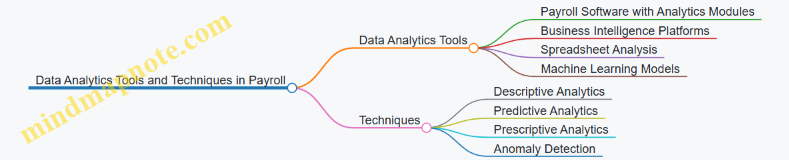
Integrating Data Analytics into Payroll Workflow
- Data Collection: Gather payroll data from various sources such as timekeeping systems, HR databases, and accounting software.
- Data Cleaning: Ensure data accuracy by removing duplicates and correcting errors.
- Data Analysis: Use analytics tools to identify trends, anomalies, and insights.
- Reporting: Generate dashboards and reports for stakeholders.
- Decision-Making: Apply insights to optimize payroll processes and policies.
Final Thoughts
Incorporating data analytics into payroll decision-making empowers accountants and payroll managers to move beyond routine processing towards strategic workforce management. By harnessing data-driven insights, organizations can enhance accuracy, ensure compliance, control costs, and better support their employees.
For accountants and payroll managers looking to get started, consider exploring payroll software with built-in analytics features or partnering with data analysts to unlock the full potential of your payroll data.
12.3 Preparing for Changes in Payroll Legislation
Payroll legislation is constantly evolving, influenced by changes in government policies, economic conditions, and social priorities. For accountants and payroll managers, staying ahead of these changes is crucial to ensure compliance, avoid penalties, and maintain smooth payroll operations. This section explores practical strategies to prepare for legislative changes, supported by mind maps and real-world examples.
Understanding the Impact of Legislative Changes
Before preparing for changes, it is important to understand how new laws can affect payroll processes. Changes may involve:
- Tax rates and brackets
- Social security and benefits contributions
- Reporting requirements
- Employee classification rules
- Minimum wage adjustments
Example: In 2023, a new law increased the minimum wage in several states. Payroll managers had to update salary calculations and ensure overtime pay was recalculated accordingly.
Mind Map: Key Areas Affected by Payroll Legislation Changes
Strategies to Prepare for Legislative Changes
-
Continuous Monitoring of Regulatory Updates
- Subscribe to official government newsletters and payroll associations.
- Use payroll software with built-in legislative update alerts.
-
Regular Training and Knowledge Sharing
- Conduct quarterly training sessions for payroll teams.
- Share summaries of legislative changes with relevant departments.
-
Review and Update Payroll Policies and Procedures
- Align internal payroll manuals with new laws.
- Document changes and communicate them clearly.
-
Test Payroll Systems and Processes
- Run parallel payroll calculations before full implementation.
- Identify discrepancies and fix system configurations.
-
Engage Legal and Tax Experts
- Consult with specialists to interpret complex changes.
- Seek advice on compliance risks and mitigation.
Mind Map: Preparing for Payroll Legislation Changes - Action Plan
Example Scenario: Implementing a New Payroll Tax
Situation: A new payroll tax is introduced to fund a public health initiative, effective from the next fiscal year.
Steps Taken:
- Monitoring: The payroll team receives early notification from the government website.
- Training: A webinar is organized explaining the tax calculation and reporting.
- Policy Update: Payroll manuals are revised to include the new tax.
- System Testing: Payroll software is updated and tested with sample data.
- Communication: Employees receive clear explanations about the new deduction.
- Consultation: Tax experts confirm compliance and advise on filing procedures.
Outcome: The payroll team successfully implements the new tax without errors or delays.
Best Practices Summary
- Stay proactive rather than reactive.
- Use technology to automate updates and alerts.
- Foster a culture of continuous learning.
- Document all changes thoroughly.
- Collaborate with experts to reduce risks.
By integrating these strategies, accountants and payroll managers can confidently navigate the complexities of payroll legislation changes, ensuring compliance and operational efficiency.
12.4 Example: Using Predictive Analytics to Forecast Payroll Costs
Predictive analytics leverages historical data, statistical algorithms, and machine learning techniques to forecast future outcomes. In payroll management, this means using past payroll data and related variables to predict upcoming payroll costs, helping accountants and payroll managers make informed budgeting and staffing decisions.
What is Predictive Analytics in Payroll?
Predictive analytics in payroll involves analyzing trends such as employee turnover, salary changes, overtime patterns, and seasonal workforce fluctuations to estimate future payroll expenses.
Benefits of Using Predictive Analytics for Payroll Forecasting
- Improved Budget Accuracy: Anticipate payroll expenses more precisely.
- Resource Optimization: Plan hiring and overtime based on forecasted needs.
- Risk Mitigation: Identify potential cost overruns before they occur.
- Strategic Decision Making: Align payroll costs with business goals.
Mind Map: Key Components of Predictive Payroll Analytics
Step-by-Step Example: Forecasting Next Quarter’s Payroll Costs
Scenario: An accountant wants to forecast payroll costs for the next quarter using historical payroll data from the past two years.
Step 1: Data Gathering
- Collect monthly payroll expenses, including base salary, overtime, bonuses, and benefits.
- Include employee headcount and turnover data.
Step 2: Data Preparation
- Clean data to remove anomalies (e.g., one-time bonuses).
- Normalize data to account for inflation or salary adjustments.
Step 3: Choose a Forecasting Model
- Use Time Series Analysis (e.g., ARIMA model) to capture trends and seasonality.
Step 4: Build and Train the Model
- Input historical payroll data.
- Validate model accuracy using recent data.
Step 5: Generate Forecast
- Predict payroll costs for the upcoming three months.
Step 6: Analyze and Interpret Results
- Identify expected increases due to seasonal hiring.
- Highlight potential overtime spikes.
Step 7: Make Informed Decisions
- Adjust budgets accordingly.
- Plan recruitment or temporary staffing.
Mind Map: Forecasting Process Workflow
Practical Example: Using Excel for Simple Payroll Forecasting
- Collect Data: Monthly payroll costs for 24 months.
- Plot Data: Create a line chart to visualize trends.
- Apply Moving Average: Smooth out fluctuations.
- Use Excel’s FORECAST.ETS Function: Predict next quarter’s monthly payroll costs.
Example:
| Month | Payroll Cost ($) |
|---|---|
| Jan 2022 | 120,000 |
| Feb 2022 | 118,000 |
| … | … |
| Dec 2023 | 135,000 |
Using =FORECAST.ETS(target_date, values, timeline) to predict January 2024 payroll.
Advanced Example: Machine Learning Model for Payroll Forecasting
- Features: Employee count, average salary, overtime hours, seasonal indicators, economic factors.
- Model: Random Forest Regression.
- Outcome: Predict total payroll cost with confidence intervals.
Example Insight: The model predicts a 7% increase in payroll costs next quarter due to planned hiring and expected overtime during peak season.
Summary
Using predictive analytics to forecast payroll costs empowers accountants to anticipate expenses accurately, optimize workforce planning, and align payroll budgets with organizational goals. By integrating historical data, appropriate modeling techniques, and clear interpretation, payroll management becomes proactive rather than reactive.
For accountants and payroll managers, embracing predictive analytics is a strategic step towards smarter payroll management in an increasingly data-driven world.