Advanced Auditing Techniques
1. Introduction to Advanced Auditing
1.1 Understanding the Evolution of Auditing Techniques
Auditing has undergone significant transformation over the decades, evolving from simple manual checks to sophisticated, technology-driven processes. Understanding this evolution is critical for accountants and auditors to appreciate the context of current best practices and to anticipate future trends.
Historical Overview of Auditing Techniques
-
Early Auditing (Pre-20th Century):
- Focused on verifying physical assets and cash balances.
- Manual ledger reviews and physical inventory counts.
- Limited scope, mostly compliance-driven.
-
Mid-20th Century:
- Introduction of sampling techniques to handle larger volumes of transactions.
- Emphasis on internal controls and risk assessment.
- Use of checklists and standardized procedures.
-
Late 20th Century:
- Adoption of computer-assisted audit techniques (CAATs).
- Increased focus on fraud detection and forensic auditing.
- Expansion of audit scope to include operational and compliance audits.
-
21st Century and Beyond:
- Integration of data analytics, AI, and automation.
- Continuous auditing and real-time risk monitoring.
- Emphasis on cybersecurity and IT controls.
Mind Map: Evolution of Auditing Techniques
Example: Transition from Manual to Computer-Assisted Auditing
Scenario: In the 1980s, an audit firm traditionally relied on manual sampling of invoices to verify accounts payable. This process was time-consuming and prone to human error.
Change: The firm adopted CAATs, using software to scan entire invoice populations for anomalies such as duplicate payments or unusual vendor codes.
Outcome:
- Increased audit efficiency by reducing manual work.
- Improved detection of errors and fraud.
- Allowed auditors to focus on higher-risk areas.
Key Drivers of Evolution
- Technological Advancements: Computing power, software tools, and data storage capabilities.
- Regulatory Changes: Increased compliance requirements and standards (e.g., Sarbanes-Oxley Act).
- Complexity of Business Operations: Globalization and diversified business models.
- Risk Environment: Growing sophistication of fraud and cyber threats.
Mind Map: Drivers of Auditing Evolution
Practical Example: Evolution in Risk Assessment
Traditional Approach: Risk assessment was often a checklist exercise, relying heavily on auditor judgment and historical data.
Advanced Approach: Modern auditors use data analytics to identify patterns and anomalies in real-time, enabling dynamic risk assessment.
Example: A retail company’s audit team uses transaction data analytics to flag unusual sales returns patterns, indicating potential fraud.
Summary
The evolution of auditing techniques reflects a journey from manual, compliance-focused activities to dynamic, technology-enabled processes that emphasize risk management, fraud detection, and continuous improvement. By understanding this progression, auditors can better leverage current tools and prepare for future innovations.
1.2 Importance of Advanced Auditing in Modern Finance
In today’s fast-paced and complex financial environment, advanced auditing techniques have become essential for maintaining the integrity, transparency, and reliability of financial information. Traditional auditing methods, while foundational, often fall short in addressing the challenges posed by globalization, technological advancements, and increasingly sophisticated financial transactions.
Why Advanced Auditing Matters
- Complex Financial Instruments: Modern finance involves derivatives, securitizations, and other complex instruments that require deeper understanding and specialized audit approaches.
- Regulatory Compliance: Regulatory frameworks such as SOX, IFRS, and GDPR demand rigorous audit processes to ensure compliance and avoid penalties.
- Fraud Prevention and Detection: Advanced techniques enhance the ability to detect subtle fraud patterns and financial misstatements.
- Data Volume and Variety: The explosion of data requires auditors to use data analytics and automation to efficiently analyze large datasets.
- Stakeholder Confidence: Accurate and thorough audits build trust among investors, regulators, and the public.
Mind Map: Importance of Advanced Auditing
Example: Auditing Complex Derivatives
Consider a multinational bank that holds a portfolio of derivatives. Traditional sampling might miss subtle valuation errors or embedded risks. Using advanced auditing techniques such as data analytics and scenario testing, auditors can:
- Analyze the entire derivatives portfolio rather than a sample.
- Use predictive models to assess valuation accuracy under different market conditions.
- Identify unusual transactions that may indicate risk or fraud.
This approach not only improves audit quality but also provides deeper insights into the bank’s risk exposure.
Mind Map: Advanced Auditing Benefits in Practice
Example: Regulatory Compliance and Automation
A publicly traded company must comply with the Sarbanes-Oxley Act (SOX). Advanced auditing tools automate control testing and generate real-time compliance reports. This reduces manual errors, accelerates audit cycles, and ensures continuous compliance.
Summary
Advanced auditing is no longer optional but a necessity in modern finance. It empowers auditors to handle complexity, improve accuracy, detect fraud early, and maintain stakeholder confidence. By embracing these techniques, auditors add significant value beyond traditional assurance roles.
1.3 Overview of Best Practices in Advanced Auditing
Advanced auditing demands a blend of technical expertise, strategic thinking, and practical application to ensure thorough and effective audits. Below is a detailed overview of best practices that auditors should integrate into their workflows to enhance audit quality and reliability.
Best Practices Mind Map
Detailed Explanation and Examples
-
Risk-Based Approach
- Best Practice: Focus audit resources on areas with the highest risk to financial statements or operations.
- Example: In a multinational corporation, auditors identified foreign exchange exposure as a high-risk area due to volatile currency markets. They prioritized testing controls over currency hedging strategies, uncovering gaps that could lead to material misstatements.
-
Data Analytics Integration
- Best Practice: Leverage data analytics tools to analyze entire populations rather than samples, enabling more comprehensive audits.
- Example: Using data mining software, auditors scanned thousands of transactions to detect duplicate payments. This led to identifying and recovering over $50,000 in erroneous disbursements.
-
Sampling Techniques
- Best Practice: Apply appropriate sampling methods tailored to audit objectives, ensuring statistical validity.
- Example: For testing compliance with purchase order policies, attribute sampling was used. Out of 100 sampled transactions, 5 exceptions were found, prompting a review of control effectiveness.
-
Internal Control Evaluation
- Best Practice: Use established frameworks like COSO to assess control design and operating effectiveness.
- Example: During an IT audit, auditors tested access controls using COBIT guidelines and discovered excessive user privileges, recommending immediate remediation.
-
Fraud Detection
- Best Practice: Combine data analysis with behavioral interviewing to uncover potential fraud.
- Example: Forensic auditors noticed unusual vendor payment patterns and conducted interviews, revealing a kickback scheme involving a procurement manager.
-
Technology Utilization
- Best Practice: Incorporate automation and AI to improve audit efficiency and continuous assurance.
- Example: Implementing RPA to automate bank reconciliations reduced manual errors and freed auditors to focus on anomaly investigation.
-
Audit Evidence Management
- Best Practice: Collect sufficient, relevant, and reliable evidence, maintaining clear documentation for audit trails.
- Example: In a manufacturing audit, auditors used photographic evidence and system logs to substantiate inventory counts, enhancing audit credibility.
-
Effective Communication
- Best Practice: Structure reports clearly, using visuals like charts and graphs to convey findings effectively.
- Example: An audit report on compliance issues included heat maps to highlight areas of concern, facilitating management’s understanding and action.
-
Continuous Improvement
- Best Practice: Regularly update audit methodologies based on feedback, industry changes, and new regulations.
- Example: After a peer review, an audit team incorporated new IFRS standards into their checklists, improving compliance and reducing rework.
By integrating these best practices, auditors can elevate the quality and impact of their audits, ensuring they provide valuable insights and maintain stakeholder trust.
1.4 Case Study: Transition from Traditional to Advanced Auditing Methods
Introduction
In this case study, we explore how a mid-sized manufacturing company, “ABC Manufacturing Ltd.”, transitioned from traditional auditing methods to advanced auditing techniques. This transition not only improved audit efficiency but also enhanced the detection of risks and fraud.
Background
ABC Manufacturing Ltd. had been relying on conventional audit practices such as manual sampling, checklist-based control testing, and paper-based documentation. While these methods were effective to an extent, they were time-consuming and sometimes missed subtle anomalies.
Challenges with Traditional Auditing
- Manual Data Handling: Auditors manually extracted and analyzed data, increasing the risk of human error.
- Limited Risk Detection: Sampling methods were basic, often missing irregularities.
- Time-Consuming Processes: Extensive paperwork and slow communication delayed audit completion.
Transition Objectives
- Implement data analytics for comprehensive data review.
- Automate repetitive audit tasks to save time.
- Enhance fraud detection capabilities.
- Improve audit documentation and reporting.
Mind Map: Transition Overview
Step 1: Integrating Data Analytics
The audit team introduced data mining tools to analyze the entire population of transactions rather than relying on samples.
Example:
- Previously, auditors sampled 100 invoices out of 10,000.
- Using data analytics, they analyzed all 10,000 invoices to identify duplicates, unusual payment patterns, and outliers.
Mind Map: Data Analytics Benefits
Step 2: Automating Routine Tasks
Robotic Process Automation (RPA) was deployed to automate tasks such as data extraction from ERP systems and reconciliation processes.
Example:
- Automation of bank statement reconciliation reduced a 3-day manual process to a few hours.
Mind Map: Automation Impact
Step 3: Enhancing Fraud Detection
Predictive analytics models were developed to flag transactions with high fraud risk based on historical data and known fraud patterns.
Example:
- The system flagged a series of vendor payments with unusual timing and amounts, which led to uncovering a fraudulent vendor scheme.
Mind Map: Fraud Detection Techniques
Step 4: Digital Documentation and Reporting
The audit documentation process was digitized, enabling real-time collaboration and easier retrieval of audit evidence.
Example:
- Audit findings were documented in a cloud-based platform with embedded dashboards for stakeholders.
Mind Map: Digital Reporting Advantages
Results and Benefits
- Increased Audit Coverage: Full data analysis reduced sampling risk.
- Improved Fraud Detection: Early identification of suspicious transactions.
- Efficiency Gains: Audit cycle time reduced by 30%.
- Better Stakeholder Engagement: Clear, visual reports improved communication.
Conclusion
The transition from traditional to advanced auditing methods at ABC Manufacturing Ltd. demonstrates how integrating technology and modern techniques can transform audit quality and efficiency. This case highlights the importance of embracing innovation to meet the evolving demands of corporate finance and auditing.
Summary Mind Map: Key Takeaways
2. Risk Assessment and Materiality in Depth
2.1 Advanced Risk Identification Techniques
Identifying risks accurately and comprehensively is the cornerstone of an effective audit. Advanced risk identification techniques go beyond traditional checklists and subjective judgment, incorporating structured frameworks, data-driven insights, and collaborative approaches to uncover hidden or emerging risks.
Key Advanced Techniques for Risk Identification
Risk Workshops and Brainstorming Sessions
Engage cross-functional teams including finance, operations, IT, and compliance to collaboratively identify risks. This approach leverages diverse perspectives and uncovers risks that may not be apparent from a single viewpoint.
Example: A multinational corporation conducted a risk workshop involving auditors, IT specialists, and business unit leaders. During the session, they identified a previously overlooked risk related to third-party vendor cybersecurity vulnerabilities.
Process Mapping and Walkthroughs
Mapping out business processes visually helps auditors understand workflows and identify points where risks may arise.
Mind Map: Process Mapping for Risk Identification
Example: In an audit of the procurement process, detailed process mapping revealed a risk of unauthorized purchases due to weak approval controls at the invoice processing stage.
Data Analytics for Risk Pattern Recognition
Using data analytics tools to analyze large datasets can reveal anomalies, trends, or patterns indicative of risk.
Mind Map: Data Analytics in Risk Identification
Example: An auditor used data analytics to scan expense reports and detected unusual reimbursement patterns suggesting potential fraud.
Scenario Analysis and What-If Modeling
Simulating different scenarios helps identify risks under various conditions, including rare or extreme events.
Example: A financial services firm used scenario analysis to assess the impact of sudden interest rate hikes on loan defaults, identifying credit risk exposures that required closer monitoring.
Use of Risk Registers and Historical Data
Reviewing existing risk registers and past audit findings provides insights into recurring or unresolved risks.
Example: An audit team reviewed the company’s risk register and discovered that several IT control weaknesses identified last year had not been fully addressed, signaling ongoing risk.
Integrated Mind Map: Comprehensive Risk Identification Approach
Best Practices
- Combine multiple techniques to ensure a holistic view.
- Involve stakeholders from different departments to capture diverse risks.
- Leverage technology to analyze data efficiently.
- Document identified risks clearly with supporting evidence.
Summary
Advanced risk identification techniques empower auditors to detect risks that traditional methods might miss. By integrating collaborative workshops, process visualization, data analytics, scenario modeling, and historical data review, auditors can build a robust risk profile that enhances audit effectiveness and adds value to the organization.
2.2 Quantitative and Qualitative Risk Analysis with Examples
In advanced auditing, understanding and applying both quantitative and qualitative risk analysis techniques is crucial for identifying, assessing, and prioritizing risks effectively. This section explores these two approaches in detail, supported by practical examples and mind maps to help auditors grasp the concepts clearly.
What is Risk Analysis?
Risk analysis is the process of identifying potential risks that could affect the achievement of audit objectives and evaluating their likelihood and impact.
Qualitative Risk Analysis
Qualitative risk analysis focuses on assessing risks based on subjective judgment, experience, and descriptive scales rather than numerical data. It helps auditors prioritize risks by categorizing them according to their severity and likelihood.
Key Characteristics:
- Uses descriptive scales (e.g., High, Medium, Low)
- Relies on expert judgment and interviews
- Useful when quantitative data is limited or unavailable
Mind Map: Qualitative Risk Analysis
Example:
An auditor is assessing the risk of non-compliance with new tax regulations in a mid-sized company. Since there is limited historical data, the auditor interviews the compliance officer and rates the likelihood as “Medium” and impact as “High” due to potential penalties. The risk is prioritized accordingly for further testing.
Quantitative Risk Analysis
Quantitative risk analysis uses numerical data and statistical methods to measure the probability and impact of risks. This approach provides a more objective and measurable assessment.
Key Characteristics:
- Uses numerical data and metrics
- Applies statistical models and simulations
- Provides measurable risk values (e.g., expected monetary loss)
Mind Map: Quantitative Risk Analysis
Example:
An auditor evaluates the risk of inventory obsolescence in a manufacturing company. Using historical data, the auditor calculates the probability of obsolescence at 10% and estimates the potential financial impact at $500,000. The expected risk exposure is $50,000 (10% x $500,000), which guides the audit focus.
Integrating Qualitative and Quantitative Approaches
Combining both approaches provides a comprehensive risk analysis framework. Qualitative methods help identify and prioritize risks initially, while quantitative methods validate and measure the risks more precisely.
Mind Map: Integrated Risk Analysis
Example:
In auditing a financial institution, the auditor first conducts qualitative interviews to identify key risks such as credit risk and operational risk. Then, using loan default data, the auditor quantitatively estimates the probability and financial impact of credit risk. This integrated approach ensures a focused and data-driven audit plan.
Best Practices for Risk Analysis
- Use qualitative analysis to capture emerging or non-quantifiable risks.
- Leverage quantitative methods where reliable data is available.
- Document assumptions and data sources clearly.
- Regularly update risk assessments to reflect changing environments.
- Engage cross-functional teams to enhance risk identification and evaluation.
Summary
Understanding both qualitative and quantitative risk analysis techniques empowers auditors to perform thorough and balanced risk assessments. By applying these methods with practical examples and structured frameworks, auditors can enhance the effectiveness of their audit planning and execution.
2.3 Setting Materiality Thresholds: Best Practices
Setting materiality thresholds is a critical step in the audit planning process. It helps auditors determine the significance of misstatements or omissions in financial statements and guides the scope and depth of audit procedures.
What is Materiality?
Materiality refers to the magnitude of an omission or misstatement of accounting information that, in the light of surrounding circumstances, makes it probable that the judgment of a reasonable person relying on the information would have been changed or influenced.
Best Practices for Setting Materiality Thresholds
-
Understand the Entity and Its Environment
- Analyze the size, nature, and complexity of the entity.
- Consider industry benchmarks and regulatory requirements.
-
Use Both Quantitative and Qualitative Factors
- Quantitative: Financial metrics such as total revenue, net income, or total assets.
- Qualitative: Nature of the item, potential impact on compliance, or risk of fraud.
-
Determine Overall Materiality
- Common benchmarks include 5% of pre-tax income, 1% of total assets, or 0.5% of revenue.
-
Determine Performance Materiality
- Set lower thresholds to reduce the risk that the aggregate of uncorrected and undetected misstatements exceeds overall materiality.
-
Reassess Materiality Throughout the Audit
- Adjust thresholds if new information arises or circumstances change.
Mind Map: Factors Influencing Materiality Thresholds
Example 1: Setting Materiality for a Manufacturing Company
- Company annual revenue: $500 million
- Pre-tax income: $50 million
Step 1: Choose benchmark: 5% of pre-tax income = $2.5 million
Step 2: Consider qualitative factors: The company operates in a highly regulated environment, so reduce materiality by 20% to $2 million.
Step 3: Set performance materiality at 75% of overall materiality = $1.5 million.
This means misstatements below $1.5 million may not require adjustment, but the auditor will investigate anything above this threshold.
Mind Map: Materiality Determination Process
Example 2: Materiality in a Non-Profit Organization
- Total assets: $20 million
- Total expenses: $18 million
Step 1: Benchmark: 1% of total assets = $200,000
Step 2: Qualitative factor: High public scrutiny and donor expectations suggest lowering materiality to $150,000.
Step 3: Performance materiality set at 80% of overall materiality = $120,000.
Tips for Effective Materiality Setting
- Always document the rationale behind chosen thresholds.
- Communicate materiality levels clearly with the audit team.
- Use industry-specific guidelines where available.
- Consider cumulative effects of smaller misstatements.
Summary
Setting materiality thresholds is both an art and a science. It requires balancing quantitative benchmarks with qualitative insights to ensure the audit focuses on what truly matters to users of financial statements. Regular reassessment and clear documentation are key to maintaining audit quality and relevance.
2.4 Practical Example: Risk Assessment in a Multinational Corporation
Introduction
Risk assessment is a critical step in the auditing process, especially for multinational corporations (MNCs) that operate across various jurisdictions, industries, and regulatory environments. This section provides a detailed practical example of how to conduct a comprehensive risk assessment tailored to the complexities of an MNC.
Step 1: Understanding the Business Environment
Before assessing risks, auditors must gain a deep understanding of the MNC’s business model, geographic footprint, and regulatory landscape.
Example:
- A multinational corporation operates in the manufacturing, retail, and financial services sectors across North America, Europe, and Asia.
- Each region has different regulatory requirements and economic conditions.
Mind Map: Understanding Business Environment
Step 2: Identifying Risks
Risks are identified by analyzing internal and external factors that could impact the organization’s objectives.
Categories of Risks:
- Operational Risks
- Financial Risks
- Compliance Risks
- Strategic Risks
- Cybersecurity Risks
Example:
- Operational risk: Supply chain disruptions in Asia due to geopolitical tensions.
- Financial risk: Currency exchange rate volatility affecting profit margins.
- Compliance risk: Differing data privacy laws between Europe (GDPR) and Asia.
Mind Map: Risk Identification
Step 3: Risk Analysis and Prioritization
Once risks are identified, auditors analyze their likelihood and potential impact.
Example:
- Supply chain disruption: High likelihood due to ongoing geopolitical issues; high impact on production timelines.
- Currency volatility: Medium likelihood; moderate impact on financial statements.
Risk Matrix Example:
| Risk | Likelihood | Impact | Priority |
|---|---|---|---|
| Supply Chain Disruption | High | High | Critical |
| Currency Exchange Risk | Medium | Medium | Moderate |
| GDPR Non-Compliance | Low | High | High |
Mind Map: Risk Analysis
Step 4: Developing Audit Procedures Based on Risk
Audit procedures are tailored to focus more on high-priority risks.
Example:
- For supply chain risks: Perform inventory reconciliations, review supplier contracts, and assess contingency plans.
- For currency risks: Verify foreign currency transactions, hedge accounting, and monitor exchange rate policies.
Mind Map: Audit Procedures
Step 5: Reporting and Recommendations
The final step involves documenting findings, highlighting high-risk areas, and recommending controls or improvements.
Example:
- Finding: Supply chain risk is elevated due to lack of alternative suppliers.
- Recommendation: Develop supplier diversification strategy and enhance monitoring.
Mind Map: Reporting
Summary
This practical example demonstrates how auditors approach risk assessment in a multinational corporation by:
- Understanding complex business environments
- Identifying diverse risk categories
- Analyzing and prioritizing risks effectively
- Tailoring audit procedures accordingly
- Reporting actionable insights
By integrating best practices and real-world examples, auditors can enhance the quality and relevance of their risk assessments in complex corporate settings.
3. Data Analytics in Auditing
3.1 Introduction to Data Analytics Tools for Auditors
In today’s fast-paced and data-driven financial environment, auditors must leverage advanced data analytics tools to enhance the efficiency, accuracy, and scope of their audits. Data analytics tools enable auditors to analyze large volumes of data quickly, identify patterns and anomalies, and provide deeper insights into financial statements and internal controls.
Why Data Analytics Tools Matter for Auditors
- Efficiency: Automate repetitive tasks and analyze entire data populations instead of samples.
- Accuracy: Reduce human error by using algorithm-driven analysis.
- Insight: Discover hidden trends, unusual transactions, and potential fraud.
- Compliance: Meet regulatory expectations for thorough and data-supported audits.
Key Categories of Data Analytics Tools for Auditors
Examples of Popular Data Analytics Tools
-
ACL Analytics
- Purpose-built for auditors to perform data extraction, sampling, and analysis.
- Example: An auditor uses ACL to scan 100% of vendor payments to identify duplicate invoices.
-
IDEA
- Provides powerful data import, analysis, and visualization capabilities.
- Example: IDEA helps auditors perform trend analysis on sales data to detect unusual spikes.
-
Tableau
- A leading data visualization tool that helps auditors create interactive dashboards.
- Example: An auditor creates a dashboard to visualize expense categories and identify outliers.
-
Python and R
- Programming languages used for custom data analytics and automation.
- Example: Writing a Python script to automate the detection of transactions exceeding a threshold.
Practical Example: Using ACL Analytics to Detect Anomalies
Scenario: An auditor is tasked with reviewing expense reimbursements for potential fraud.
Step 1: Import the entire expense reimbursement dataset into ACL.
Step 2: Use ACL’s duplicate detection function to find repeated claims.
Step 3: Apply filters to identify reimbursements exceeding typical amounts.
Step 4: Generate a report highlighting suspicious transactions for further investigation.
Best Practices for Selecting and Using Data Analytics Tools
- Understand Your Audit Objectives: Choose tools aligned with the specific audit goals.
- Data Quality is Key: Ensure data is clean and complete before analysis.
- Combine Tools: Use a mix of statistical, visualization, and automation tools for comprehensive analysis.
- Continuous Learning: Stay updated on new features and emerging tools.
By integrating data analytics tools into their workflows, auditors can significantly enhance their ability to detect risks, improve audit quality, and provide greater assurance to stakeholders.
3.2 Using Data Mining to Detect Anomalies: Step-by-Step Example
Data mining is a powerful technique auditors use to uncover anomalies that may indicate errors, fraud, or inefficiencies. This section breaks down the process of using data mining for anomaly detection with a detailed, easy-to-follow example.
What is Anomaly Detection in Auditing?
Anomalies are data points or patterns that deviate significantly from the norm. Detecting these can help auditors identify unusual transactions or behaviors that warrant further investigation.
Step-by-Step Example: Detecting Anomalies in Expense Reports
Scenario: An auditor is tasked with reviewing employee expense reports for a mid-sized corporation to detect potential fraudulent claims or errors.
Step 1: Data Collection and Preparation
- Gather all expense report data for the audit period.
- Fields include: Employee ID, Date, Expense Category, Amount, Vendor, and Approval Status.
- Clean the data by removing duplicates, correcting errors, and standardizing formats.
Step 2: Define Normal Behavior
- Analyze historical data to establish baseline spending patterns per employee and category.
- Calculate average amounts, frequency of expenses, and typical vendors.
Example: Employee A typically submits 5-7 expense claims monthly, averaging $150 per claim, mostly for travel and meals.
Step 3: Apply Data Mining Techniques
- Use clustering algorithms (e.g., K-means) to group similar expense reports.
- Apply outlier detection methods (e.g., Z-score, Isolation Forest) to identify anomalies.
Example: An expense claim of $2,500 for a meal by Employee A stands out as an outlier compared to their usual $150 average.
Step 4: Investigate Anomalies
- Review flagged transactions for validity.
- Cross-check with supporting documents and approval status.
Example: The $2,500 meal expense lacks a receipt and was approved unusually quickly.
Step 5: Report Findings and Recommendations
- Document anomalies, investigation results, and suggest controls to prevent recurrence.
Example: Recommend implementing automated alerts for expense claims exceeding predefined thresholds.
Summary Mind Map
Additional Tips and Best Practices
- Always ensure data quality before mining.
- Combine multiple anomaly detection methods for better accuracy.
- Use visualizations like box plots or scatter plots to spot anomalies intuitively.
Visual Example: Box Plot of Expense Amounts
| Employee | Expense Amounts ($) |
|---|---|
| A | 120, 140, 150, 160, 2500 |
The box plot would clearly show the $2,500 expense as an outlier.
By following these steps, auditors can effectively leverage data mining to detect anomalies, enhancing audit quality and fraud detection capabilities.
3.3 Predictive Analytics for Fraud Detection
Predictive analytics is a powerful tool in the auditor’s arsenal, especially when it comes to fraud detection. By leveraging historical data, statistical algorithms, and machine learning techniques, auditors can identify patterns and anomalies that indicate potential fraudulent activities before they escalate.
What is Predictive Analytics in Fraud Detection?
Predictive analytics involves analyzing current and historical data to make predictions about future events. In fraud detection, it helps auditors forecast the likelihood of fraudulent transactions or behaviors by recognizing suspicious patterns.
Key Components of Predictive Analytics for Fraud Detection
Mind Map: Components of Predictive Analytics for Fraud Detection
Best Practices for Implementing Predictive Analytics
- Use Quality Data: Ensure data is accurate, complete, and relevant.
- Feature Selection: Identify key indicators of fraud such as unusual transaction amounts, frequency, or timing.
- Model Selection: Choose models that balance accuracy and interpretability.
- Continuous Monitoring: Update models regularly with new data to maintain effectiveness.
- Cross-Functional Collaboration: Work with IT, compliance, and risk teams.
Example: Predictive Analytics in Action
Scenario: A corporate auditor is tasked with detecting potential billing fraud in a large retail company.
- Data Collection: The auditor gathers three years of transactional data, customer purchase histories, and records of previously confirmed fraud cases.
- Data Preparation: Data is cleaned to remove duplicates and normalized to standardize transaction amounts.
- Feature Engineering: New variables are created, such as “average transaction amount per customer” and “number of transactions outside business hours.”
- Modeling: A decision tree model is trained to classify transactions as ‘fraud’ or ‘non-fraud’ based on these features.
- Validation: The model is tested using a holdout dataset, achieving an 85% accuracy rate.
- Deployment: The model is integrated into the audit system to flag suspicious transactions for further review.
Mind Map: Fraud Indicators Used in Predictive Models
Integrating Predictive Analytics into Audit Workflow
Challenges and Mitigation Strategies
| Challenge | Mitigation Strategy |
|---|---|
| Data Quality Issues | Implement rigorous data validation |
| Model Overfitting | Use cross-validation and regularization |
| Interpretability of Complex Models | Use explainable AI techniques |
| Evolving Fraud Tactics | Continuously update models with new data |
Summary
Predictive analytics empowers auditors to proactively detect fraud by uncovering hidden patterns and predicting suspicious activities. By combining quality data, robust modeling techniques, and continuous refinement, auditors can significantly enhance fraud detection capabilities and protect organizational assets.
3.4 Best Practices for Integrating Data Analytics into Audit Planning
Integrating data analytics into audit planning is essential for enhancing audit effectiveness, improving risk assessment, and increasing efficiency. Below are best practices that auditors should follow, along with practical examples and mind maps to visualize the process.
Understand the Business and Data Environment
- Gain a thorough understanding of the client’s industry, business processes, and data sources.
- Identify key systems and data repositories relevant to the audit scope.
Example: For an audit of a retail company, understanding the point-of-sale (POS) systems, inventory management, and customer databases is critical before planning data analytics.
Define Clear Audit Objectives and Questions
- Translate audit objectives into specific data analytics questions.
- Determine what insights or anomalies the analytics should uncover.
Example: If the objective is to detect revenue recognition issues, the question might be: “Are there any unusual sales transactions near period-end dates?”
Select Appropriate Data Analytics Techniques
- Choose techniques based on audit objectives, such as trend analysis, clustering, or anomaly detection.
- Consider both descriptive and predictive analytics.
Example: Use clustering to identify groups of customers with unusual purchasing patterns that might indicate fraud.
Ensure Data Quality and Accessibility
- Verify completeness, accuracy, and consistency of data before analysis.
- Collaborate with IT and data owners to access necessary datasets.
Example: Before analyzing payroll data, confirm that employee records are up-to-date and payroll entries are complete.
Integrate Analytics into the Audit Plan
- Embed data analytics tasks into the audit timeline and resource allocation.
- Define roles and responsibilities for analytics execution.
Example: Allocate time in the audit plan for initial data extraction, cleansing, analysis, and interpretation.
Document Methodology and Findings
- Maintain clear documentation of data sources, techniques used, and results.
- Ensure transparency and reproducibility of analytics work.
Example: Document the steps taken to identify outliers in accounts payable transactions and how these were investigated.
Continuously Update and Refine Analytics Approach
- Use lessons learned from each audit to improve data analytics integration.
- Stay updated on new tools, techniques, and regulatory requirements.
Example: After completing an audit, review the effectiveness of analytics in detecting risks and adjust future plans accordingly.
Practical Example: Integrating Data Analytics in Audit Planning for Inventory Management
Scenario: An auditor is planning an audit of inventory controls for a manufacturing client.
- Understand Business & Data: Identify ERP modules managing inventory data.
- Define Objectives: Verify accuracy of inventory valuation and detect obsolete stock.
- Select Techniques: Use trend analysis to monitor inventory turnover; apply anomaly detection to spot unusual stock levels.
- Ensure Data Quality: Validate inventory records and transaction logs.
- Integrate into Plan: Schedule data extraction early; assign data analyst to perform analytics.
- Document: Record all steps and findings.
- Improve: Post-audit review to refine analytics parameters.
This structured approach ensures data analytics is seamlessly embedded into audit planning, improving risk identification and audit quality.
3.5 Case Study: Leveraging Data Analytics in a Retail Audit
Introduction
In this case study, we explore how data analytics transformed the audit process for a mid-sized retail chain with over 50 stores nationwide. The audit team used advanced data analytics techniques to identify anomalies, improve risk assessment, and enhance the overall audit quality.
Background
The retail company faced challenges such as high transaction volumes, multiple sales channels (in-store, online), and complex inventory management. Traditional audit methods were time-consuming and often missed subtle irregularities.
Objectives
- Detect unusual sales patterns and potential fraud
- Validate inventory accuracy and shrinkage
- Improve efficiency of audit procedures
Step 1: Data Collection and Preparation
- Collected sales transaction data, inventory records, and POS logs from all stores
- Cleaned data to remove duplicates and correct errors
- Integrated data from online and offline channels for a unified view
Step 2: Analytical Procedures Applied
Mind Map: Data Analytics Techniques Used
Example: Sales Trend Analysis
The team plotted monthly sales across stores to identify outliers. Store #23 showed a 40% spike in sales during an off-season month, triggering further investigation.
Example: Anomaly Detection Using Benford’s Law
Applied Benford’s Law to daily sales figures to detect unnatural patterns. Several stores deviated significantly, indicating possible data manipulation.
Step 3: Inventory Analysis
Mind Map: Inventory Data Analytics
Example: Shrinkage Detection
By comparing recorded inventory against expected inventory based on sales, the audit team identified stores with unusually high shrinkage rates, suggesting theft or mismanagement.
Step 4: Fraud Risk Scoring
Using predictive models, the team assigned fraud risk scores to transactions and stores based on factors such as transaction size, frequency, and timing.
Example: High-Risk Transaction Identification
Transactions occurring at odd hours with unusually high discounts were flagged for manual review.
Step 5: Results and Findings
- Identified 3 stores with significant sales data anomalies
- Detected inventory discrepancies amounting to $150,000
- Reduced audit time by 30% through targeted testing
- Provided actionable recommendations to improve internal controls
Best Practices Highlighted
- Integrate multiple data sources for comprehensive analysis
- Use visualization tools to spot trends and outliers quickly
- Apply statistical methods like Benford’s Law for anomaly detection
- Combine automated analytics with professional judgment
Conclusion
This case study demonstrates how leveraging data analytics in retail audits enhances detection capabilities, improves efficiency, and supports more informed decision-making. Auditors equipped with these techniques can add significant value beyond traditional approaches.
4. Sampling Techniques and Statistical Methods
4.1 Overview of Statistical vs Non-Statistical Sampling
Auditing often requires examining a subset of data or transactions to draw conclusions about the entire population. Sampling techniques help auditors efficiently and effectively gather evidence without reviewing every item. There are two primary categories of sampling methods used in auditing: Statistical Sampling and Non-Statistical Sampling. Understanding their differences, advantages, and appropriate applications is crucial for advanced auditing.
What is Statistical Sampling?
Statistical sampling uses the laws of probability to select and evaluate samples. It allows auditors to quantify sampling risk and measure the precision of their conclusions.
Key Characteristics:
- Uses random selection methods.
- Enables calculation of sample size based on desired confidence level and tolerable error.
- Provides measurable sampling risk.
- Results can be projected to the entire population with quantifiable accuracy.
Example: An auditor wants to test accounts payable invoices for errors. Using statistical sampling, they randomly select 100 invoices from a population of 10,000, ensuring that the sample size is sufficient to detect errors with 95% confidence.
What is Non-Statistical Sampling?
Non-statistical sampling (also called judgmental sampling) relies on auditor judgment rather than probability theory. The auditor selects items based on experience, risk factors, or other qualitative criteria.
Key Characteristics:
- Sample size and selection are based on auditor’s professional judgment.
- No formal calculation of sampling risk.
- Easier and faster to implement but less precise.
- May be biased if auditor judgment is flawed.
Example: An auditor reviews all transactions above a certain high-value threshold and selects additional items based on perceived risk areas, without using a formal random selection method.
Mind Map: Statistical vs Non-Statistical Sampling
Advantages and Disadvantages
| Aspect | Statistical Sampling | Non-Statistical Sampling |
|---|---|---|
| Basis of Selection | Random, probability-based | Auditor judgment |
| Sample Size | Calculated based on statistical formulas | Determined by auditor discretion |
| Sampling Risk | Quantifiable and measurable | Not measurable, relies on auditor experience |
| Complexity | More complex, requires statistical knowledge | Simpler, quicker to apply |
| Bias Risk | Low, due to random selection | Higher, potential for unconscious bias |
| Applicability | Large populations, when precision is critical | Smaller populations, or when time/resources limited |
Practical Example: Choosing Between Sampling Methods
Scenario: An auditor is testing a large population of 50,000 sales transactions for revenue recognition errors.
-
Using statistical sampling, the auditor calculates a sample size of 150 transactions to achieve 95% confidence with a tolerable error rate of 2%. They randomly select these transactions using audit software.
-
Using non-statistical sampling, the auditor selects all transactions above $10,000 and additional transactions from customers flagged as high risk based on prior experience.
Outcome:
- Statistical sampling provides a measurable level of assurance and allows the auditor to extrapolate findings to the entire population.
- Non-statistical sampling may be faster but does not provide a quantifiable measure of sampling risk.
Best Practices
- Use statistical sampling when dealing with large populations where precision and measurable risk are important.
- Use non-statistical sampling when time is limited, populations are small, or when auditor expertise can effectively target high-risk areas.
- Combine both methods when appropriate to balance efficiency and assurance.
- Document rationale for sampling method choice and sample size determination.
Summary
Understanding the differences between statistical and non-statistical sampling empowers auditors to select the most appropriate approach for their audit objectives. Statistical sampling offers rigor and measurable risk, while non-statistical sampling offers flexibility and speed. Integrating best practices and examples ensures effective audit evidence collection and reliable conclusions.
4.2 Designing Effective Sampling Plans with Practical Examples
Designing an effective sampling plan is a critical step in the auditing process. It ensures that the auditor obtains sufficient and appropriate evidence to form a reliable opinion while optimizing resources. This section will guide you through the key considerations, methodologies, and practical examples to design sampling plans that are both efficient and effective.
Key Components of a Sampling Plan
- Objective of Sampling: Define what you want to achieve (e.g., test control effectiveness, verify account balances).
- Population Definition: Clearly identify the entire set of data or transactions from which samples will be drawn.
- Sampling Unit: Determine the individual items or transactions to be sampled.
- Sample Size: Decide how many items to select based on risk, materiality, and desired confidence level.
- Sampling Method: Choose between statistical or non-statistical sampling techniques.
- Evaluation Criteria: Establish how to evaluate the sample results to draw conclusions about the population.
Mind Map: Designing an Effective Sampling Plan
Step 1: Define the Objective and Population
Before selecting samples, clearly define what you want to test. For example, if you are testing the accuracy of accounts payable transactions, the population might be all invoices processed during the fiscal year.
Example:
- Objective: Verify the accuracy of sales transactions recorded in Q4.
- Population: All sales invoices issued between October 1 and December 31.
Step 2: Determine the Sampling Unit
Decide what constitutes one sampling unit. It could be a single invoice, journal entry, or batch of transactions.
Example:
- Sampling Unit: Individual sales invoice.
Step 3: Choose the Sampling Method
Statistical Sampling
- Random Sampling: Every item has an equal chance of selection.
- Monetary Unit Sampling (MUS): Larger monetary items have a higher chance of selection, useful for substantive testing.
Non-Statistical Sampling
- Judgmental Sampling: Auditor selects items based on experience.
- Haphazard Sampling: Items selected without a structured technique but not purely random.
Example:
- For testing high-value transactions, Monetary Unit Sampling is preferred to focus on larger amounts.
Step 4: Determine Sample Size
Sample size depends on:
- Population size
- Desired confidence level (e.g., 95%)
- Acceptable risk of incorrect acceptance
- Expected error rate
Example:
- Population size: 10,000 invoices
- Confidence level: 95%
- Expected error rate: 2%
- Using statistical tables or software, auditor determines sample size of 150 invoices.
Step 5: Select the Sample
Use appropriate tools or software to select the sample based on the method chosen.
Example:
- Using random number generator to pick 150 invoices from the population list.
Step 6: Evaluate Sample Results
Compare errors found in the sample against tolerable error limits.
Example:
- Sample of 150 invoices shows 3 errors.
- Calculate error rate: 3/150 = 2%
- If tolerable error is 3%, population is accepted; otherwise, further testing is needed.
Practical Example: Designing a Sampling Plan for Payroll Audit
Scenario: An auditor needs to verify the accuracy of payroll payments for a company with 5,000 employees.
- Objective: Confirm payroll payments are authorized and accurate.
- Population: All payroll transactions for the last quarter.
- Sampling Unit: Individual payroll payment.
- Sampling Method: Random sampling to avoid bias.
- Sample Size: Using a 95% confidence level and 5% tolerable error, auditor selects 100 payroll payments.
Process:
- Extract payroll transaction list.
- Use random number generator to select 100 payments.
- Verify authorization, calculation accuracy, and payment date for each sample.
- Document findings and evaluate error rate.
Mind Map: Payroll Audit Sampling Plan
Tips for Effective Sampling Plan Design
- Always align sampling plans with audit objectives.
- Use statistical methods when possible for objectivity.
- Consider the risk profile of the area being audited.
- Document rationale for sample size and method.
- Use technology tools to automate sample selection and evaluation.
By following these steps and leveraging practical examples, auditors can design sampling plans that provide reliable evidence while optimizing audit efficiency.
4.3 Using Attribute Sampling to Test Controls
Attribute sampling is a statistical method auditors use to evaluate the effectiveness of internal controls by testing whether specific attributes or characteristics are present or absent in a sample of transactions or controls. This technique helps auditors determine if controls are operating as intended and to what extent exceptions exist.
What is Attribute Sampling?
- Definition: A method to test the presence or absence of a particular attribute in a population.
- Purpose: To assess control effectiveness by identifying deviations or exceptions.
When to Use Attribute Sampling?
- Testing compliance with policies and procedures.
- Evaluating the operating effectiveness of controls.
- Situations where the auditor wants to estimate the rate of deviation in a control.
Mind Map: Attribute Sampling Overview
Steps to Perform Attribute Sampling
- Define the Objective: Determine which control attribute to test (e.g., authorization, accuracy).
- Define the Population: Identify all transactions or control instances relevant to the test.
- Determine the Sample Size: Based on tolerable deviation rate, expected deviation rate, and confidence level.
- Select the Sample: Use random or systematic sampling methods.
- Test the Sample: Check each item for the presence or absence of the attribute.
- Evaluate Results: Compare the deviation rate found in the sample to the tolerable deviation rate.
- Conclude: Decide if the control is operating effectively or if further testing is needed.
Mind Map: Attribute Sampling Process
Example: Testing Authorization Controls Using Attribute Sampling
Scenario: An auditor wants to test whether all purchase orders over $10,000 have proper managerial authorization.
Step 1: Define Objective
- Verify presence of managerial signature on purchase orders > $10,000.
Step 2: Define Population
- All purchase orders over $10,000 issued in the last quarter (e.g., 1,000 orders).
Step 3: Determine Sample Size
- Tolerable deviation rate: 5%
- Expected deviation rate: 1%
- Confidence level: 95%
- Using attribute sampling tables or software, sample size is determined to be 59.
Step 4: Select Sample
- Randomly select 59 purchase orders from the population.
Step 5: Test Sample
- Examine each purchase order for managerial signature.
- Suppose 2 orders lack proper authorization.
Step 6: Evaluate Results
- Sample deviation rate = 2/59 ≈ 3.39%
- Since 3.39% < 5% tolerable deviation rate, control is considered effective.
Step 7: Conclude
- Control is operating effectively, no further testing required.
Mind Map: Example - Authorization Control Testing
Best Practices for Attribute Sampling
- Clearly Define Attributes: Ensure the attribute to be tested is unambiguous.
- Use Appropriate Sample Sizes: Base sample size on risk and materiality.
- Randomize Sample Selection: Avoid bias by using random or systematic methods.
- Document Thoroughly: Keep detailed records of sampling methodology and results.
- Evaluate Exceptions Carefully: Investigate causes of deviations to assess control weaknesses.
Additional Example: Testing Segregation of Duties
Scenario: Auditor tests if the same employee is not both authorizing and processing payments.
- Population: 500 payment transactions.
- Sample Size: 50.
- Test: Check employee IDs for authorization and processing roles.
- Result: 1 exception found where the same employee performed both roles.
- Conclusion: Deviation rate 2%, below tolerable rate of 4%, control effective but monitor exception.
Summary
Attribute sampling is a powerful technique for auditors to test the operating effectiveness of controls by focusing on the presence or absence of key attributes. When combined with proper planning, statistical rigor, and thorough documentation, it provides reliable evidence to support audit conclusions.
4.4 Monetary Unit Sampling Explained with Case Scenarios
What is Monetary Unit Sampling (MUS)?
Monetary Unit Sampling (MUS), also known as dollar-unit sampling, is a statistical sampling method used primarily in auditing to estimate the amount of misstatement in an account balance or class of transactions. MUS focuses on sampling individual monetary units (e.g., dollars) rather than individual items, which makes it particularly effective for detecting overstatements.
Key Features of MUS:
- Samples are selected based on monetary value, so larger transactions have a higher chance of selection.
- It is efficient for testing large populations with many small-value items and a few large-value items.
- Primarily used to test for overstatement errors.
How MUS Works: Step-by-Step
-
Define the population and determine the sampling interval:
- The population is the total monetary value of the account or transaction class.
- Sampling interval = Population monetary value / Sample size.
-
Select a random start point:
- Choose a random number between 1 and the sampling interval.
-
Select sample items:
- Starting from the random start, select every monetary unit at the sampling interval.
- Each selected monetary unit corresponds to an item or portion of an item in the population.
-
Test the selected items:
- Examine the sampled items for misstatements.
-
Project the misstatement:
- Use the sample results to estimate the total misstatement in the population.
Mind Map: Overview of Monetary Unit Sampling
Advantages of MUS
- Focuses on monetary value, giving larger transactions higher probability.
- Efficient for populations with many small items and few large items.
- Simplifies sample size determination.
Limitations
- Less effective for understatement errors.
- Requires the population to be in monetary units.
Case Scenario 1: Auditing Accounts Receivable
Background: An auditor is testing the accounts receivable balance of $1,000,000. The auditor decides to use MUS to detect potential overstatements.
Step 1: Determine sample size and interval.
- Sample size: 50
- Sampling interval = $1,000,000 / 50 = $20,000
Step 2: Select a random start, say $15,000.
Step 3: Select monetary units at $15,000, $35,000, $55,000, …, up to $985,000.
Step 4: Map each monetary unit to the corresponding invoice or customer balance.
Step 5: Test the selected invoices for accuracy.
Example:
- At $55,000, the invoice amount is $18,000 (overstatement of $2,000).
- At $95,000, the invoice amount is $22,000 (no misstatement).
Step 6: Project misstatements based on sampling interval.
- Misstatement at $55,000 = $2,000
- Projected misstatement = $2,000 * (Sampling interval / Item value) = $2,000 * (20,000 / 18,000) ≈ $2,222
Step 7: Aggregate projected misstatements to estimate total overstatement.
Mind Map: Case Scenario 1 - Accounts Receivable
Case Scenario 2: Auditing Inventory Valuation
Background: An auditor is testing inventory valued at $500,000. The auditor uses MUS to identify potential overstatements in inventory quantities or valuations.
Step 1: Sample size: 40
- Sampling interval = $500,000 / 40 = $12,500
Step 2: Random start: $8,000
Step 3: Select monetary units at $8,000, $20,500, $33,000, …, $498,000
Step 4: Identify inventory items corresponding to these monetary units.
Step 5: Test items for valuation accuracy.
Example:
- At $33,000, inventory recorded at $15,000 but actual count valued at $13,000 (overstatement $2,000).
Step 6: Project misstatement.
- Projected misstatement = $2,000 * (12,500 / 15,000) ≈ $1,667
Step 7: Summarize findings and evaluate materiality.
Mind Map: Case Scenario 2 - Inventory Valuation
Best Practices for Using MUS
- Ensure population is properly defined and complete.
- Use MUS primarily for overstatement testing.
- Understand and document assumptions and limitations.
- Combine MUS with other audit procedures for comprehensive coverage.
- Carefully map monetary units to items to avoid sampling errors.
Summary
Monetary Unit Sampling is a powerful tool for auditors to efficiently test large populations with monetary values, especially when the risk of overstatement is a concern. By focusing on monetary units, MUS provides a systematic and statistically sound approach to sampling, enabling auditors to project misstatements with confidence.
Through practical case scenarios in accounts receivable and inventory valuation, auditors can see how MUS is applied in real-world contexts, reinforcing best practices and improving audit effectiveness.
4.5 Best Practices for Sample Size Determination
Determining the appropriate sample size is a critical step in auditing to ensure that conclusions drawn from the sample are reliable and representative of the entire population. Selecting too small a sample may lead to inaccurate conclusions, while an excessively large sample can waste resources. This section explores best practices for sample size determination, supported by mind maps and practical examples.
Key Factors Influencing Sample Size
- Population Size: Total number of items or transactions in the audit population.
- Confidence Level: The degree of certainty that the sample results reflect the population.
- Tolerable Error: The maximum error auditors are willing to accept.
- Expected Error Rate: The anticipated rate of deviation or misstatement in the population.
- Variability: The degree of variation within the population.
Mind Map: Factors Affecting Sample Size Determination
Step-by-Step Best Practices
-
Define the Audit Objective Clearly
- Understand what you are testing (e.g., control effectiveness, substantive testing).
-
Assess the Population Characteristics
- Identify population size and homogeneity.
-
Set the Desired Confidence Level
- Common levels: 90%, 95%, 99%.
-
Determine Tolerable Error
- Based on materiality and risk appetite.
-
Estimate Expected Error Rate
- Use prior audits or industry benchmarks.
-
Choose Sampling Method
- Statistical (e.g., attribute, monetary unit sampling) or non-statistical.
-
Calculate Sample Size Using Appropriate Formulas or Tools
- Utilize audit software or statistical tables.
-
Document Rationale and Assumptions
- Maintain transparency for audit quality.
Mind Map: Best Practices Workflow
Practical Example 1: Attribute Sampling for Control Testing
Scenario: An auditor is testing the effectiveness of invoice approval controls in a company with 10,000 invoices processed annually.
- Population Size: 10,000 invoices
- Confidence Level: 95%
- Tolerable Deviation Rate: 5%
- Expected Deviation Rate: 2%
Calculation: Using attribute sampling tables or software, the auditor determines a sample size of approximately 150 invoices to test.
Outcome: The auditor tests 150 invoices and finds 3 deviations, which is within the tolerable limit, concluding the control is effective.
Practical Example 2: Monetary Unit Sampling (MUS) for Substantive Testing
Scenario: Auditing accounts receivable balance of $5,000,000.
- Confidence Level: 90%
- Tolerable Misstatement: $100,000
- Expected Misstatement: $20,000
Calculation: Using MUS tables, the auditor calculates a sample size of 60 monetary units.
Outcome: The auditor selects 60 items weighted by monetary value and finds misstatements totaling $80,000, concluding the balance is fairly stated.
Tips for Effective Sample Size Determination
- Leverage Historical Data: Use prior audit results to estimate expected error rates.
- Adjust for Population Variability: More heterogeneous populations require larger samples.
- Use Technology: Audit software can automate calculations and reduce errors.
- Consider Risk Assessment: Higher risk areas may justify larger samples.
- Document Everything: Clear documentation supports audit conclusions and quality reviews.
Mind Map: Tips for Sample Size Determination
By following these best practices, auditors can confidently determine sample sizes that balance audit effectiveness with efficiency, ensuring reliable and defensible audit conclusions.
5. Advanced Internal Control Evaluation
5.1 Frameworks for Evaluating Complex Internal Controls
Evaluating complex internal controls is a critical task for auditors, especially in large organizations with multifaceted operations. A robust framework helps auditors systematically assess the design, implementation, and effectiveness of controls to ensure they mitigate risks appropriately.
Key Frameworks Used in Evaluating Internal Controls
- COSO Internal Control - Integrated Framework
- COBIT (Control Objectives for Information and Related Technologies)
- ISO 31000 Risk Management Framework
- The Three Lines of Defense Model
COSO Internal Control - Integrated Framework
The COSO framework is the most widely adopted framework for internal control evaluation. It defines internal control as a process effected by an entity’s board, management, and other personnel, designed to provide reasonable assurance regarding the achievement of objectives in the following categories:
- Operations
- Reporting
- Compliance
COSO Components Mind Map
Example: Applying COSO in a Financial Services Firm
A financial services company uses COSO to evaluate its anti-money laundering (AML) controls. The auditor reviews the control environment by assessing management’s commitment to compliance, evaluates risk assessment processes related to customer due diligence, tests control activities such as transaction monitoring systems, verifies communication channels for reporting suspicious activities, and examines monitoring activities including internal audit reviews.
COBIT Framework
COBIT focuses on IT governance and control, making it ideal for evaluating complex IT controls within organizations.
COBIT Domains Mind Map
Example: Evaluating IT General Controls (ITGC)
An auditor uses COBIT to assess ITGC in a multinational corporation. They evaluate access controls by reviewing user provisioning processes (APO), assess change management procedures (BAI), verify incident management (DSS), and monitor compliance with IT policies (MEA).
ISO 31000 Risk Management Framework
ISO 31000 provides principles and guidelines for effective risk management, which supports internal control evaluation by focusing on risk identification and treatment.
ISO 31000 Process Mind Map
Example: Risk-Based Control Evaluation
In a manufacturing company, auditors use ISO 31000 to prioritize controls based on risk severity. They identify risks related to supply chain disruptions, analyze their impact, and evaluate controls such as vendor approval processes and inventory management systems.
The Three Lines of Defense Model
This model clarifies roles and responsibilities for risk management and control:
- First Line: Operational management owns and manages risks.
- Second Line: Risk management and compliance functions oversee risks.
- Third Line: Internal audit provides independent assurance.
Three Lines of Defense Mind Map
Example: Coordinating Control Evaluations
An auditor evaluates how well the three lines coordinate in a healthcare organization. They assess how operational managers document controls, how compliance monitors adherence, and how internal audit tests control effectiveness and reports findings.
Best Practices for Evaluating Complex Internal Controls
- Understand the Business Context: Tailor control evaluation to the organization’s industry, size, and complexity.
- Use Multiple Frameworks: Combine frameworks like COSO and COBIT for comprehensive coverage.
- Leverage Technology: Utilize data analytics tools to test controls efficiently.
- Document Thoroughly: Maintain clear records of control testing and conclusions.
- Engage Stakeholders: Collaborate with management and IT teams to understand control design and operation.
Summary
Evaluating complex internal controls requires a structured approach using established frameworks. COSO provides a broad internal control perspective, COBIT focuses on IT controls, ISO 31000 emphasizes risk management, and the Three Lines of Defense model clarifies roles. Applying these frameworks with practical examples ensures auditors can effectively assess control environments and contribute to organizational risk mitigation.
5.2 Control Self-Assessment: Methodology and Examples
Control Self-Assessment (CSA) is a proactive auditing technique where management and staff collectively evaluate the effectiveness of internal controls within their own areas of responsibility. This approach fosters ownership, encourages open communication, and helps identify control weaknesses early.
Methodology of Control Self-Assessment
The CSA process typically involves the following steps:
-
Planning and Preparation
- Define the scope and objectives of the CSA.
- Identify key processes and controls to be assessed.
- Select participants from relevant departments.
-
Training and Awareness
- Educate participants on the CSA process and objectives.
- Explain control concepts and risk factors.
-
Facilitated Workshops or Surveys
- Conduct workshops or distribute questionnaires to gather input on control effectiveness.
- Encourage open discussion about risks and control gaps.
-
Risk and Control Identification
- Participants identify risks and related controls within their processes.
- Assess the design and operational effectiveness of controls.
-
Evaluation and Scoring
- Use rating scales (e.g., Effective, Needs Improvement, Ineffective) to score controls.
- Prioritize risks based on likelihood and impact.
-
Action Planning
- Develop remediation plans for identified control weaknesses.
- Assign responsibilities and timelines.
-
Reporting and Follow-up
- Summarize findings and present to senior management.
- Monitor progress on action plans.
Mind Map: Control Self-Assessment Process
Example 1: CSA in a Procurement Process
Scenario: A company wants to assess controls over its procurement cycle to reduce risk of unauthorized purchases.
- Step 1: The audit team defines the scope to include purchase requisitions, approvals, vendor selection, and payment processes.
- Step 2: Procurement staff and managers are trained on CSA objectives.
- Step 3: A workshop is held where participants discuss risks such as “unauthorized purchases” and “vendor fraud.”
- Step 4: Controls identified include purchase order approvals, vendor vetting, and segregation of duties.
- Step 5: Controls are rated; for example, purchase order approval is rated as “Effective,” while vendor vetting is rated “Needs Improvement” due to inconsistent documentation.
- Step 6: An action plan is created to standardize vendor vetting procedures.
- Step 7: Findings are reported to senior management with timelines for remediation.
Mind Map: Procurement CSA Example
Example 2: CSA in IT Access Controls
Scenario: An organization conducts CSA on IT access controls to ensure data security.
- Step 1: Scope includes user access provisioning, password policies, and access reviews.
- Step 2: IT staff and business process owners receive CSA training.
- Step 3: Surveys are distributed to gather input on control effectiveness.
- Step 4: Controls identified include role-based access, periodic access reviews, and multi-factor authentication.
- Step 5: Access reviews are rated “Needs Improvement” due to infrequent execution.
- Step 6: Action plan includes scheduling quarterly access reviews and automating notifications.
- Step 7: Results are communicated to IT leadership with follow-up dates.
Mind Map: IT Access Controls CSA Example
Best Practices for Effective CSA
- Engage cross-functional teams to get diverse perspectives.
- Use clear, simple language to describe risks and controls.
- Facilitate open and non-judgmental discussions.
- Document findings thoroughly and transparently.
- Integrate CSA results into the overall risk management framework.
- Follow up consistently to ensure remediation actions are completed.
Summary
Control Self-Assessment empowers organizations to identify and address control weaknesses internally. By combining structured methodology with collaborative workshops and practical examples, CSA enhances control awareness and strengthens the overall control environment.
5.3 Testing IT General Controls with Real-World Scenarios
IT General Controls (ITGCs) are the foundational controls that ensure the integrity, security, and availability of information systems and data. Testing these controls is critical for auditors to assess the reliability of automated processes and the overall IT environment.
Key Areas of IT General Controls
IT General Controls Mind Map
Step-by-Step Approach to Testing ITGCs
-
Planning and Scoping
- Identify relevant IT systems impacting financial reporting.
- Understand the IT environment and control framework.
-
Control Identification
- Document key ITGCs related to access, change management, and operations.
-
Testing Design Effectiveness
- Review policies, procedures, and control documentation.
- Conduct walkthroughs with IT personnel.
-
Testing Operating Effectiveness
- Select samples of control activities.
- Perform detailed testing such as inspecting access logs, change requests, and backup reports.
-
Evaluate Results and Report Findings
Real-World Scenario 1: Testing User Access Management
Context: A multinational corporation uses an ERP system critical for financial reporting.
Control: User access is granted only after manager approval, with periodic access reviews.
Testing Steps:
- Obtain the user access policy and approval workflow.
- Select a sample of new user access requests from the last quarter.
- Verify that each request has appropriate managerial approval.
- Review access review reports and confirm that reviews were performed timely.
- Check for any orphaned or excessive privilege accounts.
Example Finding: One user had system access without documented approval, indicating a control gap.
Real-World Scenario 2: Testing Change Management Controls
Context: A financial services firm implements monthly software updates to their accounting system.
Control: All changes require formal change requests, testing, and approval before deployment.
Testing Steps:
- Obtain change management policy and recent change logs.
- Select a sample of changes implemented in the last three months.
- Verify that each change has a documented request, approval signatures, and test results.
- Confirm that emergency changes follow a separate documented process.
Example Finding: An emergency patch was applied without proper post-implementation review, highlighting a risk area.
Real-World Scenario 3: Testing Backup and Recovery Controls
Context: A manufacturing company relies on daily backups of its financial databases.
Control: Backups are performed daily, stored securely offsite, and recovery tests are conducted quarterly.
Testing Steps:
- Review backup schedules and policies.
- Inspect backup logs for completeness and timeliness.
- Verify offsite storage procedures.
- Review results of recent recovery tests.
Example Finding: Recovery tests were not documented for the last two quarters, raising concerns about disaster preparedness.
Best Practices for Testing ITGCs
- Collaborate closely with IT and security teams to understand control environments.
- Use automated tools where possible to analyze logs and access rights.
- Maintain clear documentation of testing procedures and evidence.
- Incorporate continuous monitoring techniques for ongoing assurance.
- Tailor testing scope based on risk assessment and materiality.
Summary Mind Map of Testing ITGCs
By integrating these real-world examples and structured testing approaches, auditors can effectively evaluate IT General Controls and provide valuable insights to strengthen the organization’s IT governance and financial reporting reliability.
5.4 Best Practices for Documenting Control Deficiencies
Documenting control deficiencies accurately and comprehensively is critical for effective internal control evaluation and subsequent remediation. Proper documentation ensures clear communication among auditors, management, and other stakeholders, and supports regulatory compliance and audit quality.
Key Principles for Documenting Control Deficiencies
- Clarity: Use clear, concise language avoiding jargon.
- Specificity: Detail the nature, cause, and potential impact of the deficiency.
- Evidence-Based: Support findings with concrete evidence.
- Impact Assessment: Describe the severity and potential risks.
- Recommendations: Provide practical remediation steps.
- Traceability: Link documentation to audit procedures and evidence.
Mind Map: Best Practices for Documenting Control Deficiencies
Step-by-Step Example: Documenting a Control Deficiency
Scenario: During an audit of a manufacturing company, the auditor identifies that the monthly reconciliation of inventory records to the general ledger is not performed consistently.
- Description: “The monthly reconciliation of inventory records to the general ledger was not performed for the months of March and April 2024.”
- Cause: “The reconciliation process lacks a formal schedule and accountability assignment.”
- Evidence: “Reviewed inventory reconciliation reports and general ledger entries; absence of reconciliation documentation for specified months.”
- Impact: “This deficiency increases the risk of undetected inventory misstatements, potentially affecting financial reporting accuracy.”
- Recommendation: “Implement a formal reconciliation schedule with assigned personnel responsible for timely completion and review.”
Mind Map: Example Documentation Flow
Additional Tips
- Use standardized templates to ensure consistency.
- Include dates and responsible personnel.
- Maintain confidentiality and professionalism.
- Update documentation as remediation progresses.
By following these best practices, auditors can ensure that control deficiencies are documented in a manner that facilitates understanding, prompt action, and continuous improvement within the organization.
5.5 Case Example: Evaluating Controls in a Financial Services Firm
Introduction
Evaluating internal controls in a financial services firm requires a deep understanding of both the regulatory environment and the complex processes involved in financial transactions. This case example walks through a practical approach to assessing controls, highlighting best practices and providing illustrative examples.
Step 1: Understanding the Control Environment
The control environment sets the tone for the organization and influences the control consciousness of its people.
- Example: The firm has a Code of Conduct and a dedicated compliance team.
- Best Practice: Review management’s philosophy and operating style through interviews and policy reviews.
Mind Map: Control Environment Assessment
Step 2: Identifying Key Controls
Identify controls that mitigate significant risks related to financial reporting, compliance, and operations.
- Example: Automated transaction approval workflows to prevent unauthorized trades.
- Best Practice: Use risk assessment results to prioritize controls.
Mind Map: Key Controls Identification
Step 3: Testing Control Design and Operating Effectiveness
Evaluate whether controls are properly designed and operating as intended.
- Example: Testing the automated trade approval system by simulating unauthorized trade attempts.
- Best Practice: Combine inquiry, observation, inspection, and re-performance techniques.
Mind Map: Control Testing Procedures
Step 4: Documenting Findings and Recommendations
Clearly document control deficiencies and provide actionable recommendations.
- Example: Identified lack of periodic access reviews; recommend quarterly reviews.
- Best Practice: Use clear language and prioritize findings by risk impact.
Mind Map: Reporting Control Evaluation
Practical Example Summary
Scenario: During the audit of a financial services firm, the auditor identified that the automated trade approval system lacked a dual-authorization feature for high-value trades.
- Action Taken: Tested the system by attempting to approve a high-value trade with a single authorization.
- Result: The system allowed the trade, indicating a control weakness.
- Recommendation: Implement dual-authorization for trades exceeding a defined threshold.
This example highlights the importance of detailed control testing and the value of combining automated and manual control assessments.
Conclusion
Evaluating controls in a financial services firm demands a structured approach that integrates understanding the control environment, identifying key controls, rigorous testing, and clear reporting. By following these best practices and leveraging practical examples, auditors can provide valuable insights that strengthen the firm’s control framework.
6. Fraud Detection and Forensic Auditing Techniques
6.1 Identifying Red Flags and Fraud Risk Factors
Fraud detection begins with the ability to identify red flags and understand fraud risk factors. These indicators help auditors focus their attention on areas with higher likelihood of fraudulent activity, enabling timely intervention and mitigation.
What Are Red Flags?
Red flags are warning signs or symptoms that suggest the possibility of fraud. They are not definitive proof but serve as triggers for auditors to investigate further.
Common Fraud Risk Factors
Fraud risk factors are conditions or circumstances that increase the likelihood of fraud occurring. They can be categorized into three main areas:
- Incentives/Pressures: Motivations or pressures that drive individuals to commit fraud.
- Opportunities: Weaknesses or gaps in controls that allow fraud to occur.
- Attitudes/Rationalizations: Justifications or mindset that enable fraudulent behavior.
Mind Map: Categories of Fraud Risk Factors
Detailed Red Flags by Category
Incentives/Pressures
- Significant personal financial problems (e.g., debt, lifestyle beyond means).
- Pressure to meet financial targets or bonuses.
- Company financial difficulties creating pressure on employees.
Example: An accounts payable clerk suddenly starts living an expensive lifestyle inconsistent with their salary, indicating potential fraudulent activity.
Opportunities
- Lack of proper segregation of duties, e.g., the same person authorizing and recording transactions.
- Inadequate or overridden internal controls.
- Complex or unusual transactions without clear business purpose.
Example: A purchasing manager approves vendor invoices without independent verification, increasing risk of fictitious vendor payments.
Attitudes/Rationalizations
- Employees expressing dissatisfaction or resentment towards the company.
- Justifications like “I’m just borrowing the money” or “I deserve this because I work hard.”
- History of non-compliance or unethical behavior.
Example: An employee caught falsifying expense reports claims they are “making up for overtime not compensated.”
Mind Map: Examples of Red Flags in Different Audit Areas
Practical Example: Identifying Red Flags in a Retail Company
During an audit of a retail chain, the auditor notices:
- Several high-value sales transactions recorded on the last day of the quarter with no corresponding cash deposits.
- The accounts receivable clerk also has access to the cash receipt system.
- The store manager has recently expressed dissatisfaction due to missed bonuses.
Analysis:
- The timing of sales suggests possible revenue manipulation.
- Lack of segregation of duties creates an opportunity for fraud.
- Manager’s attitude may rationalize unethical behavior.
The auditor flags these for deeper investigation, including detailed transaction testing and interviews.
Best Practices for Identifying Red Flags
- Maintain professional skepticism throughout the audit.
- Use data analytics to spot unusual patterns or anomalies.
- Conduct interviews and observe employee behavior.
- Review whistleblower reports and complaints.
- Document all identified red flags and follow up accordingly.
By integrating these red flags and fraud risk factors into your audit planning and execution, you enhance your ability to detect and prevent fraud effectively.
6.2 Forensic Data Analysis Techniques with Practical Demonstrations
Forensic data analysis is a critical component in uncovering fraudulent activities, financial misstatements, and other irregularities within an organization. This section explores advanced forensic data analysis techniques, supported by practical demonstrations and mind maps to enhance understanding.
What is Forensic Data Analysis?
Forensic data analysis (FDA) involves the use of specialized analytical techniques to examine data for evidence of fraud, errors, or non-compliance. It combines accounting knowledge, investigative skills, and data analytics tools.
Key Techniques in Forensic Data Analysis
Below is a mind map outlining the primary forensic data analysis techniques:
Data Profiling and Outlier Detection
Description: Data profiling involves examining data sets to understand their structure, content, and quality. Outlier detection helps identify unusual transactions that may indicate fraud.
Practical Example:
- Dataset: Expense claims for a quarter.
- Method: Calculate descriptive statistics (mean, median, standard deviation) for claim amounts.
- Identify claims exceeding 3 standard deviations from the mean.
Demonstration:
| Claim ID | Amount ($) | Status |
|---|---|---|
| 101 | 150 | Normal |
| 102 | 200 | Normal |
| 103 | 5000 | Outlier |
| 104 | 180 | Normal |
The claim with $5000 is flagged for further investigation.
Benford’s Law Analysis
Description: Benford’s Law predicts the frequency distribution of leading digits in naturally occurring datasets. Deviations from this distribution can signal manipulation.
Mind Map:
Practical Example:
- Dataset: Vendor invoice amounts.
- Step 1: Extract leading digits.
- Step 2: Calculate frequency distribution.
- Step 3: Compare with Benford’s expected percentages.
| Digit | Expected % | Actual % | Deviation |
|---|---|---|---|
| 1 | 30.1 | 15.0 | -15.1 |
| 2 | 17.6 | 25.0 | +7.4 |
| … | … | … | … |
Significant deviation for digit ‘1’ suggests possible data manipulation.
Trend and Pattern Analysis
Description: Identifying unusual trends or repetitive patterns can reveal fraudulent activities such as fictitious sales or expense padding.
Mind Map:
Practical Example:
- Dataset: Monthly sales data.
- Observation: Sales spike consistently on the last day of each month.
- Investigation: Check for fictitious sales entries created to meet targets.
Link Analysis and Network Visualization
Description: Link analysis uncovers relationships between entities such as employees, vendors, and transactions, helping to detect collusion or conflict of interest.
Mind Map:
Practical Example:
- Scenario: Employee A approves payments to Vendor X repeatedly.
- Visualization shows multiple transactions linking Employee A and Vendor X beyond typical business volume.
Duplicate and Gap Detection
Description: Detecting duplicate transactions or missing entries can indicate fraudulent manipulation or errors.
Practical Example:
- Dataset: Payment records.
- Method: Identify transactions with identical amounts, dates, and vendor IDs.
| Transaction ID | Vendor ID | Amount | Date |
|---|---|---|---|
| 201 | V100 | 1000 | 2024-05-01 |
| 202 | V100 | 1000 | 2024-05-01 |
Duplicate transactions 201 and 202 require further review.
Text Mining for Fraud Detection
Description: Analyzing unstructured text data such as emails, memos, or notes can reveal suspicious keywords or sentiment indicative of fraud.
Practical Example:
- Dataset: Employee emails.
- Method: Search for keywords like “urgent payment”, “off the books”, or “confidential”.
Demonstration:
- Extracted email snippet: “Please process this urgent payment without delay.”
- Flagged for review due to suspicious language.
Summary
Forensic data analysis techniques provide auditors with powerful tools to detect and investigate fraud. By combining quantitative methods like Benford’s Law and outlier detection with qualitative approaches such as text mining and link analysis, auditors can build a comprehensive fraud detection framework.
Recommended Tools
- ACL Analytics
- IDEA Data Analysis Software
- Tableau (for visualization)
- Python (pandas, matplotlib, networkx libraries)
Further Reading and Resources
- “Fraud Analytics Using Descriptive, Predictive, and Social Network Techniques” by Bart Baesens
- ACFE (Association of Certified Fraud Examiners) resources on forensic data analytics
6.3 Interviewing Techniques for Fraud Investigations
Interviewing is a critical skill in fraud investigations, enabling auditors and forensic accountants to gather crucial information, identify inconsistencies, and uncover hidden facts. Effective interviewing requires preparation, strategic questioning, and keen observation.
Key Principles of Interviewing in Fraud Investigations
- Build Rapport: Establish trust and make the interviewee comfortable.
- Prepare Thoroughly: Understand the background, review documents, and set objectives.
- Use Open-Ended Questions: Encourage detailed responses rather than yes/no answers.
- Observe Non-Verbal Cues: Body language, tone, and hesitation can reveal important clues.
- Maintain Neutrality: Avoid leading questions or showing bias.
- Document Carefully: Record or take detailed notes for accuracy.
Mind Map: Interviewing Techniques Overview
Types of Questions and Examples
| Question Type | Purpose | Example Question |
|---|---|---|
| Open-Ended | Encourage detailed explanations | “Can you describe your role in the transaction process?” |
| Probing | Dig deeper into vague or incomplete answers | “You mentioned delays in approvals; can you explain why?” |
| Closed-Ended | Confirm specific facts | “Did you authorize this payment on March 5th?” |
| Hypothetical | Test reactions or reasoning | “What would you do if you noticed a discrepancy in the ledger?” |
| Leading (Use cautiously) | Guide to clarify but avoid bias | “You were present during the audit, correct?” |
Example Scenario: Interviewing a Suspected Employee
Context: An employee is suspected of manipulating expense reports.
Approach:
- Build Rapport: Start with casual conversation about their role and work experience.
- Open-Ended Question: “Can you walk me through the process you follow when submitting expense reports?”
- Probing: “I noticed some reports have unusual vendor names; can you explain how these vendors were selected?”
- Observation: Watch for signs of discomfort or hesitation.
- Clarification: “You mentioned the manager approves all expenses; did you ever discuss any of these reports with them?”
- Closing: Summarize what was said and ask if they want to add anything.
Mind Map: Handling Difficult Interview Situations
Best Practices for Fraud Interviewing
- Always have a clear objective for the interview.
- Use a mix of question types to elicit comprehensive information.
- Be patient and listen actively; sometimes silence encourages disclosure.
- Avoid confrontation; maintain a professional and respectful tone.
- Record interviews when possible, with permission, to ensure accuracy.
- Prepare to adapt your approach based on the interviewee’s behavior.
Summary
Interviewing in fraud investigations is both an art and a science. By combining thorough preparation, strategic questioning, and keen observation, auditors can uncover critical information that supports the investigation. Using mind maps to organize techniques and practicing with real-world examples enhances effectiveness and confidence in conducting these sensitive interviews.
6.4 Best Practices for Reporting Fraud Findings
Reporting fraud findings is a critical phase in the forensic auditing process. The clarity, accuracy, and professionalism of the report can significantly influence the outcome of investigations, legal proceedings, and organizational responses. Below are best practices, supported by structured mind maps and practical examples, to help auditors effectively communicate fraud findings.
Structure the Report Clearly
A well-structured report ensures that readers can easily follow the narrative and understand the key findings.
Example:
An auditor investigating payroll fraud begins the report with an executive summary highlighting the total amount involved and the implicated departments, followed by a detailed explanation of how the fraud was detected and the evidence collected.
Use Clear and Concise Language
Avoid jargon and overly technical terms unless necessary. The report should be understandable by non-audit stakeholders such as management, legal teams, and regulators.
Example: Instead of “The perpetrator manipulated the ledger entries to inflate expenses,” write “The employee altered financial records to show higher expenses than actually incurred.”
Present Evidence Objectively
Maintain neutrality and avoid assumptions or accusations without proof. Present facts supported by evidence.
Example: Include copies of altered invoices, email correspondence, and data analytics charts that highlight unusual transactions.
Quantify the Impact
Where possible, quantify the financial or reputational impact of the fraud.
Example: “The fraudulent activities resulted in a loss of $150,000 over six months, affecting the company’s quarterly profits by 8%.”
Provide Clear Recommendations
Offer actionable steps to prevent recurrence, improve controls, or pursue legal action.
Example:
- Implement segregation of duties in payroll processing.
- Conduct regular surprise audits.
- Initiate disciplinary proceedings against involved personnel.
Ensure Confidentiality and Compliance
Respect privacy and legal requirements by controlling report distribution and redacting sensitive information.
Use Visual Aids to Enhance Understanding
Charts, timelines, and flow diagrams can clarify complex fraud schemes.
Example: A timeline showing the sequence of fraudulent transactions helps illustrate how the scheme evolved over time.
Review and Validate the Report
Conduct peer reviews and legal consultations to ensure accuracy and appropriateness.
Summary Mind Map of Best Practices
By following these best practices, auditors can produce fraud reports that are not only comprehensive and credible but also facilitate timely and effective organizational responses.
6.5 Case Study: Uncovering Embezzlement through Advanced Techniques
Introduction
Embezzlement is a serious financial crime that can severely damage an organization’s financial health and reputation. This case study explores how advanced auditing techniques were applied to uncover a complex embezzlement scheme within a mid-sized manufacturing company.
Background
The company noticed discrepancies in cash flow and unusual vendor payments during a routine financial review. Initial investigations were inconclusive, prompting the audit team to deploy advanced forensic auditing techniques.
Step 1: Identifying Red Flags
- Unexplained cash shortages
- Vendor invoices with inconsistent details
- Repeated payments to unfamiliar vendors
Mind Map: Identifying Red Flags
Step 2: Data Collection and Analysis
The audit team gathered data from multiple sources:
- Bank statements
- Vendor payment records
- Employee expense reports
- Email communications
Using data mining tools, they performed the following analyses:
- Anomaly Detection: Identified transactions outside normal patterns.
- Duplicate Payment Identification: Flagged multiple payments to the same vendor within short periods.
- Vendor Verification: Cross-checked vendor details against known suppliers.
Example:
A vendor named “ABC Supplies” received multiple payments totaling $150,000 over three months, but no corresponding purchase orders existed.
Mind Map: Data Analysis Techniques
Step 3: Forensic Data Analysis Techniques
The team employed forensic techniques such as:
- Benford’s Law Analysis: To detect unnatural distribution of transaction amounts.
- Link Analysis: To uncover relationships between employees and vendors.
- Email Forensics: To find communication patterns indicating collusion.
Example:
Benford’s Law analysis revealed that the distribution of invoice amounts deviated significantly from expected patterns, suggesting manipulation.
Mind Map: Forensic Techniques
Step 4: Interviewing and Corroboration
The audit team conducted interviews with key personnel:
- Accounts payable staff
- Procurement officers
- Suspected employees
Best practices included:
- Preparing open-ended questions
- Documenting responses meticulously
- Cross-verifying statements with data findings
Example:
An accounts payable clerk was unable to explain the absence of purchase orders for large payments, raising suspicion.
Step 5: Reporting Findings
The team compiled a comprehensive report including:
- Summary of investigative steps
- Evidence supporting the embezzlement claim
- Recommendations for control improvements
Visual aids such as flowcharts and heat maps were used to illustrate the scheme.
Example Visual: Embezzlement Scheme Flowchart
Conclusion
By integrating advanced data analytics, forensic techniques, and effective interviewing, the audit team successfully uncovered a $250,000 embezzlement scheme. The case underscores the importance of adopting sophisticated auditing methods to detect and prevent financial fraud.
Key Takeaways
- Utilize data analytics to identify anomalies early.
- Apply forensic methods like Benford’s Law for deeper insights.
- Conduct thorough interviews to corroborate data findings.
- Document and communicate findings clearly with visual aids.
This case study exemplifies how advanced auditing techniques can be practically applied to uncover complex fraud schemes, providing a roadmap for auditors facing similar challenges.
7. Use of Technology and Automation in Auditing
7.1 Robotic Process Automation (RPA) in Audit Workflows
Robotic Process Automation (RPA) is revolutionizing the way auditors perform repetitive and rule-based tasks, enabling greater efficiency, accuracy, and focus on higher-value activities. In audit workflows, RPA can automate data extraction, validation, reconciliation, and reporting processes, reducing human error and accelerating audit cycles.
What is RPA?
RPA involves the use of software robots or ‘bots’ to mimic human actions interacting with digital systems. These bots can perform tasks such as logging into applications, copying and pasting data, filling forms, and generating reports.
Mind Map: Key Benefits of RPA in Auditing
Common Audit Tasks Suitable for RPA
- Data extraction from multiple systems (ERP, CRM, spreadsheets)
- Automated reconciliations (bank statements, ledger accounts)
- Exception identification and flagging
- Compliance checks against regulatory requirements
- Generating and distributing audit reports
Mind Map: RPA Workflow in Auditing
Example 1: Automating Bank Reconciliation
Scenario: An auditor needs to reconcile monthly bank statements with the company’s general ledger.
Traditional Approach: Manually downloading bank statements, matching transactions line-by-line, and identifying discrepancies.
RPA Approach:
- Bot logs into the bank portal and downloads the statement.
- Extracts transaction data and imports it into the audit software.
- Compares transactions against the ledger data.
- Flags unmatched transactions for auditor review.
- Generates a reconciliation report automatically.
Benefits:
- Time reduced from days to hours.
- Errors from manual matching eliminated.
- Auditors focus on investigating exceptions rather than routine matching.
Example 2: Compliance Check Automation
Scenario: Auditors must verify that all invoices comply with tax regulations.
Traditional Approach: Manually reviewing invoices for tax codes, amounts, and approvals.
RPA Approach:
- Bot extracts invoice data from accounting software.
- Checks tax codes and amounts against regulatory rules.
- Flags non-compliant invoices.
- Compiles a compliance report for the audit team.
Benefits:
- Consistent application of tax rules.
- Faster identification of non-compliance.
- Reduced risk of overlooking errors.
Best Practices for Implementing RPA in Audit Workflows
- Start Small: Begin with automating simple, repetitive tasks.
- Collaborate with IT: Ensure bots comply with security and data privacy policies.
- Document Processes: Clearly map out workflows before automation.
- Monitor and Optimize: Continuously review bot performance and update as needed.
- Train Auditors: Equip audit teams with skills to manage and interpret bot outputs.
Mind Map: Best Practices for RPA Implementation
Conclusion
Robotic Process Automation is a powerful tool that can transform audit workflows by automating mundane tasks, improving accuracy, and freeing auditors to focus on complex judgment areas. By integrating RPA thoughtfully and following best practices, audit teams can enhance productivity and deliver higher quality audits.
7.2 Blockchain and Its Impact on Audit Procedures
Introduction
Blockchain technology is revolutionizing the way financial transactions are recorded, verified, and audited. For auditors, understanding blockchain’s structure and implications is critical to adapting audit procedures to this new environment. This section explores how blockchain impacts audit procedures, best practices for auditing blockchain transactions, and practical examples.
What is Blockchain?
- A decentralized, immutable ledger that records transactions across multiple nodes.
- Each block contains a cryptographic hash of the previous block, timestamp, and transaction data.
Mind Map: Blockchain Fundamentals
Impact of Blockchain on Audit Procedures
-
Transparency and Traceability
- Every transaction is recorded on a public or permissioned ledger, providing a clear audit trail.
- Example: Auditors can trace asset ownership changes on a blockchain without relying solely on client-provided documents.
-
Data Integrity and Immutability
- Transactions once recorded cannot be altered, reducing risks of data tampering.
- Example: Verifying that financial records have not been manipulated by comparing blockchain data with internal records.
-
Real-Time Auditing
- Blockchain enables continuous and near real-time access to transaction data.
- Example: Auditors can implement continuous auditing by monitoring blockchain transactions as they occur.
-
Smart Contracts Automation
- Automated contract execution can affect financial events and controls.
- Example: Auditing the logic and execution of smart contracts that trigger payments or revenue recognition.
Mind Map: Impact Areas on Auditing
Best Practices for Auditing Blockchain Transactions
-
Understand the Blockchain Type
- Public vs. Private vs. Consortium blockchains
- Example: Auditing a public cryptocurrency ledger vs. a permissioned supply chain blockchain.
-
Evaluate Consensus Mechanisms
- Proof of Work, Proof of Stake, Practical Byzantine Fault Tolerance, etc.
- Example: Assessing the reliability of transaction validation based on consensus type.
-
Verify Cryptographic Hashes and Digital Signatures
- Confirm transaction authenticity and integrity.
- Example: Using cryptographic tools to verify that transaction hashes match recorded data.
-
Assess Smart Contract Controls
- Review code for logic errors, security vulnerabilities, and compliance.
- Example: Testing a smart contract that automates royalty payments for accuracy.
-
Leverage Blockchain Analytics Tools
- Use specialized software to analyze blockchain data patterns and anomalies.
- Example: Detecting unusual transaction clusters that may indicate fraud.
Mind Map: Best Practices
Practical Example: Auditing a Cryptocurrency Transaction
Scenario: An auditor is tasked with verifying a company’s Bitcoin holdings and transactions.
Steps:
- Obtain the company’s Bitcoin wallet addresses.
- Use a blockchain explorer to trace all transactions associated with these addresses.
- Verify transaction timestamps, amounts, and counterparties.
- Confirm wallet balances match the company’s recorded assets.
- Check for any unusual transactions or transfers.
- Validate private keys and access controls over wallets.
Outcome: The auditor confirms the existence and ownership of Bitcoin assets and ensures no unauthorized transactions occurred.
Practical Example: Auditing Smart Contract Execution in Supply Chain
Scenario: A company uses a blockchain-based smart contract to automate payments upon delivery confirmation.
Steps:
- Review the smart contract code for payment triggers.
- Test sample transactions to confirm payments execute only upon delivery verification.
- Verify the immutability of delivery records on the blockchain.
- Assess controls around who can update delivery status.
Outcome: The auditor ensures payments are accurate, timely, and based on valid delivery confirmations, reducing payment fraud risk.
Challenges and Considerations
- Complexity of blockchain technology requires specialized knowledge.
- Privacy concerns with public blockchains.
- Regulatory uncertainty in some jurisdictions.
- Integration with existing audit frameworks.
Conclusion
Blockchain technology offers enhanced transparency, security, and efficiency but also requires auditors to adapt their procedures. By understanding blockchain fundamentals, evaluating its impact, and applying best practices with practical tools and examples, auditors can effectively audit blockchain-based transactions and controls.
Summary Mind Map: Blockchain and Audit Procedures
7.3 Artificial Intelligence for Continuous Auditing
Artificial Intelligence (AI) is revolutionizing the auditing landscape by enabling continuous auditing processes that are more efficient, accurate, and insightful. Continuous auditing refers to the real-time or near-real-time evaluation of financial transactions and controls, allowing auditors to identify risks and anomalies promptly.
What is AI in Continuous Auditing?
AI uses machine learning algorithms, natural language processing, and pattern recognition to analyze vast amounts of data automatically. This allows auditors to continuously monitor transactions, controls, and compliance without manual intervention.
Mind Map: AI Components in Continuous Auditing
Key Benefits of AI in Continuous Auditing
- Real-Time Monitoring: AI systems can analyze transactions as they occur, enabling immediate detection of irregularities.
- Increased Accuracy: Reduces human error by automating repetitive tasks and complex data analysis.
- Scalability: Can handle large volumes of data across multiple systems and geographies.
- Risk Prioritization: AI can rank risks based on severity and likelihood, helping auditors focus on critical issues.
Example 1: Anomaly Detection in Expense Reporting
A multinational corporation implemented an AI-powered continuous auditing system to monitor employee expense reports. The AI model was trained on historical expense data to recognize normal spending patterns.
-
Process:
- AI scans all submitted expense reports daily.
- Flags any expenses that deviate significantly from typical patterns (e.g., unusually high amounts, uncommon vendors).
- Generates alerts for auditors to review flagged items.
-
Outcome:
- Early detection of fraudulent claims.
- Reduced time spent on manual expense audits by 60%.
Mind Map: Anomaly Detection Workflow
Example 2: Predictive Analytics for Revenue Recognition
An auditing firm used AI-driven predictive analytics to continuously audit revenue recognition for a subscription-based software company.
-
Process:
- AI analyzes contract data, billing cycles, and payment histories.
- Predicts expected revenue recognition timelines.
- Identifies discrepancies between predicted and recorded revenue.
-
Outcome:
- Improved accuracy in revenue audits.
- Early identification of potential revenue misstatements.
Best Practices for Implementing AI in Continuous Auditing
- Data Quality Management: Ensure data fed into AI models is accurate, complete, and timely.
- Cross-Functional Collaboration: Work closely with IT, finance, and compliance teams to integrate AI tools effectively.
- Model Validation: Regularly validate and update AI models to maintain accuracy.
- Clear Alert Protocols: Define how alerts are prioritized and handled by audit teams.
- Training and Change Management: Equip auditors with skills to interpret AI outputs and adapt to new workflows.
Mind Map: Best Practices for AI Implementation
Conclusion
Artificial Intelligence is a powerful enabler for continuous auditing, providing auditors with tools to monitor financial activities in real-time, detect anomalies early, and focus on high-risk areas. By integrating AI thoughtfully and following best practices, auditors can enhance audit quality, efficiency, and responsiveness in the evolving corporate finance environment.
7.4 Best Practices for Implementing Audit Software Solutions
Implementing audit software solutions effectively can significantly enhance the efficiency, accuracy, and scope of auditing processes. However, to maximize benefits and minimize risks, auditors and organizations must follow best practices throughout the implementation lifecycle. This section covers key best practices, supported by mind maps and practical examples to illustrate each point.
Define Clear Objectives and Requirements
Before selecting or implementing any audit software, clearly define what you want to achieve. Objectives might include automating routine tasks, improving data analytics capabilities, or enhancing collaboration.
Mind Map: Defining Objectives and Requirements
Example: A mid-sized accounting firm wanted to reduce manual data entry errors. Their objective was to implement software that could automatically extract financial data from client systems and flag anomalies. Defining this upfront helped them choose a solution with strong data integration and analytics features.
Engage Stakeholders Early and Often
Involve auditors, IT staff, management, and end-users from the start to gather diverse perspectives and ensure buy-in.
Mind Map: Stakeholder Engagement

Example: During the implementation of a new audit management system at a corporate finance department, regular workshops with auditors and IT ensured that the software met technical and functional needs, reducing resistance and improving adoption.
Conduct Thorough Vendor Evaluation and Pilot Testing
Evaluate multiple vendors based on features, support, cost, and compatibility. Pilot testing with real audit data helps identify issues before full deployment.
Mind Map: Vendor Evaluation and Pilot Testing
Example: An audit firm shortlisted three software vendors and ran a 3-month pilot with their internal audit team. The pilot revealed that one solution lacked adequate reporting customization, allowing the firm to make an informed decision.
Plan for Data Migration and Integration
Ensure smooth migration of existing audit data and seamless integration with other financial and ERP systems.
Mind Map: Data Migration and Integration
Example: A multinational corporation migrating to a cloud-based audit platform spent significant time cleansing legacy data and mapping it to the new system’s format, preventing data loss and inconsistencies.
Provide Comprehensive Training and Support
Training ensures users can leverage the software’s capabilities fully. Ongoing support addresses issues promptly.
Mind Map: Training and Support
Example: After implementing audit software, a firm conducted role-specific training sessions for auditors, IT staff, and managers. They also established a help desk to resolve user queries quickly, resulting in higher user satisfaction.
Establish Security and Compliance Protocols
Audit software handles sensitive data, so security and compliance with regulations (e.g., GDPR, SOX) are critical.
Mind Map: Security and Compliance
Example: An audit firm implemented multi-factor authentication and encrypted data storage within their audit software to comply with industry regulations and protect client information.
Monitor Performance and Continuously Improve
Regularly assess software performance and user feedback to optimize usage and plan upgrades.
Mind Map: Performance Monitoring and Improvement
Example: Post-implementation, a corporate audit team tracked time spent on audit tasks and noticed a 30% reduction. They held quarterly review meetings to discuss software enhancements and workflow improvements.
Summary
Implementing audit software solutions requires a structured approach that balances technical, operational, and human factors. By defining clear objectives, engaging stakeholders, rigorously evaluating vendors, planning data migration, providing training, ensuring security, and monitoring performance, organizations can successfully leverage technology to elevate their auditing capabilities.
Additional Example: Automating Compliance Checks
A financial services firm implemented audit software with built-in compliance checklists aligned to regulatory standards. By automating these checks, auditors could quickly identify non-compliance areas, reducing manual effort and improving accuracy. Training sessions focused on interpreting automated alerts and integrating them into audit reports.
This example highlights how combining software capabilities with best practices in training and process design leads to tangible audit improvements.
7.5 Example: Automating Reconciliation Processes
Automating reconciliation processes is a game-changer for auditors and finance professionals, significantly reducing manual effort, errors, and turnaround time. This section explores how robotic process automation (RPA) and other technologies can streamline reconciliations, supported by practical examples and mind maps to visualize workflows.
What is Reconciliation Automation?
Reconciliation automation involves using software tools to automatically compare and verify data sets, such as bank statements against ledger entries, vendor invoices against payments, or intercompany transactions.
Benefits of Automating Reconciliation
- Accuracy: Minimizes human errors in matching transactions.
- Efficiency: Speeds up the reconciliation cycle.
- Audit Trail: Provides detailed logs for compliance and review.
- Scalability: Handles large volumes of transactions effortlessly.
Mind Map: Key Components of Automated Reconciliation
Step-by-Step Example: Automating Bank Statement Reconciliation
Scenario: A corporate finance team needs to reconcile monthly bank statements with their general ledger cash accounts.
-
Data Extraction:
- Use RPA bots to download bank statements in CSV format from the bank portal.
- Extract corresponding ledger entries from the accounting system via API.
-
Data Preparation:
- Normalize date formats and currency.
- Remove duplicates and irrelevant entries.
-
Data Matching:
- Apply rule-based matching: match transactions by date, amount, and reference number.
- Use fuzzy matching algorithms to identify near matches where references differ slightly.
-
Exception Identification:
- Transactions without matches are flagged.
- Generate an exception report for manual review.
-
Review and Resolution:
- Finance team reviews exceptions, investigates discrepancies.
- Adjustments or corrections are made in the ledger.
-
Reporting and Archiving:
- Automated generation of reconciliation reports.
- Store audit trail logs for compliance.
Mind Map: Bank Statement Reconciliation Automation Workflow
Practical Tips and Best Practices
- Start Small: Automate a single reconciliation type before scaling.
- Define Clear Matching Rules: Ensure rules cover common transaction scenarios.
- Incorporate Exception Handling: Automation should facilitate, not replace, human judgment.
- Maintain Audit Trails: Keep detailed logs for every automated action.
- Continuous Feedback: Use machine learning to improve matching accuracy over time.
Additional Example: Vendor Invoice and Payment Reconciliation
- Challenge: Matching thousands of vendor invoices with payments made, often complicated by partial payments or early/late payments.
- Automation Approach:
- Extract invoice and payment data from ERP.
- Use fuzzy logic to match partial payments.
- Automatically flag unmatched or overpaid invoices.
- Generate alerts for finance team to investigate.
Automating reconciliation processes not only enhances audit quality but also frees up auditors to focus on higher-value tasks such as analysis and exception investigation. Integrating these technologies into your audit toolkit is a best practice that drives efficiency and accuracy in financial operations.
8. Audit Evidence Collection and Evaluation
8.1 Types of Audit Evidence and Their Reliability
Audit evidence is the foundation upon which auditors base their conclusions and opinions. Understanding the types of audit evidence and their reliability is critical for conducting effective audits. This section explores various types of audit evidence, their characteristics, and how to assess their reliability, supported by practical examples and mind maps.
Types of Audit Evidence
Audit evidence can be broadly categorized based on its source and nature. The primary types include:
- Physical Evidence
- Documentary Evidence
- Oral Evidence
- Analytical Evidence
- Electronic Evidence
Below is a mind map summarizing these types:
Physical Evidence
Definition: Evidence obtained through direct inspection or observation of tangible assets.
Example: An auditor physically counts inventory in a warehouse to verify the quantities reported in the financial statements.
Reliability: Generally high, as it is direct and observable; however, it may be limited if access is restricted or if the asset is not representative.
Documentary Evidence
Definition: Evidence in the form of documents, which can be internal (created within the organization) or external (originating outside the organization).
Examples:
- Internal: Purchase orders, internal reports
- External: Vendor invoices, bank statements
Reliability: External documents are typically more reliable than internal ones due to independent origin.
Example: Confirming accounts receivable balances by obtaining direct confirmation letters from customers.
Oral Evidence
Definition: Evidence obtained through verbal communication such as interviews or inquiries.
Example: Discussing with management the rationale behind a significant accounting estimate.
Reliability: Generally less reliable due to potential bias or misunderstanding; should be corroborated with other evidence.
Analytical Evidence
Definition: Evidence derived from analysis of financial and non-financial data.
Example: Using ratio analysis to identify unusual fluctuations in expenses compared to prior periods.
Reliability: Depends on the quality of data and appropriateness of analytical procedures.
Electronic Evidence
Definition: Evidence stored or transmitted electronically, including emails, databases, and system logs.
Example: Reviewing access logs to verify that only authorized personnel accessed sensitive financial systems.
Reliability: Can be highly reliable if systems have strong controls; however, risks include data manipulation or loss.
Assessing the Reliability of Audit Evidence
Several factors influence the reliability of audit evidence. The mind map below outlines key considerations:
Practical Example: Evaluating Evidence Reliability in a Revenue Audit
Scenario: An auditor is verifying the revenue balance of a manufacturing company.
- Physical Evidence: Observing the shipping process to confirm goods dispatched.
- Documentary Evidence: Examining sales invoices and customer contracts.
- Oral Evidence: Interviewing sales managers about unusual sales returns.
- Analytical Evidence: Comparing monthly sales trends with industry benchmarks.
- Electronic Evidence: Reviewing system logs for sales order entries.
Reliability Assessment:
- External customer confirmations (documentary) provide strong evidence.
- Physical observation of shipments supports existence assertion.
- Oral explanations require corroboration.
- Analytical procedures highlight inconsistencies needing further investigation.
- Electronic logs must be validated for integrity.
Summary
Understanding the types of audit evidence and their reliability helps auditors design effective audit procedures and draw well-supported conclusions. Combining multiple types of evidence and critically assessing their reliability ensures a robust audit process.
8.2 Techniques for Gathering Evidence in Complex Environments
Gathering audit evidence in complex environments requires a strategic approach that balances thoroughness with efficiency. Complex environments often involve multiple business units, diverse IT systems, regulatory requirements, and intricate transactions. This section explores advanced techniques to effectively collect reliable evidence, supported by practical examples and mind maps to visualize the process.
Key Techniques for Evidence Gathering
Multi-Source Data Collection
- Combine data from various sources such as ERP systems, spreadsheets, emails, and third-party confirmations.
- Cross-verify information to ensure consistency.
Use of Technology-Enabled Tools
- Employ data analytics software to sift through large datasets.
- Utilize automated tools for document retrieval and processing.
Process Walkthroughs and Observation
- Conduct detailed walkthroughs of complex processes to understand control points.
- Observe operations in real-time to verify procedures.
Sampling in Complex Transactions
- Apply stratified or judgmental sampling to focus on high-risk or material transactions.
Collaboration with Subject Matter Experts (SMEs)
- Engage IT specialists, compliance officers, and operational managers to interpret complex data.
Confirmation and Reconciliation
- Obtain external confirmations (e.g., bank, vendor) and reconcile with internal records.
Mind Map: Techniques for Gathering Evidence in Complex Environments
Practical Example 1: Gathering Evidence in a Multinational Manufacturing Audit
Scenario: The audit team needs to verify the accuracy of inventory records across multiple countries with different ERP systems.
Approach:
- Use data extraction tools to pull inventory data from each ERP system.
- Perform data analytics to identify anomalies such as negative stock levels or unusual adjustments.
- Conduct walkthroughs with warehouse managers to understand physical inventory controls.
- Obtain third-party confirmations from logistics providers.
- Sample high-value inventory transactions for detailed testing.
Outcome: This multi-faceted approach ensures comprehensive evidence collection despite the complexity of multiple systems and locations.
Mind Map: Multinational Manufacturing Audit Evidence Gathering
Practical Example 2: Evidence Collection in a Financial Services Firm with Complex IT Systems
Scenario: Auditors must verify the integrity of financial transactions processed through multiple interconnected IT platforms.
Approach:
- Collaborate with IT specialists to map data flows between systems.
- Use automated tools to extract transaction logs and system access records.
- Perform reconciliations between front-office and back-office systems.
- Observe transaction processing during peak periods.
- Confirm balances and transactions with external counterparties.
Outcome: The combined use of technical expertise, automated evidence gathering, and observation provides a robust evidence base.
Mind Map: Financial Services IT Evidence Gathering
Best Practices Summary
- Plan evidence gathering with a clear understanding of the environment’s complexity.
- Leverage technology to handle large volumes of data efficiently.
- Engage relevant experts early to interpret complex systems and controls.
- Use a combination of techniques to triangulate evidence and enhance reliability.
- Document all procedures and findings meticulously to support audit conclusions.
By integrating these techniques and examples, auditors can confidently navigate complex environments and gather high-quality evidence that supports effective audit outcomes.
8.3 Evaluating Evidence Quality: Practical Guidelines
Evaluating the quality of audit evidence is a critical step in ensuring the reliability and credibility of audit conclusions. High-quality evidence supports auditors in forming accurate opinions and making informed decisions. This section provides practical guidelines, mind maps, and examples to help auditors assess evidence quality effectively.
Key Attributes of Quality Audit Evidence
- Sufficiency: The quantity of evidence obtained must be adequate to support audit findings.
- Appropriateness: The relevance and reliability of the evidence in relation to the audit objective.
- Timeliness: Evidence should be current and obtained within a relevant timeframe.
- Source Reliability: Evidence from independent, credible sources is more trustworthy.
- Objectivity: Evidence should be free from bias or manipulation.
Mind Map: Attributes of Quality Audit Evidence
Practical Guidelines for Evaluating Evidence Quality
-
Assess Relevance to Audit Objective
- Verify that the evidence directly relates to the specific audit assertion (e.g., existence, completeness, valuation).
- Example: For inventory valuation, evidence such as supplier invoices and market price lists are more relevant than general financial statements.
-
Evaluate Source Credibility
- Prefer evidence from independent third parties (e.g., bank confirmations) over internal documents.
- Example: A bank statement received directly from the bank is more reliable than a copy provided by the client.
-
Check for Consistency and Corroboration
- Cross-verify evidence from multiple sources to confirm accuracy.
- Example: Match sales invoices with shipping documents and customer purchase orders.
-
Consider the Timing of Evidence
- Ensure evidence pertains to the period under audit.
- Example: Using a supplier contract dated after the audit period may not be appropriate for testing prior year liabilities.
-
Examine the Completeness and Sufficiency
- Collect enough evidence to reduce audit risk to an acceptable level.
- Example: Sampling 5% of transactions may be insufficient in a high-risk environment; increase sample size accordingly.
-
Evaluate Objectivity and Authenticity
- Look for evidence that is free from bias and has verifiable authenticity.
- Example: Electronic logs with audit trails are more objective than manually prepared reports.
Mind Map: Practical Steps to Evaluate Evidence
Example Scenario: Evaluating Evidence in a Revenue Audit
Context: Auditing revenue recognition for a retail company.
-
Evidence Collected: Sales invoices, cash register tapes, bank deposit slips, customer contracts.
-
Evaluation:
- Relevance: Sales invoices and cash register tapes directly relate to revenue transactions.
- Source Credibility: Bank deposit slips are from an independent source (the bank).
- Consistency: Cross-checked sales invoices with cash register tapes and bank deposits to ensure amounts match.
- Timing: Verified that transactions occurred within the audit period.
- Sufficiency: Sampled transactions covered 10% of total sales, deemed sufficient given low risk.
- Objectivity: Bank slips and electronic cash register data considered objective; customer contracts reviewed for terms but noted as internally prepared.
Conclusion: Evidence was sufficient and appropriate to support revenue assertions.
Tips for Documentation
- Clearly document the rationale for accepting or rejecting evidence.
- Note any limitations or concerns about evidence quality.
- Maintain an audit trail linking evidence to audit findings.
By following these practical guidelines and leveraging structured evaluation methods, auditors can enhance the reliability of their audit conclusions and uphold professional standards.
8.4 Best Practices for Documentation and Audit Trail Maintenance
Effective documentation and maintaining a robust audit trail are critical components of a successful audit process. They ensure transparency, accountability, and provide a clear record of the audit procedures performed, evidence gathered, and conclusions reached. Below is a comprehensive guide on best practices, supported by mind maps and practical examples.
Why Documentation and Audit Trails Matter
- Provides evidence to support audit findings and opinions
- Facilitates review and supervision by senior auditors and regulators
- Helps in defending audit conclusions during disputes or litigation
- Enables continuity in audits, especially when teams change
Best Practices for Documentation and Audit Trail Maintenance
-
Clarity and Completeness
- Document all audit procedures performed, including the rationale behind them.
- Include details such as dates, personnel involved, and references to source documents.
- Avoid ambiguous language; be precise and concise.
-
Timeliness
- Record findings and evidence as soon as possible after the audit activity.
- Reduces the risk of forgetting critical details.
-
Organization and Structure
- Use standardized templates and formats.
- Organize documentation logically (e.g., by audit area, process, or control).
- Maintain an index or table of contents for easy navigation.
-
Use of Technology
- Leverage audit management software to store and track documentation.
- Employ version control to manage updates and changes.
- Ensure secure storage with appropriate access controls.
-
Linking Evidence to Findings
- Clearly cross-reference audit evidence to specific findings or conclusions.
- Use hyperlinks or document IDs for easy retrieval.
-
Retention and Archiving
- Follow regulatory and organizational policies on document retention periods.
- Archive completed audit files securely.
-
Review and Quality Control
- Implement peer reviews to check documentation quality.
- Use checklists to ensure completeness.
Mind Map: Best Practices for Documentation and Audit Trail Maintenance
Practical Example: Documentation in a Manufacturing Audit
Scenario: During an audit of inventory controls at a manufacturing plant, the auditor performs a physical count and reconciles it with the inventory records.
- Documentation Steps:
- Record the date and time of the physical count.
- Note the personnel involved in the count.
- Attach photos or scanned copies of count sheets.
- Document discrepancies found and the follow-up procedures.
- Link the physical count evidence to the overall inventory valuation conclusion.
- Use audit software to upload all documents, tagging them under “Inventory Audit - Q1 2024.”
Outcome: This organized and detailed documentation allows the audit team to easily verify the procedures performed and supports the audit opinion on inventory accuracy.
Mind Map: Example Workflow for Audit Documentation
Additional Tips
- Use clear file naming conventions (e.g., “2024-04-InventoryCount_SiteA.pdf”).
- Maintain a log of all audit documentation updates.
- Train audit staff regularly on documentation standards.
By adhering to these best practices, auditors can ensure their documentation is reliable, accessible, and defensible, ultimately enhancing the quality and credibility of the audit process.
8.5 Example: Evidence Collection in a Manufacturing Audit
In a manufacturing audit, collecting robust and reliable audit evidence is critical to ensure the accuracy of financial statements, compliance with regulations, and operational efficiency. This section provides a detailed example of evidence collection, integrating best practices and practical mind maps to visualize the process.
Scenario Overview
Imagine you are auditing a mid-sized manufacturing company that produces automotive parts. The audit focuses on inventory valuation, production costs, and compliance with safety and environmental regulations.
Step 1: Planning Evidence Collection
Before collecting evidence, define the audit objectives clearly:
- Verify the accuracy of inventory records
- Confirm the valuation of raw materials and finished goods
- Assess compliance with internal controls over production processes
- Evaluate adherence to safety and environmental standards
Step 2: Types of Evidence to Collect
| Evidence Type | Description | Example in Manufacturing Audit |
|---|---|---|
| Physical Evidence | Tangible assets or observations | Inspecting raw materials and finished goods stock |
| Documentary Evidence | Records, reports, invoices | Purchase orders, production logs, quality reports |
| Analytical Evidence | Data analysis and trend evaluation | Comparing inventory turnover ratios over time |
| Testimonial Evidence | Interviews and confirmations | Discussions with warehouse and production managers |
| Electronic Evidence | Data from ERP systems, sensors, or IoT devices | Inventory system reports, machine operation logs |
Step 3: Evidence Collection Process Mind Map
Step 4: Practical Examples of Evidence Collection
Physical Inspection Example:
During the audit, you perform a surprise inventory count of raw materials. You note discrepancies between physical counts and ERP records. Photographs and count sheets are taken as evidence.
Document Review Example:
You review purchase orders and receiving reports to verify that raw materials recorded in inventory were actually received. Cross-checking dates and quantities helps identify timing differences or errors.
Analytical Evidence Example:
Analyzing inventory turnover ratios over the last 12 months reveals an unusual spike in finished goods inventory, prompting further investigation into potential overproduction or slow-moving stock.
Testimonial Evidence Example:
Interviews with production supervisors reveal that a recent machine breakdown caused delays, explaining some inventory variances.
Electronic Evidence Example:
Extracting machine operation logs from IoT sensors helps verify production volumes and downtime, supporting the explanations provided by staff.
Step 5: Best Practices for Evidence Collection in Manufacturing Audits
- Use a combination of evidence types to corroborate findings.
- Document all evidence meticulously, including timestamps, sources, and methods.
- Leverage technology such as barcode scanners and ERP data exports to increase accuracy.
- Maintain professional skepticism, especially when discrepancies arise.
- Communicate findings promptly with relevant stakeholders to resolve issues.
Summary Mind Map: Evidence Collection in Manufacturing Audit
By following this structured approach, auditors can ensure comprehensive and reliable evidence collection, leading to more effective audits in manufacturing environments.
9. Advanced Reporting and Communication Skills
9.1 Structuring Audit Reports for Maximum Impact
An audit report is the culmination of the auditor’s work and serves as a critical communication tool between auditors and stakeholders. Structuring the report effectively ensures clarity, transparency, and actionable insights, maximizing its impact.
Key Components of an Effective Audit Report
Best Practices for Each Section
-
Introduction
- Clearly state the audit’s objective and scope.
- Mention the auditing standards applied (e.g., ISA, GAAS).
- Example: “This audit was conducted to evaluate the internal controls over financial reporting for FY 2023, in accordance with ISA 315.”
-
Executive Summary
- Provide a concise overview of the most critical findings.
- Use bullet points for clarity.
- Example:
- Control weaknesses identified in procurement process.
- No material misstatements found in financial statements.
- Recommendations provided to enhance compliance.
-
Detailed Findings
-
Present findings logically, grouped by themes or departments.
-
Include evidence and impact analysis.
-
Use tables or charts to illustrate data.
-
Example:
Finding Evidence Impact Recommendation Inadequate segregation of duties in accounts payable Observation of single individual processing and approving payments Increased risk of fraud Implement dual approval process
-
-
Management Response
- Document management’s acknowledgement and planned corrective actions.
- Example: “Management agrees with the findings and will implement a dual approval process by Q3 2024.”
-
Conclusion
- Summarize the audit’s overall opinion.
- Example: “Based on the audit, internal controls are generally effective with minor improvements needed.”
-
Appendices
- Attach relevant supporting documents, data, and detailed test results.
Mind Map: Flow of Information in Audit Report

Example: Executive Summary Section
Executive Summary
- Objective: To assess the effectiveness of internal controls in the inventory management system.
- Scope: Inventory processes from January to December 2023.
- Key Findings:
- Inventory reconciliation procedures are inconsistently applied.
- Lack of periodic physical inventory counts.
- No significant discrepancies affecting financial statements.
- Recommendations:
- Establish a formal schedule for physical inventory counts.
- Train staff on reconciliation procedures.
This summary provides stakeholders with a quick understanding of the audit’s critical points without delving into technical details.
Tips for Maximizing Impact
- Use clear, jargon-free language.
- Highlight risks and their potential business impact.
- Prioritize findings by severity.
- Incorporate visuals like charts and tables.
- Ensure the report is concise but comprehensive.
By following this structured approach, auditors can create reports that not only inform but also drive meaningful improvements within organizations.
9.2 Communicating Findings to Diverse Stakeholders
Effective communication of audit findings is critical to ensure that stakeholders understand the implications and can take appropriate actions. Given the diversity of stakeholders—from executives and board members to operational managers and external regulators—tailoring the message and delivery method is essential.
Key Considerations When Communicating Audit Findings
- Audience Understanding: Know the background, interests, and concerns of each stakeholder group.
- Clarity and Conciseness: Use clear language avoiding jargon; focus on key points.
- Relevance: Highlight findings that matter most to the stakeholder’s role.
- Actionability: Provide recommendations that are practical and prioritized.
- Tone: Maintain professionalism and objectivity, especially when delivering unfavorable news.
Mind Map: Stakeholder Communication Framework
Example 1: Communicating to Executives
Scenario: An audit reveals significant control weaknesses that could impact financial reporting accuracy.
Approach:
- Prepare a concise executive summary highlighting the risk and potential business impact.
- Use visuals such as risk heat maps to illustrate severity.
- Recommend immediate actions and outline potential consequences of inaction.
Sample Communication Snippet:
“Our audit identified three critical control weaknesses in the revenue recognition process, which could lead to material misstatements in financial reports. Immediate remediation is recommended to mitigate potential regulatory penalties and reputational damage.”
Example 2: Communicating to Operational Managers
Scenario: Audit finds inefficiencies in inventory management leading to excess stock.
Approach:
- Provide detailed findings with data supporting the inefficiencies.
- Suggest practical process improvements.
- Offer to collaborate on implementing changes.
Sample Communication Snippet:
“Analysis shows that inventory turnover rates have declined by 15% over the past year, resulting in increased holding costs. We recommend revisiting reorder points and implementing automated alerts to optimize stock levels.”
Mind Map: Tailoring Communication by Stakeholder
Best Practices for Effective Communication
- Use storytelling techniques to make findings relatable.
- Incorporate visuals such as charts, graphs, and dashboards.
- Encourage two-way communication to clarify and address concerns.
- Provide summaries with detailed appendices for those who want deeper insights.
- Schedule follow-up meetings to discuss progress and challenges.
Example 3: Using Visual Analytics in Reporting
Scenario: Presenting audit results on compliance adherence across multiple departments.
Approach:
- Develop a compliance dashboard showing department-wise scores.
- Use color coding (green/yellow/red) to indicate compliance levels.
- Highlight trends over time to show improvements or deteriorations.
Sample Visual Description:
A dashboard with a bar chart displaying compliance percentages per department, accompanied by a trend line showing quarterly changes. Red bars indicate departments below 70% compliance, yellow between 70-90%, and green above 90%.
By integrating these approaches and examples, auditors can ensure their findings resonate effectively with all stakeholders, fostering understanding, trust, and timely action.
9.3 Using Visual Analytics in Audit Reporting
Visual analytics is a powerful tool in audit reporting that enhances the clarity, impact, and accessibility of audit findings. By transforming complex data into intuitive visual formats, auditors can communicate insights more effectively to stakeholders, facilitating better decision-making.
Why Use Visual Analytics in Audit Reporting?
- Simplifies complex data: Visuals help break down large datasets into understandable chunks.
- Highlights key findings: Trends, anomalies, and risks become immediately visible.
- Engages stakeholders: Interactive visuals can keep the audience engaged and encourage exploration.
- Supports storytelling: Visuals complement narratives, making reports more persuasive.
Common Types of Visual Analytics in Auditing
| Visualization Type | Purpose | Example |
|---|---|---|
| Bar Charts | Compare categories or time periods | Comparing monthly expenses across departments |
| Pie Charts | Show proportions or percentages | Distribution of audit findings by severity |
| Heat Maps | Highlight areas of risk or activity intensity | Risk levels across business units |
| Scatter Plots | Identify correlations or outliers | Relationship between transaction amounts and approval times |
| Dashboards | Aggregate multiple visuals for overview | Real-time audit status dashboard |
Mind Map: Benefits of Visual Analytics in Audit Reporting
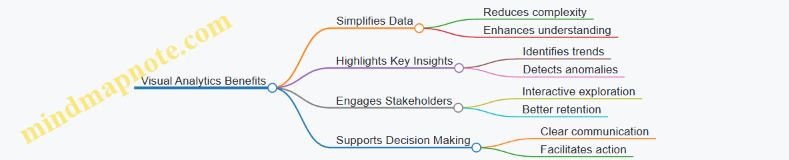
Practical Example 1: Using a Heat Map to Show Risk Concentration
Scenario: An auditor is reporting on control weaknesses across multiple departments.
Approach: A heat map is created where each department is represented by a cell colored according to the number and severity of control issues.
Outcome: Stakeholders can instantly see which departments have the highest risk exposure, enabling targeted remediation.
Practical Example 2: Dashboard for Audit Findings Summary
Scenario: Presenting a comprehensive overview of audit progress and findings to the audit committee.
Approach: A dashboard combines bar charts (number of findings by category), pie charts (percentage of findings by risk level), and line charts (trend of findings over time).
Outcome: The committee gains a holistic understanding of audit status and emerging risks at a glance.
Best Practices for Using Visual Analytics in Audit Reporting
- Know your audience: Tailor visuals to their level of expertise and interest.
- Keep it simple: Avoid clutter; focus on key messages.
- Use consistent color schemes: Colors should have clear meanings (e.g., red for high risk).
- Label clearly: Axes, legends, and data points should be easy to understand.
- Combine visuals with narrative: Explain what the visuals mean and their implications.
- Leverage interactivity: When possible, use tools that allow stakeholders to explore data.
Mind Map: Best Practices for Visual Analytics
Tools Commonly Used for Visual Analytics in Auditing
- Microsoft Power BI
- Tableau
- QlikView
- Excel (with advanced charting)
- Audit-specific software with visualization modules
By integrating visual analytics into audit reporting, auditors not only enhance the readability and impact of their reports but also empower stakeholders to make informed decisions swiftly and confidently.
9.4 Best Practices for Delivering Difficult Messages
Delivering difficult messages is an essential skill for auditors, especially when communicating findings that may have significant implications for the client or organization. Handling these conversations with tact, clarity, and professionalism ensures that the message is received constructively and helps maintain trust.
Key Principles for Delivering Difficult Messages
- Prepare Thoroughly: Understand the facts, anticipate reactions, and plan your approach.
- Be Clear and Concise: Avoid jargon, be direct but respectful.
- Use Empathy: Acknowledge the impact on stakeholders and show understanding.
- Focus on Facts and Evidence: Base your message on objective findings.
- Offer Solutions or Next Steps: Help guide the recipient toward resolution.
- Maintain Professionalism: Stay calm and composed, even if the message is not well received.
Mind Map: Delivering Difficult Messages
Step-by-Step Approach with Example
-
Preparation:
- Review audit findings thoroughly.
- Identify key points that need to be communicated.
- Anticipate possible concerns or objections.
-
Opening the Conversation:
- Begin with a positive or neutral statement.
- Clearly state the purpose of the discussion.
-
Presenting the Message:
- Use clear, factual language.
- Avoid blame; focus on the issue.
-
Addressing Reactions:
- Listen actively.
- Acknowledge emotions.
- Clarify misunderstandings.
-
Discussing Next Steps:
- Propose corrective actions.
- Offer assistance or resources.
-
Closing:
- Summarize the discussion.
- Confirm understanding and agreement on next steps.
Example:
Scenario: An auditor discovers significant control weaknesses in the inventory management system of a manufacturing client.
- Preparation: Auditor gathers all evidence, including test results and control documentation.
- Opening: “Thank you for meeting today. I want to discuss some important observations from our recent audit of your inventory controls.”
- Presenting: “We identified several control gaps that could lead to inventory misstatements, such as lack of segregation of duties and incomplete record-keeping.”
- Addressing Reactions: Client expresses concern; auditor listens and acknowledges the challenges.
- Next Steps: “To address these issues, we recommend implementing a formal approval process for inventory adjustments and enhancing record accuracy through regular reconciliations. We can provide templates and guidance to assist.”
- Closing: “Let’s schedule a follow-up in one month to review progress and any additional support you may need.”
Additional Mind Map: Handling Emotional Responses

Tips for Success
- Practice delivering difficult messages in role-plays or simulations.
- Use “I” statements to avoid sounding accusatory (e.g., “I noticed” instead of “You failed”).
- Document the conversation and agreed actions for accountability.
- Follow up to reinforce commitment and support.
Mastering the art of delivering difficult messages not only improves audit effectiveness but also strengthens professional relationships and fosters a culture of transparency and continuous improvement.
9.5 Case Example: Reporting on Compliance Issues Effectively
Introduction
Reporting on compliance issues is a critical aspect of auditing, especially in regulated industries such as finance, healthcare, and manufacturing. Effective reporting ensures that stakeholders understand the nature, impact, and urgency of compliance risks and can take appropriate corrective actions.
Key Components of Effective Compliance Reporting
- Clear Identification of the Compliance Issue
- Explanation of Relevant Regulations or Standards
- Impact Assessment on the Organization
- Recommendations for Remediation
- Follow-up and Monitoring Plans
Mind Map: Effective Compliance Reporting Structure
Example Scenario
Background: An auditor discovers that a financial institution has not fully complied with the Anti-Money Laundering (AML) regulations due to inadequate customer due diligence (CDD) procedures.
Step 1: Describe the Compliance Issue
- “During the audit, it was observed that 25% of sampled customer files lacked updated identification documents, which is a violation of AML regulatory requirements.”
Step 2: Explain Regulatory Context
- “According to the Bank Secrecy Act (BSA) and AML regulations, financial institutions must maintain up-to-date customer identification records to prevent illicit activities.”
Step 3: Assess Impact
- Financial: Potential fines up to $1 million.
- Operational: Increased risk of fraudulent transactions.
- Reputational: Damage to customer trust and regulatory relationships.
Step 4: Provide Recommendations
- Immediate: Conduct a full review and update of all customer files within 30 days.
- Long-term: Implement an automated alert system for document expiry.
Step 5: Outline Follow-up Plan
- Schedule a follow-up audit in 3 months.
- Assign compliance officer to monitor progress.
Mind Map: AML Compliance Reporting Example
Best Practices Illustrated in the Example
- Use of clear, non-technical language to describe the issue.
- Linking findings directly to regulatory requirements.
- Quantifying impact to emphasize urgency.
- Providing actionable and prioritized recommendations.
- Defining a clear follow-up mechanism to ensure accountability.
Additional Tips for Auditors
- Tailor reports to the audience, focusing on what matters most to them.
- Use visuals like charts or mind maps to simplify complex information.
- Maintain objectivity and avoid speculative statements.
- Highlight both risks and controls that are working well.
Summary
Effective reporting on compliance issues combines clarity, context, impact analysis, and actionable recommendations. By structuring reports thoughtfully and using examples like the AML case, auditors can drive meaningful improvements and support organizational compliance efforts.
10. Continuous Improvement and Professional Development
10.1 Incorporating Feedback Loops into Audit Processes
Incorporating feedback loops into audit processes is a critical practice for enhancing audit quality, ensuring continuous improvement, and adapting to evolving risks and organizational changes. Feedback loops enable auditors to learn from previous audits, stakeholder input, and real-time findings to refine their approach and methodologies.
What is a Feedback Loop in Auditing?
A feedback loop in auditing is a systematic process where information and insights gained during or after an audit cycle are used to improve future audits. It involves collecting feedback from various sources, analyzing it, and implementing changes to audit plans, techniques, or controls.
Benefits of Feedback Loops in Audit Processes
- Improved Audit Quality: Continuous refinement based on past experiences.
- Enhanced Risk Identification: Early detection of emerging risks.
- Stakeholder Engagement: Incorporates client and team feedback for better collaboration.
- Efficiency Gains: Streamlines audit procedures by eliminating redundant steps.
Mind Map: Feedback Loop Components
Step-by-Step Example: Implementing a Feedback Loop
Scenario: An audit team completes a financial audit for a manufacturing company and notices recurring issues with inventory valuation.
- Collect Feedback: After the audit, the team holds a debrief meeting to discuss challenges faced, including difficulties verifying inventory counts.
- Analyze Feedback: They identify that the inventory control system lacks real-time updates, causing discrepancies.
- Root Cause Analysis: The team investigates and finds that manual entry errors and delayed reconciliations are primary causes.
- Action Plan: The audit plan for the next cycle is adjusted to include more substantive testing on inventory and recommend automation improvements.
- Training: Auditors receive additional training on inventory audit techniques and data analytics tools.
- Follow-up: The next audit cycle evaluates if the implemented changes reduced discrepancies.
Mind Map: Feedback Loop Workflow Example
Best Practices for Incorporating Feedback Loops
- Establish Formal Feedback Channels: Regular debriefs, surveys, and stakeholder meetings.
- Document Feedback Thoroughly: Maintain records for trend analysis.
- Use Technology: Leverage audit management software to track feedback and changes.
- Encourage Open Communication: Foster a culture where team members and clients feel comfortable sharing insights.
- Integrate Feedback into Audit Planning: Make feedback a mandatory input for risk assessment and procedure design.
Additional Example: Continuous Improvement via Feedback
An internal audit department noticed repeated delays in completing IT audits. By collecting feedback from auditors and IT stakeholders, they discovered that unclear scope definitions and lack of access to systems caused bottlenecks. The department then implemented a feedback loop that included pre-audit scoping meetings and access checklists. Over subsequent audits, completion times improved by 25%, demonstrating the power of feedback loops.
Summary
Incorporating feedback loops into audit processes transforms auditing from a static, one-time event into a dynamic, evolving practice. By systematically collecting, analyzing, and acting on feedback, auditors can enhance effectiveness, reduce risks, and deliver greater value to their organizations and clients.
10.2 Staying Updated with Regulatory Changes and Standards
Staying current with regulatory changes and auditing standards is crucial for auditors to maintain compliance, ensure audit quality, and provide valuable insights to their organizations. This section explores best practices, tools, and examples to help auditors keep pace with the evolving regulatory landscape.
Importance of Staying Updated
- Ensures compliance with laws and regulations
- Reduces risk of audit failures and penalties
- Enhances credibility and professional reputation
- Supports accurate and relevant audit findings
Best Practices for Staying Updated
-
Subscribe to Regulatory Bodies and Professional Organizations
- Examples: PCAOB, AICPA, IAASB, IFRS Foundation, FASB
- Receive newsletters, alerts, and updates directly
-
Leverage Technology and Automated Tools
- Use platforms like Thomson Reuters Checkpoint, Wolters Kluwer CCH, or AuditBoard
- Set up alerts for changes in standards or regulations
-
Participate in Continuous Professional Education (CPE)
- Attend webinars, workshops, and conferences
- Engage in specialized courses on new regulations
-
Network with Peers and Industry Experts
- Join professional forums and discussion groups
- Share insights and interpretations of new standards
-
Maintain an Internal Regulatory Change Log
- Track updates and assess their impact on audit processes
- Assign responsibility for monitoring specific areas
Mind Map: Strategies to Stay Updated with Regulatory Changes
Example 1: Using Automated Alerts to Track IFRS Updates
An auditor working for a multinational corporation subscribes to the IFRS Foundation’s update service. They also use an audit management software that integrates regulatory updates and sends notifications when new IFRS standards or amendments are released. This proactive approach allows the audit team to review the changes promptly and adjust audit programs accordingly, ensuring compliance and minimizing risk.
Mind Map: Workflow for Integrating Regulatory Updates into Audit Planning
Example 2: Internal Regulatory Change Log Implementation
A mid-sized accounting firm establishes a regulatory change log maintained by the compliance officer. Each new regulatory update is logged with a summary, effective date, and potential impact on audit procedures. The audit manager reviews this log monthly during team meetings to ensure everyone is aware and prepared. This systematic approach improves the firm’s responsiveness and audit quality.
Additional Tips
- Regularly review regulatory websites and official publications.
- Encourage auditors to dedicate time weekly for regulatory research.
- Use social media channels of regulatory bodies for real-time updates.
- Document all training and update sessions for audit trail purposes.
Summary
Staying updated with regulatory changes and standards is an ongoing responsibility that requires a combination of technology, education, networking, and internal processes. By implementing structured approaches and leveraging available resources, auditors can ensure their work remains compliant, relevant, and of the highest quality.
10.3 Leveraging Peer Reviews and Quality Assurance
Peer reviews and quality assurance (QA) are essential components in maintaining and enhancing the effectiveness, reliability, and credibility of audit processes. This section explores how auditors can leverage peer reviews and QA to improve audit quality, ensure compliance with standards, and foster continuous professional development.
What is Peer Review?
Peer review is a systematic evaluation of an auditor’s work by one or more independent auditors to ensure adherence to professional standards and identify areas for improvement.
What is Quality Assurance?
Quality assurance encompasses the policies, procedures, and activities designed to provide confidence that audit work meets established standards consistently.
Benefits of Peer Reviews and Quality Assurance
- Enhances audit quality and reliability
- Identifies gaps and risks early
- Promotes adherence to auditing standards
- Encourages knowledge sharing and professional growth
- Builds stakeholder confidence
Mind Map: Components of Peer Review and Quality Assurance
Best Practices for Leveraging Peer Reviews and QA
Establish Clear Objectives
Define what the peer review aims to achieve, such as compliance verification, process improvement, or skill enhancement.
Select Qualified Reviewers
Choose reviewers with relevant experience and independence to ensure objective and constructive feedback.
Use Standardized Checklists and Tools
Implement checklists aligned with auditing standards (e.g., ISA, GAAS) to maintain consistency.
Encourage Open and Constructive Communication
Foster a culture where feedback is welcomed and viewed as an opportunity for growth.
Document Findings and Follow-up Actions
Maintain detailed records of review outcomes and track implementation of recommendations.
Integrate QA into Daily Audit Processes
Embed quality checks at key stages rather than as a final step to catch issues early.
Example: Peer Review Process in a Corporate Audit Team
Scenario: A corporate audit team conducts an internal peer review after completing a financial statement audit.
- Preparation: The lead auditor selects two senior auditors from different departments to review the audit files.
- Review: Reviewers examine working papers, risk assessments, and conclusions using a standardized checklist.
- Feedback Session: Reviewers meet with the audit team to discuss findings, highlighting strengths and areas needing improvement.
- Action Plan: The team agrees on corrective measures, such as improving documentation and enhancing risk analysis.
- Follow-up: After three months, a follow-up review confirms implementation of recommendations.
Mind Map: Peer Review Workflow Example
Quality Assurance Framework Example
An audit firm implements a QA framework that includes:
- Training Programs: Regular workshops on new auditing standards and technologies.
- Internal Audits: Periodic audits of audit processes themselves.
- Performance Metrics: Tracking key indicators like error rates and client feedback.
- Continuous Improvement: Using peer review results to update policies and procedures.
Example: Using QA to Detect and Correct a Documentation Deficiency
During a peer review, it was identified that several audit files lacked sufficient evidence for revenue recognition testing. The QA team recommended:
- Immediate retraining on documentation standards.
- Introduction of a mandatory checklist for revenue audit steps.
- Regular spot checks by senior auditors.
As a result, documentation quality improved significantly, reducing the risk of audit deficiencies.
Summary
Leveraging peer reviews and quality assurance is vital for sustaining high audit standards. By embedding these practices into the audit lifecycle, auditors can enhance accuracy, compliance, and professional growth while delivering greater value to stakeholders.
10.4 Best Practices for Lifelong Learning in Auditing
Lifelong learning is essential for auditors to stay relevant and effective in an ever-evolving financial and regulatory landscape. This section explores best practices that auditors can adopt to continuously enhance their skills, knowledge, and professional competence.
Why Lifelong Learning Matters in Auditing
- Rapid changes in accounting standards and regulations
- Technological advancements impacting audit methodologies
- Increasing complexity of business environments
- Growing expectations from stakeholders for high-quality audits
Best Practices for Lifelong Learning
Structured Learning Plans
- Set clear learning objectives aligned with career goals
- Schedule regular time for study and professional development
- Use a mix of formal courses, webinars, and self-study
Engage in Professional Networks
- Join auditing and accounting professional bodies (e.g., AICPA, IIA)
- Participate in forums, conferences, and workshops
- Share knowledge and learn from peers
Stay Updated with Regulatory Changes
- Subscribe to updates from regulatory agencies (e.g., SEC, PCAOB)
- Follow industry newsletters and audit standard boards
- Attend seminars on new standards and compliance requirements
Leverage Technology and Online Resources
- Use e-learning platforms like Coursera, LinkedIn Learning
- Explore audit-specific tools and tutorials
- Participate in virtual workshops and webinars
Reflective Practice and Feedback
- Regularly review audit engagements to identify learning points
- Seek feedback from supervisors and peers
- Document lessons learned and apply them in future audits
Cross-Disciplinary Learning
- Explore related fields such as IT auditing, data analytics, and fraud examination
- Understand business operations and industry-specific risks
Mind Map: Lifelong Learning Best Practices in Auditing
Example 1: Structured Learning Plan in Action
Scenario: Sarah, a senior auditor, sets a goal to become proficient in data analytics within 12 months.
- She enrolls in an online course on data analytics for auditors.
- Allocates 3 hours weekly for study and practice.
- Applies learned techniques in ongoing audits, such as using data mining to identify anomalies.
- Attends webinars hosted by professional bodies on emerging audit technologies.
- Reviews progress quarterly and adjusts her learning plan accordingly.
This structured approach helps Sarah enhance her audit effectiveness and prepares her for future audit challenges.
Example 2: Leveraging Professional Networks
Scenario: John, an auditor in a corporate finance team, joins the Institute of Internal Auditors (IIA).
- He participates in local chapter meetings and online forums.
- Shares experiences about implementing robotic process automation (RPA) in audits.
- Learns from peers about best practices in fraud detection.
- Gains access to exclusive resources and certifications.
Through active engagement, John stays current with industry trends and expands his professional capabilities.
Mind Map: Continuous Professional Development Cycle
Summary
Adopting best practices for lifelong learning empowers auditors to maintain high standards, adapt to changes, and deliver greater value. By combining structured plans, networking, technology use, and reflective practices, auditors can foster a culture of continuous improvement and professional excellence.
10.5 Example: Implementing a Continuous Improvement Program
Implementing a continuous improvement program within an auditing function is essential to enhance audit quality, adapt to evolving risks, and foster professional growth. This example will walk through the key steps, best practices, and practical applications of such a program.
Step 1: Establish Clear Objectives and Scope
- Define what the continuous improvement program aims to achieve (e.g., improved audit accuracy, efficiency, compliance).
- Determine the scope: specific audit teams, types of audits, or organizational units.
Step 2: Develop Feedback Mechanisms
- Collect feedback from audit clients, team members, and stakeholders.
- Use surveys, interviews, and post-audit reviews.
Step 3: Analyze Audit Performance Data
- Track key performance indicators (KPIs) such as audit cycle time, error rates, and findings resolution.
- Identify trends and areas for improvement.
Step 4: Implement Training and Development
- Address skill gaps through targeted training programs.
- Encourage certifications and workshops.
Step 5: Integrate Technology and Tools
- Adopt audit management software to streamline processes.
- Use data analytics for continuous monitoring.
Step 6: Monitor and Adjust
- Regularly review the effectiveness of improvement initiatives.
- Adjust strategies based on results and feedback.
Mind Map: Continuous Improvement Program Framework
Practical Example: Continuous Improvement in Action
Scenario: A mid-sized corporate audit department noticed recurring delays in audit report delivery and inconsistent documentation quality.
Actions Taken:
-
Objective Setting: The team set a goal to reduce report turnaround time by 20% within six months and improve documentation completeness.
-
Feedback Collection: Conducted anonymous surveys with audit clients and auditors to identify bottlenecks.
-
Data Analysis: Found that delays were often due to unclear audit procedures and lack of standardized templates.
-
Training: Organized workshops on standardized documentation and time management.
-
Technology: Implemented an audit management system with built-in templates and automated reminders.
-
Monitoring: Monthly KPI reviews showed a steady decrease in delays and improved documentation scores.
Outcome: Within six months, report delivery time improved by 25%, exceeding the target, and documentation quality ratings increased by 30%.
Mind Map: Practical Example Workflow
Best Practices for Sustaining Continuous Improvement
- Leadership Support: Ensure management champions the program.
- Clear Communication: Keep all stakeholders informed and engaged.
- Documentation: Maintain records of improvements and lessons learned.
- Recognition: Celebrate successes to motivate the team.
- Flexibility: Be ready to adapt the program as organizational needs evolve.
By following this structured approach, audit teams can embed continuous improvement into their culture, leading to higher quality audits, better stakeholder satisfaction, and ongoing professional development.